Previous song key
Next song key
Knob direction+
Knob direction-
Sliding knob key
Sliding knob key
Sliding the knob to the left will
increase the volume
Sliding the knob to the right will
decrease the volume
Click on the previous track
Click on the next track
1
CONN1 CONN2
BT
2
1
2
1
2
Introduction
Packing List
FunctionHow to use
ID Diagram
parameter
Packaging List Content
(1)Amplier
Function/Status
Thank you for choosing our products
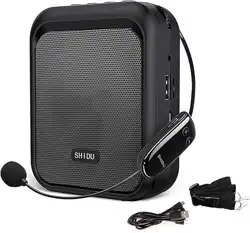
This product is an intelligent wireless microphone
amplifier that can provide Professional level recording
output, no need for APP, multiple uses:Can achieve
classroom teaching, conference speeches, outdoor
gatherings The use of small-scale performances,
shopping guide explanations, etc
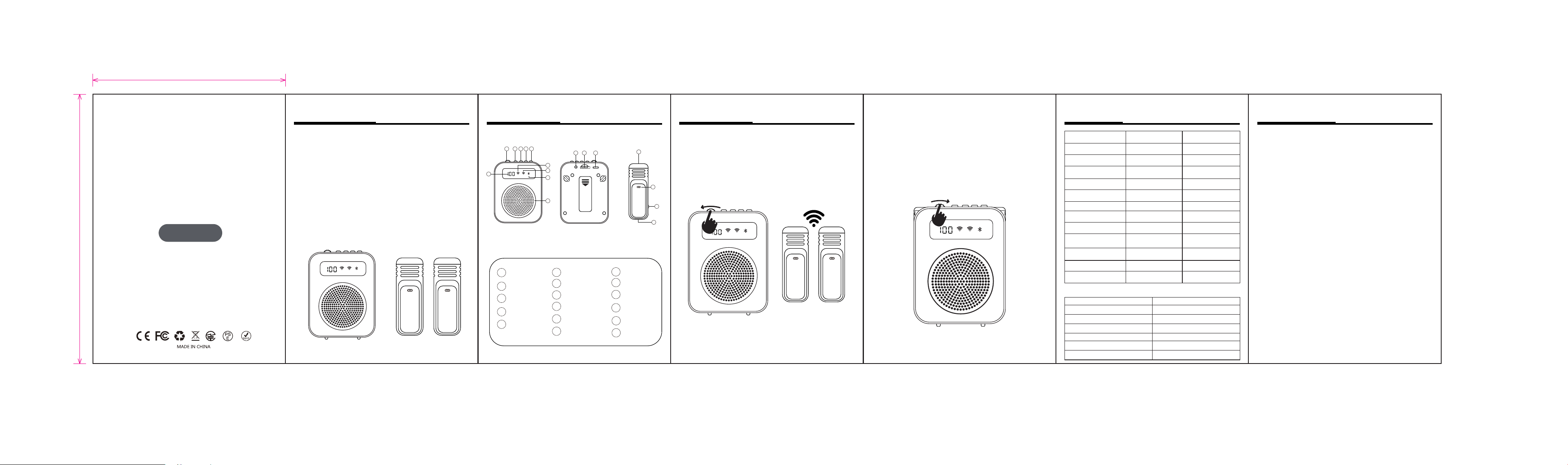
Step 1: First, slide the knob key one space to the left
to turn on the device, then connect 1 The Connect 2
icon will flash, indicating that the microphone will
automatically connect after being taken out.
Step 2: After inserting the microphone into the
amplifier, it will disconnect and move to the right
Swipe one space to turn off the device.
The wireless microphone amplifier consists of two
parts: microphone transmitter and amplifier.
Power on/Sound/
Options/Knob Key
Wireless Connection1
Wireless Connection2
TF card slot
Type-C socket
Microphone
speaker
Connection
display icon
Microphone
power button
Microphone
Type-C
Bluetooth connection
Loudspeaker
Battery level display
MIC jack
Function keys
Previous song
button
Next song button
Pause button
(As shown below)
Power on
Shutdown
Microphone
search pairing
Bluetooth Mode
SD Card Mode
Recording mode
Low battery
Charge
Input voltage
power
speaker
Connection
Battery capacity
Signal to Noise Ratio
Distance
2Ω5W
Wireless 2.4G
4.2V/2000MAH
>68DB
Accessibility 20-25M
DC5V
5W
Slide the knob one
notch to the left
Slide the knob one
notch to the right
Click the Mode key
Click the Mode key
After inserting the TF card, long
press the pause button
Enable recording function mode
Pairing status; State 1 State 2 Two
The indicator light flashes alternately
Power on status, slide the knob key to
the right,The machine is turned off
and all indicator lights are off.
Turn on the device and enter microphone mode.
The receiving and transmitting ends will After en
tering pairing mode and successfully connecting,
the indicator light remains on
Click the mode button to switch to Bluetooth mode and enter pairin
g mode,The indicator light flashes rapidly during pairing, and the
successful connection indicator light remains on,Play slowly and
keep on when paused.
Click the mode button to switch to SD card mode for
voice playback.Automatically switch to SD card mode
when inserting an SD card in the boot state.
When the battery level is less than 10%, the
numbers on the screen flash slowly, indicati
ng low-battery mode.
The machine is charging; the charging current, the
single digit flashes slowly when charging, and 100%
is displayed when fully charged.
operate Functional Description
(2)Microphone
(3)Charging�cable
(4)User�Manual
Wireless Microphone
Amplifier
M10
(Loudspeaker)
(Microphone�x2)
Manual
1 2
1
2
3
4
5
6
7
8
9
10
11
12
13
14
15
16
17
3 4 5
11
12 13
14
15
16
17
6
7
8
9
10
1
2
CONN1 CONN2
BT
CONN1 CONN2
BT
CONN1 CONN2
BT
75mm
105mm

FCC Warnning:
This equipment has been tested and found to comply with the limits for a Class B digital device,
pursuant to part 15 of the FCC Rules. These limits are designed to provide
reasonable
protection against harmful interference in a residential installation. This equipment generates,
uses and can radiate radio
frequency
energy
and,
if
not
installed
and
used
in
accordance
with
the
instructions,
may cause
harmful
interference
to
radio
communications.
However,
there
is
no
guarantee
that interference
will
not
occur
in
a
particular
installation.
If
this
equipment
does
cause
harmful interference to radio or television reception, which can be
determined by turning the equipment off
and
on,
the
user
is
encouraged
to
try
to
correct
the interference
by
one
or
more
of
the following measures:
•
Reorient or relocate the receiving antenna.
•
Increase the separation between the equipment and receiver.
•
Connect the equipment into an outlet on a circuit different from that to which the receiver is
connected.
• Consult the dealer or an experienced radio/TV technician for help.
Caution:
Any
changes
or
modifications
to
this
device
not
explicitly
approved
by
manufacturer
could void your authority to operate this equipment.
This
device
complies
with
part
15
of
the
FCC
Rules.
Operation
is
subject
to
the
following
two
conditions:
(1)This
device
may
not
cause
harmful
interference,
and
(2)
this
device
must
accept
any
interference received, including interference that may cause undesired operation.
This
equipment
complies
with
FCC
radiation
exposure
limits
set
forth
for
an
uncontrolled
environment.
This
equipment
should
be
installed
and
operated
with
minimum
distance
0cm
between the radiator and your body.