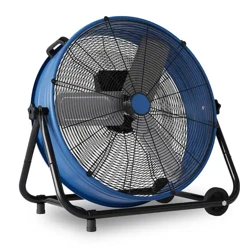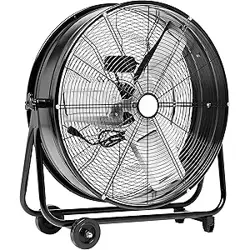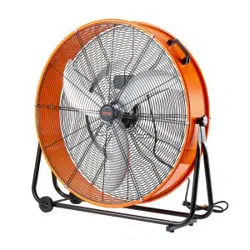
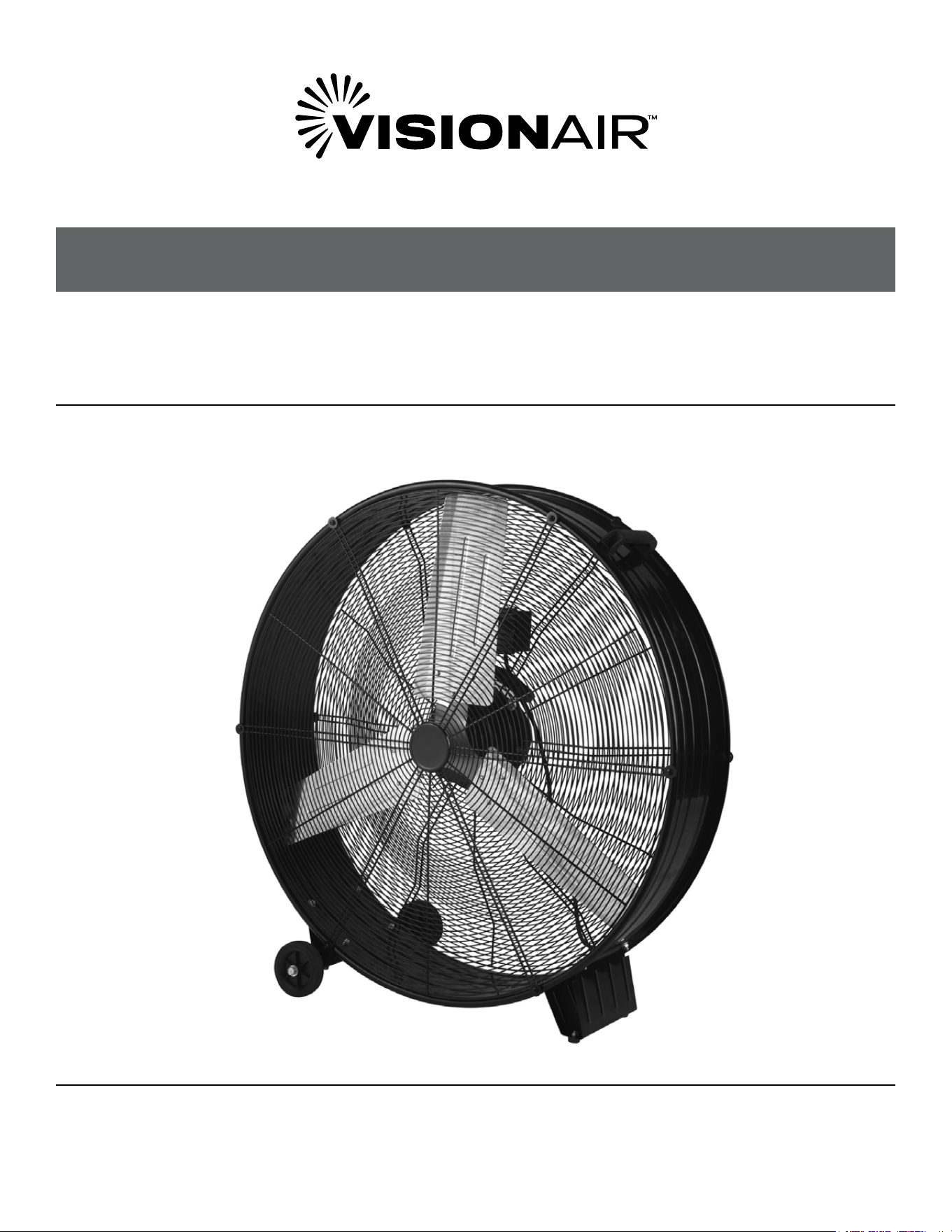
36” DIRECT DRIVE DRUM FAN
INDUSTRIAL FLOOR FAN
MODEL 2VAFDRUM36
OWNER’S MANUAL

2
SAFETY & PRECAUTIONS
CONTINUEDCONTINUED
PRODUCT SPECIFICATIONS
• Model No: 2VAFDRUM36
• Item Name: Industrial Drum Fan
• Rated Voltage: 120V (60Hz)
• Rated Power: 580W
• Mode Fan Speeds: Low / Mid / High
• Fan Blade Diameter: 36 Inch
CONSUMER PRODUCT INFORMATION
For your own records, please attach a copy of your sales receipt to this manual. Also, write the store name/location and date
purchased below:
Store Name: _____________________________________________________________________________________________________
Location: ________________________________________________________________________________________________________
Date Purchased: _________________________________________________________________________________________________

3
CONTENTS
IMPORTANT NOTE:
Please read and save these instructions. Read through this owner’s manual carefully before using this
product. Protect yourself and others by observing all safety information, warnings, and cautions. Failure to
comply with instructions could result in personal injury and/or damage to property. Illustrations in this manual
are for explanatory purposes only, your actual product may look slightly dierent. SAVE THIS MANUAL FOR
FUTURE REFERENCE.
Assembly Instructions ..............................................................................................................................................................4
Safety Guidelines .....................................................................................................................................................................5
Important Instructions .............................................................................................................................................................5
Grounding .................................................................................................................................................................................5
Extentsion Cords ......................................................................................................................................................................6
Operation ..................................................................................................................................................................................6
Care and Maintenance .............................................................................................................................................................6
Troubleshooting .......................................................................................................................................................................7
4
SAFETY & PRECAUTIONS
CONTINUEDCONTINUED
INSTRUCTIONS
ASSEMBLY INSTRUCTIONS
WARNING
Before assembling the fan, make sure all parts are present. lf any part is missing or damaged, do not attempt to assemble, install, or
operate the product. Contact customer service for replacement parts. Unplug fan before assembling any parts to it.
DEFINITIONS: SAFETY GUIDELINES
The denitions below describe the level of severity for each signal word. Please read the manual and pay attention to these symbols.
DANGER: Indicates an imminently hazardous situation which, if not avoided, will result in death or serious injury.
WARNING: Indicates a potentially hazardous situation which, if not avoided, could result in death or serious injury.
CAUTION: Indicates a potentially hazardous situation which, if not avoided, may result in minor or moderate injury.
NOTES: Indicates a practice not related to personal injury which, if not avoided, may result in property damage.
IMPORTANT INSTRUCTIONS
WARNING: As with all electrical appliances, basic
safety precautions should always be followed to reduce the
risk of electric shock, re, or injury to persons, including the
following precautions: Read all the instructions before using
this fan.
• Use this fan only as described in this manual. Any other use
which is not recommended by the manufacturer may cause
electrical shock, re or injury to persons.
• Do not operate the fan with a damaged power cord or after
the fan malfunctions or has been dropped in any manner.
• Use of extreme caution is necessary when any fan is used by
or near children, disabled persons or pets and whenever the
fan is left operating unattended.
• Do not place the fan on a small, unlevel, uneven or any
surface which might allow fan to tip or fall.
• For proper operation, fan should be placed on a smooth
non-combustible, level surface.
• Always unplug fan when not in use, when moving from place
to place, when assembling or disassembling parts, and
before cleaning.
• The use of attachments that are not recommended or sold
by the manufacturer may cause hazards.
• Do not use outdoors.
• Do not use fan in window. Rain may cause electrical hazard.
• Do not operate the fan with blade guards or any safety
device removed.Do not run power cord under carpeting. Do
not cover cord with throw rugs, runners or the like. Arrange
cord away from trac area where it will not be tripped over.
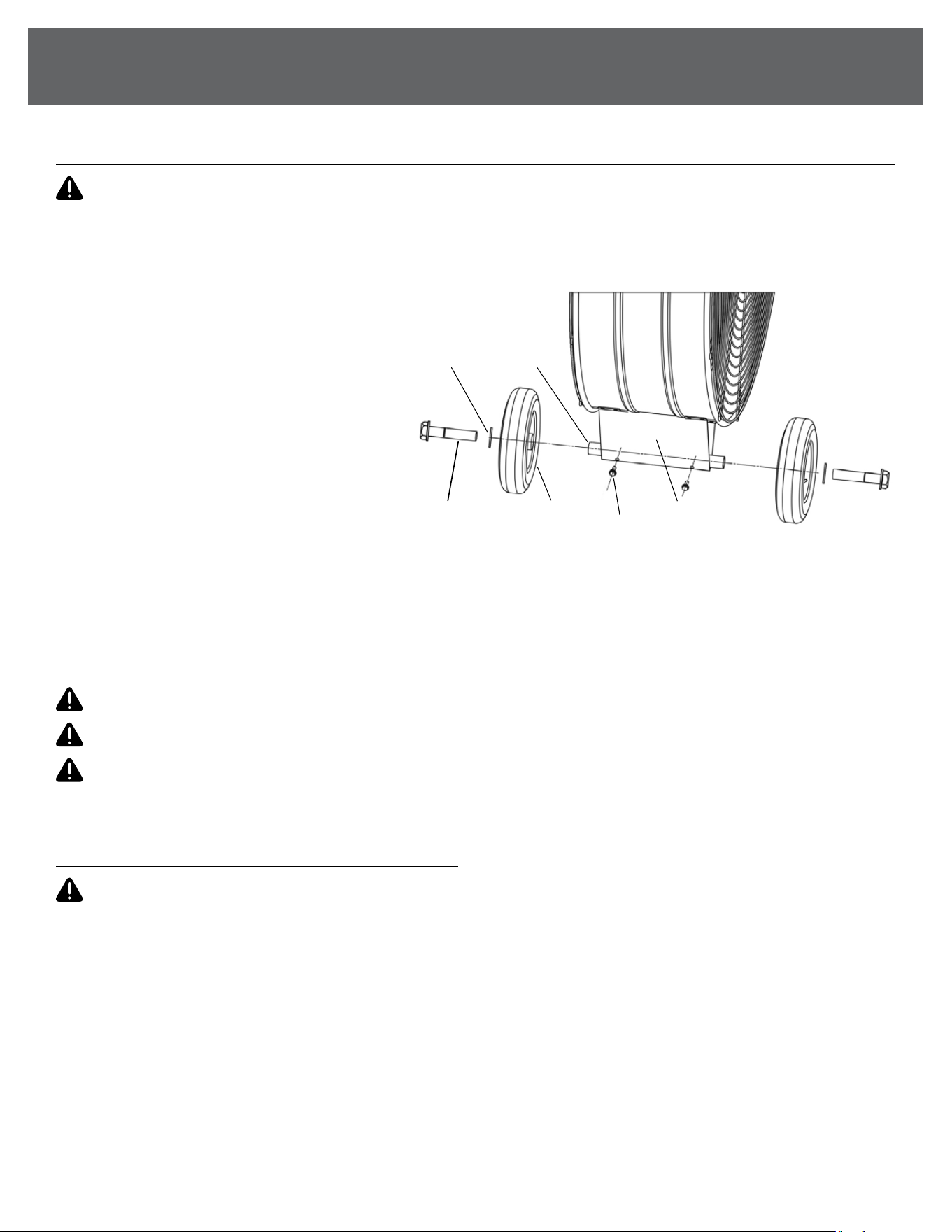
PACKAGE INCLUDES
• Fan Body x 1
• Wheels x 2
• Screws x 2
• Axle x1
• Washer x 2
• Hexagon Bolt x 2
1. Insert axle shaft through the frame. Align the
holes in the frame to the holes in the axle.
Secure screws with a screw driver as shown.
2. Slide in each wheel over end of each axle shaft
and secure with hexagon bolts and washers.
3. Tighten hexagon bolts.
WASHER AXLE
HEXAGON WHEELS FRAME
BOLT SCREW
5
INSTRUCTIONS
(Continued)
• Do not insert or allow any object to enter any openings
on the fan. Doing so may cause electric shock and/or re
hazard. Avoid contact with moving parts.
• This appliance is not intended for use by persons (including
children) with reduced physical, sensory or mental
capabilities or lack of experience and knowledge, unless
they have been given supervision or instruction concerning
use of the appliance by a person who is responsible for their
safety.
• Children should be supervised to ensure they do not play
with the appliance.
READ & SAVE THESE INSTRUCTIONS
WARNING
Shock hazard: Use this fan only in dry environments. This fan
is not intended for use in a bathroom, laundry area, or similar
locations, or near sinks, washing machines, swimming pools
or other sources of water. Never locate fan where it may fall
into a bathtub or other water receptacle. Do not use in damp
environments such as ooded basements.
Hot surfaces: Do not touch fan motor when in use. This motor
is hot when in use, to avoid burns, do not let bare skin touch hot
surfaces.
Fire hazard: Fans have arcing or sparking parts inside. Do
not use near combustible materials or ammable gases or
sources of heat. DO NOT USE in areas where gasoline, paint or
ammable materials are used or stored. To prevent a possible
re, do not block air intakes or exhaust in any manner. Do
not insert or allow foreign objects to enter any ventilation or
exhaust opening as this may cause an electric shock, re, or
damage the fan.
Electrical shock hazard: Do not use with damaged cord or
plug. Use with adequate electrical system that is up to code.
To prevent electric shock: Improper connection of the
equipment-grounding conductor can result in a risk of electric
shock, check with a qualied electrician or service person if
you ar in doubt as to whether the outlet is properly grounded.
Do not modify the plug provided with the appliance – if it will
not t the ouet, have a proper outlet installed by a qualied
electrician.
To reduce the risk of re or electric shock: Do not use this
product with any solid-state speed controls.
WARNING
Use only extension cords that are rated for outdoor use.
Extension cords in poor condition or that are too small in wire
size can pose re and shock hazards. To reduce the risk of these
hazards when using an extension cord, be sure it is in good
condition and that the connection does not come into contact
with liquid. To keep power loss to a minimum, use the following
table to choose the minimum wire size extension cord.
Extension Cord Length Wire Gauge A.W.G.
0-50 feet 14
50-100 feet 12
GROUNDING INSTRUCTIONS
In the event of malfunction or breakdown, grounding provides
a path of least resistance for electric current to reduce the risk
of electric shock. The fan must be connected to a cord having
an equipment-grounding conductor and a grounding plug. The
plug must be plugged into an appropriate outlet that is properly
installed and grounded in accordance with all local codes and
ordinances.
DANGER: Improper connection of the equipment
grounding conductor can result in a risk of electric shock.
The conductor with insulation having an outer surface that
is green with or without yellow stripes is the equipment
grounding conductor. If repair or replacement of the cord or
plug is necessary, do not connect the equipment-grounding
conductor to a live terminal. Check with a qualied electrician
or service person if the grounding instructions are not
completely understood, or if in doubt as to whether the fan is
properly grounded. Do not modify the plug connected to the
fan – if it will not t the outlet, have a proper outlet installed by
a qualied electrician.
FOR GROUNDED, CORD-CONNECTED FAN RATED LESS
THAN 15A AND INTENDED FOR USE ON A NOMINAL 120V
SUPPLY CIRCUIT
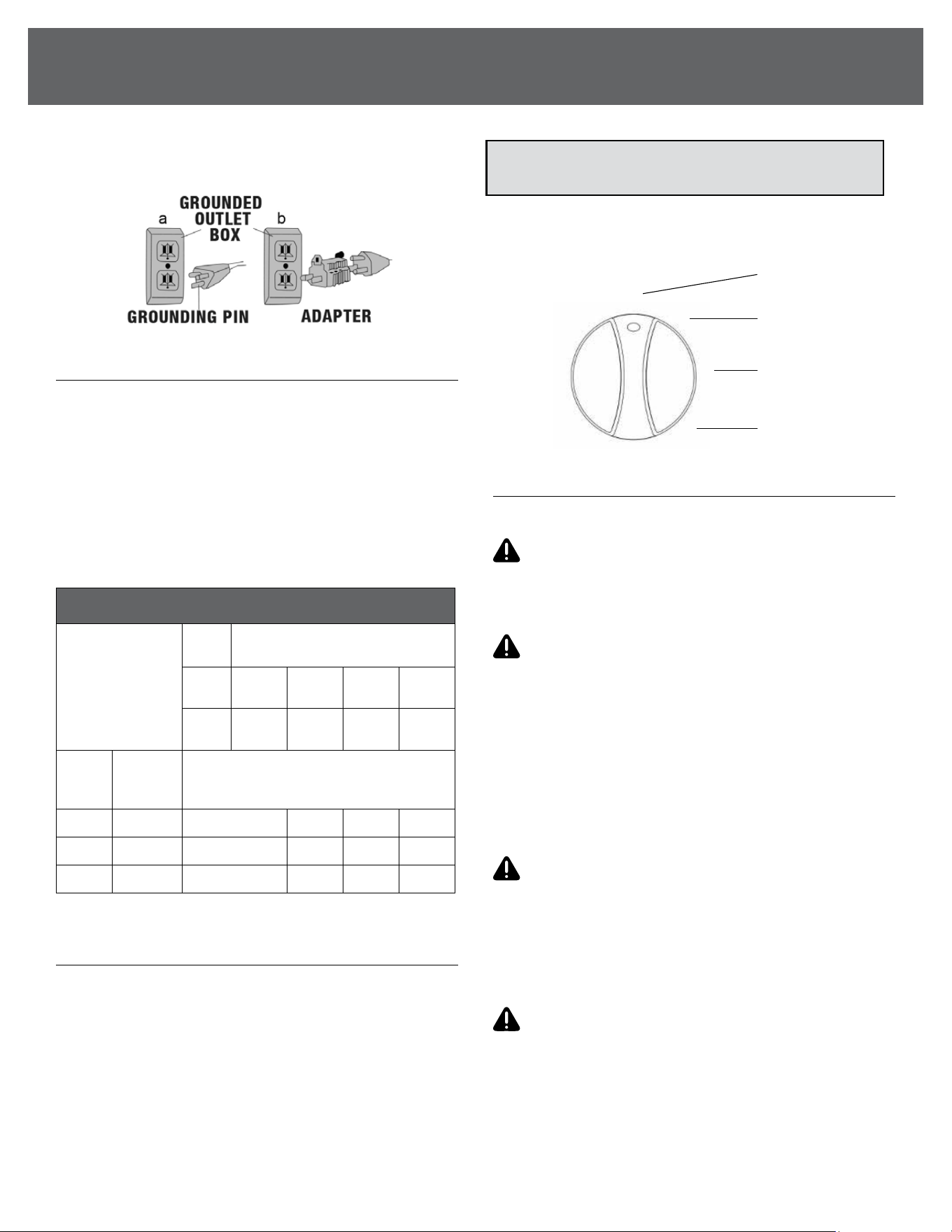
The fan is for use on a nominal 120V circuit, and should be
connected to a grounding outlet that looks like that illustrated
in Figure A. A temporary adaptor, which looks like the adaptor
illustrated in Figure B, may be used to connect this plug to a
2-pole receptacle as shown in Figure B if a properly grounded
outlet is not available. The temporary adaptor should be used
only until a properly grounded outlet can be installed by a
qualied electrician. The green colored rigid ear, plug, and
the like, extending from the adaptor must be connected to a
permanent ground such as a properly grounded outlet box
cover.
Whenever the adaptor is used, it must be held in place by the
metal screw.
NOTE: IN CANADA, THE USE OF A TEMPORARY ADAPTOR
IS NOT PERMITTED BY THE CANADIAN ELECTRICAL CODE.
6
SAFETY & PRECAUTIONS
CONTINUEDCONTINUED
Ensure that the fan is connected to an outlet having the same
conguration as the plug.
USE OF EXTENSION CORDS WITH FAN
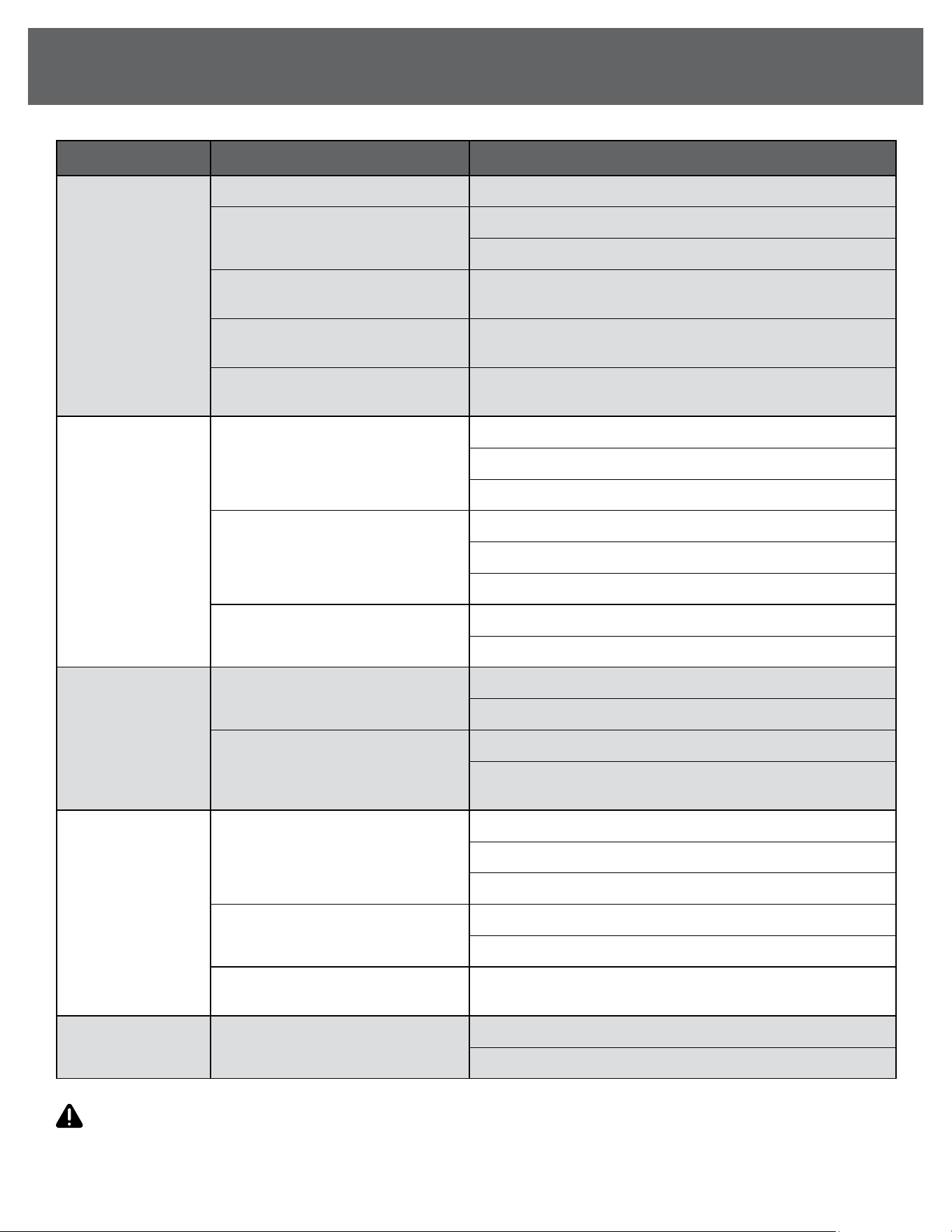
Only use a grounded extension cord that is rated at least 15 Amps
and has a third-wire ground. When a long extension cord is
used to connect the fan, a voltage drop occurs. The longer the
cord, the greater the voltage drop. This results in less voltage
being supplied to the fan and increases the amount of current
(Amp) draw or reduces performance. A heavier cord with a
larger wire size will reduce the voltage drop. Be sure to choose
a cord that will supply enough voltage to operate the fan. The
table below indicates appropriate gauge for extension cords.
OPERATION INSTRUCTIONS
Fan operation: Always operate the fan in the upright position
following all instructions and recommendations listed in this
manual.
Fan location: Place the fan in the area of the room that will
provide proper fan cooling.
Fan connection: Plug fan directly into 120 volt A.C., 60 Hz wall
outlet. Be sure plug ts tightly in outlet. A loose connection
may cause overheating and damage to the plug or fan.
Speed control: Twist the switch on the control box to turn the
fan on or and select dierent speeds.
CARE AND MAINTENANCE
CLEANING
WARNING: Before cleaning the fan be sure to
disconnect power cord from the plug. Clean the grille surface
with a clean damp cloth. Do not use harsh chemical or abrasive
cleaners.
WARNING: DO NOT IMMERSE THE FAN OR ANY
WIRES IN WATER. Replace front grille before fan use and allow
fan to dry completely before use. Periodic grille cleaning with
a vacuum prevents dust build up. The motor is sealed and does
not require any interior maintenance, cleaning or lubrication.
MAINTENANCE
The internal motor bearings are permanently lubricated at the
factory and do not require any additional lubrication.
REPAIR
WARNING: DO NOT OPERATE THE FAN WITHOUT
THE GRILLE IN PLACE. DO NOT USE THE FAN IF IT HAS
MALFUNCTIONED OR BECOME DAMAGED IN ANY WAY.
STORAGE
Keep original carton for storage of the fan. Coil and tie the
power cord to avoid damage during storage.
WARNING: TO REDUCE THE RISK OF INJURY
FROM MOVING PARTS AND/OR ELECTRICAL SHOCK,
TURN POWER SWITCH OFF AND DISCONNECT GROUNDED
PLUG FROM ELECTRICAL OUTLET BEFORE PERFORMING
TROUBLESHOOTING CHECKS.
Minor problems often can be xed without calling customer
service.
NOTE: To prevent overloading a circuit, do not plug the fan
into a circuit that is servicing other electrical needs.
0
1
2
3
O
Low
Medium
High
Minimum Gauge for Extension Cord Sets
Ampere Rating
Volts
Total Length of Cord in Feet
(meters)
120V
25
(7.6)
50
(15.2)
100
(30.5)
150
(45.7)
240V
50
(15.2)
100
(30.5)
200
(61.0)
300
(91.4)
More
Than
Not
More
Than
AWG
0 6 18 16 16 14
6 10 18 16 14 12
10 12 16 16 14 12
INSTRUCTIONS
(Continued)
7
TROUBLESHOOTING
WARNING: If the supply cord is damaged, it must be replaced by the manufacturer, its service agent or similarly qualied
persons in order to avoid a hazard.
ISSUE POSSIBLE CAUSE RECOMMENDED SOLUTION
Fan not turning on
Power cord not plugged in securely Ensure the power cord is fully inserted into a working outlet.
Circuit breaker has tripped or
fuse blown
1. Check your circuit breaker panel for a tripped breaker.
2. Reset the breaker, or replace the fuse if blown.
Fan switch not in the “On” position
Turn the fan speed control switch to the “On” position or
desired speed.
Faulty power outlet
Test the outlet with another device (e.g., a lamp) to ensure it’s
functioning. If the outlet is faulty, use another outlet.
Motor issue
If the fan doesn’t turn on after checking the power supply,
unplug the fan and contact customer service.
Unusual noise
during operation
Loose screws or parts
1. Turn o and unplug the fan.
2. Inspect all screws on the housing and blades.
3. Tighten any loose screws using a screwdriver.
Fan blades are unbalanced
1. Turn o and unplug the fan.
2. Inspect each blade for bends or damage.
3. Remove any objects or debris obstructing the blades.
Fan placed on an uneven surface
1. Ensure the fan is placed on a stable, level surface.
2. If necessary, move the fan to a dierent location.
Fan vibrating
excessively
Fan placed on an uneven surface
1. Ensure the fan is placed on a stable, level surface.
2. If necessary, move the fan to a dierent location.
Loose fan blade
1. Turn o and unplug the fan.
2. Check if the fan blades are securely attached and tighten
any loose screws.
Fan overheating
Dust or debris buildup in motor vents
1. Turn o and unplug the fan.
2. Clean the motor vents using a soft brush to remove dust.
3. Wipe down the fan blades and housing with a dry cloth.
Prolonged use in a poorly ventilated
space
1. Turn o the fan and allow it to cool down.
2. Ensure it is operating in a well-ventilated area.
Electrical issue
If the fan continues to overheat, unplug it and contact
customer service for further assistance.
Reduced airow Dirty or obstructed fan blades
1. Turn o and unplug the fan.
2. Clean the blades with a soft, dry cloth to remove dirt or debris.

833-950-1185 | support@visionairproducts.com | www.visionairproducts.com
4560 West 160th Street
Cleveland, OH 44135
Printed in China | 1024_M095