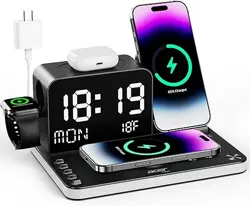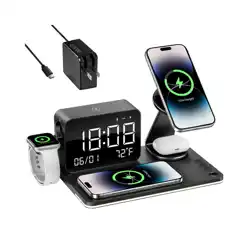

THL MagCharge Wireless Charging Station
User Manual
Version: 1.1 | Date: January 2026
LEGAL INFORMATION
Copyright © 2026
All rights reserved.
No part of this publication may be quoted, reproduced, translated or used in any form or by any means, electronic or
mechanical, including photocopying and microfilm, without the prior written permission of Shenzhen Hongjiayuan
Communications Technology Co., Ltd.
Notice
Shenzhen Hongjiayuan Communications Technology Co., Ltd. reserves the right to make modifications on print errors or update
specifications in this guide without prior notice.
We offer self-service for our smart device users. Please visit the official website for more information on self-service and
supported product models. Information on the website takes precedence.
Disclaimer
Shenzhen Hongjiayuan Communications Technology Co., Ltd. expressly disclaims any liability for faults and damages caused by
unauthorized modifications of the software.
Images and screenshots used in this guide may differ from the actual product. Content in this guide may differ from the actual
product or software.
Trademarks
THL and its logos are trademarks of Shenzhen Hongjiayuan Communications Technology Co., Ltd.
1. INTRODUCTION
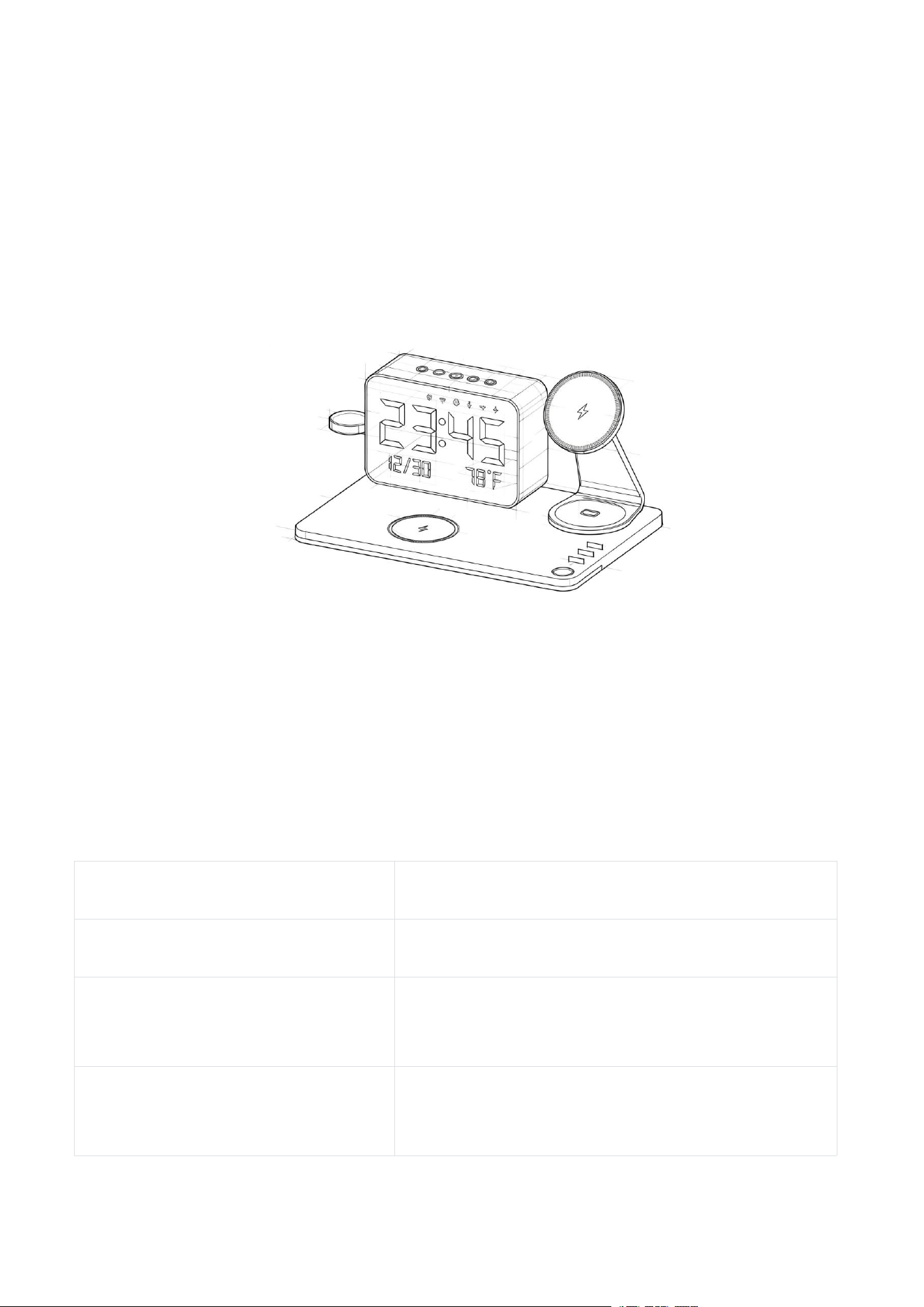
Thank you for purchasing the THL MagCharge Wireless Charging Station. The THL MagCharge
Station isn't just a charger; it's your bedside command center. Wake up to the perfect
lighting, check the time and room temperature at a glance, and enjoy your favorite music or
white noise—all while your phone charges securely. For safe and optimal use, please read
this manual thoroughly before operation and retain it for future reference.
Multi-Language Manual Access
Scan the QR code below to download manuals in other languages (Deutsch, Français,
Español, Italiano, Português, Japanese, Russian, etc.):
https://www.thl.com.cn/pages/user-manual
2. TECHNICAL SPECIFICATIONS
Parameter
Specification
Model
MC01
Wireless Charging Output
3W, 5W, 7.5W, 10W, 15W, 25W (MagSafe
compatible)
Wire Charging Output
Type-C: 20W; USB-A: 20W; 10W when used
simultaneously

Input Interface
USB Type-C (Supports 5V/3A, 9V/3A, 12V/5A,
15V/3A, 20V/3.25A input specifications)
Input Voltage
100-240V~50/60Hz (AC Adaptor)
Display
LED Digital Screen (Time/Date/Temp)
Working Temperature
-10°C ~ 50°C (14°F ~ 122°F)
Product Dimensions
255mm × 170mm × 120mm (L×W×H)
Net Weight
420g
Night Light
LED Light (Dimmable soft light)
3. SAFETY WARNINGS & PRECAUTIONS
3.1 Universal Warnings
• DANGER:Do not immerse the product in water or expose it to moisture; this causes
electric shock, short circuit, or fire hazard.
• WARNING:Keep the product away from flammable materials (curtains, paper, fabrics)
during charging to prevent overheating and fire.
• CAUTION:Do not disassemble, modify, or drop the product. Internal component
damage may lead to electric shock or battery leakage.
•
NOTE
:
Only use the original USB Type-C cable and certified power adapter provided;
third-party low-quality adapters may cause malfunctions or overheating.
3.2 US Market Compliance
• FCC RF Exposure Warning:To comply with FCC RF exposure limits (CFR Title 47 Part 15),
maintain a minimum separation distance of 20cm between the product and your body
during operation.
• CALIFORNIA RESIDENTS ONLY: Cancer and Reproductive Harm -
http://www.P65Warnings.ca.gov. This product contains lead, a chemical known to the State
of California to cause cancer and birth defects or other reproductive harm. Wash hands after
handling.
• CPSC Warning:Small parts are not intended for children under 3 years old; choking
hazard.
3.3 EU Market Compliance
•
CE Warning
:
This product complies with EU Directives 2014/30/EU (EMC), 2014/35/EU
(LVD), and 2011/65/EU (RoHS 2.0). Unauthorized modification voids CE compliance.
•
WEEE Directive
:
Do not dispose of this product as household waste. Recycle it at
designated EU collection points for electrical and electronic equipment.
• REACH Statement:This product does not contain substances of very high concern (SVHC)
exceeding 0.1% (w/w) as per EU REACH Regulation (EC) No 1907/2006.
4. OPERATION INSTRUCTIONS
4.1 Power On/Off
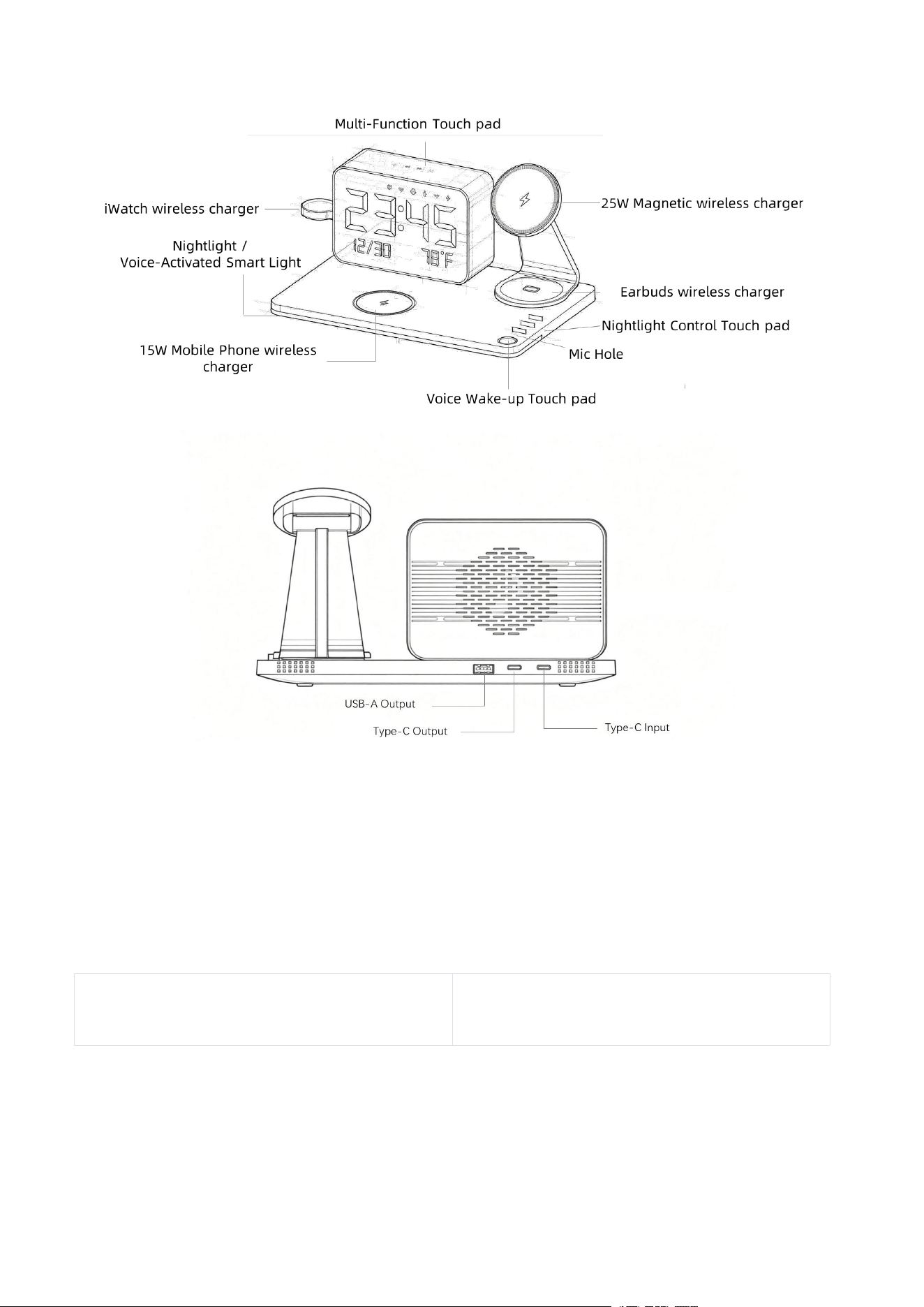
Connect the certified power adapter provided and USB Type-C cable to the product’s Type-C
IN port. The product will power on automatically; to power off, disconnect the power supply.
4.2 Wireless Charging
Place a Qi/MagSafe-enabled device (smartphone/earbuds/watch) on the magnetic charging
pad — the LED indicator turns on when the device is charging.
Note: Remove metal cases/accessories from the device before charging to avoid
overheating or charging failure.
4.3 Set the Clock & Use Voice Commands
• Temp Unit:Temperature display is based on ambient air temperature, not outdoor
temperature or the temperature shown on your phone.
•
Brightness Adjustment
:
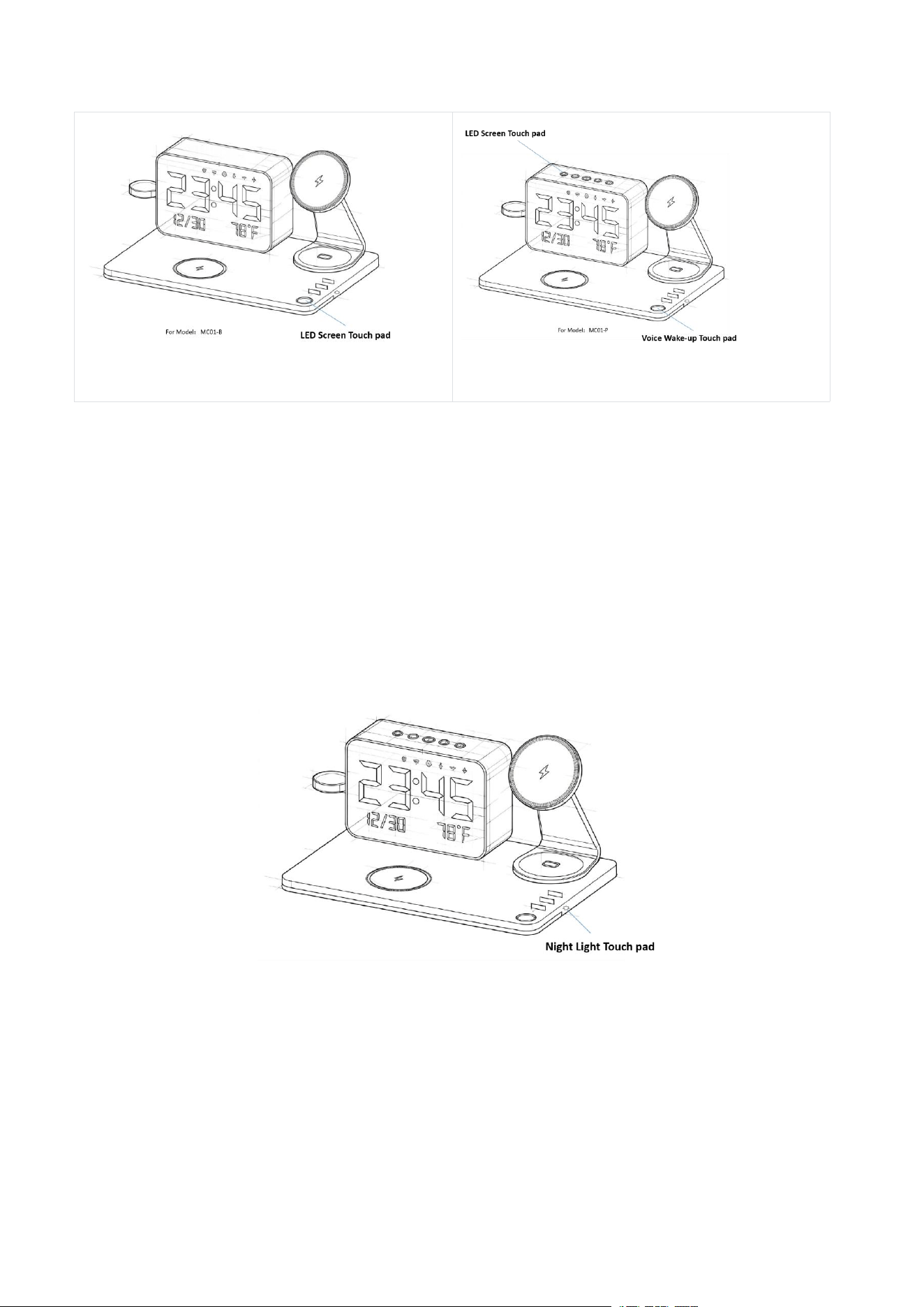
Single click the LED Screen Touch pad to adjust the time display
brightness (Range: 100%-80%-50%-25%-0).
Model: MC01-B
MC01-B: MC01-P
Voice Wake-up (only for Model: MC01-P)
:
Single click the Voice Wake-up Touch pad. When
the light flashes, you can speak voice commands. Alternatively, you can say "Alexa" or "Hi,
ESP" to wake up the voice assistant.
4.4 Night Light Control
Press the Light Button to cycle through brightness levels or turn off the night light.
Long press the Light Button to adjust brightness continuously (Range: 10-100%).
4.5 Sync Time via Bluetooth
Enable Bluetooth on your smartphone and search for "THL-MC01" in the Bluetooth device list.
Pair with the device (no password required) — the clock time will automatically sync with
your phone’s time.
Note: For Android users, please allow access to messages to activate the time sync function.

4.6 Pair as a Bluetooth Speaker
1. Switch Modes: Press the M Button to turn on the Bluetooth speaker; the blue indicator
light flashes rapidly, indicating it has entered pairing mode.
2. Enable Bluetooth on your smartphone and search for "THL-MC01" in the Bluetooth device
list.
3.
Click the name to complete pairing. A “beep” sound will be heard, and the blue indicator
light stays on.
4. Enjoy music! After the first pairing, the speaker will automatically connect to this device
when turned on next time (if the device’s Bluetooth is on).
4.7 White Noise & Voice Assistant Setup
Switch Modes
Press the M Button to turn on the White Noise Machine; the blue indicator light flashes
rapidly, indicating it enters configuration mode.
Enter Configuration Mode
First boot: Automatically enters configuration mode, and the hotspot name is usually
THL‑MC01.
Note: For already connected devices: Long-press the Voice Wake-up Touch pad for 10
seconds to restore network settings. The device will restart and then enter configuration
mode.
Connect to the Device Hotspot
Go to Settings
→
WLAN/Wireless LAN on your phone, find the hotspot named THL‑MC01 and
connect to it. If there is no automatic redirect after connection, open a browser and enter
192.168.4.1 to access the configuration page.
Enter Home Wi-Fi Information
Select the target Wi-Fi name on the configuration page, enter the correct password, and tap
Connect. Some devices support time zone/region settings; fill in the information as needed

and save.
Device Reboot & Network Connection
The system will prompt “Rebooting in 3 seconds”. The device will restart automatically and
connect to the home Wi-Fi. The indicator light will stay solid, or the screen will display
"Connected to Network".
Account Binding (Critical Step)
After the device connects to the network, it will display or broadcast a 6-digit verification
code. Visit http://luna.thl.com.cn/ via browser, register or log in to your account, go to Add
Device, and enter the verification code to complete binding. The device is ready for use once
binding is successful.
Special Function: Long press the play button to play pre-installed local white noise. The
local white noise list is as follows:
1. blizzard
2. desert_wind
3. distant_thunder
4. heavy_rain
5. light_rain
6. mountain_wind
7. ocean_waves
8. rain_on_leaves
9. rain_on_roof
10. snowfall
11. thunderstorm
12. tropical_rain
5. COMPLIANCE INFORMATION
5.1 US Market
FCC Statement:This device complies with Part 15 of the FCC Rules. Operation is subject to
the following two conditions: (1) This device may not cause harmful interference, and (2)

This device must accept any interference received, including interference that may cause
undesired operation.
5.2 EU Market
CE Declaration:A copy of the CE Declaration of Conformity is available at:
https://www.thl.com.cn/support/ce-doc
WEEE Registration
:
DE 12345678 (Example WEEE number; replace with actual EU
registration)
6. DISPOSAL INFORMATION
• US:Dispose of electronic waste at certified e-waste recycling centers (complies with
CPSC and EPA regulations).
•
EU
:
Dispose of this product in accordance with WEEE Directive 2012/19/EU — do not mix
with household waste. Return to the retailer or local recycling station for proper disposal.
7. WARRANTY & AFTER-SALES SERVICE
7.1 Warranty Terms
• Global Warranty:12-month limited warranty for manufacturing defects (from the date
of purchase). The warranty does not cover damage from misuse, accidental drops,
unauthorized modification, or natural wear and tear.
•
EU Warranty
:
Complies with EU Consumer Rights Directive (2011/83/EU) — 2-year
statutory warranty for all EU purchases.
7.2 After-Sales Contact
Manufacturer
:
Shenzhen Hongjiayuan Communication Technology Co., Ltd.
Tel
:
0755-29914185
Address:Room 401, Building B, No. 200 Huachang Road, Langkou Community, Dalang
Subdistrict, Longhua District, Shenzhen, China
Global Support:su[email protected].cn

8. TROUBLESHOOTING
Problem
Solution
Wireless charging fails
1. Check if the device is Qi/MagSafe-compatible; 2.
Remove metal cases; 3. Ensure proper alignment on
the charging pad.
Display does not light up
1. Verify power connection; 2. Replace the power
adapter/cable with original parts; 3. Press the power
button for 2 seconds to reset.
Bluetooth pairing fails
1. Ensure smartphone Bluetooth is enabled; 2. Restart
the product and retry pairing; 3. Delete existing "THL-
MC01" pairing record and re-pair.
Temperature display error
Move the product away from heat sources (heaters,
direct sunlight) and wait 5 minutes for calibration.

FCC Caution.
This device complies with part 15 of the FCC Rules. Operation is subject to the following two
conditions:
(1) This device may not cause harmful interference, and
(2) this device must accept any interference received, including interference that may cause
undesired operation.
Any Changes or modifications not expressly approved by the party responsible for compliance
could void the user's authority to operate the equipment.
Note: This equipment has been tested and found to comply with the limits for a Class B digital
device, pursuant to part 15 of the FCC Rules. These limits are designed to provide reasonable
protection against harmful interference in a residential installation. This equipment generates
uses and can radiate radio frequency energy and, if not installed and used in accordance with the
instructions, may cause harmful interference to radio communications. However, there is no
guarantee that interference will not occur in a particular installation. If this equipment does
cause harmful interference to radio or television reception, which can be determined by turning
the equipment off and on, the user is encouraged to try to correct the interference by one or
more of the following measures:
-Reorient or relocate the receiving antenna.
-Increase the separation between the equipment and receiver.
-Connect the equipment into an outlet on a circuit different from that to which the receiver is
connected.
-Consult the dealer or an experienced radio/TV technician for help.
FCC Radiation Exposure Statement:
This equipment complies with FCC radiation exposure limits set forth for an uncontrolled
environment. This equipment should be installed and operated with minimum distance 20 cm
between the radiator & your body.