Input / Output
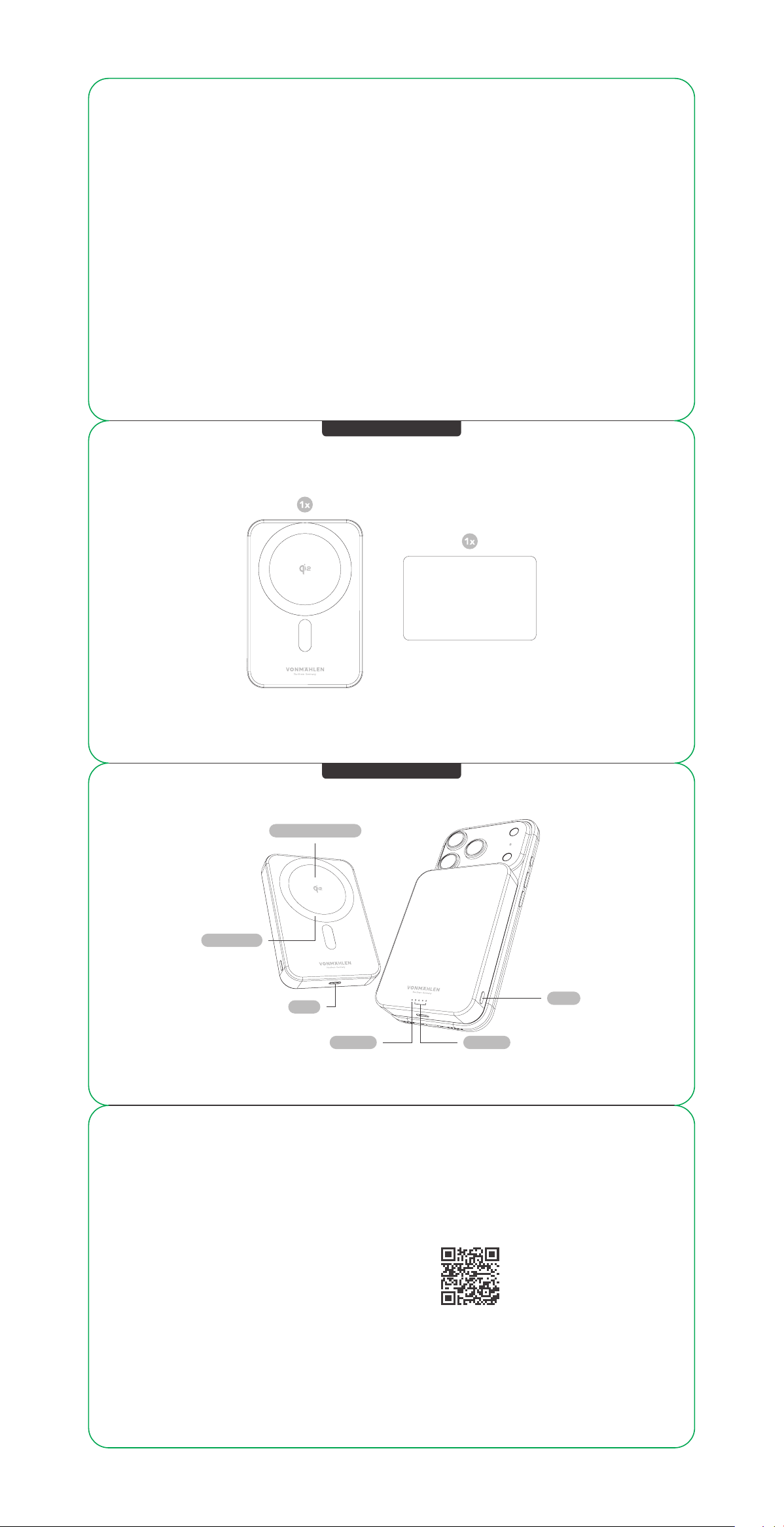
USB-C
QUICK-START GUIDE
Evergreen Mag · 10,000 mAh
Wireless Charging Area
MagSafe
Compatible with
LED StatusLED Status
Power
On / Off
Battery indicatorWireless charging indicator
Scan the QR-code for
more product information
or for other languages.
QUICK-START GUIDE
Evergreen Mag · 10,000 mAh
What‘s in the Box
Functions
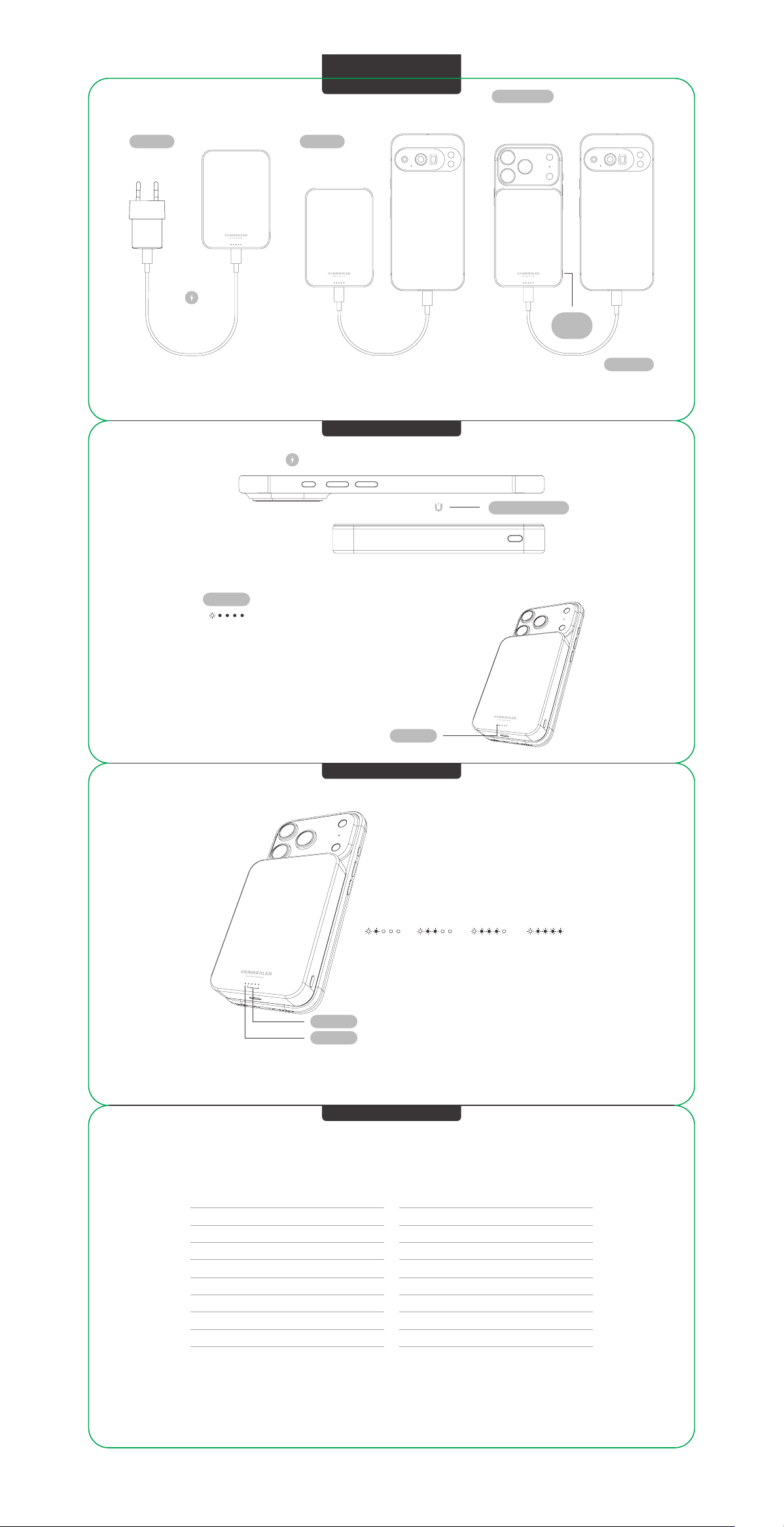
Simultaneous charging via wireless charging and USB-C is possible. First, place the Evergreen Mag onto a MagSafe-compatible smartphone, then
connect the device you would like to charge simultaneously to the power bank using a USB-C cable. USB-C may be automatically prioritized,
temporarily disabling wireless charging. To reactivate wireless charging, press the power button on the power bank while USB-C charging continues.
Magnetic Alignment
The blue LED lights up permanently when the power bank is
charging via induction.
After disconnecting from the phone, the wireless charging
indicator flashes slowly for 10 seconds and then turns off.
Foreign Object Detection:
The wireless charging indicator light flashes (blue light),
and the flashing interval is 0.5s/time. Flash 10 times.
Battery Type Integrated Rechargeable Lithium Polymer Battery
Battery Capacity 10,000 mAh / 3.85 V / 38.5 Wh
Rated Capacity 6,000 mAh (5 V⎓2 A)
USB-C Port (Input) 5 V⎓3 A, 9 V⎓2.22 A
USB-C Port ( Output) 5 V⎓2 A, 9 V⎓2.22 A
Wireless Charging (Output) 15 W (Max.)
USB-C Port (Output) + Wireless Charging (Output) 5 W + 5 W (10 W Max.)
Product Size L 102 × W 70 × H 14.3 mm
Weight 195 g
We reserve the right to make changes without notice in the interest of technical progress.
Place your phone on the inductive charging surface.
0 % - 25 % 25 % - 50 % 50 % - 75 % 75 % - 100 %
LED Status
Wireless charging indicator (blue)
LED Status
Battery indicator (white)
LED Status Wireless charging indicator
LED StatusWireless charging indicator (blue)
Charging Charging
Dual Charging
the phone via
USB-C cable
Charge the iPhone wirelessly while
powering another phone via USB-C.
Please use a
power adapter
above 20 W
For example
USB-C to USB-C
cable
Instruction
Power
Button
the magnetic
power bank
Application
Wireless Charging
LED States
Tech Specs