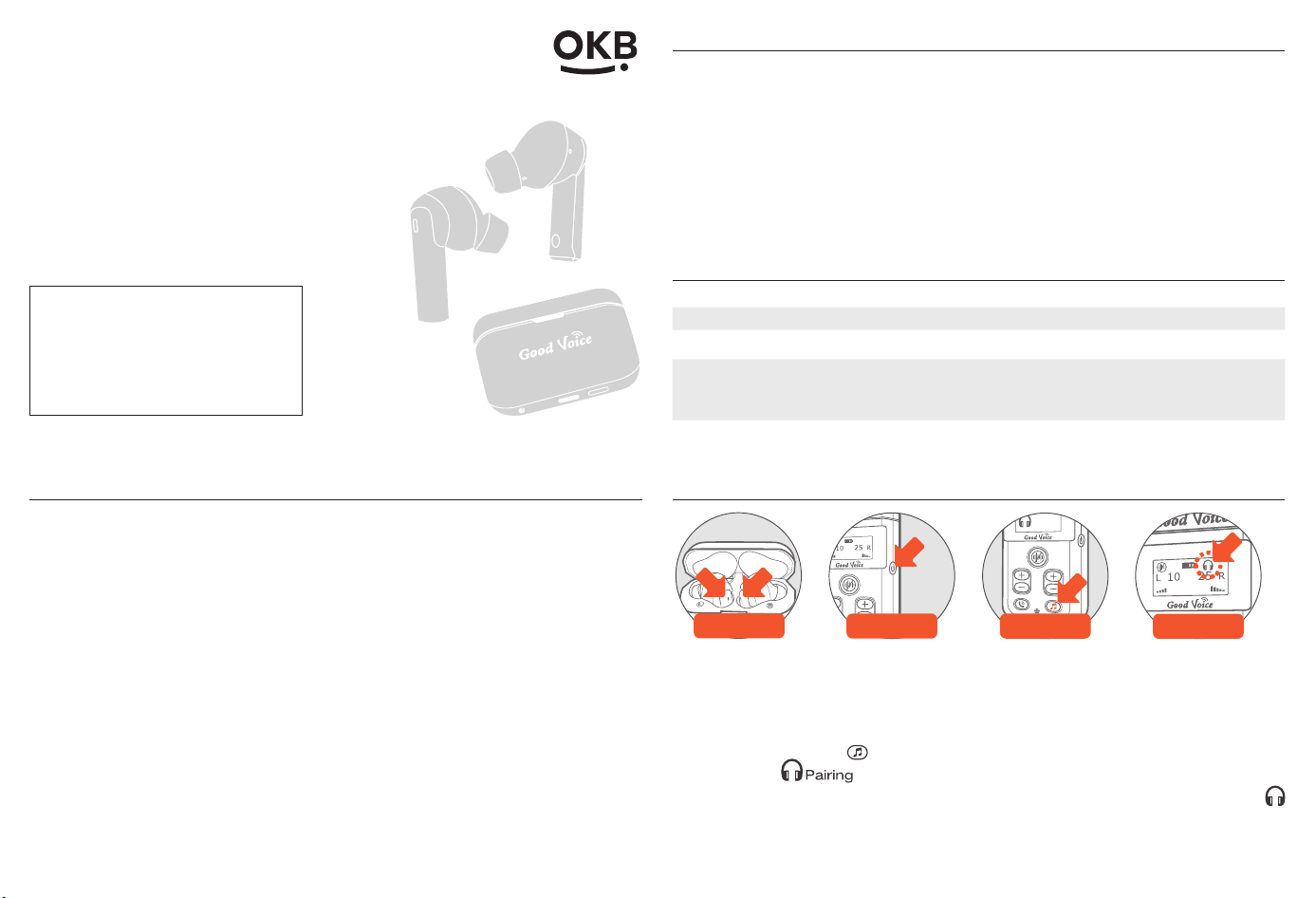
Pairing Your New Earphones with Controller
Wait for
amber/blue flash
Press Once
Pairing
Press and hold
for 5 sec
Connected
1. Open the lid of the charging case. The blue indicator lights on both
earphones will ash, and you will hear “Power on.” Wait until the indicator
lights ash amber and blue alternately, and the earphones say “Pairing.”
2. Turn on the controller by pressing the Power button once.
3. Press and hold the button on the controller for 5 seconds. The screen
will show a icon.
4. Wait for pairing, once paired, the controller's screen will display the
icon, and the earphones will say “Connected, connected.”
For controller navigation and troubleshooting, see the main GV-SA03.60 OTC
Hearing Aid User Manual.
Bluetooth
Earphones
Model: HT-001
Accessory Guide
This is authentic accessory for
Good Voice OTC Hearing Aids
(GV-SA3.60).
The Bluetooth Earphone must
be paired with the Good Voice
Controller to function properly.
Good Voice Everyday
General Information
The Good Voice Bluetooth Earphones (Model HT-001) are accessories
designed to be used exclusively with the Good Voice OTC Hearing Aid
controller (Model GV-SA03.60). They do not amplify sound or stream audio
on their own and will not function without the controller.
This leaflet provides limited usage instructions and safety information
for the earphones. For complete operating instructions, safety warnings,
troubleshooting guidance, and warranty terms, please refer to the main user
manual included with your Good Voice OTC Hearing Aid package.
The full manual is also available online at: www.okbhearing.com
Package Contents
Item Notes
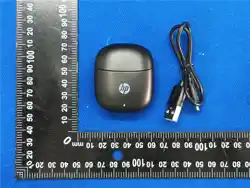
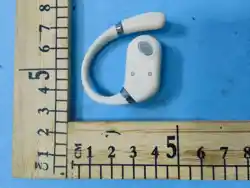
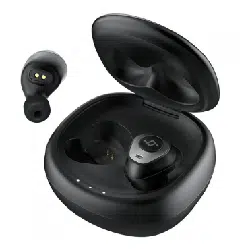
Wireless Earphones (L & R) 1 pair of Small silicone ear tips pre-installed
Charging/Storage Case
USB-C input 5 V
⎓
1 A
Silicone Ear Tips 2 pairs each of Small, Medium, and Large
Ear Tip Outer Diameter:
S: 8 mm, M: 10 mm, L: 12 mm
Safety Information
• WARNING – Accessory only: Do not attempt to use the earphones without
the Good Voice controller; the earphones will not work on their own.
• CAUTION – Ear insertion: Insert gently; if discomfort or the tip remains in
the ear canal, seek medical help immediately.
• CAUTION: Keep the device and all components out of reach of children to
prevent choking or accidental swallowing.
• CAUTION: Risk of explosion if battery is replaced by an incorrect type.
Dispose of used batteries according to local regulations.
• Environment: Store and charge your devices in a dry location. Prolonged
exposure to moisture can harm the hearing aids and charging case.
• Electromagnetic compatibility: This device meets IEC 60601-1-2 immunity/
emissions requirements; keep a minimum distance from strong radio-
requency sources.
• Modication prohibited: To prevent a voided warranty, do not attempt to
repair, disassemble, or modify the product.
1. 2. 3. 4.
CCAP23LP5590T6
Battery & Charging
• To charge the case, use only the USB-C cable and adapter provided in the
main hearing aid package. Charging accessories are not included in this
earphone set.
• Fully charged earphones provide up to 6 hours of use. The on-the-go
charging case offers an additional 2.5 charges (roughly 15 hours).
• A 5-minute charge offers approximately 20 minutes of use.
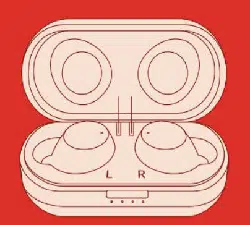
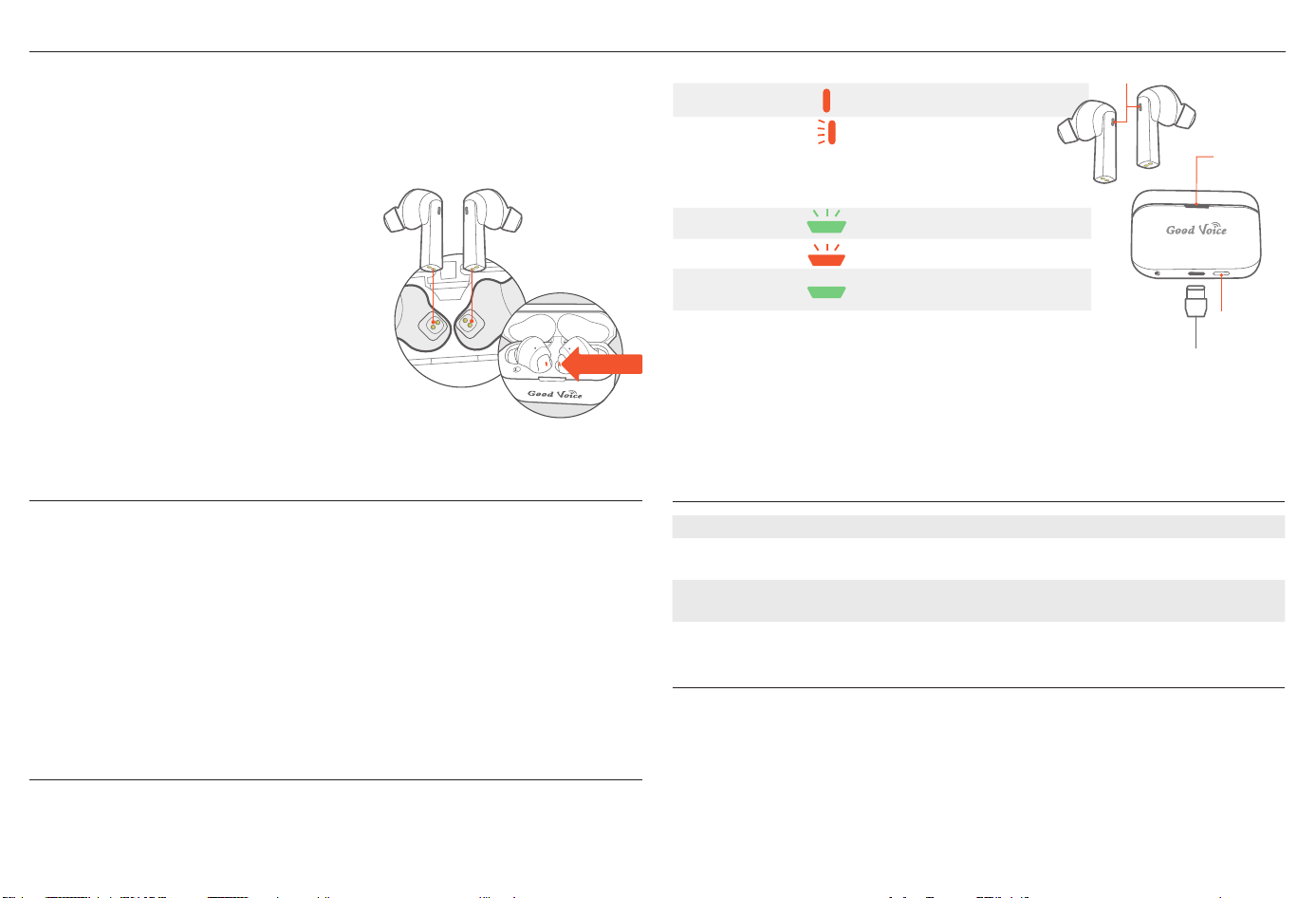
• Place the left earphone in the left
cradle and the right earphone in the
right cradle of the charging case. The
indicator light on each earphone will
turn solid amber, conrming that they
are properly seated and charging
correctly.
Earphones:
Charging Amber light
Low battery Pulsing amber light
Charging case:
Charging Pulsing green light
Low battery Pulsing amber light
Fully charged
Solid green light (10 min)
then turns off
Care & Maintenance
• Wipe the earphone shells with a soft cloth lightly moistened with water. Do
not use alcohol.
• The device is not fully waterproof, so avoid exposing it to water or
immersing it in any liquid.
• If not used regularly, recharge the case every 6 months to maintain battery
health.
• Replace ear tips if they become dirty, cracked, deformed, or no longer t
securely.
• Reuse ear tips only if they are intact and undamaged. To clean the ear
tips: Soak in mild soapy water (1:100), rinse thoroughly, and allow to air dry
completely before reattaching.
Warranty
30-day money-back guarantee and 1-year limited warranty against defects;
retain proof of purchase. Full terms available in the main Good Voice User
Manual.
Technical Specications
Bluetooth version 5.3
Input rating Charging case: 5Vdc/1A, O/P 5Vdc/0.2A
Earphone: 5Vdc, 0.1A
Battery capacity Earphone: 70 mAh
Charging case: 550 mAh
Battery life Approx. 6 hours, additional 15 hours with charging case
Manufacturer & Service
OK Biotech Co., Ltd.
No. 91, Sec. 2, Gongdao 5th Rd., Hsinchu 30070, Taiwan
Tel +886-3-516-0258
U.S. Service Center
414C Cloverleaf Dr, Baldwin Park, CA 91706
+1-626-225-0621 | support@okbhearing.com
10-81-0010-0003 V1-JUN25
R
Stays on
while charging
Indicator
Light
CCAP23LP5590T6
Battery
Status
Button
Battery
Status
Indicator