Shenzhen Hoion Lighting Co.,Limited http://www.hoionlighting.com
1 / 6
Product specification
Product d escription
:
RF2.4G Knob Remote Controller
Model
:
HX-RFBT15
Version
:
V1.2
Release date
:
05 / 05 / 2023
Product Name
RF2.4G Knob Remote Controller
Series
RFBT
Version Record
Version Change description Release date Compatibility with the
previous version
V1.1 Original vers ion 2019/10/28
V1.2 Updated versio n 2023/5/5
Customer confirms, Company name:
Test Confirm Audit
Complete model no according customer’s demand:
NO 1 NO 2
NO 3 NO 4
Shenzhen Hoion Lighting Co.,Limited http://www.hoionlighting.com
2 / 6
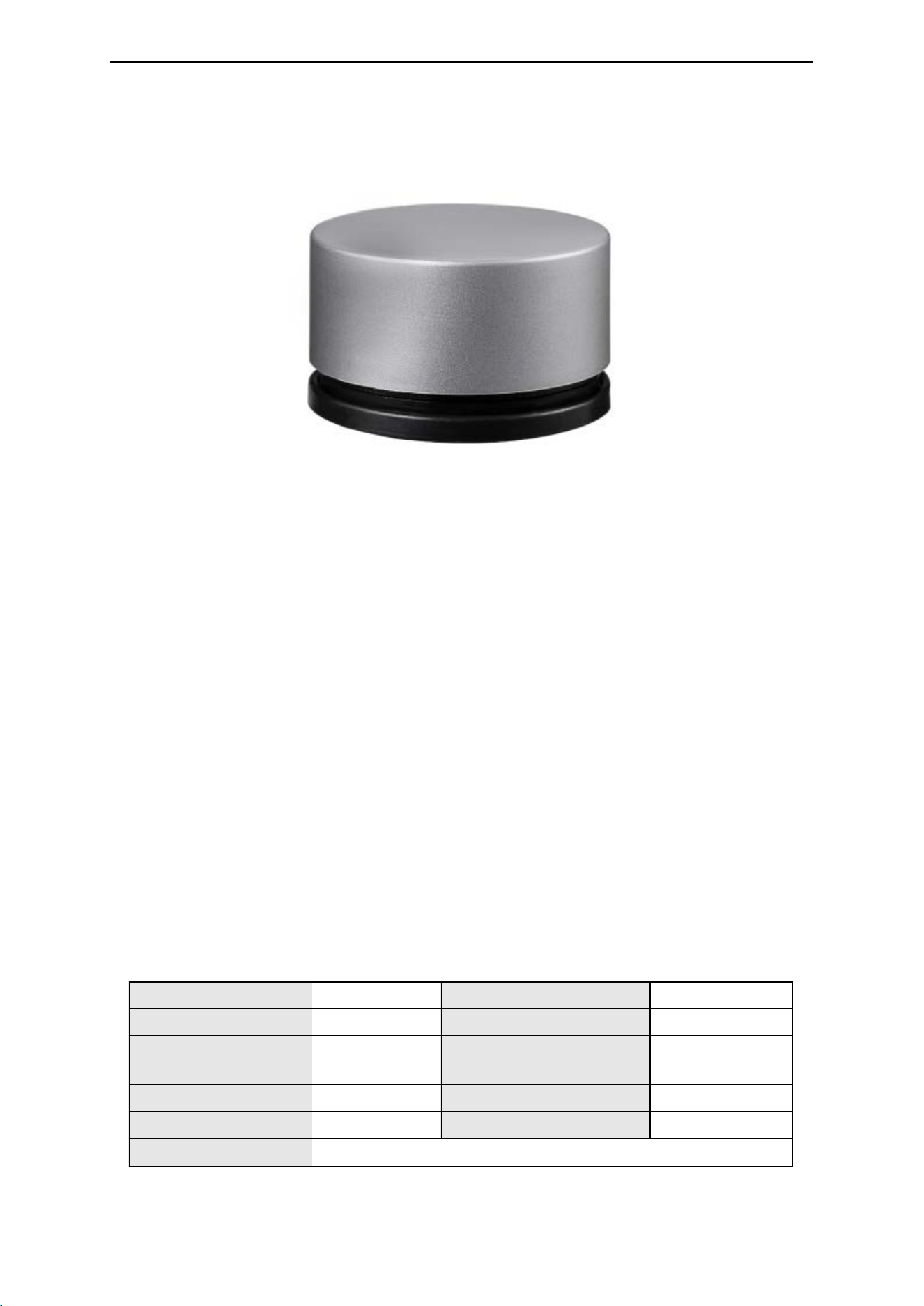
1. Product photo
2. Features:
1) Working voltage: 3V (AAA*2);
2) DIM/CCT/RGB/RGBW 4 in 1;
3) Come with holder, easier access and keeping;
4) Easy to access and store with magnetic suction;
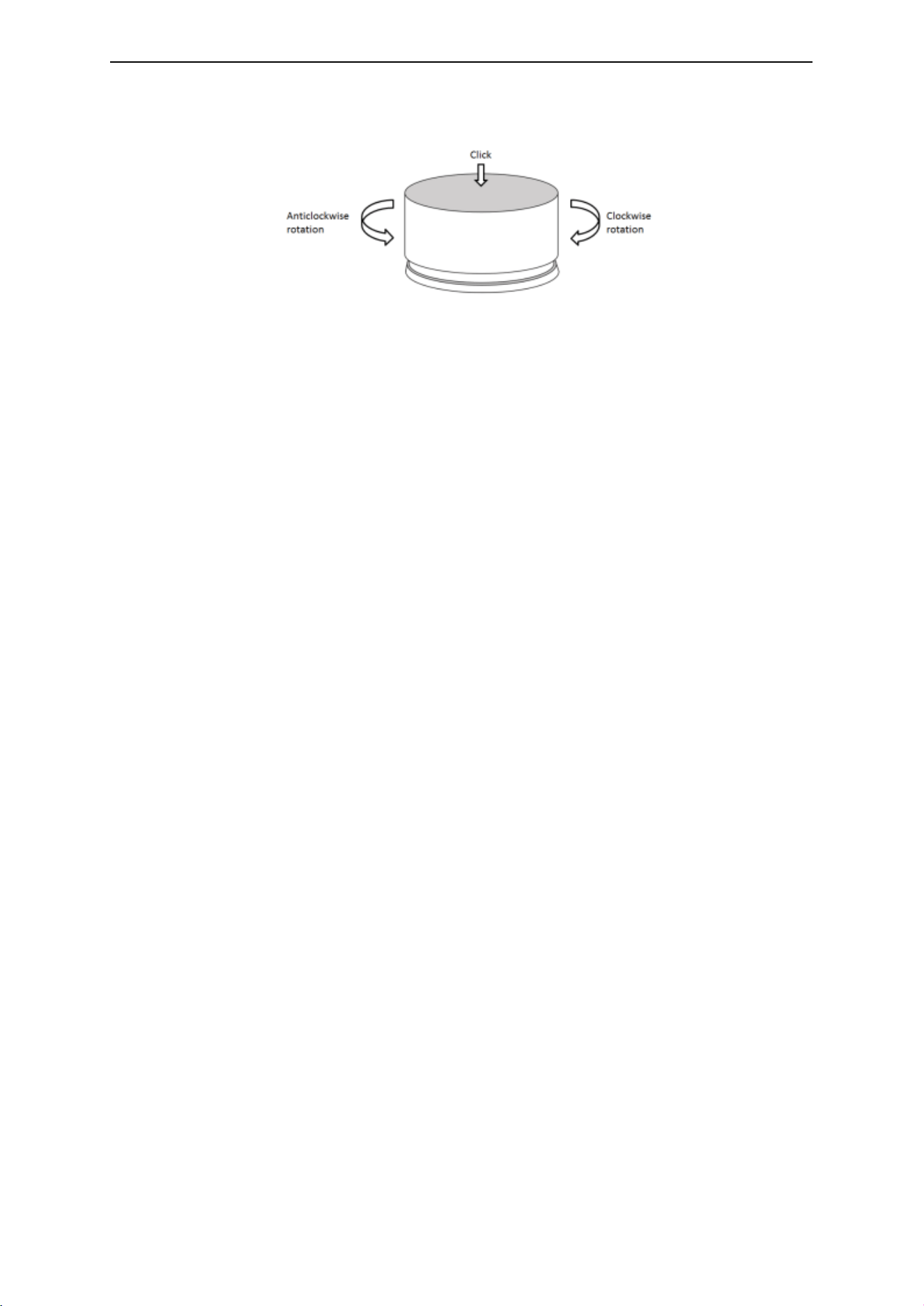
5) Circular knob design, unique interface and easy operation;
6) Functions: ON/OFF, dim function, colors, dynamic modes;
7) Adopts RF 2.4GHz wireless control, remote control distance up to 30m and no directional;
8) RFBT15 compatibl e with HD/HC/QD/QC/DL C/DLS/DLK/T2/T3 series products, please contact HOION
for more information;
9) 3 years warranty.
3. Technical Parameters
Work ing temperature -20-60℃ Work ing voltage 3V(AAA*2PCS)
Sleep current <25uA Emission current <17mA
Sleep power
consumption
<75uW Emission power
consumption
<51mW
Net weight 80g Dimension Φ60*35mm
RF distance ≤30m RF frequency 2.4GHz
Accessori es holder 1pc, 3M foam sponge glue 1pc.
Shenzhen Hoion Lighting Co.,Limited http://www.hoionlighting.com
3 / 6
4. Control Function
Function:
DIM (work with single color receiver)
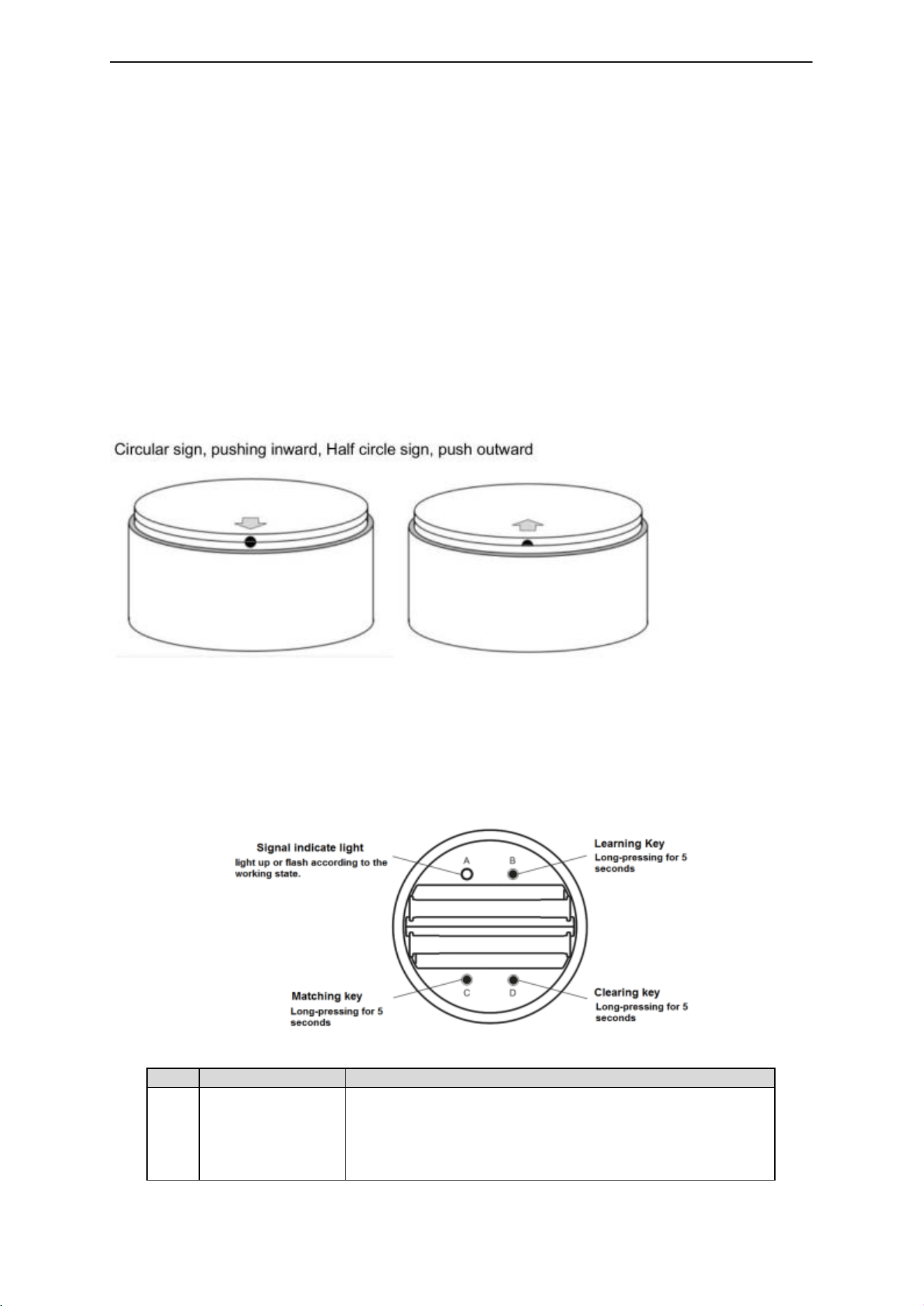
Short-click: ON/OFF
Rotating: Adjusting brightness
Double-short-click: 100% brightness (Tw ice pressing consecutively, with an interval of 0.5s between the
two pressing)
CCT(work with CW+WW receiver)
Short-click: ON/OFF
Rotating: Adjusting brightness
Pressing+Rotating: Adjusting CCT (Clockwise balance to cold white; Counterclockwise balance to warm
w hite;)
Double-short-click: Cool white, warm white, Pure white
(Twice pressing consecutively with an interval of 0.5s)
RGB(work with RGB receiver)
Short-click: ON/OFF
Rotating: Adjusting brightness
Pressing+Rotating: Adjusting color
Double-short-click: Switch static color in order of Red/Green/Blue/Yellow/Ora nge/Purple/Green/White
(Twice pressing consecutively with an interval of 0.5s)
RGBW(work with RGBW receiver)
Short-click: ON/OFF
2s-long-pressing: Switc hing between RGB and white color.
Double-short-click: Switch static color in order of Red/Green/Blue/Yellow/Ora nge/Purple/Green/White
(Twice pressing consecutively with an interval of 0.5s)
Whe n in R GB mode:
Rotating: Adjusting brightness
Pressing+Rotating: Adjusting color
Whe n in White mode:
Rotating/ Pressing+Rotating: Adjusting brightness
RGBCW(work with RGBCW receiv er)
Short-click: ON/OFF
2s-long-pressing: Switc hing between RGB and CCT.
Shenzhen Hoion Lighting Co.,Limited http://www.hoionlighting.com
4 / 6
Double-short-click: Switch static color in order of Red/Green/Blue/Yellow/Ora nge/Purple/Green/White
(Twice pressing consecutively with an interval of 0.5s)
Whe n in R GB mode:
Rotating: Adjusting brightness
Pressing+Rotating: Adjusting color
Whe n in CCT mode:
Rotating: Adjusting brightness
Pressing+Rotating: Adjusting CCT
Tips. More details of the functions are showed in the receivers instruction.
5. Installation:
6. Wireless remote control code value setting method
The number of controllers and remote controls in one system is unlimited. 2.4G Smart system has
one unique RF code for commu nication. Each controller and each remote control can remember only one
RF code, recorded in the first programming. New RF code can be recorded after delete the old one.
Code matching operation: the receiver will only be controlled by the value code remote control.
Step
Operation
Instructions
1
Connecting the
load to the receiver
and power on it.
1.It is necessary to clear the code first, if the receiver was
coded before.
2.Batch operation can be performed within the remote control
range.
3. Please remember to cut off other un-code zones power, or
Shenzhen Hoion Lighting Co.,Limited http://www.hoionlighting.com
5 / 6
will be paired together.
2
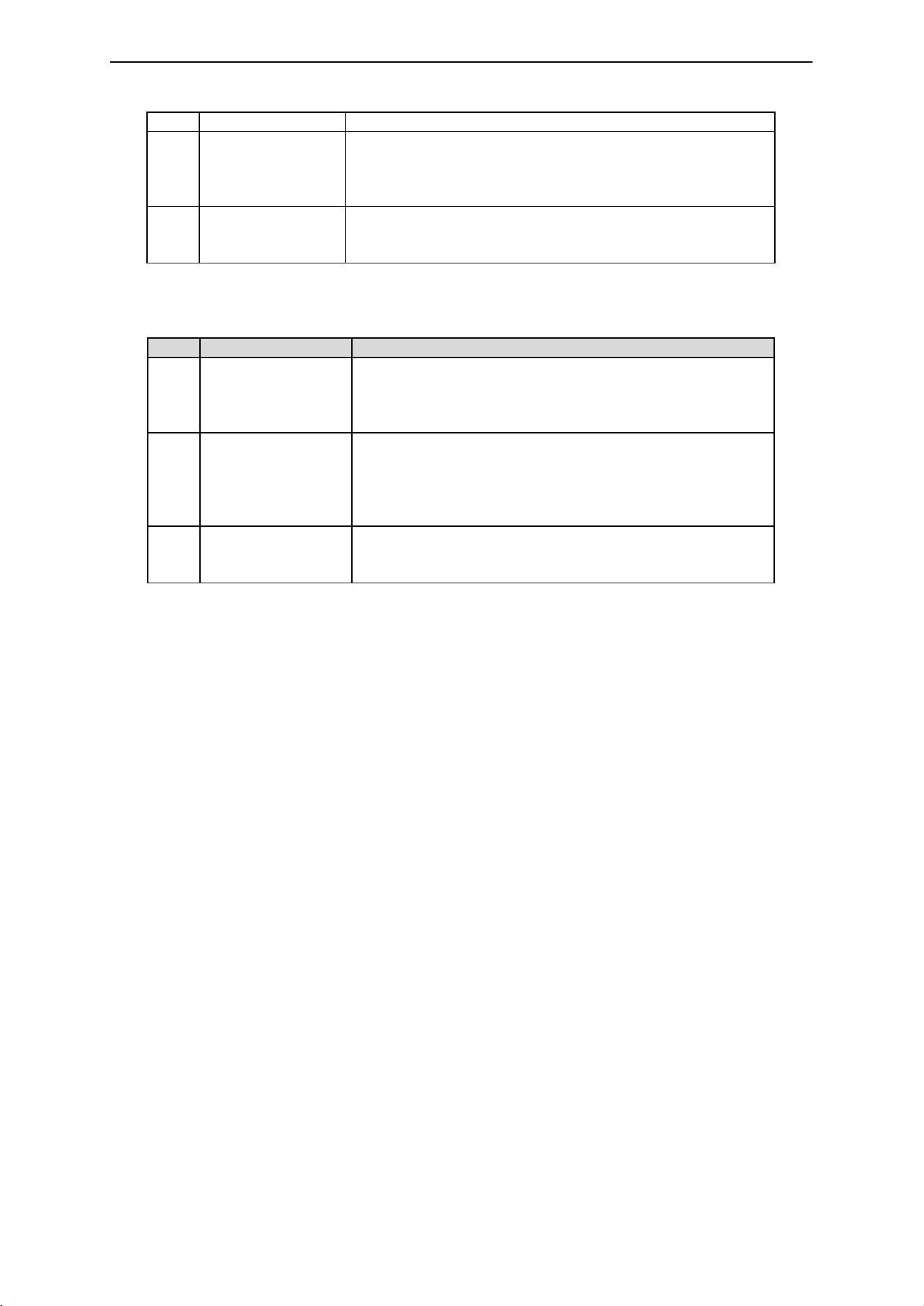
Press and hold “C”
on the remote
contr ol for 5
seconds
The indicator of the remote control will flash quickly, see the
load light flashes 3 times and return to the initial state, means
matching coding is finished successfully
3
Press any key to
exit and end the
operation
Also will automatically exit code transmission status after 60
seconds
Code clearing operation: that the original code value of the receiver will be cleared and ret urned to the
factory state. Then it can be controlled by any co mpatible remote control, also can be paired to a new
code.
Step
Operation
Instructions
1
Connecting the load
to the receiver and
power on it.
1. The clearing operation should be finished within 1 minute
after the receiver is powered on.
2. Batch operation can be performed w ithin the remote
contr ol range.
2
Press and hold “D”
on the remote
contr ol for 5
seconds
1. The indicator of the remote control will flash quickly, see
the load light flashes 3 times and return to the initial state,
means pairing coding is f inished successfully.
2. If the original remote control is lost, the new remote
contr ol can be used for clearing operations.
3
Press any key to exit
and end the
operation
Also will automatically exit code transmission status after 60
seconds.
Code learning o peration between remote controls: Used to unify system code values or copy a new
remote control.
Since each remote control has its own unique RF code at the time of delivery, when there are multiple
remote control s in one system, one of them must be selected as a main, and other remote controls
should copy its RF code.
1) Main remote control: Press and hold “C” key for 5 seconds. T he indicator of the remote control will
flash quickly, means it enters the pairing code transmission status.
2) New remote control: Press and hold “B” key for 5 seconds, indicator will turn from 100% to off means it
enters learning code status.
3) Indicator of the new remote control flash three times after successful code learning.
Remote control RF code learning from controllers
1) Turn off the power supply of the controllers.
2) Press and hold “B” key for 5 seconds until indicator of remote control turns off.
3) Turn on the power supply of the controllers. Indicator of the remote control flashes three times after
successful code learning.
No te: The distance from controllers to remote controls should be less than 2 meters.
Restoring factory setting s of rem ote control
1) Press and hold “B” key for 20 second s until indicator of remote control process the state as 100%
-off-100%.
2) Press “D” button to submit and finish the operation. Indicator of the remote control will flash three
times after successful operation.
7. Remote control accessories installation instructions
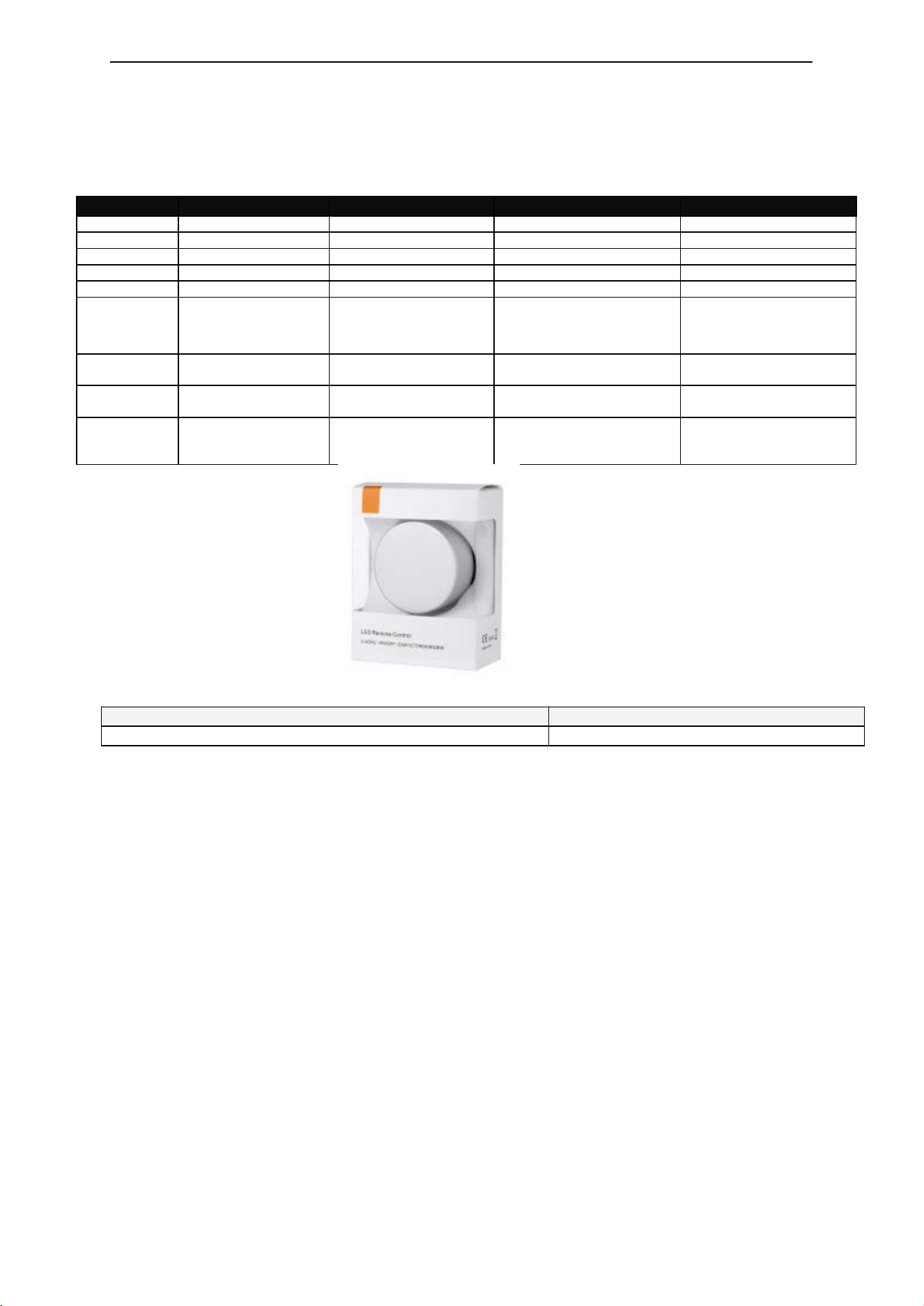
Accessories include holder 1pc, 3M foam sponge glue 1pc,AAA batteries 2pcs.
Installation instruction:
1) Using 3M foam sponge glue make free drilling installation of the holder onto the suitable wall or
furni ture surface .
Shenzhen Hoion Lighting Co.,Limited http://www.hoionlighting.com
6 / 6
2) Placing Knob on the holder to operate the controlling, or take the knob and use it on any tabletop as
convenience.
8. Compatible family
Receiver Sr.
Receiver type
Application
Function
Marks
HD
Constant current
Single color
ON/OFF Dim
HC
Constant current
CCT
ON/OFF Dim+CCT
DLC
Constant current
Single color/CCT
ON/OFF Dim+CCT
HD-LV/HC-LV
Constant voltage
Single color/CCT
ON/OFF Dim+CCT
T2/T3
Constant voltage
Single color
ON/OFF Dim
MINI 005 Constant voltage
Single
color/CCT/RGB/RGBW
ON/OFF Dim
Static
colors(CCT/RGB/RGBW)
Dynamic modes
DLS001
2.4G to 0-10V
module
Single color
ON/OFF Dim
Loaded by 0-10V
dimmable drive
DLK001 RF switch mod ule Single color
ON/OFF
Loaded by undimmable
drive
WP86-AP
RF wireless signal
repeater
Full series of 2.4G
products from Hoion.
Expand the remote
contr ol and wireless-sync
distance.
Compatible with all
receivers 2.4G products
from Hoi on.
9. Packing
Product information for placi ng order
Product name
Item number
RF 2.4G knob remote control
HX-RFBT15

FCC Statement
1. This device complies with Part 15 of the FCC Rules. Operation is subject to the
following two conditions:
(1) This device may not cause harmful interference.
(2) This device must accept any interference received, including interference that may
cause undesired operation.
2. Changes or modifications not expressly approved by the party responsible for
compliance could void the user's
authority to operate the equipment.
Note: This equipment has been tested and found to comply with the limits for a class B
digital device,pursuant
to Part 15 of the FCC Rules. These limits are designed to provide reasonable protection
against harmful
interference in a residential installation.
This equipment generates uses and can radiate radio frequence energy and, if not
installed and used in
accordance with the instructions, may cause harmful interference to radio
communications. However,there is
no guarantee that interference will not occur in a particular installation. If this
equipmemt
does cause harmful
interference to radio or television reception, which can be determined by turning the
equipment off and on, the
user is encouraged to try to correct the interference by one or more of the following
measures:
· Reorient or relocate the receiving antenna.
· Increase the separation between the equipment and receiver.
· Connect the equipment into an outlet on a circuit different from that to which the
receiver
is connected.
· Consult the dealer or an experienced radio/TV technician for help.
The device has been evaluated to meet general RF exposure requirement. This
equipment should be installed
and operated with a minumum distance of 0.5 cm between the radiator and your
body.