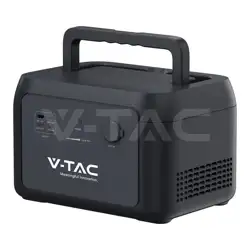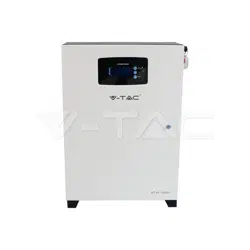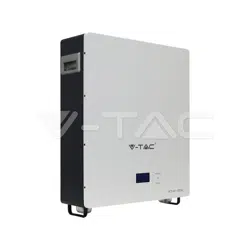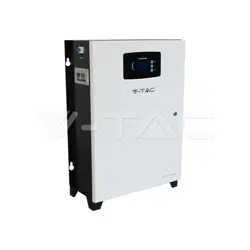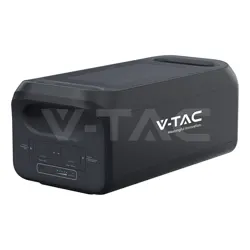
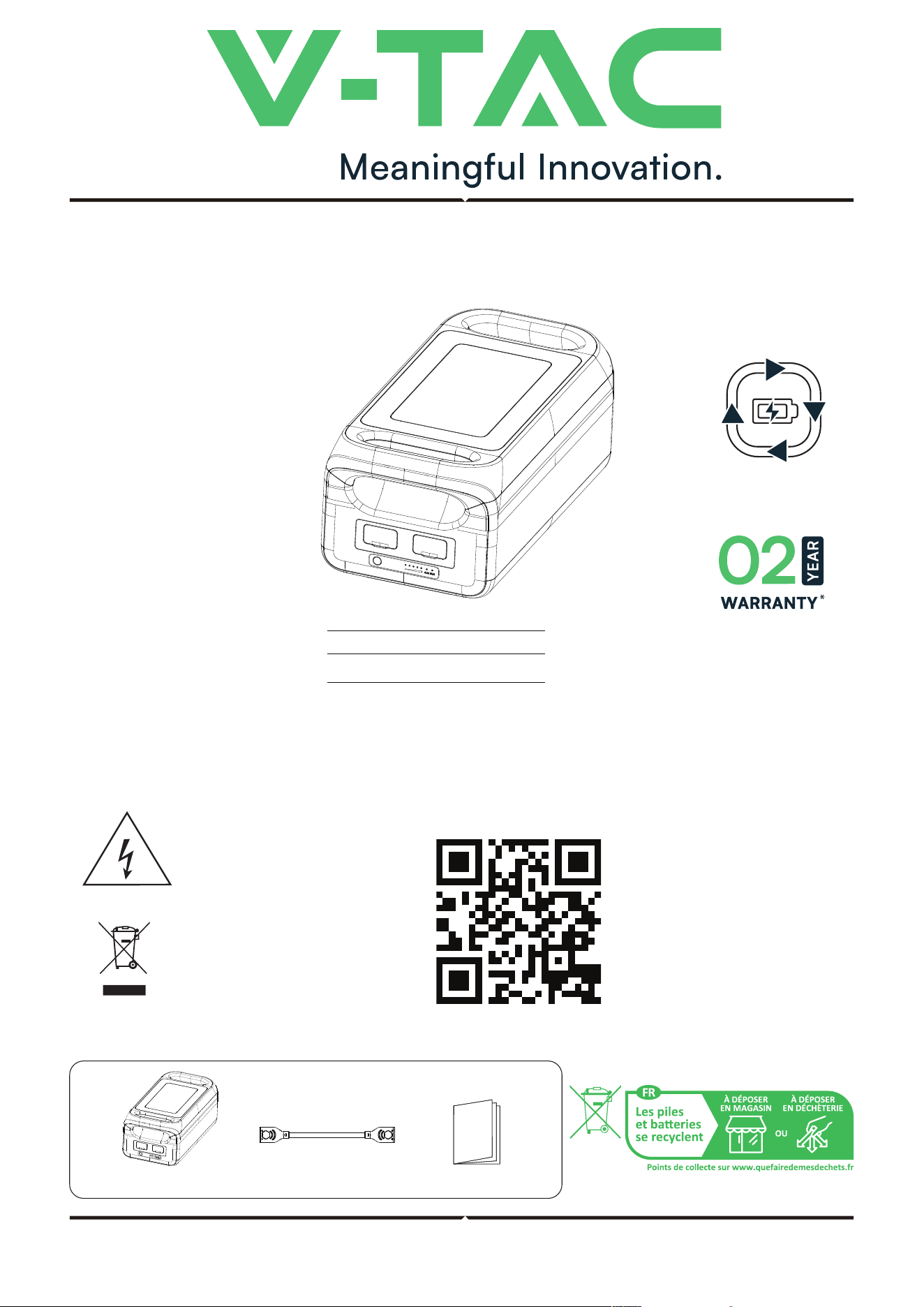
EXPANSION BATTERY PACK
INTRODUCTION
Thank you for selecting and buying V-TAC Product. V-TAC will serve you the best. Please read these instructions care-
fully & keep this user manual handy for future reference. If you have any another query, please contact our dealer or
local vendor from whom you have purchased the product. They are trained and ready to serve you at the best.
MULTI-LANGUAGE
MANUAL QR CODE
Please scan the QR code
to access the manual in
multiple languages.
INSTRUCTION MANUAL
PACKAGE CONTAINS
This marking indicates that this
product should not be disposed
of with other household wastes.
Caution, risk of electric shock.
MODEL
SKU
VT-25001
12710
3000
LIFE CYCLE
IN CASE OF ANY QUERY/ISSUE WITH THE PRODUCT, PLEASE REACH OUT TO US AT: [email protected]
FOR MORE PRODUCTS RANGE, INQUIRY PLEASE CONTACT OUR DISTRIBUTOR OR NEAREST DEALERS, WWW.V-TAC.EU
V-TAC EUROPE LTD. BULGARIA, PLOVDIV 4000, BUL.L.KARAVELOW 9B
Expansion battery pack
User manual
Expansion cable
TECHNICAL DATA
OUTPUT
INPUT
BATTERY
SAFETY GUIDELINES
1. Do not let a working expansion battery pack be close to heat sources, such as fire or heaters.
2. Do not allow the expansion battery pack to come into contact with any liquid. Do not immerse this
product in water or use it in rainy or wet environments.
3. Do not use this product in environments with strong electrostatic or strong magnetic fields.
4. Do not disassemble the product in any way or pierce it with sharp objects.
5. Do not use wires or other metal objects to short-circuit the product.
6.
7. When using this product, strictly follow the ambient temperature guidelines in this User Manual. If the
temperature is too high, the battery may catch fire or even explode; if the temperature is too low, the
product's performance will be severely degraded, or it may not meet the requirements for normal use.
8. Do not place other heavy objects on the expansion battery pack except for the designed
expansion battery packs. The stacking method of the expansion battery packs has been
WARNING
• NET WEIGHT ≈26.6kg
• DIMENSION 536*270*225mm
• NOMINAL ENERGY 2560Wh
• NOMINAL CAPACITY 50Ah
• NOMINAL VOLTAGE 51.2V
• WORKING VOLTAGE RANGE 40-57.6V
• OPERATING HUMIDITY 10%-85%(Non-condensing)
• ALTITUDE <2000m
• DISCHARGE CURRENT 70A Max.
• CHARGING CURRENT 50A Max.
• CELL TYPE
• LIFE CYCLE 3000 cycles
• IP Rating IP20
Over temperature protection, low temperature protection, over discharge protection, over charge
protection, over load protection, short circuit protection, over current protection
• Test conditions 95% DOD, 0.5C charge & 1.0C discharge at +25°C±3°C.
• Optimum ambient temperature for use 20°C~30°C
• Discharge temperature range -20°C~45°C
• Charge temperature range 0°C~45°C
• Storage ambient temperature -20°C~45°C (20°C~30°C Preferred)
Whether this product can be charged or discharged depends on the actual temperature of the battery pack.
PROTECTION TYPE
OPERATING TEMPERATURE

1. Do not let a working expansion battery pack be close to heat sources, such as fire or heaters.
2. Do not allow the expansion battery pack to come into contact with any liquid. Do not immerse this
product in water or use it in rainy or wet environments.
3. Do not use this product in environments with strong electrostatic or strong magnetic fields.
4. Do not disassemble the product in any way or pierce it with sharp objects.
5. Do not use wires or other metal objects to short-circuit the product.
6. Do not use parts or accessories that are not ocially supplied. If replacement is required, please visit
the ocial website for related information.
7. When using this product, strictly follow the ambient temperature guidelines in this User Manual. If the
temperature is too high, the battery may catch fire or even explode; if the temperature is too low, the
product's performance will be severely degraded, or it may not meet the requirements for normal use.
8. Do not place other heavy objects on the expansion battery pack except for the designed
expansion battery packs. The stacking method of the expansion battery packs has been
• When conditions permit, please ensure to completely discharge the battery of this product before
placing it in the designated battery recycling bin. This product contains batteries, which include
hazardous chemicals. It is strictly forbidden to dispose of it in ordinary garbage bins. For details,
please follow local laws and regulations on battery recycling and disposal.
• If the battery cannot be completely discharged due to a failure of the product itself, please do not
dispose of it in the battery recycling bin. Instead, contact a professional battery recycling company
for further disposal.
• The battery will not start aer over-discharging. Please dispose of it as discarded.
DISCARD
GARBAGE BINS
For disposal, please follow local laws and regulations on battery disposal.
designed and tested by structural mechanics. For the stacking method, please refer to Chapter
4 of this User Manual.
9. Do not block the fan by force or expose the expansion battery pack to a non-ventilated or dusty environment
while it is working.
10. Avoid collisions, drops, or violent vibrations during transportation. If severe impact occurs, immediately shut
down the power supply and avoid further impact.
11. If the expansion battery pack accidentally falls into water, place it in a safe, wide area and keep yourself away
from it until it is completely dry. A dried battery pack shall not be used again. Dispose of it properly according
to the recommendations in Chapter 2.2 of this User Manual (extinguishing equipment: water or water mist,
fire blanket, dry powder, sand, carbon dioxide fire extinguisher).
12. If there is dirt on the connector of this product, wipe it o with a dry cloth.
13. Be careful to store the product so that it does not fall over or cause damage. If the product tips over or is
severely damaged, immediately turn it o, place the battery in an open area away from combustible materials
and people, and dispose of it in accordance with local laws and regulations.
14. Please store this product out of the reach of children and pets. Please fix the expansion battery pack firmly
to prevent vibration.
15. The product should be stored in a dry and ventilated place.
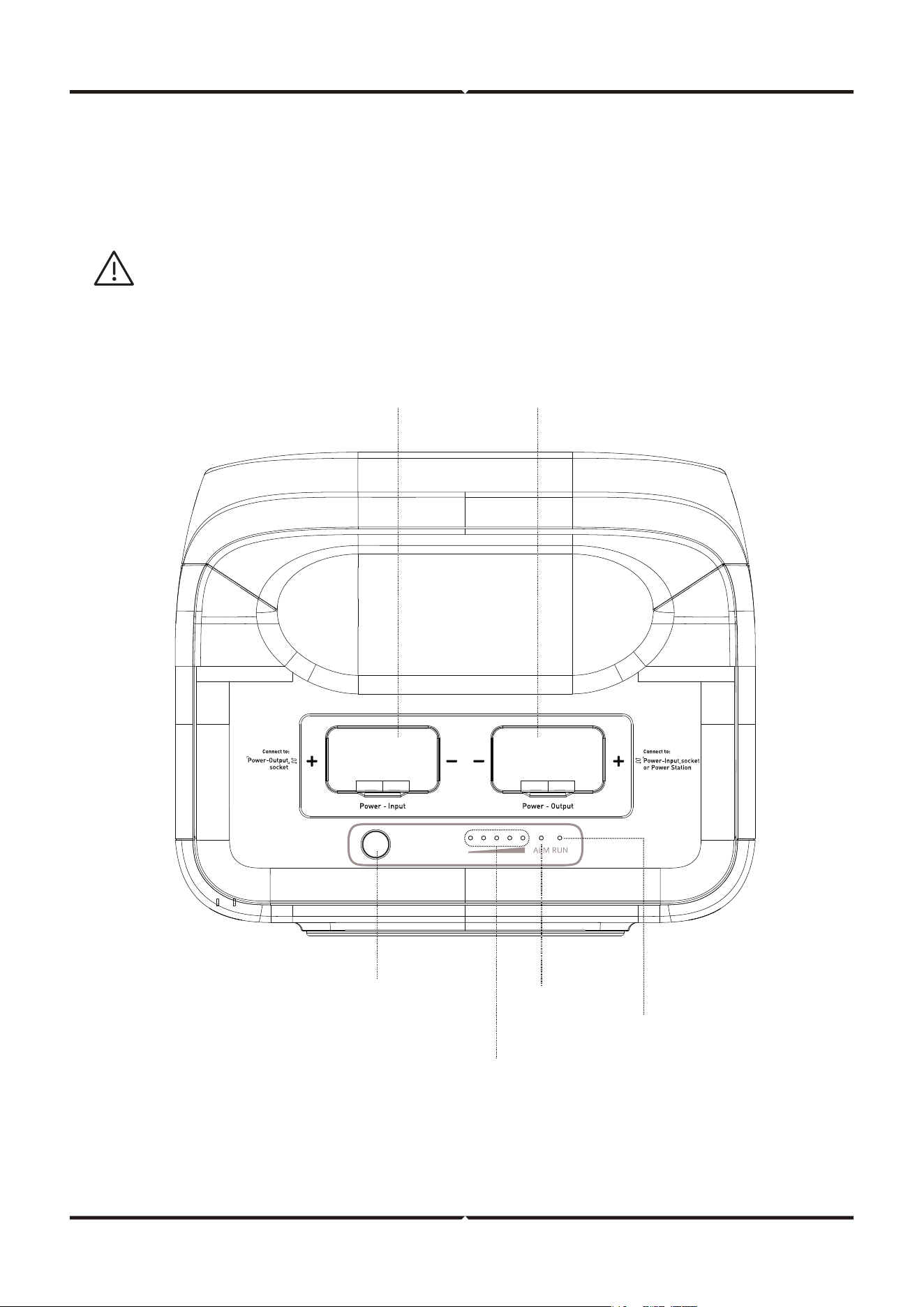
Power Input
Power Output
Connect to the expansion Port
of power station or the power
input interface of another
power pack.
Connect to the power
output interface of
another power pack.
Power button
Blue light:
SOC indicator
Blue light:
Run indicator
Red light:
Alarm indicator
• This product cannot be used alone; it must be used together with our 3kW portable power supply.
• When combined with a 3kW portable power supply, the on/o function is controlled by the power
button of the 3kW portable power station.
If this product is used alone, pressing the power switch button on this product will display the
current battery capacity for 2 minutes. However, it cannot output power and will automatically
shut down aer 2 minutes.
Switching on/o: Aer short press the power button, the indicator light is on, showing the
current operating status light and the power light. Press the power button for 3 seconds, the
expansion battery pack turns o, and the indicator light goes out.
PRODUCT DISPLAY
IMPORTANT NOTE
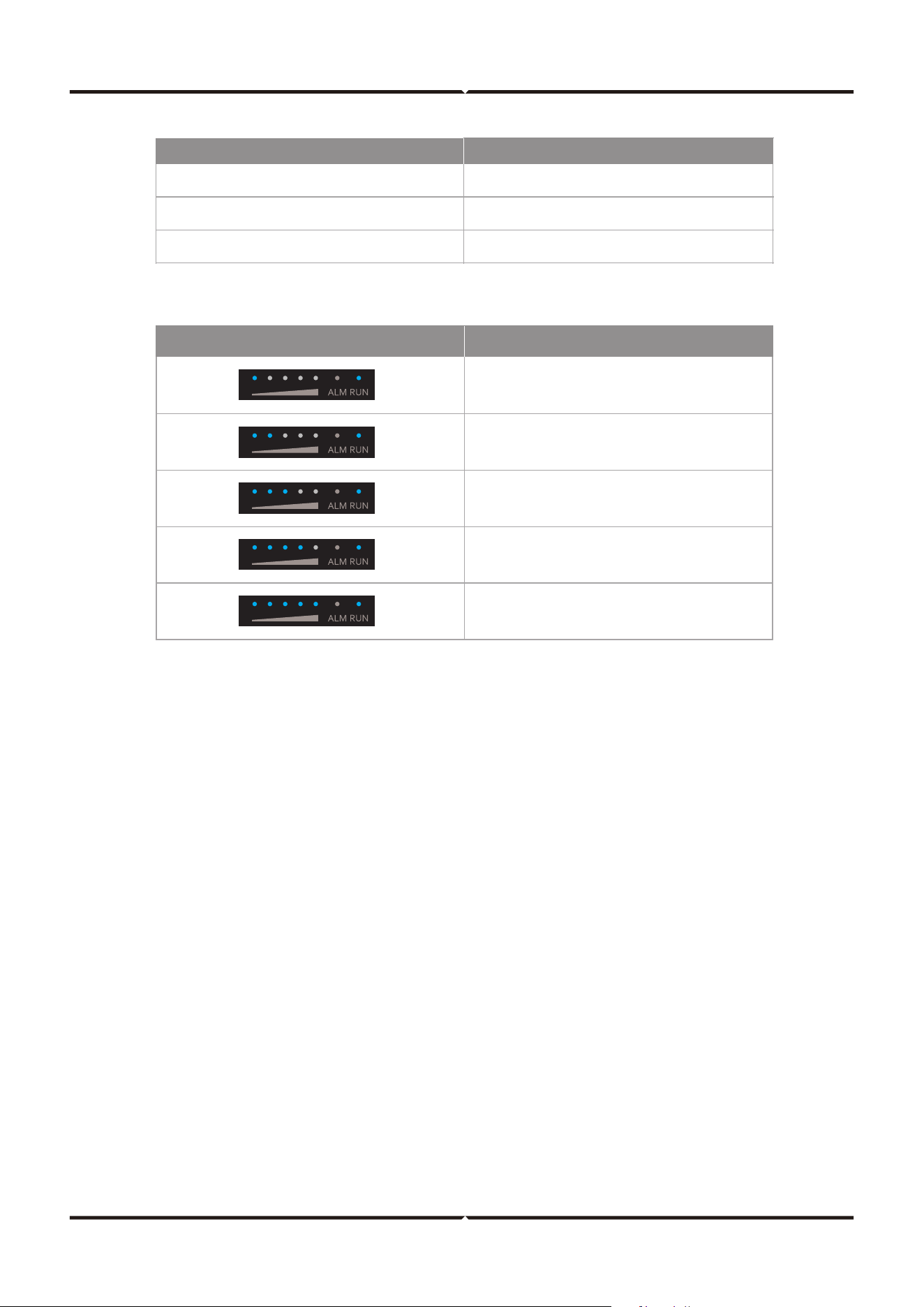
INDICATOR
STATUS
Blue light: Run indicator Standby, working
Red light : Alarm indicator Alert, faulty
Blue light: SOC indicator SOC indicator
INDICATOR STATUS
NORMAL STATE
SOC INDICATOR
DESCRIPTION
0%≤ SOC≤20%
20%<SOC≤40%
40%<SOC≤60%
60%<SOC≤80%
80%<SOC≤100%
SOC indicator
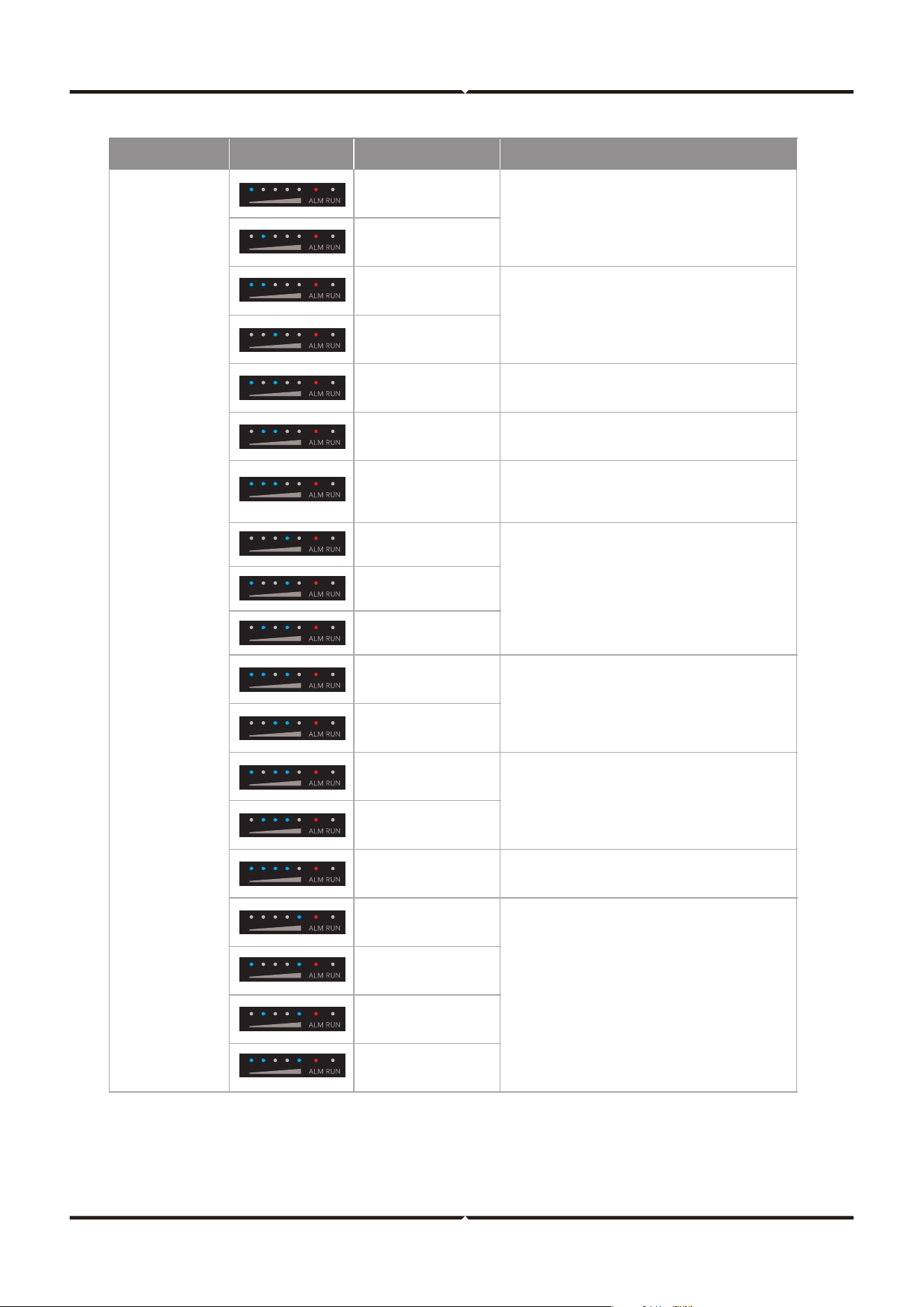
Alerting
Battery over voltage
Battery cell voltage
difference fault
Unit under voltage
VTOP under voltage
VTOP over voltage
Battery over temperature
Battery low temperature
Overcurrent
when charging
Overcurrent
when discharging
Turn off, remove and check equipment, restart
the battery. If it’s still not fixed, contact
customer service.
Restart the battery. If it’s still not fixed, contact
customer service.
Turn off, wait the temperature to recover, restart the
battery. If it’s still not fixed, contact customer
service.
Turn off and wait for hours. If it’s still
not fixed, contact customer service.
Overcurrent
when discharging
Short when discharging
Short when charging
PCB over temperature
Pre-charge resistor
over temperature
MOS over temperature
IUIP parallel signal fault
I_WORK parallel
signal fault
Parallelization over time
Parallelization
re
adiness failure
Restart the battery. If it’s still not fixed, contact
customer service.
Charge the battery, waiting for the voltage
to recover.
Turn off and wait for hours. If it’s still not fixed,
contact customer service.
Restart the battery. If it’s still not fixed, contact
customer service.
Turn off and wait for hour, restart the battery.
If it's still not fixed, contact customer service.
Turn off, check the communication cable,
restart the battery. If it’s still not fixed,
contact customer service.
Button Indicator
Solution
Red light
blinks
• It is recommended to restart the device using the switch button.
• When parallelization is applied, if the battery enters under-voltage protection and powers o,
you only need to press the switch button on any one of the batteries to forcibly activate it.
REMARK
ALERTING
Button Indicator
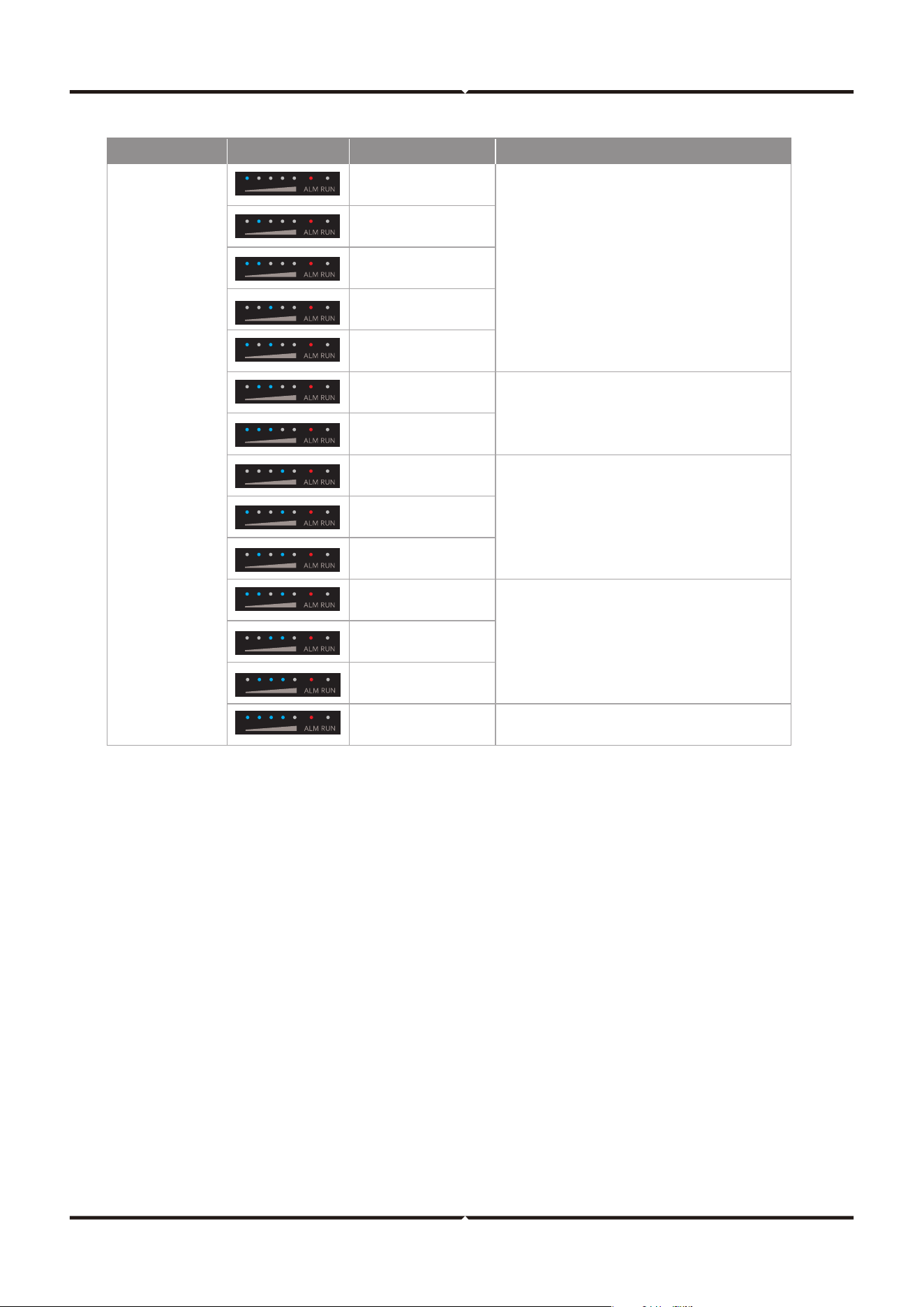
SOC indicator
Alerting
Solution
Restart the battery. If it’s still not fixed, contact
customer service.
Red light
always on
Battery voltage
sampling wire broken
MOS failure
AFE
communication failure
EEPROM failure
Voltage sensor failure
Current sensor
drift failure
Main circuit fault
Pre-charge over time
Current sensor failure
Dead battery
Inverter
communication failure
CAN bus failure
Parallel address
recognition failure
Short circuit protection
fuse circuit fault
Contact customer service.
Contact customer service.
Turn off, check the communication cable. If it’s
still not fixed, contact customer service.
Restart the battery. If it’s still not fixed, contact
customer service.
GUIDELINE FOR USERS
• Before connecting the expansion battery pack, please ensure that both the power station and
the expansion battery pack are in the o state.
• Aer connecting the expansion battery pack, make sure that the number of parallel expansion
battery packs icon appears on the LCD of the power station before starting to use it.
• Do not connect or remove the expansion battery pack during charging or discharging. If you
need to connect or remove an expansion battery pack during operation, please turn o the
power first before proceeding.
• Do not touch the metal terminals at the connection port of the expansion battery pack with your
hands or other objects. If the metal terminals come into contact with other objects, please gently
wipe them clean with a dry cloth.
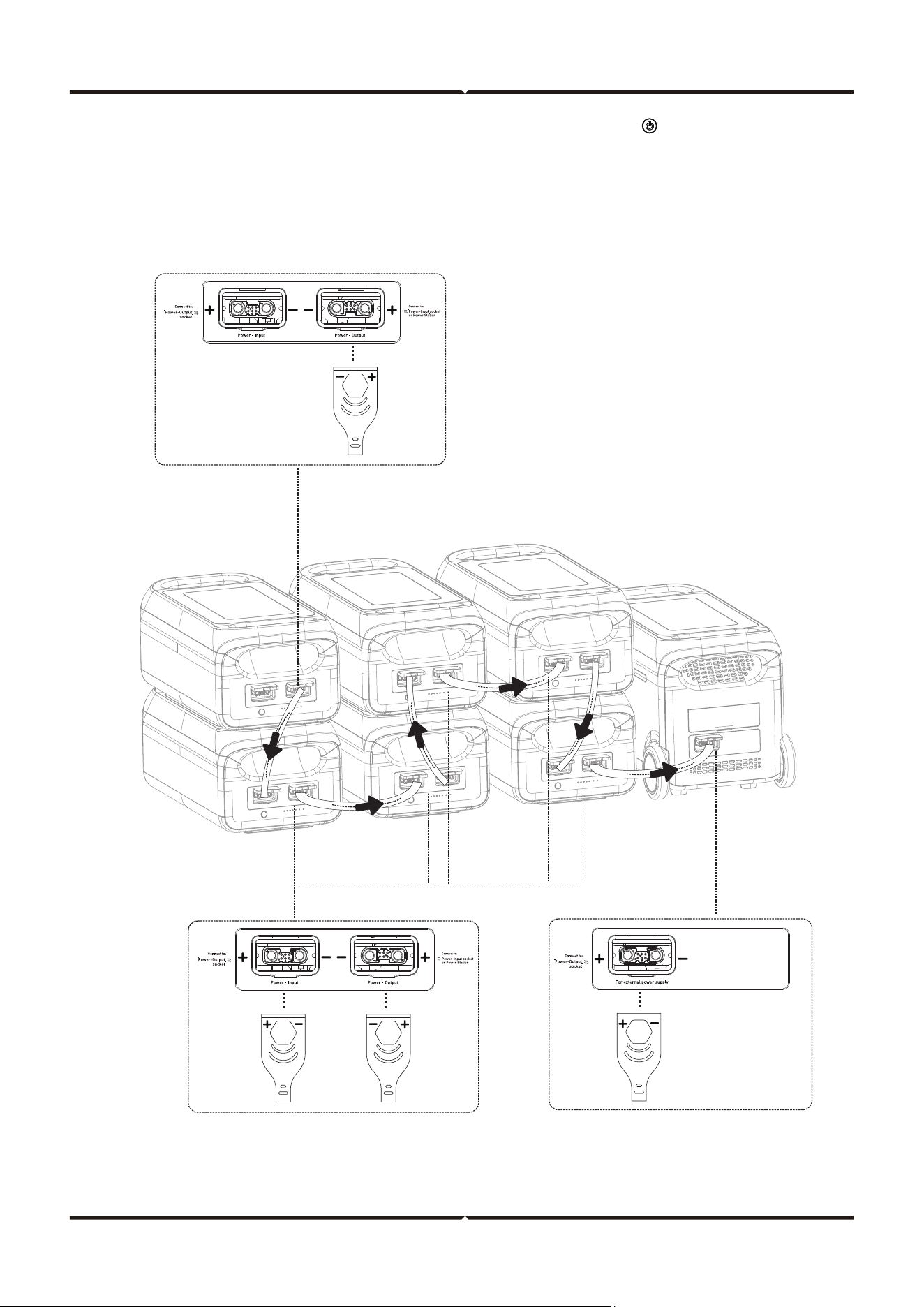
Up to six battery expansion packs can be connected simultaneously for greater capacity requirements.
NOTE THE FOLLOWING WHEN USING
FAULTY
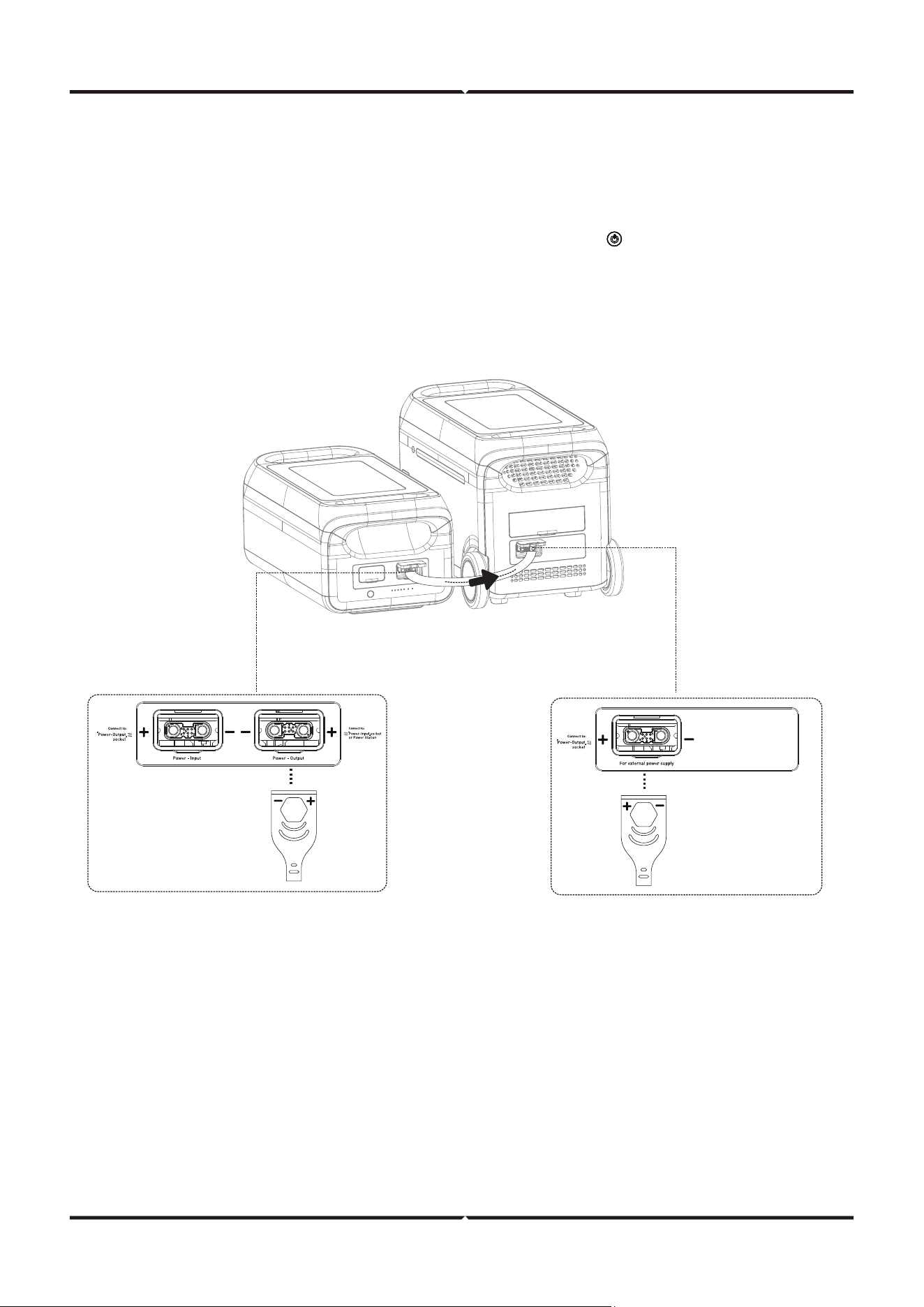
3. Aer the parallel connection is completed, press the switch button ( ) of the portable
power station to wake up the parallel portable power station and the expansion battery
pack. This will display the current battery power level and the current number of parallel
expansion battery packs, confirming that the parallel expansion is successful.
4. Aer the parallelization is completed, connect the corresponding outlet of the portable
power station to charge or discharge
Portable
power station
Expansion
battery pack
1. Turn o the portable power station and all expansion battery packs to be paralleled.
2. The parallel connection cable is plugged into the expansion port of the portable power station
and the Power Output of Expansion Battery Pack #1.
• The Power Input of Expansion Battery Pack #1 is connected to the Power Output of
Expansion Battery Pack #2.
• The Power Input of Expansion Battery Pack #2 is connected to the Power Output of
Expansion Battery Pack #3.
• And so on, up to six expansion battery packs in parallel.
• Turn o all portable power stations and expansion battery packs to be paralleled.
• Plug the parallel connection cable into the expansion port of the portable power station and the
Power Output port of the expansion battery pack.
• Aer completing the parallel connection, press the switch button ( ) on the portable power
station to wake up the parallel power station and the expansion battery pack. This will display the
current capacity. The power station will show the paralleled quantity, indicating that the parallel
capacity expansion is successful.
• Once parallelization is complete, connect the corresponding outlet of the portable power station
to charge or discharge
Remark: There are + and - symbols on battery packs and cables in case of reverse polarities.
1 PORTABLE POWER STATION AND 1 EXPANSION BATTERY
PACK IN PARALLEL MODE
1 PORTABLE POWER STATION WITH MULTIPLE EXPANSION
BATTERY PACKS IN PARALLEL
3. Aer the parallel connection is completed, press the switch button ( ) of the portable
power station to wake up the parallel portable power station and the expansion battery
pack. This will display the current battery power level and the current number of parallel
expansion battery packs, confirming that the parallel expansion is successful.
4. Aer the parallelization is completed, connect the corresponding outlet of the portable
power station to charge or discharge
Expansion
battery pack
#3
Portable
power station
Expansion
battery pack
#1
Expansion
battery pack
#2
1. Turn o the portable power station and all expansion battery packs to be paralleled.
2. The parallel connection cable is plugged into the expansion port of the portable power station
and the Power Output of Expansion Battery Pack #1.
Remark: There are + and - symbols on battery packs and cables in case of reverse polarities.

• Keep the product away from water, heaters, and metal parts.
• It is recommended to use or store the expansion battery pack at an ambient temperature of
20°C–30°C.
• For long-term storage, charge and discharge every 3 months (i.e., discharge to 0%, then
charge to 100%, then discharge to 60% for long-term storage). Products that have not
been charged and discharged for more than 6 months are not covered under warranty.
• For safety, do not store the expansion battery pack at temperatures above 45°C or below
-10°C.
• If the capacity is seriously insucient and the idle time is too long, the product will enter
deep sleep mode. It can only be used aer being charged.
Before using the power station expansion battery pack, please read this user manual carefully to ensure
understanding and proper use. Aer reading the user manual, please keep it for future reference. Improper
operation may cause serious injury to yourself or others, or result in product damage and property loss.
By using the expansion battery pack, you are deemed to have understood and accepted all terms and con-
ditions herein. Users are responsible for their actions and all consequences arising therefrom. We shall not
be liable for any loss arising from the user's failure to follow this user manual.
In compliance with all applicable laws and regulations, the company reserves the right of final interpreta-
tion of this document and all related product information. The company reserves the right to update,
revise, or terminate this product without prior notice. For the latest product updates, please visit the ocial
website.
• What kind of battery is used?
Lithium iron phosphate battery (LiFePO4).
• How to know the supply time?
The LED screen of the portable outdoor power station displays the charge level of the
expansion pack.
• How to know it is charging?
When charging, the power indicators will flash to show the charging state.
• How to clean the product?
Clean the unit with a dry, so, and clean cloth or tissue.
• How to store the unit?
Turn it o and keep it in a dry and ventilated place. Do not expose it close to water.
For long-term storage, charge and discharge every 3 months (i.e., discharge to 0%, then
charge to 100%, then discharge to 60% for long-term storage).
• Can it be taken on board?
No.
FREQUENTLY ASKED QUESTIONS (FAQ)
MAINTENANCE
DISCLAIMER

IMPORTANT NOTES
• This product contains battery type "Secondary" (rechargeable).
• Electrical and electronic equipment that has become waste is known as old equipment/device. Old
devices must not be disposed of with other household waste.
• Owners of old devices at the end of its service life must return the device by taking them to the
collection points set up by public waste disposal authorities or distributors. This return does not
entail any costs for you.
• Owners of old devices have an obligation to remove accessible batteries / rechargeable batteries
as well as non-destructively removable lamps from the old device prior to return. This does not
apply if old devices are being prepared for reuse with the participation of a public law firm.
• Battery removal warning: The battery contained in this product must be removed only by profes-
sional personnel only. The battery must never be removed by the end user, if not removed correctly
it could damage the battery which could cause fire.
• Batteries removed from an old electronic device should be disposed of separately. This return of
battery does not entail any costs for you and the user is obliged to return the battery.
• Please make sure that this product is not powered on when removing the battery. Fire hazard!
Avoid short-circuiting the contacts of a detached battery. Do not incinerate the battery. Please
handle the battery with Caution!
• If electrical appliances or batteries are disposed of in landfills or dumps, hazardous substances can
leak into the groundwater and get into the food chain, damaging your health and well-being.
• The symbol of "Crossed rubbish bins "indicates that this product should not be disposed of with
other household wastes and must be collected separately from unsorted municipal waste at the
end of its service life.
• Please use the link below to view the online directory of the collection and return points:https://w-
ww.ear-system.de/ear-verzeichnis/sammel-und-ruecknahmestellen
V-TAC WEST EUROPE LTD. IN CASE OF ANY QUERY/ISSUE WITH THE PRODUCT, PLEASE REACH OUT TO US AT:
[email protected] FOR MORE PRODUCTS RANGE, INQUIRY PLEASE CONTACT OUR DISTRIBUTOR OR NEAREST DEALERS.
V-TAC WEST EUROPE LTD. GROUND FLOOR, 71 LOWER BAGGOT STREET, DUBLIN 02, IRELAND DO2 P593
V-TAC UK LTD. IN CASE OF ANY QUERY/ISSUE WITH THE PRODUCT PLEASE REACH OUT TO US AT
[email protected] V-TAC, 5A TUNGSTEN PARK, DOWNS ROAD, WITNEY, OXFORDSHIRE, OX29 0AX