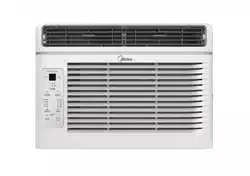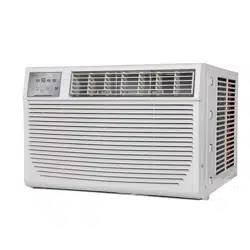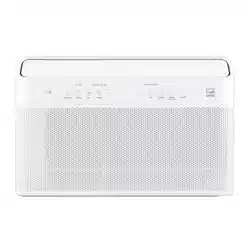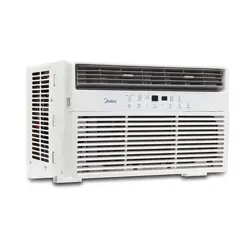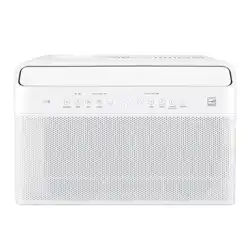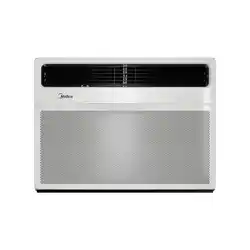
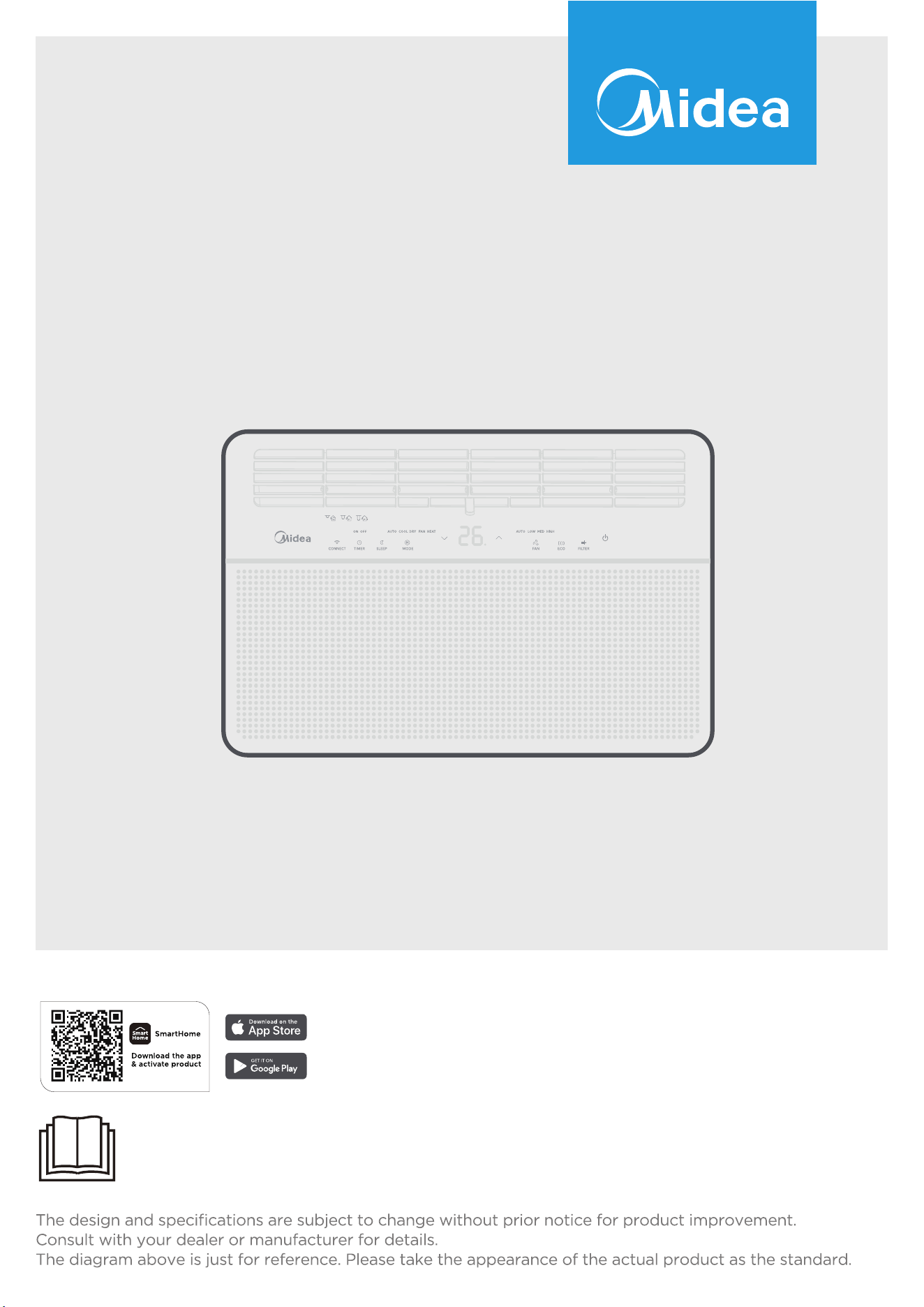
Warning notices: Before using this product, please read this manual carefully and keep it for future reference.
WINDOW TYPE ROOM AIR CONDITIONER
USER MANUAL
MAW18HN1CWT
MAW24HN1CWT

2
THANK YOU LETTER
Thank you for choosing Midea! Before using your new Midea product, please read
this manual thoroughly to ensure that you know how to operate the features and
functions that your new air conditioner offers in a safe way.
CONTENTS
THANK YOU LETTER ....................................................................................... 2
Safety Precautions .......................................................................................... 3
Confirm your package contents .................................................................... 7
Before you get start ........................................................................................ 8
Install your product ......................................................................................... 9
Get to know your AC ......................................................................................18
Get to know the features ..............................................................................20
REMOTE CONTROL INSTRUCTIONS .......................................................... 23
Cleaning & maintenance ................................................................................ 31
TROUBLESHOOTING .................................................................................... 32
CONNECTION INSTRUCTIONS .................................................................... 34
WARRANTY ....................................................................................................41
3
Safety Precautions
Must read the warning message.
Inside you will find many helpful hints on how to use and maintain your air condi-
tioner properly. Just a little preventive care on your part can save you a great deal
of time and money over the life of your air conditioner. You'll find many answers to
common problems in the chart of troubleshooting tips. If you review our chart of
Troubleshooting Tips first, you may not need to call for service at all.
To prevent injury to the user or other people and property damage, the following
instructions must be followed.Incorrect operation due to ignoring of instructions
may cause harm or damage. The seriousness is classified by the following indica-
tions.
Explanation of Symbols
Warning
The signal word indicates a hazard with a medium level of risk which, if
not avoided, may result in death or serious injury.
Caution
The signal word indicates a hazard with a low degree of risk which, if
not avoided, may result in minor or moderate injury.
Never do this
The signal word indicates a hazard with a low degree of risk which, if
not avoided, may result in minor or moderate injury.
Always do this
This signal means that the operation can be performed.
WARNING
• Plug in power plug properly. Otherwise, it may cause electric shock or fire due
to excess heat generation. Do not operate or stop the unit by inserting or pull-
ing out the power plug.It may cause electric shock or fire due to heat gener-
ation. Do not damage or use an unspecified power cord.It may cause electric
shock or fire. If the power cord is damaged, it must be replaced by the manu-
facturer or an authorised service centre or a similarly qualified person in order
to avoid a hazard.
• Always install circuit breaker and a dedicated power circuit. Incorrect instal-
lation may cause fire and electric shock. Do not operate with wet hands or in
damp environment. It may cause electric shock . Do not direct airflow at room
occupants only. This could damage your health.
• Always ensure e ective grounding.Incorrect grounding may cause electric
shock. Do not allow water to run into electric parts.It may cause failure of ma-
chine of electric shock. Do not modify power cord length or share the outlet
with other appliances. It may cause electric shock or fire due to heat genera-
tion.
• Unplug the unit if strange sounds, smell, or smoke comes from it. It may cause
4
fire and electric shock. Do not use the socket if it is loose or damaged. It may
cause fire and electric shock. Do not open the unit during operation. It may
cause electric shock.
• Keep firearms away. It may cause fire. Do not use the power cord close to heat-
ing appliances.It may cause fire and electric shock. Do not use the power cord
near flammable gas or combustibles, such as gasoline, benzene, thinner, etc. It
may cause an explosion or fire.
• Ventilate room before operating air conditioner if there is a gas leakage from
another appliance. It may cause explosion, fire and, burns. Do not disassemble
or modify unit. It may cause failure and electric shock.
CAUTION
• When the air filter is to be removed, do not touch the metal parts of the unit. It
may cause an injury.
Ventilate the room well when used together with a stove, etc. An oxygen short-
age may occur.
• Do not use strong detergent such as wax or thinner but use a soft cloth. Ap-
pearance may be deteriorated due to change of product color or scratching
of its surface. Do not clean the air conditioner with water. Water may enter the
unit and degrade the insulation. It may cause an electric shock. Do not use for
special purposes. Do not use this air conditioner to preserve precision devices,
food, pets, plants, and art objects.lt may cause deterioration of quality, etc.
• Stop operation and close the window in storm or hurricane. Operation with
windows opened may cause wetting of indoor and soaking of household furni-
ture. When the unit is to be cleaned, switch off , and turn off the circuit breaker.
• Do not clean unit when power is on as it may cause fire and electric shock, it
may cause an injury.
• Always insert the filters securely. It can be caused failure if operated without
filters. Please clean filter once every two weeks.
CAUTION
• Hold the plug by the head of the power plug when taking it out. It may cause
electric shock and damage. Turn off the main power switch when not using the
unit for a long time. It may cause failure of product or fire.
• Do not place obstacles around air-inlets or inside of air-outlet. It may cause
failure of appliance or accident. Do not place heavy object on the power cord
and ensure that the cord is not compressed. There is danger of fire or electric
shock. Don’t drink water drained from air conditioner. It contains contaminants
and could make you sick.
• Use caution when unpacking and installing. Sharp edges could cause injury.
• If water enters the unit, turn the unit off at the power outlet and switch o the
circuit breaker. Isolate supply by taking the power-plug out and contact a qual-
ified service technician.
• This appliance is not intended for use by persons(including children) with re-
duced physical ,sensory or mental capabilities or lack of experience and knowl-
edge, unless they have been given super vision or instruction concerning use of
the appliance by a person responsible for their safety.
• Children should be supervised to ensure that they do not play with the appli-
ance.
5
• If the supply cord is damaged, it must be replaced by the manufacturer, its ser-
vice agent or similarly qualified persons in order to avoid a hazard.
• The appliance shall be installed in accordance with national wiring regulations.
• Installation must be performed in accordance with the requirement of NEC and
CEC by authorized personnel only.
• Do not operate your air conditioner in a wet room such as a bathroom or laun-
dry room.
• The appliance with electric heater shall have at least 1 meter space to the com-
bustible materials.
• Contact the authorised service technician for repair or maintenance of this unit.
• Contact the authorised installer for installation of this unit.
NOTE
This air conditioner is designed to be operated under the following conditions:
Cooling operation
Outdoor temp:
64-109
O
F/18-43
O
C
(64-125
O
F/18-52
O
C for special tropical models)
Indoor temp: 62-90
O
F/ 17-32
O
C
Heating operation
Outdoor temp: 23-76
O
F/-5-24
O
C
Indoor temp: 32-80
O
F/0-27
O
C
Note:Performance may be reduced outside of these operating temperatures.
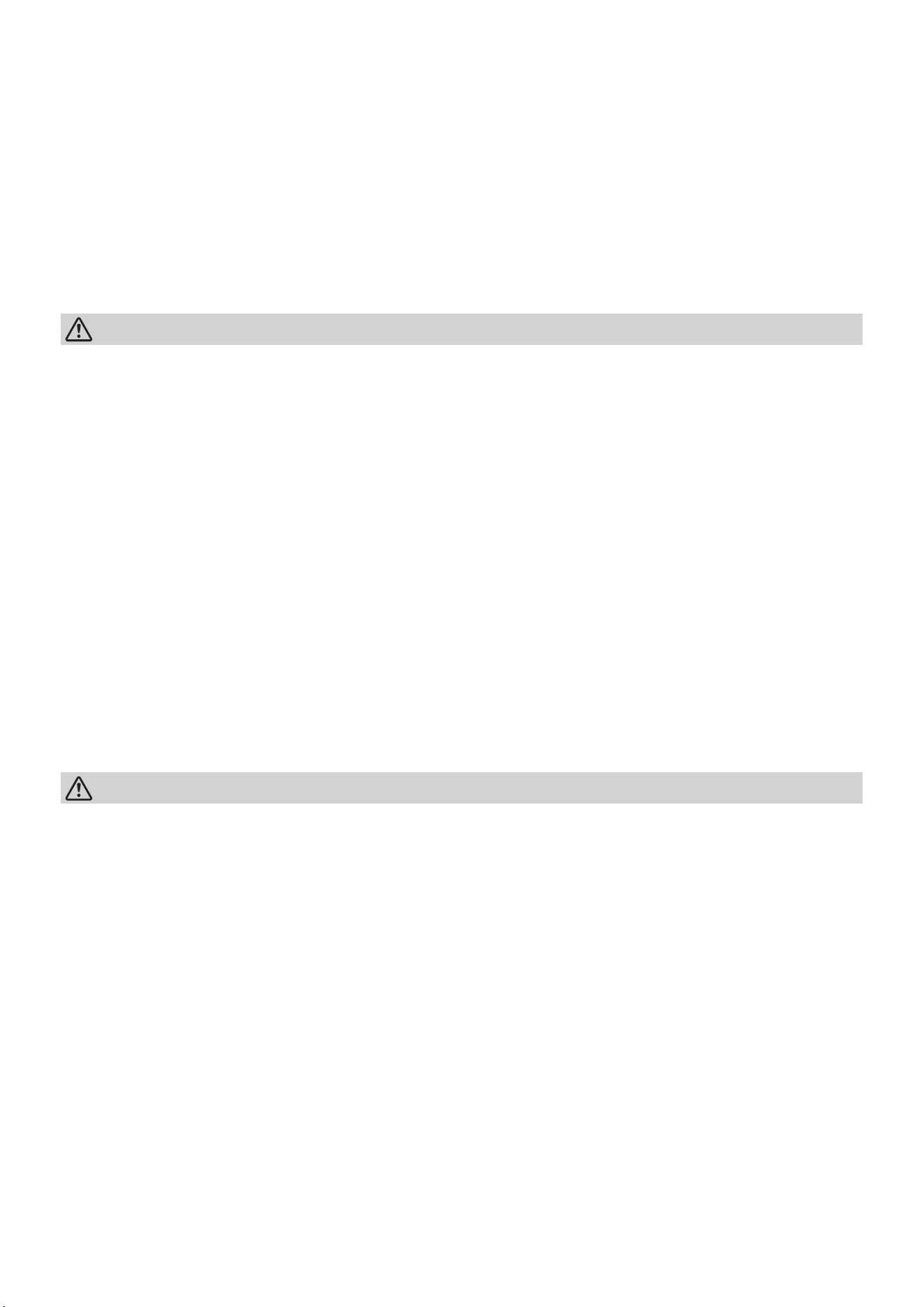
Operation of Current Device
The power supply cord contains a current device that senses damage to the power
cord. To test your power supply cord do the following:
• Plug in the Air Conditioner.
• The power supply cord will have TWO buttons on the plug head. Press the
TEST button, you will notice a click as the RESET button pops out.
• Press the RESET button again, you will notice a click as the button engages.
• The power supply cord is now supplying electricity to the unit. (On some prod-
ucts this is also indicated by a light on the plug head).
NOTE
• The power supply cord with this air condi-
tioner contains a current detection device
designed to reduce the risk of fire.
• In the event that the power cord is damaged,
it cannot be repaired – it must be replaced
with a cord from the product manufacturer.
• Do not use this device to turn the unit on or
off.
• Always make sure the RESET button is
pushed in for correct operation.
• The power supply cord must be replaced if
it fails to reset when either the TEST button
is pushed or if it cannot be reset. A new one
can be obtained from the product manufac-
turer.
Grounding type wall receptacle
Power supply cord with 3-prong
grounding plug and current
detection device.
Do not, under any
circumstances, cut,
remove, or bypass
the grounding prongs.
6
WARNING
Electrical Information
The complete electical rating of your new room air conditioner is stated on the se-
rial plate. Refer to the rating when checking the electrical requirements.
• Be sure the air conditioner is properly grounded. To minimize shock and fire
hazards, proper grounding is important. The power cord is equipped with a
three-prong grounding plug for protection against shock hazards.
• Your air conditioner must be used in a properly grounded wall receptacle. If the
wall receptacle you intend to use is not adequately grounded or protected by a
time delay fuse or circuit breaker, have a qualified electrician install the proper
receptacle. Ensure the receptacle is accessible after the unit installation.
• Do not run air conditioner without side protective cover in place.This could re-
sult in mechanical damage within the air conditioner.
• Do not use an extension cord or an adapter plug.
Avoid fire hazard or electric shock. Do not use an extension cord or an adapter
plug. Do not remove any prongs from the power cord.
For Your Safety
Do not store or use gasoline or other flammable vapors and liquids in the vicinity
of this or any other appliance.
Prevent Accidents
To reduce the risk of fire, electrical shock, or injury to persons when using your air
conditioner, follow basic precautions, including the following:
• Be sure the electrical service is adequate for the model you have chosen. This
information can be found on the serial plate, which is located on the side of the
the cabinet and behind the grille.
• If the air conditioner is to be installed in a window,you will probably want to
clean both sides of the glass first. If the window is a triple-trackty pew it has
creen panel included, remove the screen completely before installation.
• Be sure the air conditioner has been securely and correctly in stalled according
to the installation instructions in this manual.
Save this manual for possible future use in removing or installing this unit.
When handling the air conditioner, be careful to avoid cuts from sharp metal
fins on front and rear coils.
Electronic Work
NOTE:
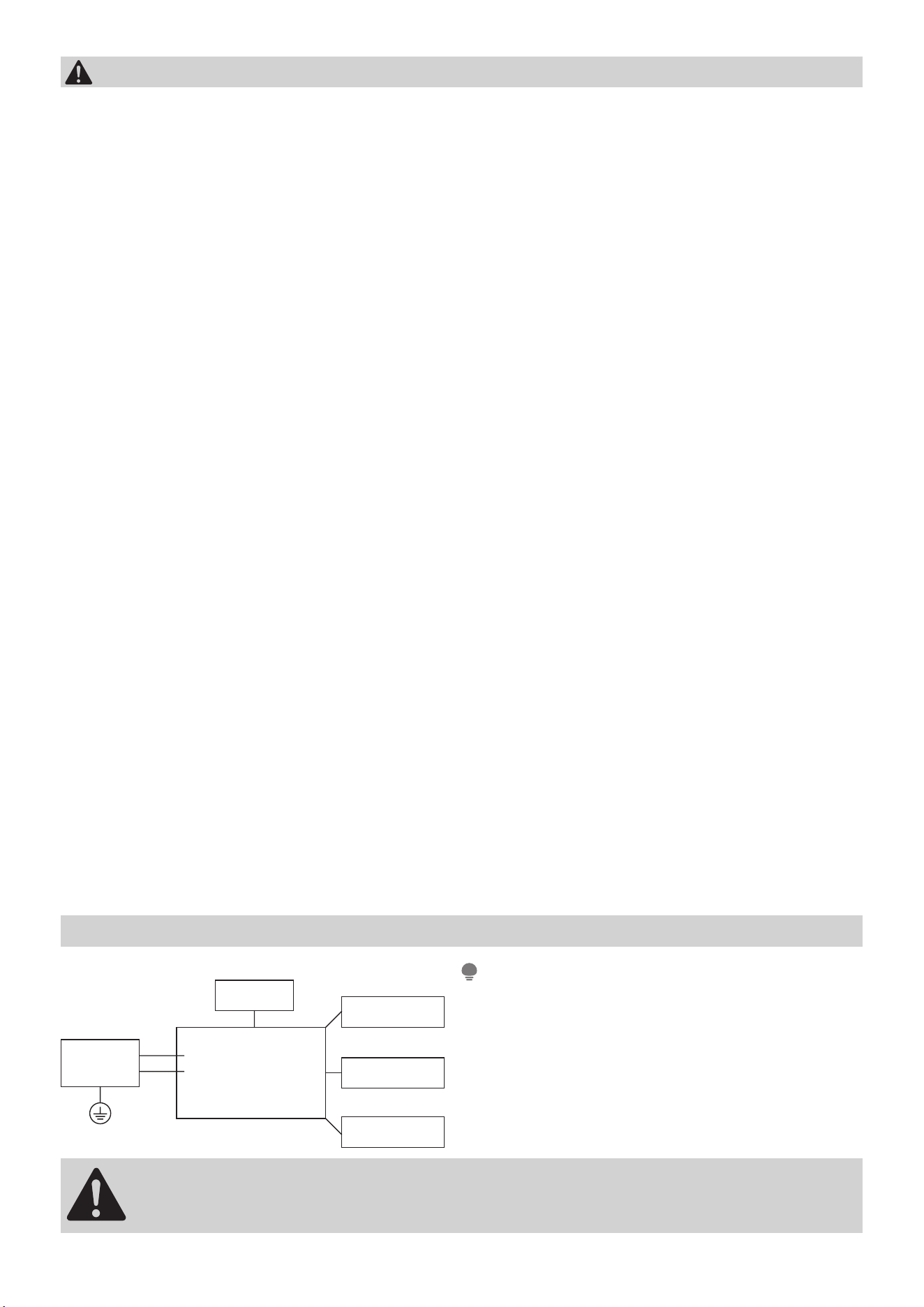
Please strictly follow the wiring label at-
tached to the machine for all wiring connec-
tions. The wiring diagram may vary for differ-
ent unit. Please refer to the wiring diagram
on the machine you have purchased. The
above wiring diagram is a simplified version
for preliminary illustration purposes only.
WARNING:
BEFORE PERFORMING ANY ELECTRICAL OR WIRING WORK, TURN
OFF THE MAIN POWER TO THE SYSTEM.
Main Control
Compressor
Fan Motor
Display
Power
Supply
L/AC L/L1/L-IN
N/AC N/L2/N-IN
Other
Electronic Type
7
Confirm your package contents
Unpacking inspection
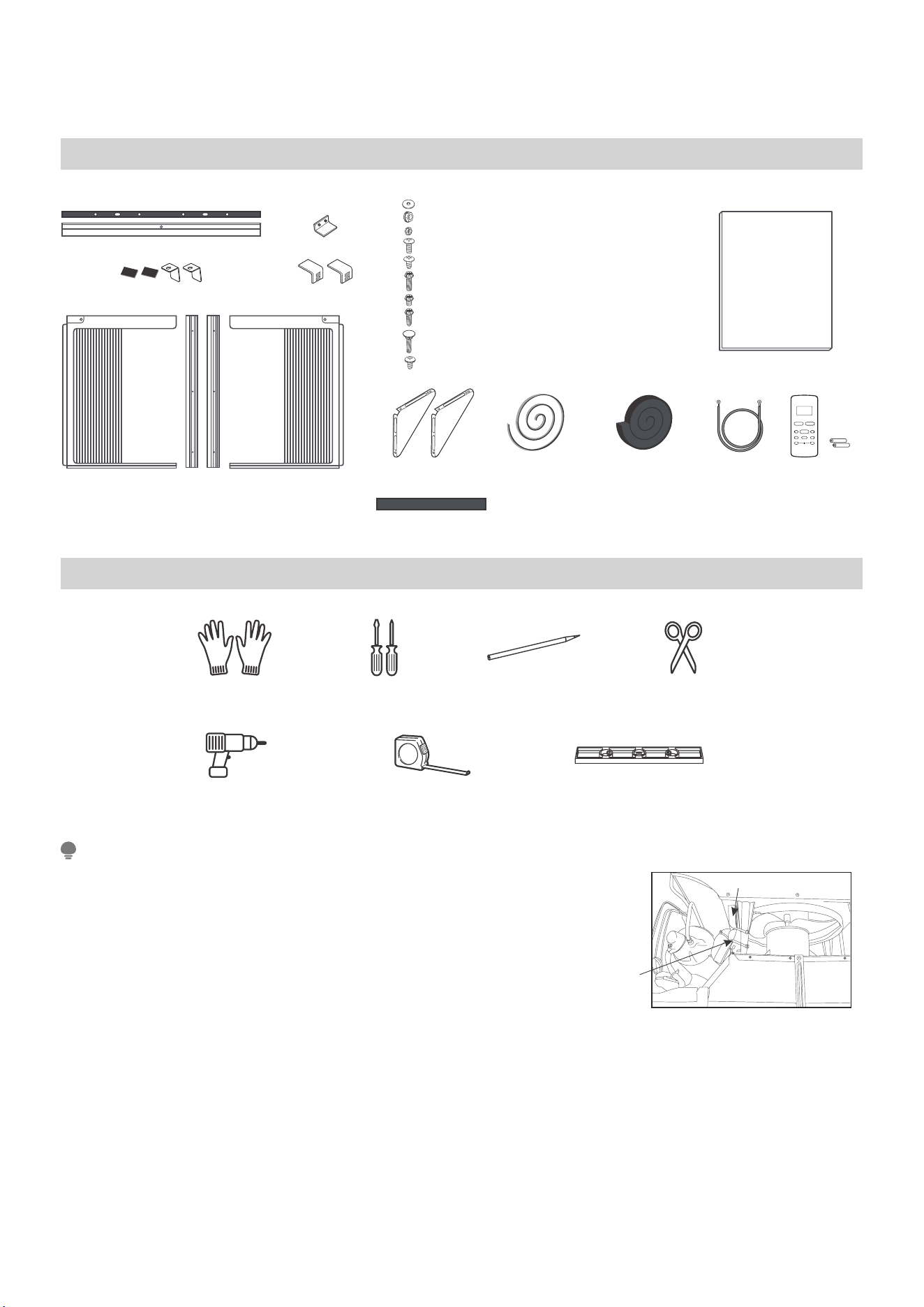
Used for replacing the damaged foam on the cabinet when
disassembling and assembling.
•• •• •
•• ••
Top Rail and Foam (with glue)
Frame Assembly(Left & Right) and Side Retainer
Bottom Rail
Foam Seal (with glue)
Window Sash Seal
Foam (non glue)
Cabinet Seal
Foam (glue)
Ground wire Remote controller
and batteries
#1-Flat washer for window panels
Safety Lock
#2-Locknut
#3-Locknut
Sill Angle Bracket
Safety Lock and Foam (with glue)
(for Vinyl-Clad Window)
Support Bracket
X10# 7-Screw (7/16 inch)
X2
X2
X2
X4
X2
X7 #8-Screw (5/8 inch)
#6-Screw (11/16 inch)
#5-Screw (3/8 inch)
X2 #M4x8-Z
#4-Screw (9/16 inch)
#9-Screw (13/16 inch)
X4
X2
R1 hardware (optional)
Prepare the following tools
LevelRuler or tape measureDrill
PencilGloves Screwdriver Scissors
*Not Included
NOTE
• The unit you purchased may be look like some-
thing different, please refer to the material in
kind.
• Your unit may come with internal packaging.
This packaging must be removed prior to install-
ing the air conditioner back into the cabinet as
shown.
Shipping Packaging
Plastic tie
8
Before you get start
Preparations before installation
The installation must be carried out in
strict accordance with the instructions in
this manual.
We recommend doing this with a helper
Installing your AC should take about 60
minutes.
We’re here if you need us, please contact
your local distributor for assistance.
NOTE
Save Carton and these Installation Instructions for future reference. The carton is
the best way to store unit during winter, or when not in use.
WINDOW REQUIREMENTS
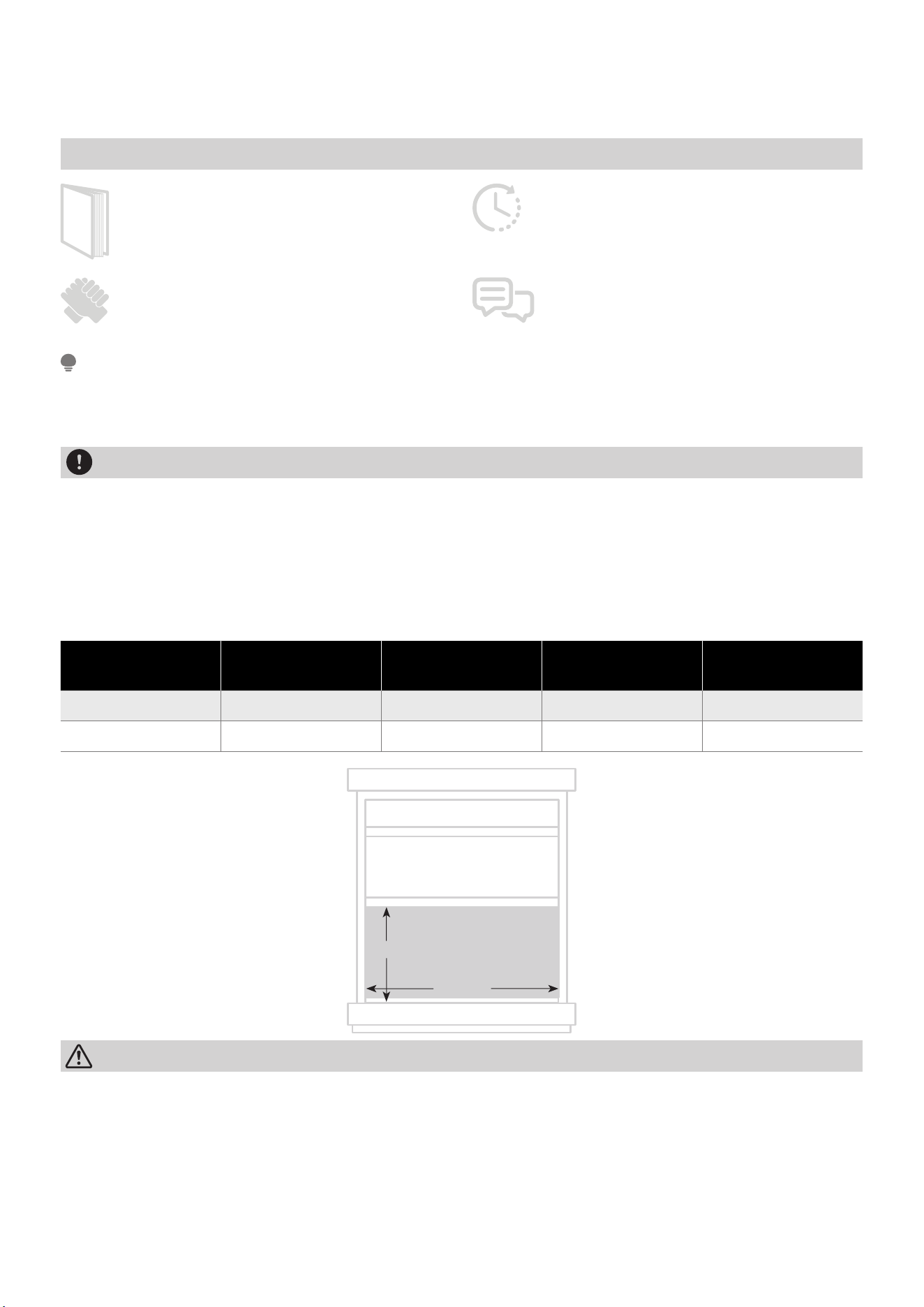
Your air conditioner is designed to install in a wooden sill double-hung window. All
wood parts of window must be in good shape and able to firmly hold the needed
screws. If not, make repairs before installing unit. If your storm window frame does
not allow the clearance required, correct by adding a piece of wood,or by removing
storm window while room air conditioner is being installed. The standard parts are
for window dimensions listed below
Unit height Unit width
Min. window
opening
Min. window
width
Max. window
width
17-5/8in(447mm) 23-5/8in(600mm) 18-1/2in(470mm) 28in(711mm) 40-1/2in(1029mm)
18-5/8in(473mm) 26-1/2in(673mm) 19-1/2in(495mm) 31in(787mm) 42in(1067mm)
W
H
CAUTION
• Do not, under any circumstances, cut or remove the third (ground) prong from
the power cord.
• Do not change the plug on the power cord of the air conditioner. Aluminum
house wiring may present special problems consult a qualified electircian.
When handling unit, be careful to avoid cuts from sharp metal edges and
aluminum fins on front and rear coils.
• The rear of the unit must be outdoors, not inside a building or garage.
Manual
9
Install your product
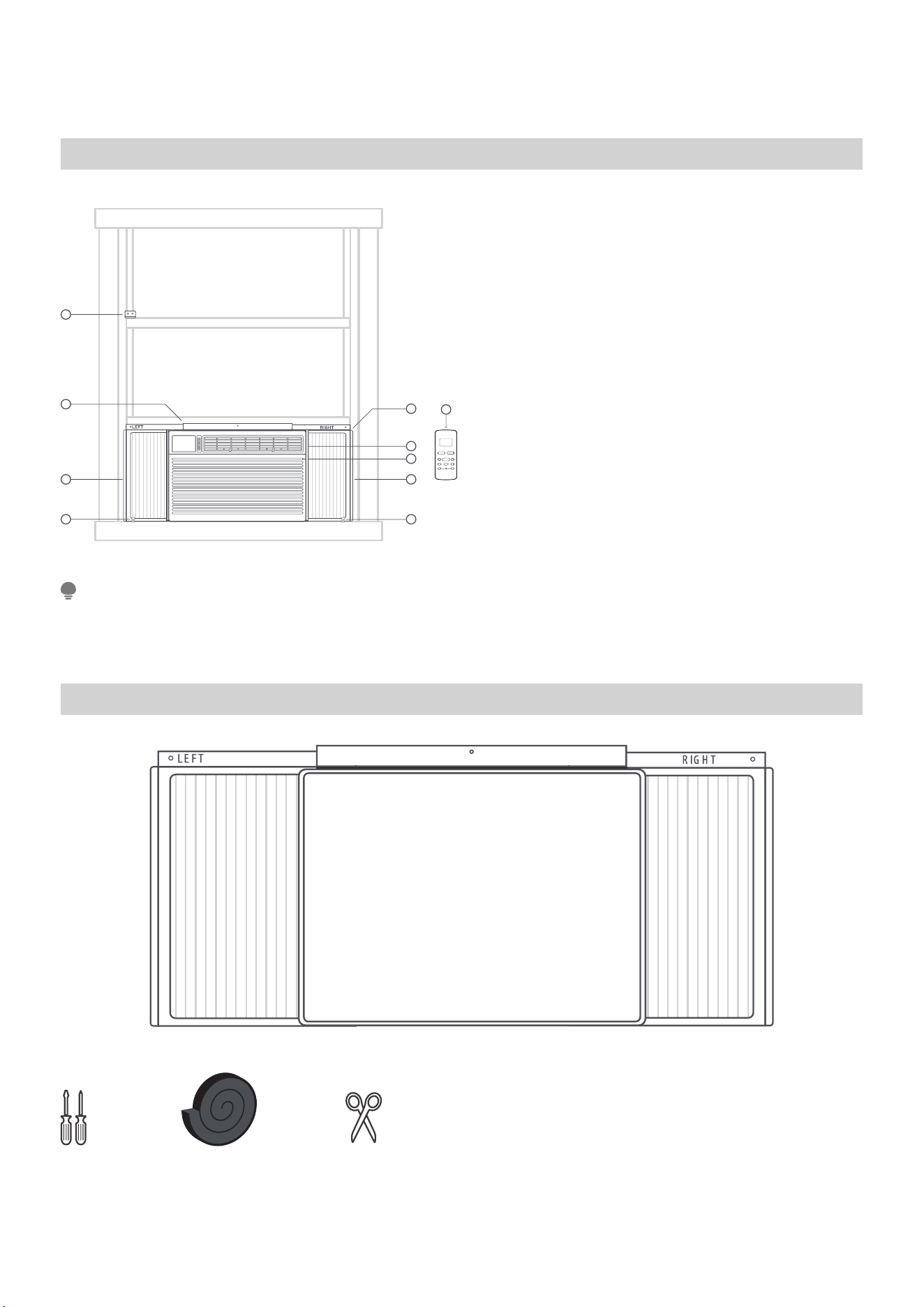
Installation overview
1. Safety Lock and 5/8in Screws
2. Top Rail and 3/8in Screws
3. Frame Assembly(Left)
4. Safety Lock and 5/8in Screw
5. Frame Assembly(Right)
6. Air Conditioner unit
7. Side Retainer(both side)
8. Window Sash Seal Foam
9. Remote controller
NOTE
Illustrations in this manual are for explanatory purposes. The actual shape of your
indoor unit may be slightly different. The actual shape shall prevail.
STEP 1: Assemble your AC Cabinet.
What you need.
•• •• •
•• ••
1
2
3
4 4
5
7
6
8
9
10
Assemble your AC Cabinet.
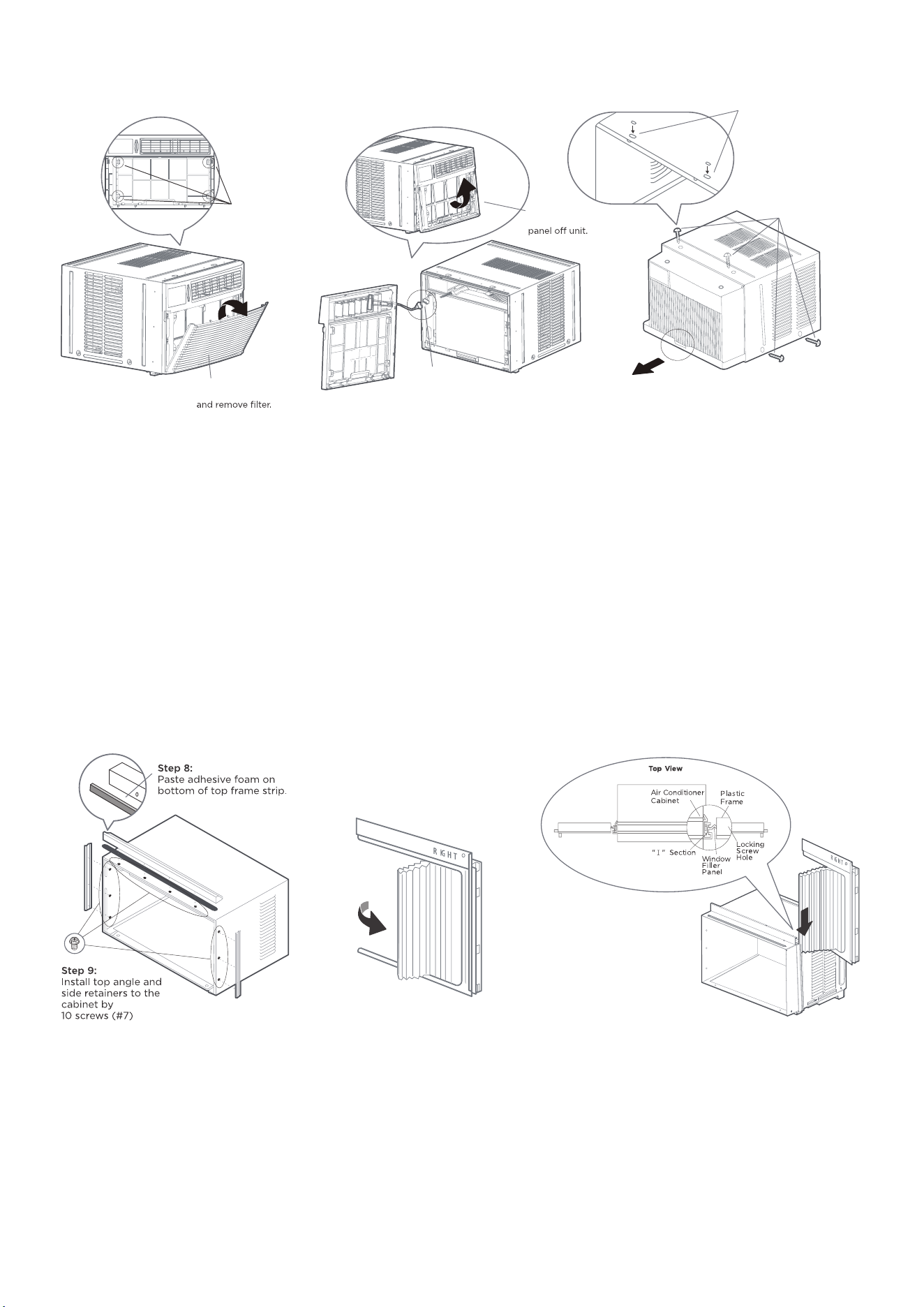
Step 1:
Pull down front grille
Lift front grille upwards.
Step 2:
Locate the four front
screws and remove.
Step 4:
Disconnect the connector
plug of the display
panel from the unit.
Step 3:
Gently lift front
Step 5:
Remove shipping
screws from the
top/side(if any) of unit.
Step 6:
Hold the cabinet while pulling on
the base pan handle, and carefully
remove the unit.
Step 7:
Add two Foam Inserts to
holes in top of cabinet
where shipping screws
were removed from.
(1) Remove the front panel from the unit.
Pull down front grille and remove filter. Lift front grille upwards and place to one
side. Locate the four front screws and remove. These screws will be needed to
re-install the front panel. Push metal cabinet side to release plastic tabs on each
side of front panel. Gently lift front panel o unit. Disconnect the connector plug of
the display panel from the unit and place front panel to one side.
(2) Remove Air Conditioner from Cabinet.
Remove shipping screws from top of unit and also on the side by the base if in-
stalled. Hold the cabinet while pulling on the base pan handle, and carefully remove
the unit. Add two foam inserts to holes in top of cabinet where shipping screws
were removed from.
(3) Install top angle and side Bracket
Attach foam gasket to top angle above holes. Install top angle and side retainers to
cabinet (10 screws)
(4) Pull the panels out around.
Pull the Left&Right window filler Panels out half way around.
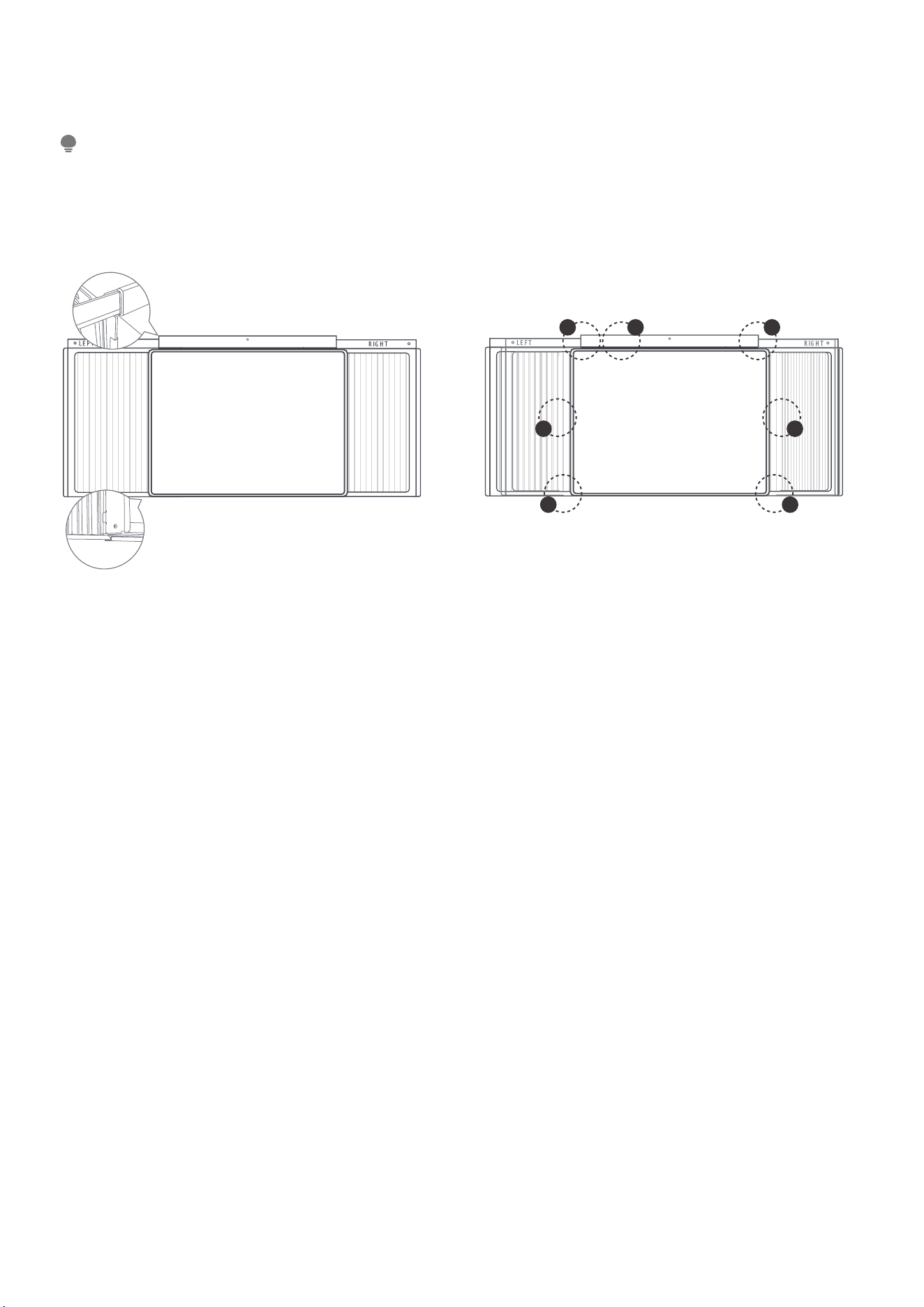
(5) Install the panels.
11
Place cabinet on floor, a bench, or a table. Slide “I “ section of window filler panel
into side retainer on the both side of the cabinet.
NOTE:
Top rail and Sliding Panels at each side are offset to provide the proper pitch to the
rear of (5/16”). This is necessary for proper condensed water utilization and drain-
age. If you are not using the Side Panels for any reason, this pitch to the rear must
be maintained.
A
A
C C
B
A
A
(6) Fasten the panels to the cabinet
Stretch the wind screen outward and insert the upper and lower frame strips of the
Panels into the cabinet card slot
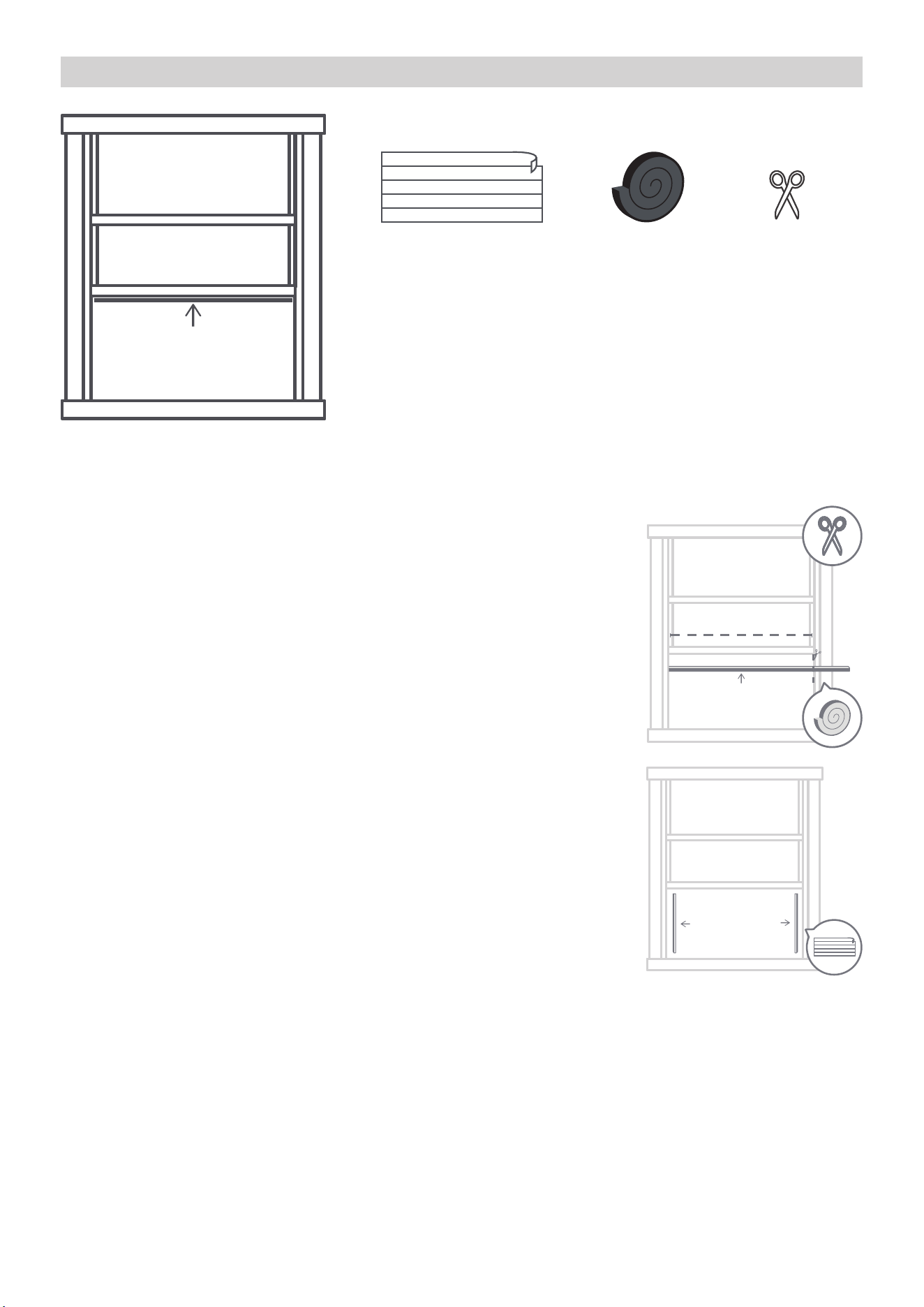
(7) The cabinet is done
Before you rush to the next installation phase, please first confirm the following
installation is in place.
A. Insert the upper and lower frame strips of the panels into the cabinet card slot.
B. Top Rail on the cabinet with 4 Screws.
C. Insert the card slot on the side of the cabinet.
12
STEP 2: Insulate your window.
What you need.
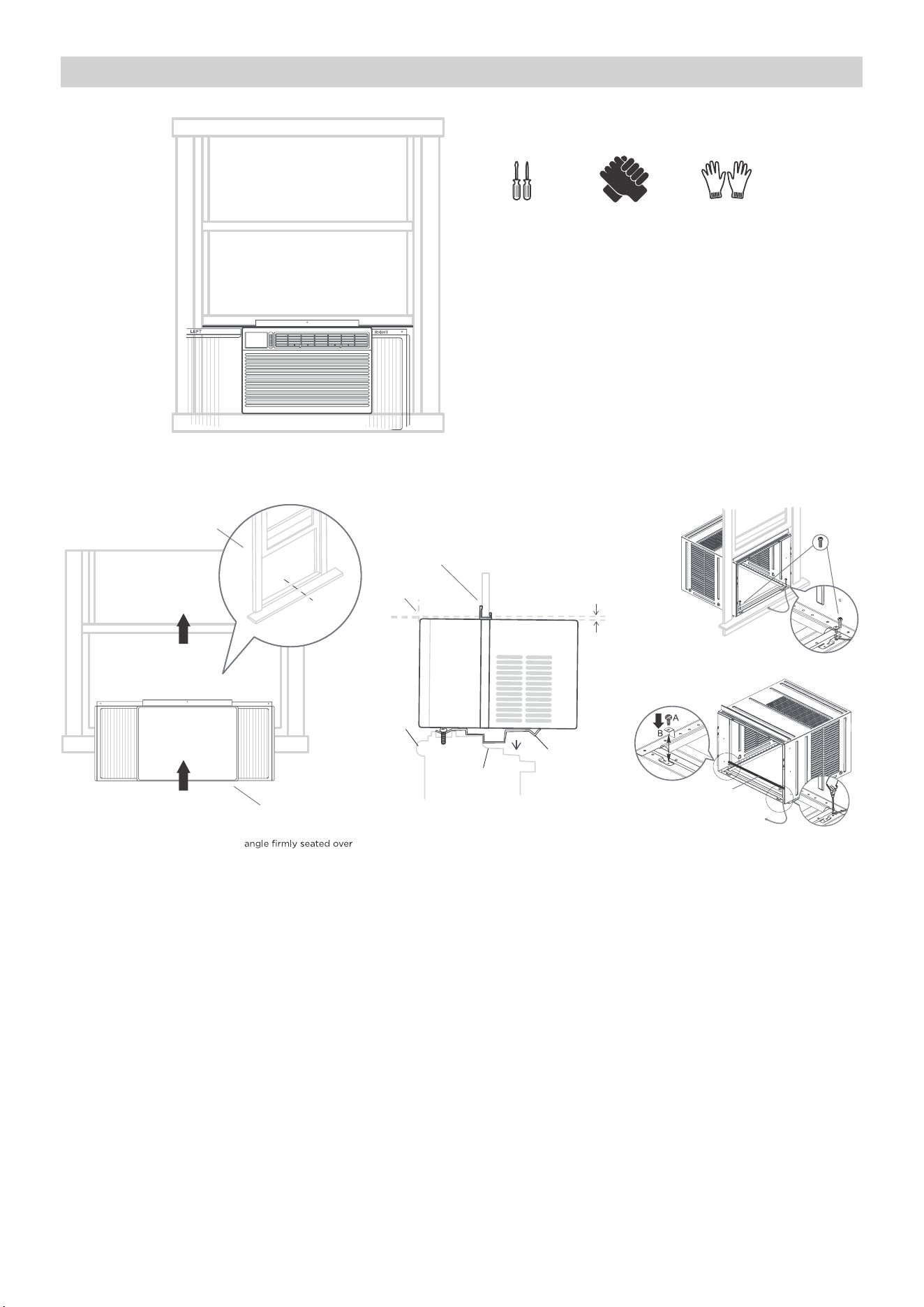
Insulate your window:
(1) Cut the seal foam to the width of your window, and
stick it of the underside.
You should cut the foam to be the width of your window
from the left to the right side. Make sure you’re cutting the
foam with the adhesive, and stick it of the underside.
(2) Insert the foam to the gaps.
In order to improve the operation of the equipment and
reduce the noise generated during operation, you need to
foam seal the gaps.
• If your window already has a liner or insulation strip,
you can skip the above steps.
13
STEP 3: Install the AC on the window.
What you need.
•• •• •
•• ••
Install the cabinet on the window.
Angle:3-4˚
Outside
Inside
•••••
••••
Step 1:
Make sure your cabinet
is centered on the windowsill.
Step 2:
Place cabinet
in window with bottom sill
window sill.
Step 3:
Bring window down
temporarily behind top
angle to hold cabinet in place.
Step 4:
Screw the cabinet
to the sill according
to the type of window
you have. Screw the
ground wire on the
cabinet.
A. 1/4” Pan-head Phillips Screws
B. Safety Lock (Only for Vinly-Clad windo
w)
C. Bottom Rail Foam Seal
D
.Ground wire and #M4x8-Z screw
Window
inner Sill
Sill
Angle
Window
outer Sill
Measure from
the cabinet edge.
For wooden window:
For Vinyl-Clad window:
Apply Bottom Rail Foam
Seal (#C) over screws fastening
bottom rail to window inner sill.
Screw the ground wire on the
cabinet .
C
D
(1) Place the assembled cabinet on the window frame.
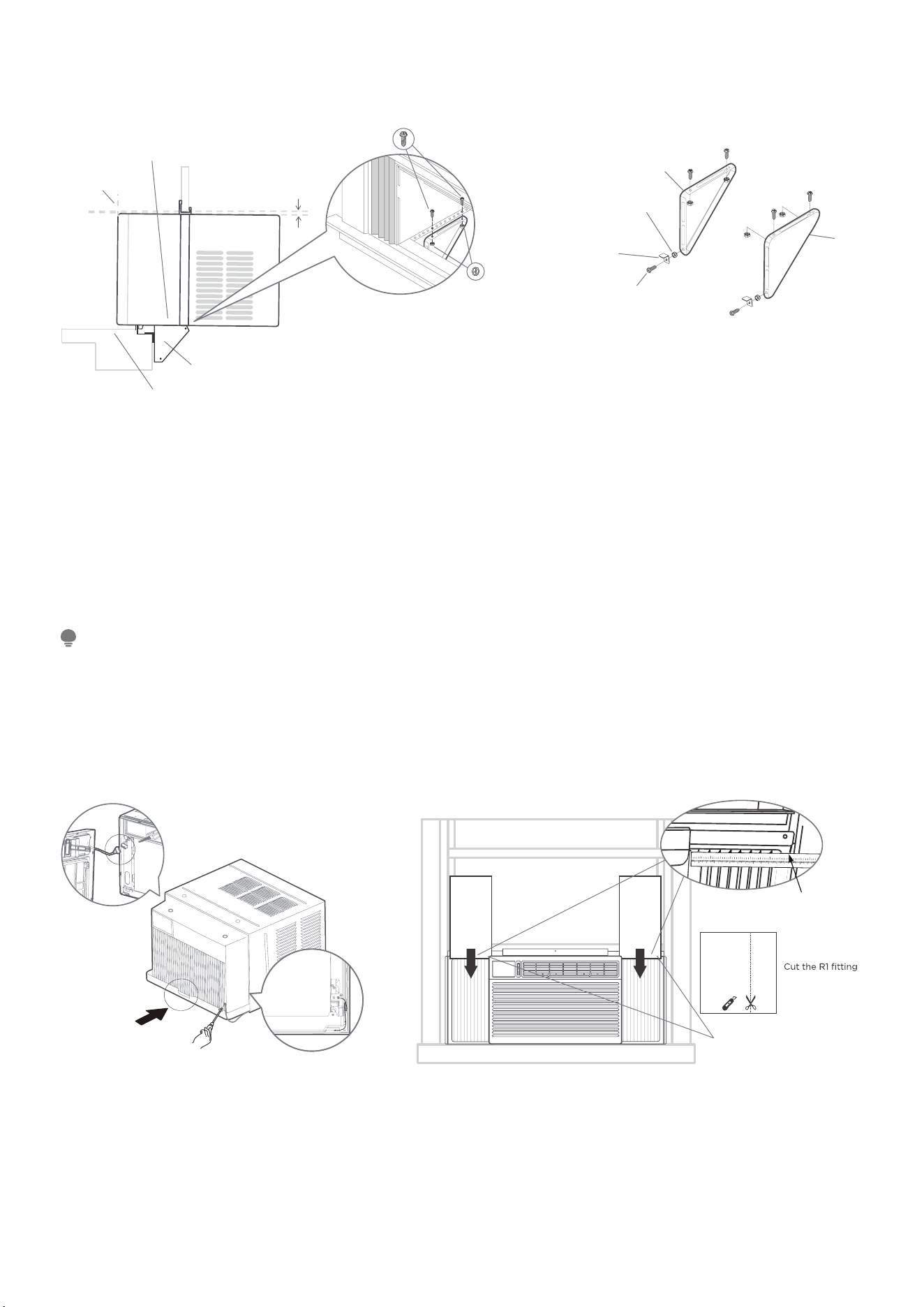
Mark center of window inner sill. Place cabinet in window with bottom sill angle
firmly seated over window sill. Bring window down temporarily behind top angle to
hold cabinet in place.
(2) Screw the cabinet to the window sill. (Wooden Window or Vinyl-Clad Window).
Shift cabinet left or right as needed to line up center of cabinet on center line
marked on inner sill.
For wooden window:
Fasten cabinet to window inner sill with two screws(#6) into holes (You may wish
to pre-drill pilot holes).
For Vinyl-Clad window:
Place two safety locks into the holes located in the bottom of the cabinet and drive
two 1/4” pan-head Phillips locking screws through the safety locks into the cabinet.
14
Install the support bracket:
Angle:3-4˚
Outside
Inside
Step 5:
Assemble sill angle
bracket to support brackets
at the marked position.
(both side)
Window Sill
Sill Angle Bracket
Measure from
the cabinet edge.
#3-Locknut
#8-Screw
#8-Screw
Sill Angle
Bracket
2 Each Required For
Each Support Bracket
Locknut
Left
Righ
t
(3) Install the sill angle bracket and support bracket.
Hold each support bracket flush against outside of sill, and tight to bottom of cabi-
net as shown. Mark brackets at top level of sill and remove.
Assemble sill angle bracket to support brackets at the marked position(as shown
above). Hand tighten, but allow for any changes later.
Install support brackets(with sill angle brackets attached) to correct hole in bottom
of cabinet. Tighten all 6 bolts securely.
NOTE:
Check that air conditioner is tilted back about 1-1/4”to 1-5/8” (tilted about 3° to
4°downward to the outside). After proper installation, condensate should not drain
from the overflow drain hole during normal use,correct the slope otherwise.
Slide AC into the Cabinet and Install Front panel.
Step 6:
Slide the unit into the cabinet.
Please install the ground wire at the
unit with #M4 screws, then place
the wire on the right side of the
frame as shown above.
Step 7:
Slide the unit into the cabinet and
install the Front panel to unit.
Step 8:
Measure the
inner width of
the side curtain.
Step 9:
according to the
measured width.
Step 10:
Slide the R1 insulation panel into
the side curtain.
•• •• •
•• ••
or
1 2 3 4 5 6
7
8
91
0
1
1 1
2
1
3
1
4
1
5
1
23 4
5
6
(4) Install Chassis into Cabinet and Install Front panel to Unit
Lift air conditioner and carefully slide into cabinet leaving 6 inches protruding.
DO NOT push on controls or finned coils. Be sure chassis is firmly seated towards
rear of cabinet. Installation of front is the reverse of removal outlined in Section 1.
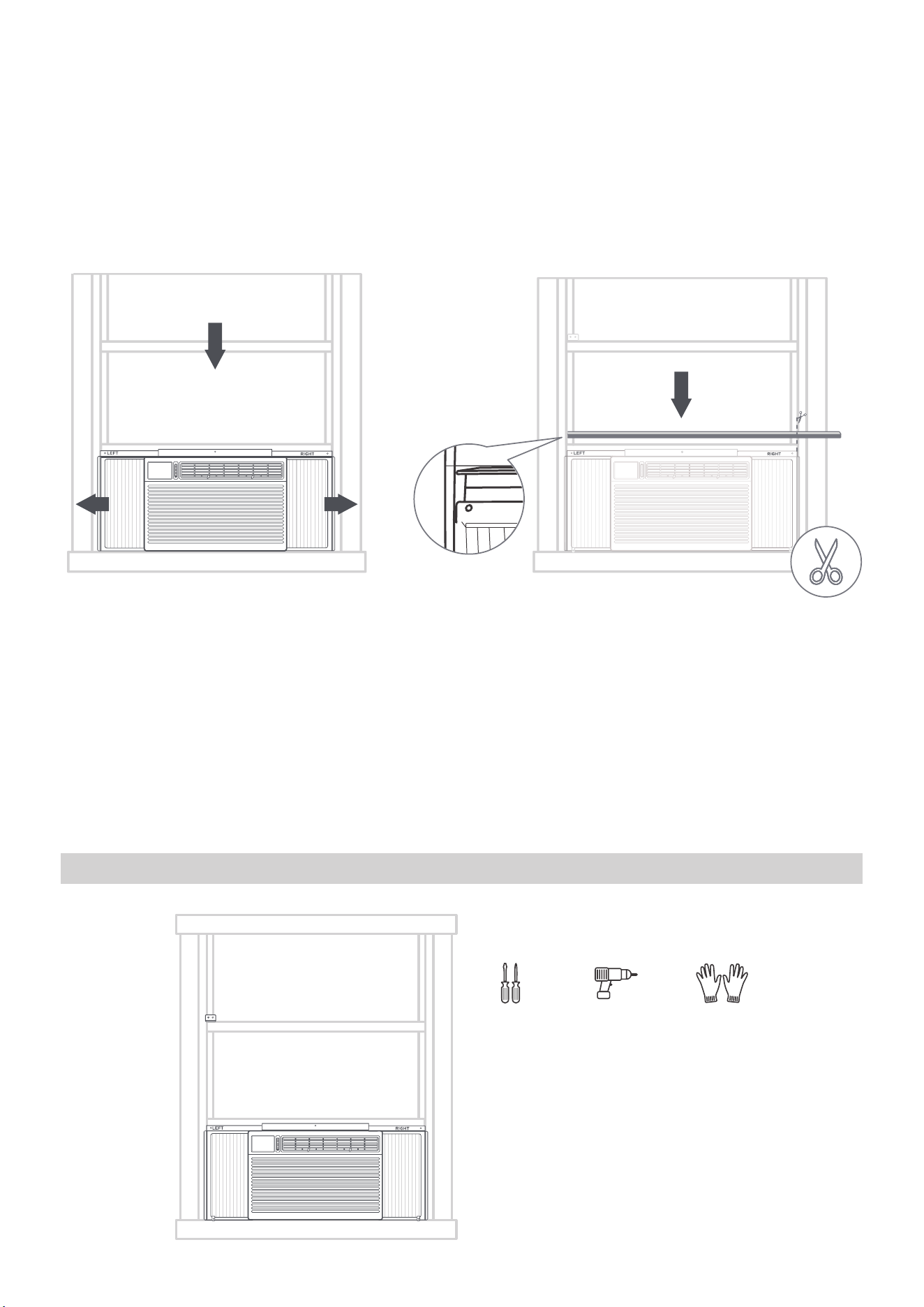
(5) INSTALL R1 HARDWARE (only applicable to Energy star models)
15
In order to minimize air leaks and ensure optimal insulation, it is necessary to install
the included R1 hardware to the side curtain. Follow the instructions below.
After the unit is installed to the window, measure the inner width of the side cur-
tain. Cut the R1 fitting according to the measured width, and the width is measured
in units of every 1/8 “(3mm). Slide the R1 insulation panel into the side curtain, the
side with pattern should facing the indoor. Finally, Repeat on the other side.
Lift the AC onto the window:
•• •••
•• ••
•
•
••
•
•
••
•
(6) Close the window down onto the AC, and pull the panels to the side of the win-
dow
Once the AC is centered and the bottom bar is successfully positioned, close the
window down onto the AC, behind the top bar. See diagram above. Pull the panels
to the side of the window.
(7) INSTALL WEATHER STRIPPING (only applicable to Energy star models )
In order to minimize air leaks between the room air conditoner and the window
opening, trim the weather stripping with a proper length, peel o the protective
backing and plug any gaps if needed.
STEP 4: Secure the AC.
What you need.
•• •• •
•• ••
16
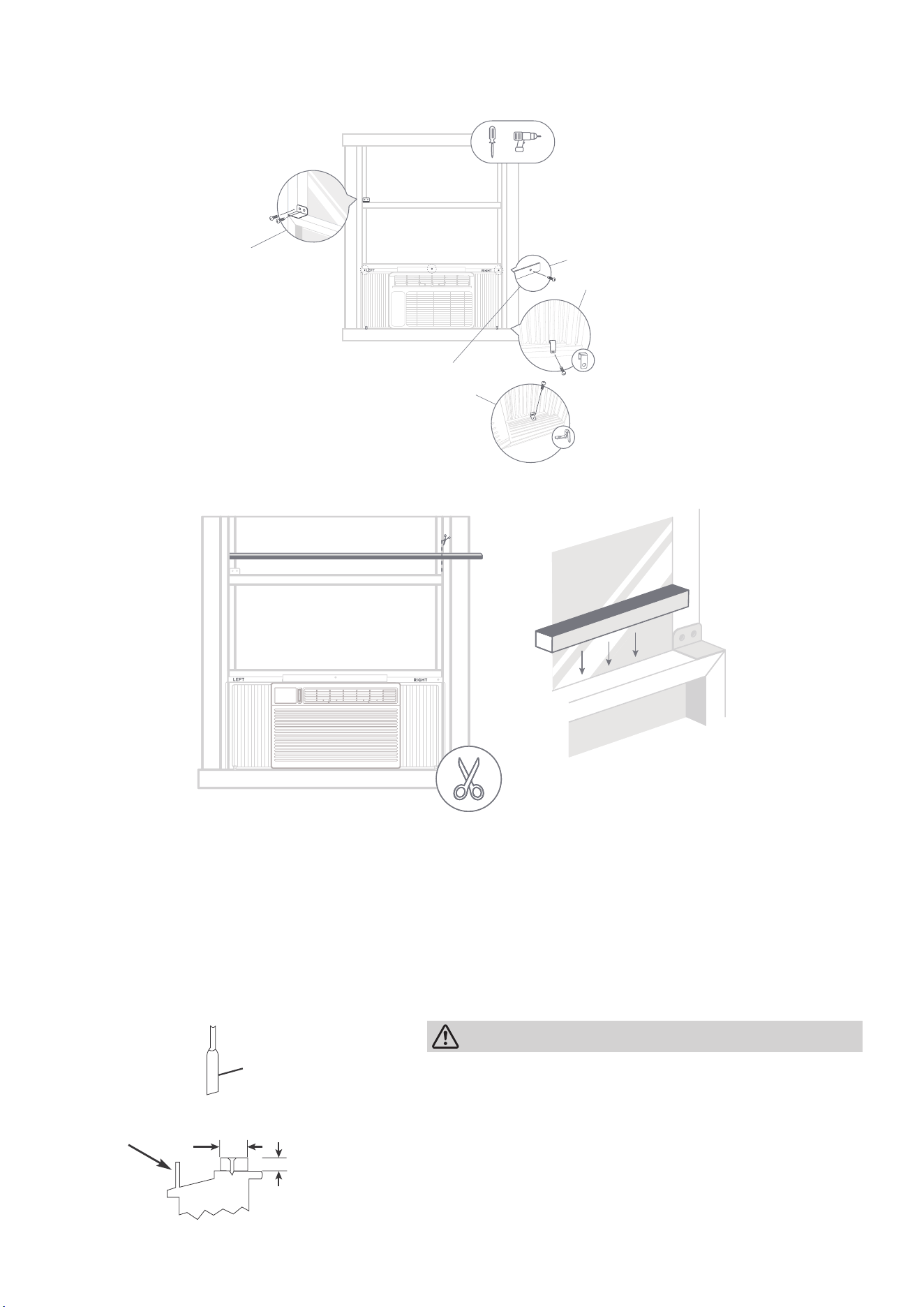
(1) Drive locking screws.
Follow the above instructions and drive the screws.
•••••
••••
or
Driv
e 1/ 2" (12.7 mm) locking
sc
rews through the frame lock
and in
to the sill(Only wooden
wind
ows).
NO
TE: To prevent window sill
fr
om splitting, drill 1/8 " (3mm)
pilot holes bef
ore driving
sc
rews.
1/8 " (3mm) pilot holes before
driving screws. Drive 1/ 2" (12.7mm
)
locking screws through frame hole
s
into window sash(Only wooden
windows:).
Drive 1/ 2" (12.7 mm) locking screws
through the frame lock and into the
window sashl(Only Vinyl-Clad windows).
NOTE: Before driving the screws, use
a drill to drill 5 holes through the holes
in the frame lock and frame extensions
into the windows sash as
shown.
The final details:
•• •• •
•• ••
•• •• •
• •••
(1) Cut the non-adhesive insulation foam to fit the width of your window.
Make sure you are cutting the foam with the non-adhesive sides. Measure and cut
the foam to be the width of your window from the left to right side.
(2) Use the nonadhesive foam to fill the gaps in your window.
Stuff it between the gap of the upper and lower sashes of your window.
This will plug any air gaps and help keep out bugs and draft.
Storm window
frame or other
obstruction.
SASH
1-1/2"min
(38 mm)
Board
thickness
as required,
for proper
pitch to rear,
along entire
sill. Fasten
with nails or
screws.
CAUTION
If storm window blocks AC, Please install ac-
cording to the figure above.

17
One More Thing-Additional Notes
1. If AC is Blocked by Storm Window.
Add wood as shown in Caution illustration on page 16, or remove storm window
before air conditioner is installed. If Storm Window Frame must remain, be sure the
drain holes or slots are not caulked or painted shut. Accumulated Rain Water or
Condensation must be allowed to drain out.
Removing AC From Window
Turn AC o , and disconnect power cord. Remove sash seal from between windows,
and unscrew safety sash lock. Remove screws installed through frame and frame-
lock. Keeping a firm grip on air conditioner, raise sash and carefully remove. Be
carefully not to spill any remaining water while lifting unit from window. Store parts
with air conditioner.
2. Normal Sounds
High Pitched Chatter
High e ciency compressors may have a high pitched chatter during the cooling cy-
cle.
Sound of Rushing Air
At the front of the unit, you may hear the sound of rushing air being moved by the
fan.
Gurgle/Hiss
“Gurgling or hissing”noise may be heard due to refrigerant passing through evapo-
rator during normal operation.
Vibration
Unit may vibrate and make noise because of poor wall or window construction or
incorrect installation.
Pinging or Switching
Droplets of water hitting condenser during normal operation may cause “pinging
or swishing” sounds. This noise can be reduce by removing the water plug at the
bottom of unit’s rear as shown below. Removing this plug will lower the Energy E
ciency of your unit.
Note:
Don’t try to drill any holes on the base pan to eliminate the normal sounds, other-
wise it will void the warranty.
18
Get to know your AC
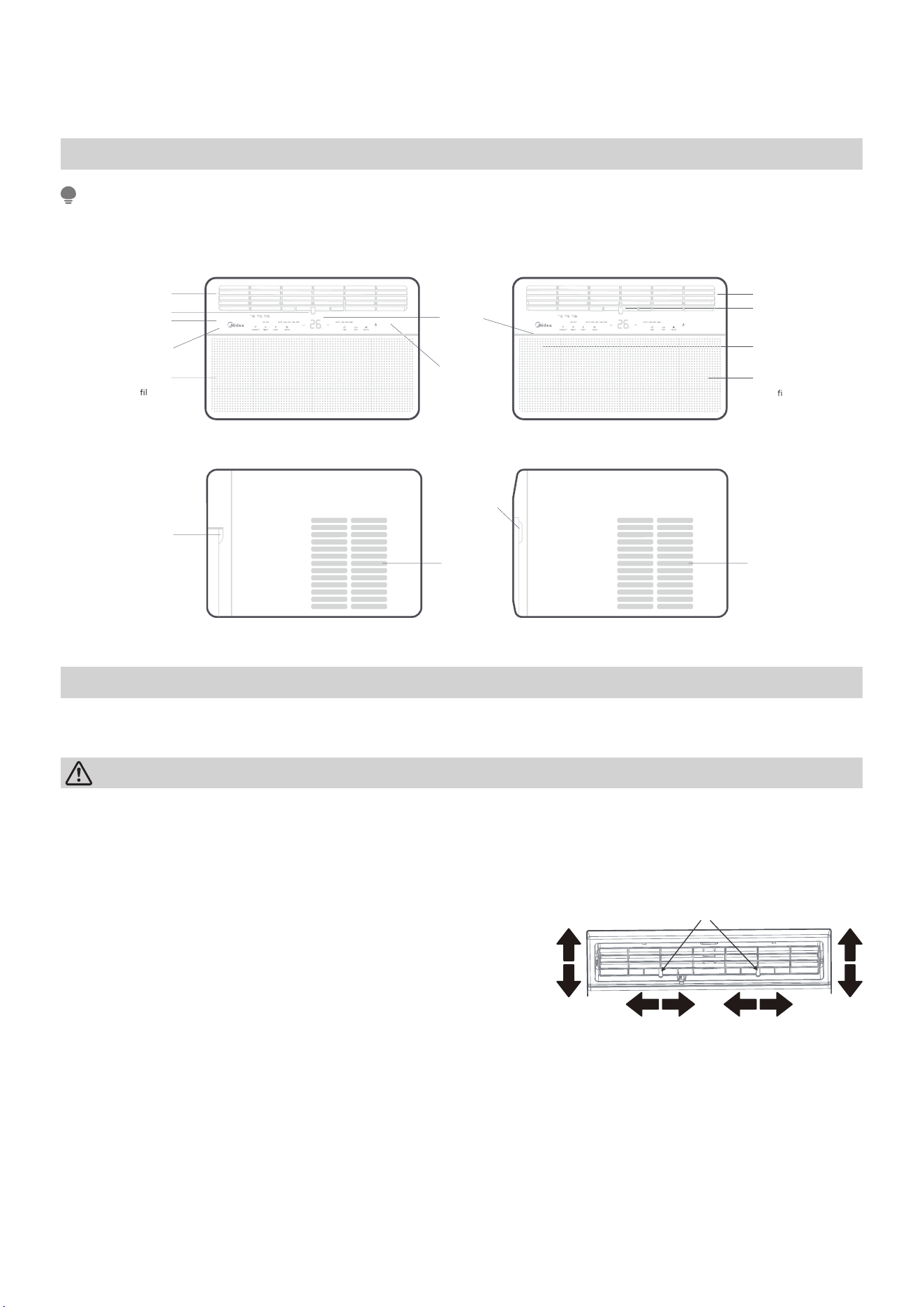
AC unit overview
NOTE
The following two types of product appearance for reference only, The machine
you purchase may be a little different.
Display
(Electronic
control panel
only)
Air Direction
Status display
Feature selection
(Electronic control
panel only)
Feature selection
(Electronic control
panel only)
Strainer
disassemble
buckle
Levers
Air Direction
Levers
Power key
Front Intake
Grille
(The
ter is
behind this)
Front Intake
Grille
(The
lter is
behind this)
Rear
Condenser
Vents
Strainer
disassemble
buckle
Rear
Condenser
Vents
Adjust your air conditioning direction.
Air conditioning louvers:
CAUTION
Do not stick your fingers in the air outlet, it may cause an injury.
Four-way adjustment (up or down,left or right)
The louvers will allow you to direct the air flow
Up or Down(on some models) and Left or Right
throughout the room as needed. Pivot horizon-
tal louvers until the desired Up/Down direction
is obtained. Move the Lever(s) from side to side
until the desired Left/Right direction is obtained.
Lever
19
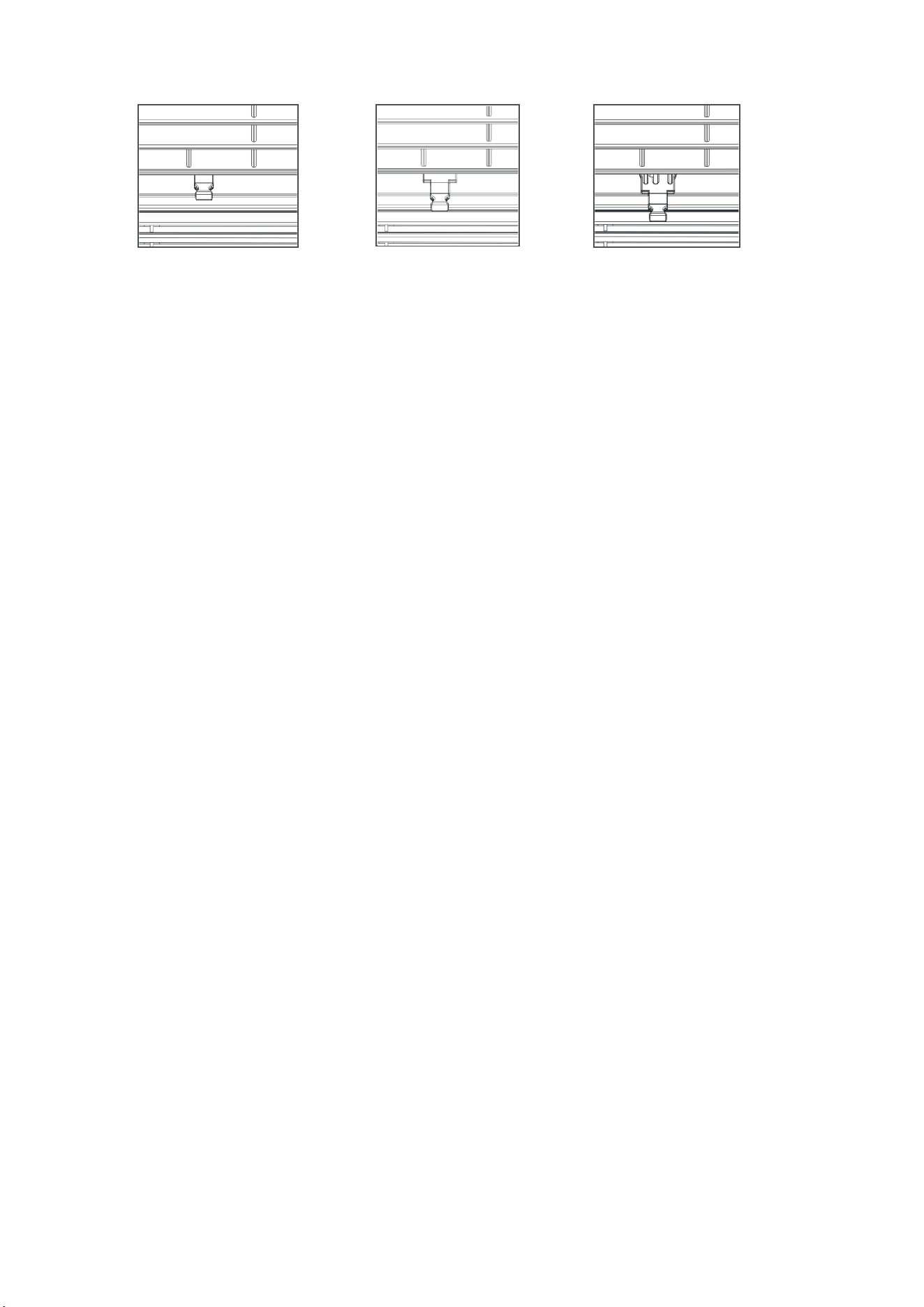
Fresh air vent control
Fig.B (VENT OPEN)
cord.
Fig.A
(VENT CLOSED)
Fig.C (VENT & EXHAUST OPEN
)
The Fresh Air Vent allows the air conditioner to:
1. Recirculate inside air - Vent Closed (See Fig.A)
2. Draw fresh air into the room- Vent Open (see Fig.B)
3. Exchange air from the room and draws fresh air into the room - Vent and Ex-
haust Open (see Fig.C)
20
Get to know the features
Air conditioner features
WARNING
• To reduce the risk of fire, electric shock, or injury to persons, read the IMPOR-
TANT SAFETY INSTRUCTIONS before operating this appliance.
• Please always wait 3 minutes when turning unit o then on again, and when
changing from cool to fan and back to cool. This prevents compressor from
overheating & possible circuit breaker tripping.
To begin operating the air conditioner, follow these steps:
1. Set the thermostat to the highest number (coldest or cooler setting).
2. Set the selector control to the highest COOL setting.
3. Adjust the louver for comfortable air flow (page 18).
4. Once the room has cooled, adjust the thermostat to the setting you find most
comfortable.
5. Make sure that the air flow inside and outside are not obstructed by anything.
Electronic control operating instructions
NOTE
• Different models have different control buttons and indicator lights. Not all the
control buttons and indicator lights describing below are available for the unit
you purchased. Please check the control panel of the unit you purchased. The
unit can be controlled by the unit control alone or with the remote.
• The outline of the operation panel is based on typical model, the function is the
1. TO TURN UNIT ON OR OFF:
Press
POWER button to turn unit on or off.
NOTE:
The unit will initiate automatically the Energy
Saver function under Cool, Dry and Auto modes.
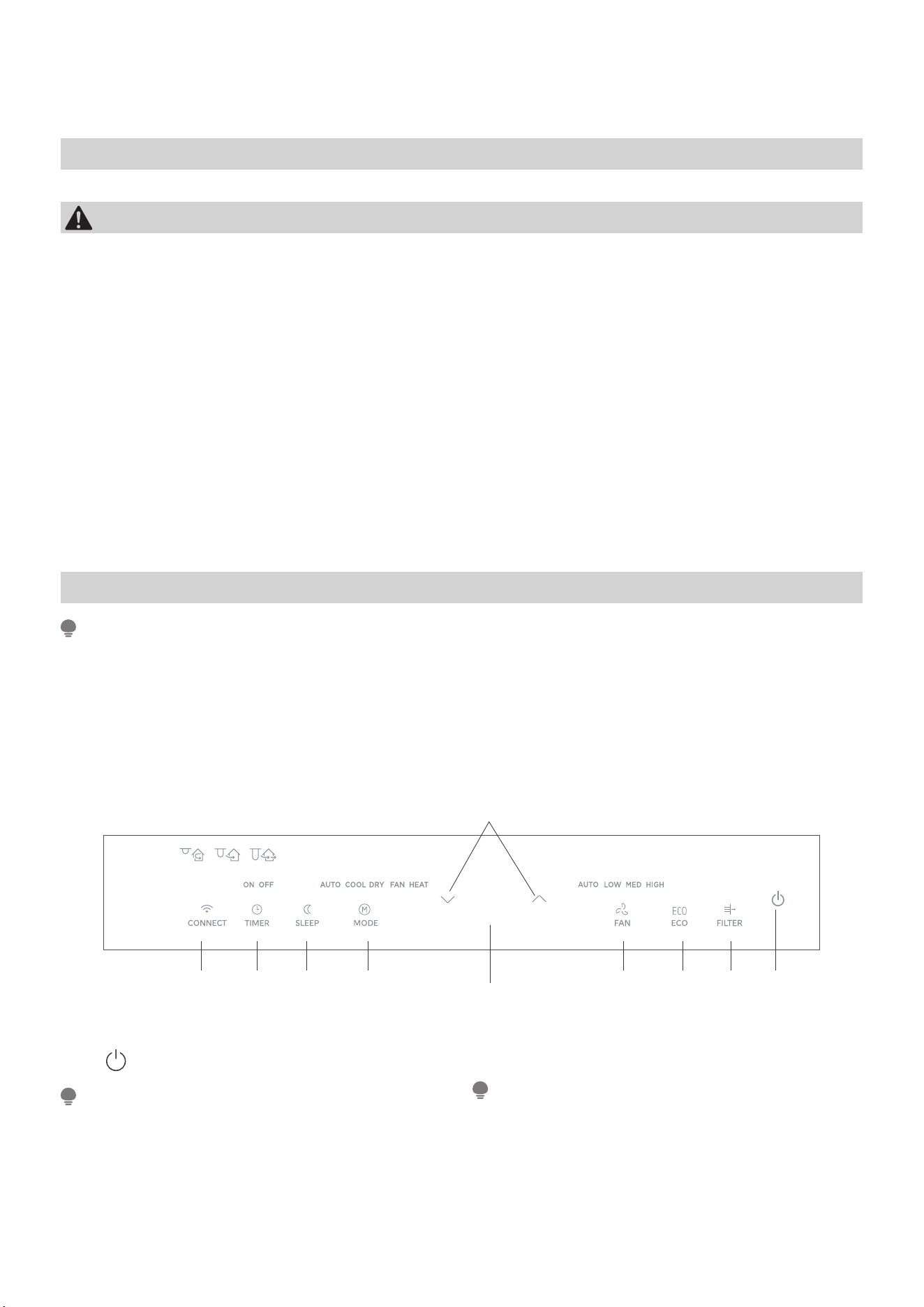
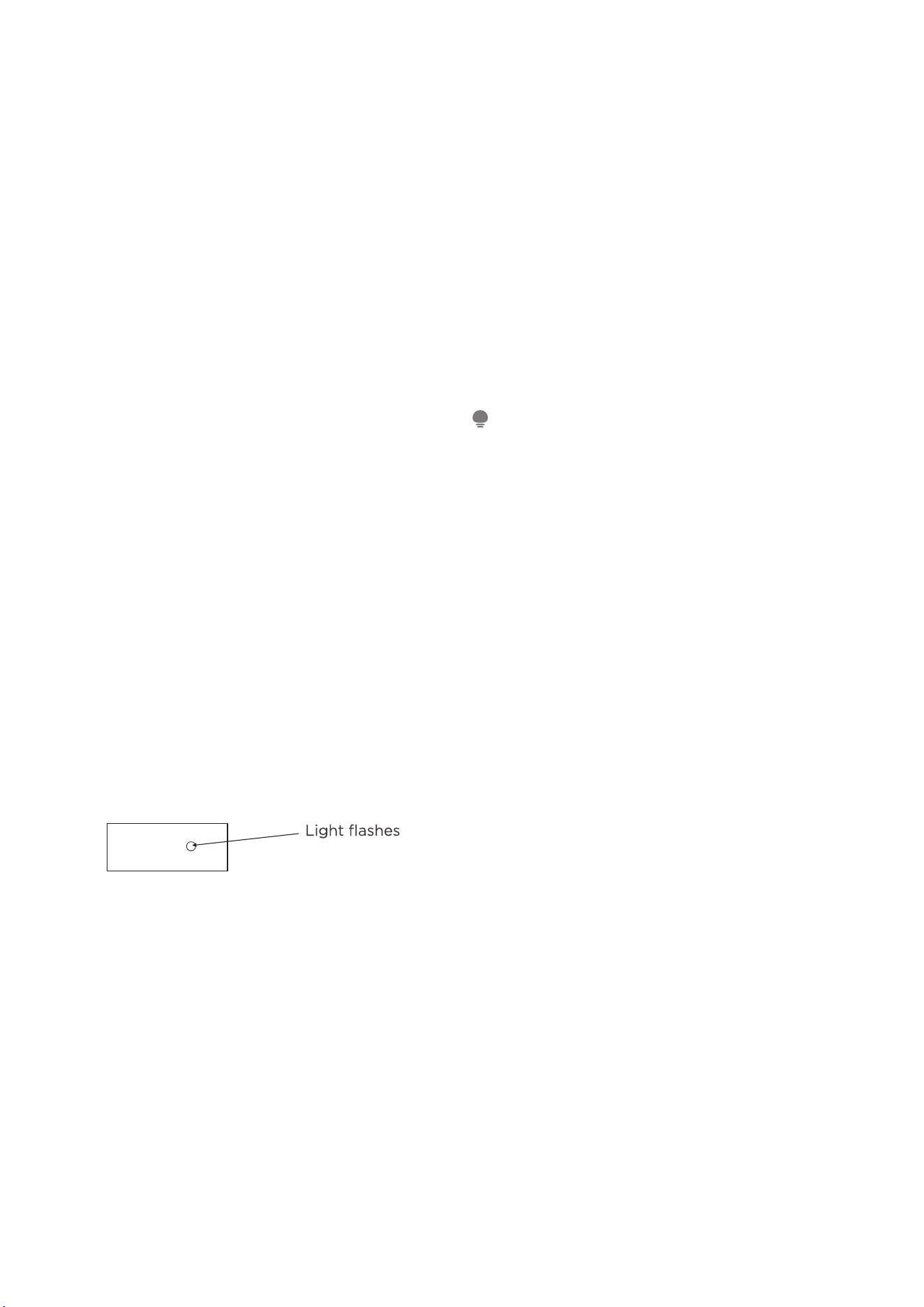
2. CONNECT FEATURE:
Connect button for 3 seconds to turn off the unit
and initiate connection mode.
3. TO CHANGE TEMPERATURE SETTING:
Press UP/DOWN button to change temperature
setting.
NOTE:
Press or hold either UP or DOWN button until
the desired temperature is shown on the display.
This temperature will be automatically maintained
anywhere between 62°F(17°C) and 86°F (30°C). If
you want the display to read the actual room tem-
perature, see“ To Operate on Fan Only ’’section.
4. SLEEP FEATURE:
same with your air conditioner while some difference may exist in appearance.
11
4
2 10 9 5 67 1
3
11
4
2 10 9 5 67 1
3
21
Press Sleep button to initiate the sleep mode. In
this mode the selected temperature will increase
(cooling) or decrease (heating) by 2°F/1°C 30
minutes after the mode is selected.
The temperature will then increase (cooling) or
decrease (heating) by another 2°F/1°C after an
additional 30 minutes. This new temperature will
be maintained for 6 or 7 hours before it returns to
theoriginally selected temperature. This ends the
Sleep mode and the unit will continue to operate
as originally programmed. The Sleep mode pro-
gram can be cancelled at any time during opera-
tion by pressing the Sleep button again.
5. TO ADJUST FAN SPEEDS:
Press Fan button to select the Fan Speed in four
steps-Auto, Low, Med or High. Each time the but-
ton is pressed, the fan speed mode is shifted.
For some models, the fan speed can’t be adjusted.
6. CHECK FILTER FEATURE:
Press Check filter button to initiate theis feature.
This feature is a reminder to clean the Air Filter for
more e cient operation. The LED(light) will illumi-
nate after 250 hours of operation. To reset after
cleaning the filter, press the Check Filter button
and the light will go off.
7. ENERGY SAVER FEATURE:
Press Energy saver button to initiate this function.
This function is available on COOL, DRY, AUTO
(only AUTO-COOLING and AUTO-FAN) modes.
The fan will continue to run for 3 minutes after the
compressor shuts o .The fan then cycles on for 2
minutes at 10 minute intervals until the room tem-
perature is above the set temperature, at which
time the compressor turns back on and Cooling
Starts.
8. FOLLOW ME FEATURE:(Optional)
Follow
Me
or illuminates
This feature can be activated from the remote
control ONLY. The remote control serves as a re-
mote thermostat allowing for the precise tempera-
ture control at its location.
To activate the Follow Me feature, point the re-
mote control towards the unit and press the
Follow Me button. The remote display is actual
temperature at its location. The remote control
will send this signal to the air conditioner every 3
minutes interval until press the Follow Me button
again.If the unit does not receive the Follow Me
signal during any 7 minutes interval, the unit will
beep to indicate the Follow Me mode has ended.
9. TO SELECT THE OPERATING MODE:
To choose operating mode, press Mode button.
Each time you press the button, a mode is select-
ed in a sequence that goes from Auto, Cool, Dry
,heat(cooling only models without)and Fan. The
indicator light beside will be illuminated and
remained on once the mode is selected.
The unit will initiate automatically the Energy Sav-
er function under Cool, Dry, Auto(only Auto-Cool-
ing and Auto-Fan) modes.
To operate on COOL mode :
• Choose Cool Mode to set the cooling function.
Use the Up and Down buttons to choose the
desired temperature. When Cool Mode is se-
lected, the fan speed can be adjusted by press-
ing the fan button.
To operate on HEAT mode(cooling only models
without):
• Choose Heat Mode to set the heating function.
Use the Up and Down buttons to choose the
desired temperature .When heat Mode is select-
ed, the fan speed can be adjusted by pressing
the fan button.
NOTE:
For some models, the fan speed can not be ad-
justed under HEAT mode.
To operate on Auto feature:
• When you set the air conditioner in AUTO
mode, it will automatically select cooling, heat-
ing(cooling only models without), or fan only
operation depending on what temperature you
have selected and the room temperature.
• The air conditioner will control room tempera-
ture automatically round the temperature point
set by you.
• In this mode, the fan speed cannot be adjusted,
it starts automatically at a speed according to
the room temperature.
To operate on Fan Only:
• Use this function only when cooling is not de-
sired,such as for room air circulation or to ex-
haust stale air(on some models). (Remember
to open the vent during this function, but keep
it closed during cooling for maximum cooling
e ciency.) You can choose any fan speed you
prefer.
• During this function, the display will show the
actual room temperature, not the set tempera-
ture as in the cooling mode.
• In Fan only mode ,the temperature is not ad-
justed.
To operate on Dry mode:
• In this mode, the air conditioner will generally
operate in the form of a dehumidifier. Since the
conditioned space is a closed or sealed area,
some degree of cooling will continue. On Dry
mode,the fan speed is controlled at Low auto-
matically.
10. TIMER: AUTO START/STOP FEATURE:
• Press Timer button, the TIMER ON or TIMER
OFF indicator light illuminates. It indicates the
Auto Start or Auto Stop program is initiated.
For some units, keep pressing the Timer button
will cancel the timer settings.
• Press or hold the UP or DOWN button to
change the Auto time by 0.5 hour increments,
up to 10 hours,then at 1 hour increments up to
22
24 hours. The control will count down the time
remaining until start.
• The selected time will register in 5 seconds, and
the system will automatically revert back to dis-
play the previous temperature setting or room
temperature when the unit is on. (when the unit
is o ,there is no display.)
• Turning the unit ON or OFF at any time or a
djusting the timer setting to 0.0 will cancel the
Auto Start/Stop timed program.
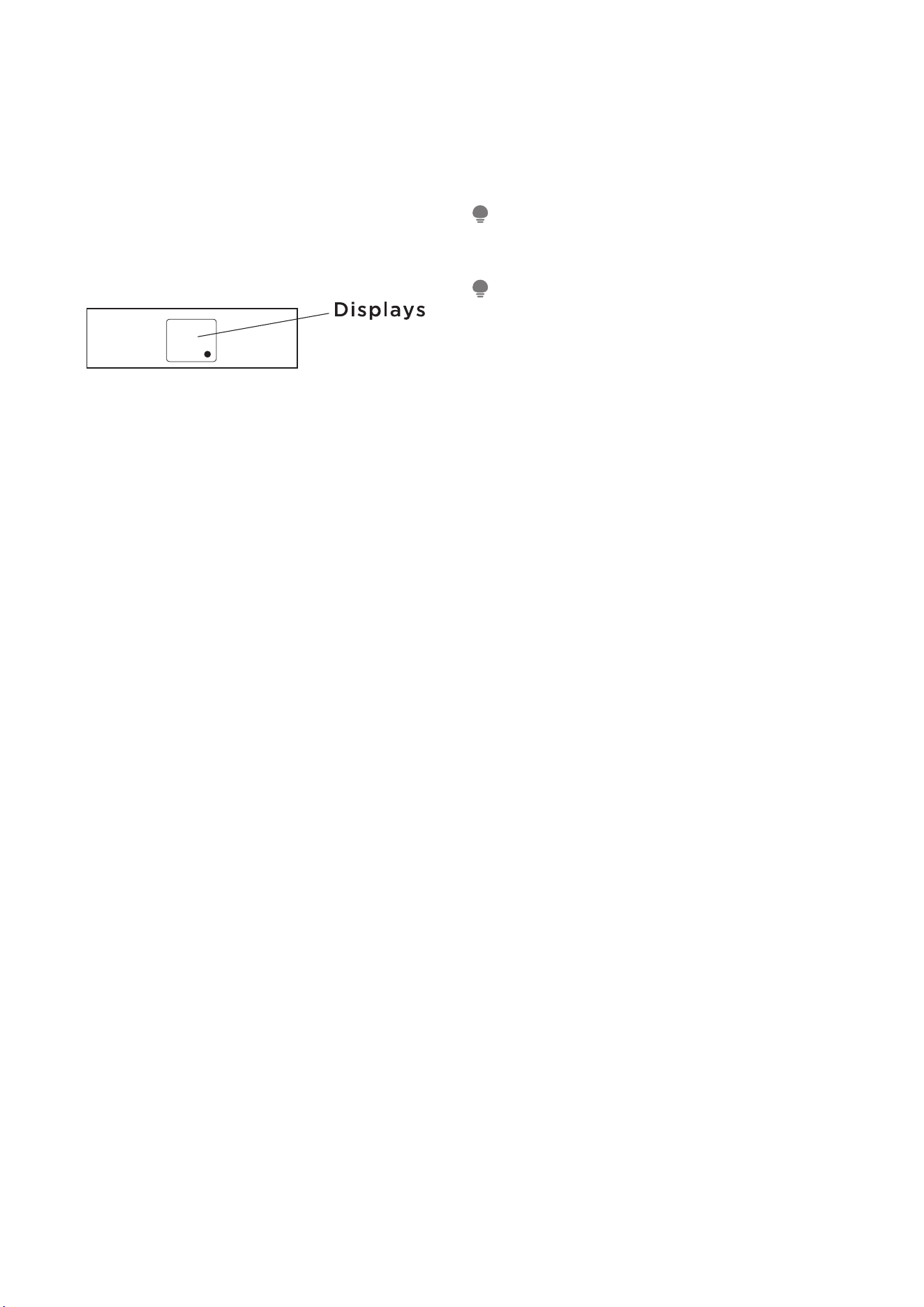
11. DISPLAYS:
Shows the set temperature in ”°C" or ”°F" and the
Auto-timer settings.While on Fan only mode, it
shows the room temperature. If the room temper-
ature is too high or low, it will display "HI" or "LO".
Error codes:
AS - Room temperature sensor error
ES - Evaporator temperature sensor error
HS - Electric heating sensor error;
CS - Condenser temperature sensor error;
OS - Outside temperature sensor error;
E7 - Unit malfunction.
NOTE:
When error occurs,unplug the unit and plug it
back in.If error repeats, call for service.
NOTICE
If the unit breaks off unexpectedly due to the
power cut, it will restart with the previous function
setting automatically when the power resumes.
ADDITIONAL THINGS YOU SHOULD KNOW
Now that you have mastered the operating proce-
dure, here are more features in your control that
you should become familiar with.
• The Cool circuit has an automatic 3 minutes
time delayed start if the unit is turned o and on
quickly. This prevents overheating of the com-
pressor and possible circuit breaker tripping.
The fan will continue to run during this time.
• The control is capable of displaying tempera-
ture in degrees Fahrenheit or degrees Celsius.
To convert from one to the other, press and
hold the Up and Down buttons at the same
time for 3 seconds.
23
REMOTE CONTROL INSTRUCTIONS
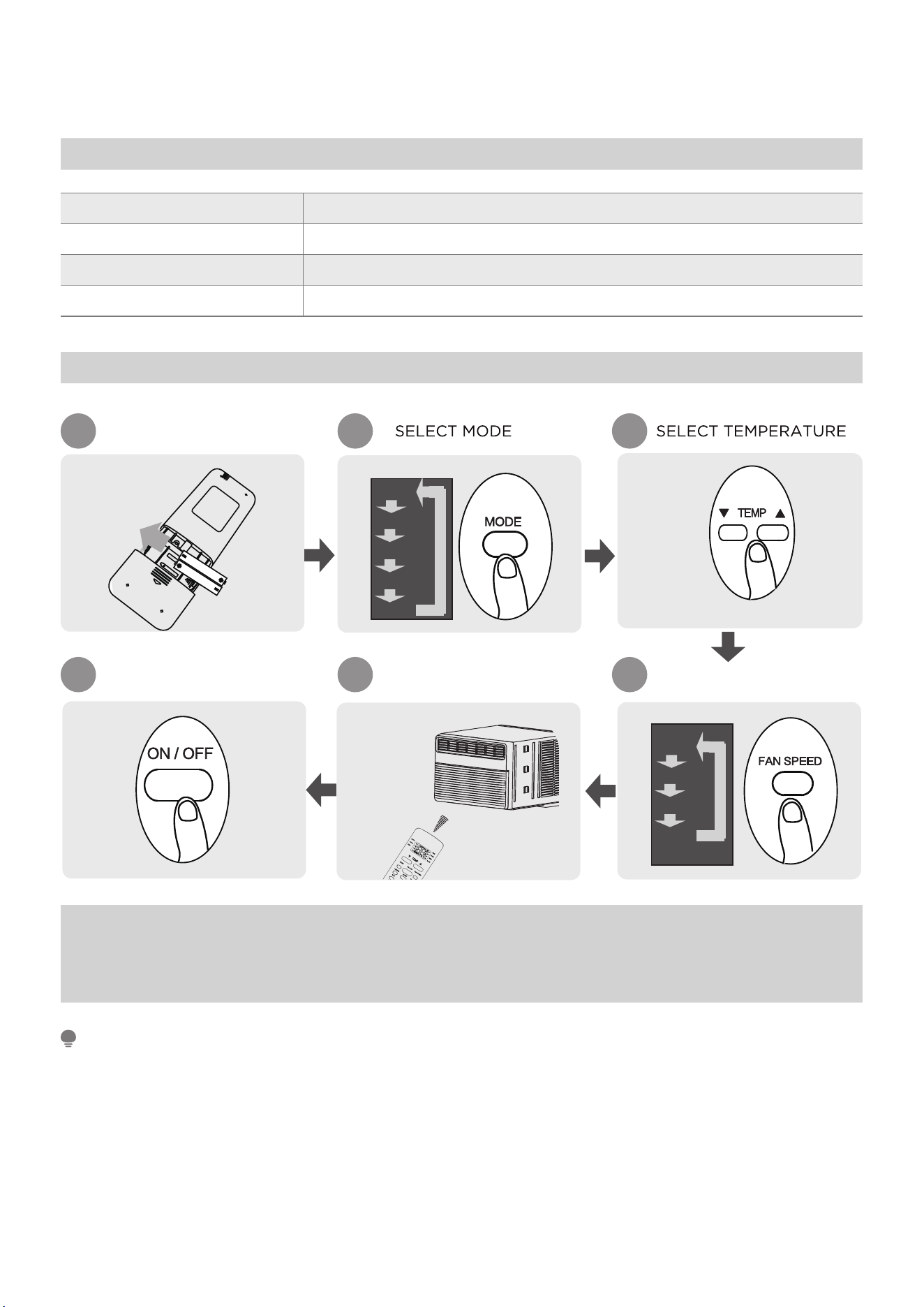
Remote Controller Specifications
Model RG51G5(1)/EU1
Rated Voltage 3.0V( Dry batteries R03/LR03×2)
Signal Receiving Range 8m
Environment 23°F~140°F (-5°C~60°C)
Quick Start Guide
FIT BATTERIES
POINT REMOTE TOWARD
UNIT
PRESS POWER BUTTON
SELECT FAN SPEED
1 2 3
6 5 4
AUTO
LOW
MED
HIGH
AUTO
COOL
DRY
HEAT
FAN
NOT SURE WHAT A FUNCTION DOES?
Refer to the How to Use Basic Functions and How to Use Advanced Functions
sections of this manual for a detailed description of how to use your air condi-
tioner.
SPECIAL NOTE
• Button designs on your unit may differ slightly from the example shown.
• If the indoor unit does not have a particular function, pressing that function’s
button on the remote control will have no effect.
• When there are wide differentces between “Remote controller Manual” and
“USER’S MANUAL” on function description, the description of “USER’S MANU-
AL” shall prevail.
24
Handling the Remote Controller
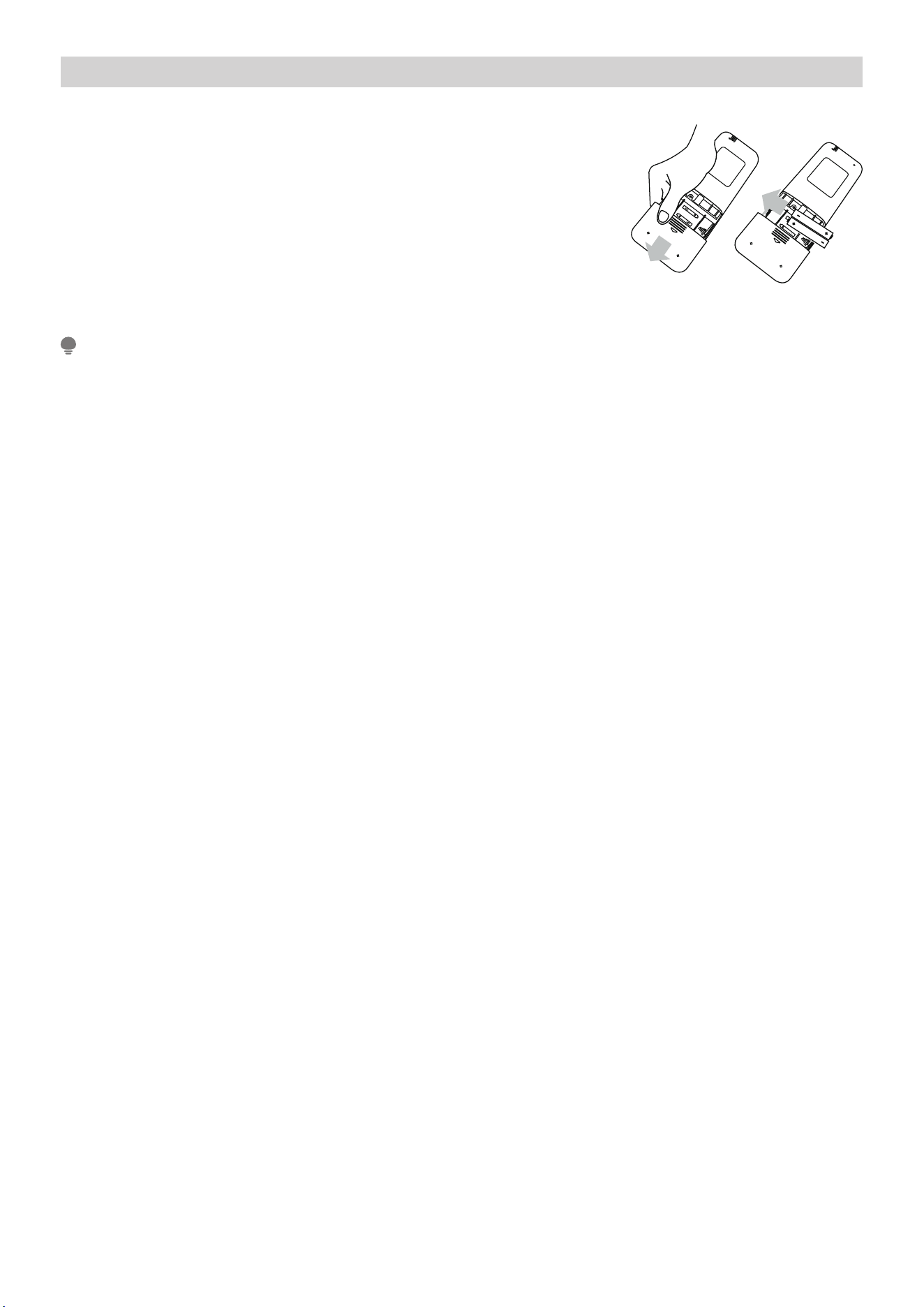
Inserting and Replacing Batteries
Your air conditioning unit may come with two batter-
ies(some units). Put the batteries in the remote control
before use.
1. Slide the back cover from the remote control down-
ward, exposing the battery compartment
2. Insert the batteries, paying attention to match up the
(+) and (-) ends of the batteries with the symbols
inside the battery compartment.
3. Slide the battery cover back into place.
BATTERY NOTES
For optimum product performance:
• Do not mix old and new batteries, or batteries of different types.
• Do not leave batteries in the remote control if you don’t plan on using the de-
vice for more than 2 months.
BATTERY DISPOSAL
Do not dispose of batteries as unsorted municipal waste. Refer to local laws for
proper disposal of batteries.
TIPS FOR USING REMOTE CONTROL
• The remote control must be used within 8 meters of the unit.
• The unit will beep when remote signal is received.
• Curtains, other materials and direct sunlight can interfere with the infrared sig-
nal receiver.
• Remove batteries if the remote will not be used more than 2 months
NOTES FOR USING REMOTE CONTROL
The device could comply with the local national regulations.
• In Canada, it should comply with CAN ICES-3(B)/NMB-3(B).
• In USA, this device complies with part 15 of the FCC Rules. Operation is subject
to the following two conditions:
(1) This device may not cause harmful interference, and
(2) This device must accept any interference received, including interference
that may cause undesired operation.
This equipment has been tested and found to comply with the limits for a Class B
digital device, pursuant to part 15 of the FCC Rules. These limits are designed to
provide reasonable protection against harmful interference in a residential installa-
tion. This equipment generates, uses and can radiate radio frequency energy and,
if not installed and used in accordance with the instructions, may cause harmful
interference to radio communications. However, there is no guarantee that interfer-
ence will not occur in a particular installation. If this equipment does cause harmful
interference to radio or television reception, which can be determined by turning
the equipment off and on, the user is encouraged to try to correct the interference
by one or more of the following measures:
• Reorient or relocate the receiving antenna. Increase the separation between the
equipment and receiver.
• Connect the equipment into an outlet on a circuit different from that to which
the receiver is connected.
• Consult the dealer or an experienced radio/TV technician for help.
• Changes or modifications not approved by the party responsible for compli-
ance could void user’s authority to operate the equipment.
25
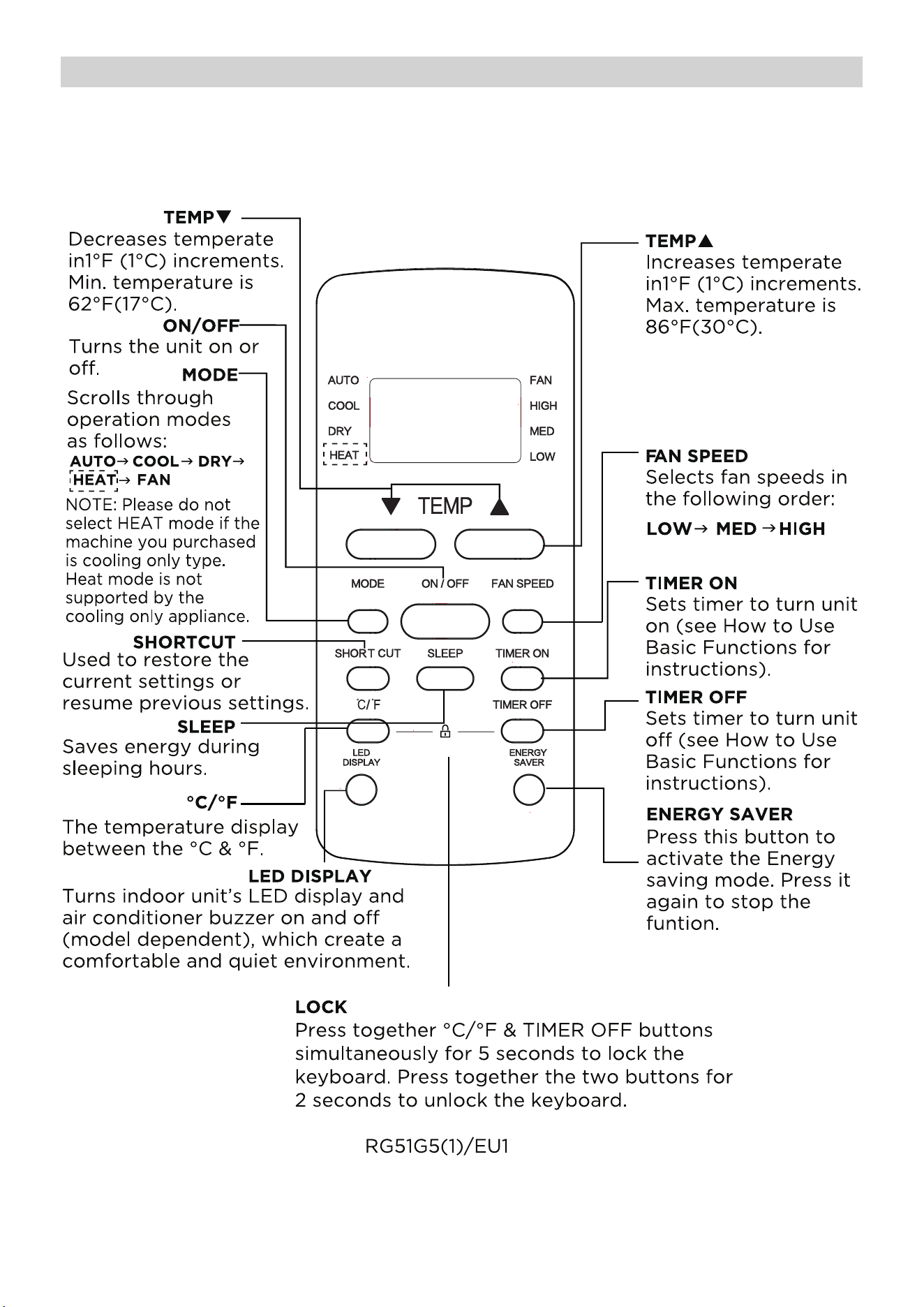
Buttons and Funcitons
Before you begin using your new air conditioner, make sure to familiarize yourself
with its remote control. The following is a brief introduction to the remote control
itself. For instructions on how to operate your air conditioner, refer to the How to
Use Basic Functions section of this manual.
26
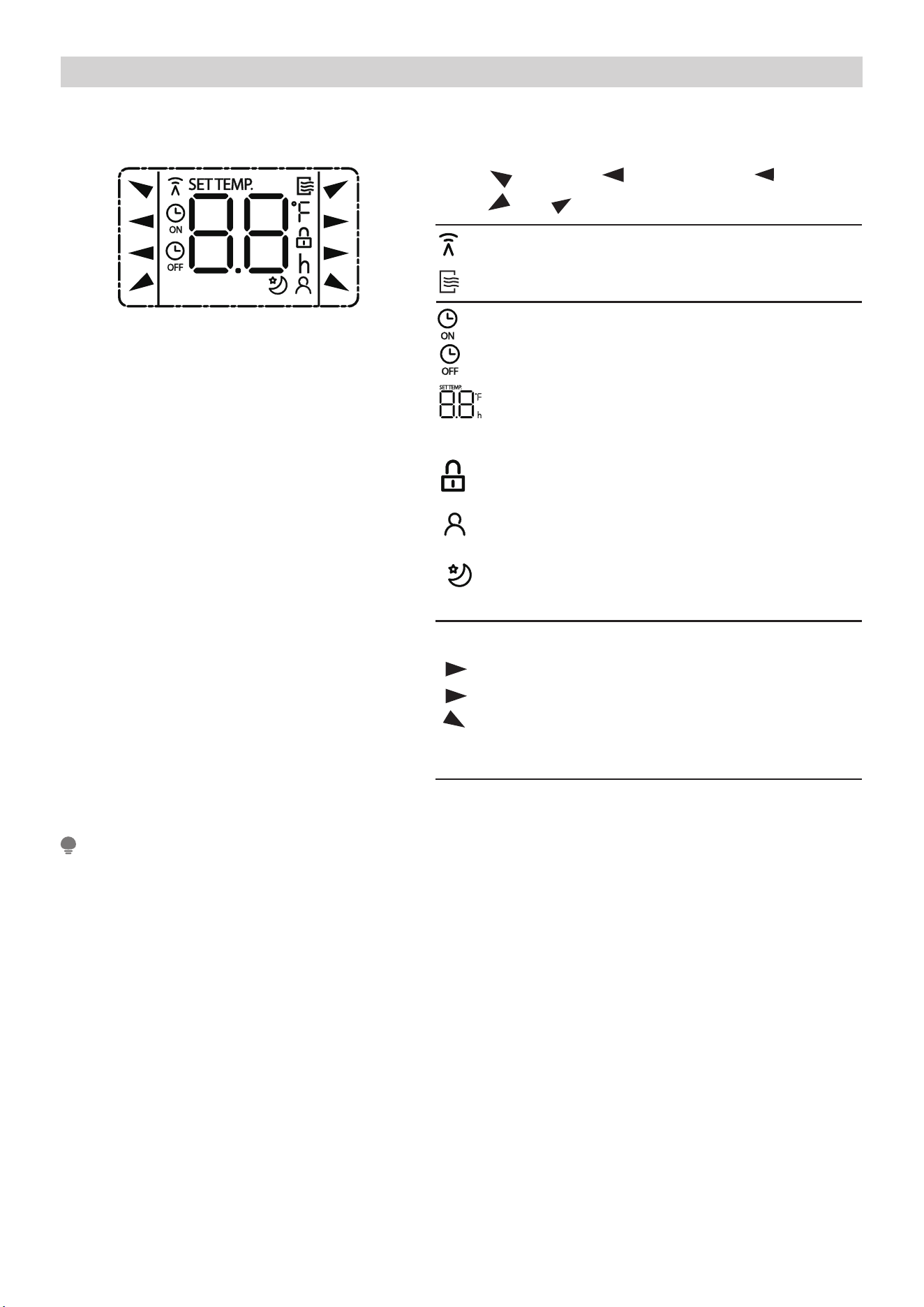
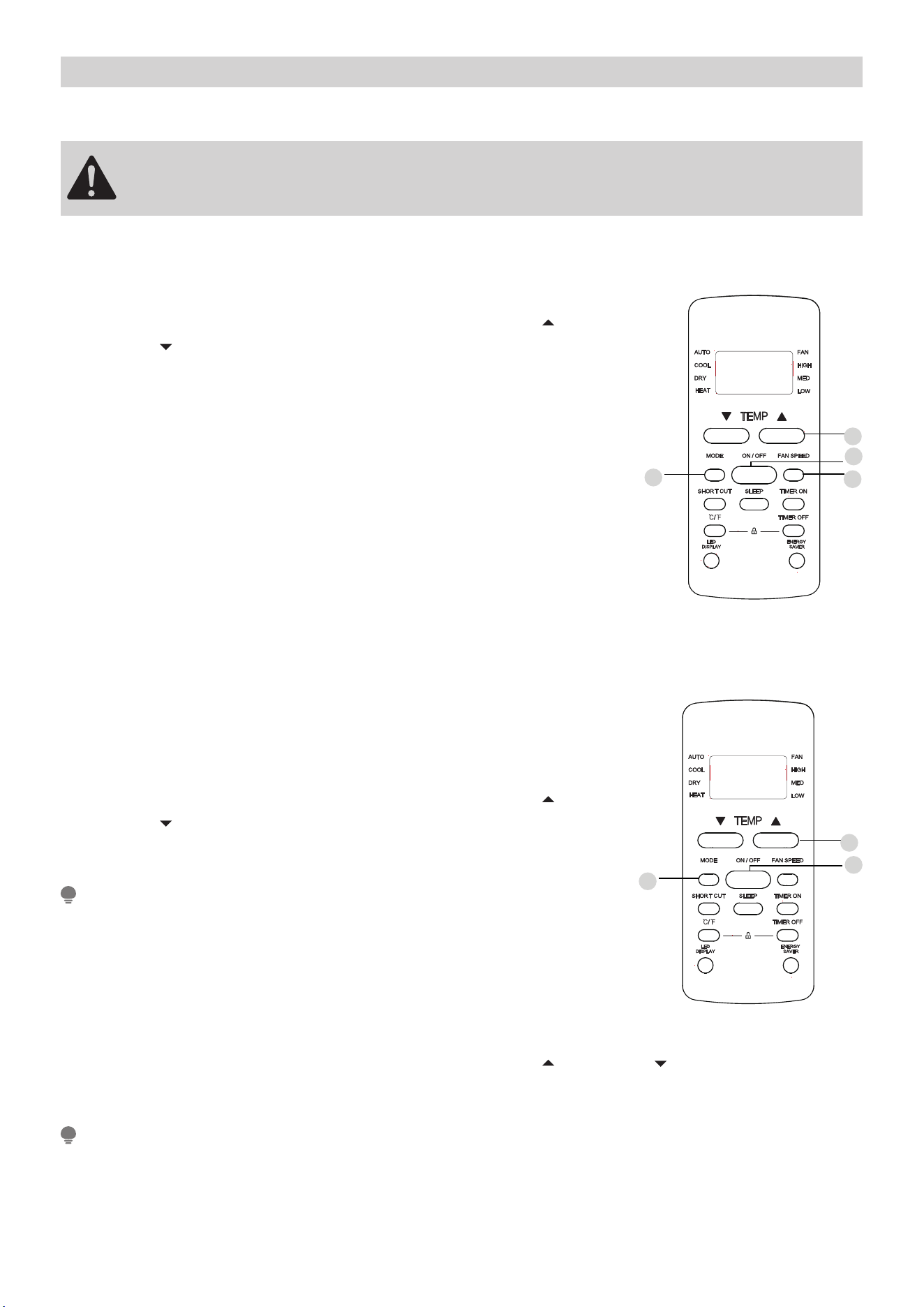
Remote Screen Indicators
Information are displayed when the remote controller is power up.
Displayed when data transmitted.
Displayed when remote controller is ON.
Low speed
NO display
Medium speed
High speed
Auto fan speed
Displayed when TIMER ON time is set
Displayed when TIMER OFF time is set
Indicated all the current settings are
locked
Shows set temperature or room
temperature, or time under TIMER
setting
HIGH
MED
LOW
AUTO
COOL
DRY
HEAT
AUTO
HEAT
COOL
FAN
DRY
Mode display
Fan speed indication
FAN
HIGH
MED
LOW
Displayed when Follow Me feature is
activated(some units)
Displayed when SLEEP feature is
activated
Note:
All indicators shown in the figure are for the purpose of clear presentation. But
during the actaul operation, only the relative function signs are shown on the
display window.
27
How to Use Basic Functions
Basic operation
ATTENTION
Before operation, please ensure the unit is plugged in and power is
available.
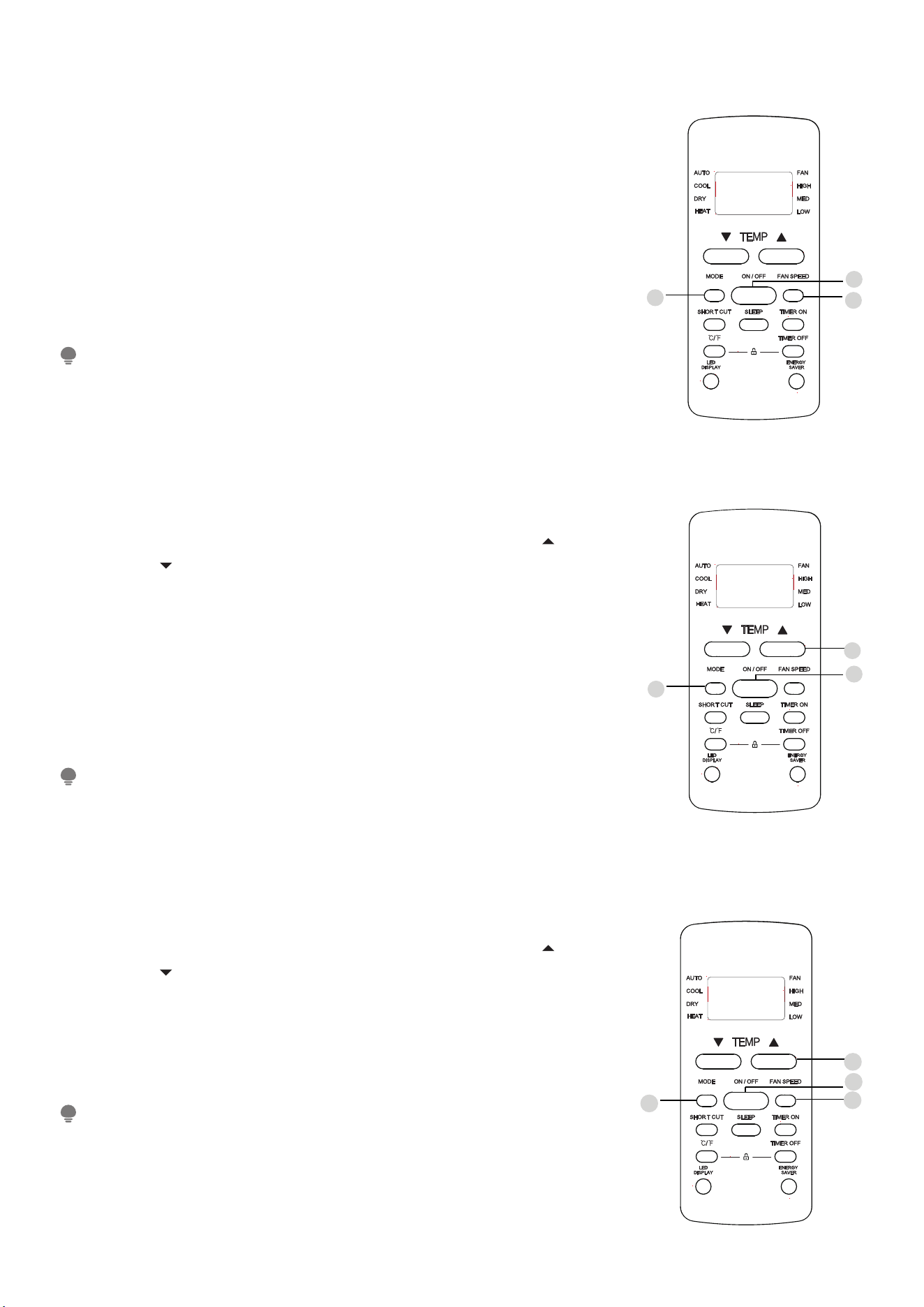
COOL Mode
1. Press the MODE button to select COOL mode.
2. Set your desired temperature using the TEMP or
TEMP button.
3. Press FAN button to select the fan speed: AUTO, LOW,
MED or HIGH.
4. Press the ON/OFF button to start the unit.
SETTING TEMPERATURE
The operating temperature range for units is 62-86°F
(17-30°C ). You can increase or decrease the set tempera-
ture 1 °F(1°C) increments.
AUTO Mode
In AUTO mode, the unit will automatically select the
COOL, FAN, or HEAT operation based on the set temper-
ature.
1. Press the MODE button to select AUTO.
2. Set your desired temperature using the TEMP or
TEMP button.
3. Press the ON/OFF button to start the unit.
NOTE:
FAN SPEED can’t be set in AUTO mode.
In AUTO mode, the unit will automatically select the
COOL, FAN, HEAT or DRY function based on the set tem-
perature.
1. Press the MODE button to select AUTO.
2. Set your desired temperature using the TEMP or TEMP button.
3. Press the ON/OFF button to start the unit.
NOTE:
FAN SPEED can’t be set in AUTO mode.
3
2
4
1
1
3
2
28
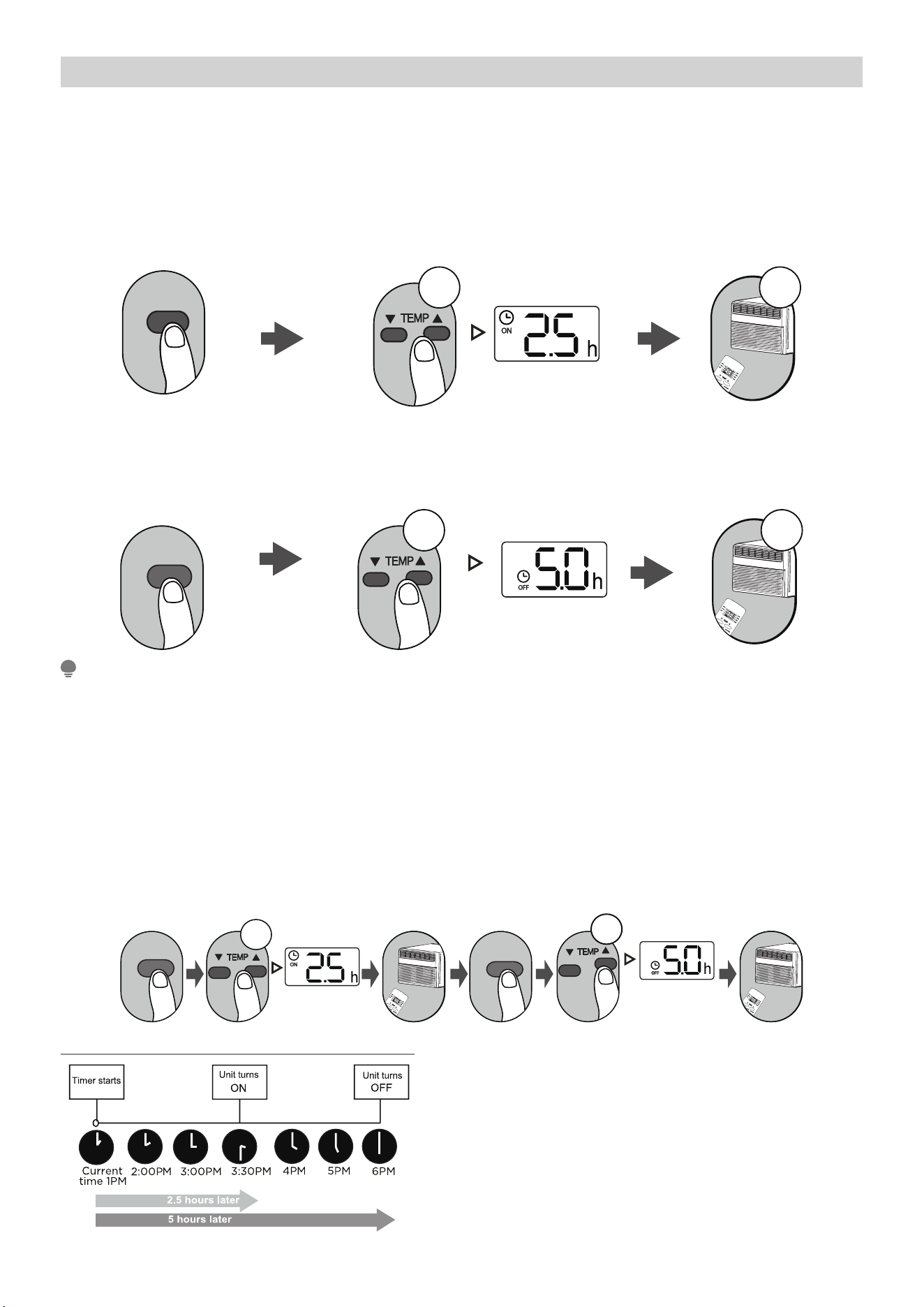
FAN Mode
1. Press the MODE button to select FAN mode.
2. Press FAN button to select the fan speed: AUTO, LOW,
MED or HIGH.
3. Press the ON/OFF button to start the unit.
NOTE:
You can’t set temperature in FAN mode. As a result, your
remote control’s LCD screen will not display temperature.
DRY Mode (dehumidifying)
1. Press the MODE button to select DRY.
2. Set your desired temperature using the TEMP or
TEMP button.
3. Press the ON/OFF button to start the unit.
NOTE:
FAN SPEED cannot be changed in DRY mode.
HEAT Mode (some models)
1. Press the MODE button to select HEAT mode.
2. Set your desired temperature using the TEMP or
TEMP button.
3. Press FAN button to select the fan speed: AUTO, LOW,
MED or HIGH.
4. Press the ON/OFF button to start the unit.
NOTE:
As outdoor temperature drops, the performance of your
unit’s HEAT function may be affected. In such instances,
we recommend using this air conditioner in conjunction
with other heating appliances.
1
3
2
1
3
2
1
3
2
4
29
Setting the TIMER
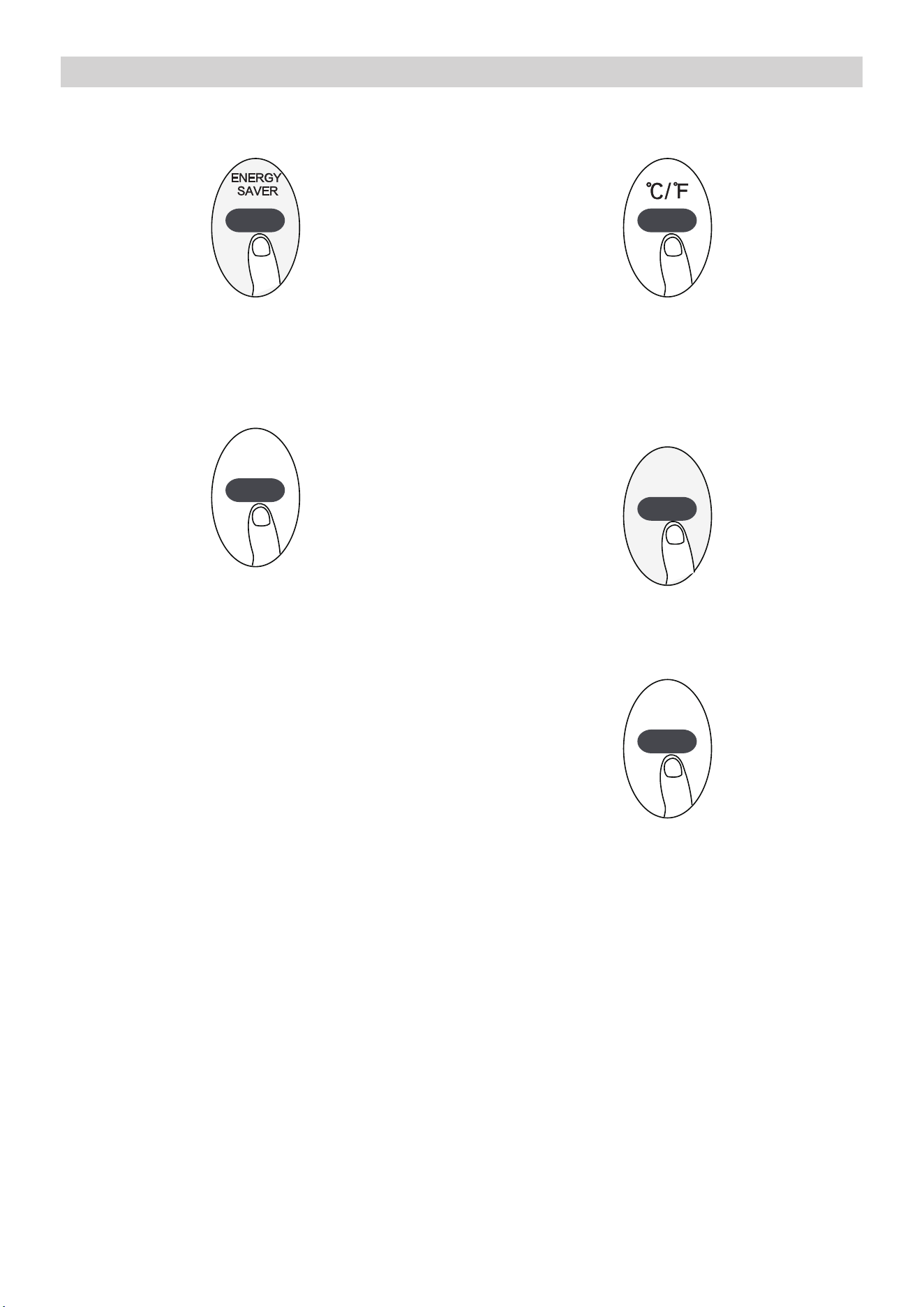
TIMER ON/OFF
Set the amount of time after which the unit will automatically turn on/off.
TIMER ON setting
Press TIMER ON button to
initiate the ON time sequence
Press Temp. up or down button
for multiple times to set the de-
sired time to turn on the unit.
Point remote to unit and wait
1sec, the TIMER ON will be
activated.
TIMER ON
x5
1sec
TIMER OFF setting
Press TIMER OFF button to
initiate the OFF time sequence
Press Temp. up or down button
for multiple times to set the de-
sired time to turn off the unit.
Point remote to unit and wait
1sec, the TIMER OFF will be
activated.
TIMER OFF
1sec
x10
NOTE:
1. When setting the TIMER ON or TIMER OFF, the time will increase by 30 min-
utes increments with each press, up to 10 hours. After 10 hours and up to 24, it
will increase in 1 hour increments. (For example, press 5 times to get 2.5h, and
press 10 times to get 5h,) The timer will revert to 0.0 after 24.
2. Cancel either function by setting its timer to 0.0h.
TIMER ON & OFF setting(example)
Keep in mind that the time periods you set for both functions refer to hours after
the current time.
TIMER ON
TIMER OFF
xn
xnxn
Example: If current timer is 1:00PM, to
set the timer as above steps, the unit will
turn on 2.5h later (3:30PM) and turn off at
6:00PM.
30
How to Use Advanced Functions
ENERGY SAVER function (some models)
Press Energy saver button to initiate this function.
This function is available on COOL, DRY, AUTO
(only AUTO-COOLING and AUTO-FAN) modes.
SHORTCUT function(some models)
SHORT CUT
Used to restore the current settings or resume
previous settings.(For some models).
Push this button when remote controller is on, the
system will automatically revert back to the pre-
vious settings including operating mode, setting
temperature, fan speed level and sleep feature (if
activated). If pushing more than 2 seconds, the
system will automatically restore the current
operation settings including operating mode, set-
ting temperature, fan speed level and sleep fea-
ture (if activated ).
°C/°F (some models)
Press this button will alternate the temperature
display between the °C & °F.
LED DISPLAY
Press LED button
LED DISPLAY
Press this button to turn on and turn off the dis-
play on the indoor unit.
SLEEP function
SLEEP
The SLEEP function is used to decrease energy
use while you sleep (and don t need the same
temperature settings to stay comfortable). This
function can only be activated via remote control.
The sleep function is not available in Fan or Dry
mode.Please refer to the OWNER’S MANUAL for
more details.
31
Cleaning & maintenance
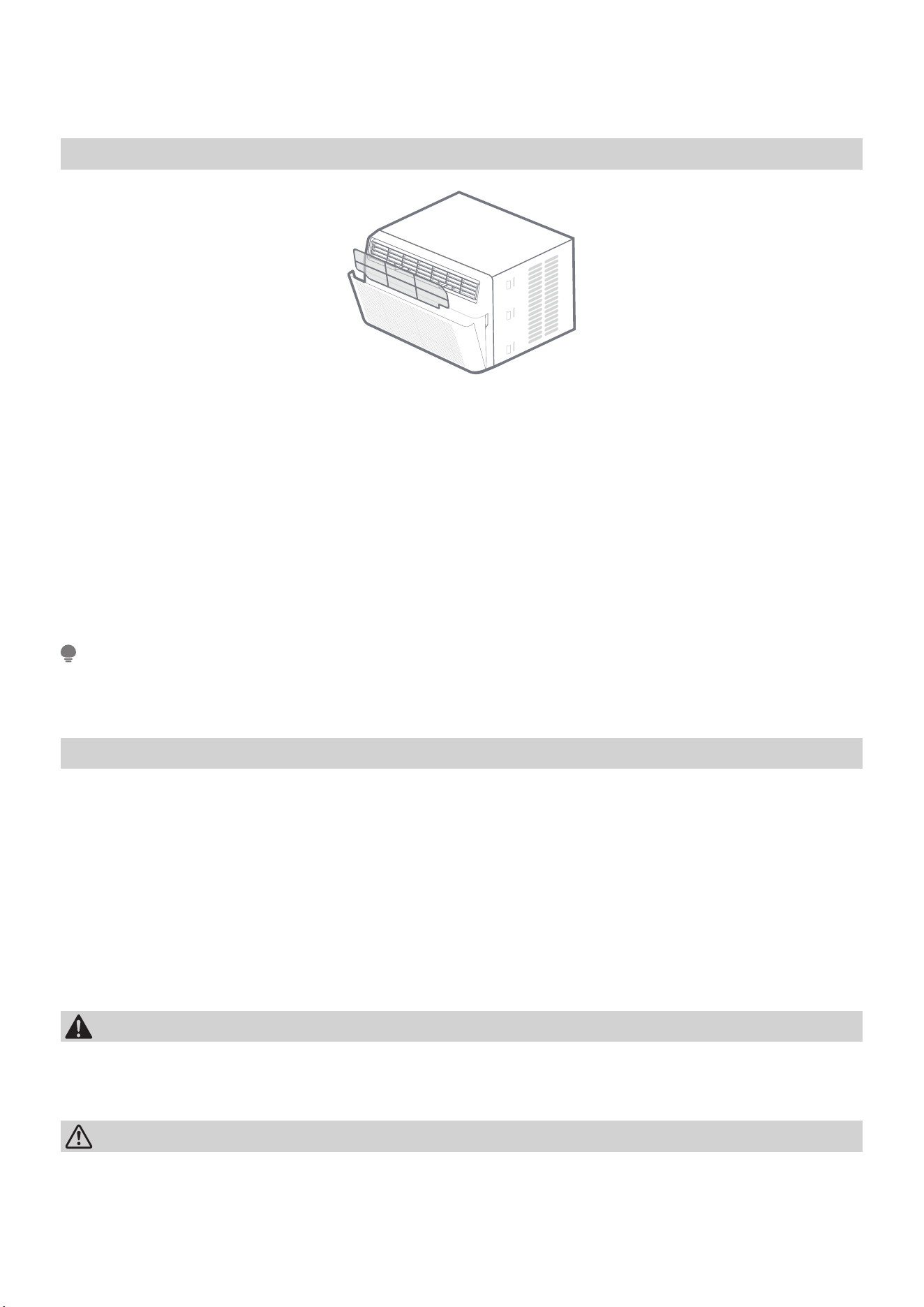
How to clean & change your filter.
Check the air filter once a month to see if cleaning is necessary.
The air filter should be checked at least once a month to see if cleaning is neces-
sary. Trapped particles in the filter can build up and cause an accumulation of frost
on the cooling coils.
• Push the vent handle to the Vent Closed position (where applicable). Open the
front panel.
• Take the filter by the center and pull up and out.
• Wash the filter using l iquid dishwashing detergent and warm water. Rinse fil-
ter thoroughly. Gently shake excess water from the filter. Be sure the filter is
thoroughly dry before replacing. Instead of washing, you may vacuum the filter
clean.
Note:
Never use hot water over 40°C(104°F) to clean the air filter. Never attempt to oper-
ate the unit without the air filter.
Cabinet Cleaning
• Be sure to unplug the air conditioner to prevent shock or fire hazard. The cab-
inet and front may be dusted with an oil-free cloth or washed with a cloth
dampened in a solution of warm water and mild liquid dishwashing detergent.
Rinse thoroughly and wipe dry.
• Never use harsh cleaners, wax or polish on the cabinet front.
• Be sure to wring excess water from the cloth before wiping around the con-
trols. Excess water in or around the controls may cause damage to the air con-
ditioner.
• Plug in air conditioner.
WARNING
Clean your air conditioner occasionally to keep it looking new. Be sure to unplug
the unit before cleaning to prevent chock or fire hazards.
CAUTION:
If you plan to store the air conditioner during the winter, remove it carefully from
the window according to the installation instructions. Cover it with plastic or return
it to the original carton.
32
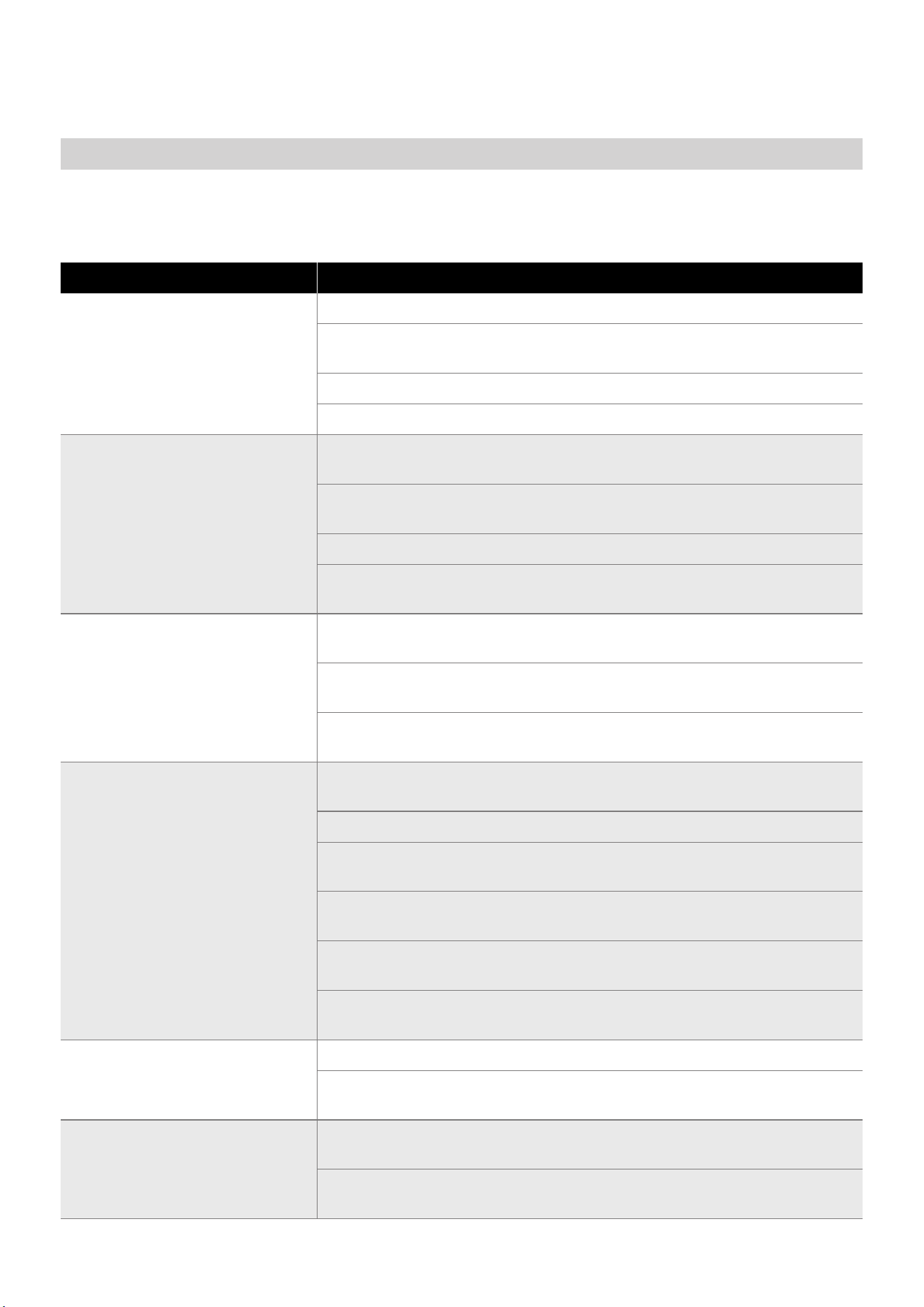
TROUBLESHOOTING
Problem Solving
Before calling for service, review this list. It may save your time and expense. This
list includes common occurrences that are not the result of defective
workman-ship or materials in this appliance.
Problem Solution
Air conditioner does not start.
Wall plug disconnected. Push plug firmly into wall outlet.
House fuse blown or circuit breaker tripped. Replace fuse with time
delay type or reset circuit breaker.
Plug Current Device Tripped. Press the RESET button.
Power is OFF. Turn power ON.
Air from unit does not feel
cold enough.
Room temperature below 62°F(17°C). Cooling may not occur until
room temperature rises above 62°F(17°C).
Temperature sensing behind air filter element touching cold coil.
Keep it from the cold coil.
Set to a Lower temperature.
Compressor stopped when changing modes. Wait for 3 minutes
after set to the COOL mode.
Air conditioner cooling, but
room is too warm-ice
forming on cooling coil behind
decorative front.
Outdoor temperature below 64°F(18°C). To defrost the coil, set FAN
ONLY mode.
Air filter may be dirty. Clean filter. Refer to Care and Cleaning sec-
tion. To defrost, set to FAN ONLY mode.
Thermostat set too cold for night-time cooling. To defrost the coil,
set to FAN ONLY mode. Then, set temperature to a Higher setting.
Air conditioner cooling, but
room is too warm-NO ice
forming on cooling coil behind
decorative front.
Dirty air filter- air restricted. Clean air filter. Refer to Care and Clean-
ing section.
Temperature is set too High, set temperature to a Lower setting.
Air directional louvers positioned improperly. Position louvers for
better air distribution.
Front of units is blocked by drapes, blinds, furniture, etc. - restricts
air distribution. Clear blockage in front of unit.
An open doors, windows,or register may allow cold air to escape.
Close any doors, winows, or registers.
The room may be too warm. Allow additional time to remove
“Stored heat” from walls, ceiling, floor and furniture.
Air conditioner turns on and o
rapidly
Dirty air filter- air restricted. Clean air filter.
Outside temperature extremely hot. Set FAN speed to a Higher set-
ting to bring air past cooling coils more frequently.
Noise when unit is cooling
Air movement sound. This is normal . If too loud, set to a slower FAN
setting.
Window vibration - poor installation. Refer to installation instruc-
tions or check with installer.
33
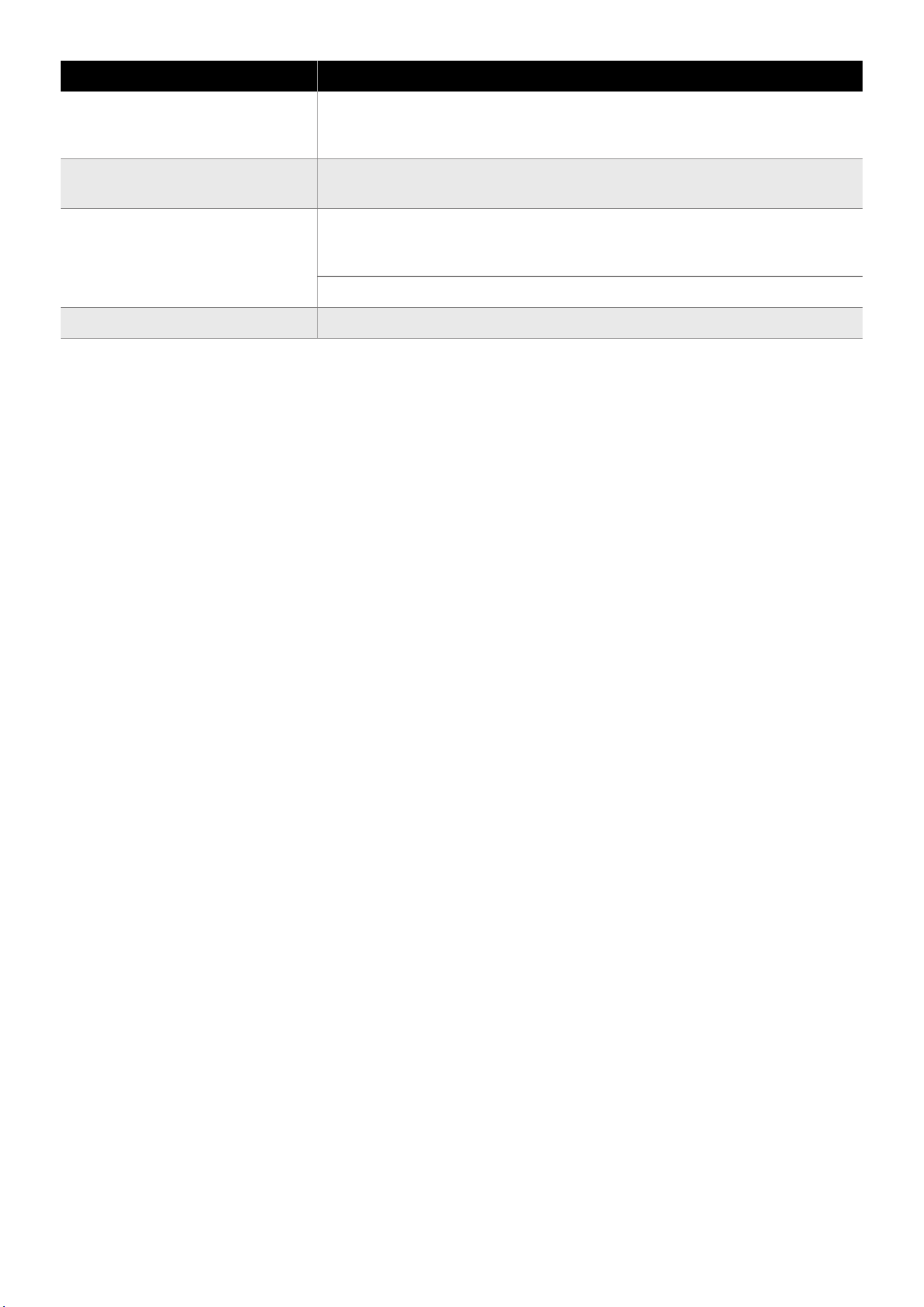
Problem Solution
Water dripping INSIDE when
unit is cooling.
Improper installation. Tilt air conditioner slightly to the outside to
allow water drainage. Refer to installation instructions - check with
installer.
Water dripping OUTSIDE when
unit is cooling.
Unit removing large quantity of moisture from humid room. This is
normal during excessively humid days.
Remote Sensing
Deactivating Prematurely
(Only remote models)
Remote control not located within range. Place remote control with-
in 20 feet and pointed in the general direction of the air conditioner
unit.
Remote control signal obstructed. Remove obstruction.
Room too cold Set temperature too low. Increase set temperatur.
The design and specifications are subject to change without prior notice for prod-
uct improvement. Any updates to the manual will be uploaded to the Midea web-
site (www.midea.com/us), please check for the current version.
34
CONNECTION INSTRUCTIONS
1. How to Use Matter
Connect Your Air Conditioner Through Matter
Make sure your mobile device is connected to your wireless router.
The wireless router should support and turn on IPv6. Please make sure your
smartphone is connected to the 2.4G, not the 5G network.
For the best Matter compatibility, connect the AC to the Alexa, Google
Home or Apple Home ecosystems, along with at least one of their respec-
tive Matter-enabled smart speakers.
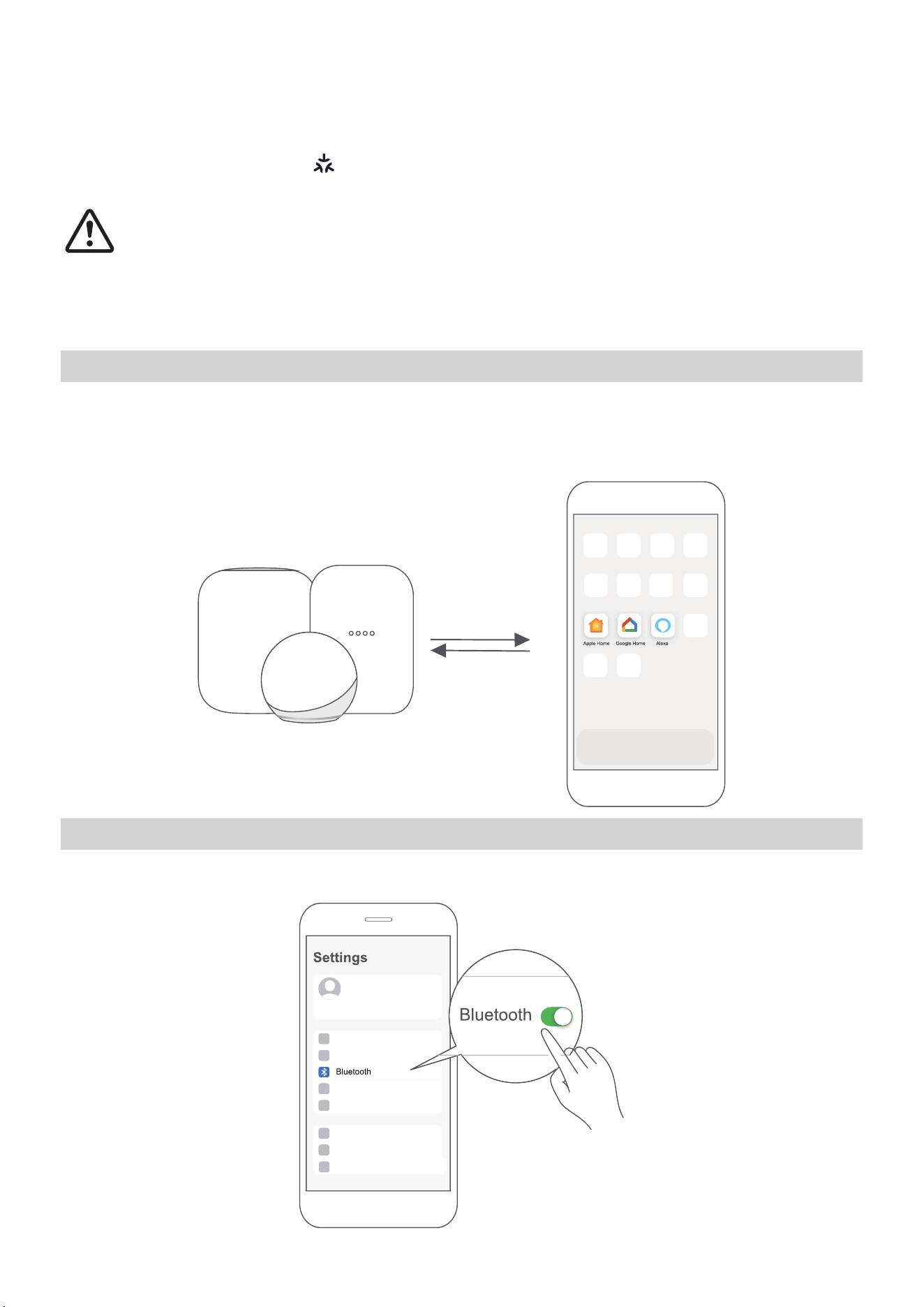
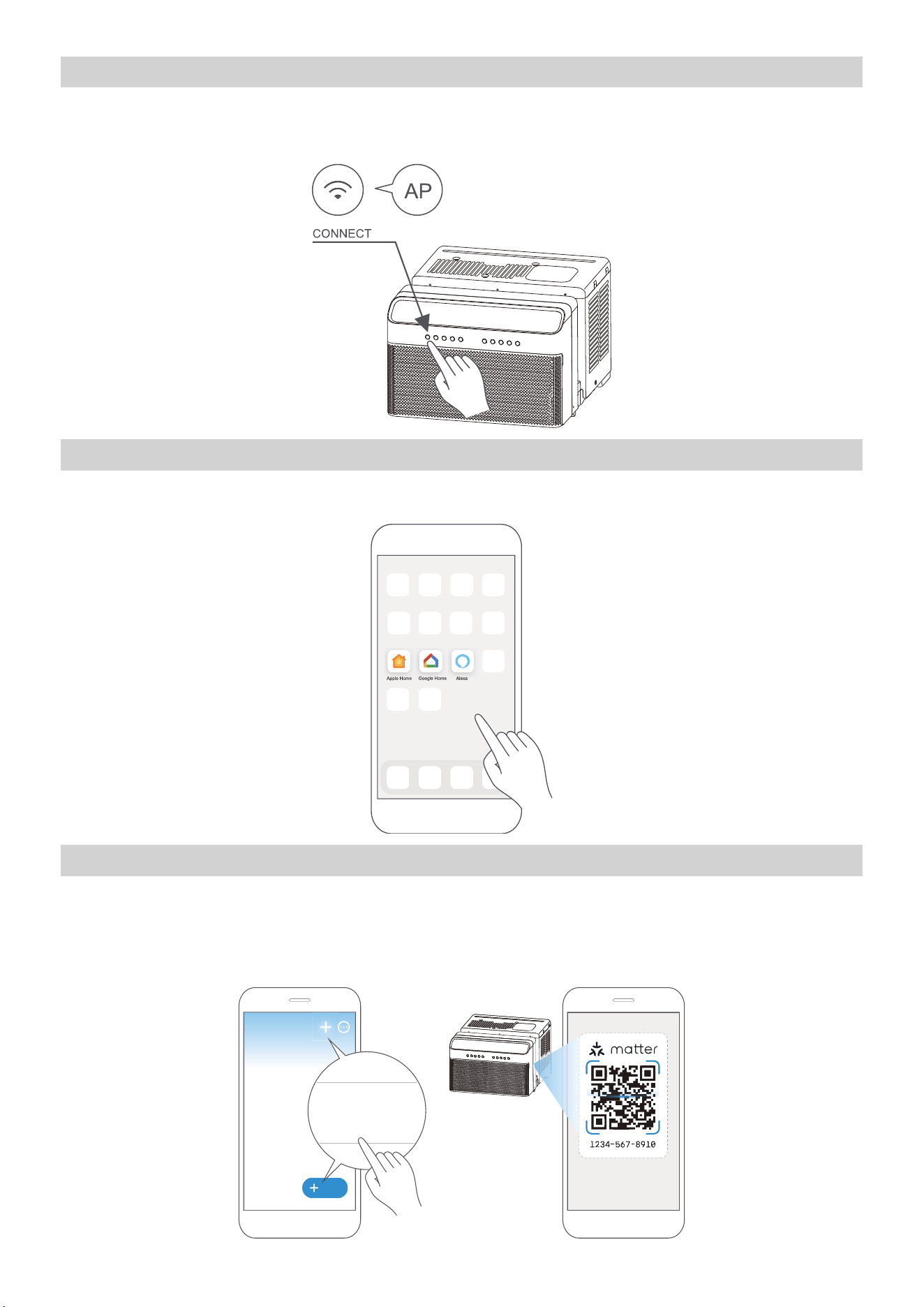
STEP 1: Connect to Smart Speakers
Select your preferred ecosystems (Alexa, Google Home or Apple Home) and make
sure you’ve got one of their Matter-enabled products (such as their smart speak-
ers) connected to your wireless router.
STEP 2: Turn On Bluetooth
Turn on Bluetooth on your mobile device.
35
STEP 3: Enter AP Mode
Hold down the CONNECT button for 3 seconds to begin the pairing process (“AP”
will appear on the AC’s display).
STEP 4: Open App
Open the Alexa, Google Home or Apple Home app on your mobile device.
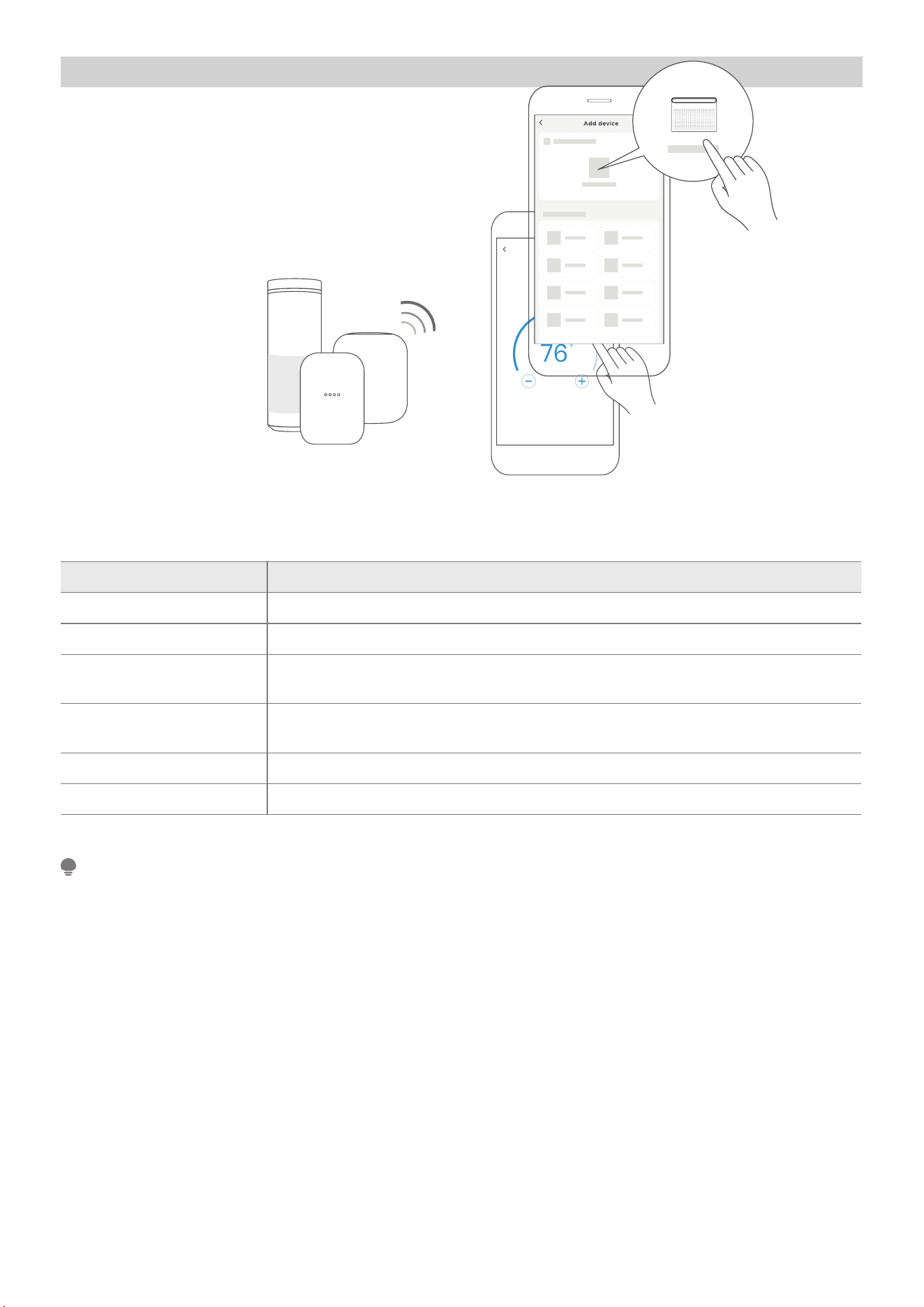
STEP 5: Scan Matter QR code
Tap the “+” and “Add Device/ Accessory” or tap “+Add” in your app, select Matter
device and scan the Matter QR code found on the side of the AC device.
Follow the respective instructions in the Alexa, Google Home or Apple Home app
to complete the pairing process.
Add
Add Device/Accessory
scan
Matter QR code
36
STEP 6: Control Device
After pairing is successful, you can control
your AC’s temperature and mode settings, etc.
through the respective ecosystem app and/or
smart speaker.
Air conditioner
App & Smart Speakers can support Matter only when using these versions or
above.
Device Version
iPhone iOS 16.5
Apple Home Pod 16.5
Android
Google Play services min version: 22.36.15
Google Home app (GHA) min version: 2.58.24.1 - dogfood
Google Home Hub
Google Hub firmware min version: 1.56.324896 (appears on hub as
Chromecast firmware version)
Alexa App 2.2.536317
Alexa Echo Device 9094439556
NOTE
• Setup processes and features may vary between ecosystems.
• Make sure the Matter-enabled app is up to date to ensure the best experience.
• Periodically, we will update the device’s software to improve the experience.
Device software updates can be accomplished through the SmartHome app.
37
2. How to Use SmartHome
Ensure that your mobile phone is connected to the wireless network. Blue-
tooth must be turned on. The device must also be powered on.
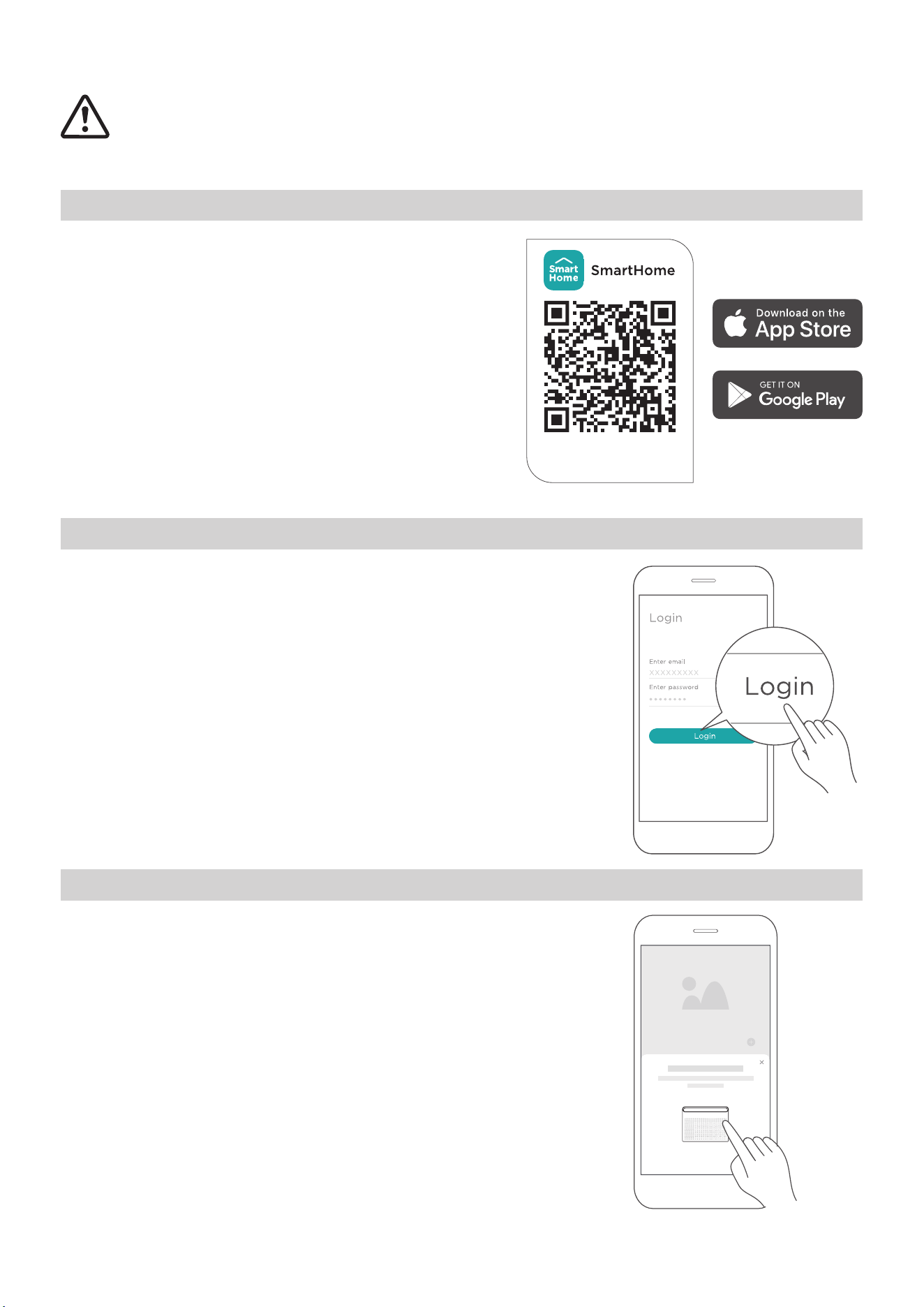
STEP 1: Download the SmartHome App
Scan the QR code below to download the
SmartHome app from the app store or search
for it directly on the Google Play Store or Ap-
ple’s App Store.
STEP 2: Log in
Open the SmartHome app. Log in directly if you have an
existing SmartHome account or create a new account.
Alternatively, you can also use a 3rd party login platform.
STEP 3: Connecting the Device
(1) When you log in, you may see the message “Smart
devices discovered nearby”.Tap to add your device.
Download the app
& activate product
38
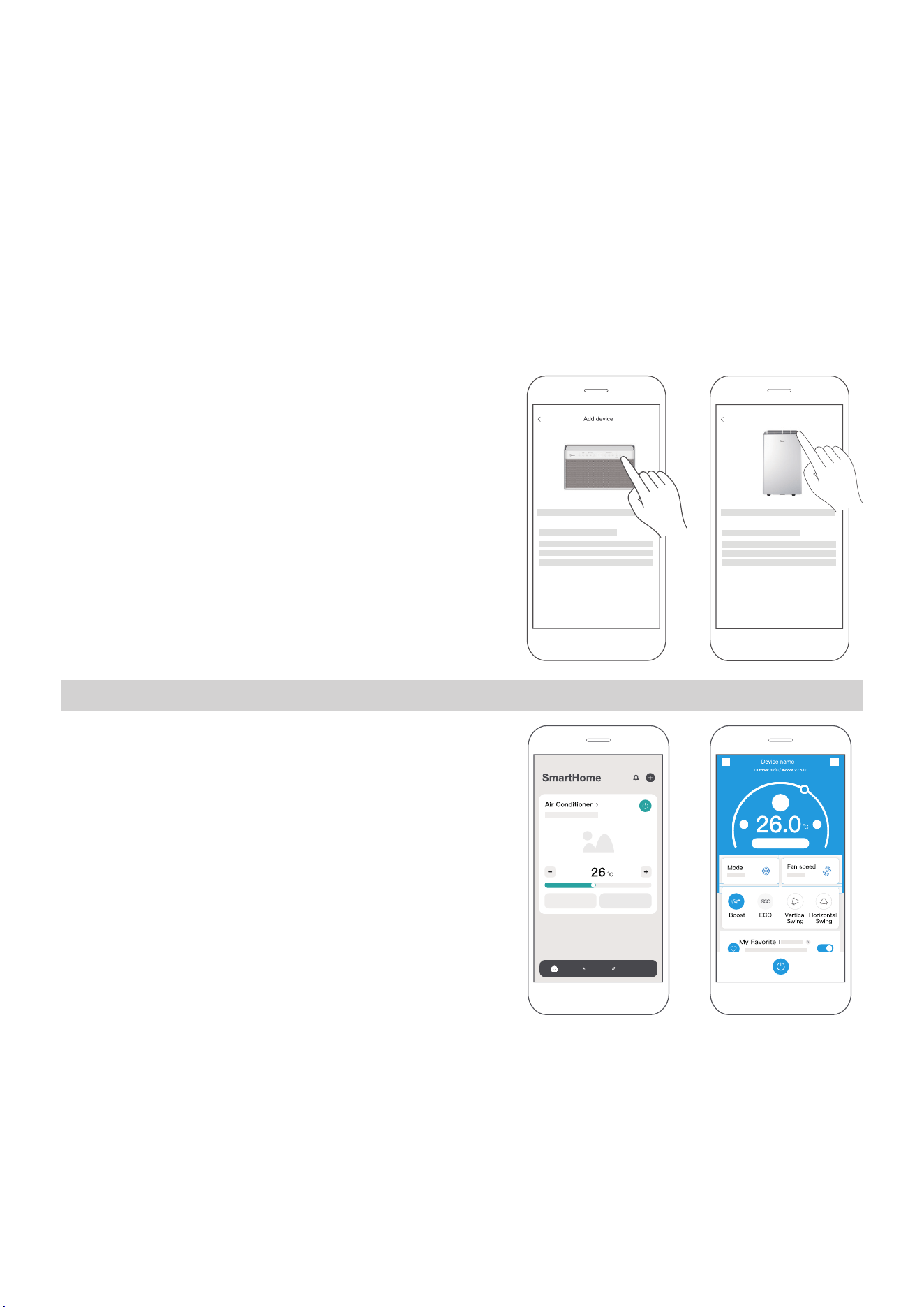
(2) If no such message appears, proceed as follows: Tap on “+” and select your de-
vice in the list of nearby available devices.
If your device is not listed, please add your device manually. Select the device
category (e.g. Window AC) and find your device model in the list.
(3) Follow the steps in the app to connect
your device to the wireless network. If your
device fails to connect, follow the addi-
tional instructions in the app.
STEP 4: Controlling the Device
After pairing successfully, a card will be creat-
ed for the device in the SmartHome app.
Shortcuts for basic functions will appear on
the card, such as changing the temperature or
switching the device on or off.
Tapping on the card will reveal additional fea-
tures and settings. The actual UI design may
look different from examples due to app up-
dates.
For Window AC For Portable AC
Add device

Unit model: MAW18HN1CWT,MAW24HN1CWT Operation Temperature: 0°C ~ 45°C / 32°F ~ 113°F
Wireless Module Model: US-SK109 Operation Humidity: 10% ~ 85%
Antenna Type: Printed PCB Antenna Power Input: DC 5V/500 mA
Wireless: 2400 - 2483.5MHz, TX Power: < 20dBm BLE: 2402 - 2480MHz, TX Power: < 10dBm
Declaration of Conformity
Specifications
FCC ID: 2ADQOMDNA23
IC: 12575A-MDNA23
This device complies with Part 15 of the FCC Rules and Industry Canada’s licence exempt RSSs.
Operation is subject to the following two conditions:
(1) This device may not cause interference;
(2) This device must accept any interference, including interference that may cause undesired operation of
the device.
Only operate the device in accordance with the instructions supplied.
Changes or modifications to this unit not expressly approved by the party responsible for compliance could
void the user’s authority to operate the equipment.
This device complies with FCC radiation exposure limits set forth for a
n uncontrolled environment. In order
to avoid the possibility of exceeding the FCC radio frequency exposure limits, human proximity to the
antenna shall not be less than 20cm (8 inches) during normal operation.
This device is in compliance with the essential requirements and other relevant provisions of Directive 2014/53/EU.
In order to avoid the possibility of exceeding the radio frequency exposure limits, human proximity to the antenna
shall not be less than 20cm during normal operation. (European Union products only)
This equipment has been tested and found to comply with the limits for a Class B digital device, pursuant to part
15 of the FCC Rules. These limits are designed to provide reasonable protection against harmful interference in a
residential installation.
This equipment generates, uses and can radiate radio frequency energy and, if not installed and used in
accordance with the instructions, may cause harmful interference to radio communications. However, there is
no guarantee that interference will not occur in a particular installation. If this equipment does cause harmful
interference to radio or television reception, which can be determined by turning the equipment off and on, the
user is encouraged to try to correct the interference by one or more of the following measures:
• Reorient or relocate the receiving antenna.
• Increase the separation between the equipment and receiver.
• Connect the equipment into an outlet on a circuit different from that to which the receiver is connected.
• Consult the dealer or an experienced radio/TV technician for help.
NOTE
39
40
Supplier’s Declaration of Conformity
Per FCC Part 2 Section 2.1077
Unique Identifier: Midea brand, RG51G5(1)/EU1
Responsible Party – U.S. Contact Information
Midea America Corporation
300 Kimball Dr
Parsippany NJ
07054
Telephone number or internet contact information: Midea.com/us
FCC Compliance Statement
This device complies with Part 15 of the FCC Rules. Operation is
subject to the following two conditions: (1) This device may not
cause harmful interference, and (2) this device must accept any
interference received, including interference that may cause un-
desired operation.
WARRANTY
Air Conditioner Limited Warranty
Your product is protected by this Limited Warranty:
Warranty service must be obtained from Midea Consumer Services or an authorized Midea servicer.
Warranty
•
•
Three Year Full warranty from the date of delivery or the purchase date, whichever is later.
The date of delivery establishes the warranty period, should service be required.
Midea, through its authorized servicers will:
• Pay all costs for reparing or replacing parts of this appliance which prove to be defective in materials
or workmanship.
Consumer will be responsible for:
• Diagnostics, removal, transportation and reinstallati
on cost required because of service.
• Costs of service calls that are a result of items listed under NORMAL RESPONS
ABILITIES OF THE CONSUMER**
Midea replacement parts shall be used and will be warranted only for the original warranty.
NORMAL RESPONSABILITIES OF THE CONSUMER**
This warranty applies only to products in ordinary household use, and the consumer is responsible for
the items listed below:
1. Proper use of the appliance in acor
dance with instructions provided with the product.
2. Routine maintenance
and cleaning necessary to keep the good working condition.
3. Proper installation by an authorized service professional in accordance with instructions provided with the
appliance and in accordance with all local plumbing, electrical and/or gas codes.
4. Proper connection to a grouded power supply of sufficient voltage, replacement of blown fuses, repair of
loosen connections or defects in house wiri
ng.
5. Expenses for making the appliance accessible for servicing.
6. Damages to finish after installation.
EXCLUSIONS
This warranty does not cover the following:
1) Failure caused by damage to the unit while in your possesion (other than damage caused by
defect or malfunction), by its
improper installation, or by unreasonable use of the unit, including
without limitation, failure to provide reasonable and necessary maintenance or to follow the wr
itten
installation and Operating Instructions.
2) Damages caused by services performed by persons other than those authorized by Midea customer
service; or external causes such as abuse, misuse, inadequate power supply or acts of God.
3) If the unit is put to commercial, business, rental, or other use or application other than for consumer
use, we make no warranties, express or implied, including but not limited to, any implied warranty of
merchantability or fitness for use or purpose.
4) Products without original serial numbers or products that have serial numbers which have been altered
or cannot be readily determined.
NOTICE: Some states do not allow the exclusions or limitation of incidental or consequential damages.
So this limitation or exclusion may not apply to you.
IF YOU NEED SERVICE
Keep your bill of sale, delivery slip, or some other appropriate payment Record.
The date on the bill establishes the warranty period, should service be required.
If service is performed, its your best interest to obtain and keep all receipts.
This written warranty gives you specific legal rights. You may also have other rights that v
ary
from sta
te to state.
Service under this warranty must be obtained by following these steps, in order:
1) Contact Midea Consumer Services or an authorized Midea services at 1 866 646 4332.
2) If there is a question as to where to obtain service, contact our consumer relations Departament.
41