User Manual
Model: SB1062H
1. Quick start guide
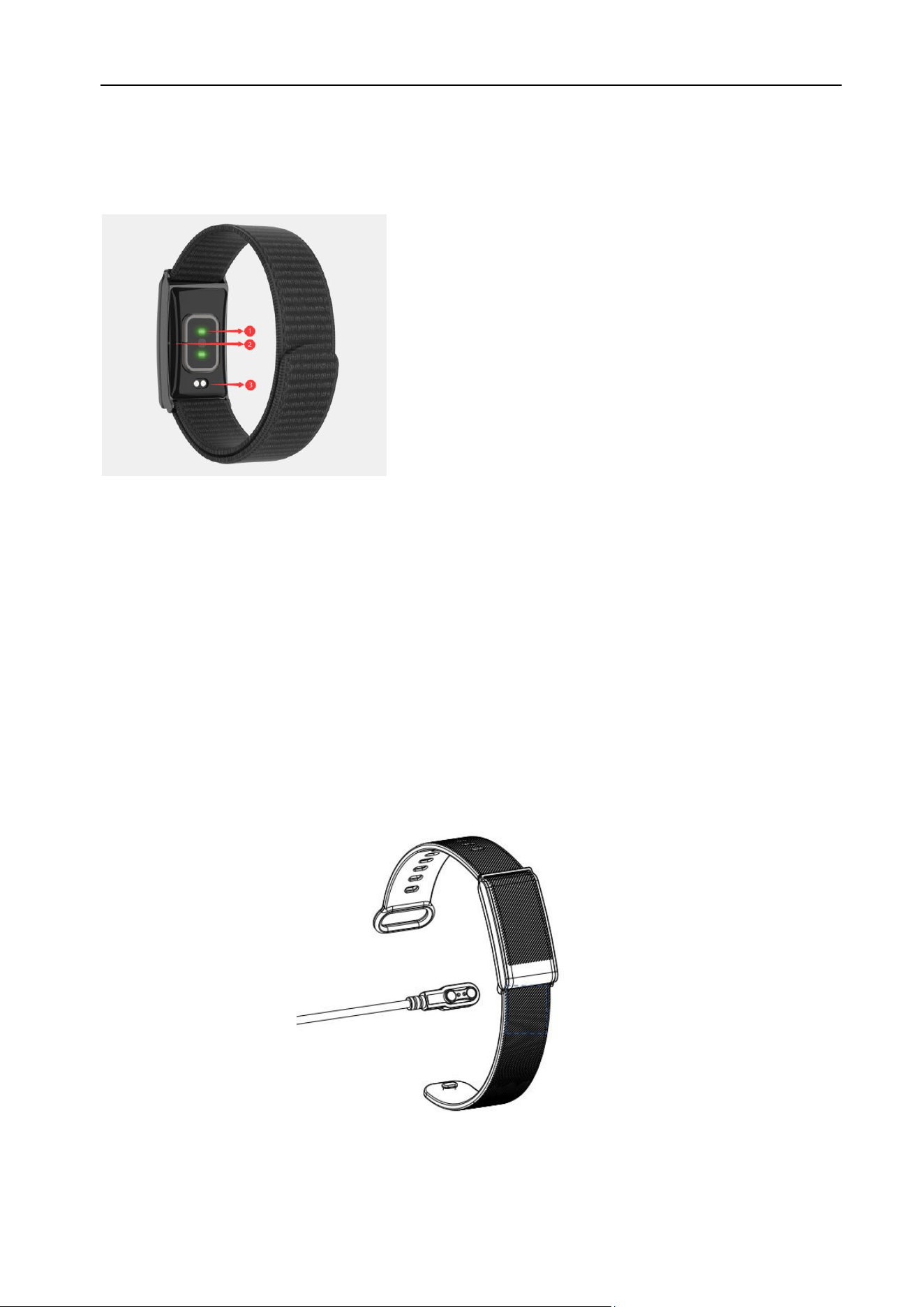
Overview
1. Heart Rate Sensor(Green light) and Blood oxygen Sensor(Red light)
2. Side light: Show the machine status
3. Charging Pins
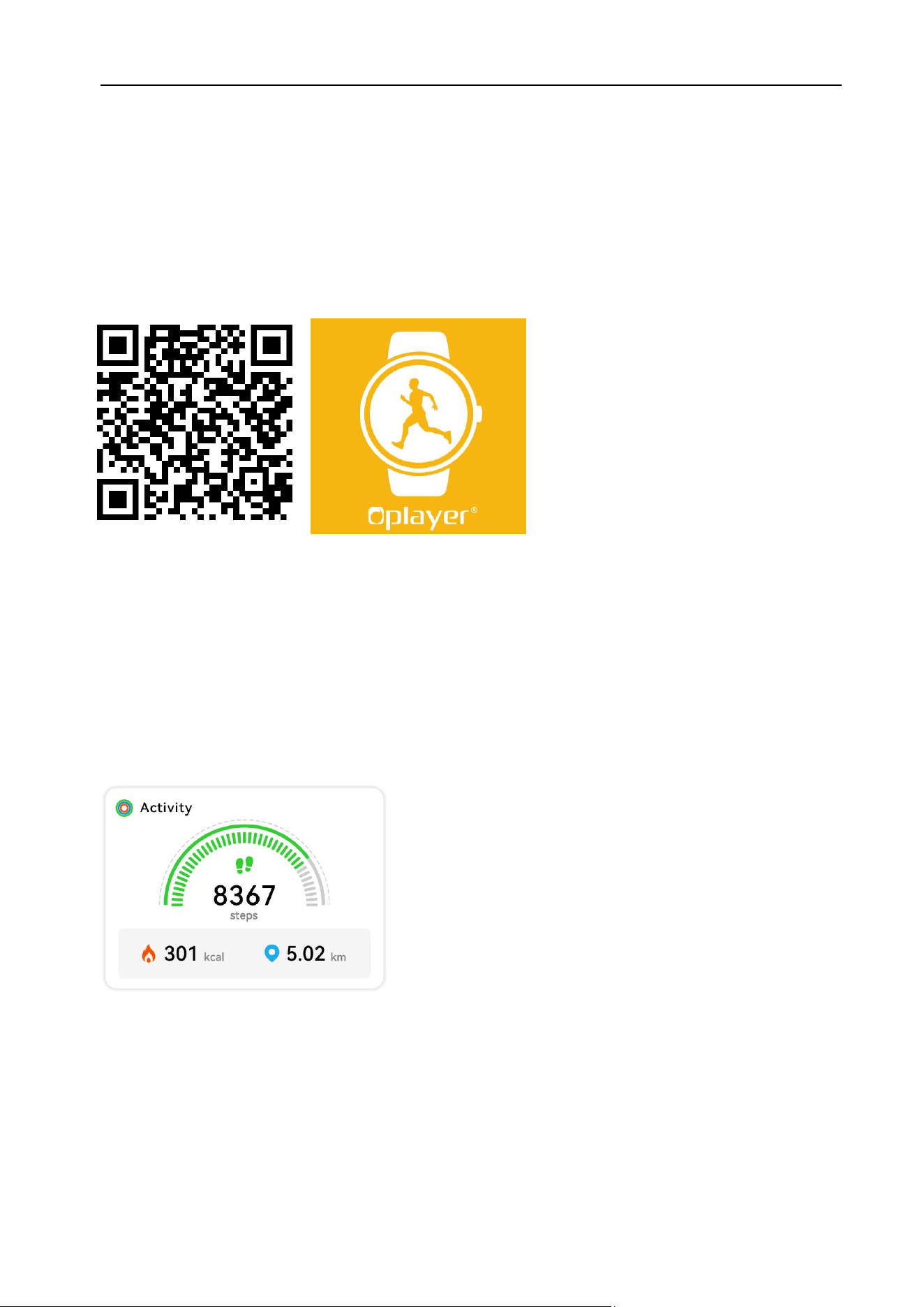
Make sure the charging cable fit correctly onto the charging pins on the back of
your Smartwatch, then plug the other end to the user cable to a power source.
Plug the big end of the USB cable into the power supply, after successful
charging, When the red side light flashes, it serves as a reminder that the device
is currently charging. The green side light remains constantly on to indicate that
the charging process is complete.
2. Install the App and Connect with Smart Bracelet
Search and install the “Oplayer Smart life” app from Google Play or App Store. Or
scan the following QR code to directly install the app.
To connect the Smart Bracelet with App, open the “Oplayer Smart Life” app on
your smart phone, then go to setting and select “ Add New Device” and select the
Smart Bracelet to connect.
3. Functions
Activity
Wearing the device, it will record your steps/distance/calories in the APP.
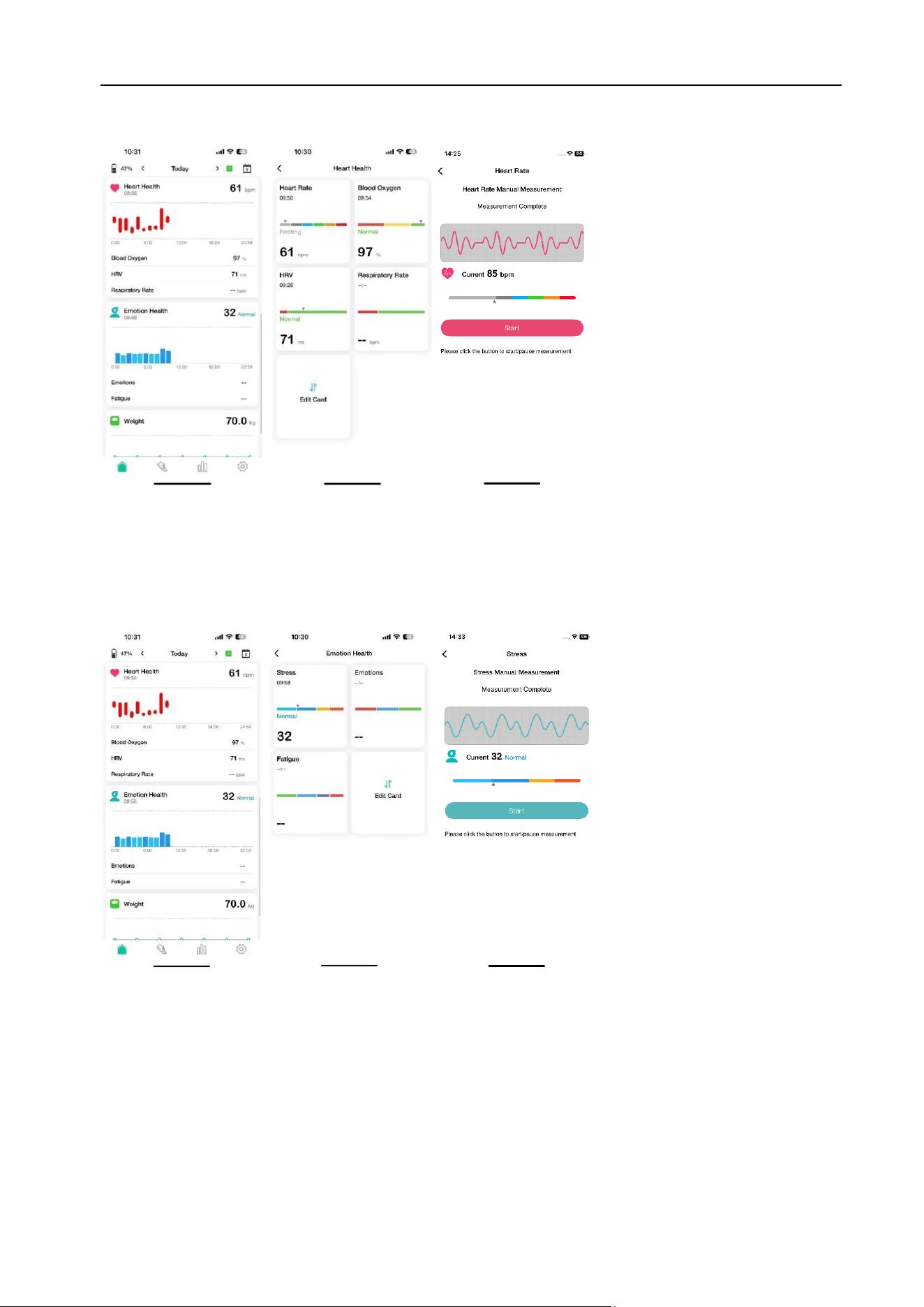
Active measurement of Heart Health
Click corresponding functions and “Start” in the APP to actively detect Heart
Rate/Blood Oxygen/HRV/Respiratory Rate.
Active measurement of Emotion Health
Click corresponding functions and “Start” in the APP to actively detect
Stress/Emotions/Fatigue.
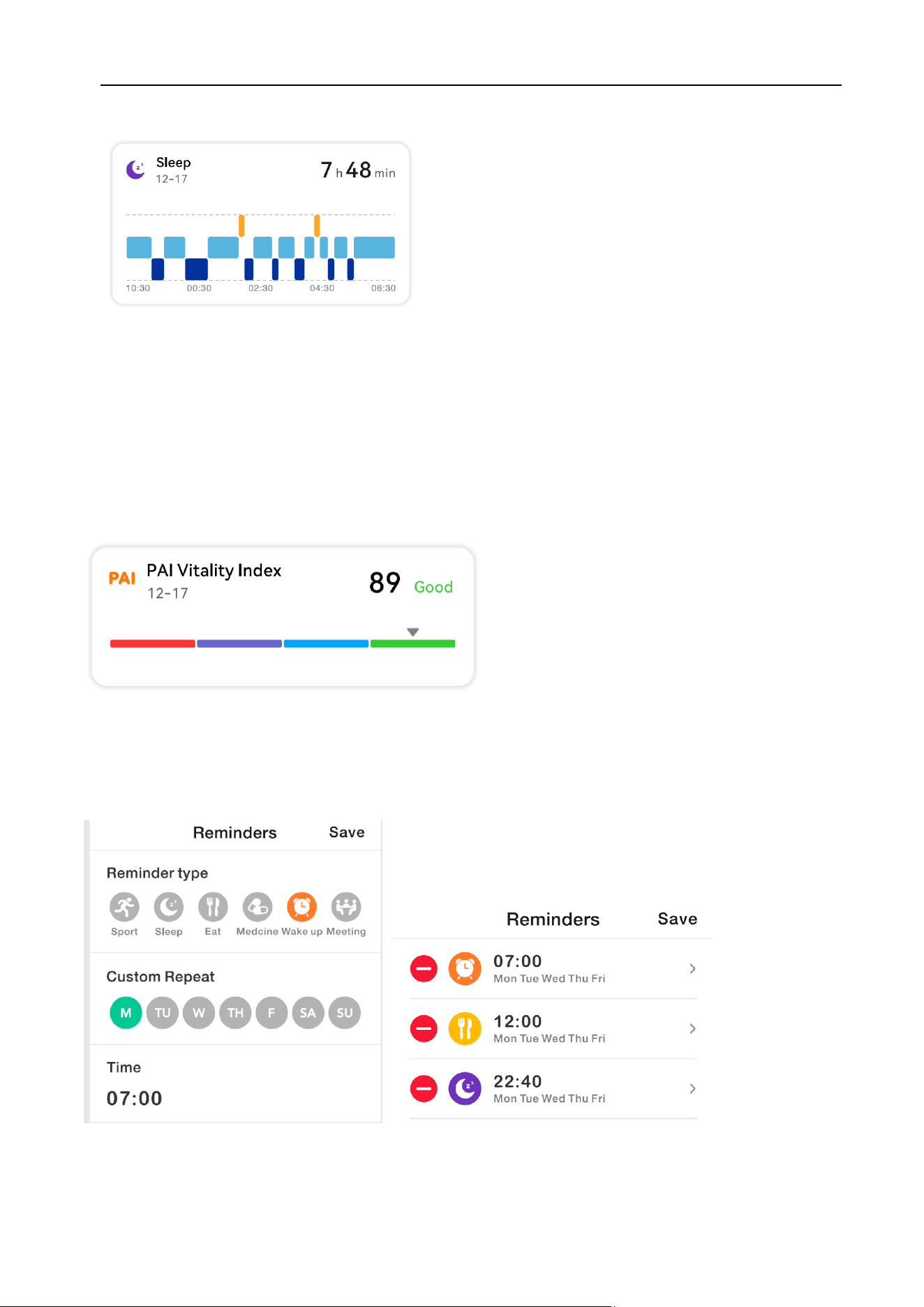
Sleep
Sleep with your device. It will record your sleep time in the APP.
The product can track whole day sleeping, but only if it takes more than 30
minutes at a time.
PAI
Your health score will be calculated based on your sleep, steps, and heart rate data
from the previous day.
Alarm
You can set different types of alarms , then it will vibrate to remind you.
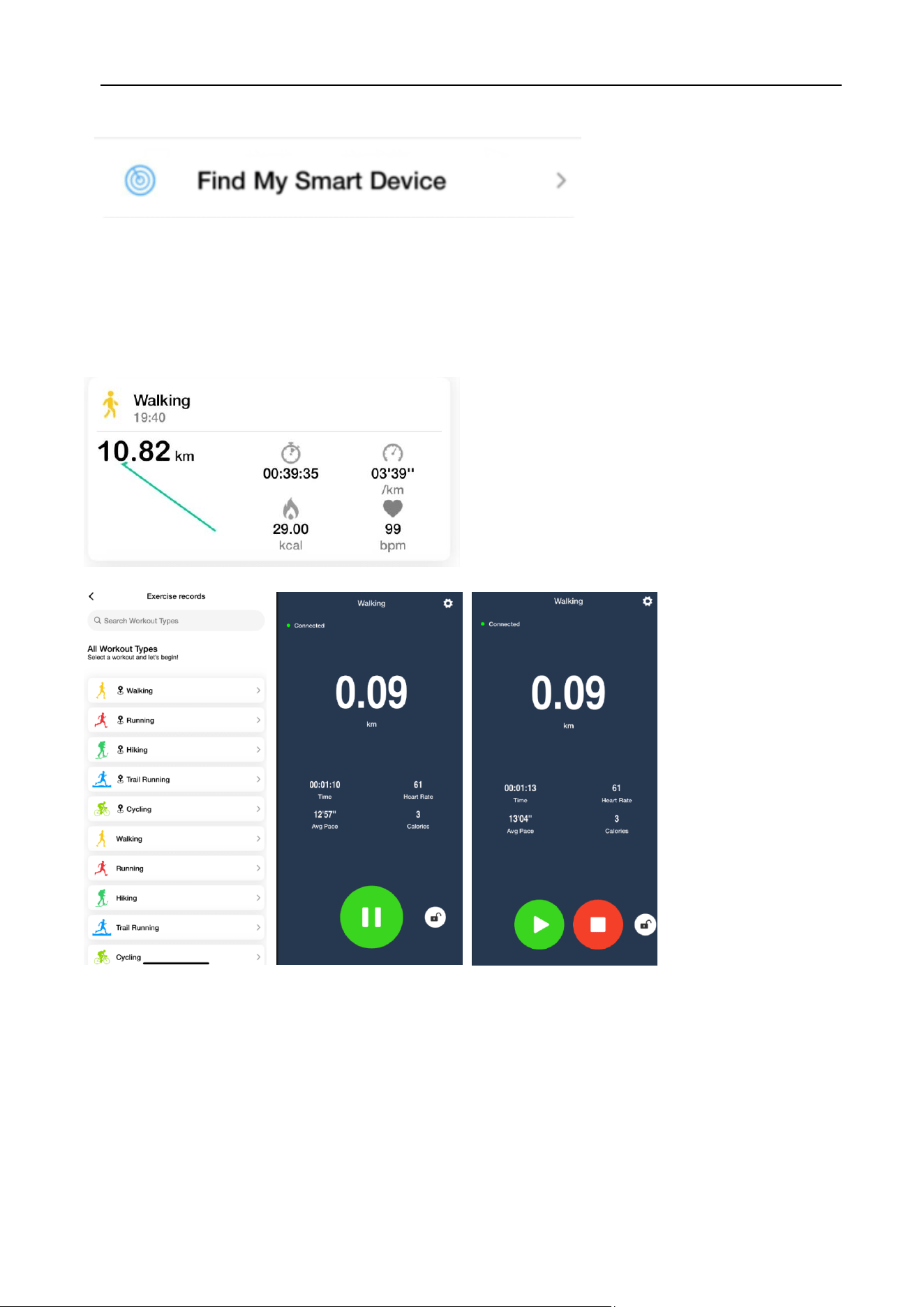
Find My Device
You can go to the APP, find the “Smart Device Settings” in Setting, and click this
function, then your device will vibrate and flash the red and green light on the side at
the same time.
Sports
Click the “Excerice records”in main page, there are 120+ sports modes to choose
from, including walking, running, climbing, cycling and etc..
Click corresponding sports to start evercise, for the “ Walking , Running, Hiking, Trail
Running, Cycling”, it can work with your phone GPS. After the exercise ends, the
exercise data will show in APP, and you can also check your movement trajectory in
APP for those sports with GPS.

FCC Warnning:
This equipment has been tested and found to comply with the limits for a Class B digital device,
pursuant to part 15 of the FCC Rules. These limits are designed to provide reasonable
protection againstharmful interference in a residential installation. This equipment generates,
uses and can radiateradio frequency energy and, if not installed and used in accordance with
the instructions, maycause harmful interference to radio communications. However, there
is no guarantee thatinterference will not occur in a particular installation. If this
equipment does cause harmfulinterference to radio or television reception, which can be
determined by turning the equipmentoff and on, the user is encouraged to try to correct the
interference by one or more of thefollowing measures:
• Reorient or relocate the receiving antenna.
• Increase the separation between the equipment and receiver.
• Connect the equipment into an outlet on a circuit different from that to which the receiver is
connected.
• Consult the dealer or an experienced radio/TV technician for help.
Caution: Any changes or modifications to this device not explicitly approved by manufacturer
could void your authority to operate this equipment.
This device complies with part 15 of the FCC Rules. Operation is subject to the following two
conditions:
(1)This device may not cause harmful interference, and (2) this device must accept any
interference received, including interference that may cause undesired operation.
This equipment complies with FCC radiation exposure limits set forth for an uncontrolled
environment. This equipment should be installed and operated with minimum distance 0cm
between the radiator and your body.