

................................................................................................ 1
................................................................................ 6
.........................................................................................................................
i
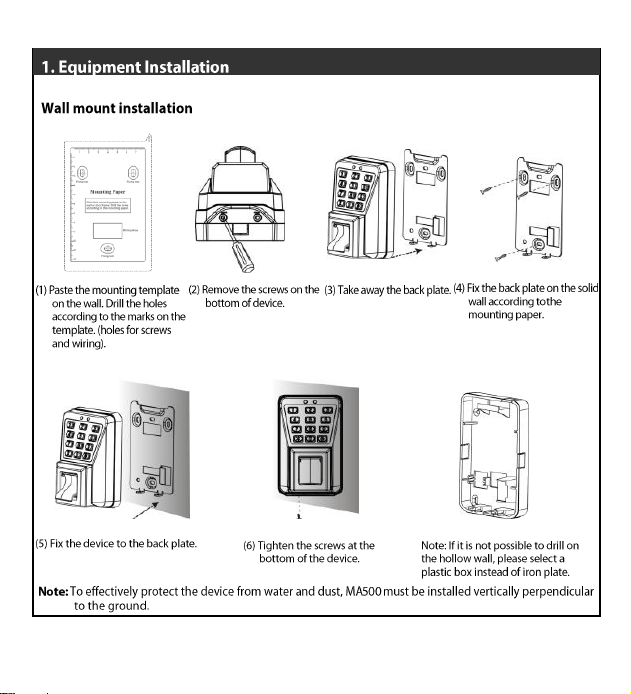
(1) Paste the Mounting Paper on
the wall. Drill holes according
to the marks on the template.
(holes for screws and wiring).
(2) Remove the screws on
the bottom of device.
ii
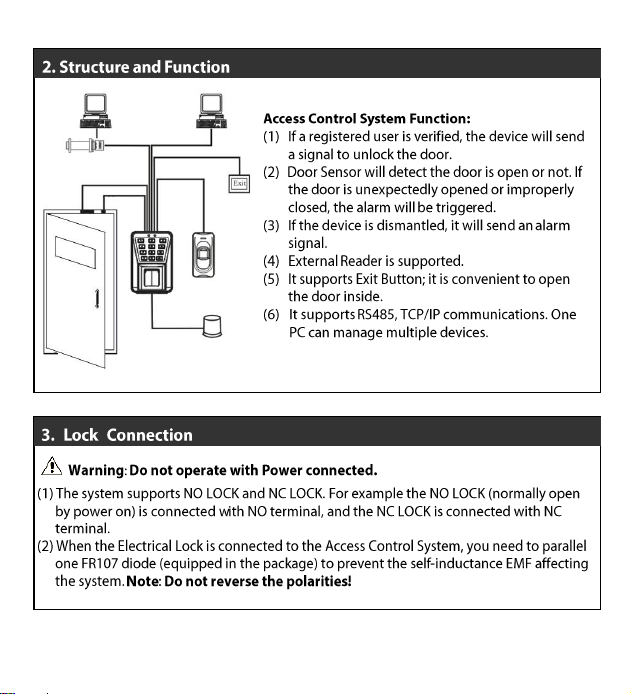
RS485 TCP/IP
RS485 Converter
Exit Switch
External Reader
Alarm
Lock
Sensor
iii
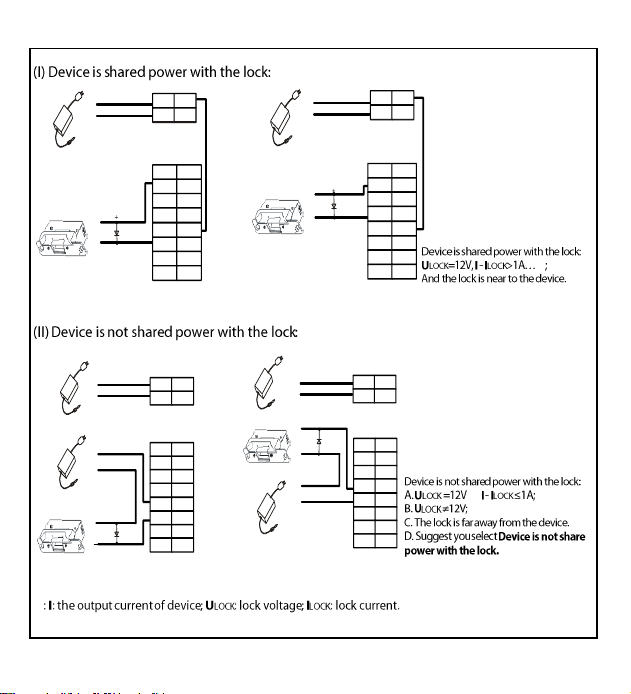
NC LOCK
+
-
-
-
+
DC 12V
NO LOCK
+
-
-
-
+
DC 12V
FR107
FR107
White
SEN
Black
GND
Gray
BUT
Blue
NO
Red
COM
Yellow
NC
Orange
AL-
Orange
AL+
Red
+12V
Black
GND
Red
+12V
Black
GND
White
SEN
Black
GND
Gray
BUT
Blue
NO
Red
COM
Yellow
NC
Orange
AL-
Orange
AL+
NC LOCK
+
-
-
-
+
DC 12V
NO LOCK
+
-
-
+
DC 12V
FR107
-
+
-
DC power
FR107
+
-
DC power
-
+
+
White
SEN
Black
GND
Gray
BUT
Blue
NO
Red
COM
Yellow
NC
Orange
AL-
Orange
AL+
Red
+12V
Black
GND
Red
+12V
Black
GND
White
SEN
Black
GND
Gray
BUT
Blue
NO
Red
COM
Yellow
NC
Orange
AL-
Orange
AL+
iv
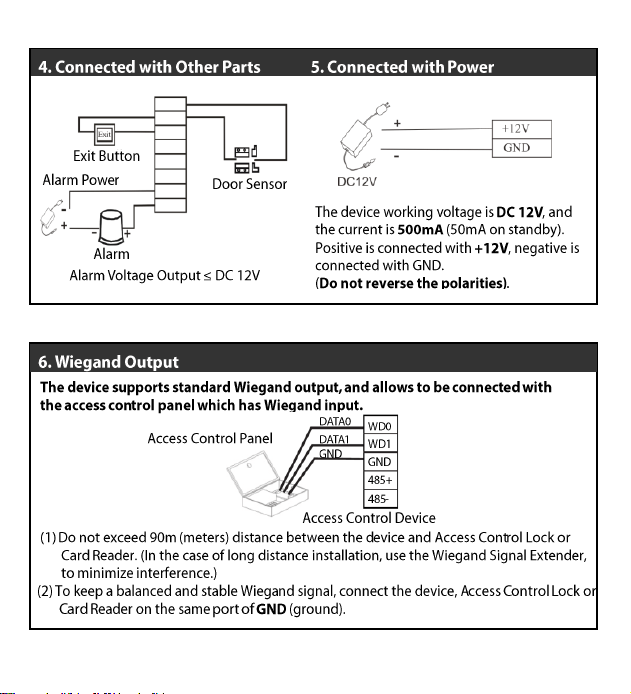
SEN
GND
BUT
NO
COM
NC
AL-
AL+
v
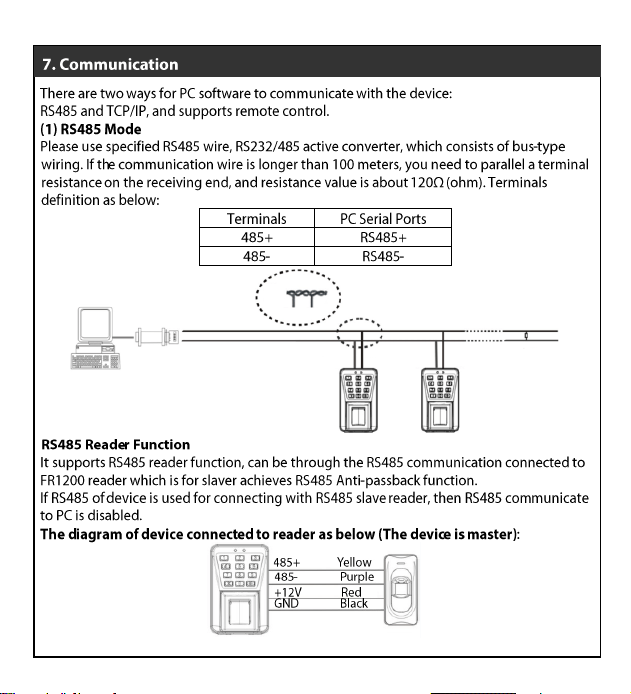
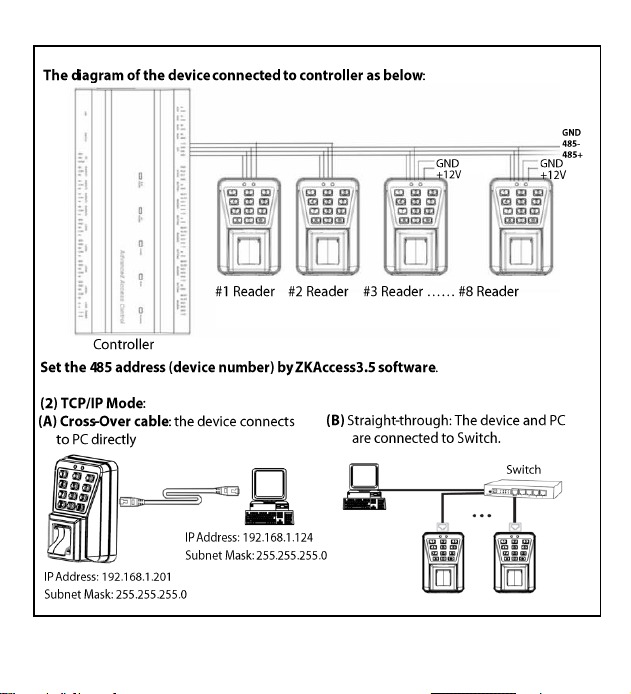
RS485+ 485-
RS485+ 485-
RS485+ 485-
RS485 Converter RS485 Bus
Resistance
vi
1. Enter [*] and [#]
System password [#]
2. Press [8].
(The indicator turns green
and makes a beep.)
3. Enter a new
administrator password.
5. Succeeded.
(The indicator turns green
and makes a long beep.)
4. Enter the new
administrator password
again for authentication.
6. Exit. (The device automatically
exits the process when the
operation is completed.)
Failed.
(The indicator turns red
and makes three beeps.)
Yes
1. Enter [*] and [#]
system password [#]
2. Press [0] or [#].
(The indicator turns green
and makes a long beep.)
3. Press [0] or [#].
(The indicator turns green
and makes a long beep.)
5. Exit.
(The indicator turns red and device automatically exits the
process when the operation is completed.)
4. The door is opened.
(The indicator turns green
and makes a long beep.)
Yes
1. Enter [*] and [#]
system password [#]
2. Press [1].
(The indicator turns green
and makes a long beep.)
4. Register fingerprints or cards.
(Press a finger three times to get a
fingerprint or swipe the card once.)
6. Exit.
(Press [*] to exit.)
5. Adding Users is successful.
(The indicator turns green and
makes a long beep.)
Failed.
(The indicator turns red and
makes three beeps.)
3. Enter a user ID
)
2. Press [6].
(The indicator turns green
and makes a long beep.)
4. Swipe the first card once only.
6. Cards are successfully registered
in batches. (The indicator turns
green and makes a beep.)
5. Enter the total number of cards.
7. Exit.
(The device automatically exits the
process when the operation is completed.)
Failed.
(The indicator turns red
and makes three beeps.)
1. Enter [*] and [#]
system password [#]
Yes
3. Enter a user ID
2. Press [3].
(The indicator turns green
and makes a long beep.)
3. Enter a user ID, press the
fingerprint or swipe the card
4. Backup fingerprint,
password or card.
6. Exit
(Press [*] to exit.)
5. Succeeded
(The indicator turns green
and makes a long beep.)
Failed.
(The indicator turns red
and makes three beeps.)
1. Enter [*] and [#]
system password [#]
Yes
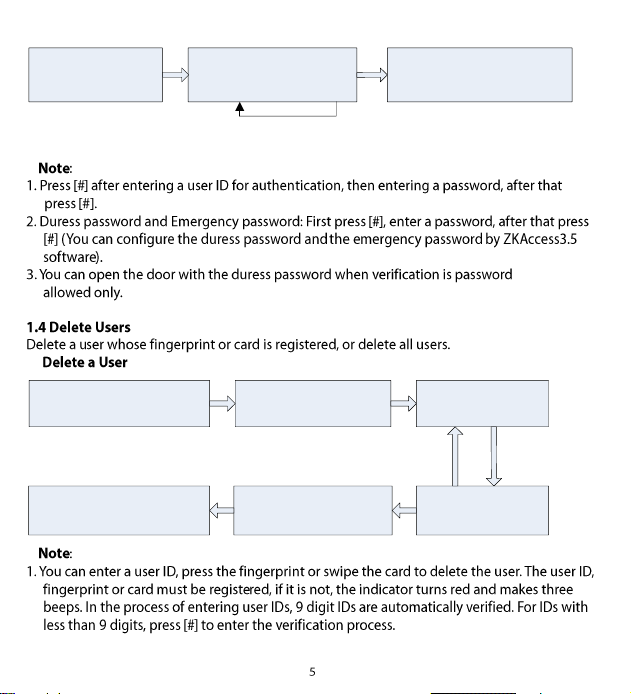
1. The device is in the
authentication state.
2. Press fingerprint, swipe card,
or enter password. Press #
after entering a password.
3. The authentication is successful
(The indicator turns green.)
Yes
Failed.
(The indicator turns red
and makes two beeps.)
2. Press[2].
(The indicator turns green
and makes a long beep.)
3. Enter a user ID,
press the fingerprint,
or swipe the card.
Yes
5. The user is deleted.
(The indicator turns green
and makes a long beep.)
4. Determine whether
the user is authentic.
6. Exit.
(Press [*] or do not operate
the device within 20 seconds.)
Failed.
(The indicator turns red
and makes three beeps.)
1. Enter [*] and [#]
system password [#]
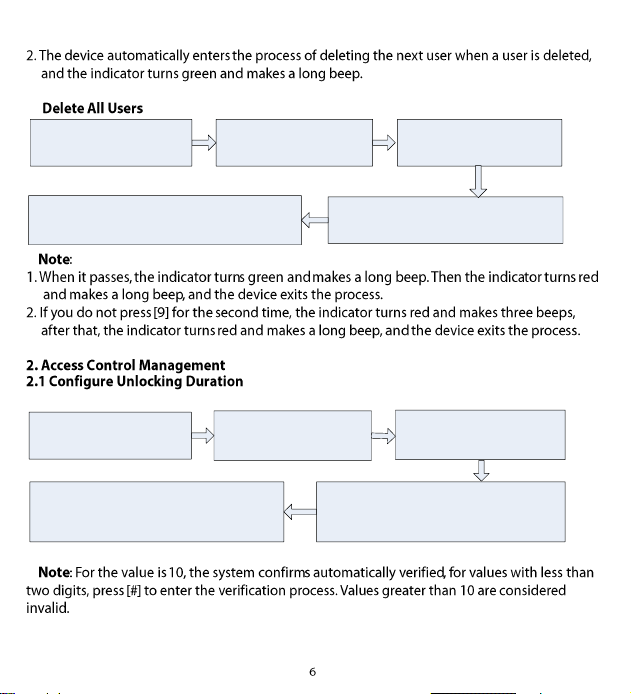
2. Press [9].
(The indicator turns green
and makes a long beep.)
3. Press [9]
(The indicator turns green
and makes a long beep.)
4. Deleting All Users is successful.
(The indicator turns green and makes
a long beep.)
5. Exit.
(The device automatically exits the process
when the operation is completed.)
1. Enter [*] and [#]
system password [#]
2. Press [4].
(The indicator turns green
and makes a long beep.)
3. Enter the unlocking
duration. (Range: 1s to 10s)
5. Exit.
(The device automatically exits the
process when the operation is completed.)
4. The unlocking duration is modified.
(The indicator turns green and makes a
long beep.)
1. Enter [*] and [#]
system password [#]
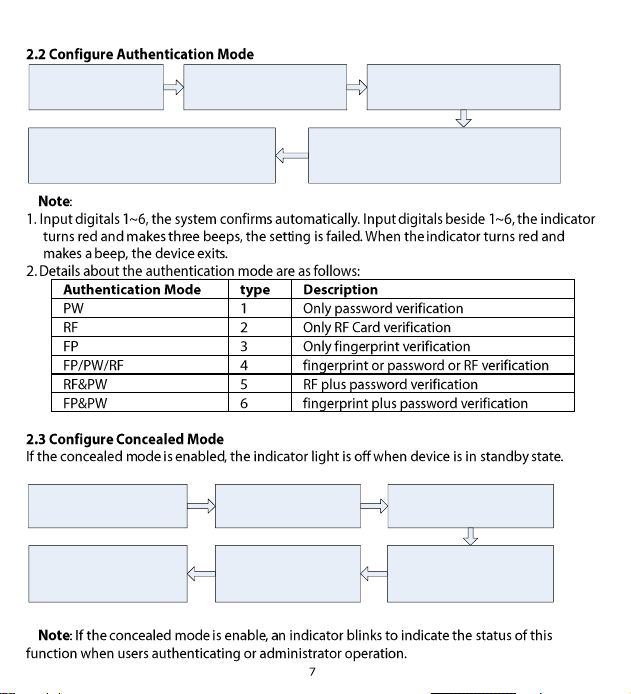
2. Press [5].
(The indicator turns green
and makes a long beep.)
3. Enter the authentication mode.
5. Exit.
(The device automatically exits the
process when the operation is completed.)
4. The configuration is successful.
(The indicator turns green and makes a
long beep.)
1. Enter [*] and [#]
system password [#]
2. Press [0].
(The indicator turns green
and makes a long beep.)
3. Press [3].
(The indicator turns green
and makes a long beep.)
5. The configuration
is successful.
(The indicator turns green
and makes a long beep.)
4. Configure concealed mode
(0: enable; 1: disable).
6. Exit.
(The indicator turns red and
makes a long beep.)
1. Enter [*] and [#]
system password [#]
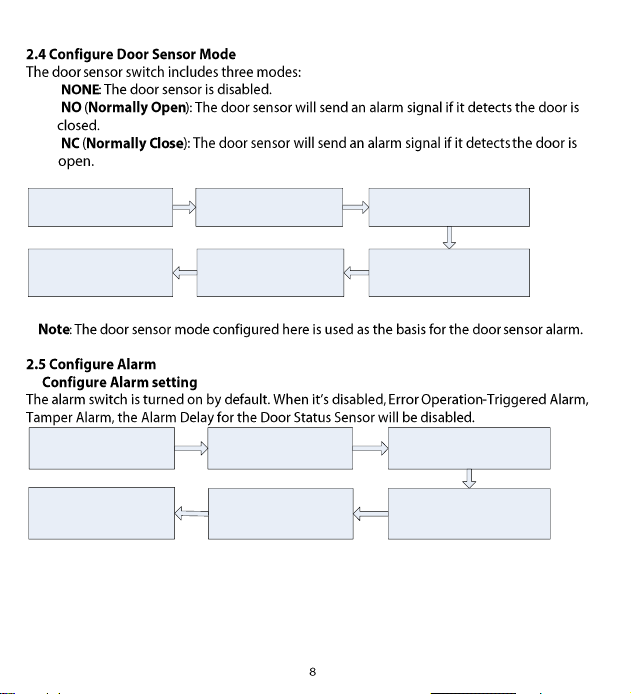
2. Press [0].
(The indicator turns green and
makes a long beep.)
3. Press [5].
(The indicator turns green and
makes a long beep.)
5. The configuration is
successful.
(The indicator turns green and
makes a long beep.)
4. Configure the door sensor
mode. (0: NONE; 1: NO; 2: NC)
6. Exit.
(The indicator turns red and
makes a long beep.)
1. Enter [*] and [#]
system password [#]
2. Press [0].
(The indicator turns green
and makes a long beep.)
3. Press [1].
(The indicator turns green
and makes a long beep.)
5. The configuration is
successful.
(The indicator turns green
and makes a long beep.)
4. Configure the alarm setting.
(0: enable; 1: disable).
6. Exit.
(The indicator turns red and
makes a long beep.)
1. Enter [*] and [#]
system password [#]
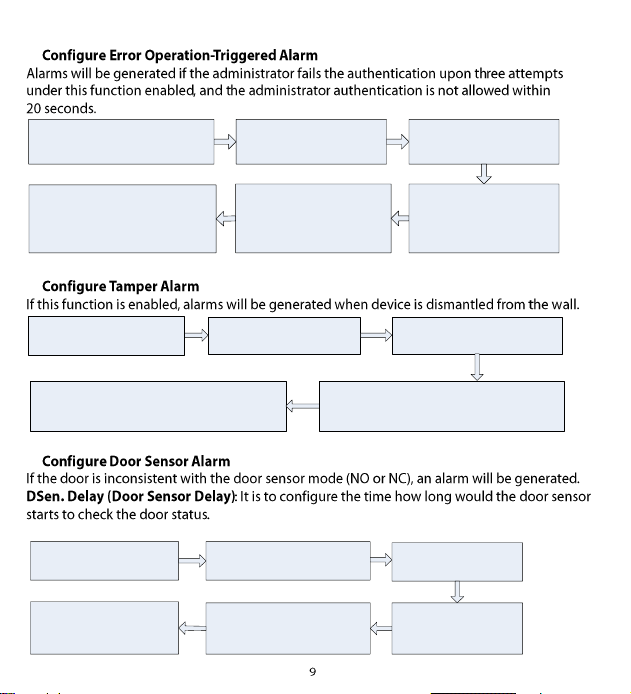
2. Press[0].
(The indicator turns green
and makes a long beep.)
3. Press [2].
(The indicator turns green
and makes a long beep.)
5. The configuration is
successful.
(The indicator turns green
and makes a long beep.)
4. Configure the error
operation-triggered alarm
switch.
(0: enable; 1: disable).
6. Exit.
(The indicator turns red and
makes a long beep.)
1. Enter [*] and [#]
system password [#]
3. Configure whether to enable the
tamper alarm
(0: enable; 1: disable)
5. Exit.
(The indicator turns red and makes a long beep.)
4. The configuration is successful.
(The indicator turns green and makes a long beep.)
2. Press[7].
(The indicator turns green and
makes a long beep.)
1. Enter
[*] and [#]
system password [#]
2. Press[0].
(The indicator turns green and
makes a long beep.)
3. Press[4].
(The indicator turns green
and makes a long beep.)
5. The configuration is
successful.
(The indicator turns green and
makes a long beep.)
4. Configure the delay.
(Range:1 to 254)
6. Exit.
(The indicator turns red and
makes a long beep.)
1. Enter [*] and [#]
system password [#]