单面尺寸
:
80x90mm,
展开尺寸
400x90mm,
要
求:
四色双面印刷,
10
5g铜
板纸
S@NI
WIRELESS EARPHONE
_
Product Instruction Manual
I
\
"
'
-
。
Thank you for choosing this smart product Please read this
manual carefully before use
I. Instructions for Use
Please read the manual thoroughly oofore using the product
Notes / Precautions
Please read and follow the p「ecautions below before ope「ating this p「oduct
to ensure optimal perfonmance and prevent hazards or improper use
1.Do not place heavy objects on the product
2.0perate the product within an ambient tempe「ature of -20"0 to 60
°
C
3.Listening at high volume while driving may cause distraction and lead to
traffic accidents
4.Do not disassemble or modify the product and accessories without
permission
5.Do not use the product in dusty, humid or dirty areas to pr纽ent internal
circuit malfunctions
6.Keep the product away f「om heat sources and open fiames, such as
electric heate「s, mic「0师ve ovens, stoves, water heaters, candles and othe「
high-temperature appliances
7.Ksep it away from Wi氓ess devic懿
,
Wi-Fi deNices, 2.4GHz computer
peripherals, cordless phones, microwave ovens, refrigerators and other
electronic devices to avoid signal interference o「 disconnection
8.Store the p「oduct and accesso「ies in a cool, ventilated area out of di「ect
sunlight
9.lf the product is left unused fa「 a long time, regularly place and reroove
earbuds from the charging case and charge it with the cable to prolong
battery service life
1 D.This product is not edible. Keep it out of the reach of children to
prent accidents.
II. Product List
\
勹
』
j
l
J
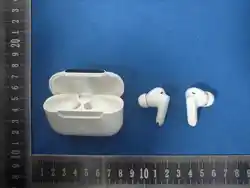
Earphone x 1
// ·"·
厂
句
,
0
Charging Case x 1
I
Ear tips
,
/
'
\
I I
2
;
·、\
'\
I I、
Mx2
f
名字三三
i
i
,
二
,',
/\\,
I
(
(
,
.
.
I
l
l
\
沁
乡
'
'
<•<
三
夕
'
,
三
Charging Cable x 1
�
User Manual x 1
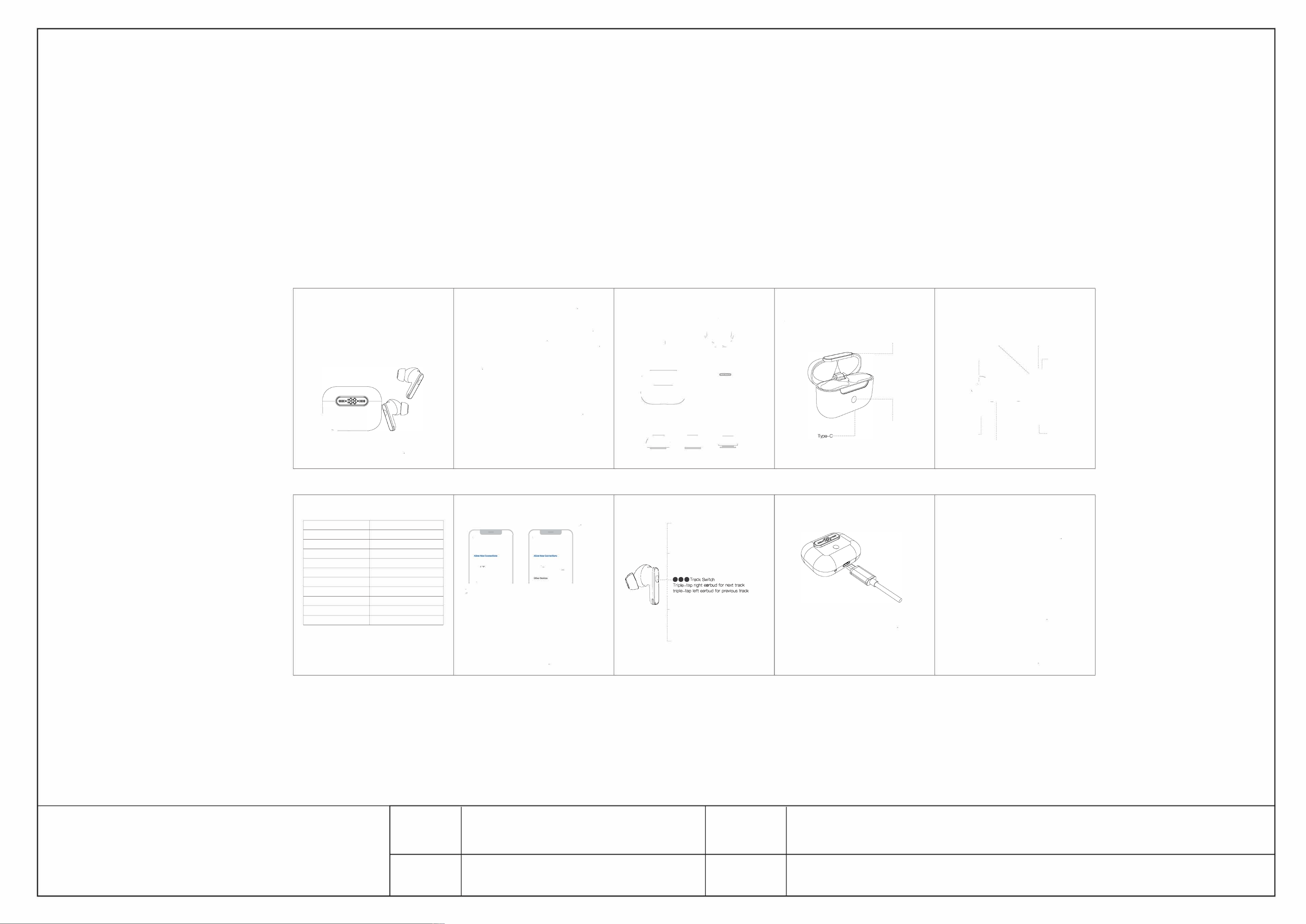
Ill. Product Diagram
( Charging Case
Digital Display Screen
CD Pattern Button
@Earbuds
Rear Cavity Vent Hole
Microphone Hole
丁ouch Control Area
(
\
、
亡
Dust Mesh
------
,
/
习
i
·
·�
>
,
『
f
-
1
,_,/
Microphone Hole
(
'
i
\
.』
Sx2
Charging Contacts
Speaker Hole
IV. Product Specifications
P「oduct Name
In-ea广Wireless Ea「phones
Model No
A3(B1)
_,_ WI『·妇s
Wieless Ve飞Ion
V6.0
V『d磁
`
Communication Distance
Charging
Ca Battery Ca
室
ity
Earbud Batte Capacity
Cha「ging Case Dimensions
Earbud Dimensions
About 1 O Meters
400mAh
30mAh
60.4x23.8x45.2mm
25.8x17.1x31 mm
Net Weight
Rated Input
Charging Port
34.1g
5V=1A
丁ype-C
V. Operation Instructions
屯Turn on your
phone's Wireless, search for the device named
"SONIRD Earbuds A3" in Wireless settings and tap to pair
"'二,.•.
.,. 『LL
叫"一^
立中屯. "'压l氐S
"『"'"
`
""··'
、
·
纽阳丘吐心M •~心
A
Pairing Instructions
1 .After the left ard nght earuds connect to each other, the primary eaud
will automatical�enter nomnal painng mode.
2丁um off Wi飞le on you「 phone, and the primary ea「bud will automat咚I�
enter no咋I pal「ing mode
3.When you open the case to p哼on甘e earuds, if there is an existing
con立tion 「ecord and the device is within range, the ea巾立s will reconnoct
automatically甘the devi is out of range and renr<江ion fails, earbuds
wi氏洲tch to pairing standby mode.
4.When out of connection range, the earuds will kp缸tempting recorrec
tim for 3 minutes. They师I power off autmi的cally if no c吓ection is
邸tablished within this period
5.lf not nnted to any devi, 归eauds will stop reconnection attempts
and por autanatical�er 3 minutes; they will also power off automat
ical�when pad back into t扣charging case
VI. Touch Control Instructions
e
Volume Control
S1rgle
tap the right earbud to increa lume,
s1rgle tap the le earb凶to知lume
- e e
Pla
y /Pause
皿le-tap the扣nctloo bon on码right rbud
k
c
a
r
s
u
t
o
r
r
p
r
。
。
f
df
u
嘉
h
c
匈
k
e
cg
n
p
TP
.
p
.
.
,4llllll·
、-
}
}
歹叮
俨1
—
|
沁
`
、
A
1
飞/
垒
\一
\
,'.\`
/
/\
y
,Y\
}
/'
沁
\
IK忱`
;
-
- Voice Assistant
Long press the left earbud for 2 seoonds
to activate voioe assistant
- ANC Mode Switch
Long p「ess the right earbud for 2 seconds
to activate ANC Mode SNitch
VII. Charging Instructions
The sngle digit of the digital tuoo fiashes, and the batt的
p迅'"园e increases grad911y
Whai fully charged, the digital tu displays 1 00%
VIII. Usage Tips
Wireless adopts 2屿Hz radio waves. Since many devices such as
Wi-Fi al实use this f「ecuency band, the ea「buds may expe「ience
intermittent audio due to signal interference, which is normal. If the issue
persists, roove away from the area or reconnect the earbuds
®After powering on, the earbuds will automatical�connect to the last
paired phone. To pair with a戊wd即ce, turn off Wi「eless on the original
phone, then enable Wireless on the new phone to search for the
earbuds.
®Plaoo the ea「buds into the cha「ging case when not in use; they will
power off and charge automatically. Without the cha「ging case. manually
disconnect Wireless, and the earbuds will shut down after about 3
minutes.
@I于 you 于eel the sound quality is poor, lacking bass, or the earbuds fit
loosely, adjust their position to align the sound outlets closely with your
ea「 canals.
@ If the earbuds fail to powe「 on o「 cha「ge, clean dirt o干F the charging
contacts. Also check the power初el of the charging case. Cha「ge the
case eve 1 5 days if it is left unused fo「 a long time
This equipment comp脰s with FCC radiation exposure limits set forth for
an uncontrolled environment
This device complies with Part 15 of the FCC Rules. Operation is
subject to the following two conditions
(1)丁忭s d的ce may not cause harmful interference, and
(2) this d即ice must accept any interference received, including
interference that may cause undesired operation
XINYIN
深圳新音科技有限公司
项目
Bl说明书(SON
I RD)
工
艺
四色印刷、
10
5
铜
板
纸
日期
2026.07.01
颜色
四色印刷

FCC Warning
This device complies with Part 15 of the FCC Rules. Operation is subject to the following two conditions:
(1) This device may not cause harmful interference, and (2) this device must accept any interference received, including
interference that may cause undesired operation.
NOTE 1: This equipment has been tested and found to comply with the limits for a Class B digital device, pursuant to part 15 of
the FCC Rules. These limits are designed to provide reasonable protection against harmful interference in a residential
installation. This equipment generates, uses and can radiate radio frequency energy and, if not installed and used in accordance
with the instructions, may cause harmful interference to radio communications. However, there is no guarantee that
interference will not occur in a particular installation. If this equipment does cause harmful interference to radio or television
reception, which can be determined by turning the equipment off and on, the user is encouraged to try to correct the
interference by one or more of the following measures:
- Reorient or relocate the receiving antenna.
- Increase the separation between the equipment and receiver.
-Connect the equipment into an outlet on a circuit different from that to which the receiver is connected.
-Consult the dealer or an experienced radio/TV technician for help.
NOTE 2: Any changes or modifications to this unit not expressly approved by the party responsible for compliance could void the
user's authority to operate the equipment.
The device has been evaluated to meet general RF exposure requirement. The device can be used in portable exposure
condition without restriction.