Instruction Manual
Limited Warranty
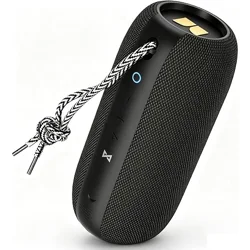
Wireless Speaker (For Household Use)
M01G-BK
Rev1.0
Control Code
Important
Be sure to read this manual before use.
Keep in a safe place for future reference.
For information on warranty policy, please refer to the BALMUDA
website (https://us.balmuda.com).

-
1
-
Contents
Introduction ........................................................................................ 2
Safety Precautions ............................................................................. 3
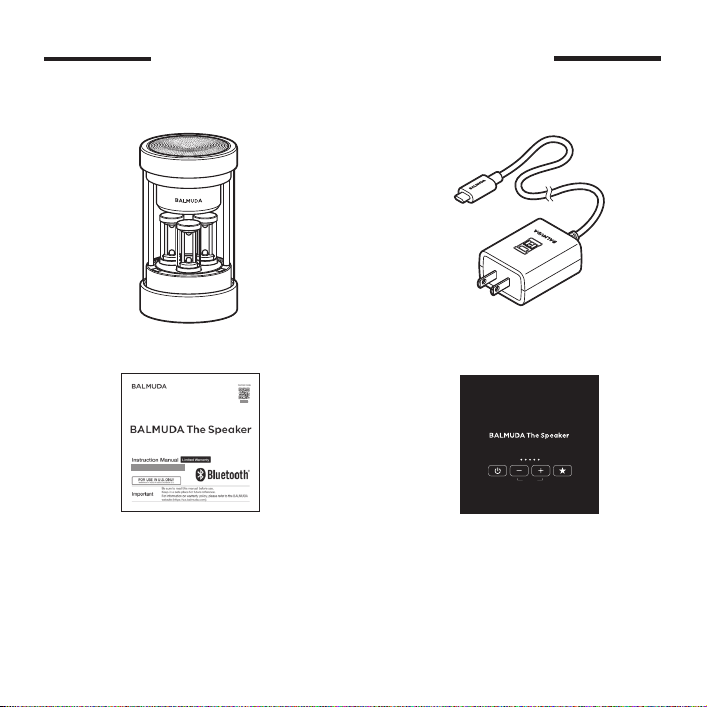
Contents of the Package ................................................................. 10
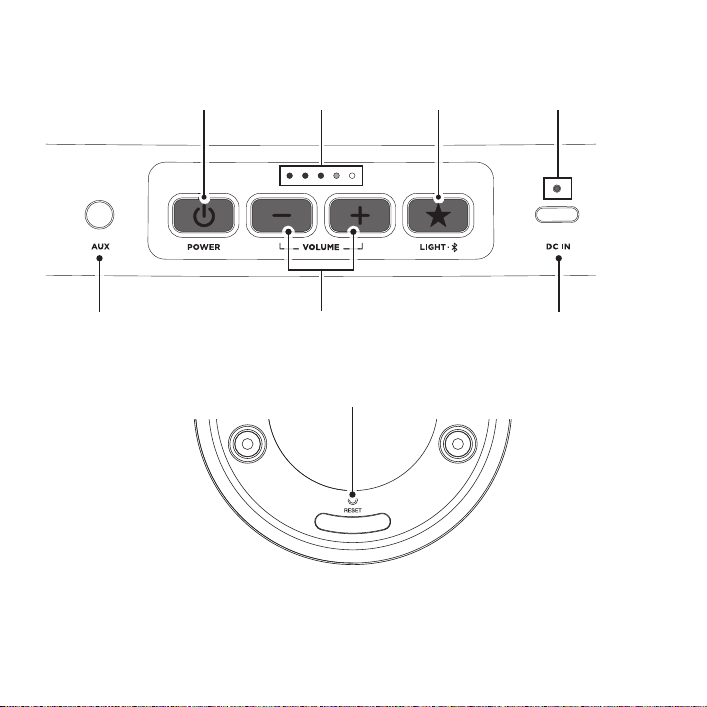
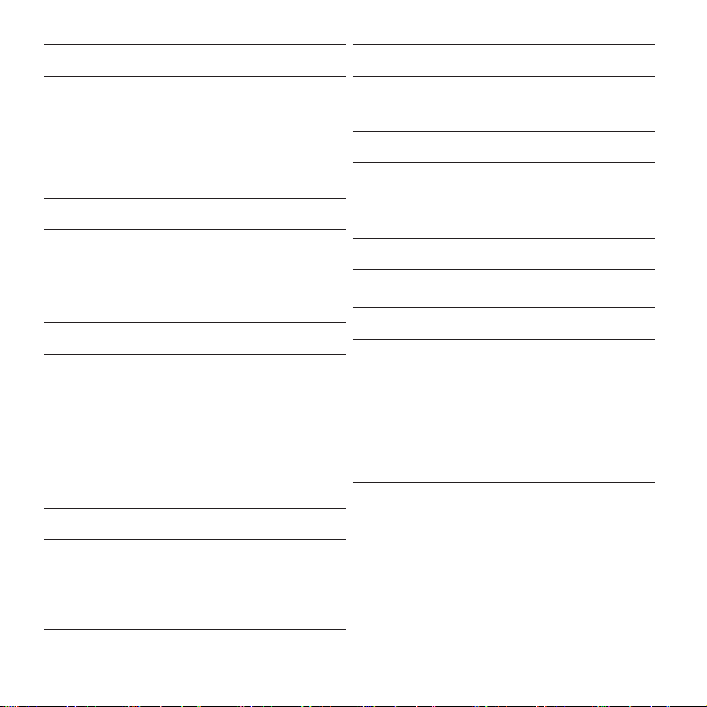
Names of Parts ................................................................................ 11
Before Use ....................................................................................... 14
Installation .................................................................................... 14
Charging ....................................................................................... 16
Listening to Music ............................................................................ 18
Turning on/o ............................................................................... 18
Pairing (registering) a smartphone, computer, etc. ...................... 18
Connecting an external device..................................................... 20
Playing music ............................................................................... 20
Changing lighting patterns (Light modes) .................................... 21
Maintenance .................................................................................... 22
Error Indication ................................................................................ 23
Troubleshooting ............................................................................... 23
Specications .................................................................................. 26
Equipment Certication/Trademarks ............................................... 28
Built-in Lithium-Ion Battery .............................................................. 29
Warranty Policy and Privacy Policy ................................................. 30
-
2
-
Introduction
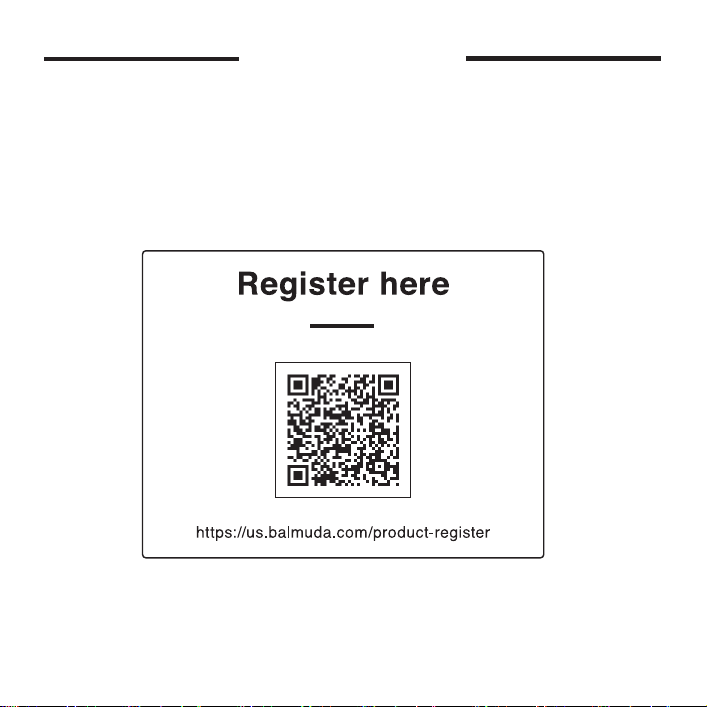
Register your product to receive convenient product
support and to sign up for news and exclusive offers.
-
3
-
Safety Precautions
Read the Safety Precautions carefully before use to ensure correct operation.
The precautions described in this manual must be followed to ensure safe use
of this product and prevent hazards to you and other people, as well as damage
to the product and your home or property.
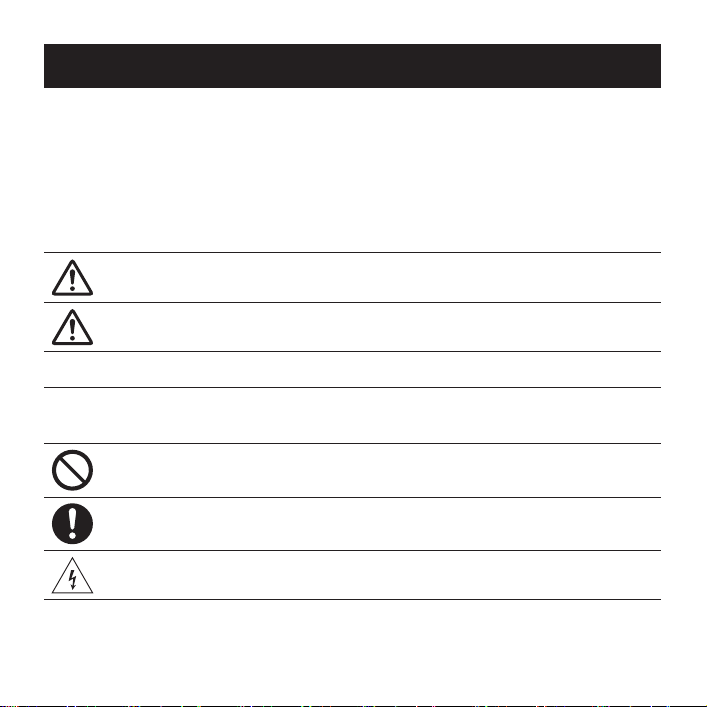
● These symbols indicate the degree of harm or damage that may be caused
by improper use.
WARNING
Indicates actions that may cause death or serious
injury.
CAUTION
Indicates actions that may cause minor injury.
NOTICE
Indicates a property damage.
● These symbols indicate requirements during use of this product.
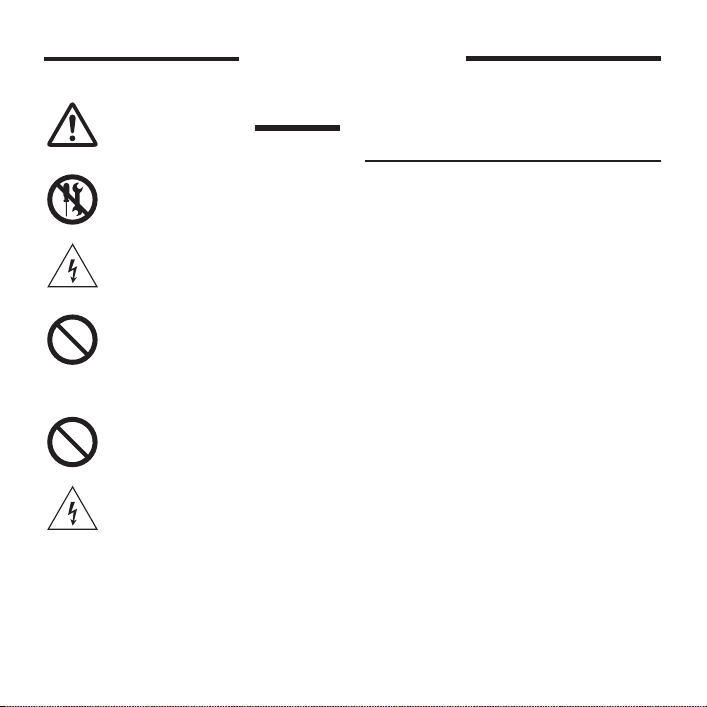
Indicates prohibited actions that must not be performed.
Indicates required actions that must be performed.
Indicates risk of electric shock.
-
4
-
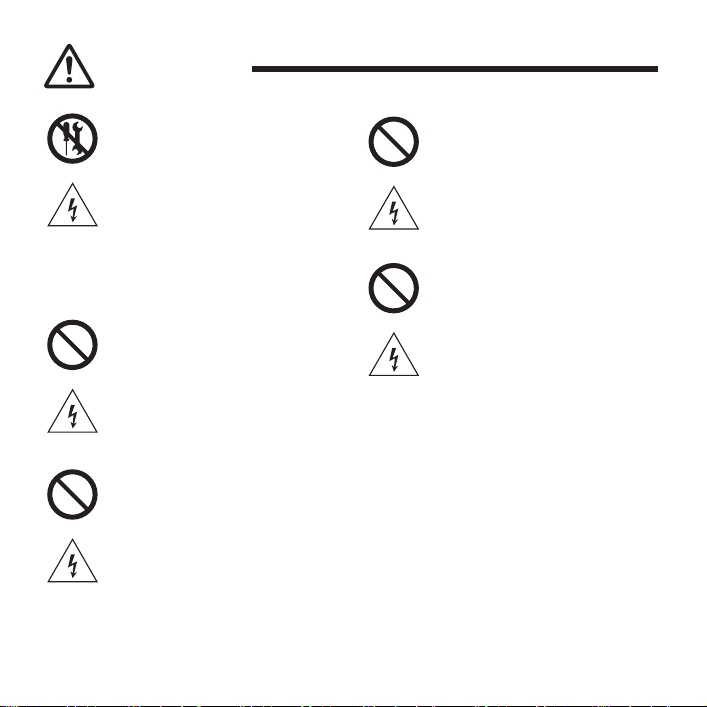
WARNING
Do not disassemble,
repair, or modify this
product.
Doing so may cause
accidents or injuries due to
electric shock, combustion,
or malfunction. For repair,
please contact BALMUDA
Support. (p. 30)
Do not apply water or
any kind of liquid to the
AC adapter or touch it
with wet hands.
Doing so may cause electric
shock or malfunction.
Do not apply water or
any kind of liquid to
the main body.
Doing so may cause electric
shock or malfunction.
Do not use the product
within reach of children
or pets.
Doing so may cause the
product to fall or drop and
cause accidents or injuries.
Do not use the main
body or AC adapter if
they are damaged and
do not work properly
due to being dropped,
etc.
Doing so may cause re
or electric shock. If the
main body or AC adapter
is damaged, stop using
immediately and contact
BALMUDA Support.
(p. 30)
-
5
-
Do not use, store or
leave the product in
a high temperature
environment. Do not
place the product near
open ame or in hot
vehicles or expose it
to direct sunlight.
Doing so may cause
uid leakage, explosion,
overheating or other issues
with the built-in battery
and lead to re, injury
or contamination of the
surroundings.
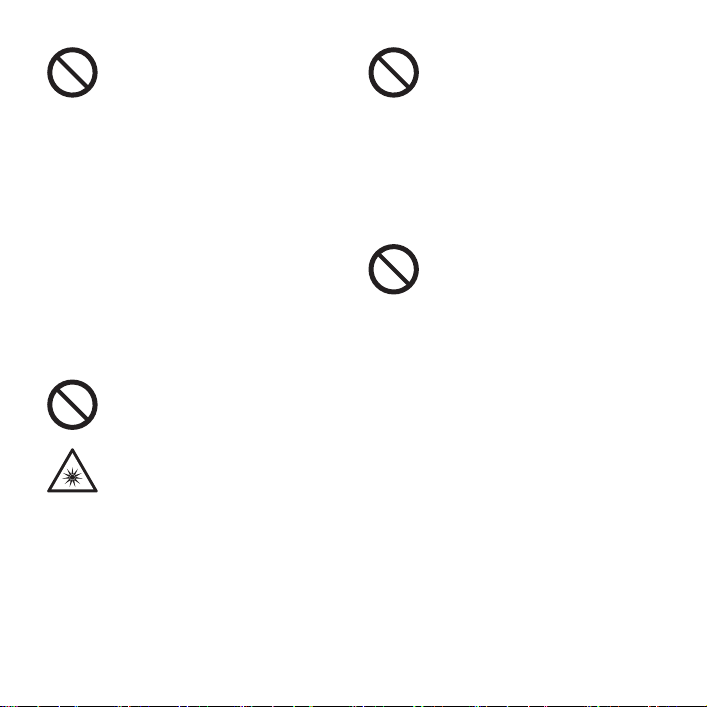
Do not look directly at
the LED light source
for an extended period
of time.
Doing so may damage your
eyes. The light should be
looked at from a distance.
If you feel sick, stop use of
the product and consult a
doctor immediately.
Do not connect any
cables to the charging
terminal other than
the AC adapter cable
supplied with this
product.
Doing so may cause
combustion or malfunction.
Do not cover the main
body with a blanket and
the like.
Doing so may result in heat
accumulation, causing re
or deformation of the case.
-
6
-
If there is uid leakage
from the built-in
battery, make sure
it does not come in
contact with your skin
or eyes.
Failure to do so may cause
damage to your skin or loss
of your eyesight. If the uid
contacts your skin or eyes,
wash it o thoroughly with
clean water, and consult a
doctor.
Stop using the product
immediately since there may
be uid remaining inside
the product and contact
BALMUDA Support. (p. 30)
Do not put any foreign
objects or substances
in the opening of the
speaker unit.
Doing so may cause
accidents or injuries due to
electric shock, combustion,
or malfunction.
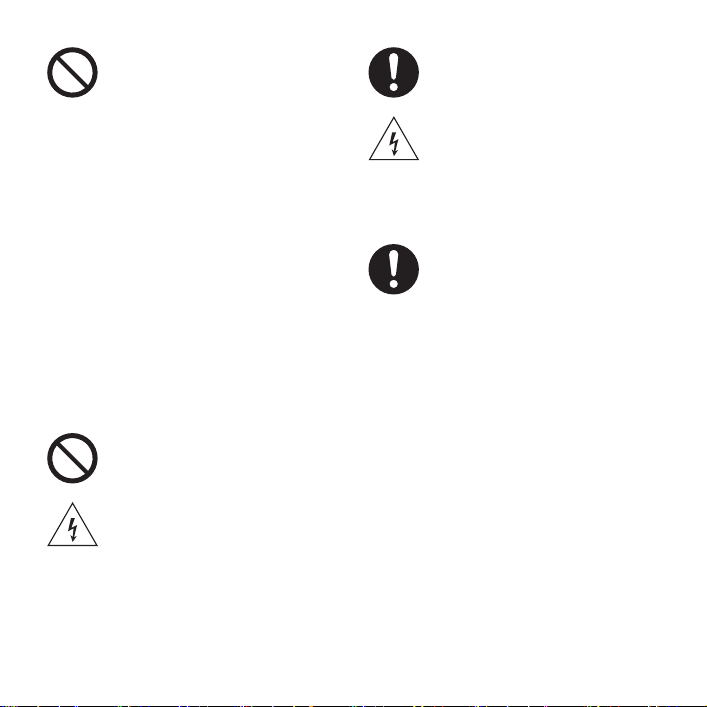
If an abnormality or a
failure is found in the
product, disconnect
the power plug,
and stop use of the
product immediately.
Failure to do so may cause
re, electric shock, or injury.
Clean the product
periodically and
disconnect the AC
adapter when the
product is unused for
a long period of time.
Dust accumulation on the
AC adapter may cause
insulation failure due to
humidity or other factors
and cause re.
-
7
-
CAUTION
Do not use the wireless function in the following
circumstances.
The product is equipped with a built-in wireless function. Pay attention
to the following, and turn o the power immediately in case of any
disorder. Radio waves may interfere with other devices, and cause
malfunction which may lead to accidents and injuries.
• Do not use the product inside medical facilities such as
hospitals, or near medical electrical equipment.
• Do not use the product near automatic control equipment, such
as an automatic door or a re alarm.
• Do not use the product inside an aircraft.
-
8
-
Do not use the product
within an 8.7 inch
(22 cm) range from a
cardiac pacemaker.
The product contains
magnetic materials. For
details of their eect on
implanted medical devices,
consult a doctor.
Do not drop, hit, apply
strong impact to, or
damage the product.
Debris scattering from
the damaged or dropped
product may cause injury.
Pay attention especially
when carrying the main body
or performing maintenance.
Do not put any object
on top of the main
body.
Doing so may cause a
failure, accident, or injury if,
for example, the main body
falls over and the object
breaks.
Do not use the product
in any countries other
than the U.S.
Since other countries
impose their own restrictions
on use of radio waves, using
the product may be subject
to punishment.
Do not use, store,
or leave the product
where water may
be splashed on it or
where there are large
amounts of humidity,
dust, soot or steam.
The product is not
waterproof. If the product
is splashed with water, the
terminals or other parts may
be short-circuited, causing
malfunction or failure.

-
9
-
This device complies with part 15 of the FCC Rules. Operation is subject to the
following two conditions: (1) This device may not cause harmful interference, and (2) this
device must accept any interference received, including interference that may cause
undesired operation.
This equipment has been tested and found to comply with the limits for a Class B digital
device, pursuant to part 15 of the FCC Rules. These limits are designed to provide
reasonable protection against harmful interference in a residential installation. This
equipment generates, uses and can radiate radio frequency energy and, if not installed
and used in accordance with the instructions, may cause harmful interference to radio
communications. However, there is no guarantee that interference will not occur in a
particular installation. If this equipment does cause harmful interference to radio or
television reception, which can be determined by turning the equipment o and on,
the user is encouraged to try to correct the interference by one or more of the following
measures:
• Reorient or relocate the receiving antenna.
• Increase the separation between the equipment and receiver.
• Connect the equipment into an outlet on a circuit dierent from that to which
the receiver is connected.
• Consult the dealer or an experienced radio/TV technician for help.
Changes or modications not expressly approved by the party responsible for
compliance could void the userʼs authority to operate the equipment.
-
10
-
Contents of the Package
Quick Start Guide (1)
------
-----
------
--------
-----
-------------
Main body AC adapter (1)
Instruction Manual
-
11
-
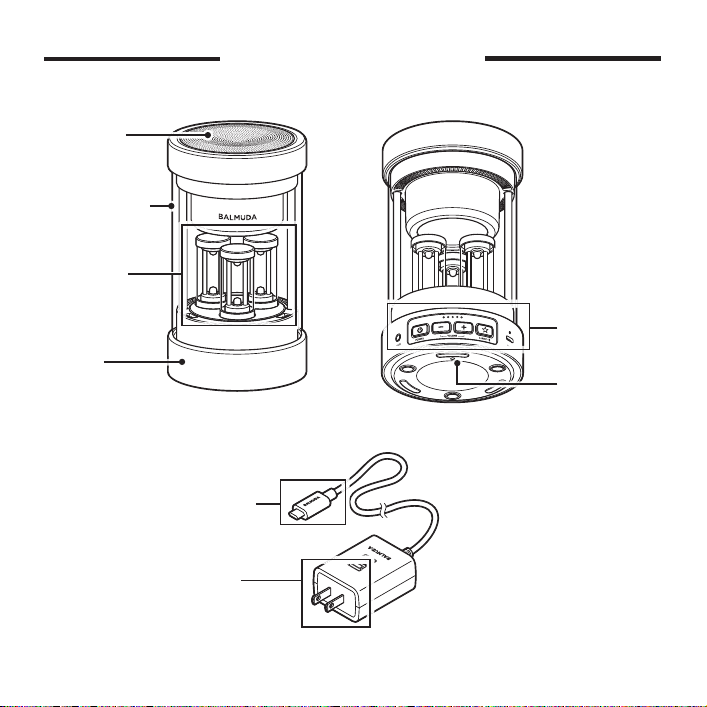
Names of Parts
Front Rear
LED unit
Reset
button
Operation
panel
Speaker
unit
Clear cover
Base
Adapter plug
Power plug
AC adapter
-
12
-
Operation panel
1 2 3 4
5
7
6
Bottom
8
-
13
-
1.
Power button (POWER)
Power on/o
Press to turn the power on/o.
Checking the battery level
Hold down for 2 seconds. The
remaining battery level will be
indicated on the volume indicator.
2.
Volume indicator
Displaying the volume
Press to display the volume. The
volume is stored separately when
connected by Bluetooth or an external
input terminal.
3.
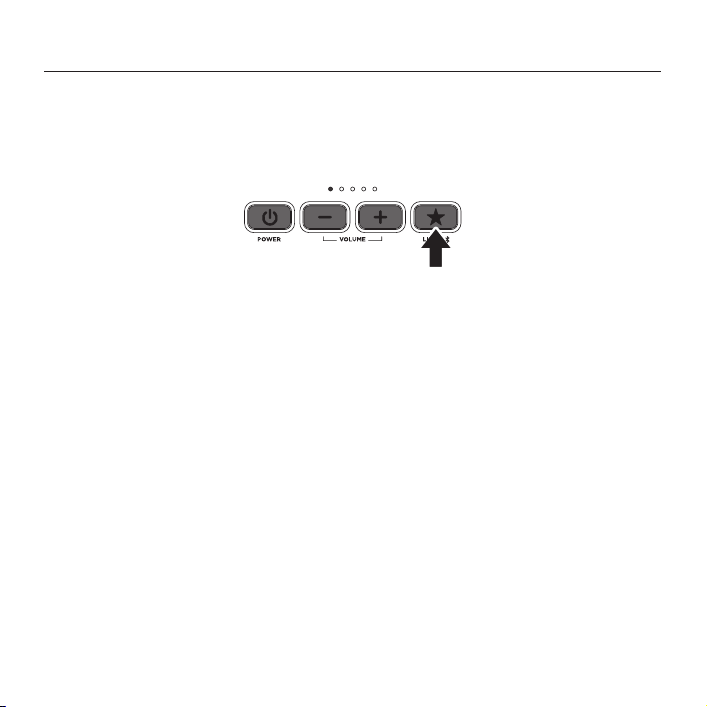
Light button (LIGHT)
Switching the Light modes
Press to change the lighting modes.
The three modes, Beat, Ambient and
Candle are switched in a loop
. (p. 21)
Pairing
Hold down the button for 2 seconds to
start standby for Bluetooth pairing.
(p. 18)
4.
Charge indicator
The indicator lights up while the
battery is being charged. When the
battery is fully charged, the indicator
will go o. The indicator blinks when
the battery is low.
5.
External input terminal (AUX)
You can use various music players
by connecting them via a cable (retail
product).
6.
Volume button (VOLUME)
Adjusting the volume
Press “+” or “-” to increase or decrease
the volume, respectively. The volume
can be adjusted in 10 steps.
7.
Charging terminal (DC IN)
Use the AC adapter supplied to charge
the battery.
8.
Reset button
While the AC adapter is disconnected,
hold down the button for
approximately 10 seconds to turn
o the power. Use this function if the
power cannot be turned o with the
power button. The information on the
volume, the registered paired devices,
etc. will not be reset.
-
14
-
Before Use
Installation
Install the main body in a horizontal and stable location and pay attention to the
following.
Do not use the product while it is laying on its side.
Do not use the product in places shown below.
• Outdoors. This product is for household use only. Use only indoors.
• An unstable surface.
• At the end of a desk/table where the product may easily fall.
• Places that reach high temperature or humidity or where water may
splash such as a bathroom or near a humidier.
• Within the reach of children or pets.
• Where water may be splashed on the product or where large
amounts of humidity, dust, soot or steam are present.
• Where temperature tends to be high, such as places exposed to
direct sunlight or near a heater.
• In a high position where the product may fall and cause harm or
damage.
• Where other objects may be caught in the cable when using the AC
adapter.
• Surfaces with special nish such as wax or oil nish that may cause
color migration or discoloration in the main body.
-
15
-
Take care to avoid improper use of the cord. Never carry
the product by the cord or yank the cord to disconnect
from the outlet.
Keep the cord away from heat, oil, and sharp edges.
When carrying the main body, use both of your hands to
hold and support the upper part of the main body and
the bottom of the base. In addition, pay attention to the
following points.
• Do not hold the clear cover.
• Do not place credit cards or other objects sensitive to magnetism
near the product.
• Do not hit or bump the product.
-
16
-
Charging
WARNING
Do not use any adapters other than the AC adapter
supplied with the product.
Do not use the supplied AC adapter for other products.
Doing so may cause re or malfunction.
Do not perform any of the following actions for the AC
adapter.
Doing so may cause re or electric shock due to damage.
Damaging, stretching, processing, putting close to a heater, bending,
bundling, trampling, or placing an object on the AC adapter
Do not disconnect or insert the AC adapter with a wet
hand.
Doing so may cause electric shock.
Never charge the battery if the main body or the AC
adapter is wet. Do not charge the battery in a place
where the main body or AC adapter could become wet.
Liquid (tap water, seawater, drinks, etc) or other foreign substances
that attach to the main body or AC adapter may cause a short circuit,
resulting in excessive heating or malfunction.
Be sure to charge the product before rst use.
-
17
-
Do not touch the AC adapter or the main body for an
extended period of time when the power is supplied.
Doing so may cause low temperature burns.
Fully insert the adapter and power plug all the way to
their base.
Failure to do so may cause combustion due to poor contact.
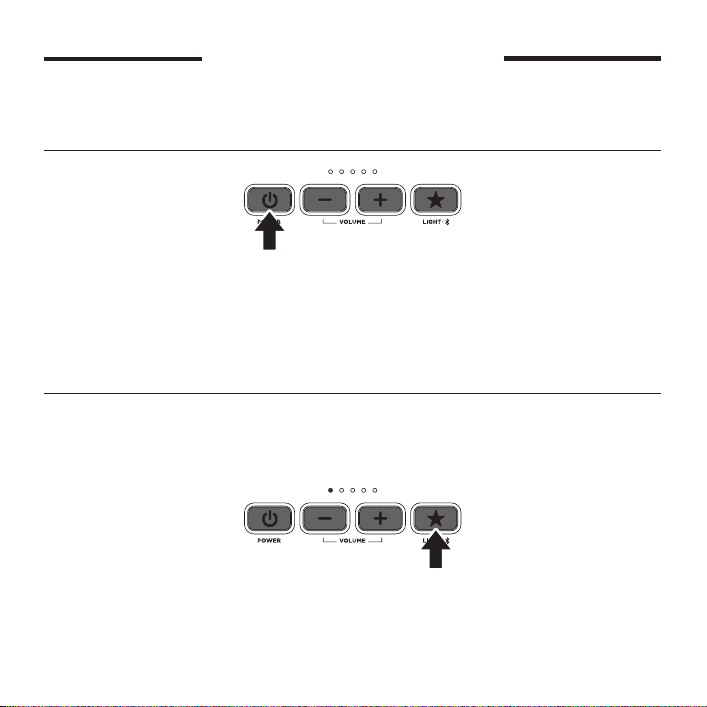
1
Connect the adapter plug of the supplied AC adapter to the charging
terminal.
2
Connect the power plug of the AC adapter to the outlet.
The charge indicator will light up. When the battery is fully charged, the
indicator will go o .
1
Note: When the product is not used for an extended period of time,
charge the battery approximately every 3 months to prevent battery
deterioration.
2
-
18
-
Listening to Music
Turning on/o
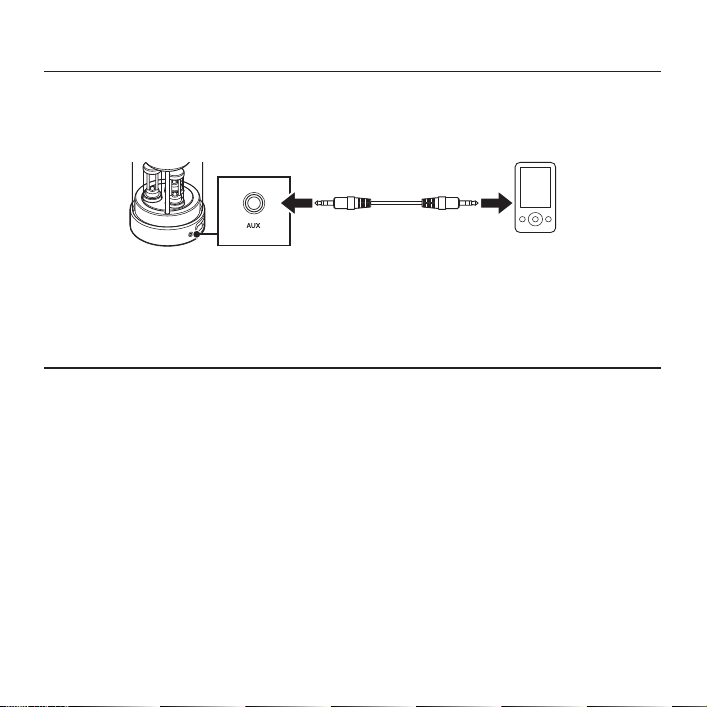
• Press the power button to switch on/o the power.
• If the product is left unoperated or emits no sound for a specied period of
time (4 hours when battery powered, 8 hours when connected to the AC
adapter), the product will automatically turn o.
Pairing (registering) a smartphone, computer, etc.
1
Hold down the Light button for 2 seconds while the power is on.
A notication sound will play, indicating the product is on standby for
pairing.

-
19
-
2
Enable the
Bluetooth
function on your smartphone, computer, etc.
Enable the
Bluetooth
function on the setting screen of your smartphone,
computer, etc.
Note: For details, check the instruction manual or help function of your
smartphone, computer, etc.
3
Select “BALMUDA M01” from the connection list.
A sound will play when the pairing is complete.
Note: The product can be connected to up to 8 devices.
Canceling the pairing
Pairing will be canceled in either of the situations below.
• The Light button is pressed during pairing standby, or pairing cannot be
established within 1 minute.
• The Bluetooth function on your smartphone, computer, etc. is disabled
after pairing is completed.
-
20
-
Connecting an external device
Connect the product’s external input terminal to the stereo mini jack of your
music player via a cable (retail product).
Music player
Cable
(retail product)
Note: The connection with the external input terminal always has priority over
the
Bluetooth
connection.
Playing music
Press the play button on the device you have connected (smartphone,
computer, or other external device).
Notes:
• Perform stop, skip, and other operations from the connected device.
• The volume level shown on the product’s operation panel will not change
when the volume is changed from the connected device.
• The brightness of the LED unit will change depending on the volume level of
the connected device.
-
21
-
Changing lighting patterns (Light modes)
Switch the light modes by pressing the Light button. The three modes, Beat,
Ambient, and Candle, are set in a loop. Press the button repeatedly until the
lighting is set to your desired mode. Enjoy the Light mode with your preferred
settings.
Modes
Beat : Lights icker dynamically to visualize the energy and rhythm of the
music.
Ambient : Lights icker warmly in synchronization with vocals and instruments.
Candle : Lights icker quietly like a candle. They do not synchronize with the
music.
Notes:
• The mode that you have selected can be distinguished from the notication
sounds. One sound: Candle mode, two sounds: Ambient mode, three sounds:
Beat mode.
• The lights cannot be turned o.
-
22
-
Maintenance
Do not disassemble or
modify this product.
Doing so may cause
accidents or injuries due to
electric shock, combustion,
or malfunction.
Do not use alcohol or
benzine.
Doing so may damage the
product and lead to injuries.
Do not clean the
product with water.
Doing so may cause electric
shock or malfunction.
WARNING
Maintenance procedure for
the clear cover
Wipe o any dust or marks with a soft
cloth. If the product is heavily marked,
wipe it o with a soft cloth that is
soaked in diluted mild dish soap and
squeezed tightly, and nish with a dry
cloth.
-
23
-
Error Indication
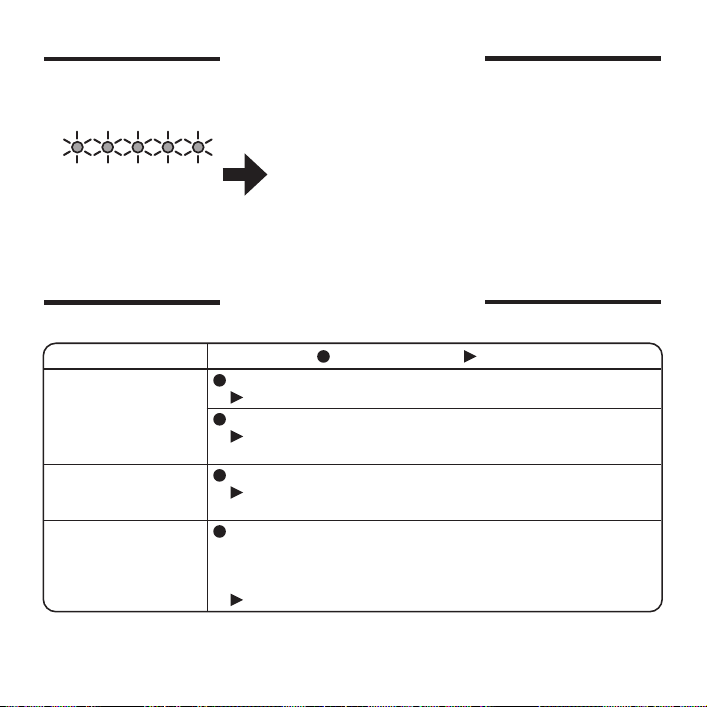
The volume indicator is used to inform you of an error.
Troubleshooting
Issue Points to check / Solutions
The power does not
turn on.
Are the AC adapter plugs connected correctly?
Connect all plugs correctly and rmly. (p. 17)
Is the battery charged?
Charge the battery for the specied time before using the
product without the AC adapter. (p. 17)
The product freezes
and does not
respond.
Press the power button and check for a response.
If there is no response, press the reset button on the
bottom of the main body. (p. 13)
The product shuts
down automatically.
If the product is left unoperated or emits no sound for a
specied period of time (4 hours when battery powered,
8 hours when connected to the AC adapter), the product will
automatically turn o.
Press the power button to turn on the power again. (p. 18)
Blinks every
second
The battery temperature is too high.
Press the power button on the rear of the main
body to turn o the product. Disconnect the AC
adapter from the main body and wait for the
battery to cool down. Once the battery is at room
temperature, turn on the power again.
-
24
-
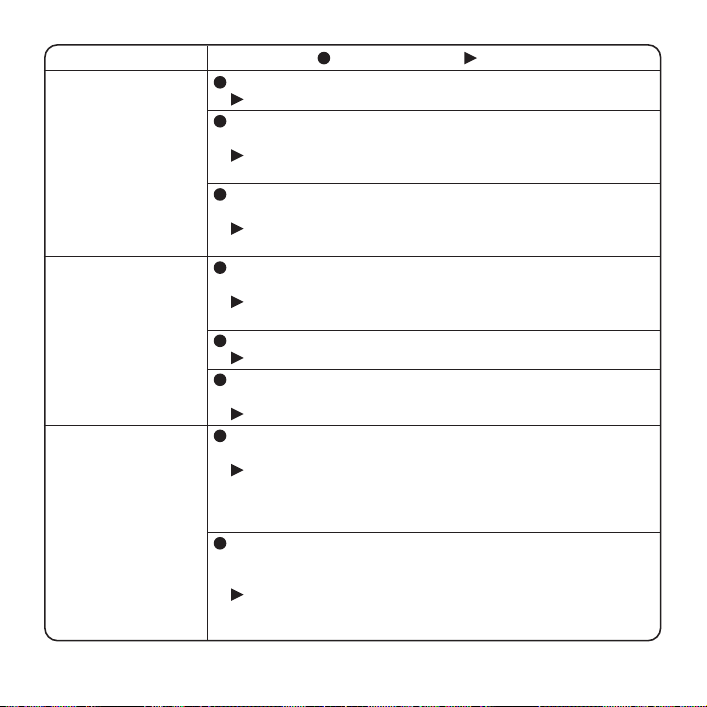
Issue Points to check / Solutions
I cannot pair my
device using
Bluetooth.
Are you pressing the Light button long enough?
Hold down the Light button for 2 seconds. (p. 18)
Check that the
Bluetooth
function is enabled on your
smartphone, computer, etc.
Enable the
Bluetooth
function on the setting screen of
your smartphone, computer, etc. (p. 19)
Check if any other smartphone, computer, etc. might be
connected.
Disconnect other smartphones, computers, etc. and retry.
(p. 19)
There is no sound
coming out of the
speaker.
Make sure nothing is connected to the external input terminal
(AUX).
Unplug any cables from the external terminal to use the
Bluetooth function. (p. 20)
Check that the volume is correctly set.
Press “+” to increase the volume. (p. 13)
Check the volume on the smartphone, computer, etc. you
have connected.
Make sure the volume is not too low.
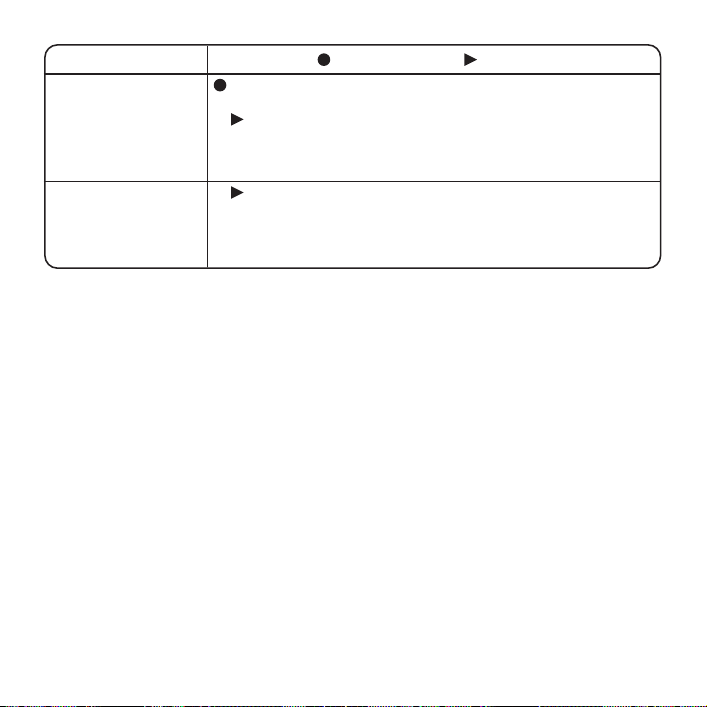
There is noise or there
is sound distortion.
Check for a nearby microwave oven or wireless LAN device,
or any obstructions between the device and the speaker.
Move the product away from the microwave oven, wireless
LAN device, etc. Make sure there are no obstructions
between the device and the speaker, and that they are
placed within a distance of 32.8 feet (10 m).
Check that the AC adapter is not connected to the same
outlet where a microwave oven, toaster, refrigerator, or other
device equipped with a motor is connected.
Connect the AC adapter to an outlet where no microwave
oven, toaster, refrigerator, or other device equipped with a
motor is connected.
-
25
-
Issue Points to check / Solutions
The LED unit does
not synchronize with
the sound.
Check that the volume is correctly set on your smartphone,
computer, or other playback device.
Make sure that the volume is not too low, and that the
Light mode is not set to the Candle mode.
The LED unit does not synchronize with the sound in the
Candle mode. (p. 21)
The main body or AC
adapter is unusually
hot, produces an
odor or is broken.
Stop using the product immediately and contact
BALMUDA Support. (p. 30)

-
26
-
Specications
Product name BALMUDA The Speaker
Model number M01G-BK
Speaker section
Speaker 3.0 in. (77 mm) in diameter (full range)
Enclosure type Closed type
Amplier section
Eective maximum output 8 W
BluetoothBluetooth
®
section
Communication type
Bluetooth
standards Version 5.0
Output
Bluetooth
standards Power Class 2
Maximum communication distance
Approx. 32.8 ft. (10 m)
1
Operating frequency range 2.4 GHz band
Supported prole
2
A2DP, AVRCP
Supported codec
3
SBC
Contents protection Supported (SCMS-T type)
Transmission band (A2DP) 20 to 20,000 Hz (with 44.1 kHz sampling)

-
27
-
Power supply and other sections
Input External input terminal
(ø1/8 in. [3.5 mm], stereo mini jack)
Power supply DC 5 V, lithium-ion polymer battery
Charging AC adapter
Power consumption
(when charging the battery)
15 W
Battery charging time Approx. 2.5 hours
Continuous operation time on the
battery
(with the
Bluetooth
connection)
Approx. 7 hours
4
Maximum external dimensions
(diameter × height)
4.1 in. × 7.4 in. (105 mm × 188 mm)
Weight Approx. 2.2 lbs. (1.0 kg)
(including the built-in battery)
Operating temperature range 32 to 104°F (0 to 40°C)
Included items Main body
AC adapter (3.3 ft. [1.0 m]) (1)
Instruction Manual
Quick Start Guide (1)
Notes:
1. The communication distance is a rough guide only. The actual communication
distance will depend on the surrounding environment.
2. The supported prole indicates the functions standardized for the characteristics of
each
Bluetooth
device.
3. This indicates the type of voice compression and conversion.
4. Subject to change depending on ambient temperature and operation conditions.

-
28
-
Equipment Certication/Trademarks
This device complies with part 15 of the FCC Rules.
Therefore, a radio station
license is not required in order to use the product.
However, the following acts may be punishable by law.
• Disassembling or modifying the product
BluetoothBluetooth
®
devices
For the
Bluetooth
version and proles supported by the product, refer to
“Bluetooth
®
section” in “Specications”.
Frequency
This radio equipment uses the 2.4 GHz band. The frequency-hopping
spread spectrum (FHSS) method is employed for modulation. The expected
interference distance is approximately 32.8 feet (10 m).
Trademark
The Bluetooth
®
word mark and logos are registered trademarks owned by
Bluetooth SIG, Inc. and any use of such marks by BALMUDA Inc. is under
license. Other trademarks and trade names are those of their respective
owners.

-
29
-
Built-in Lithium-Ion Battery
Since the battery is a consumable part, it is not covered by the warranty.
The battery can be charged and discharged about 500 times. However, the
charging and discharging count may vary greatly depending on the operating
environment and operating hours.
If the operating hours decrease signicantly, the service life of the battery may
be expired.
Please contact BALMUDA Support. (p. 30)
Disposal
CONTAINS LITHIUM-ION BATTERY. BATTERY MUST BE
RECYCLED OR DISPOSED OF PROPERLY.
-
30
-
Warranty Policy and Privacy Policy
Note: Store this manual with great care.
For information on warranty and privacy policies, please refer to the
BALMUDA website (https://us.balmuda.com).
833
-
333
-
1033
https://us.balmuda.com
BALMUDA Inc. 5-1-21 Kyonancho, Musashino, Tokyo 180-0023 JAPAN
Importer: transcosmos America, Inc. 879 West 190th street #410, Gardena, CA 90248

-
31
-