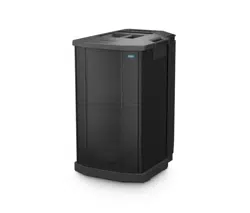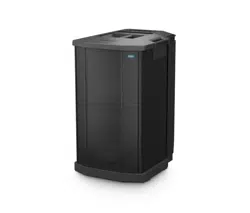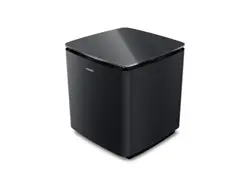
LIFESTYLE ULTRA SUBWOOFER
IMPORTANT SAFETY INSTRUCTIONS
2
|
ENG
IMPORTANT SAFETY INSTRUCTIONS
Please read and keep all safety and use instructions.
Declarations of conformity can be found at: www.Bose.com/compliancewww.Bose.com/compliance
Bose Corporation hereby declares that this product is in compliance with the essential
requirements and other relevant provisions of Directive 2014/53/EU and all other applicable EU
directive requirements.
Important Safety Instructions
Do not use this apparatus near water.
Clean only with a dry cloth.
Do not defeat the safety purpose of the polarized or grounding-type plug. A polarized plug has two blades with
one wider than the other. A grounding type plug has two blades and a third grounding prong. The wide blade
or the third prong are provided for your safety. If the provided plug does not fit into your outlet, consult an
electrician for replacement of the obsolete outlet.
Only use aachments/accessories specified by the manufacturer.
Refer all servicing to qualified personnel. Servicing is required when the apparatus has been damaged in any
way, such as power-supply cord or plug is damaged, liquid has been spilled or objects have fallen into the
apparatus, the apparatus has been exposed to rain or moisture, does not operate normally, or has
been dropped.
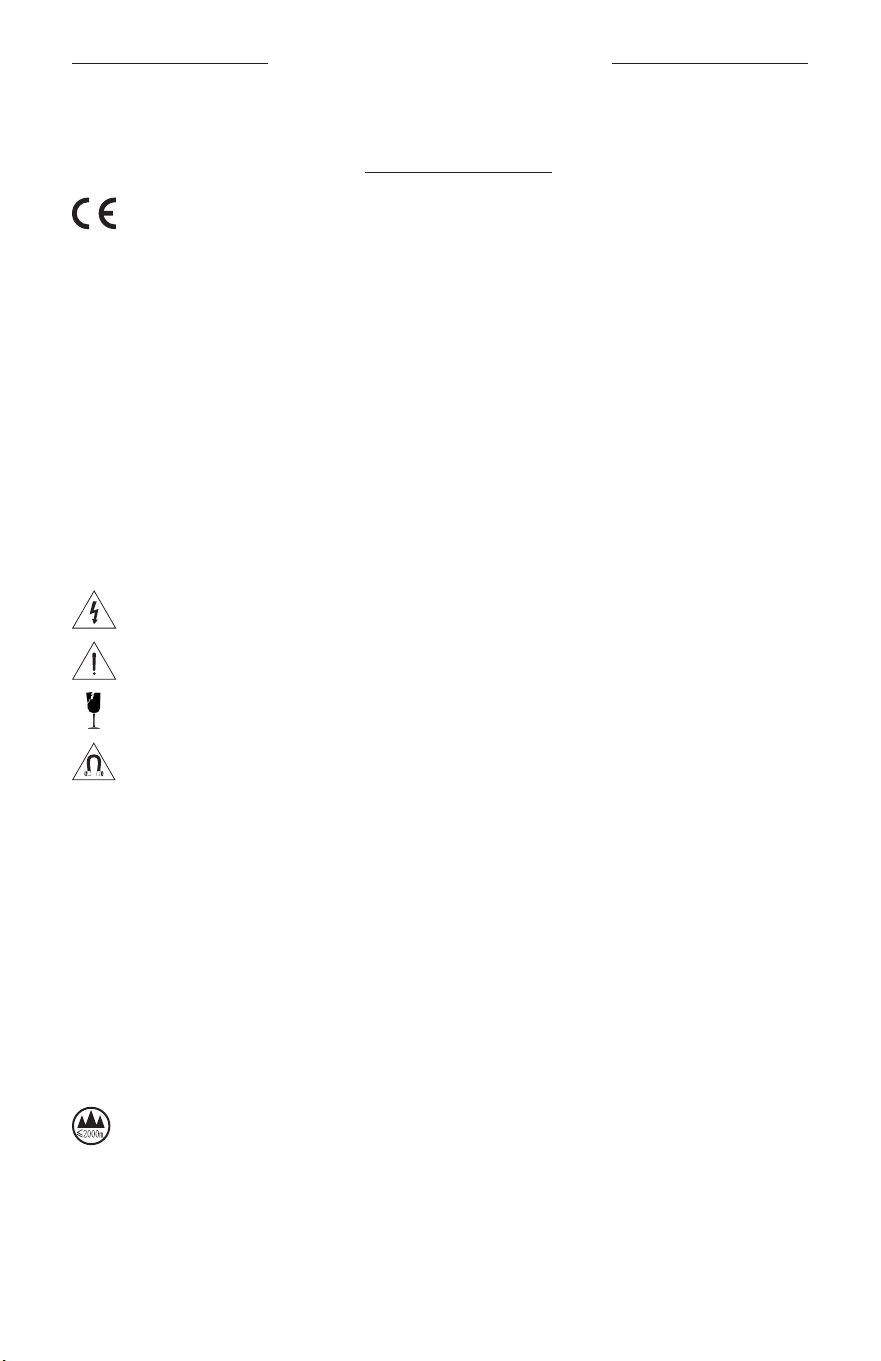
This symbol on the product means there is uninsulated, dangerous voltage within the product
enclosure that may present a risk of electrical shock.
This symbol on the product means there are important operating and maintenance instructions in
this guide.
This product contains a tempered glass surface. Use caution to avoid impact. In the event of breakage,
use care in handling broken glass.
This product contains magnetic material. Consult your physician on whether this might aect your
implantable medical device.
• Safe Installation Instructions: Ensure feet under product are clean and free of debris. Place the product
on a clean, dust-free, stable, flat, and level surface. For proper support, all feet must be in full contact with
surface. Beware of potential fall hazards as audio vibrations can cause the product to move. Do not position
above seating or occupied areas.
• To reduce the risk of fire or electrical shock, do NOT expose this product to rain, dripping, splashing, or
moisture and do not place liquid filled objects such as vases, on or near the product.
• Keep the product away from fire and heat sources. Do NOT place naked flame sources, such as lighted
candles, on or near the product.
• Do NOT make unauthorized alterations to this product.
• Do NOT use a power inverter with this product.
• Do NOT use in vehicles or boats.
• Where the mains plug or an appliance coupler is used as the disconnect device, the disconnect device shall
remain readily operable.
仅适用于海拔 2000m 以下地区安全使用
Use at altitude less than 2000 meters only.
• Due to ventilation requirements, Bose does not recommend placing the product in a confined space such as
in a wall cavity or in an enclosed cabinet.
• Do not place or install near any heat sources, such as fireplaces, radiators, heat registers, stoves or other
apparatus (including amplifiers) that produce heat.
• The product label is located on the boom of the product.

REGULATORY INFORMATION
3
|
ENG
REGULATORY AND LEGAL INFORMATION
NOTE: This equipment has been tested and found to comply with the limits for a Class B digital device,
pursuant to Part 15 of the FCC Rules. These limits are designed to provide reasonable protection against
harmful interference in a residential installation. This equipment generates, uses, and can radiate radio
frequency energy and, if not installed and used in accordance with the instructions, may cause harmful
interference to radio communications. However, there is no guarantee that interference will not occur in a
particular installation. If this equipment does cause harmful interference to radio or television reception,
which can be determined by turning the equipment o and on, the user is encouraged to try to correct the
interference by one or more of the following measures:
• Reorient or relocate the receiving antenna.
• Increase the separation between the equipment and receiver.
• Connect the equipment into an outlet on a circuit dierent from that to which the receiver is connected.
• Consult the dealer or an experienced radio/TV technician for help.
Changes or modifications not expressly approved by Bose Corporation could void the user’s authority to
operate this equipment.
This device complies with part 15 of the FCC Rules and with ISED Canada license-exempt RSS standard(s).
Operation is subject to the following two conditions: (1) This device may not cause harmful interference, and
(2) this device must accept any interference received, including interference that may cause
undesired operation.
This device complies with FCC and ISED Canada radiation exposure limits set forth for general population. This
equipment should be installed and operated with a minimum distance of 20 cm between radiator and your
body. This transmier must not be co-located or operating in conjunction with any other antenna
or transmier.
This device for operation in the 5150 - 5250 MHz is only for indoor use to reduce the potential for harmful
interference to co-channel mobile satellite systems.
Receiver Category = 2
CAN ICES (B) / NMB (B)
Low-power Radio-frequency Devices Technical Regulations: Without permission granted by the NCC, any
company, enterprise, or user is not allowed to change frequency, enhance transmiing power or alter
original characteristic as well as performance to a approved low power radio-frequency devices. The low power
radio-frequency devices shall not influence aircraft security and interfere legal communications; If found,
the user shall cease operating immediately until no interference is achieved. The said legal communications
means radio communications is operated in compliance with the Telecommunications Management Act. The
low power radio-frequency devices must be susceptible with the interference from legal communications or
ISM radio wave radiated devices.
FCC regulations restrict the operation of this device to indoor use only.
This device is prohibited from being operated on oil platforms, cars, trains, boats, and aircraft, except it can be
operated in large aircraft while flying above 10,000 feet in the 5.925-6.425 GHz band.
Transmiers in the 5.925-7.125 GHz band are prohibited from operating to control or communicate with
unmanned aircraft systems.
FCC ID: A94443537
For Europe: Frequency bands of operation 2400 to 2483.5 MHz and 5470 to 5725 MHz. Maximum transmit
power less than 20 dBm EIRP. | Frequency band of operation 5725 to 5850 MHz. Maximum transmit power
less than 14 dBm (25mW) EIRP. | Frequency bands of operation 5150 to 5250 MHz and 5945 to 6425 MHz.
Maximum transmit power less than 23 dBm EIRP.
Maximum transmit power is below regulatory limits such that SAR testing is not necessary and exempt per
applicable regulations.
4
|
ENG
REGULATORY AND LEGAL INFORMATION
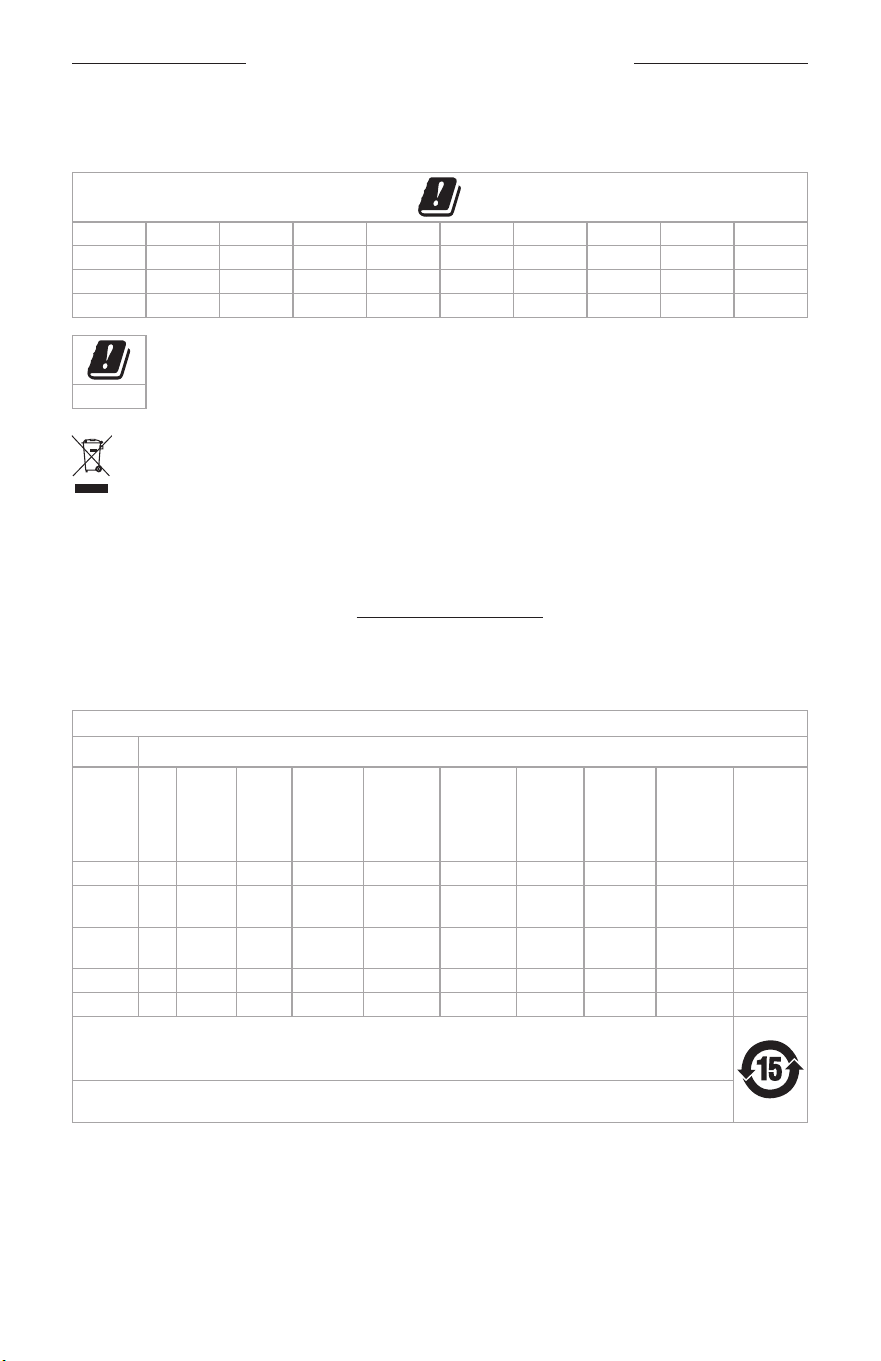
This device is restricted to indoor use when operating in the 5150 to 5350 MHz frequency range in all EU
Member States listed in the table.
AT BE BG HR CY CZ DK EE FI FR
DE EL HU UK (NI) IT LV LT LU MT NL
PL
PT RO SK SI ES SE CH
IS LI
NO
UK
This symbol means the product must not be discarded as household waste, and should be delivered to
an appropriate collection facility for recycling. Proper disposal and recycling helps protect natural
resources, human health and the environment. For more information on disposal and recycling of this
product, contact your local municipality, disposal service, or the shop where you bought this product.
Power State Information: The product, in accordance with the Ecodesign Requirements for Energy Related
Products Directive 2009/125/EC and the Ecodesign for Energy-Related Products and Energy Information
(Amendment) (EU Exit) Regulations 2020, is in compliance with Commission Regulation (EU) 2023/826. For
information about power consumption for dierent standby modes and the period after which the product
automatically reverts to those modes, visit www.Bose.com/compliancewww.Bose.com/compliance and select this regulation.
NOTE: Per Annex III 2(d) of Commission Regulation (EU) 2023/826, the requirement to deactivate a wireless
port “does not apply to equipment that relies on a single wireless network connection for intended use and
have no wired network connection.”
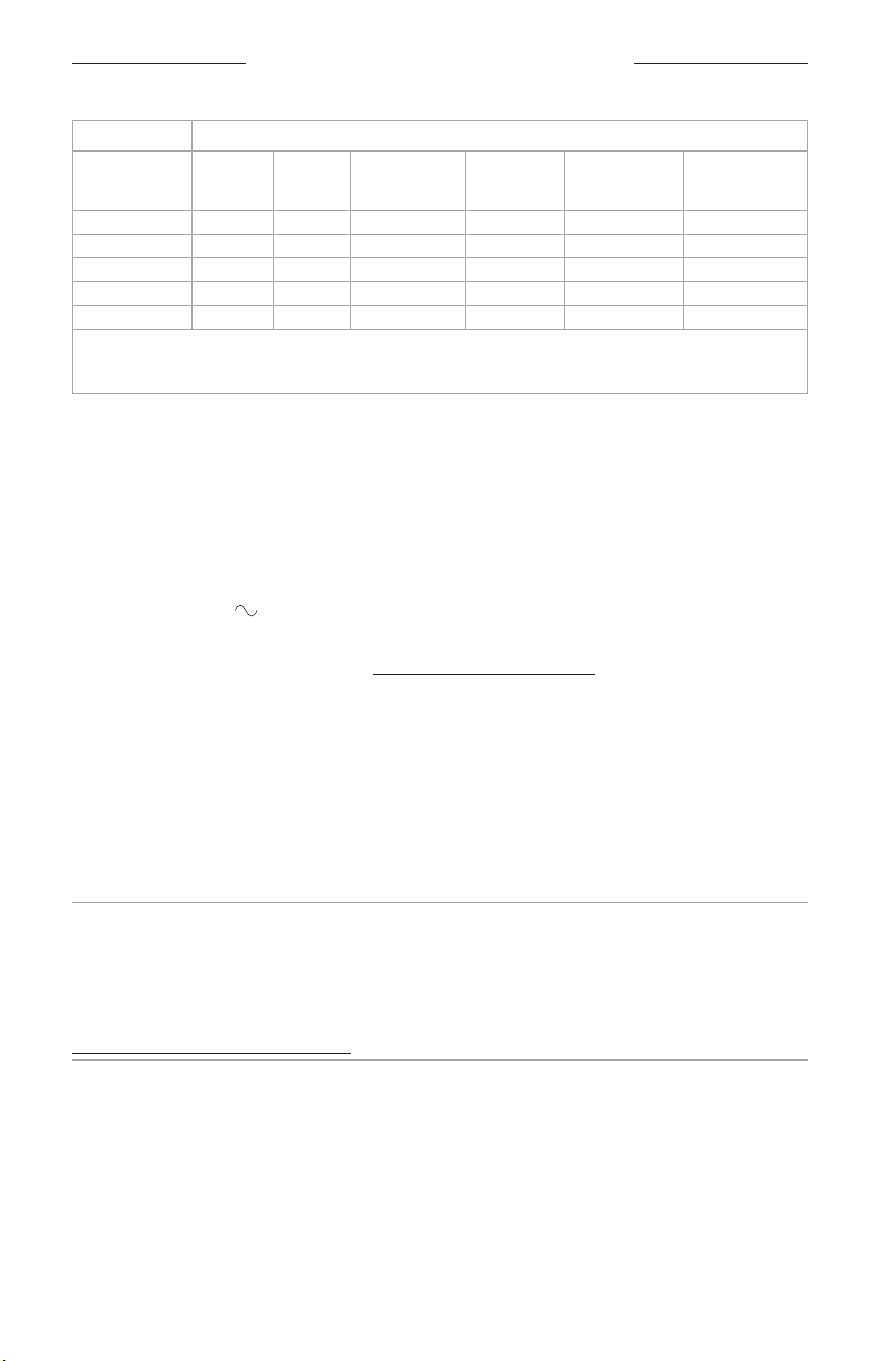
Names and Contents of Toxic or Hazardous Substances or Elements
Toxic or Hazardous Substances and Elements
Part
Name
Lead
(Pb)
Mercury
(Hg)
Cadmi-
um
(Cd)
Hexava-
lent
(CR(VI))
Polybromi-
nated
Biphenyl
(PBB)
Polybromi-
nated
diphenyle-
ther
(PBDE)
Dybutyl
phthalate
(DBP)
Diisobutyl
phthalate
(DIBP)
Butyl
benzyl
phthalate
(BBP)
Bis(2-eth-
ylhexyl)
phthalate
(DEHP)
PCBs X O O O O O O O O O
Metal
Parts
X O O O O O O O O O
Plastic
Parts
O O O O O O O O O O
Speakers X O O O O O O O O O
Cables X O O O O O O O O O
This table is prepared in accordance with the provisions of SJ/T 11364.
O: Indicates that this toxic or hazardous substance contained in all of the homogeneous materials for this part is
below the limit requirement of GB/T 26572.
X: Indicates that this toxic or hazardous substance contained in at least one of the homogeneous materials used
for this part is above the limit requirement of GB/T 26572.
5
|
ENG
REGULATORY AND LEGAL INFORMATION
Restricted substances and its chemical symbols
Unit Lead (Pb)
Mercury
(Hg)
Cadmium (Cd)
Hexavalent
chromium
(Cr
+6
)
Polybrominated
biphenyls (PBB)
Polybrominated
diphenyl ethers
(PBDE)
PCBs
−
b b b b b
Metal Parts
−
b b b b b
Plastic Parts
b b b b b b
Speakers
−
b b b b b
Cables
−
b b b b b
Note 1: “b” indicates that the percentage content of the restricted substance does not exceed the percentage of reference
value of presence.
Note 2: The “−” indicates that the restricted substance corresponds to the exemption.
Date of Manufacture: The eighth digit in the serial number indicates the year of manufacture; “6” is 2016
or 2026.
Importers: Bose Electronics (Shanghai) Company Limited, Level 6, Tower D, No. 2337 Gudai Rd. Minhang
District, Shanghai 201100 | Bose Products B.V., Vijzelstraat 68, 1017HL Amsterdam, The Netherlands | Ingram
Micro Mexico SA de CV, Joselillo 3 Int. Piso 5 Col. El Parque, Naucalpan de Juarez, Edo Mex 53398
Phone Number: +52 55 5263 6500 | Bose Limited (H.K.), 7F., No. 2, Sec. 3, Minsheng E. Road, Zhongshan Dist.,
Taipei City 104511, Phone Number: +886-2-2514 7676 | Bose Limited, 16 Dufour’s Place, London W1F 7SP
Mexico Service Phone Number: 0800-266-0292
Input Rating: 100-240V , 50/60 Hz, 180W
Model 443537. The CMIIT ID is located on the boom of the subwoofer.
The Bose Terms of Use apply to this product: worldwide.Bose.com/termsofuseworldwide.Bose.com/termsofuse
License Disclosures: To view the license disclosures that apply to the third-party software packages included
as components of the Bose Lifestyle Ultra Subwoofer, use the Bose app. You can access this information from
the Seings menu.
Apple and the Apple logo are trademarks of Apple Inc., registered in the U.S. and other countries. App Store is a
service mark of Apple Inc.
Google and Google Play are trademarks of Google LLC.
Bose, the B logo, CustomTune, and Lifestyle are trademarks of Bose Corporation. | Bose Corporation
Headquarters: 1-877-230-5639 | ©2026 Bose Corporation. No part of this work may be reproduced, modified,
distributed, or otherwise used without prior wrien permission.
Serial Number and Regulatory Markings Location: This information is located on the bottom of
the subwoofer.
Please complete and retain for your records
Serial number: ___________________________________________________________________________
Model number: 443537
Please keep your receipt. Now is a good time to register your Bose product. You can easily do this by going to
worldwide.Bose.com/ProductRegistrationworldwide.Bose.com/ProductRegistration

6
|
ENG
CONTENTS
WHAT’S IN THE BOX
Contents ...................................................................................................................................................... 7
SUBWOOFER PLACEMENT
Recommendations .................................................................................................................................. 8
POWER
Connect the subwoofer to power ..................................................................................................... 9
CONNECT TO YOUR SOUNDBAR
Connect using the Bose app ............................................................................................................... 10
New to the Bose app? ................................................................................................................... 10
Connect using an audio cable ............................................................................................................ 11
SUBWOOFER STATUS ...................................................................................................................... 12
CARE AND MAINTENANCE
Serial number and regulatory markings location ........................................................................ 13
Clean the subwoofer .............................................................................................................................. 13
Replacement parts and accessories ............................................................................................... 13
Limited warranty ....................................................................................................................................... 13
TROUBLESHOOTING
Reset the subwoofer ............................................................................................................................... 14
Restore the subwoofer to factory seings .................................................................................... 15
7
|
ENG
WHAT’S IN THE BOX
CONTENTS
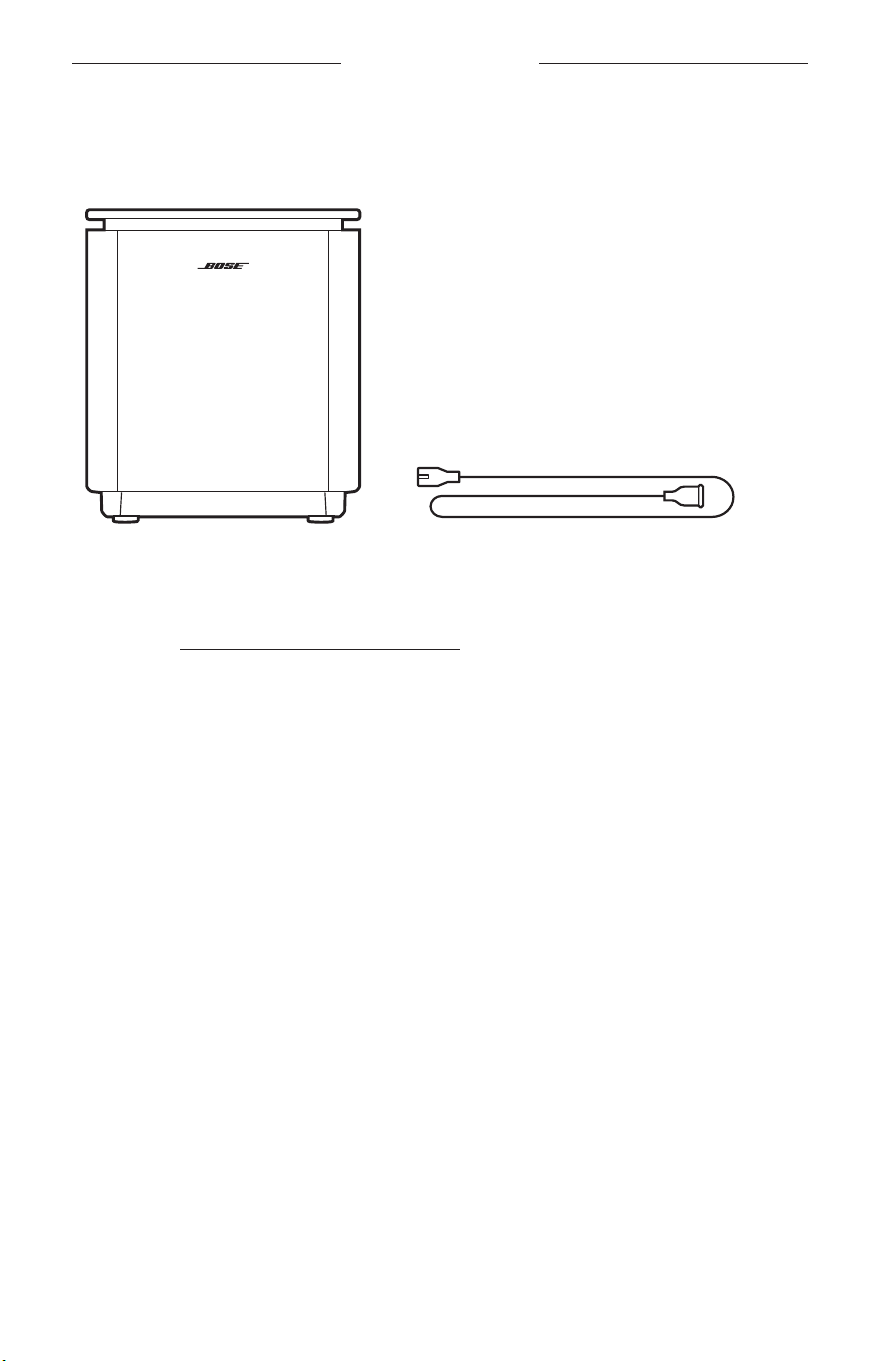
Confirm that the following parts are included:
Bose Lifestyle Ultra Subwoofer Power cord*
*May ship with multiple power cords. Use the power cord for your region.
NOTE: If any part of your product appears to be missing or damaged, don’t use it.
Visit support.Bose.com/lu-subwoofersupport.Bose.com/lu-subwoofer for troubleshooting articles, videos, and
product repair or replacement.
8
|
ENG
SUBWOOFER PLACEMENT
RECOMMENDATIONS
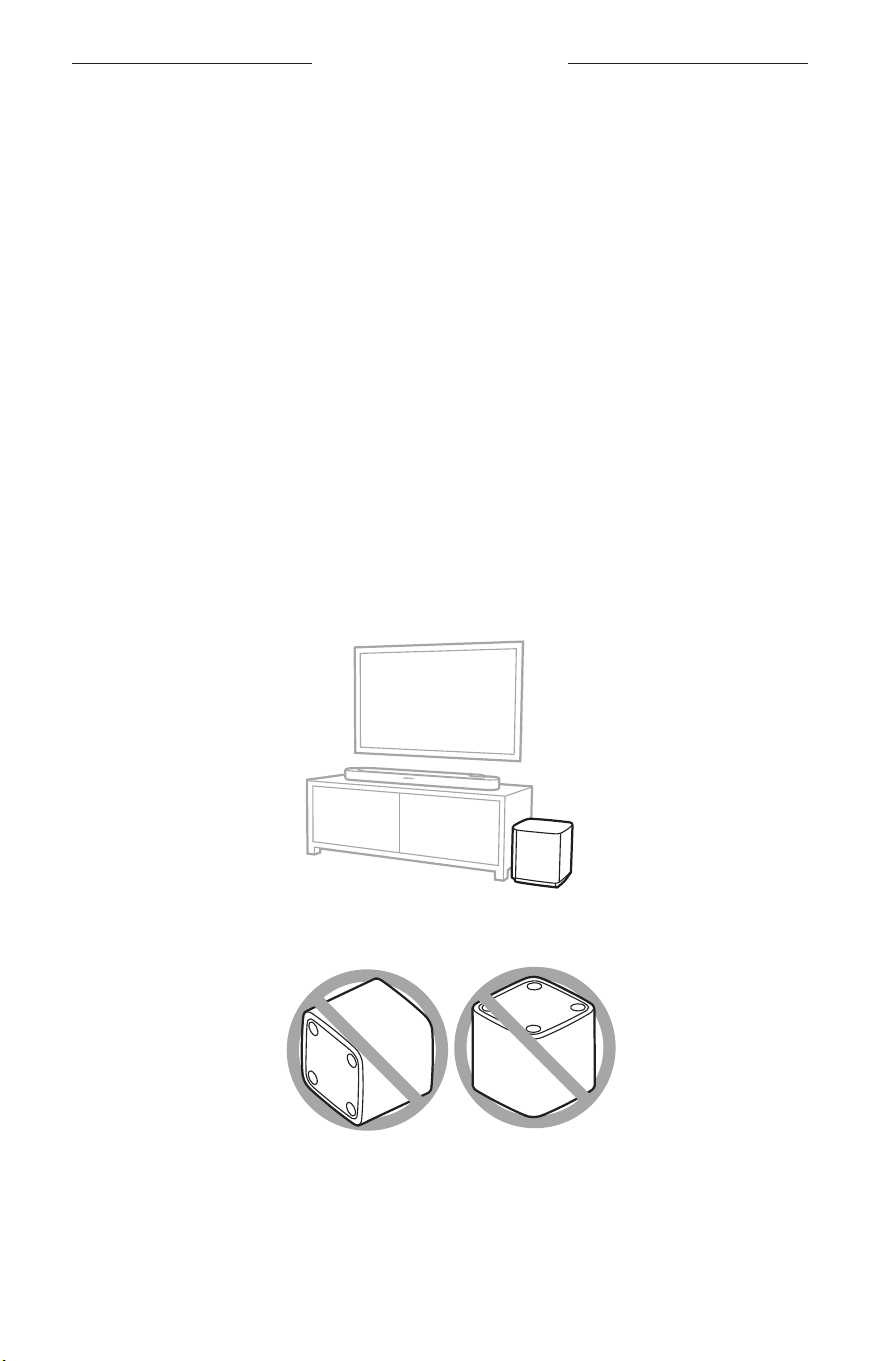
For best performance, follow these recommendations when placing the subwoofer:
• Do NOT place any objects on top of the subwoofer.
• To avoid wireless interference, keep other wireless equipment 1 – 3 ft (0.3 – 0.9 m)
away from the subwoofer. Place the subwoofer outside of and away from metal
cabinets, other audio/video components, and direct heat sources.
• Place the subwoofer on its rubber feet on a stable, flat, and level surface. For proper
support, its feet must be resting flat on the surface. Vibration can cause the
subwoofer to move, particularly on smooth surfaces like marble, glass, or highly
polished wood.
• Place the subwoofer along the same wall as your TV, or along any other wall in the
front third of the room.
• Keep the front side of the subwoofer (the side opposite the F connector) at
least 3 in (7.6 cm) from any other surface. Blocking the port on the boom of this
side may aect acoustic performance.
• For more bass, place the subwoofer closer to walls and corners. For less bass, place
the subwoofer further from walls and corners.
• Make sure there is an AC (mains) power outlet nearby.
CAUTION: Do NOT place the subwoofer on its side or top when in use.
9
|
ENG
CONNECT THE SUBWOOFER TO POWER
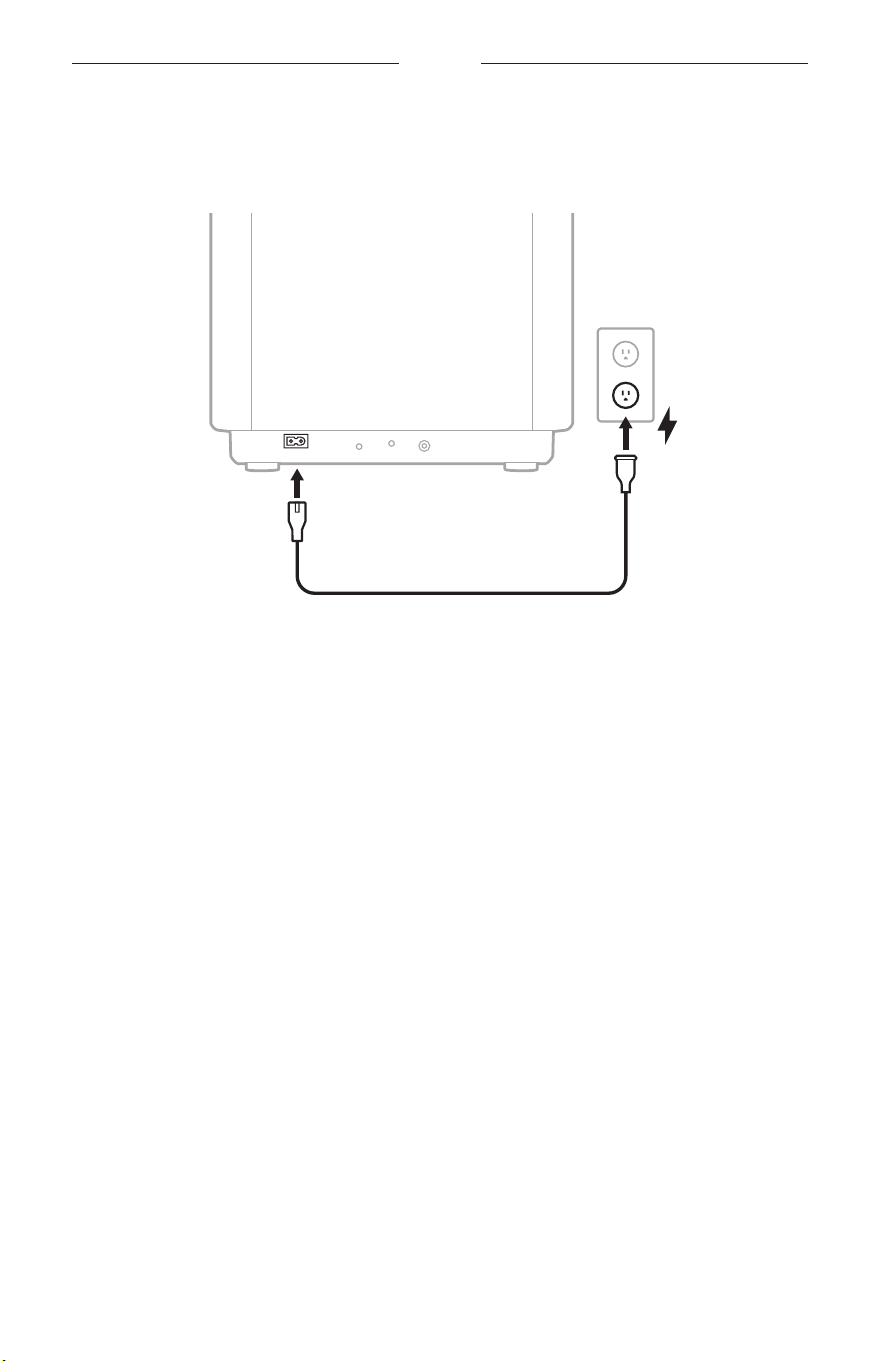
1. Connect the power cord to the F port on the subwoofer.
POWER
RESET
STATUS
BASS IN
2. Plug the other end of the power cord into an AC (mains) power outlet.
The subwoofer powers on. The status light slowly pulses white, red, and
amber (repeated).
NOTE: The status light slowly pulses white, red, and amber during initial product
setup. If you’re reconnecting the subwoofer to power, the status light
slowly pulses white, then glows solid white.
POWER
10
|
ENG
CONNECT TO YOUR SOUNDBAR
CONNECT USING THE BOSE APP
NOTE: If you can’t connect to your soundbar using the Bose app, connect using an
audio cable (see page 11).
1. In the Bose app, select your soundbar.
NOTE: Look for the name you entered for your soundbar in the Bose app. If you
didn’t name your soundbar, the default name appears.
2. Go to the Seings menu to add the subwoofer.
3. Once the subwoofer is connected, for best sound quality Bose recommends
running the optional CustomTune sound calibration using the Bose app. You can
access this option from the Seings menu. For more information, refer to your
soundbar owner’s guide.
New to the Bose app?
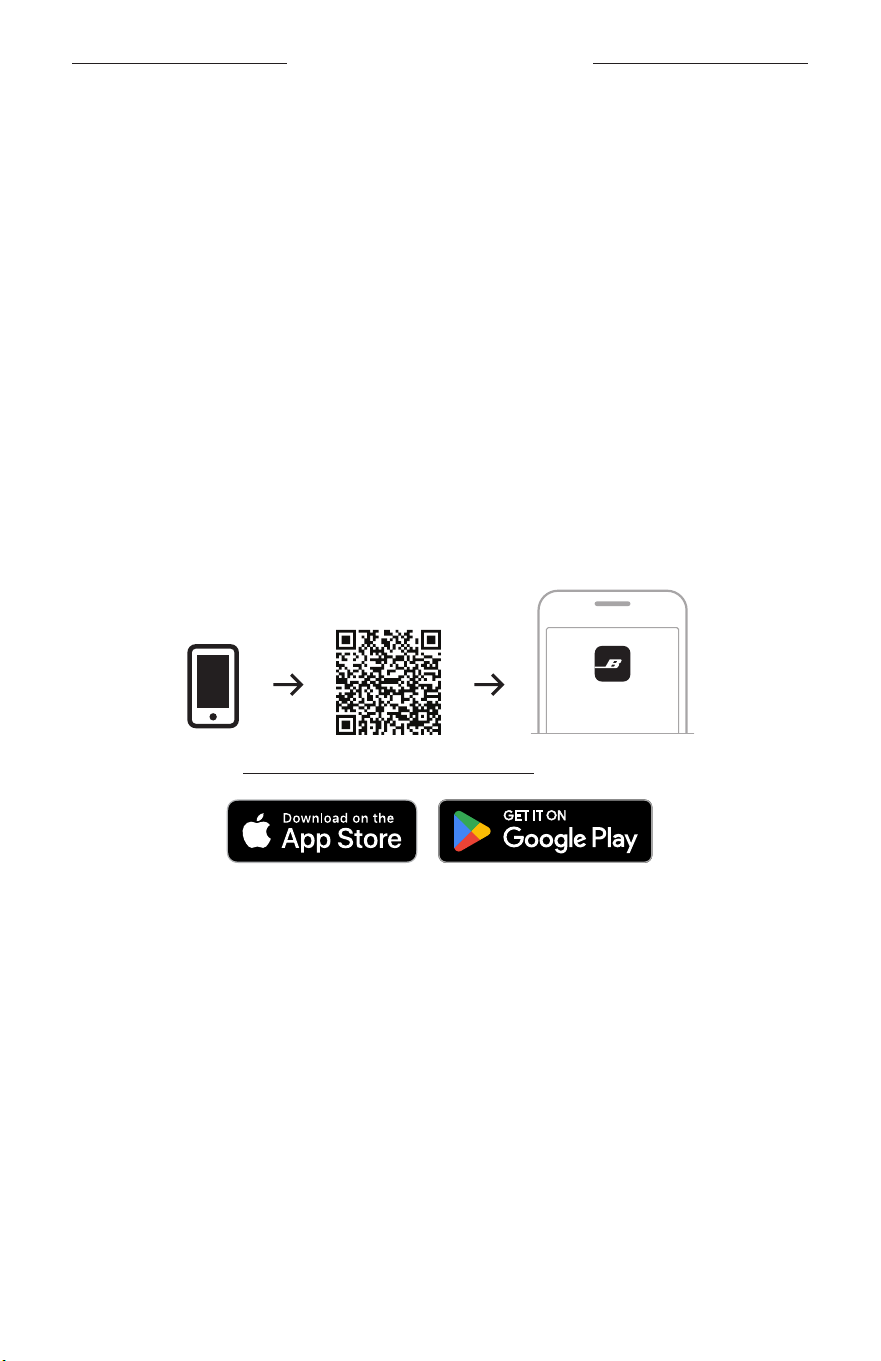
1. On your mobile device, download the Bose app.
BOSE
setup.Bose.com/lu-subwoofersetup.Bose.com/lu-subwoofer
2. Follow the app instructions.
11
|
ENG
CONNECT TO YOUR SOUNDBAR
CONNECT USING AN AUDIO CABLE
NOTES:
• If you don’t have a 3.5 mm audio cable (commonly used for headphones and
mobile devices), visit Bose.com/c/accessoriesBose.com/c/accessories to purchase the Bose Bass Module
Connection Cable. You can also purchase a cable at your local electronics store.
• When you connect the subwoofer to your soundbar using an audio cable, wireless
connectivity is disabled on the subwoofer.
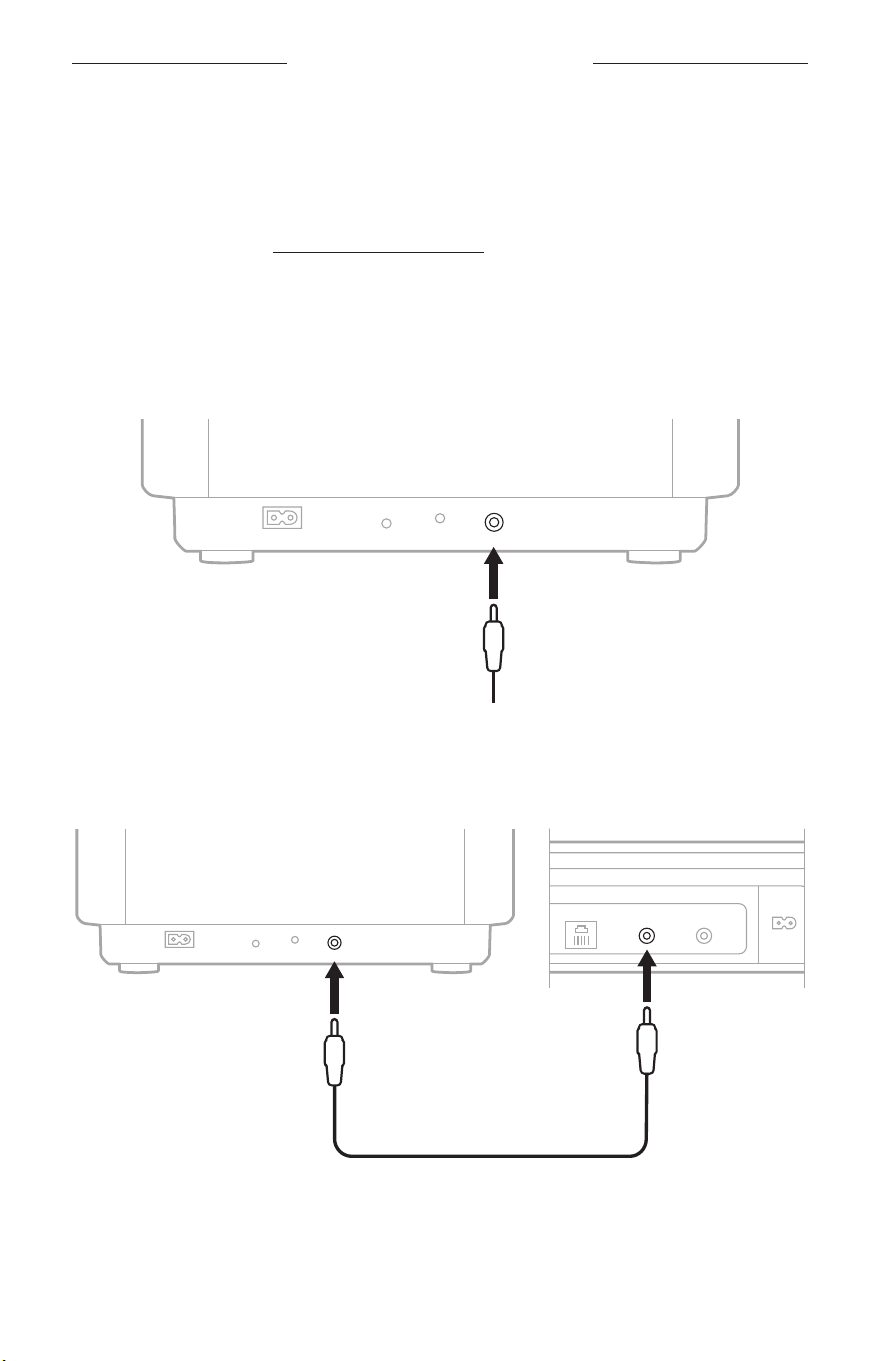
1. Connect one end of a 3.5 mm audio cable to the x port on the back of
the subwoofer.
POWER
RESET
STATUS
BASS IN
2. Connect the other end of the cable to the h port on the back of your soundbar.
NOTE: Your soundbar port panel may not appear as shown. Make sure you use the
port marked h.
ETHERNET
SERVICE
DATABASS
POWER
HDMI
(eARC)
POWER
RESET
STATUS
BASS IN
3. Once the subwoofer is connected, for best sound quality Bose recommends
running the optional CustomTune sound calibration using the Bose app. You can
access this option from the Seings menu. For more information, refer to your
soundbar owner’’s guide.
12
|
ENG
SUBWOOFER STATUS
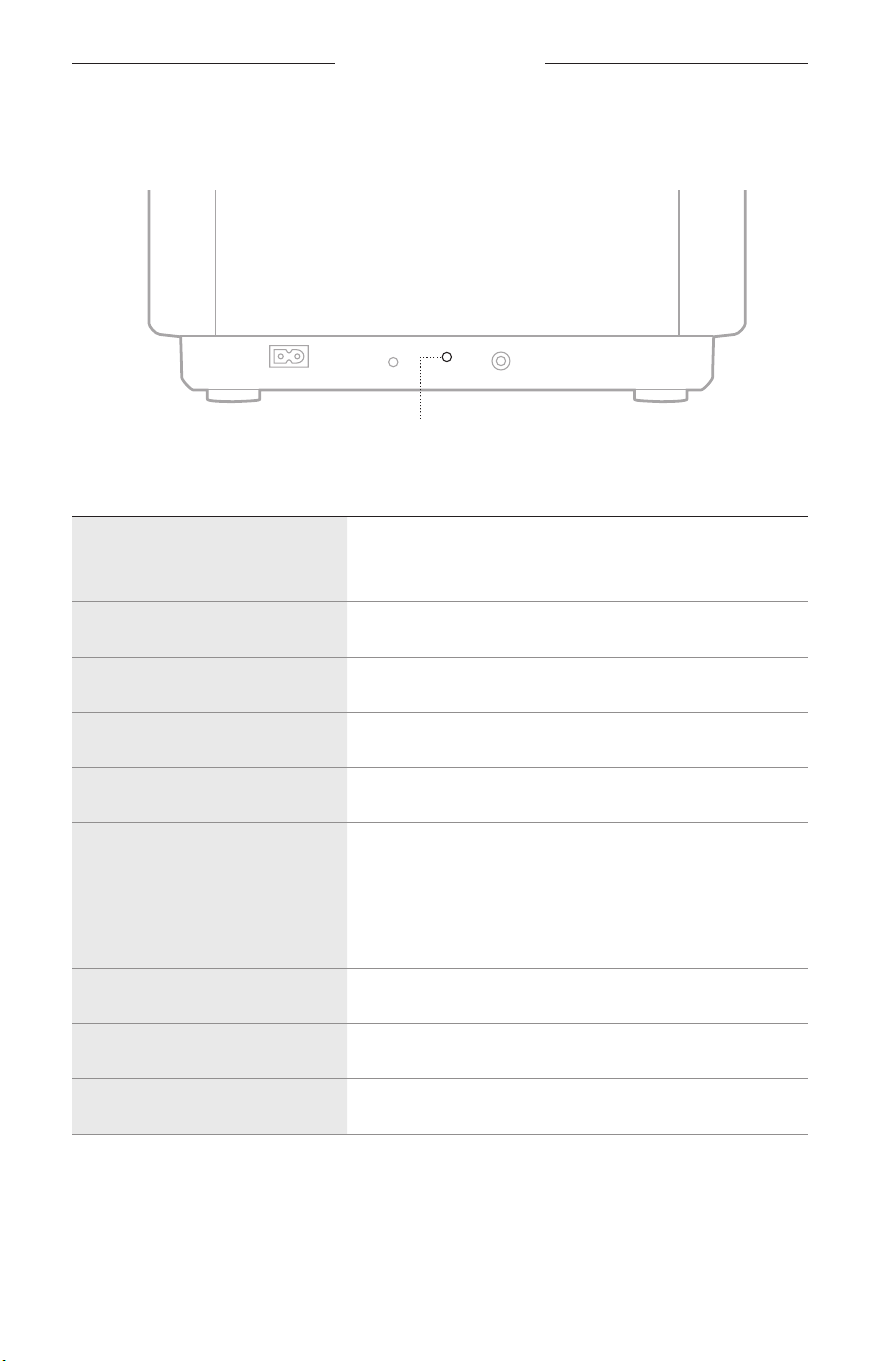
The status light is located on the back of the subwoofer and shows the
subwoofer status.
POWER
RESET
STATUS
BASS IN
Status light
STATUS LIGHT ACTIVITY SYSTEM STATE
Slowly pulses white, red, and
amber (repeated)
Powering on and booting up
NOTE: Occurs only during initial product setup.
Slowly pulses white Powering on
Quickly blinks amber Connecting to soundbar
Solid white Connected to soundbar
Quickly blinks white CustomTune sound calibration in progress
Slowly pulses white
Update downloading
NOTE: If the subwoofer is connected to the Bose
Lifestyle Ultra Soundbar using an audio cable, wireless
connectivity is disabled and the subwoofer won’t receive
software updates.
Dim white Network standby (wireless connection)
Dim amber Low power standby (wired connection)
Quickly blinks red Error - contact Bose customer service

13
|
ENG
CARE AND MAINTENANCE
SERIAL NUMBER AND REGULATORY MARKINGS LOCATION
This information is located on the boom of the subwoofer.
CLEAN THE SUBWOOFER
Wipe the exterior of the subwoofer with a soft, dry cloth.
CAUTIONS:
• Do NOT allow liquids to spill onto the subwoofer or into any openings.
• Do NOT use any sprays near the subwoofer.
• Do NOT use any solvents, chemicals, or cleaning solutions containing alcohol,
ammonia, or abrasives.
• Do NOT allow objects to drop into any openings.
REPLACEMENT PARTS AND ACCESSORIES
Replacement parts and accessories can be ordered through Bose customer service.
Visit: support.Bose.com/lu-subwoofersupport.Bose.com/lu-subwoofer
LIMITED WARRANTY
The subwoofer is covered by a limited warranty. Visit our website at
worldwide.Bose.com/Warrantyworldwide.Bose.com/Warranty for details of the limited warranty.
To register your product, visit worldwide.Bose.com/ProductRegistrationworldwide.Bose.com/ProductRegistration for
instructions. Failure to register will not aect your limited warranty rights.
14
|
ENG
TROUBLESHOOTING
If you experience problems with the subwoofer, make sure:
• The subwoofer is plugged firmly into a live AC (mains) power outlet.
• All cables are secure.
• You’re playing audio that has bass frequencies, such as music or movies.
If you could not resolve your issue, you can also access troubleshooting in the Bose
app and articles, videos, and other resources at: support.Bose.com/lu-subwoofer-ogsupport.Bose.com/lu-subwoofer-og
If you are unable to resolve your issue, contact Bose customer service.
Visit: worldwide.Bose.com/contactworldwide.Bose.com/contact
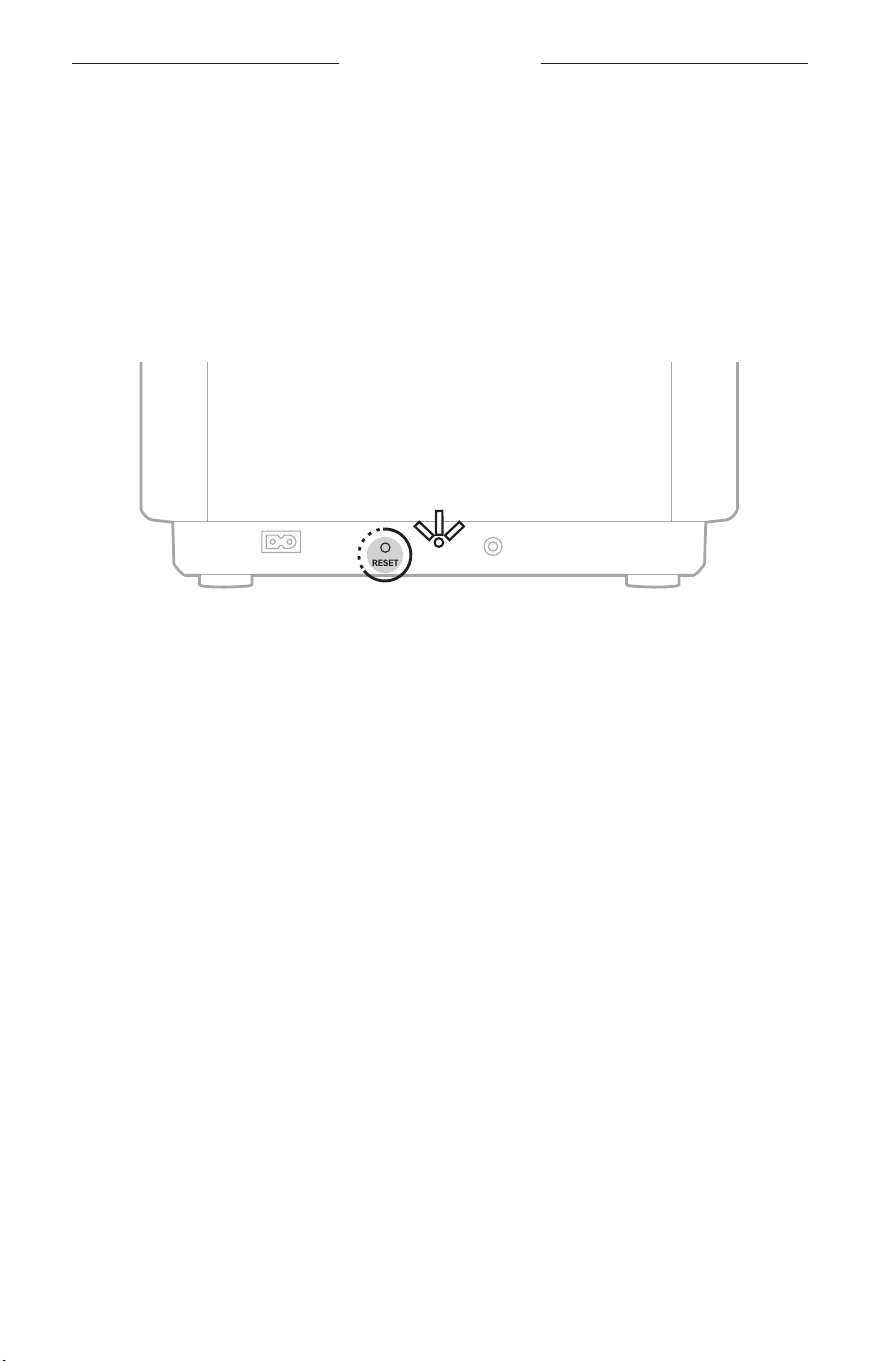
RESET THE SUBWOOFER
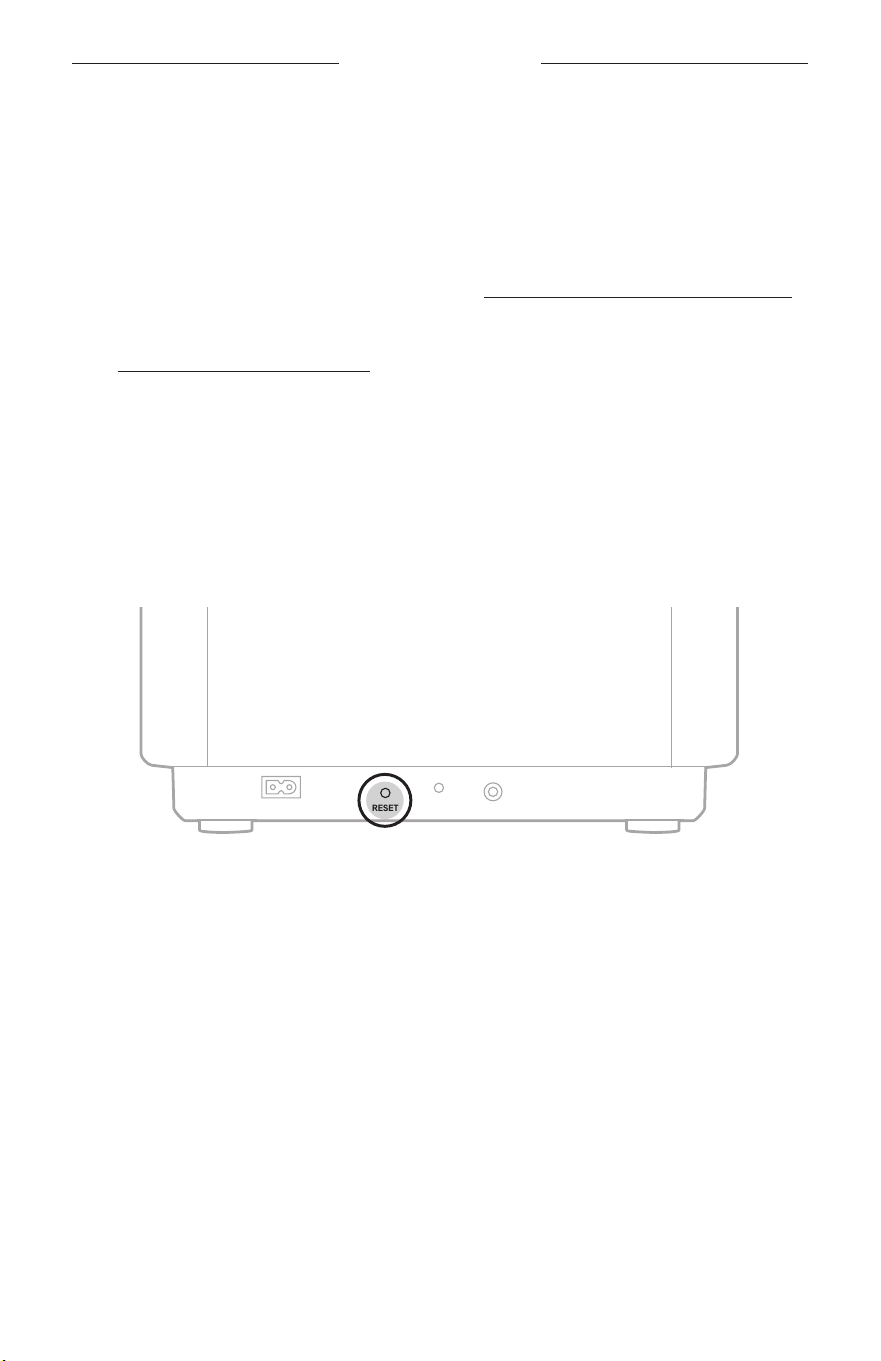
If the subwoofer is unresponsive, you can reset it.
NOTE: Reseing the subwoofer resets the product controls. It doesn’t clear any
audio, network, or CustomTune sound calibration seings.
Press and release the Reset buon.
POWER
RESET
STATUS
BASS IN
The subwoofer reboots. The status light displays the current status (see page 12).
TROUBLESHOOTING
15
|
ENG
RESTORE THE SUBWOOFER TO FACTORY SETTINGS
Restoring the factory seings, clears all audio, network, and CustomTune sound
calibration seings from the subwoofer and returns it to its default seings.
NOTE: Restoring the subwoofer disconnects a Bose Lifestyle Ultra Soundbar
wirelessly connected to the subwoofer.
1. Press and hold the Reset buon for 10 seconds, until the status light blinks
white twice.
POWER
RESET
STATUS
BASS IN
The subwoofer reboots. The status light slowly pulses white, red, and
amber (repeated).
2. Connect the subwoofer using the Bose app (see page 10).

©2026 Bose Corporation 100 The Mountain Road, Framingham, MA 01701-9168 USA
AM896215-0010 Rev. 01