MSFAT06R6WW
15
20
21
22
The fan shall not be modified by user. such as by adding
supplemental filters to fans not intended to be used for
air cleaning purposes.
This product employs overload protection (fuse).
A blown fuse indicates an overload or short-circuit
situation. If the fuse blows, unplug the product from
the outlet. Replace the fuse as per the user servicing
instructions (follow product marking for proper fuse
rating) and check the product. If the replacement
fuse blows, a short-circuit may be present and the
product should be discarded or returned to an
authorized service facility for examination and/or
repair.
MSFAT06R6WW
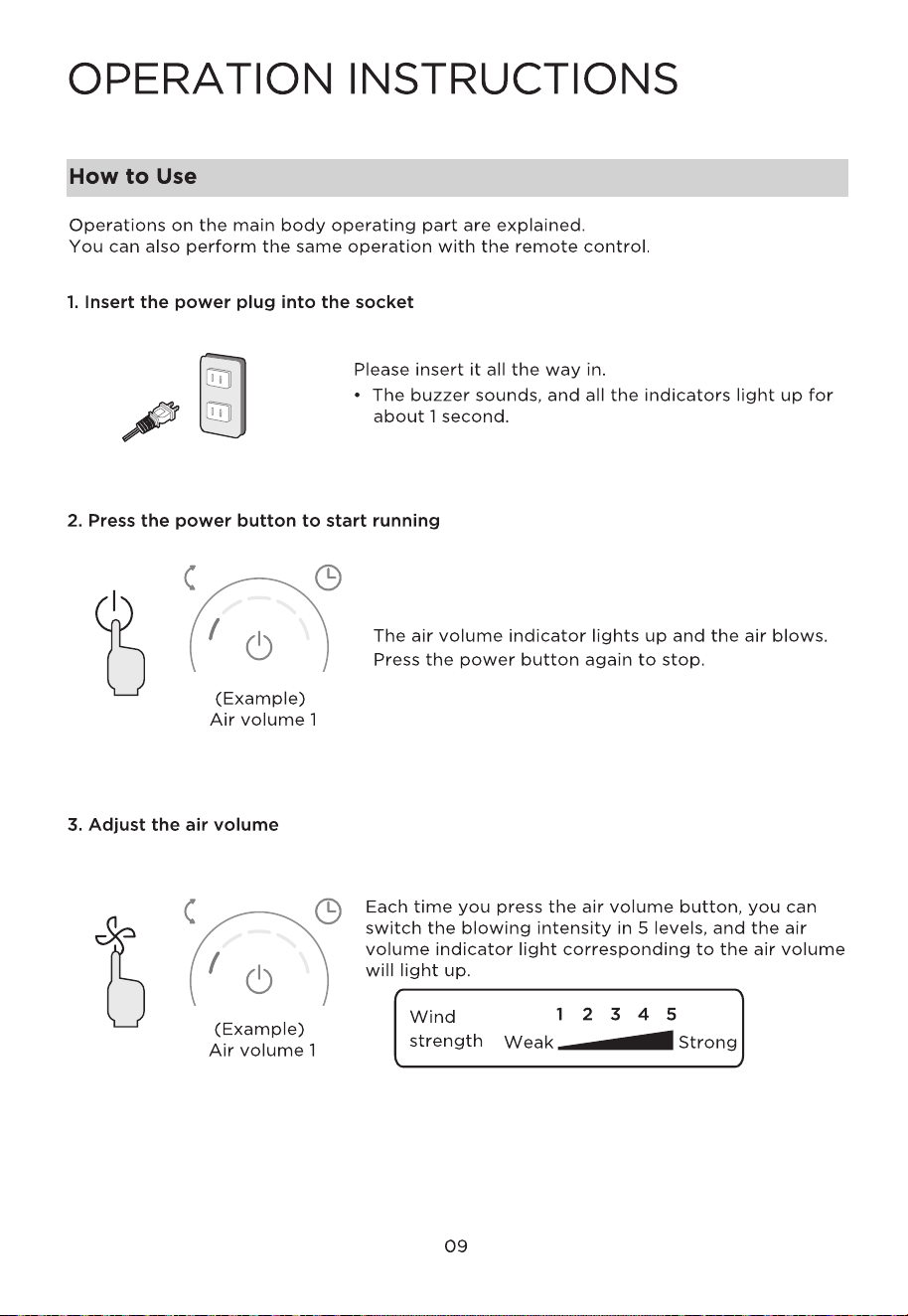
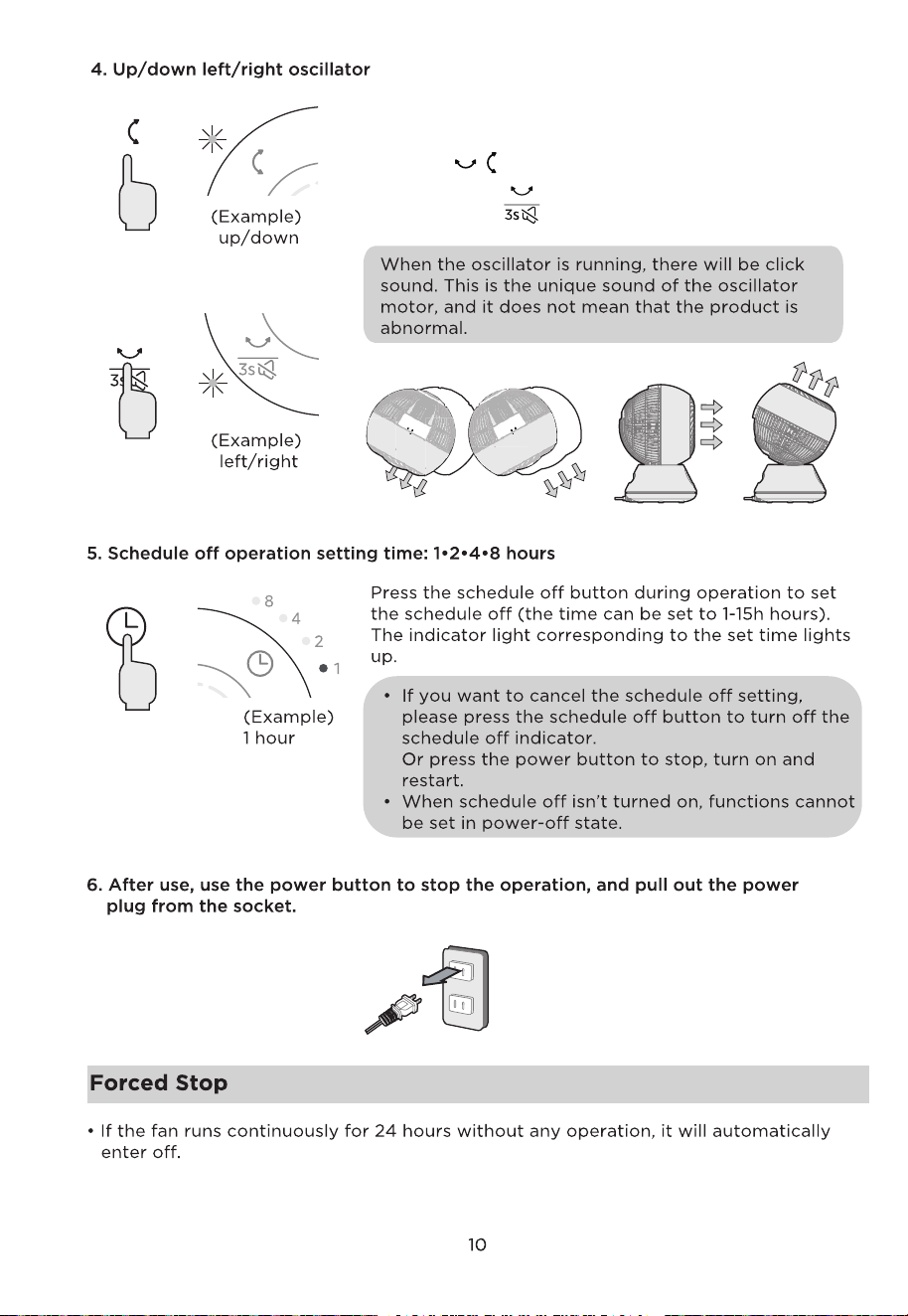
Each time you press the oscillator button, you can
switch the oscillator direction, and the indicator light
corresponding to the direction lights up.
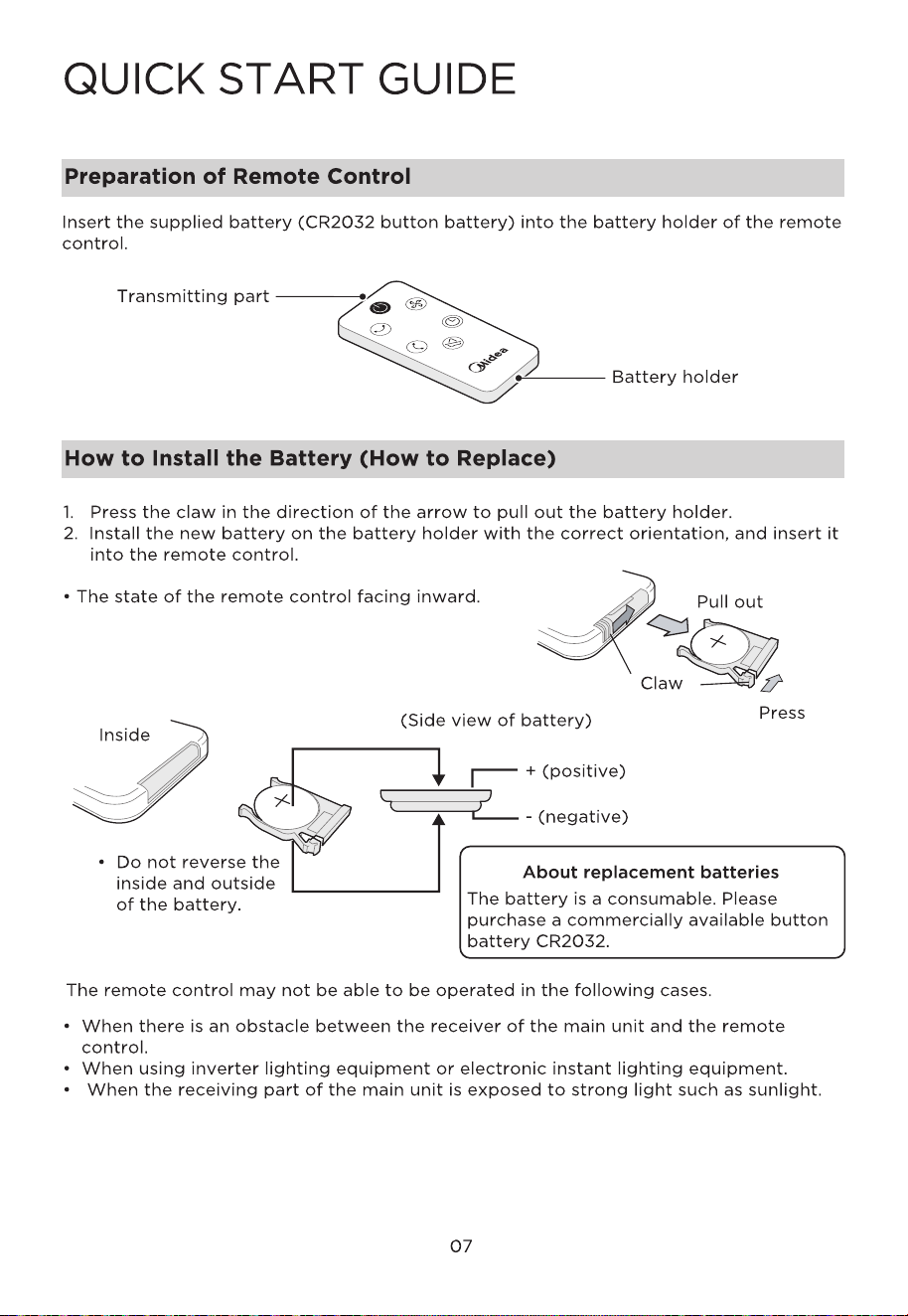
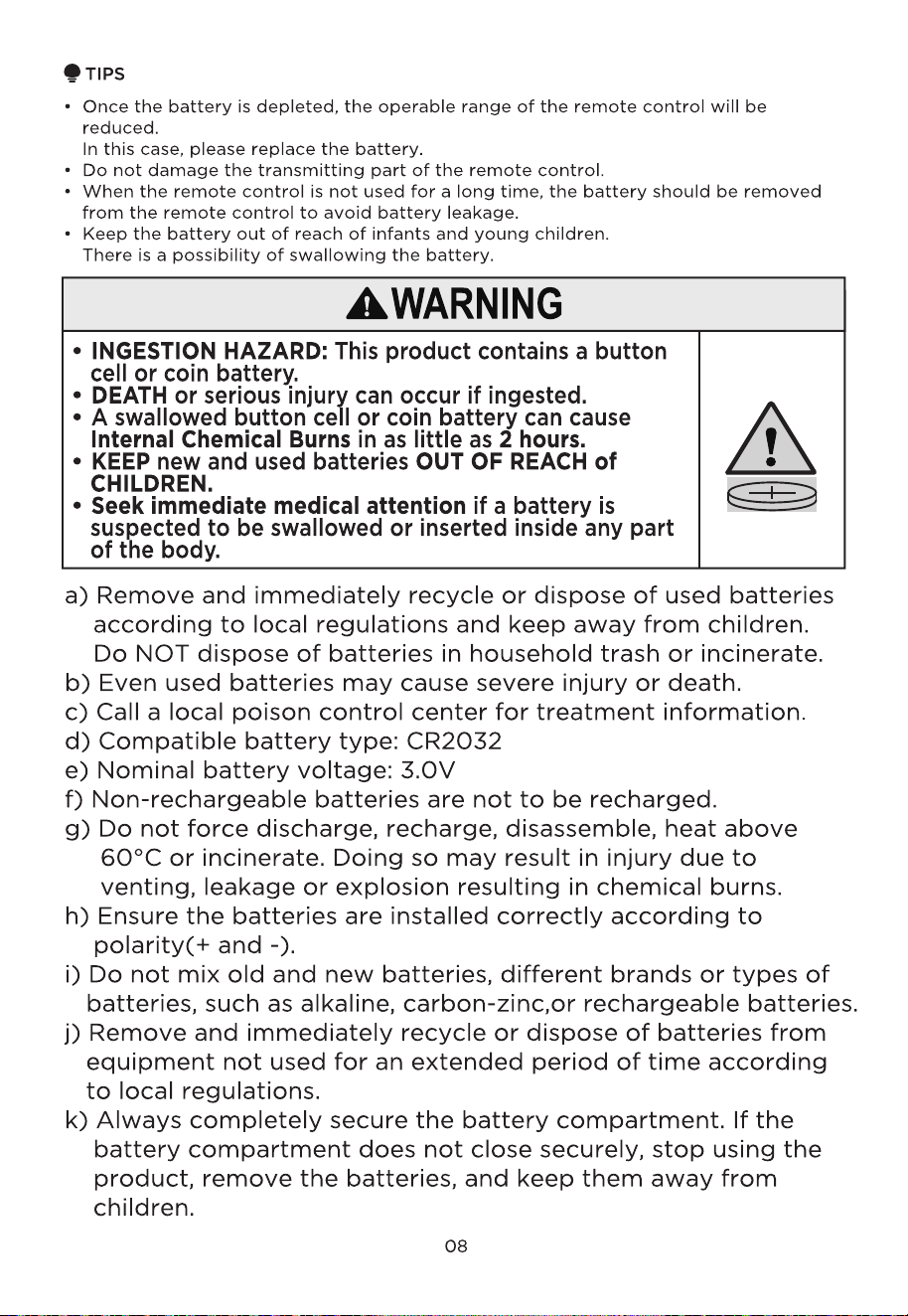
• Press the button on the remote control.
• Press and hold button for 3 seconds to mute the
device.
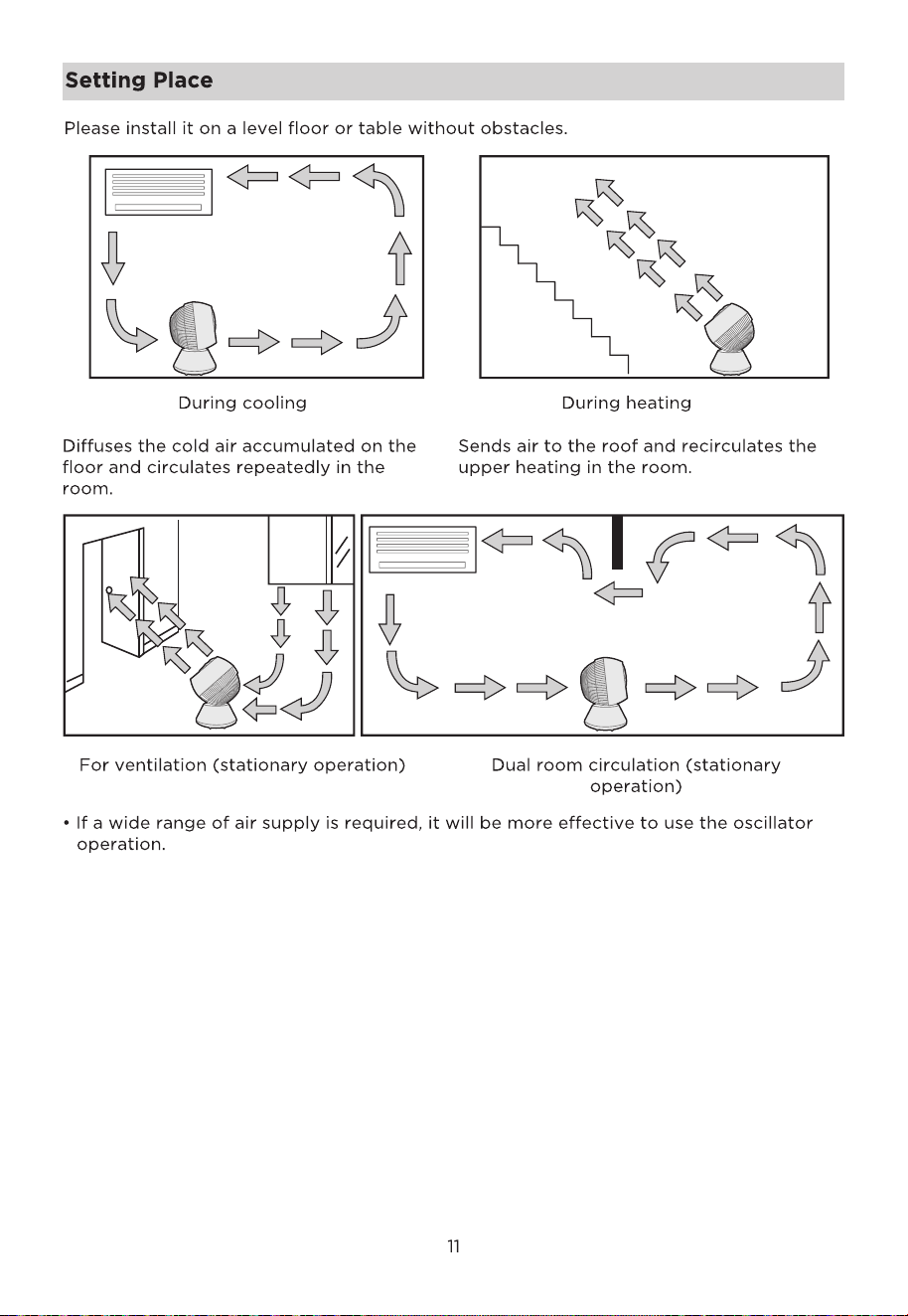
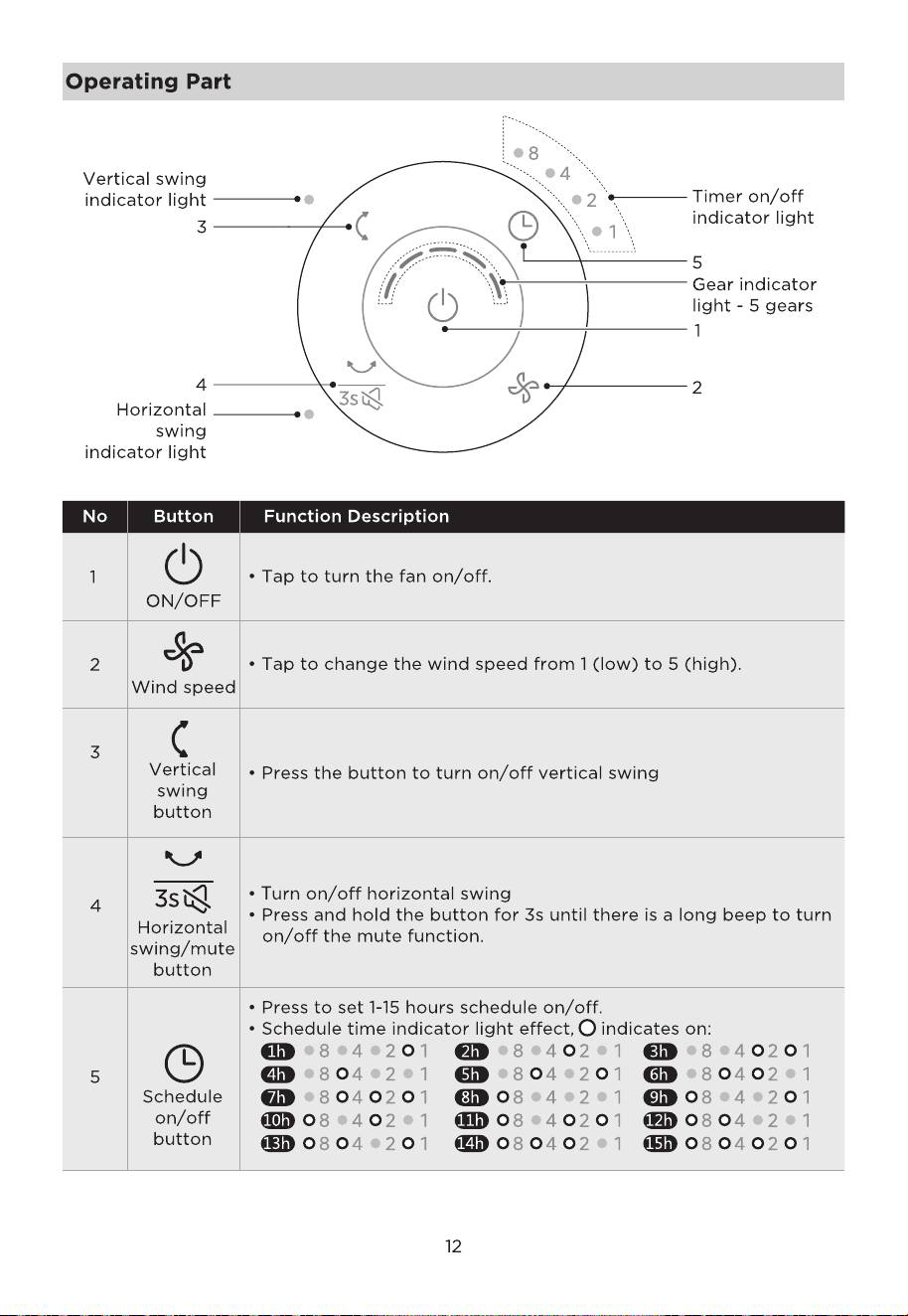
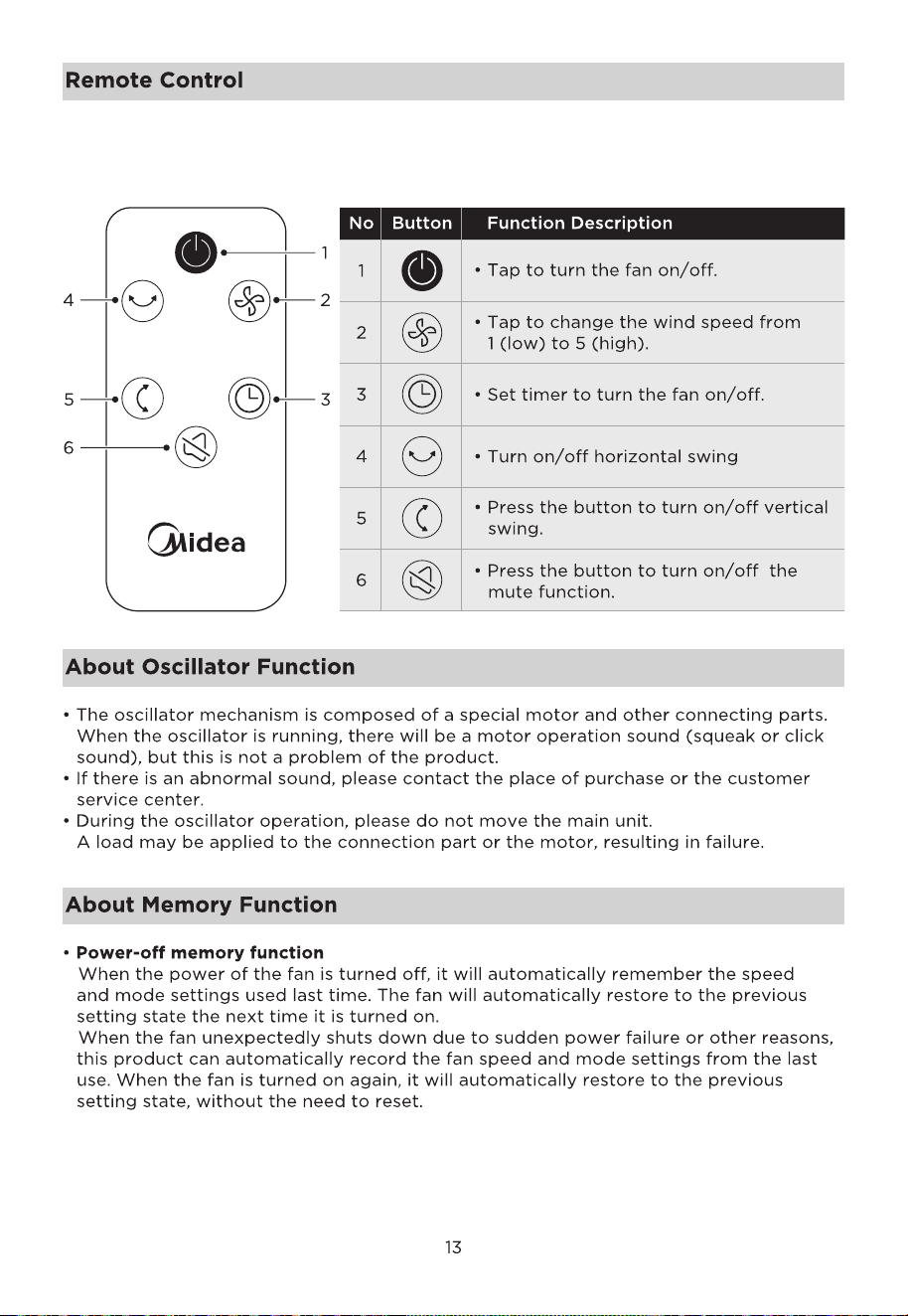
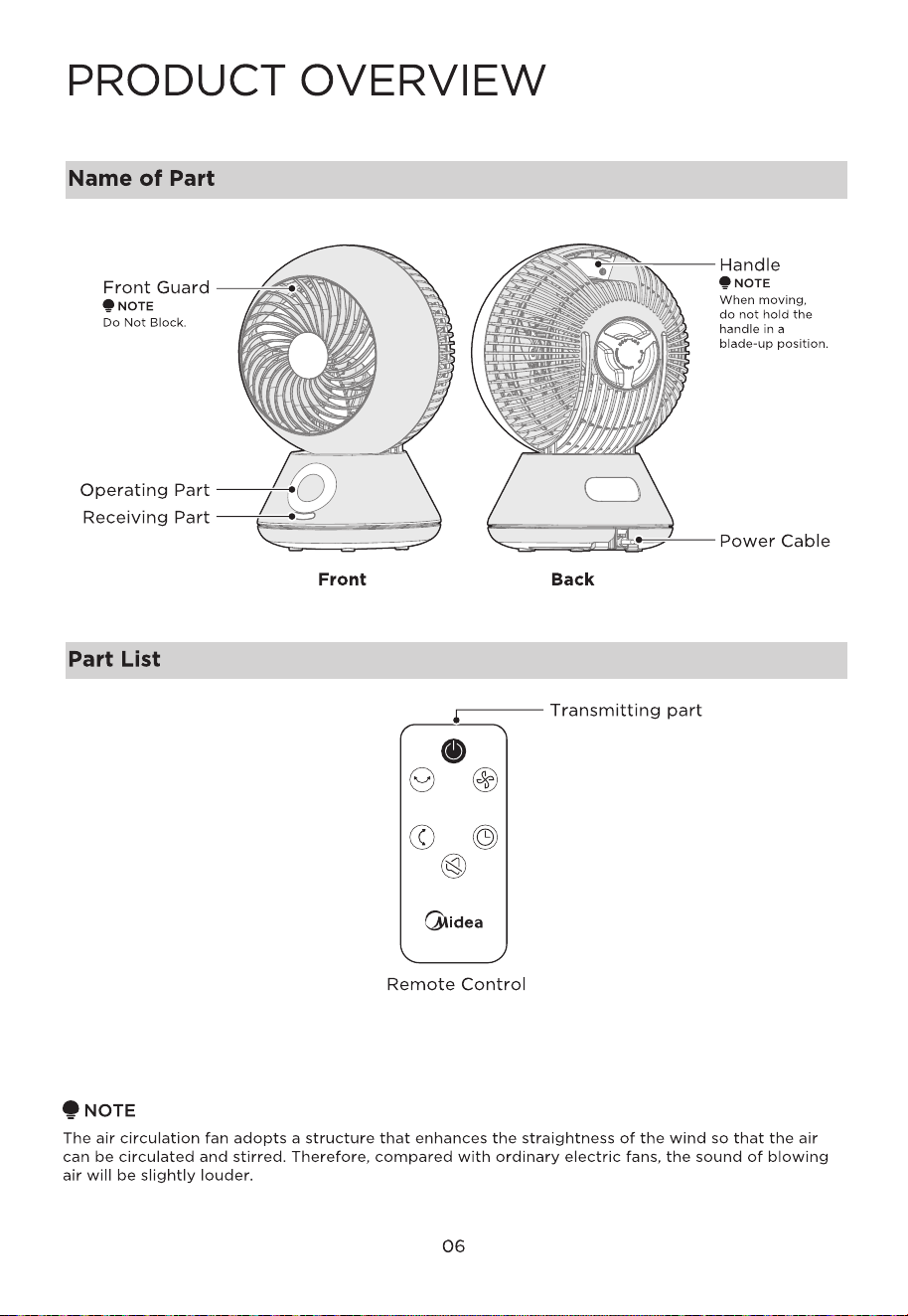
• Use of the remote control. Please refer to the panel operation and display section for
the button functions of the remote control.
• The remote control can be used in front of the product within 9.8 ft.
NOTE
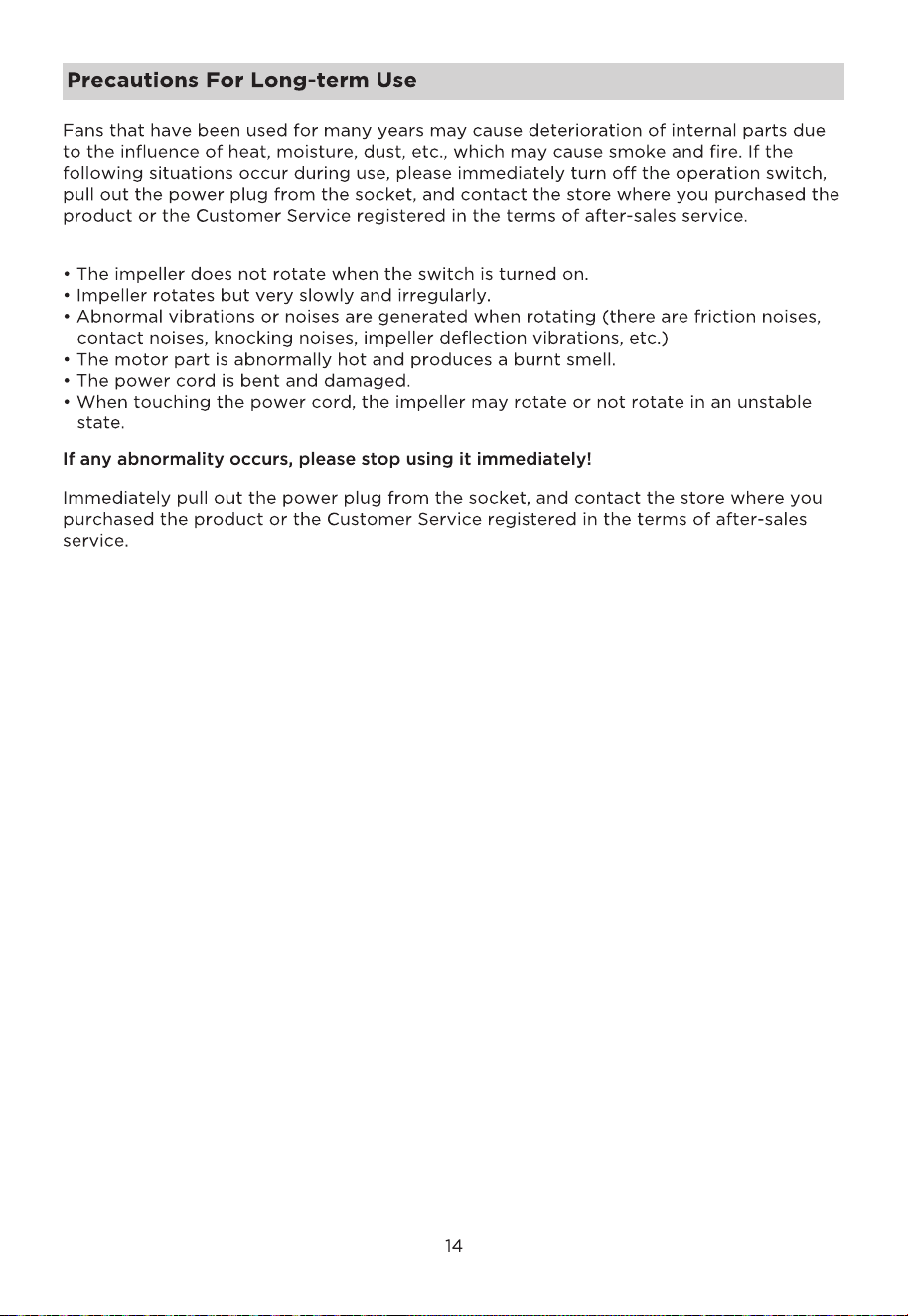
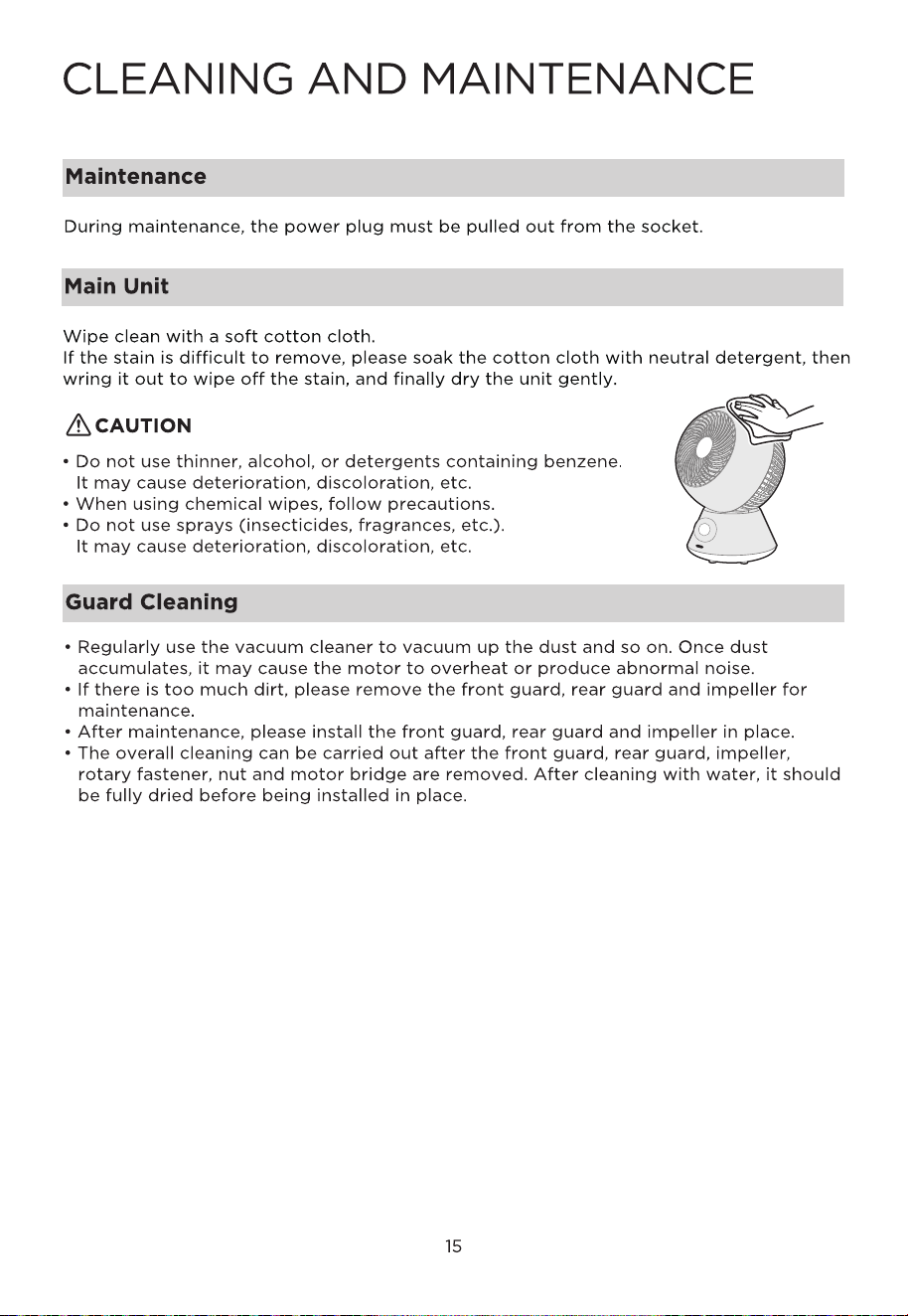
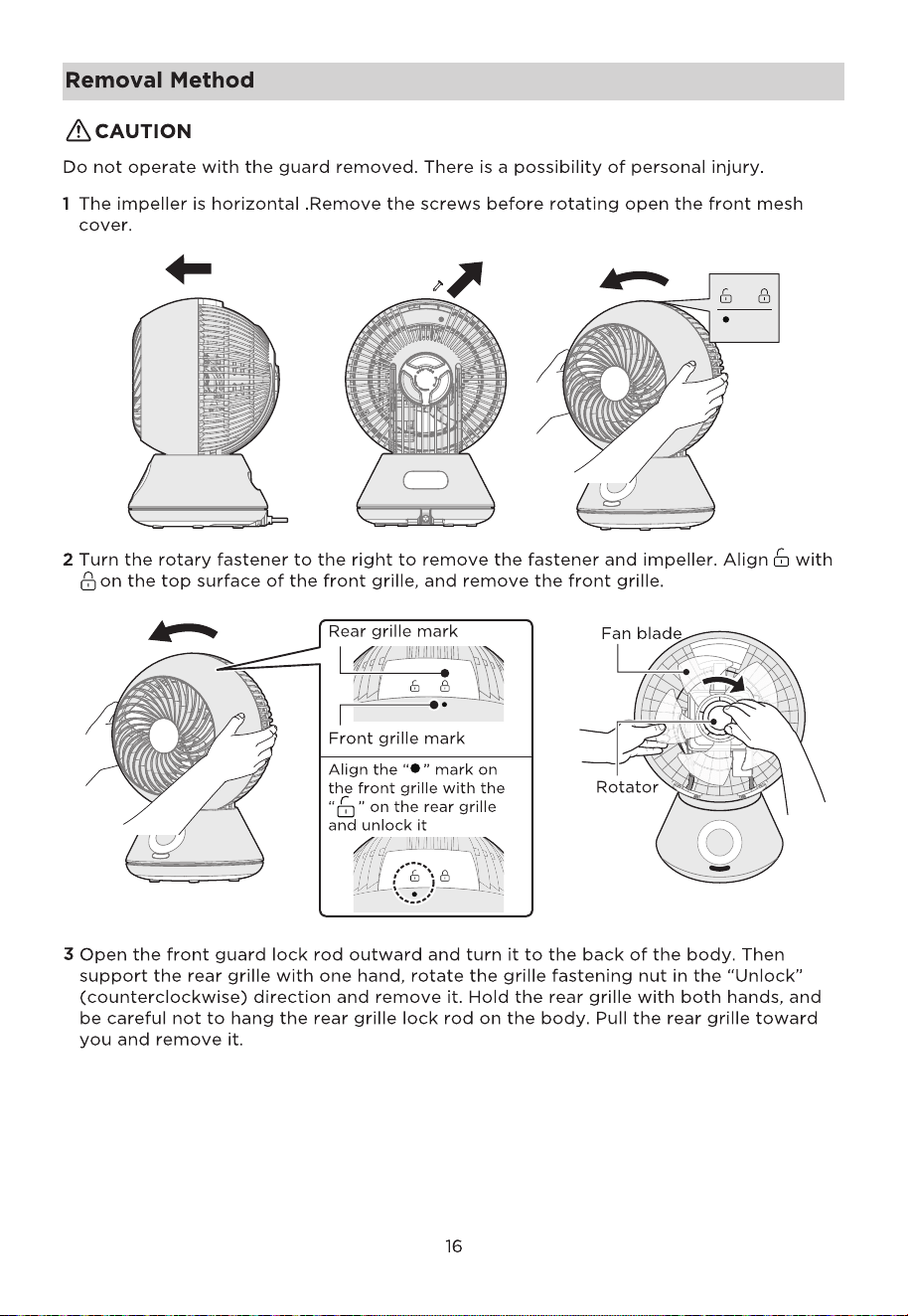
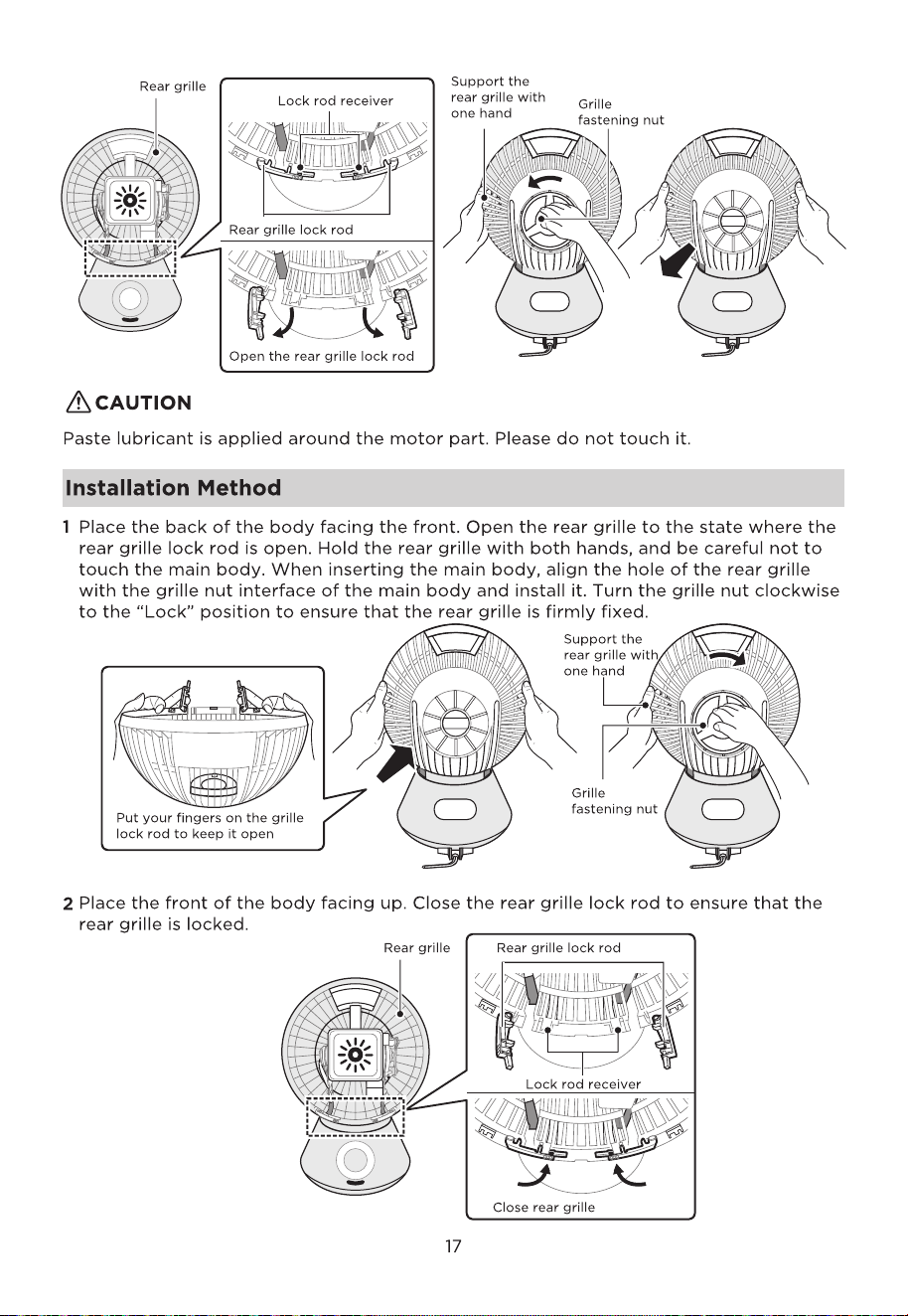
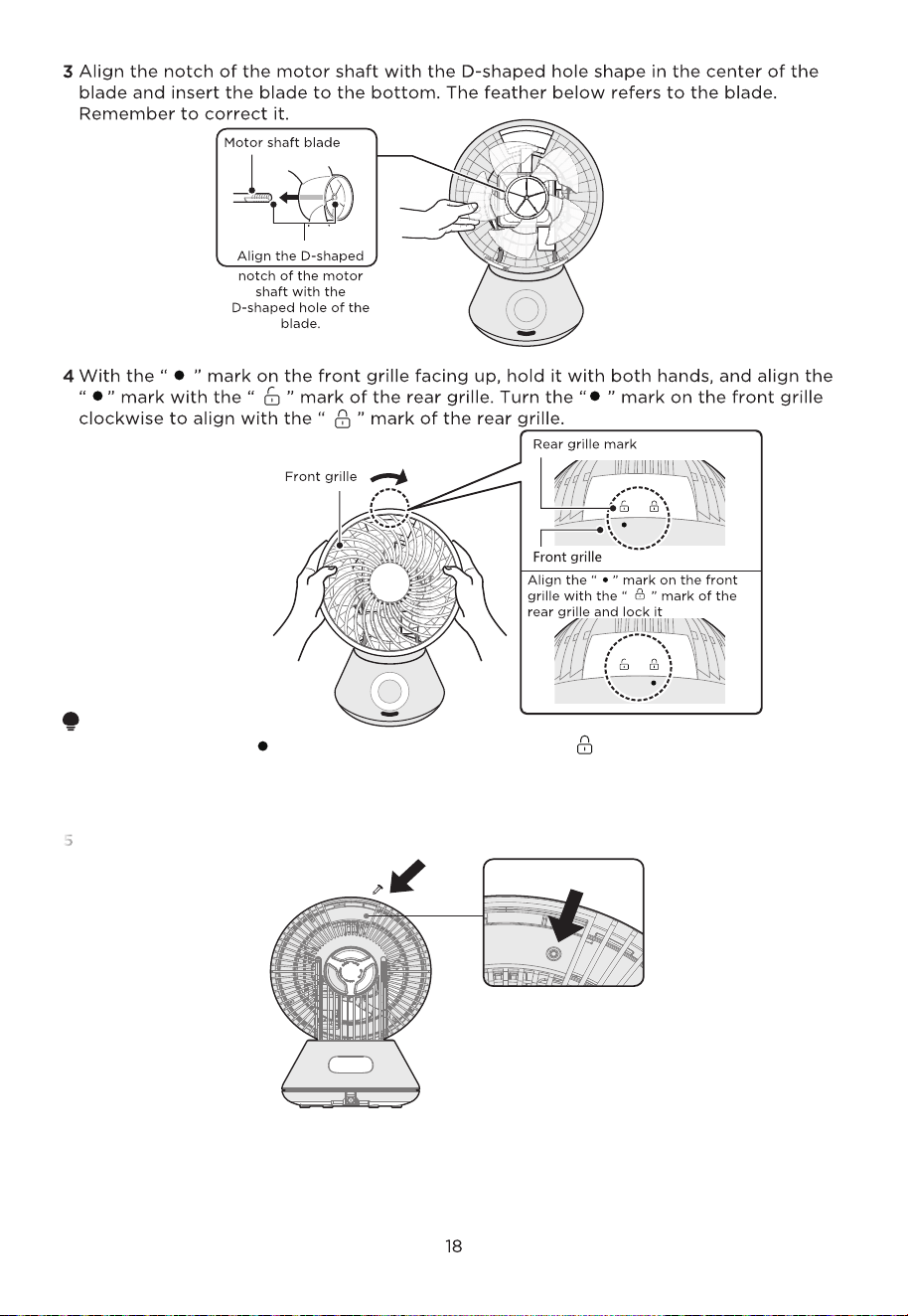
• Make sure that the “ ” mark of the front grille and the “ ” mark of the rear grille are
correctly aligned.
• The grille may fall off during operation.
• After cleaning, wait for the body to dry before using it.
5
Finally, use screws to secure the front and rear mesh covers at the handle of the
fuselage.
screw hole
Storage
After cleaning, pay attention to the following points and store it properly.
• Please carefully wipe off the dirt and grease on the body and blades. Resin can cause
discoloration and breakage.
• Please put it in a box or pack it in a plastic bag when purchasing and keep it properly.
• Please store it in a place without direct sunlight and with low humidity.
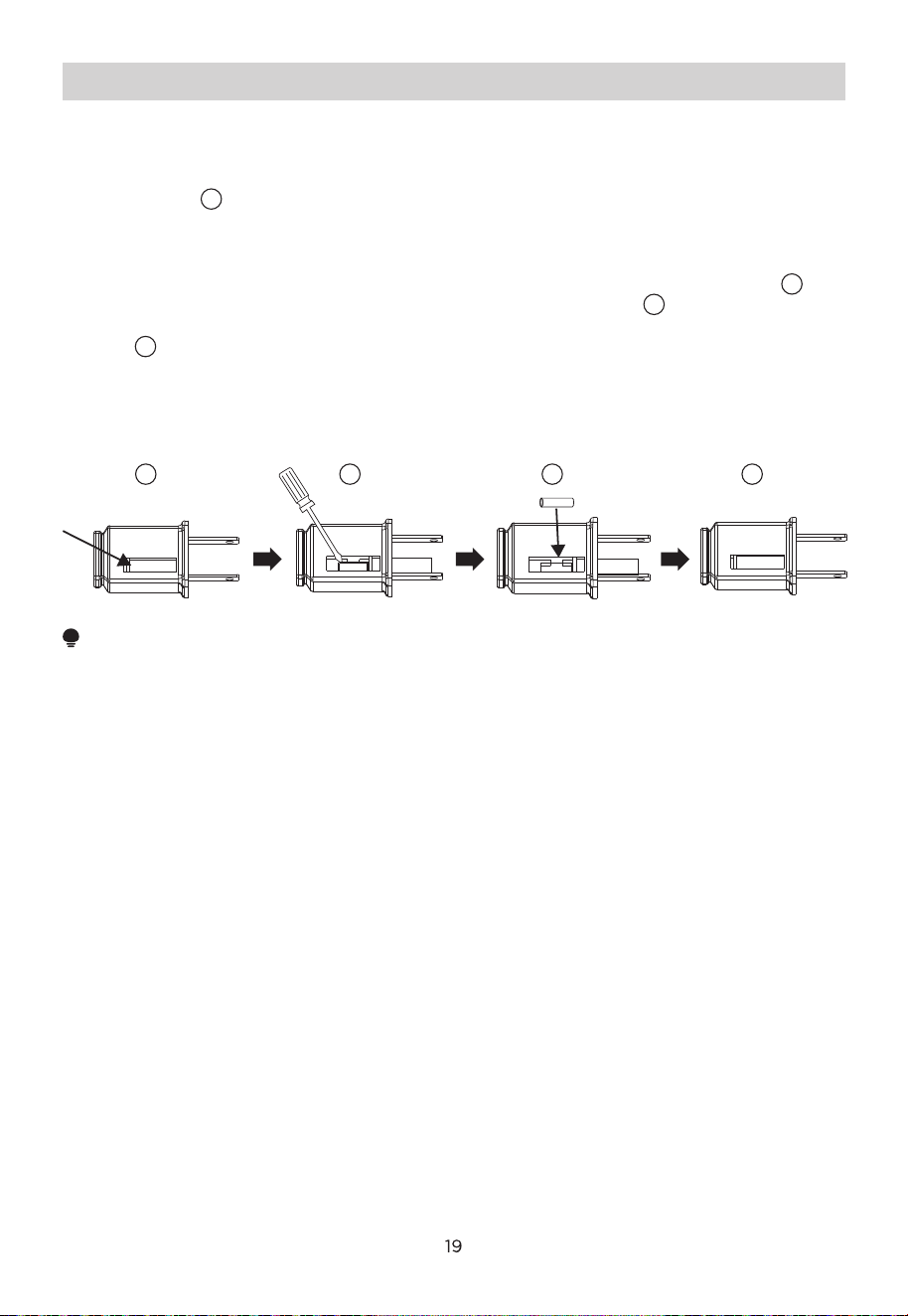
User Servicing Instructions
a) Grasp plug and remove from the receptacle or other outlet device. Do not unplug by
pulling on cord.
b) Open fuse cover. Slide open fuse access cover on top of attachment plug towards
blades. (Fig. )
c) Remove fuse carefully. Insert the tip of your tool into fuse slot (close with the
terminal), then pry the fuse gradually and slowly, but do not overexert. If you feel
resistance, you can try it at several times and pry the fuse little by little. When one
side of the fuse has been released, then you can get the fuse out entirely. (Fig. )
d) Risk of fire. Replace fuse only with 2.5 Amp, 125 Volt fuse. (Fig. )
e) Close fuse cover. Slide closed the fuse access cover on top of attachment plug.
(Fig. )
f) Risk of fire. Do not replace attachment plug. Contains a safety device (fuse)that
should not be removed. Discard product if the attachment plug is damaged.
g) If the fan suddenly does not work during normal operation, please check whether it is
a problem with the fuse.
NOTE
• When you replace the fuse, please don’t operate suddenly or overexert, or else the
product will be damaged or cause accident.
• When you feel it hard to be operated, please make sure you have got the right way.
• Risk of fire. Do not replace attachment plug. Contains a safety device (fuse) that should
not be removed. Discard product if the attachment plug is damaged.
3
41
1
2
2
3
4
22

23
To find further information, please follow the QR Code.