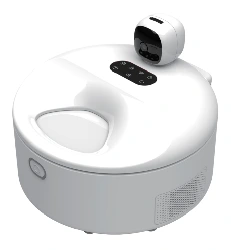
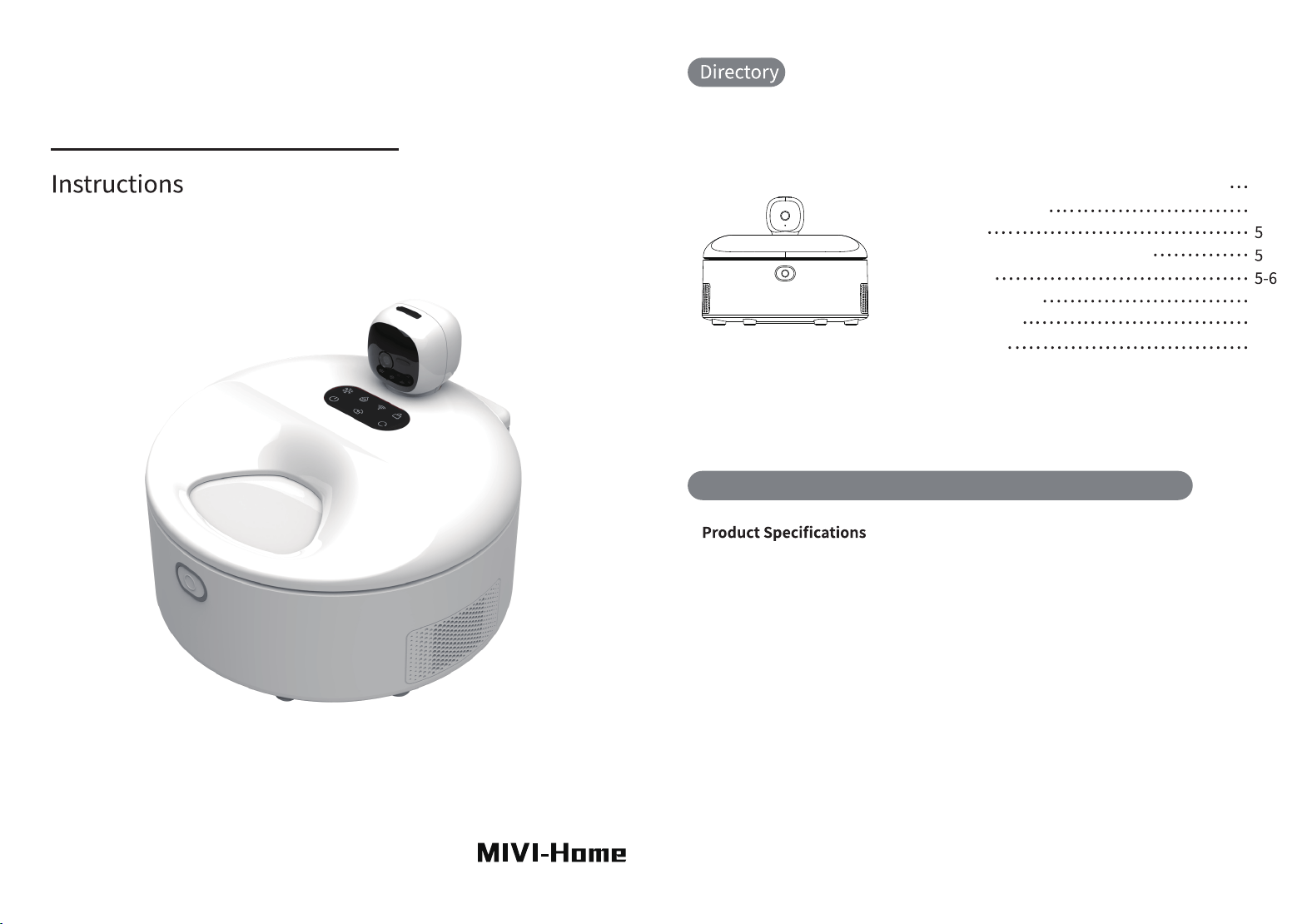
Smart Fresh Food Feeder (All information is subject to the actual product.)
1. Product Name: Smart Wet Food Feeder
2. Product Model: MV26001PRO
3. Voltage & Current: 12V 10A
4. Power: 120W
5. Network Frequency: 2.4G/5G BL
6. Power Supply: DC Adapter
7. Product Size: 300300230mm
8. Product Weight: 5kg
9. Main Materials: ABS, SUS304
10. Product Capacity: 5 Portions, 150g X5
Smart Wet Food Feeder Specifications & Functions
Smart Wet Food Feeder Specifications & Functions
Button Operation Guide
Accessory List
Network Configuration Operation Guide
Light Indication
Maintenance and Care
Device Precautions
Internal Structure
4NBSU'SFTI'PPE'FFEFS
Please read this instruction manual carefully before use to ensure
safe operation of the Smart Fresh Food Feeder.
300x300x230mm300x300x230mm
EMAIL:[email protected]
Manufacturer:Ningbo Mivi Technology Co., Ltd.
Address: No. 828, Wuxiang East Road, Yinzhou District,
Ningbo City, Zhejiang Province
300x300x230mm
EMAIL:[email protected]
Manufacturer:Ningbo Mivi Technology Co., Ltd.
Address: No. 828, Wuxiang East Road, Yinzhou District,
Ningbo City, Zhejiang Province
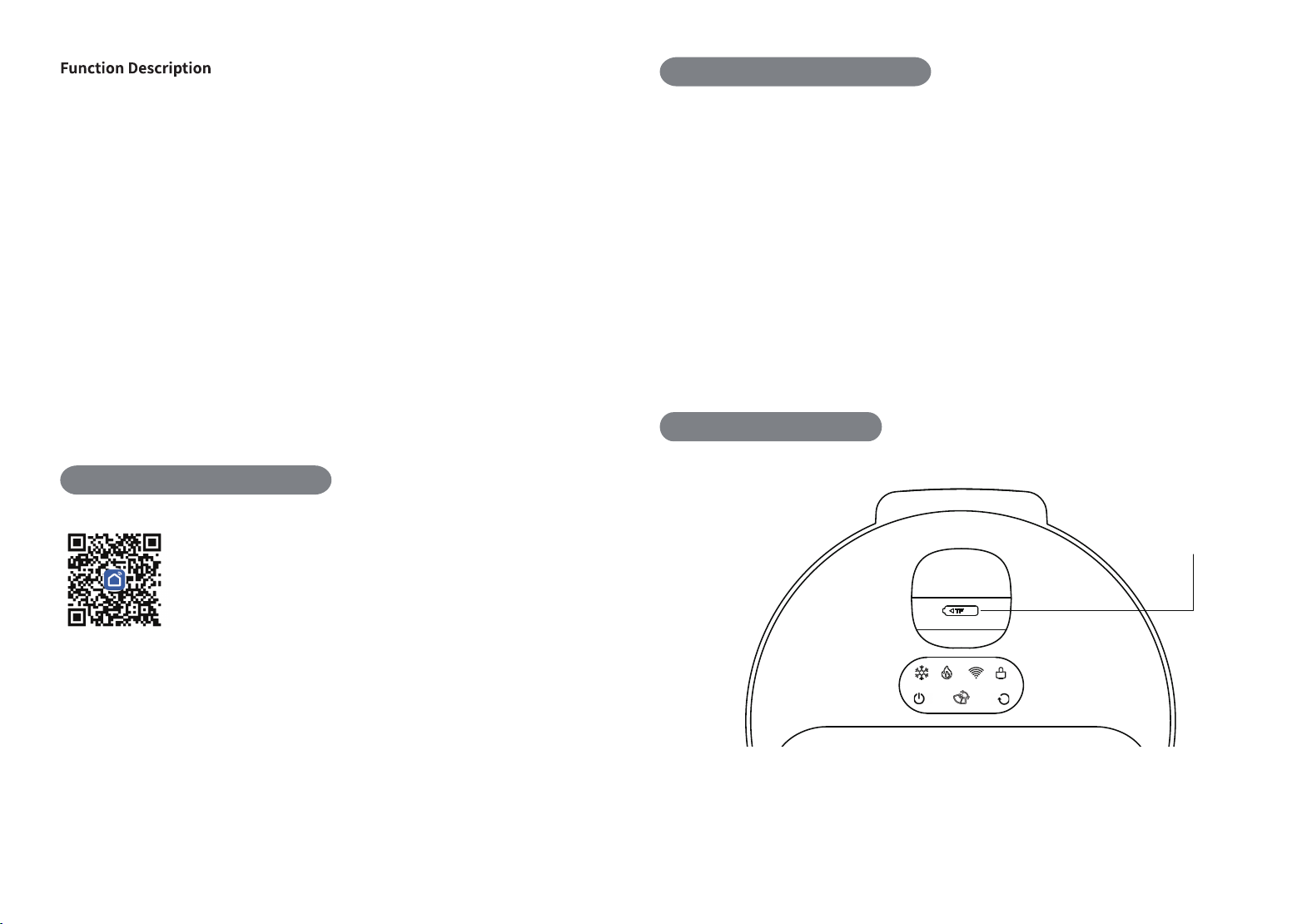
1. Remote Control via Smart Life APP
1.Scan the QR code to download the Smart Life APP
2.Keep your phone’s Bluetooth and Wi-Fi enabled
3.Power on the device and wait for self-check completion; long-press the Wi-Fi
button for 3 seconds to enter network pairing mode
4.The APP will automatically detect nearby devices; tap to add the device
5.The device powers on automatically after connecting the power adapter. It runs
a 10-second self-test, and emits a "di-di" beep once the camera resets to its original
position, then starts pairing with the Wi-Fi indicator flashing.
To reconfigure the network: long-press the Wi-Fi key for 3 seconds to restore factory
defaults and restart pairing.
Note: Child lock activation will not interfere with normal network pairing.
Smart Mode
1.Customizable smart feeding schedules. The continuous serving duration can be set from
15 minutes to 4 hours. Within the serving window, pets may eat multiple times: the food tray
opens automatically when pet movement is detected, and closes once the pet leaves.
The interval between feeding schedules must be at least 30 minutes longer than the set
continuous serving duration.
2.Voice reminder for food serving is available; you may record custom audio clips or use
default sound effects.
3.Do not operate manual feeding when the device is running in Smart Mode.
4.The heating function supports intelligent heating, with selectable heating durations of 15
minutes, 30 minutes, or the heating function can be turned off entirely.
Manual Mode
1.In Manual Mode, you can open the feeding tray to serve food at any time and adjust
heating settings freely. The default continuous serving duration is 15 minutes.
2. Low-temperature Refrigeration and Fresh-keeping
3. Constant-temperature heating for food serving
4. Anti-pinch design during feeding
5. Food Dispensing Reminder
6. Feeding history log
7. Short audio recording
8. Audio playback reminder for feeding
9. Manual Feeding
10. Scheduled automatic feeding
11. Device Sharing
12. Remote video & two-way audio interaction
13. Remote photo capture, video recording & playback
14. Automatic motion detection for living creatures
15. TF Card Storage (Supports up to 128G)
16. Child lock function
TF Card slot
/FUXPSL$POHVSBUJPO(VJEF
'FFEJOH'VODUJPO*OUSPEVDUJPO
#VUUPO0QFSBUJPO(VJEF
1.The interval between the end time of one feeding schedule and the start of the
next must be at least 30 minutes.
2.All scheduled smart feeding plans will be suspended in Manual Mode; schedules
will resume automatically once you switch back to Smart Mode.
3.Pressing the open-tray or rotation buttons on the device body will switch the unit
to Manual Mode and pause all feeding schedules.
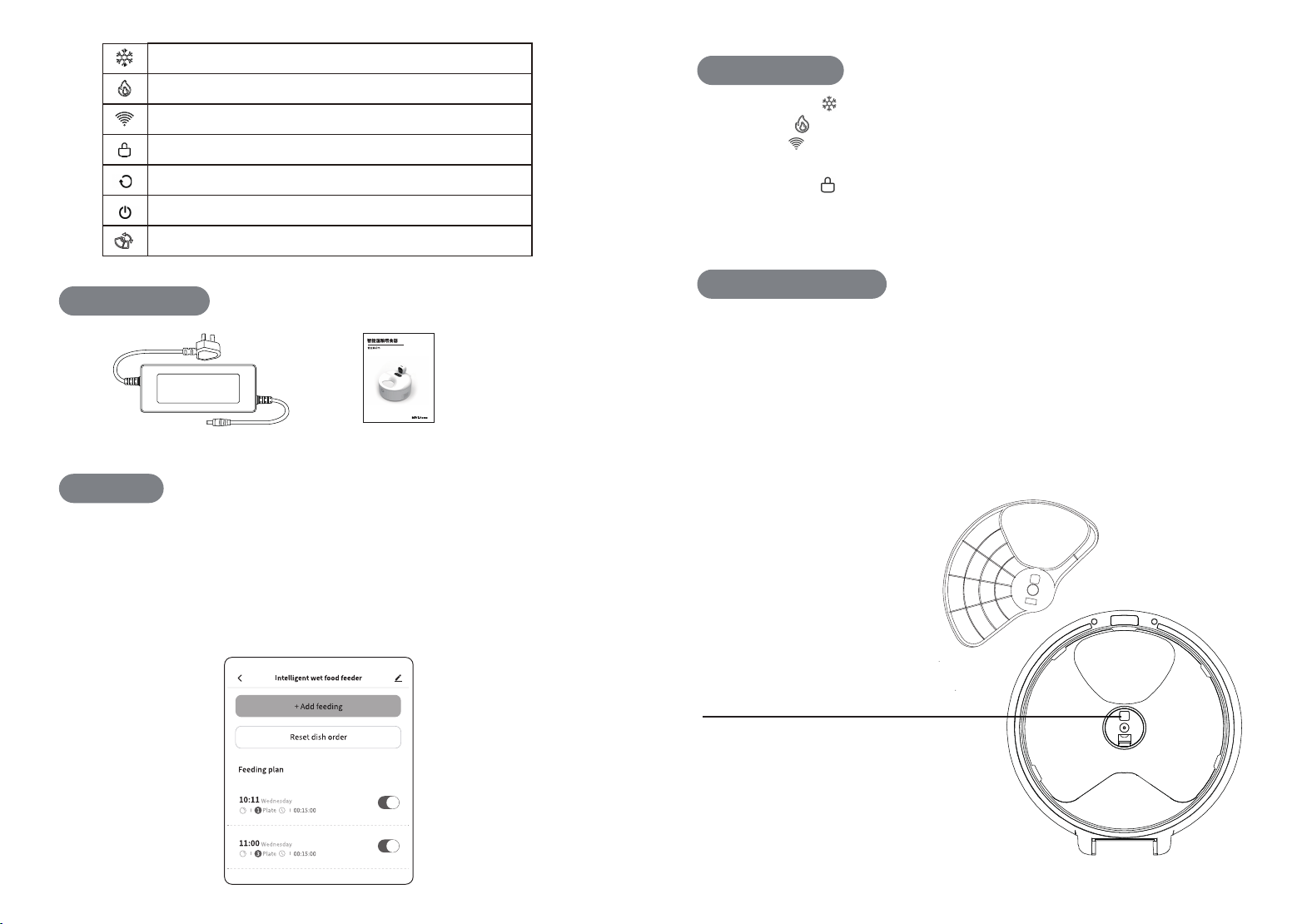
1.Snowflake icon : Lit when cooling is active; off when cooling is disabled.
2.Flame icon : Lit steadily during heating; off when heating is inactive or complete.
3.Wi-Fi icon : Flashes when waiting for pairing; blinks during network setup; stays
solid once connected successfully.
4.Child lock icon : Lights up automatically if no panel operation for 30 seconds
(auto-locked); turns off after long-pressing for 3 seconds to unlock.
5.Hold the power button for 3 seconds to power on/off; the power indicator stays lit.
Cleaning the Food Tray: Remove the food tray periodically and wash it with warm
water and a mild detergent.
Cleaning the Feeding Opening: Food residue tends to accumulate in the feeding
opening, so it should be cleaned regularly with a towel or paper towel. Do not rinse
with water.
Cleaning the Refrigeration Compartment: Wipe up any accumulated water in the
refrigeration compartment periodically with a towel or paper towel. Do not rinse with
water.
Ventilation Openings: Keep the device’s air intake and exhaust vents unobstructed
and clean them regularly.
1.Short press to turn cooling on or off
2.Short press to turn heating on or off
3. Long press for 3 seconds to reset Wi-Fi pairing
4.Long press for 3 seconds to enable or disable child lock
7. Long press for 3 seconds to power the device on or off
8. Short press to open or close the food tray
Power Adapter User Manual
5. Short press to rotate the food tray
6. Long press for 3 seconds to reset Tray 1 to the serving position
"DDFTTPSJFT-JTU
-JHIU*OEJDBUPS
.BJOUFOBODF$BSF
"11/PUFT
*GZPVSFNPWFUIFGPPEDPWFSBMJHOJUXJUIQPTJUJPOCFGPSF
SFJOTUBMMJOHJUCVUEPOPUQSFTTEPXOZFU4OBQJUJOUPQPTJUJPOT
BOEJOUIBUPSEFSBOEUIFOQSFTTEPXOPOQPTJUJPO
8IFODMFBOJOHUIFGPPEDPWFSQMFBTFEJTDPOOFDUUIFQPXFS
CFGPSFEJTBTTFNCMJOHJUUPQSFWFOUUIFMBUDIGSPNTIJGUJOHPVU
PGQPTJUJPO*GUIFMBUDIIBTTIJGUFESFQFBUFEMZQMVHBOEVOQMVH
UIFQPXFSDPSEUPSPUBUFUIFMBUDICBDLUPUIFQPTJUJPOTIPXO
JOUIFJMMVTUSBUJPO
- Do not rinse the interior or exterior of the device with water. Prevent water ingress that
may damage the unit.
- The detachable food tray can be rinsed with water; ensure it is fully air-dried before
reinstallation.
- If you replace your home Wi-Fi network, long-press the Wi-Fi button for 3 seconds to
reconfigure the network connection.
- If equipped with a lithium battery: when running solely on battery power, the device will
only dispense meals per pre-set feeding schedules. The refrigeration and heating
functions will be unavailable.
- One-year whole-unit warranty. Warranty does not cover damage caused by human error
or cosmetic exterior damage.
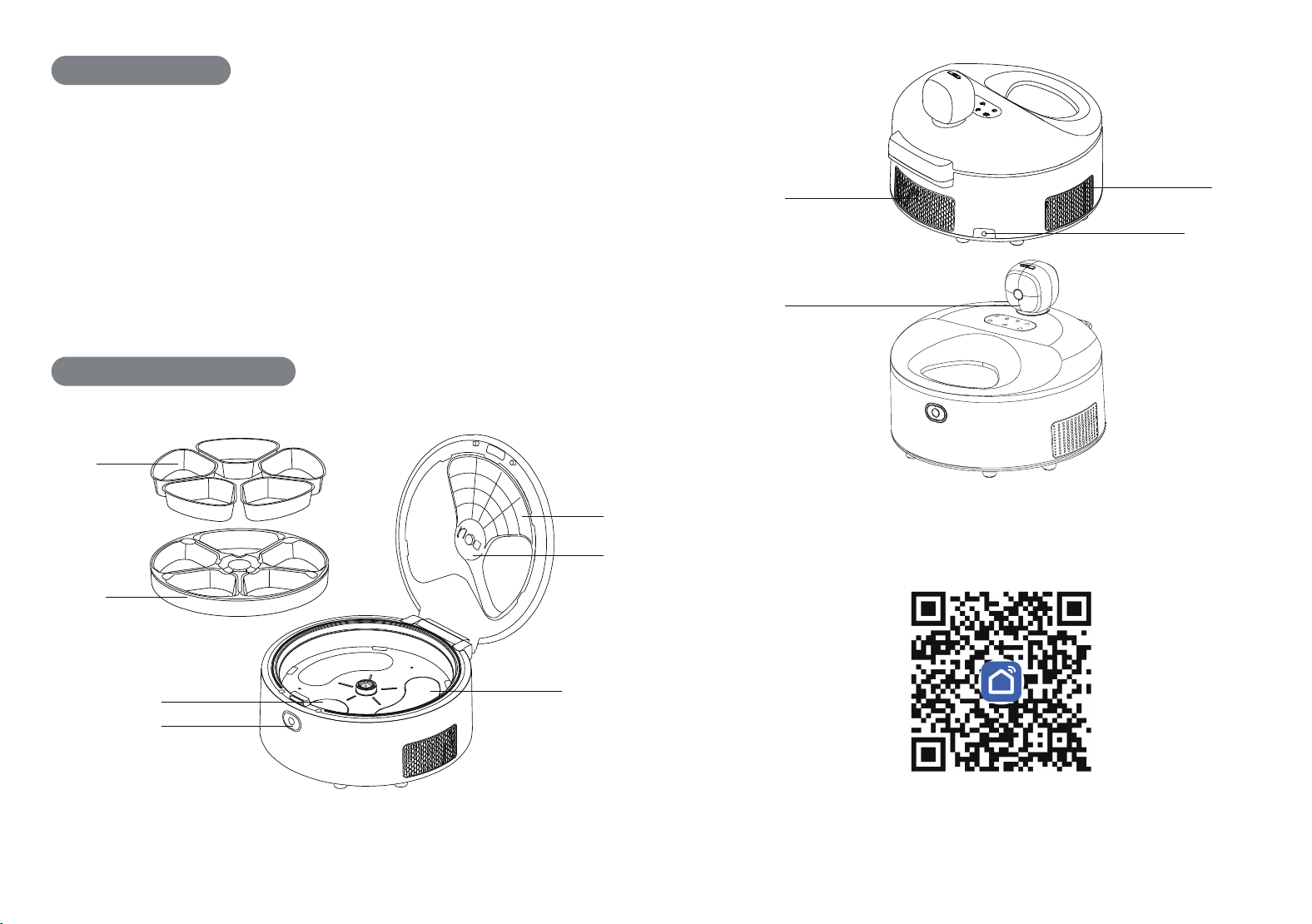
SUS304 Food Bowl
Rotating Food Tray
Food CompartmentLid
%FWJDF1SFDBVUJPOT
*OUFSOBM4USVDUVSF%JBHSBN
3FNPWBCMF$PNQBSUNFOU-BUDI
)FBUJOH;POF
$PNQBSUNFOU3FMFBTF#VUUPO
$PPMJOH;POF
"JS0VUMFU
1PXFS0VUMFU
"JS*OMFU
.JDSPQIPOF-PDBUJPO8IFOSFDPSEJOHWPJDF
SFNJOEFSTGPSGFFEJOHQMFBTFQMBDFZPVS
NPVUIDMPTFUPUIFNJDSPQIPOF
Intelligent life APPIntelligent life APP
Smart Life APP

This device complies with part 15 of the FCC Rules. Operation is subject to the
following two conditions: (1) This device may not cause harmful interference, and (2)
this device must accept any interference received, including interference that may cause
undesired operation.
Any Changes or modifications not expressly approved by the party responsible for
compliance could void the user's authority to operate the equipment.
Note: This equipment has been tested and found to comply with the limits for a Class B
digital device, pursuant to part 15 of the FCC Rules. These limits are designed to
provide reasonable protection against harmful interference in a residential installation.
This equipment generates uses and can radiate radio frequency energy and, if not
installed and used in accordance with the instructions, may cause harmful interference
to radio communications. However, there is no guarantee that interference will not
occur in a particular installation. If this equipment does cause harmful interference to
radio or television reception, which can be determined by turning the equipment off and
on, the user is encouraged to try to correct the interference by one or more of the
following measures:
-Reorient or relocate the receiving antenna.
-Increase the separation between the equipment and receiver.
-Connect the equipment into an outlet on a circuit different from that to which the
receiver is connected.
-Consult the dealer or an experienced radio/TV technician for help.
-This equipment complies with FCC radiation exposure limits set forth for an
uncontrolled environment. This equipment should be installed and operated with
minimum distance 20cm between the radiator & your body.