SV12 JN.00000 PN.000000-00-00
00.00.00 VERSION NO.01
Contents
In the box
Assembling your machine
Product controls
Connecting to the MyDyson™ app
via Bluetooth
®
Connecting to your smart home
Cleaning your machine
Clearing blockages
User manual
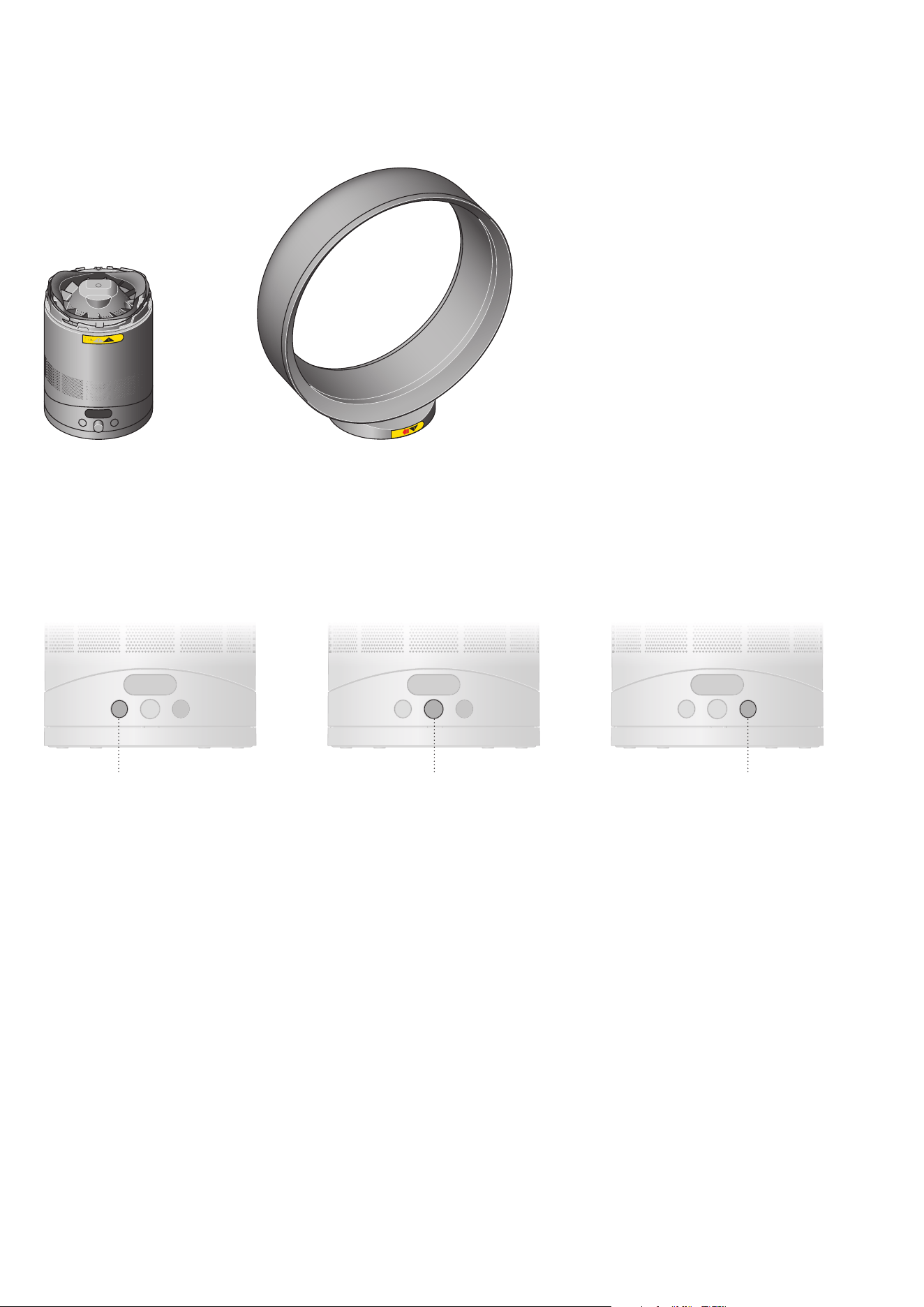
In the box
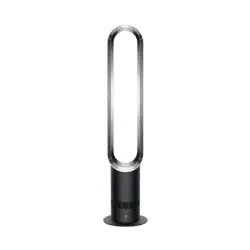
Loop amplifierFan base
Sleep mode button Power button and Fan speed dial Oscillation mode button
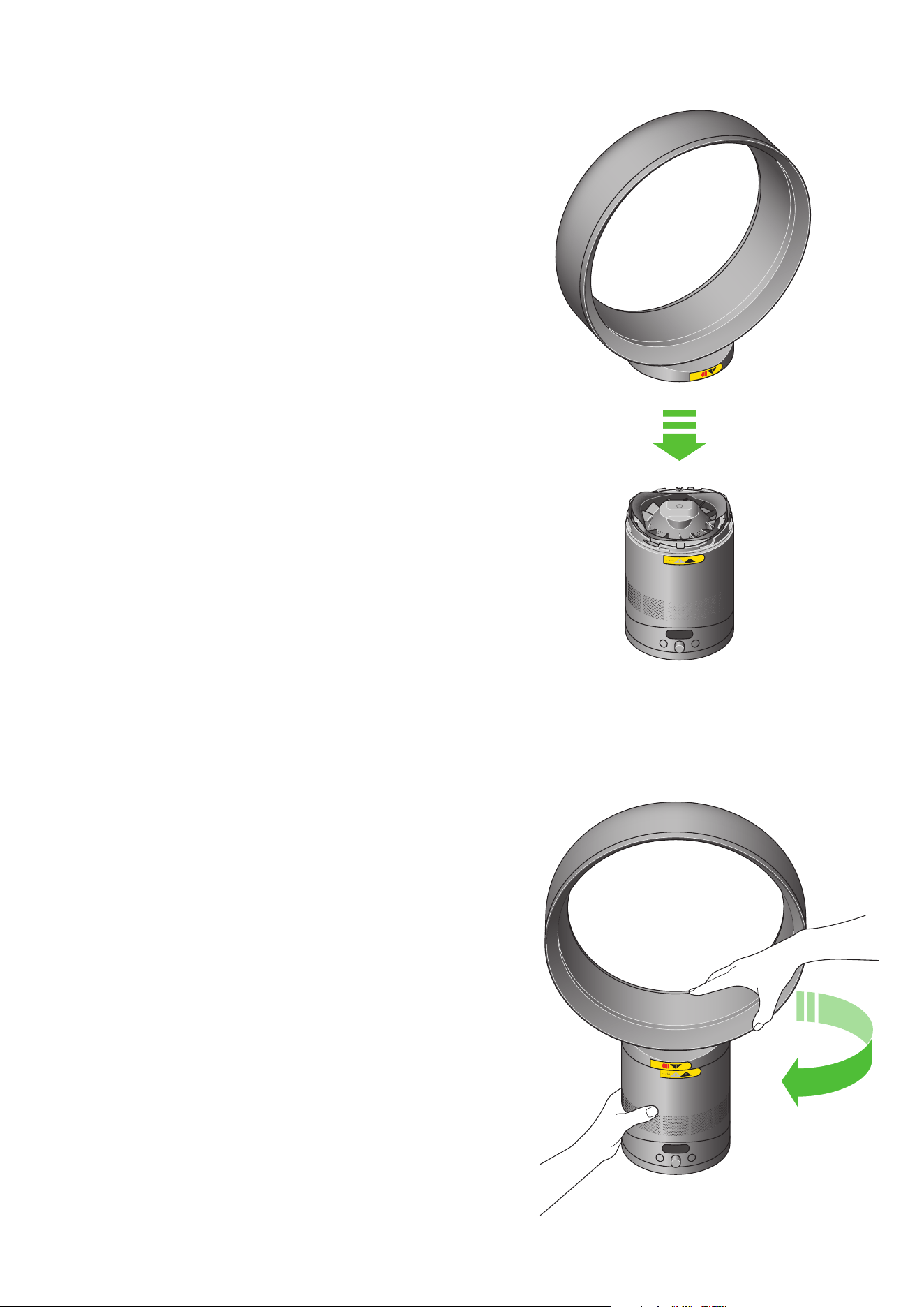
Assembling your machine
Step 1
Lower the loop amplifier onto the base, aligning the arrows.
Step 2
Once aligned, turn the loop amplifier clockwise to lock.
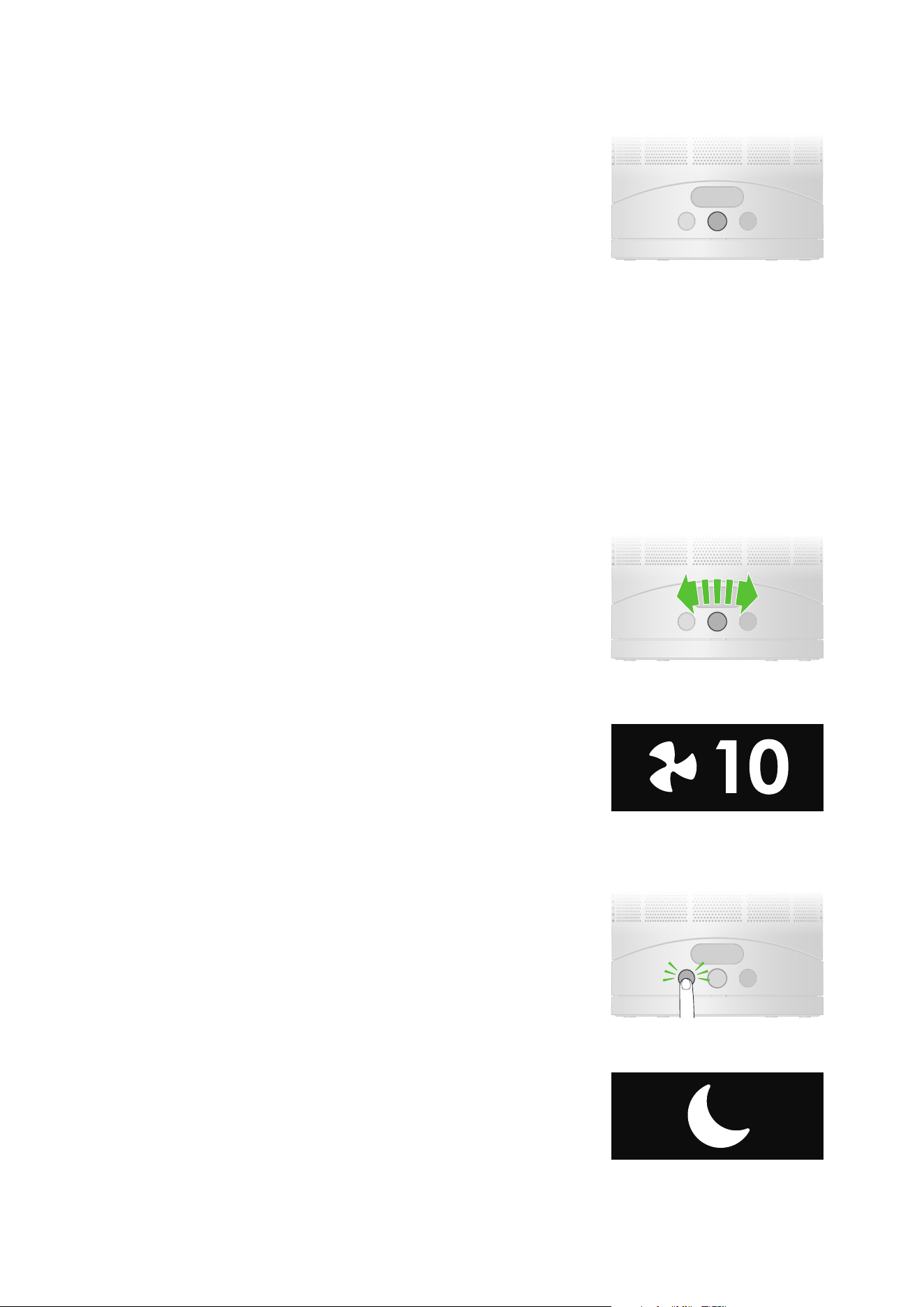
Product controls
Power
Press the combined Power button and Fan speed dial, situated in the middle
of the controls, to start / stop your machine.
Sleep mode
Press the button on the left to activate Sleep mode. Your fan will blow air at a
lower speed and with its LCD screen dimmed.
Fan speed control
Turn the combined Power button and Fan speed dial to the right to increase
fan speed, turn it to the left to decrease fan speed.
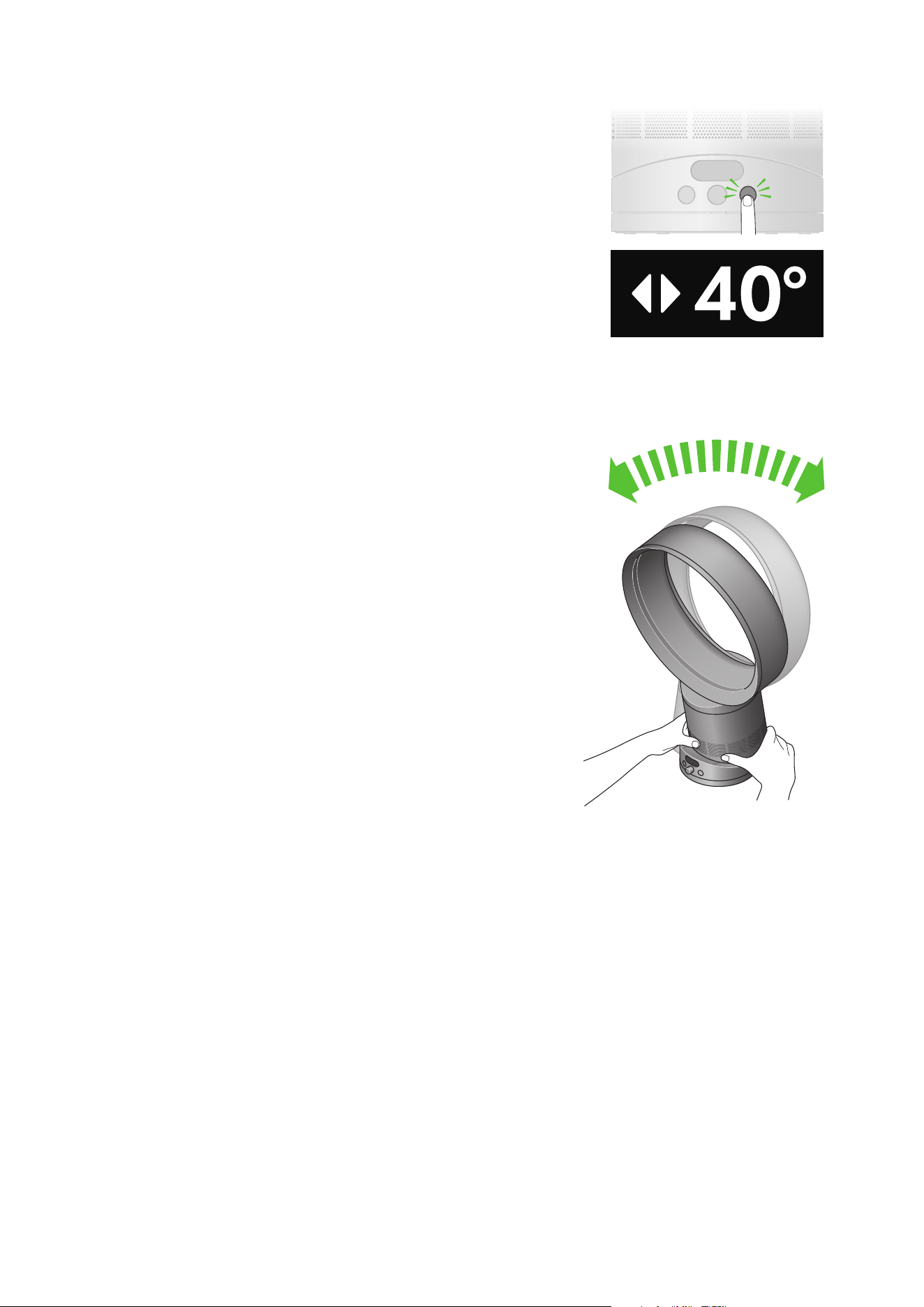
Oscillation
Press the button on the right to cycle through oscillation angles.
Choose from 10, 40 or 70 degrees.
Manual tilt
Carefully hold the base and the top of the air loop amplifier. Tilt forward or
backward for the required airflow angle.
Connecting to the MyDyson™ app
via Bluetooth
®
Take full control with the MyDyson™ app and access step-by-step setup and
support, control how and when your fan operates, and automatically keep
up to date with the latest software updates.
Download the MyDyson™ app from the App Store or Google Play.
Open the app and follow the on-screen instructions to create a new account.
Apple, the Apple logo, and Siri are trademarks of Apple Inc. App Store is a service mark of Apple Inc.
Google Play, the Google Play logo, Google Assistant are trademarks of Google LLC.
Amazon, Alexa, Amazon Echo and all related logos are trademarks of amazon.com,
Inc. or its affiliates.
Android and the Android logo are trademarks of Google LLC.
The Android robot is reproduced or modified from work created and shared
by Google and used according to terms described in the Creative Commons
3.0 Attribution License.
Connecting to your smart home
Using Amazon Alexa
Ask Alexa to enable the Dyson skill, to control your Dyson fan. And set a
routine that automates how your machine works with other devices
in your home.
Using Google Assistant
Control all of your connected fans with Google or set a routine to automate
how your machine works with other devices in your home. Just say “Hey
Google” to get started.
Using Siri
Connect your Dyson machines to Siri Shortcuts and you’ll be able to control
them with your voice, on your Apple device.
Available on
Android™ stores
Cleaning your machine
Clearing blockages
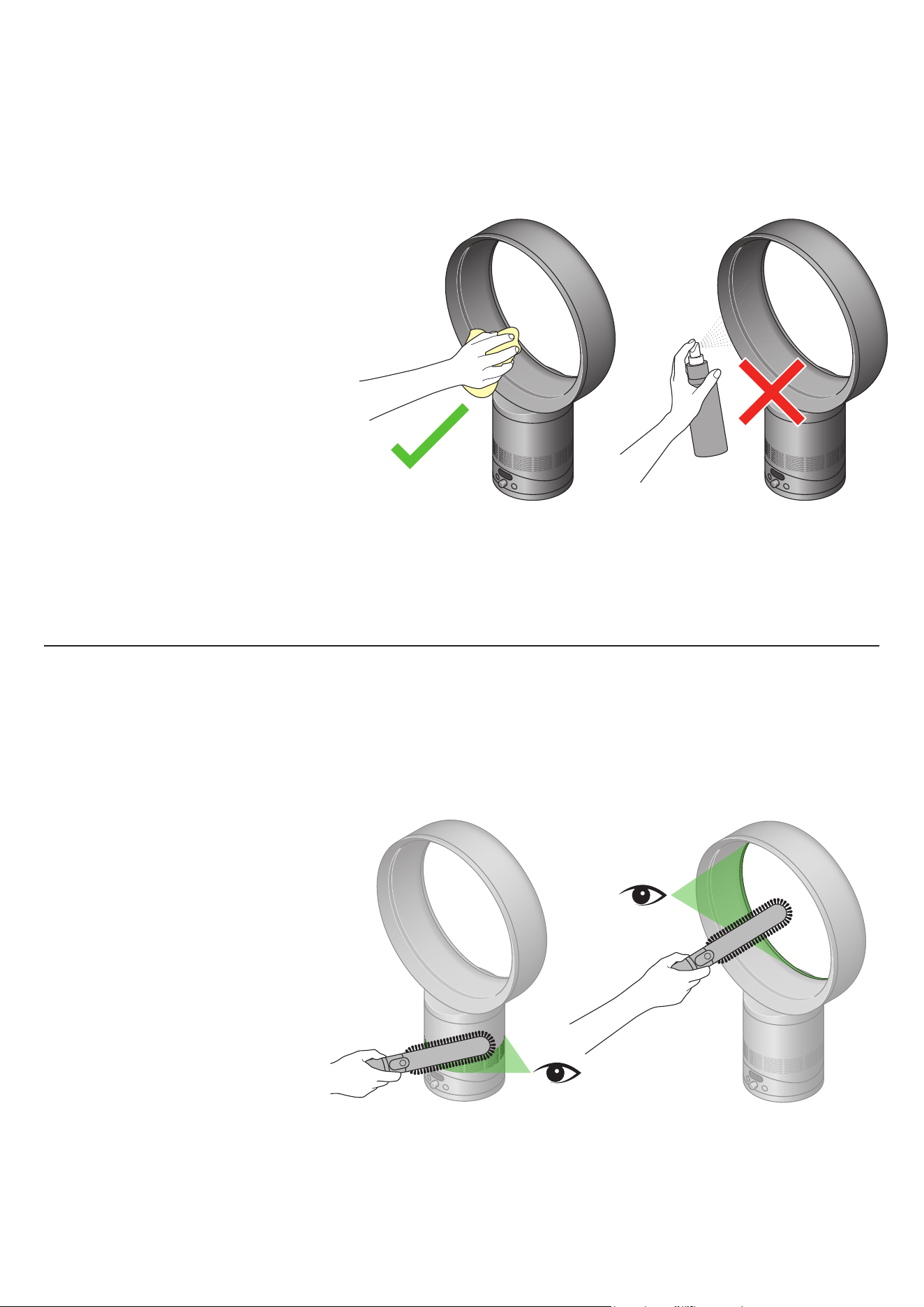
Unplug your machine before cleaning. To clean, wipe with a dry or damp
cloth. Do not use detergents or polishes to clean the appliance.
Look for blockages in the air inlet holes. Use a soft brush to remove debris.
Look for blockages in the small aperture inside the loop amplifier. Use a soft
brush to remove debris.