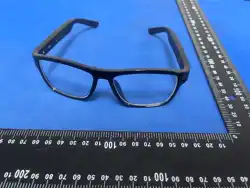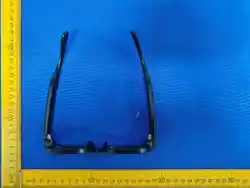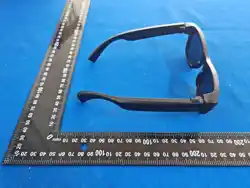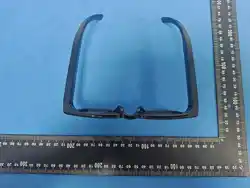
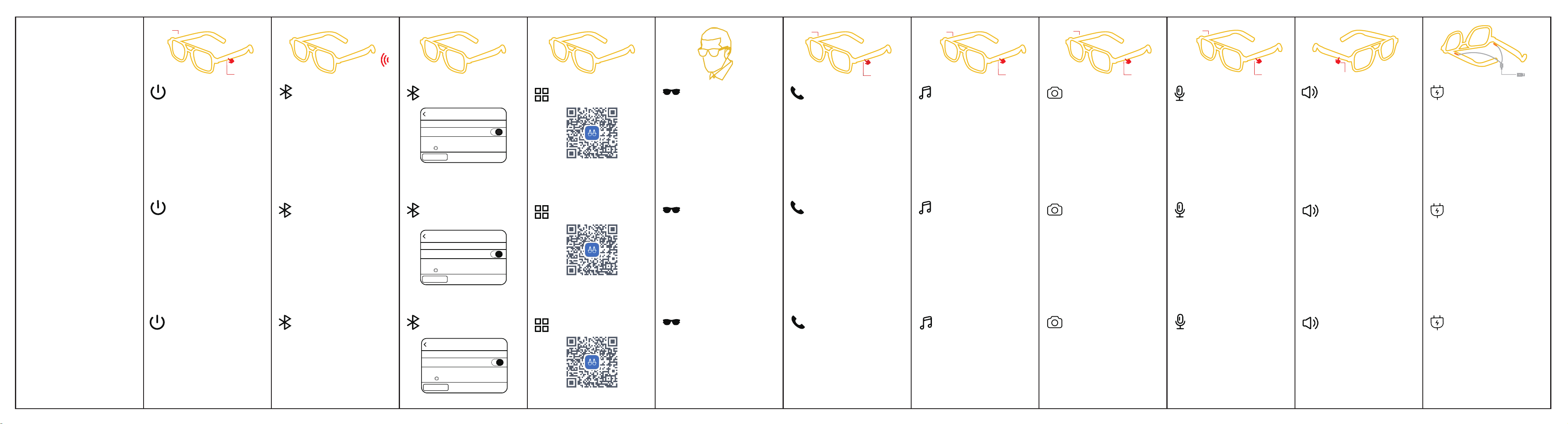
Touche droite
Touche gauche
Touche droite
Touche gauche
Touche droite
Touche gauche
Touche droite
Touche gauche
Dopo aver acceso gli occhiali intelligenti, aprire il Bluetooth
del telefono cellulare, cercare il nome del dispositivo G�� e
collegarlo.
(Nota: la ricarica degli occhiali intelligenti si spegne
automaticamente; i dispositivi Android Bluetooth cercano il
nome del dispositivo G��.Le singole icone non sono uguali,
fare riferimento al numero di modello).
Modalità Wear Sensor: Dopo che gli occhiali sono collegati al
telefono cellulare, quando la musica viene riprodotta, la musica
viene automaticamente messa in pausa quando viene
riprodotta. Se la metti entro �� secondi, riprodurrà
automaticamente la musica e si spegnerà automaticamente
dopo �� secondi senza indossarla.
Risposta/aggancio alle chiamate in arrivo: premere il
tasto (sinistro o destro) per � volta.
Rifiuto della chiamata: premere a lungo il tasto (sinistro
o destro) per �,� secondi.
(Nota: in modalità musica, la priorità è data alle chiamate
in arrivo. (Il volume può essere regolato durante la chiamata,
tenendo premuta la barra di scorrimento destra per far
scorrere il volume verso l'alto e verso il basso).
Pausa/riproduzione della musica: � clic sul tasto a
sfioramento (sinistro o destro)
Commutazione musicale: fare doppio clic sul tasto sinistro
per passare al brano precedente, fare doppio clic sul tasto
destro per passare al brano successivo.
Foto con telecomando: aprire la fotocamera del telefono
cellulare, premere a lungo il tasto destro per � secondi per
scattare una foto a distanza.
(Nota: in stato di non chiamata/non musica)
Svegliare l'assistente vocale: premere a lungo il tasto
sinistro per � secondi.
Volume giù: tenere premuta la barra di scorrimento destra
per scorrere all'indietro
Volume su: tenere premuta la barra di scorrimento destra
per scorrere in avanti
(Nota: il livello del volume della musica può essere regolato
anche sul telefono)
Ricarica magnetica: la luce arancione è sempre accesa
quando è in carica, la luce verde è sempre accesa per �
minuto e poi si spegne quando è piena.
(Nota: gli occhiali si spengono automaticamente durante
la ricarica).
Nachdem die Smart-Brille eingeschaltet wurde, schalten
Sie Bluetooth auf Ihrem Telefon ein, suchen Sie nach dem
Gerätenamen G�� und stellen Sie eine Verbindung her
(Hinweis: Die Smart-Brille schaltet sich beim Laden
automatisch aus; bei der Suche nach Bluetooth auf
Android-Geräten können einige Symbole abweichen,
verwenden Sie daher bitte die Modellnummer als Referenz).
Tragbarer Sensormodus: Nachdem die Brille mit dem
Mobiltelefon verbunden ist, wird die Musik beim Abspielen
automatisch angehalten, wenn sie abgespielt wird. Wenn Sie
sie innerhalb von �� Sekunden aufsetzen, wird automatisch
Musik abgespielt und nach �� Sekunden ohne das Tragen
automatisch ausgeschaltet.
Musik anhalten/abspielen: Berühren Sie die Taste (links
oder rechts) einmal
Musik wechseln: Tippen Sie zweimal auf die linke
Touch-Taste, um zum vorherigen Titel zu wechseln
Tippen Sie zweimal auf die rechte Touch-Taste, um
zum nächsten Titel zu wechseln
Foto aus der Ferne aufnehmen: Öffnen Sie zunächst die
Kamera auf Ihrem Telefon,und halten Sie dann die rechte
Touch-Taste � Sekunden lang gedrückt, um ein Foto aus der
Ferne aufzunehmen
(Hinweis: wenn Sie sich nicht im Anruf-/Musikmodus
befinden)
Sprachassistent aktivieren: Drücken Sie die linke
Touch-Taste � Sekunden lang
Lautstärke verringern: Halten Sie den rechten
Schieberegler gedrückt und schieben Sie ihn nach hinten
Lautstärke erhöhen: Halten Sie den rechten Schieberegler
gedrückt und schieben Sie ihn nach vorne
(Hinweis: Die Musiklautstärke kann auch am Telefon
eingestellt werden)
Magnetisches Laden: Während des Ladevorgangs leuchtet
die orangefarbene Leuchte und nach dem vollständigen
Aufladen leuchtet die grüne Leuchte noch eine Minute lang,
bevor sie sich ausschaltet
(Hinweis: Die Brille schaltet sich während des Ladevorgangs
automatisch aus).
Mode capteur de port : Une fois les lunettes connectées au
téléphone portable, lorsque la musique est jouée, la musique
est automatiquement mise en pause lorsqu'elle est jouée. Si
vous la mettez dans les �� secondes, elle jouera
automatiquement de la musique et s'éteint automatiquement
après �� secondes sans la porter.
Pause/lecture de la musique : � clic sur la touche tactile
(gauche ou droite)
Changement de musique : Double-cliquez sur la touche
gauche pour passer à la chanson précédente.
Double-clic sur la touche droite pour passer à la chanson
suivante.
Commande à distance de la photo : ouvrez d'abord l'
appareil photo du téléphone portable, puis appuyez sur la
touche tactile droite pendant � secondes.
Appuyez longuement sur la touche droite pendant � secondes
pour prendre une photo à distance.
(Remarque : en l'absence d'appel ou de musique)
Réveiller l'assistant vocal : appuyez longuement sur la
touche tactile gauche pendant � secondes.
Diminution du volume : appuyez et maintenez la barre de
défilement droite pour reculer.
Augmentation du volume : appuyez sur la barre de défilement
de droite et maintenez-la enfoncée pour avancer.
(Remarque : le volume de la musique peut également être
réglé sur le téléphone)
Chargement magnétique : la lumière orange est toujours
allumée pendant le chargement, lorsque la batterie est pleine,
la lumière verte s'allume pendant � minute.
La lumière verte reste allumée pendant � minute, puis s'éteint.
(Remarque : les lunettes s'éteignent automatiquement
lorsqu'elles sont en charge).
Répondre à un appel entrant/raccrocher : touche tactile
(gauche ou droite) � clic
Rejeter l'appel : appuyer longuement sur la touche tactile
(gauche ou droite) pendant �,� seconde.
(Remarque : en mode musique, la priorité est donnée aux appels
entrants. Réglable pendant un appel Volume Appuyez sur la barre
de défilement droite et maintenez-la enfoncée pour faire glisser le
curseur vers l'avant afin de régler le volume fort, et vers l'arrière
pour régler le volume faible Réglez le volume en faisant glisser le
curseur droit vers l'avant pour régler le volume fort, vers l'arrière
pour régler le volume faible).
Après avoir allumé les lunettes intelligentes, activez le Bluetooth
du téléphone portable, recherchez le nom de l'appareil G�� et
connectez-vous.
(Remarque : les lunettes intelligentes s'éteint automatiquement
lors de la charge ; les icônes individuelles sont différentes lors de
la recherche Bluetooth sur les appareils Android, veuillez vous
référer au modèle)
Note : Connectez d'abord le Bluetooth,
puis ajoutez l'appareil dans l'application
Note: Connect Bluetooth first, then add the device in the app
Nota: Connetti prima il Bluetooth, poi aggiungi il dispositivo
nell'app
Appareillage
Jambes à double lentille
Appairage
Scannez le code QR pour
télécharger l'application
Détection de l'usure
Téléphone Musique Télécommande Réveiller l'assistant vocal Volume Chargement
Ein-/ausschalten
Kopplung beider Arme
Kopplung
Scannen Sie den QR-Code,
um die App herunterzuladen
Tragerkennung
Telefon Musik
Anruf annehmen/beenden: Berühren Sie die Taste (links
oder rechts) einmal
Anruf ablehnen: Berühren Sie die Taste (links oder rechts) �,�
Sekunden lang
(Hinweis: Im Musikmodus haben eingehende Anrufe Vorrang.
Während eines Anrufs können Sie die Lautstärke anpassen:
Halten Sie den rechten Schieberegler gedrückt, um ihn nach
vorne zu schieben und die Lautstärke zu erhöhen, und schieben
Sie ihn nach hinten, um die Lautstärke zu verringern)
Smartglasses
Lunettes
intelligentes
Einstellungen
Bluetooth
Bluetooth
Ausrüstung
G��
Jetzt kann es als „iphone“ gefunden werden
Fernbedienung Fotos
aufnehmen
Sprachassistent
aktivieren
Occhiali
intelligenti
Einstellungen
Bluetooth
Bluetooth
Dispositivo
G��
Ora è rilevabile come “iphone”.
Controllo remoto Svegliare l'assistente
vocale
Lautstärke Aufladen
Interruttore
Accoppiamento della
gamba a doppia lente
Accoppiamento
Scansiona il codice
QR per scaricare l'app
Rilevamento dell'usura
Telefono
Musica
Volume Ricarica
Réglages
Bluetooth
Bluetooth
Appareil
G��
Maintenant découvrable en tant que « iphone ».
Touche droite
Touche gauche
×1
×2
Curseur
de volume
×1
Mise en marche : Induction automatique de mise sous tension
après le port de lunettes
Extinction : Enlevez les lunettes, éteignez-les automatiquement
après �� secondes ou appuyez sur n'importe quelle touche tactile
gauche/droite pendant � secondes à l'état d'usure et forcez-la à
s'éteindre.
(Remarque : si les lunettes ne s'allument pas lorsqu'elles
sont portées, veuillez les retirer et les porter à nouveau. Port
Veillez à ce que les branches des lunettes soient sèches et bien
rangées, car la transpiration affecte l'effet d'extinction.Si la
puissance est inférieure à �,� V, les lunettes s'éteindront
automatiquement).
Einschalten: Automatische Power-on-Induktion nach dem
Tragen einer Brille
Ausschalten: Nehmen Sie die Brille ab, schalten Sie sie nach ��
Sekunden automatisch aus oder drücken Sie � Sekunden lang
eine beliebige Taste nach links/rechts im Tragezustand und
zwingen Sie sie zum Herunterfahren.
(Hinweis: Wenn sich die Brille beim Tragen nicht einschaltet,
nehmen Sie sie bitte ab und setzen Sie sie erneut auf. Wenn Sie
die Brille tragen, halten Sie bitte die Arme trocken und sauber.
Schweiß beeinträchtigt den Ein-/Ausschalteffekt. Die
Stromversorgung schaltet sich automatisch aus, wenn die
Batterie unter �,� V liegt).
Accensione: Induzione automatica di accensione dopo aver
indossato gli occhiali
Spegnimento: Togli gli occhiali, spegni automaticamente dopo
�� secondi o premi qualsiasi tasto di tocco sinistro/destro per �
secondi nello stato in cui lo indossa e forzalo a spegnersi.
(Nota: se gli occhiali non si accendono quando vengono
indossati, toglierli e indossarli di nuovo. Indossare Tenere le
gambe degli occhiali asciutte e in ordine, perché il sudore
potrebbe compromettere l'effetto di spegnimento. Se la
potenza è inferiore a �,� V, si spegne automaticamente).
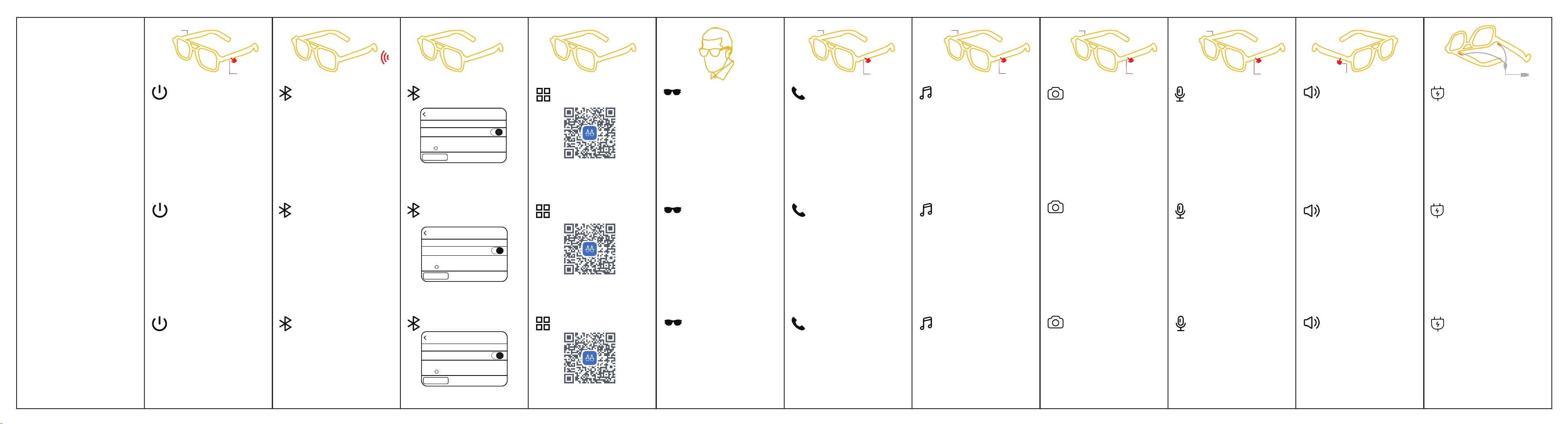
智 能 眼 镜
Smart glasses
Gafas
inteligentes
开机:眼镜佩戴后感应自动开机
关机:摘下眼镜,��秒后自动关机或佩戴状态长按左/右
任意触摸键�秒后强制关机
(注:如佩戴上不开机,请摘下重新佩戴。佩戴时镜腿请保持干
燥整洁,如有汗水会影响开关机效果,电量低于�.�V自动关机)
After the smart glasses are turned on, open the Bluetooth of
your cell phone, search for the device name G�� and connect it
(Note: Smart glasses charging automatically shut down;
Android devices Bluetooth search when the Individual icons
are not the same, please refer to the model number)
Una vez encendidas las gafas inteligentes, abra el Bluetooth
de su teléfono móvil, busque el nombre del dispositivo G�� y
conéctelo.
(Nota: La carga de las gafas inteligentes se apaga
automáticamente; los dispositivos Android buscan el
Bluetooth cuando Los iconos individuales no son iguales,
consulte el número de modelo)
Modo Wear Sensor: Después de conectar las gafas al teléfono
móvil, cuando se reproduce la música, la música se pausa
automáticamente cuando se reproduce. Si la pones en ��
segundos, reproducirá música automáticamente y se apagará
automáticamente después de �� segundos sin usarla.
Contestar/colgar llamada entrante: tecla táctil (izquierda o
derecha) � pulsación
Rechazar llamada: pulsación larga de la tecla táctil (izquierda o
derecha) durante �,� segundos
(Nota: En modo música, se da prioridad a las llamadas entrantes.
Ajustable durante una llamadaVolumen Mantenga pulsada la
barra deslizante derecha para deslizar hacia delante para ajustar el
volumen alto, deslice hacia atrás para ajustar el volumen bajo).
(El volumen se puede ajustar deslizando la barra deslizante
derecha hacia delante para ajustar el volumen alto y hacia atrás
para ajustar el volumen bajo)
Pausa/reproducción de música: tecla táctil (izquierda o
derecha) � clic
Cambio de música: doble pulsación de la tecla táctil
izquierda para pasar a la canción anterior Doble pulsación
de la tecla táctil derecha para pasar a la canción siguiente
Toma de fotos por control remoto: primero enciende la
cámara de tu móvil y mantén pulsado el botón táctil derecho
durante � segundos para hacer una foto a distancia.
(Nota: en estado de no llamada/no música)
Activar el asistente de voz: Mantén pulsada la tecla táctil
izquierda durante � segundos.
Bajar volumen: mantén pulsada la barra deslizante derecha
para deslizar hacia atrás.
Subir volumen: mantén pulsada la barra deslizante derecha
para deslizar hacia delante.
(Nota: el nivel de volumen de la música también se puede
ajustar en el teléfono)
Carga magnética: La luz naranja siempre está encendida
cuando se está cargando, cuando está lleno La luz verde
estará encendida durante � minuto y luego se apagará.
(Nota: las gafas se apagarán automáticamente durante
la carga)
Wear Sensor Mode: After the glasses are connected to the
mobile phone, when the music is played, the music is
automatically paused, the music is automatically played within
�� seconds, and the music is automatically turned off after ��
seconds without wearing.
Incoming call answer/hang up: touch key (left or right) � click
Rejecting a call: Long press the touch key (left or right) for
�.� seconds
(Note: In music mode, priority is given to incoming calls.
Adjustable during a call Volume Press and hold the right slide
bar to slide forward to adjust the volume up, slide backward to
adjust the volume down. Adjust volume by sliding the right side
slider forward to adjust loud volume, and backward to adjust
small volume)
Music pause/play: touch key (left or right) � click
Music switching: Double-click the left touch key to switch
to the previous song
Double-tap the right touch key to switch to the next song
Remote control photo taking: first open the camera in the
cell phone and Press and hold the right touch button for �
seconds to take a picture remotely.
(Note: in non-call/non-music state)
Wake up the voice assistant: Long press the left touch
key for � seconds
Volume down: press and hold the right slider back
Volume up: press and hold the right slider and slide forward.
(Note: Music volume can also be adjusted on the phone)
Magnetic charging: Orange light is always on when
charging, and when fully charged The green light will be
on for � minute and then turn off.
(Note: the glasses will be turned off automatically when
charging)
智能眼镜开机后打开手机蓝牙,搜索设备名称G��并连接
(注:智能眼镜充电自动关机;安卓设备蓝牙搜索时
个别图标不相同,请以型号为准)
佩戴感应模式:眼镜连接手机后音乐播放时摘下自动暂停播
放音乐,��秒內戴上自动播放音乐,无佩戴��秒后自动关机
来电接听/挂断:触摸键(左或右)点击�下
拒接电话:长按触摸键(左或右)�.�秒
(注:音乐模式下,优先进入来电。通话中可调节
音量按住右侧滑动条往前滑可调大音量,往后滑
可调小音量)
音乐暂停/播放:触摸键(左或右)点击�下
音乐切换:双击左触摸键,切换上一曲
双击右触摸键,切换下一曲
遥控拍照:先在手机打开照相机,长按右触摸键�秒遥控拍照
(注:在非通话/非音乐状态下)
唤醒语音助手:长按左触摸键�秒 音量减少:按住右侧滑动条往后滑
音量增加:按住右侧滑动条往前滑
(注:音乐音量大小也可以在手机上调节)
磁吸式充电:充电时显示橙灯常亮,充满后
绿灯常亮�分钟后熄灭
(注:充电状态下,眼镜会自动关机)
Nota: Conéctate primero al Bluetooth,
luego agrega el dispositivo en la app
Note: Connect Bluetooth first, then add the device in the app
注:先连接蓝牙后在app添加设备
Ajustes
Bluetooth
Bluetooth
Dispositivo
G��
Ahora detectable como «iphone».
Toque derecho
Toque izquierdo
Toque derecho
Toque izquierdo
Toque derecho
Toque izquierdo
Toque derecho
Toque izquierdo
Toque derecho
Toque izquierdo
×1
×2
Volumen
×1
Mando a distancia
Despertar asistente
de voz
Interruptor
Emparejamiento de pata
de doble objetivo
Emparejamiento
Escanea el código QR
para descargar la app
Detección de desgaste
Teléfono Música Volumen Carga
Settings
Bluetooth
Bluetooth
device
G��
Now discoverable as ‘iphone’
设置
蓝牙
蓝牙
设备
G��
现在可被发现为“iphone”。
Charge
Remote control Take
photos
Wake up voice assistant
Switch on/off
Pairing of both arms
Pairing
Scan the QR code to
download the APP
Wear detection
Phone
Music Volume
双镜腿配对
配对
扫码下载APP
佩戴感应
电话 音乐 遥控拍照 唤醒语音助手 音量 充电
开关机
Power on: After wearing glasses, the induction will
automatically turn on.
Power off: Take off the glasses, turn off automatically after ��
seconds or press any left/right touch key for � seconds in the
wearing state to force turn off down.
(Note: If it doesn't turn on when you wear it, please take it off
and wear it again. Wearing Please keep the lens legs dry and
tidy when wearing, if sweat will affect the switching off effect.
If the power is lower than �.�V, it will turn off automatically.)
Encendido: Inducción de encendido automático después de
usar gafas
Apagado: Quítese las gafas, apáguelas automáticamente
después de �� segundos o presione cualquier tecla táctil
izquierda/derecha durante � segundos en el estado de uso y
fuercelo a apagarse.
(Nota: Si no se enciende cuando las llevas puestas, quítatelas y
póntelas de nuevo. Cómo usarMantenga las patillas de las lentes
secas y ordenadas cuando las lleve puestas, ya que el sudor
afectará al efecto de apagado.(Si la potencia es inferior a �,�V,
se apagará automáticamente).

FCC Warnning:
This equipment has been tested and found to comply with the limits for a Class B digital device,
pursuant to part 15 of the FCC Rules. These limits are designed to provide
reasonable
protection against harmful interference in a residential installation. This equipment generates,
uses and can radiate radio
frequency
energy
and,
if
not
installed
and
used
in
accordance
with
the
instructions,
may cause
harmful
interference
to
radio
communications.
However,
there
is
no
guarantee
that interference
will
not
occur
in
a
particular
installation.
If
this
equipment
does
cause
harmful interference to radio or television reception, which can be
determined by turning the equipment off
and
on,
the
user
is
encouraged
to
try
to
correct
the interference
by
one
or
more
of
the following measures:
•
Reorient or relocate the receiving antenna.
•
Increase the separation between the equipment and receiver.
•
Connect the equipment into an outlet on a circuit different from that to which the receiver is
connected.
• Consult the dealer or an experienced radio/TV technician for help.
Caution:
Any
changes
or
modifications
to
this
device
not
explicitly
approved
by
manufacturer
could void your authority to operate this equipment.
This
device
complies
with
part
15
of
the
FCC
Rules.
Operation
is
subject
to
the
following
two
conditions:
(1)This
device
may
not
cause
harmful
interference,
and
(2)
this
device
must
accept
any
interference received, including interference that may cause undesired operation.
This
equipment
complies
with
FCC
radiation
exposure
limits
set
forth
for
an
uncontrolled
environment.
This
equipment
should
be
installed
and
operated
with
minimum
distance
0cm
between the radiator and your body.