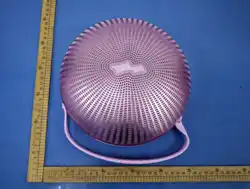
FCC ID: 2ARRB-DOMOM090
IC: 20353-DOMOM090
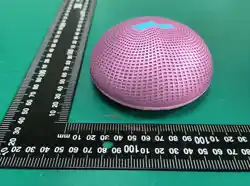
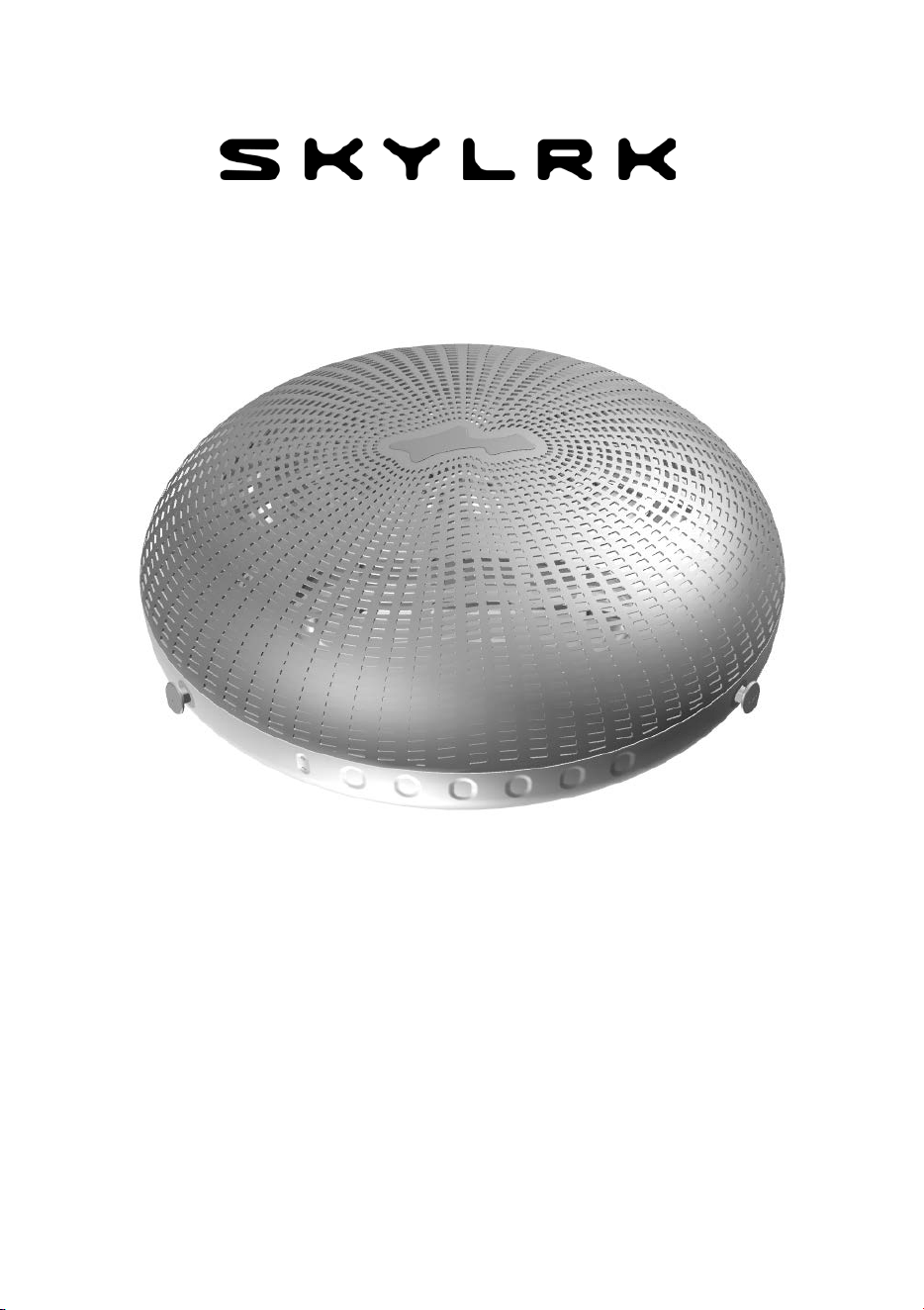
DOMO (M)
Bluetooth® Speaker

__________________________________________________________________
2
IMPORTANT SAFETY INSTRUCTIONS
WARNING
This speaker is compliant with all relevant standards
regarding
electromagnetic fields and is, when handled
as described in the
User Guide, safe to use. Even so, always read the instructions in
this User Guide carefully before using the device. Listen at
reasonable volumes for reasonable periods of time.
Be careful not to adjust the volume continuously
upwards as your
hearing adapts.
• Do not turn up the volume so high that you can’t hear what is
around you.
• You should use caution or temporarily discontinue use in
potentially hazardous situations.
• For your safety, avoid distractions from music while in traffic or
other potentially dangerous environments.
• Leaving a battery in an extremely high-temperature
environment can result in an explosion or the leakage of
flammable liquid or gas.
• A battery subjected to extremely low air pressure may result in
an explosion or the leakage of flammable liquid or gas. Do not
shock the battery at a high altitude.

__________________________________________________________________
3
• Do not expose the speaker to excessive heat.
• Do not drop your speaker.
• The speaker shall not be exposed to dripping or splashing
water.
• Do not allow
your speaker to be submerged in water.
• Do not use any cleaning agents containing alcohol, ammonia,
benzene, or abrasives.
• If cleaning is required, use a soft cloth, dampened if necessary
with a small amount of water or mild diluted soap.
• The integrated battery shall not be exposed to excessive heat
such as sunshine, fire, or the like.
DOMO (M)
Bluetooth® Speaker
• Auracast
TM
Party Mode
• up to 50 ft (15 m) Wireless Range
• Up to 20 Hours Play Time
• Water and Dust Resistant (IP67)
• Bluetooth® 6.0
SUPPORT
For setup assistance, troubleshooting, and product information,
visit SKYLRK.COM.
PACKAGE CONTENTS
• DOMO (M) Bluetooth® Speaker
• Silicone Strap
• USB-C Charging Cable
• User Guide
CAUTION

__________________________________________________________________
4
1. SPEAKER OVERVIEW..........................................5
2. CHARGING................................................................7
3. BLUETOOTH PAIRING AND RECONNECTION…7
4.
AURACAST
TM
/ PARTY MODE………………..…..8
5. OPERATIONS………………………………..………9
6. LED STATUS INDICATORS……………………….10
7. HELP……………………………………………….…11
8.
TECHNICAL SPECIFICATIONS............................12
9.
GENERAL INFORMATION………………….……14
__________________________________________________________________
5
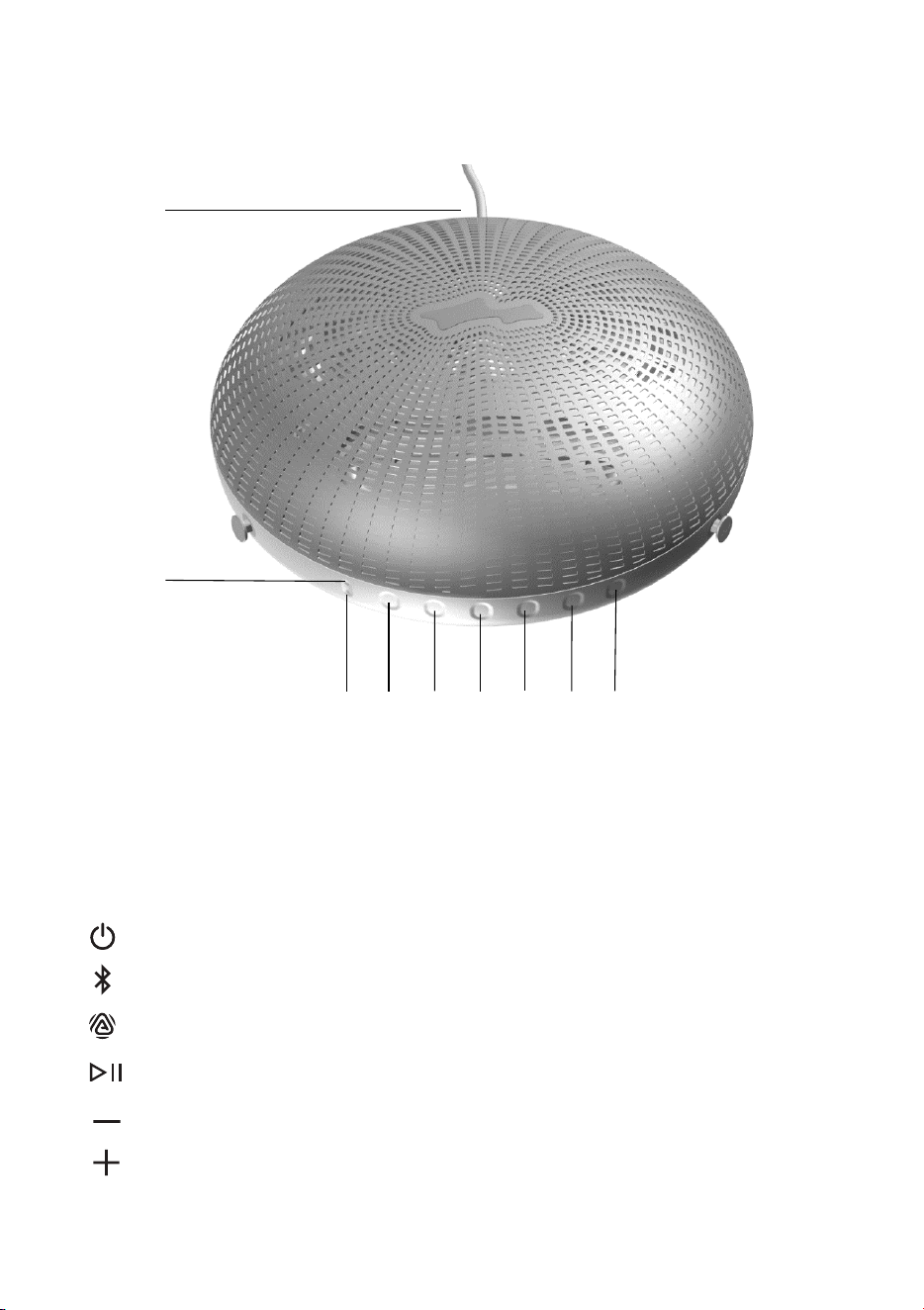
1.
SPEAKER OVERVIEW
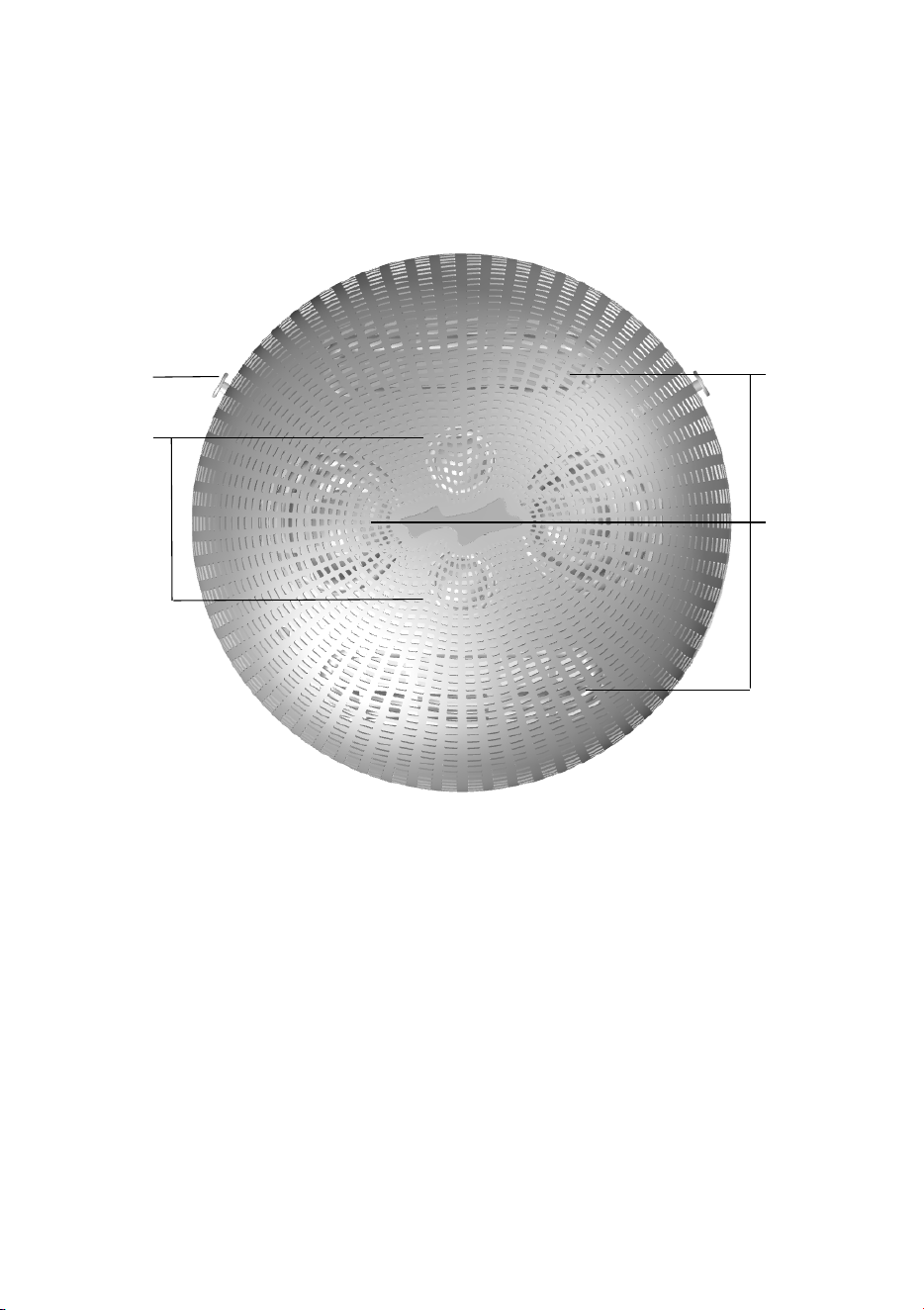
Top Side
1.
Strap buttons for attaching the silicone strap.
2.
Tweeters x 2
3.
Passive radiators x 2
4.
Drivers x 2
4
3
2
1
__________________________________________________________________
6
SPEAKER OVERVIEW Bottom Side
1.
USB-C charging port
2.
LED 1 (Power)
3.
LED 2 (Bluetooth / Auracast™) Touch buttons:
4.
Power On/Off
5.
Bluetooth Pairing
6.
Auracast™ / Party Mode pairing
7.
Play/Pause/Next/Previous
8.
Volume down
9.
Volume up
1
3 4 5 6 7 8
9
2

__________________________________________________________________
7
2. CHARGING
When the speaker is powered off, connect the USB-C charging cable.
LED 1 flashes orange while charging and turns solid white when fully
charged.
NOTE
To maintain battery performance, fully charge the speaker at least
once every 3 months.
Do not expose DOMO (M) to water or liquids while
charging.
3. BLUETOOTH PAIRING AND RECONNECTION
Touch for 2 seconds to turn on DOMO (M). If a previously
connected device is nearby, the speaker will reconnect automatically.
AUTOMATIC PAIRING
• If a previously connected device is nearby, DOMO (M) will
reconnect automatically.
• If no
device is available, select “SKYLRK DOMO (M)” from the
Bluetooth menu on your device.
• When connected, LED 2 turns solid blue and you will hear a voice
prompt.
PAIRI
NG A NEW DEVICE
If the speaker is currently connected and you want to
switch to
another device:
Touch for 2 seconds to enter pairing mode.
• LED 2 will flash blue rapidly, indicating the speaker is
ready to pair.
• Select “SKYLRK DOMO (M)” from the Bluetooth menu on your
device.
• When connected, LED 2 turns solid blue and you will hear a voice
prompt.

__________________________________________________________________
8
4. AURACAST
TM
/ PARTY MODE
Auracast™ allows multiple compatible speakers to play from
the same audio source.
Starting a Party (Broadcasting Audio)
1)
Connect DOMO (M) to your Bluetooth device.
2)
Touch
for 3 seconds.
• You will hear a voice prompt.
• LED 2 will blink white, indicating Auracast
TM
mode is
active.
3)
On the second speaker, touch once
to join.
4)
When connected successfully, LED 2 turns white on the second
speaker and the LED 2 on the broadcasting speaker keeps
blinking white for other speakers to join.
Your speaker remains in Auracast™ / Party Mode, allowing
additional speakers to join by repeating step 3 above.
Exiting Auracast™ / Party Mode
for 3 seconds. You will hear a voice
To stop broadcasting, touch
prompt, and LED 2 changes from white to blue, indicating the
pairing status.
Join an Existing Party
Touch
once to search for and join an available
Auracast
TM
broadcast.
9
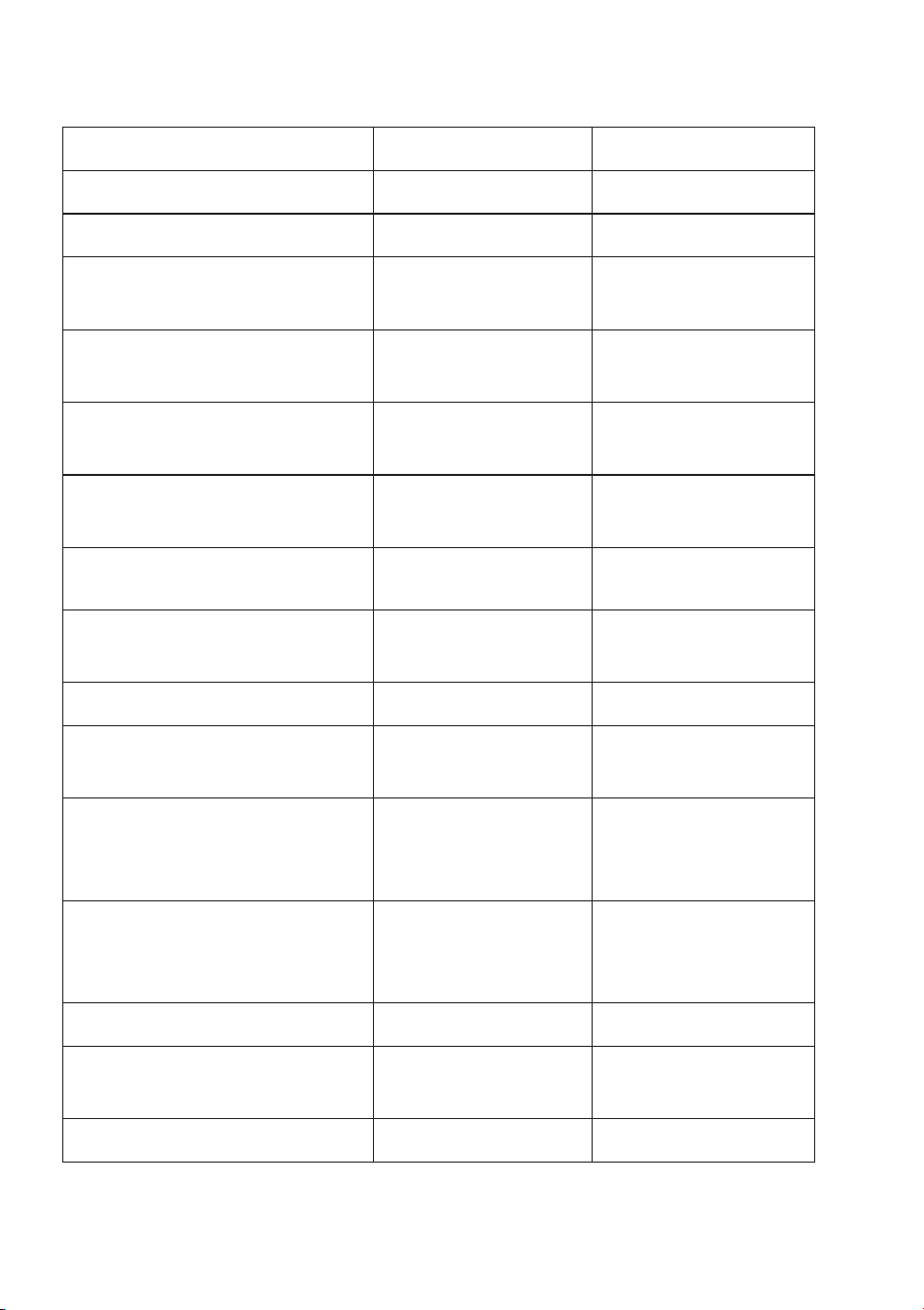
5. OPERATIONS
Task Operation
Power on
Touch
for 2 seconds
Power off
Touch
for 2 seconds
Pairing
Touch
for 2 seconds
Play/Pause
Touch once
Next song
Touch
for 1 second
Previous song
Touch
for 3 seconds
Volume up
Touch once
Volume down
Touch once
Auracast™ / Party Mode
Touch
for 3 seconds
Voice assistants
and
Touch both
once at the same time
SYSTEM RESET
1)
Power on DOMO (M) by touching for 2 seconds.
2)
With the speaker powered on, touch both
and
for 5
seconds.
When the reset is successful, the speaker will sound “Power On”.
VOICE PROMPTS
The speaker provides corresponding voice prompts to confirm the
operations described above.
_________________________________________________________________
__________________________________________________________________
10
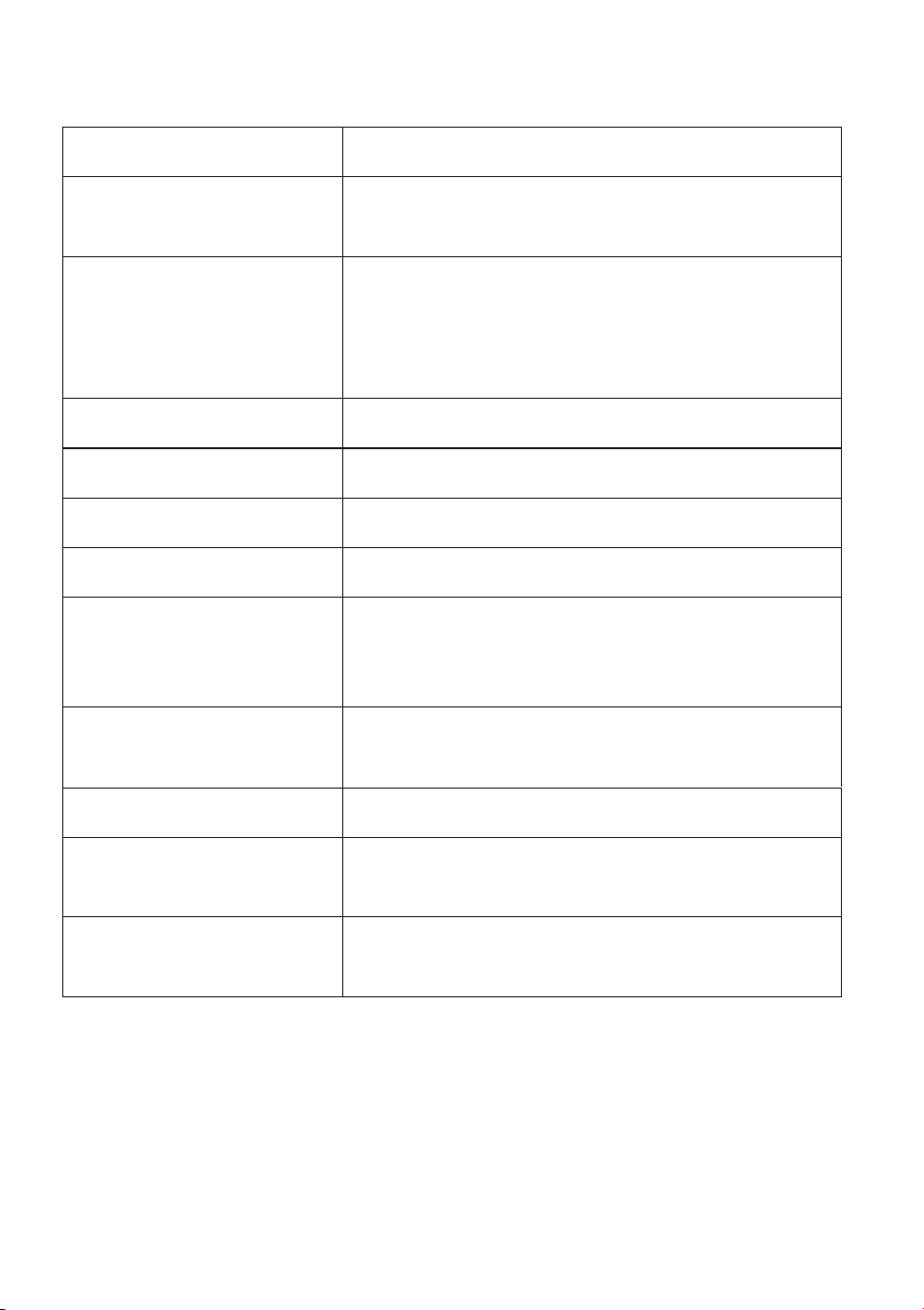
6. LED STATUS INDICATORS
Status LED 1 LED 2
Power off Off Off
Power on White -
Low Battery
Flashes Orange
(0.5s
on / 2s off)
-
Battery Charging
(
0 – 33%)
Flashes Orange
(0.2s
on / 0.8s off)
-
Battery Charging
(
34% – 67%)
Flashes Orange
(0.4s
on / 0.6s off)
-
Battery Charging
(68% – 100%)
Flashes Orange
(0.8s
on / 0.2s off)
-
Battery Fully
Charged White -
Bluetooth Pairing -
Flashes
Blue
(once every 0.5s)
Bluetooth Pairing
Successful Blue
Auracast™ / Party
Mode Pairing
-
Flas
hes
White
(1s on / 1s off)
Auracast™ / Party Mode
Pairing Successful
-
Solid white on
joined speakers
Party Mode - Select
broadcasting in loop
-
Flashes
White
(1s on / 1s off) once
Exit Auracast™ / Party Mode - White off
Firmware updating
Flashing White
(0.5s on / 0.5s off)
-
System Reset White and then Off White and then Off
-

7. HELP
The speaker does not turn on.
• The battery level is too low. Recharge your speaker (see section 2).
The speaker does not connect with the Bluetooth device.
• Ensure the Bluetooth function of the Bluetooth device has
been
turned on.
• Ensure the Bluetooth function of the previously connected device
has been turned off.
• Ensure you follow the instructions in this User Guide to
connect
the speaker (see section 3).
The speaker keeps d
isconnecting.
• The battery level is too low. Recharge your speaker (see section 2).
• Ensure the speaker and Bluetooth device are operated within
range.
• Remove the wireless speaker from the pairing list and
connect
them with the Bluetooth device again.
Poor audio quality.
• Ensure the speaker and Bluetooth device are within range.
• Remove the wireless speaker from the pairing list and
reconnect the speaker to the Bluetooth device.
The music
cannot be heard.
• Adjust the speaker’s volume (see section 5).
Music plays on my Bluetooth device instead of through the
speaker.
• Check on your Bluetooth device if you have selected to
listen to music through the
speaker.
For the most current guide, safety info, and troubleshooting, visit
www.SKYLRK.com/support
_________________________________________________________________
11
__________________________________________________________________
12
8.
TECHNICAL SPECIFICATIONS
RF frequency bands
2.402 – 2.480 GHz
RF transmission
power
< 12 dBm (for Europe)
Bluetooth profile
A2DP (Advanced Audio Distribution
Profile), AVRCP (Audio Video Remote
Control Profile) and PBP (Public
Broadcast Profile)
Bluetooth version 6.0
Battery
Lithium-ion, 11.1 V, 4900 mAh, 3S1P
Charging type
USB-C, DC 5/9/15/20 V, 3 A max
Output power
Up to 90 W
Music time Up to 20 hours at 50% volume level
(may
be shorter in high or low
temperature
conditions)
Charging time
< 3 hours via USB-C, DC 20 V, 3 A
< 6 hours via USB-C, DC 5 V, 3 A
Operating range
up to 50 ft (15 m)
Operating temperature
and humidity
32°F (0°C) to 113°F (45°C) (up to 90%
relative humidity with no
condensation).
Storage temperature
and humidity
-4°F (-20°C) to 140°F (60°C) (up to 90%
relative humidity with no
condensation).
Note
Specifications are subject to change without prior notice.
__________________________________________________________________
13
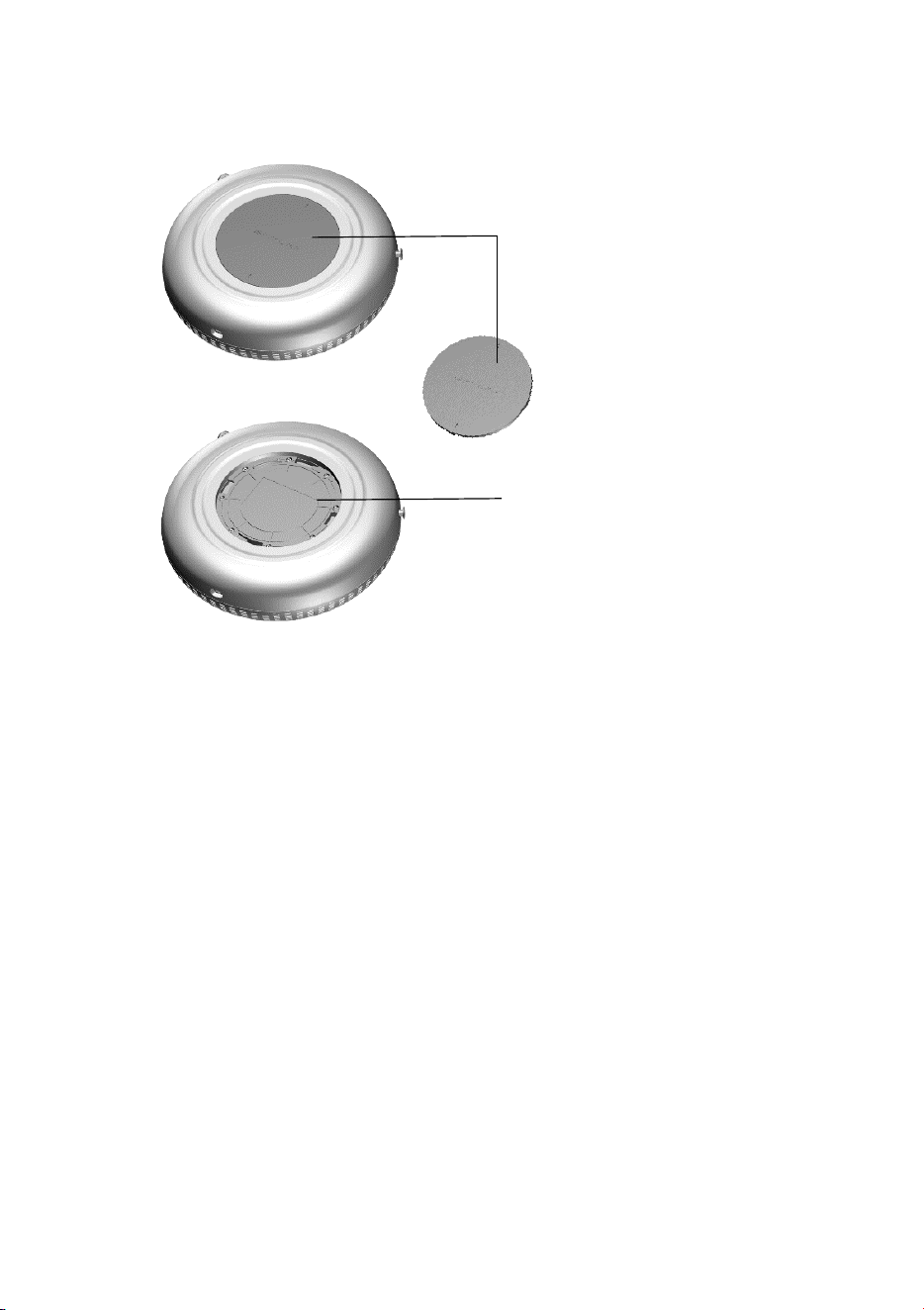
Check the FCC and IC numbers
1. Rotate the bottom cover
counterclockwise and lift it
off.
2. The FCC ID and IC
number are printed on
the battery door.
After checking the FCC ID and IC number, reverse the above
steps to reassemble the unit.

__________________________________________________________________
14
9. GENERAL INFORMATION
FCC regulatory conformance
This device complies with Part 15 of the FCC Rules. Operation is
subject to the following two conditions:
NOTE
This
equipment has been tested and found to comply with the
limits
for a Class B digital device, pursuant to part 15 of the FCC
Rules. These limits are designed to provide reasonable protection
against harmful interference in a residential
installation.
This equipment generates, uses, and can radiate radio
frequency
energy and, if not installed and used in accordance with the
instructions, may cause harmful interference to
radio
communications. However,
there is no guarantee that interference
will not occur in a particular installation. If
this equipment does
cause harmful interference to radio or television reception, which
can be determined by turning the equipment off and on, the user
is encouraged to try to correct the interference by one or more of
the following measures:
• Reorient or relocate the receiving antenna.
• Increase the separation between the equipment and
receiver.
• Connect the equipment into an outlet on a circuit different from
that to which the receiver is connected.
• Consult the dealer or an experienced radio/TV technician
for
help.
NOTE
The manufac
turer is not responsible for any radio or TV
interference caused by unauthorized modifications to this
1)
This device may not cause harmful interference.
2)
This device must accept any interference received,
including
interference that may cause undesired operation.
Any changes or modifications not expressly approved by the
party responsible for compliance could void the user's
authority to operate the equipment.

15
equipme
nt. Such modifications could void the user’s authority
to
operate the equipment.
This equipment complies with FCC radiation exposure limits set
forth for an uncontrolled environment.
IC regulatory conformance
This device complies with CAN ICES-003 (B)/NMB-003(B) and
CAN
RSS-247 / CNR-247. This device contains licence-exempt
transmitter(s)/receiver(s) that comply with Innovation, Science
and
Economic Development Canada’s licence-exempt RSS(s).
Operation is subject to the following two conditions:
1)
This device may not cause harmful interference.
2)
This device must accept any interference, including
interference that may cause
undesired operation of the device.
Cet appareil est conforme à la norme CAN ICES-003 (B)/NMB-003 (B)
et CAN RSS-247 / CNR-247. Cet appareil contient des émetteurs/
récepteurs exempts de licence conformes aux RSS exemptes de
licence d’Innovation, Sciences et Développement économique
Canada. Son fonctionnement est soumis aux deux conditions
suivantes:
1)
Cet appareil ne doit pas provoquer d’interférences.
2)
Cet appareil doit accepter toute interférence, y compris les
interférences suscept
ibles de provoquer un fonctionnement
indésirable de l’appareil
.
This device complies with RF exposure guidelines. Users can obtain
Canadian information on RF exposure and compliance.
Le présent appareil est conforme aux exigences relatives à
l’exposition aux radiofréquences (RF). Les utilisateurs peuvent
obtenir des informations canadiennes concernant l’exposition aux
radiofréquences et la conformité.
_________________________________________________________________

__________________________________________________________________
16
LIMITED WARRANTY
DOMO (M) is covered by a 12-month limited warranty from the
date of purchase.
If the product fails due to defects in materials or workmanship
under
normal use during the warranty period, it will be repaired or replaced
at our discretion.
This warranty does not cover normal battery wear, misuse,
accidents, unauthorized modifications or repairs, improper
charging, or damage resulting from use outside intended
conditions.
Proof of purchase may be required for warranty service.
Warranty rights may vary by jurisdiction.
CUSTOMER SUPPORT
For product support, contact:
Email: [email protected]M
Website: WWW.SKYLRK.COM
When contacting support, please include the product model,
a
description of the issue, and proof of purchase.

<This page has been intentionally left blank>

<This page has been intentionally left blank>

<This page has been intentionally left blank>

Version 6.0
©2026 SKYLRK Holdings, Inc.
A
ll rights reserved.