RADIANCE
INSTRUMENTS LTD.
PRODUCT
MODEL
FEATURES
High accuracy scale
Backlight display
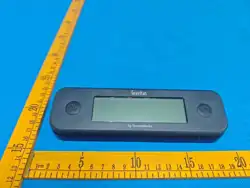
Large and clear LCD display
Scale range indication
Stainless steel tray
Removable display, 2.4G wireless
180 display auto rotation
Water resistance
SPECIFICATION
Weighing range
5
KG
/11
LB
Resolution
0.
1
G
Display update
0.5 seconds
, 1 second in standby
Accuracy
±
1
g
,
0.1%
Battery
1.5 volt alkaline battery, type AA
Battery life
Display: a
bout
3
RF distance
About 20 meters
Waterproof rate
Display: IP67, sensor:
Display size 95(W) x 29
(H) mm
Product size
1
81
(W) x 22
9
(H) x 3
Ambient temperature
32~122
F
/
0~50
OPERATION
1.
Press [ ] button to turn on the unit. The backlight would turn on for
2. Press [lb/
kg] button to change the
3.
Press [Tare] button to reset the reading.
4.
When the unit is working (weighing), the backlight will
5. Press and hold [
] button for 3 seconds to turn off the unit.
6. Auto power off after idle
5 minutes
CALIBRATION
1.
Press two buttons and hold for 10 seconds to enter the calibration mode, display
2.
Put the 1KG weight on the center of the sensor, the device will self
don’t want to calibrate the
unit, press the two buttons for 10 seconds to exit the calibrate mode.
3. Clear calibrate value: Press [lb/
kg] button an
unit
and turn on again to finish operation.
RF DATA DISCRITION(2.4GHZ)
1. TX-5800A
transmits the weight data to
2. TX-5800B transmits the
setting data
NOTE
1. Do not operate the unit
in the environmental temperature lower than 0
otherwise incorrect readings or damage to the
2.
Make sure tightening up the battery cover after battery replacement otherwise it may affect the water resistant
function.
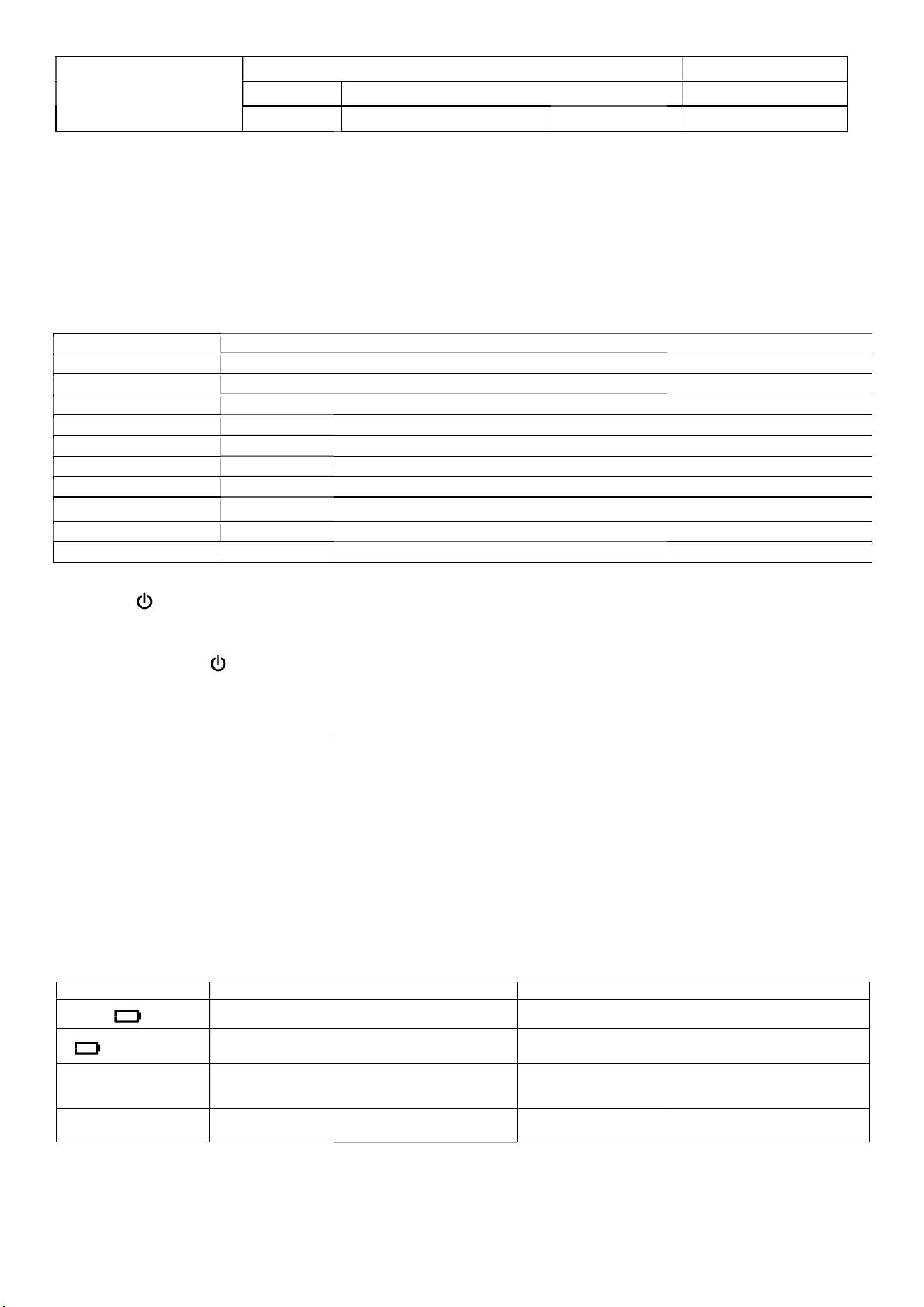
ERROR SYMBOLS
Symbol
Description
Display low
battery voltage
SCALE
Sensor l
ow battery voltage
---------
The reading out of upper limit
Err
Out off the wireless range
PRODUCT MANUAL
SCALE
TX-5800A, TX-5800B Version: 1.2
, 1 second in standby
mode
1.5 volt alkaline battery, type AA
,
display:
2
PCS
batter
ies
, sensor:
3
5
0 hours
, sensor: a
bout
3
0
0 hours
About 20 meters
Display: IP67, sensor:
IP66
(H) mm
(H) x 3
4
(D) mm
0~50
C
Press [ ] button to turn on the unit. The backlight would turn on for
15
seconds.
kg] button to change the
display mode. There are 8 display modes.
Press [Tare] button to reset the reading.
When the unit is working (weighing), the backlight will
turn on for 15 seconds.
] button for 3 seconds to turn off the unit.
5 minutes
.
Press two buttons and hold for 10 seconds to enter the calibration mode, display
---
Put the 1KG weight on the center of the sensor, the device will self
-
calibration, then exit
unit, press the two buttons for 10 seconds to exit the calibrate mode.
kg] button an
d hold for 10 seconds, display “
CLEAr and
and turn on again to finish operation.
transmits the weight data to
TX-5800B and display.
setting data
to TX-5800A.
in the environmental temperature lower than 0
C/32
F or higher than 50
otherwise incorrect readings or damage to the
unit may result。
Make sure tightening up the battery cover after battery replacement otherwise it may affect the water resistant
Description
Action required
battery voltage
Replace the battery
ow battery voltage
Replace the battery
The reading out of upper limit
5KG/11LB
Keep the measurement below upper limit
Out off the wireless range
Keep the wireless range less than
REV.: 1
29 APR 2026
PAGE 1 of 1
, sensor:
4
PCS
batter
ies
seconds.
---
1000---.
calibration, then exit
calibration mode. If you
unit, press the two buttons for 10 seconds to exit the calibrate mode.
CLEAr and
done”, then turn off the
F or higher than 50
C/122F
Make sure tightening up the battery cover after battery replacement otherwise it may affect the water resistant
Action required
with the same type
with the same type
Keep the measurement below upper limit
Keep the wireless range less than
20 meters
This device complies with part 15 of the FCC Rules. Operation is subject to the following two conditions: (1) This device may not cause harmful interference, and (2) this device must
accept any interference received, including interference that may cause undesired operation.
This device contains licence-exempt transmitter(s)/receiver(s) that comply with Innovation, Science and Economic Development Canada’s licence-exempt RSS(s). Operation is subject
to the following two conditions:
(1) This device may not cause interference.
(2) This device must accept any interference, including interference that may cause undesired operation of the device.
Exposure Statement: This equipment complies with ISED radiation exposure limits set forth fc uncontrolled environment.
FCC ID: 2AI67-5800A, FCC ID: 2AI67-5800B
IC: 22116-5800A, IC: 22116-5800B
L’émetteur/récepteur exempt de licence contenu dans le présent appareil est conforme aux CNR d’Innovation, Sciences et Développement économique Canada applicables aux
appareils radio exempts de licence. L’exploitation est autorisée aux deux conditions suivantes :
(1) L’appareil ne doit pas produire de brouillage;
(2) L’appareil doit accepter tout brouillage radioélectrique subi, même si le brouillage est susceptible d’en compromettre le fonctionnement.
Special Notice
Changes or modifications not expressly approved by the party responsible for compliance could void the user’s authority to operate
the equipment.
NOTE: This equipment has been tested and found to comply with the limits for a Class B digital device, pursuant to part 15 of the
FCC Rules. These limits are designed to provide reasonable protection against harmful interference in a residential installation. This
equipment generates, uses and can radiate radio frequency energy and, if not installed and used in accordance with the
instructions, may cause harmful interference to radio communications. However, there is no guarantee that interference will not
occur in a particular installation. If this equipment does cause harmful interference to radio or television reception, which can be
determined by turning the equipment off and on, the user is encouraged to try to correct the interference by one or more of the
following measures:
● Reorient or relocate the receiving antenna.
● Increase the separation between the equipment and receiver.
● Connect the equipment into an outlet on a circuit different from that to which the receiver is connected.
● Consult the dealer or an experienced radio/ TV technician for help
For service or warranty: www.thermoworks.com
1-800-393-6434 741 E. Utah Valley Dr.
1-801-756-7705 American Fork, UT 84003
073SC