Please read the instructions carefully before you use this product.
Version: 2.1
JD-21
01.Product Overview
02.Power Indicator Status
03.What’
04.APP Printing
05.Charging Instructions
06.Lid Opening/Closing and
Paper Changing
07.Maintenance
08.Introduction of Thermal Paper
s in the Box
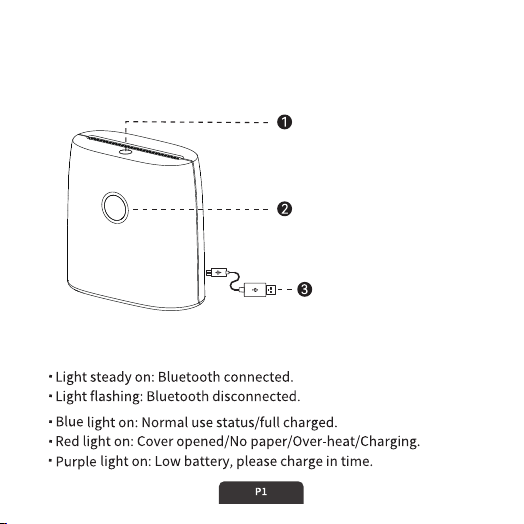
Power Indicator Status
Open button
Press to open the cover and
change the paper.
Power button
Press and hold 3 seconds to
switch on/off
USB-A to C cable
Connect to power bank or
charger.
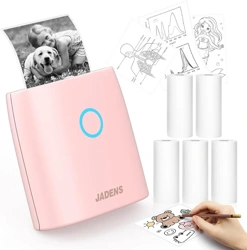
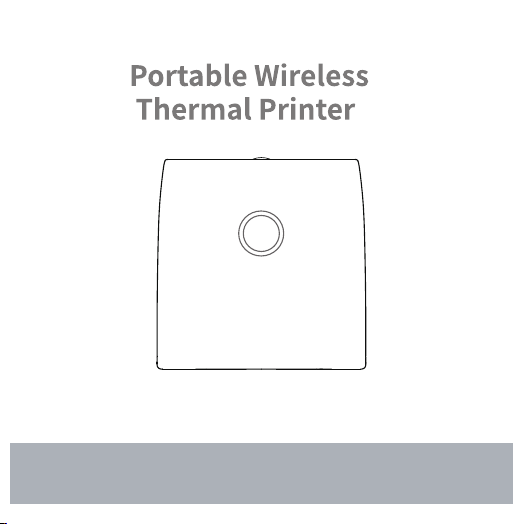
Portable Wireless Thermal Printer
Product Overview
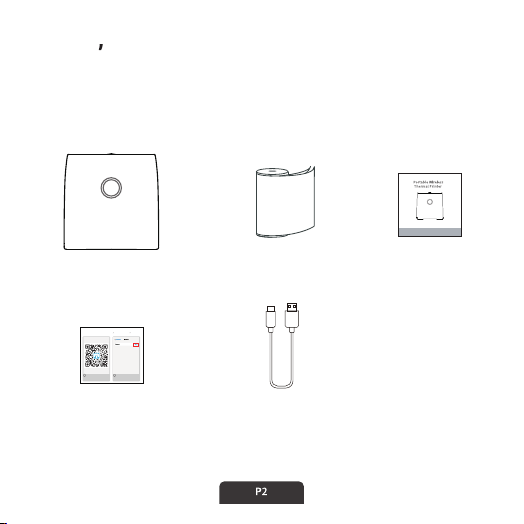
What s in the Box
Please read the instructions carefully before you use this product.
Version: 1.0
JD-21
App Guide Card
Continuous Thermal
Sticker Paper
Printer
User Manual
USB Cable
Scan or search “Jadens
Printer”to download the
APP.
Turn on Bluetooth on your
smart phone.
1
2
AirDrop, AirPlay, Find My, and Location Servicesuse
Bluetooth.
How to Print Wirelessly via
Smartphone APP
Jadens Printer
APP Printing
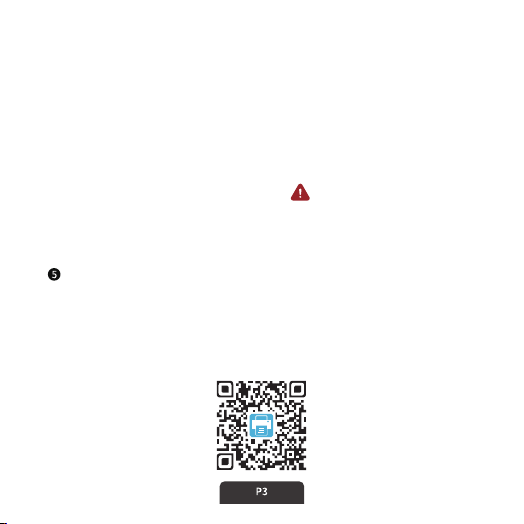
APP download
❶ Press and hold the power button of the printer for 3 seconds to
turn on the printer.
❷ Download and install [Jadens Printer] APP in your smart phone.
❸ Turn on Bluetooth on your smart phone.
❹ Connect your device:
Option1: Open the App, and search for the connected printer
according to the prompts in the App. ( Tips: Don't connect printer
in the phone Bluetooth settings.)
Option2: Open the APP, scan the device connection QR code by
printing from printer after double clicking the power button.
Select and edit the content to be printed in the App, confirm and
print it.
❶ Search and download [Jadens Printer] on Google Play or AppStore.
❷ Scan the following QR code to download APP.

Charging Instructions
5V 2A input charging, charging time: about 2.5 hours.
We recommend you to use smart phone chargers for charging.
Please full charge the printer before you use it for the first time.
If not used for a long time, please charge once every 3 months to
avoid long-term natural loss of lithium battery can not be charged.
Warm tips: Working environment: Use at the ambient temperature of 5℃~40℃.
Caution! This product doesn’t contain power adapter. The output
specifications of the adapter shall comply with 5V 2A.
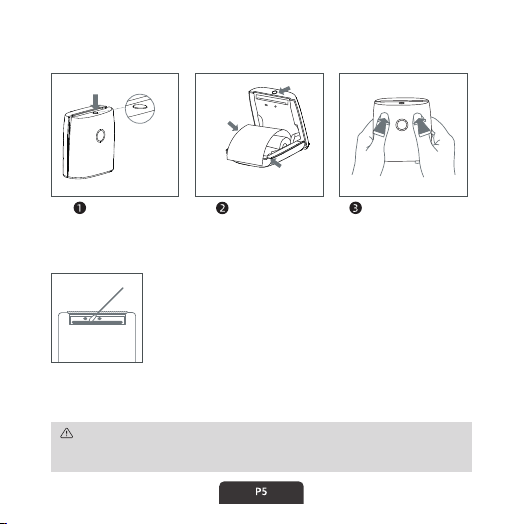
Lid Opening/Closing and Paper Changing
Maintenance
Open cover
Paper must be pulled
out of device.
Printing side
faces to
print-head.
Print-head
Put paper in Close the cover
❶ Please turn off the printer and take out the paper
roll after shutdown.
❷ Rub the cotton cloth or cotton swab with medical
alcohol and gently wipe it from the center of the
print head to all sides.
❸ Do not use the printer immediately after cleaning
the print head, please wait 1-2 minutes until the
alcohol is completely evaporated.
Please do not directly touch the printing head to avoid damage. Especially,
do not directly touch the printing head immediately after printing to avoid
overheating and scalding.
Press the
open button.
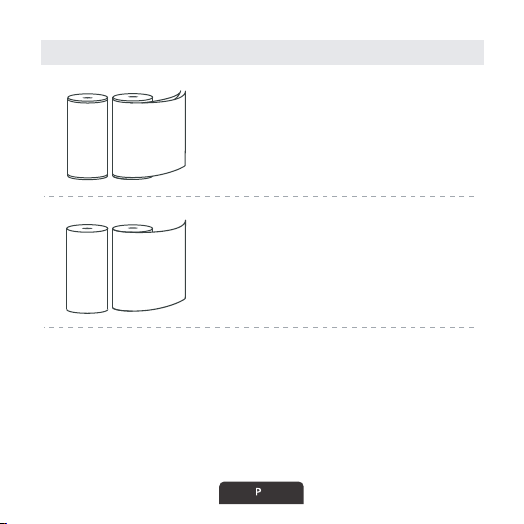
Introduction of Thermal Paper
Continuous Thermal Paper
)mm65( hcni 2.2 :htdiw repaP
Continuous Thermal Sticker Paper
)mm65( hcni 2.2 :htdiw repaP
Use with thermal paper ( Continuous type, Not gap label).
Paper Type:
6
Note: Paper printing side please follow to page 5.
Customer Support
Please kindly contact us if you have any trouble or question when
installing and using.
1-833-470-2950 (English only)
support.jadens.com
Available Time:
Mon -Fri: EST 10am-10pm
Sat -Sun: EST 1pm-9pm
How can we help you today?
Enter your question here
Customer Support
Scan or upload this QR code
using the WhatsApp camera
to add us
Scan the below QR code to talk with us.

1-YEAR LIMITED WARRANTY - REGISTER AND ACTIVATE AT PHONE
APPLICATION "Jadens Printer".
This 1-year limited warranty applies to repair or replacement if
product,at JADENS's option, is found to be defective in material
or workmanship.
1. This warranty only applies to hardware components of the pro duct
that are not subject to accident, misuse, neglect, fire or damage from
other external causes, alteration, repair or commercial use. Defects
that are the result of normal wear and tear will not be conside red
manufacturing defects under this warranty.
Model:
Date of purchase:
Purchased from:
Order Number:
Warranty Information
All warranty requests must be accompanied by proof of purchase.
When contacting us for warranty, please have the information
below.

2. This warranty does not cover damage resulting from any
unauthorized attempts to repair or from any use not in
accordance with the instruction manual.
4. Please read the Instruction Manual carefully before setting up or
using this product. If you believe this product to be suffering from
a manufacturing fault, or if you have inquiries about this prod uct,
please contact Customer Support:
ATTN: Customer Support
Email: [email protected]
3. This warranty applies only to the original purchaser of this
product from the original date of purchase. This warranty appli es
only if the unit is purchased new from an authorized retailer a nd
is non-transferable from the original purchaser of the item. An y
warranties accompanied with this product is only valid in the
country of purchase.