Warning
The paper bin must be clean. Any debris will catch and damage the print head while
printing
Use alcohol to clean the paper bin and print head.
Do not disassemble the printer or attempt any self-repairs. Power off the printer if any
malfunctions occur.
Charge in a cool and ventilated room.
Do not expose the printer to high humidity or temperatures.
Keep away from water. lf any strange scents or smoke comes from the printer, Power
off and unplug immediately.
Avoid dropping or shaking the printer to prevent damage.
Do not open the cover while it is printing.
Do not touch the print head immediately after printing as it will be HOT.
Use a soft clean cloth to clean the outside of the printer.
High temperatures may result in poor print quality.
Use label paper offered by printer manufacturer for best results, Use of other label
printers may result in poor print quality or damage to the printer.
The longevity of the printed labels depends on the quality of the label paper.
Choose high quality label paper if you need them to last.
Keep away from children.
Store in a clean and dry environment.Printer does NOT come with an adapter. Use
one with a rating of 5V 0.5A.
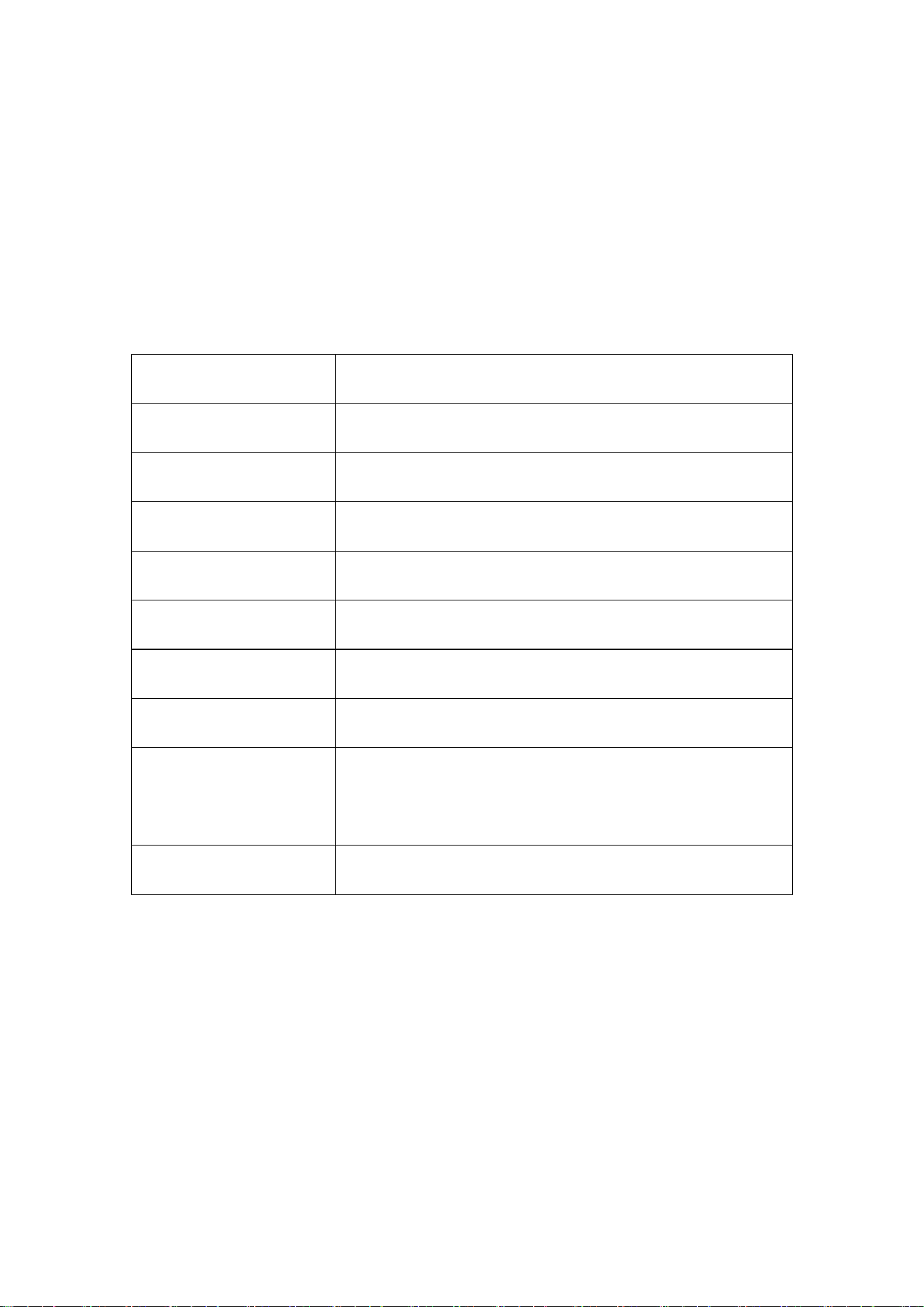
This printer can only be used in non-tropical environments.
The printer may cause radio interference. Take any necessary precautionary
measures.
Specifications
Model
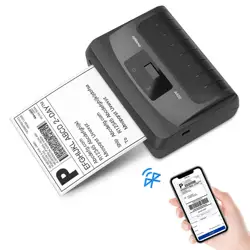
P24
Printing method
Direct Thermal
Resolution
203dpi
Connection
Bluetooth
Support system
lOS /Android
Operating environment
5°C~40°C(41°F-104°F),20%~90%RH(No condensation}
Storage environment
-20°C- 60°C(-4°F-140°F),0%~90%RH(No condensation)
Input
DC 5V/0.5A
Product dimension
73 x76 x 34 mm
2.87 x 2.99 x1.34 in
Product weight
113g / 0.25 lb
Introduction
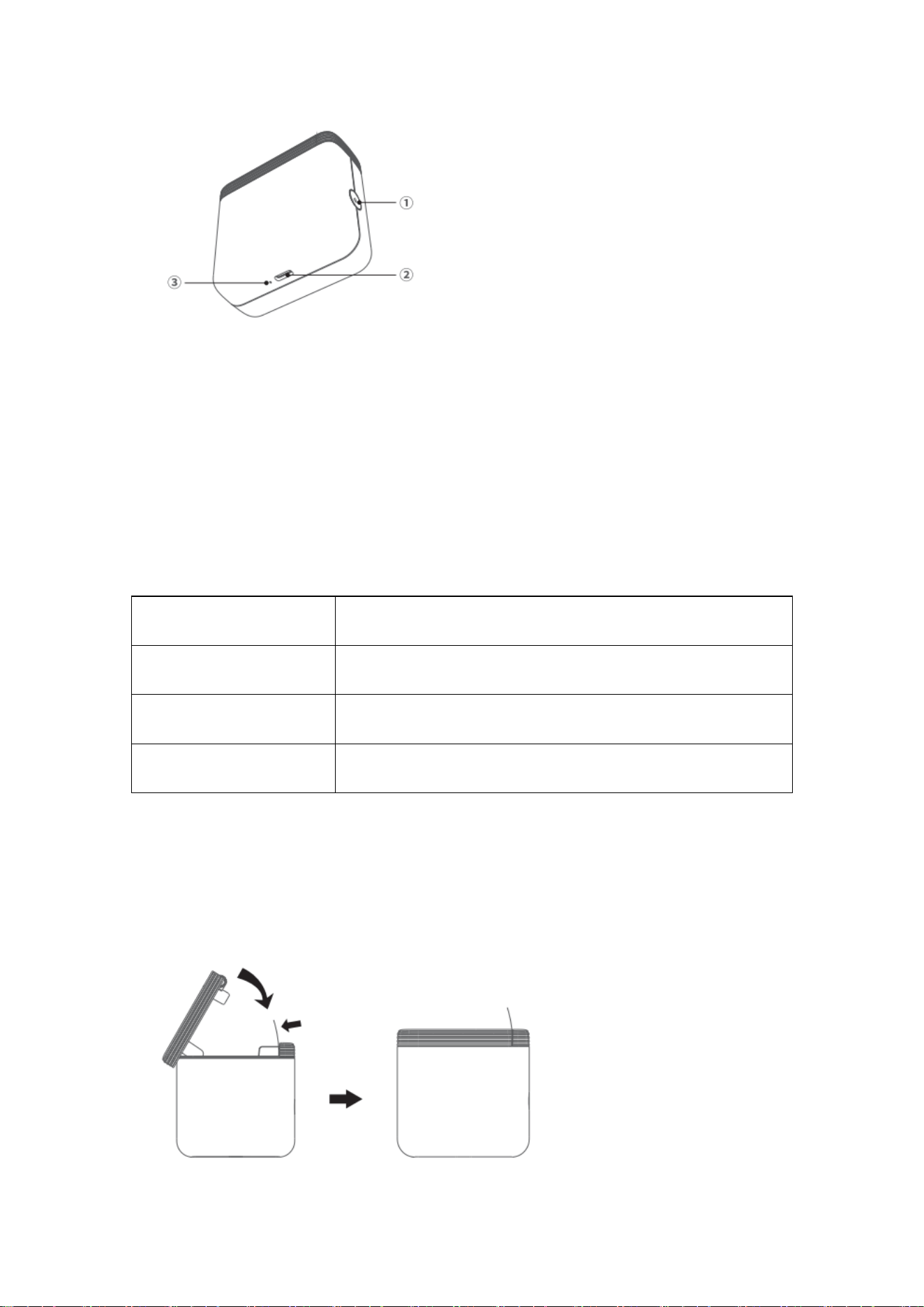
1.Power button:Press and hold 2 seconds to tum on/off. Press twice: Print a self-test
page.
2.Type-C port:Input Power: 5V/0.5ACharge time: about 4.5 hours.
Indicator Light
Light
Functions
Blue light Flashing slowly
Bluetooth disconnected
Green light on
Normal use status /Full charged
Red Light on
Cover Opened/No paper/Over-heat/Low battery
Auto power off: The printer will automatically power off after 30 minutes without operation.
Installation Consumables
1. Printing face down.
2. The paper needs to expose the printer.
How to Use
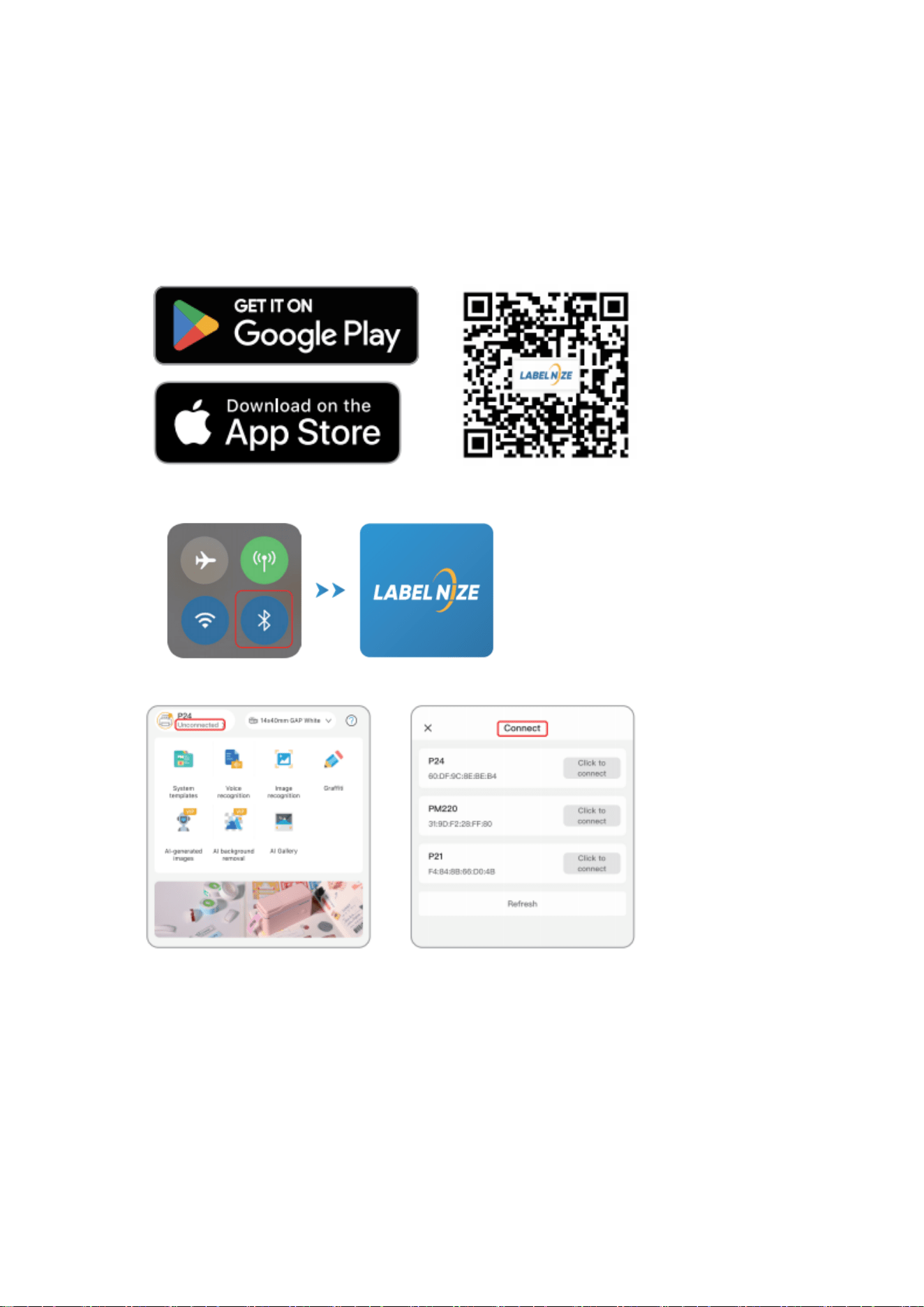
① Search for [Labelnize] on Google Play or App Store, or scan QR to download App.
② Enable Bluetooth and open the Labelnize APP
③ Click on “Unconnected" and find “P24” printer to connect.
④ Select the correct paper size and tap “+”
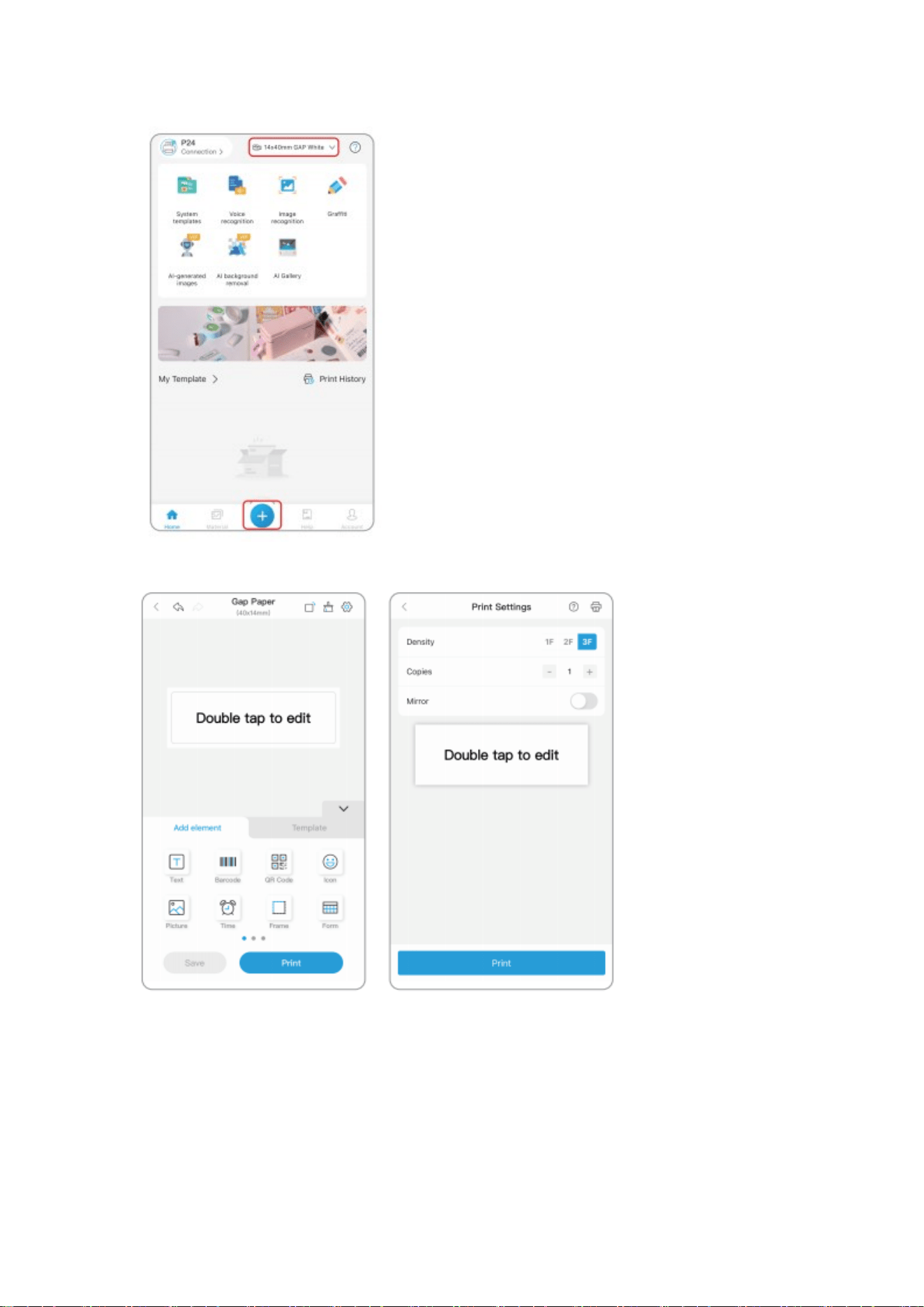
⑤ Edit printing content and click the print after editing.
Clean the Printer Head
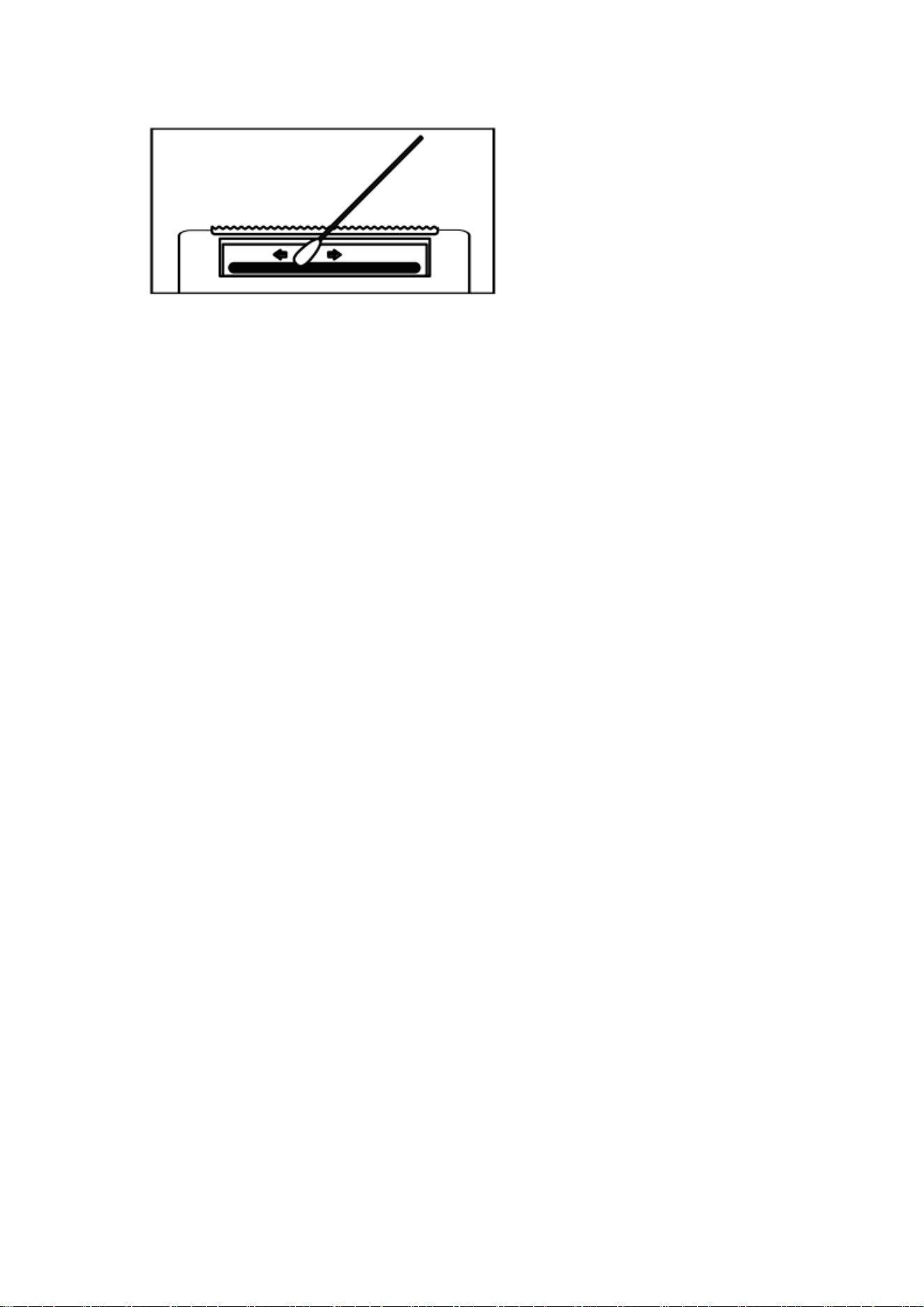
1. Please turn off the printer and open the printer cover and take out the paper.
2. Dip a cotton cloth or cotton swab with medical alcohol, and wipe gently along the center to
the periphery of the printer head.
3. After cleaning the printer head, do not use the printer immediately, Please wait for 1 to 2
minutes and then use the printer after the alcohol has completely evaporated.
Note :
Please do not directly touch the printing head to avoid damage. Especially,do not directly touch
the printing head immediately after printing to avoid overheating and scalding.
Troubleshooting
Q: Why are the labels not aligned properly?
A: Change the paper type on the app. Realign the printer by pressing the Power / Feed button
once.
Q: Why are the labels not printing clearly?
A: Check and adjust the printing density. lf there is a line or blank area on the label, check if the
print head is clean. lf not, clean it with alcohol.Low quality paper may also introduce
problems.For best results,use label paper offered by printer manufacturer.
Warranty
We offers an extensive warranty for all products that extends through 1 YEAR of the order
date.This warranty covers quality related issues and product defects. lf you have exceeded the
sales site's return period contact us directly via the“Contact seller" option on your Order Details.If
the product is not working properly, we can send you a replacement product. This warranty does
not apply in cases of abuse, mishandling,or unauthorized repair of the product. lf you have any
question about this warranty or would like additional information, please contact us via the
“Contact Seller" option or directly via e-mail(check the packing box). Please keep the original
box,packing materials and all documentation in the event that service is required.
FCC Regulations:
This device complies with part 15 of the FCC Rules. Operation is subject to the
following two conditions: (1) This device may not cause harmful interference, and (2)
this device must accept any interference received, including interference that may
cause undesired operation.
This equipment has been tested and found to comply with the limits for a Class B
digital device, pursuant to part 15 of the FCC Rules. These limits are designed to
provide reasonable protection against harmful interference in a residential installation.
This equipment generates, uses and can radiate radio frequency energy and, if not
installed and used in accordance with the instructions, may cause harmful

interference to radio communications. However, there is no guarantee that
interference will not occur in a particular installation. If this equipment does cause
harmful interference to radio or television reception, which can be determined by
turning the equipment off and on, the user is encouraged to try to correct the
interference by one or more of the following measures:
—Reorient or relocate the receiving antenna.
—Increase the separation between the equipment and receiver.
—Connect the equipment into an outlet on a circuit different from that to which the
receiver is connected.
—Consult the dealer or an experienced radio/ TV technician for help.
Changes or modifications not expressly approved by the manufacturer could void the
user’s authority to operate the equipment.
This device is designed and manufactured not to exceed the emission limits for exposure
to radio frequency (RF) energy set by the Federal Communications Commission of the
United States.
The exposure standard for wireless devices employing a unit of measurement is known
as the Specific Absorption Rate, or SAR. The SAR limit recommended by the general
public is 1.6W/kg Averaged over one gram of tissue by IEEE Std 1528.
The FCC has granted an Equipment Authorization for this product with all reported SAR
Levels evaluated as in compliance with the FCC RF exposure guidelines.
While there may be differences between the SAR levels of various product and at various
positions, they all meet the government requirements.
SAR compliance for body-worn operation is based on a separation distance of 0 mm
between the unit and the human body. Carry this device at least 0 mm away from your
body to ensure RF exposure level compliant or lower to the reported level.
IC Regulations
This device complies with Industry Canada license-exempt RSS standard(s). Operation is
subject to the following two conditions:
(1) this device may not cause interference, and
(2) this device must accept any interference, including interference that may cause
undesired operation of the device.
This Class B digital apparatus complies with Canadian ICES-003.
This EUT is in compliance with SAR for general population/uncontrolled exposure limits in

IC RSS-102 and had been tested in accordance with the measurement methods and
procedures specified in IEEE 1528 and IEC 62209. The SAR limit is 1.6 W/kg by Industry
Canada. This equipment should be installed and operated with minimum distance of 0 mm
between the radiator and your body. This device and its antenna(s) must not be
co-located or operating in conjunction with any other antenna or transmitter.
Cet appareil est conforme aux Normes RSS d'Industy Canada. Son utilisation est soumise
à deux conditions:
(1) Ce dispositif ne peut pas provoquer d'interférences, et
(2) Ce dispositif doit accepter toutes les interférences reçues, y compris les interférences
susceptibles de provoquer un fonctionnement non souhaité.
Cet appareil de classe B est conforme à la norme canadienne ICES-003.
Déclaration d'exposition IC
Cet EUT est conforme aux valeurs SAR à la norme SAR pour le grand public ainsi qu'aux
limites d'exposition non règlementée IC RSS-102 et a été testé selon les méthodes et
procédures spécifiées par les Normes IEEE 1528 et IEC 62209.La limite DAS est de
1,6W/kg par Industrie Canada. Cet appareil devrait être installé et utilisé en respectant
une distance minimale de 0 mm avec votre corps. Cet appareil et son (ses) antenne
(s) ne doivent pas ê tre situ é s à proximité l'un de l'autre et ne doivent pas
fonctionner en même temps qu'une autre antenne ou qu'un autre émetteur.