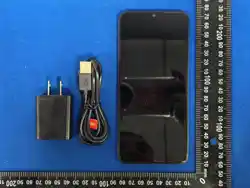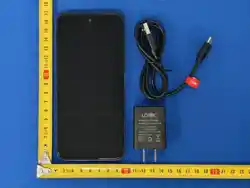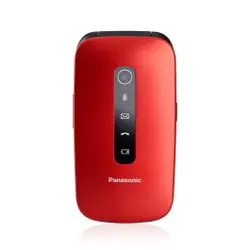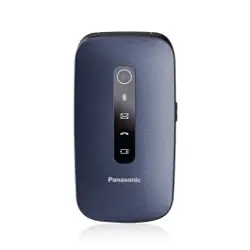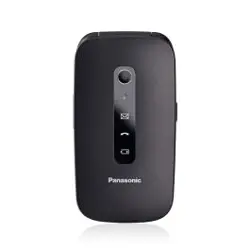

KX-1 User Guide
1- Safety instructions
Failure to comply with these instructions may result in personal injury and damage to the device,
as well as violations of applicable laws.
2- General information
• Permissible temperature range for charging and operation: −10 °C to +45 °C.
• Switch off your mobile phone in potentially explosive atmospheres and observe all warnings.
Potentially explosive atmospheres also include those locations for which it is normally
recommended that vehicle engines be switched off. In such places, flying sparks can cause
explosions or fires resulting in personal injury and possibly death.
• Short-circuiting or modifying the mobile phone is prohibited – there is a risk of personal injury,
electric shock, fire or damage to the charger.
3- Battery and charging process
• To avoid battery fluid leakage, overheating, explosion or fire, never incinerate or heat batteries
and never dispose of them in a fire or explosion-prone environment. Do not disassemble, weld or
modify the battery. Do not store the battery in an environment subject to strong mechanical
influences.
• Do not use sharp objects, such as screwdrivers, to touch or puncture the battery. There is a risk
of battery fluid leaking, the battery overheating, exploding or catching fire and burning. Crushing,
heating or incinerating batteries is strictly prohibited.
4- Nano-SIM
Important: This device is designed to be used with a nano-SIM card only. Use of incompatible
SIM cards may damage the card or the device, and may corrupt data stored on the card.
5- Open the back cover
1. Put your fingernail in the small slot at the side of the phone, lift and remove the cover.
2. If the battery is in the phone, lift it out.
6- Insert the SIM cards
Slide the SIM card in the SIM card slot.

7- Insert the memory card
1. Slide the memory card in the memory card slot.
2. Put back the battery.
3. Put back the back cover.
Use only compatible memory cards approved for use with this device. Incompatible cards may
damage the card and the device and corrupt data stored on the card.
Tip: Use a fast, up to 32 GB microSD memory card from a well-known manufacturer.
8- Switch on /Power off your phone
Press and hold
9- CALLS
Make a call
Learn how to make a call with your new phone.
1. Type in the phone number. To type in the + character, used for international calls, press *
twice.
2. Press the call key:
3. To end the call, press the end key.
Answer a call
Press
10- CONTACTS
Add a contact
1. Select Menu > Contacts > Options > New contacts
2. Select where to save the contact.
3. Write the name, and type in the number.
4. Select > Save.
Save a contact from the call logs
1. Select Menu > Call logs , and select the call type.
2. Scroll to the number you want to save and select > Add to contacts > New contact .
3. Select where to save the contact.
4. Add the contact details and select > Save.
Call a contact
You can call a contact directly from the contacts list.
Select Menu > Contacts , scroll to the contact you want to call, and press the call key.

11- Set new ringtone
1. Select Menu > Volume & Sound settings , scroll to a profile and select > Options > Settings >
Ring settings > Select > SIM1 or SIM2 call ring
2. Select which ringtone you want to change.
3. Scroll to the tone that you want and select > OK > Done > Done.
12- Choose a new wallpaper
You can change the background of your phone home screen.
1. Select Menu > Settings > Display > Wallpaper> Static wallpaper.
2. Select the wallpaper you want.
13- Volume & Sound settings
There are several profiles that you can use in different situations.
1. Select Menu > Volume & Sound settings.
2. To adjust a profile, scroll to it, and select > Options. Change the settings you want.
3. To set on a profile, scroll to it, and select
.
14- Reset your phone
You can restore the original factory settings, but be careful, since this reset removes all data
you have saved in the phone memory and all your settings.
Select Menu > Settings > Restore factory settings > Input code 1234 > OK
15- FCC Statement
This equipment has been tested and found to comply with the limits for a Class B digital device,
pursuant to part 15 of the FCC Rules. These limits are designed to provide reasonable protection
against harmful interference in a residential installation. This equipment generates, uses and can
radiate radio frequency energy and, if not installed and used in accordance with the instructions,
may cause harmful interference to radio communications. However, there is no guarantee that
interference will not occur in a particular installation. If this equipment does cause harmful
interference to radio or television reception, which can be determined by turning the equipment off
and on, the user is encouraged to try to correct the interference by one or more of the following
measures:
•Reorient or relocate the receiving antenna.
•Increase the separation between the equipment and receiver.
• Connect the equipment into an outlet on a circuit different from that to which the receiver is
connected.
•Consult the dealer or an experienced radio/TV technician for help.

Caution: Any changes or modifications to this device not explicitly approved by manufacturer
could void your authority to operate this equipment.
This device complies with part 15 of the FCC Rules. Operation is subject to the following two
conditions:
(1) This device may not cause harmful interference
(2) This device must accept any interference received, including interference that may cause
undesired operation.
RF Exposure Information:
The device has been evaluated to meet general RF exposure requirement. The device can be used
in portable exposure condition without restriction.
Specific Absorption Rate (SAR) information:
This device meets the government's requirements for exposure to radio waves. The guidelines
are based on standards that were developed by independent scientific organizations through
periodic and thorough evaluation of scientific studies. The standards include a substantial safety
margin designed to assure the safety of all persons regardless of age or health. FCC RF Exposure
Information and Statement the SAR limit of USA (FCC) is 1.6 W/kg averaged over one gram of
tissue. Device types: This device has also been tested against this SAR limit.
This device was tested for typical body-worn operations with the back of the This device kept
10
mm fr
o
m
t
h
e bod
y
.
T
o
m
a
in
t
a
in
co
m
p
li
a
n
ce
wi
t
h F
CC
RF
e
x
p
osu
r
e
r
e
q
u
ir
e
m
e
n
t
s
,
use accesso
ri
es
that maintain an 10
mm
se
p
a
r
a
t
i
o
n
d
i
s
t
a
n
ce be
t
w
ee
n
t
h
e use
r
'
s bod
y
a
n
d
t
h
e bac
k
o
f Thi
s de
vi
ce
.
The use of belt clips, holsters and similar accessories should not contain metallic components in
its assembly. The use of accessories that do not satisfy these requirements may not comply with
FCC RF exposure requirements, and should be avoided.