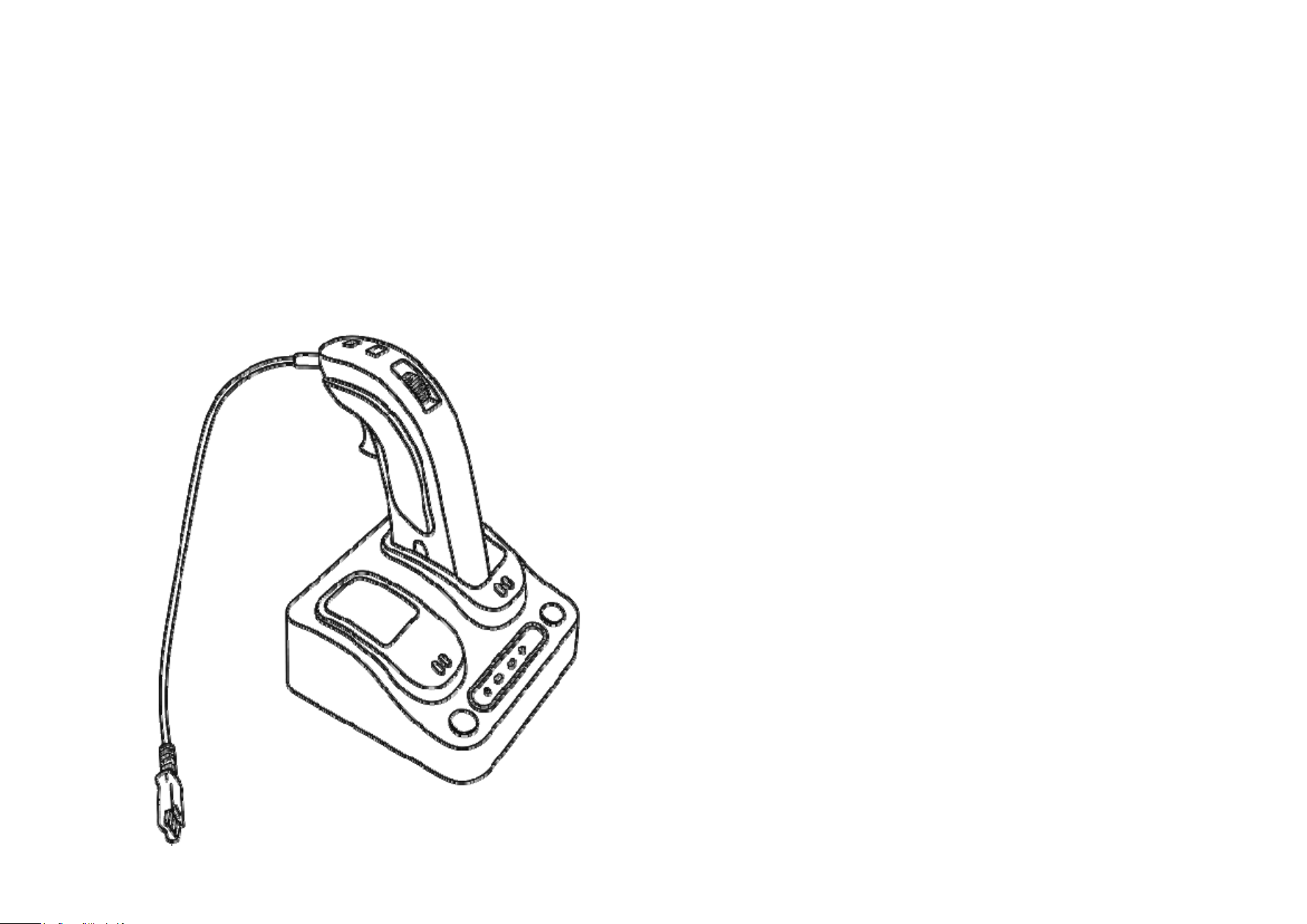
JPL Scout 3100
User’s Manual
DECT PTT
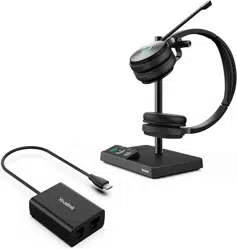
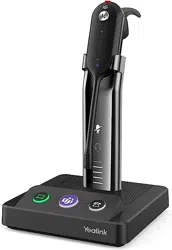
The JPL Scout 3100 Wireless DECT PTT (Push-To-Talk) Headset
delivers reliable wireless communication and seamless PTT
functionality for public safety dispatch, air traffic control, radio
operations, and simulation training. Designed for environments
requiring secure transmissions, the advanced DECT wireless
adapter ensures top-tier protection with DECT Security Level C.
Supporting both analog and USB interfaces, the DECT PTT system
offers flexible configurations for one or two independent portable
devices, making it the ideal solution for mission-critical
communications.
Advantages
Enhanced Security: Complies with DECT Security Step C and
features 256-bit AES encryption (FIPS 140-2) to ensure secure
communication in sensitive environments.
Superior Audio Quality: Delivers clear, reliable voice
transmission with advanced DECT technology optimized
specifically for voice communication.
Wireless Freedom: Operates without cables, providing up to
150 ft (50 m) of range using DECT wireless technology for
increased mobility and convenience.
Flexible Interface Support: Analog and USB interfaces
ensure broad compatibility with both analog and VoIP
communication systems, as well as training simulators.

Specifications
Connects to
Analog RJ12 female connector to 2-Plong (RJ12-to-PJ7)
USB connectors to PC or Voice Communication Consoles
(USB-C)
Wireless
DECT 6.0-North America: 1.92 ~1.93 GHz
DECT-Europe: 1.88 ~ 1.90 GHz
Range (Line-of-Sight): 150 ft / 50 m
Security: DECT Security Step C
Encryption: Military level FIPS 140-2 listed 256-AES encryption
Authentication: 128-bit AES
Battery
Battery Capacity: 400 mAh
Talk time: up to 11 Hours with Narrowband audio
Extra battery with charging chamber
Charge Time: Quick Charge for 2~3 hours
Receiving Frequency Response
User selectable option for wideband and narrowband audio
Wideband 50 ~ 7000 Hz for G.722 Codec Audio
Sampling Frequency: 16 KHz
Bit Rate 64 kb/s
Narrowband 300 ~ 3,400 Hz for G.711 Codec Audio
Sampling Frequency: 8 KHz
8 bits per sample
Bit Rate 64 kb/s
Algorithm Delay: 0.125 msec
Available Headset
Compatible with all JPL QD type headsets
Compatible with Poly QD type headset
Remote Unit Features
PTT buttons
Audio link On-Off button with LED
Detachable Belt Clip
Receiving volume Control
Two Remote Unit can be used simultaneously (Option)
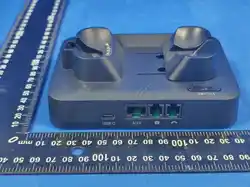
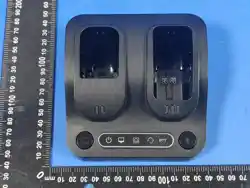
Base Unit Features
Two charging chambers
Sending and receiving volume controls
Status LEDs for Power, Battery Charging, audio Interface, and
PTT
Pairing Button
Analog (RJ12), and USB connection ports
Operating temperature range: 40°F(+4°C) to 110°F(+49°C)
USB Enumeration
The PTT button enumerates as following features depend on
customer’s demands
Microphone Audio PTT
Button 1 of a single button game controller
Joystick Button 1
Keystroke of ‘p’ of a keyboard
Keystroke of any 101 QWERT keyboard
Mute button pressing and releasing for USB HID telephony
command.
Any of USB HID commands upon customer’s request
INTRODUCTION
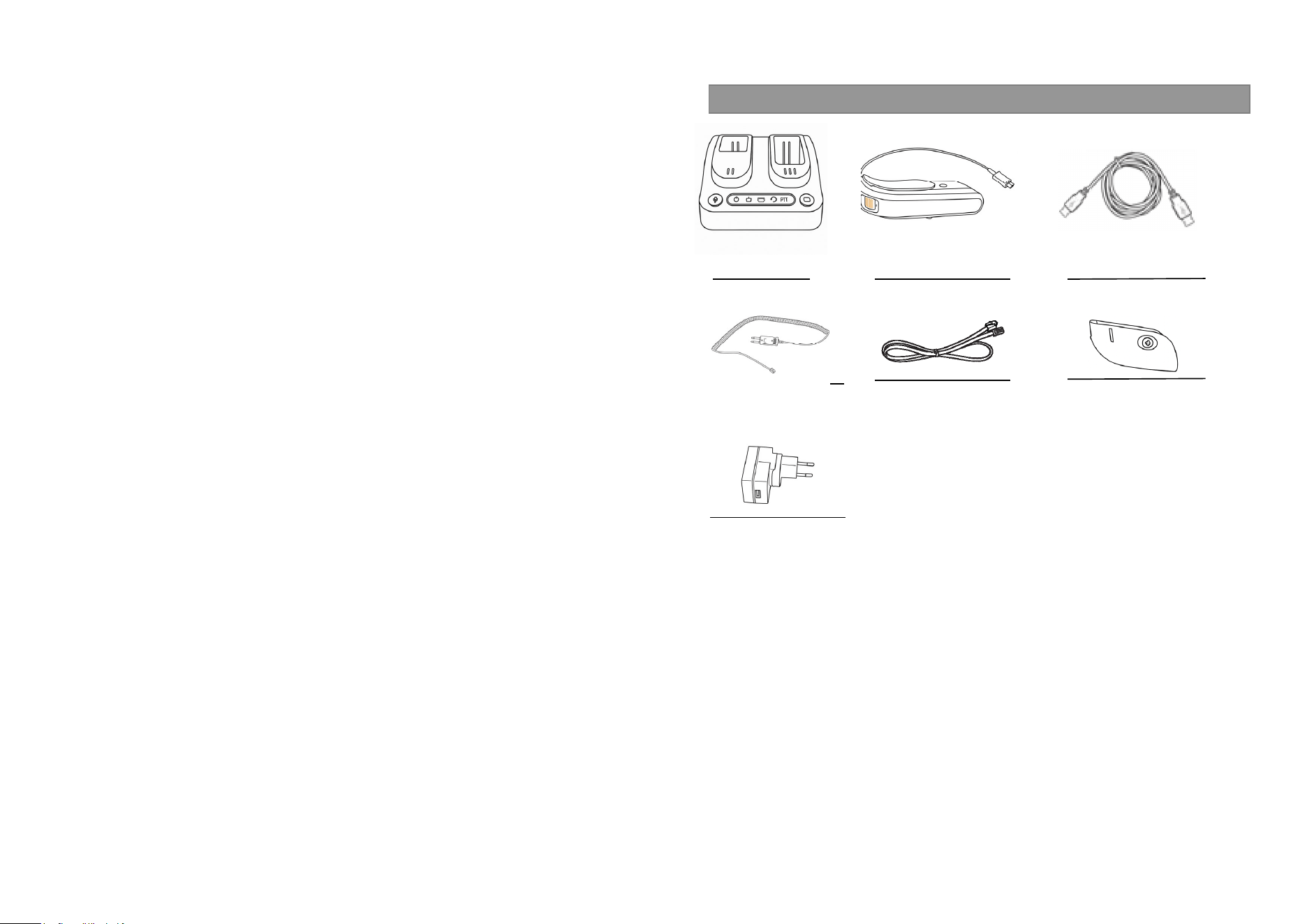
Base Station Remote USB-C Cord
RJ12-to-PJ7 Cord RJ12-to-RJ12 Supervisor Cord Extra Battery
USB-C Power Adapter
What’s included
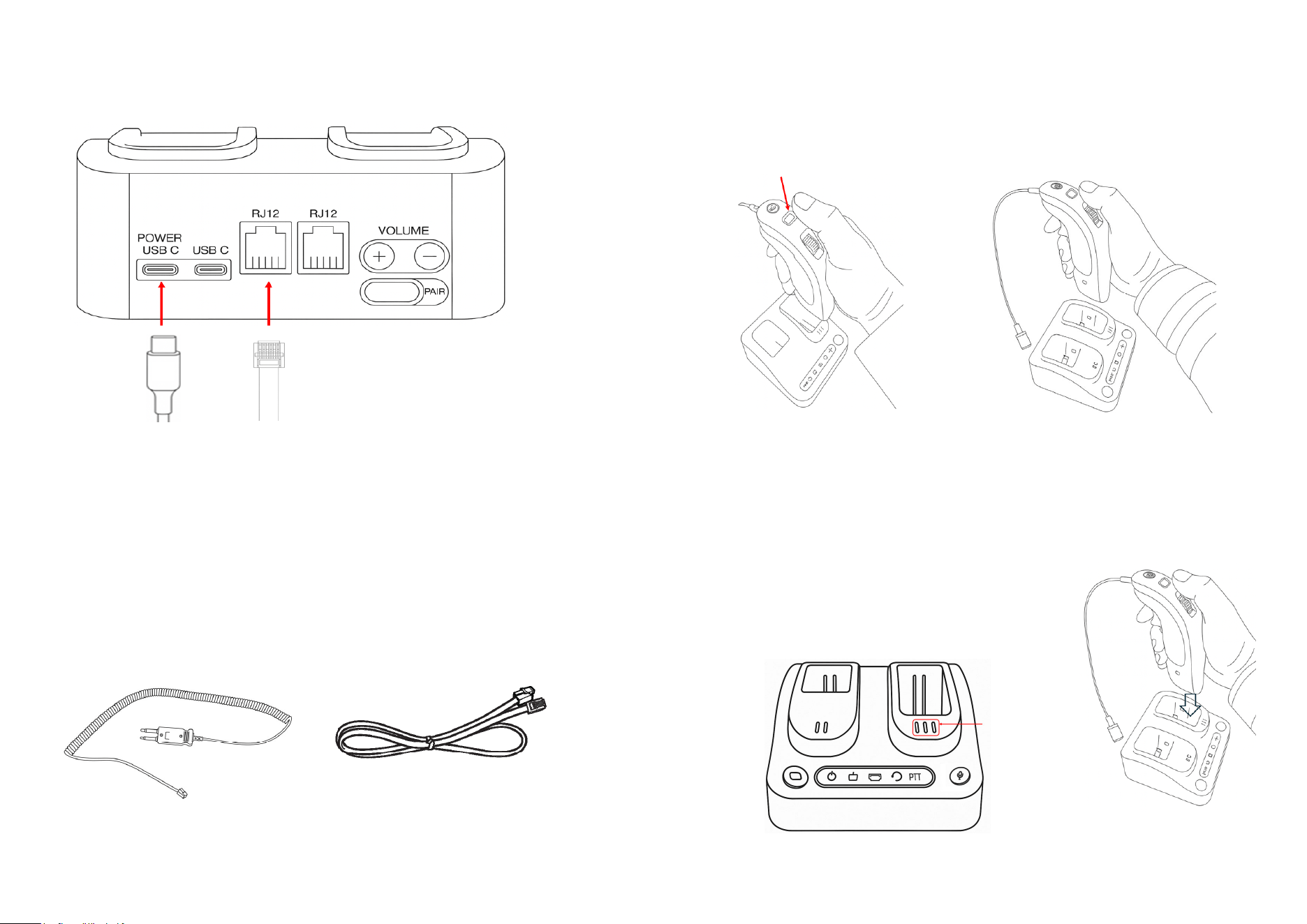
Connection
The USB-C adapter or PC’s USB port can be connected to ‘POWER USB C’ connector
for base station’s power. When it is connected, the base station can be woken up and
starts operation.
There are two RJ12 ports on rear side. One can be used for RJ2-to-PJ7 cord
connection and the other can be sued for RJ12-to-RJ12 supervisor cord.
Power On Remote
There are two ways to power up the remote unit
Press the in-use LED/button. And the In-user light will be on.
When the remote is powered off, it can be powered on if it is put on cradle.
Charging Remote
For charging remote, put it on cradle on the base station
When the remote is on charging, three battery level
Lights will be shown to indicate battery level.
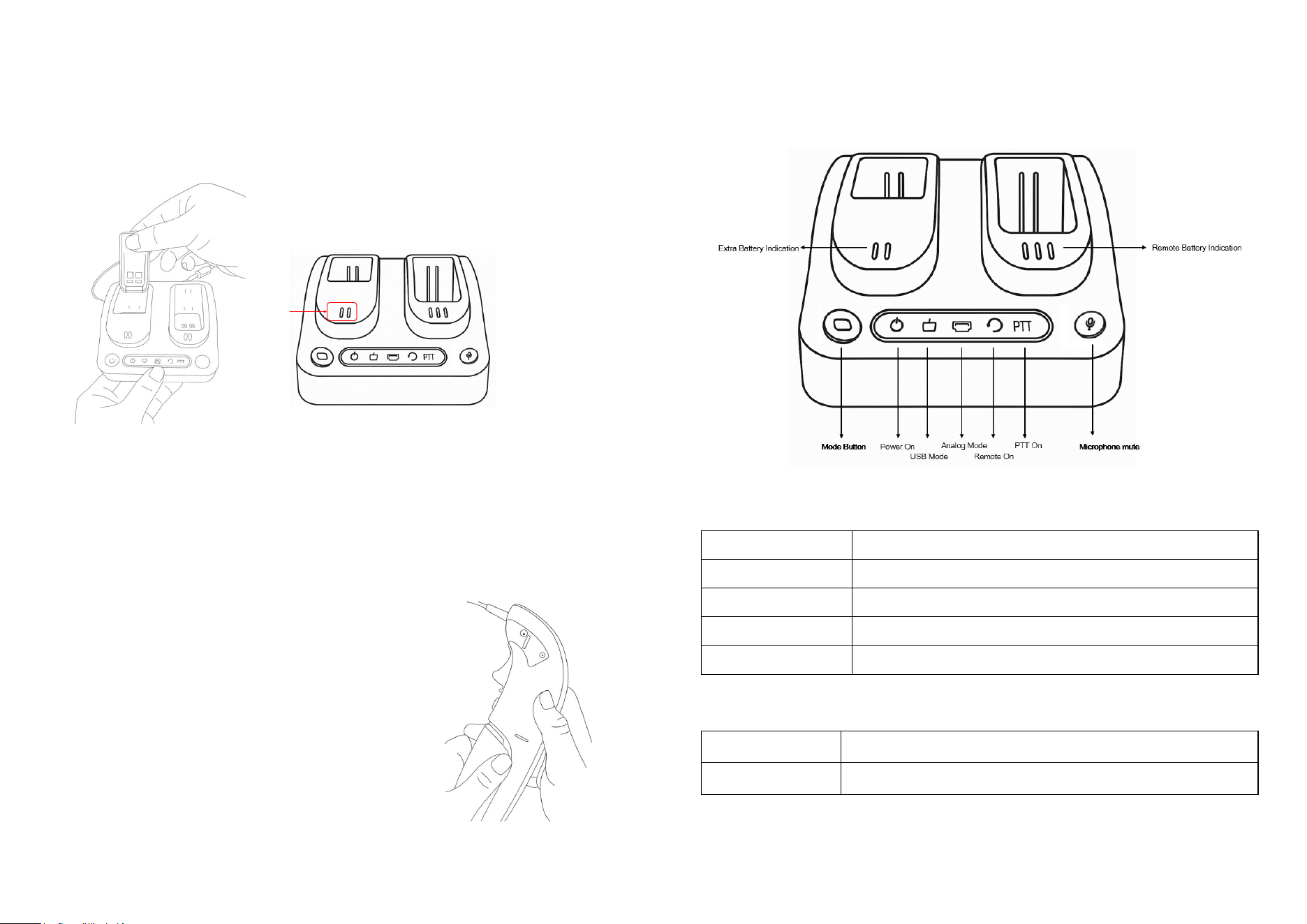
Charging extra battery and changing battery
There is another charging cradle for the extra battery.
The battery itself can be charged when it is on second cradle.
There are two battery level indicators for the extra battery charging.
When it is fully charged, two lights will be on.
The battery on the remote can be changed without any power disconnection.
There is backup battery inside of the remote and it can make the remote alive during
battery exchanging.
Click on battery button and slide down the battery.
It can be removed, and the remote can be working for one
Minute for battery exchanging.
Base Unit
LED
Power-On LED
When the power is on, the LED will be light on.
USB LED
When the mode is selected to USB, light on.
Analog LED
When the mode is selected to analog, light on
Remote LED
When the remote is connected to the base, light on
PTT LED
When the PTT button is pressed on the remote, light on
Button
Mode Button When the mode button is pressed, the mode is changed from
analog to USB and vice versa.
Microphone Mute When the microphone mute button is pressed, the microphone is
muted and unmuted.
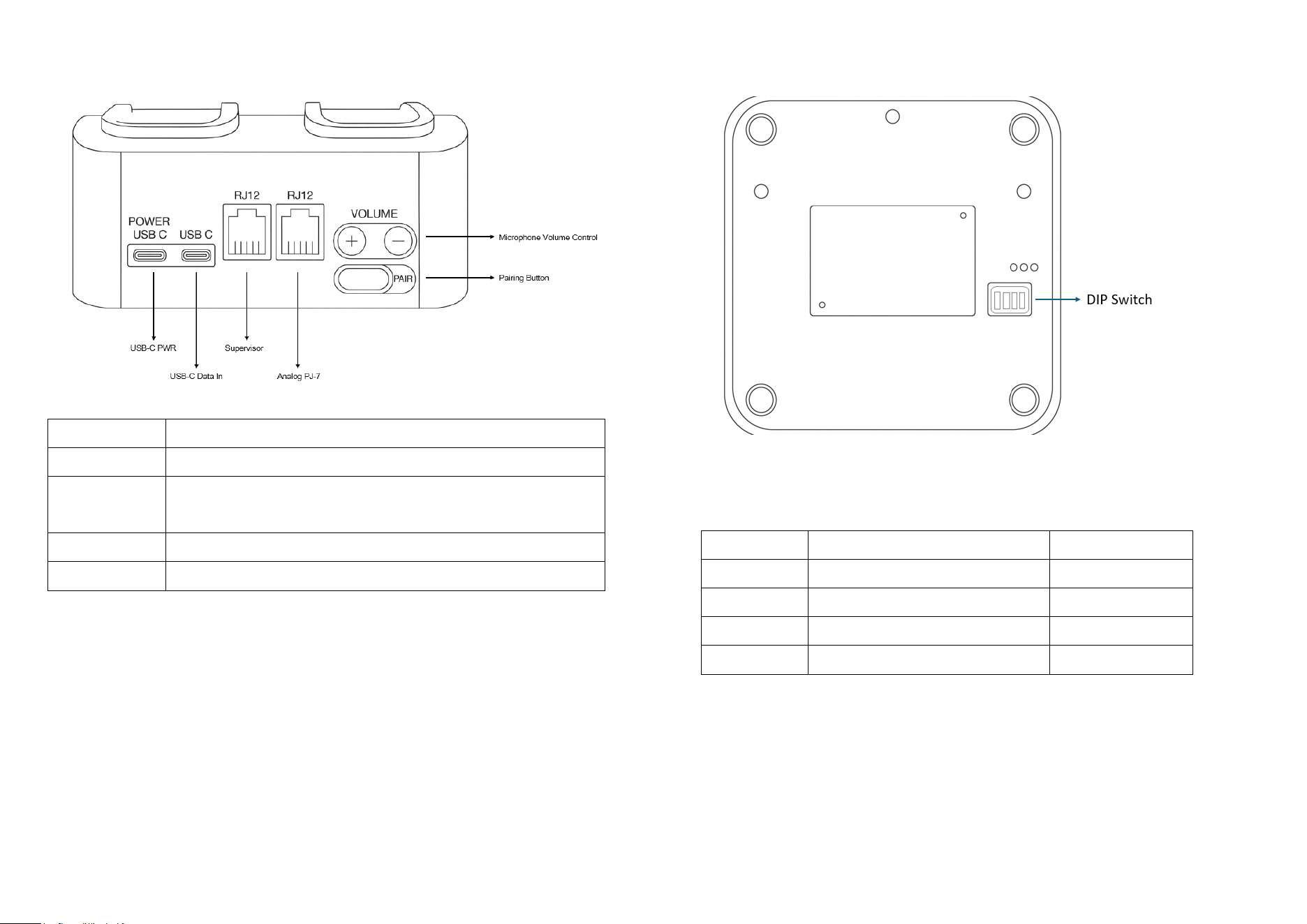
Power USB-C
USB-C power can be connected to this connector
USB-C
USB-C data / power can be connected to this connector
RJ12
Both RJ12 connectors can be used for PJ-7 analog connector or
supervisor cord connection
Volume
Microphone volume can be controlled with 15 steps
Pair
The pairing button can be used for pairing with the remote.
On bottom side, there are 4 pole DIP switches. The options on the DIP switch are on
the table below.
DIP Switch Function Default
1 Gamepad Button 1 /Mic. Active Mic. Active
2 Mode button Enable / Disable Disable
3 Rx Volume High/Low Low
4 Wideband / Narrowband Audio Wideband

Visual Indicator
Battery Indicator
Full Green / Yellow / Red LED will be turned on
Mid Yellow / Red LED will be turned on
Low Red LED will be turned on
Warning Red LED will be flashing to show low battery warning
Operating Instructions
- Connect the USB-C cable to USB-C In port at base station.
- Press the In-use button to get connection to the base station
- When the In-Use LED is on, it is ready to use.
- Press the PTT button and the PTT function will be working.
- Adjust speaker and microphone volume for comfortable audio level.

Federal Communication Commission Interference Statement
FCC ID: 2BFHC-SCOUT3100
This device complies with Part 15 of the FCC Rules. Operation is subject to the
following two conditions: (1) This device may not cause harmful interference, and
(2) this device must accept any interference received, including interference that
may cause undesired operation.
This equipment has been tested and found to comply with the limits for a Class B
digital device, pursuant to Part 15 of the FCC Rules. These limits are designed
to provide reasonable protection against harmful interference in a residential
installation. This equipment generates, uses and can radiate radio frequency
energy and, if not installed and used in accordance with the instructions, may
cause harmful interference to radio communications. However, there is no
guarantee that interference will not occur in a particular installation. If this
equipment does cause harmful interference to radio or television reception,
which can be determined by turning the equipment off and on, the user is
encouraged to try to correct the interference by one of the following measures:
-Reorient or relocate the receiving antenna.
-Increase the separation between the equipment and receiver.
-Connect the equipment into an outlet on a circuit different from that to which
the receiver is connected.
-Consult the dealer or an experienced radio/TV technician for help.
FCC Caution: Any changes or modifications not expressly approved by the party
responsible for compliance could void the user's authority to operate this
equipment.
Radiation Exposure Statement(DECT PTT BASE):
This equipment complies with FCC radiation exposure limits set forth for an
uncontrolled environment. This equipment should be installed and operated with
minimum distance 20 cm between the radiator & your body.

Federal Communication Commission Interference Statement
FCC ID: 2BFHC-SCOUT3100
This device complies with Part 15 of the FCC Rules. Operation is subject to the following two
conditions: (1) This device may not cause harmful interference, and (2) this device must
accept any interference received, including interference that may cause undesired operation.
This equipment has been tested and found to comply with the limits for a Class B digital
device, pursuant to Part 15 of the FCC Rules. These limits are designed to provide
reasonable protection against harmful interference in a residential installation. This
equipment generates, uses and can radiate radio frequency energy and, if not installed and
used in accordance with the instructions, may cause harmful interference to radio
communications. However, there is no guarantee that interference will not occur in a
particular installation. If this equipment does cause harmful interference to radio or
television reception, which can be determined by turning the equipment off and on, the user
is encouraged to try to correct the interference by one of the following measures:
-Reorient or relocate the receiving antenna.
-Increase the separation between the equipment and receiver.
-Connect the equipment into an outlet on a circuit different from that to which the receiver
is connected.
-Consult the dealer or an experienced radio/TV technician for help.
FCC Caution: Any changes or modifications not expressly approved by the party responsible
for compliance could void the user's authority to operate this equipment.
Radiation Exposure Statement(DECT PTT REMOTE):
This device meets the government’s requirements for exposure to radio waves.
This device is designed and manufactured not to exceed the emission limits for exposure to
radio frequency (RF) energy set by the Federal Communications Commission of the U.S.
Government.
The exposure standard for wireless device employs a unit of measurement known as the
Specific Absorption Rate, or SAR. The SAR limit set by the FCC is 1.6W/kg. Tests for SAR are
conducted using standard operating positions (0mm) accepted by the FCC with the device
transmitting at its highest certified power level in all tested frequency bands.
The use of holsters and similar accessories should not contain metallic components in its
assembly, the use of accessories that do not satisfy these requirements may not comply with
FCC RF exposure requirements, and should be avoided.