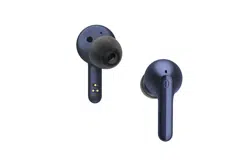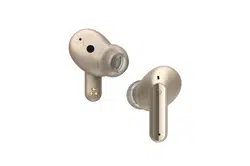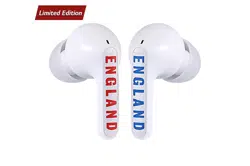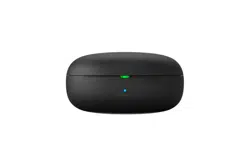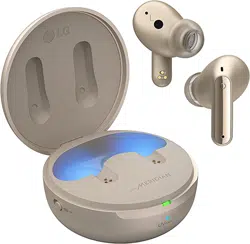
Product Description
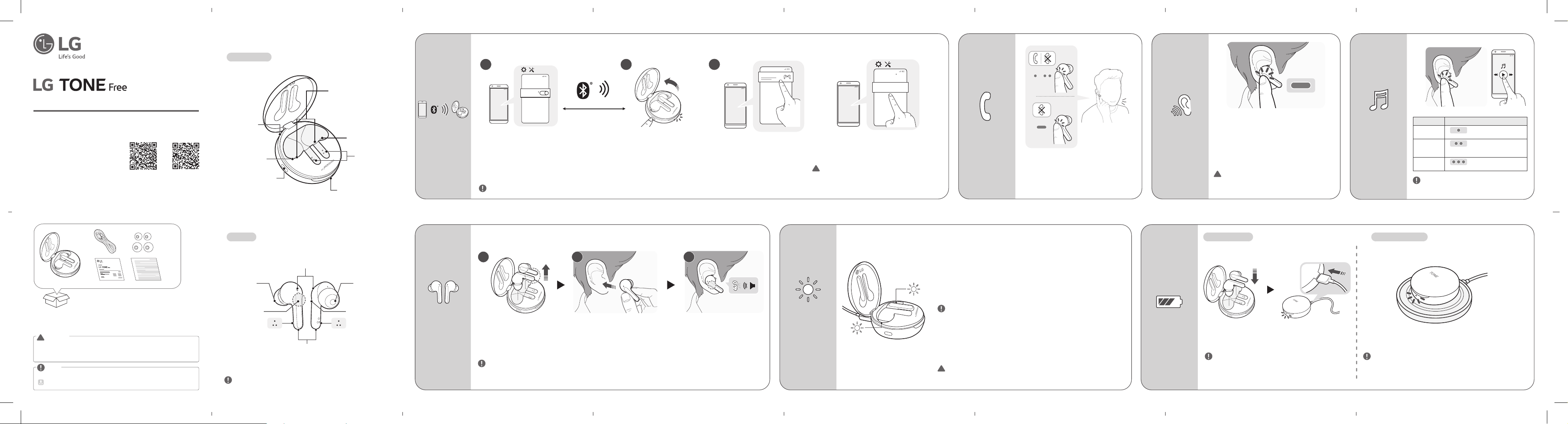
Charging Case
Earbuds
Microphone
Microphone
Touchpad
Touchpad
Charging terminals
UV-C LED
Pairing /
Battery check button
Status indicator light
Charging port
How to pair
-(
-(
#MVFUPPUI
0/
1 2
~39 inch, ~1m
-(
-(
-()#4'/
#MVFUPPUI
3
-(
-(
-()#4'/
NOTE :
To connect with another device, perform the above procedure again.
Activate Bluetooth on your phone or
device.
While the earbud is mounted in the charging case,
open the charging case lid and press the pairing
button fo r 3 to 5 seconds until the blue indicator
light blinks.
When the Fast Pair connection pop-up
appears on the top area of the mobile
phone screen, tap it to connect. (It only
supports Android™ 6.0 or higher, and
requires conguring Bluetooth and location
information settings of the mobile device.)
If the pop-up does not appear, select [LG HBS-FN6]
from the Bluetooth menu on the mobile phone and
connect it (for users of iOS or Android 5.0 or lower
versions).
How to wear
earbuds
1 2 3
NOTE : You can easily separate the earbuds from the charging case by turning the part with dotted line in Image 1 to
left or right and lifting the earbuds.
Separate the earbuds from the charging case and adjust them so that they t comfortably in your ears. When you wear the
earbuds, you will hear a wearing detection alarm.
How to receive
a call
To receive a phone call, touch the left or right
earbud once.
To end a phone call, touch the left or right
earbud twice.
To reject a phone call, touch and hold the left or
right earbud.
Charging terminals Charging terminals
Mood light (When you
open the charging case,
the mood light turns on
and off.)
UV-C LED
Speaker meshSpeaker mesh
!
CAUTION :
In the list of Bluetooth connected devices,
LG HBS-FN6_LE is not the correct model
name for connection. Check the model
name in use and connect with the model
name without “LE”.
NOTE: For the best performance and to prevent
any damage to, or misuse of the headset, please
read all of the information carefully prior
to using the headset.
Any modications or changes to this manual
due to typographical errors or inaccuracies
of stated information shall only be made
by LG Electronics Inc.
Rev 3.0 ID
USER MANUAL
Bluetooth® LG Stereo Headset
HBS-FN6 / HBS-FN5U
HBS-FN4
Copyright © 2020 - 2023 LG Electronics Inc. All rights reserved
Google Play App Store
www.lg.com
UVnano
Description
UV-C LED process operates for ten minutes and begins when charging case (with
earbuds) is plugged in.
UV-C LED does not operate while device is charging wirelessly such as on a pad
or third party wireless charging device (this apply to HBS-FN6 and HBS-FN5U).
- Independent testing shows the UVnano charging case kills 99.9% of bacteria
(Staphylococcus aureus and Escherichia coli)on the speaker mesh of the
earbuds in ten minutes while charging. The UV-C LED function works only when
thecharging caseis connected to the power cable.
- For best result, it is recommended that the full 10 minutesof UV-C LED
operation be performed while charging.
NOTE : The status indicator light blinks slowly during the UV-C LED operation.
The light will slowly illuminate on and off until the UV-C LED function
is complete (10 minutes). Once completed, the indicator light will
switch back to the always-on battery indicator, see “Battery Status”.
HBS-FN4 does not have a UV-C LED and mood light. Performance
may vary based on usage conditions. A white product may slightly
differ in the color of the UV-C LED contact area, but there is no
problem with the product performance. UV-C LED does not operate
while charging wirelessly.
!
CAUTION : Be aware that the temperature of the earbuds may rise while the
UV-C LED is operating. Avoid direct eye and skin exposure to UV
light. Keep out of reach of children.
Touch and hold the left or right earbud to hear the
ambient sound.
You can adjust the intensity of the ambient sound in
the LG TONE Free app.
The Listen to the Ambient Sound function works
only when the product is on hold or playing music.
While using the listen to the ambient sound
function, the battery discharges faster than usual.
!
CAUTION : When the Listen to the Ambient
Sound mode is enabled, you may
hear the ambient sound become loud
suddenly.
Listening to the
ambient sound
NOTE :
On the LG TONE Free app, you can
switch the operation mode through
the touchpad settings.
-(
How to play
music
Function Description
Play / Pause
: Touch the left or right
earbud once.
Adjusting
the Volume
: Touch the left(Decrease
volume) or right(Increase
volume) earbud twice.
Play Next
: Touch the left or right
earbud three times.
NOTE: Actual product design may differ from images shown in manual.
* A mid-sized ear gel is attached to the earbud by default.
* The appearance and specications of the actual product may differ depending on the
model.
Make sure authentic LG Electronics components are used. Using a non-authentic
component may damage the product and thus void the warranty.
Use the USB Type C™ cable provided with the product.
!
CAUTION
The complete manual is available for download from the LG Electronics website.
www.lg.com > support or service > Manuals & Downloads > Manuals
NOTE
NOTE :
HBS-FN4 does not have a UV-C LED and mood light.
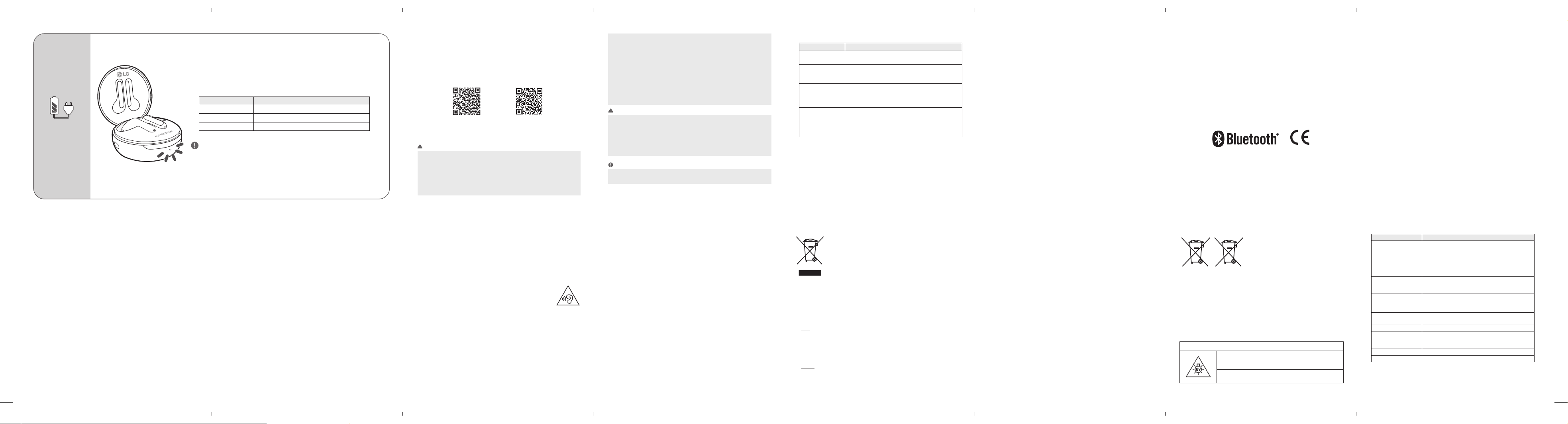
Battery Status
NOTE : The earbuds and the charging case are charged at
the same time.
The charging port on the charging case cannot be
used to supply power to mobile phones, etc.
When the charging cable is connected, the charging status is
displayed in the charging case.
Wired Charging
NOTE : The wireless charger is not provided. HBS-FN4 and HBS-FN5U
models do not support wireless charging. The wireless charging
function may not work in some wireless chargers. Wireless
charging feature charges at a slower rate due to less power
being transmitted to the charging case.
Align the bottom center of the charging case with the center of the
wireless charger.
Wireless Charging
b. The product is not meant for re-sale to any unauthorized agencies/scrap dealer/
kabariwalah.
c. The product is not meant for mixing into household waste stream.
d. Do not keep any replaced spare part(s) from the product in exposed area.
3. Any disposal through unauthorized agencies/person will attract action under
Environment (Protection) Act 1986.
4. This product is complied with the requirement of Hazardous Substances as
specied under E-Waste Management Rules India published by MoEF & CC, Govt.
of India.
5.
To locate a nearest collection centre or call for pick-up (limited area only)
for disposal of this appliance, please contact No. 08069379999,
Toll Free No. 1800-315-9999 for details. All collection centre and pick up facilities
are done by third parties with LG Electronics India Pvt. Ltd. Merely as a facilitator.
For more detailed information, please visit : http://www.lg.com/in.
Battery
Pb
1. This symbol may be combined with chemical symbols for mercury(Hg),
cadmium(Cd) or lead(Pb) if the battery Contains more that 0.0005% of mercury,
0.002% of cadmium or 0.004% of lead.
2. All batteries/accumulators should be disposed separately from the municipal
waste stream via designated collection facilities appointed by the government or
the local authorities.
3. The correct disposal of Your old batteries/accumulators will help to prevent
potential negative consequences for the environment, animal and human health.
RISK GROUP 2
CAUTION : UV EMITTED FROM THIS PRODUCT.
EYE OR SKIN IRRITATION MAY RESULT FROM EXPOSURE.
USE APPROPRIATE SHIELDING.
WARNING : WHEN OPENING THE CHARGING CASE OR WIRELESS
CHARGING, THE UV FUNCTION DOES NOT WORK.
NOTE : When the charging case lid is closed, charging case battery status is
displayed. If the charging case has no remaining charge, there will be no
display and it cannot function. We recommend you keep the charging
case charged at all times as the earbuds are not able to be turned on
and turned off independently.
How to charge
If earbuds are mounted in the charging case, the earbuds’ battery status is
displayed.
Otherwise, the charging case’s battery status is displayed.
If the earbuds are mounted in the charging case while plugged in, the UVnano
process will commence for ten minutes.
Once this process is complete, the charging case’s battery status will be displayed.
Indicator Light Battery Status
Red Below 20% battery
Violet Between 20% and 80% battery
Blue Above 80% battery
LG TONE Free
If you install the “LG TONE Free” app, you can use Check Earbud Battery, Voice
Alert, Change Equalizer Mode, Check Last Connected Location Information, and
Find My Earbuds functions. Check out the app for more details.
To install the “LG TONE Free” app, search LG TONE Free in the Google Play Store or
App Store or scan the QR code below.
It supports Android 5.0 or higher and iOS 11 or higher.
Google Play App Store
Safety Cautions
!
CAUTION
Do not disassemble, adjust, or repair the product arbitrarily.
Do not place the product near excessive heat or ammable material.
The product may be damaged if an incompatible charger is used.
Make sure that an infant or child does not swallow a magnet or a small component of the
product.
Make sure that foreign objects do not enter the charger’s connectors (charging port and
power plug). Failure to do so may result in re or electric shock.
If you have a medical device implanted, contact your doctor before using this device.
This product has a built-in battery, and the battery cannot be removed or replaced arbitrarily.
For your safety, do not remove the battery incorporated in the product.
If you arbitrarily replace the battery or don’t replace it correctly, it may explode.
The lithium-ion battery is a hazardous component that can cause injury.
Battery replacement by an unqualied professional can cause damage to your device.
Do not discard the battery arbitrarily. Follow the local procedure for discarding batteries.
Disposal of a battery into re or a hot oven, or mechanically crushing or cutting of a battery,
that can result in an explosion.
A battery subjected to extremely low air pressure that may result in an explosion or the
leakage of ammable liquid or gas.
!
WARNING
Do not drop the product from a high place.
Make sure there is no water, alcohol, or benzene in contact with the product.
Do not store the product in a wet or dusty place.
Do not place heavy objects on the product.
This product is waterproof to the IPx4 level (daily life waterproof).
(The IPx4 waterproof rating applies to the earbud product only.)
Do not put the product under the water or use it in a humid location such as a bathroom.
NOTE
If the product is exposed to excessive sweat, clean the product.
Keep the earbuds clean.
Troubleshooting
Problem Solution
The power does not
turn on
Check the battery level and charge it.
If unable to make a call
with earbuds
If the mobile phone does not support headset and hands-free
functions, you cannot use the calling features.
Check the battery level and charge it.
If unable to register
earbuds to mobile
phone
Check whether earbuds are turned on.
Check if the charging case of earbuds are in search mode.
- Press the pairing button on the charging case to switch to
search mode.
If you replaced the
earbuds or there is
a problem with the
operation
Put the earbuds in the charging case and, with the case open,
press the pairing button for 10 seconds or more.
- The factory reset proceeds while the status indicator on the
charging case ashes red.
Please reconnect the device after factory reset.
Declaration of Conrmation
FCC NOTICE TO USERS:
This device complies with part 15 of the FCC Rules.
Operation is subject to the following two conditions:
(1) This device may not cause harmful interference, and
(2) This device must accept any interference received, including interference that
may cause undesired operation.
Changes or modications not expressly approved by the manufacturer (or
party responsible) for compliance could void the user’s authority to operate the
equipment.
FCC Part 15.105 statement
This equipment has been tested and found to comply with the limits for a Class B
digital device, pursuant to Part 15 of the FCC Rules.
These limits are designed to provide reasonable protection against harmful
interference in a residential installation. This equipment generates, uses and can
radiate radio frequency energy and, if not installed and used in accordance with the
instructions, may cause harmful interference to radio communications.
However, there is no guarantee that interference will not occur in a particular
installation.
If this equipment does cause harmful interference to radio or television reception,
which can be determined by turning the equipment off and on, the user is encouraged
to try to correct the interference by one or more of the following measures:
- Reorient or relocate the receiving antenna.
- Increase the separation between the equipment and receiver.
- Connect the equipment into an outlet on a circuit different from that to which
the receiver is connected.
- Consult the dealer or an experienced radio/TV technician for help.
IMPORTANT NOTE:
To comply with the FCC RF exposure compliance requirements, no change to
the antenna or the device is permitted. Any change to the antenna or the device
could result in the device exceeding the RF exposure requirements and void user’s
authority to operate the device.
DECLARATION OF CONFORMITY:
Hereby, LG Electronics declares that the radio equipment type this headset is
in compliance with Directive 2014/53/EU. The full text of the EU declaration of
conformity is available at the following internet address: http://www.lg.com/global/
declaration
Bluetooth® is a registered trademark of Bluetooth SIG, Inc. worldwide.
Android, Google Play, the Google Play logo, and other related marks and logos are
trademarks of Google LLC.
FCC ID: ZNFHBSFN6
Additional Information
1. Radio frequency exposure
This Bluetooth LG Stereo Headset is a radio transmitter and receiver. When in
operation, it communicates with a Bluetooth-equipped mobile device by receiving
and transmitting radio frequency (RF) electromagnetic elds (microwaves) in
the frequency range 2402 to 2480 MHz. Your Bluetooth headset is designed to
operate in compliance with the RF exposure guidelines and limits set by national
authorities and international health agencies when used with any compatible LG
Electronics mobile phone.
2.
Bluetooth
connection precautions
The following environments affect the range and reception of Bluetooth signals:
- When walls, metal, human bodies, or other obstacles exist between the
Bluetooth device and the connected device.
- When equipment that uses 2.4 GHz frequency signals (wireless LANs, wireless
phones, microwave ovens, etc.) is placed near the devices being used.
- When using a Bluetooth device (TV, laptop, etc.) other than the mobile phone, the
sound quality may be affected by the specications and performance of the device.
3. Potentially explosive atmosphere
Turn off your electronic device when in any area with a potentially explosive
atmosphere. Although this is uncommon, your electronic device could generate
sparks. Sparks in such areas could cause an explosion or re resulting in bodily
injury or even death. Areas with a potentially explosive atmosphere are often but
not always clearly marked.
4. Battery information
A rechargeable battery has a long service life if treated properly. A new battery or
one that has not been used for a long period of time could have reduced capacity
the rst few times it is used.
Do not expose the battery to extreme temperatures, never above +50°C (+122°F)
or below -10°C (+14°F). For maximum battery capacity, use the battery at room
temperature. If the battery is used in low temperatures, the battery capacity
will be reduced. The battery can only be charged in temperatures between 0°C
(+32°F) and +45°C (+113°F).
5. Recycling the battery in your
Bluetooth
Headset
The battery in your Bluetooth Headset must be disposed of properly and should
never be placed in municipal waste.
6. Conditions
- The warranty is valid only if the original receipt issued to the original purchaser
by the dealer, specifying the date of purchase and serial number, is presented
with the product to be repaired or replaced. LG Electronics reserves the right to
refuse warranty service if this information has been removed or changed after
the original purchase of the product from the dealer.
- If LG Electronics repairs or replaces the product, the repaired or replaced
product shall be warranted for the remaining time of the original warranty period
or for ninety (90) days from the date of repair, whichever is longer. Repair or
replacement may involve the use of functionally equivalent reconditioned units.
Replaced parts or components will become the property of
LG Electronics.
- This Warranty does not cover any failure of the product due to normal wear and
tear, or due to misuse, including but not limited to use in other than the normal
and customary manner, in accordance with instructions for use and maintenance
of the product. Nor does this warranty cover any failure of the product due to
accident, modication or adjustment, acts of God or damage resulting from liquid.
- This warranty does not cover product failures due to improper repair
installations, modications or service performed by a non-LG Electronics
authorized person. Tampering with any of the seals on the product will void the
warranty.
Limited Warranty
Subject to the conditions of this Limited Warranty, LG Electronics warrants this
product to be free from defects in design, material, and workmanship at the time
of its original purchase by a consumer, and for a subsequent period of one (1) year.
Should your product need warranty service, please return it to the dealer from
whom it was purchased or contact your local LG Electronics contact center to get
further information.
Important Safety Information
Avoiding hearing damage
Permanent hearing loss may occur if you use your headset at a high volume.
Set the volume to a safe level. Over time you can become accustomed to a higher
volume that may sound normal but can be damaging to your hearing.
If you experience ringing in your ears or mufed speech, stop listening and have
your hearing checked. The louder the volume, the less time that is required before
your hearing could be affected.
Hearing experts suggest that to protect your hearing:
• Limit the amount of time you use the headset at a high volume.
• Avoid turning up the volume to block out noisy surroundings.
• Turn the volume down if you can’t hear people speaking near you.
Using headsets safely
Use of headsets to listen to music while operating a vehicle is not recommended
and is illegal in some areas. Be careful and attentive while driving. Stop using this
device if you nd it disruptive or distracting while operating any type of vehicle or
performing any other activity that requires your full attention.
Open Source Software Notice Information
To obtain the source code under GPL, LGPL, MPL, and other open source licenses,
that is contained in this product, please visit http://opensource.lge.com.
In addition to the source code, all referred license terms, warranty disclaimers and
copyright notices are available for download.
LG Electronics will also provide open source code to you on CD-ROM for a charge
covering the cost of performing such distribution (such as the cost of media,
shipping, and handling) upon email request to opensour[email protected].
This offer is valid for a period of three years after our last shipment of this product.
This offer is valid to anyone in receipt of this information.
1 4
11
8
7
2 5
129
3 6
13 1410
Environmental information
Disposal of your old appliance (as per e-waste Rules)
1. When this crossed out wheeled bin symbol is depicted on the product and its
operator’s manual, it means the product is covered by E-Waste Management
Rules India published by MoEF & CC, Govt. of India and are meant to be recycled,
dismantled, refurbished or disposed off.
2. Do’s
a. The product is required to be handed over only to the authorized recycler for
disposal.
b. Keep the product in isolated area, after it becomes non-functional/ unrepairable
so as to prevent its accidental breakage.
Don’ts
a. The product should not be opened by the user himself/herself, but only by
authorized service personnel.
Specications and Features
Item Comments
Bluetooth Specications V 5.0 (Headset/Hands-Free/A2DP/AVRCP)
Battery
Earbud : 3.7 V / 55 mAh, Lithium-ion
Charging case : 3.7 V / 390 mAh, Lithium-ion
Talk Time
(Earbuds / With Charging
case)
Up to 5 / 15 hours*
Music Play Time
(Earbuds / With Charging
case)
Up to 6 / 18 hours*
Charging Time
Earbud : within an hour / Charging case : within 2 hours
Fast Charging : 5 min charge for up to 60 min playtime
※ When charging wired at room temperature
Rated Input Voltage
Earbud : DC 5 V, 110 mA
Charging case : DC 5 V, 500 mA
Operating Temperature 0 °C (+32 °F) ~ +40 °C (+104 °F)
Dimensions (mm) /
Weight (g)
Earbud : 16.1 mm (W) X 32.65 mm (L) X 25.0 mm (H) /
5.4 g (One earbud)
Charging case : 54.5 mm (W) X 54.5 mm (L) X 27.5 mm (H) / 39 g
Frequency range 2402 MHz to 2480 MHz
Output power ( Max.) 10 dBm
*Duration of use may vary depending on the connected mobile device, features being used,
settings, signal strength, operating temperature, frequency band, and other methods of use.
Fast charging feature does not apply when charging case is placed on wireless charging device
such as a pad.
Wireless charging feature charges at a slower rate due to less power being transmitted to the
charging case.