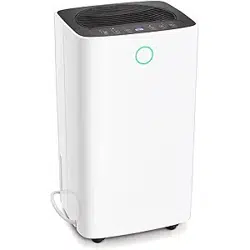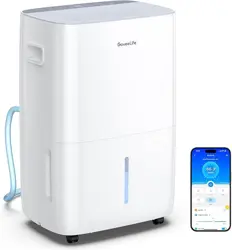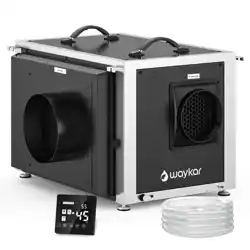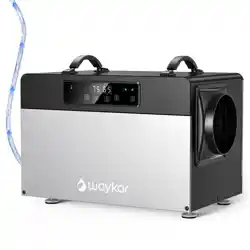
INSTRUCTION MANUAL
DEHUMIDIFIER
Item NO:D4290E
Applicable Model: OL90-D037AE
Please keep this manual carefully for further reference!
Thank you for choosing our high-quality dehumidifier. Please read this manual
carefully before use. The dehumidifier removes excess moisture from the air,
creating a comfortable environment. The compact design allows you to move it
easily from room to room.


1
CAUTIONS
Please read and obey the following cautions before use:
1.
Unplug the power supply before cleaning or storing the machine.
2.
Never immerse the machine into water or other liquids.
3.
Do not put the machine close to heat-generating devices, flammable and
dangerous materials.
4.
Children should be supervised to ensure that they don’t play with the unit.
5.
Do not sit or stand on the machine. Don’t put heavy objects on the machine.
6.
Never operate the machine when the cable or other connector is damaged,
otherwise something abnormal may happen.
7.
Do not operate the dehumidifier in narrow areas such as a closet, because it may
cause fire hazard.
8.
Install the drainage pipe downward to make sure condensed water can be drained
continuously.
9.
If the supply cord is damaged, it must be replaced by the manufacture, its service
agent or similarly qualified persons in order to avoid a hazard.
10.
Install the machine on flat floor to diminish vibration or noise.
11.
Never insert any other objects into the machine body to avoid any hazard or
machine failure.
2
SPECIFICATIONS
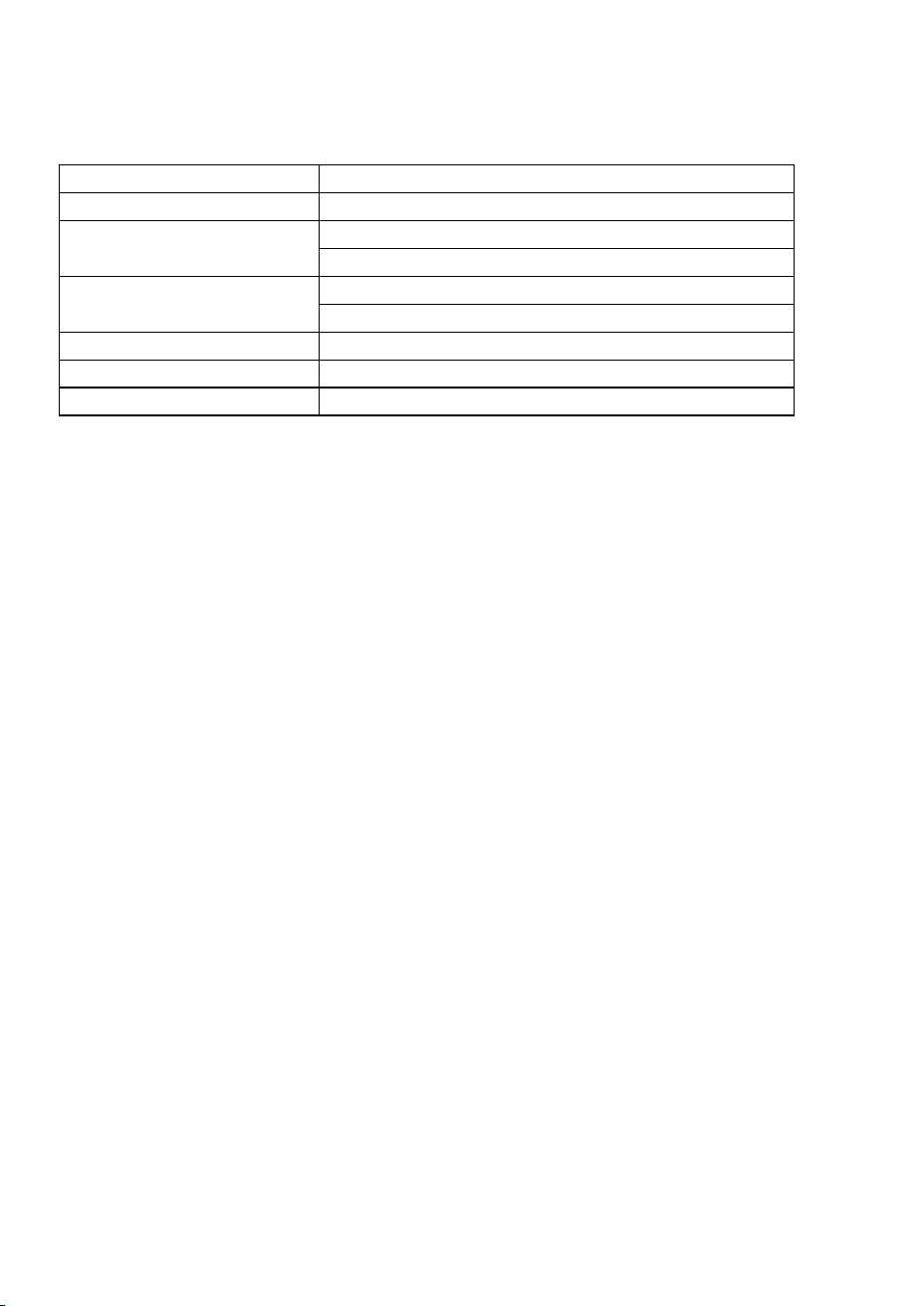
Model#
OL90-D037AE
Voltage & Frequency
AC 115V 60Hz
Rated capacity
120Pints/Day @ 80˚F, 60% RH
190Pints/Day @ 86˚F, 80% RH
Power Consumption &
Current
1165W/10.2A @ 80˚F, 60% RH
1350W/ 12 A @ 86˚F, 80% RH
Noise
≤68dB(A)
Freon type & Capacity
R410A/ 27.5Oz(780g)
Net Weight
52Kg/115 LBS
FEATURES
*Adjustable Humidity
*Built-in Auto Defrosting System
*Energy-saving Design
*Strong Dehumidifying Capacity
*Moveable and Easy to Store
*Timing Operation
3
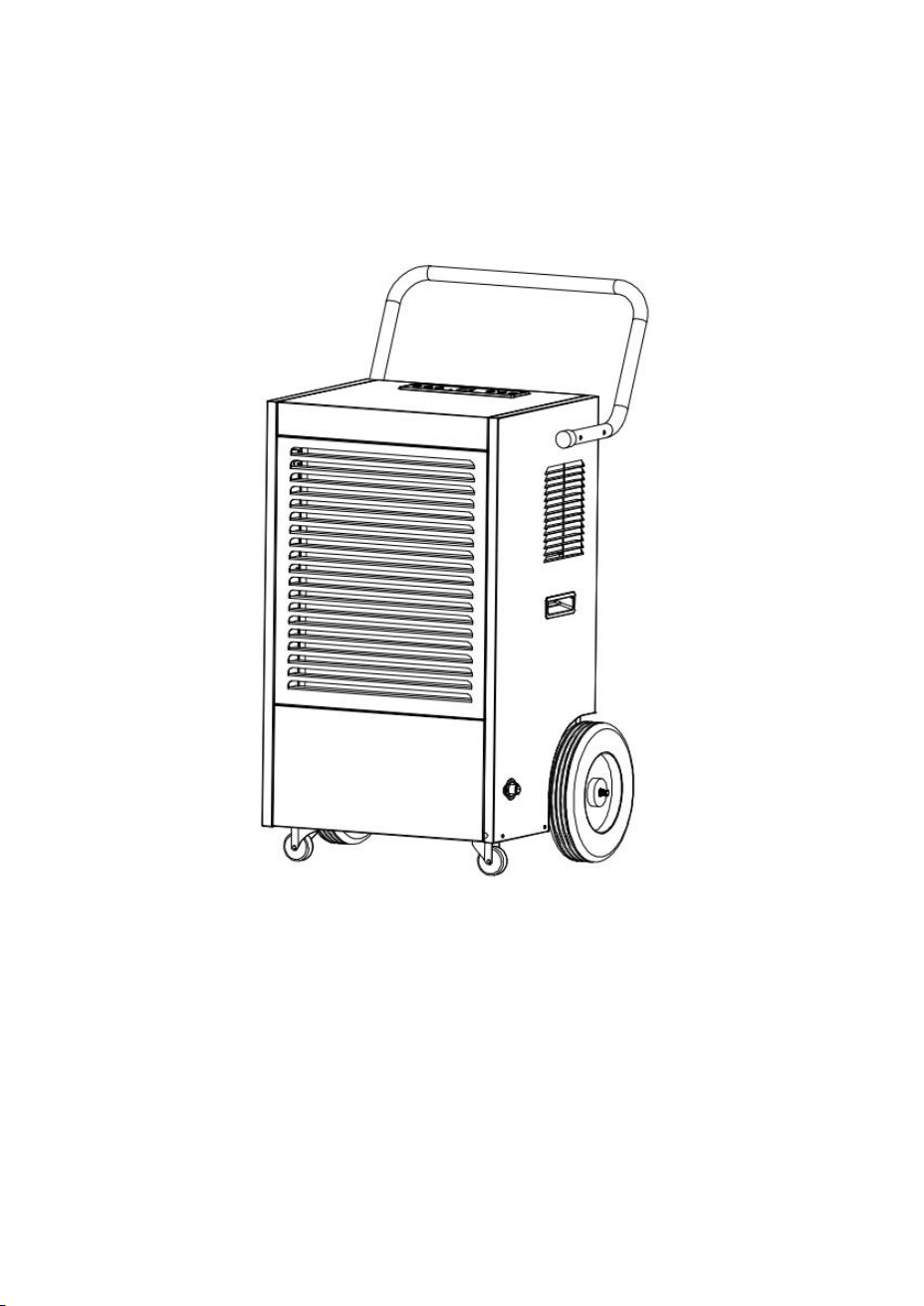
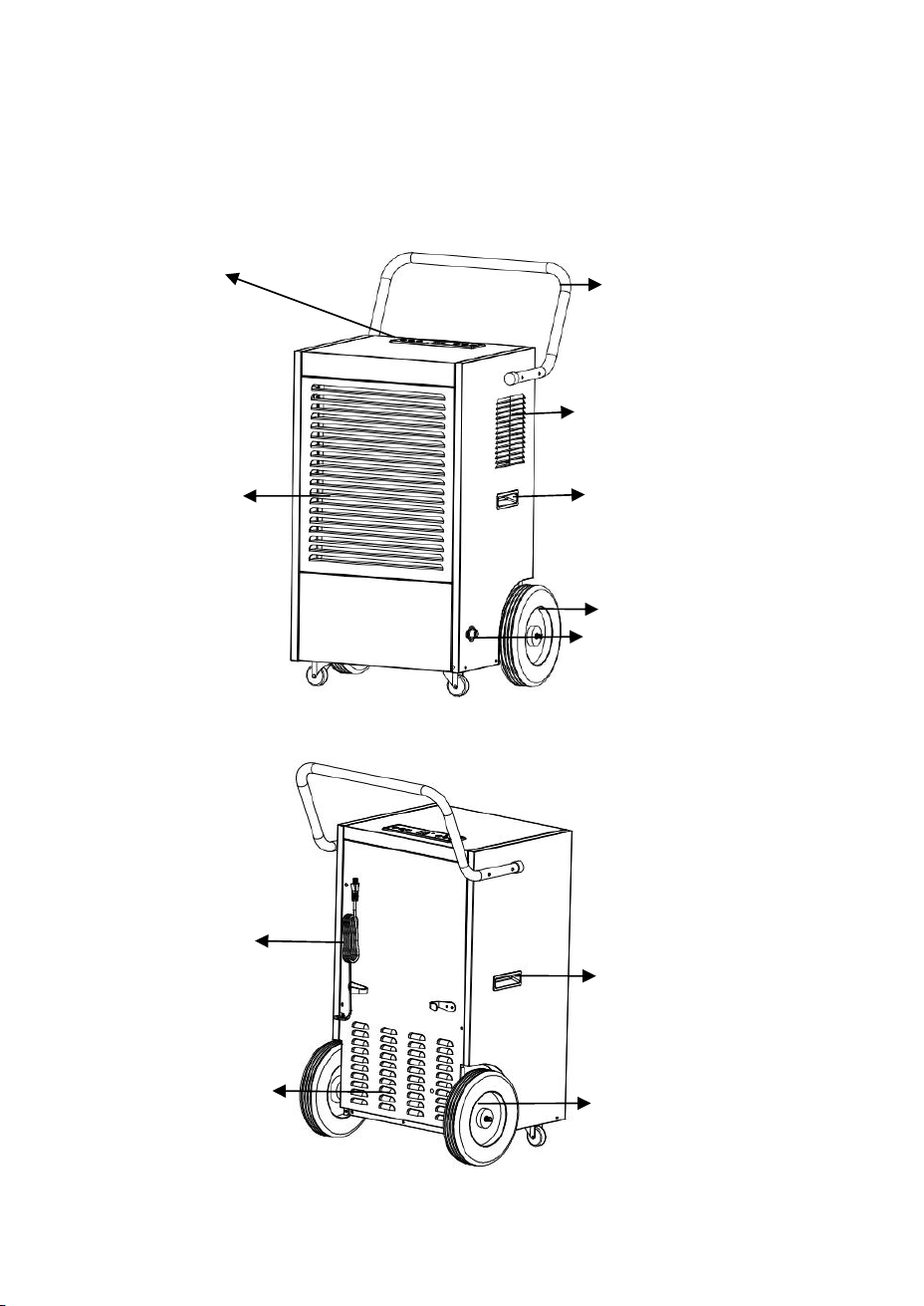
DRAWINGS
Front
Control Panel
Pushing Handle
Air Outlet
Air Inlet/Air Filter Hand Clasp
Big wheel
Continuous Drainage Hole
Back
Wrapping Post
Hand Clasp
Grill
Big wheel
4
OPERATIONS
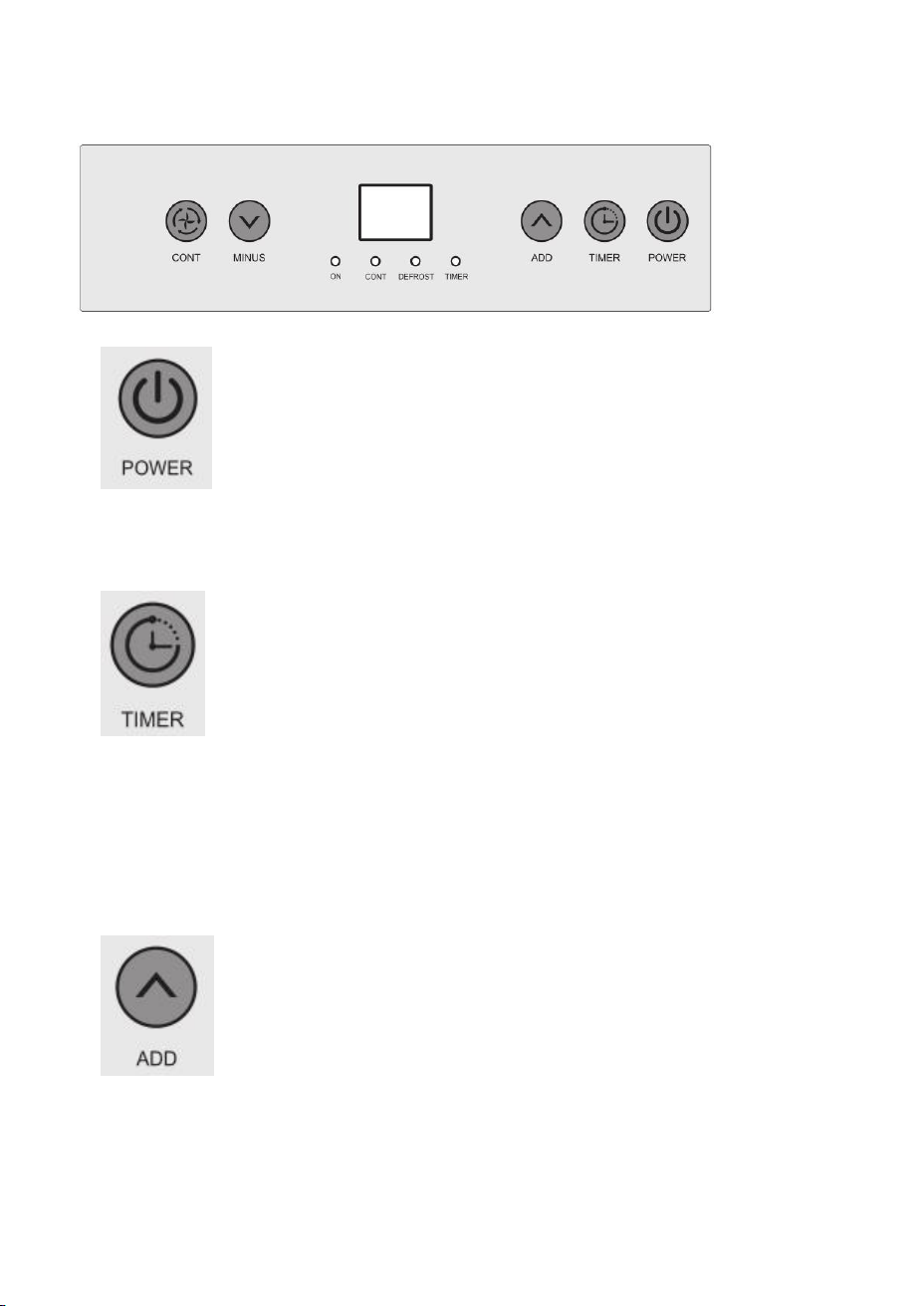
(1)
Press this button in the power-on state, screen light will be on and machine automatically
goes to continuous mode, display screen shows environmental humidity, compressor will
be on after fan runs for 3 seconds; press this button again, compressor stops, double 8
shows “- -”, machine goes to standby mode, fan will run for another minute and then stop.
(2)
Press this button while machine is powered on, until button light goes on, press
“MINUS”“ADD”to set the boot time. After the countdown is over, fan and compressor
start to work.
Press this button while machine is running, until the button light goes on, press
“MINUS”“ADD”to set the shutdown time. After the countdown is over, fan and
compressor stop working.
Press this button for 3 seconds to show the current temperature, and it will return to current
humidity after 10 seconds. Press this button for a while to show the ambient temperature.
(3)
In normal mode, press this button to increase the humidity, humidity increase 5%RH with
each press, buzzer rang each time with the press, press the button for 1 second can increase
the humidity continuously; press this button to set the time after pressing “TIMER”.
5
(4)
In normal mode, press this button to decrease the humidity, humidity decrease 5%RH with
each press, buzzer rang each time with the press, press the button for 1 second can decrease
the humidity continuously; press this button to set the time after press “TIMER”.
Note:
1) The default humidity is 50%RH, the increase and decrease is as follow:
20%-25%--30%-35%-40%-45%-50%-55%-60%-65%-70%-75%-80%-85%-90%
2) Environmental humidity and machine set humidity will decide t
he status of compressor
and fan as follow:
Environmental humidity≥machine set humidity+3%, compressor and fan start running.
Environmental humidity<machine set humidity+3%, compressor and fan stop running.
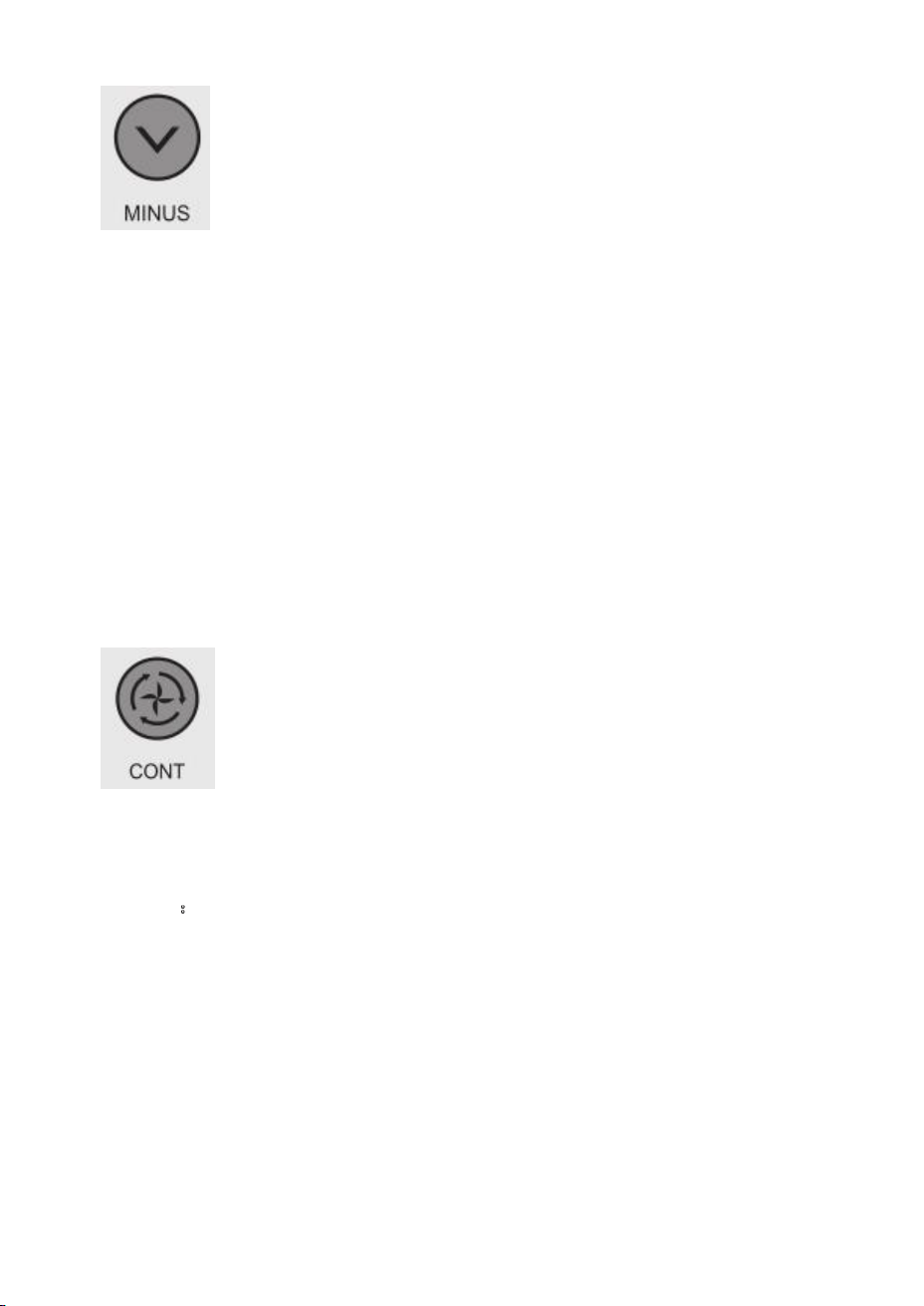
Press continue button in continuous mode, switch to normal dehumidification mode, set the
humidity manually.
(5)
Continuous mode---(display screen shows current humidity) the machine keeps running,
continuous mode light is on, humidity set is invalid, time set is available. Press continuous
mode to switch to normal mode, continuous mode light is off, humidity set is operational.
Accessories
:
1.Water Pipe 1pcs
2.Instruction manual 1pcs
3.Pushing Handle 1pcs
4.Fixed screw 2pcs

6
standby mode.
Display Screen:
The digital display features the following functions:
1.
When the unit is plugged in, it shows ‘--’, the machine is in
2.
When users press the power button, it shows the room humidity.
3.
When users set the humidity, it shows the setting humidity.
4.
When users set the time, it shows the timing.
5.
Press and hold the timer button for 5 seconds, it shows the room temperature.
6.
When the room temperature is below
41℉
, it shows ‘CL’.
7.
When the room temperature is over 100
℉
, it shows ‘CH’.
8.
When the room humidity is below 20% RH, it shows ‘LO’.
9.
When the room humidity is over 95% RH, it shows‘HI’.
10.
If there is a copper head sensor failure, it shows‘E1’.
11.
If there is a temperature and humidity sensor failure, it shows ‘E2’.
Notes:
1.
If the set humidity is higher than the room humidity, the dehumidifier will stop
working.
2.
If there is a sudden power failure during operation, the system can memorize the
current status, and it will turn on automatically and enter the previous working
status after power is restored. If there is a normal shutdown and the unit is in
standby mode, then press the power button, the unit will also enter the previous
working status. If users turns off the unit and pulls the plug out, the unit will enter
the default continuous dehumidifying mode after power is restored.
3.
Auto Defrosting Function:
When the room temperature is lower than
41 ℉
or higher than
100 ℉
, the
compressor and fan stops working.
Defrost requirement: Compressor runs for 30 minutes, temperature sensor senses
the temperature ≤ 30 ˚ F(last for 10 seconds), compressor stops, defrost starts,fan
continues, defrost light turns on, when the pipe temperature goes to 41 ˚ F or the
defrost lasts for 15 minutes, defrost stops.
Note: during defrost, light won’t be off until the defrost is over.
7
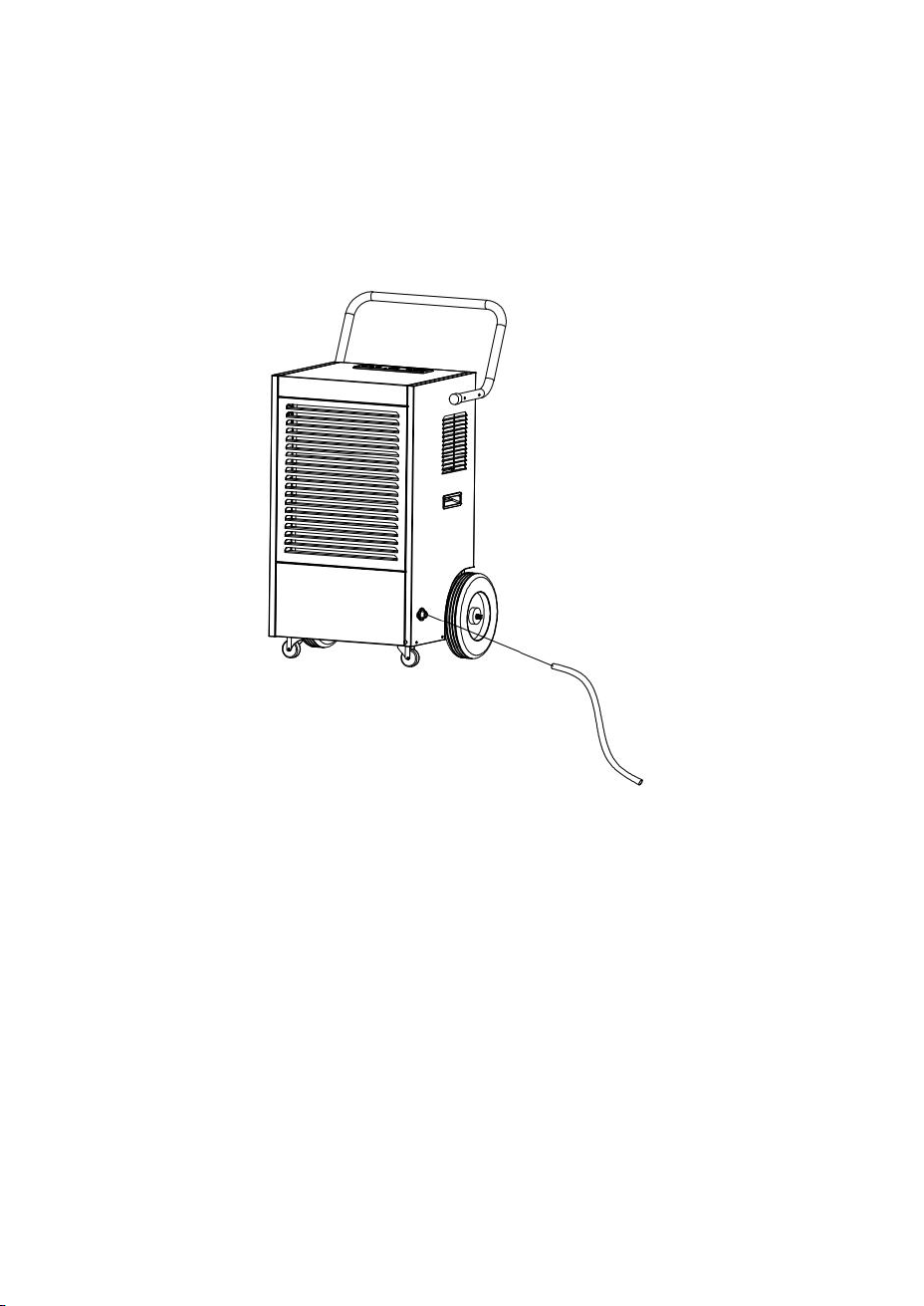
WATER DRAINAGE
Install the included drain pipe to the draining nozzle on the machine and
direct the pipe to the desired area before operating the machine.
8
CLEANING AND MAINTENANCE
Please cut off the power supply before cleaning or maintenance.
Cleaning the Machine Body: Clean the machine body with a soft damp cloth. Do
not sprinkle water on the unit. Do not use chemical solvent such as benzene, alcohol,
gasoline. The surface may be damaged, even the whole case may be deformed.
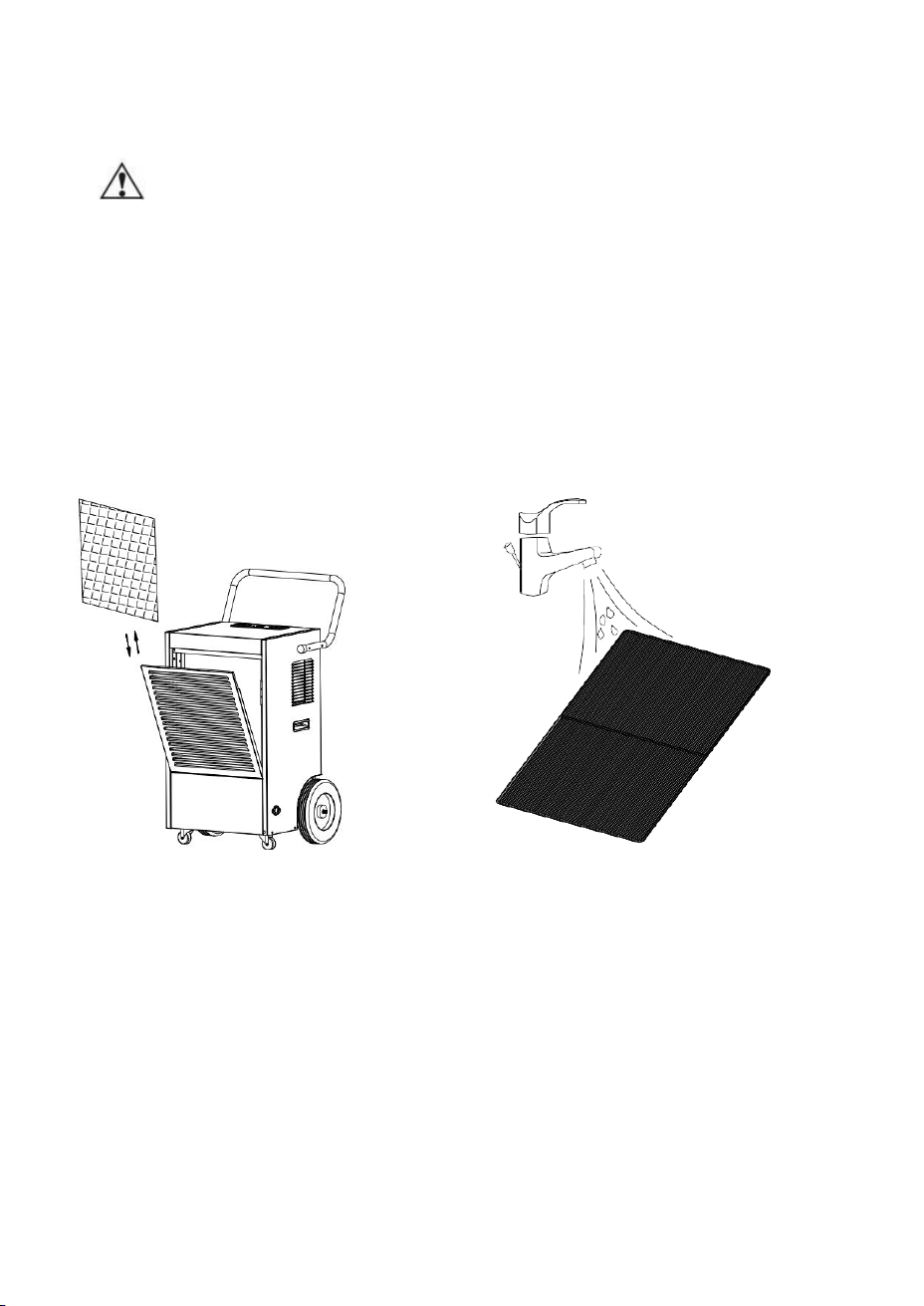
Cleaning the Air Filter:
1.
Pull out the louver of the front panel to get access to the filter.
2.
Remove the filter mesh out of the unit.
3.
Use a clean cloth to adsorb the dust on the filter mesh surface. If the filter is
extremely dirty, use tap water to rinse the filter. Please dry it thoroughly before
inserting the filter back into the unit smoothly.

9
Dehumidifier Storage:
If the dehumidifier will not be used for an extended period, please refer to the
following tips:
1.
Clean the filter mesh.
2.
Attention: The inner evaporator has to be dried out before the unit is stored to
avoid component damage and molds. Unplug the unit and place it in a cool and dry
area for days to dry it out. Another way to dry the unit is to set the humidity 3%
higher than the ambient humidity to force the fan to dry the evaporator for a couple
of hours.
3.
Use the wrapping post to put away the power cord.
4.
Store the unit in a cool and dry place.
10
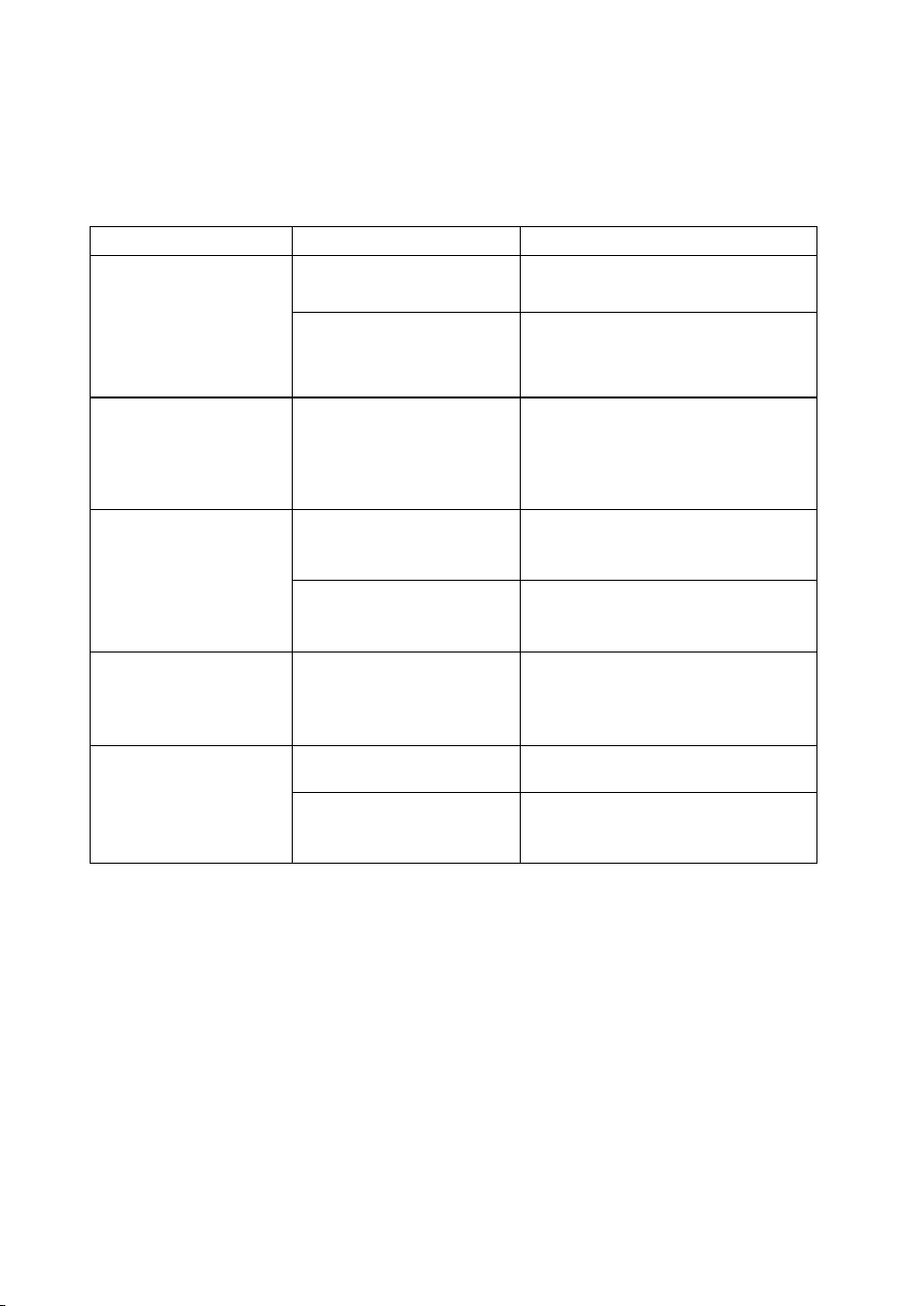
TROUBLE SHOOTING GUIDE
If the following condition happens, please review the list before calling the customer
service.
Problem
Possible Cause
Solution
The unit doesn’t run.
Has the power cord
been disconnected?
Plug in the unit.
The room temperature
is under
41℉
or above
100℉
.
To protect the unit, please use it
only when room temperature is
between
41℉
and 100
℉
.
The unit runs but
doesn’t dehumidify.
The humidity setting is
3% higher than room
humidity.
Reset the humidity to a lower
set point, or shut down the unit
if users are satisfied with the
current humidity.
The
dehumidifying
capacity reduces.
Filter mesh is jammed.
Clean the filter mesh according
to the manual.
Louvers of Air inlet and
Air outlet are jammed.
Clear the blockage from Air-in
and/or Air-out louvers.
No air comes in.
Filter mesh or air inlet
louver is jammed.
Clean filter according to
instructions or clean the louver
blockage.
The operation is
noisy.
The unit is slanting.
Place it on the level ground.
Filter mesh is jammed.
Clean the filter mesh according
to the manual.
11
Thank you for purchasing this product! If you have any questions
about the product, such as missing parts, damaged products, product
assembling, and operation, please contact us via Amazon Message
or customer service number: 213-4467172 or 661-4358826
IMPORTANT
Please call our customer service department for any consulting:
213-4467172
661-4358826
(8:30am - 5:30pm P.S.T.)
DATED PROOF OF PURCHASE IS REQUIRED FOR WARRANTY
SERVICE.
AVIS
Veuillez appeler le service à la clientèle pour toutes questions au:
213-4467172
661-4358826
(8:30am - 5:30pm P.S.T.)
PREUVE D’ACHAT ORIGINALE REQUISE POUR SERVICE DE
GARANTIE.
IMPORTANTE
Sólo hay que llamar nuestro departamento de servicio
al cliente en caso de tener preguntas o inquietudes:
213-4467172
661-4358826
(8:30am - 5:30pm P.S.T.)
SE REQUIERE PRUEBA DE COMPRA CON FECHA PARA
SERVICIO BAJO GARANTÍA.
Address : 9733 Topanga Canyon Blvd. APT310, Chatsworth, CA
91311
Phone: 213-4467172 or 661-4358826