Timer Mode B - 24 Hour ON/OFF Time with Full Light Cycle
1
OFF TIME: 17:00
(Light begins to turn o at 5:00 pm)
PREPROGRAMMED DEFAULT:
Sunrise/Sunset Color: R-75%, G-5%, B-75%, W-50%
Daylight Color: R-100%, G-100%, B-100%, W-100%
Background Light: Blue-Orange Fade
Audio: Stream, 50% Volume
Moonlight Color: R-5%, G-0%, B-10%, W-0%
“M”: 100% Red
ON TIME: 07:00
(Light begins to turn on at 7:00am)
Timer B Mode allows you to program the Serene LED aquarium light with daily Sunrise,
Daylight, Sunset and Moonlight, In addition, the background light and audio can also be
programmed to run daily along with Daylight.
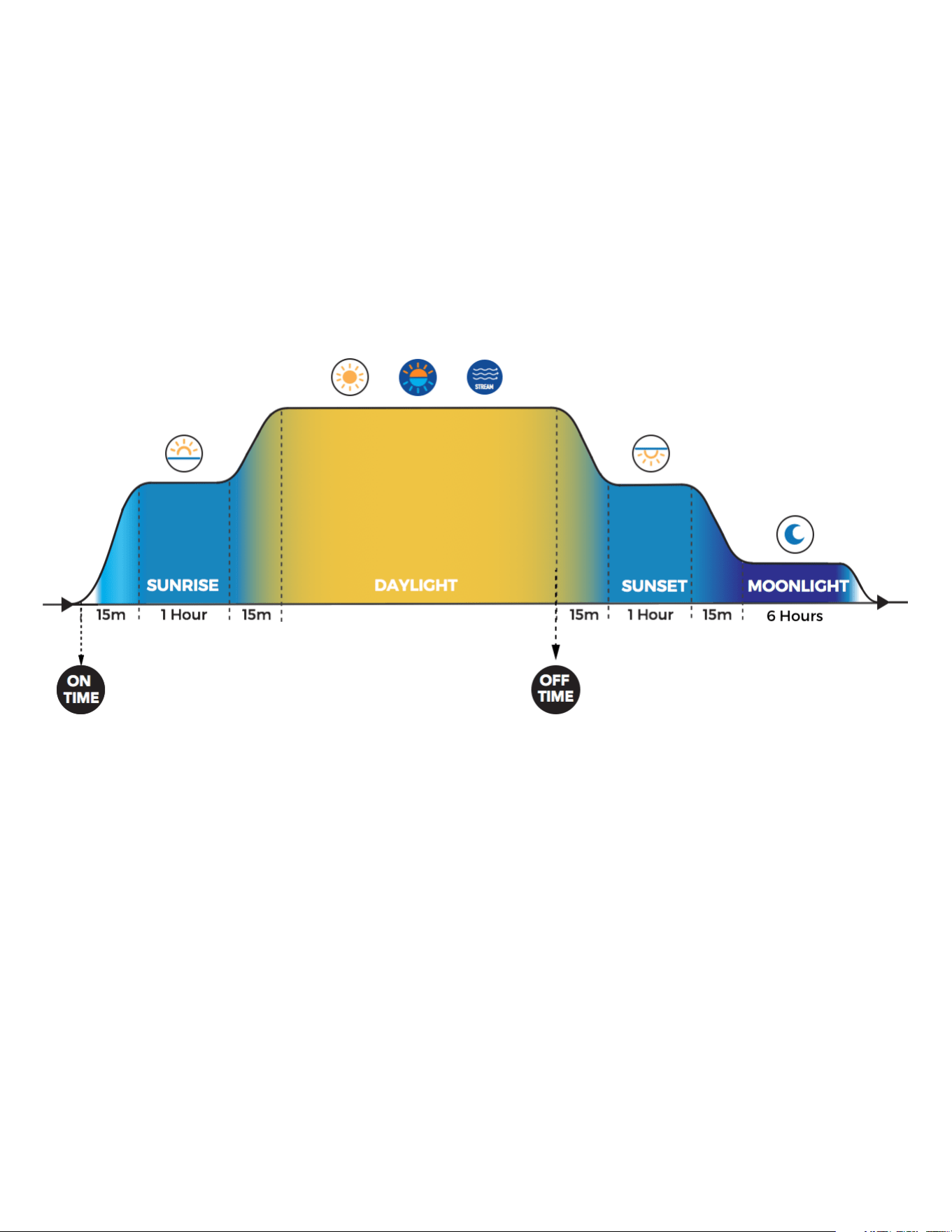
Serene’s Timer B program consists of four photoperiods:
Sunrise - 15min ramp into a 1 hour color spectrum, followed by 15min ramp to Daylight
Daylight - color spectrum runs until OFF time is reached. (Background light & audio optional.)
Sunset - 15min dim into a 1 hour color spectrum, followed by 15min dim to Moonlight
Moonlight - runs a color spectrum for 6 hrs., then turns off
The below diagram shows the default Timer B program installed with Serene:
Programming Instructions:
There are 4 basic steps to programming Serene in Timer B Mode:
STEP 1: Programming Clock & ON/OFF TImes
STEP 2: Setting & Adjusting Sunrise/Sunset, Daylight, Moonlight Color Spectrums
STEP 3: Programming Background Light & Audio Programs
STEP 4: Confirming Timer B Mode Setting
Programming Instructions:
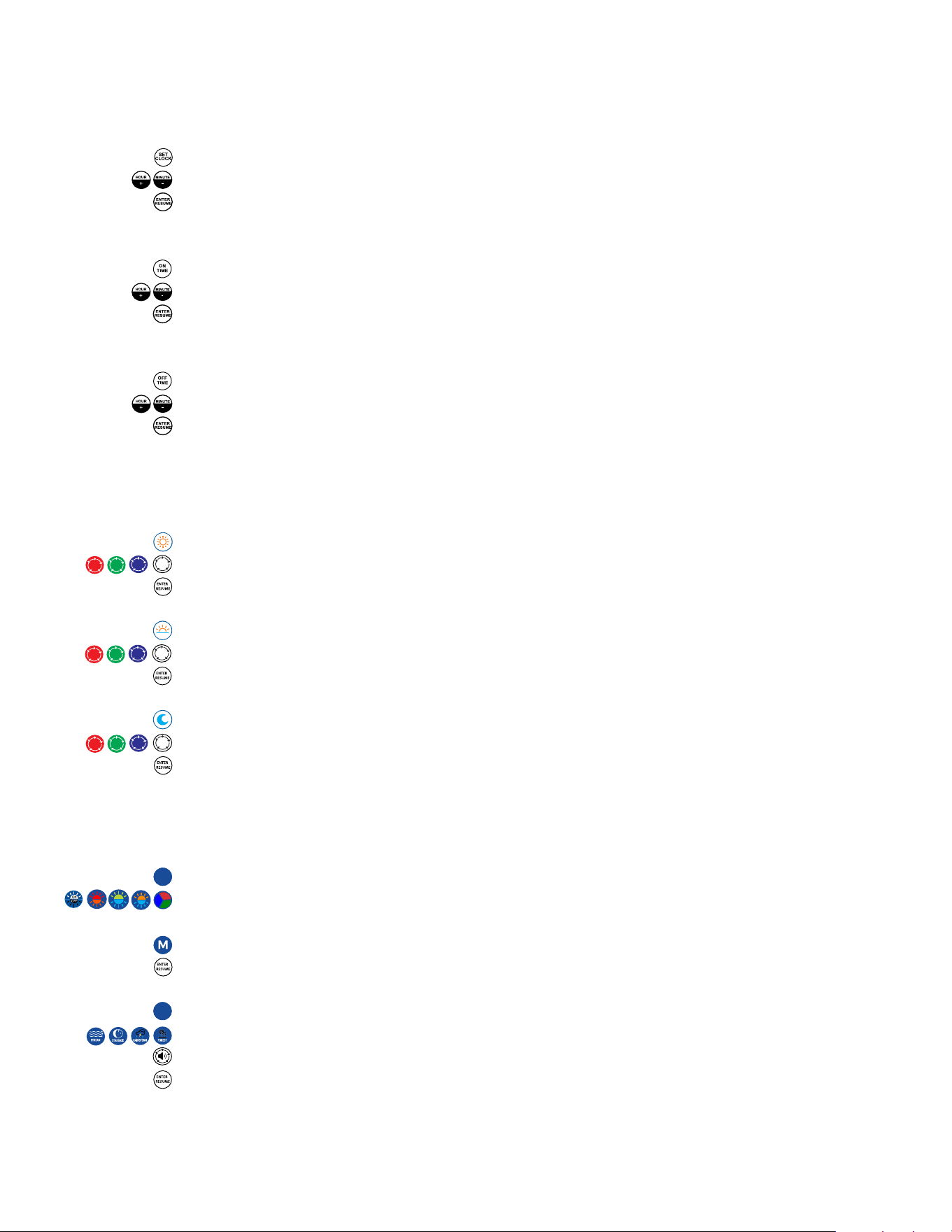
STEP 1: Programming Clock, Daily ON & OFF Time
a. Setting Clock (Time is in 24:00 Hrs)
1. Press: SET CLOCK - Controller Displays: “S-CL”
2. Press: HOUR+ & MINUTE- until current time of day is displayed
3. Press: ENTER - Controller Displays “Ent”
4. Current time of day in 24:00 hrs. is now saved
b. Setting ON TIME
1. Press: ON TIME - Controller displays:”
2. Press: HOUR+ & MINUTE- until desired ON time is displayed
3. Press: ENTER - Controller Displays “Ent”
4. ON TIME now saved
c. Setting OFF TIME
1. Press: OFF TIME - Controller displays:”
2. Press: HOUR+ & MINUTE- until desired OFF time is displayed
3. Press: ENTER - Controller Displays “Ent”
4. OFF TIME now saved
STEP 2: Setting & Adjusting Daily Color Spectrums*
a. Setting / Adjusting Daylight Color
1. Press: Daylight Key - Controller Displays: “L1”
2. Press RGBW Keys until desired color spectrum is displayed
3. Press: ENTER - Controller Displays “S1”, setting saved
b. Setting / Adjusting Sunrise/Sunset Color
1. Press: Sunrise/Sunset - Controller Displays: “L2”
2. Press RGBW Keys until desired color spectrum is displayed
3. Press: ENTER - Controller Displays “S2”, setting saved
c. Setting / Adjusting Moonlight Color
1. Press: Moonlight Key - Controller Displays: “L3”
2. Press RGBW Keys until desired color spectrum is displayed
3. Press: ENTER - Controller Displays “S3”, setting saved
*Note: See last page for color spectrum recommendations.
STEP 3: Programming Background Light & Audio (runs during Daylight ONLY)
a. Programming Background Light
1. Press “S”, controller will display “S-CS”
2. Select any of the four background fade programs (Blue-Orange Fade,
Blue-Green Fade, Orange-Red Fade, RGB Fade or OFF)
OR Set a static background color “M” (See last page for programming steps)
3. Press “ENTER” at bottom of remote, controller will display “Ent”, setting saved
b. Setting Audio Program & Volume
1. Press “S”, controller will display “S-CS”
2. Select any audio sound program (Stream, Stargaze, Rainstorm, Forest)
3. Adjust volume (To turn audio off, press volume key until display reads “U0”)
4. Press “ENTER” at bottom of remote, controller will display “Ent”, setting saved
S
S
2
STEP 4: Confirming Timer B Mode Setting
1. Press: “S”, display will read “S-CS” to confirm your selected Custom Scene is
has been saved*
(*Note: display will also show ESC - this confirms no changes were made to Scene.)
2. Press: TIMER A/B key until display reads “t-B”
3. Press: ENTER to save, display will read “Ent”
4. Press: “RESUME TIMER” on remote to put Serene into Timer B 24 Hour mode
**Feel free to use any of Serene’s on-demand programs and enjoy. To put Serene
back into Timer B Mode, simply press “RESUME TIMER”
ADDITIONAL PROGRAMMING TIPS
To program a Custom Static Background Color (M)
1. Press: RGB FADE key, display reads “b-03”, background colors will fade
2. When the desired color is displayed, press the RGB FADE key again to pause
3. Press and hold “M” key for 5 seconds, display will read “b-SC”, setting saved
4. Press: “RESUME TIMER” to go back into timer mode.
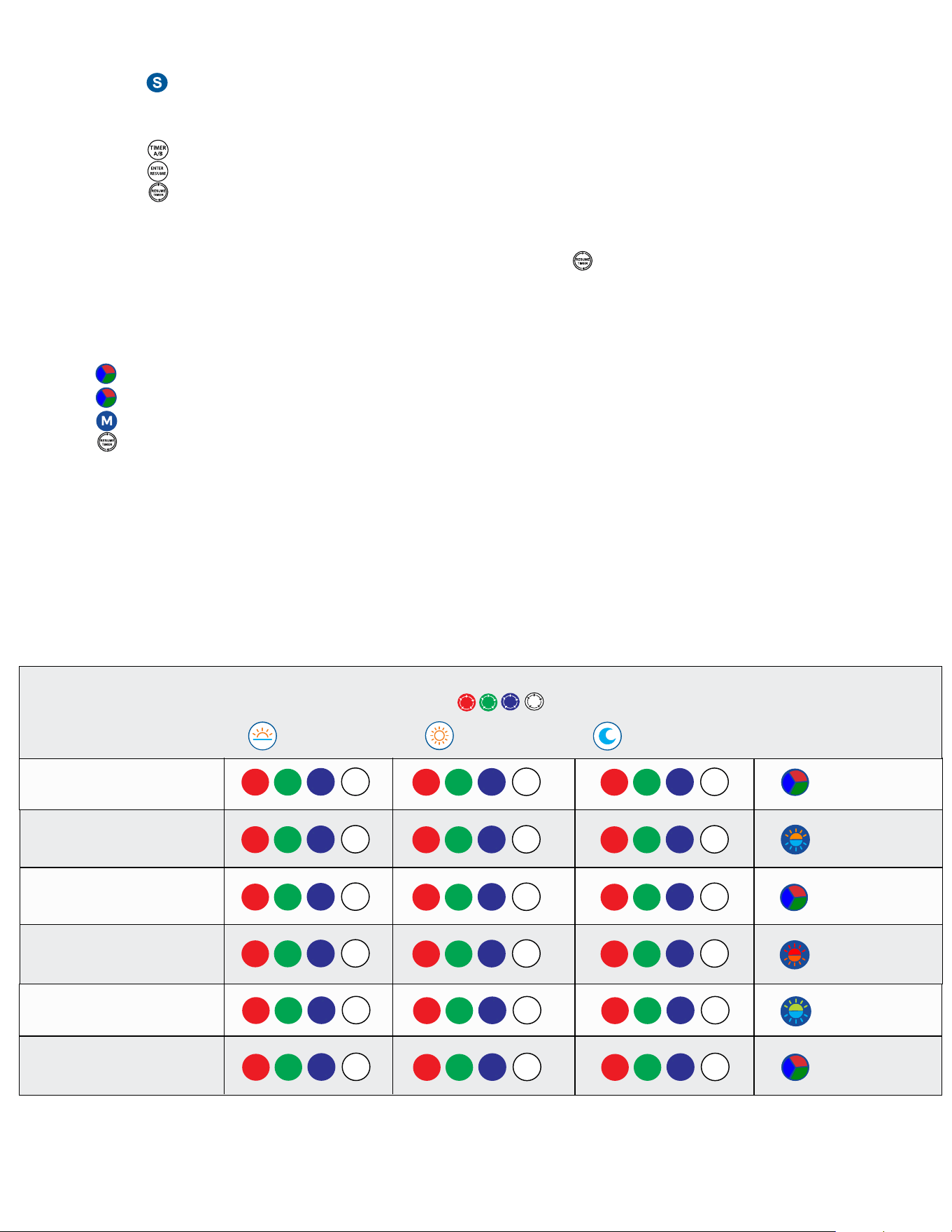
Recommended Freshwater Lighting Schedules
Fish Aquariums: Daylight 8-10 hrs. (provides a total of 11-13 hrs. w/Sunrise & Sunset)
Planted Aquariums: Daylight 7-8 hrs. (provides a total of 10-11 hrs. w/Sunrise & Sunset)
Recommended Color Spectrums (Timer B Mode)
The below color spectrum recommendations are what we have found best enhance the
colors in fish while also keeping algae growth to a minimum. Please feel free to customize
Serene’s color settings to transform your aquarium into an amazing experience!
DAYLIGHT
SUNRISE
SUNSET
MOONLIGHT
Community Fish
African Cichlids
SA Cichlids
Fluorescent Fish
Planted Aquariums
Livebearers
0
10
0
5
MAIN AQUARIUM LIGHT
BACKGROUND
LIGHT
AQUARIUM TYPE
100
100
100
50
RGB Fade
RGB Fade
Blue Green Fade
RGB Fade
Red Orange Fade
Blue Orange Fade
0
5
0
5
0
10
0
0
0
10
0
0
0
10
5
0
0
5
0
0
80
50
50
100
75
75
60
100
75
75
100
15
100
100
100
100
100
100
100
75
75
5
75
50
40
20
30
30
50
30
50
15
50
30
30
20
15
50
70
0
50
25
50
25
Adjust color using
For additional color spectrum tips and video instructions, visit:
www.current-usa.com
3