
©2024 TP-Link 7106511619 REV1.0.0
Tapo App
OR
Quick Start Guide
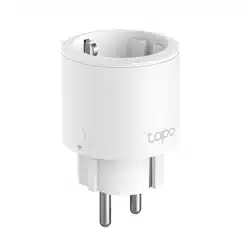
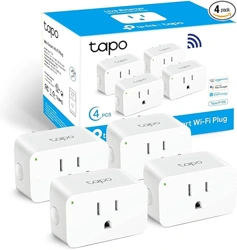
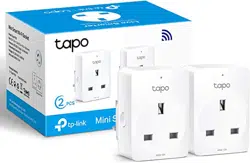
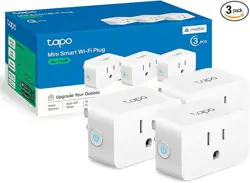
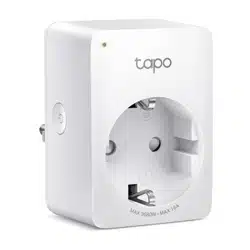
Mini Smart Wi-Fi Plug
Supported Load Types
Load Type Max Current
Max Power (at 230V~)
TV
Steam Iron
Kettle
Heater
Toaster
Coee Maker
Desk Lamp
PC
Fan
Water Pump
Power Adapter / USB Charger*
16 A
16 A
16 A
16 A
16 A
0.75 A
2 A
3.5 A
1 A
3.5 A
1.2 A
3200 W
3000 W
80 W
2500 W
2500 W
2000 W
350 W
600 W
200 W
735 W (1HP)
200 W (60-75 W excluded)
Note:
1. *Power Adapters/USB Chargers rated under 75W do not support PFC (Power
Factor Correction). PFC can reduce the inrush current generated when the relay
is turned on. Therefore, using a 60-75W Power Adapter/USB Charger may
damage the device due to inrush currents.
2. Avoid plugging your appliances with a motor/compressor higher than 1HP, such
as an air conditioner. Frequent on/o switching may damage the compressor. You
can check the motor/compressor value listed on your appliances or consult their
Support.
3. EV charging is not supported as it demands higher power and a charging current
that surpasses the plug's rated capacity.
Getting Started
1. Get the Tapo app from the App Store or Google
Play.
2. Follow the instructions in the Tapo app to
complete the setup.
How to Reset the Plug
Reset Wi-Fi while keeping previous settings
Press & hold for 5s:
Factory reset the plug
Press & hold for 10s:

Rating:
100-240V, 50/60Hz, 16A
Safety Information
• Please keep this instruction manual.
• This device is intended for indoor use only. Plug the device into a
suitable outlet.
• Keep the device away from heat sources and enclosed spaces with
poor ventilation.
• To Reduce the Hazardous Condition, unplug the appliance before
servicing.Electronic switch integrated in this product is only
intended for functional purpose.
• Keep the device away from water, fire, humidity or hot environments.
• Do not attempt to disassemble, repair, or modify the device.
• Do not use the device where wireless devices are not allowed.
• The socket-outlet shall be installed near the equipment and shall be
easily accessible.
• The devices are not intended for use in locations where the
temperature may be less than actual room conditions, such as
unheated warehouses or garages.
Need some help?
?
Visit https://www.tapo.com/support/
for technical support, warranty, and more
Third-Party Services
Tapo works with Alexa, Google Assistant,
Samsung SmartThings, and other third-party
services to control your smart plug by voice. You
can go to Me > Third-Party Services in the Tapo
app to set up as you need.
• For passthrough devices, plug the power strips into the integrated
electrical sockets of the devices, but devices of the same or another
type not be stacked in normal use. Do not plug in a row.
• Do not plug in one after the other.
• Only de-energize when the plug is pulled out.
• Do not operate covered.
• Do not plug in any plug-in devices.
Please read and follow the above safety information when operating
the device. We cannot guarantee that no accidents or damage will
occur due to improper use of the device. Please use this product with
care and operate at your own risk.