Rev.10112024BR www.akiascreens.com 1
Lite Portable/Outdoor Series
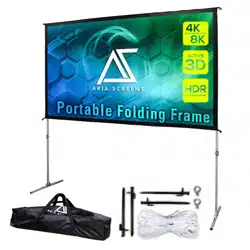
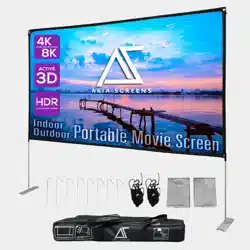
Ultra-Portable Outdoor Projector Screen
User’s Guide
125” (16:9)
Rev.10112024BR www.akiascreens.com 2
Warning
▪ The warranty will only be valid if screen is used for its intention. Misuse, abuse, negligence,
accidental damage, or damages caused by environmental factors are not covered under warranty.
▪ Improper use and operation may cause serious injury and / or damage to the screen, use only as
directed.
▪ Do not use in environments with winds speeds more than 4 MPH
For example, wind speeds between 4-7 MPH consist of visual clues of wind speed as follows.
Light breeze – Wind felt on face, leaves rustle and small twigs move. Wind vanes move.
▪ To prevent damage, the operation and maintenance of the screen should be done by adults only.
▪ Make sure the surface for placing the screen is flat and secure.
▪ Please read the following as any damage to the screen surface will impact the image’s quality:
1.
Avoid touching the screen’s viewing surface are with your hands.
2.
Do not write or draw on the screen surface.
3.
Do not poke the screen surface with your finger or sharp tools, as it can cause permanent
damages or tearing of the fabric.
Ignoring the safety warnings may lead
to
injuries and damaging the product.
The screen should be installed in a secure
and stable
place to avoid any accidents or the
screen
falling.
Put the screen away after every use.
Leaving the screen for a long period may
cause the screen fabric to sag.
Avoid hanging anything on the screen as it
may cause the screen to fall and damaging
the product.
Do not replace with unknown parts, if
replacement parts are needed, please
contact service@akiascreens.com
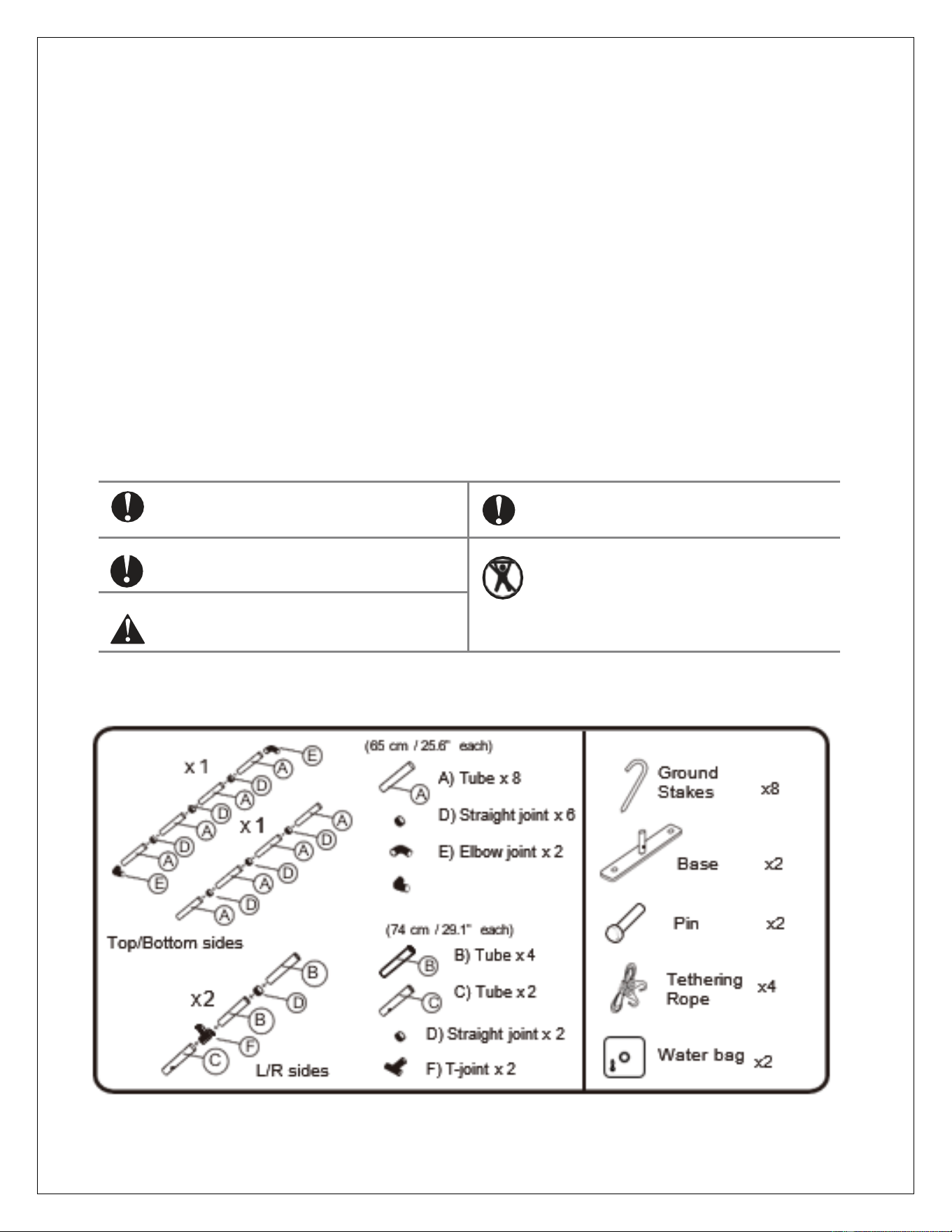
Parts List
Product specifications are subject to change.
Rev.10112024BR www.akiascreens.com 3
Assembly
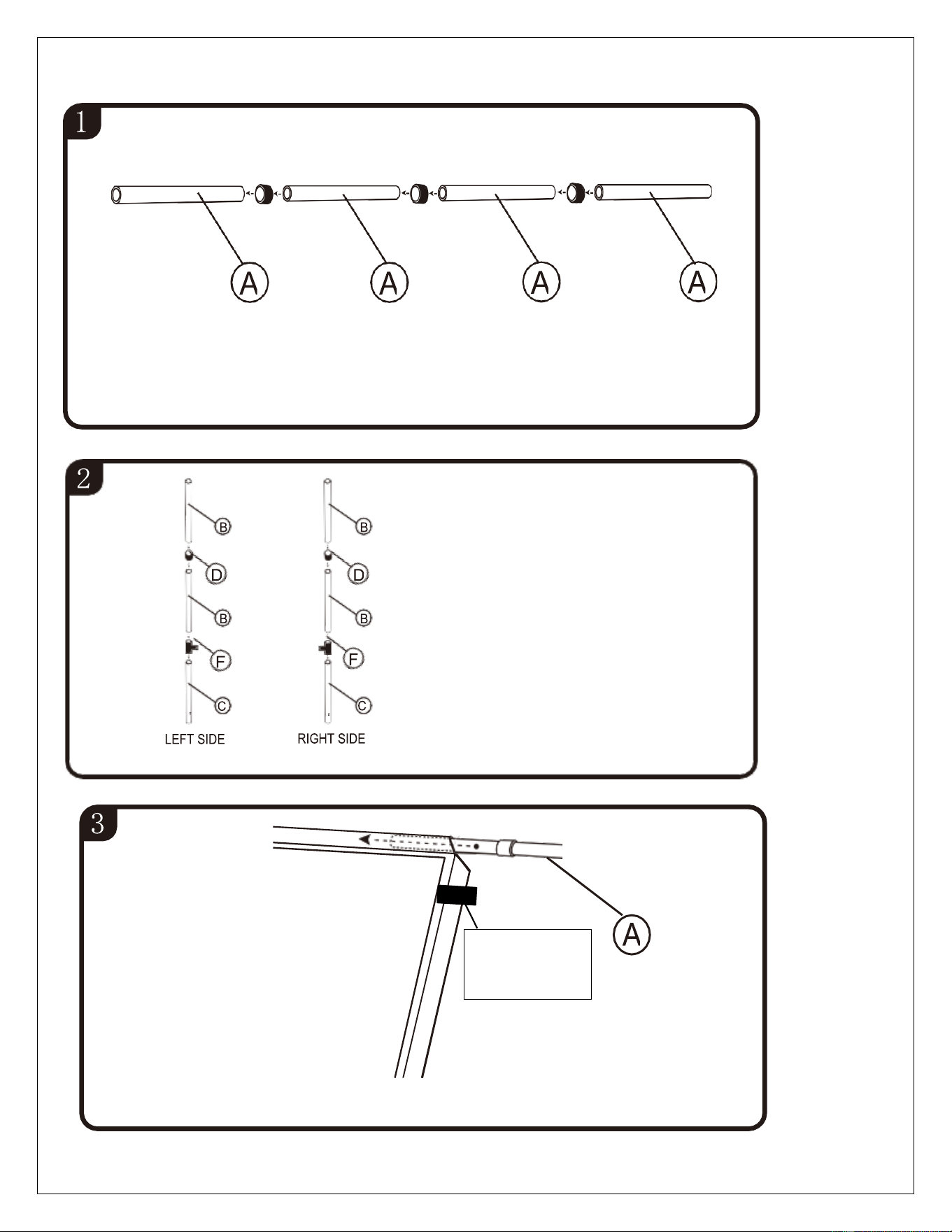
Join 4x “A” tubes with the straight joint “D” to
assemble each top/bottom crossbar.
Join 2 x “B" tubes and 1 x “C"
tube together using a straight
joint “D” and a T-joint “F” to
assemble the left/right sides.
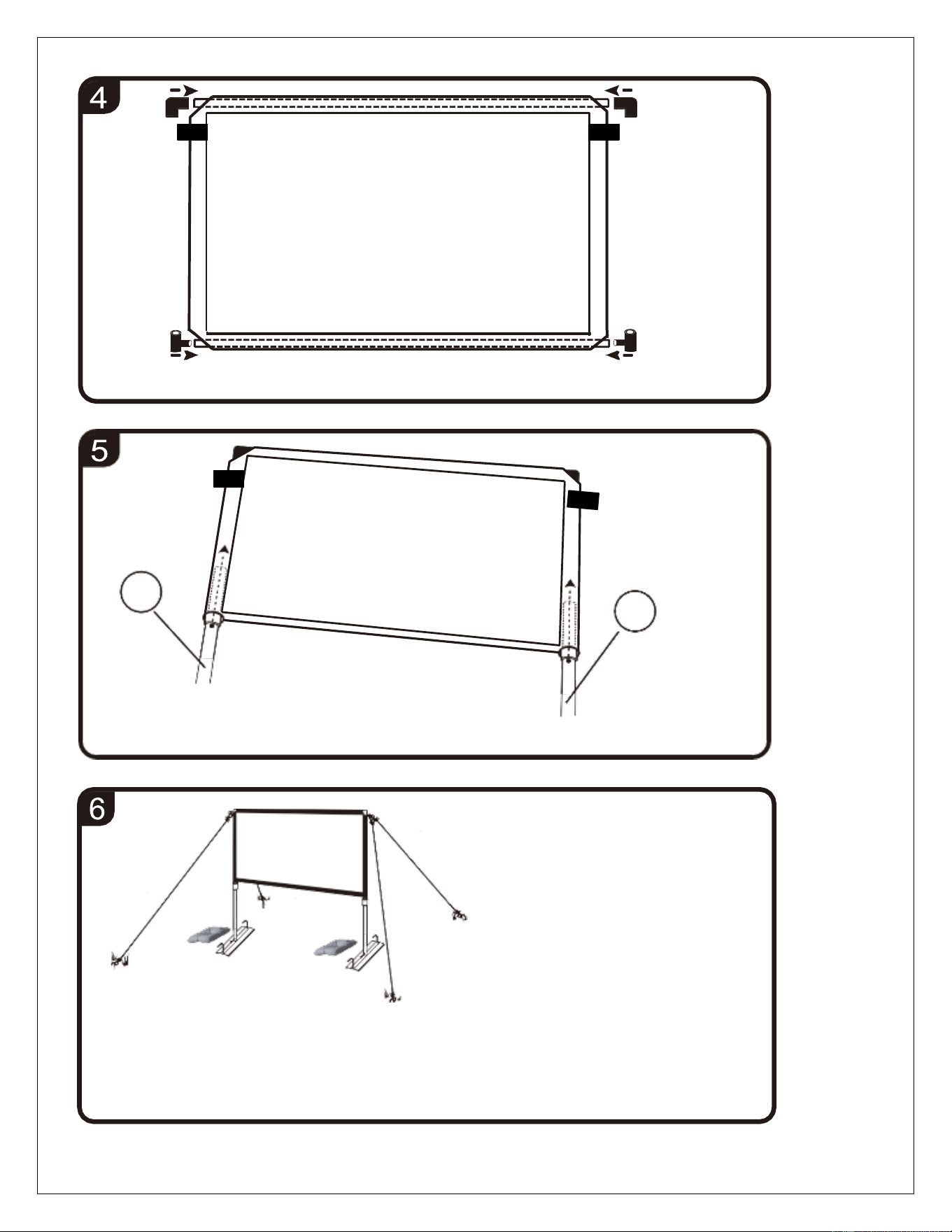
Put a top/bottom crossbar through the upper side of the material.
Note:
Top side has
tethering loops
Rev.10112024BR www.akiascreens.com 4
B
B
Insert the L/R sides through the material and secure to the joints.
Attach and secure the joints at both ends of the top/bottom crossbars.
Note:
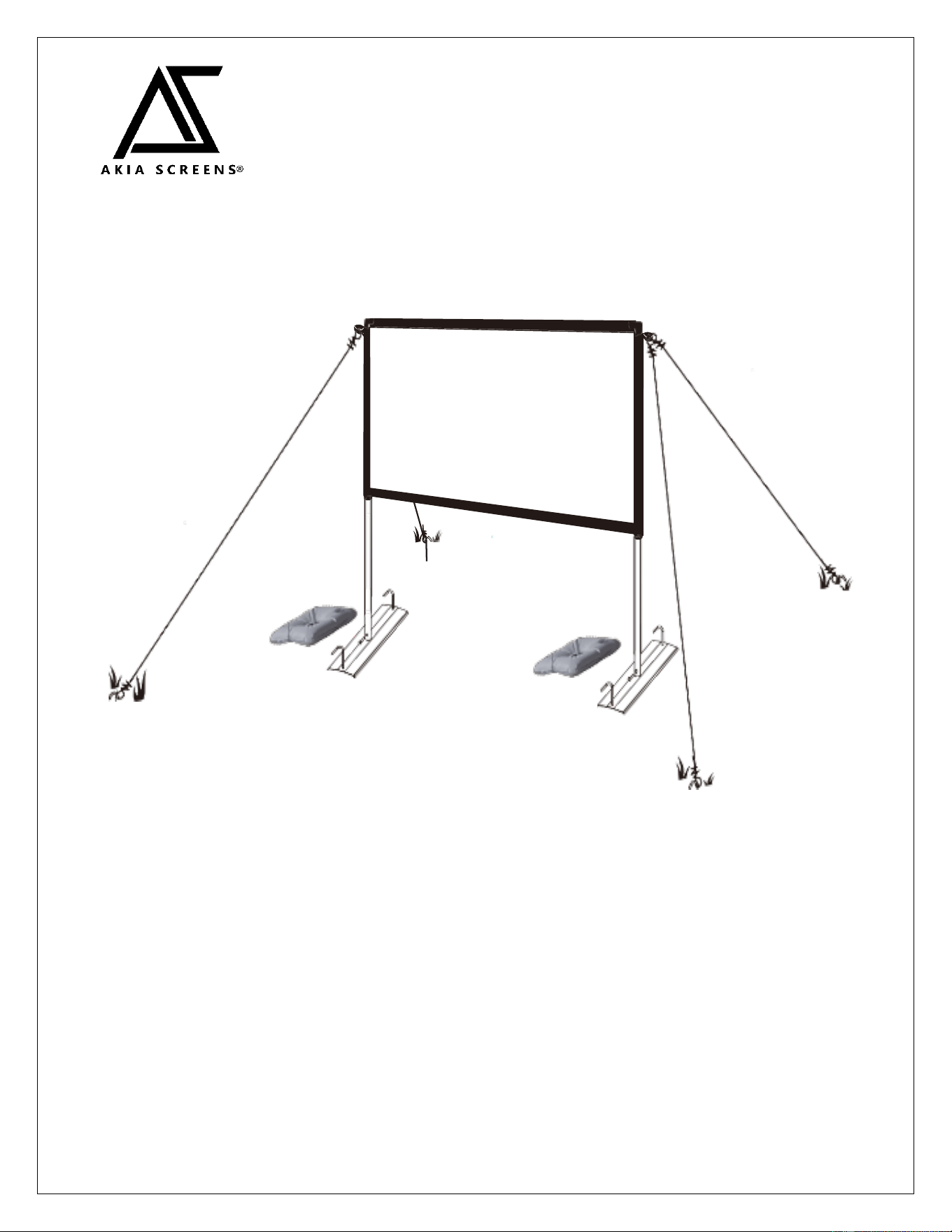
Use the tethering rope and
stakes to stabilize the screen
on grass or soil ground.
4 stakes used on base and 4
stakes used on tethering
ropes.
Water bags can also improve
stability and prevent screen
from falling.
Insert the L/R sides to the base and secure with the pins.
Assembly is complete.
Rev.10112024BR www.akiascreens.com 5
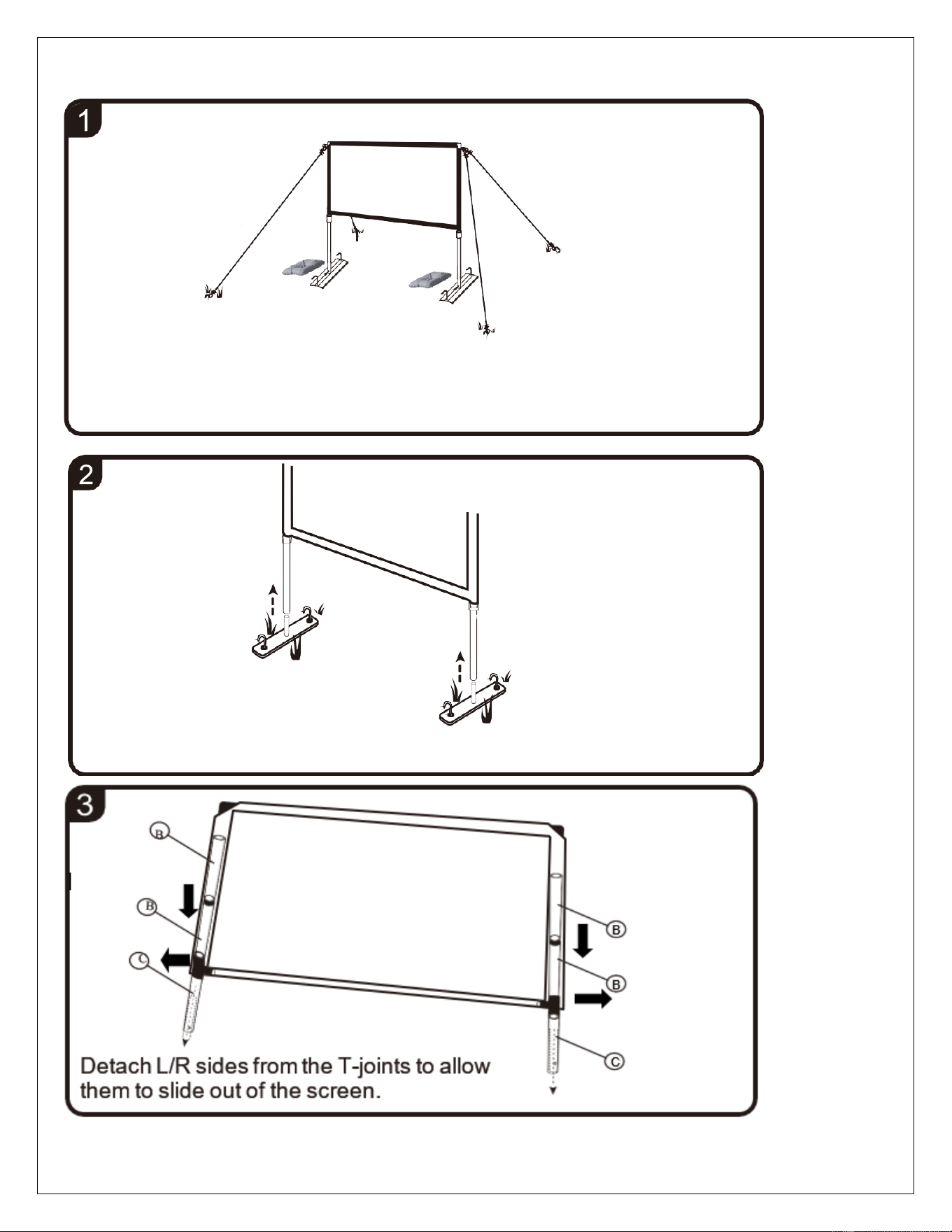
Disassembly
Remove the stakes from the tethering ropes and base. Then remove
the tethering ropes from the screen.
Remove the pins, pull
out the L/R posts from
the base and remove the
water bags.
Rev.10112024BR www.akiascreens.com 6
B
B
D
B
B
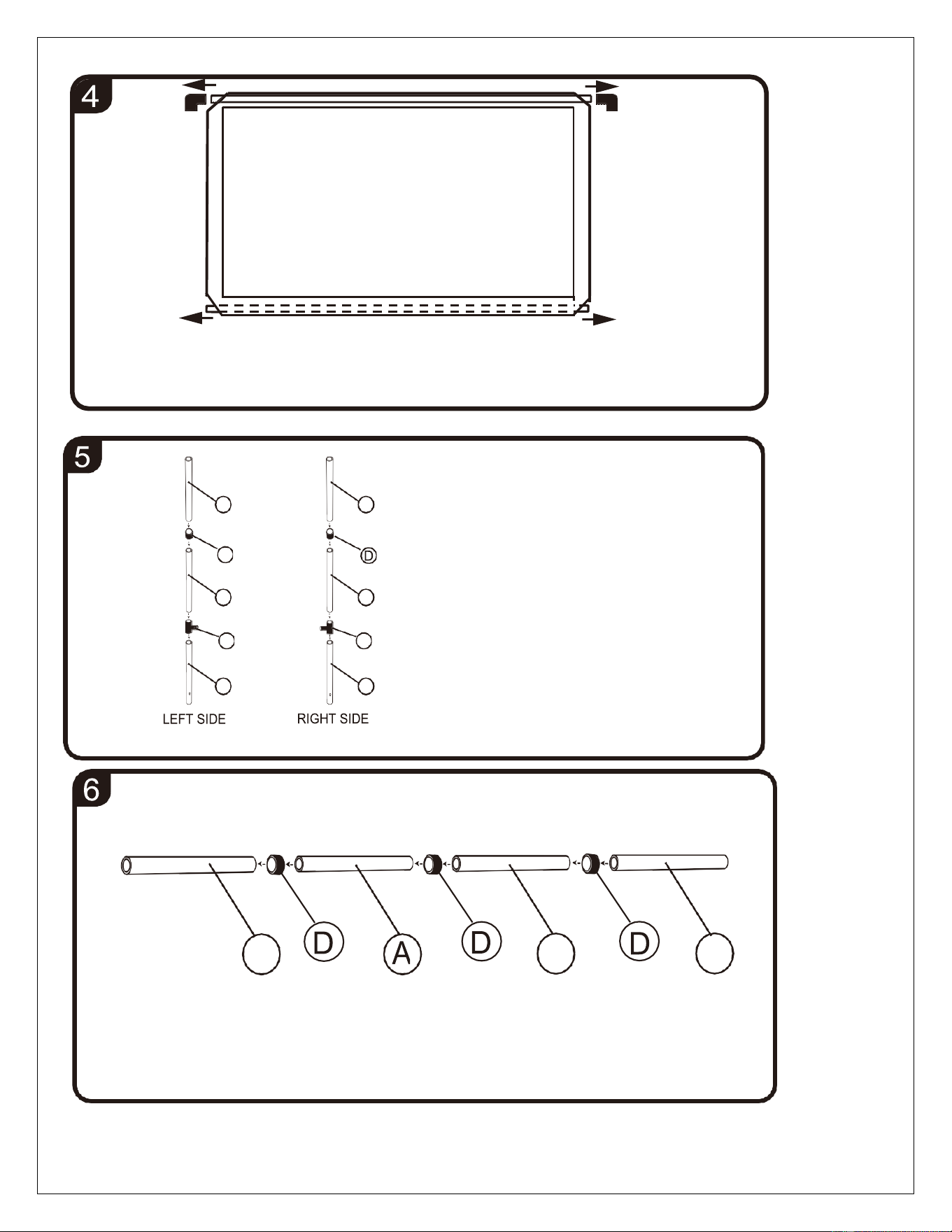
Disassemble the L/R posts
by disjointing the straight
and T-joints.
F
D
F
C
C
Remove the elbow joints at both ends of the top crossbar and
slide both top/bottom crossbars out of the screen.
A
A
A
Disassemble the Top/Bottom posts by disjointing the straight joints.