
Technical Support and E-Warranty Certificate
www.vevor.com/support
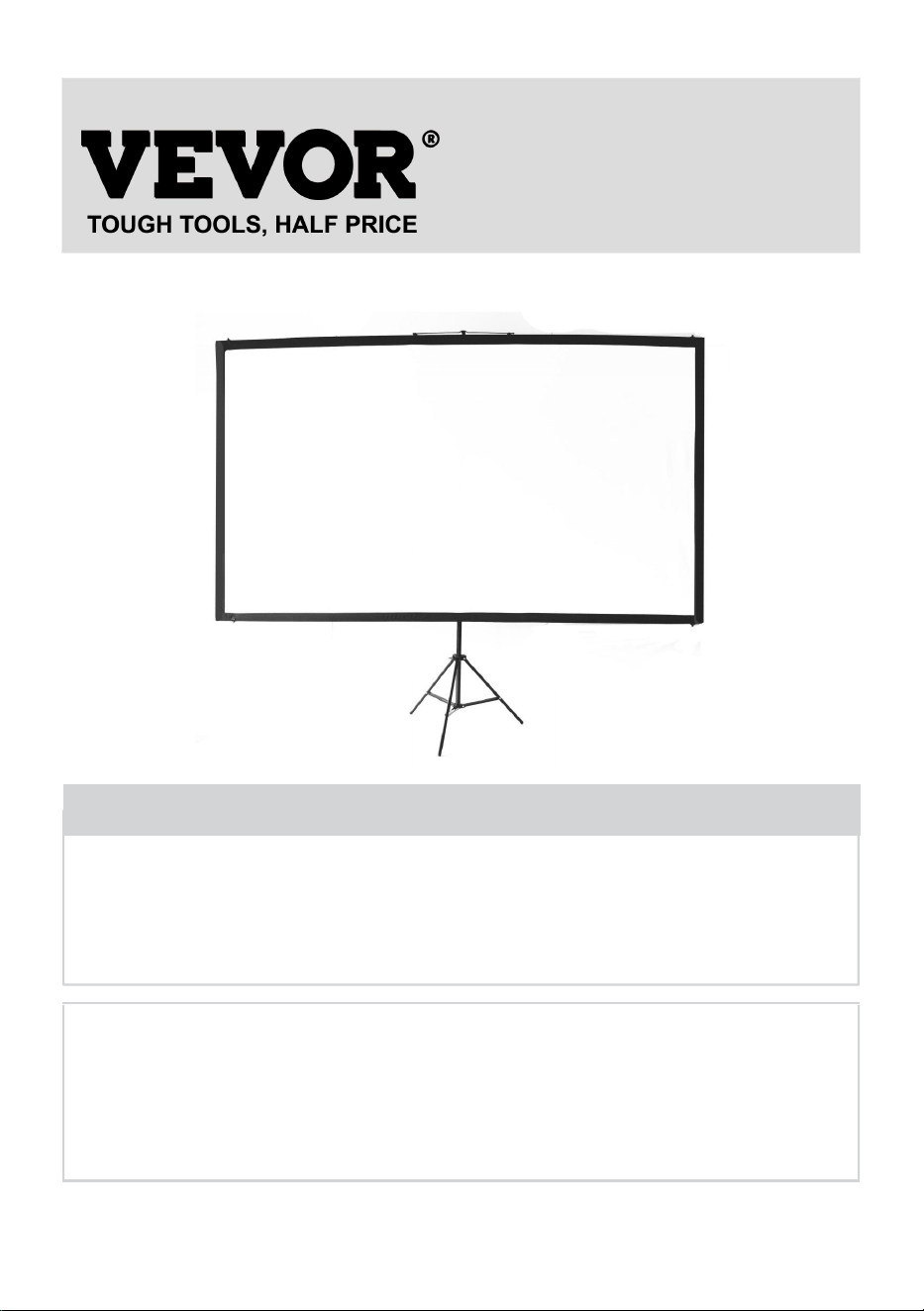
PROJECTION SCREEN
USER MANUAL
MODEL NO.: DZC-60, DZC-70, DZC-80, DZC-90, DZC-100, DZC-110
We continue to be committed to provide you tools with competitive price.
"Save Half", "Half Price" or any other similar expressions used by us only represents an
estimate of savings you might benefit from buying certain tools with us compared to the major
top brands and does not necessarily mean to cover all categories of tools offered by us. You
are kindly reminded to verify carefully when you are placing an order with us if you are
actually saving half in comparison with the top major brands.
- 1 -
MODEL NO.: DZC-60, DZC-70, DZC-80, DZC-90, DZC-100, DZC-110
Have product questions? Need technical support? Please feel free to
contact us:
Technical Support and E-Warranty Certificate
www.vevor.com/support
NEED HELP? CONTACT US!
This is the original instruction, please read all manual instructions
carefully before operating. VEVOR reserves a clear interpretation of our
user manual. The appearance of the product shall be subject to the
product you received. Please forgive us that we won't inform you again if
there are any technology or software updates on our product.
Projection Screen

- 2 -
WARNING:
Please read this manual carefully before using the product. Failure to
do so may result in serious injury. SAVE THESE INSTRUCTION
ASSEMBLY PRECAUTIONS
1. Assemble only according to these instructions. Improper assembly can
create hazards.
2. Wear ANSI-approved safety goggles and work gloves during assembly.
3. Keep the assembly area clean and well-lit.
4. Keep bystanders out of the area during assembly.
5. Do not assemble when tired or under the influence of alcohol, drugs or
medication.
6. The product capabilities apply to properly and completely assembled
products only.
7. Assemble on a flat, level, hard and smooth surface capable of safely
supporting the Projection Screen.
8. For additional information regarding the parts listed in the following
pages, please refer to the Assembly Diagram of this manual. Unwrap
and separate all parts in a clean work area.
9. The warranty will only be valid if you follow the instructions below
carefully! Improper use and care may cause serious injury and/or
damage!
10. Make sure the surface you have chosen for installing the screen is flat
and secure.. Please read the following as any damage to the screen
surface will impact the image's quality:
A. Do not touch the screen surface by hand.
B. Do not write or draw on the screen surface.
C. Do not poke the screen surface with finger or edge tools as it may
cause scratches or tears.
11. Retract the screen after every use.
12. Do not pull two sides of the screen fabric by hands, do not fold the
screen fabric.
- 3 -
13. To prevent unnecessary damage, the operation and maintenance of
the screen should be done by adult.
USE PRECAUTIONS
TO PREVENT SERIOUS INJURY AND DEATH FROM TIPPING:
1. DO NOT SIT OR STAND ON THIS ITEM.
2. This product is not a toy. Do not allow children to play with or near this
item.
3. Use only on a flat, level, hard and smooth surface capable of safely
supporting a fully loaded Projection Screen.
4. Use as intended only.
5. Inspect before every use. Do not use if parts are loose or damaged.
6. Clear out an area to assemble the screen. Make sure the area is larger
than the size of the screen.
7. Remember that the assembly will require at least two people for some
steps.
8. Do not assemble in areas with a high temperature to avoid damaging
the screen.
9. Read through this entire Assembly Guide before.
SAVE THESE INSTRUCTIONS
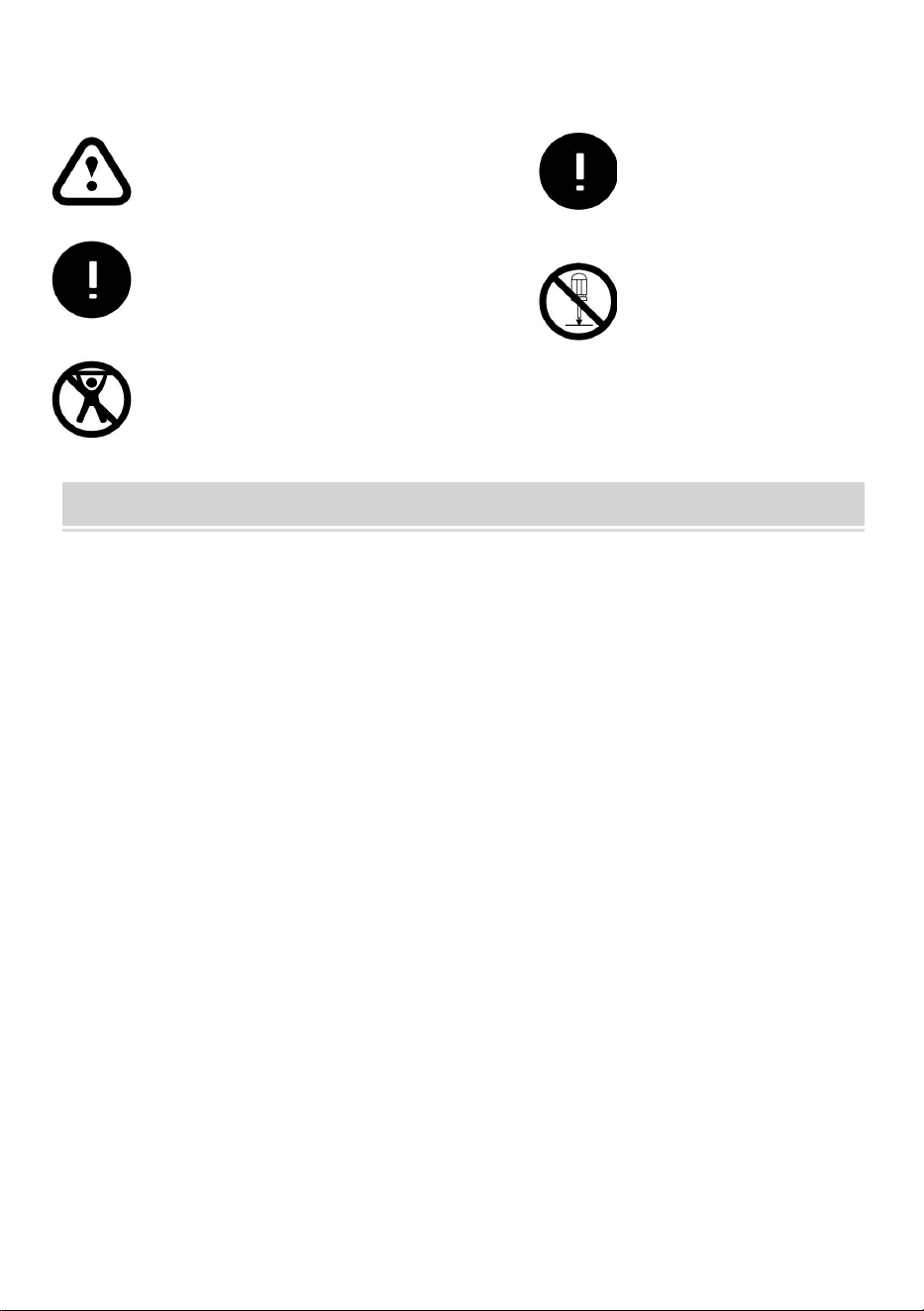
Ignoring the safety warnings
may lead to injuries or
damaging the product.
Retract the screen after every
use.Leave it hanging for along
period may cause screen fabric
loose.
Avoid hanging anything on the
screen as it may cause the
screen to fall down.
The screen should be
installed at secure place
to avoid any accidents or
the screen falling down
Loose parts may cause
the screen fall down.
- 4 -
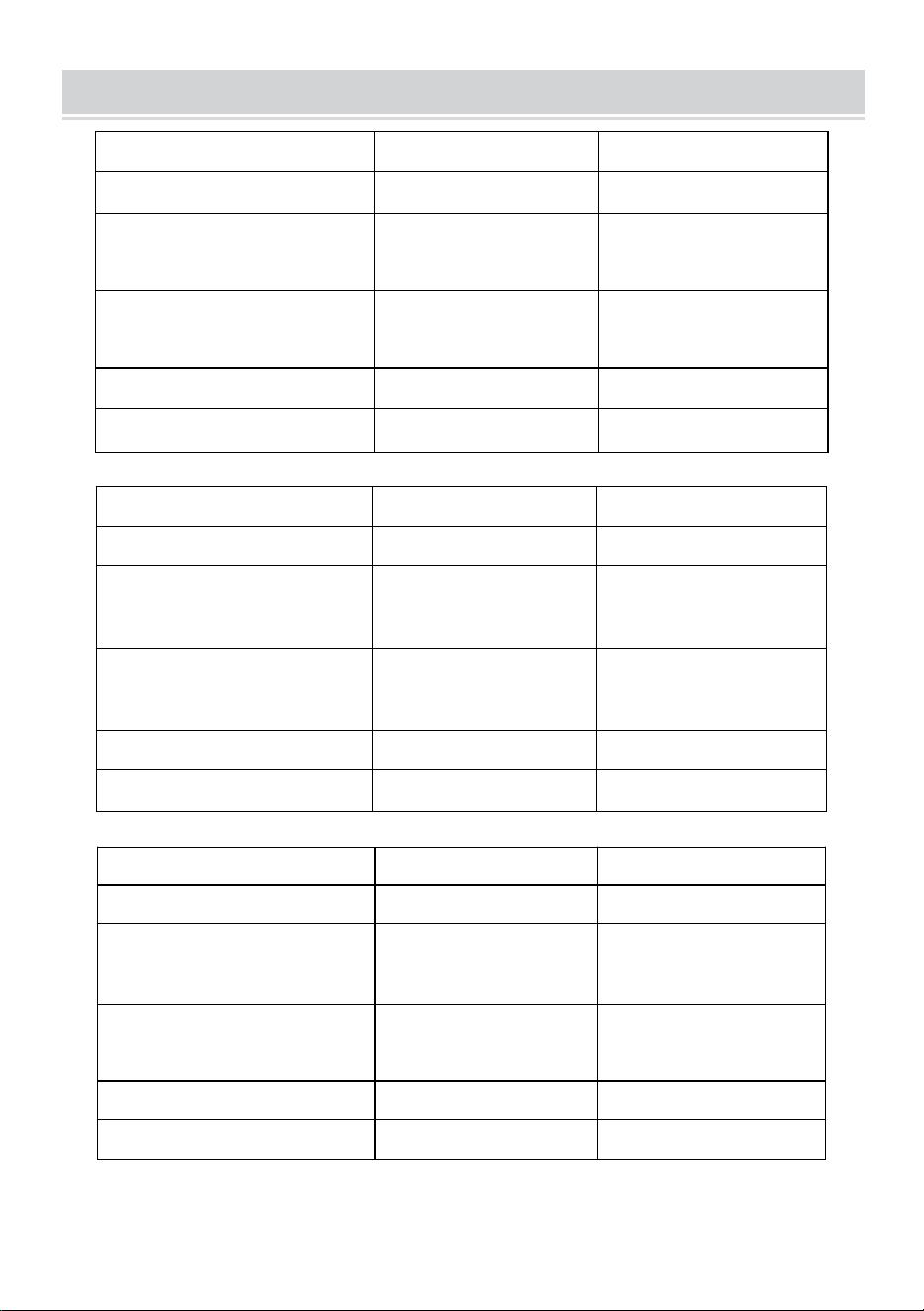
TECHNICAL SPECIFICATIONS
Model
DZC-60
DZC-70
Screen Size
60 inch, 16:9
70 inch, 16:9
Product Dimensions
(LxWxH)(mm)
1350*2320
1630*2320
Packing Size
(LxWxH)(mm)
725*135*95
725*135*95
Net Weight (kg)
About 1.9
About 2.2
Gross Weight (kg)
About 2.3
About 2.5
Model
DZC-80
DZC-90
Screen Size
80 inch, 16:9
90 inch, 16:9
Product Dimensions
(LxWxH)(mm)
1840*2320
2025*2320
Packing Size
(LxWxH)(mm)
725*140*95
725*155*115
Net Weight (kg)
About 2.4
About 2.6
Gross Weight (kg)
About 2.7
About 2.9
Model
DZC-100
DZC-110
Screen Size
100 inch, 16:9
110 inch, 16:9
Product Dimensions
(LxWxH)(mm)
2270*2320
2470*2320
Packing Size
(LxWxH)(mm)
725*155*115
725*155*115
Net Weight (kg)
About 2.9
About 3
Gross Weight (kg)
About 3.2
About 3.3
- 5 -
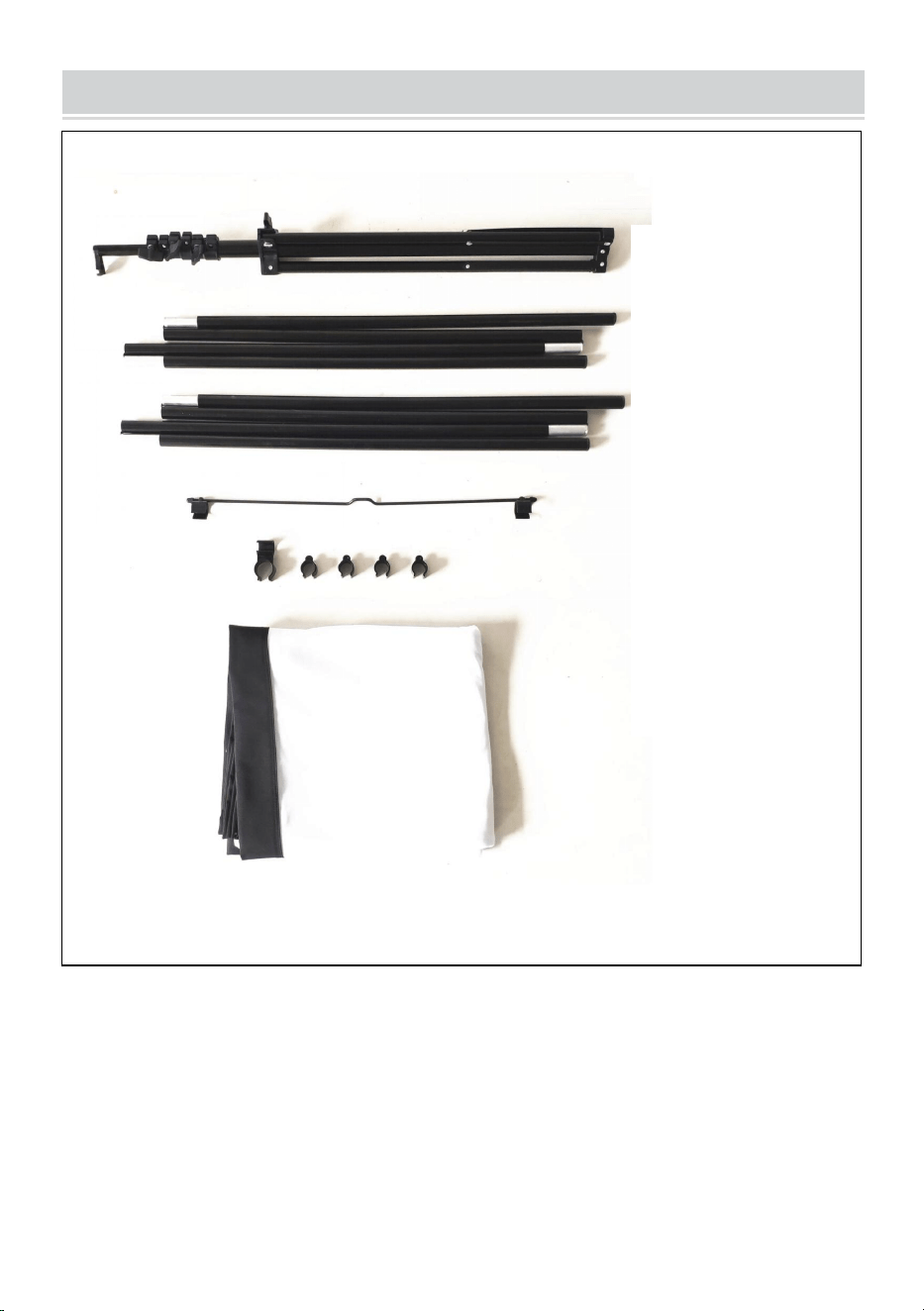
PACKAGE CONTENTS
Stand
top pole
bottom pole
metal hanging
part connector
and plastic clip
fabric screen
- 6 -
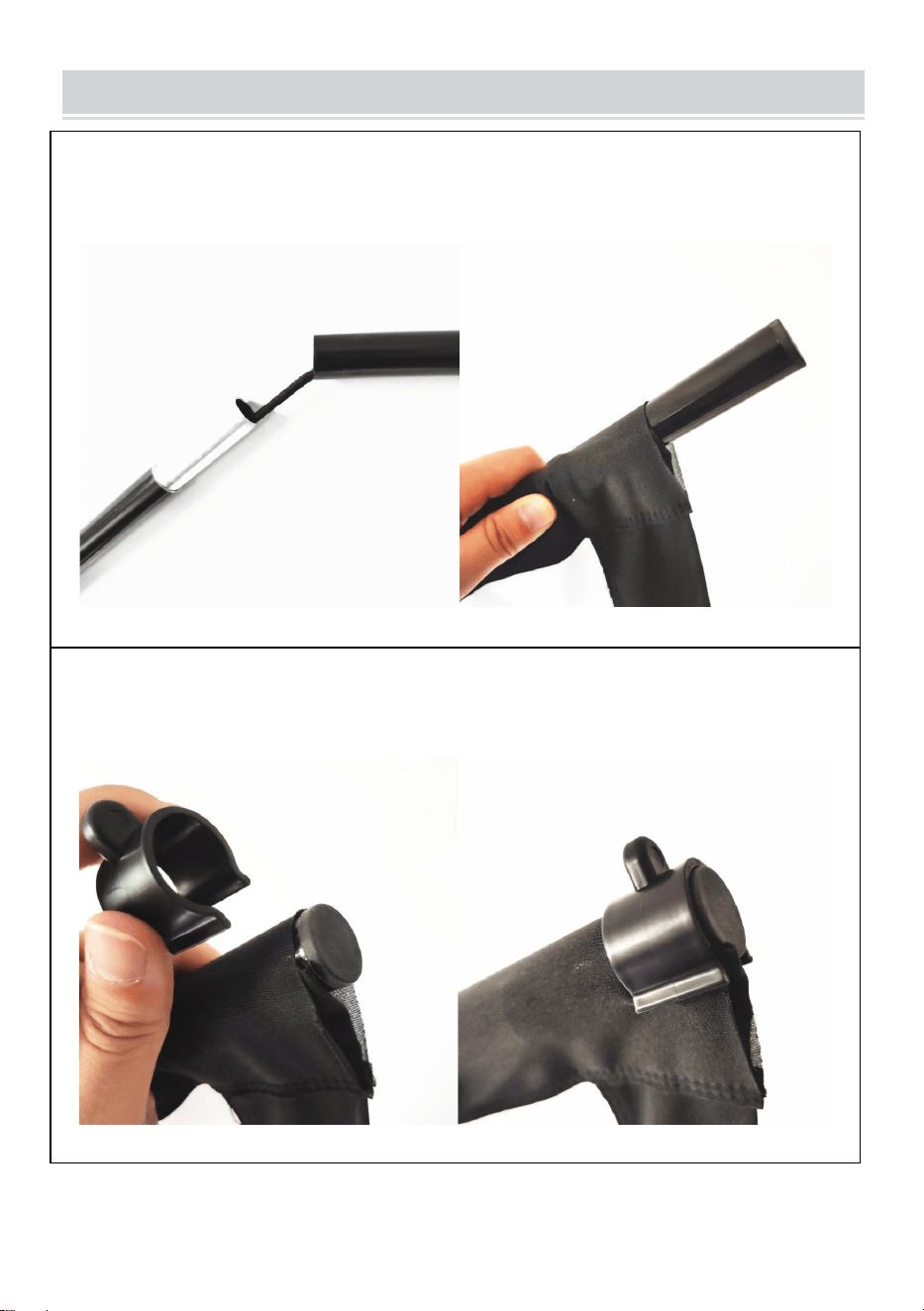
ASSEMBLY STEPS
STEP1
assemble the top and bottom horizontal poles and slide the poles
through the fabric screen pole pocket
STEP2
use the plastic U-shaped clips to fix the fabric screen with the top and
bottom poles on each end.
- 7 -
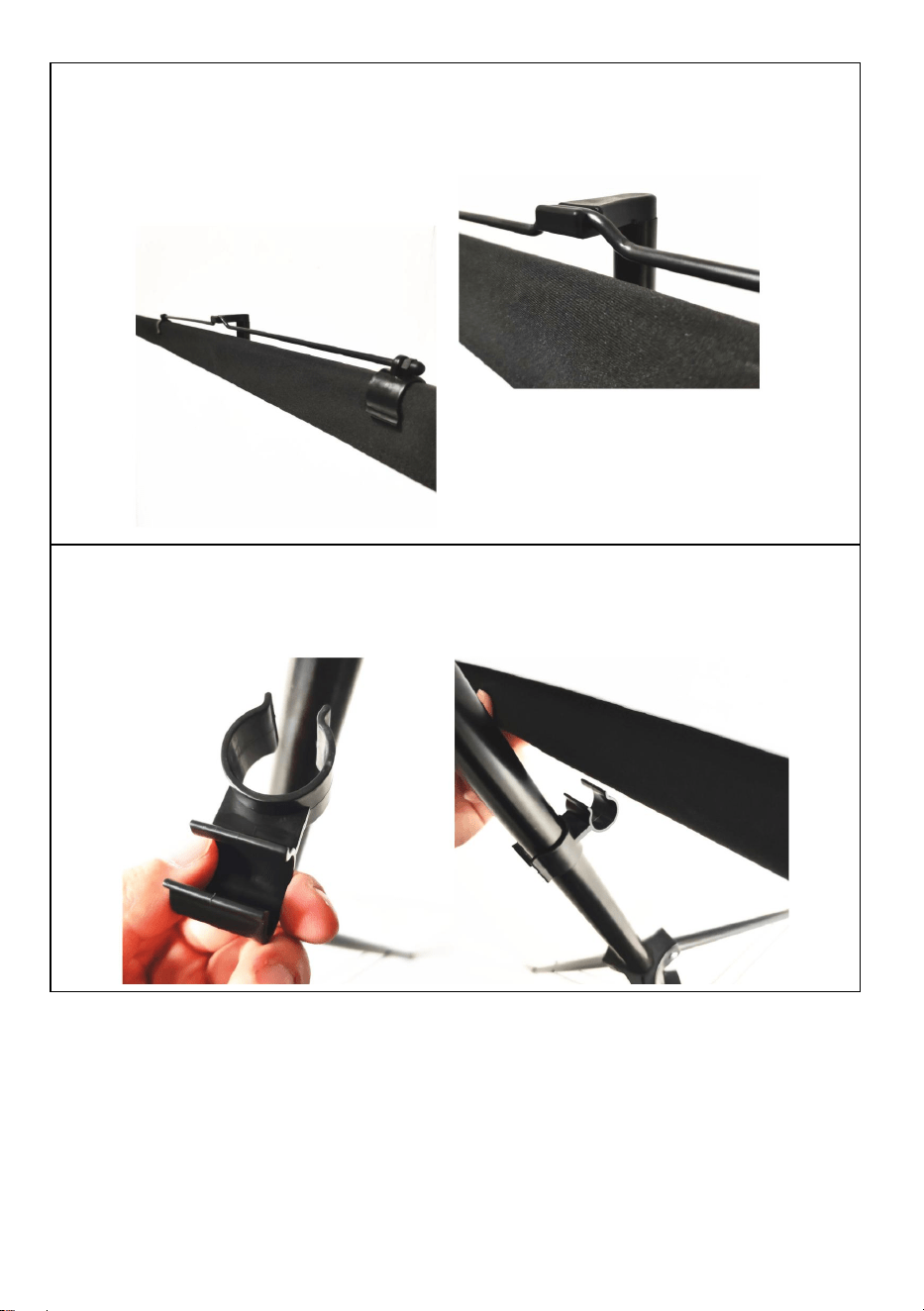
STEP3
fix the metal hanging part on the top pole make sure it is in the middle
position to keep balance, then hang on the top of the stand.
STEP4
adjust the stand height and use the connector to fix the bottom pole on
the stand.
Note: this product is suitable for dark environment for a better
projection effect
- 8 -
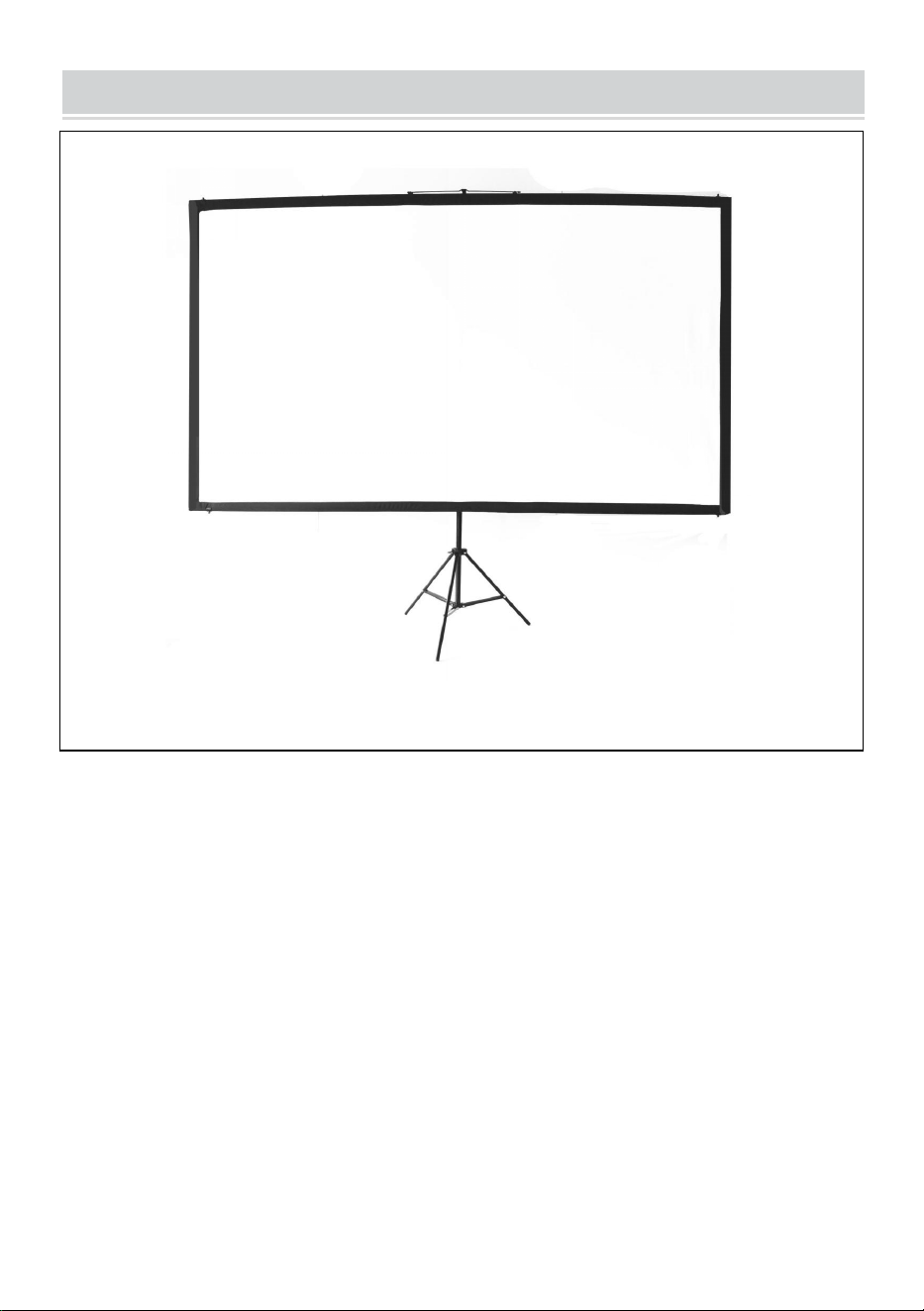
COMPLETION
- 9 -
Manufacturer: Shanghaimuxinmuyeyouxiangongsi
Address: Shuangchenglu 803nong11hao1602A-1609shi, baoshanqu,
shanghai 200000 CN.
Imported to AUS: SIHAO PTY LTD. 1 ROKEVA STREETEASTWOOD
NSW 2122 Australia
Imported to USA: Sanven Technology Ltd. Suite 250, 9166 Anaheim
Place, Rancho Cucamonga, CA 91730
REP
EC
E-CrossStu GmbH
Mainzer Landstr.69, 60329 Frankfurt am Main.
REP
UK
YH CONSULTING LIMITED.
C/O YH Consulting Limited Office 147, Centurion
House, London Road, Staines-upon-Thames, Surrey,
TW18 4AX