USER MANUAL
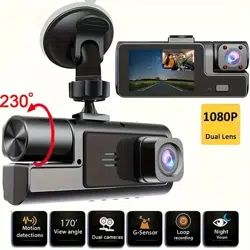
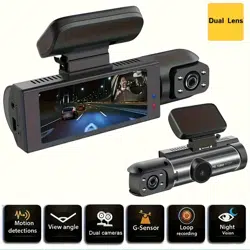
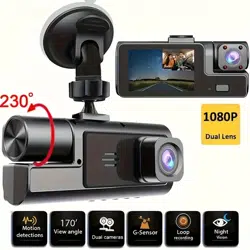
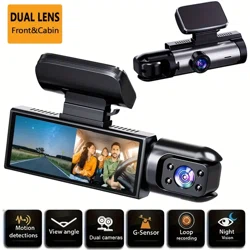
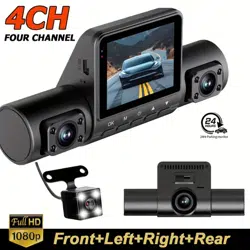
Exclusive 3 channels camera
Please download WIFI products
(No download required for non WIFI)
Press and hold the key to open the hot spot of the machine
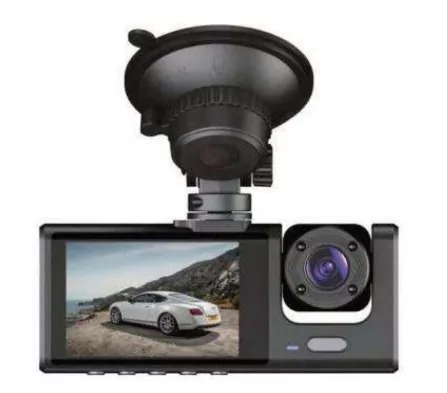
Product Specification
DDR: Built-in 64M
FLASH: 8M SPI norflash
Display Screen: 2.0 Inch IPS HD screen
LCD resolution: 800X480 pixels
External port: MINI USB 5V/2A power adapter port
Max support 32G Class10 TF card
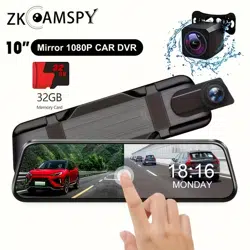
2.5mm digital 720P rear view lens port
Speaker: Monophonic 15*10mm speaker
Mic: 4015 Standard Omnidirectional Microphone
Inside camera (optional): VGA 120°
GPS tracker: NO
Rear camera: 6M cable/2.5mm port
Photo support
Lens rotates: Adjust manually
WDR: Support
HDR: Support
Reversing visual: Support
Video format: AVI
Image format: JPG
Compression format: H.264
Battery: 150 mAh polymer lithium battery
Language: support multi-language
G-sensor: support
Motion Detection: Support
Delay shutdown: Support
Loop recording: Support, no leak seconds
Sound record: Support
Fill light: Support (Open manually)
Parking monitoring: Support
Front camera: Max 1680x960 (30f/s) HDR
Inside camera: HD640x480 (25f/s)
Camera resolution: Max support 3M
Operating temperature: -40°C ~ 70°C
Operating humidity: 15‑65% RH
Storage temperature: -40°C ~ 70°C
Key Features (picture for reference only, mainly in kind)
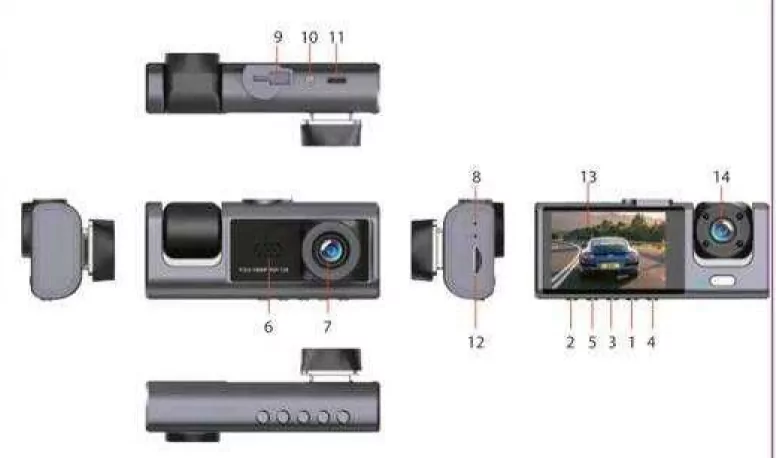
1) Menu / Camera / Playback
2) Power button
3) Down
4) Confirm button
5) Up
6) Front camera
7) Microphone
8) Reset button
9) Holder interface
10) Rear camera interface
11) Power interface
12) TF Card slot
13) Display screen
14) Inside camera (optional)
15) Turn night vision on / off
【O】Power button, short press to turn on/off screen, long press to switch on/off the device.
【M】Menu/camera/playback button
Press 【OK】 key to stop recording, press 【M】 to enter photo mode, press 【OK】 to take photo; In the camera mode, press 【M】 to enter playback mode, press 【OK】 key to playback.
Lock function: In case of video recording, short press 【M】 for a key lock function to protect the current video file, and this file will not be covered by the cycle video.
In video mode, long press 【M】 to enter video menu settings as follows:
Recorder Menu
1. Resolution: 1080P FHD/720P/VGA
2. Loop recording: Off/1 minutes/2 minutes/3 minutes
3. High dynamic range HDR: on/off – Improved image quality. Better visual effect
4. Exposure compensation: -3, -2, -1, 0, 1, 2, 3
5. Motion detection: on/off – In standby mode, it will automatically record while a objective moves
6. Sound record: on/off – Turn on/off sound record
7. Time stamp: on/off
8. Car number: on/off
9. G-sensor: High/Medium/Low – Sensitivity when car occur collision/accident, it will lock current video and can't be covered
10. Parking monitor: on/off – unattended surveillance
11. Date/time: Adjustment Years months date/hours Minutes seconds
12. Automatic shut-down: Off/3 minutes/5 minutes/10 minutes
13. Keypad tone: on/off
14. OSD language: Support multilingual – Choose a language
15. Light source frequency: 50HZ/60HZ – Choose the Light source frequency
16. Format: Confirm/cancel format TF card
17. Screen saver: Off/30 seconds/1 minute/2 minutes
18. Default setting: Confirm/cancel
19. Version: Machine software version number
In photo mode, long press 【M】 to enter photo menu settings as follows:
1. Shooting method: Single shooting / 2 seconds timer / 5 seconds timer / 10 seconds timer
2. Resolution: 1M/2M/3M
3. Continuous shooting: on/off
4. Picture quality: High quality / standard / economy
5. Acutance: Strong / standard / soft
6. White balance: Automatic / sunlight / cloudy / tungsten lamp / fluorescent lamp
7. ISO: Automatic / 100 / 200 / 400
8. Exposure compensation: -3, -2, -1, 0, 1, 2, 3
9. Time stamp: Off / Date
Directional buttons
【▶】Down key, short press 【▶】 to select function at the Menu interface, short press button to turn on/off sound record at the shooting interface.
【◀】Up key
1. short press 【◀】 to select function at the Menu interface;
2. In case of video recording, short press OK button to pause, then short press 【◀】 button to switch front‑inside view image (require inside view lens);
3. long press 【◀】 button to switch front‑rear view image;
4. In case of front‑rear view image, short press OK button to pause, then short press 【◀】 button to switch front‑rear view image (require rear view lens).
【OK】Confirm button, short press to confirm in the menu interface, short press to video record on/off in the video mode.
Rear view lens (optional)
In case of video recording, 4 pin plug of rear view lens insert AV‑in hole of device, there's a rear view image in topright of the screen, that means connected successfully; short press OK button to pause, long press 【◀】 button to switch front‑rear view image. When hang up "R" gear, it will show full image of rear view.
Note: This device can only support dual cameras to video record at the same time instead of 3 channels camera, that is front‑inside camera or front‑rear camera; if installed a rearview camera and choose front‑inside view mode, it will automatically indicate full image of car reversing visual when you hang up "R" gear, but won't effect front‑inside video record, also will automatically switch back front‑inside view after cancel "R" gear. As for system update to support 3 channels camera to video record at the same time, please prevail in kind and we're sorry for no further notice.
Reset key [RESET]
If the recorder crashes and accidental operation is not a normal fault, press [RESET] to shutdown the device, then press [OK] to reboot the device.
Installation Notes
1. Please test the rear view camera firstly, if it works well then install (package without rear view lens can be ignored).
2. Turn off the car engine.
3. The TF card insert the recorder slot.
【Note】Please use the high‑speed TF card (Class10 above), capacity of not less than 4GB, TF card maximum support 32GB.
4. The recorder via a bracket fixed to the front windshield of the car.
5. Insert the car charger into the car cigarette lighter.
【Note】When wiring, extend the charging line along the edge of the car door frame and carpet under the car laying.
6. Install the rear camera at the rear of the vehicle, and pay attention to the up and down direction. Wiring can be buried along the edge of the car roof laying.
【Note】There are two ways to install the rear camera:
A. Adsorbed on the glass above and behind the car, hands‑on self‑installation (Reversing visual function can not be achieved, only real‑time recording rear video).
B. To find a professional installation staff installed in the license plate above the camera at the same time need to connect the power reversing lights (Reversing visual function can be achieved).
7. Adjust the lens position to ensure the best viewing angle.
8. Start the engine and check that the machine is operating properly.
Features
1. Use the automatic recording function
Start the car engine, the recorder automatically starts to open the recording function. Close the car engine, The recorder automatically saves the contents of the log and shuts down, recorded video segments are stored on the TF card. When the TF card is full, the recorder will overwrite the oldest recorded image preferentially.
【Note】
a. Time segment of record can be set 1/2/3 minutes in the menu.
b. The video individually saved in the folder named "DCIMA" and "DCIMB" in TF card (package include rear view lens).
3. Use motion detection
In standby mode, enter the menu screen open the motion detection mode. When the lens is sensitive to the peripheral area of a moving object, the state machine into the camera, recording 30 seconds after the system stops recording. To exit the motion detection mode, in standby mode to enter the menu screen close motion detection mode.
4. G‑sensor
The built‑in gravity sensor (G‑sensor), if serious vehicle collision, the recorder will lock the first 5 seconds and 10 seconds after the image date when the accident occurred while the bottom left of the display screen displays a lock icon; locked images will be saved as a special file, the file will not be overwritten cycle. (note) Gravity sensor (G‑sensor) sensitivity adjustment support may actually need to change setting in the setup menu according to their image.
5. The device has a key lock feature
that will need to retain an image without being locked loop overwritten .In the video mode, short press [M] key logger will then lock the entire video image.
6. In shooting mode,
Press the [M] key to enter the menu setting, find the date/time menu, short press the [OK] button to confirm and return to the setup menu settings, press the [M] key to exit the menu setting.
[note] In order to effectively record the date and time traffic safety accident forensics, before using the menu setting.
7. File playback
In the playback mode, press the [OK] key to play back. To exit playback mode, press MODE button again.
8. Reversing visual function
First, you must connect the dvr with car charger, rear‑view camera connect the reversing lights. Insert the car charger, machine will automatically start recording status, screen switch R position in the recording mode automatically switches to the rear‑view camera, display reverse image. After reversing visual machine automatically return to video mode.
Reminder: Please test the rearview camera is normal before installation.
9. Parking monitor (To achieve unattended surveillance video)
To achieve this function must be connected to the machine in the case of electricity, in the main menu to open the motion detection and parking monitoring function, in the standby state of the vehicle under vibration or moving objects in front, the recorder according to G‑sensor to sense automatically start the machine and automatically locks the video for 30 seconds, and automatically save the video file, the video 30 seconds after 5 seconds without the operation will automatically shut down.
[note] This function is only used when stopping. Please turn off the motion detection and stop monitoring function during normal driving.
FAQ & troubleshooting
Machine appears "file error" message: Settings menu -> Restore factory settings and format the memory card, the general problem is TF card.
The screen appears horizontal stripes interference: Please select the correct power supply frequency 50HZ (PAL).
How to properly turn on the 24‑hour parking monitoring function: While in normal driving, please do not open, it is easily lead to automatic shutdown or crash, after parking is required to open, configure the buck line or mobile power please.
Night shooting screen is not clear enough: Recorder shooting depends on the outside strong light source (such as streetlights or car light).
The machine always reverts to the default date and time: Shutdown in the first case full of electricity, you can use car charger or mobile power supply to add power.
What is the reason for video file leak seconds: (Turn off motion detection / Turn on the loop recording function) With a certain choice of their own genuine card C10 high‑speed card.
Why during recording, the machine automatically shut down suddenly: Please turn off the parking monitoring function first / Ambient temperature exceeds 70 °C will cause automatic shutdown.
[Note] Practice proof: Most of the problems sources from the memory card, a small part cause of power cord.
The information provided in this manual is for reference only. Please prevail in kind (some special features depend on different models). All rights reserved.