
1 FOR VIDEO DOORBELL INSTALLATION
Click to view installation video:
https://youtu.be/Efh679feN8M
What You Need
· Phillips-Head Screwdriver
· Power Drill (15/64" Drill Bit)
----
To work with the Minibase Chime:
Open the eufy Security App, go to Doorbell Settings > Indoor Chime > Minibase Chime, and follow the in-app instructions
to complete the setup.----
When the Minibase Chime is working with the doorbell:
1. The Minibase Chime only works as a chime.
2. Please insert the SD card into the doorbell to store videos.
----
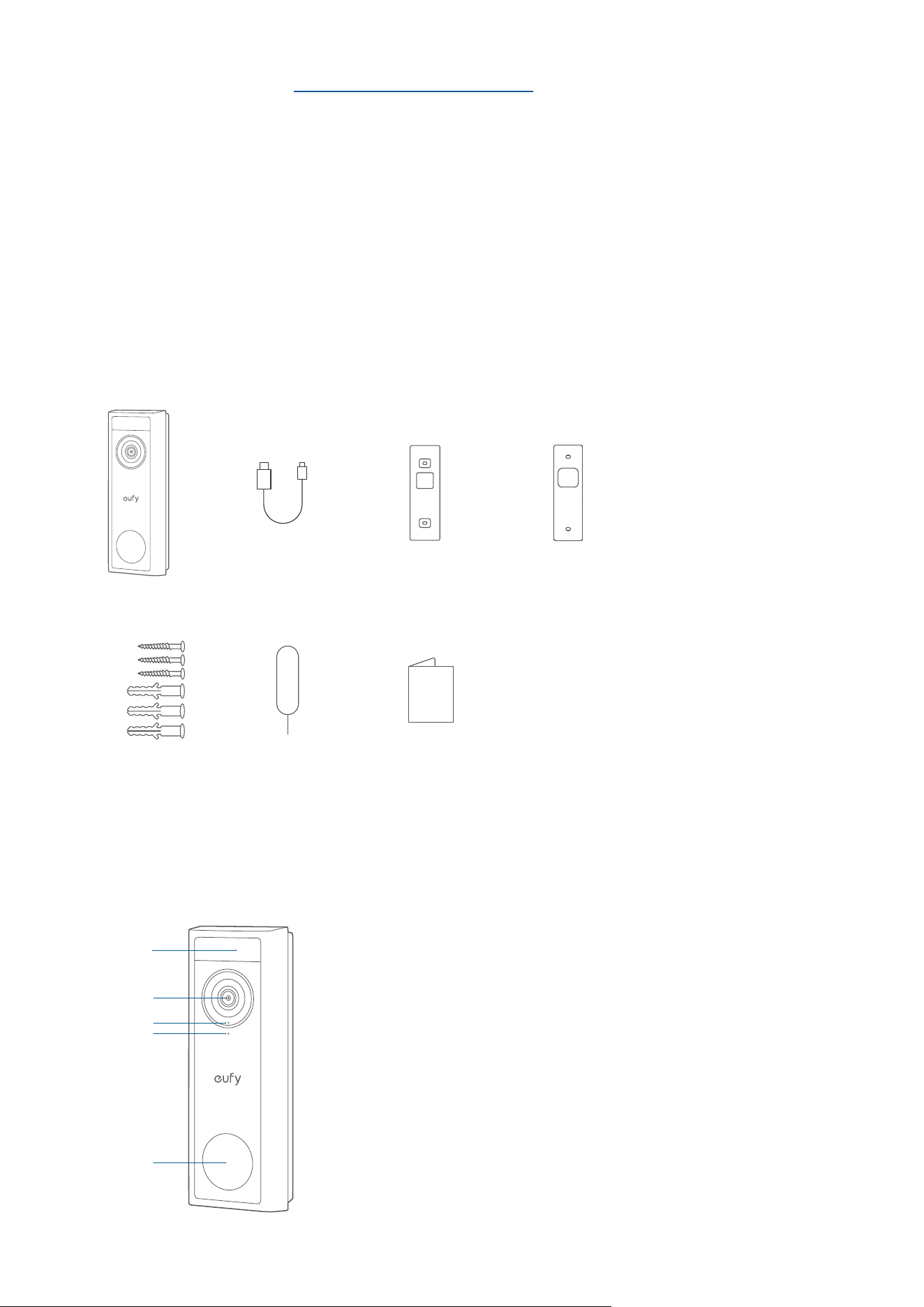
What's in the Box
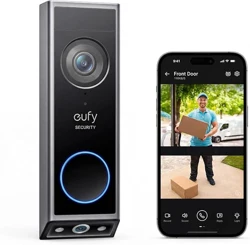
Video Doorbell C30
Model: T8224
Screw Pack Detaching Pin Quick Start Guide
USB-C Charging
Cable
Mounting Bracket Screw Hole Positioning
Card
2 AT A GLANCE
Front View
⑤
①
②
③
④
❶
Motion Sensor
❷
Camera Lens
❸
Microphone
❹
Ambient Light Sensor
❺
LED Ring / Doorbell Button
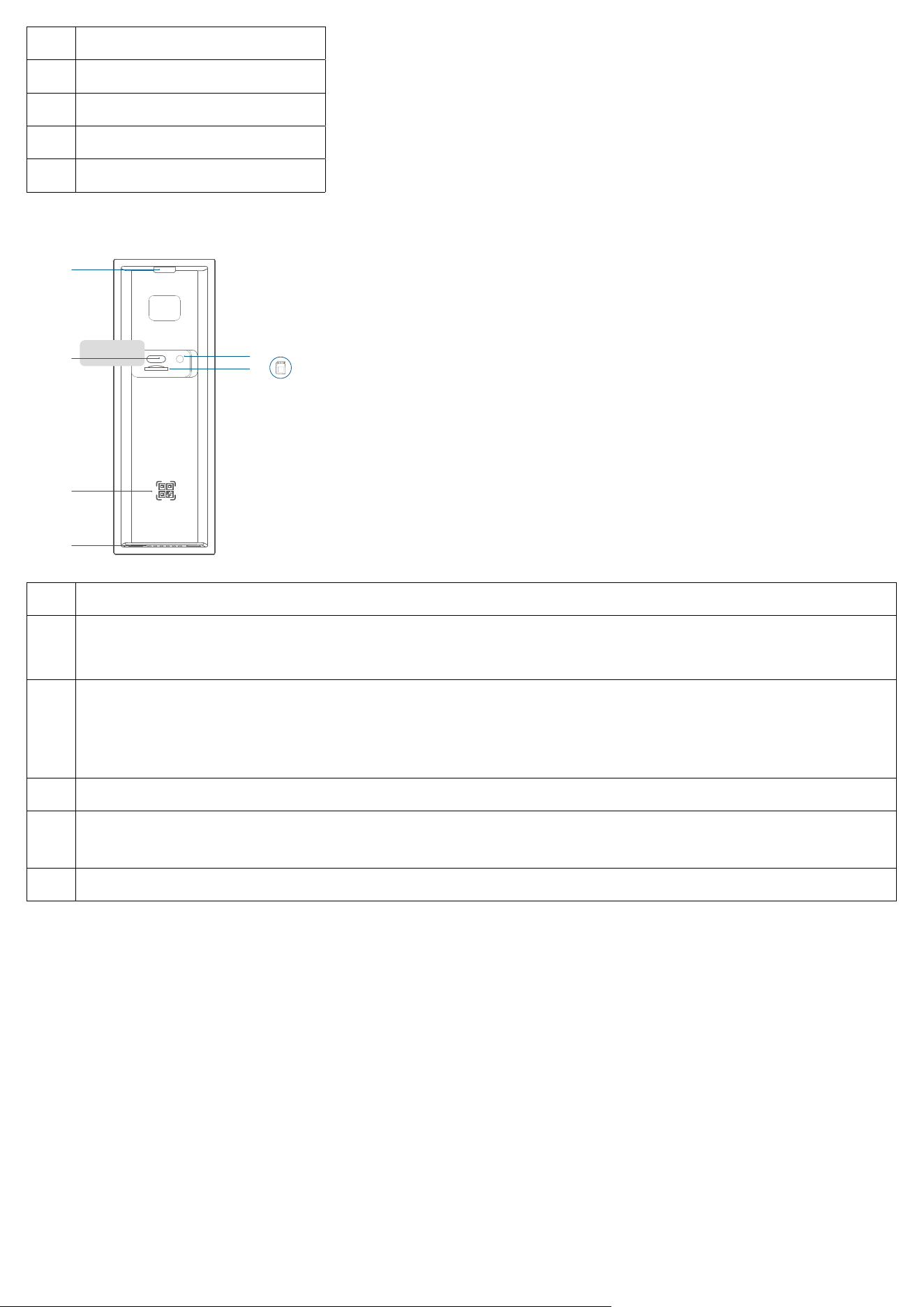
Rear View
⑤
⑥
①
②
③
④
❶
Detaching Mechanism
❷
USB-C Port
·
Use to charge the doorbell.
❸
SYNC Button
· Press to turn on the doorbell.
· Press and hold for 2 seconds until you hear a beep to set up the doorbell. (Optional)
· Press quickly 5 times within 3 seconds to turn o the doorbell.
❹
SD Card Slot
❺
QR Code
· Scan to add the doorbell in the app.
❻
Speaker
3 HOW THE SYSTEM WORKS
Works Independently
This video doorbell can work independently once it is connected to your home wireless router. Additionally, you have a
variety of options to receive notifications and hear a ring when someone presses your video doorbell.
·
Use a eufy Security doorbell chime (sold separately).
· Use an Amazon Alexa Echo Show device.
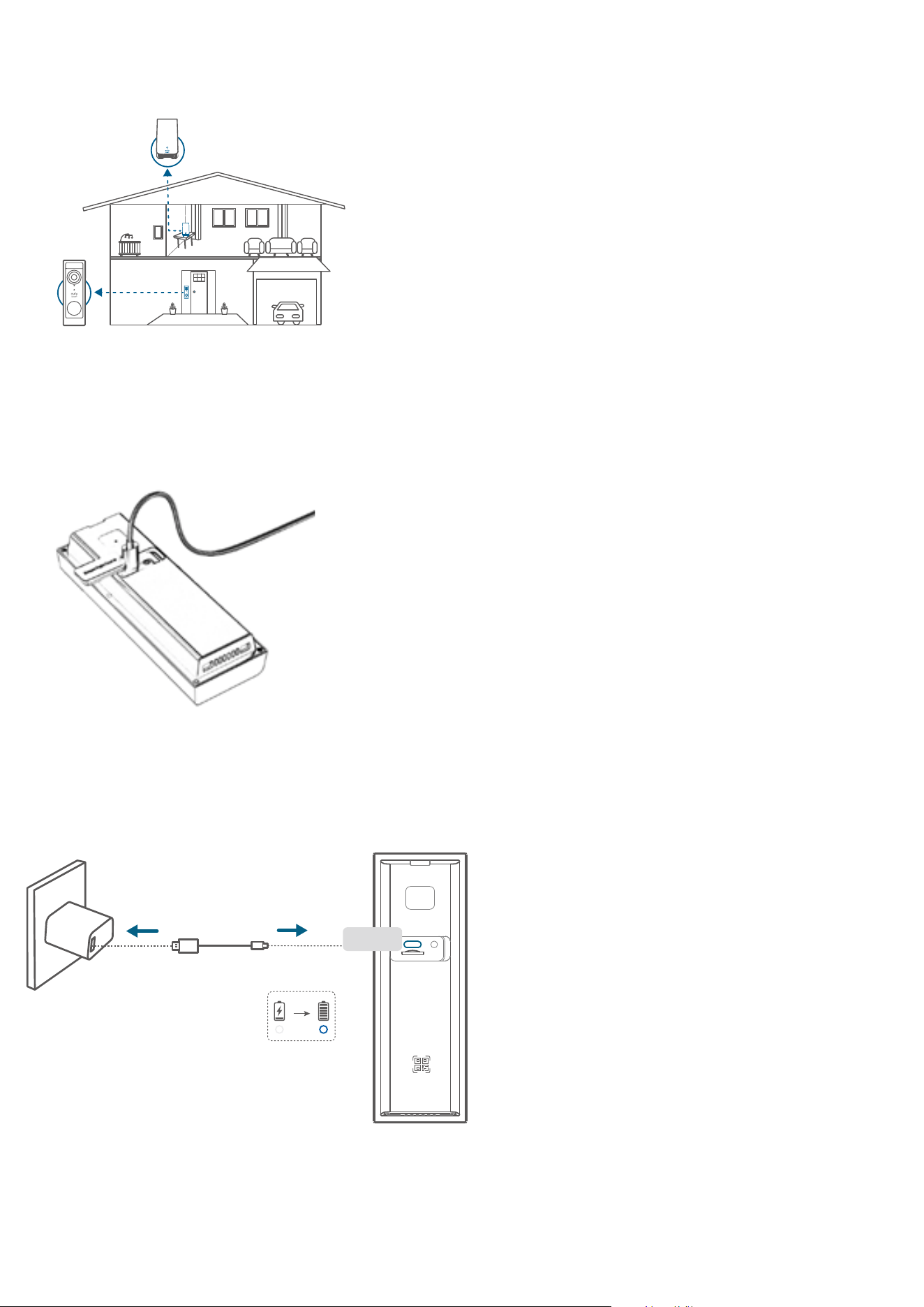
Works with eufy Security HomeBase (Optional)
The video doorbell detects motion at your porch and lets you to answer the door anytime, anywhere. You can store video
clips in the built-in storage of your eufy HomeBase S380 (sold separately). When someone rings the doorbell, people in the
house will be notified.
HomeBase
4 CHARGING THE DOORBELL
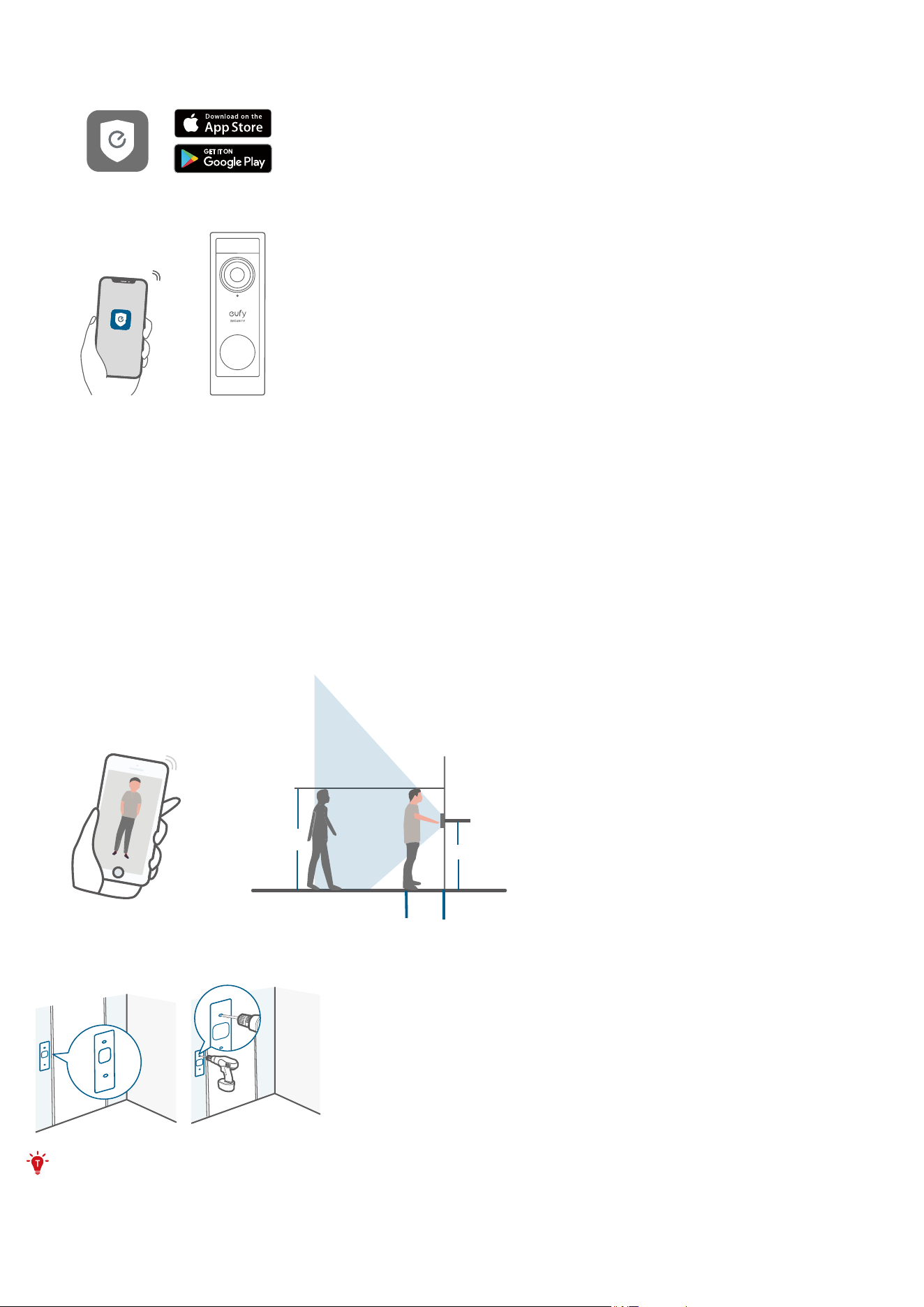
1. Pull out the silicone lid on the back of the doorbell, and plug the charging cable into the charging port.
2. Plug the charging cable into a USB power adapter, then plug the power adapter into the wall. Fully charge the doorbell
before installation.
5 SETTING UP THE SYSTEM
1. Download and install the eufy Security app, then sign in or create an account.
2. Follow the in-app instructions to add the video doorbell.
6 MOUNTING THE DOORBELL
Choose a Location
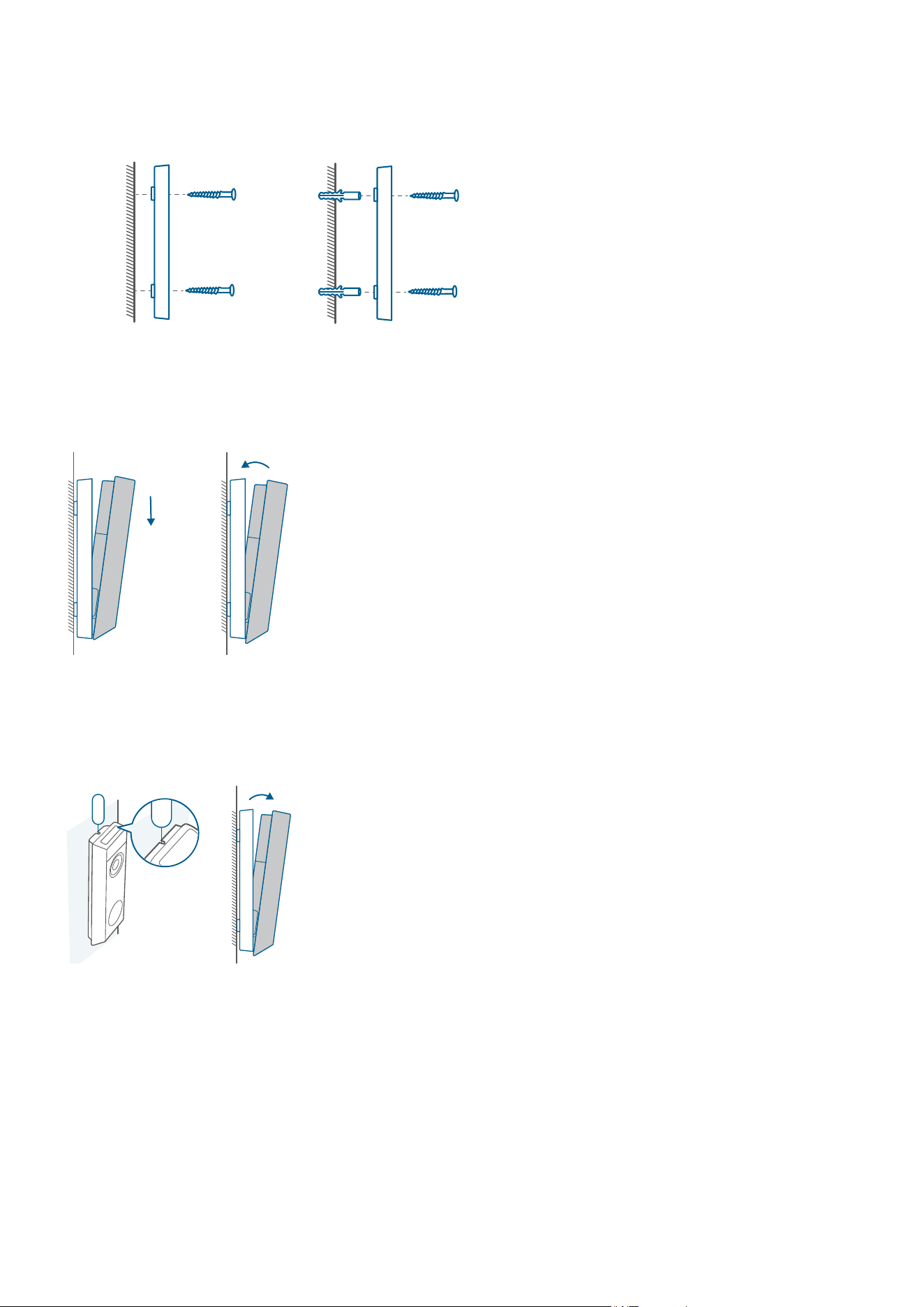
1. Take the video doorbell to your front door and check the live view in the app. Choose a location where you can see the
desired field of view. Consider the following factors:
·
Check if you can reuse the existing holes and anchors in the wall or door frame.
·
If you want to place the doorbell near a side wall, make sure the wall isn't in the field of view. Otherwise, the IR light will be
reflected and the night vision will be blurred.
·
If you are drilling the mounting holes for the first time, the recommended height is 48" (1.2m) above the ground.
1.76m(5’9”)
1.2m (48")
0.3m
(12")
1m
(40")
2. Place the screw hole positioning card against the wall to mark the location. If mounting on a hard wall (brick, concrete, or
stucco), use a 15/64" (5.95mm) drill bit to drill 2 holes through the screw hole positioning card.
What you need: Phillips-Head Screwdriver; Power Drill (15/64" Drill Bit)
Mount the Bracket
Use the provided screws to secure the mounting bracket on the wall.
Hard WallWooden Wall
Mounting
Bracket
Mounting
Bracket
Install the Doorbell
Align the doorbell with the bottom of the mounting bracket, then press the top of the doorbell into place until it clicks.
Recharging the Doorbell
1. Insert the detaching pin into the pin hole on the top of the doorbell, then lift the top for removal.
2. Repeat steps in "CHARGING THE DOORBELL".