1
USER MANUAL
Before using, please read the operating instructions carefully to
ensure proper application and achieve satisfactory results.
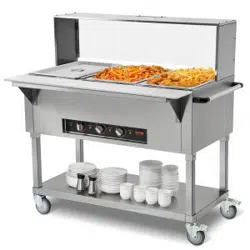
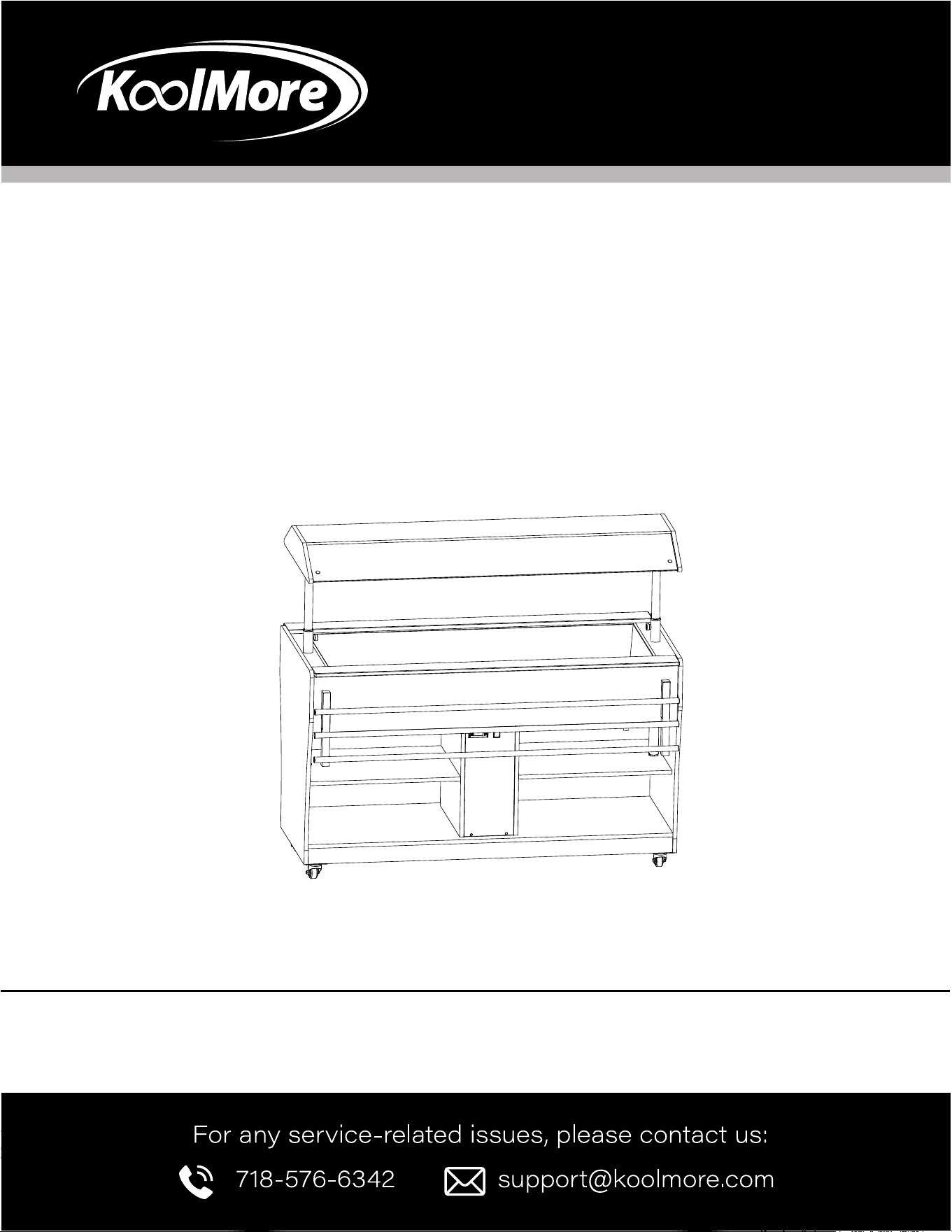
KoolMore Commercial Outdoor
Refrigerated Buffet Table
Models: KM-RBT-54ACS
BUFFET TABLE

2
Stay informed with the latest information
for your KoolMore Appliance.
If you need any assistance or have questions, our customer
support team is here to help.

3
Contents
Safety ...............................................................................................................................................4
Installation...............................................................................................................................................................6
Parts List...............................................................................................................................7
Operation..................................................................................................................9
Cleaning And Maintenance............................................................................................. 10
Warranty ...........................................................................................................................12

4
SAFETY
WARNING
General Information
This manual provides essential information for installing, operating, and maintaining the device. It's
an important reference for safe and proper use. Always follow the safety instructions here to avoid
accidents and damage.
Keep this manual near the device for easy access during installation, maintenance, or cleaning. Fol-
low all local health and safety regulations.
Symbols Key
This manual uses symbols to highlight important safety instructions. Pay careful attention to avoid
accidents, injuries, or damage.
This symbol indicates hazards that could
lead to injury. Follow the instructions
carefully.
This symbol indicates instructions to
avoid device damage or malfunction.
CAUTION
NOTE:
Read the manual carefully before using the device. We are not liable for damage or malfunction from
not following the instructions.
Keep this manual near the device for easy access. We may update it to improve the device.

5
WARNING
CAUTION
Safety Instructions for Use
This section provides an overview of all important safety aspects. Each chapter includes specic
safety advice to prevent dangers, highlighted by the symbols mentioned earlier. Always keep all picto-
grams, markers, and labels on the device readable.
Following these safety tips will ensure optimal protection against hazards and trouble-free operation.
1. Do not let individuals (including children) with physical or mental disabilities, insucient experi-
ence, or knowledge use the device without supervision or proper instruction.
2. Keep children away from the device.
3. Keep this manual with the device. If selling or giving away the device, include the manual.
4. Follow the manual and safety advice when using the device.
5. Use the device indoors only.
Intended Use
• This device is designed for commercial use only and should be operated by qualied personnel.
• Safe operation is guaranteed only when using the device for its intended purpose.
• Any technical work, assembly, or maintenance must be done by qualied customer service only.
• The Gastro Buffet - Cold Display is for keeping prepared food warm in appropriate GN containers.
• Do not use the device for any other purpose.
• Claims for damages due to unconventional use are not accepted.
• The operator is liable for any damages from improper use.

6
Installation
Delivery Check
Check the delivery for completeness and transport damage immediately upon receipt. If there is
visible damage, do not accept the delivery or accept it with reservations. Note the damage on the
carrier’s bill of delivery and trigger a complaint.
Report hidden damages immediately as claims can only be made within the effective period.
Inspect the device for completeness. If any part is missing, contact customer service immediately.
Storage
Keep the package closed until installation. Store packages as follows:
• Do not store outdoors.
• Keep it dry and dust-free.
• Keep out of direct sunlight.
• Avoid mechanical shocks and vibrations.
• For storage longer than 3 months, check the packaging and parts regularly.
WARNING
7
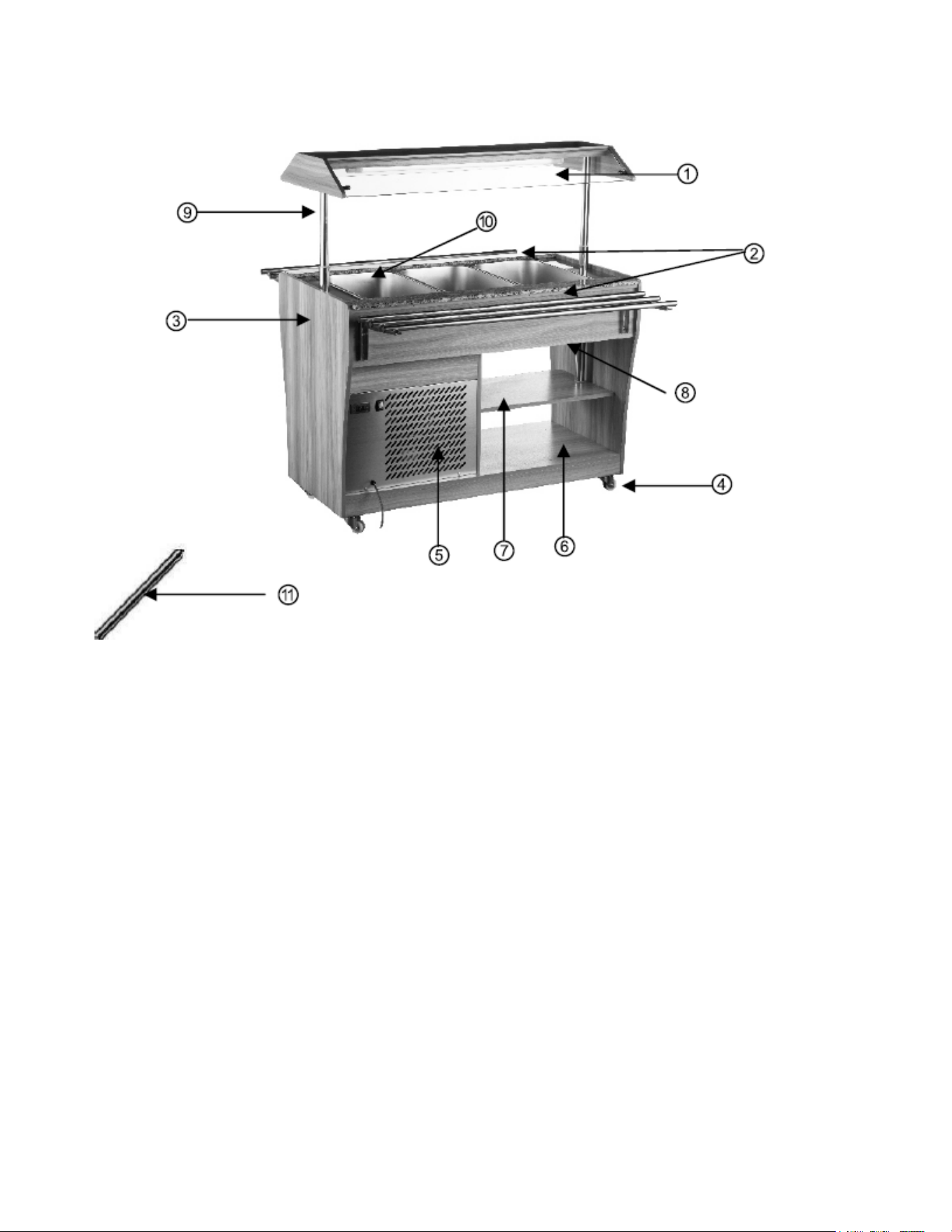
Parts:
1. Glass cover with lighting
2. Countertops
3. Housing
4. Swivel wheels (4), 2 with locking
capability
5. Vent
6. Bottom shelf
7. Middle shelf
8. Drain tap
9. Support poles for glass cover
10. Chamber for GN containers
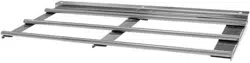
11. Cross bars for GN containers

8
Installation and Operation
• Connect the device only to a properly installed single socket with protective contact.
• Never yank the cord to disconnect from the outlet.
• The cable must not touch any hot parts.
• Ensure the cable does not touch heat sources or sharp edges. Do not let it dangle over the counter
edge.
• Do not use the device if it is not functioning properly, damaged, or dropped.
• Use only accessories or spare parts recommended by the manufacturer. Unapproved parts can be
dangerous and void the warranty.
• Do not lay the cable over carpets or heat insulations. Do not cover the cable. Keep it away from the
operating range and do not dunk it in water.
• Do not move or tilt the device when in operation.
• The device can cause injuries due to improper installation.
• Before installation, compare the local power grid specication with the device’s specications (see
type label).
• Connect the device only if compliant with the specications.
• Follow all safety advice.
Connection
1. Before rst use, let the device sit for at least 8 hours before connecting to the power supply.
2. Connect the device only to a properly installed individual protected socket.
3. The socket’s circuit must be protected by at least 16A. Connect only to a wall socket; do not use
an outlet splitter or multiple sockets.
WARNING
9
Before the First Use
• Wash the device thoroughly (see section 6.2 “Cleaning”).
• Ensure the drain tap is closed.
• Make sure the device is turned off.
• Connect the device to a grounded single outlet.
• Turn on the device using the ON/OFF switch.
• If needed, turn on the lighting on the glass cover using the switch.
• Wait about 40 minutes to ensure the device reaches the correct temperature.
• Only ll the device with food in the appropriate GN containers after it has reached the correct
temperature.
Settings
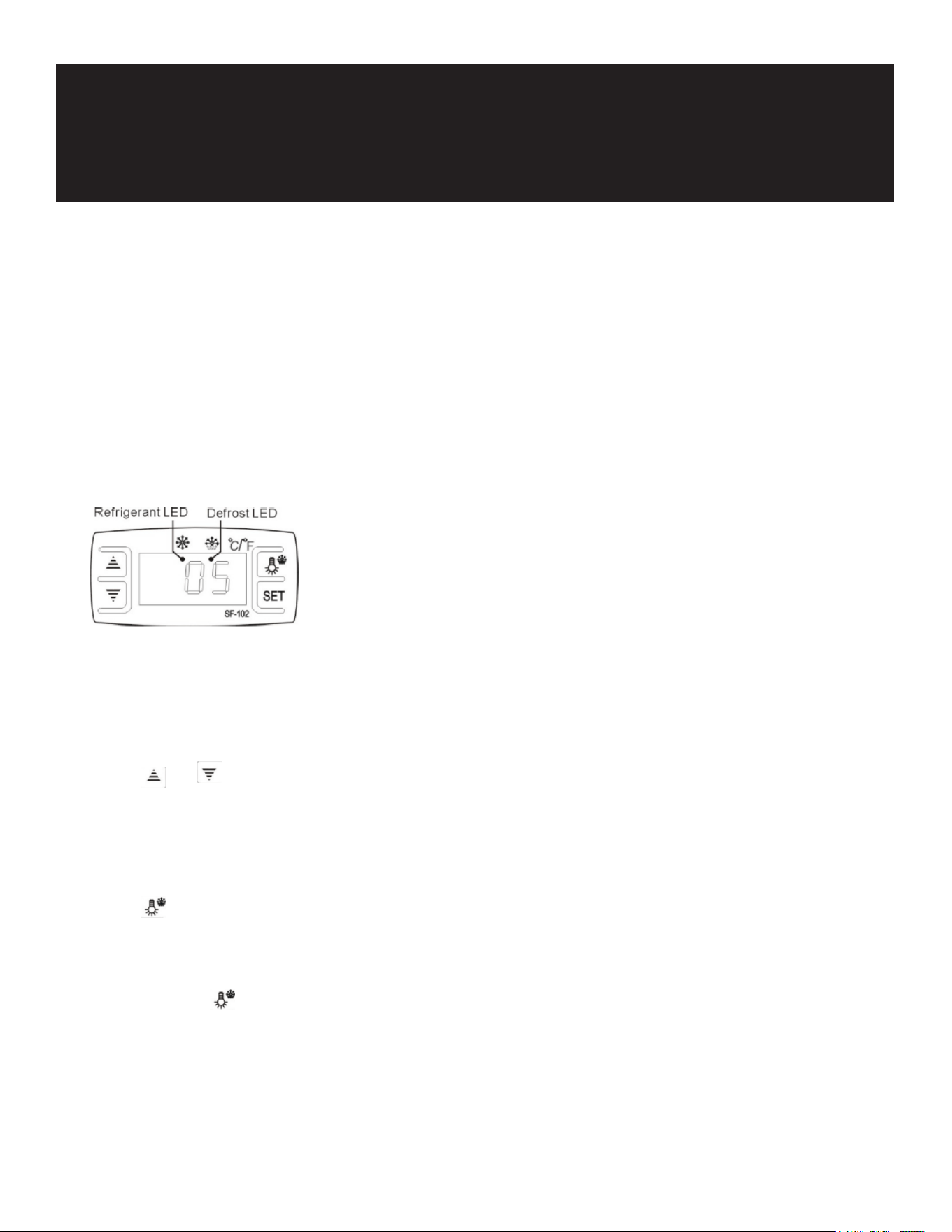
Set Temperature
Press the “set” button to display the set temperature.
Press the or button to adjust and store the temperature.
Press the “set” button again to exit. If no button is pressed within 10 seconds, the current temperature
will be displayed.
Illumination
Press the button to turn on the light; press it again to turn it off.
Manual Defrost
Press and hold the button for 6 seconds to start or stop defrosting.
Indicator Light
The light blinks when the compressor stops and stays on when it is working.
Defrost LED
Operation

10
The LED is on during defrosting and off when defrosting stops. It ashes during the delay display of
defrost.
Digital Controller Reset
If “Disorder” is displayed, press the button for 2 seconds until the buzzer rings. Quickly press the
button for 6 seconds until the buzzer rings again. The display will ash for 3 seconds and restore
factory settings.
User Information
• Do not place heavy objects (like stacked plates) on the glass cover. Use the lower or middle
shelves for such items.
• Cool hot dishes to room temperature before storing them.
• After a power failure or unplugging the device, wait at least 5 minutes before reconnecting it to the
power supply.
CLEANING AND MAINTENANCE
Safety Advice
• Before cleaning or repair, make sure the device is unplugged and has cooled down.
• Do not use acid agents and ensure no water enters the device.
• To avoid electric shock, never immerse the device, cables, or plug in water or other liquids.
CAUTION!
The device is not suited for cleaning with water jets or pressure water jets.
Cleaning
• Clean the device daily after each use.
• Remove GN containers before cleaning. Clean them with hot water, a soft cloth, and mild
detergent.
• Rinse and dry thoroughly.
• Wash the housing, countertops, and shelves with a soft cloth and dry them thoroughly.
• If water has collected in the chamber for GN containers, attach the drain hose to the drain tap
under the chamber and drain the water.
• Wash the chamber with a damp soft cloth and dry thoroughly.
• Never use pointed or sharp objects for cleaning.
• Never use aggressive cleaning agents (e.g., scouring powders, cleaners with alcohol, solvents) as
they could damage the device.
Safety Instructions for Maintenance
• Regularly check the power cable for damage. Never use the device if the cable is damaged.
• Replace damaged cables immediately via customer service or a qualied electrician.

11
• For damage or malfunction, contact customer service.
• Only qualied technicians using original spare parts should repair the device. Do not attempt to
repair it yourself.
Waste Disposal
Discarding Old Devices
When the device reaches the end of its service life, dispose of it according to national regulations.
Contact a specialized waste disposal company or your local disposal service for guidance.
To prevent misuse and hazards, disconnect the device from the power supply and remove the power
cable before disposal.
WARNING

12
WARRANTY
LIMITED WARRANTY
Koolmore Supply, Inc. extends a limited warranty to the original purchaser, guaranteeing that this Koolmore
product is free from manufacturing defects in material or workmanship for one year from the date of
purchase.
Should you discover any such defect within the warranty period, Koolmore Supply, Inc., reserves the right to
repair or replace the product without charge, or to cover the cost of replacement parts and repair labor needed
to correct defects present at the time of purchase or resulting from regular usage, when the appliance has been
installed, operated, and maintained as per the instructions provided.
At its sole discretion, Koolmore Supply Inc. may decide to replace the product. In such an event, your replace-
ment
appliance will carry the warranty for the remaining term of the original unit's warranty period.
This warranty is valid exclusively to the original purchaser of the product and only applicable within the United
States. The warranty commences from the date of original consumer purchase. Proof of the original purchase
date will be required to obtain service under this warranty.
Under this limited warranty, your sole and exclusive remedy will be product repair, as outlined above. All
services must be provided by a Koolmore-designated service company.
To claim warranty or request repair service:
Email support@koolmore.com. Please include your name, address, phone number, warranty repair request,
and a copy of your proof of purchase receipt. Alternatively, visit koolmore.com and use the contact us page. A
Koolmore customer service representative will promptly arrange service for your appliance.
We thank you for choosing Koolmore.
WARRANTY EXCLUSIONS
This limited warranty will not cover:
1. Failure of the product to perform during power failures or interruptions,
or due to inadequate electrical service.
2. Damage incurred during transportation or handling.
3. Damage caused by accidents, vermin, lightning, winds, re, oods, or acts of God.
4. Damage resulting from accidents, alterations, misuse, abuse, improper installation, repair, or maintenance.
This includes using any external device that alters or converts the voltage or frequency of
electricity.
5. Unauthorized product modications, repairs by unauthorized centers, or use of non-approved
replacement parts.
6. Abnormal cleaning and maintenance not aligned with the user's manual.
7. Use of incompatible accessories or components.
8. Any costs associated with repairs or replacements under these excluded circumstances shall be the
responsibility of the consumer.

13

14