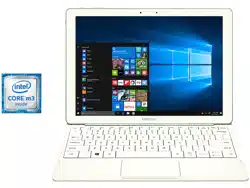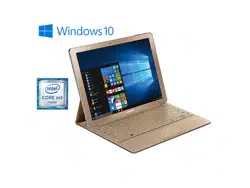
TABLET
Health & Safety and Warranty Guide
Please read this manual before operating your device and
keep it for future reference. This document contains important
terms and conditions with respect to your device. By using this device,
you accept those terms and conditions.
WIF_W700_EN_HS_PS_020316_FINAL
Note: READ THIS INFORMATION BEFORE USING YOUR MOBILE DEVICE.
Samsung Limited Warranty
- This product is covered under the applicable
Samsung Limited Warranty
INCLUDING ITS DISPUTE RESOLUTION PROCEDURE
and your right to opt out of arbitration within 30 calendar days of the first
consumer purchase. You may opt out by either sending an email to
[email protected]msung.com with the subject line "Arbitration Opt Out" or by calling
1-800-SAMSUNG (726-7864).
For more detailed procedures, please refer to the
"Dispute Resolution Procedures and Arbitration Opt-Out" section of the Limited
Warranty.
WARNING!
This product contains chemicals known to the State of California to cause
cancer, birth defects, or other reproductive harm. For more information,
please call 1-800-SAMSUNG (726-7864).
Intellectual Property
All Intellectual Property, as defined below, owned by or which is otherwise the
property of Samsung or its respective suppliers relating to the SAMSUNG mobile
device, including but not limited to, accessories, parts, or software relating thereto
(the “mobile device”), is proprietary to Samsung and protected under federal laws,
state laws, and international treaty provisions. Intellectual Property includes, but is
not limited to, inventions (patentable or unpatentable), patents, trade secrets,
copyrights, software, computer programs, and related documentation and other

works of authorship. You may not infringe or otherwise violate the rights secured by
the Intellectual Property. Moreover, you agree that you will not (and will not attempt
to) modify, prepare derivative works of, reverse engineer, decompile, disassemble,
or otherwise attempt to create source code from the software. No title to or
ownership in the Intellectual Property is transferred to you. All applicable rights of
the Intellectual Property shall remain with SAMSUNG and its suppliers.
Open Source Software
Some software components of this product incorporate source code covered under
GNU General Public License (GPL), GNU Lesser General Public License (LGPL),
OpenSSL License, BSD License and other open source licenses. To obtain the
source code covered under the open source licenses, please visit:
http://opensource.samsung.com

Disclaimer of Warranties; Exclusion of Liability
EXCEPT AS SET FORTH IN THE EXPRESS WARRANTY CONTAINED ON THE
WARRANTY PAGE ENCLOSED WITH THE PRODUCT, THE PURCHASER TAKES THE
PRODUCT "AS IS", AND SAMSUNG MAKES NO EXPRESS OR IMPLIED WARRANTY OF
ANY KIND WHATSOEVER WITH RESPECT TO THE PRODUCT, INCLUDING BUT NOT
LIMITED TO THE MERCHANTABILITY OF THE PRODUCT OR ITS FITNESS FOR ANY
PARTICULAR PURPOSE OR USE; THE DESIGN, CONDITION OR QUALITY OF THE
PRODUCT; THE PERFORMANCE OF THE PRODUCT; THE WORKMANSHIP OF THE
PRODUCT OR THE COMPONENTS CONTAINED THEREIN; OR COMPLIANCE OF THE
PRODUCT WITH THE REQUIREMENTS OF ANY LAW, RULE, SPECIFICATION OR
CONTRACT PERTAINING THERETO. NOTHING CONTAINED IN THE INSTRUCTION
MANUAL SHALL BE CONSTRUED TO CREATE AN EXPRESS OR IMPLIED WARRANTY
OF ANY KIND WHATSOEVER WITH RESPECT TO THE PRODUCT. IN ADDITION,

SAMSUNG SHALL NOT BE LIABLE FOR ANY DAMAGES OF ANY KIND RESULTING
FROM THE PURCHASE OR USE OF THE PRODUCT OR ARISING FROM THE BREACH
OF THE EXPRESS WARRANTY, INCLUDING INCIDENTAL, SPECIAL OR
CONSEQUENTIAL DAMAGES, OR LOSS OF ANTICIPATED PROFITS OR BENEFITS.
Modification of Software
SAMSUNG IS NOT LIABLE FOR PERFORMANCE ISSUES OR INCOMPATIBILITIES
CAUSED BY YOUR EDITING OF REGISTRY SETTINGS, OR YOUR MODIFICATION OF
OPERATING SYSTEM SOFTWARE.
USING CUSTOM OPERATING SYSTEM SOFTWARE MAY CAUSE YOUR DEVICE AND
APPLICATIONS TO WORK IMPROPERLY. YOUR CARRIER MAY NOT PERMIT USERS TO
DOWNLOAD CERTAIN SOFTWARE, SUCH AS CUSTOM OS.
ENERGY STAR
As an ENERGY STAR
®
Partner, Samsung has determined that this Product meets the
ENERGY STAR Guidelines for energy efficiency.
The ENERGY STAR Program has reduced greenhouse gas emissions and saved
energy through voluntary labeling.
Samsung is a proud ENERGY STAR Partner and commits to meet the guidelines for
this product to be ENERGY STAR certified.

By selecting an ENERGY STAR certified product, it contributes to reducing
greenhouse gas emissions and save energy. [013016]
•
The Power Management setting of this product has been enabled by default and has
various timing settings (of up to 300 minutes for energy saving. In case you don't want
power management setting enabled, select "Never").
•
To change this in Settings, go to the System menu > Power & sleep menu > Screen/Sleep
timeout option.
•
This product can be awakened from sleep mode by pressing on the Power key.

1
Table of Contents
Section 1: Health and Safety Information .......................................3
Exposure to Radio Frequency (RF) Signals . . . . . . . . . . . . . . . . . . . . . . . . . 4
Specific Absorption Rate (SAR) Certification Information . . . . . . . . . . . . . . 18
FCC Part 15 Information to User . . . . . . . . . . . . . . . . . . . . . . . . . . . . . . . . 23
Samsung Mobile Products and Recycling . . . . . . . . . . . . . . . . . . . . . . . . . 25
Smart Practices While Driving . . . . . . . . . . . . . . . . . . . . . . . . . . . . . . . . . 28
Battery Use and Safety . . . . . . . . . . . . . . . . . . . . . . . . . . . . . . . . . . . . . . . 33
UL Certified Travel Charger . . . . . . . . . . . . . . . . . . . . . . . . . . . . . . . . . . . . 37
Display and Touch-Screen . . . . . . . . . . . . . . . . . . . . . . . . . . . . . . . . . . . . 38
GPS-AGPS . . . . . . . . . . . . . . . . . . . . . . . . . . . . . . . . . . . . . . . . . . . . . . . . 39
Care and Maintenance . . . . . . . . . . . . . . . . . . . . . . . . . . . . . . . . . . . . . . . 42

2
Responsible Listening . . . . . . . . . . . . . . . . . . . . . . . . . . . . . . . . . . . . . . . .45
Operating Environment . . . . . . . . . . . . . . . . . . . . . . . . . . . . . . . . . . . . . . .52
Restricting Children's Access to Your Mobile Device . . . . . . . . . . . . . . . . .57
FCC Notice and Cautions . . . . . . . . . . . . . . . . . . . . . . . . . . . . . . . . . . . . . .58
Other Important Safety Information . . . . . . . . . . . . . . . . . . . . . . . . . . . . . .59
Section 2: Warranty Information ...................................................63
Procedures for Dispute Resolution/30-day Arbitration and
Opt-Out Policy . . . . . . . . . . . . . . . . . . . . . . . . . . . . . . . . . . . . . . . . . . . .65
Terms & Conditions of Sale and Standard Limited Warranty . . . . . . . . . . .70
End User License Agreement for Software (EULA) . . . . . . . . . . . . . . . . . . .79
Index ................................................................................................80
Health and Safety Information 3
Section 1: Health and Safety Information
This section outlines the safety precautions associated with using your device. The
terms “device” or “mobile device” are used in this section to refer to your device.
Read this information before using your mobile device.
Caution!
Exercise care when using the card removal tool to eject an internal card slot.

4
Exposure to Radio Frequency (RF) Signals
Although your device is not a cell phone, it can operate on the same network as cell
phones and can use the same Radio Frequency (RF) signals to communicate with
the network as a cell phone. Therefore, although the following information refers
specifically to RF exposure from wireless phones, it may apply similarly to your
device when it is being used on a cell phone network.
The U.S. Food and Drug Administration (FDA) has published information for
consumers relating to Radio Frequency (RF) exposure from wireless phones. The
FDA publication includes the following information:

Health and Safety Information 5
Do cell phones pose a health hazard?
Many people are concerned that cell phone radiation will cause cancer or other
serious health hazards. The weight of scientific evidence has not linked cell phones
with any health problems.
Cell phones emit low levels of Radio Frequency (RF) energy. Over the past 15 years,
scientists have conducted hundreds of studies looking at the biological effects of the
radio frequency energy emitted by cell phones. While some researchers have
reported biological changes associated with RF energy, these studies have failed to
be replicated. The majority of studies published have failed to show an association
between exposure to radio frequency from a cell phone and health problems.

6
The low levels of RF cell phones emit while in use are in the microwave frequency
range. They also emit RF at substantially reduced time intervals when in the
stand-by mode. Whereas high levels of RF can produce health effects (by heating
tissue), exposure to low level RF that does not produce heating effects causes no
known adverse health effects.
The biological effects of radio frequency energy should not be confused with the
effects from other types of electromagnetic energy.
Very high levels of electromagnetic energy, such as is found in X-rays and gamma
rays, can ionize biological tissues. Ionization is a process where electrons are
stripped away from their normal locations in atoms and molecules. It can
permanently damage biological tissues including DNA, the genetic material.

Health and Safety Information 7
The energy levels associated with radio frequency energy, including both radio
waves and microwaves, are not great enough to cause ionization of atoms and
molecules. Therefore, RF energy is a type of non-ionizing radiation. Other types of
non-ionizing radiation include visible light, infrared radiation (heat), and other forms
of electromagnetic radiation with relatively low frequencies.
While RF energy does not ionize particles, large amounts can increase body
temperatures and cause tissue damage. Two areas of the body, the eyes and the
testes, are particularly vulnerable to RF heating because there is relatively little
blood flow in them to carry away excess heat.
Research Results to Date: Is there a connection between RF and certain
health problems?
The results of most studies conducted to date say no. In addition, attempts to
replicate and confirm the few studies that have shown a connection have failed.

8
The scientific community at large therefore believes that the weight of scientific
evidence does not show an association between exposure to Radio Frequency (RF)
from cell phones and adverse health outcomes. Still the scientific community has
supported additional research to address gaps in knowledge. Some of these studies
are described below.
Interphone Study
Interphone is a large international study designed to determine whether cell phones
increase the risk of head and neck cancer. A report published in the International
Journal of Epidemiology (June, 2010) compared cell phone usage for more than
5,000 people with brain tumors (glioma and meningioma) and a similar number of
healthy controls.
Health and Safety Information 9
Results of this study did NOT show that cell phones caused brain cancer. In this
study, most people had no increased risk of brain cancer from using cell phones. For
people with the heaviest use of cell phones (an average of more than ½ hour per
day, every day, for over 10 years) the study suggested a slight increase in brain
cancer. However, the authors determined that biases and errors prevented any
conclusions being drawn from this data. Additional information about Interphone
can be found at:
www.iarc.fr/en/media-centre/pr/2010/pdfs/pr200_E.pdf
Interphone is the largest cell phone study to date, but it did not answer all questions
about cell phone safety. Additional research is being conducted around the world,
and the FDA continues to monitor developments in this field.

10
International Cohort Study on Mobile Phone Users (COSMOS)
The COSMOS study aims to conduct long-term health monitoring of a large group of
people to determine if there are any health issues linked to long-term exposure to
radio frequency energy from cell phone use. The COSMOS study will follow
approximately 300,000 adult cell phone users in Europe for 20 to 30 years.
Additional information about the COSMOS study can be found at:
www.ukcosmos.org/index.html
Risk of Brain Cancer from Exposure to Radio Frequency Fields in Childhood
and Adolescence (MOBI-KIDS)
MOBI-KIDS is an international study investigating the relationship between exposure
to radio frequency energy from communication technologies including cell phones
and brain cancer in young people. This is an international multi-center study
Health and Safety Information 11
involving 14 European and non-European countries. Additional information about
MOBI-KIDS can be found at:
www.creal.cat/programes-recerca/en_projectes-creal/view.php?ID=39
Surveillance, Epidemiology, and End Results (SEER) Program of the
National Cancer Institute
The National Cancer Institute (NCI) actively follows cancer statistics in the United
States to detect any change in rates of new cases for brain cancer. If cell phones
play a role in risk for brain cancer, rates should go up, because heavy cell phone use
has been common for quite some time in the U.S. Between 1987 and 2005, the
overall age-adjusted incidence of brain cancer did not increase. Additional
information about SEER can be found at:
http://seer.cancer.gov/

12
Cell Phone Industry Actions
Although the existing scientific data do not justify FDA regulatory actions, the FDA
has urged the cell phone industry to take a number of steps, including the following:
•
Support-needed research on possible biological effects of RF for the type of signal emitted
by cell phones;
•
Design cell phones in a way that minimizes any RF exposure to the user; and
•
Cooperate in providing users of cell phones with the current information on cell phone use
and human health concerns.
The FDA also is working with voluntary standard-setting bodies such as the Institute
of Electrical and Electronics Engineers (IEEE), the International Commission on
Non-Ionizing Radiation Protection (ICNIRP), and others to assure that safety
standards continue to adequately protect the public.

Health and Safety Information 13
Reducing Exposure: Hands-Free Kits and Other Accessories
Steps to Reduce Exposure to Radio Frequency Energy
If there is a risk from being exposed to radio frequency energy (RF) from cell phones
- and at this point we do not know that there is - it is probably very small. But, if you
are concerned about avoiding even potential risks, you can take a few simple steps
to minimize your RF exposure.
•
Reduce the amount of time spent using your cell phone;
•
Use speaker mode or a headset to place more distance between your head and the cell
phone.

14
Hands-Free Kits
Hands-free kits may include audio or Bluetooth
®
headsets and various types of
body-worn accessories such as belt-clips and holsters. Combinations of these can
be used to reduce RF energy absorption from cell phones.
Headsets can substantially reduce exposure because the phone is held away from
the head in the user's hand or in approved body-worn accessories. Cell phones
marketed in the U.S. are required to meet RF exposure compliance requirements
when used against the head and against the body.
Because there are no known risks from exposure to RF emissions from cell phones,
there is no reason to believe that hands-free kits reduce risks. Hands-free kits can
be used for convenience and comfort. They are also required by law in many states
if you want to use your phone while driving.

Health and Safety Information 15
Cell Phone Accessories that Claim to Shield the Head from RF Radiation
Because there are no known risks from exposure to RF emissions from cell phones,
there is no reason to believe that accessories which claim to shield the head from
those emissions reduce risks. Some products that claim to shield the user from RF
absorption use special phone cases, while others involve nothing more than a
metallic accessory attached to the phone. Studies have shown that these products
generally do not work as advertised. Unlike “hands-free” kits, these so-called
“shields” may interfere with proper operation of the phone. The phone may be
forced to boost its power to compensate, leading to an increase in RF absorption.
Children and Cell Phones
The scientific evidence does not show a danger to any users of cell phones from RF
exposure, including children and teenagers. The steps adults can take to reduce RF
exposure apply to children and teenagers as well.

16
•
Reduce the amount of time spent on the cell phone;
•
Use speaker mode or a headset to place more distance between the head and the cell
phone.
Some groups sponsored by other national governments have advised that children
be discouraged from using cell phones at all. For example, The Stewart Report from
the United Kingdom made such a recommendation in December 2000. In this
report, a group of independent experts noted that no evidence exists that using a
cell phone causes brain tumors or other ill effects. Their recommendation to limit
cell phone use by children was strictly precautionary; it was not based on scientific
evidence that any health hazard exists.
Additional information on the safety of RF exposures from various sources can be
obtained from the following organizations [updated 01/30/2016]:
Health and Safety Information 17
•
FCC RF Safety Program:
www.fcc.gov/encyclopedia/radio-frequency-safety
•
Environmental Protection Agency (EPA):
www.epa.gov/radtown/wireless-tech.html
•
Occupational Safety and Health Administration (OSHA):
www.osha.gov/SLTC/radiofrequencyradiation/
(Note: This web address is case sensitive.)
•
National Institute for Occupational Safety and Health (NIOSH):
www.cdc.gov/niosh/
•
World Health Organization (WHO):
www.who.int/peh-emf/en/
18
•
International Commission on Non-Ionizing Radiation Protection:
www.icnirp.de
•
Health Protection Agency:
www.hpa.org.uk/Topics/Radiation/
•
US Food and Drug Administration:
www.fda.gov/Radiation-EmittingProducts/RadiationEmittingProductsandProcedures/
HomeBusinessandEntertainment/CellPhones/default.htm
Specific Absorption Rate (SAR) Certification
Information
Your wireless mobile device is a radio transmitter and receiver. It is designed and
manufactured not to exceed the exposure limits for Radio Frequency (RF) energy set
by the Federal Communications Commission (FCC) of the U.S. Government.

Health and Safety Information 19
These FCC RF exposure limits are derived from the recommendations of two expert
organizations: the National Council on Radiation Protection and Measurement
(NCRP) and the Institute of Electrical and Electronics Engineers (IEEE). In both cases,
the recommendations were developed by scientific and engineering experts drawn
from industry, government, and academia after extensive reviews of the scientific
literature related to the biological effects of RF energy.
The RF exposure limit set by the FCC for wireless mobile devices employs a unit of
measurement known as the Specific Absorption Rate (SAR). The SAR is a measure
of the rate of absorption of RF energy by the human body expressed in units of watts
per kilogram (W/kg). The FCC requires wireless devices to comply with a safety limit
of 1.6 watts per kilogram (1.6 W/kg).
The FCC SAR limit incorporates a substantial margin of safety to give additional
protection to the public and to account for any variations in measurements.

20
SAR tests are conducted using standard operating positions accepted by the FCC
with the mobile device transmitting at its highest certified power level in all tested
frequency bands. Although the SAR is determined at the highest certified power
level, the actual SAR level of the mobile device while operating can be well below
the maximum reported value. This is because the mobile device is designed to
operate at multiple power levels so as to use only the power required to reach the
network. In general, the closer you are to a wireless base station antenna, the lower
the power output of the mobile device.
Before a new model device is available for sale to the public, it must be tested and
certified to the FCC that it does not exceed the SAR limit established by the FCC.
Tests for each model mobile device are performed in positions and locations (e.g.
near the body) as required by the FCC.

Health and Safety Information 21
For typical operations, this mobile device has been tested and meets FCC SAR
guidelines.
Use of other accessories may not ensure compliance with FCC RF exposure
guidelines. The FCC has granted an Equipment Authorization for this mobile device
with all reported SAR levels evaluated as in compliance with the FCC RF exposure
guidelines.
This device has a FCC ID number: A3LSMW700 [Model Number: SM-W700] and the
specific SAR levels for this device can be found at the following FCC website:
www.fcc.gov/oet/ea/
.
22
The SAR information for this device can also be found on Samsung’s website:
www.samsung.com/sar
SAR information on this and other model mobile devices can be accessed online on
the FCC's website through
http://transition.fcc.gov/oet/rfsafety/sar.html
. To find information that pertains to a
particular model mobile device, this site uses the mobile device FCC ID number,
which is usually printed somewhere on the case of the mobile device.
Once you have the FCC ID number for a particular mobile device, follow the
instructions on the website and it should provide values for typical or maximum SAR
for a particular mobile device. Additional SAR information can also be obtained at
www.fcc.gov/encyclopedia/specific-absorption-rate-sar-cellular-telephones

Health and Safety Information 23
FCC Part 15 Information to User
Pursuant to part 15.21 of the FCC Rules, you are cautioned that changes or
modifications not expressly approved by Samsung could void your authority to
operate the device.
This device complies with part 15 of the FCC Rules. Operation is subject to the
following two conditions: (1) This device may not cause harmful interference, and
(2) this device must accept any interference received, including interference that
may cause undesired operation.
24
Note:
This equipment has been tested and found to comply with the limits for a Class
B digital device, pursuant to part 15 of the FCC Rules. These limits are designed
to provide reasonable protection against harmful interference in a residential
installation. This equipment generates, uses and can radiate radio frequency
energy and, if not installed and used in accordance with the instructions, may
cause harmful interference to radio communications.
However, there is no guarantee that interference will not occur in a particular
installation. If this equipment does cause harmful interference to radio or television
reception, which can be determined by turning the equipment off and on, the user is
encouraged to try to correct the interference by one or more of the following
measures:
•
Reorient or relocate the receiving antenna.
Health and Safety Information 25
•
Increase the separation between the equipment and receiver.
•
Connect the equipment into an outlet on a circuit different from that to which the receiver is
connected.
•
Consult the dealer or an experienced radio/TV technician for help.
Samsung Mobile Products and Recycling
Samsung cares for the environment and encourages its customers to recycle
Samsung mobile devices and genuine Samsung accessories.
Proper disposal of your mobile device and its battery is not only important for safety,
it benefits the environment.
Batteries must be recycled or disposed of properly.
Note:
Dispose of unwanted electronics through an approved recycler.
26
We've made it easy for you to recycle your old Samsung mobile device by working
with respected take-back companies in every state in the country.
Note:
Most carriers will provide a take-back option for products to be properly
disposed when purchasing new products.
Drop It Off
You can drop off your Samsung-branded mobile device and batteries for
recycling at one of our numerous Samsung Recycling Direct (SM) locations.
For battery recycling,
go to call2recycle.org
or call 1-800-822-8837.
Health and Safety Information 27
Note:
Samsung-branded devices and batteries will be accepted at these locations for
no fee.
To find the nearest recycling location, go to any of the following:
•
www.samsung.com/recyclingdirect
or call 1-877-278-0799.
•
PLUG-IN to eCYCLING with EPA:
www.call2recycle.org/
Mail It In
The Samsung Mobile Take-Back Program will provide Samsung customers with
a free recycling mailing label.
For more information, go to:
https://pages.samsung.com/recycling/index.jsp
and follow the on-screen instructions
or call 1-800-822-8837.
28
Follow local regulations regarding disposal of mobile devices and
batteries
Dispose of your mobile device and batteries in accordance with local regulations. In
some areas, the disposal of these items in household or business trash may be
prohibited. Help us protect the environment - recycle!
Warning!
Never dispose of batteries in a fire because they may explode.
Smart Practices While Driving
On the Road - Off the Device
The primary responsibility of every driver is the safe operation of his or her vehicle.

Health and Safety Information 29
Responsible drivers understand that no secondary task should be performed while
driving whether it be eating, drinking, talking to passengers, or using a mobile
device - unless the driver has assessed the driving conditions and is confident that
the secondary task will not interfere with their primary responsibility.
Do not engage
in any activity while driving a moving vehicle which may cause you to take your eyes
off the road or become so absorbed in the activity that your ability to concentrate on
the act of driving becomes impaired
. Samsung is committed to promoting
responsible driving and giving drivers the tools they need to understand and address
distractions.
Check the laws and regulations on the use of mobile devices and their accessories in
the areas where you drive. Always obey them. The use of these devices may be
prohibited or restricted in certain areas. For example, only hands-free use may be
permitted in certain areas.

30
Before using your device to chat with friends, consider your circumstances. Let the
chat wait when driving conditions require. Remember, driving comes first, nothing
else!
If you consider a chat necessary and appropriate, follow these tips:
•
Use a hands-free device;
•
Secure your mobile device within easy reach;
•
Chat when you are not moving;
•
Plan chats when your car will be stationary;
•
Do not engage in stressful or emotional conversations;
•
Let the person with whom you are speaking know that you are driving and will suspend the
chat if necessary;
•
Do not take notes or look up information while driving;

Health and Safety Information 31
Notice regarding legal restrictions on mounting this device in an automobile:
Laws in some states may prohibit mounting this device on or near the windshield of
an automobile. In other states, the law may permit mounting this device only in
specific locations in the automobile. Be sure to consult the state and local laws or
ordinances where you drive before mounting this device in an automobile. Failure to
comply with these restrictions could result in fines, penalties, or other damages.
Never mount this device in a manner that will obstruct the driver’s clear view of the
street and traffic.


Health and Safety Information 33
Battery Use and Safety
The battery in your device is not intended to be replaced by the consumer. If you
believe the battery is damaged or needs to be replaced, take the device to a service
center for inspection and replacement.
•
Do not let the device or battery come in contact with liquids
. Liquids can get into the
device’s circuits, leading to corrosion. Even when the device appears to be dry and appears
to operate normally, the circuitry could slowly corrode and pose a safety hazard. If the
device and/or battery get wet, have them checked by your service provider or contact
Samsung, even if they appear to be working properly.

34
•
Do not place your battery in or near a heat source
. Excessive heating can damage the
device or the battery and could cause the device or the battery to explode. Do not dry a wet
or damp battery with an appliance or heat source such as a microwave oven, hair dryer,
iron, or radiator. Avoid leaving your device in your car in high temperatures.
•
Caution: Some applications or prolonged usage may increase device temperature.
Prolonged skin contact with a device that is hot to the touch may produce skin discomfort
or redness, or low-temperature burns. If the device feels hot to the touch, discontinue use
and close all applications or turn off the device until it cools. Always ensure that the device
has adequate ventilation and air flow. Covering the device with bedding, your body, thick
clothing or any other materials that significantly affect air flow may affect the performance
of the device and poses a possible risk of fire or explosion, which could lead to serious
bodily injuries or damage to property.
Health and Safety Information 35
•
Do not dispose of the device or the battery in a fire
. The device or the battery may
explode when overheated.
•
Avoid dropping the device
. Dropping the device, especially on a hard surface, can
potentially cause damage to the device. If you suspect damage to the device or battery,
take it to a service center for inspection.
•
Never use any charger or battery that is damaged in any way
.
Important!
Use only Samsung-approved batteries, and recharge your battery only
with Samsung-approved chargers which are specifically designed for your
device.

36
WARNING!
Use of a non-Samsung-approved battery or charger may present a risk of fire,
explosion, leakage, or other hazard
. Samsung's warranty does not cover damage to
the device caused by non-Samsung-approved batteries and/or chargers.
•
Do not use incompatible batteries and chargers
. Some websites and second-hand
dealers not associated with reputable manufacturers and carriers, might be selling
incompatible or even counterfeit batteries and chargers. Consumers should purchase
manufacturer or carrier-recommended products and accessories. If unsure about whether
a replacement battery or charger is compatible, contact the manufacturer of the battery or
charger.

Health and Safety Information 37
•
Misuse or use of incompatible batteries and charging devices could result in damage
to the equipment and a possible risk of fire, explosion, or leakage, leading to serious
injuries, damages to your device, or other serious hazard
.
UL Certified Travel Charger
The Travel Charger for this mobile device has met applicable UL safety
requirements. Please adhere to the following safety instructions per UL guidelines:
FAILURE TO FOLLOW THE INSTRUCTIONS OUTLINED MAY LEAD TO SERIOUS PERSONAL
INJURY AND POSSIBLE PROPERTY DAMAGE.
IMPORTANT SAFETY INSTRUCTIONS - SAVE THESE INSTRUCTIONS.
DANGER - TO REDUCE THE RISK OF FIRE OR ELECTRIC SHOCK, CAREFULLY FOLLOW
THESE INSTRUCTIONS.

38
FOR CONNECTION TO A SUPPLY NOT IN NORTH AMERICA, USE AN ATTACHMENT
PLUG ADAPTOR OF THE PROPER CONFIGURATION FOR THE POWER OUTLET.
THIS POWER UNIT IS INTENDED TO BE CORRECTLY ORIENTED IN A VERTICAL OR
HORIZONTAL OR FLOOR MOUNT POSITION.
Display and Touch-Screen
Please note the following information when using your mobile device:
WARNING REGARDING DISPLAY
The display on your mobile device is made of glass or acrylic and could break if your
mobile device is dropped or if it receives significant impact. Do not use if screen is
broken or cracked as this could cause injury to you.
WARRANTY DISCLAIMER: PROPER USE OF A TOUCH-SCREEN MOBILE DEVICE

Health and Safety Information 39
If your mobile device has a touch-screen display, please note that a touch-screen
responds best to a light touch from the pad of your finger or or a capacitive stylus.
Using excessive force or a metallic object when pressing on the touch-screen may
damage the tempered glass surface and void the warranty. For more information,
please refer to the “Standard Limited Warranty”.
GPS-AGPS
Your mobile device can use a Global Positioning System (GPS) signal for
location-based applications. A GPS uses satellites controlled by the U.S.
Government that are subject to changes implemented in accordance with the
Department of Defense policy and the 2008 Federal Radio navigation Plan (FRP).
Changes may affect the performance of location-based technology on your mobile
device.

40
Certain Samsung mobile devices can also use an Assisted Global Positioning
System (AGPS), which obtains information from the cellular network to improve GPS
performance. AGPS uses your wireless service provider's network and therefore
airtime, data charges, and/or additional charges may apply in accordance with your
service plan. Contact your wireless service provider for details.
Your Location
Location-based information includes information that can be used to determine the
approximate location of a mobile device. Mobile devices which are connected to a
wireless network transmit location-based information. Additionally, if you use
applications that require location-based information (e.g. driving directions), such
applications transmit location-based information. The location-based information
may be shared with third-parties, including your wireless service provider,
applications providers, Samsung, and other third-parties providing services.

Health and Safety Information 41
Emergency Communication
Your mobile device should not be relied upon for essential communications (medical
emergencies, calls to 911, or communications to emergency services). Your mobile
device is not designed or intended to be used for such communications. Voice Over
Internet Protocol (VOIP) services which may be used on your mobile device to make
calls do not support 911 calls and are only intended for talking with friends.
Navigation
Maps, directions, and other navigation-data, including data relating to your current
location, may contain inaccurate or incomplete data, and circumstances can and do
change over time. In some areas, complete information may not be available.
Therefore,
you should always visually confirm that the navigational instructions are

42
consistent with what you see before following them. All users should pay attention to
road conditions, closures, traffic, and all other factors that may impact safe driving or
walking. Always obey posted road signs
.
Care and Maintenance
Your mobile device is a product of superior design and craftsmanship and should be
treated with care. The suggestions below will help you fulfill any warranty
obligations and allow you to enjoy this product for many years:
Keep your Samsung Mobile Device away from:
Liquids of any kind
Keep the mobile device dry. Precipitation, humidity, and liquids contain minerals
that will corrode electronic circuits.

Health and Safety Information 43
If the mobile device does get wet, do not accelerate drying with the use of an
oven, microwave, or dryer, because this may damage the mobile device and
could cause a fire or explosion. Do not use the mobile device with a wet hand.
Doing so may cause an electric shock to you or damage to the mobile device.
Extreme heat or cold
Avoid temperatures below 0°C / 32°F or above 45°C / 113°F.
Microwaves
Do not try to dry your mobile device in a microwave oven. Doing so may cause a
fire or explosion.
Dust and dirt
Do not expose your mobile device to dust, dirt, or sand.

44
Cleaning solutions
Do not use harsh chemicals, cleaning solvents, or strong detergents to clean the
mobile device. Wipe it with a soft cloth slightly dampened in a mild
soap-and-water solution. If the mobile device has a retractable camera lens, do
not use soap and water to clean the lens. Use a blower or brush or lens cleaning
paper dampened in a lens cleaning solution.
Shock or vibration
Do not drop, knock, or shake the mobile device. Rough handling can break
internal circuit boards.
Paint
Do not paint the mobile device. Paint can clog the device’s moving parts or
ventilation openings and prevent proper operation.
Health and Safety Information 45
Responsible Listening
Caution! Avoid potential hearing loss
.
Damage to hearing occurs when a person is exposed to loud sounds over time. The
risk of hearing loss increases as sound is played louder and for longer durations.
Prolonged exposure to loud sounds (including music) is the most common cause of
preventable hearing loss. Some scientific research suggests that using portable
audio devices, such as portable music players and mobile devices, at high volume
settings for long durations may lead to permanent noise-induced hearing loss. This
includes the use of headphones (including headsets, earbuds, and Bluetooth
®
or
other wireless devices).

46
Exposure to very loud sound has also been associated in some studies with tinnitus
(a ringing in the ear), hypersensitivity to sound, and distorted hearing. Individual
susceptibility to noise-induced hearing loss and potential hearing problem varies.
Additionally, the amount of sound produced by a portable audio device varies
depending on the nature of the sound, the device settings, and the headphones that
are used. As a result, there is no single volume setting that is appropriate for
everyone or for every combination of sound, settings, and equipment.
You should follow some common sense recommendations when using any portable
audio device:
•
Always turn the volume down before plugging the earphones into an audio source.
•
Set the volume in a quiet environment and select the lowest volume at which you can hear
adequately.

Health and Safety Information 47
•
Be aware that you can adapt to higher volume settings over time, not realizing that the
higher volume may be harmful to your hearing.
•
When using headphones, turn the volume down if you cannot hear the people speaking
near you or if the person sitting next to you can hear what you are listening to.
•
Do not turn the volume up to block out noisy surroundings. If you choose to listen to your
portable device in a noisy environment, use noise-cancelling headphones to block out
background environmental noise. By blocking background environment noise, noise
cancelling headphones should allow you to hear the music at lower volumes than when
using earbuds.
•
Limit the amount of time you listen. As the volume increases, less time is required before
you hearing could be affected.

48
•
Avoid using headphones after exposure to extremely loud noises, such as rock concerts,
that might cause temporary hearing loss. Temporary hearing loss might cause unsafe
volumes to sound normal.
•
Do not listen at any volume that causes you discomfort. If you experience ringing in your
ears, hear muffled speech, or experience any temporary hearing difficulty after listening to
your portable audio device, discontinue use and consult your doctor.
You can obtain additional information on this subject from the following sources:

Health and Safety Information 49
American Academy of Audiology
11480 Commerce Park Drive, Suite 220
Reston, VA 20190
Voice: (800) 222-2336 or 703-790-8466
Email: [email protected]
Internet:
www.audiology.org/Pages/default.aspx

50
National Institute on Deafness and Other
Communication Disorders
National Institutes of Health
31 Center Drive, MSC 2320
Bethesda, MD 20892-2320
Email: [email protected]
Internet:
www.nidcd.nih.gov/

Health and Safety Information 51
National Institute for Occupational Safety
and Health (NIOSH)
395 E Street, S.W., Suite 9200
Patriots Plaza Building
Washington, DC 20201
1-800-CDC-INFO (1-800-232-4636)
Outside the U.S. 513-533-8328
TTY: (888) 232-6348
Email: [email protected]
Internet:
www.cdc.gov/niosh/topics/noise/
default.html

52
Operating Environment
Remember to follow any special regulations in force in any area, and always switch
your mobile device off whenever it is forbidden to use it, or when it may cause
interference or danger. When connecting the mobile device or any accessory to
another device, read its user's guide for detailed safety instructions. Do not connect
incompatible products.
Using Your Mobile Device Near Other Electronic Devices
Most modern electronic equipment is shielded from Radio Frequency (RF) signals.
However, certain electronic equipment may not be shielded against the RF signals
from your wireless mobile device. Consult the manufacturer to discuss alternatives.

Health and Safety Information 53
Implantable Medical Devices
A minimum separation of six (6) inches should be maintained between a handheld
wireless mobile device and an implantable medical device, such as a pacemaker or
implantable cardioverter defibrillator, to avoid potential interference with the device.
Persons who have such devices:
•
Should ALWAYS keep the mobile device more than six (6) inches from their implantable
medical device when the mobile device is turned ON;
•
Should not carry the mobile device in a breast pocket;
•
Should use the ear opposite the implantable medical device to minimize the potential for
interference;
•
Should turn the mobile device OFF immediately if there is any reason to suspect that
interference is taking place;

54
•
Should read and follow the directions from the manufacturer of your implantable medical
device. If you have any questions about using your wireless mobile device with an
implantable medical device, consult your health care provider.
For more information see:
www.fcc.gov/oet/rfsafety/rf-faqs.html#
Other Medical Devices
If you use any other personal medical devices, consult the manufacturer of your
device to determine if it is adequately shielded from external RF energy. Your
physician may be able to assist you in obtaining this information. Switch your
mobile device off in health care facilities when any regulations posted in these areas
instruct you to do so. Hospitals or health care facilities may be using equipment that
could be sensitive to external RF energy.

Health and Safety Information 55
Vehicles
RF signals may affect improperly installed or inadequately shielded electronic
systems in motor vehicles. Check with the manufacturer or its representative
regarding your vehicle before using your mobile device in a motor vehicle. You
should also consult the manufacturer of any equipment that has been added to your
vehicle.
Posted Facilities
Switch your mobile device off in any facility where posted notices require you to do
so.

56
Potentially Explosive Environments
Switch your mobile device off when in any area with a potentially explosive
atmosphere and obey all signs and instructions. Sparks in such areas could cause
an explosion or fire resulting in bodily injury or even death. Users are advised to
switch the mobile device off while at a refueling point (service station).
Users are reminded of the need to observe restrictions on the use of radio
equipment in fuel depots (fuel storage and distribution areas), chemical plants, or
where blasting operations are in progress. Areas with a potentially explosive
atmosphere are often, but not always, clearly marked. They include below deck on
boats, chemical transfer or storage facilities, vehicles using liquefied petroleum gas
(such as propane or butane), areas where the air contains chemicals or particles,
such as grain, dust, or metal powders, and any other area where you would
normally be advised to turn off your vehicle engine. Vehicles using liquefied

Health and Safety Information 57
petroleum gas (such as propane or butane) must comply with the National Fire
Protection Standard (NFPA-58). For a copy of this standard, contact the National Fire
Protection Association.
When your Device is Wet
Do not turn on your device if it is wet. If your device is already on, turn it off and (if
applicable) remove the battery immediately (if the device will not turn off or you
cannot remove the battery, leave it as-is). Then, dry the device with a towel and
take it to a service center.
Restricting Children's Access to Your Mobile Device
Your mobile device is not a toy. Do not allow children to play with it because they
could hurt themselves and others, damage the mobile device, or make calls that
increase your mobile device bill.

58
Keep the mobile device and all its parts and accessories out of the reach of small
children.
FCC Notice and Cautions
FCC Notice
The mobile device may cause TV or radio interference if used in close proximity to
receiving equipment. The FCC can require you to stop using the mobile device if
such interference cannot be eliminated.
Cautions
Any changes or modifications to your mobile device not expressly approved by
Samsung could void your warranty for this equipment and void your authority to
operate this equipment. Only use approved batteries, antennas, and chargers.

Health and Safety Information 59
The use of any unauthorized accessories may be dangerous and void the mobile
device warranty if said accessories cause damage or a defect to the mobile device.
Although your mobile device is quite sturdy, it is a complex piece of equipment and
can be broken. Avoid dropping, hitting, bending, or sitting on it.
Other Important Safety Information
•
Only qualified personnel should service the mobile device. Faulty service may be dangerous
and may invalidate any warranty applicable to the device.
•
Ensure that any mobile devices or related equipment used in your vehicle are securely
mounted.
•
Check regularly that all wireless mobile device equipment in your vehicle is mounted and
operating properly.

60
•
When using a headset in dry environments, static electricity can build up in the headset and
cause a small quick static electrical shock. To minimize the risk of electrostatic discharge
from the headset avoid using the headset in extremely dry environments or touch a
grounded unpainted metal object to discharge static electricity before inserting the
headset.
•
Do not store or carry flammable liquids, gases, or explosive materials in the same
compartment as the mobile device, its parts, or accessories.
•
For vehicles equipped with an air bag, remember that an air bag inflates with great force.
Do not place objects, including installed or portable wireless equipment near or in the area
over the air bag or in the air bag deployment area. If wireless equipment is improperly
installed and the air bag inflates, serious injury could result.

Health and Safety Information 61
•
Switch your mobile device off before boarding an aircraft. The use of wireless mobile
devices in aircraft may be illegal and may be dangerous to the aircraft's operation. Check
with appropriate authorities before using any function of a mobile device while on an
aircraft.
•
Failure to observe these instructions may lead to the suspension or denial of network
services to the offender, or legal action, or both.
•
While using your device, leave some lights on in the room and do not hold the screen too
close to your eyes.
•
Seizures or blackouts can occur when you are exposed to flashing lights while watching
videos or playing games for extended periods. If you feel any discomfort, stop using the
device immediately.

62
•
Reduce risk of repetitive motion injuries. When you repetitively perform actions, such as
pressing keys, drawing characters on a touch screen with your fingers, or playing games,
you may experience occasional discomfort in your hands, neck, shoulders, or other parts of
your body. When using your device for extended periods, hold the device with a relaxed
grip, press the keys lightly, and take frequent breaks. If you continue to have discomfort
during or after such use, stop use and see a physician.
•
If your device has a camera flash or light, do not use the flash or light close to the eyes of
people or pets. [013016]
Warranty Information 63
Section 2: Warranty Information
Note: READ THIS INFORMATION BEFORE USING YOUR MOBILE DEVICE.
Samsung Limited Warranty
- This product is covered under the applicable
Samsung Limited Warranty
INCLUDING ITS DISPUTE RESOLUTION PROCEDURE
and your right to opt out of arbitration within 30 calendar days of the first
consumer purchase. You may opt out by either sending an email to
[email protected] with the subject line "Arbitration Opt Out" or by calling
1-800-SAMSUNG (726-7864).
For more detailed procedures, please refer to the
"Dispute Resolution Procedures and Arbitration Opt-Out" section of the Limited
Warranty.

64
SAMSUNG ELECTRONICS AMERICA, INC. (“SAMSUNG”) warrants that SAMSUNG’s
devices and accessories (“Products”) are free from defects in material and
workmanship under normal use and service.
Samsung Electronics America, Inc.
85 Challenger Road
Ridgefield Park, New Jersey 07660
Phone: 1-800-SAMSUNG (726-7864)

Warranty Information 65
Procedures for Dispute Resolution/30-day
Arbitration and Opt-Out Policy
ALL DISPUTES WITH SAMSUNG ARISING IN ANY WAY FROM THIS LIMITED
WARRANTY OR THE SALE, CONDITION OR PERFORMANCE OF THE PRODUCTS
SHALL BE RESOLVED EXCLUSIVELY THROUGH FINAL AND BINDING ARBITRATION,
AND NOT BY A COURT OR JURY.
ANY SUCH DISPUTE SHALL NOT BE COMBINED OR CONSOLIDATED WITH A DISPUTE
INVOLVING ANY OTHER PERSON’S OR ENTITY’S PRODUCT OR CLAIM, AND
SPECIFICALLY, WITHOUT LIMITATION OF THE FOREGOING, SHALL NOT UNDER ANY
CIRCUMSTANCES PROCEED AS PART OF A CLASS ACTION. THE ARBITRATION SHALL
BE CONDUCTED BEFORE A SINGLE ARBITRATOR, WHOSE AWARD MAY NOT EXCEED,
IN FORM OR AMOUNT, THE RELIEF ALLOWED BY THE APPLICABLE LAW. The
arbitration shall be conducted according to the American Arbitration Association

66
(AAA) Commercial Arbitration Rules applicable to consumer disputes. The AAA Rules
are available online at
adr.org
or by calling the AAA at 1-800-778-7879.This
arbitration provision is entered pursuant to the Federal Arbitration Act. The laws of
the State of Texas, without reference to its choice of laws principles, shall govern
the interpretation of the Limited Warranty and all disputes that are subject to this
arbitration provision. The arbitrator shall decide all issues of interpretation and
application of this arbitration provision and the Limited Warranty.
For any arbitration in which your total damage claims, exclusive of attorney fees and
expert witness fees, are $5,000.00 or less (“Small Claim”), the arbitrator may, if you
prevail, award your reasonable attorney fees, expert witness fees and costs as part
of any award, but may not grant SAMSUNG its attorney fees, expert witness fees or
costs unless it is determined that the claim was brought in bad faith. In a Small
Claim case, you shall be required to pay no more than half of the total

Warranty Information 67
administrative, facility and arbitrator fees, or $50.00 of such fees, whichever is less,
and SAMSUNG shall pay the remainder of such fees. Administrative, facility and
arbitrator fees for arbitrations in which your total damage claims, exclusive of
attorney fees and expert witness fees, exceed $5,000.00 (“Large Claim”) shall be
determined according to AAA rules. In a Large Claim case, the arbitrator may grant
to the prevailing party, or apportion among the parties, reasonable attorney fees,
expert witness fees and costs. Judgment may be entered on the arbitrator’s award
in any court of competent jurisdiction.
This arbitration provision also applies to claims against SAMSUNG’s employees,
representatives and affiliates if any such claim arises from the Product’s sale,
condition or performance.
68
You may opt out of this dispute resolution procedure by providing notice to SAMSUNG
no later than 30 calendar days from the date of the first consumer purchaser’s
purchase of the Product. To opt out, you must send notice by e-mail to
[email protected], with the subject line: “Arbitration Opt Out.” You must
include in the opt out e-mail (a) your name and address; (b) the date on which the
Product was purchased; (c) the Product model name or model number; and (d) the
IMEI or MEID or Serial Number, as applicable, if you have it (the IMEI or MEID or Serial
Number can be found (i) on the Product box; (ii) on the Product information screen,
which can be found under “Settings;” (iii) on a label on the back of the Product
beneath the battery, if the battery is removable; and (iv) on the outside of the Product if
the battery is not removable). Alternatively, you may opt out by calling
1-800-SAMSUNG (726-7864) no later than 30 calendar days from the date of the first
consumer purchaser’s purchase of the Product and providing the same information.

Warranty Information 69
These are the only two forms of notice that will be effective to opt out of this dispute
resolution procedure. Opting out of this dispute resolution procedure will not affect the
coverage of the Limited Warranty in any way, and you will continue to enjoy the
benefits of the Limited Warranty.
Severability
If any portion of this Limited Warranty is held to be illegal or unenforceable, such
partial illegality or unenforceability shall not affect the enforceability of the
remainder of the Limited Warranty. [013016]

70
Terms & Conditions of Sale and Standard Limited
Warranty
What is covered and for how long?
The warranty period commences upon the date of purchase by the first consumer
purchaser and continuing for the following specified period of time after that date:
*If applicable.
Tablet 1 Year
Battery(ies)* (Including
Internal Batteries)
1 Year
Other Accessories* 1 Year

Warranty Information 71
What is not covered?
This Limited Warranty is conditioned upon proper use of Product by Purchaser.
This Limited Warranty does not cover: (a) defects or damage resulting from
accident, misuse, abnormal use, abnormal conditions, improper storage, exposure
to liquid, moisture, dampness, sand or dirt, neglect, or unusual physical, electrical
or electromechanical stress; (b) scratches, dents and cosmetic damage, unless
caused by SAMSUNG; (c) defects or damage resulting from excessive force or use of
a metallic object when pressing on a touch screen; (d) equipment that has the serial
number or the enhancement data code removed, defaced, damaged, altered or
made illegible; (e) ordinary wear and tear; (f) defects or damage resulting from the
use of Product in conjunction or connection with accessories, products, or ancillary/
peripheral equipment not furnished or approved by SAMSUNG; (g) defects or
damage resulting from improper testing, operation, maintenance, installation,

72
service, or adjustment not furnished or approved by SAMSUNG, including but not
limited to installation of unauthorized software and unauthorized root access, both
of which shall void this limited warranty; (h) defects or damage resulting from
external causes such as collision with an object, fire, flooding, dirt, windstorm,
lightning, earthquake, exposure to weather conditions, theft, blown fuse, or
improper use of any electrical source; (i) defects or damage resulting from cellular
signal reception or transmission, or viruses or other software problems introduced
into the Product; or (j) Product used or purchased outside the United States. This
Limited Warranty covers batteries only if battery capacity falls below 80% of rated
capacity or the battery leaks, and this Limited Warranty does not cover any battery if
(i) the battery has been charged by a battery charger not specified or approved by

Warranty Information 73
SAMSUNG for charging the battery; (ii) any of the seals on the battery are broken or
show evidence of tampering; or (iii) the battery has been used in equipment other
than the SAMSUNG Tablet for which it is specified.
What are SAMSUNG's obligations?
During the applicable warranty period, provided the Product is returned in
accordance with the terms of this Limited Warranty, SAMSUNG will repair or replace
the Product, without charge to Purchaser, or at SAMSUNG's sole option, refund the
purchase price.
SAMSUNG may, at SAMSUNG's sole option, use rebuilt, reconditioned, or new parts
or components when repairing any Product, or may replace Product with a rebuilt,
reconditioned or new Product. Repaired/replaced cases will be warranted for a
period of ninety (90) days. All other repaired/replaced Products will be warranted for
a period equal to the remainder of the original Limited Warranty on the original

74
Product or for ninety (90) days, whichever is longer. All replaced Products, parts,
components, boards and equipment shall become the property of SAMSUNG. This
Limited Warranty is extended to the Purchaser and is not transferable or assignable
to any other person or entity.
What must you do to obtain warranty service?
To obtain service under this Limited Warranty, Purchaser must return the Product to
an authorized Tablet service facility in an adequate container for shipping,
accompanied by the sales receipt or comparable proof of sale showing the original
date of purchase by the first consumer purchaser, the serial number of the Product
and the seller's name and address.

Warranty Information 75
To obtain assistance on where to deliver the Product, please call SAMSUNG
Customer Care at 1-800-SAMSUNG (726-7864). If SAMSUNG determines that any
Product is not covered by this Limited Warranty, Purchaser must pay all parts,
shipping, and labor charges for the repair or return of such Product.
Purchaser should keep a separate backup copy of any contents of the Product
before delivering the Product to SAMSUNG for warranty service, as some or all of
the contents may be deleted or reformatted during the course of warranty service.
What are the limits on SAMSUNG's liability?
THIS LIMITED WARRANTY SETS OUT THE FULL EXTENT OF SAMSUNG'S
RESPONSIBILITIES, AND THE EXCLUSIVE REMEDY REGARDING THE PRODUCTS. ALL
IMPLIED WARRANTIES, INCLUDING WITHOUT LIMITATION, IMPLIED WARRANTIES OF
MERCHANTABILITY AND FITNESS FOR A PARTICULAR PURPOSE, ARE LIMITED TO
THE DURATION OF THIS LIMITED WARRANTY.

76
IN NO EVENT SHALL SAMSUNG BE LIABLE FOR DAMAGES IN EXCESS OF THE
PURCHASE PRICE OF THE PRODUCT OR FOR, WITHOUT LIMITATION, COMMERCIAL
LOSS OF ANY SORT; LOSS OF USE, TIME, DATA, REPUTATION, OPPORTUNITY,
GOODWILL, PROFITS OR SAVINGS; INCONVENIENCE; INCIDENTAL, SPECIAL,
CONSEQUENTIAL OR PUNITIVE DAMAGES; OR DAMAGES ARISING FROM THE USE
OR INABILITY TO USE THE PRODUCT. SOME STATES AND JURISDICTIONS DO NOT
ALLOW LIMITATIONS ON HOW LONG AN IMPLIED WARRANTY LASTS, OR THE
DISCLAIMER OR LIMITATION OF INCIDENTAL OR CONSEQUENTIAL DAMAGES, SO
THE ABOVE LIMITATIONS AND DISCLAIMERS MAY NOT APPLY TO YOU.
SAMSUNG MAKES NO WARRANTIES OR REPRESENTATIONS, EXPRESS OR IMPLIED,
STATUTORY OR OTHERWISE, AS TO THE QUALITY, CAPABILITIES, OPERATIONS,
PERFORMANCE OR SUITABILITY OF ANY THIRD-PARTY SOFTWARE OR EQUIPMENT
USED IN CONJUNCTION WITH THE PRODUCT, OR THE ABILITY TO INTEGRATE ANY

Warranty Information 77
SUCH SOFTWARE OR EQUIPMENT WITH THE PRODUCT, WHETHER SUCH
THIRD-PARTY SOFTWARE OR EQUIPMENT IS INCLUDED WITH THE PRODUCT
DISTRIBUTED BY SAMSUNG OR OTHERWISE. RESPONSIBILITY FOR THE QUALITY,
CAPABILITIES, OPERATIONS, PERFORMANCE AND SUITABILITY OF ANY SUCH
THIRD-PARTY SOFTWARE OR EQUIPMENT RESTS SOLELY WITH THE PURCHASER
AND THE DIRECT VENDOR, OWNER OR SUPPLIER OF SUCH THIRD-PARTY
SOFTWARE OR EQUIPMENT.
Nothing in the Product instructions or information shall be construed to create an
express warranty of any kind with respect to the Products. No agent, employee,
dealer, representative or reseller is authorized to modify or extend this Limited
Warranty or to make binding representations or claims, whether in advertising,
presentations or otherwise, on behalf of SAMSUNG regarding the Products or this
Limited Warranty.

78
This Limited Warranty gives you specific legal rights, and you may also have other
rights that vary from state to state.
Precautions for Transfer and Disposal
If data stored on this device is deleted or reformatted using the standard methods,
the data only appears to be removed on a superficial level, and it may be possible
for someone to retrieve and reuse the data by means of special software.
To avoid unintended information leaks and other problems of this sort, it is
recommended that the device be returned to Samsung’s Customer Care Center for
an Extended File System (EFS) Clear which will eliminate all user memory and
return all settings to default settings. Please contact the
Samsung Customer Care
Center
for details.
Warranty Information 79
Important!
Please provide warranty information (proof of purchase) to Samsung’s
Customer Care Center in order to provide this service at no charge. If the
warranty has expired on the device, charges may apply.
No reproduction in whole or in part allowed without prior written approval.
Specifications and availability subject to change without notice. [013016]
End User License Agreement for Software (EULA)
The EULA for this device can be found:
Online at:
www.samsung.com/us/Legal/SamsungLegal-EULA4

81
O
Operating Environment 52
Other Important Safety Information
59
R
Reducing Exposure
Hands-Free Kits and Other
Accessories
13
Responsible Listening
45
Restricting Children’s Access to Your
Mobile Device
57
S
Samsung Mobile Products and
Recycling
25
Smart Practices While Driving
28
Specific Absorption Rate (SAR)
Certification Information
18
T
Terms & Conditions of Sale and
Standard Limited Warranty
70
U
UL Certified Travel Charger 37
W
Warranty Information 63