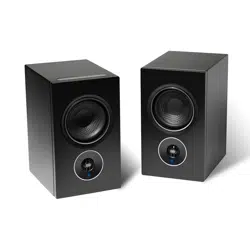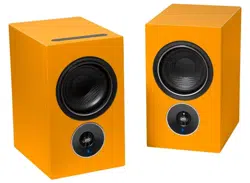
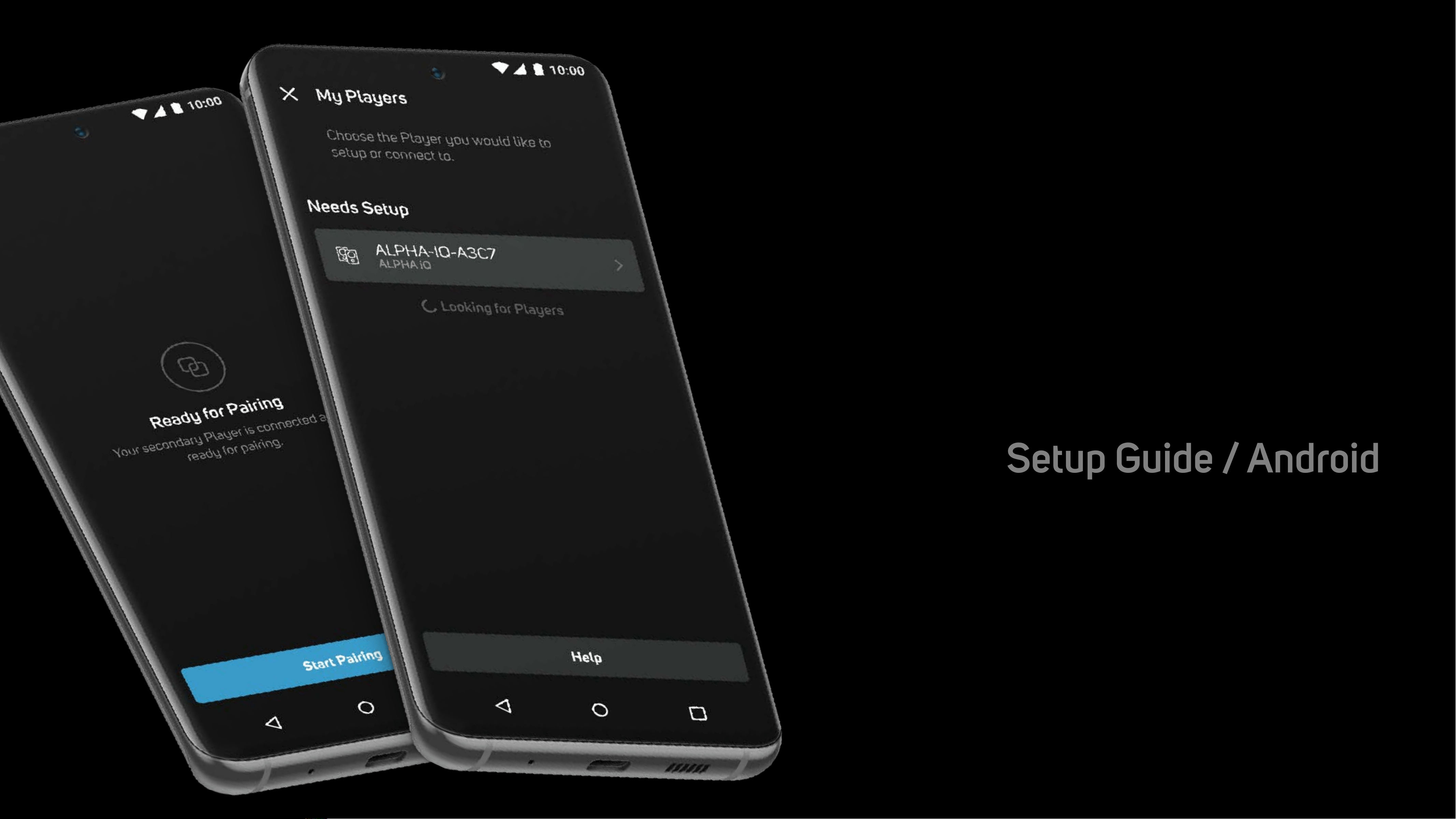
Alpha iQ
Setup Guide / Android
December 2nd, 2022
•
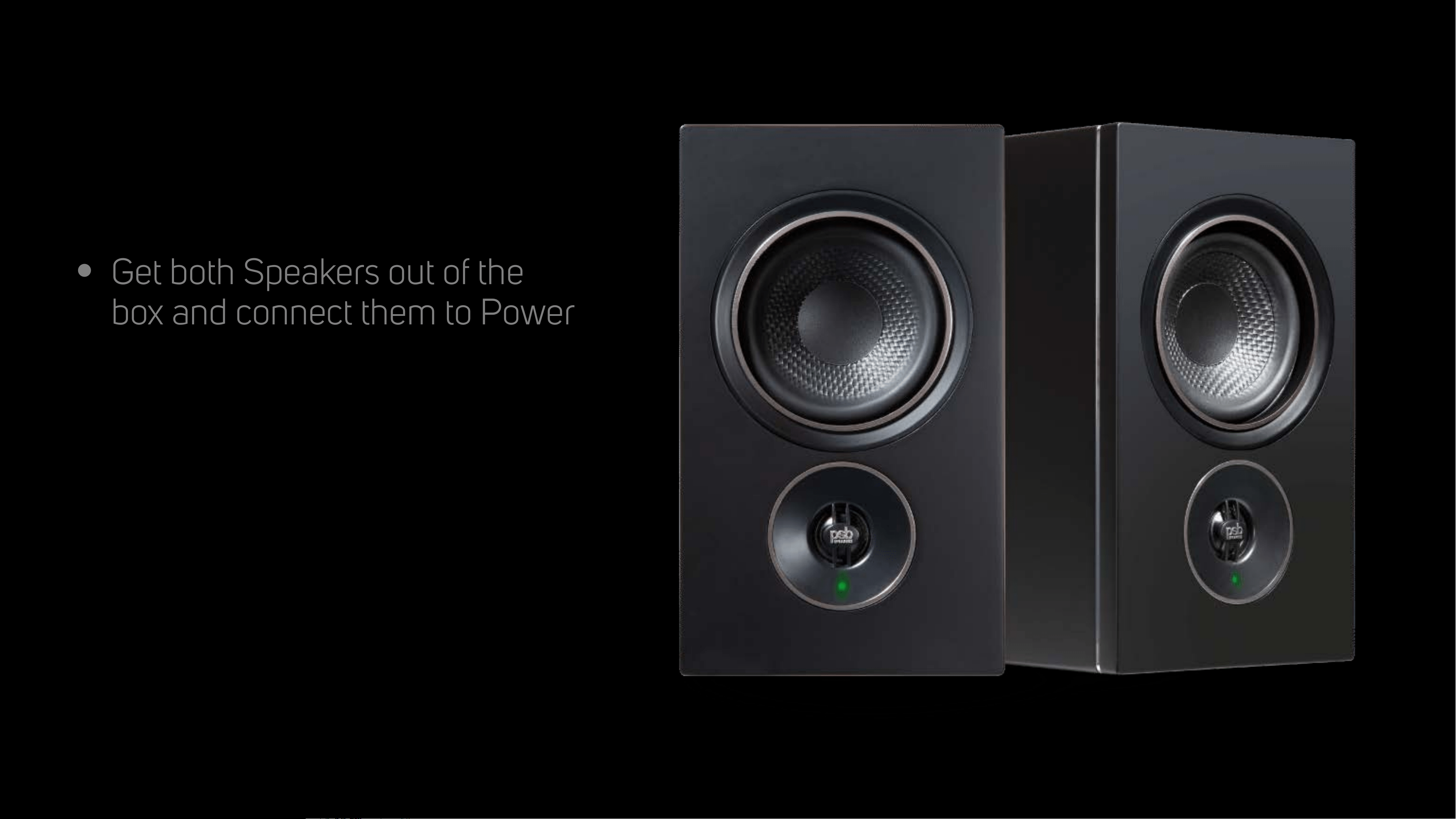
Get both Speakers out of the
box and connect them to Power
Prepare Speakers
for Setup
Launchscreen
•
Shown during loading of the App
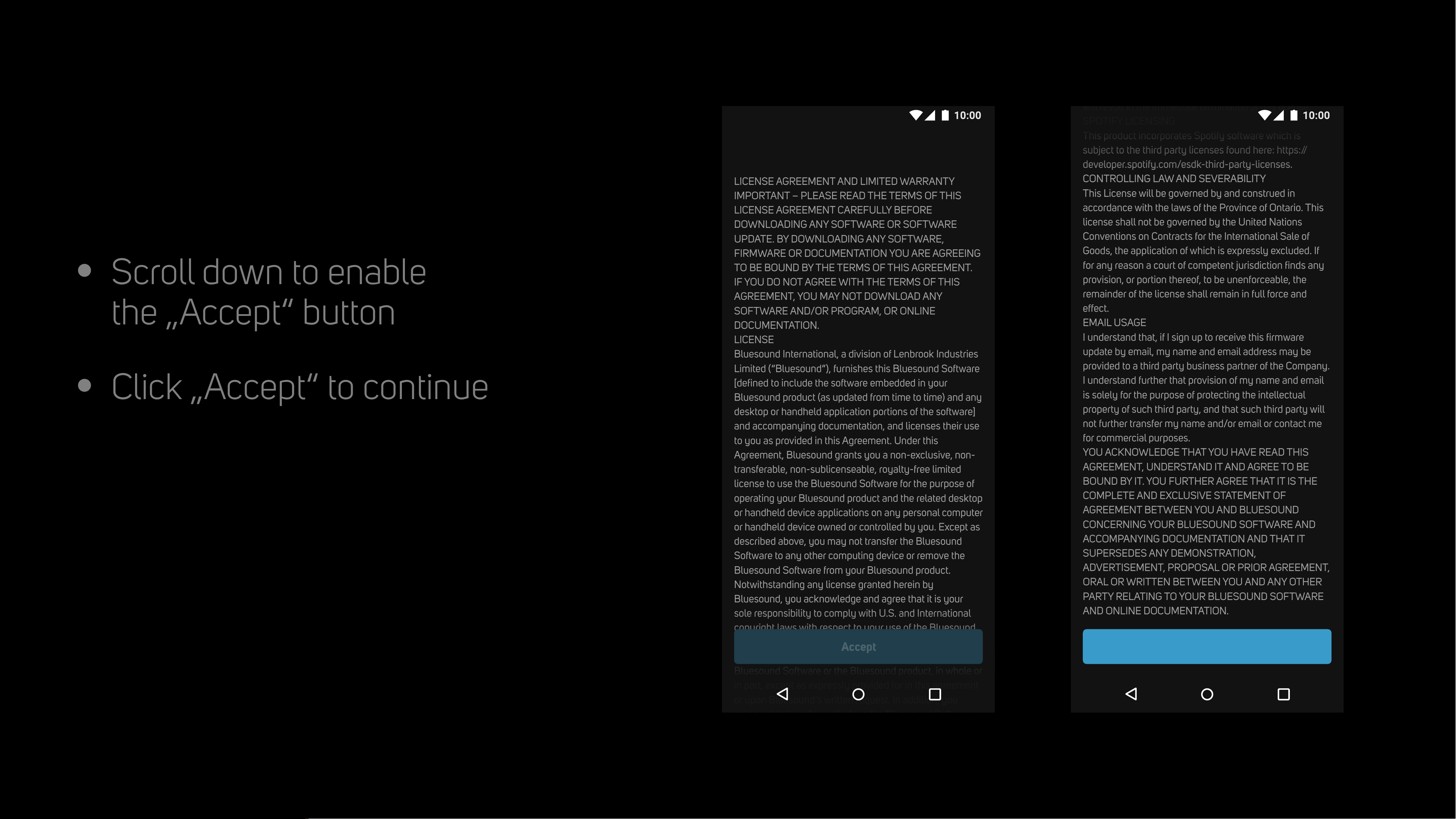
End User License
Agreement
•
Scroll down to enable
the „Accept“ button
•
Click „Accept“ to continue
LICENSE AGREEMENT AND LIMITED WARRANTY
IMPORTANT – PLEASE READ THE TERMS OF THIS
LICENSE AGREEMENT CAREFULLY BEFORE
DOWNLOADING ANY SOFTWARE OR SOFTWARE
UPDATE. BY DOWNLOADING ANY SOFTWARE,
FIRMWARE OR DOCUMENTATION YOU ARE AGREEING
TO BE BOUND BY THE TERMS OF THIS AGREEMENT.
IF YOU DO NOT AGREE WITH THE TERMS OF THIS
AGREEMENT, YOU MAY NOT DOWNLOAD ANY
SOFTWARE AND/OR PROGRAM, OR ONLINE
DOCUMENTATION.
LICENSE
Bluesound International, a division of Lenbrook Industries
Limited (“Bluesound”), furnishes this Bluesound Software
[defined to include the software embedded in your
Bluesound product (as updated from time to time) and any
desktop or handheld application portions of the software]
and accompanying documentation, and licenses their use
to you as provided in this Agreement. Under this
Agreement, Bluesound grants you a non-exclusive, non-
transferable, non-sublicenseable, royalty-free limited
license to use the Bluesound Software for the purpose of
operating your Bluesound product and the related desktop
or handheld device applications on any personal computer
or handheld device owned or controlled by you. Except as
described above, you may not transfer the Bluesound
Software to any other computing device or remove the
Bluesound Software from your Bluesound product.
Notwithstanding any license granted herein by
Bluesound, you acknowledge and agree that it is your
sole responsibility to comply with U.S. and International
copyright laws with respect to your use of the Bluesound
Software. You agree not to modify, adapt, translate,
reverse engineer, decompile, or disassemble the
Bluesound Software or the Bluesound product, in whole or
in part, except as expressly provided for in this agreement
or upon Bluesound’s written request. In addition, you
agree not to transfer or disclose the Bluesound Software,
the accompanying online documentation or any program
you develop from them in whole or in part, to any third
party except upon Bluesound’s prior written approval.
Finally, you agree not to use your Bluesound product in
whole or in part for any purpose other than as outlined in
the online documentation.
Except for the limited license granted herein, Bluesound
and its suppliers hereby retain all right, title and interest in
and to all worldwide intellectual property rights embodied
in the Bluesound Software. All other rights are reserved by
Bluesound.
Notwithstanding the foregoing license grant, you
acknowledge that certain components of the Bluesound
Software may be covered by third party software licenses
(“Third Party Components”). To the extent required by the
licenses covering Third Party Components, the terms of
such licenses will apply in lieu of the terms of this
Agreement. The various Third Party Components and their
governing licenses are available at bluesound.com/open-
source-software.
TERMINATION
The license is effective until terminated. Your rights under
this License will terminate automatically or otherwise
cease to be effective, without notice from Bluesound, if
you fail to comply with any terms of this License. Upon
termination of this License you will cease all use of the
Bluesound Software, and you will destroy the Bluesound
Software and accompanying documentation and all
copies you have made of them. In addition, upon
termination you will have no recourse against Bluesound
for your inability to use the program or accompanying
documentation.
COMPLIANCE WITH COPYRIGHT LAWS
You acknowledge that Bluesound owns all right, title and
interest, in all copyrights, trade secrets, and intellectual
property related to your Bluesound product, the
Bluesound Software and accompanying documentation.
Bluesound complies with U.S. and international copyright
laws and in consideration of the license granted herein,
you agree to do the same. You acknowledge that
unauthorized copying or distribution of music or other
content accessed using your Bluesound product is
prohibited by such copyright laws, and you agree that you
will not, directly or indirectly, copy or distribute any
content without the express written authorization of the
copyright holder. You agree to indemnify and hold
harmless Bluesound and its licensors from and against
any and all claims, suits, losses, damages, liabilities, costs
and expenses incurred by Bluesound or its licensors
arising out of or related to your failure to comply with the
terms of this section.
THIRD PARTY CONTENT AND TECHNOLOGIES
From time to time, Bluesound may provide access to third
party content providers via the Bluesound Product. In
addition, Bluesound may support certain third party
technologies, such as specific file formats. Bluesound
reserves the right to discontinue access to and/or support
for such third party content or technologies at any time,
and for any reason. Bluesound makes no representations
or warranties whatsoever regarding the selection of, or
continuing support for, any such third party content or
technologies.
Access to services provided by third parties requires
Internet access and may require you to accept additional
terms. You agree that Bluesound is not responsible for
evaluating or examining any such third party services,
technologies or related materials and that Bluesound will
not have any liability to you, related to such services,
technologies or related materials.
DISCLAIMER OF WARRANTIES
YOU ACKNOWLEDGE AND AGREE THAT TO THE
MAXIMUM EXTENT PERMITTED BY LAW:
(a) The Bluesound Software and services performed by
the Bluesound Software are provided “As Is” with all faults
and without warranty of any kind. Bluesound does not
warrant against interference with your enjoyment of the
Bluesound Software, that the Bluesound Software and
related services will meet your requirements or that the
Bluesound Software and related services will be
uninterrupted or error free.
(b) Bluesound does not warrant that any defects in the
Bluesound Software will be corrected or that the
Bluesound Software will be compatible or work with any
third party software, applications or third party services.
(c) The Bluesound Software and related services are at
your risk and the entire risk as to satisfactory quality,
performance, accuracy and effort is yours.
LIMITATION OF LIABILITY
To the extent not prohibited by law, in no event will
Bluesound or its suppliers be liable for personal injury or
any damages whatsoever, including but not limited to,
incidental, special, consequential, exemplary, or indirect
damages, and including but not limited to, cost of cover,
loss of data, loss of profits, business interruption, loss of
business information, or other pecuniary loss arising from
the use of (or inability to use) the product, no matter how
caused and on any theory of liability. Because some
jurisdictions do not allow the exclusion or limitation of
liability for consequential or incidental damages, some of
the above limitations may not apply to you, but they shall
apply to the maximum extent permitted by law. In no
event shall Bluesound’s total liability to you for all
damages in any one or more causes of action exceed the
lesser of the amount paid by you for your Bluesound
product and US$500. The limitations outlined here will
apply even if Bluesound, its suppliers or dealers have
been advised of the possibility of such damage or of any
type of use intended by you. These limitations shall apply
notwithstanding the failure of essential purpose of any
limited remedy. You acknowledge that these limitations
reflect a reasonable allocation of risk.
BLUESOUND PRIVACY POLICY
The Bluesound Privacy Policy which can be found at
bluesound.com/privacy-policy outlines the type of
information that may be collected from you by Bluesound
and how such information may be used by Bluesound.
GD3 DATA NOTICE
To the extent that the Bluesound Software contains
functionality from GD3 Data, you agree to be bound by
the terms of the GD3 Software License Agreement, which
can be found at http://www.getdigitaldata.com/
GD3EULAAgreement.pdf Any use of the Bluesound
Software or Bluesound product that does not comply with
the GD3 Software License Agreement is prohibited and
will result in the immediate termination of this license.
SPOTIFY LICENSING
This product incorporates Spotify software which is
subject to the third party licenses found here: https://
developer.spotify.com/esdk-third-party-licenses.
CONTROLLING LAW AND SEVERABILITY
This License will be governed by and construed in
accordance with the laws of the Province of Ontario. This
license shall not be governed by the United Nations
Conventions on Contracts for the International Sale of
Goods, the application of which is expressly excluded. If
for any reason a court of competent jurisdiction finds any
provision, or portion thereof, to be unenforceable, the
remainder of the license shall remain in full force and
effect.
EMAIL USAGE
I understand that, if I sign up to receive this firmware
update by email, my name and email address may be
provided to a third party business partner of the Company.
I understand further that provision of my name and email
is solely for the purpose of protecting the intellectual
property of such third party, and that such third party will
not further transfer my name and/or email or contact me
for commercial purposes.
YOU ACKNOWLEDGE THAT YOU HAVE READ THIS
AGREEMENT, UNDERSTAND IT AND AGREE TO BE
BOUND BY IT. YOU FURTHER AGREE THAT IT IS THE
COMPLETE AND EXCLUSIVE STATEMENT OF
AGREEMENT BETWEEN YOU AND BLUESOUND
CONCERNING YOUR BLUESOUND SOFTWARE AND
ACCOMPANYING DOCUMENTATION AND THAT IT
SUPERSEDES ANY DEMONSTRATION,
ADVERTISEMENT, PROPOSAL OR PRIOR AGREEMENT,
ORAL OR WRITTEN BETWEEN YOU AND ANY OTHER
PARTY RELATING TO YOUR BLUESOUND SOFTWARE
AND ONLINE DOCUMENTATION.
End User Licence Agreement
Accept
LICENSE AGREEMENT AND LIMITED WARRANTY
IMPORTANT – PLEASE READ THE TERMS OF THIS
LICENSE AGREEMENT CAREFULLY BEFORE
DOWNLOADING ANY SOFTWARE OR SOFTWARE
UPDATE. BY DOWNLOADING ANY SOFTWARE,
FIRMWARE OR DOCUMENTATION YOU ARE AGREEING
TO BE BOUND BY THE TERMS OF THIS AGREEMENT.
IF YOU DO NOT AGREE WITH THE TERMS OF THIS
AGREEMENT, YOU MAY NOT DOWNLOAD ANY
SOFTWARE AND/OR PROGRAM, OR ONLINE
DOCUMENTATION.
LICENSE
Bluesound International, a division of Lenbrook Industries
Limited (“Bluesound”), furnishes this Bluesound Software
[defined to include the software embedded in your
Bluesound product (as updated from time to time) and any
desktop or handheld application portions of the software]
and accompanying documentation, and licenses their use
to you as provided in this Agreement. Under this
Agreement, Bluesound grants you a non-exclusive, non-
transferable, non-sublicenseable, royalty-free limited
license to use the Bluesound Software for the purpose of
operating your Bluesound product and the related desktop
or handheld device applications on any personal computer
or handheld device owned or controlled by you. Except as
described above, you may not transfer the Bluesound
Software to any other computing device or remove the
Bluesound Software from your Bluesound product.
Notwithstanding any license granted herein by
Bluesound, you acknowledge and agree that it is your
sole responsibility to comply with U.S. and International
copyright laws with respect to your use of the Bluesound
Software. You agree not to modify, adapt, translate,
reverse engineer, decompile, or disassemble the
Bluesound Software or the Bluesound product, in whole or
in part, except as expressly provided for in this agreement
or upon Bluesound’s written request. In addition, you
agree not to transfer or disclose the Bluesound Software,
the accompanying online documentation or any program
you develop from them in whole or in part, to any third
party except upon Bluesound’s prior written approval.
Finally, you agree not to use your Bluesound product in
whole or in part for any purpose other than as outlined in
the online documentation.
Except for the limited license granted herein, Bluesound
and its suppliers hereby retain all right, title and interest in
and to all worldwide intellectual property rights embodied
in the Bluesound Software. All other rights are reserved by
Bluesound.
Notwithstanding the foregoing license grant, you
acknowledge that certain components of the Bluesound
Software may be covered by third party software licenses
(“Third Party Components”). To the extent required by the
licenses covering Third Party Components, the terms of
such licenses will apply in lieu of the terms of this
Agreement. The various Third Party Components and their
governing licenses are available at bluesound.com/open-
source-software.
TERMINATION
The license is effective until terminated. Your rights under
this License will terminate automatically or otherwise
cease to be effective, without notice from Bluesound, if
you fail to comply with any terms of this License. Upon
termination of this License you will cease all use of the
Bluesound Software, and you will destroy the Bluesound
Software and accompanying documentation and all
copies you have made of them. In addition, upon
termination you will have no recourse against Bluesound
for your inability to use the program or accompanying
documentation.
COMPLIANCE WITH COPYRIGHT LAWS
You acknowledge that Bluesound owns all right, title and
interest, in all copyrights, trade secrets, and intellectual
property related to your Bluesound product, the
Bluesound Software and accompanying documentation.
Bluesound complies with U.S. and international copyright
laws and in consideration of the license granted herein,
you agree to do the same. You acknowledge that
unauthorized copying or distribution of music or other
content accessed using your Bluesound product is
prohibited by such copyright laws, and you agree that you
will not, directly or indirectly, copy or distribute any
content without the express written authorization of the
copyright holder. You agree to indemnify and hold
harmless Bluesound and its licensors from and against
any and all claims, suits, losses, damages, liabilities, costs
and expenses incurred by Bluesound or its licensors
arising out of or related to your failure to comply with the
terms of this section.
THIRD PARTY CONTENT AND TECHNOLOGIES
From time to time, Bluesound may provide access to third
party content providers via the Bluesound Product. In
addition, Bluesound may support certain third party
technologies, such as specific file formats. Bluesound
reserves the right to discontinue access to and/or support
for such third party content or technologies at any time,
and for any reason. Bluesound makes no representations
or warranties whatsoever regarding the selection of, or
continuing support for, any such third party content or
technologies.
Access to services provided by third parties requires
Internet access and may require you to accept additional
terms. You agree that Bluesound is not responsible for
evaluating or examining any such third party services,
technologies or related materials and that Bluesound will
not have any liability to you, related to such services,
technologies or related materials.
DISCLAIMER OF WARRANTIES
YOU ACKNOWLEDGE AND AGREE THAT TO THE
MAXIMUM EXTENT PERMITTED BY LAW:
(a) The Bluesound Software and services performed by
the Bluesound Software are provided “As Is” with all faults
and without warranty of any kind. Bluesound does not
warrant against interference with your enjoyment of the
Bluesound Software, that the Bluesound Software and
related services will meet your requirements or that the
Bluesound Software and related services will be
uninterrupted or error free.
(b) Bluesound does not warrant that any defects in the
Bluesound Software will be corrected or that the
Bluesound Software will be compatible or work with any
third party software, applications or third party services.
(c) The Bluesound Software and related services are at
your risk and the entire risk as to satisfactory quality,
performance, accuracy and effort is yours.
LIMITATION OF LIABILITY
To the extent not prohibited by law, in no event will
Bluesound or its suppliers be liable for personal injury or
any damages whatsoever, including but not limited to,
incidental, special, consequential, exemplary, or indirect
damages, and including but not limited to, cost of cover,
loss of data, loss of profits, business interruption, loss of
business information, or other pecuniary loss arising from
the use of (or inability to use) the product, no matter how
caused and on any theory of liability. Because some
jurisdictions do not allow the exclusion or limitation of
liability for consequential or incidental damages, some of
the above limitations may not apply to you, but they shall
apply to the maximum extent permitted by law. In no
event shall Bluesound’s total liability to you for all
damages in any one or more causes of action exceed the
lesser of the amount paid by you for your Bluesound
product and US$500. The limitations outlined here will
apply even if Bluesound, its suppliers or dealers have
been advised of the possibility of such damage or of any
type of use intended by you. These limitations shall apply
notwithstanding the failure of essential purpose of any
limited remedy. You acknowledge that these limitations
reflect a reasonable allocation of risk.
BLUESOUND PRIVACY POLICY
The Bluesound Privacy Policy which can be found at
bluesound.com/privacy-policy outlines the type of
information that may be collected from you by Bluesound
and how such information may be used by Bluesound.
GD3 DATA NOTICE
To the extent that the Bluesound Software contains
functionality from GD3 Data, you agree to be bound by
the terms of the GD3 Software License Agreement, which
can be found at http://www.getdigitaldata.com/
GD3EULAAgreement.pdf Any use of the Bluesound
Software or Bluesound product that does not comply with
the GD3 Software License Agreement is prohibited and
will result in the immediate termination of this license.
SPOTIFY LICENSING
This product incorporates Spotify software which is
subject to the third party licenses found here: https://
developer.spotify.com/esdk-third-party-licenses.
CONTROLLING LAW AND SEVERABILITY
This License will be governed by and construed in
accordance with the laws of the Province of Ontario. This
license shall not be governed by the United Nations
Conventions on Contracts for the International Sale of
Goods, the application of which is expressly excluded. If
for any reason a court of competent jurisdiction finds any
provision, or portion thereof, to be unenforceable, the
remainder of the license shall remain in full force and
effect.
EMAIL USAGE
I understand that, if I sign up to receive this firmware
update by email, my name and email address may be
provided to a third party business partner of the Company.
I understand further that provision of my name and email
is solely for the purpose of protecting the intellectual
property of such third party, and that such third party will
not further transfer my name and/or email or contact me
for commercial purposes.
YOU ACKNOWLEDGE THAT YOU HAVE READ THIS
AGREEMENT, UNDERSTAND IT AND AGREE TO BE
BOUND BY IT. YOU FURTHER AGREE THAT IT IS THE
COMPLETE AND EXCLUSIVE STATEMENT OF
AGREEMENT BETWEEN YOU AND BLUESOUND
CONCERNING YOUR BLUESOUND SOFTWARE AND
ACCOMPANYING DOCUMENTATION AND THAT IT
SUPERSEDES ANY DEMONSTRATION,
ADVERTISEMENT, PROPOSAL OR PRIOR AGREEMENT,
ORAL OR WRITTEN BETWEEN YOU AND ANY OTHER
PARTY RELATING TO YOUR BLUESOUND SOFTWARE
AND ONLINE DOCUMENTATION.
End User Licence Agreement
Accept
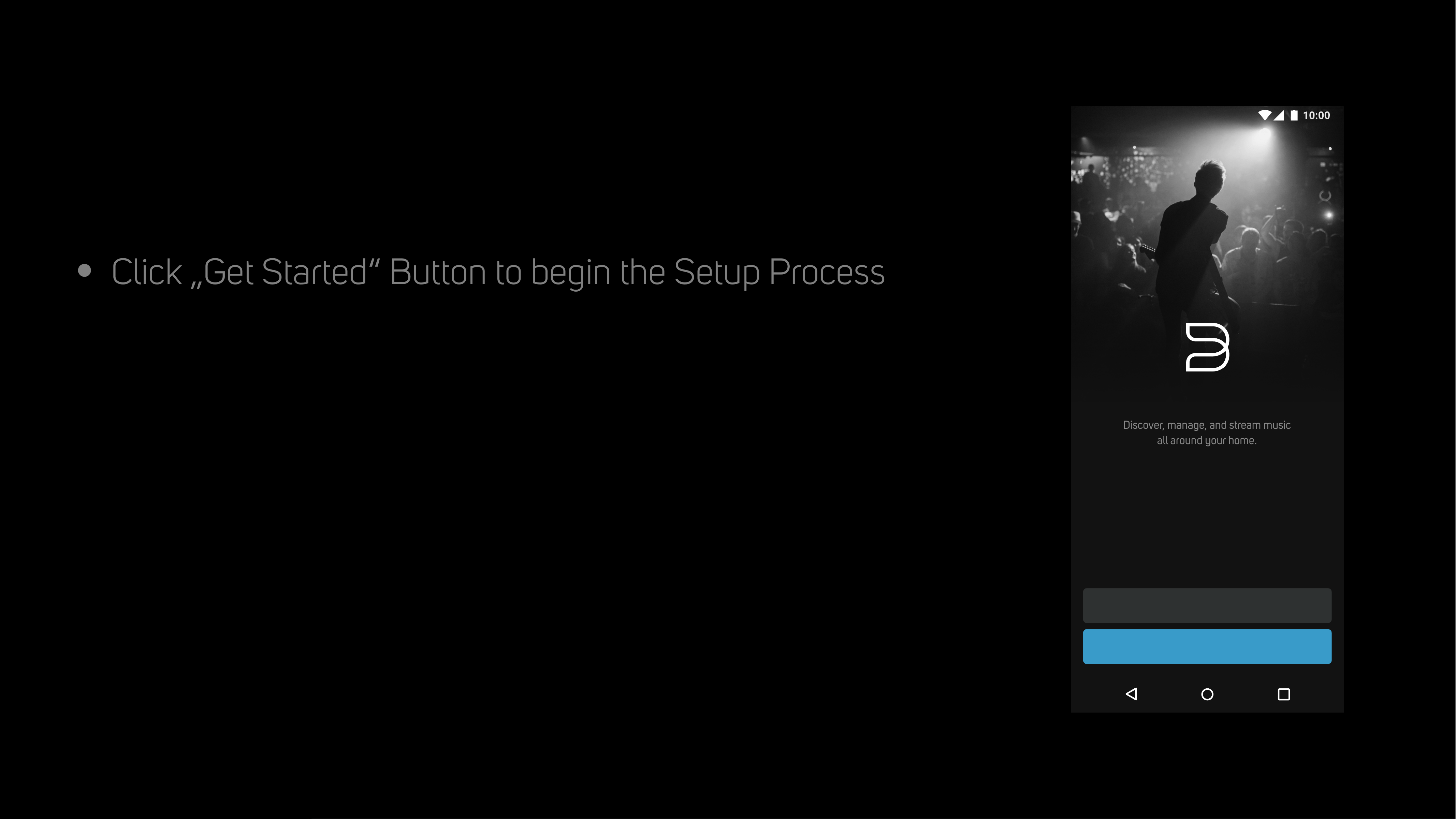
Welcome to
BluOS
•
Click „Get Started“ Button to begin the Setup Process
Welcome to BluOS
Discover, manage, and stream music
all around your home.
Get Started
Learn More
•
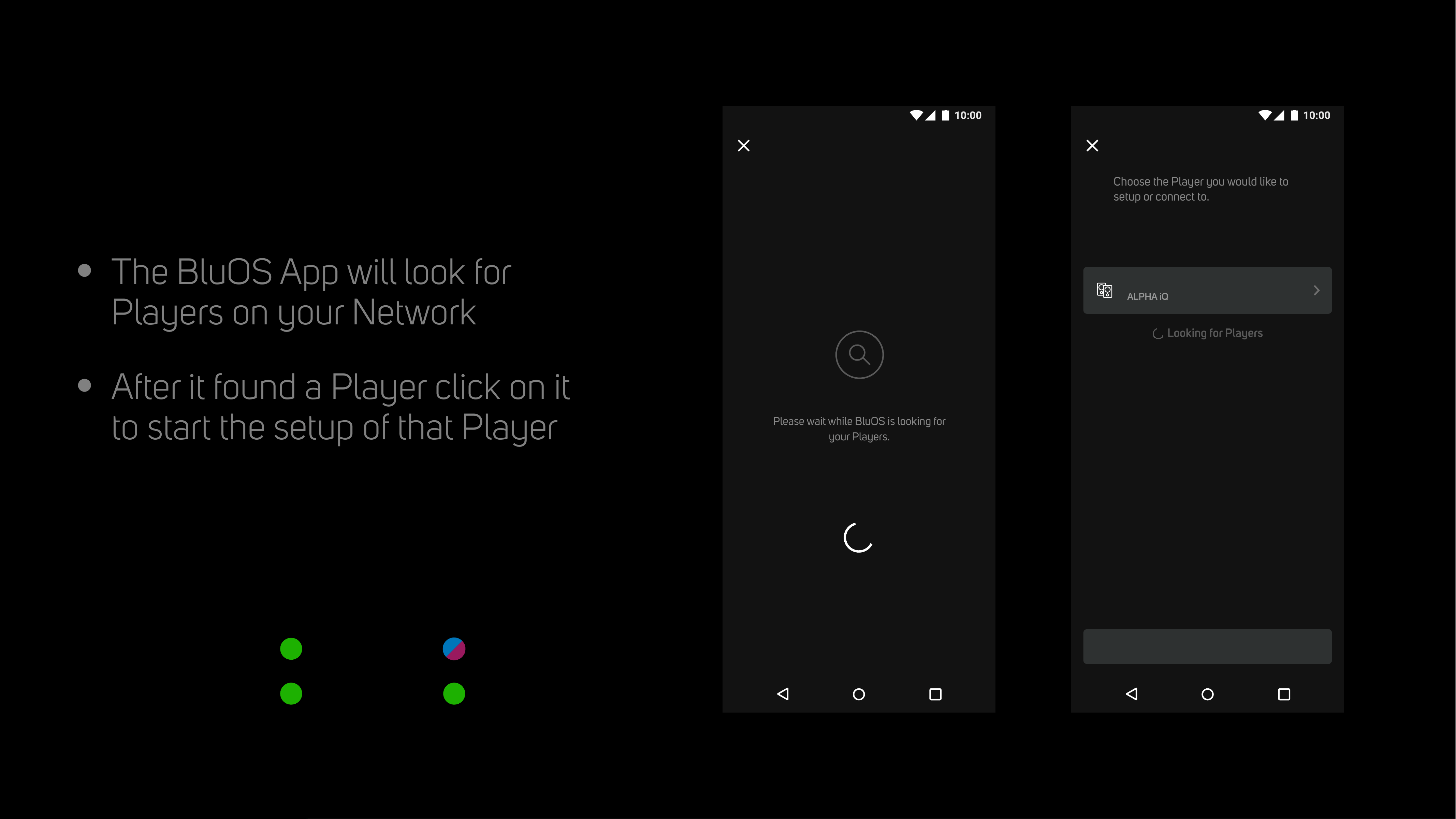
The BluOS App will look for
Players on your Network
•
After it found a Player click on it
to start the setup of that Player
Looking for Players
Please wait while BluOS is looking for
your Players.
Looking for Players
My Players
Choose the Player you would like to
setup or connect to.
Needs Setup
Looking for Players
Help
ALPHA iQ
ALPHA-IQ-A3C7
LED Colors during Setup
Wireless Setup
(using WiFi)
Wired Setup
(using Ethernet)
Primary Speaker
Solid Green
Blinking Purple & Blue
Secondary Speaker
Solid Green
Solid Green
•
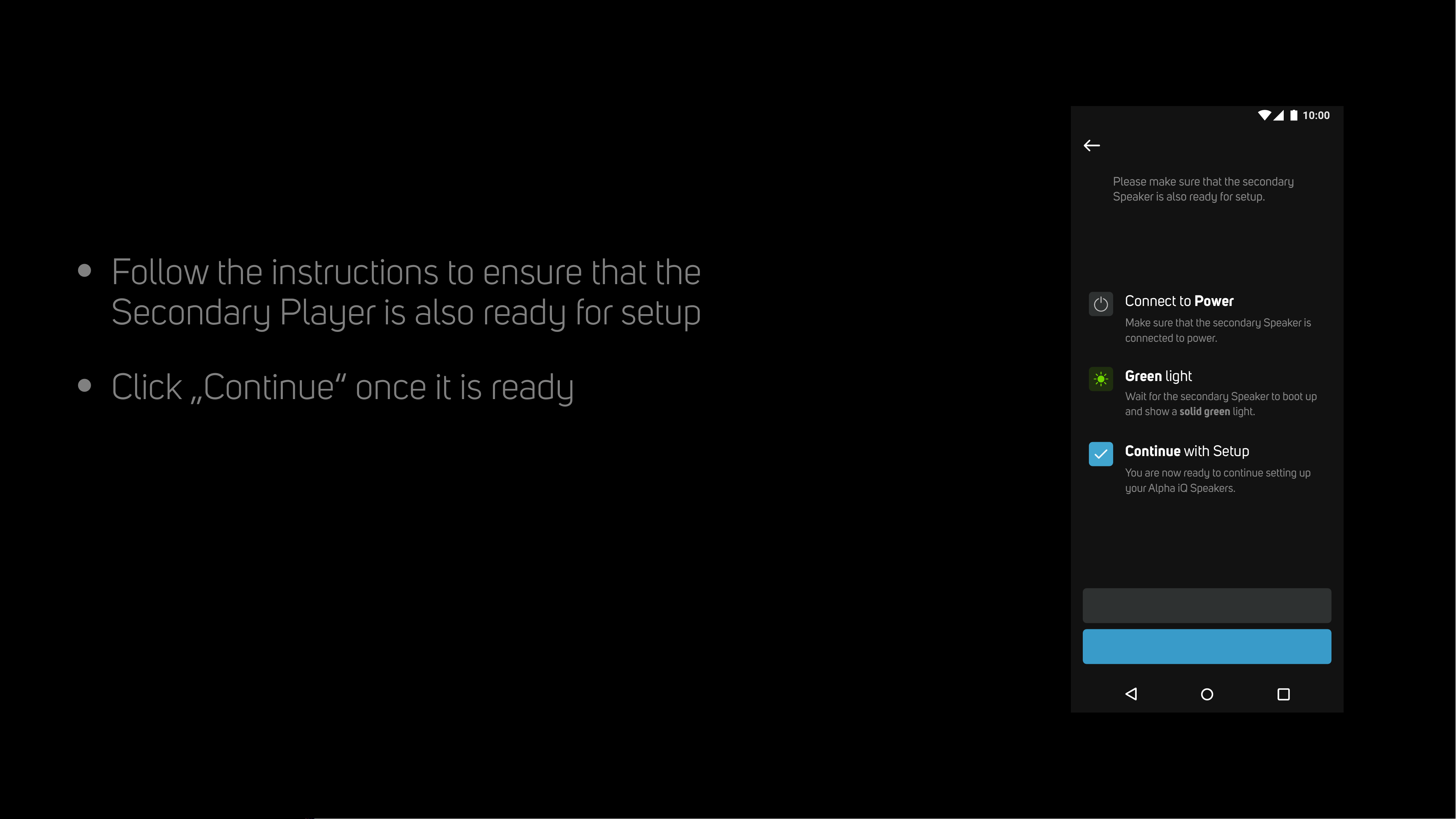
Follow the instructions to ensure that the
Secondary Player is also ready for setup
•
Click „Continue“ once it is ready
Secondary Player
Alpha iQ
Please make sure that the secondary
Speaker is also ready for setup.
Continue
Help
Connect to Power
Wait for the secondary Speaker to boot up
and show a solid green light.
Make sure that the secondary Speaker is
connected to power.
You are now ready to continue setting up
your Alpha iQ Speakers.
Green light
Continue with Setup
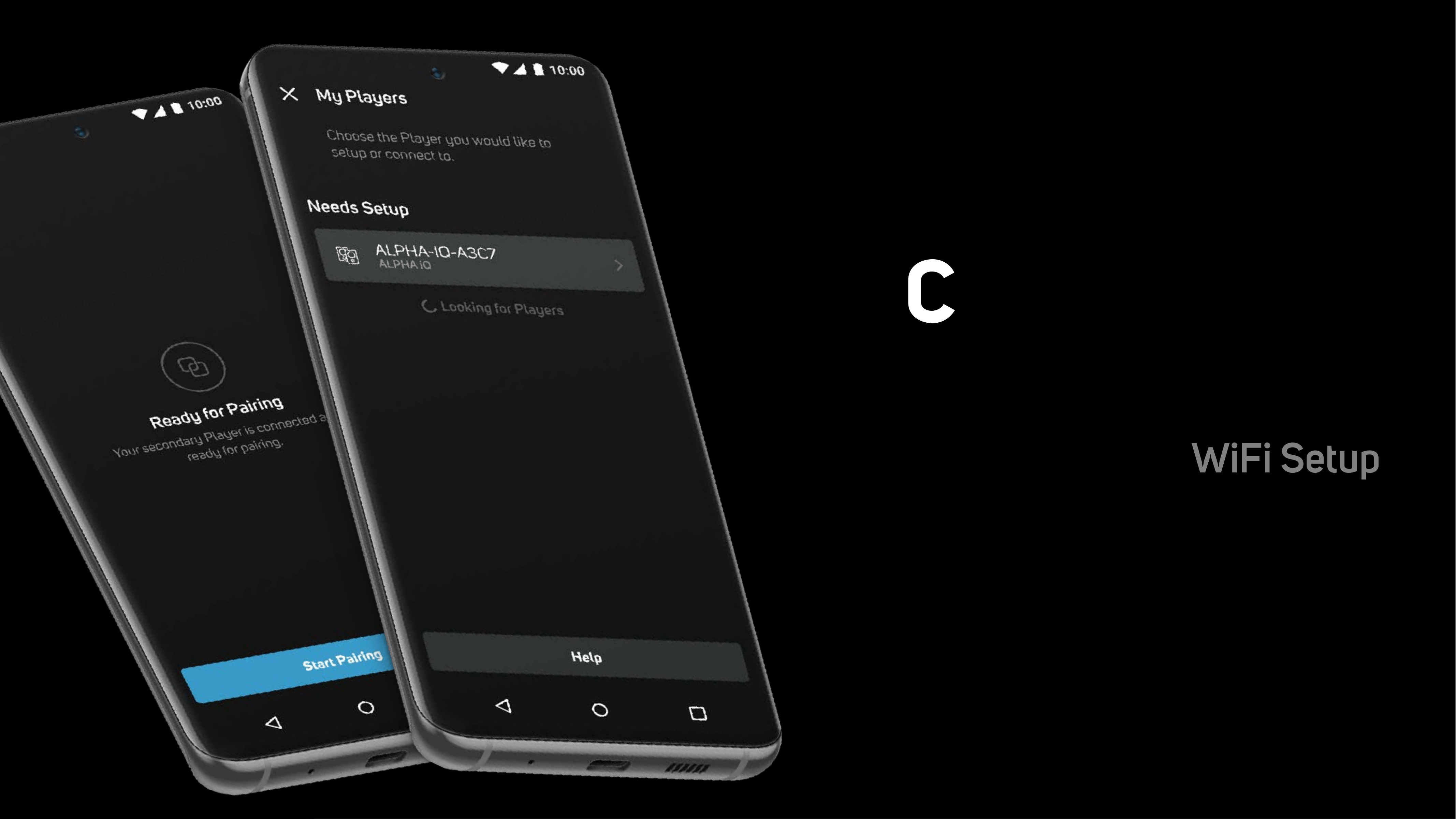
Connecting to
Network
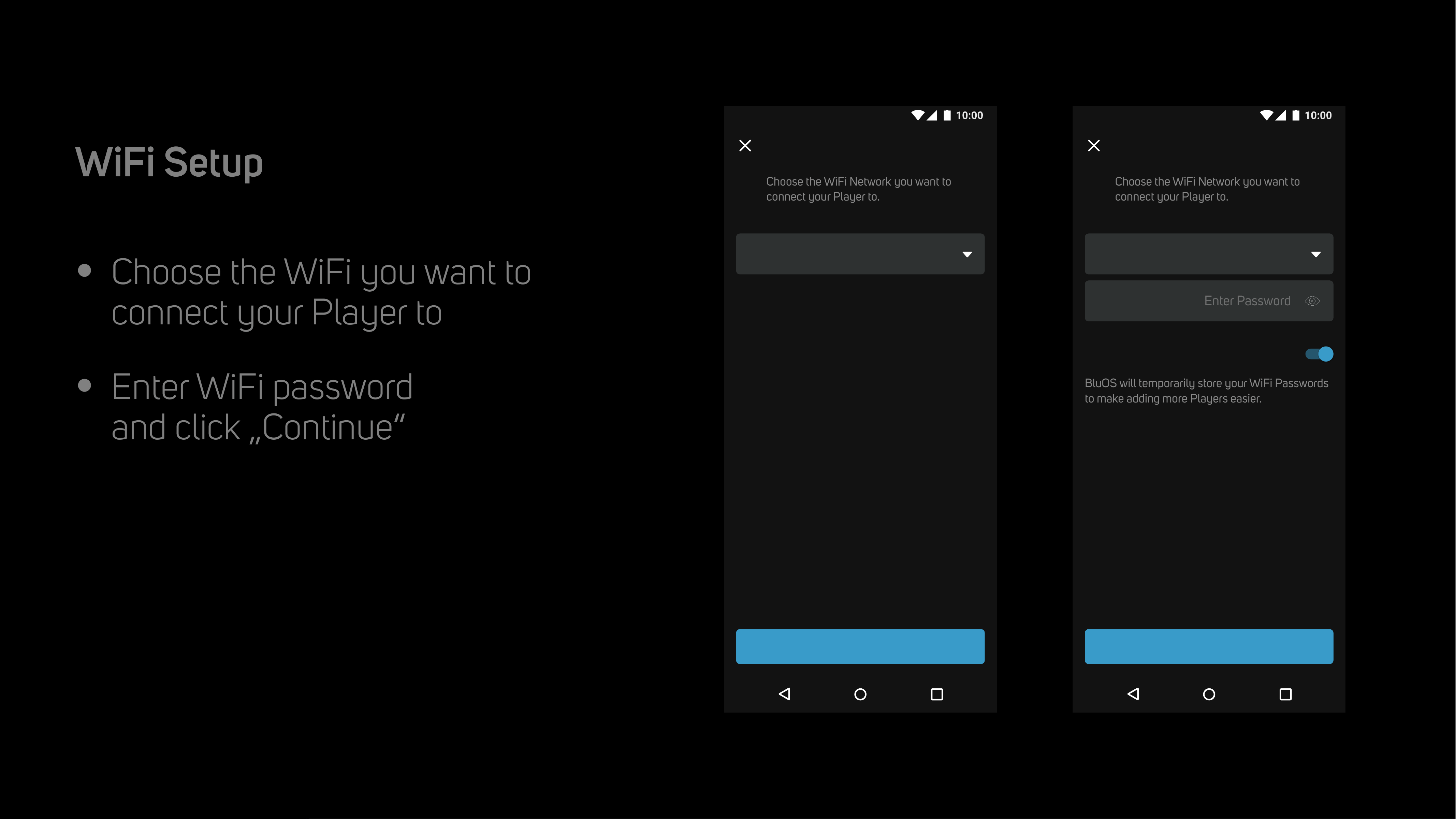
WiFi Setup
•
Choose the WiFi you want to
connect your Player to
•
Enter WiFi password
and click „Continue“
Connecting to WiFi
WiFi Setup
Connect to WiFi
Choose the WiFi Network you want to
connect your Player to.
Choose WiFi Network
Continue
Connect to WiFi
Choose the WiFi Network you want to
connect your Player to.
BluOS will temporarily store your WiFi Passwords
to make adding more Players easier.
Save WiFi Password
Continue
Enter PasswordPassword
KNet IoT
•
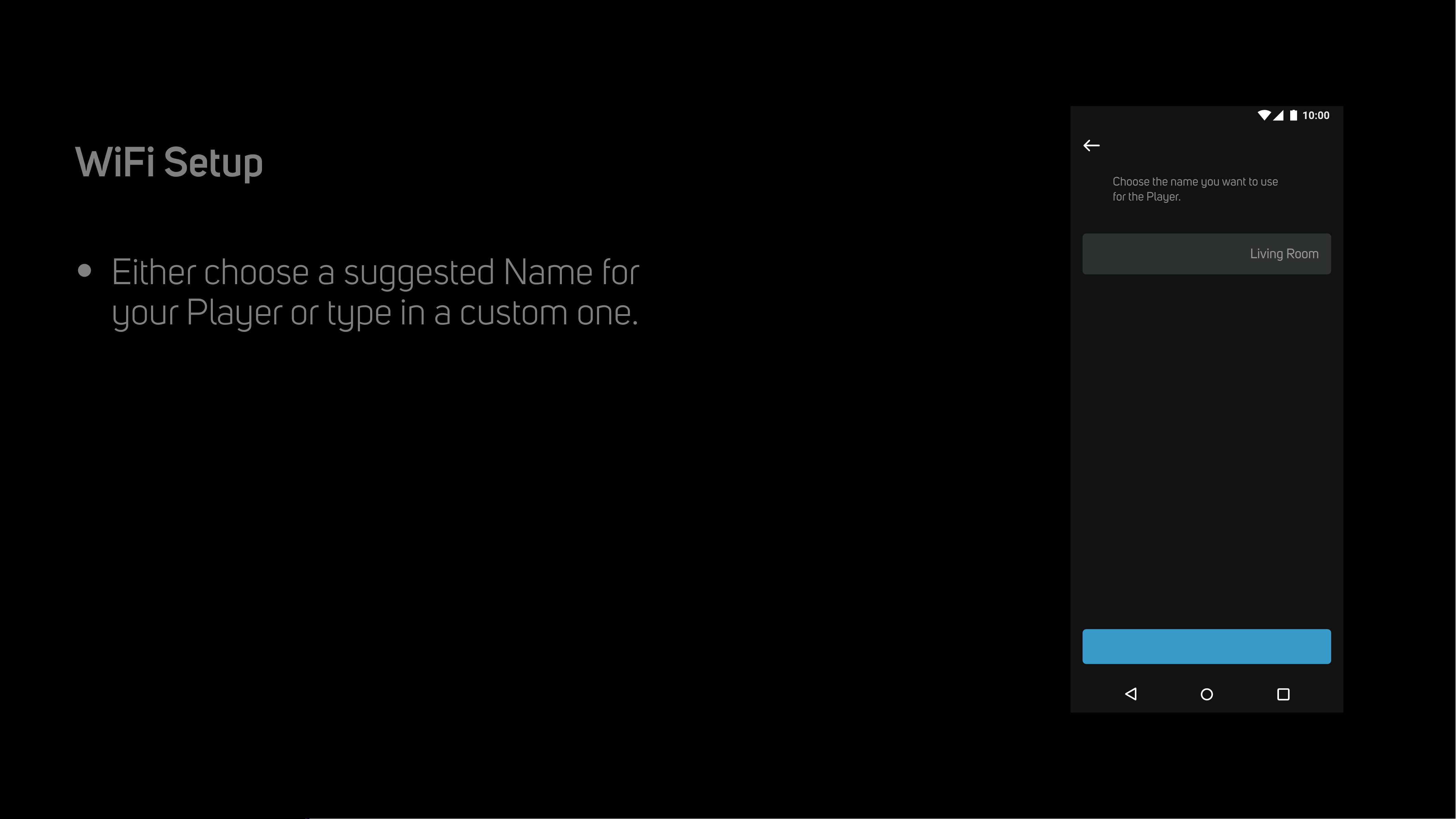
Either choose a suggested Name for
your Player or type in a custom one.
WiFi Setup
Player Name
Garage
Name your Player
Choose the name you want to use
for the Player.
Name Suggestions
Bathroom
Bedroom
Den
Dining Room
Family Room
Foyer
Continue
Living RoomName
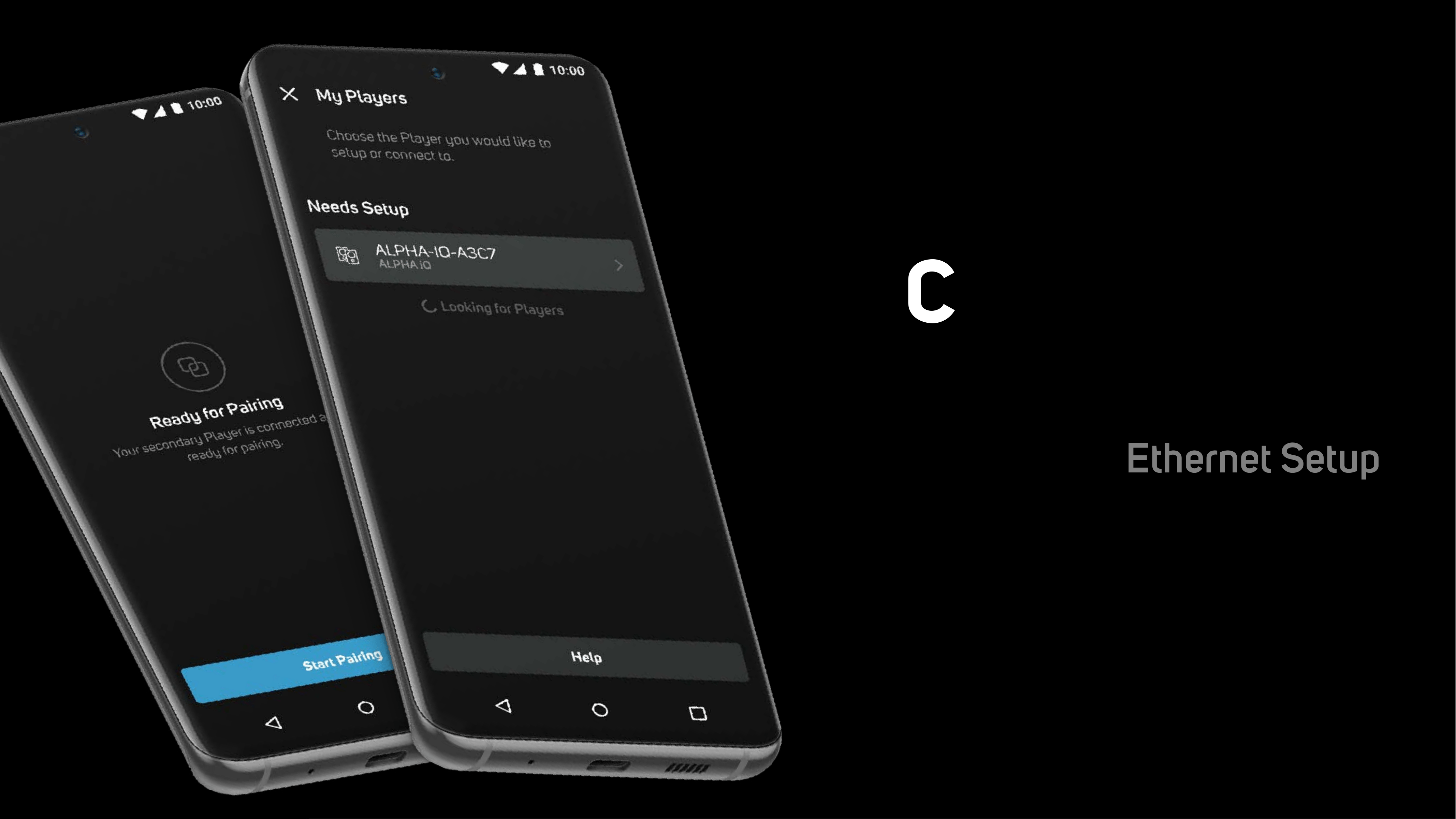
Connecting to
Network
Ethernet Setup
•
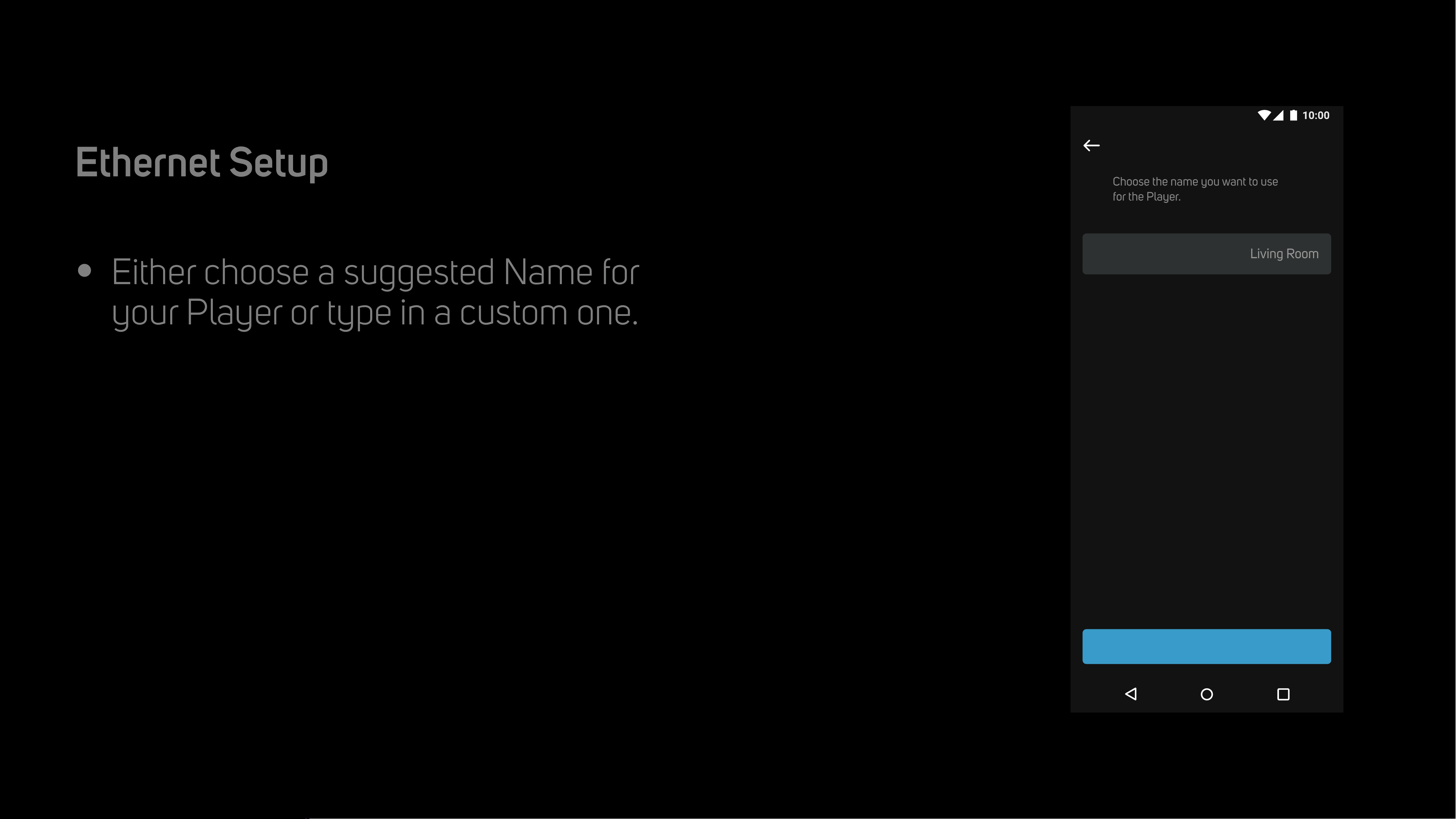
Either choose a suggested Name for
your Player or type in a custom one.
Ethernet Setup
Player Name
Garage
Name your Player
Choose the name you want to use
for the Player.
Name Suggestions
Bathroom
Bedroom
Den
Dining Room
Family Room
Foyer
Continue
Living RoomName
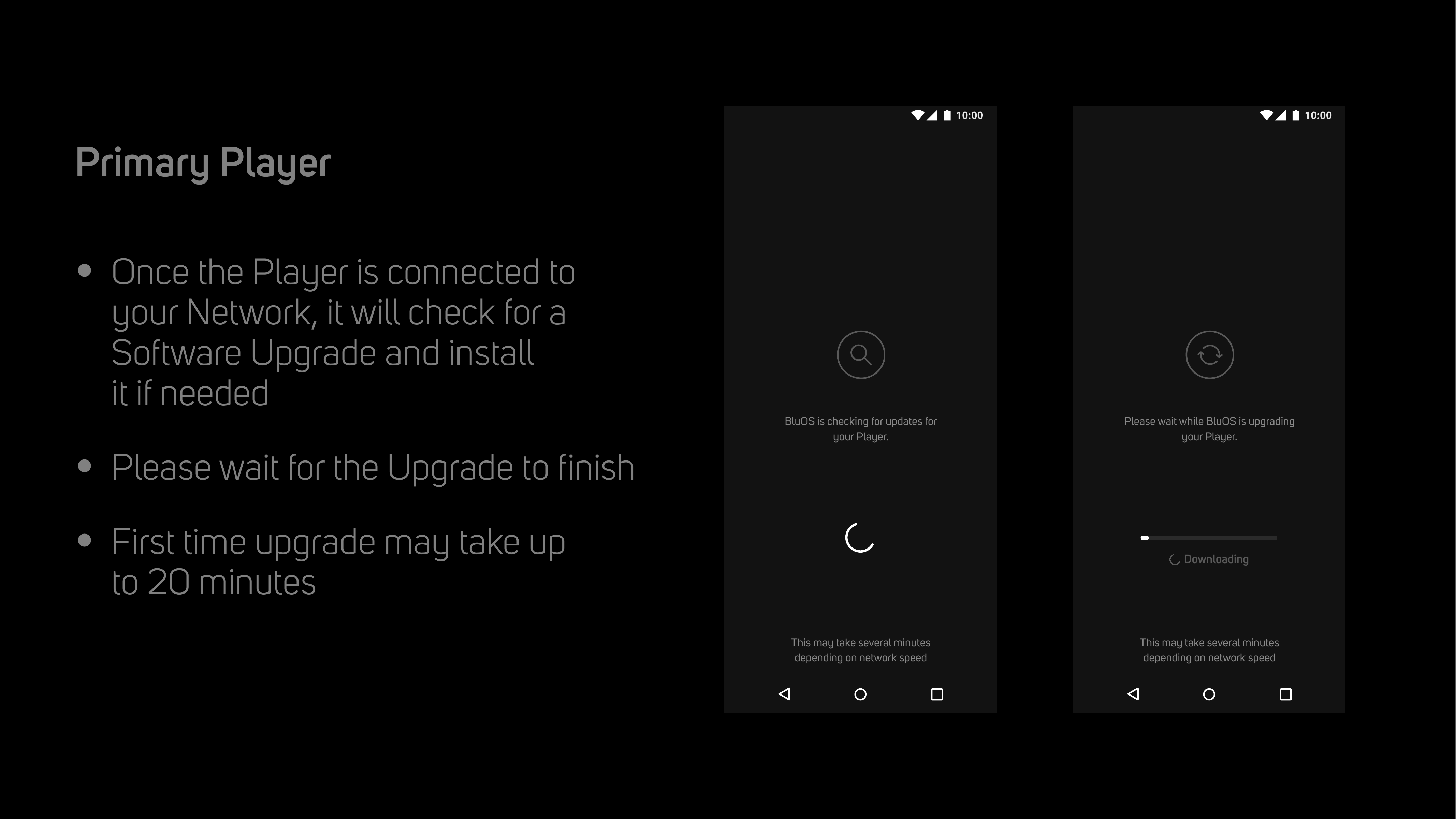
•
Once the Player is connected to
your Network, it will check for a
Software Upgrade and install
it if needed
•
Please wait for the Upgrade to finish
•
First time upgrade may take up
to 20 minutes
Player Upgrade
Primary Player
Please wait while BluOS is upgrading
your Player.
Installing Upgrade
This may take several minutes
depending on network speed
Downloading
BluOS is checking for updates for
your Player.
Looking for Upgrade
This may take several minutes
depending on network speed
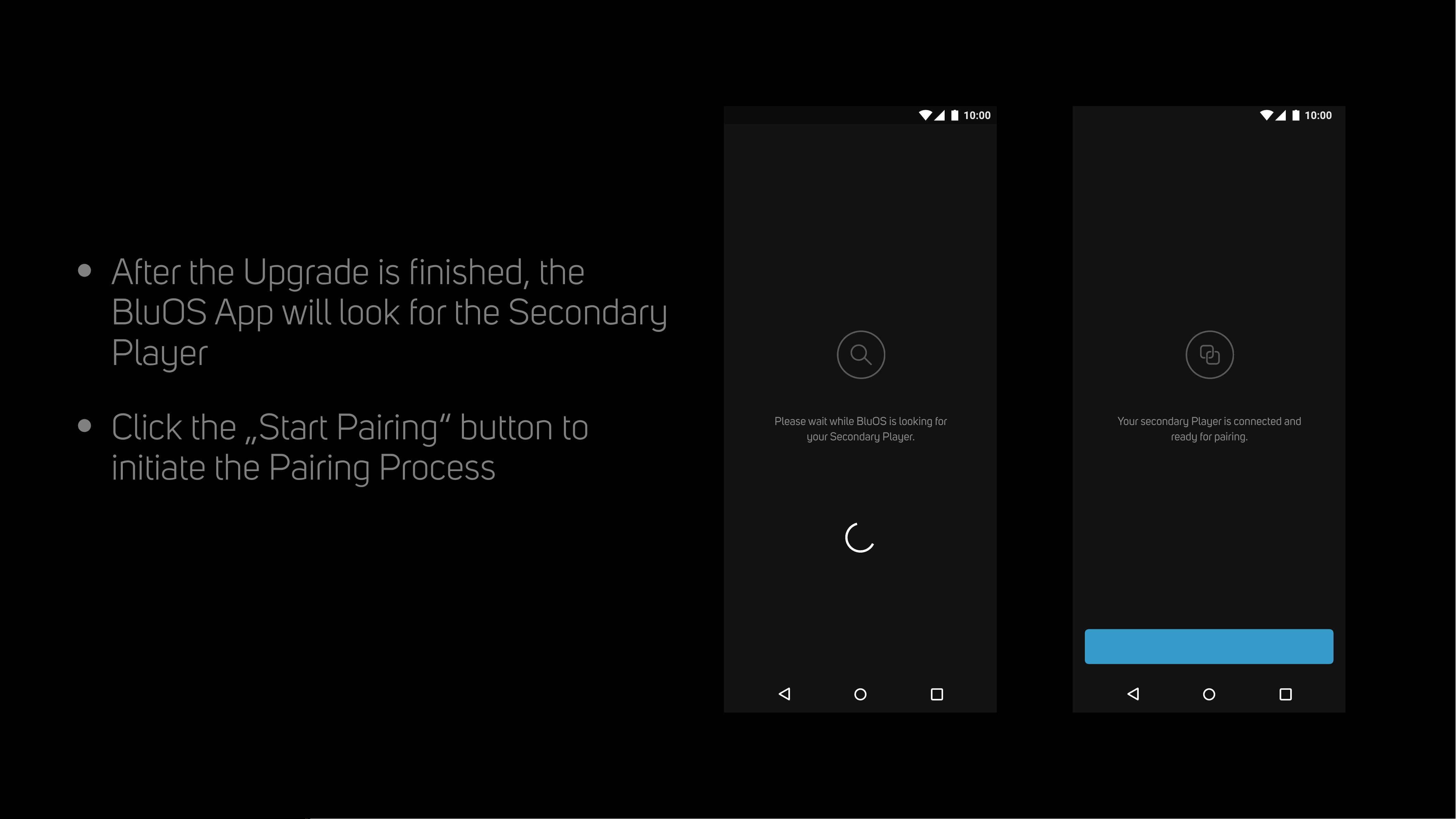
•
After the Upgrade is finished, the
BluOS App will look for the Secondary
Player
•
Click the „Start Pairing“ button to
initiate the Pairing Process
Pairing with Secondary
Please wait while BluOS is looking for
your Secondary Player.
Looking for Secondary
Your secondary Player is connected and
ready for pairing.
Ready for Pairing
Start Pairing
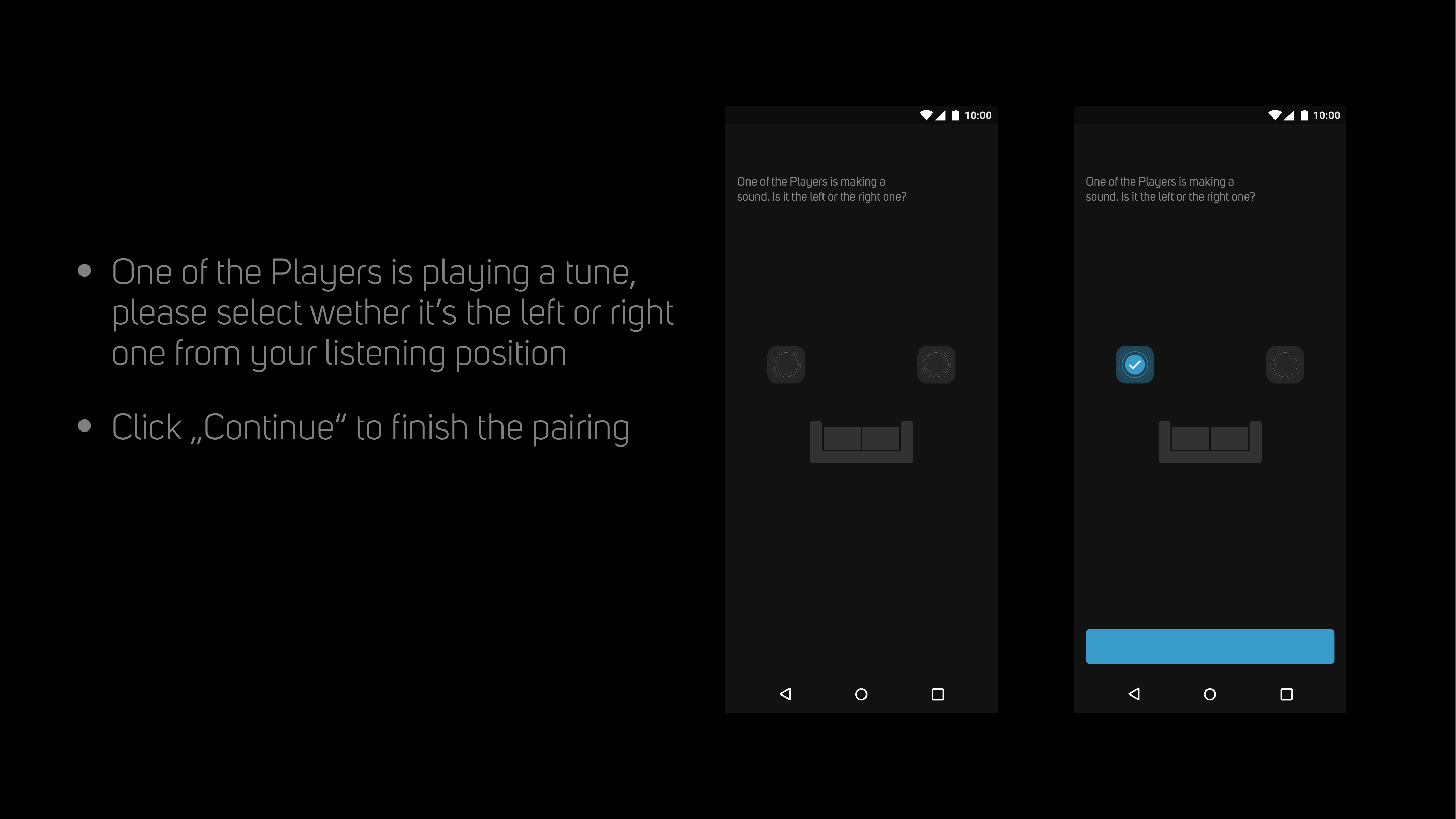
•
One of the Players is playing a tune,
please select wether it’s the left or right
one from your listening position
•
Click „Continue“ to finish the pairing
Player Positions
Player Positions
One of the Players is making a
sound. Is it the left or the right one?
Player Positions
One of the Players is making a
sound. Is it the left or the right one?
Continue
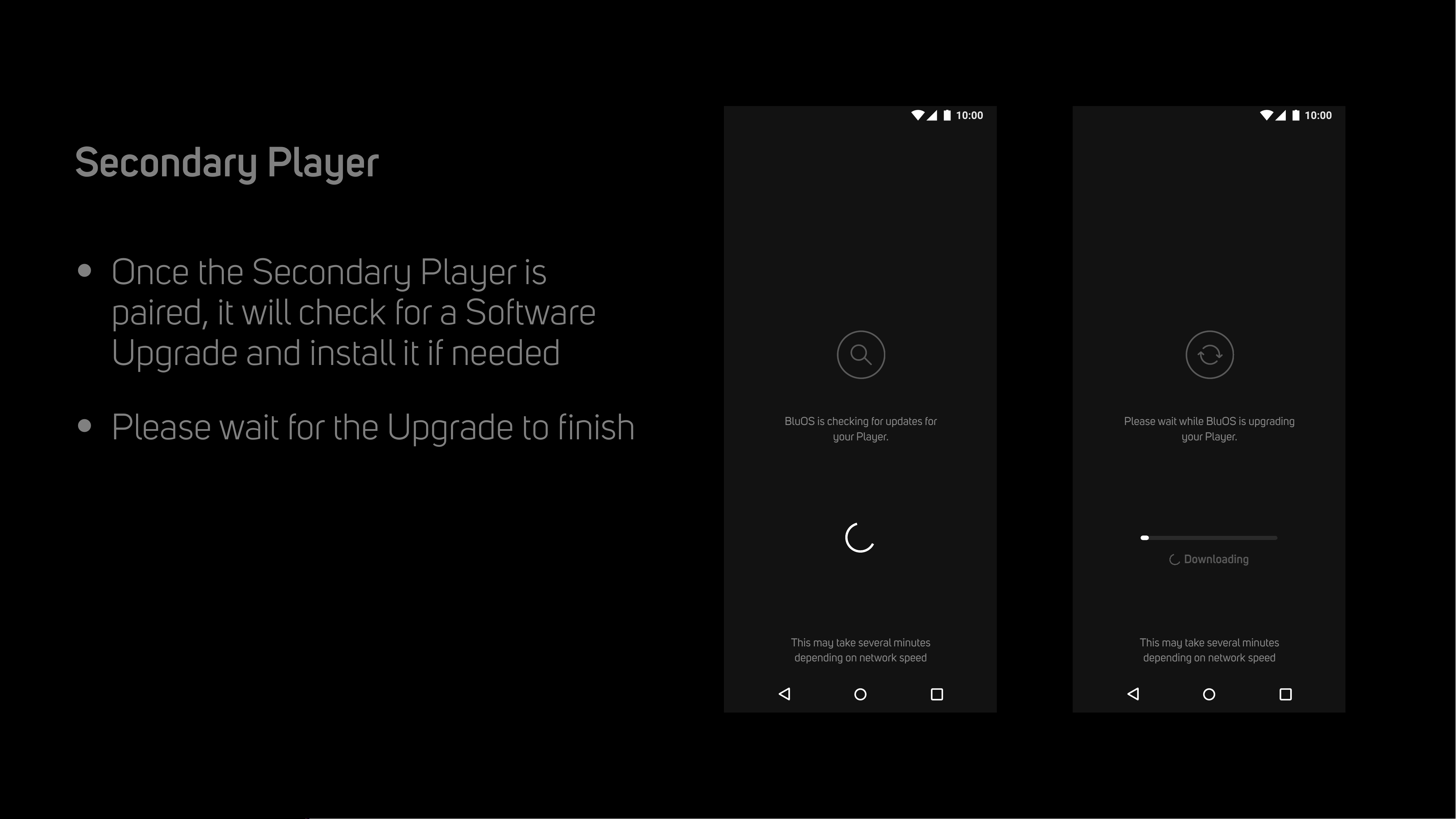
•
Once the Secondary Player is
paired, it will check for a Software
Upgrade and install it if needed
•
Please wait for the Upgrade to finish
Player Upgrade
Secondary Player
Please wait while BluOS is upgrading
your Player.
Installing Upgrade
This may take several minutes
depending on network speed
Downloading
BluOS is checking for updates for
your Player.
Looking for Upgrade
This may take several minutes
depending on network speed
•
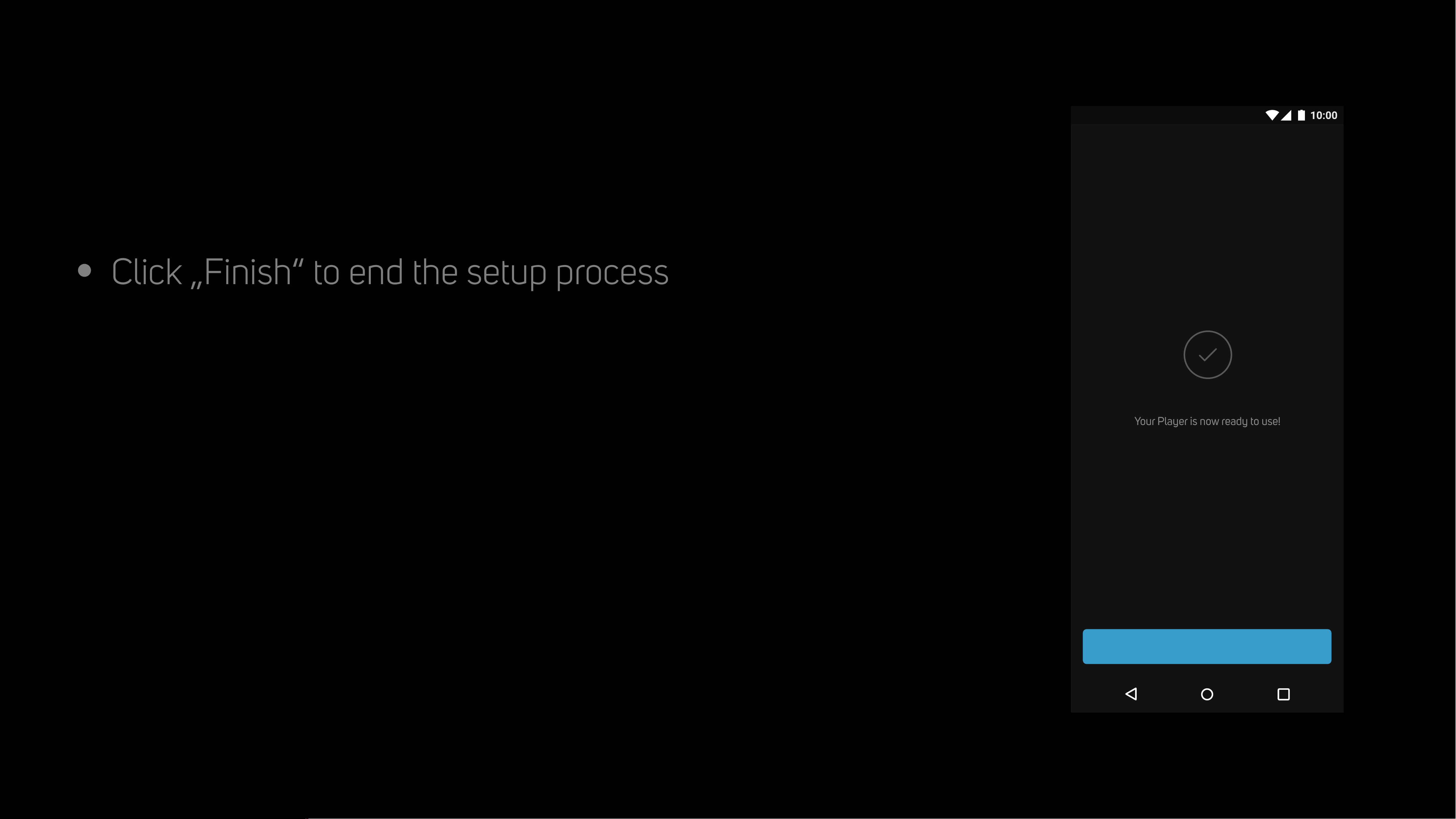
Click „Finish“ to end the setup process
Setup Complete
Your Player is now ready to use!
Setup Complete
Finish
Alpha iQ
Status Guide
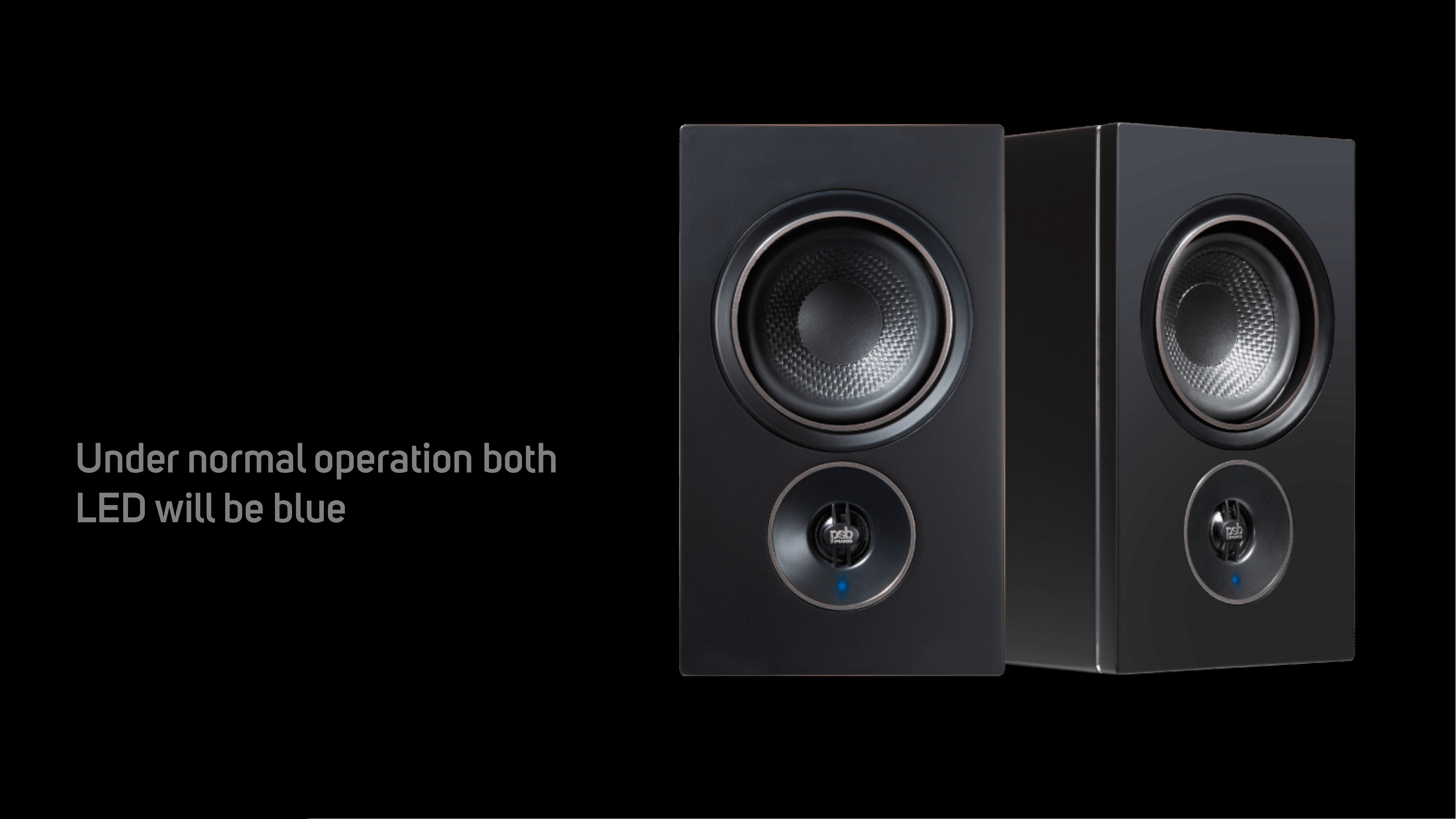
Under normal operation both
LED will be blue

LED
Status
Blinking Green
Trying to connect to WiFi Network
Solid Green
Hotspot Mode (Ready for Setup)
Blinking Red & Green
Installing Upgrade
Solid Purple
Hotspot Mode Timeout (Press & Hold Play/Pause for
5 sec to start over)
Solid Red
Initialization & Upgrade Mode
Blinking Blue & Purple
Not Paired
Solid Blue
Connected to Network & Ready for Use