User manual
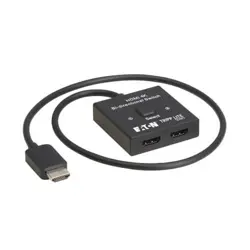
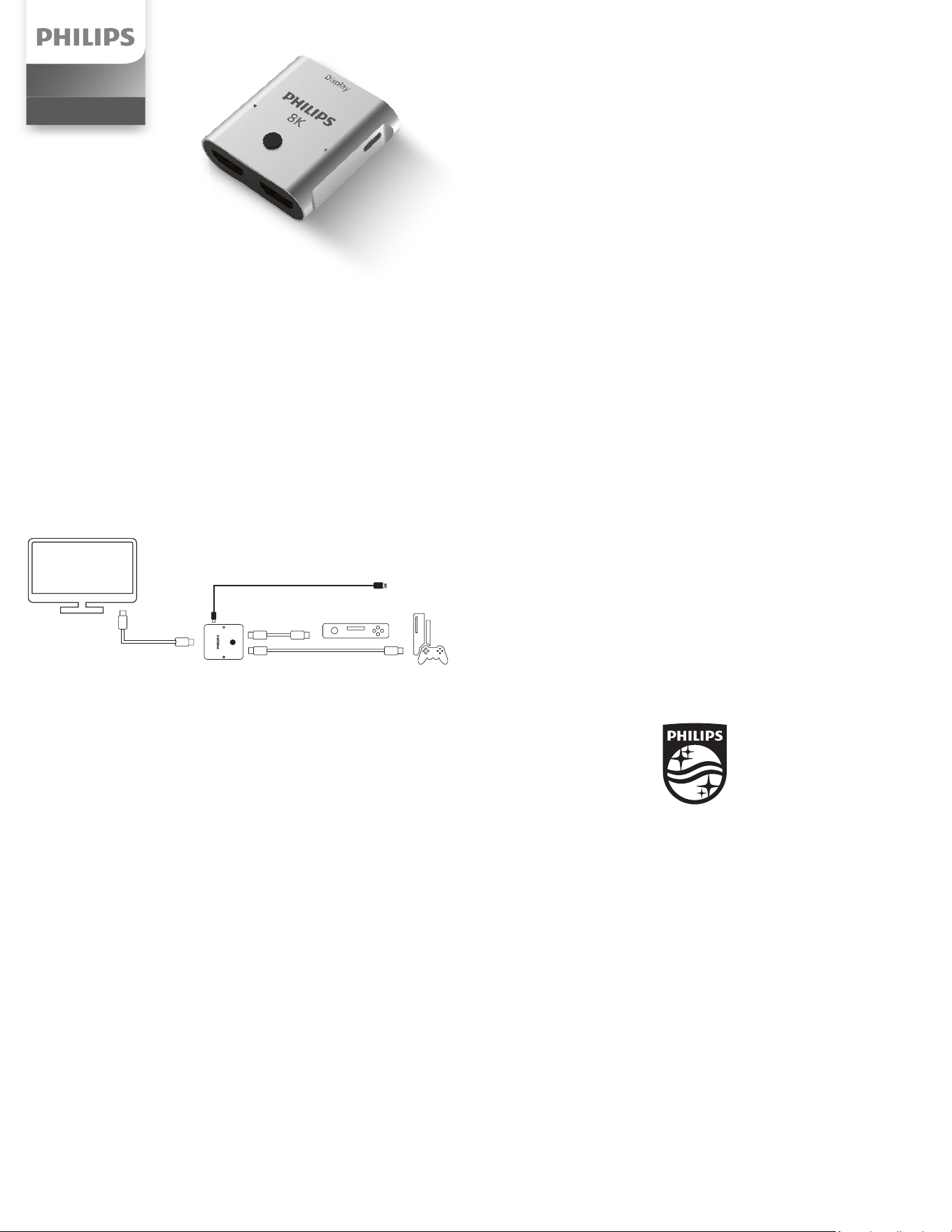
This 8K 2-port HDMI® Switch allows you to easily toggle between two HDMI devices while
using only one HDMI input port from your display. Please review these instructions before
operating your switch.
Package Contents
8K 2-Port HDMI 2.1 Switch
6 ft. USB-A to USB-C cable
Installation
Three HDMI cables are required to complete installation and are sold separately. While this
HDMI 2.1 switch is compatible with all HDMI cables, it’s best to use only certied 8K HDMI
2.1 cables under 10 ft. in total length to get the most out of your connected equipment and
provide the best entertainment experience.
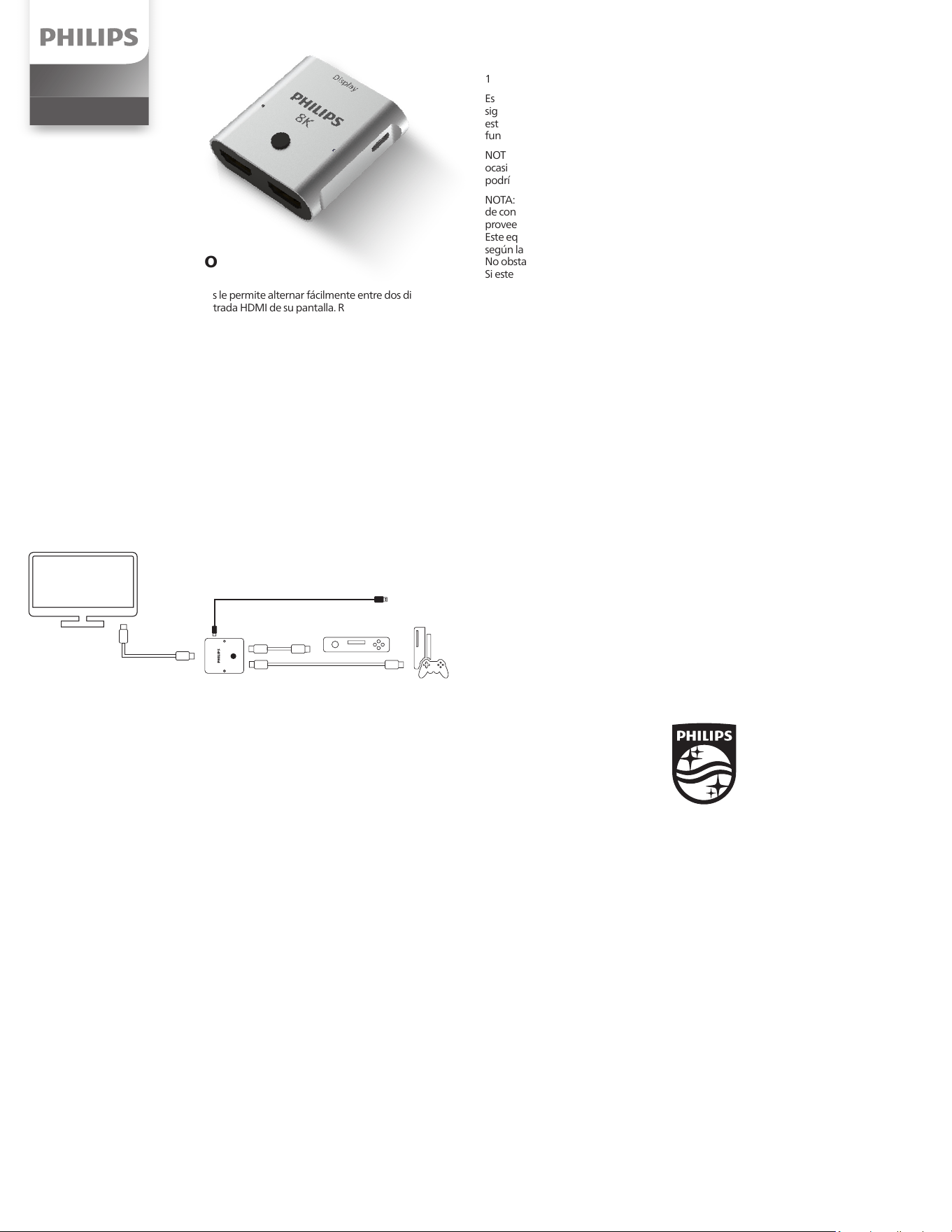
1. Connect the TV’s input port to the switch’s display port using an HDMI cable.
2. Connect each device’s HDMI port to one of the switch’s input ports using an HDMI cable.
Operation
1. Turn on your TV.
2. Turn on the devices connected to the switch.
3. Press and release the SELECT button on top of the switch to toggle between the two
connected devices. The illuminated LED will indicate which device is selected for use.
Troubleshooting:
Neither LED is illuminated on the switch.
1. Make sure all cables connected to the switch are securely plugged in.
2. If you are using the supplied USB-A to USB-C cable for power, please conrm the following:
a. If the USB adapter is plugged into a surge protector, make sure the surge protector is
turned on and receiving power.
b. If the switch is powered through the TV’s USB port, turn on the TV to supply power
to the switch.
I have audio but no video.
1. If connected to a DVD player, make sure you’re not using a copied DVD movie.
The enabled HDCP* protection will block copied DVDs from playing.
2. Make sure the HDMI cable is completely plugged into the device and the switch.
3. Make sure the HDMI cable is completely plugged into the switch’s display port and the TV’s
input port.
4. If problem persists, replace one or both of the HDMI cables used to connect the device,
switch and TV.
I have video but no audio.
1. Make sure the TV’s volume is turned up.
2. Make sure the TV’s mute function is turned o.
3. If problem persists, replace one or both of the HDMI cables used to connect the device,
switch and TV.
There is no video or audio
1. Some devices need more power than the switch can supply. Use the included USB-A to
USB-C cable to connect the switch to a USB adapter or surge protector (sold separately).
*HDCP: High-bandwidth Digital Content Protection is a technology embraced by the Motion
Picture Association of America that eliminates the reproduction of copyrighted material.
SWV9173GR/37
v1 05/23
HDMI Switch
Audio/Video
NOTE: Some setups do not require the USB cable. If the switch
is not operating as expected, use the USB cable to connect the
switch to a power source.
8K
Display
FCC Statement
Suppliers Declaration of Conformity
Model #: SWV9173GR/37 | Jasco Products Company LLC |
10 E. Memorial Rd., Oklahoma City, OK 73114 | www.byjasco.com
This device complies with part 15 of the FCC rules. Operation is subject to the following two
conditions: (1) this device may not cause harmful interference, and (2) this device must accept
any interference received, including interference that may cause undesired operation.
FCC NOTE: The manufacturer is not responsible for any radio or TV interference caused by
unauthorized modications to this equipment. Such modications could void the user’s
authority to operate the equipment.
NOTE: This equipment has been tested and found to comply with the limits for a Class B digital
device, pursuant to Part 15 of the FCC Rules. These limits are designed to provide reasonable
protection against harmful interference in a residential installation. This equipment generates,
uses and can radiate radio frequency energy and, if not installed and used in accordance with
the instructions, may cause harmful interference to radio communications. However, there is
no guarantee that interference will not occur in a particular installation. If this equipment does
cause harmful interference to radio or television reception, which can be determined by turning
the equipment o and on, the user is encouraged to try to correct the interference by one or
more of the following measures:
• Reorient or relocate the receiving antenna.
• Increase the separation between the equipment and receiver.
• Connect the equipment into an outlet on a circuit dierent from that to which
the receiver is connected.
• Consult the dealer or an experienced radio/TV technician for help.
MADE IN VIETNAM
Philips and the Philips Shield Emblem are registered trademarks of Koninklijke Philips N.V.
and are used under license. This product has been manufactured by and is sold under the
responsibility of Jasco Products Company, and Jasco Products Company LLC, 10 E.
Memorial Rd., Oklahoma City, OK 73114 is the warrantor in relation to this product.
This product has a limited-lifetime warranty. Visit www.philips.com/support
for warranty details.
Questions? Contact our U.S.-based Consumer Care at 1-844-816-0320, M-F,
7AM-8PM Central Time.
For product patent information, visit www.byjasco.com/patents.
Declaración de la Comisión Federal de Comunicaciones (FCC)
Declaración de conformidad del proveedor
Modelo #: SWV9173GR/37 | Jasco Products Company LLC |
10 E. Memorial Rd., Oklahoma City, OK 73114 | www.byjasco.com
Este dispositivo cumple con la Parte 15 de las Reglas FCC. El funcionamiento está sujeto a las
siguientes dos condiciones: (1) este dispositivo no debe provocar interferencia perjudicial, y (2)
este dispositivo debe aceptar toda interferencia que reciba, incluso la que pudiera causar un
funcionamiento no deseado.
NOTA DE LA FCC: El fabricante no se hace responsable de ninguna interferencia de radio o TV
ocasionada por modicaciones no autorizadas efectuadas a este equipo. Dichas modicaciones
podrían anular la autoridad del usuario para utilizar el equipo.
NOTA: este equipo ha sido probado y cumple con los límites para aparatos digitales de Clase B,
de conformidad con la Parte 15 de la normativa de la FCC. Estos límites están diseñados para
proveer protección razonable contra interferencias perjudiciales en una instalación residencial.
Este equipo genera, usa y puede irradiar energía de radiofrecuencias y, si no se instala y usa
según las instrucciones, puede provocar interferencia perjudicial a las radiocomunicaciones.
No obstante, no hay garantías de que no ocurrirá interferencia en una instalación en particular.
Si este equipo provoca interferencia perjudicial a la recepción de radio o televisión, lo que
puede determinarse encendiendo y apagando el equipo, se recomienda que el usuario
intente corregir la interferencia por medio de la implementación de una o más de las
siguientes medidas:
• Reorientar o reubicar la antena receptora.
• Incrementar la separación entre el equipo y el receptor.
• Conectar el equipo a un tomacorriente de un circuito diferente del circuito
al que está conectado el receptor.
• Consultar al distribuidor o a un técnico con experiencia en radio/televisión
para solicitar asistencia.
HECHO EN VIETNAM
Philips y el emblema de escudo Philips son marcas registradas de Koninklijke Philips N.V.
y se usan bajo licencia. Este producto ha sido fabricado y se comercializa bajo
responsabilidad de Jasco Products Company y Jasco Products Company LLC,
10 E. Memorial Rd., Oklahoma City, OK 73114 es el garante en relación a este producto.
Este prducto tiene una garantía de limitada de vida.
Visite www.philips.com/support para conocer los detalles de la garantía.
¿Tiene preguntas? Comuníquese con nuestro servicio de atención al consumidor de
EE. UU. al 1-844-816-0320, de lunes a viernes, de 7AM a 8PM (hora central).
Visite www.byjasco.com/patents para información sobre la patente del producto.
Este conmutador HDMI® 8K de 2 puertos le permite alternar fácilmente entre dos dispositivos
HDMI utilizando solo un puerto de entrada HDMI de su pantalla. Revise estas instrucciones
antes de operar el conmutador.
Contenido del paquete
Conmutador HDMI 2.1 8K de 2 puertos
Cable USB-A a USB-C de 1,8 m
Instalación
Se requieren tres cables HDMI para completar la instalación, los cuales se venden por separado.
Aunque este conmutador HDMI 2.1 es compatible con todos los cables HDMI, lo mejor
es solo usar cables HDMI 2.1 8K certicados de menos de 3 m de largo para aprovechar al
máximo los equipos conectados y brindar la mejor experiencia de entretenimiento. Si esto no
es una opción, utilice el cable USB-A a USB-C incluido y conéctelo a un adaptador de pared
(se vende por separado) para obtener el mejor rendimiento.
1. Conecte el puerto de entrada de la televisión al puerto de salida del conmutador mediante
un cable HDMI.
2. Conecte el puerto HDMI de cada dispositivo a uno de los puertos de entrada del conmutador
mediante un cable HDMI.
Funcionamiento
1. Encienda la televisión.
2. Encienda los dispositivos conectados al conmutador.
3. Presione y suelte el botón SELECT en la parte superior del conmutador para alternar entre los
dos dispositivos conectados. El LED iluminado indicará el dispositivo seleccionado para su uso.
Solución de problemas
No se enciende ningún LED del conmutador.
1. Asegúrese de que todos los cables conectados al conmutador estén bien enchufados.
2. Si utiliza el cable USB-A a USB-C suministrado para la alimentación, conrme lo siguiente:
a. Si el adaptador USB está conectado a un protector contra sobretensiones, asegúrese de que
el protector esté encendido y reciba energía.
b. Si el conmutador se alimenta a través del puerto USB de la televisión, encienda la televisión
para suministrar energía al interruptor.
Tiene audio, pero no video.
1. Si está conectado a un reproductor de DVD, asegúrese de que no esté usando una película de
DVD copiada. La protección HDCP* activada impedirá la reproducción de los DVD copiados.
2. Asegúrese de que el cable HDMI esté completamente conectado al dispositivo y al
conmutador.
3. Asegúrese de que el cable HDMI esté completamente conectado al puerto de salida del
conmutador y al puerto de entrada del televisor.
4. Si el problema persiste, reemplace uno o ambos cables HDMI utilizados para conectar el
dispositivo, el conmutador y la televisión.
Tiene video, pero no audio.
1. Asegúrese de que el volumen de la televisión esté activado.
2. Asegúrese de que la función de silencio de la televisión esté desactivada.
3. Si el problema persiste, reemplace uno o ambos cables HDMI utilizados para conectar el
dispositivo, el conmutador y la televisión.
No hay video ni audio.
1. Algunos dispositivos necesitan más energía de la que puede suministrar el conmutador.
Utilice el cable USB-A a USB-C incluido para conectar el conmutador a un adaptador USB o
protector contra sobretensiones (se vende por separado).
*HDCP: La protección de contenido digital de alto ancho de banda (HDCP) es una tecnología
adoptada por la Motion Picture Association of America que elimina la reproducción de
material con derechos de autor.
Manual de usuario
Nota: Algunas conguraciones no requieren el cable USB. Si el
conmutador no funciona como se espera, utilice el cable USB para
conectarlo a una fuente de alimentación.
HDMI Switch
Audio/Video
8K
Display