+
林菲菲
2025.01.12
周培健
R32 8-14K遥控式说明书
J0101-111815
J0101-111815
A
ECN100013655
梁冰冰
2025.03.14
AUTO
SPEED
AUTO
MODE
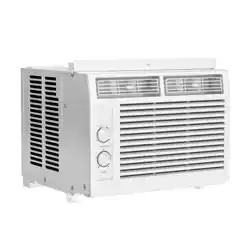
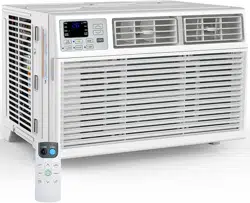
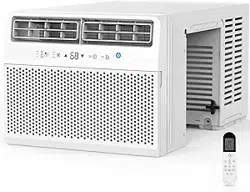
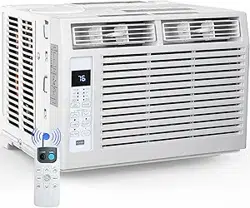
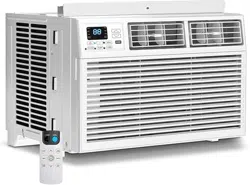
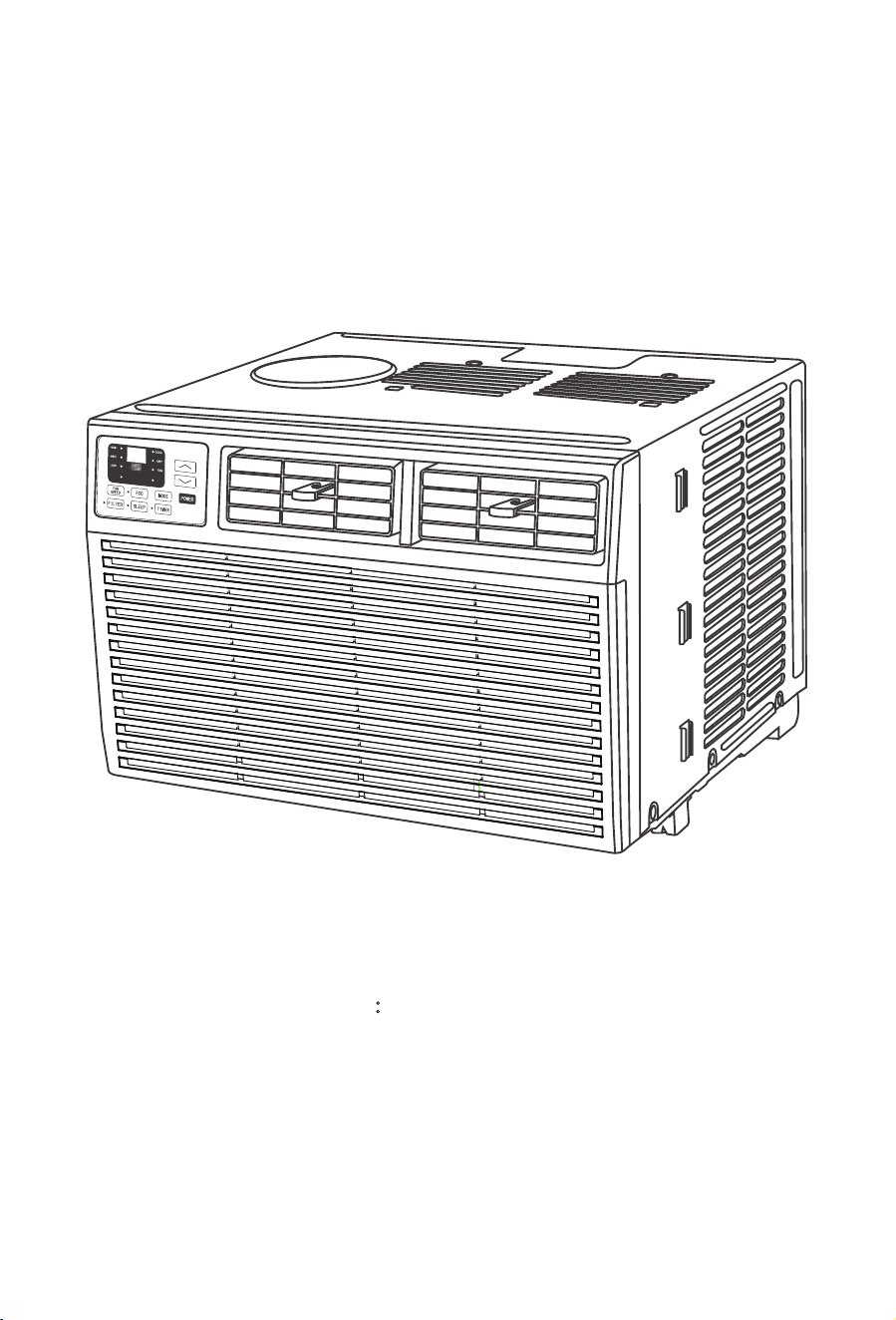
WINDOW AIR CONDITIONER
Thank you for purchasing this product!
If you have questions about the product such as missing parts,damaged products,
product assembling and operation etc., please contact us via customer service
phone:818-468-3970.
MODEL NO. :
A8502W-8K/A8510W-10K
A8512W-12K/A8514W-14K
01
03
05
06
1
1
CONTENTS
Important Safety Instructions
Electrical Requirements
Packing List
Installation & Assembly Instructions
Using Your Air Conditioner
Care and Cleaning
Troubleshooting
Important Safety Instructions
Before installing and using your air conditioner, please read this owner's manual carefully.
Store this manual in a safe place for future reference. Your safety and the safety of
others is very important to us. Please pay attention to all safety messages outlined in
this user manual.
7RUHGXFHWKHULVNRIȴUHHOHFWULFDOVKRFNRULQMXU\ZKHQXVLQJ\RXUDLUFRQGLWLRQHUIROORZ
the basic precautions below:
This is a safety alert symbol. This symbol alerts you to potential hazards that
can harm you or others or even cause death. All safety messages will directly
follow the safety alert symbol and/or the words "DANGER" or "WARNING".
Warning
)DLOXUHWRLPPHGLDWHO\IROORZWKHVHLQVWUXFWLRQVPD\FDXVHVHULRXVLQMXU\RUHYHQGHDWK
Danger
$OO6DIHW\PHVVDJHVDOHUW\RXRISRWHQWLDOKD]DUGVKRZWRUHGXFHWKHFKDQFHRILQMXU\
and what can happen if instructions are not followed correctly.
Warning
Plug into a grounded 3prong outlet.
Do not remove the ground prong.
Do not use a plug adapter.
Do not use an extension cord.
Unplug the air conditioner before servicing.
Use two or more people to move and install the air conditioner.
01
Warning
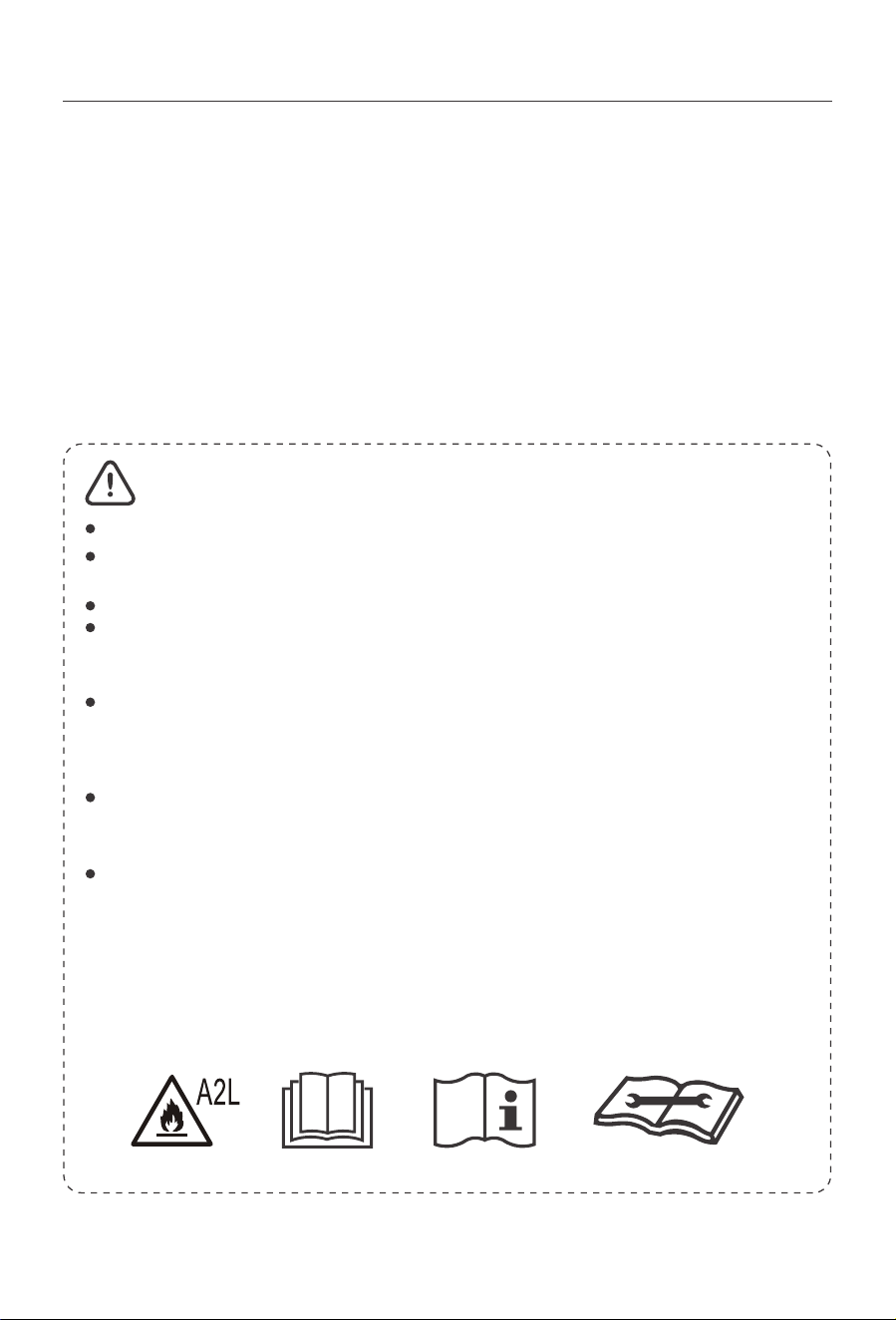
Please read the manual before installation, using, maintenance.
Do not use means to accelerate the defrosting process or to clean, other than
those recommended by the manufacturer.
Do not pierce or burn the appliance.
The appliance shall be stored in a room without continuously operating sources
(for example: open ȵames, an operating ignition gas appliance or an operating
electric heater.)
Please contact the nearest after-sale service center when maintenance is necessary.
At the time of maintenance, the maintenance personnel must strictly comply with
the Operation Manual provided by the corresponding manufacturer and any non-
professional is prohibited to maintain the air conditioner.
The handling, installation, storage, servicing and disposal must comply with the
provisions of gas-related national laws and regulations, and also national wiring
regulation.
It is necessary to clear away the refrigerant in the system when maintaining or
scrapping an air conditioner. Be aware that refrigerants may not contain an odour.
This appliance is not intended for use by persons (including children) with reduced
physical, sensory or mental capabilities, or supervision or instruction concerning use
of the appliance by a person responsible for their safety.
Children should be supervised to ensure that they do not play with the appliance.
Unit operation limits: Outdoor side 61~110°F, 80%RH, indoor side 61~90°F, 80%RH.
02
Introduction to Refrigerants R32
The refrigerants used for air conditioners are environmentally friendly hydrocarbons
R32. This kind of 宵宨宩宵宬宪erant is combustible and odorless. Moreover, it can burn and
explode under certain condition. However, there will be no risk of burning and
explosion if you comply with the following table to install your air conditioner in a room
with an appropriate area and use it correctly.
Compared with ordinary refrigerants, Refrigerant R32 is environmentally friendly and do
not destroy the ozone sphere and that its value of greenhouse eHFWLVDOVRYHU\ORZ
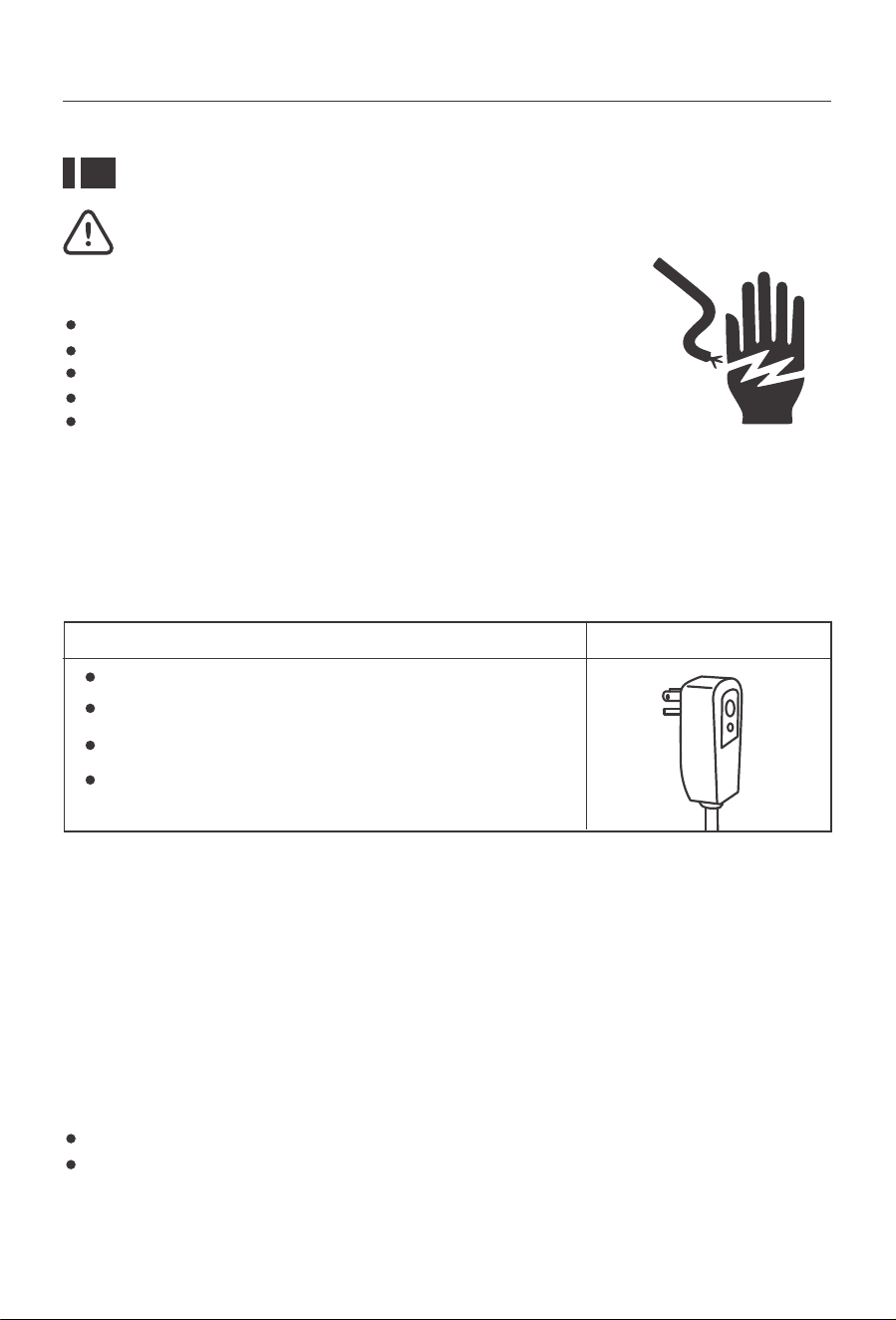
Electrical Requirements
Electrical Shock
Recommended Ground Method
It is the customer's responsibility:
Hazard Plug into a grounded 3 prong outlet.
Do not remove the ground prong.
Do not use an adapter.
Do not use an extension cord.
)DLOXUHWRIROORZWKHVHLQVWUXFWLRQVFDQUHVXOWLQGHDWKȴUHRU
electrical shock.
7RFRQWDFWDTXDOLȴHGHOHFWULFLDQ
To assure that the electrical installation is adequate and in conformance with the
National Electrical Code, ANSI/NFPA 70-latest edition, and all local codes and ordinances.
Warning
The electrical ratings for your air conditioner are listed on the model and serial number
label located on the front left side of the unit (when facing the front).
Speciȴc electrical requirements are listed in the chart below. Follow the requirements
below for the type of plug on the power supply cord.
For your personal safety, this air conditioner must be grounded. This air conditioner is
equipped with a 3 prong power supply cord with a grounded plug. To minimize the poss-
ibility of electrical shock, the cord must be plugged into a 3 prong outlet and grounded
in accordance with all local codes and ordinances. If a 3 prong outlet is not available, it
is the customer's responsibility to have a properly grounded 3 prong outlet installed by
DTXDOLȴHGHOHFWULFLDQ
115 volt (103min.—127 max)
0-8 amps
10-amp time-delay fuse or circuit breaker
Use on single outlet circuit only
Wiring Requirements Power Supply Cord
03
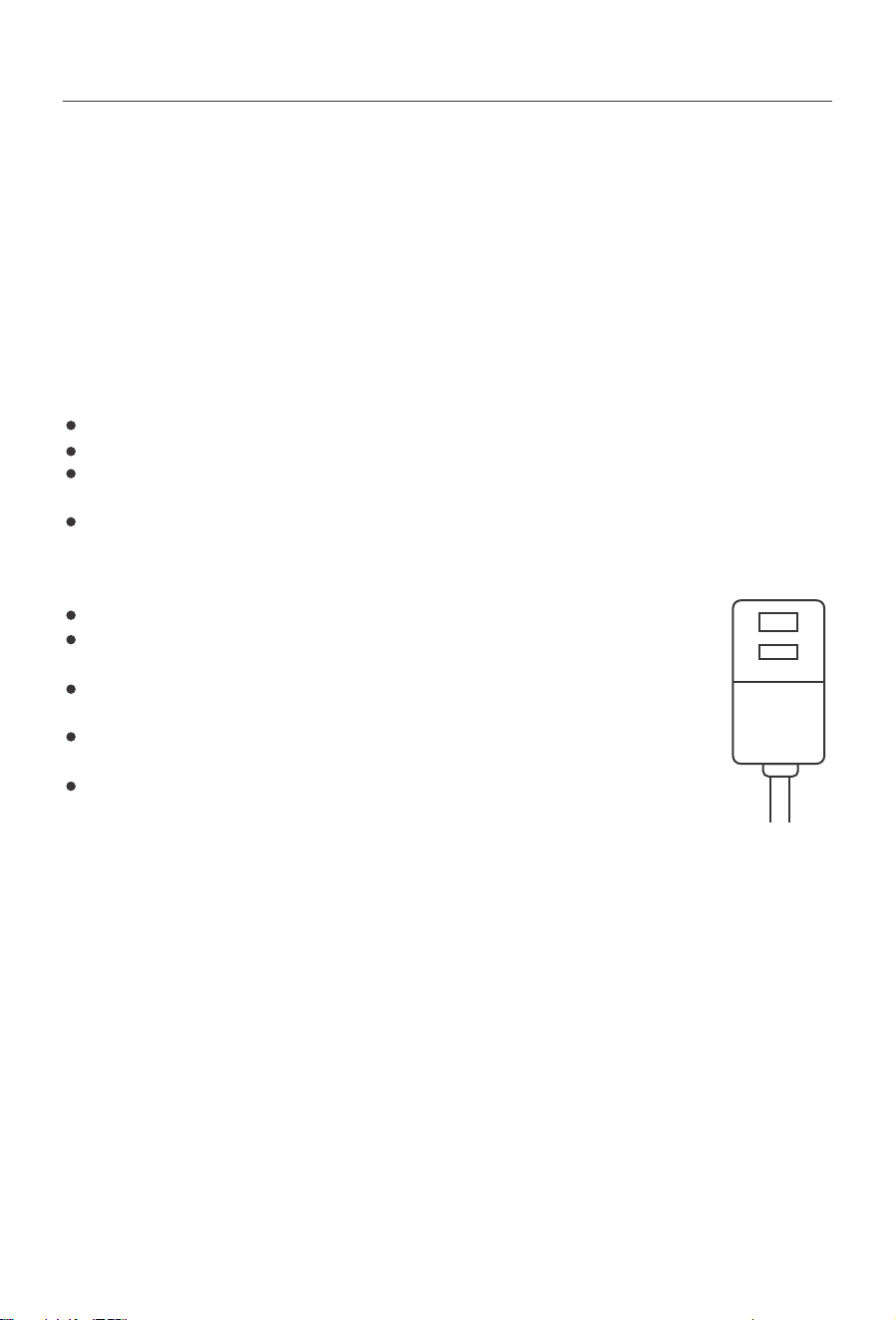
LCDI Power Cord and Plug
This air conditioner is equipped with an LCDI (Leakage Current Detection and Interrup-
tion) power cord that is requiredby UL. This power supply cord contains state-of-the-art
electronics that sense leakage current. If the cord is damaged and leakage occurs, power
will be disconnected from the unit.
The test and reset buttons on the LCDI Plug are used to check if the plug is functioning
properly.
To test the plug:
Plug power cord into a grounded 3 prong outlet
Press RESET (on some units a green light will turn on).
Press the TEST Button, the circuit should trip and cut all power to the air conditioner
RQVRPHXQLWVDJUHHQOLJKWPD\WXUQR
Press the RESET button for use. You will hear a click and the A/C is now ready for use.
The RESET button must be engaged for proper use.
The power supply cord must be replaced if it fails to trip when the TEST
button is pressed and the unit fails to rese.
Do not use the power supply cord as an ON/OFF switch. The power
supply cord is designed as a protection device.
A damaged power supply cord must be replaced with a new power
supply cord.
The power supply cord contains new user serviceable parts. Opening
the tamper-resistant case voids all warranty and performance claims.
TEST
RESET
NOTES:
NOTES: Your uniWVSRZHUFRUGDQGSOXJPD\GLHUIURPWKHRQHVKRZQ
04
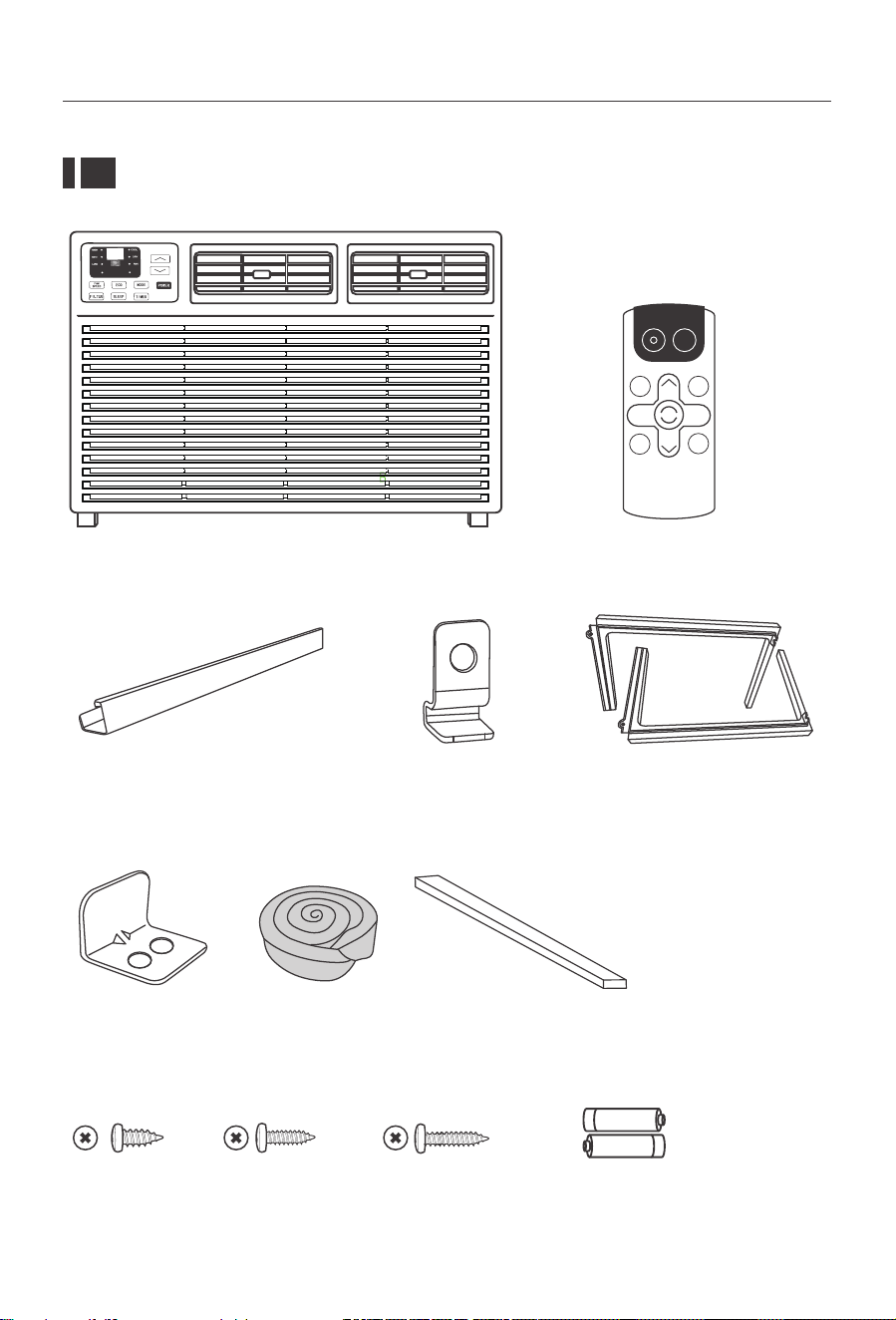
Packing List
Window Air Conditioner *1 Remote Control *1
AUTO
SPEED
AUTO
MODE
POWER
SLEEP
FAN
SPEED
FAN
ONLY
AUTO
MODE
DISPLAY
TIMER
ECO
COOL
05
Top Rail (With sponge) *1
Sash Lock
(Two holes) *1
3/8"Screws *4 3/4"Screws *4 Remote Control
Battery*2
1/2"Screws *3
Window Sash Seal
(Sponge) *1
Foam Top Window
Gasket *1
Lock Frame *2
Filler Panels *2
(With "Left"&"Right"remark on the
front face)
(Thin sponge for back-up using)
Installation & Assembly Instructions
Some assembly is required for your new air conditioner. Please read and follow these
instructions carefully.
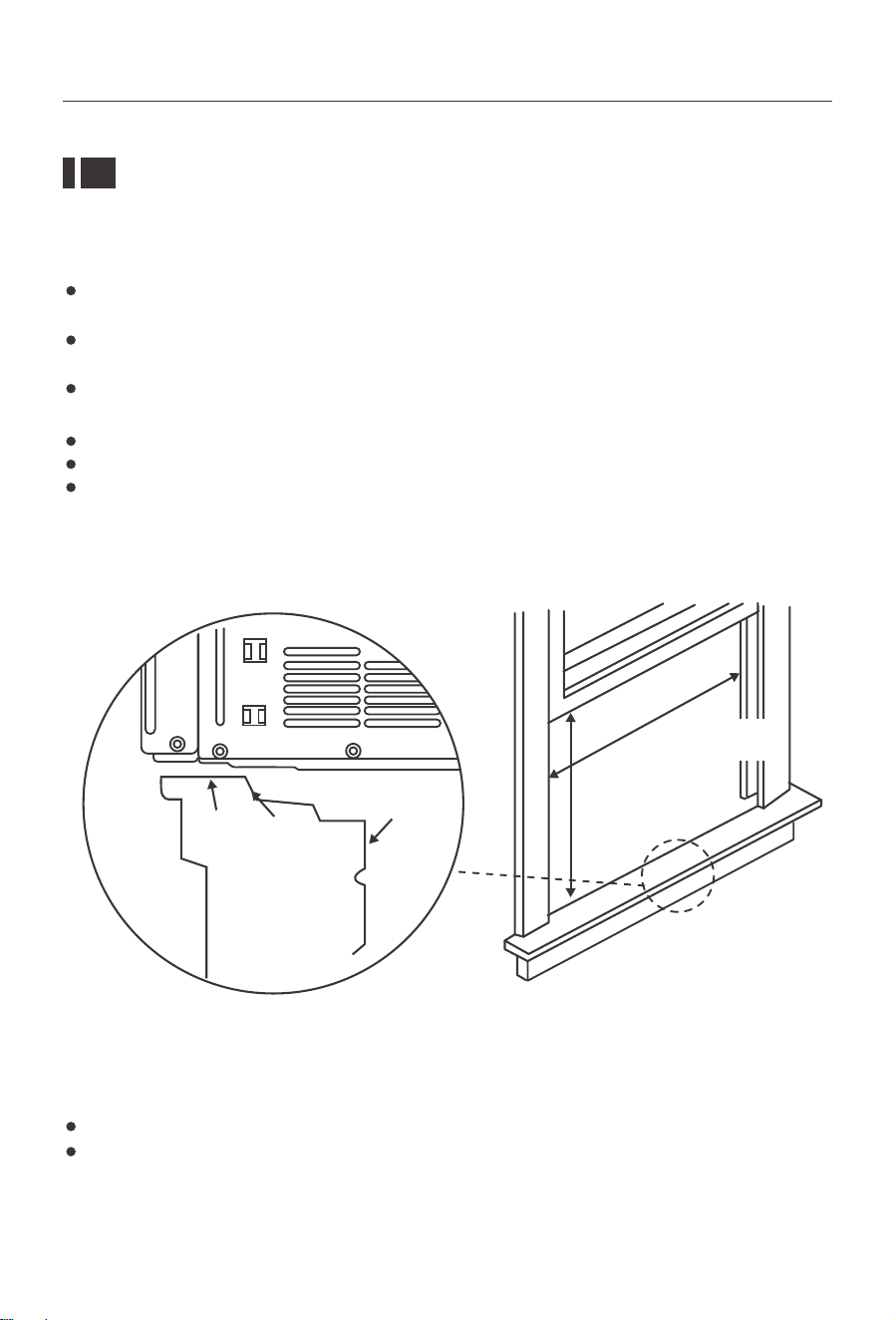
Interior Wall
Stool
Sill
2VHW
Exterior
Wall
Fig.1
Save the product packaging and installation instructions for future reference.
Store the air conditioner in the product box when not in use for an extended period
of time.
NOTE:
06
This air conditioner is designed to be installed in a standard double-hung window with
a window width between 23" and 36" (584mm-914 mm).
The air conditioner can be installed without the accordion panels to ȴt in a narrow
window opening. See the window dimensions.
The Lower Sash (the lower part of the window that moves up and down) must allow
for 1 4 .5" of vertical季宦宯宨arance when open. (See Fig.1).
All sXSSRUWLQJSDUWVPXVWEHVHFXUHGWRȴUPZRRGPDVRQU\RUPHWDO
The electrical outlet must be within reach of the power cord.
The air conditioner should be tilted about 3° for better drainage of condensate and
rainwater.
23-36inch for 8000
14.5inch for 8000
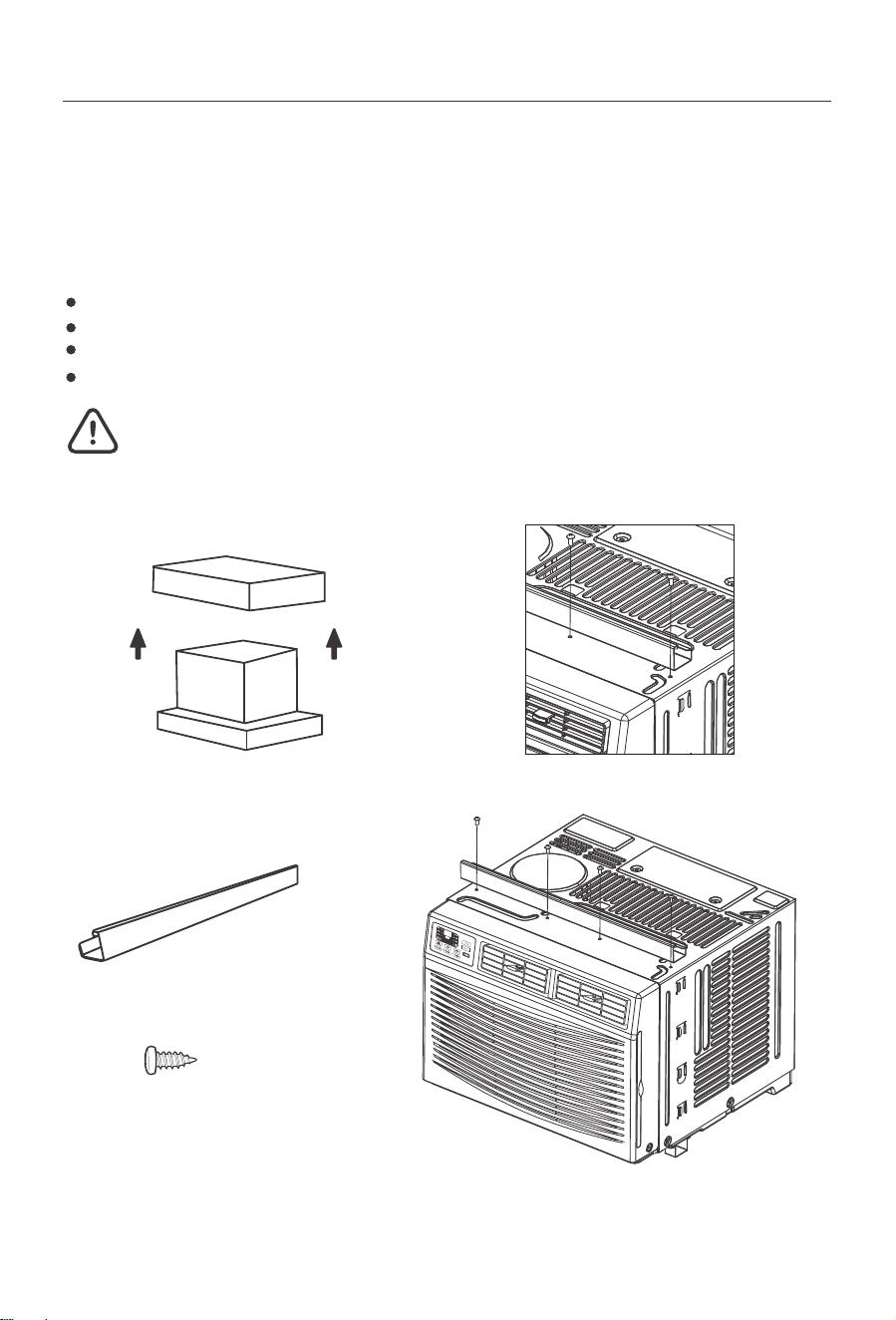
Fig.C
Fig.BFig.A
BOX
Top Rail Assembly (Optional)
Attaching the Top Rail to the Air Conditioner
The top rail must be assembled prior to installing the air conditioner in the window.
Tools Needed: Phillips Head Screw Driver
When handling the unit, be careful to avoid cuts from the sharp metal edges and aluminum
ȴQVRQWKHIURQWDQGUHDUFRLOV
3/8"Screws *4
NOTE: For safety reasons, all 4 screws
must be used to attach the top rail.
5HPRYHWKHDLUFRQGLWLRQHUIURPWKHER[DQGSODFHRQDKDUGDQGȵDWVXUIDFH
Remove top rail from the top of the packaging material as shown in Fig.A.
Align the hole in the top rail with those in the top of the unit as shown in Fig.B.
Secure the top rail to the unit with the 3/8" screws as shown in Fig.C.
Top Rail (With sponge) *1
Caution
07
)LJ )LJ
)LJ
How to Install
NOTE: 7RS5DLODQG6OLGLQJ3DQHOVDWHDFKVLGHDUHRVHWWRSURYLGHWKHSURSHUSLWFKWR
the rear of (5/16"). This is necessary for proper condensed water utilization and drainage.
If you are not using the Side Panels forany reason, this pitch to the rear must be maintained!
3ODFHXQLWRQȵRRUDEHQFKRUDWDEOH7KHUHLVD/HIWDQG5LJKW:LQGRZ)LOOHU3DQHOEH
VXUHWRXVHWKHSURSHUSDQHOIRUHDFKVLGH:KHQLQVWDOOHGWKHȵDQJHIRUVHFXULQJ
the panel in place to the window sill will be facing into the room.
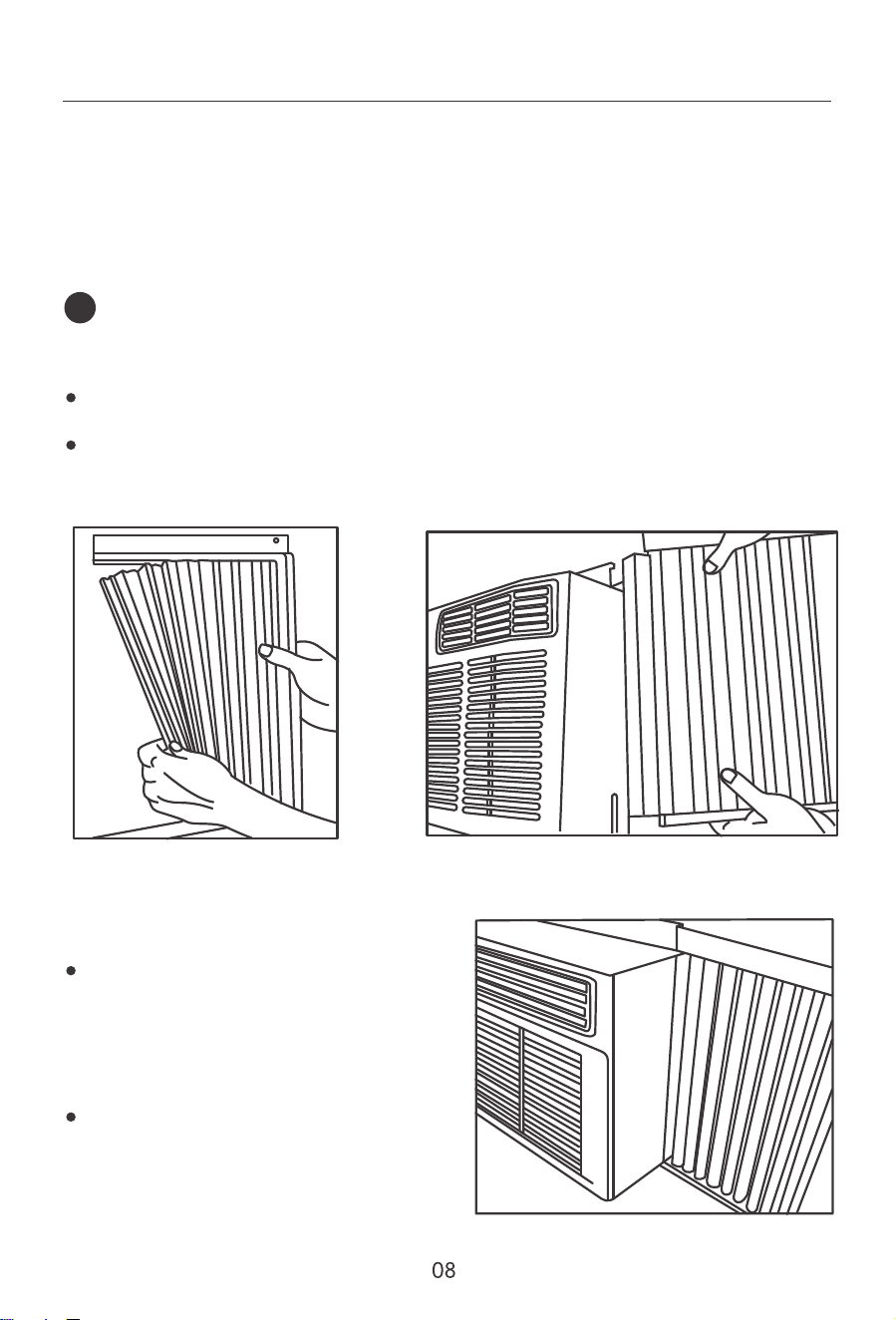
Hold the Accordion Panel in one hand and gently pull back the center to free the open
end. See Fig.2.
Slide the free end of the panel into the cabinet as shown in Fi.3. Slide the panel down.
Be sure to leave enough space to slip the top and bottom of the frame into the rails
on the cabinet.
Once the panel has been installed on the
side of the cabinet, make sure it sits secu-
rely inside the frame channel by making
VOLJKWDGMXVWPHQWV6OLGHWKHWRSDQGERW
tom ends of the frame into the top and
ERWWRPUDLOVRIWKHFDELQHW6HH)LJ
Slide the panel all the way in and repeat
on the other side.
1
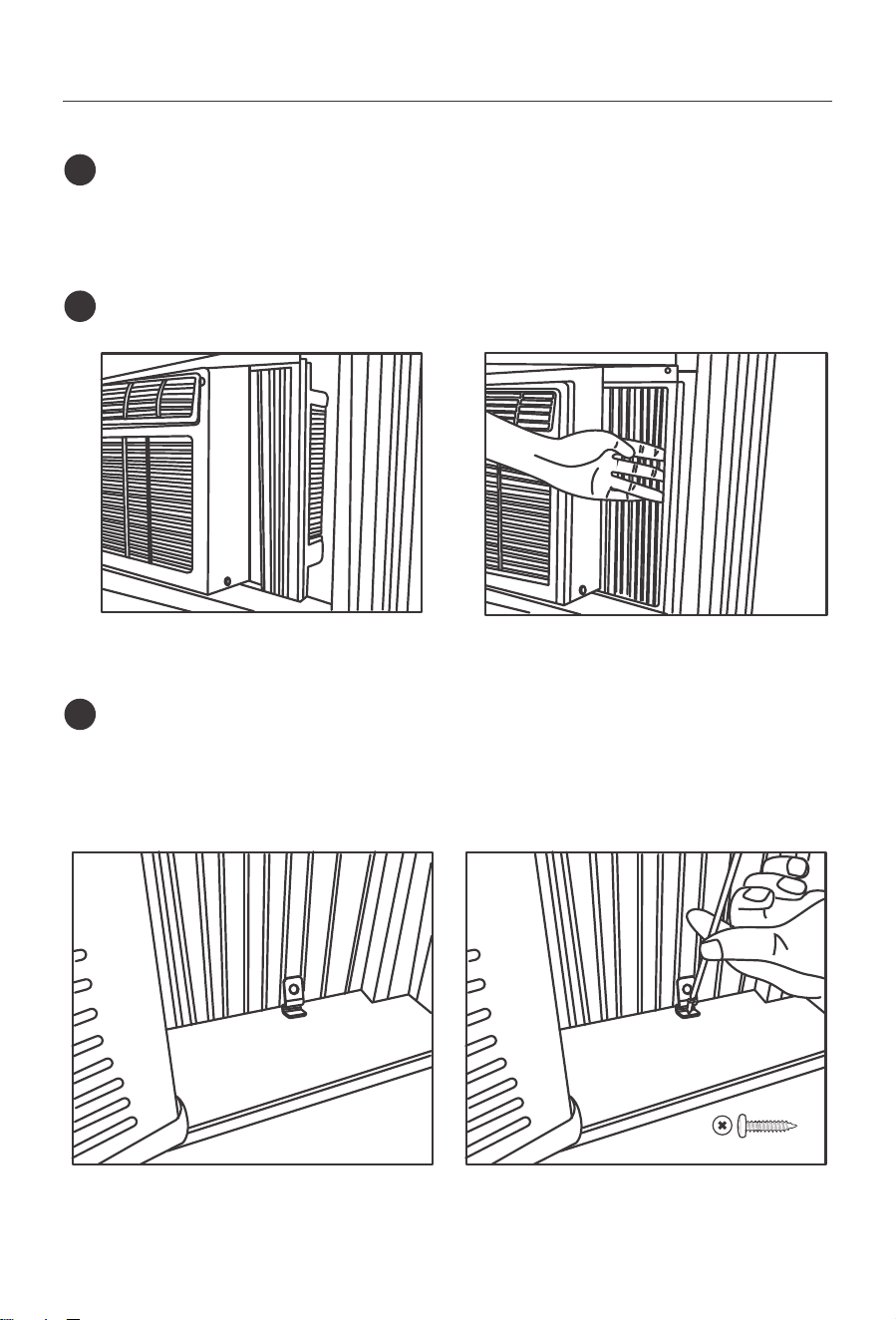
Keep aȴrm grip on the air conditioner, carefully place the unit into the window
opening so the bottom of the air conditioner frame is against the window sill (Fig.5).
Carefully close the window behindthe top rail of the unit. (Suggest to keep a down-
ward oblique, to let accumulated rain water to drain out, from back side of the
unit bottom.)
2
Place the frame lock between the frame extensions and the window sill as shown
(Fig.7). Drive 3/4" (19 mm) locking screws through the frame lock and into the sill
(Fig.8).
NOTE: To prevent window sill from splitting, drill 1/8" (3 mm) pilot holes before
driving screws.
4
Extend the side panels out against the window frame (Fig.6).
3
Fig.5 Fig.6
Fig.7 Fig.8
3/4"Screws *4
09
)LJ
)LJ )LJ
)LJ
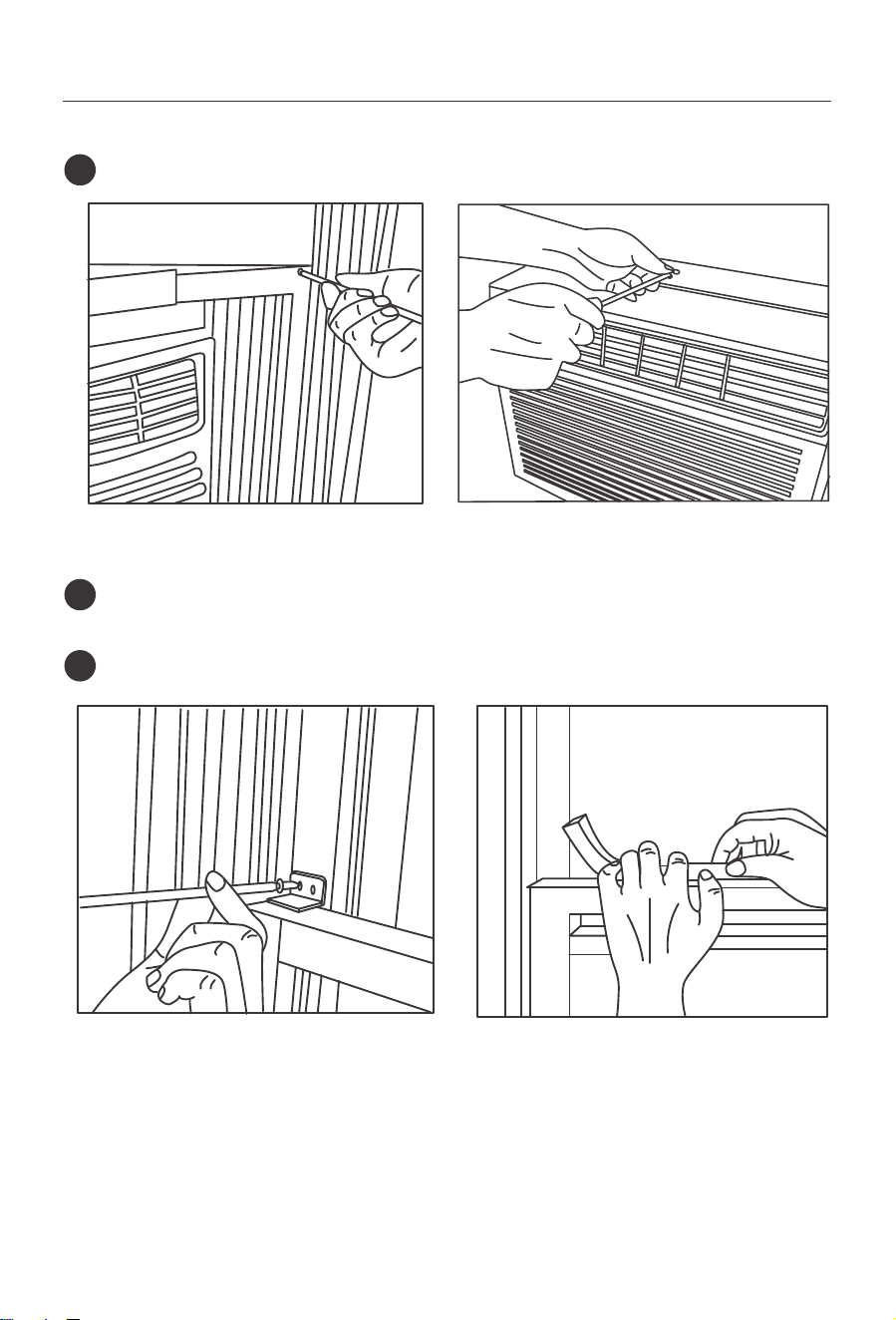
'ULYHPPORFNLQJVFUHZVWKURXJKIUDPHKROHVLQWRZLQGRZVDVK)LJ)LJ
5
7RVHFXUHORZHUVDVKLQSODFHDWWDFKULJKWDQJOHVDVKORFNZLWKPPVFUHZ
as shown (Fig.11).
6
Cut foam seal and insert in the space between the upper and lower sashes (Fig.12).
7
10
If AC is Blocked by Storm Window
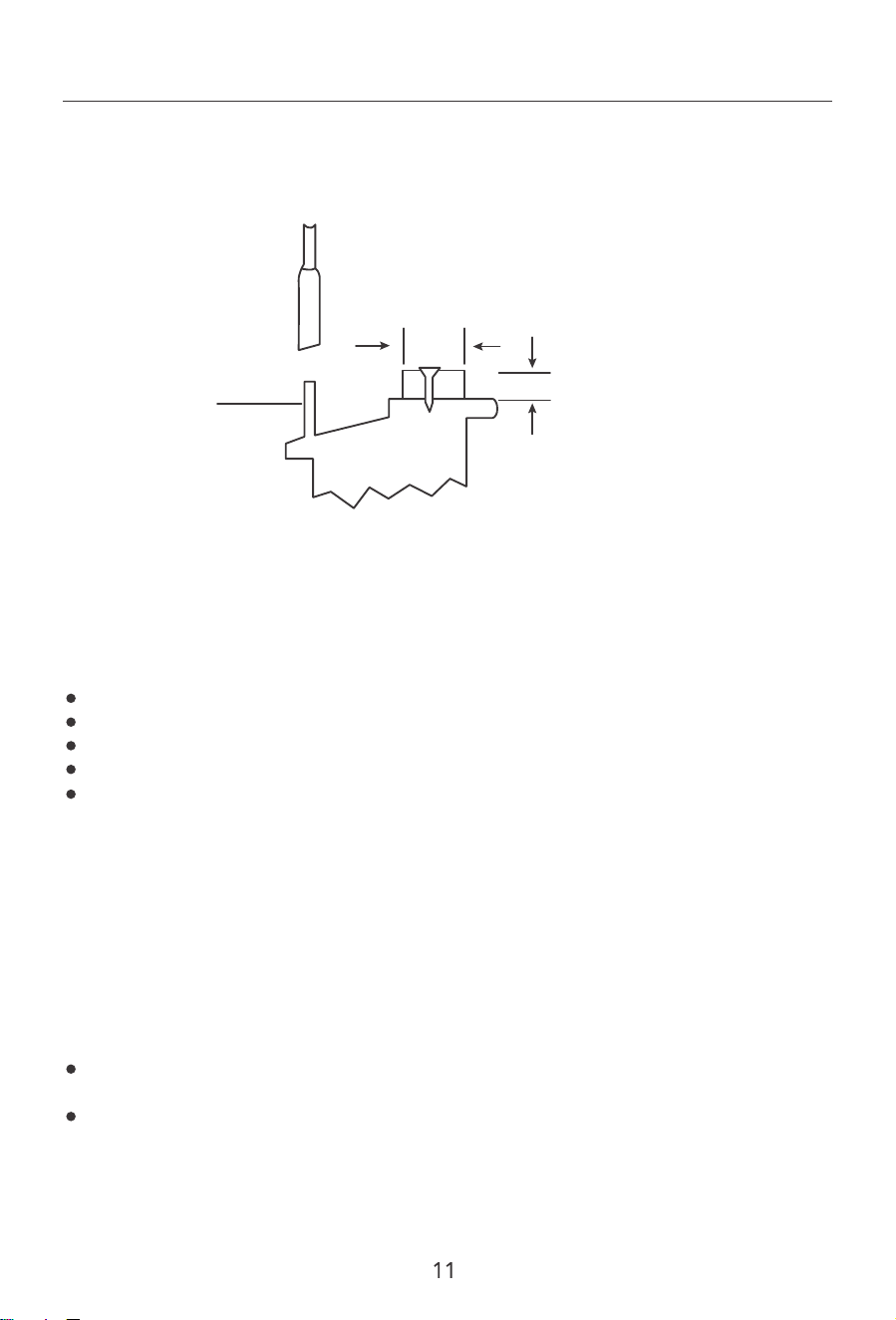
Removing AC From Window
Add wood as shown in Fig.13, or remove stormwindow before air conditioner is installed.
If Storm Window Frame must remain, be sure the drain holes or slots are not caulked or
painted shut. Accumulated Rain Water or Condensation must be allowed to drain out.
Operating your air conditioner properly helps you to obtain the best possible results.
This section explains proper air conditioner operation.
Board thickness as required,
for proper pitch to rear, along
entire sill. Fasten with nails or
screws.
Storm Window
Frame or Other
Obstruction
OUTSIDE
INSIDE
SASH
)LJ
7XUQ$&RDQGGLVFRQQHFWSRZHUFRUG
Remove sash seal from between windows, and unscrew safety lock.
Remove screws installed through frame and frame lock.
Close (slide) side panels into frame.
.HHSLQJDȴUPJULSRQDLUFRQGLWLRQHUUDLVHVDVKDQGFDUHIXOO\URFNDLUFRQGLWLRQHU
backward to drain any condensate water in base of unit. Be careful not to spill any
remaining water while lifting unit from window.
Store parts with air conditioner.
ΖI\RXWXUQRWKHDLUFRQGLWLRQHUZDLWDWOHDVWPLQXWHVEHIRUHWXUQLQJLWEDFNRQ
This prevents the air conditioner from blowing a fuse or tripping a circuit breaker.
Do not try to operate your air conditioner in the cooling mode when outside temper-
ature is below 65°F (18°C). The inside evaporator coil will freeze up, and the air condi-
tioner will not operate properly.
Air Conditioner Use
IMPORTANT:
NOTE: In the event of a power failure, your air conditioner will operate at the previous
VHWWLQJVZKHQWKHSRZHULVUHVWRUHG
Introduction to Refrigerants R32
Before installing the appliance, you must read the manual carefully to get the safety
information and notes.
:KHQȴOOLQJWKHFRPEXVWLEOHUHIULJHUDQWDQ\RI\RXUUXGHRSHUDWLRQVPD\FDXVHVHULRXV
LQMXU\RULQMXULHVWRKXPDQERG\RUERGLHVDQGREMHFWRUREMHFWV
5HTXLUHPHQWVIRUWKHWRWDOZHLJKWRIȴOOHGUHIULJHUDQWDQGWKHDUHDRIDURRPWREH
equipped with an air conditioner.
A leak test must be done after the installation is completed.
It is a must to do the safety inspection before maintaining or repairing
an air conditioner using combustible refrigerant in order to ensure that
WKHȴUHULVNLVUHGXFHGWRPLQLPXP
It is necessary to operate the machine under a controlled procedure in
order to ensure that any risk arising from the combustible gas or vapor
during the operation is reduced to minimum.
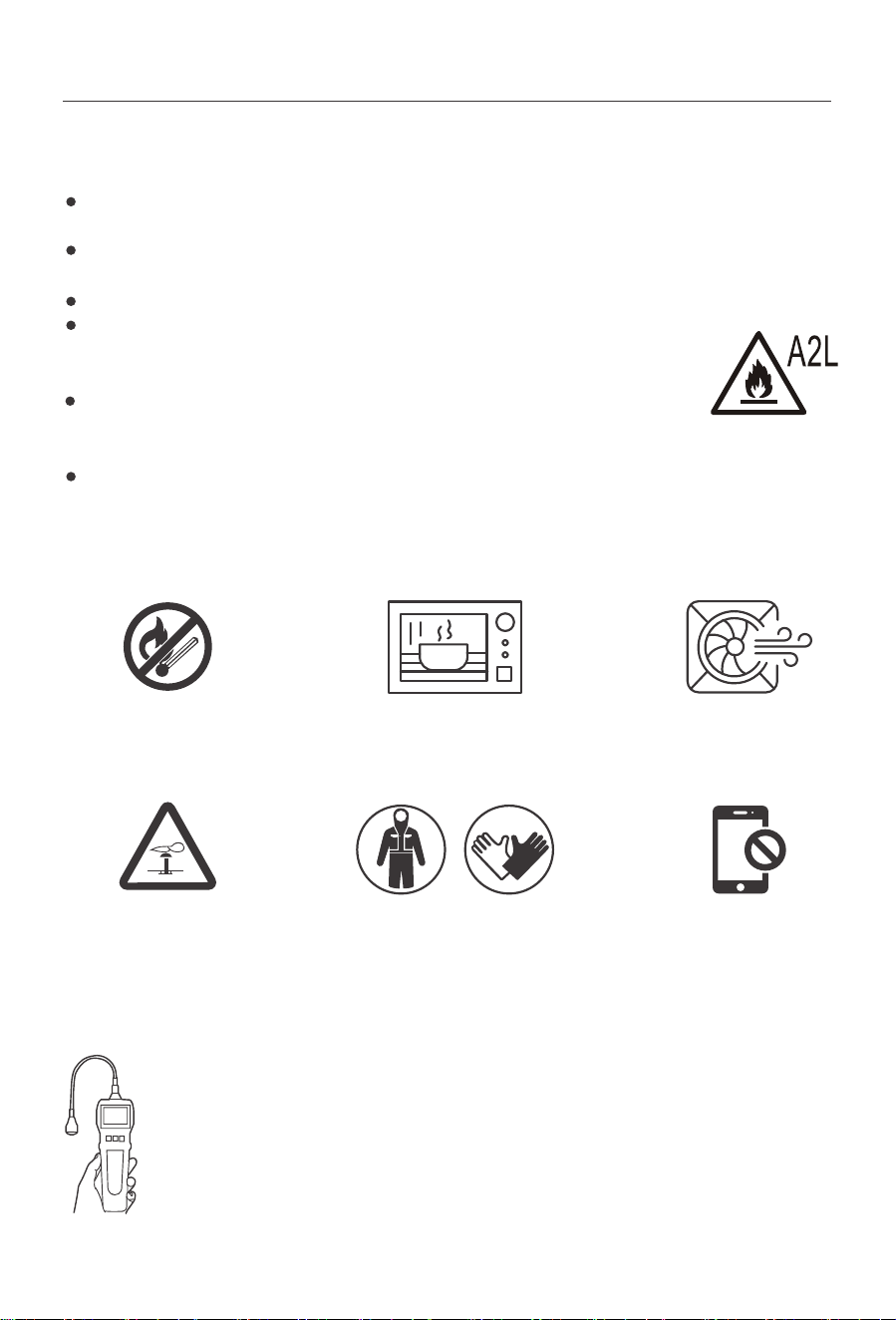
6LWH6DIHW\
2SHUDWLRQ6DIHW\
Open Flames Prohibited Open Flames Prohibited
Mind Static Electricity Don't use mobile phoneMust Wear Protective Clothing
and anti-static gloves
Ventilation Necessary
ΖQVWDOODWLRQ6DIHW\
孴孬 Refrigerant Leak Detector
孵孬 Appropriate Installation Location
孶孬 The left picture is the schematic diagram of a季refrigerant leak
detector
12
Please note that:
The installation site should be in a well-ventilated condition.
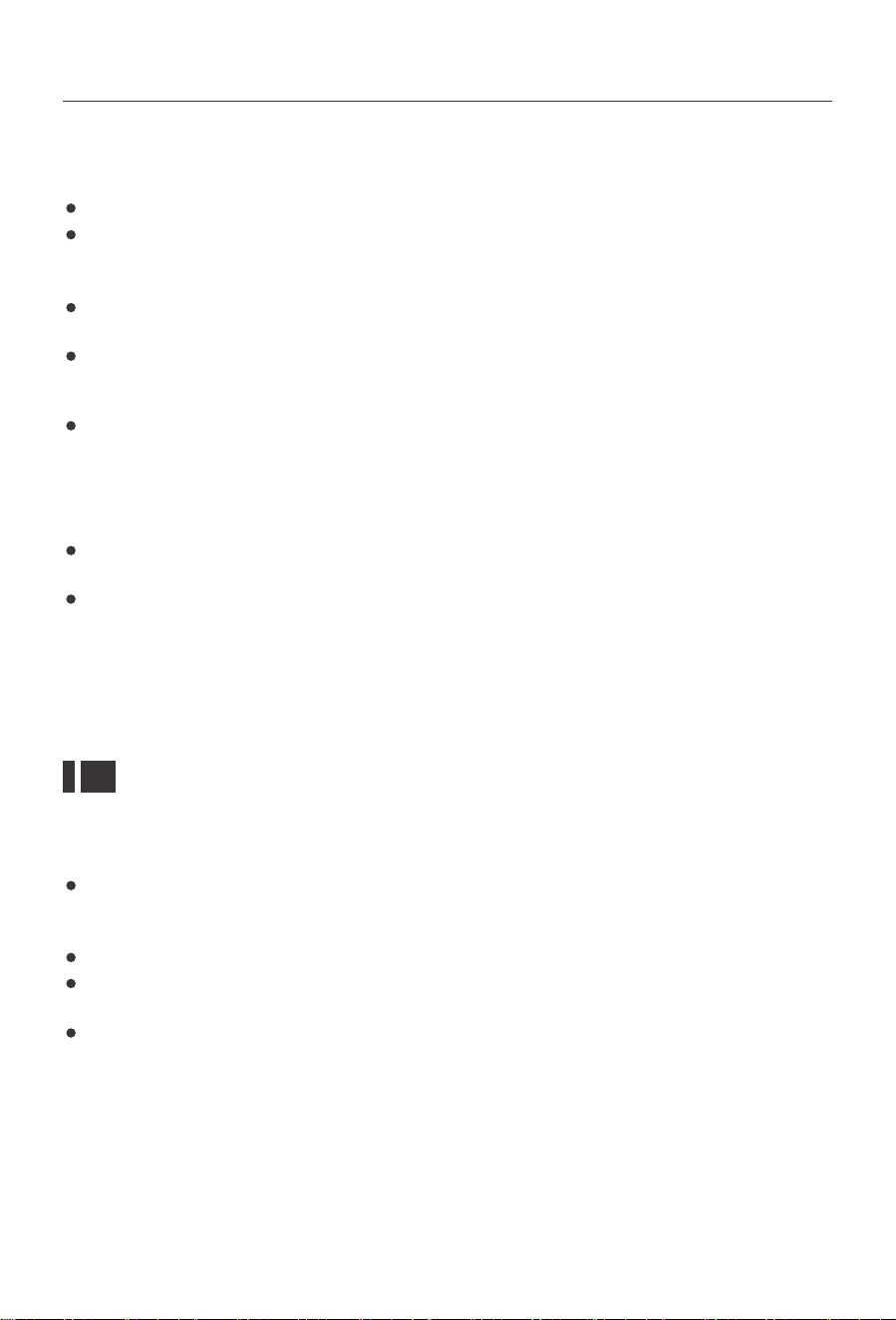
The sites for installing and maintaining an air conditioner using Refrigerant R32 should
EHIUHHIURPRSHQȴUHRUZHOGLQJVPRNLQJGU\LQJRYHQRUDQ\RWKHUKHDWVRXUFH
KLJKHUWKDQr&ZKLFKHDVLO\SURGXFHVRSHQȴUH
When installing an air conditioner, it is necessary to take appropriate anti-static meas-
ures such as wear宬宱宪 anti-static clothing and/or gloves.
It is necessary to choose the site convenient for installation or maintenance wherein
the air inlets and outlets of the indoor and outdoor units should be not surrounded
by obstacles or close to any heat source or combustible and/or explosive environment.
ΖIWKHLQGRRUXQLWVXHUVUHIULJHUDQWOHDNGXULQJWKHLQVWDOODWLRQDOOWKHSHUVRQQHO
should go out till the refrigerant leaks completely for 15 minutes. If the product is
damaged, it is a must to carry such damaged product back to the maintenance station
and it is prohibited to weld the refrigerant pipe or conduct other operations on the
user's site.
It is necessary to choose the place where the inlet and outlet air of the indoor unit is
even.
It is necessary to avoid the places where there are other electrical products, power
switch plugs and sockets, kitchen cabinet, bed, sofa and other valuables right under
the lines on two sides of the indoor unit, and also prevent mechanical damage from
occurring.
You may hear a pinging noise caused by water hitting the condenser, on rainy days, or
when the humidity is high. This design feature helps remove moisture and improve
HɝFLHQF\
<RXPD\KHDUWKHWKHUPRVWDWFOLFNZKHQWKHFRPSUHVVRUF\FOHVRQDQGR
Water will collect in the base pan during rain or days of high humidity. The water may
RYHUȵRZDQGGULSIURPWKHRXWVLGHSDUWRIWKHXQLW
The fan may run even when the compressor is not on.
NOTE: This display always shows the room temperature in Fan Mode except when
VHWWLQJWKH6HWWHPSHUDWXUHRUWKH7LPHU
Using Your Air Conditioner
Normal Operating Sounds
Electronic Control Panel
13
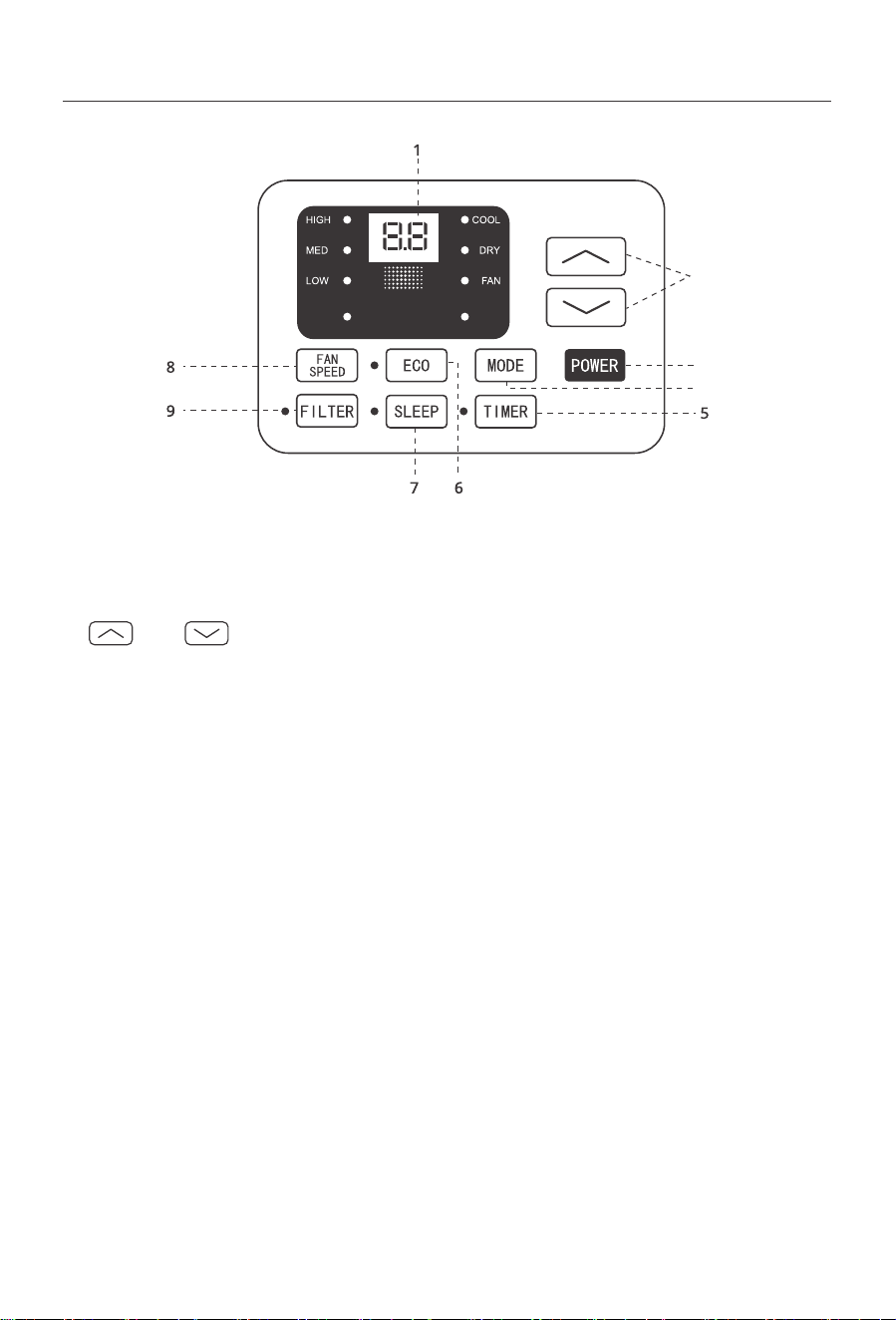
1. Digital Display:
Without timer setting, the operation mode is Cooling, Dry, Fan and Auto, and the set
temperature will be displayed. Time will be displayed under timer setting.
2. and Button:
Use these buttons on the control panel and remote to increase or decrease the Set
Temperature or Timer.
Temperature range: 61°F~88°F or 16°C~31°C.
3. Power Button:
7XUQWKHDLUFRQGLWLRQHURQDQGR
4. Mode Button:
Press the mode button to cycle through the various modes: Cool, Dry, Fan and Auto.
Cool Mode: The cooling function allows the air conditioner to cool the room and at the
same time reduces humidity. Press the MODE button to activate the cooling function. To
optimize this function adjust the temperature by pressing the up and down arrows and
the speed by pressing the Fan Speed button.
Dry Mode: This function reduces the humidity of the air to make the room more comfor-
table. Press the MODE button to set the DRY mode. An automatic function of alternating
cooling cycles and air fan is activated.
Fan Mode: This function only works when the airconditioner is vented. Press the MODE
button to set the FAN mode. With pressing the FAN SPEED button, the speed changes
in the following sequence: HIGH, MED, LOW in FAN mode. The remote control also
stories the speed that was set in the previous mode of operation.
AUTO
SPEED
AUTO
MODE
2
3
4
14
Auto Mode: In AUTO mode the unit automatically chooses the mode of operation (COOL,
or FAN). In this mode the temperature is set automatically according to the room
temperature (tested by the temperature sensor which is incorporated in the indoor unit).
5.Timer Button:
Use these buttons on the control panel and remote to set the Timer.
7LPHU2The timed stop is programmed by pressing TIMER button. Set the rest time by
pressing the button or until the rest time displayed is to your demand then
press TIMER button again.
Timer On::KHQWKHXQLWLVRSUHVV7Ζ0(5EXWWRQDWWKHȴUVWWLPHVHWWKHWHPSHUDWXUH
with pressing the button or . Press TIMER button at the second time, set the
rest time with pressing the button or . Press TIMER button at the third time,
FRQȴUPWKHVHWWLQJWKHQWKHUHVWWLPHWRQH[WDXWRPDWLFDOVZLWFKLQJRQFRXOGEHUHDG
on the display of the machine.
Note: ΖWFDQEHVHWWRDXWRPDWLFDOO\WXUQRRURQLQKRXUV(DFKSUHVVRIWKH
buttons will increase or decrease the timer. The Timer can be set in 0.5 hours
increment below 10 hours and 1 hour increment for 10 hours or above. The SET light
will turn on while setting. To cancel the setted function, press the TIMER button again.
6.Eco Button:
:KHQWKHXQLWLVLQ(&2PRGHWKH季OLJKWZLOOWXUQRQΖQ(&2PRGHWKHXQLWZLOOWXUQ
Ronce the room is cooled to the user-set temperature.
The unit will turn back on when the room temperature rises above the user-set temper-
ature. Before the compressor starts, the fan motor will run for a while, then it will stop
for a while, and will repeat to provide a much more comfortable feeling and save energy.
7.Sleep Button:
3UHVVWKH6/((3EXWWRQDOORIWKHGLVSOD\OLJKWVZLOOWXUQRDIWHUDZKLOHEXWWKH6OHHS
OLJKWLVDOZD\VRQΖQ6/((3PRGHWKHDLUFRQGLWLRQHUZLOODXWRPDWLFDOO\DGMXVWWKHWHPS
erature and fan speed to make the room more comfortable during the night. The set
temperature will automatically raise or decrease based on the room temperature and
the duration of sleep.
8.Fan Speed Button:
Press the FAN SPEED button to choose the fan speed options. You can choose HIGH,
MED, LOW or auto speed in COOL mode and choose HIGH, MED, LOW in FAN mode.
9.Filter Button:
:KHQWKH)LOWHU&KHFNOLJKWLVRLWLVQRWQHFHVVDU\WRSUHVVWKH)LOWHU&KHFNEXWWRQ
:KHQWKH)LOWHU&KHFNOLJKWLVRQ\RXFDQWXUQRWKHOLJKWE\SUHVVLQJWKH)LOWHU&KHFN
button. After the fan motor works for 500 total hours, the Filter Check light will turn on
WRUHPLQGWKHXVHUWRFOHDQWKHȴOWHU
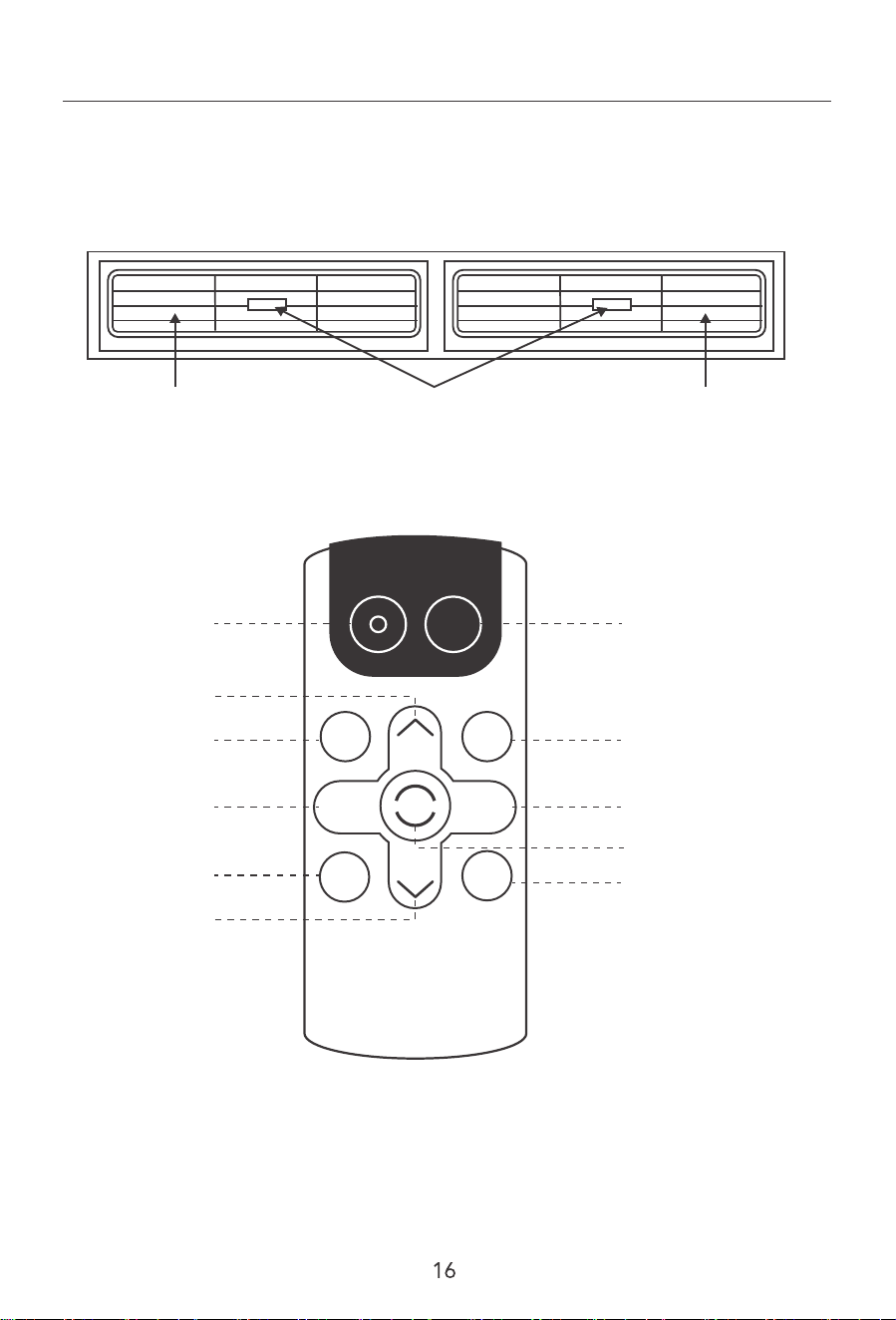
10. Directional Louvers:
7RGLUHFWWKHDLUȵRZXVHWKHKRUL]RQWDOZKHHOWRFRQWUROWKHKRUL]RQWDOGLUHFWLRQFRQWURO
the vertical direction.
$LU'HȵHFWRU $LU'HȵHFWRUHorizontal Wheel
REMOTE CONTROL
POWER
SLEEP
FAN
SPEED
FAN
ONLY
AUTO
MODE
DISPLAY
TIMER
ECO
COOL
1
3
3
4 7
8
10
9
2
5
6
1. POWER
7XUQWKHDLUFRQGLWLRQHURQDQGR
2. Cool
Press the COOL button to COOL mode.
3. and
Use these buttons on the control panel and remote to increase or decrease the Set
Temperature or Timer.
Temperature range: 61rF ~88rF or 16rC ~31rC .
4. Sleep
3UHVVWKH6/((3EXWWRQDOORIWKHGLVSOD\OLJKWVZLOOWXUQRDIWHUDZKLOHEXWWKH6OHHS
OLJKWLVDOZD\VRQΖQ6/((3PRGHWKHDLUFRQGLWLRQHUZLOODXWRPDWLFDOO\DGMXVWWKHWHP
perature and fan speed to make the room more comfortable during the night. The set
5. Timer
Use these buttons on the control panel and remote to set the Timer.
7LPHU2The timed stop is programmed by pressing TIMER button. Set the rest time by
pressing the button or until the rest time displayed is to your demand then
press TIMER button again.
Timer On::KHQWKHXQLWLVRSUHVV7Ζ0(5EXWWRQDWWKHȴUVWWLPHVHWWKHWHPSHUDWXUH
with pressing the button or . Press TIMER button at the second time, set the
rest time with pressing the button or . Press TIMER button at the third time,
FRQȴUPWKHVHWWLQJWKHQLWZLOOVKRZRQWKHGLVSOD\
Note: ΖWFDQEHVHWWRDXWRPDWLFDOO\WXUQRRURQLQKRXUV(DFKSUHVVRIWKH
buttons will increase or decrease the timer. The Timer can be set in 0.5 hours
increment below 10 hours and 1 hour increment for 10 hours or above. The SET light
will turn on while setting. To cancel the set function, press the TIMER button again.
6. Auto Mode
In AUTO mode the unit automatically chooses the mode of operation (COOL, or FAN).
In this mode the temperature will be set automatically according to the room temperature
(tested by the temperature sensor which is incorporated in the indoor unit.).
7. Fan Speed
Press the FAN SPEED button to choose the fan speed options. You can choose HIGH,
MED, LOW or auto speed in COOL mode and choose HIGH, MED, LOW in FAN mode.
8. Display
7RSUHVVWKH'Ζ63/$<EXWWRQLWFDQVZLWFKRRQDOOOLJKWVRU/('GLVSOD\
temperature will automatically raise or decrease based on the room temperature and
the duration of sleep.
)LJ
9. ECO
:KHQWKHXQLWLVLQ(&2PRGHWKHOLJKWZLOOWXUQRQΖQ(&2PRGHWKHXQLWZLOOWXUQR
once the room is cooled to the user set temperature. The unit will turn back on when the
room temperature rises above the user set temperature. Before the compressor starts,
the fan motor will run for a while, then it will stop for a while, and will repeat to provide
a much more comfortable feeling and save energy.
10. Fan Only
Press the Fan Only button to FAN ONLY mode.
Battery Size:
AAA-NOTE:'RQRWPL[ROGDQGQHZEDWWHULHVRUGLHUHQWW\SHVRI$$$EDWWHULHV
Care and Cleaning
Clean your air conditioner to keep it looking new and to minimize dust build up.
Air Filter Cleaning
7KH DLU ȴOWHU VKRXOG EH FKHFNHG DW OHDVW RQFH HYHU\ PRQWK WR VHH LI LW QHHGV
FOHD宱LQJ7UDSSHGSDUWLFOHVDQGGXVWFDQEXLOGXSLQWKHȴOWHUDQGPD\GHFUHDVHDLUȵRZ
DVZHOODVcause the cooling coils to accumulate frost.
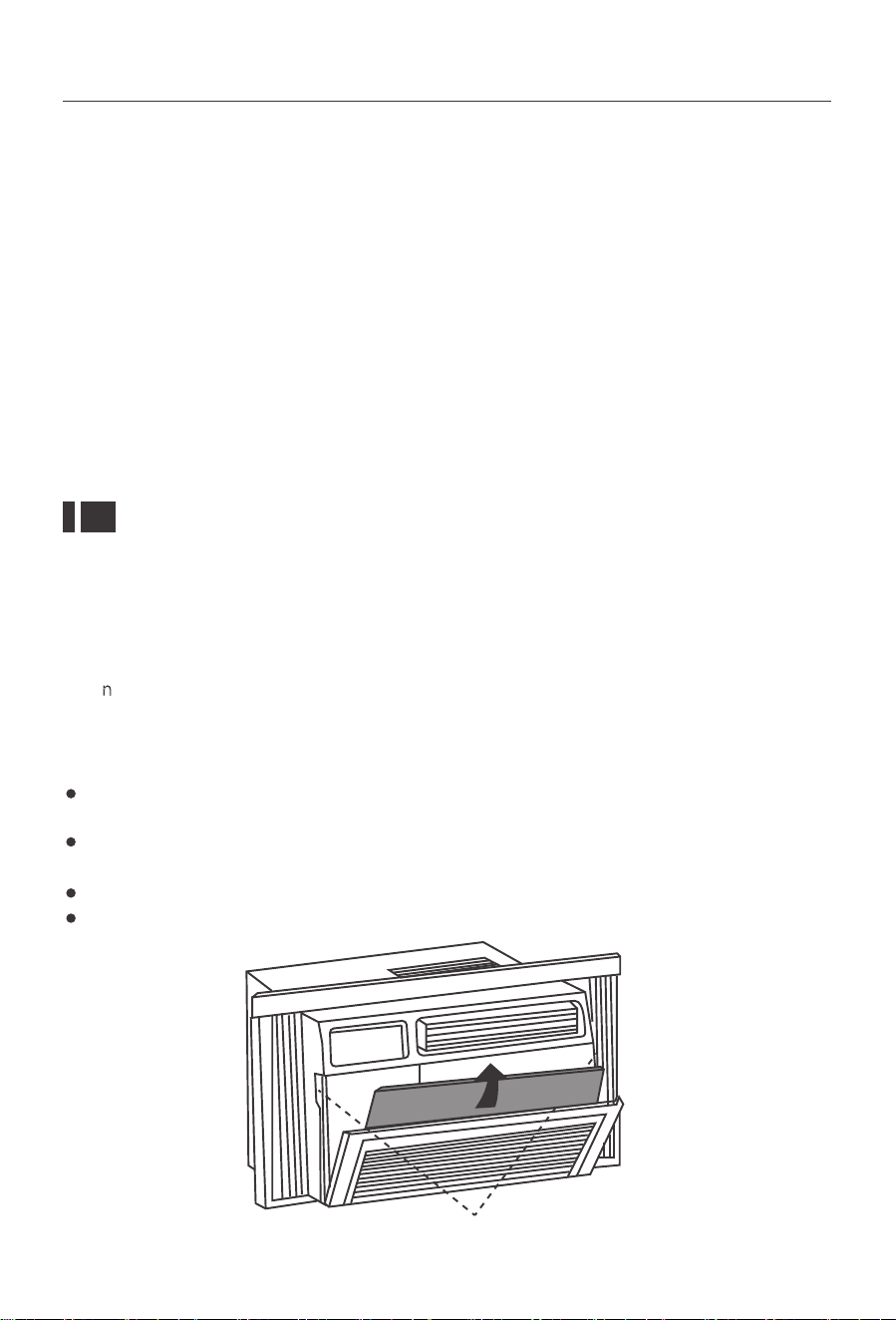
7RFOHDQWKHDLUȴOWHU
7DNHRIIWKHSRZHUSOXJDQGUHPRYHWKHȴOWHUE\VOLGLQJLWRXWIURPWKHIURQWULJKW
VLGHRIWKHDLUFRQGLWLRQHU6HH)LJ
:DVKWKHȴOWHUXVLQJOLTXLGGLVKVRDSDQGZDUPZDWHU5LQVHWKHȴOWHUWKRURXJKO\
*HQWO\VKDNHWKHȴOWHUWRUHPRYHH[FHVVZDWHU
/HWWKHȴOWHUGU\FRPSOHWHO\EHIRUHSODFLQJLWLQWRWKHDLUFRQGLWLRQHU
ΖI\RXGRQRWZLVKWRZDVKWKHȴOWHU\RXPD\YDFXXPWKHȴOWHUWRUHPRYHWKHGXVWDQG
other particles.
Indents
18
To clean the air conditioner cabinet:
To minimize wear and tear on the air conditioner, always wait at least 3 minutes before
changing modes. This will help prevent the compressor from overheating and the circuit
breaker from tripping.
Wear and Tear
Cabinet Cleaning
8QSOXJWKHDLUFRQGLWLRQHUWRSUHYHQWVKRFNRUDȴUHKD]DUG7KHFDELQHWDQGIURQW
panel of the air conditioner may be dusted with an oilfree cloth or washed with a cloth
dampened in a solution of warm water and mild liquid soap. Rinse thoroughly with a
damp cloth and wipe dry.
Never use harsh cleaners, wax or polish on the cabinet front.
Be sure to wring excess water from the cloth before wiping around the controls.
Excess water in or around the controls may cause damage to the air conditioner.
To store the air conditioner when it is not in use for an extended period of time, remove
it carefully from the window according to the installation instructions and cover it with
plastic or place it in the original box.
Winter Storage
Troubleshooting
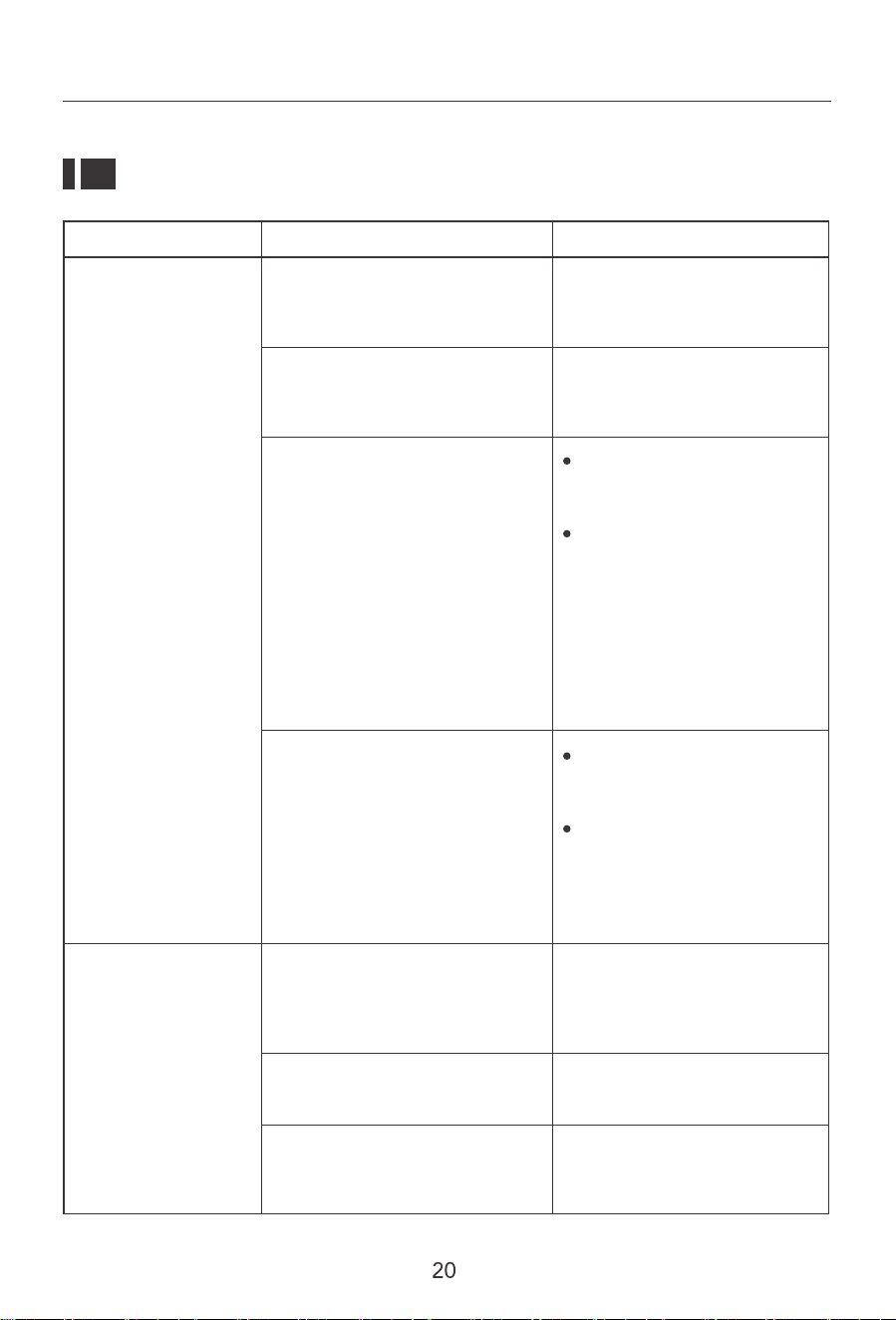
Problem Possible Causes Solutions
The air conditioner is unplugged
The fuse is blown/circuit breaker
is tripped
Power failure
Make sure the air condition-
er plug is pushed completely
into the outlet.
Check the house fuse/circuit
breaker box and replace the
fuse or reset the breaker.
The unit will automatically
re-start when power is
restored.
There is a protective time
delay (approx.3 minutes) to
prevent tripping of the
compressor overload. For
this reason, the unit may
not start normal cooling for
3 minutes after it is turned
back on.
The Air Conditioner
will not start
The current interrupter device
is tripped
Press the RESET button
located on the power cord
plug.
If the RESET button will not
stay engaged,discontinue
use of the air conditioner
DQGFRQWDFWDTXDOLȴHG
service technician.
The Air Conditioner
does not cool as it
should
$LUȵRZLVUHVWULFWHG
7KHDLUȴOWHULVGLUW\
The temperature control may
not be set correctly
Make sure there are no
curtains, blinds, or furniture
blocking the front of the air
conditioner.
Lower the set thermostat
temperature.
&OHDQWKHȴOWHU6HHWKH
Cleaning and Care Section of
the manual.
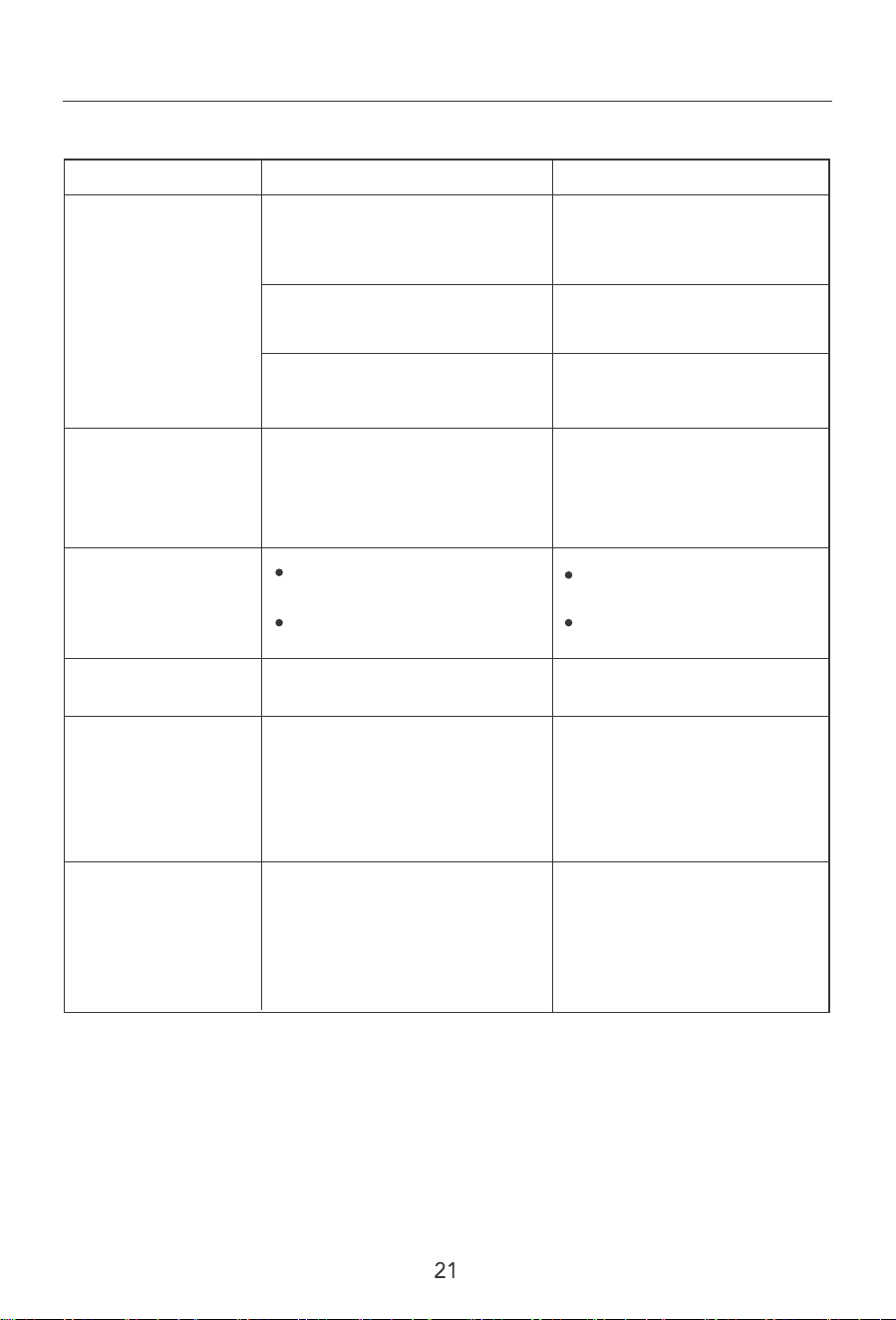
Problem Possible Causes Solutions
The Air Conditioner
does not cool as it
should
The Air Conditioner
is freezing up
The Remote Control
is not working
Water is dripping
outside
The room may be too warm
Cold air is escaping
The cooling coils are frozen
Hot and humid weather
ΖFHEORFNVWKHDLUȵRZDQG
stops the air conditioner from
cooling the room
The batteries are inserted
incorrectly
The batteries may be dead
Please allow time for the room
to cool down after turning on
the air conditioner.
Check for open furnace
registers and cold air returns.
See "Air Conditioner Freezing
Up" below.
This is normal.
Set the MODE dial to HIGH
FAN or HIGH COOL and set
the thermostat to a higher
temperature.
Check the position of the
batteries.
Replace the batteries.
Water is dripping
inside the room
The air conditioner is not
correctly tilted outside
For proper water drainage,
make sure the air conditioner
is slightly tilted downward
from the front of the unit to
the rear.
Water collects in
the base pan
Moisture removed from the air
is draining into the base pan
This is normal for a short
period inareas with low
humidity and normal for a
longer period in areas with
high humidity.
Thank you for purchasing this product! If you have any questions
about the product, such as missing parts, damaged products, product
assembling, and operation, please contact us via customer service
number: 818-468-3970.
IMPORTANT
Please call our customer service department for any consulting:
(8:30am - 5:30pm P.S.T.)
DATED PROOF OF PURCHASE IS REQUIRED FOR WARRANTY
SERVICE.
AVIS
Veuillez appeler le service à la clientèle pour toutes questions au:
(8:30am - 5:30pm P.S.T.)
PREUVE D’ACHAT ORIGINALE REQUISE POUR SERVICE DE
GARANTIE.
IMPORTANTE
Sólo hay que llamar nuestro departamento de servicio
al cliente en caso de tener preguntas o inquietudes:
(8:30am - 5:30pm P.S.T.)
SE REQUIERE PRUEBA DE COMPRA CON FECHA PARA
SERVICIO BAJO GARANTÍA.
818-468-3970
818-468-3970
818-468-3970
ROWAN ELECTRIC APPLIANCE LLC
818-468-3970
V2