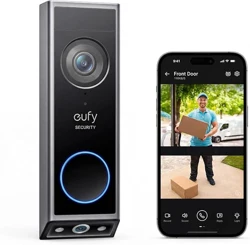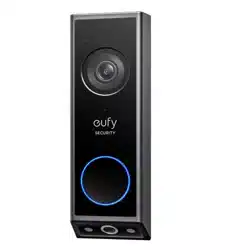

eufy Security Video Doorbell E340
User Guide (T8214)
AT A GLANCE
Front View
❶
LED Light
❷
Motion Sensor
❸
Primary Camera Lens
❹
Microphone
❺
Ambient Light Sensor
❻
LED Ring / Doorbell Button
❼
LED Light
❽
Secondary Camera Lens
❾
Speaker
Rear View
❶
Detaching Mechanism
❷
Power Terminals for Existing Doorbell Wires (Optional)
❸
SYNC Button
Press to turn on the doorbell.
Press and hold for 2 seconds until you hear a beep to set up the doorbell. (Optional)
Press quickly 5 times within 3 seconds to turn o
ff
the doorbell.
❹
Battery Compartment
❺
QR Code (Scan to add the doorbell in the app)
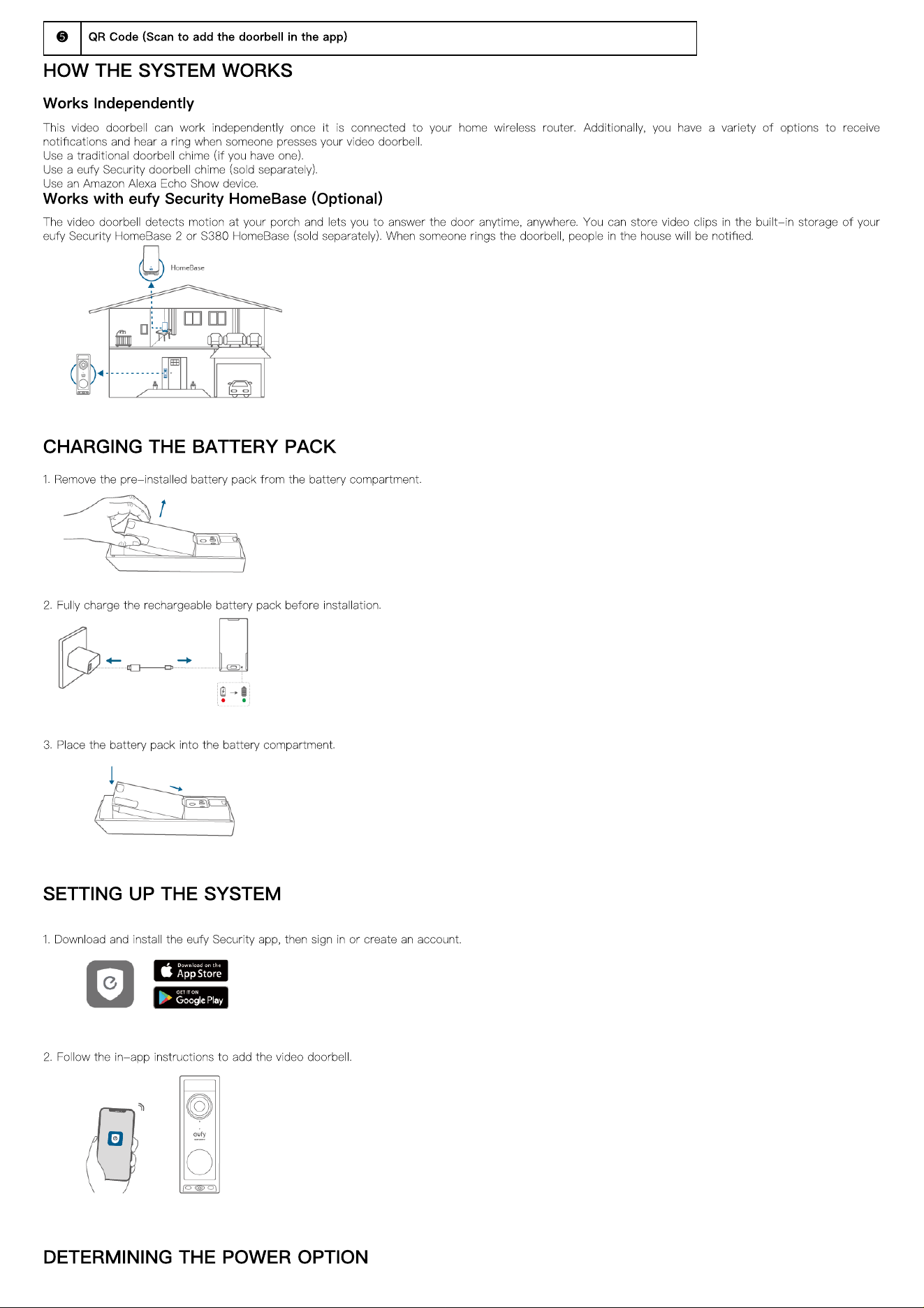
HOW THE SYSTEM WORKS
Works Independently
This video doorbell can work independently once it is connected to your home wireless router. Additionally, you have a variety of options to receive
noti
fi
cations and hear a ring when someone presses your video doorbell.
Use a traditional doorbell chime (if you have one).
Use a eufy Security doorbell chime (sold separately).
Use an Amazon Alexa Echo Show device.
Works with eufy Security HomeBase (Optional)
The video doorbell detects motion at your porch and lets you to answer the door anytime, anywhere. You can store video clips in the built-in storage of your
eufy Security HomeBase 2 or S380 HomeBase (sold separately). When someone rings the doorbell, people in the house will be noti
fi
ed.
CHARGING THE BATTERY PACK
1. Remove the pre-installed battery pack from the battery compartment.
2. Fully charge the rechargeable battery pack before installation.
3. Place the battery pack into the battery compartment.
SETTING UP THE SYSTEM
1. Download and install the eufy Security app, then sign in or create an account.
2. Follow the in-app instructions to add the video doorbell.
DETERMINING THE POWER OPTION
Option 1: Battery Powered
If you don't have existing doorbell wiring at your front door, use the included battery. You are free to determine the location of the doorbell, and the mounting
will be easy and quick.
When the battery is low, you will need to recharge it. Battery life varies with use. If you choose this option, please skip to
DOORBELL MOUNTING
(Battery
Powered).
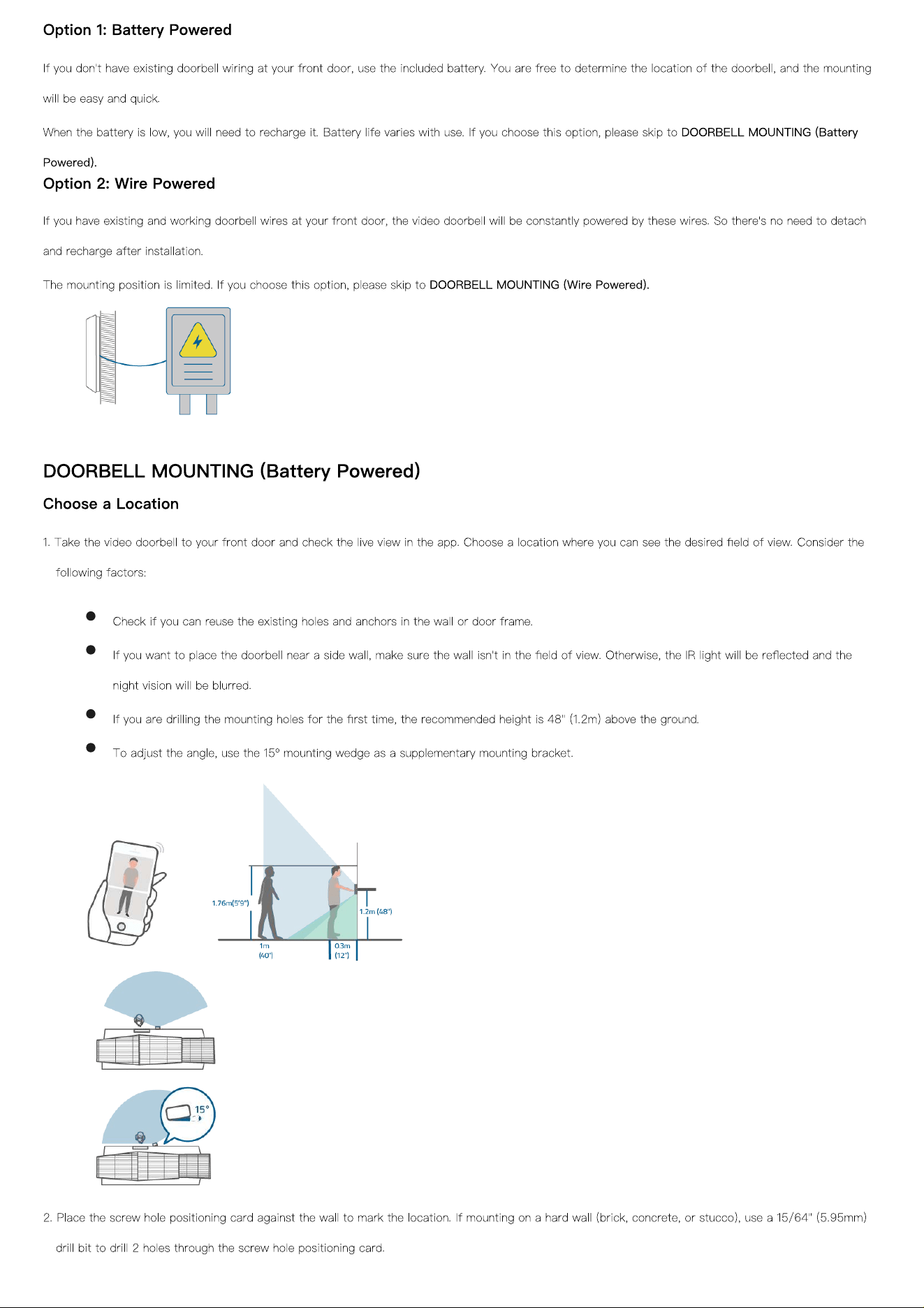
Option 2: Wire Powered
If you have existing and working doorbell wires at your front door, the video doorbell will be constantly powered by these wires. So there's no need to detach
and recharge after installation.
The mounting position is limited. If you choose this option, please skip to
DOORBELL MOUNTING (Wire Powered).
DOORBELL MOUNTING (Battery Powered)
Choose a Location
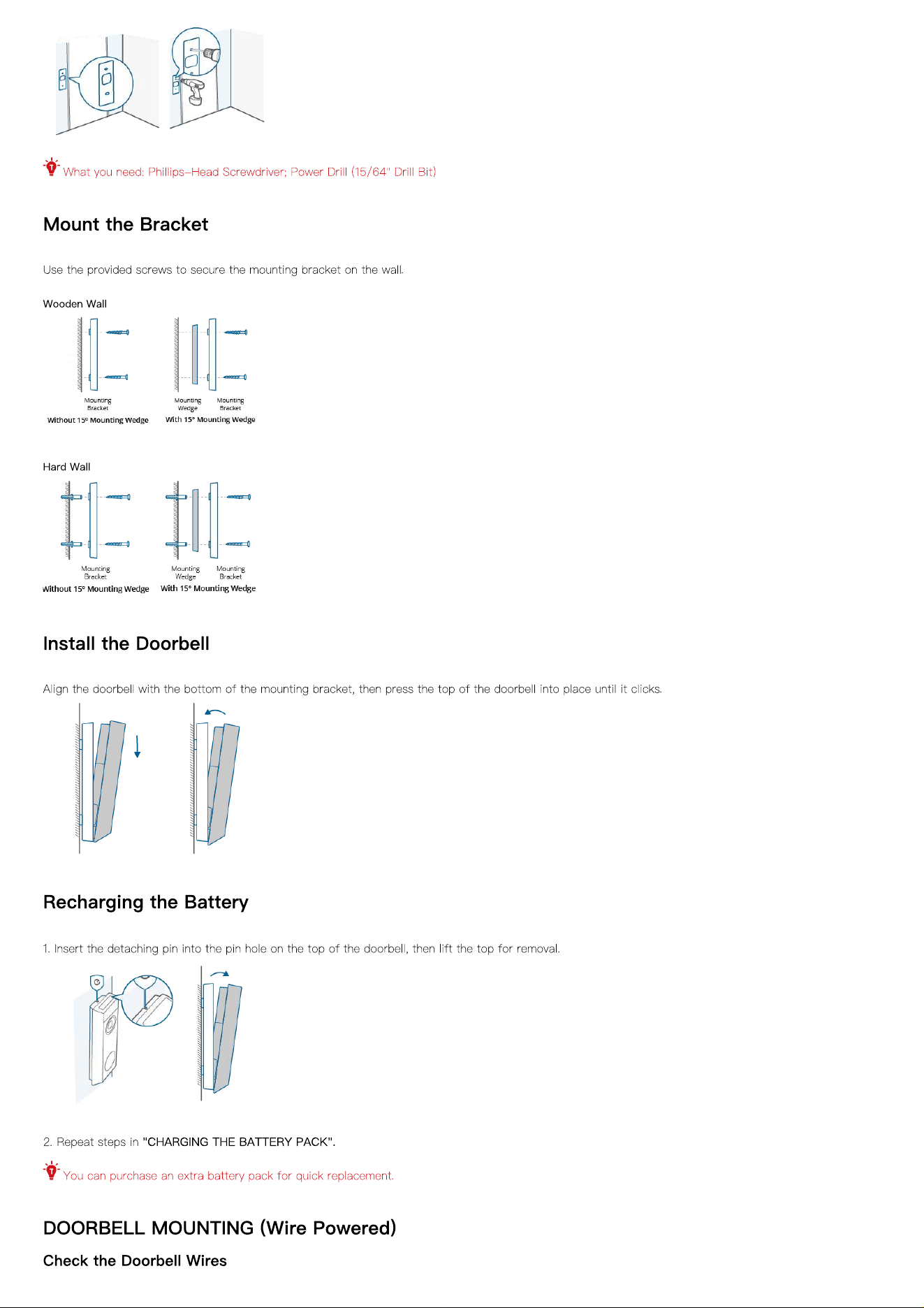
1. Take the video doorbell to your front door and check the live view in the app. Choose a location where you can see the desired
fi
eld of view. Consider the
following factors:
Check if you can reuse the existing holes and anchors in the wall or door frame.
If you want to place the doorbell near a side wall, make sure the wall isn't in the
fi
eld of view. Otherwise, the IR light will be re
fl
ected and the
night vision will be blurred.
If you are drilling the mounting holes for the
fi
rst time, the recommended height is 48" (1.2m) above the ground.
To adjust the angle, use the 15º mounting wedge as a supplementary mounting bracket.
2. Place the screw hole positioning card against the wall to mark the location. If mounting on a hard wall (brick, concrete, or stucco), use a 15/64" (5.95mm)
drill bit to drill 2 holes through the screw hole positioning card.
What you need: Phillips-Head Screwdriver; Power Drill (15/64" Drill Bit)
Mount the Bracket
Use the provided screws to secure the mounting bracket on the wall.
Wooden Wall
Hard Wall
Install the Doorbell
Align the doorbell with the bottom of the mounting bracket, then press the top of the doorbell into place until it clicks.
Recharging the Battery
1. Insert the detaching pin into the pin hole on the top of the doorbell, then lift the top for removal.
2. Repeat steps in
"CHARGING THE BATTERY PACK".
You can purchase an extra battery pack for quick replacement.
DOORBELL MOUNTING (Wire Powered)
Check the Doorbell Wires
1. Ring the existing doorbell to check if it is working. If it doesn't ring, your doorbell wires may be defective. Power on the doorbell by the built-in battery or
consult an electrician to repair the wires.
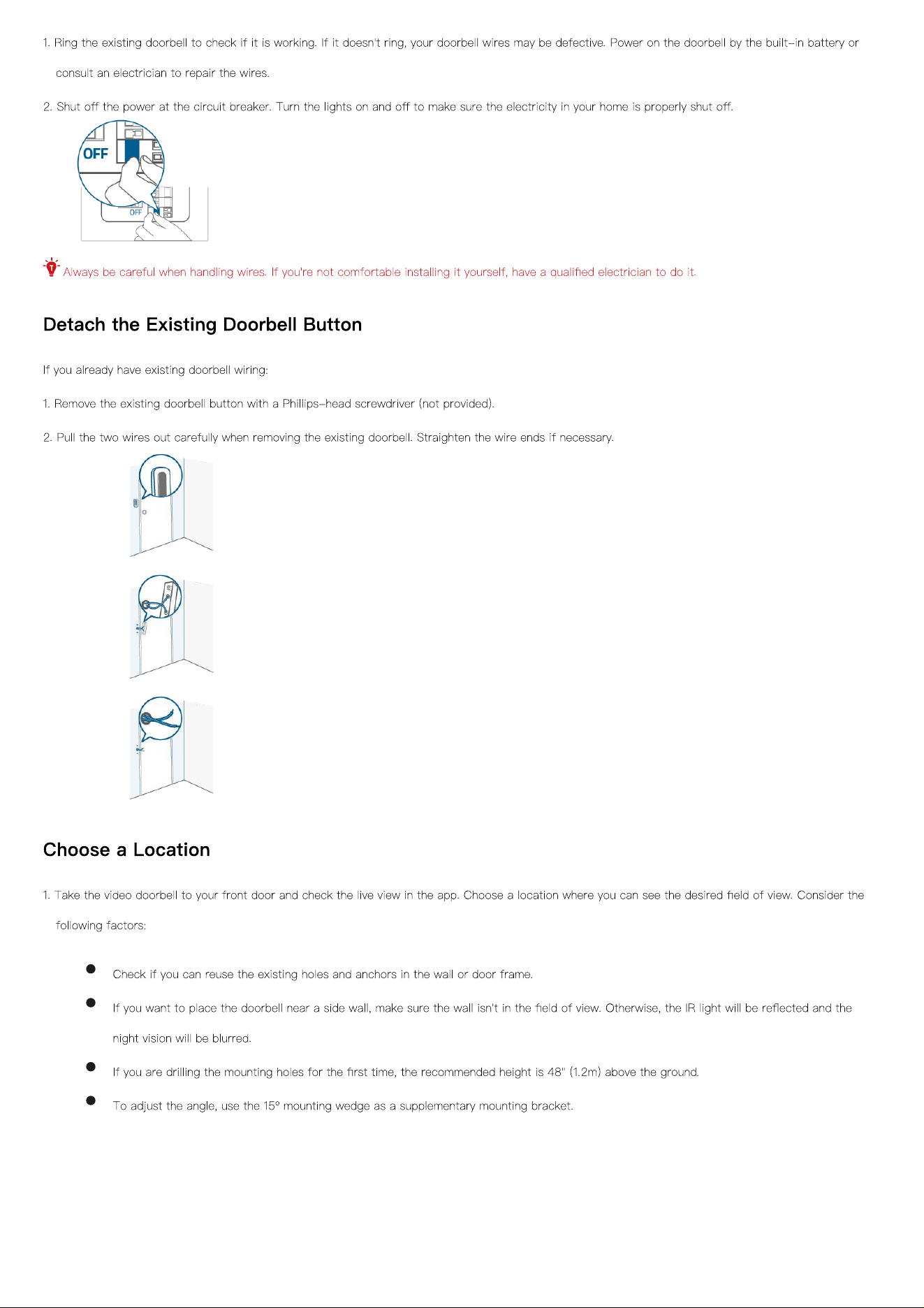
2. Shut o
ff
the power at the circuit breaker. Turn the lights on and o
ff
to make sure the electricity in your home is properly shut o
ff
.
Always be careful when handling wires. If you're not comfortable installing it yourself, have a quali
fi
ed electrician to do it.
Detach the Existing Doorbell Button
If you already have existing doorbell wiring:
1. Remove the existing doorbell button with a Phillips-head screwdriver (not provided).
2. Pull the two wires out carefully when removing the existing doorbell. Straighten the wire ends if necessary.
Choose a Location
1. Take the video doorbell to your front door and check the live view in the app. Choose a location where you can see the desired
fi
eld of view. Consider the
following factors:
Check if you can reuse the existing holes and anchors in the wall or door frame.
If you want to place the doorbell near a side wall, make sure the wall isn't in the
fi
eld of view. Otherwise, the IR light will be re
fl
ected and the
night vision will be blurred.
If you are drilling the mounting holes for the
fi
rst time, the recommended height is 48" (1.2m) above the ground.
To adjust the angle, use the 15º mounting wedge as a supplementary mounting bracket.
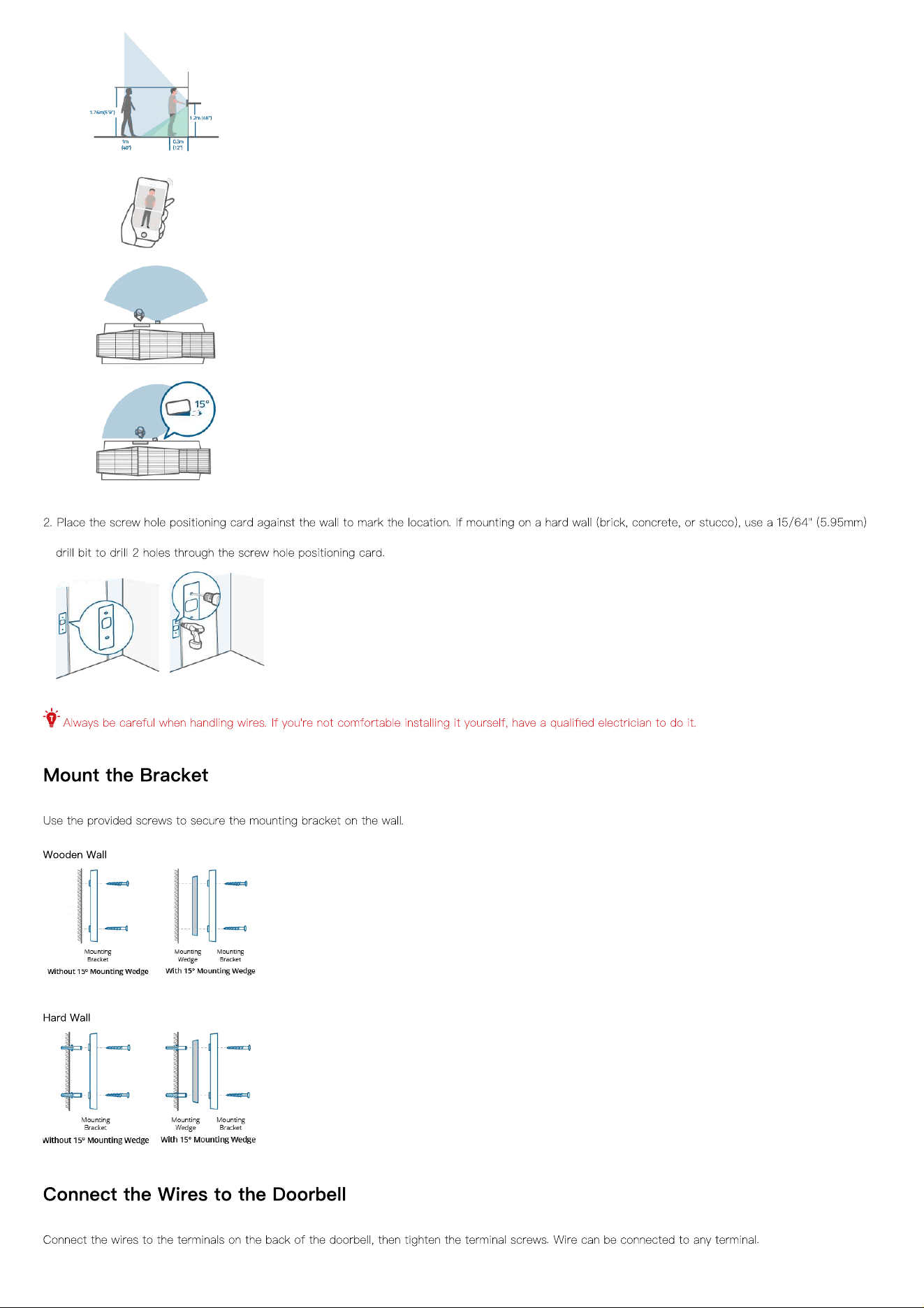
2. Place the screw hole positioning card against the wall to mark the location. If mounting on a hard wall (brick, concrete, or stucco), use a 15/64" (5.95mm)
drill bit to drill 2 holes through the screw hole positioning card.
Always be careful when handling wires. If you're not comfortable installing it yourself, have a quali
fi
ed electrician to do it.
Mount the Bracket
Use the provided screws to secure the mounting bracket on the wall.
Wooden Wall
Hard Wall
Connect the Wires to the Doorbell
Connect the wires to the terminals on the back of the doorbell, then tighten the terminal screws. Wire can be connected to any terminal.
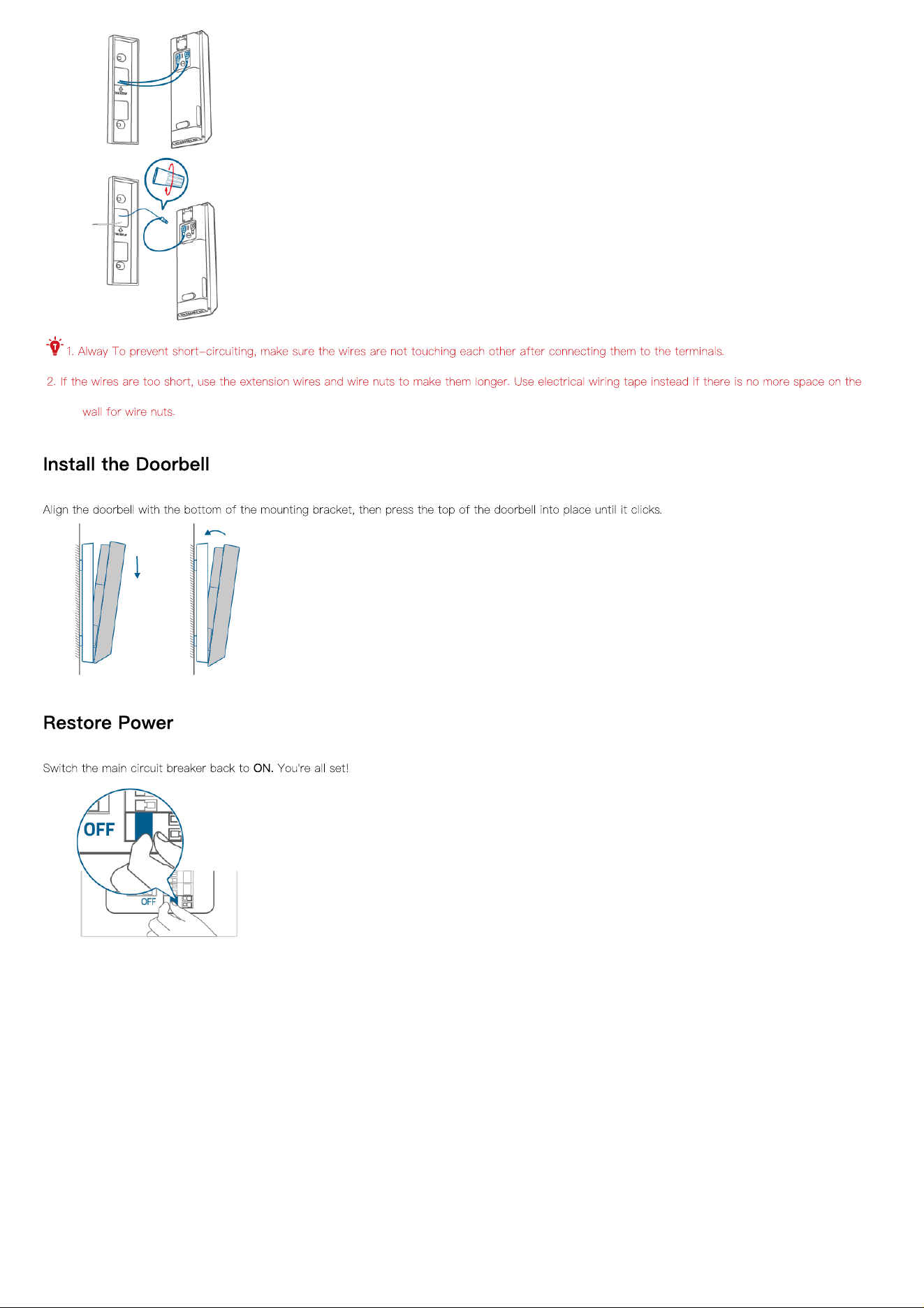
1. Alway To prevent short-circuiting, make sure the wires are not touching each other after connecting them to the terminals.
2. If the wires are too short, use the extension wires and wire nuts to make them longer. Use electrical wiring tape instead if there is no more space on the
wall for wire nuts.
Install the Doorbell
Align the doorbell with the bottom of the mounting bracket, then press the top of the doorbell into place until it clicks.
Restore Power
Switch the main circuit breaker back to
ON.
You're all set!