-4-
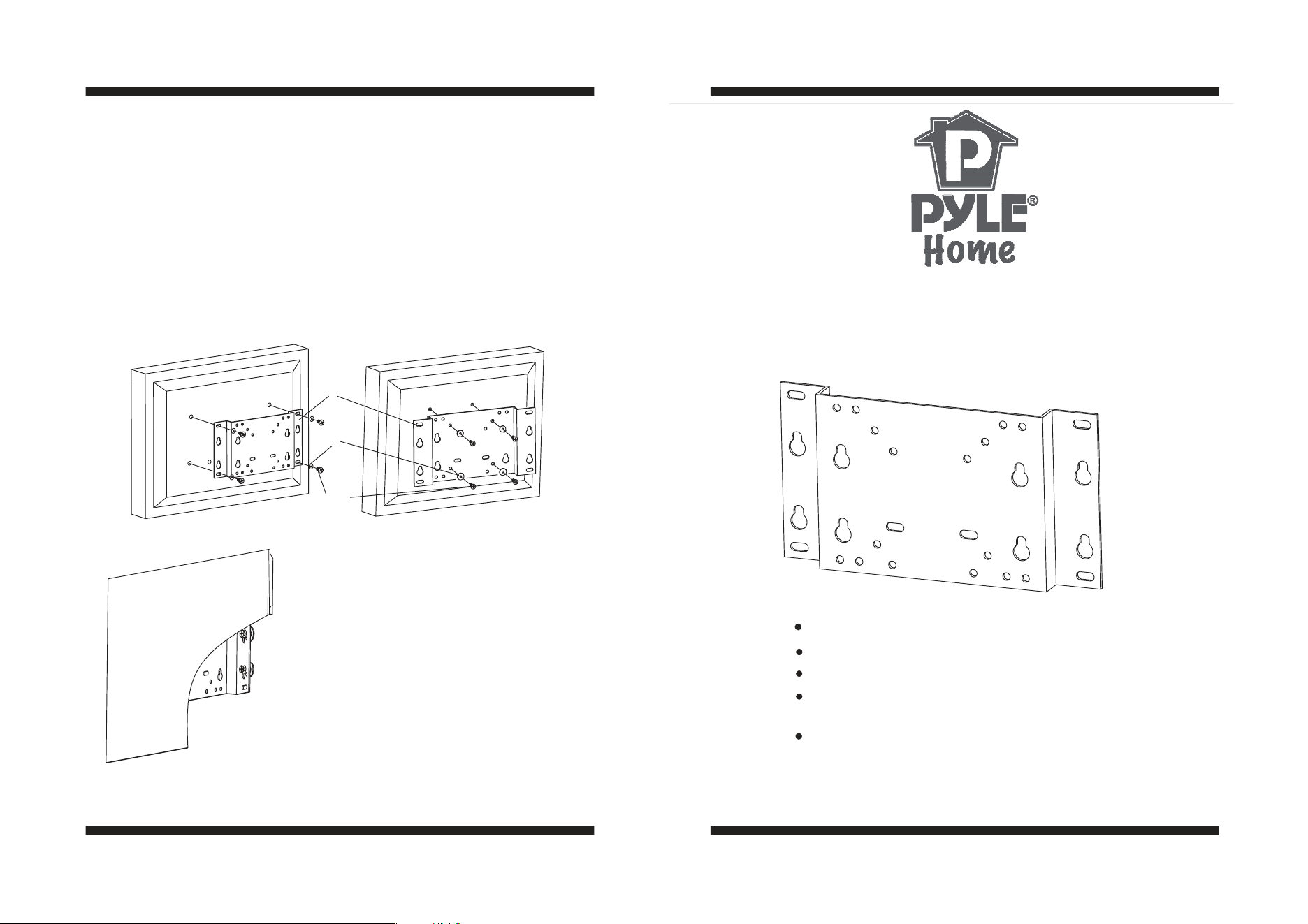
Firstly put up the TV with an assistant in fitting position on the wall,making
the trough on the panel fit to the wall button,then according trough to embed
the LCD into the wall button. AS shown in Fig6.
Don't force the bolt to LCD hole, avoiding damage to people and
instrument .Don't use electronics drill to fasten screw.
Carefully:
Step3: Install TV
According hole's location at the back of TV to choose relevant hole on the
panel.(have chosen on first step), please pay attention to that hole chosen
must be equalization, using bolt and washer to install panel on TV (fig 4,5)
Step3: Install TV
Carefully:
A-D
E
1
Fig6
Flat unadjustable wall mount
INSTALLATION GUIDE
Item No.:PWLB605Item No.:PWLB605
According VESA standard to design
Simply for installing:
gliding and embedding
finish installing between
panels by
Max load capacity 15Kg/33lbs:
Distance to the wall is only 18mm
TV Size Rang:10”-15”
Important: If don’t understand about right install ways, please
consult to normal installing specialist.
Important:
Fig4
Fig5
-2-
-3-
NO
Name
1
A
C
B
D
E
1
4
4
4
4
8
TV Plate
Wall Button
M4 8mm bolt
M4 12mm bolt
M5 8mm bolt
M5 12mm bolt
Long bolt
Qty
F
4
1
H
B
A
CD
F
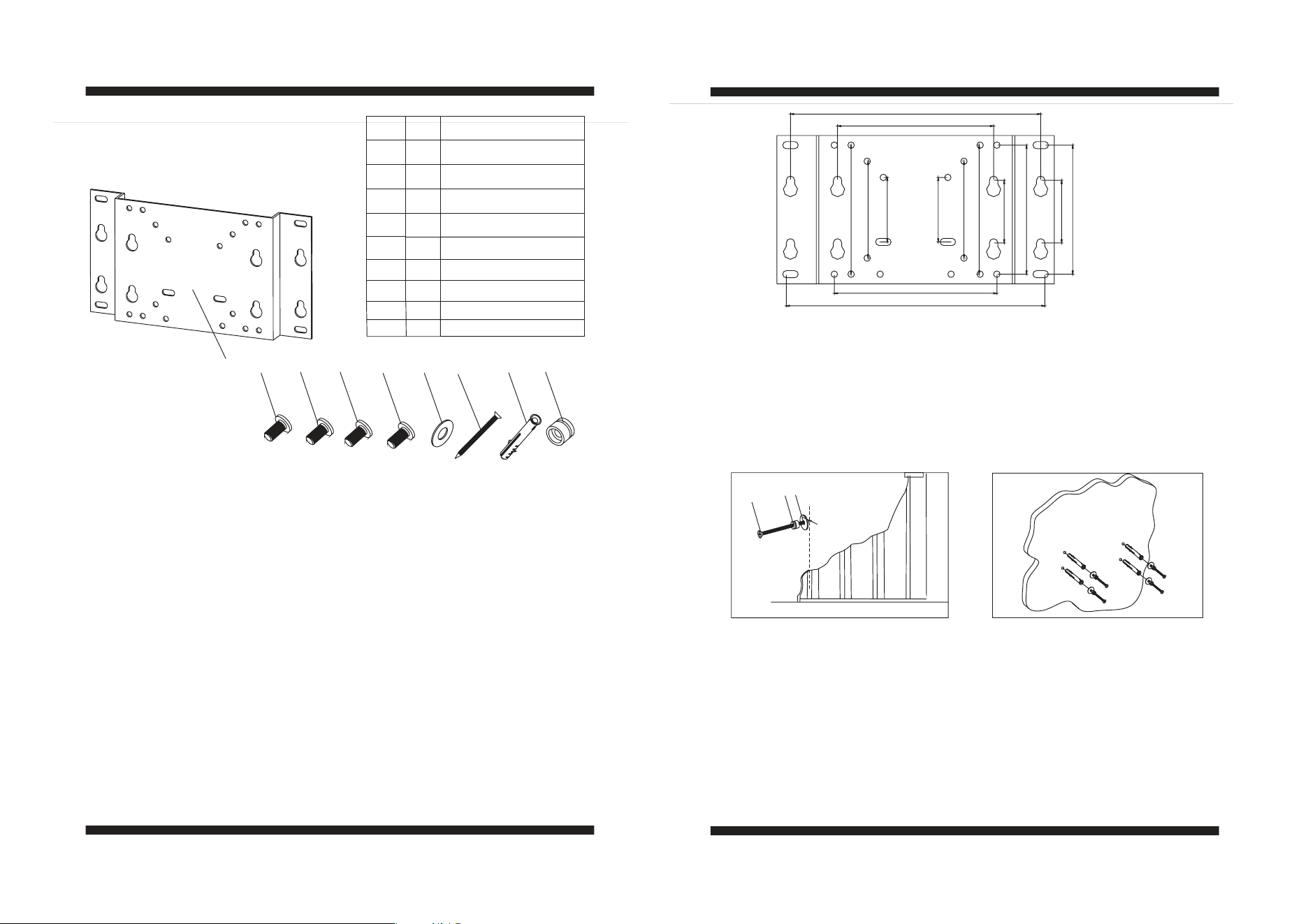
This product has two kinds of installing location,which is positive and negative.
According wall to choose installing location rationally for display.
Considering display with varied”VESA” standard connects with stand directly.
This product establishs four kinds of installing styles which is according with
“ VESA”standard.
A-VESA 50(50mmx50mm)
B-VESA 75(75mmx75mm)
C-VESA 100(100mmx100mm)
D-VESA 200(200mmx200mm)
If the installing hole of your display is not”VESA” standard, this stand offers
installing location,if still can't satisfy,you need a optional carrying instrument
to attach the display to the stand.If need carrying instrument,please contact
with your dealer.
When choose location of A,B,C,D, choosing hole's location same as 2 in fig1
when installing hole on the wall, or choose hole location of 1.
Fig1
Fig2
F
H
E
Fig3
B
A
B
A
D
C
C
D
1
1
2
2
E
E
G
H
4
4
Wall anchor
M5 washer
G
E
Parts:Parts:
Step1 Choose your installing location on the TV panel:.
Step1 Choose your installing location on the TV panel:.
Step2: Install wall mount
Installing ways of batten wall
Using a electronic stake detector in the mount location, which is in center
of stake. Making mark in the center of stake on the wall.Lay theTV panel on
installing location flatly, using for templet,marking holein the center of stake
where TV panel has been chosen. Using 2mm aiguille to drill 4 holes of
30mm depth. Install wall button H carefully by using provided long bolt
andM5washer.
()
Step2: Install wall mount
Installing ways of batten wall
Install ways of cement and beton
Lay the wall mount on the installing location,using for templet,marking
hole location on the wall where TV panel has chosen.Using 8mm aiguille
to drill hole of 40mm depth, embedding the Wall anchor cover into hole,
and strike to wall slightly. Install wall Plate carefully by using provided
Long bolt and washer. (Fig3)
Wall anchor cover just for wall of cement and beton.Don't use
Wall anchor cover on dry floppy wall for installing stand.
Careful:
Install ways of cement and beton
Careful: