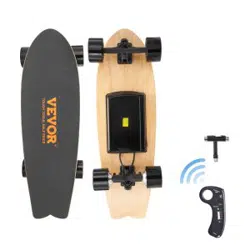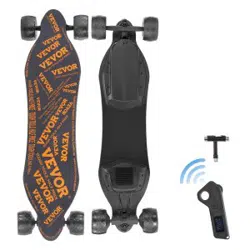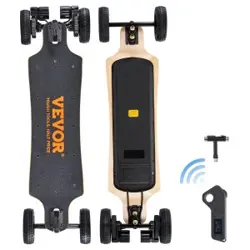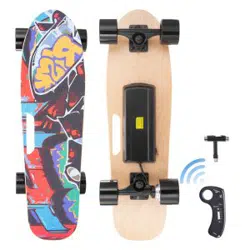

Technical Support and E-Warranty Certificate www.vevor.com/support
Instruction Manual
ELECTRIC SKATEBOARD
We continue to be committed to provide you tools with competitive price.
"Save Half", "Half Price" or any other similar expressions used by us only represents an
estimate of savings you might benef it from buying certain tools with us compared to the major
top brands and doses not necessarily mean to cover all categories of tools offered by us. You
are kindly reminded to verify caref ully when you are placing an order with us if you are
actually saving half in comparison with the top major brands.
Please note the device poses restrictions concerning user's
weight (120 kg / 264 lbs max). Do not overload the skateboard, as
it may lead to damage and injuries.
It is recommended to wear comfortable clothing that does not block,
limit or restrict movements of the user.
Wear comfortable, flat shoes to maintain flexibility and full
motion range.
Practice your riding skills on flatand even surfaces in an openspace.
Avoid places with pedestrians and obstacles before you
feel you are comfortable with your driving skills. Make sure you've
mastered getting on the device, accelerating, coming to a stop and
making turns before you try higher speed.
Pay attention when riding near cables and cords! Slow down
when on uneven ground!
Before operating this skateboard, read all the instructions and
keep it for future reference. This manual includes useful tips and
tricks as well as important safety information on use and handling
of the device.
Manufacturer is not responsible or liable for any damages or
injuries caused by inappropriate use or handling of this device.
1、Be sure to apply all appropriate safety measures when
operating this device.
2、Remember to wear a helmet, knee pads, elbow pads and other
protective gears.
3、Relax your legs while riding, slightly bend your knees, it can
help maintain balance when encountering uneven ground.
4、In the process of driving, ensure that the feet are always
placed on the deck.
5、Avoid riding on steep slopes, through potholes or bumps. The
weight of the user and their belongings should not exceed the
maximum load indicated in the instruction. Overload may lead to
injuries or damages.
6、Ensure the skateboard speed is safe for you and others.
Keep a safe distance from other devices to avoid collisions.
Remember that your height hasincreased when you are on theskat eboard
Remember this while riding i.e. through door,
narrow space.
7、Do not ride this skateboard on rainy or snowy days. Do not ride
on slippery ground (i.e. snow, ice, wet surfaces).
8、Do not ride on surfaces made of loose fabric or covered in
items that could get in/entangle in the wheels (e.g. thick carpet).
THANK YOU FOR YOUR PURCHASE OF
THE ELECTRIC SKATEBOARD
Before operating this skateboard, read all the instructions and
keep it for future reference. This manual includes useful tips and
tricks as well as important safety information on use and handling
of the device.
Manufacturer is not responsible or liable for any damages or
injuries caused by inappropriate use or handling of this device.
Always check the battery charge before using.
Do not ride when its battery is low! Charge the battery when the
battery indicator signals low level.
Do not use the device if the battery gives out any odor or
excessive heat or when there's leakage.
Do not use the device when it is charging!
Ensure the charging port is dry prior to charging!
Charge the device only with the included/authorized power
adapter.
Do not continue riding when the battery reaches minimum, as
this will affect battery's life.
1. Plug the charger into mains socket (110 - 240 V; 50/60 Hz).
The light on the charger lights up green.
2. Plug the other end of the charger into the device. The
indicator on the charger will turn red.
3. When the indicator turns from red to green, the charging is
complete, disconnect charger from device and electrical outlets.
Do not overcharge the device, as it may affect battery life.
DEVICES
The 4 LED indicators on the device shows skateboard battery
level.
CLEANING
Do not clean this device when in the process of charging!
Clean the unit's exterior periodically with a soft, slightly damp
cloth. Never use chemical agents to clean this device.
STORAGE
Do not store the device if its battery level is very low or
discharged. Charge the batt ery beforestorage to preventover-
discharge due to a longnon-use time.
Charge the device's battery every three months if the device is
left unused to maintain the longevity of the battery.
Do not wrap up the device or place it in the package right after
charging it, as it may get warmer during charging - risk of fire.
WARNINGS:
Always check the battery level before using. Do not ride when
its battery is low.
When the skateboard battery level is below 10%, the device
will issue a sound - in such case stop, step off the device and turn
it off!
REMOTE
The remote has 4 indicators:
Remote power indicator (shows when the remote is on)
Skateboard battery level indicator-10% indicates when skateboard
battery level is 10%
Skateboard battery level indicator-60% indicates when skateboard
battery level is 60%
Skateboard battery level indicator-100% indicates when skateboard
battery level is fully.
CHARGED
When the remote battery is low, the remote power indicator will
flash. In such a case, turn off the skateboard and charge the remote
control. Do not use the device when remote control's battery is low
level.
The skateboard is designed for one person at a time only! It's
prohibited for two persons from riding the skat eboard atonce.
When riding this skateboard, you should comply with local
laws and regulations including traffic laws.
Do not ride after drinking or taking drugs/medications of any
kind or any other substances which may affect your cognitive or
motor skills.
Do not lift the skateboard off the ground when it is turned on.
Do not turn it on in midair.
Do not climb up or down steep hills.
Do not jump off nor on your skateboard.
Refrain from riding t hisskat eboard off curb ramps orattemp
ting tooperate in a skat e park, emptypools, et c. This device is
anelectric skateboard with elect roniccomponents and a
batteryunderneath the boardPerforming such actions will lead to
damage to the electricalelements
SAFETY INSTRUCTIONS
Children who are over 13 years old and
people with reduced physical, sensory or mental capabilities, or
lack of experience and knowledge, may ride this device if they are
supervised and guided by a person who is responsible for their
safety in a cautious manner, and all the safety precautions are
understood and followed. Children should not play with this
device. Children should not perform cleaning and servicing of the
device unsupervised. Device is not suitable for use by persons
whose health might be in danger in case of a possible fall from the
device (Children, Elderly, Pregnant Women, ect.)
Protect this device from moisture, humidity, water and any
other liquid. Avoid using/ storing it in extreme temperatures. Do
not expose it to direct sunlight and sources of heat. Before
connecting the device to power supply socket, make sure the
voltage indicated on the appliance corresponds to the voltage in
the power supply socket.
Do not use this device in case of abnormal operation.
Use only authorized accessories.
Do not attempt to repair/disassemble this device yourself.
In case of damage, contact with an authorized service point
for check-up/repair.
Disconnect this device from power supply before cleaning and
service.
Do not use this device near flammable products.
WEIGHT LIMITATIONS
RIDING TIPS
SAFE RIDING
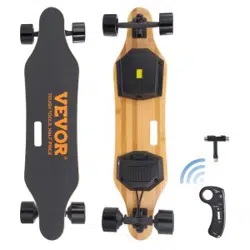
PRODUCT DESCRIPTION
CAPABILITY
Board Material 7 Layers maple + 1 Baboo
Maximum speed
Endurance
Max load
40km/h
18km
230Lbs
Capacity 5200mAH
Watt
Battery
Motor
Wheel
Remote
Charger
Package
① 1X charger
② 1x Wireless remote controller
③ 1x USB cable
④ 1x T-shape tool
⑤ 1x User's manual
218.4Wh
Charging time 2-3 hours
Vol tage 42v
Type 90mm Hub motor×2
Material pu
Size 90mm
Capacity 150mAh
Frequency 2.4GHz
Control distance 8-10m
Charging time 1hours
Voltage 42v
Input 100-240v
Output 42v
N.W. 7.75KG
G.W. 9.2KG
Product size 930*270*115mm
Package size 1000*320*160mm
PRODUCT PARAMETER
REMOTE CONTROL REMOTE CONTROL
Charging port
ELECTRIC SKATEBOARD &
ACCESSORIES
① ② ③ ④
BATTERY
CHARGING
INDICATORS
BATTERY AND CHARGING
01
03
02
05
04
0807
06
1009
Power Switch
Rear wheels
Motor
portable
Acceleration / brake
Remote control o
①Signal indication
②
③
④
⑤
⑥Charging tips
Direction switch
USB charging
②("100%-75%") Electricity
③("75%-50%") Electricity
④("50%-25%")Electricity
⑤("25%-5%") Electricity
Power on/off the remote control
Short press the power button "Power", ① the indicator light is on
and it is turned on.
Long press the power button "Power" for 3 seconds, ①After the
indicator light is off, it is turned off.
The remote control is not connected to the scooter, and it will
automatically shut down within 30 seconds. The remote control and
the scooter will not be automatically shut down if there is a
connection between the remote control and the scooter. You must
wait for the scooter to shut down and shut down after 30 seconds
without connection.
Switch direction of skateboard
When the scooter is in a stationary state, short press the
"Reverse" button to switch the front and rear direction of the scooter,
and the skateboard will drive forward ①The light will show green,
and then short press the "Reverse" button, the scooter will drive
backwards ①The light will show red, and cycle in turn Front and
back direction.
Speed shift of skateboard
Short press the Power button to switch the four gears of the
scooter, the low-speed mode ⑤ light will be on, the medium speed
mode ④ the light will be on, the high-speed mode ③ the light will be
on, the sport mode ② the light will be on, the switch will exit after 3
seconds.
Switching of the brake force of the skateboard
Pull the "roller" back on the remote control and don't turn it on.
At the same time, short press the "Power" button to switch the four
gears of the scooter braking force, one gear ⑤ flashing, second
gear ④ flashing, third gear ③ flashing, fourth gear ②The file
flashes.
Charge the remote control
The remote control is charged with Micro USB. After the remote
control is connected and charged, the indicator light of the remote
control ②③④⑤ flashes and moves quickly. All four lights are on to
indicate that the remote control is fully charged. When charging, the
light is always on and the light is the charging indicator.
MODEL: SYL-06
ELECTRIC SKATEBOARD
Have product questions? Need technical support? Please feel free to
contact us:
CustomerService@vevor.com
NEED HELP? CONTACT US!
This is the original instruction, please read all manual instructions
carefully before operating. VEVOR reserves a clear interpretation of our
user manual. The appearance of the product shall be subject to the
product you received. Please forgive us that we won't inform you again if
there are any technology or software updates on our product.
For more information on skateboarding styles, see the web page
Technical Support and E-Warranty Certificate
www.vevor.com/support
11
⑤
FCC INFORMATION
CAUTION:
Changes or modifications not expressly approved by the party responsible
for compliance could void the user's authority to operate the equipment!
This device complies with Part 15 of the FCC Rules. Operation is subject
to the following two conditions:
1) This product may cause harmful interference.
2)This product must accept any interference received, including interfe
rence that may cause undesired operation.
WARNING:
Changes or modifications to this product not expressly approved by the
party. responsible for compliance could void the user's authority to oper
ate the product.
Note: This product has been tested and found to comply with the limits
for a Class B digi tal device pursuant to Part 15 of the FCC Rules, These
limits are designed to provide reas onable protection against harmful
interference in a residential installation.
This product generates, uses and can radiate radio frequency energy,
and if not installed and used in accordance with the instructions, may ca
use harmful interference to radio communications. However, there is no
guarantee that interference will not occur in a particular installation. If
this product does cause harmful interference to radio or television rece
ption,which can be determined by turning the product off and on, the us
er is encouraged to try to correct the interference by one or more of the
following measures.
· Reorient or relocate the receiving antenna.
· Increase the distance between the product and receiver.
· Connect the product to an outlet on a circuit different from that to
which the receiver is connected.
· Consult the dealer or an experienced radio/TV technician for assistance.