
CAUTION: DIRECTLY VIEWING THE
SUN OR ANY LIGHT SOURCE WITH
THIS OPTICAL DEVICE CAN CAUSE
PERMANENT EYE DAMAGE.
ILLUMINATED MAGNIFIER 4x, 64mm LED
Looking at or near the sun will cause instant and irreversible damage to
your eyes. Eye damage is often painless, so there is no warning to the
observer that damage has occurred until it is too late. Do not look at the
sun through the magnifying glass. Children should always have adult
supervision while observing.
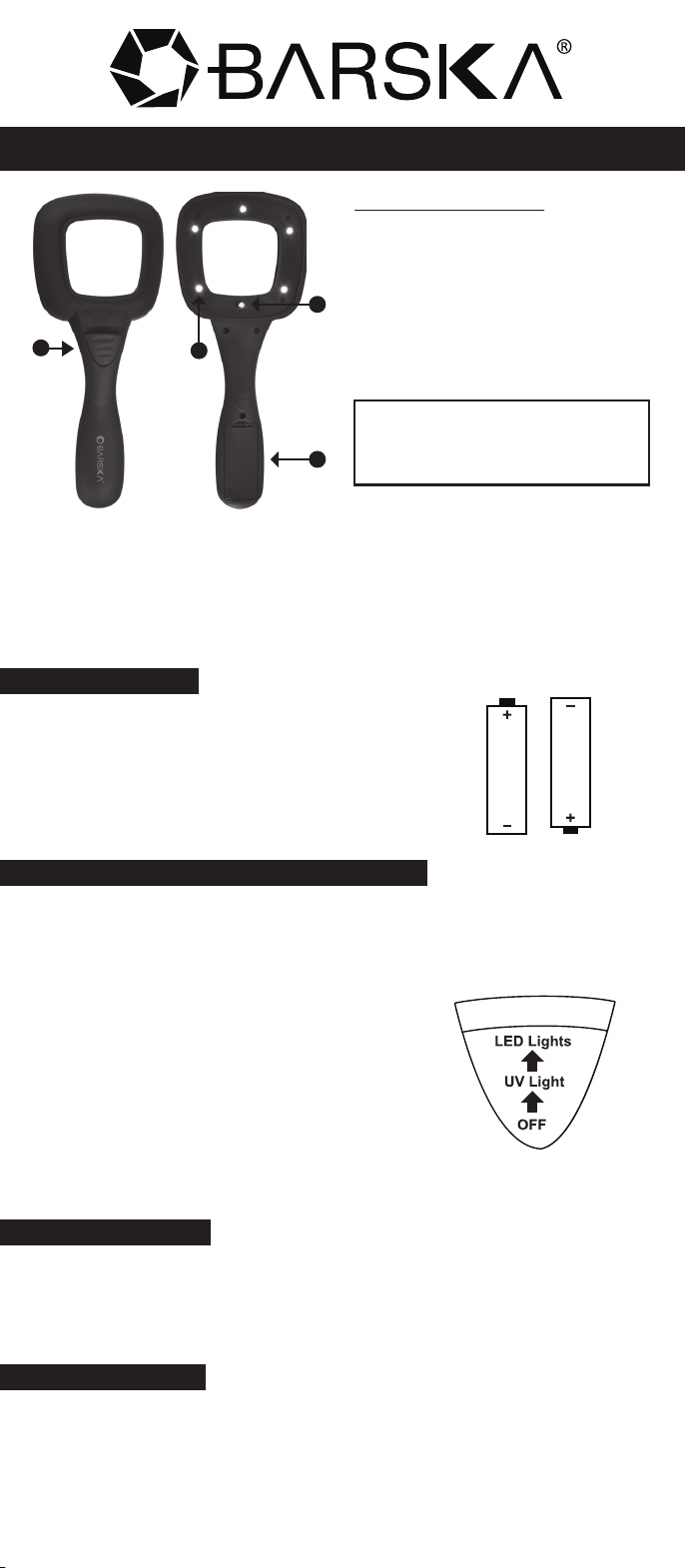
Parts of the Magnifier
A. On/Off Switch
B. LED Lights
C. UV Light
D. Battery Compatment and Lid
Inserting Batteries
1. Remove the battery cover located on the
under side of the handle of the magnifier
2. Insert 2 AAA alkaline batteries
(not included), as pictured
3. Replace the battery cover
Turning the Magnifier Lights and UV On/Off
1. After properly inserting the 2 AAA alkaline batteries; slide up
the on/off switch located on the top of the magnifier
Modes are as follows
OFF = Slide switch to the bottom to turn
the lights off
UV = Slide switch to the center to turn UV
light on. UV light may reveal
markings on some currency
such as: watermarks, security
threads and or holograms
LED = Slide switch up to turn on the 5 LED lights
Using the Magnifier
1. Grasp the handle of the magnifier, adjust focus by lifting and
lowering the magnifier
Note: Actual obtainable power depends on viewing distance
Care and Cleaning
- To remove any dirt or fingerprints, wipe lens with a soft cloth
- Store in a cool dry place unexposed to moisture
- Always handle magnifier with care, avoid dropping magnifier as
it may get damaged
A
B
C
D