PDF export of the original HTML instructions
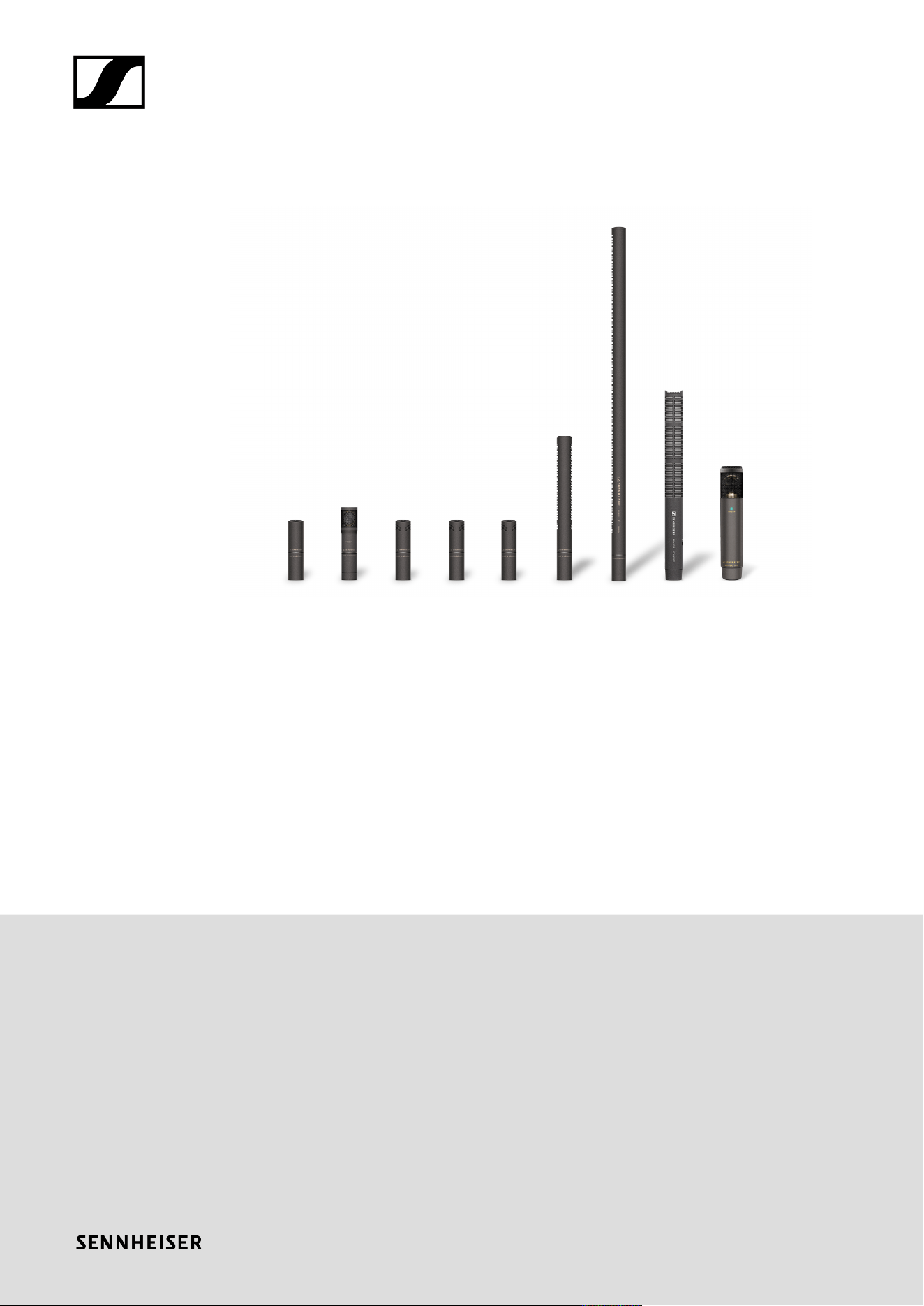
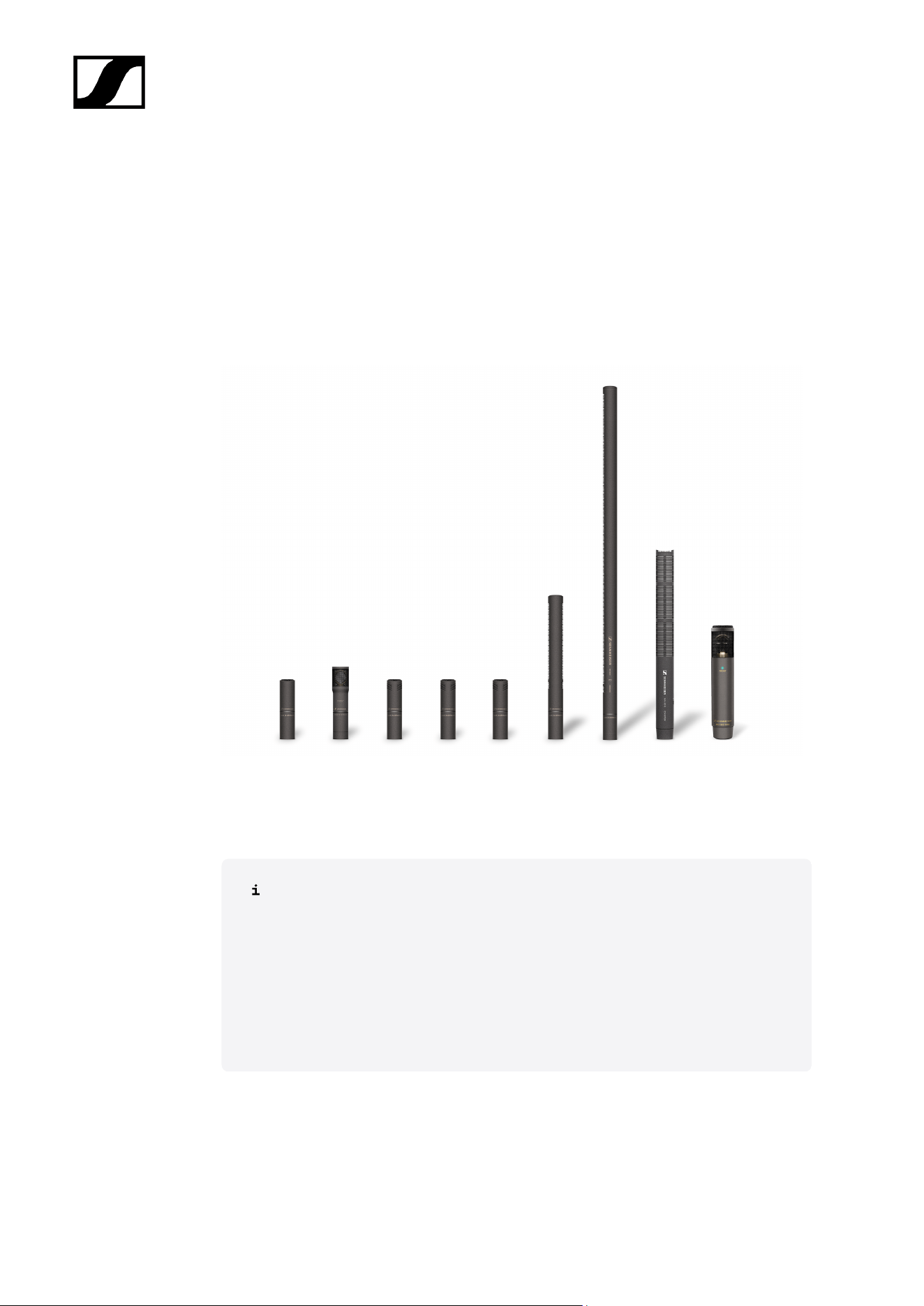
MKH 8000 series
MKH 8000 v1.2 | 06/2025

Contents
1. Preface............................................................................................................................................ 5
2. Product information......................................................................................................................6
Microphones............................................................................................................................... 6
MKH 8018............................................................................................................................ 7
MKH 8020........................................................................................................................... 8
MKH 8030........................................................................................................................... 9
MKH 8040..........................................................................................................................10
MKH 8050...........................................................................................................................11
MKH 8060..........................................................................................................................12
MKH 8070.......................................................................................................................... 13
MKH 8090..........................................................................................................................14
MKH 800 TWIN.................................................................................................................15
Available sets............................................................................................................................16
MKH 8020 stereo set.......................................................................................................16
MKH 8040 stereo set....................................................................................................... 17
Accessories............................................................................................................................... 18
Module................................................................................................................................18
Floor stand components................................................................................................. 20
Table stands......................................................................................................................24
Extension cables.............................................................................................................. 26
Mounts............................................................................................................................... 27
Clips / Clamps..................................................................................................................28
Windshield........................................................................................................................ 33
3. User manual................................................................................................................................ 38
Retrofitting or extending the microphone............................................................................38
Stereo recording...................................................................................................................... 40
MKH 8018................................................................................................................................. 43
Product overview............................................................................................................. 43
Starting up........................................................................................................................ 45
Operation...........................................................................................................................49
MKH 8020................................................................................................................................. 52
Product overview..............................................................................................................52
Starting up........................................................................................................................ 53
Operation...........................................................................................................................55
MKH 8030.................................................................................................................................56

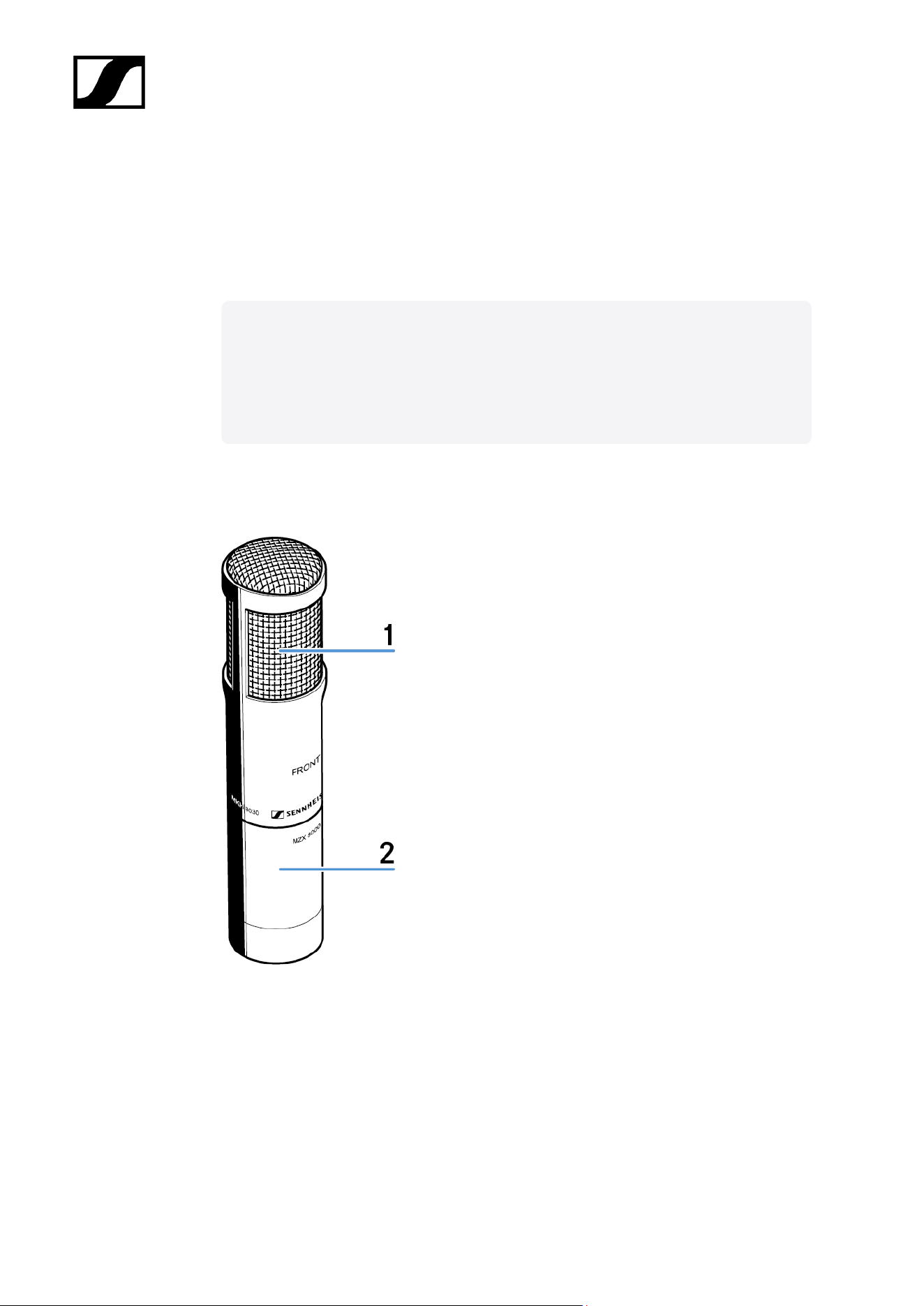
Product overview............................................................................................................. 56
Starting up.........................................................................................................................57
Operation...........................................................................................................................59
MKH 8040................................................................................................................................. 61
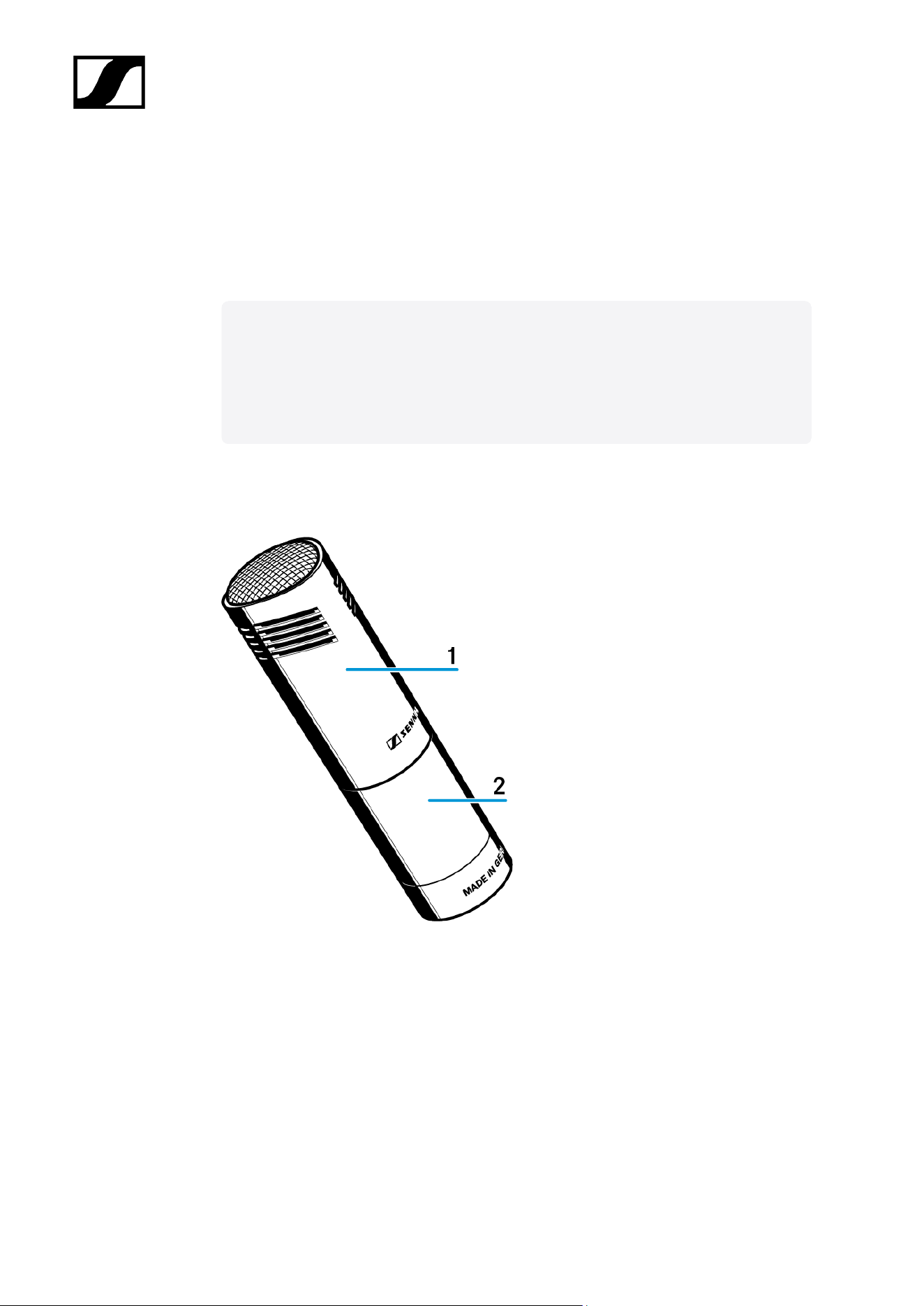
Product overview.............................................................................................................. 61
Starting up........................................................................................................................ 62
Operation...........................................................................................................................64
MKH 8050.................................................................................................................................65
Product overview............................................................................................................. 65
Starting up........................................................................................................................ 66
Operation...........................................................................................................................68
MKH 8060.................................................................................................................................69
Product overview............................................................................................................. 69
Starting up........................................................................................................................ 70
Operation........................................................................................................................... 72
MKH 8070................................................................................................................................. 73
Product overview..............................................................................................................73
Starting up.........................................................................................................................74
Operation........................................................................................................................... 76
MKH 8090................................................................................................................................. 77
Product overview.............................................................................................................. 77
Starting up.........................................................................................................................78
Operation...........................................................................................................................80
MKH 800 TWIN........................................................................................................................ 81
Product overview.............................................................................................................. 81
Starting up........................................................................................................................ 83
Operation...........................................................................................................................86
MZF 8000 II..............................................................................................................................90
Product overview............................................................................................................. 90
Starting up.........................................................................................................................91
Operation...........................................................................................................................92
Cleaning and maintenance.....................................................................................................93
4. Specifications..............................................................................................................................94
MKH 8018................................................................................................................................. 94
MKH 8020................................................................................................................................101
MKH 8030............................................................................................................................... 103
MKH 8040............................................................................................................................... 105

MKH 8050............................................................................................................................... 107
MKH 8060............................................................................................................................... 109
MKH 8070................................................................................................................................ 112
MKH 8090................................................................................................................................115
MKH 800 TWIN....................................................................................................................... 117
MZF 8000 II............................................................................................................................ 120
5. Contact........................................................................................................................................122

MKH 8000 series
1. Preface
PDF export of the original HTML instructions
This PDF document is an automated export of an interactive set of HTML instructions.
It may be the case that not all contents and interactive elements are contained in the
PDF as they cannot be presented in this format. Furthermore, automatically generated
page breaks may cause coherent contents to be moved slightly. We can therefore only
guarantee the completeness of the information in the HTML instructions, and recommend
that you use these. You can find these in the download section of the website under
www.sennheiser.com/download.
5
MKH 8000 series
2. Product information
All information about the product and available accessories at a glance.
Microphones
Available sets
Accessories
Microphones
You can find more detailed information in the following sections:
• For information about the available accessories, see Accessories
• You can find information about starting up and operating the products
under User manual
• You can find technical specifications for the individual products under
Specifications
6
| 2 - Product information
Related information
MKH 8018
MKH 8020
MKH 8030
MKH 8040
MKH 8050
MKH 8060
MKH 8070
MKH 8090
MKH 800 TWIN
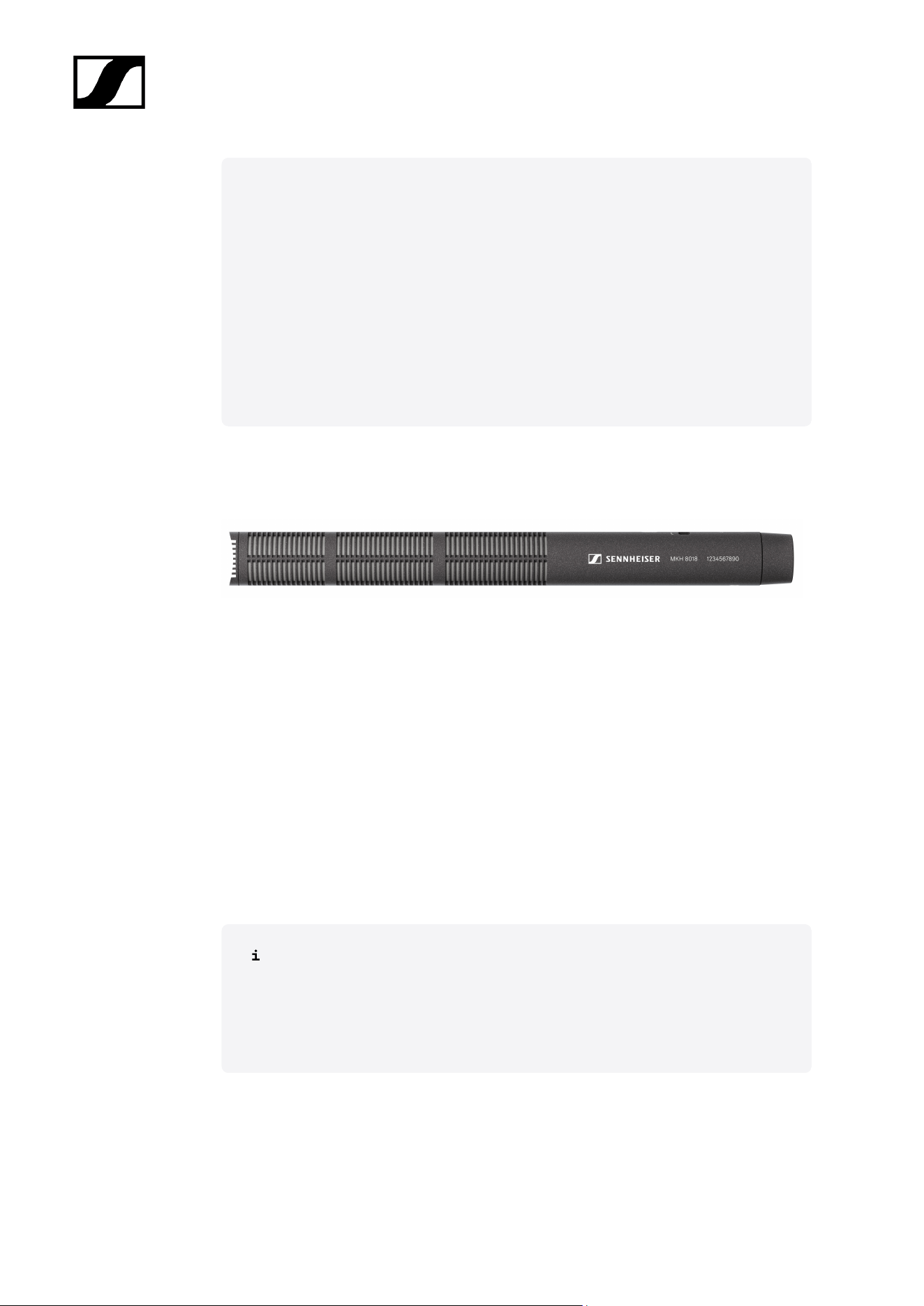
MKH 8018
Shotgun microphone with switchable stereo-modes
Art. no. 700252
Delivery includes
• MKH 8018
• Microphone clip MZQ 100
• Windshield MZW 8018
• Camera adapter MZR 8000
• Threaded transport tube
• Quick guide
• Safety instructions
You can find more detailed information in the following sections:
• Instruction manual MKH 8018
• Specifications MKH 8018
7
| 2 - Product information
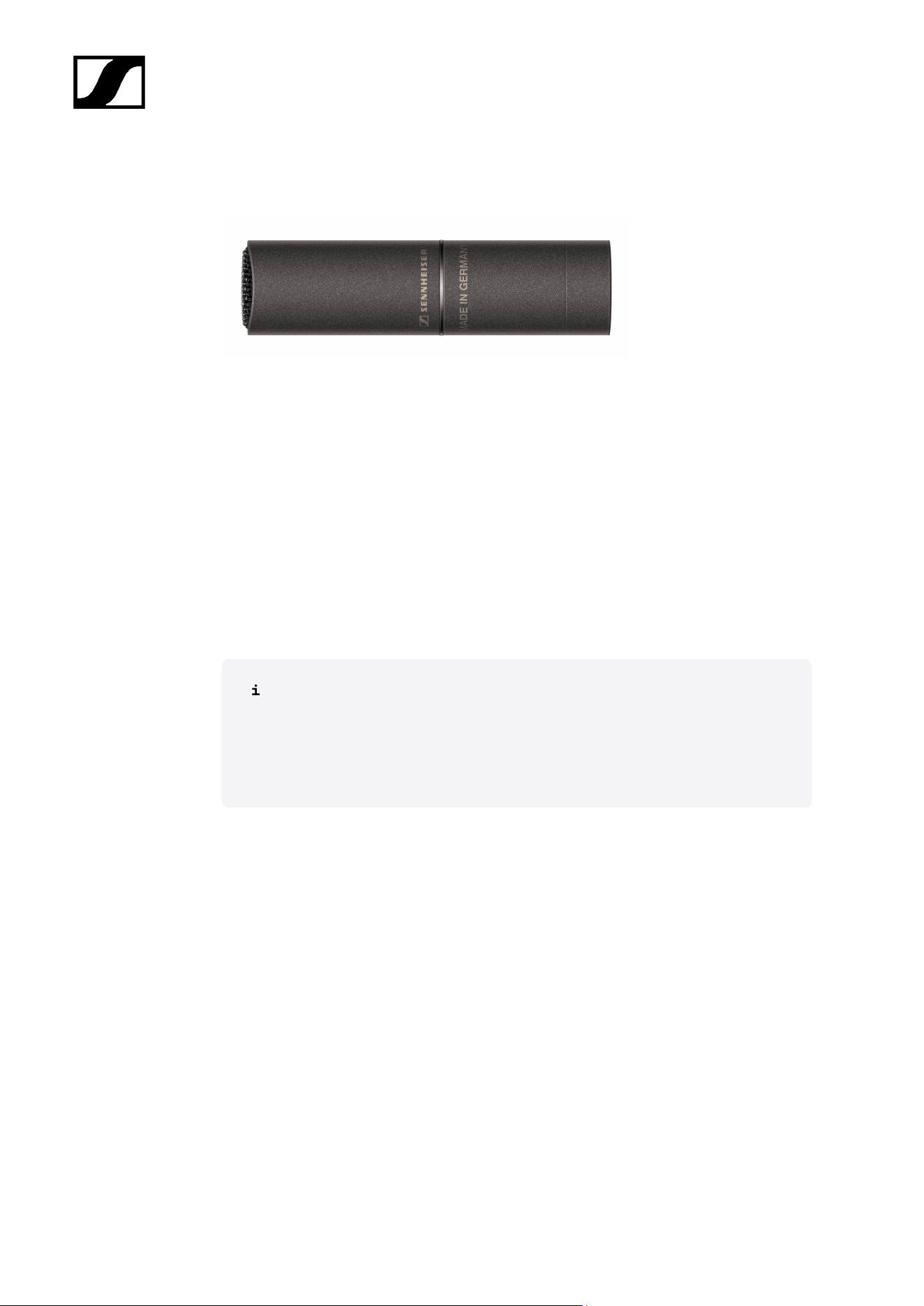
MKH 8020
Omni-directional instrument microphone
Art. no. 506287
Delivery includes
• MKH 8030
• Microphone clamp MZQ 8000
• Duo clip
• Windshield
• Quick guide
• Safety instructions
You can find more detailed information in the following sections:
• Instruction manual MKH 8020
• Specifications MKH 8020
8
| 2 - Product information
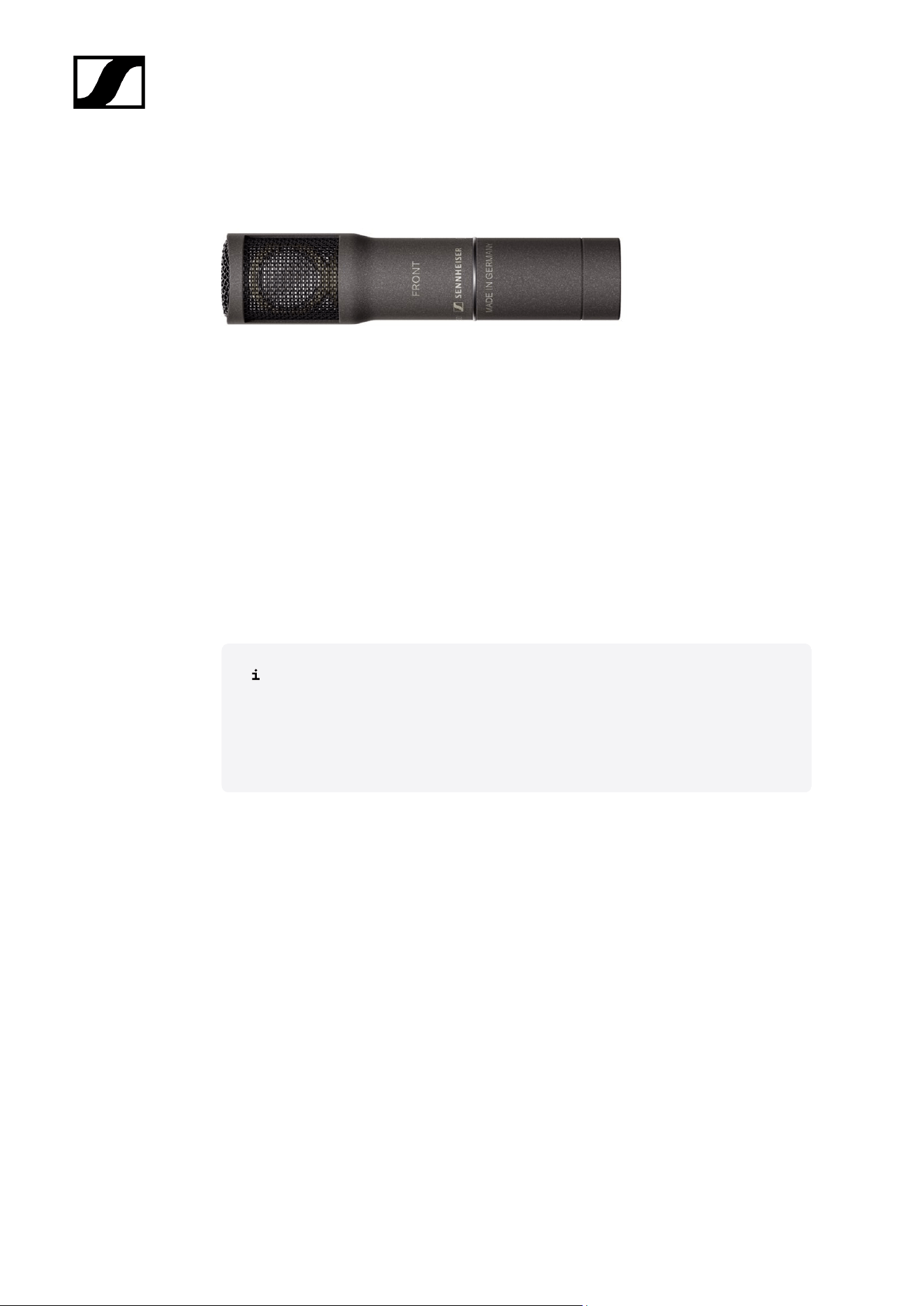
MKH 8030
Figure-8 instrument microphone
Art. no. 700251
Delivery includes
• MKH 8030
• Microphone clamp MZQ 8000
• 2x duo clip with rubber rings
• Windshield MZW 8030
• Quick guide
• Safety instructions
You can find more detailed information in the following sections:
• Instruction manual MKH 8030
• Specifications MKH 8030
9
| 2 - Product information
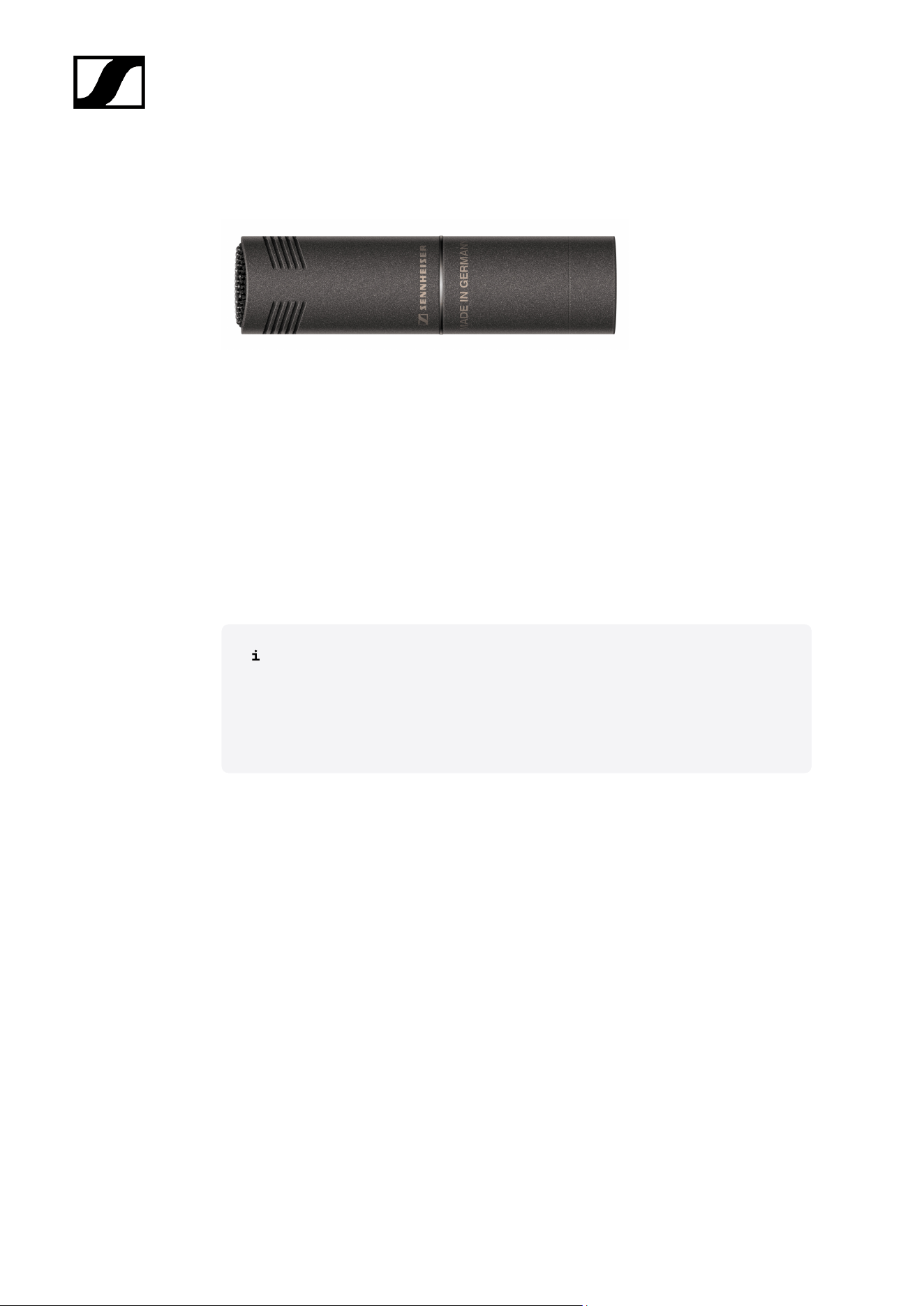
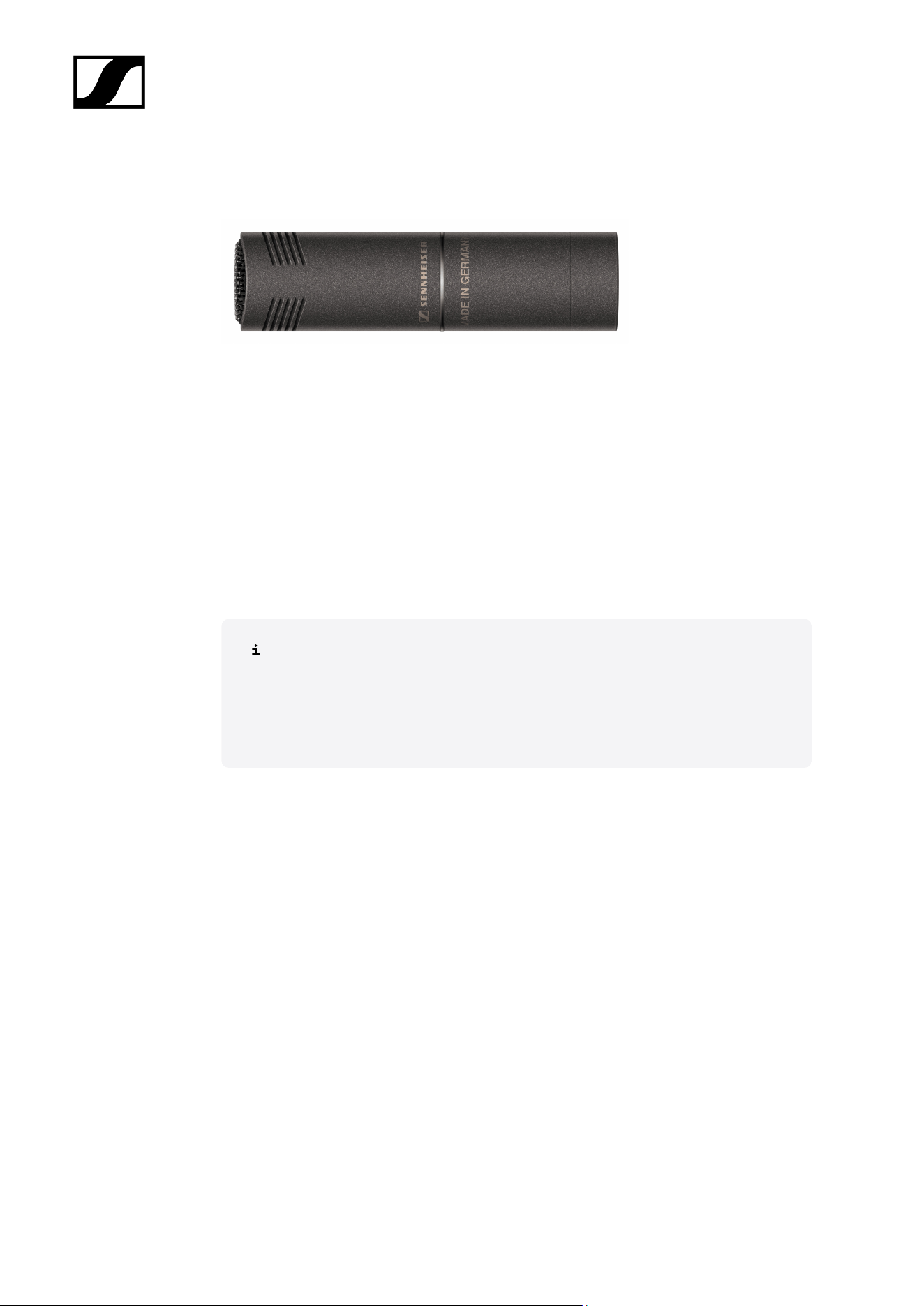
MKH 8040
Versatile cardioid microphone
Art. no. 506289
Delivery includes
• MKH 8040
• Microphone clamp MZQ 8000
• Windshield MZW 8000
• Quick guide
• Safety instructions
You can find more detailed information in the following sections:
• Instruction manual MKH 8040
• Specifications MKH 8040
10
| 2 - Product information
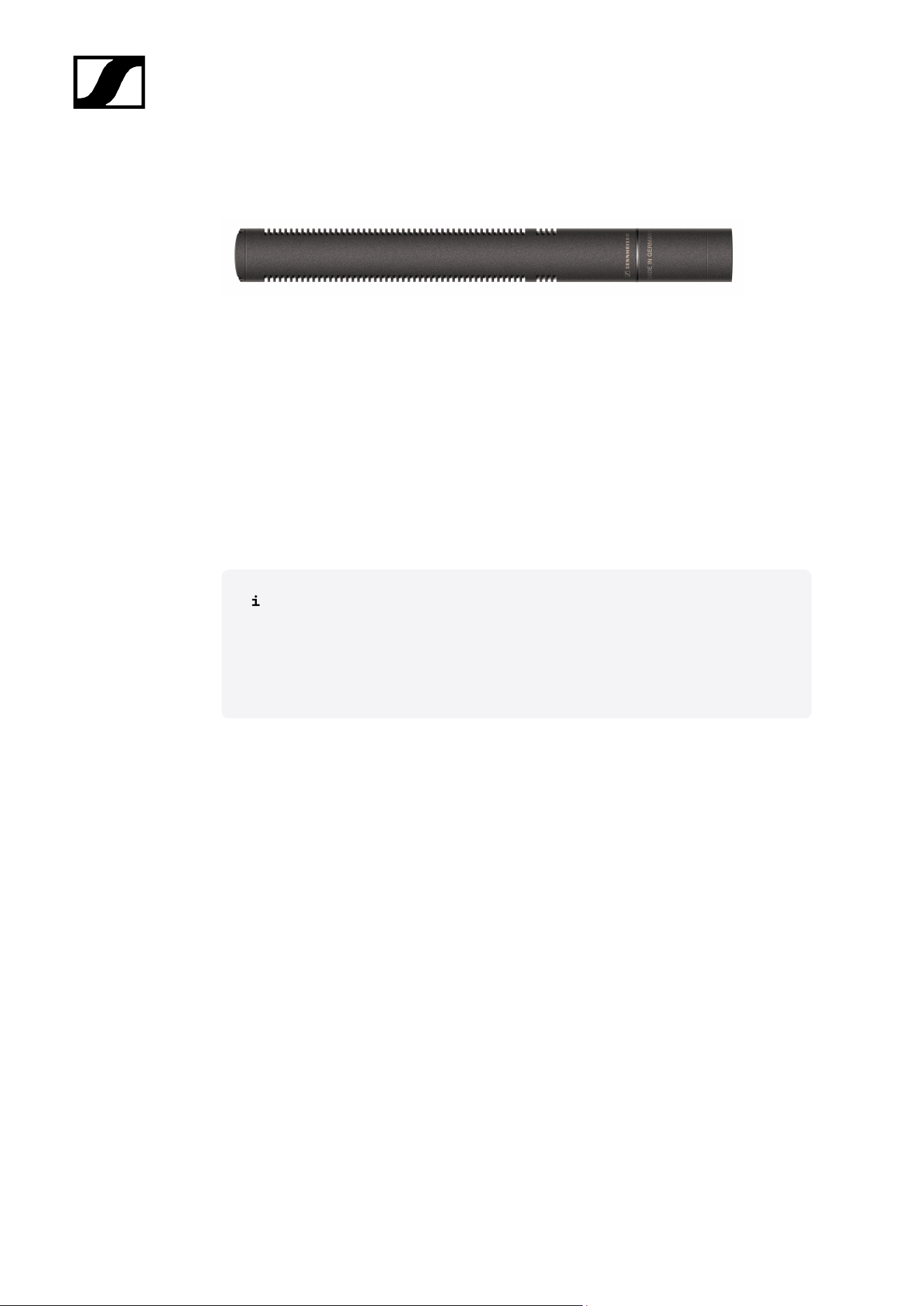
MKH 8050
Super-cardioid microphone
Art. no. 506291
Delivery includes
• MKH 8050
• Microphone clamp MZQ 8000
• Windshield MZW 8000
• Quick guide
• Safety instructions
You can find more detailed information in the following sections:
• Instruction manual MKH 8050
• Specifications MKH 8050
11
| 2 - Product information
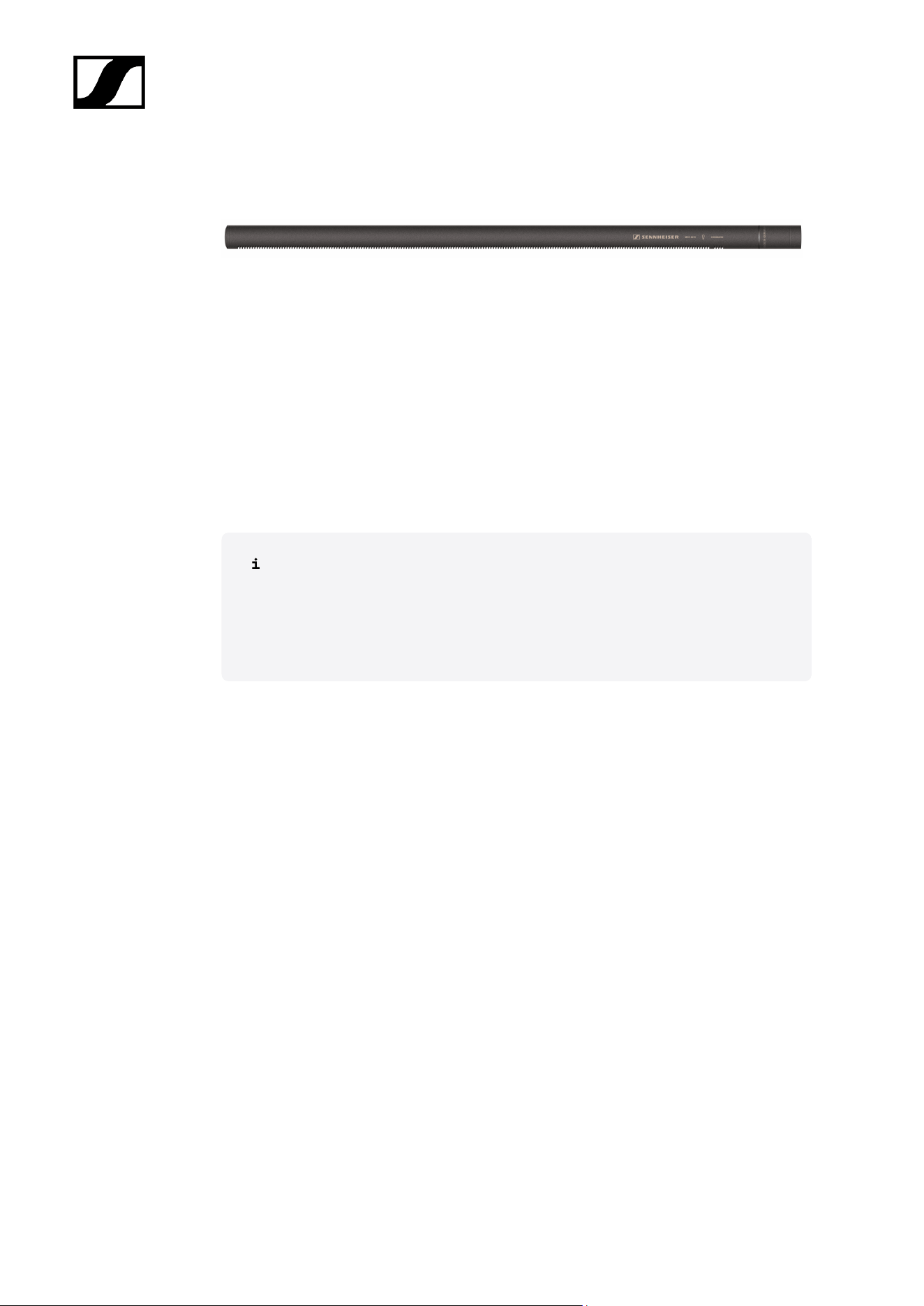
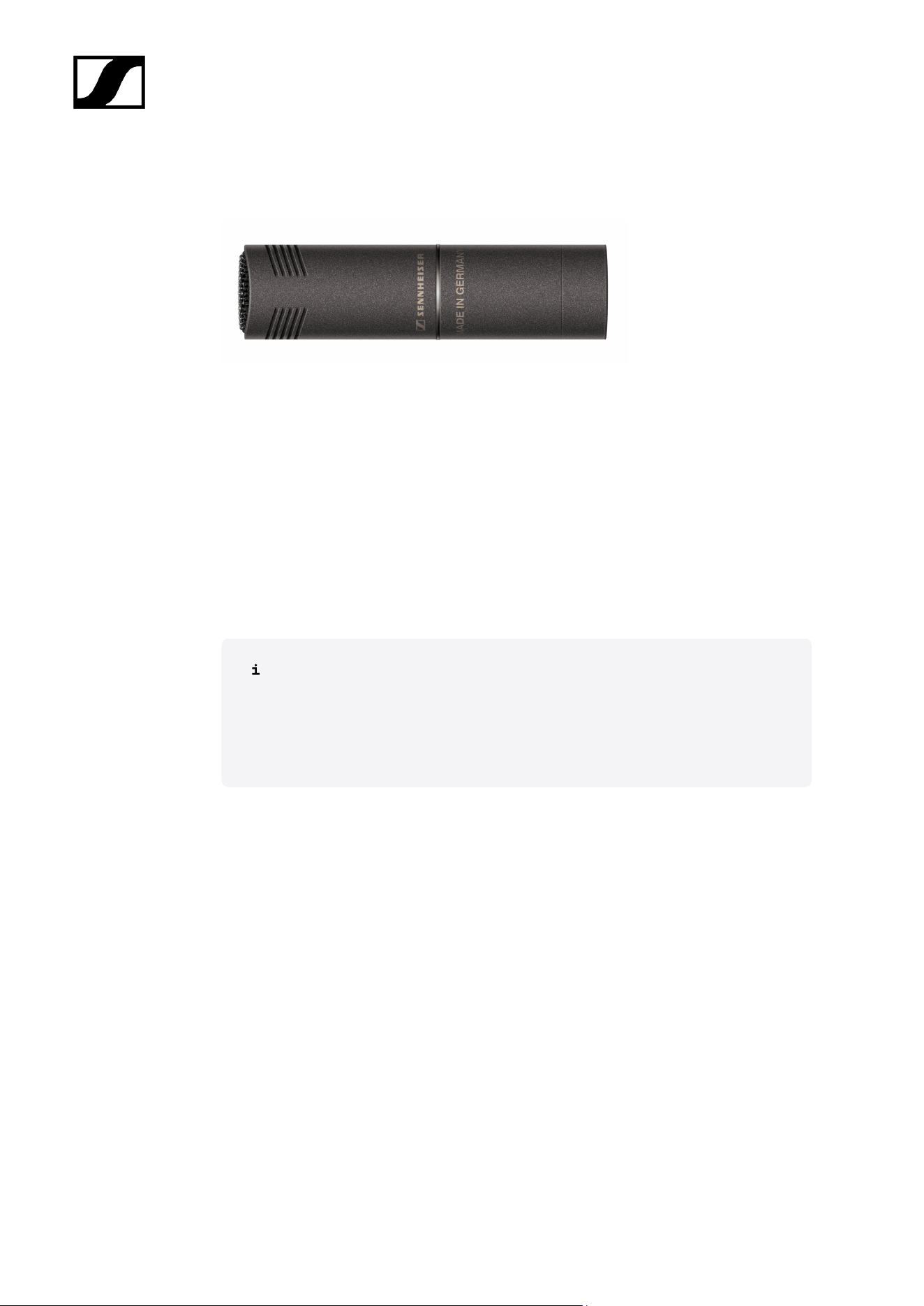
MKH 8060
Compact shotgun microphone
Art. no. 506292
Delivery includes
• MKH 8060
• Microphone clamp MZQ 8060
• Windshield MZW 8060
• Quick guide
• Safety instructions
You can find more detailed information in the following sections:
• Instruction manual MKH 8060
• Specifications MKH 8060
12
| 2 - Product information
MKH 8090
High-quality wide cardioid microphone
Art. no. 506294
Delivery includes
• MKH 8090
• Microphone clamp MZQ 8000
• Windshield MZW 8000
• Quick guide
• Safety instructions
You can find more detailed information in the following sections:
• Instruction manual MKH 8090
• Specifications MKH 8090
14
| 2 - Product information
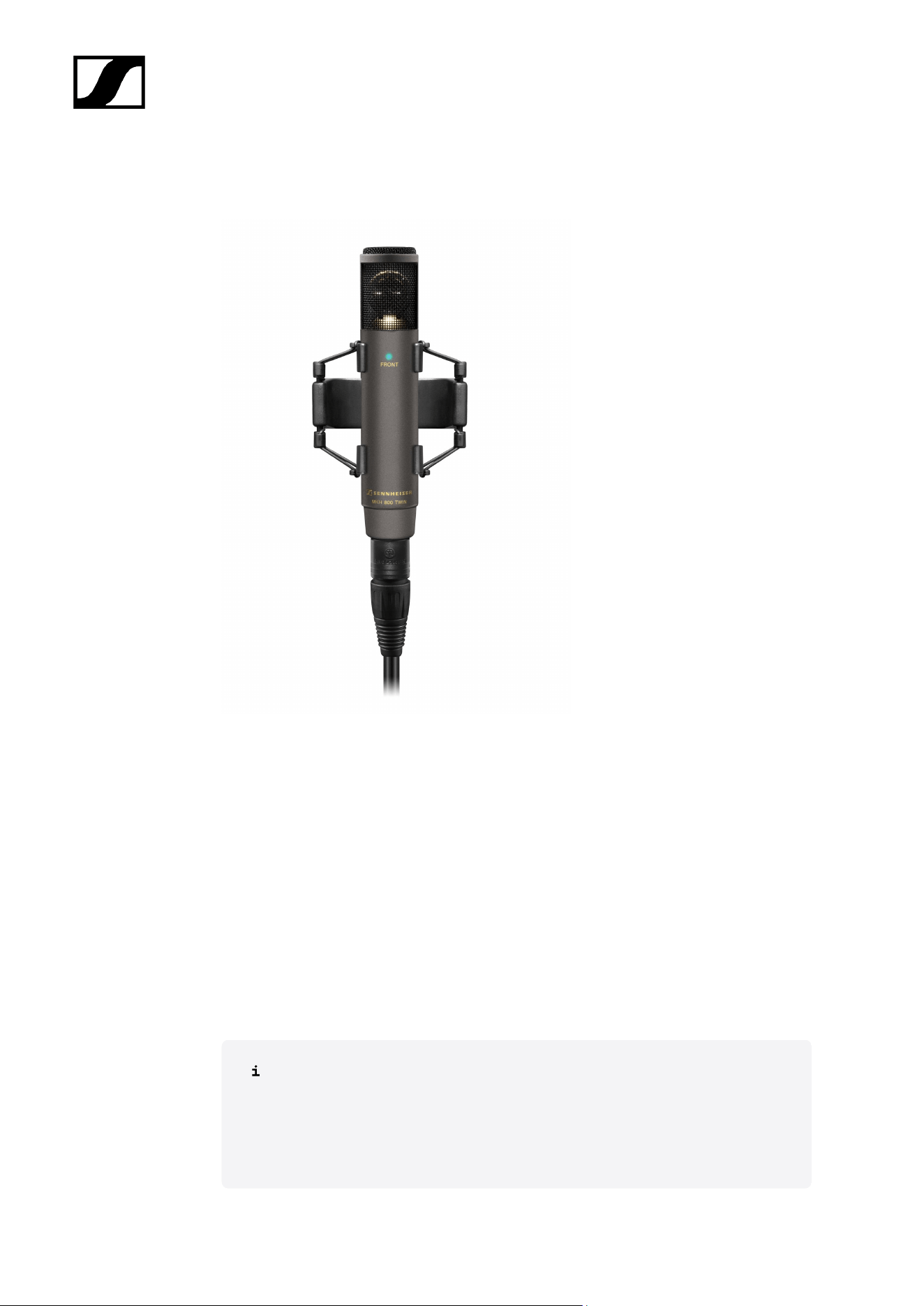
MKH 800 TWIN
Condenser microphone with two cardoid pick-up patterns
MKH 800 TWIN Nx | Art. no. 502083
Delivery includes
• MKH 800 TWIN
• MZQ 80 microphone clamp
• MZS 80 shock mount
• AC 20 adaptor cable
• Transport case
• Quick guide
• Safety instructions
You can find more detailed information in the following sections:
• Instruction manual MKH 800 TWIN
• Specifications MKH 800 TWIN
15

| 2 - Product information
Available sets
Related information
MKH 8020 stereo set
MKH 8040 stereo set
MKH 8020 stereo set
The sets offer matched pairs, meaning the sensitivity difference is < 1 dB and the
frequency response difference is < 1 dB.
The set consists of the following components:
• 2x MKH 8020
• 2x microphone clamp MZQ 8000
• 2x windshield MZW 8000
• Quick guide
• Safety instructions
You can find more detailed information in the following sections:
• Instruction manual MKH 8020
• Specifications MKH 8020
16

| 2 - Product information
MKH 8040 stereo set
The sets offer matched pairs, meaning the sensitivity difference is < 1 dB and the
frequency response difference is < 1 dB.
The set consists of the following components:
• 2x MKH 8040
• 2x microphone clamp MZQ 8000
• 2x windshield MZW 8000
• Quick guide
• Safety instructions
You can find more detailed information in the following sections:
• Instruction manual MKH 8040
• Specifications MKH 8040
17
| 2 - Product information
Accessories
Various accessory parts are available for the microphones.
Related information
Module
Floor stand components
Table stands
Extension cables
Mounts
Clips / Clamps
Windshield
Module
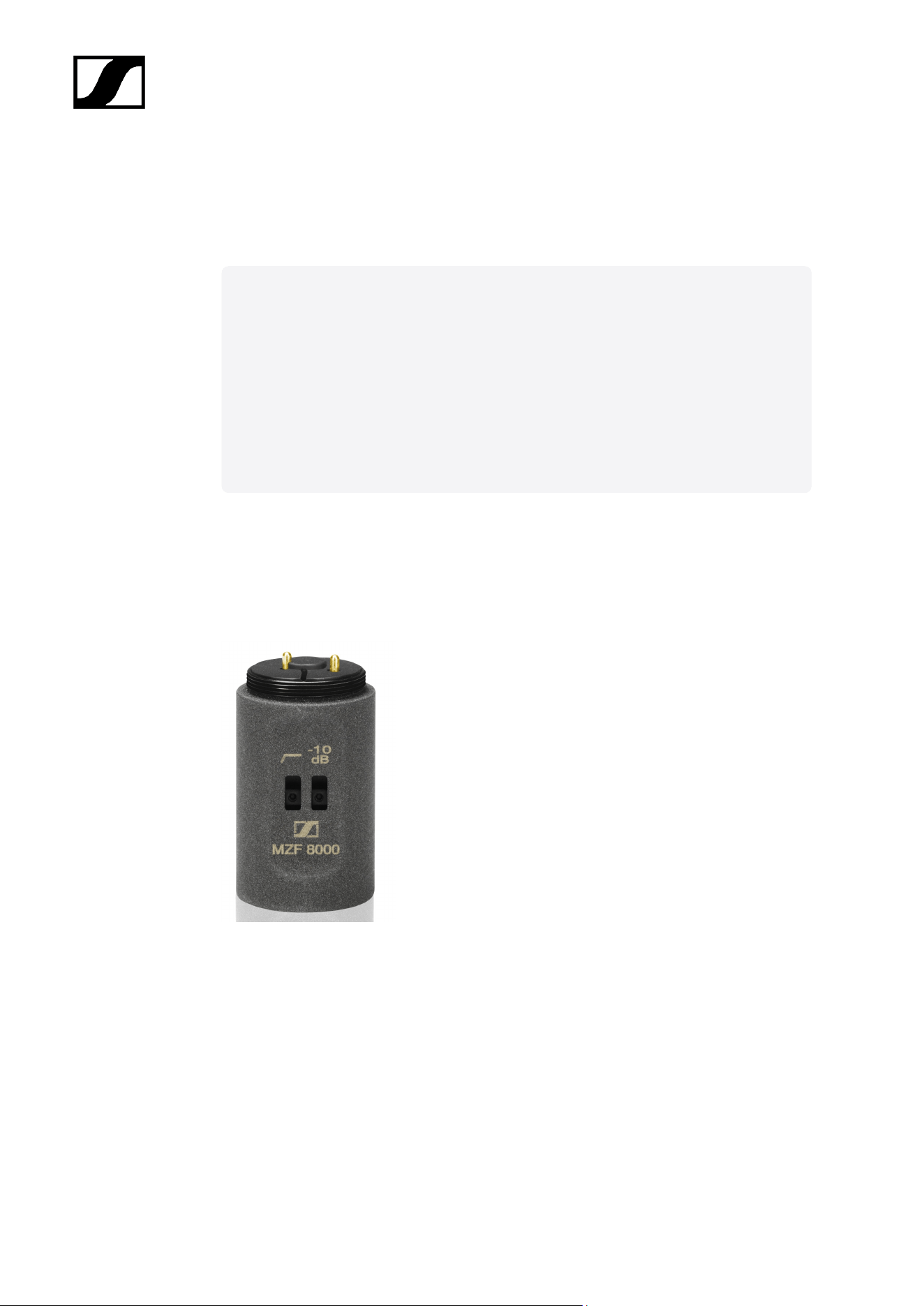
Filter module MZF 8000 II
MZF 8000 II is a filter module for the MKH 8000 professional RF condenser microphone
series. Especially in the broadcast and film industries, it effectively blocks interference
caused by infrasound, such as low-frequency noises caused by wind and handling.
Art. no. 700249
18

| 2 - Product information
Floor stand components
20
| 2 - Product information
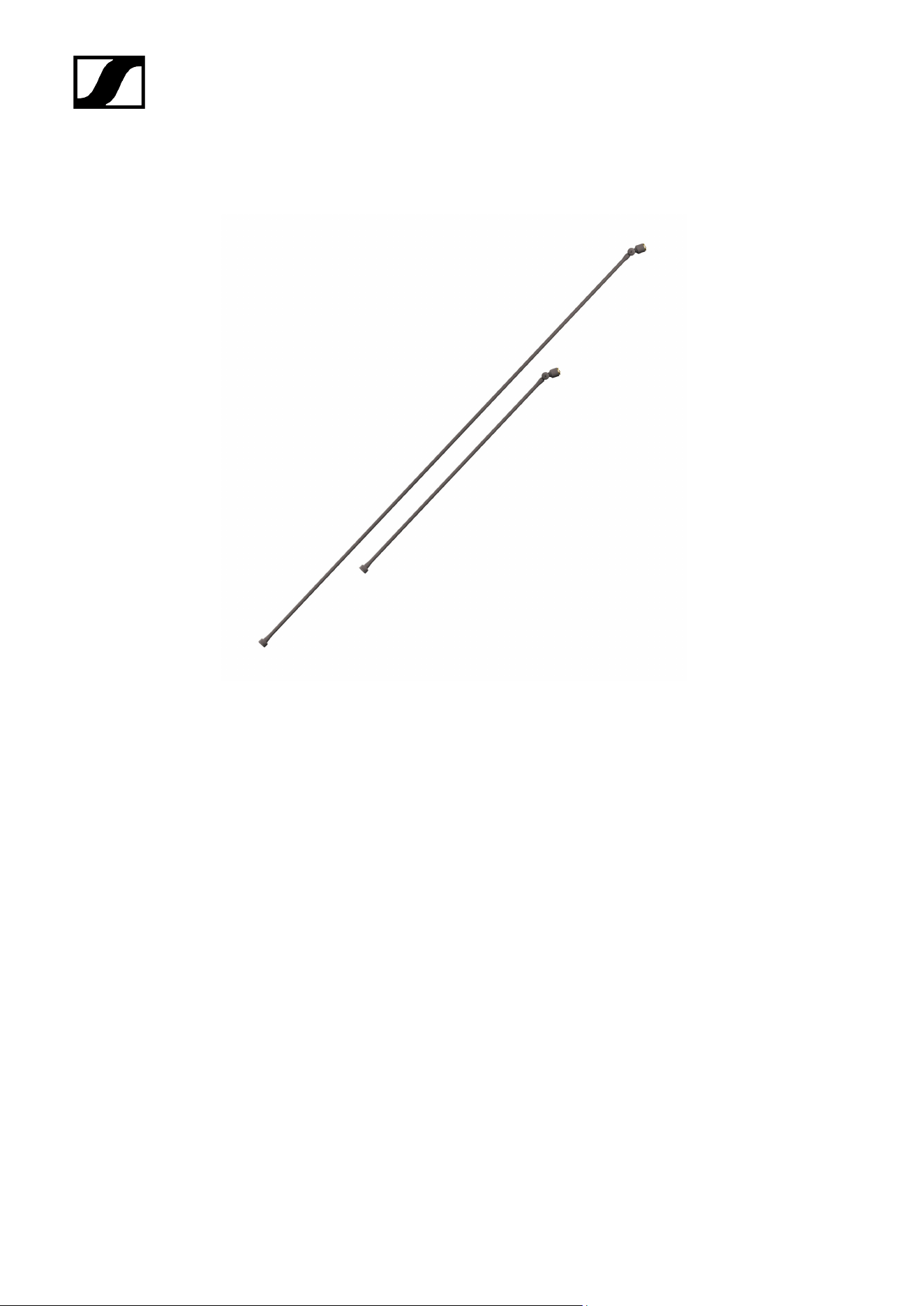
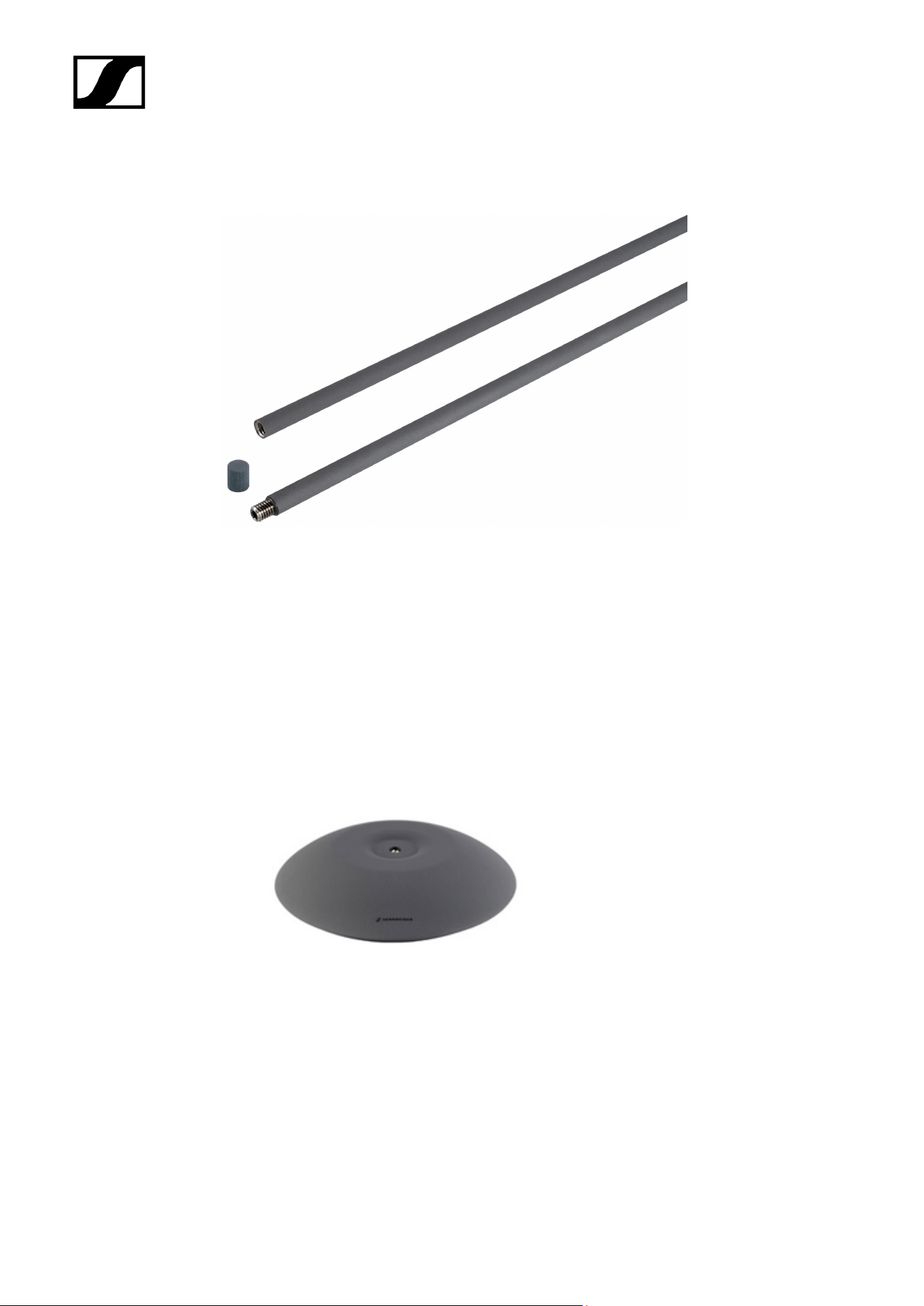
MZE 8060, MZE 8120
Special bar that carries the audio signal
Available in lengths 60 and 120 cm
MZE 8060 | Art. no. 502316
MZE 8120 | Art. no. 502317
21
| 2 - Product information
MZEF 8060, MZEF 8120
Vertical bar with standard 3/8" thread
Available in lengths 60 and 120 cm
MZEF 8060 | Art. no. 502318
MZEF 8120 | Art. no. 502319
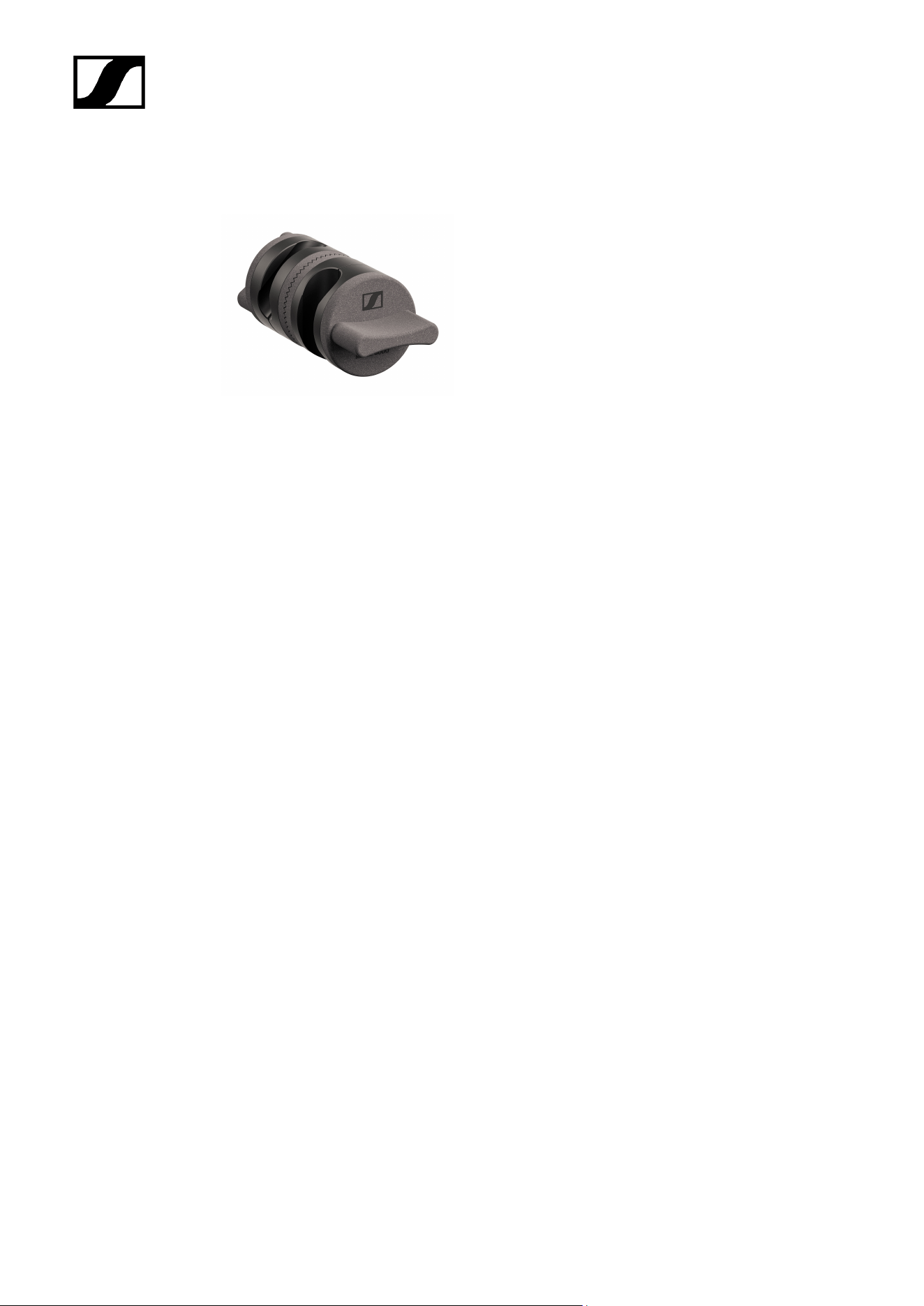
MZFS 8000
Floor stand
Art. no. 502322
22
| 2 - Product information
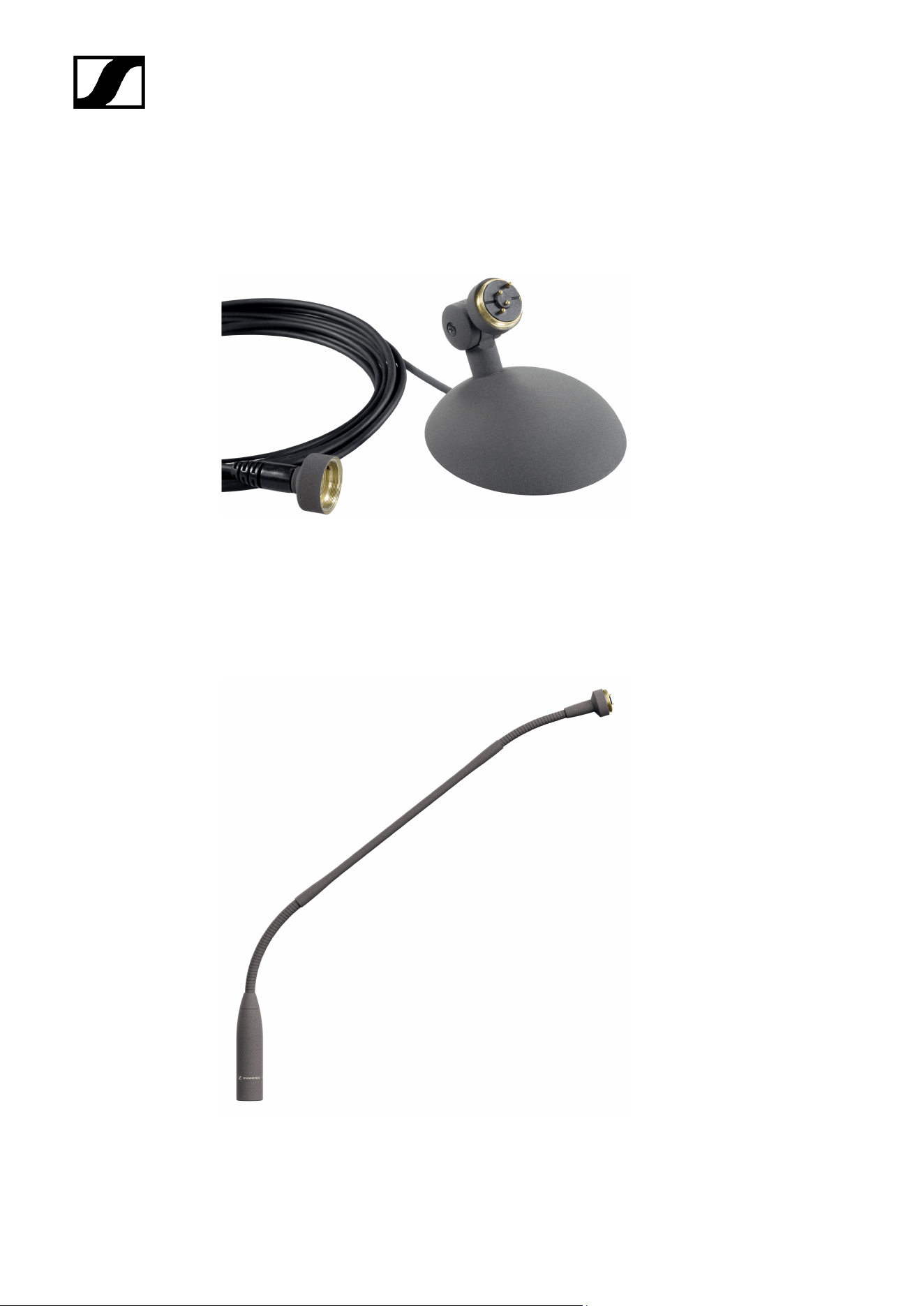
MZGE 8000
Tube connector
Art. no. 700310
23
| 2 - Product information
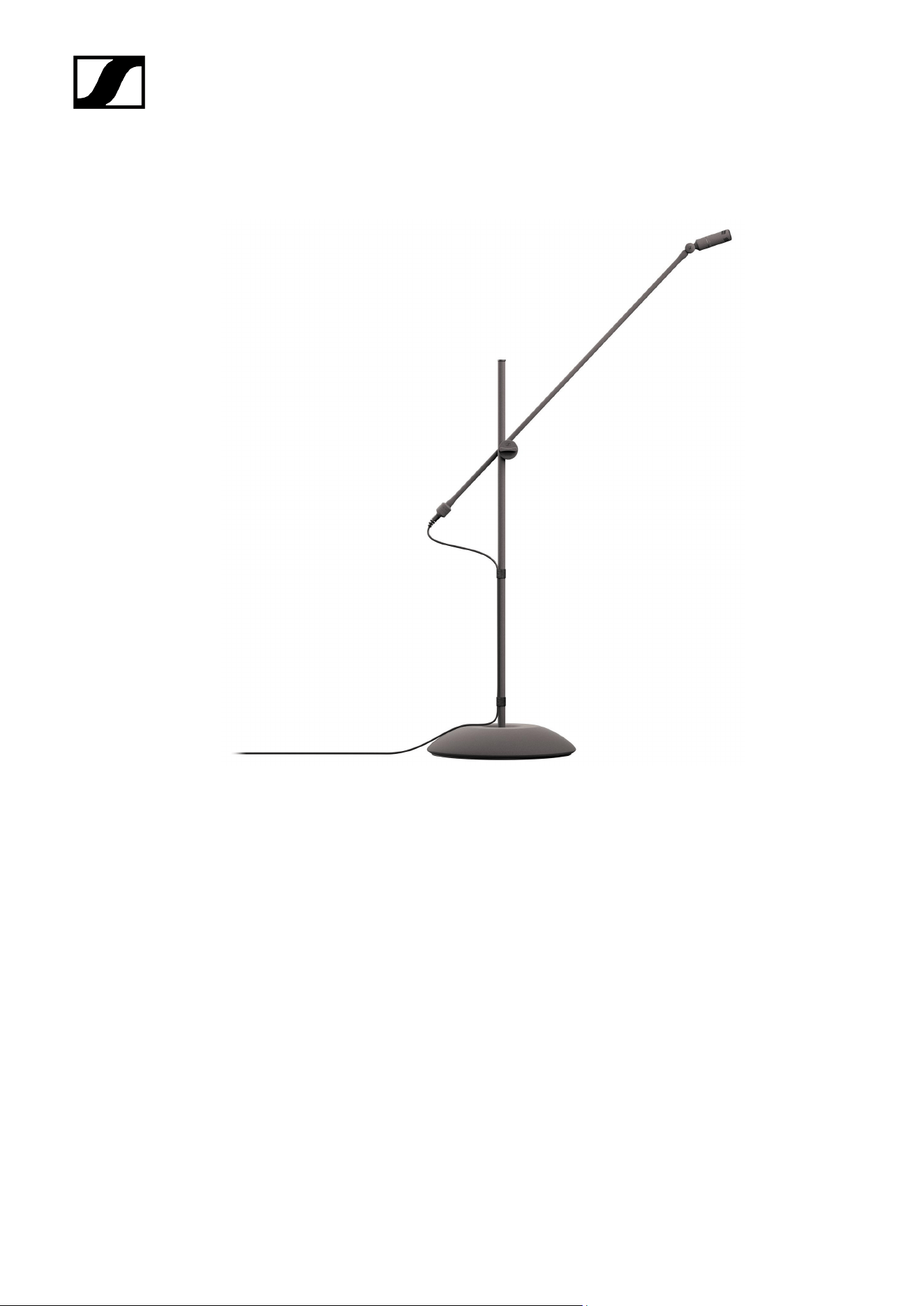
Table stands
MZT 8000
Classic metal table stand, sturdy and robust
Art. no. 502331
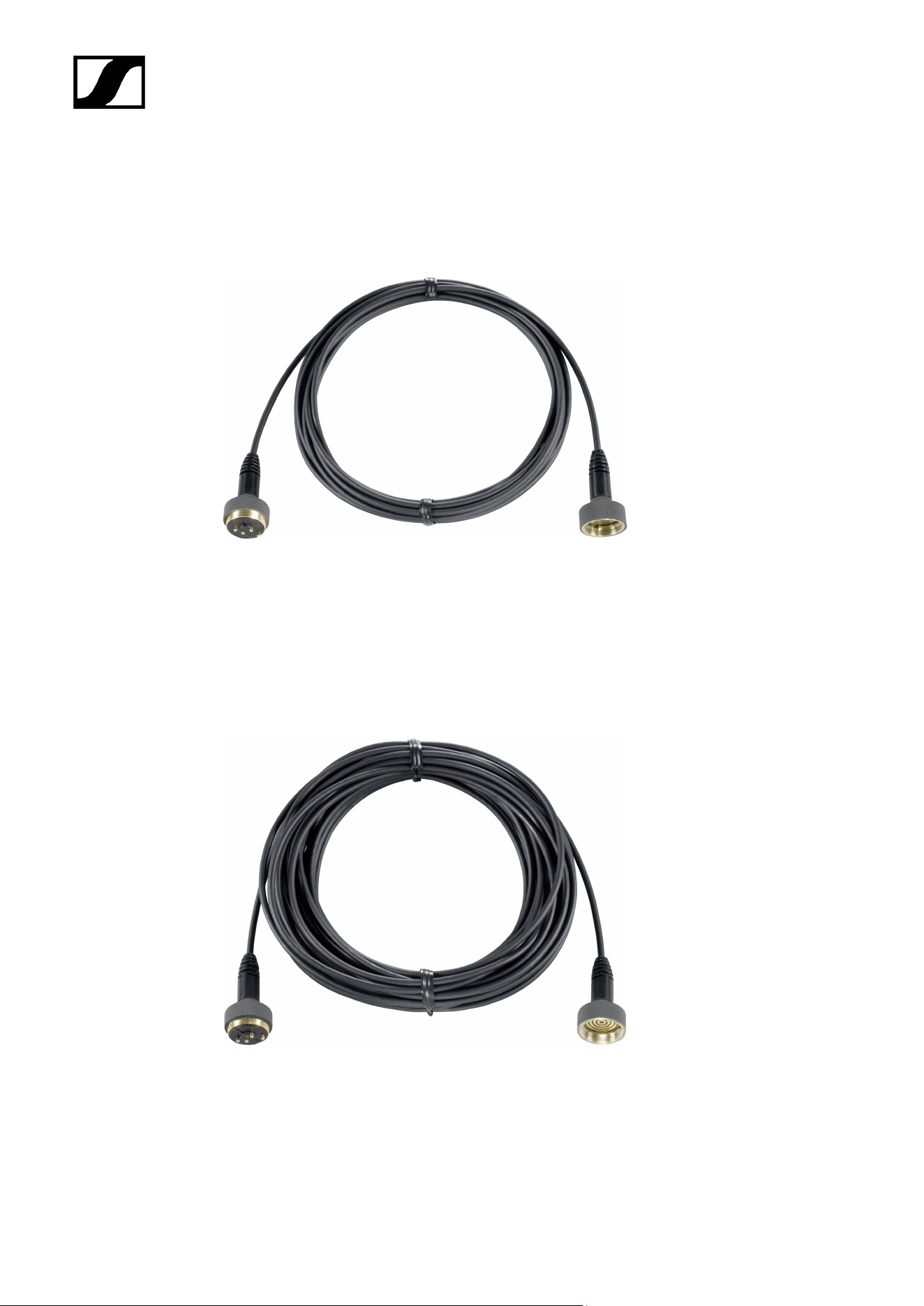
MZH 8042
Goose neck with two flexible joints
Length 40 cm
24

| 2 - Product information
Art. no. 700253
25
| 2 - Product information
Extension cables
MZL 8003
Connects between the microphone head and the XLR module
Length 3 m
Art. no. 502326
MZL 8010
Connects between the microphone head and the XLR module
Length 10 m
Art. no. 502327
26
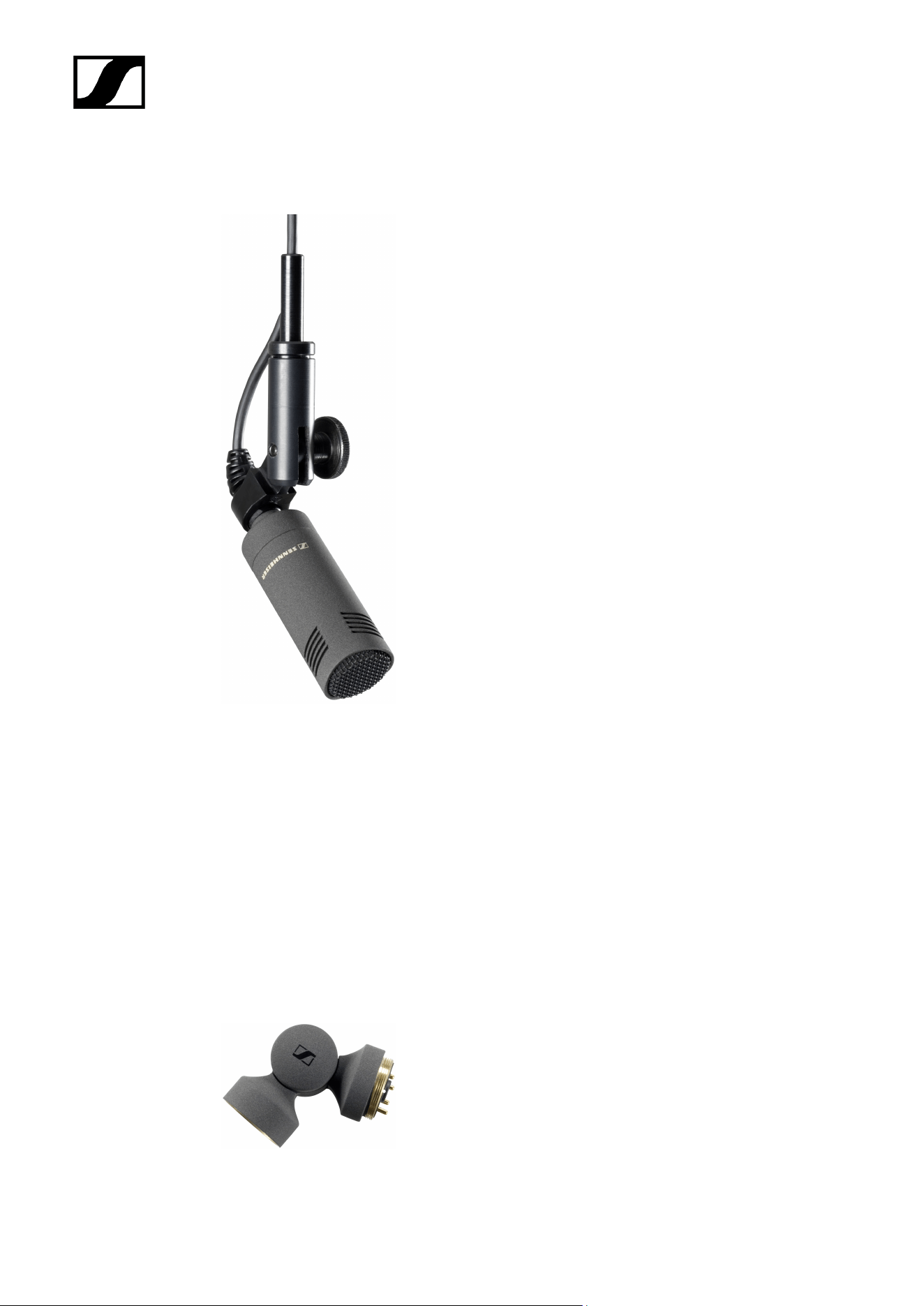

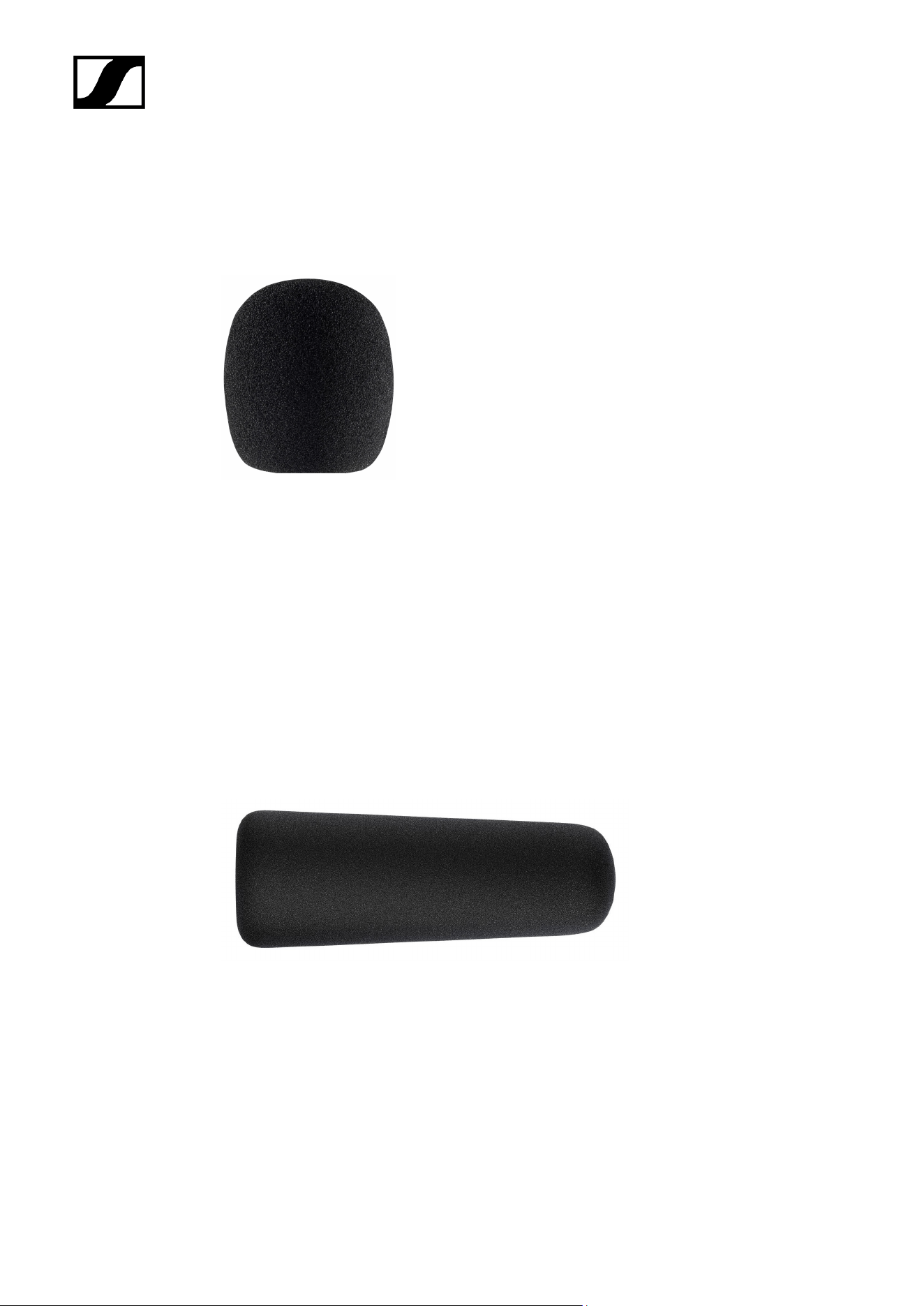
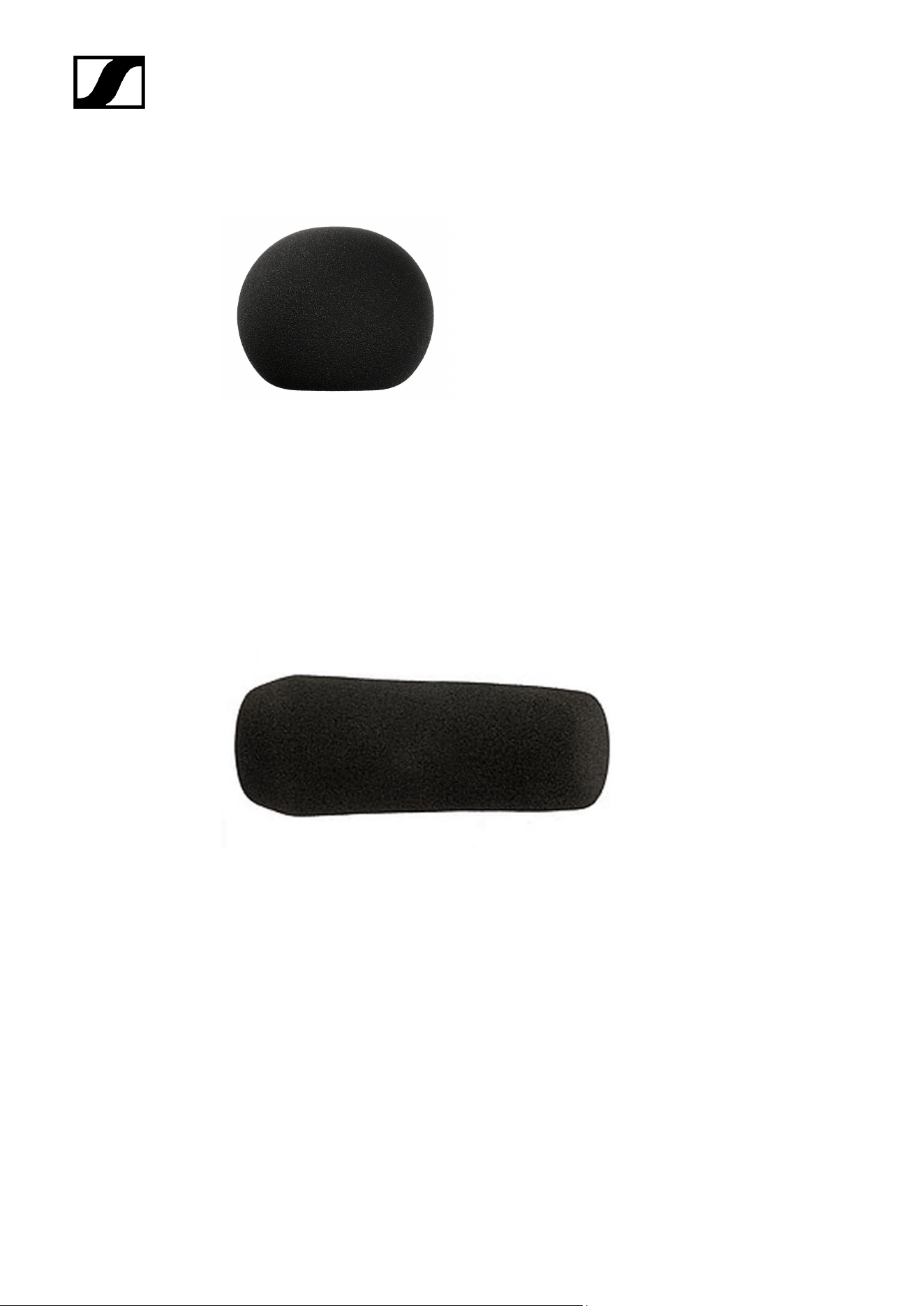
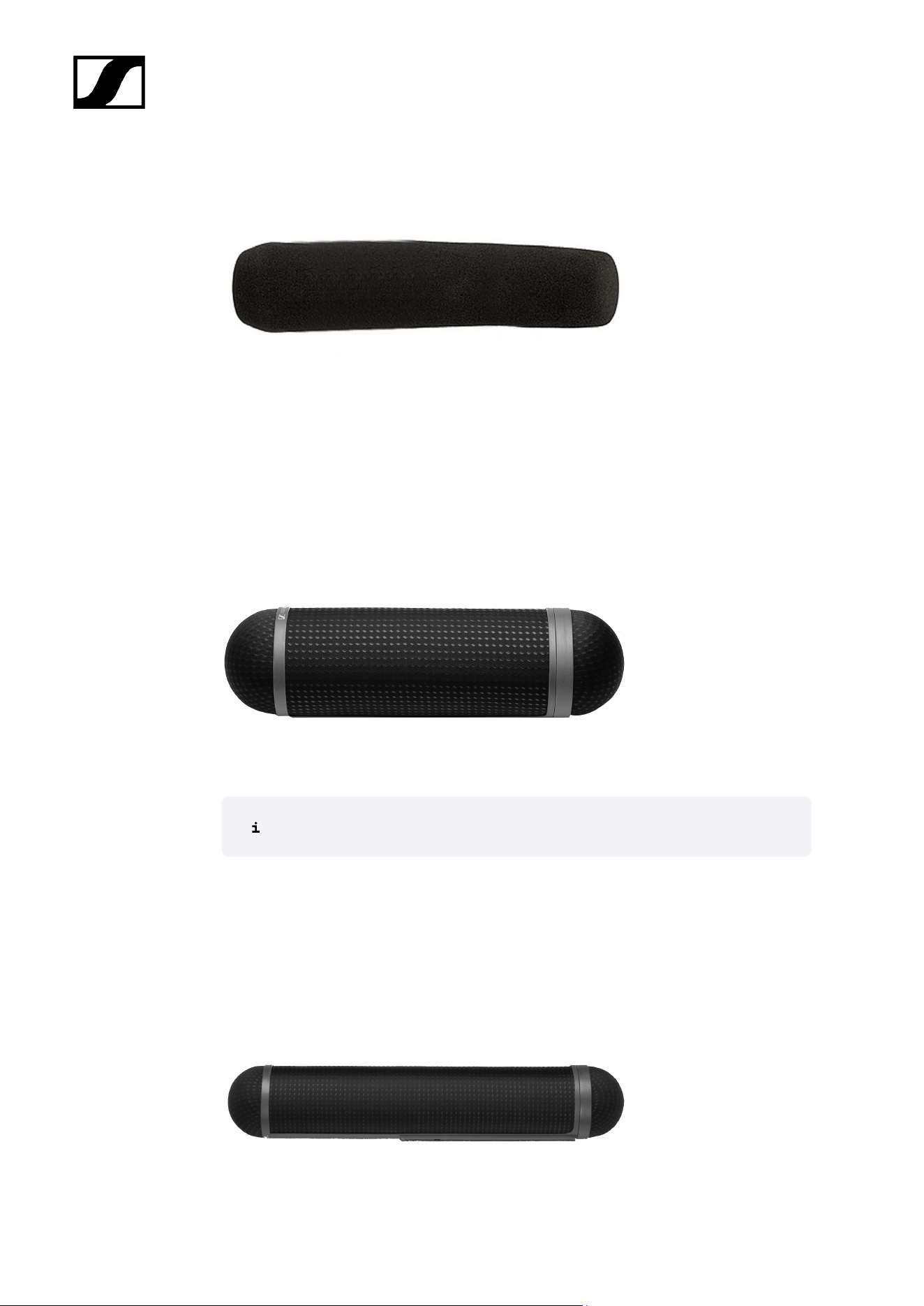
| 2 - Product information
Basket windshield with excellent suppression of wind noise when used for outdoor
applications
Can only be used in combination with the MZS 20-1
Art. no. 504738
Compatible with:
• MKH 8070
MZW 80-ANT
Windshield
Art. no. 003780
Compatible with:
• MKH 800 TWIN
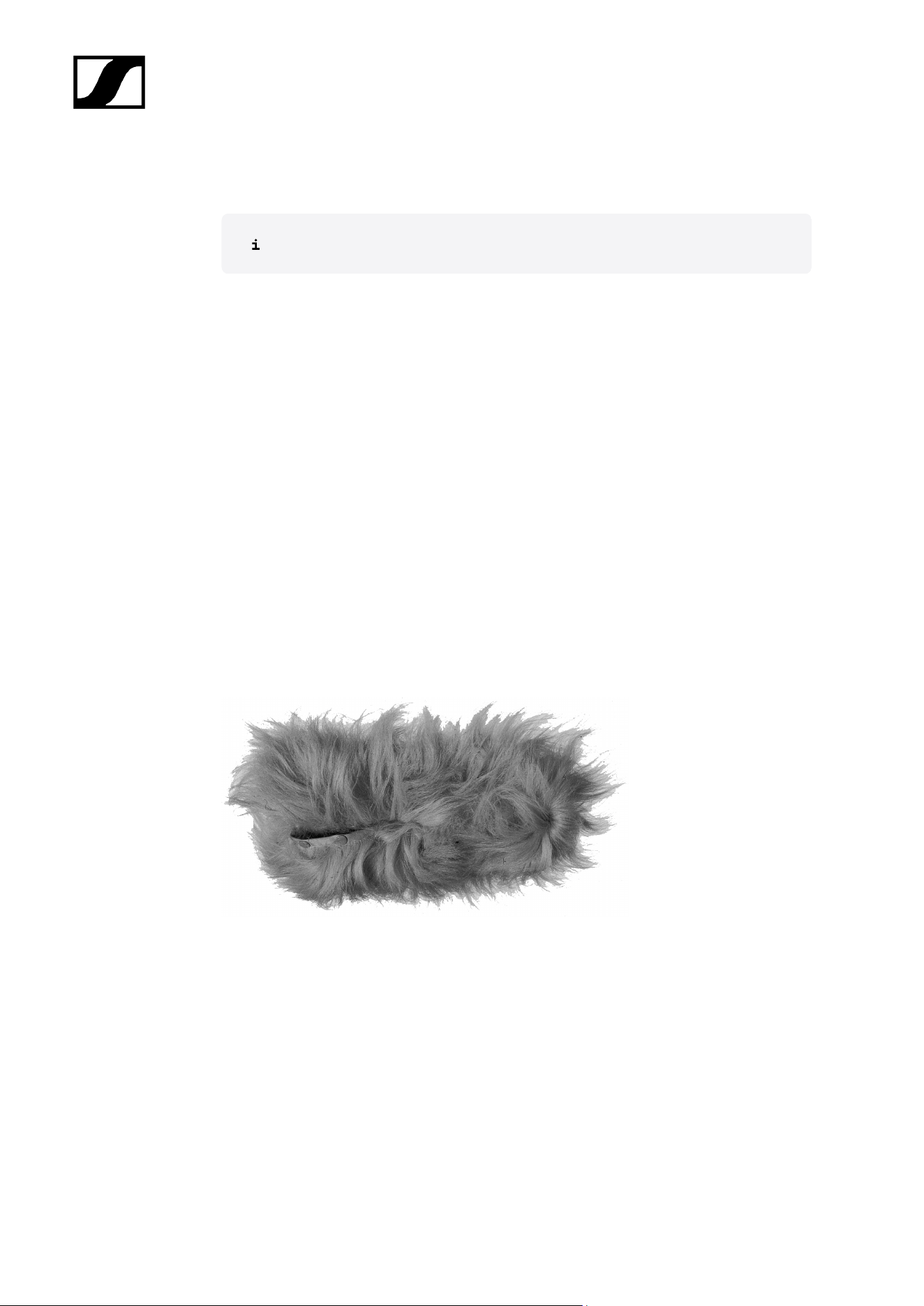
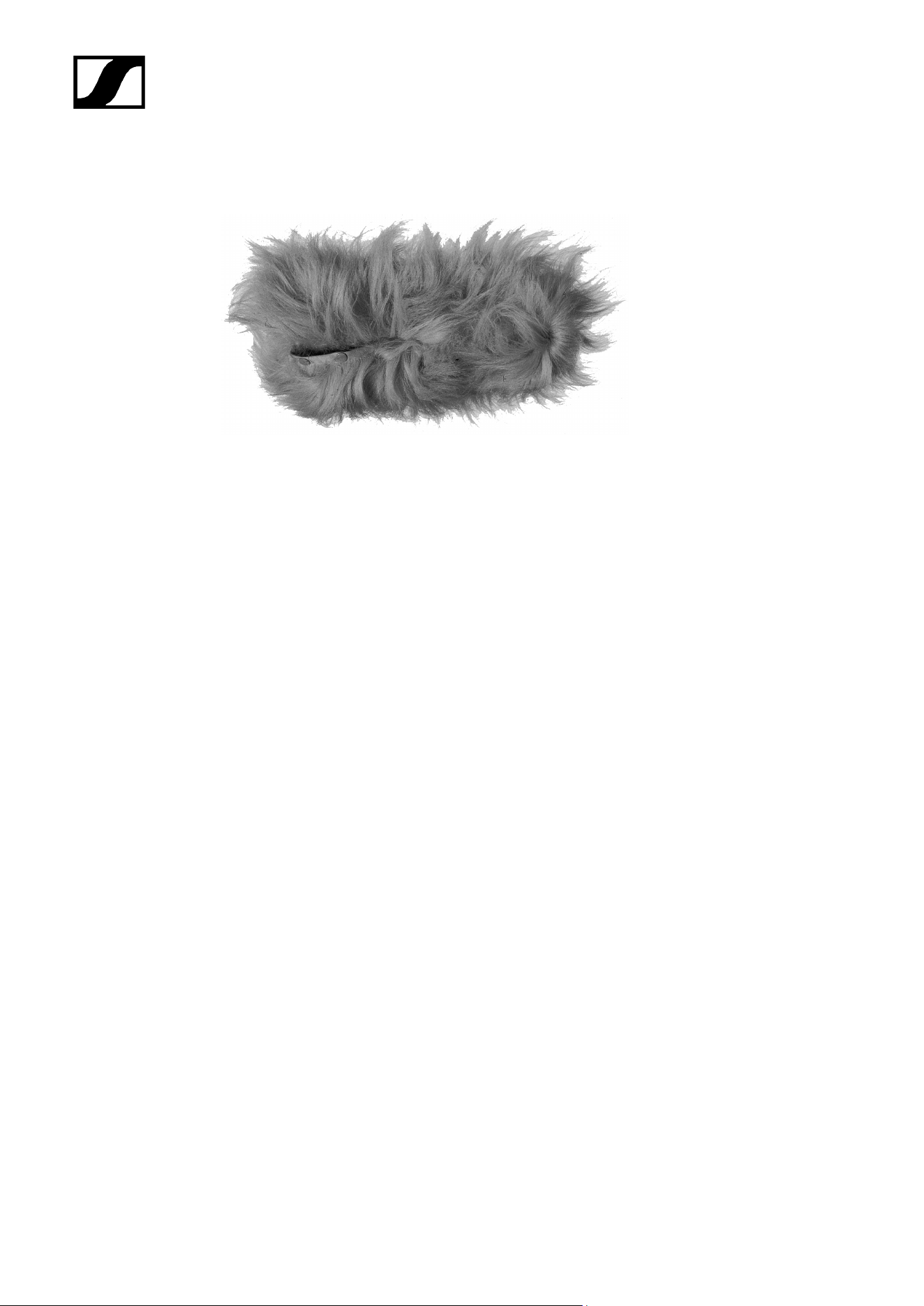
MZH 20-1
Hairy cover used in conjunction with MZW 20-1 with maximum protection against wind noise
when used for outdoor applications
Art. no. 003610
Compatible with:
• MKH 8060
36

MKH 8000 series
3. User manual
Starting up and operating devices of the MKH 8000 series.
Related information
Retrofitting or extending the microphone
Stereo recording
MKH 8018
MKH 8020
MKH 8030
MKH 8040
MKH 8050
MKH 8060
MKH 8070
MKH 8090
MKH 800 TWIN
MZF 8000 II
Cleaning and maintenance
Retrofitting or extending the microphone
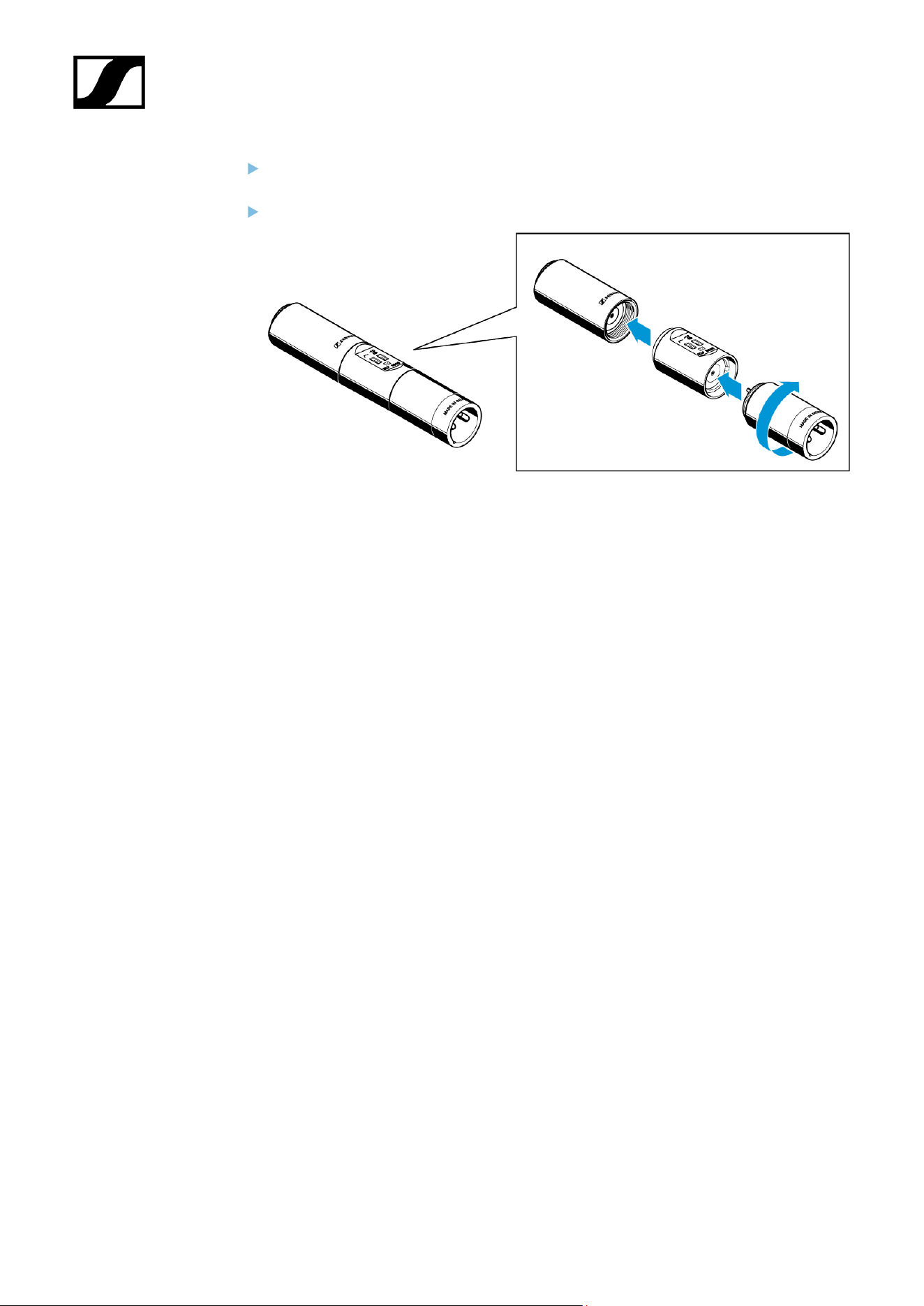
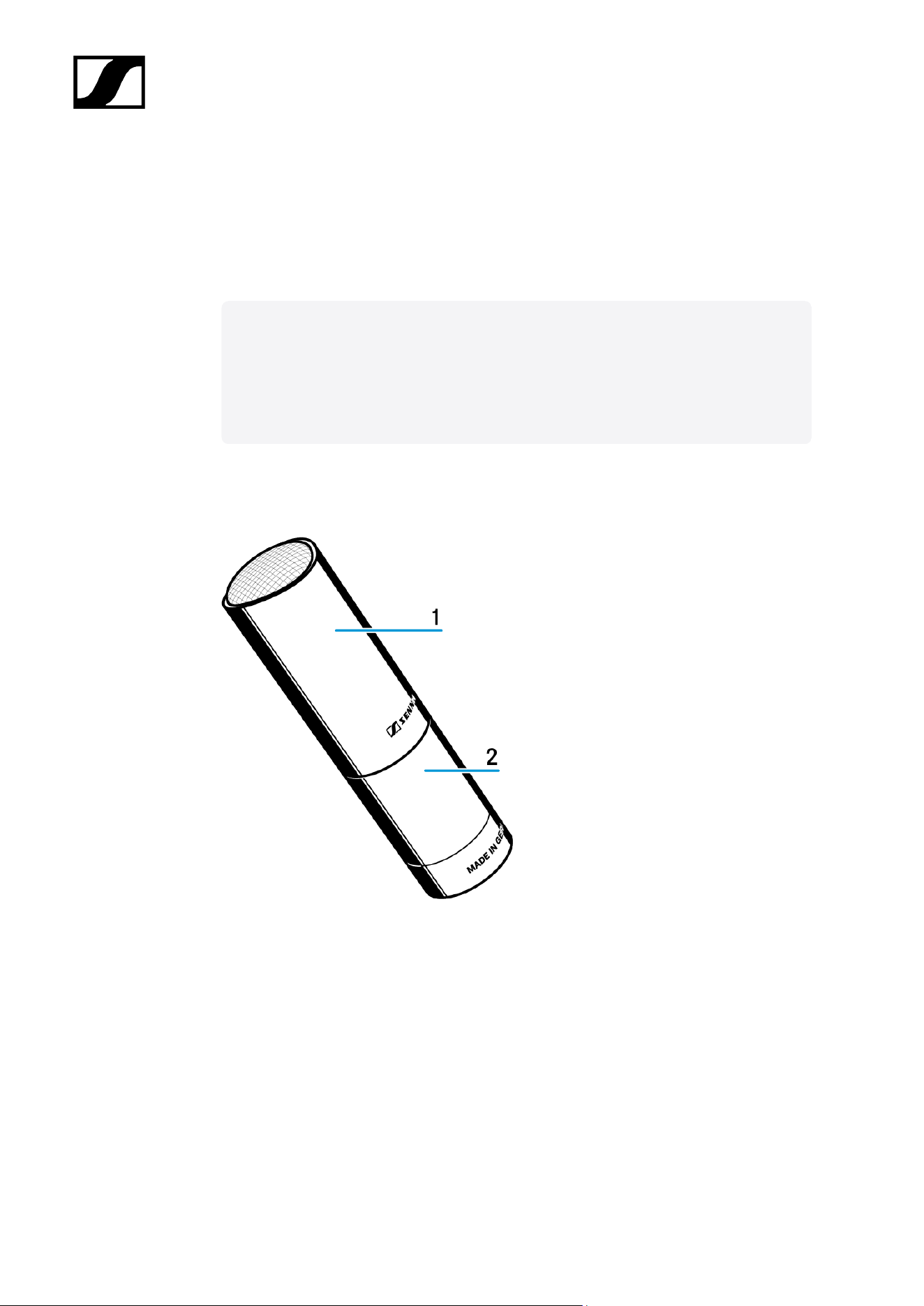
You can retrofit and extend the microphones of the modular MKH 8000 microphone series by
exchanging the microphone head or by using optional modules.
Retrofitting and expansion are possible for all microphones – except the MKH
8018.
Disconnect all cables.
Unscrew the microphone head from the XLR module.
38
| 3 - User manual
Stereo recording
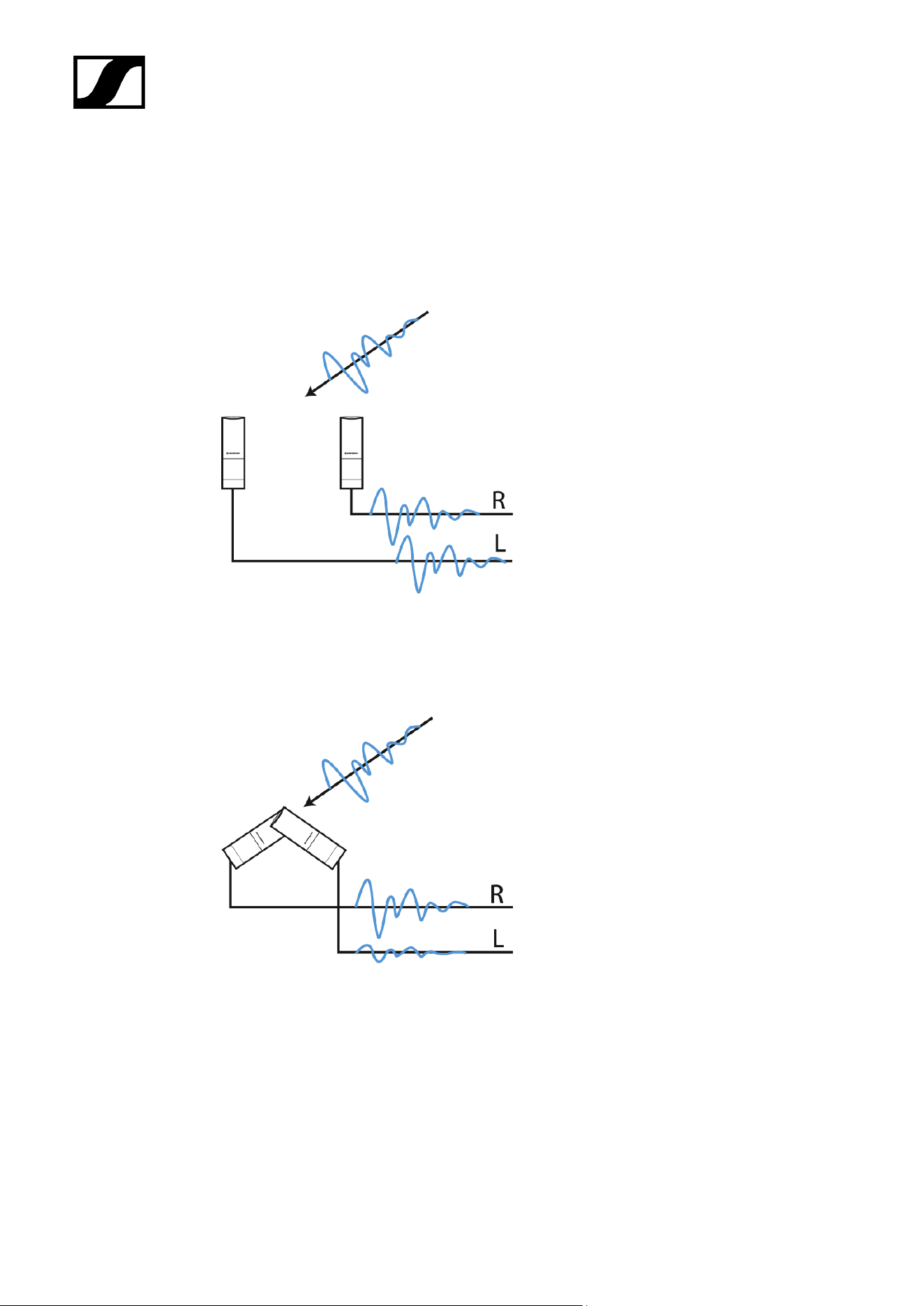
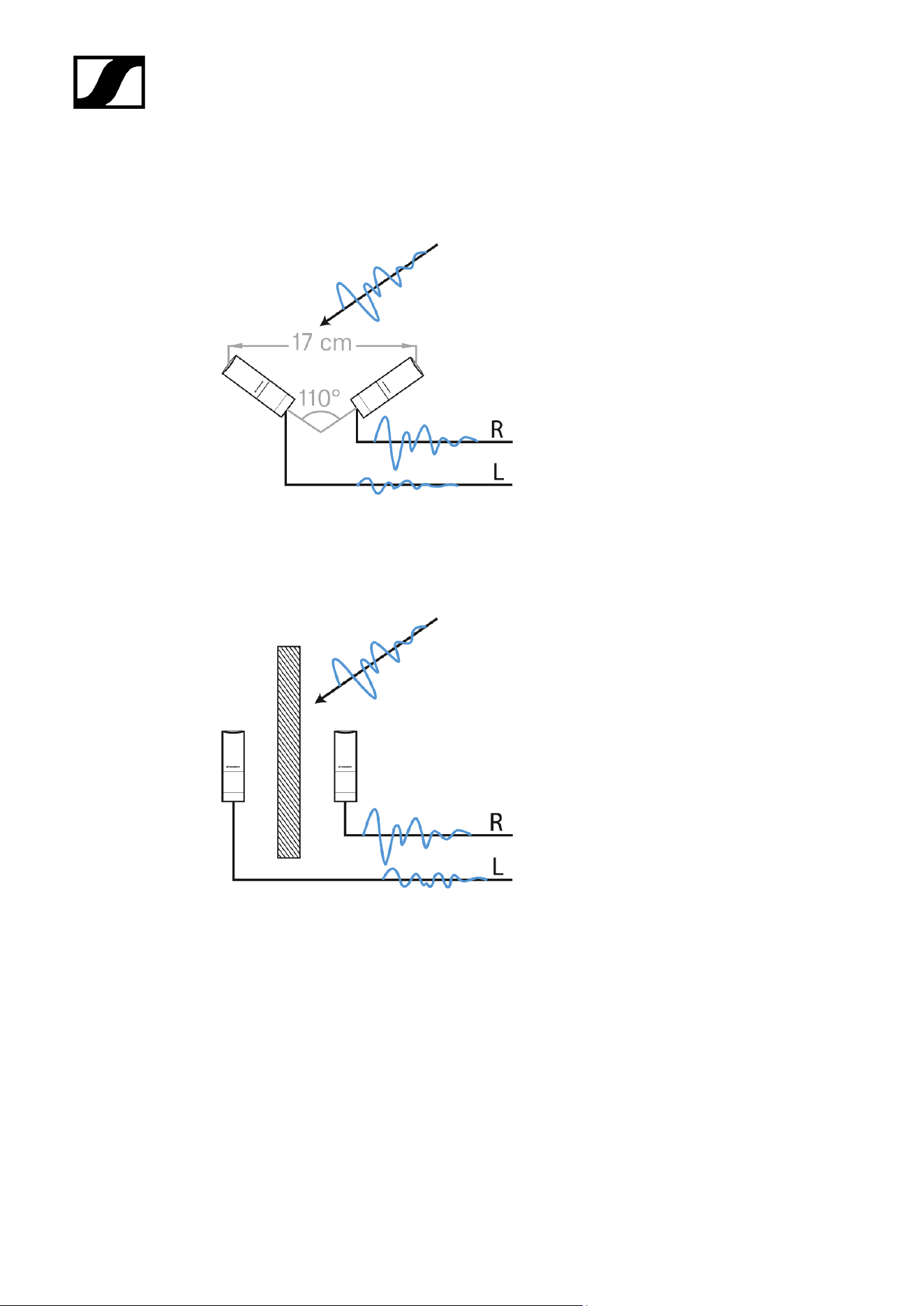
Time-of-arrival stereo (AB)
(almost) only time-of-arrival differences
Intensity stereo (XY)
only sound pressure level differences
40
| 3 - User manual
Equivalence or mixed stereo (here: ORTF):
sound pressure level and time-of-arrival differences
Baffle stereo (here: OSS)
sound pressure level, time-of-arrival and spectral differences with off-axis sound
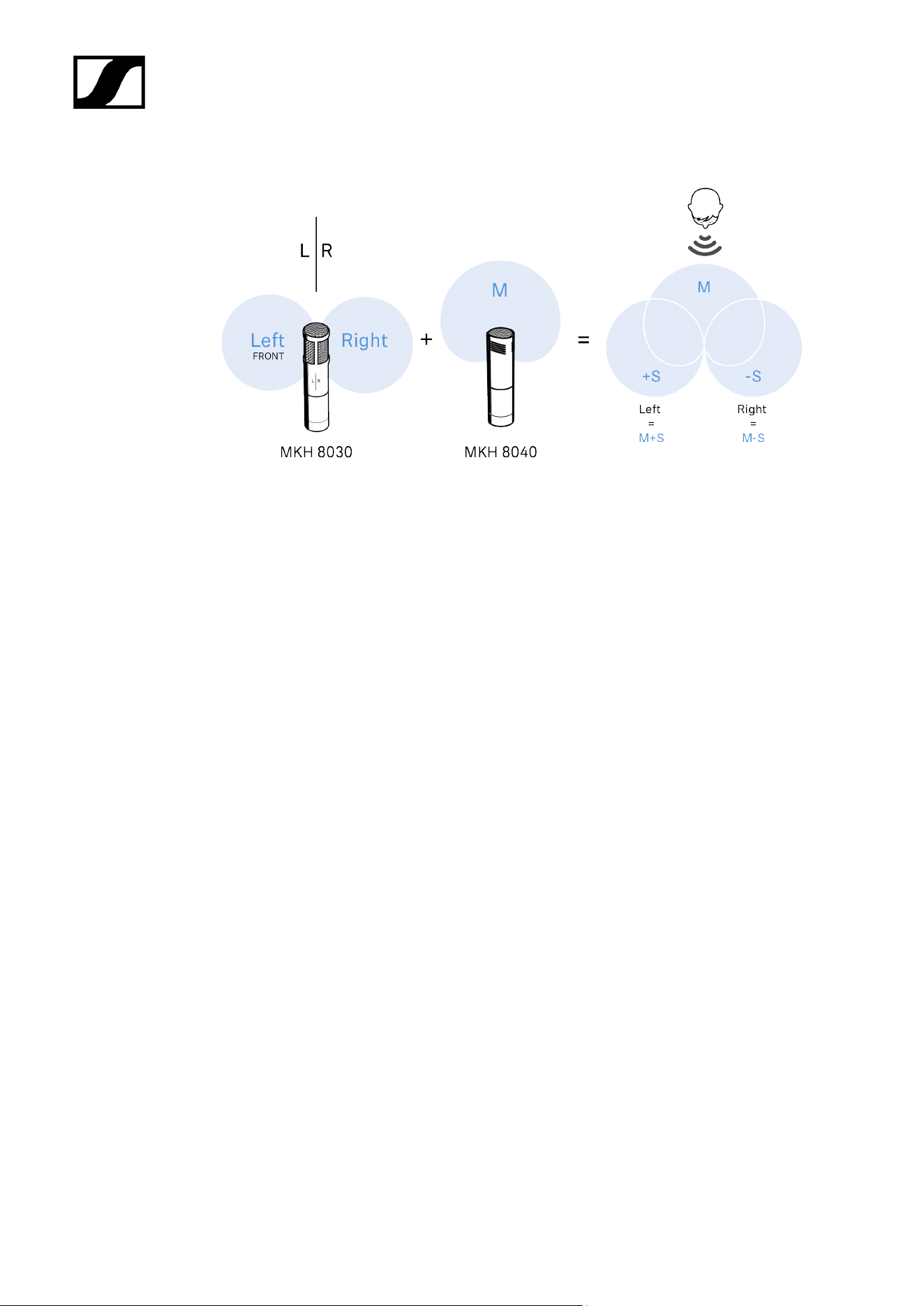
Mid/side (MS)
M-Microphone records the mono signal
41
| 3 - User manual
S-Microphone (fig-8) records the side signals
42
| 3 - User manual
MKH 8018
These sections contain detailed information about starting up and operating the MKH 8018.
You can find technical specifications under MKH 8018.
Related information
Product overview
Starting up
Operation
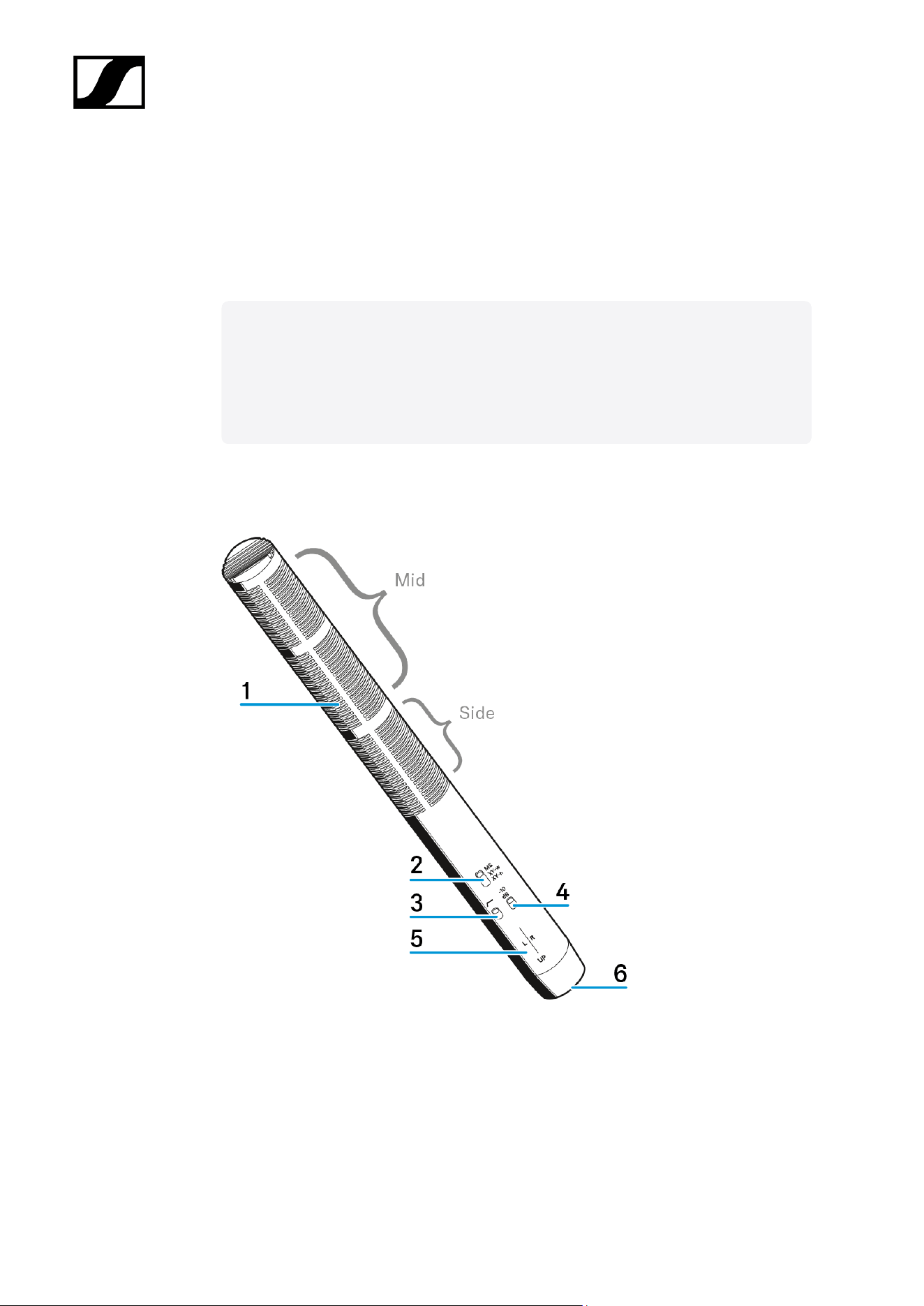
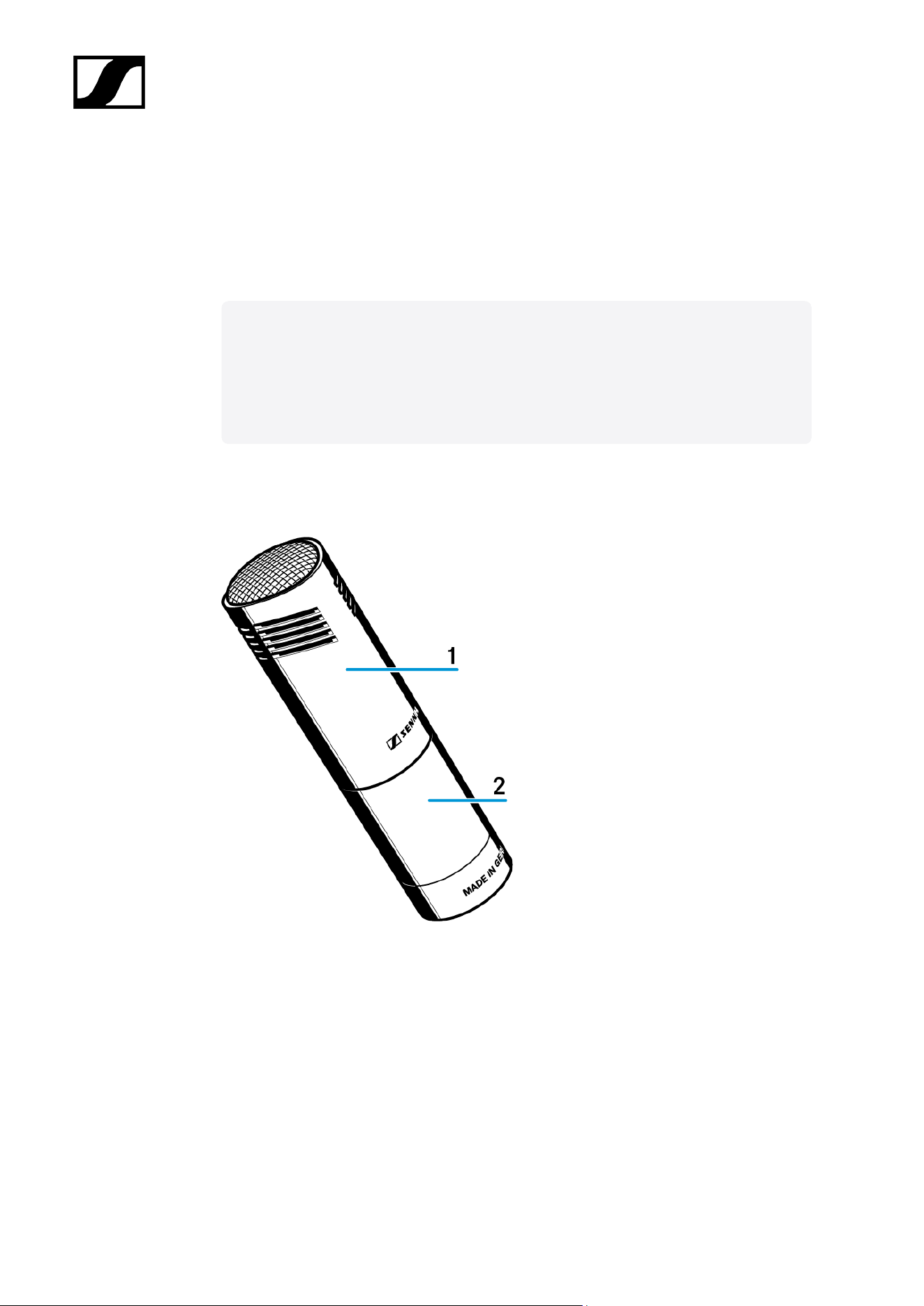
Product overview
1 Sound inlet baskets Mid/Side
2 Switch pick-up pattern
3 Switch low-cut
4 Switch pad
5 Left (L) | Right (R) + UP markings
43

| 3 - User manual
6 XLR-5 socket
44
| 3 - User manual
Starting up
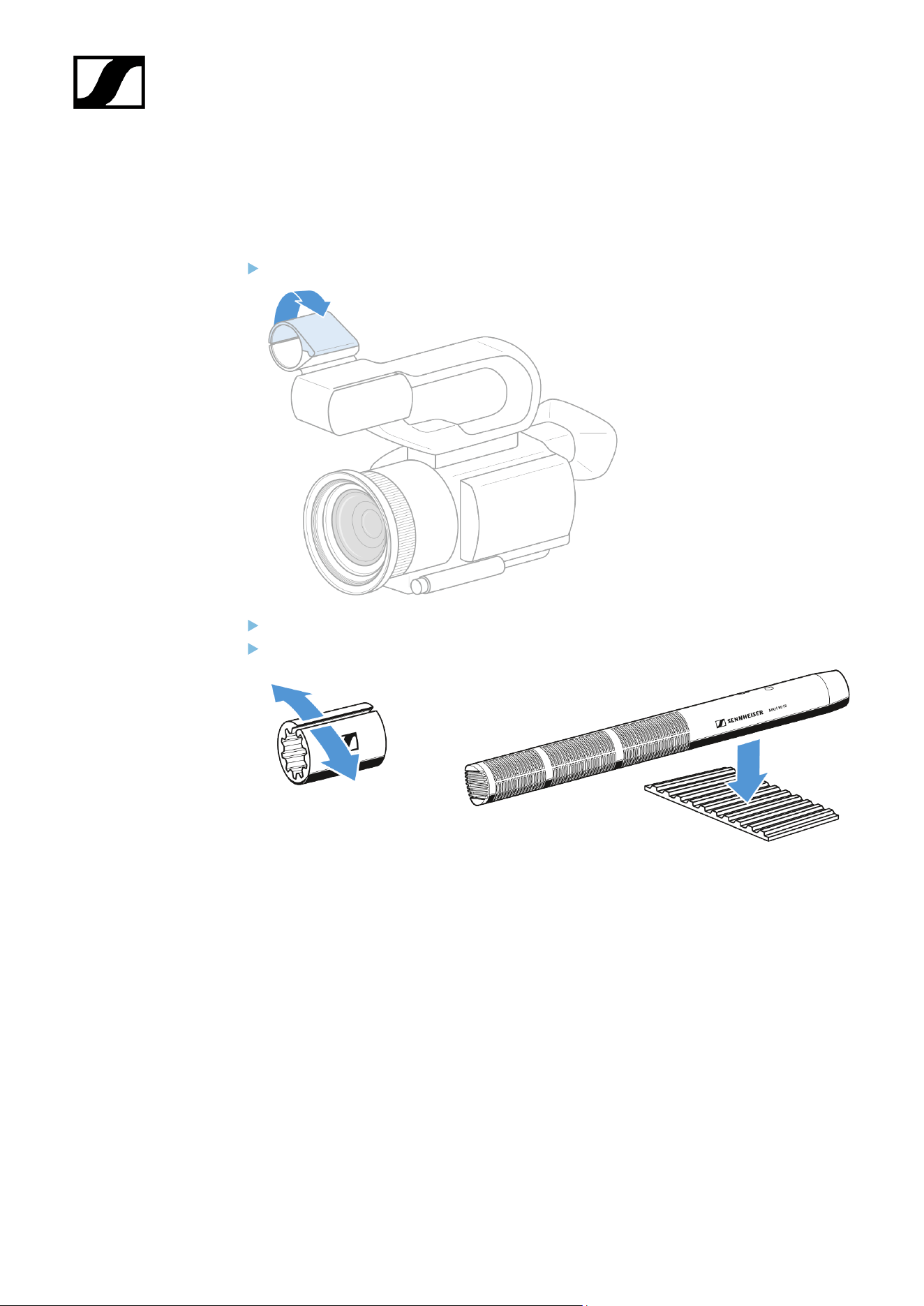
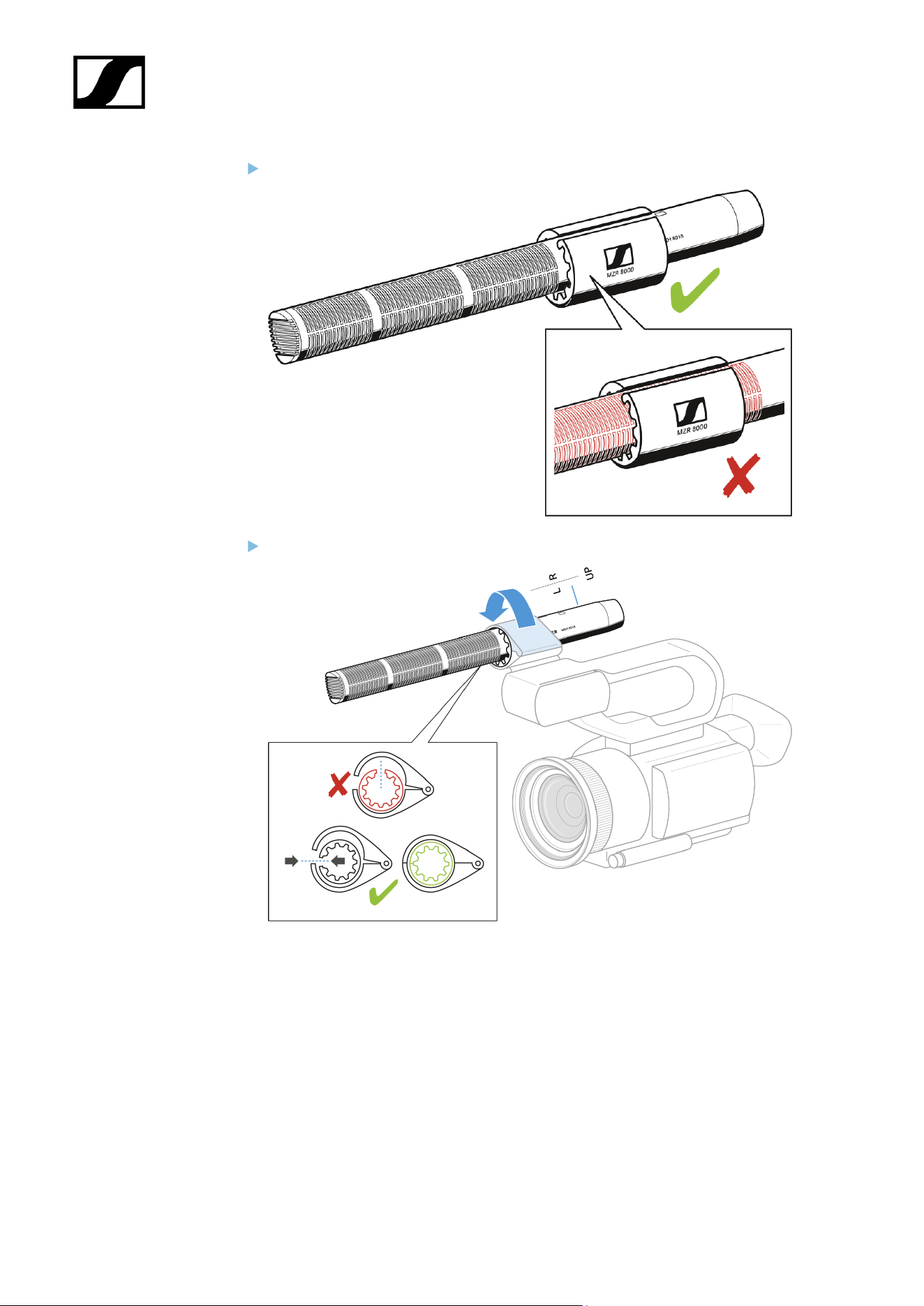
Mounting the microphone on a camera
Open the mount on the camera for the microphone.
Open the camera adapter MZR 8000.
Put the microphone in the camera adapter.
45
| 3 - User manual
Make sure that the sound inlet baskets are not obstructed.
Put the microphone into the mount on the camera as shown and close the mount.
46
| 3 - User manual
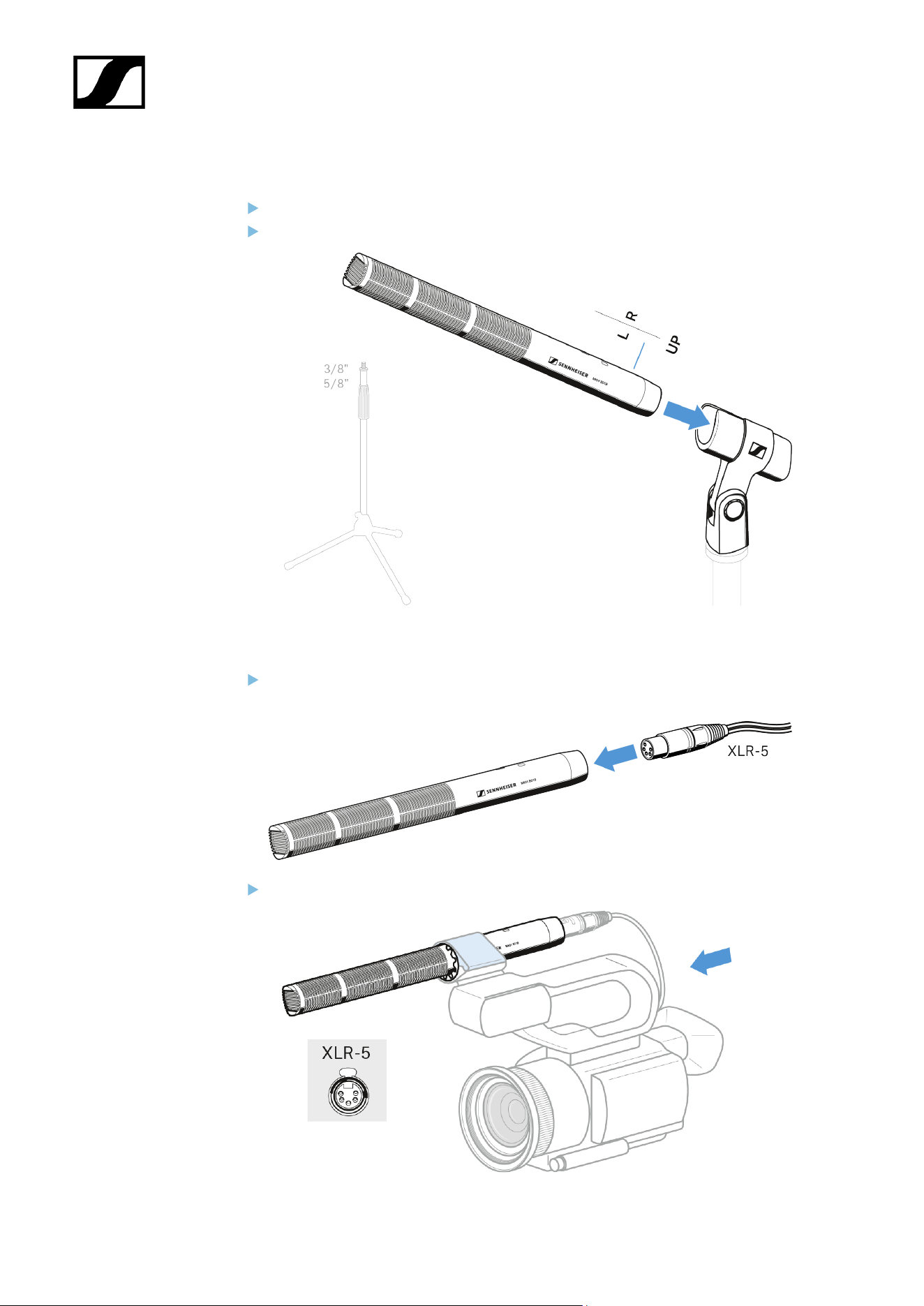
Mounting the microphone to a stand
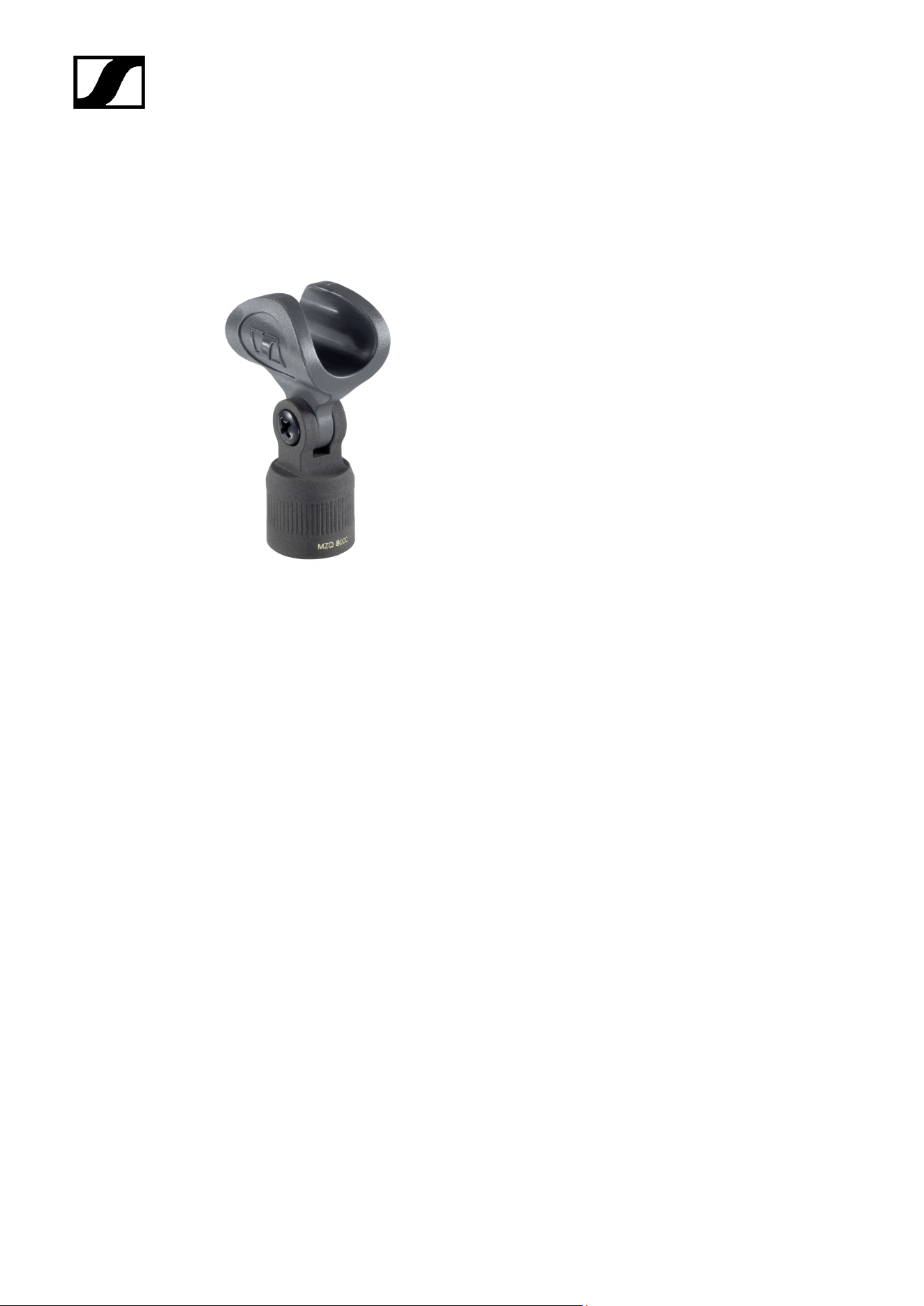
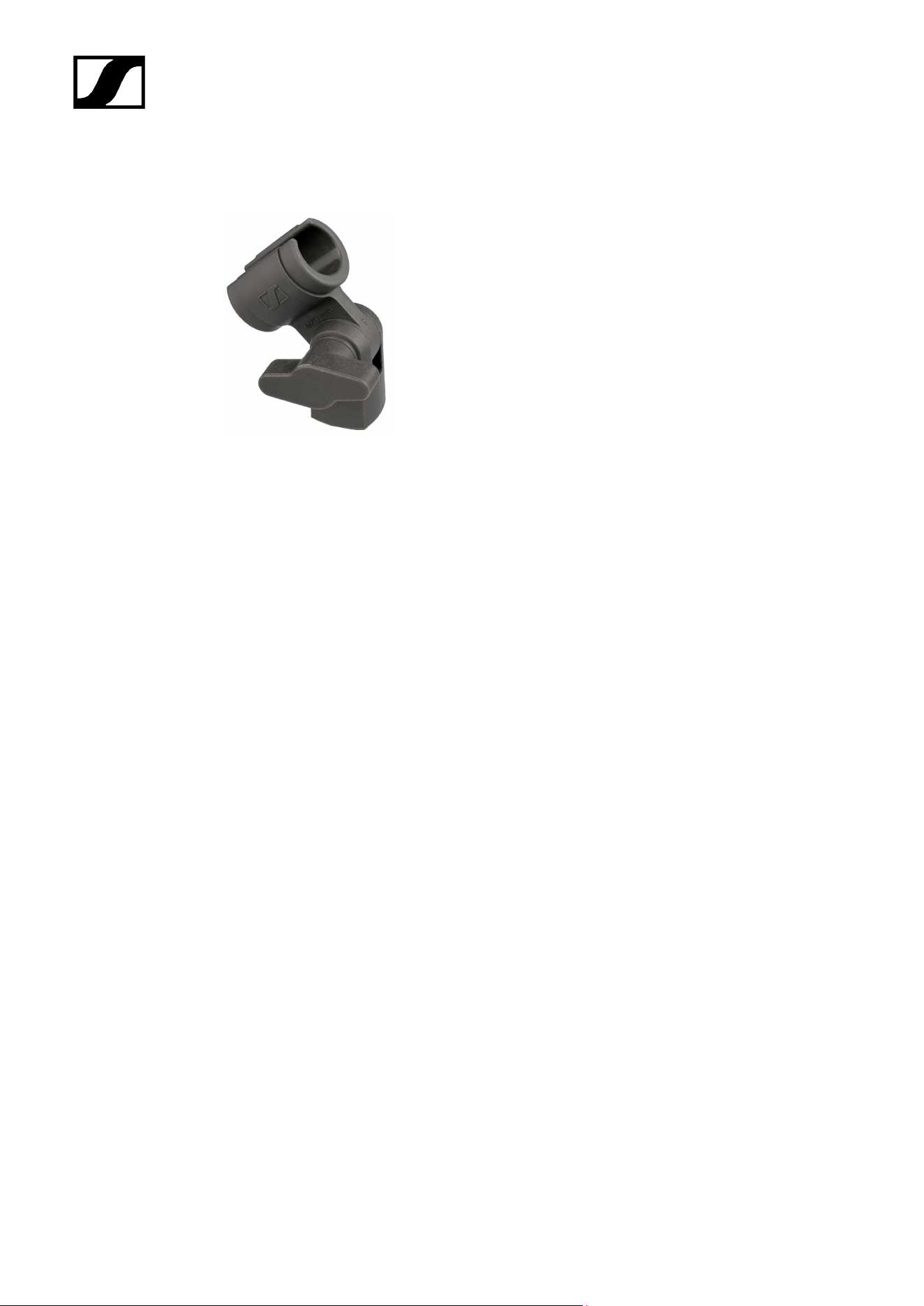
Screw the microphone clamp to a stand (optional accessory).
Place the microphone into the clamp.
Connecting the microphone
Connect the XLR-5 socket of the microphone cable (optional accessories) to the
XLR-5 socket of the microphone.
Connect the other end of the cable to a camera.
47
| 3 - User manual
Operation
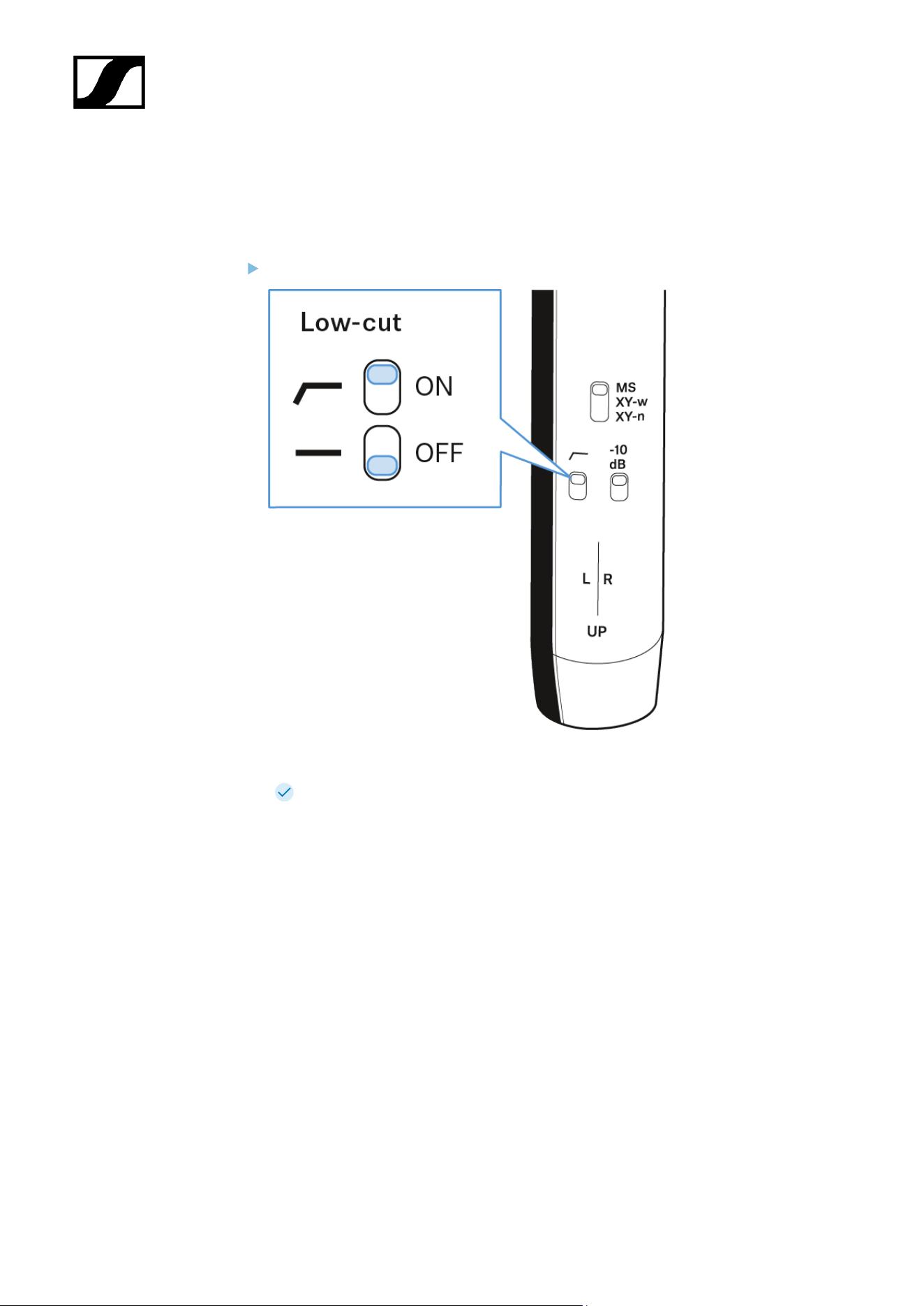
Adjust low-cut
Slide the switch to the desired position: ON or OFF.
Reduction of low-frequency noises (e. g. wind- and handling noises) by 3 dB at
70 Hz.
49
| 3 - User manual
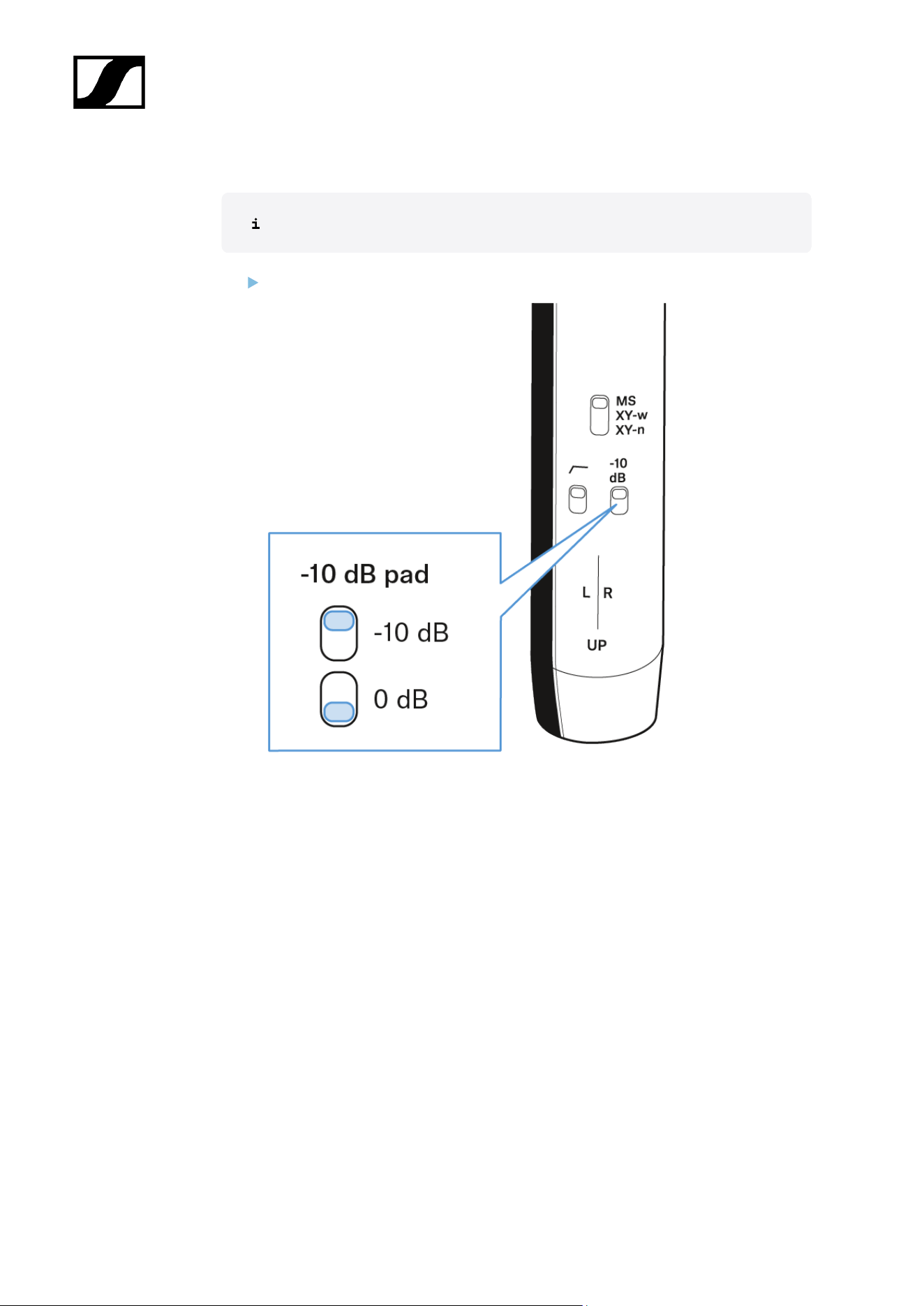
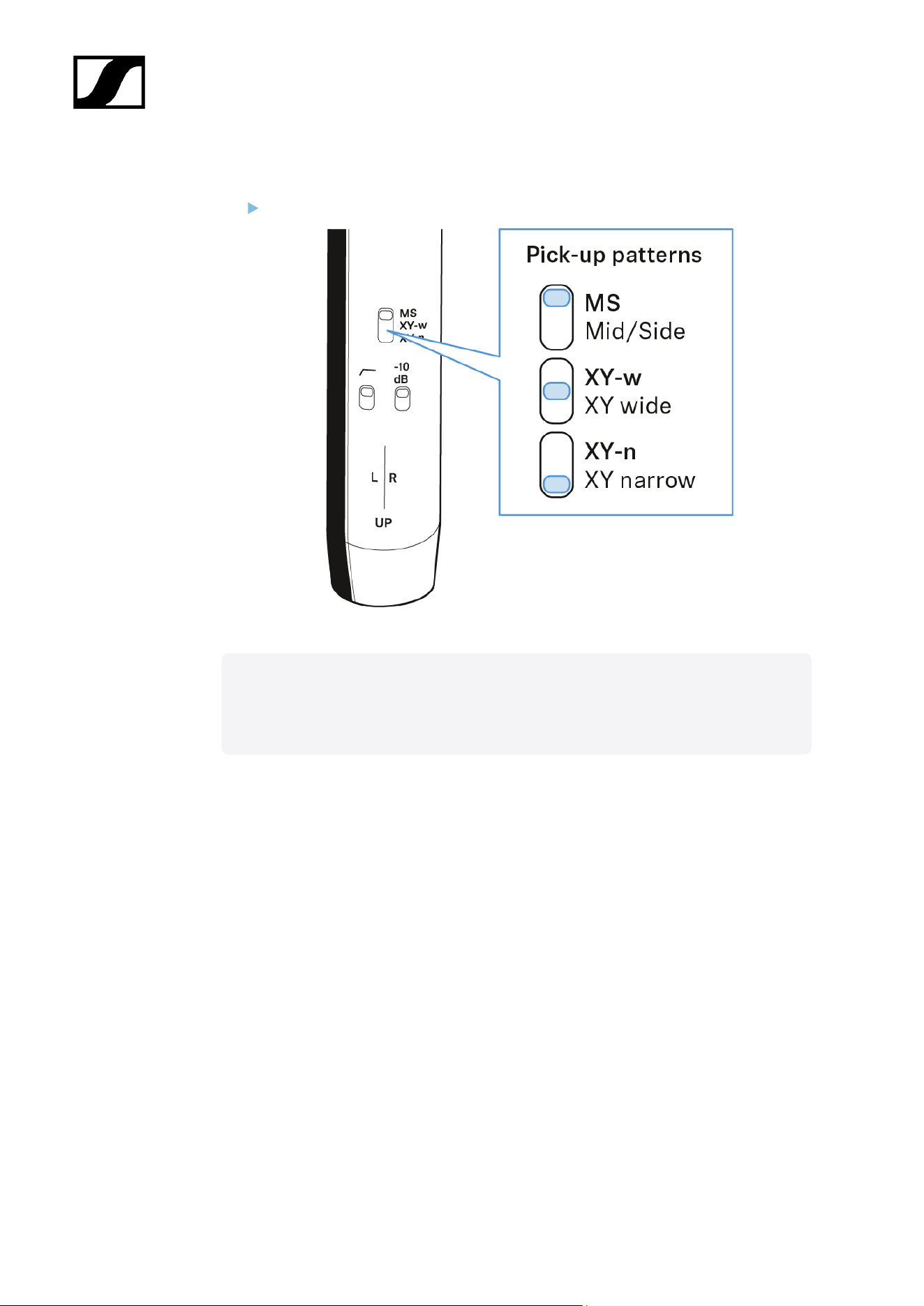
Adjust attenuation
Attenuation of the signal level to protect against clipping with very loud signals.
Slide the switch to the desired position: -10 dB oder 0 dB.
50
| 3 - User manual
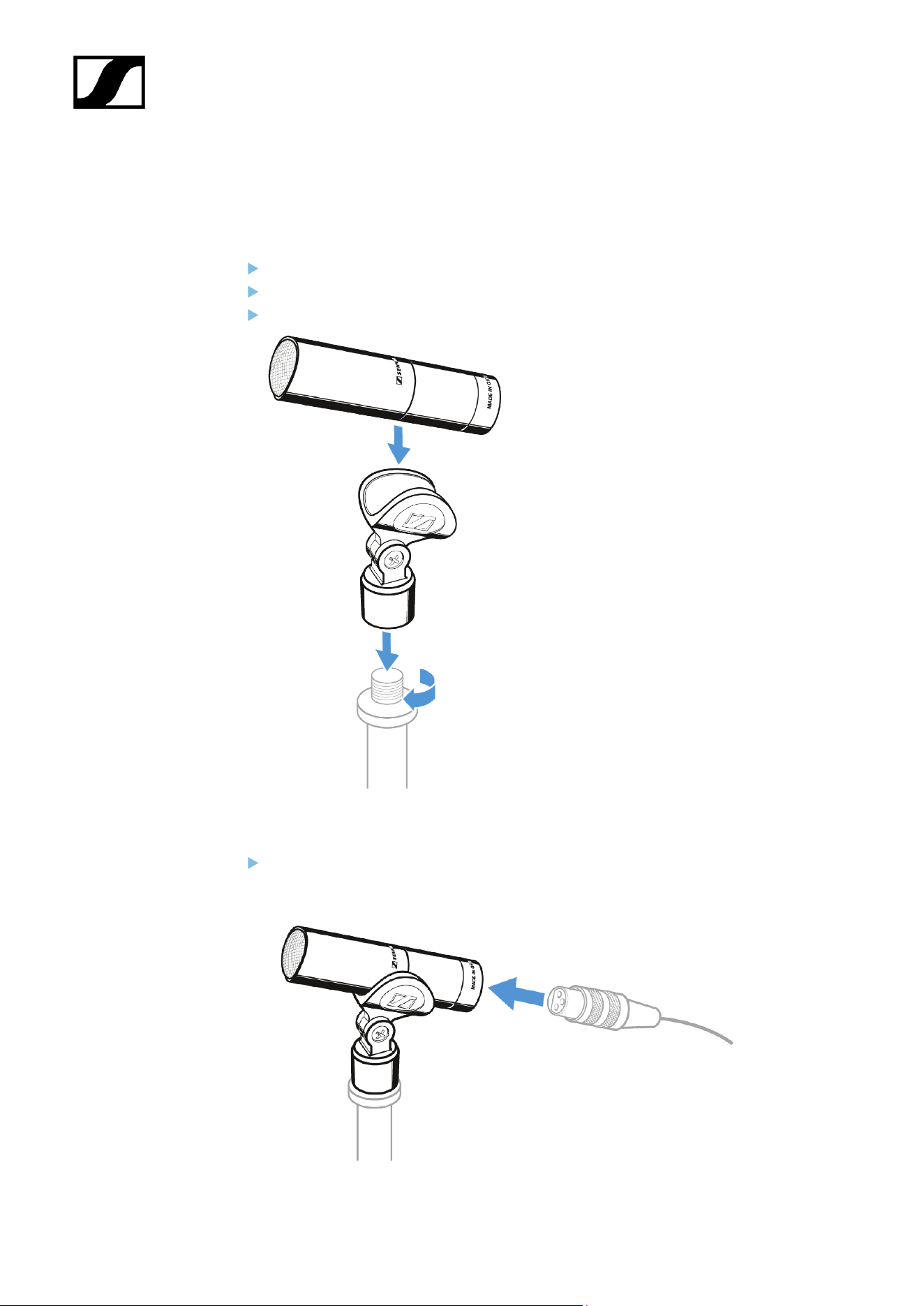
Starting up
Mounting the microphone
Screw the microphone clamp to a stand.
Place the microphone into the clamp.
Orient the microphone together with the microphone clamp.
Connecting the microphone
Connect the XLR-3 socket of the microphone cable (optional accessories) to the
XLR-3 socket of the microphone.
53
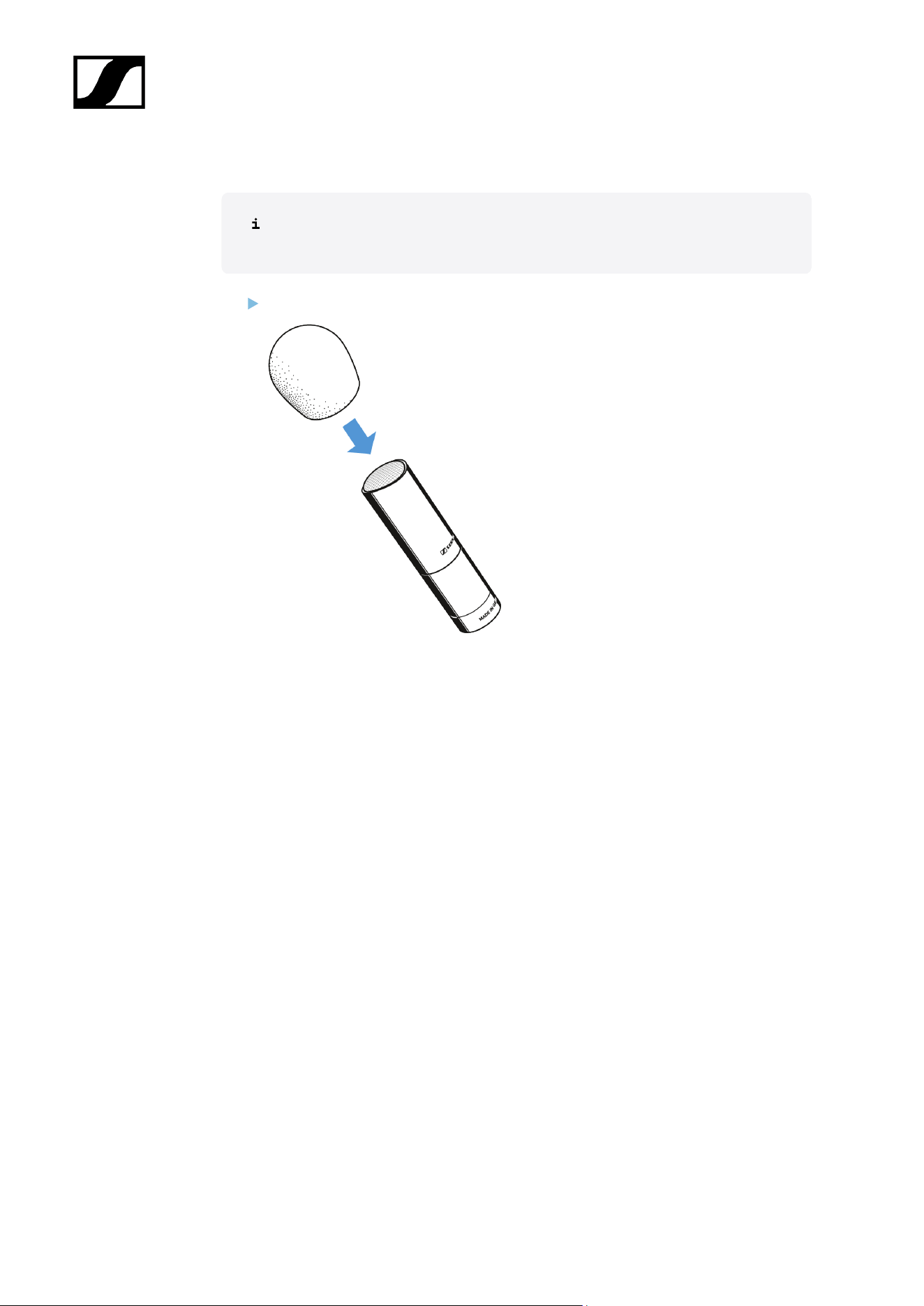

| 3 - User manual
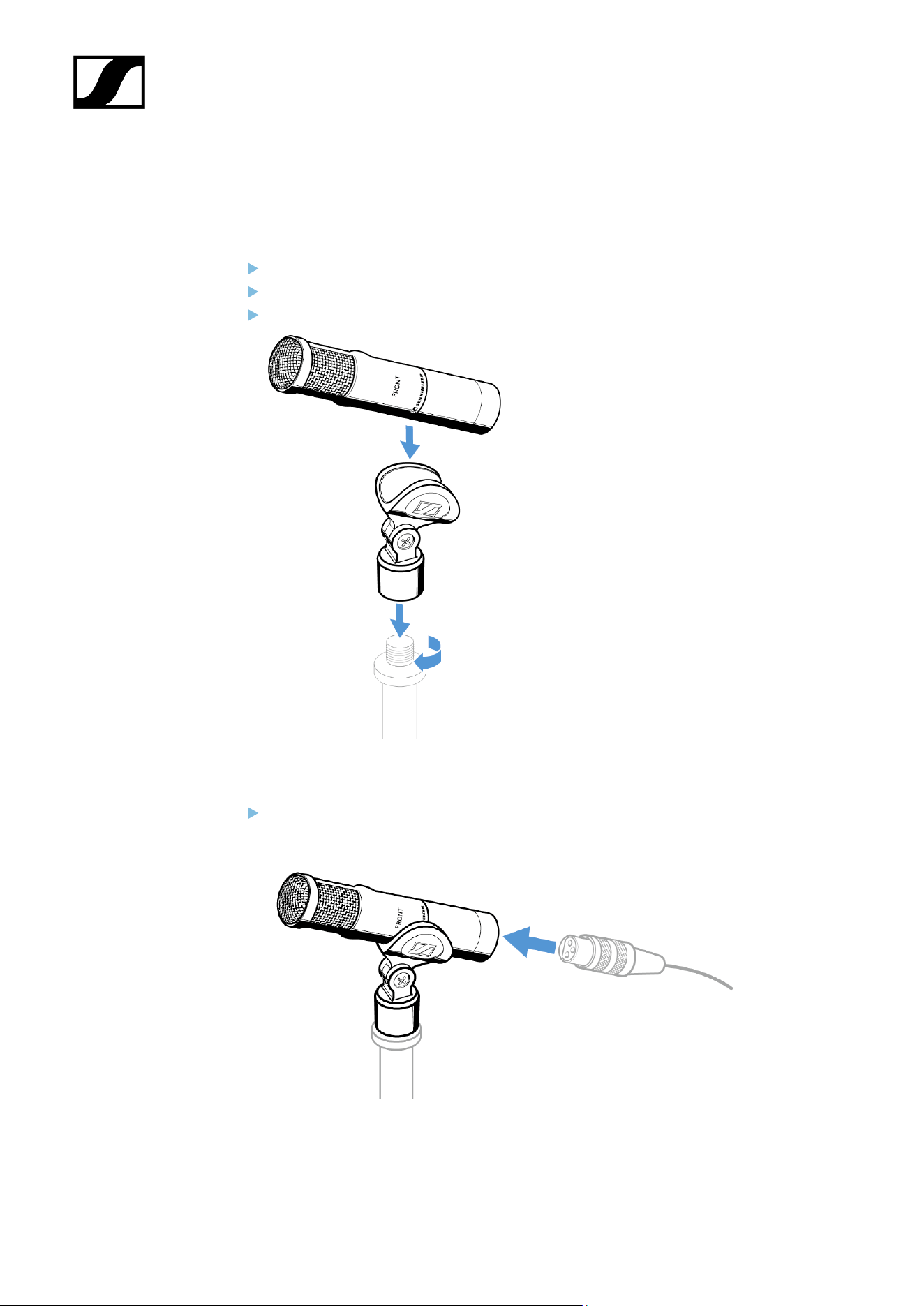
Starting up
Mounting the microphone
Screw the microphone clamp to a stand.
Place the microphone into the clamp.
Orient the microphone together with the microphone clamp.
Connecting the microphone
Connect the XLR-3 socket of the microphone cable (optional accessories) to the
XLR-3 socket of the microphone.
57
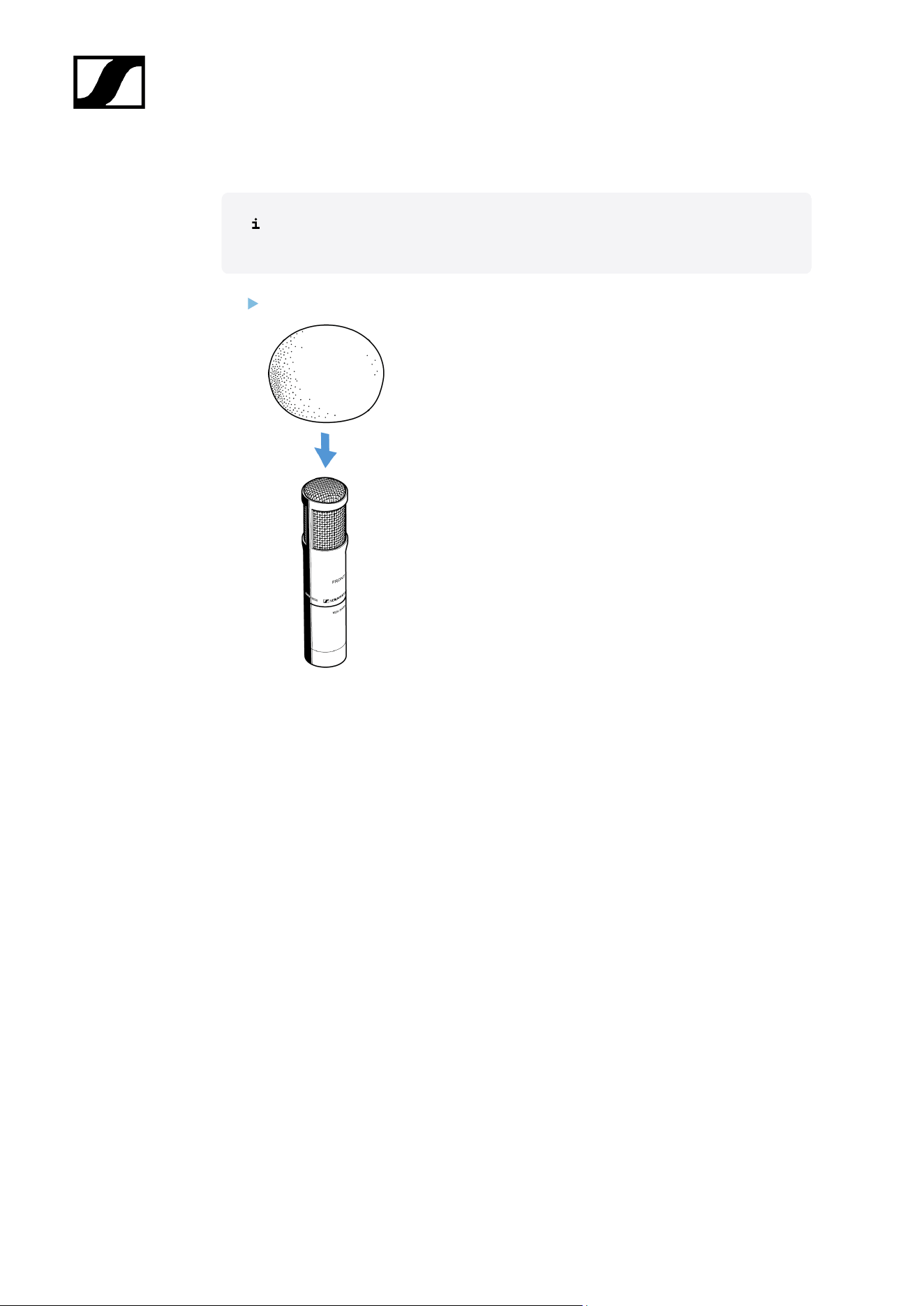
| 3 - User manual
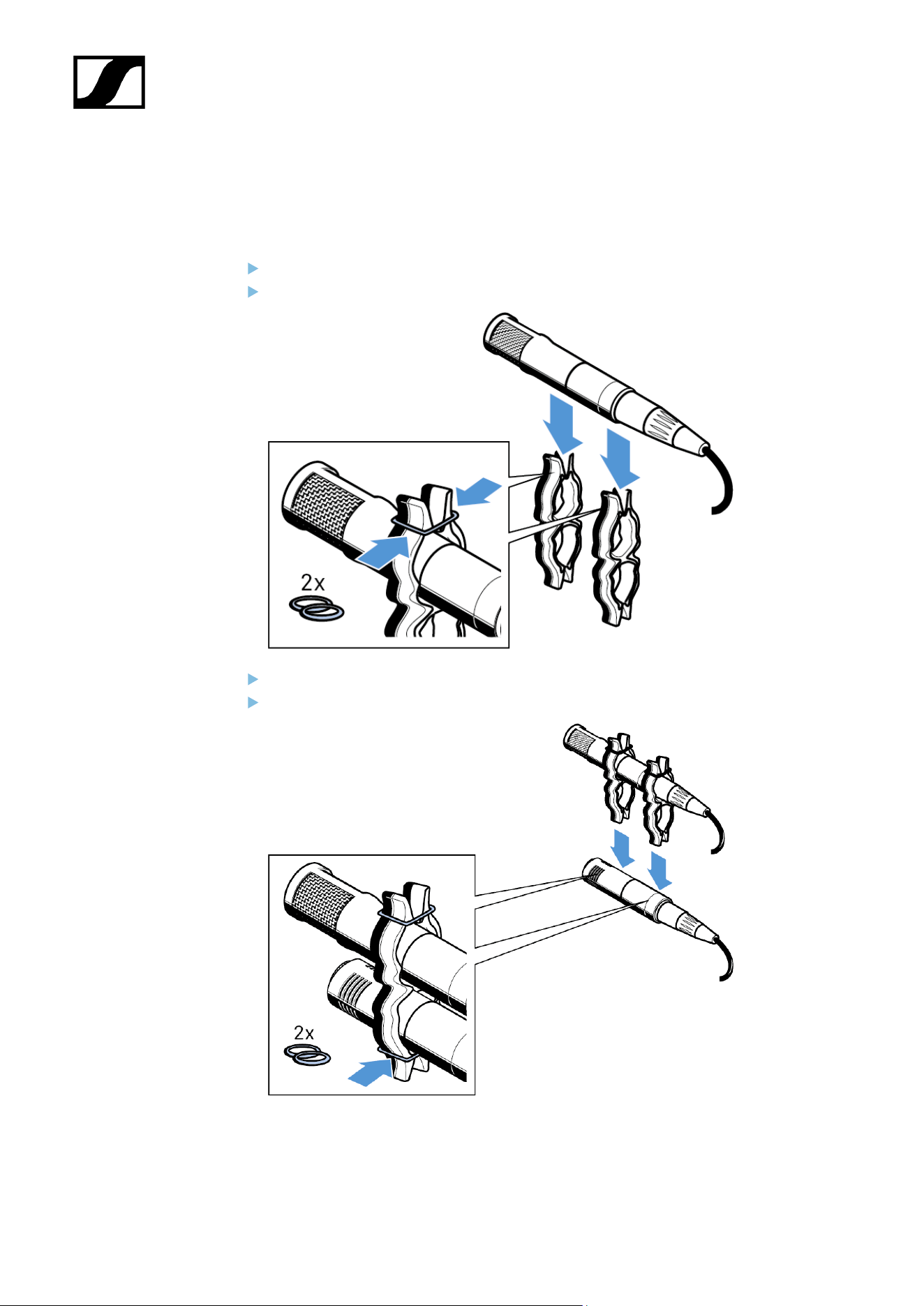
Operation
Using the duoclips
Insert the MKH 8030 into the top openings of the two duoclips.
Place a rubber ring over each clip opening.
Insert the MKH 8040 into the bottom openings of the two duoclips.
Place a rubber ring over each clip opening.
59

| 3 - User manual
Starting up
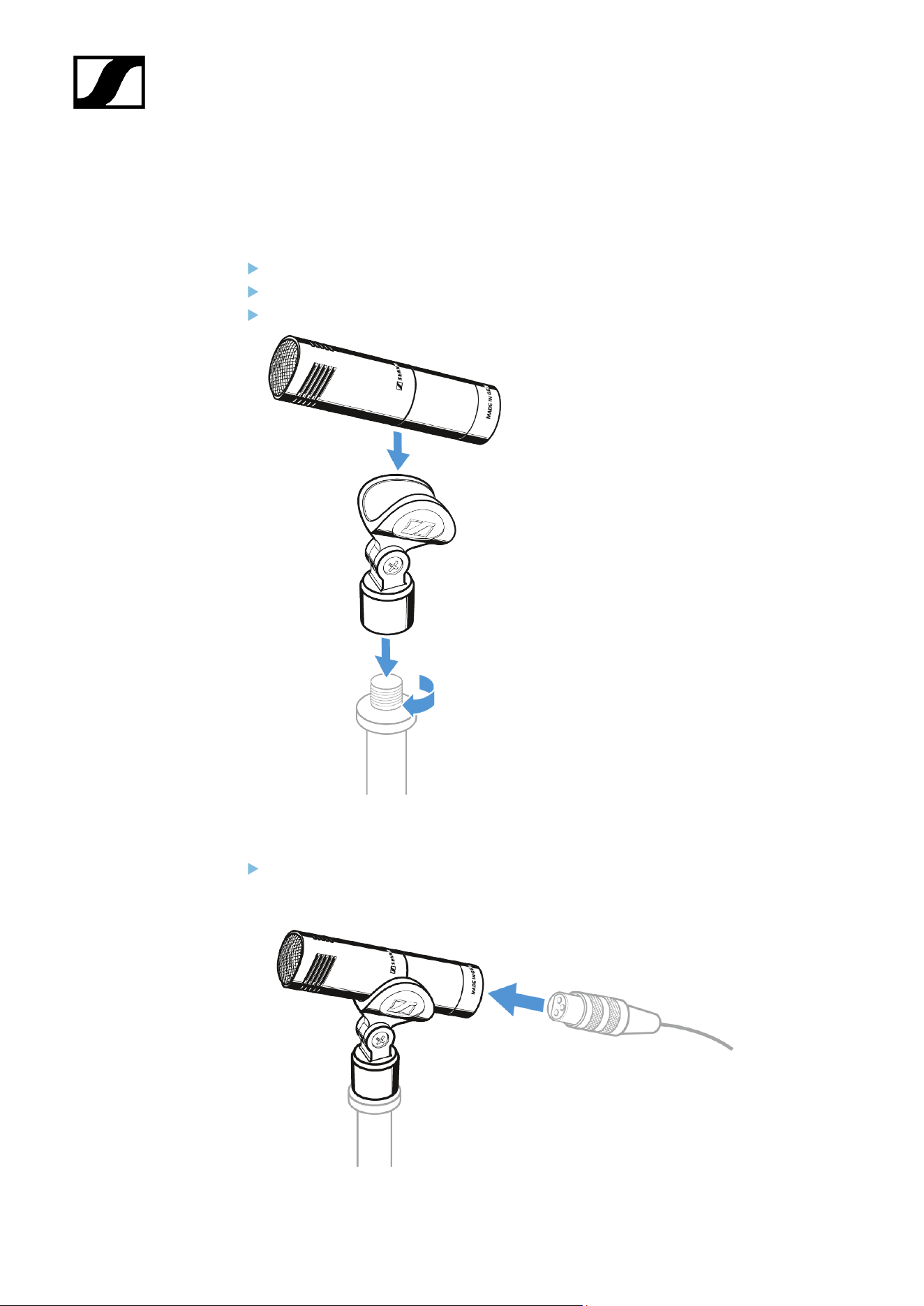
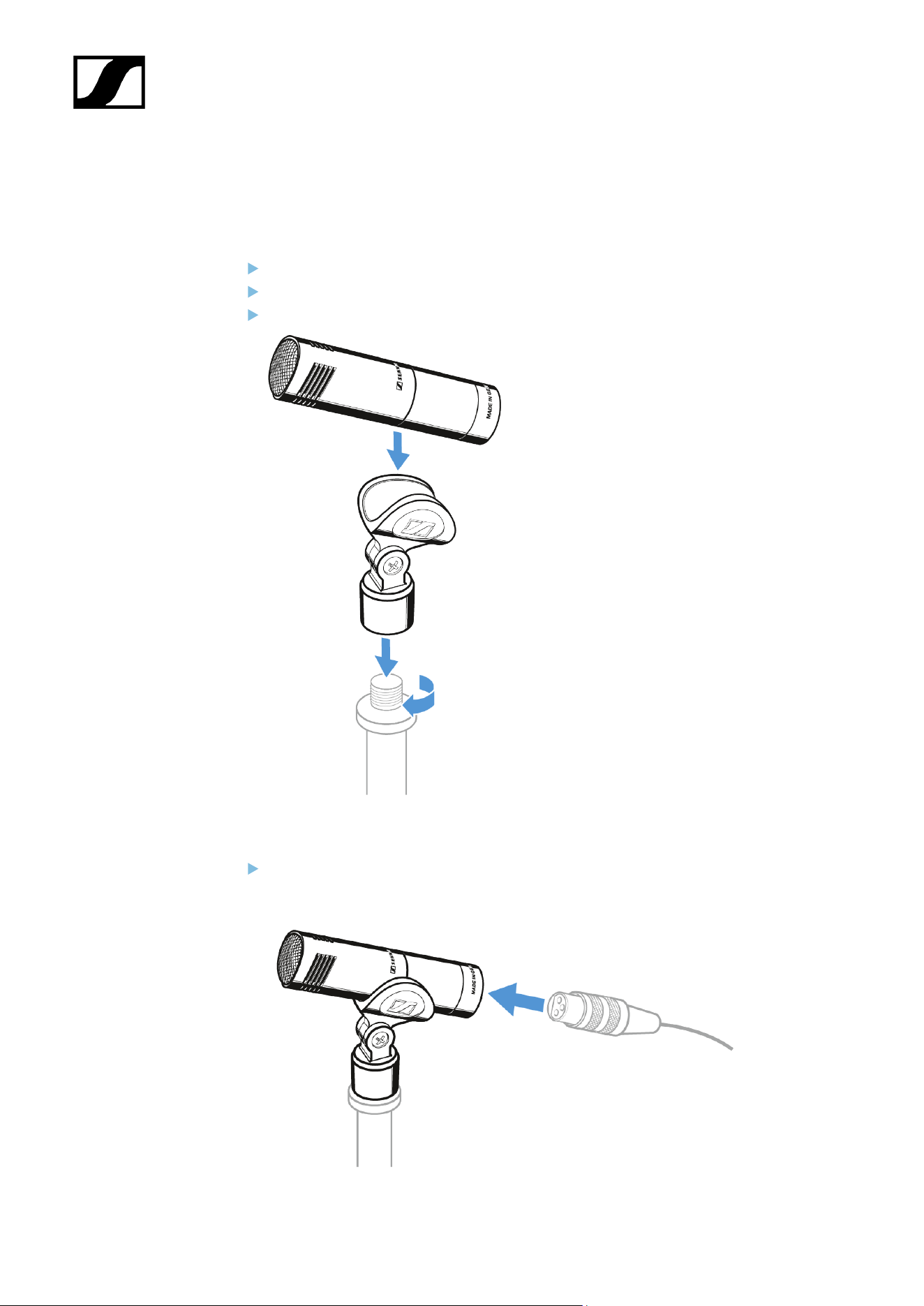
Mounting the microphone
Screw the microphone clamp to a stand.
Place the microphone into the clamp.
Orient the microphone together with the microphone clamp.
Connecting the microphone
Connect the XLR-3 socket of the microphone cable (optional accessories) to the
XLR-3 socket of the microphone.
62

| 3 - User manual
Starting up
Mounting the microphone
Screw the microphone clamp to a stand.
Place the microphone into the clamp.
Orient the microphone together with the microphone clamp.
Connecting the microphone
Connect the XLR-3 socket of the microphone cable (optional accessories) to the
XLR-3 socket of the microphone.
66

| 3 - User manual
Starting up
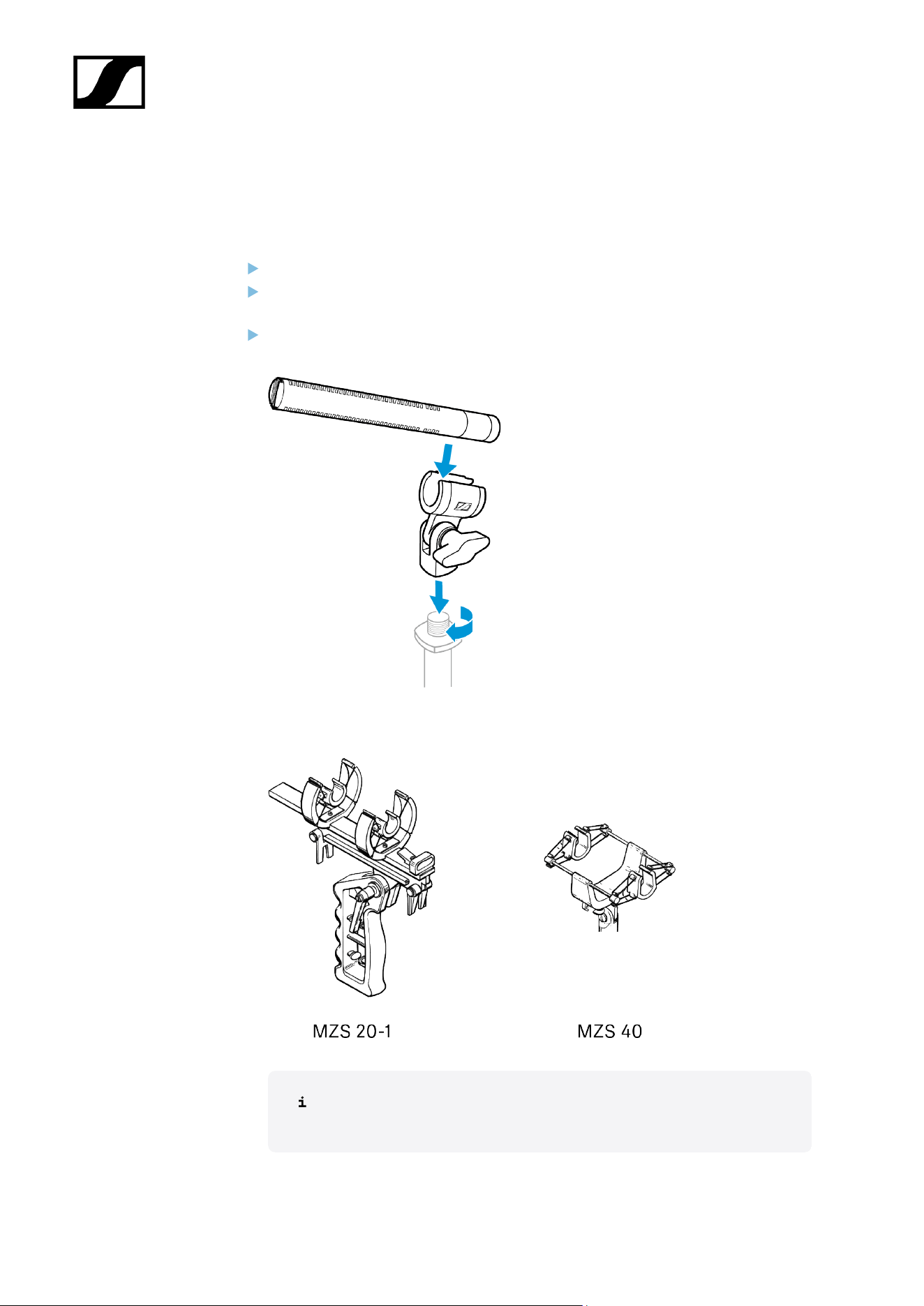
Mounting the microphone
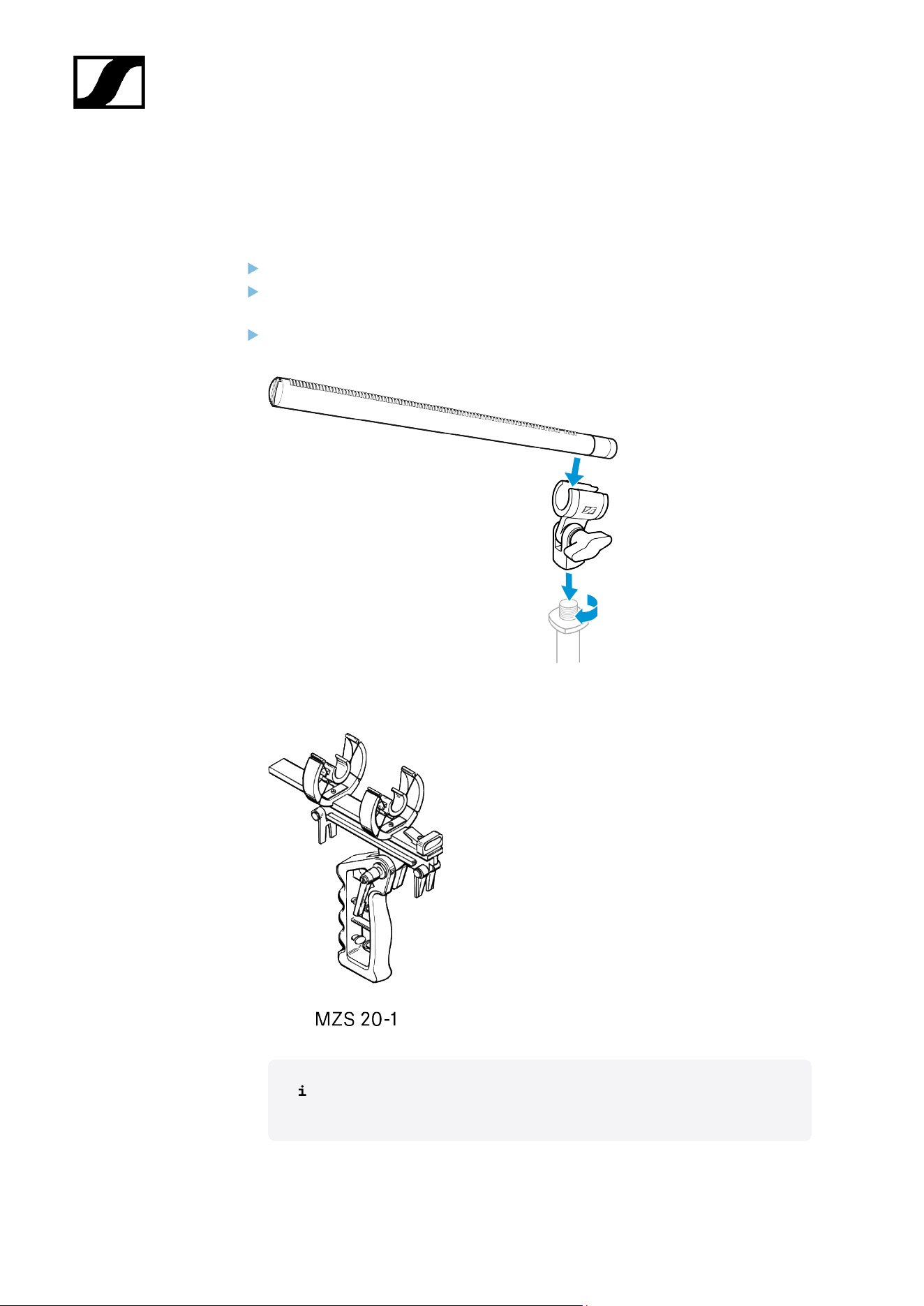
Screw the microphone clamp to a stand.
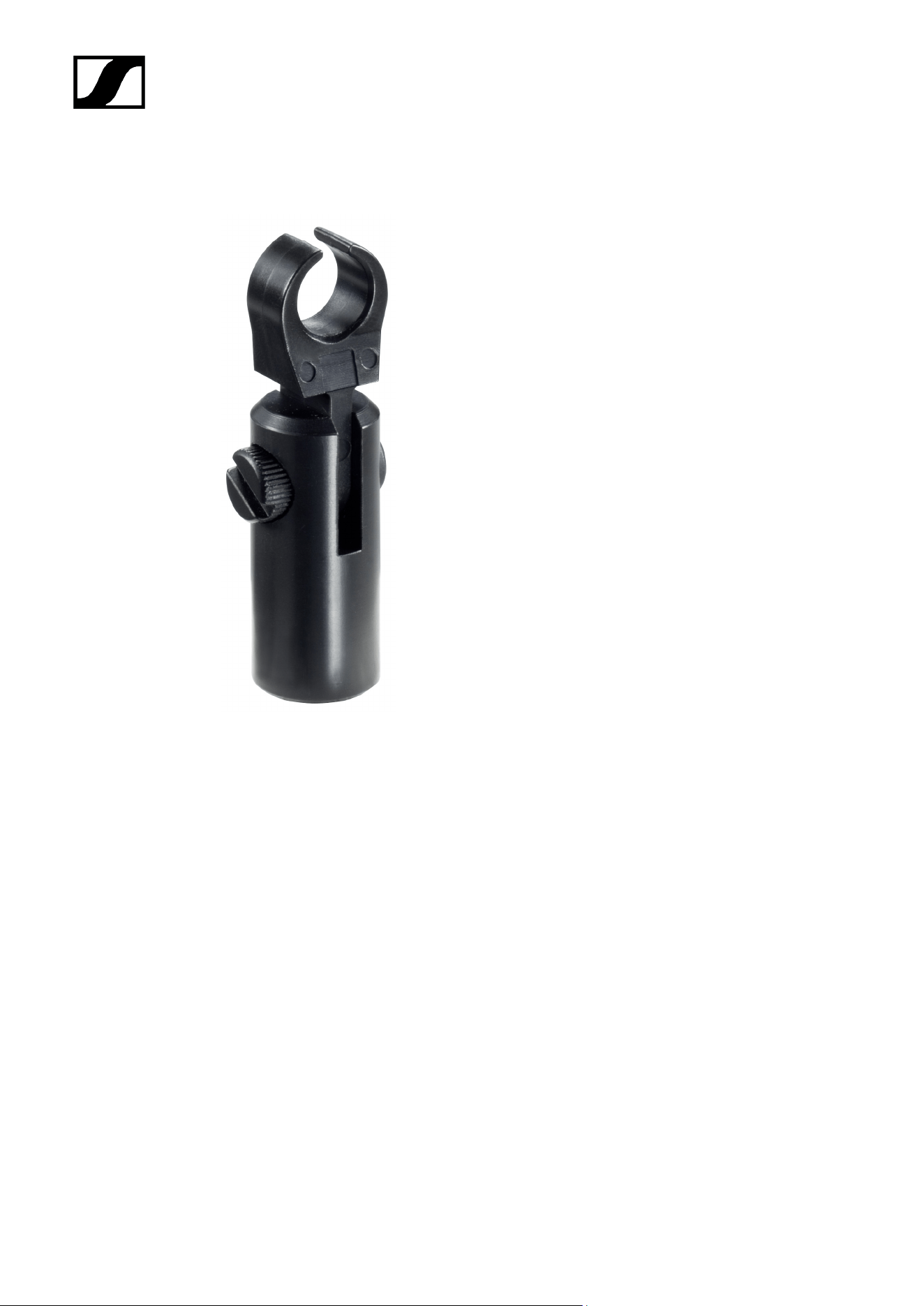
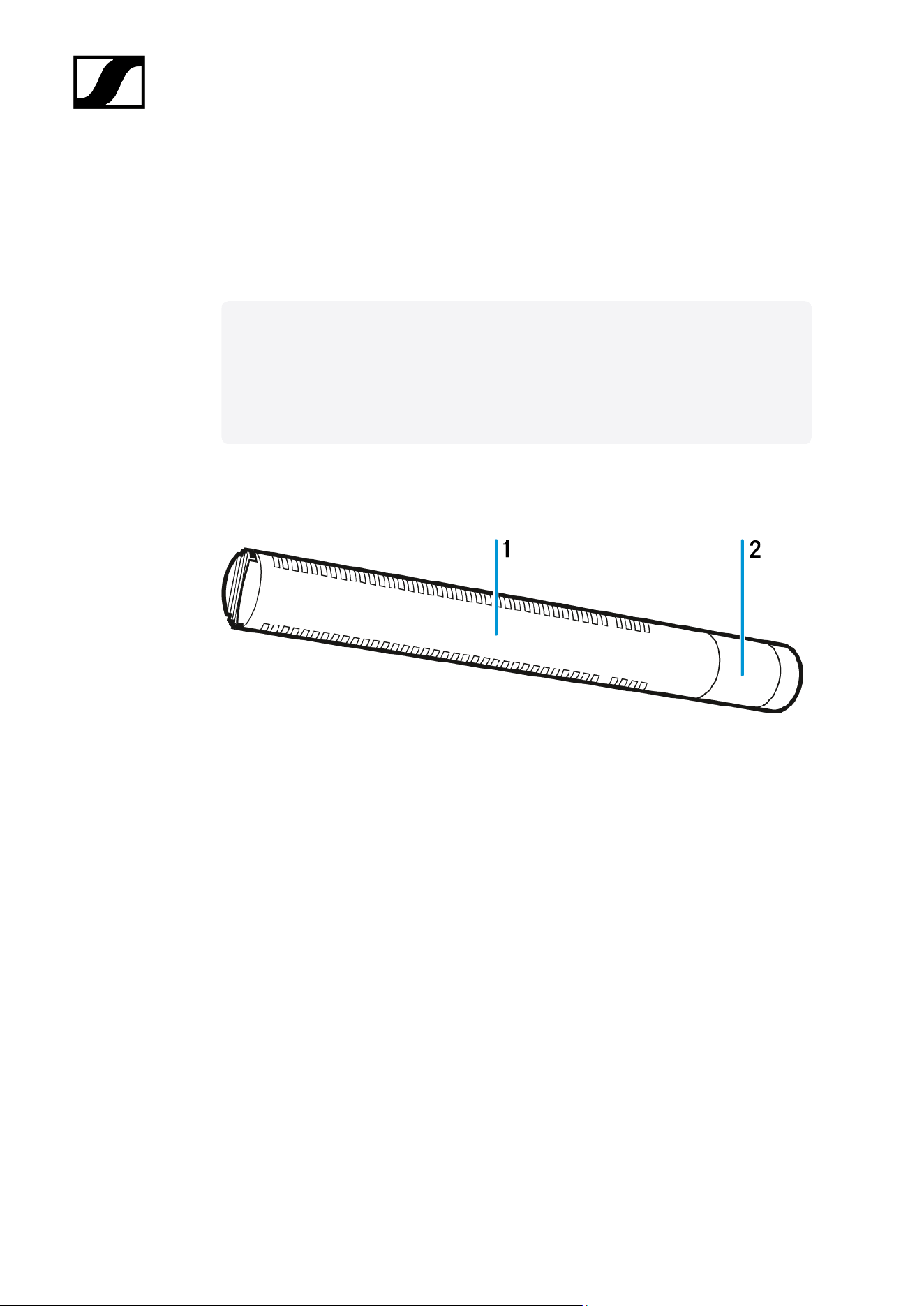
Place the microphone with its back end into the microphone clamp: Make sure that
the lateral slots are not covered.
Orient the microphone together with the microphone clamp and fix them by screwing
the wing screw tight.
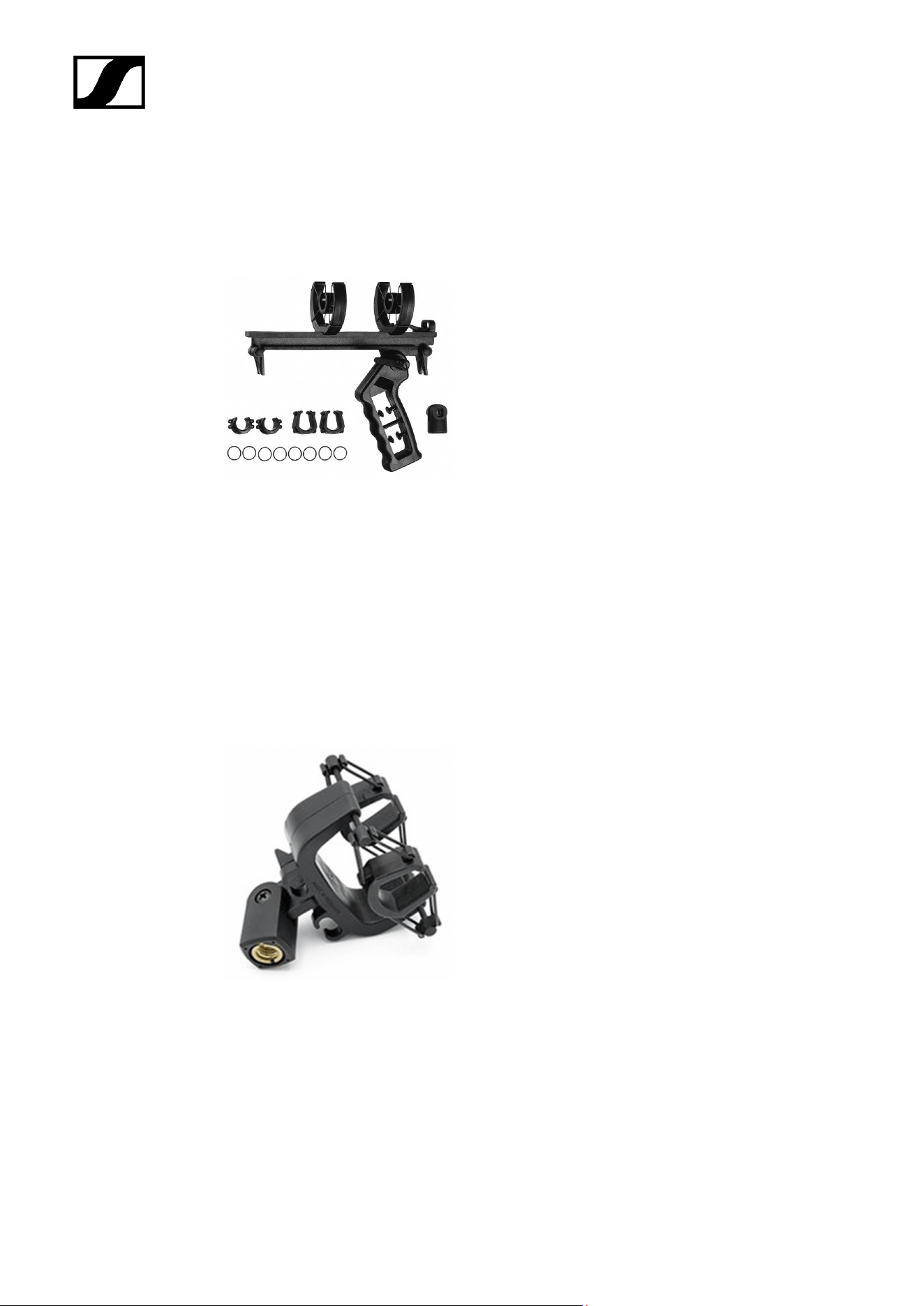
To suppress structure-borne noise, you can use one of the optional shock mounts (see
MZS 20-1 and MZS 40).
For optimal wind protection, use the MZS 20-1 in combination with the
MZW 20-1 basket windshield and the MZH 20-1 cover.
70
| 3 - User manual
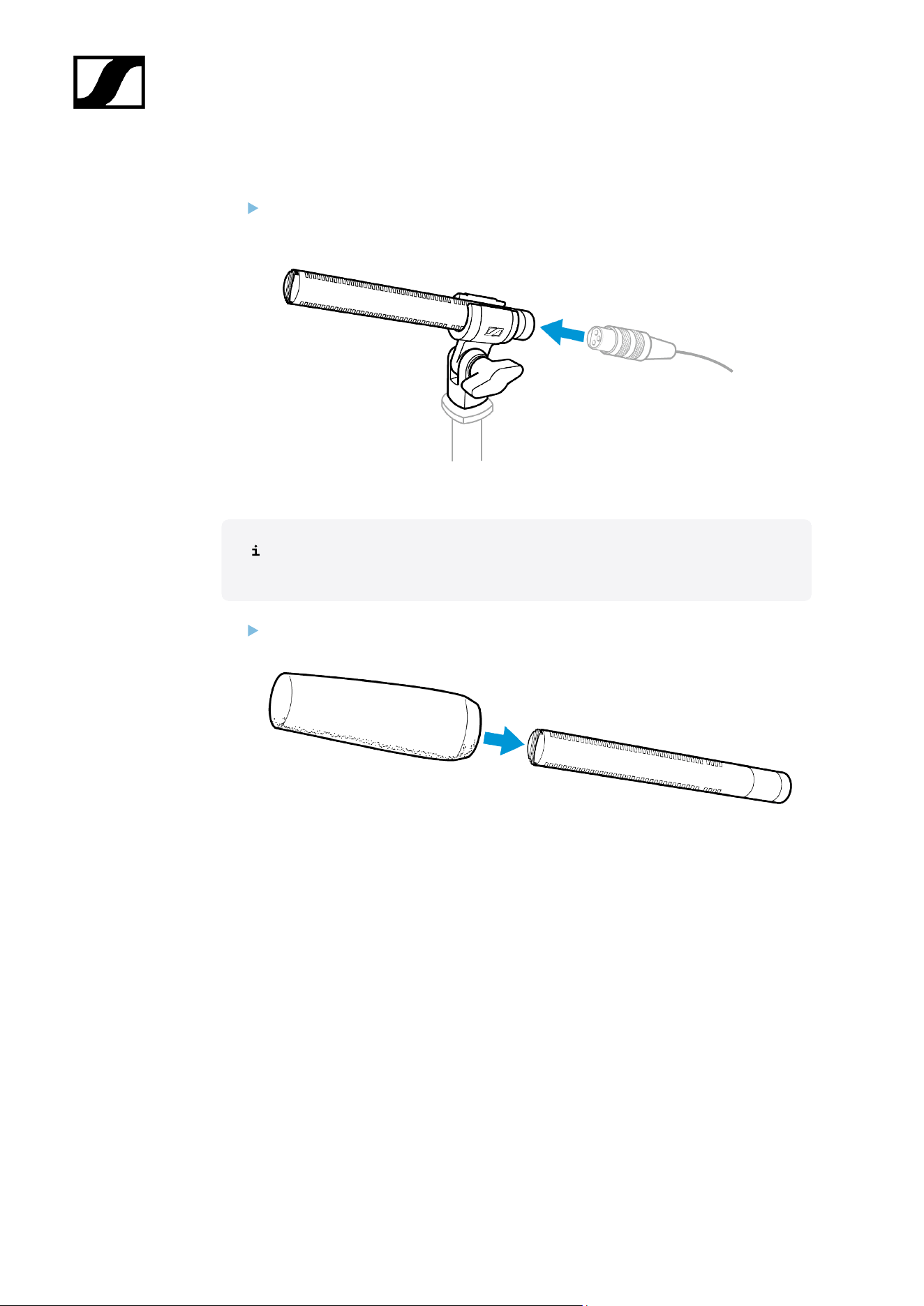
Connecting the microphone
Connect the XLR-3 socket of the microphone cable (optional accessories) to the
XLR-3 socket of the microphone.
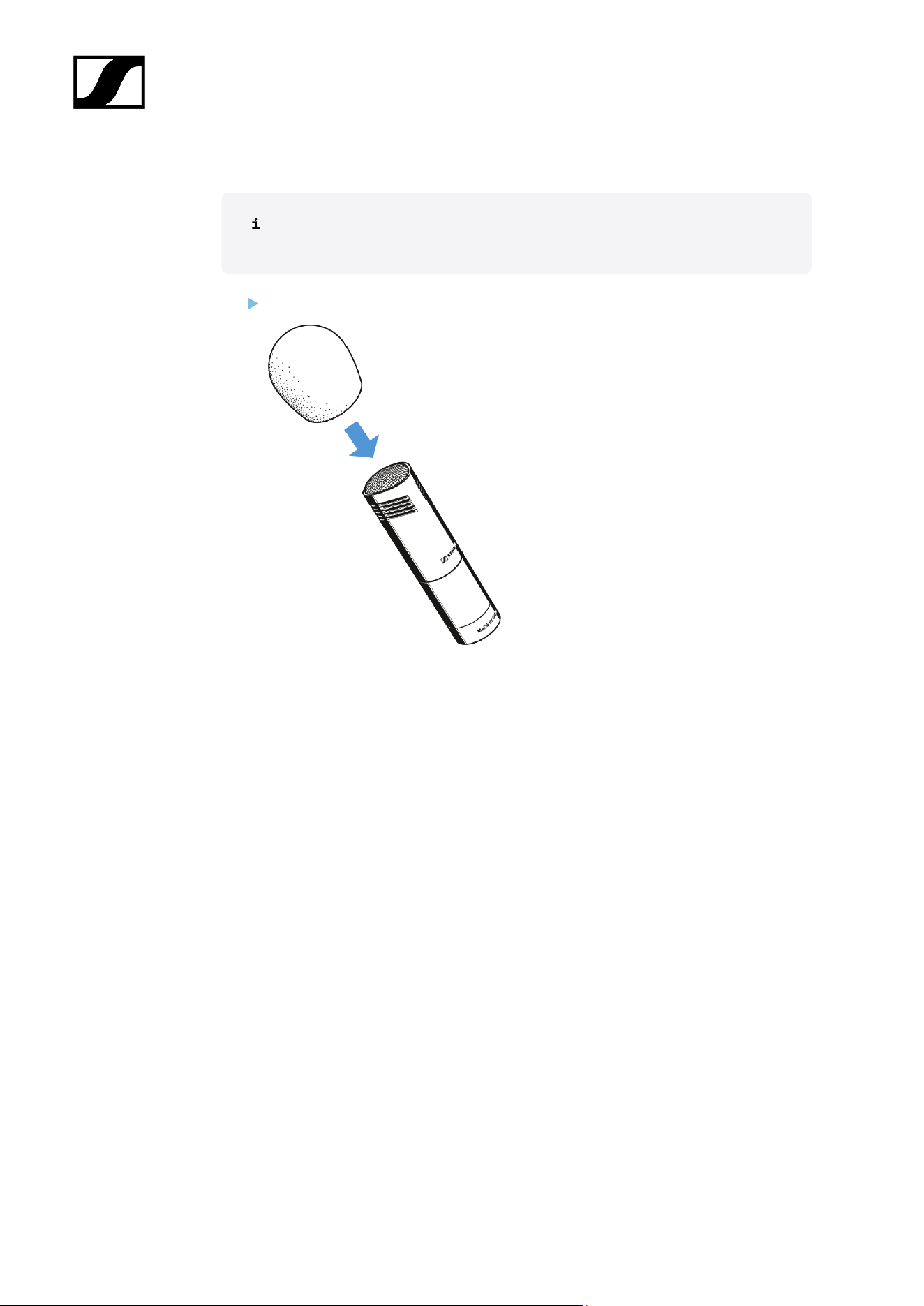
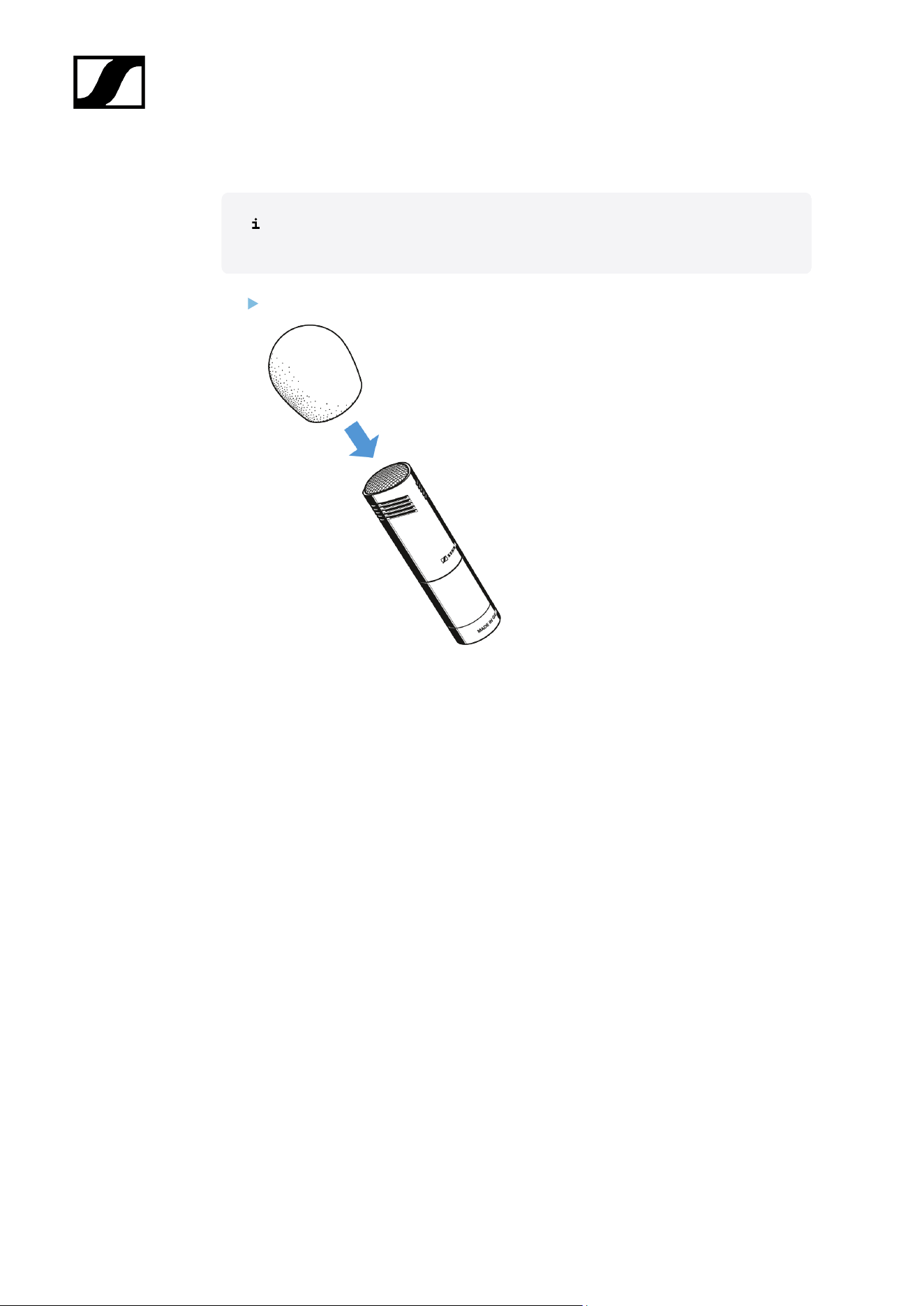
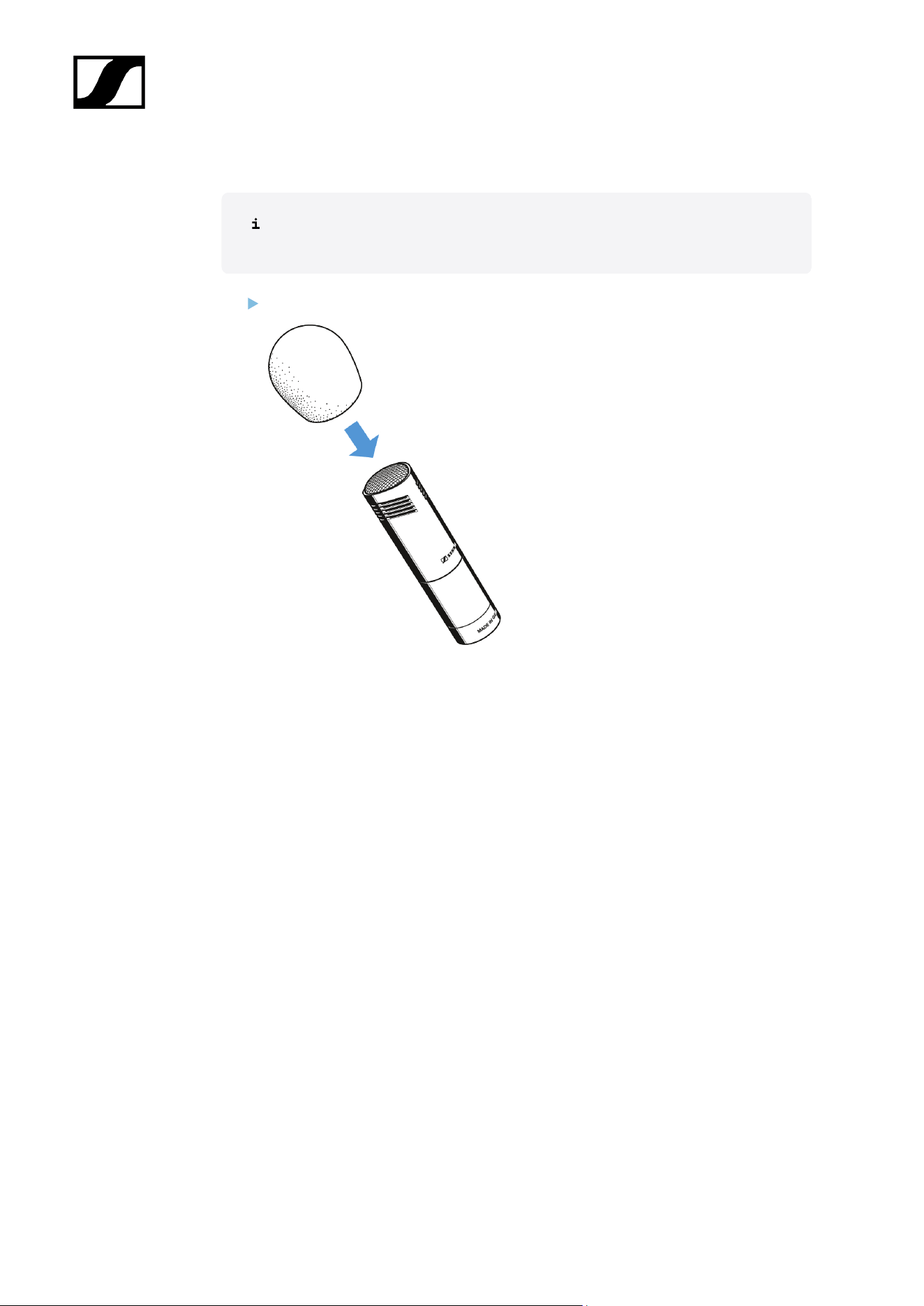
Using the windshield
The windshield changes the sound only slightly, but attenuates wind noise by
approx. 25 dB.
Place the MZW 8060 foam windshield over the microphone head so that all lateral
slots are covered.
71
| 3 - User manual
Operation
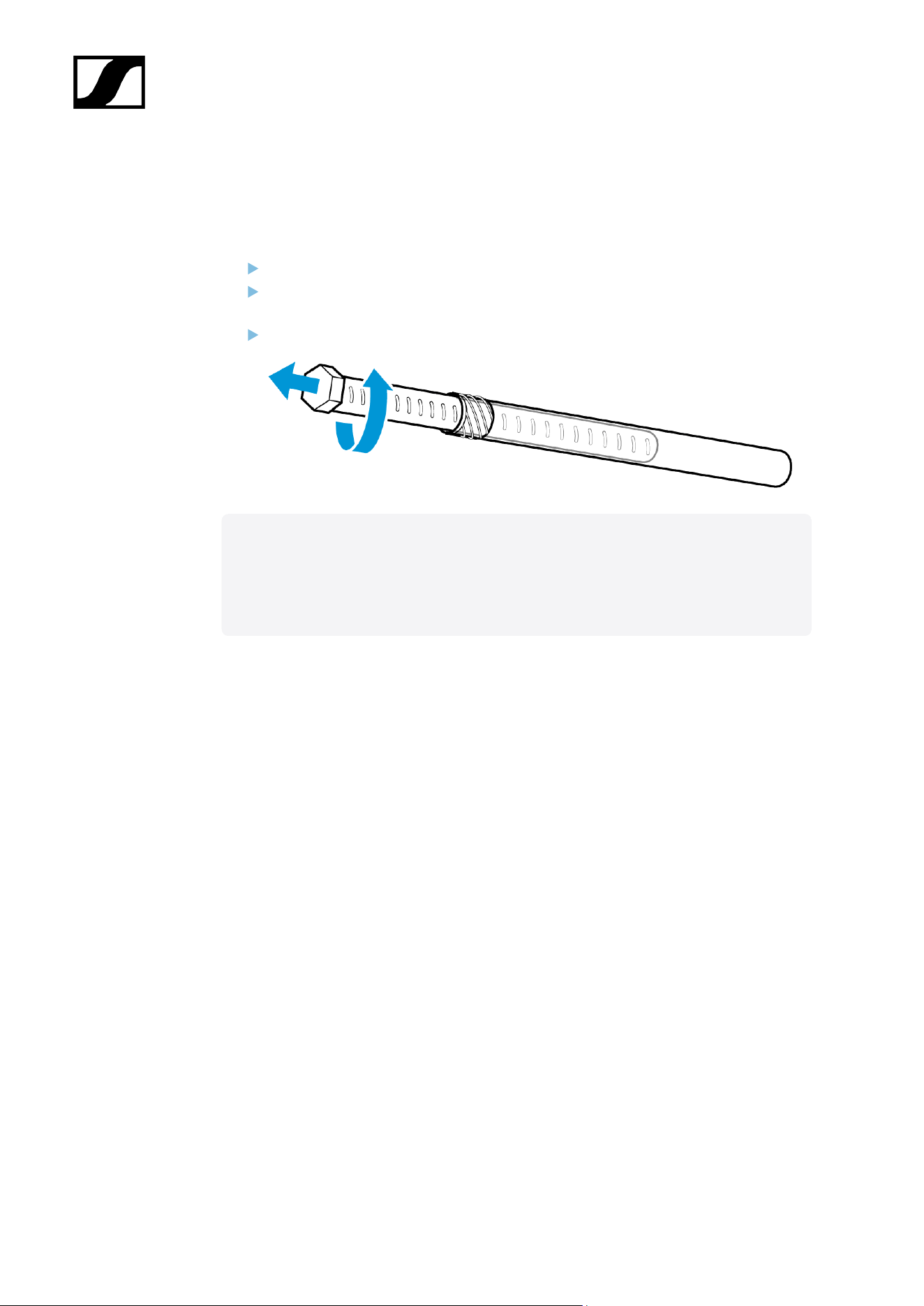
Prepare the microphone for transport
Let the microphone dry if you used it under extreme climatic conditions.
If necessary, remove the windshield or take the microphone out of the basket
windshield.
Slide the microphone into the transport tube.
Related information
Retrofitting or extending the microphone
Stereo recording
72
| 3 - User manual
Starting up
Mounting the microphone
Screw the microphone clamp to a stand.
Place the microphone with its back end into the microphone clamp: Make sure that
the lateral slots are not covered.
Orient the microphone together with the microphone clamp and fix them by screwing
the wing screw tight.
To suppress structure-borne noise, you can use one of the optional shock mounts (see
MZS 20-1).
For optimal wind protection, use the MZS 20-1 in combination with the
MZW 20-1 basket windshield and the MZH 20-1 cover.
74
| 3 - User manual
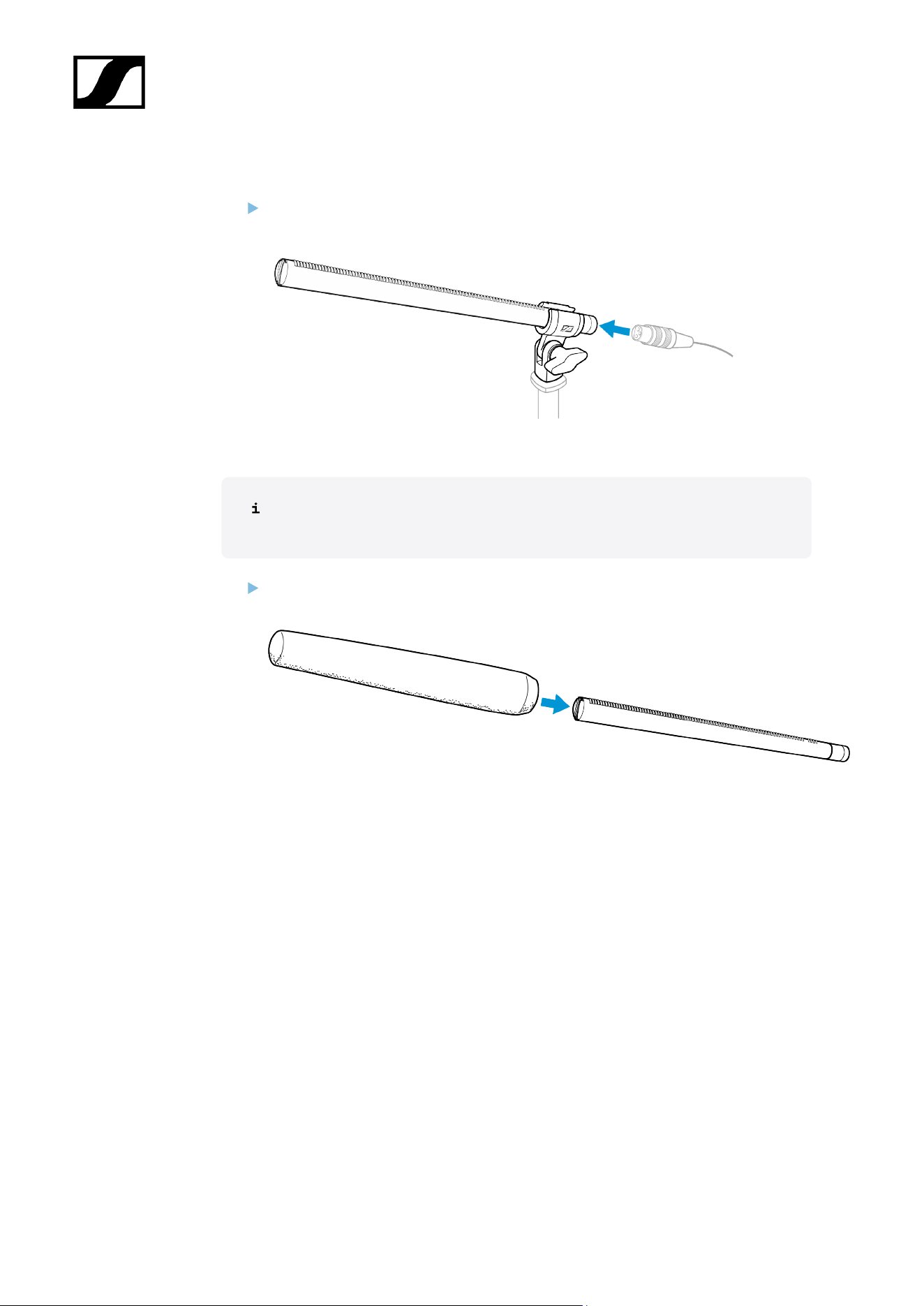
Connecting the microphone
Connect the XLR-3 socket of the microphone cable (optional accessories) to the
XLR-3 socket of the microphone.
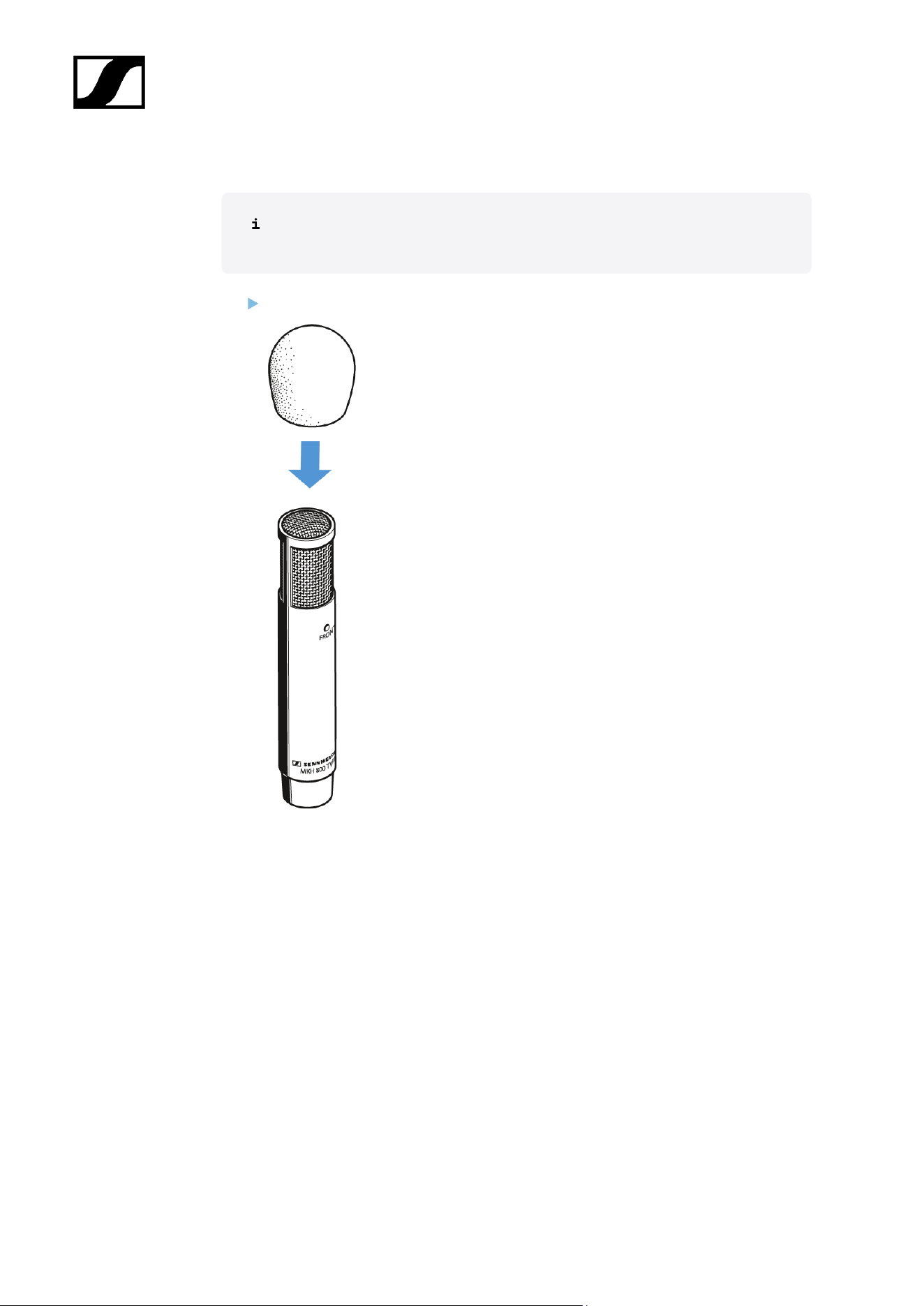
Using the windshield
The windshield changes the sound only slightly, but attenuates wind noise by
approx. 25 dB.
Place the MZW 8060 foam windshield over the microphone head so that all lateral
slots are covered.
75
| 3 - User manual
Operation
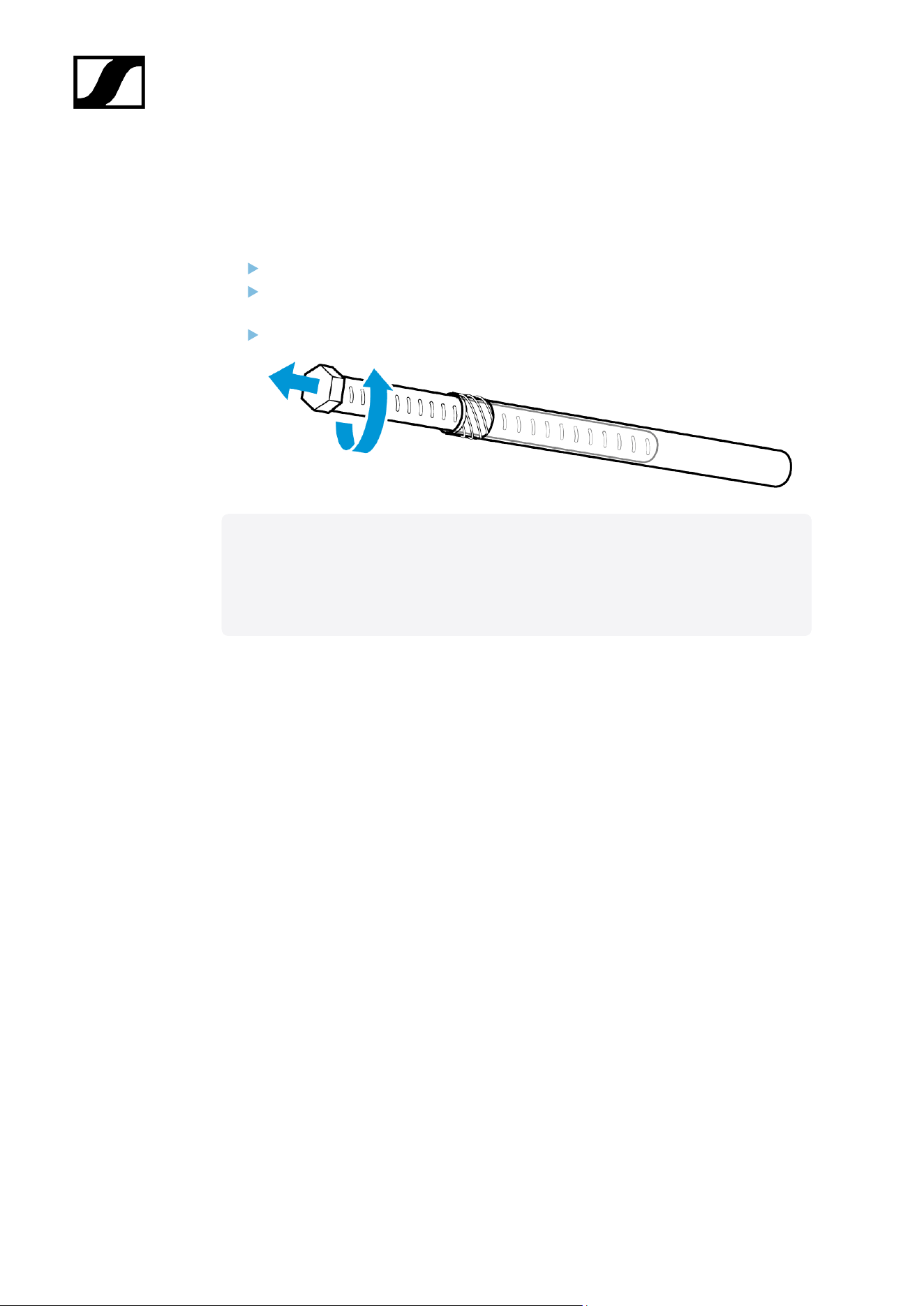
Prepare the microphone for transport
Let the microphone dry if you used it under extreme climatic conditions.
If necessary, remove the windshield or take the microphone out of the basket
windshield.
Slide the microphone into the transport tube.
Related information
Retrofitting or extending the microphone
Stereo recording
76
| 3 - User manual
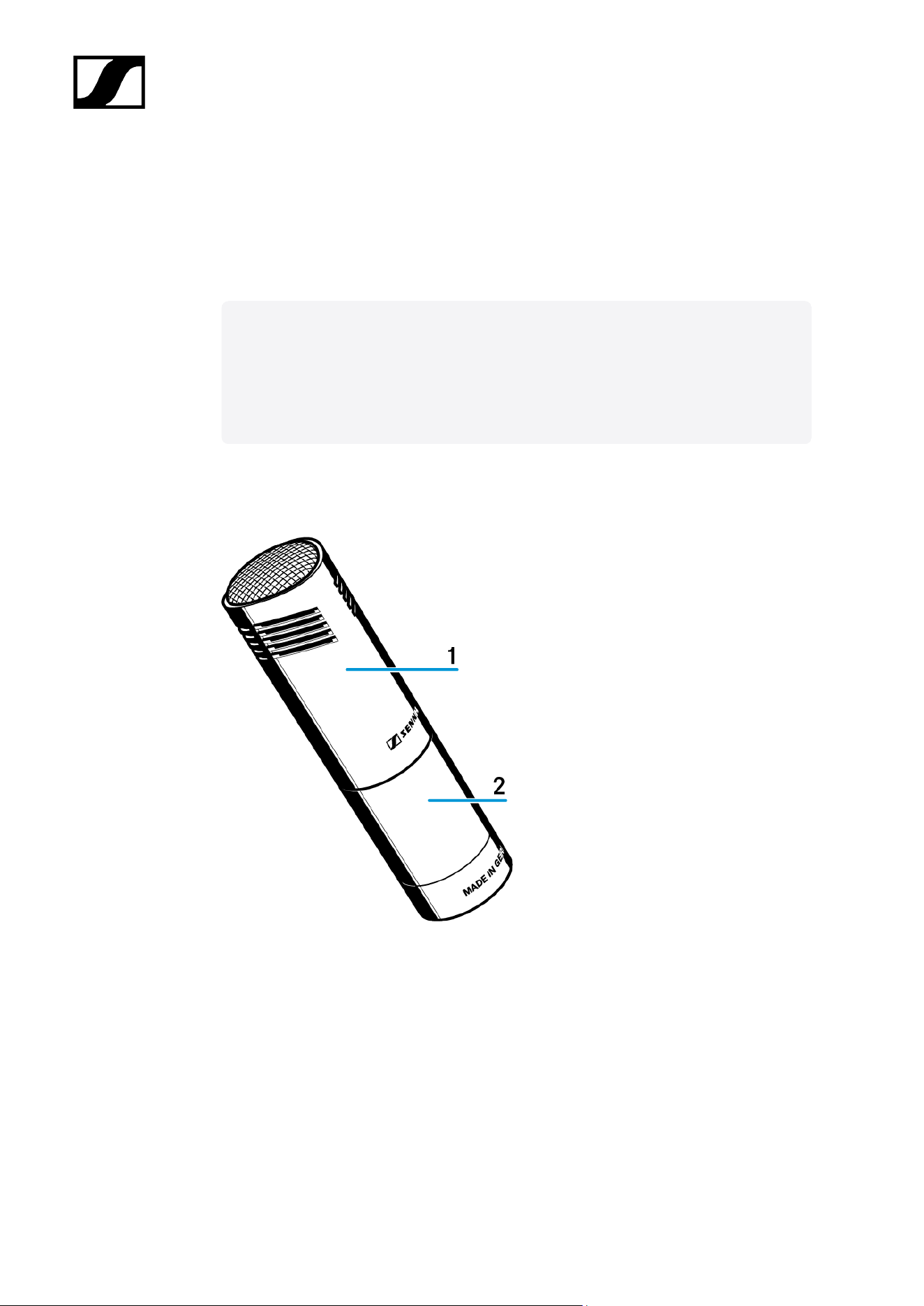
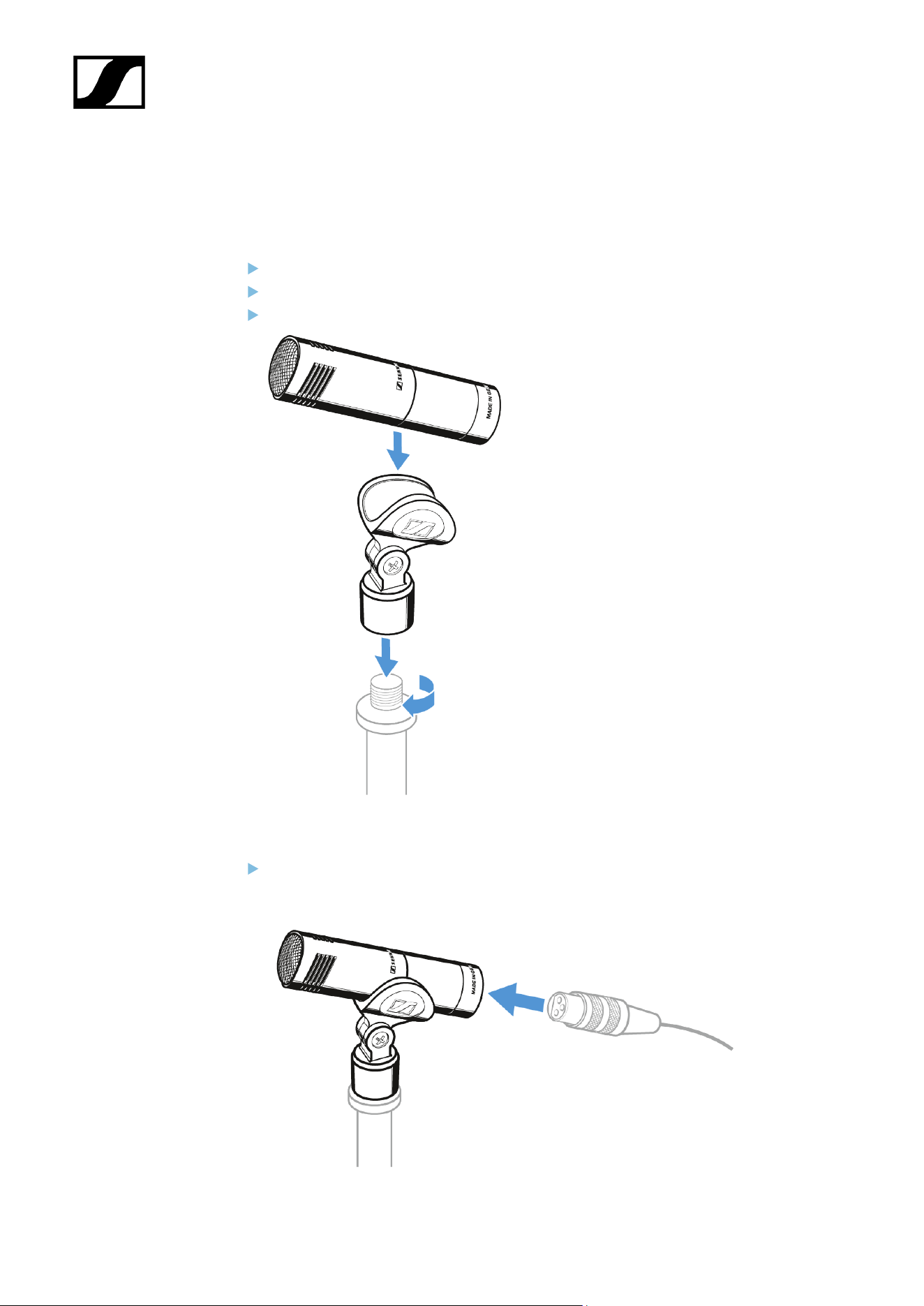
Starting up
Mounting the microphone
Screw the microphone clamp to a stand.
Place the microphone into the clamp.
Orient the microphone together with the microphone clamp.
Connecting the microphone
Connect the XLR-3 socket of the microphone cable (optional accessories) to the
XLR-3 socket of the microphone.
78


| 3 - User manual
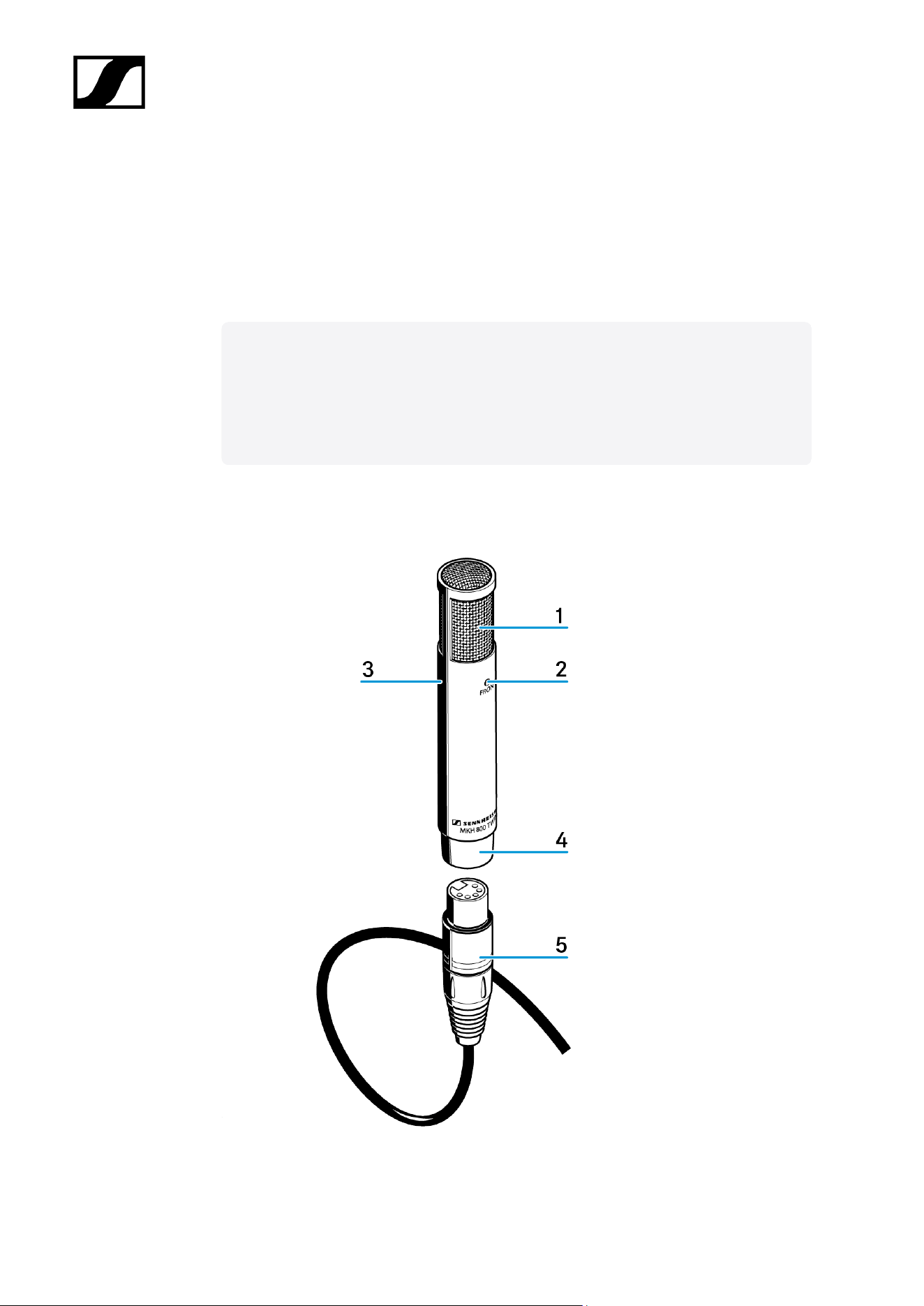
2 LED Front (blue)
3 LED Rear (red)
4 XLR-5 connector
5 AC 20 adaptor cable
82
| 3 - User manual
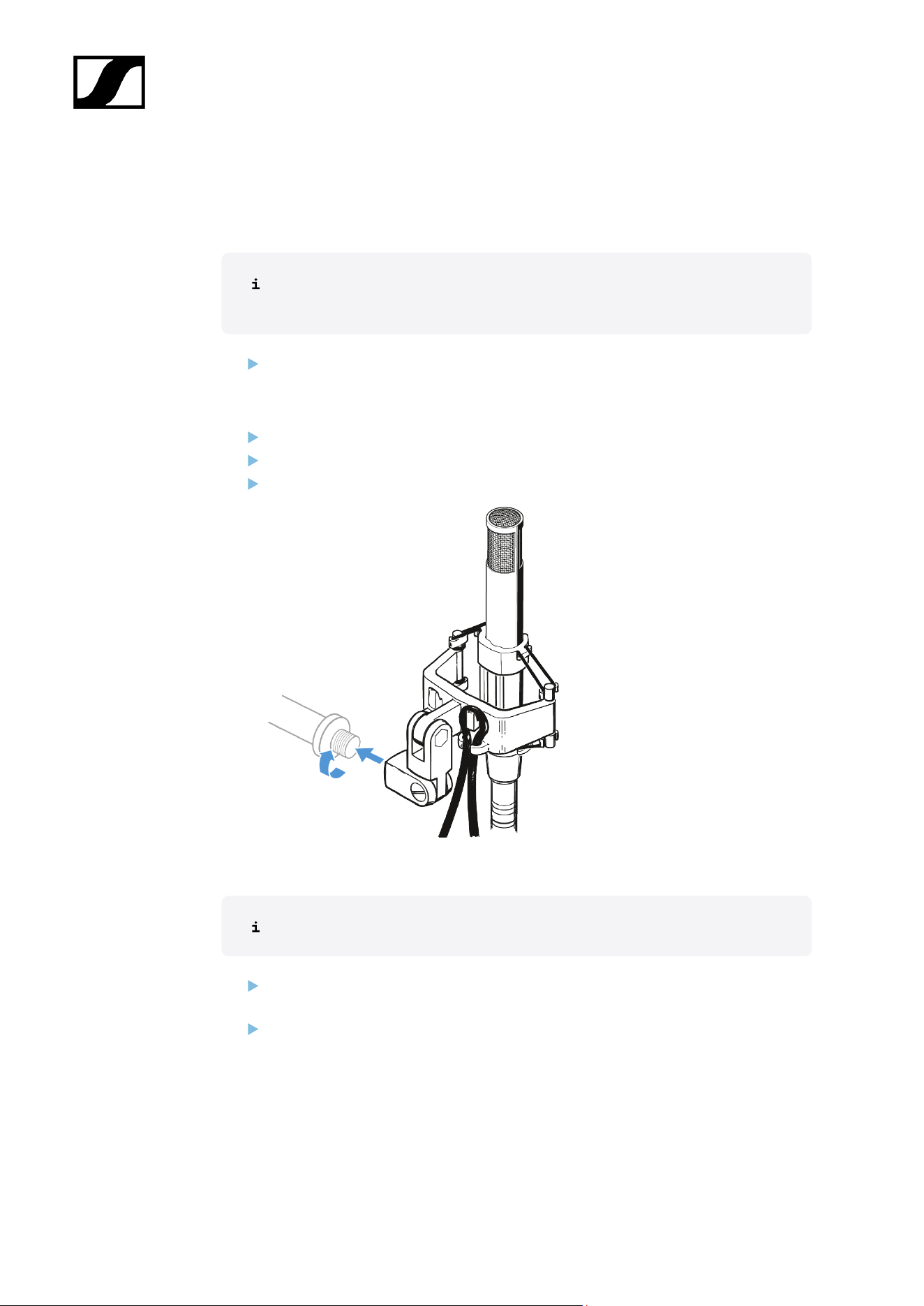
Starting up
Mounting the microphone
The supplied MZS 80 shock mount allows the MKH 800 TWIN to be mounted to
a stand and effectively protects against structure-borne noise.
Select the suitable mounting thread:
• Without thread insert: 5/8" thread
• With thread insert: 3/8" thread
Screw the shock mount to a stand.
Pass the cable through the cable grip as shown.
Place the microphone into the shock mount as shown.
Connecting the microphone
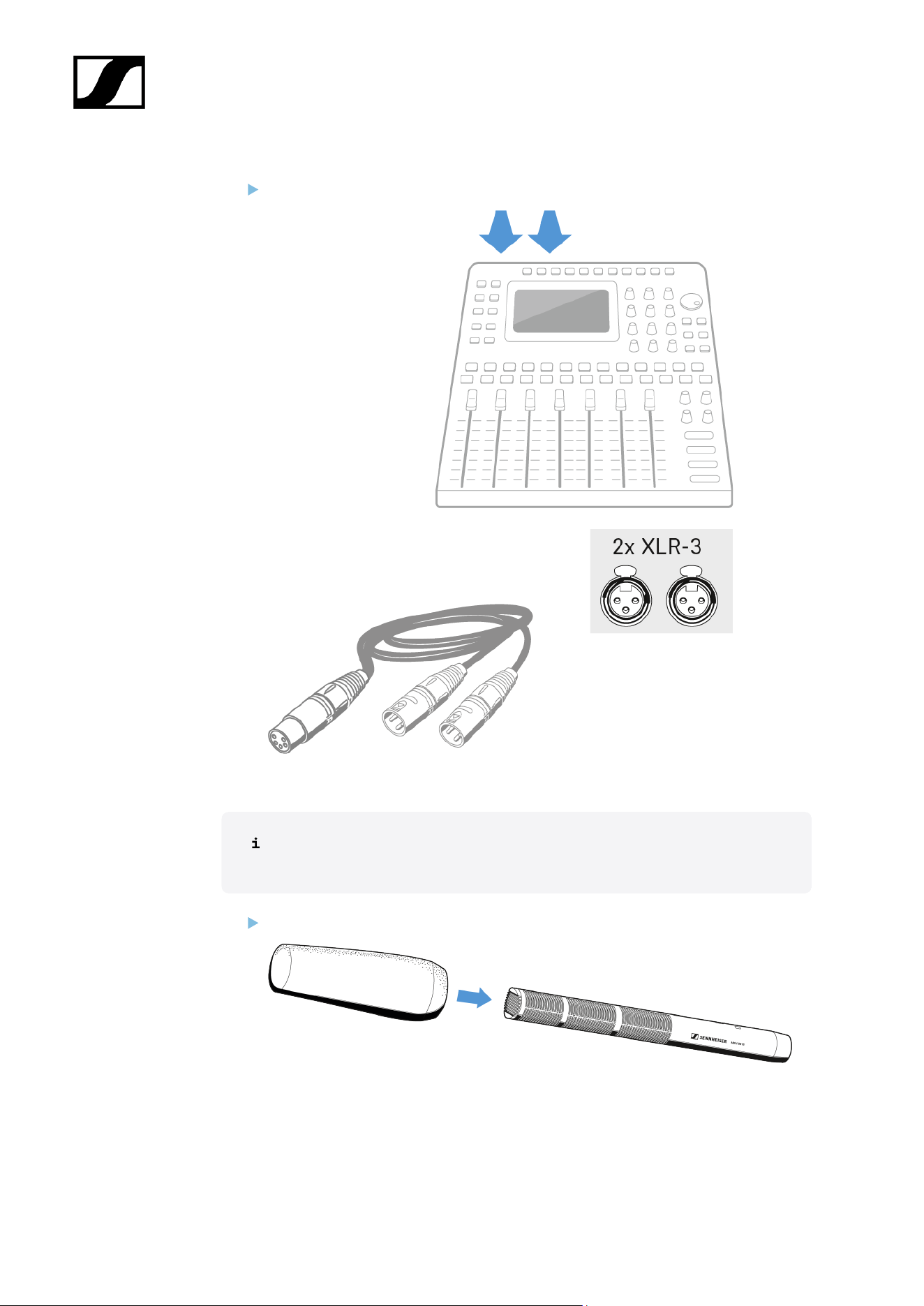
The MKH 800 TWIN has been designed for a 48 ± 4 V phantom powering.
Connect the XLR-5 socket of the adaptor cable to the XLR-5 connector of the
microphone.
Connect the two XLR-3 connectors of the adaptor cable to the corresponding sockets
of your mixing console.
83
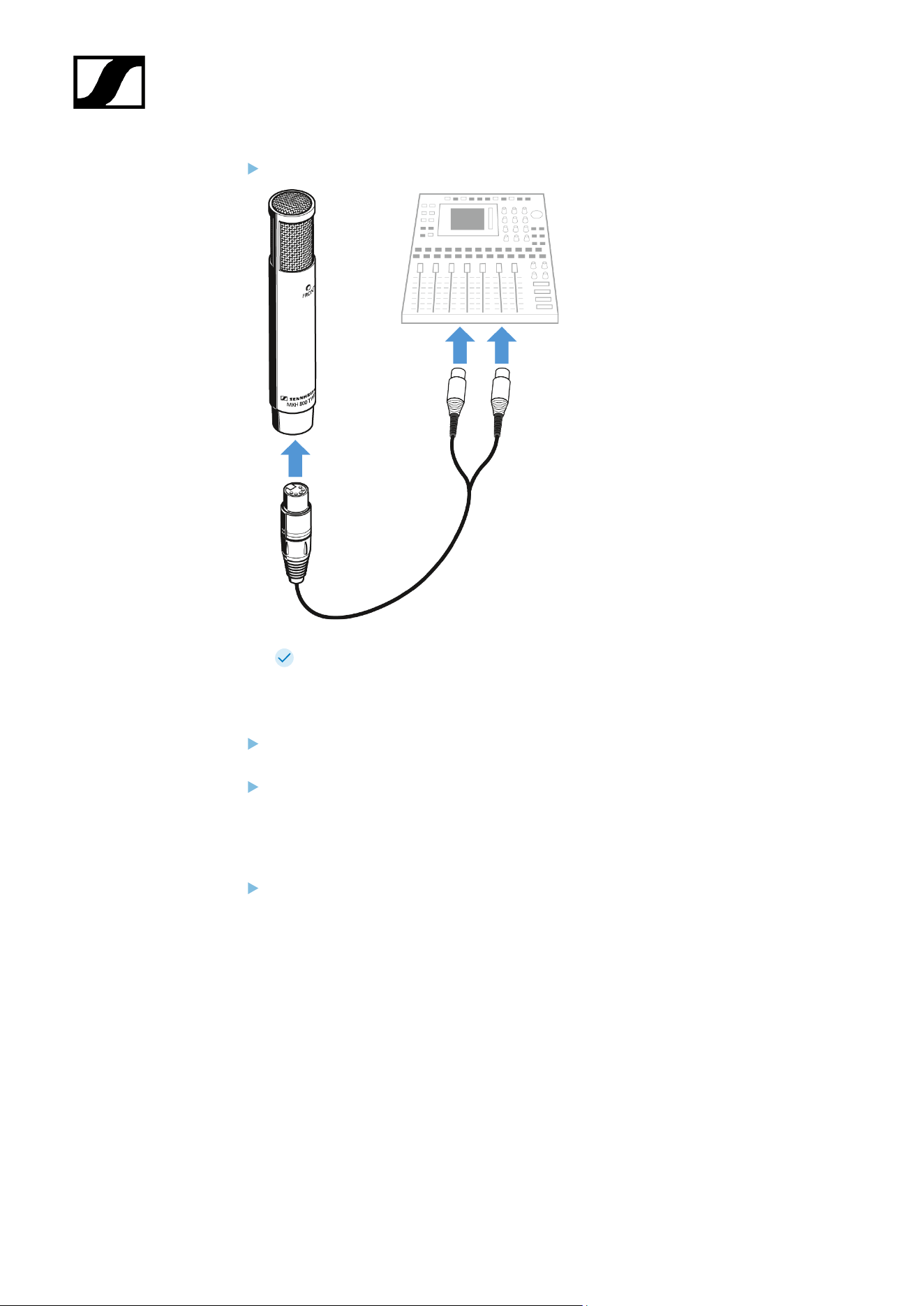
| 3 - User manual
Switch on the phantom powering on your mixing console.
The LEDs Front and Rear on the microphone light up.
Aligning the microphone
The front of the microphone is marked by the word “Front” and a blue LED whereas
the rear is marked by a red LED.
The LEDs can be used for aligning the microphone. On-axis alignment is indicated by
maximum brightness.
Function monitoring
The two LEDs Front and Rear indicate operational readiness separately for both
channels. The LEDs go off if the supply voltage drops below 42 V.
84
| 3 - User manual
Operation
Remote adjustment of the pick-up patterns
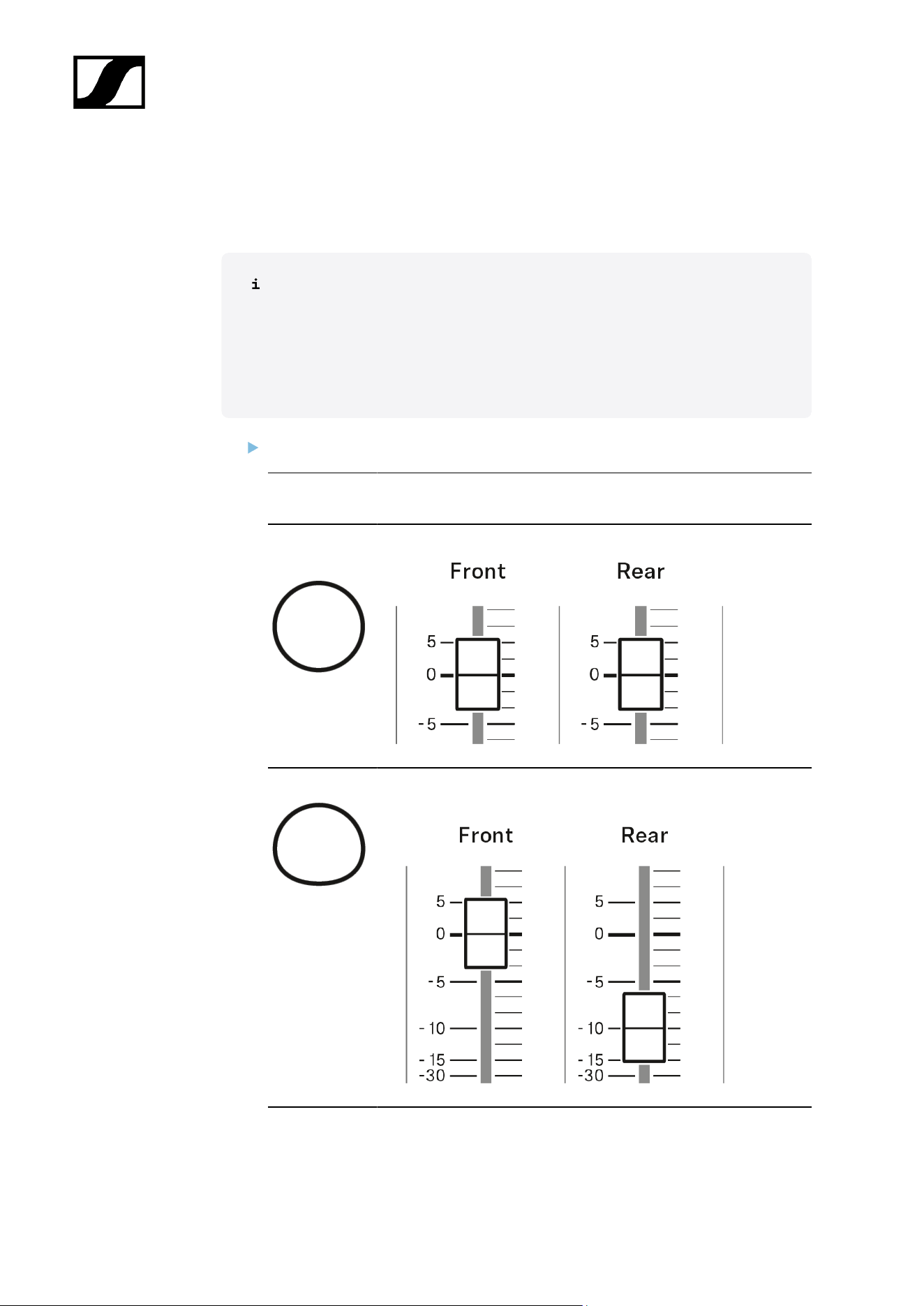
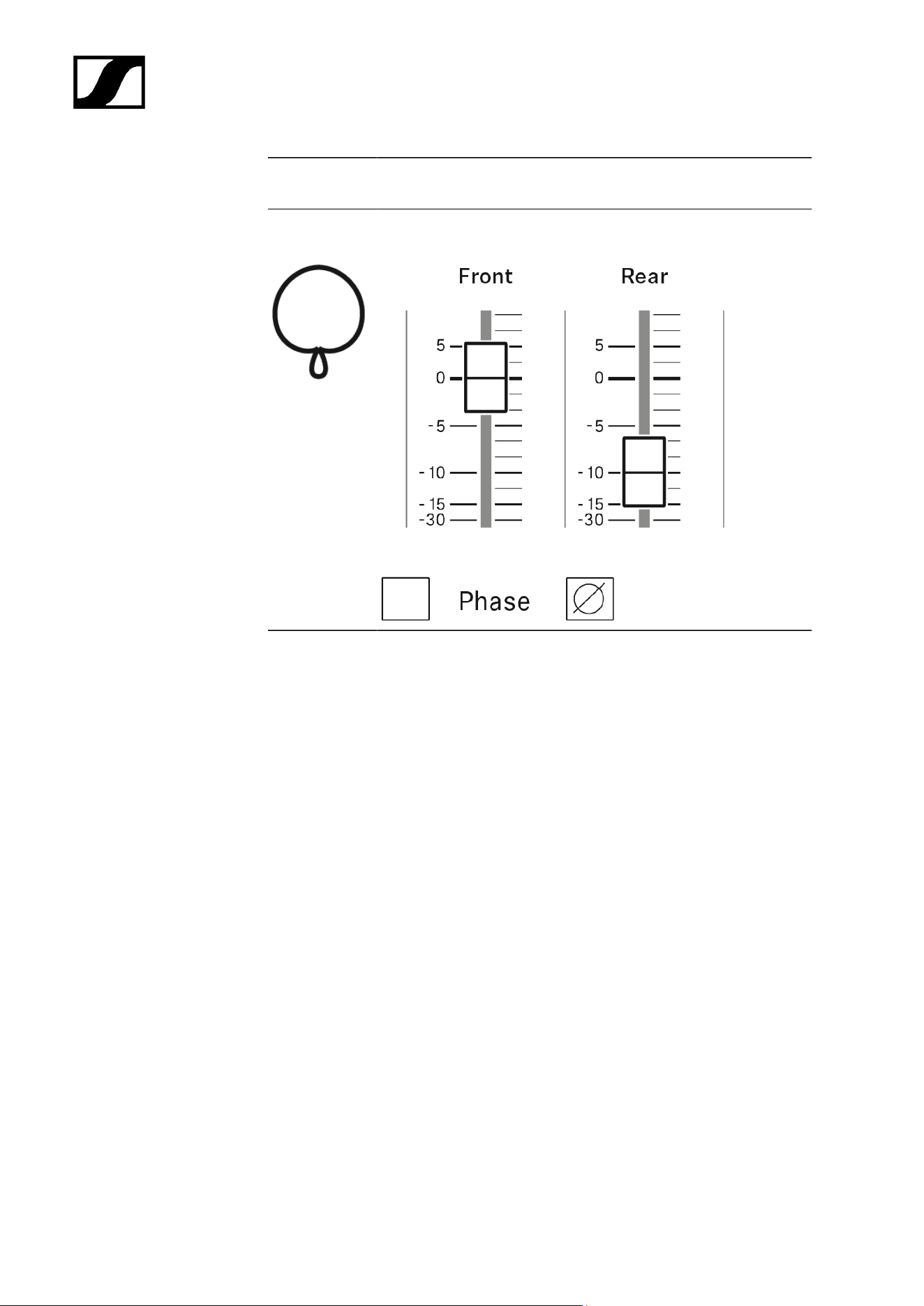
The two signals of the MKH 800 TWIN allow the remote adjustment of the pick-
up patterns at the mixing console.
The two microphone signals (front and rear) are routed to separate channels and
summed together. The sum signal is then distributed over the stereo channels
as usual using the pan control.
The pan control of both channels has to be aligned identically for correct operation.
Pick-up
pattern
Setting
Omni-directio
nal
Set the amplification to the same value in both channels.
Wide cardioid* Set the amplification in the rear channel lower than in the front
channel.
86
| 3 - User manual
Pick-up
pattern
Setting
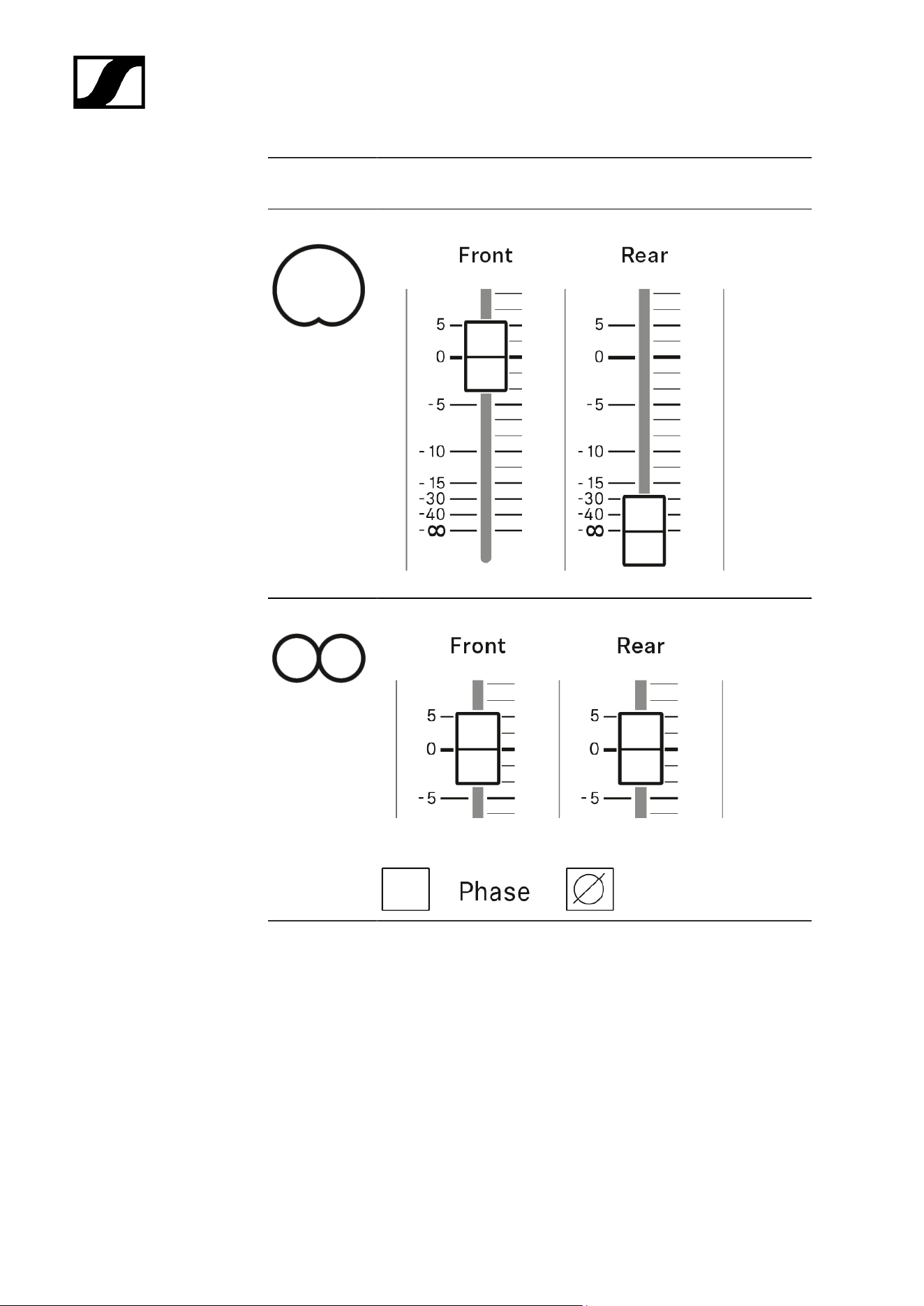
Cardioid Activate the front channel only.
Figure-8 Set the amplification to the same value in both channels.
Invert the phase of the rear channel.
87
| 3 - User manual
Pick-up
pattern
Setting
Super-cardioi
d**
Set the amplification in the rear channel lower than in the front
channel.
Invert the phase of the rear channel.
*Wide cardioid: Pattern between omni-directional and cardioid
The wide cardioid pattern of the MKH 800 is, for example, the result if the rear
channel has 10 dB less amplification than the front channel. The pick-up pattern
becomes more omni-directional at higher amplification and more cardioid at lower
amplification.
At the same time, the rear attenuation (180° attenuation) of the microphone changes.
It is the direct result of the amplification ratio between the front and the rear channel,
i.e. 10 dB in the example of the wide cardioid pattern.
**Super-cardioid: Pattern between cardioid and figure-8
The super-cardioid pattern of the MKH 800 is, for example, the result if the
amplification of the rear channel is 10 dB lower than that of the front channel and if
the phase of the rear channel is inverted. At higher amplification, the pick-up pattern
tends towards the figure-8 pattern, otherwise the pattern becomes more cardioid.
The cancellation angle at which the microphone is especially insensitive also
changes. It is 180° in the case of the cardioid pattern, 120° for the super-cardioid
pattern and 90° for the figure-8 pattern. If the MKH 800 TWIN is used as a supporting
microphone, the attenuation between different groups of instruments in an orchestra
can for example be optimised in this way. Here, too, the rear attenuation is the result
of the amplification ratio between the front and the rear channel, i.e. 10 dB in the case
of the super-cardioid pattern.
88

| 3 - User manual
Changing the pick-up pattern
There are two different ways of changing the pick-up pattern of the microphone.
If the microphone level has to be changed infrequently: At the mixing console, set the
preamplification to the same value in both channels.
Vary the pick-up pattern by using the level control and the phase switch of the rear
channel. The level control of the front channel stays in the same position.
If the microphone level has to be changed frequently: At the mixing console, set the
level controls to the same value and couple them mechanically or electrically.
Change the pick-up pattern by using the pre-set gain control and the phase switch of
the rear channel.
Surround applications
As a result of the symmetry of the microphone, it is also possible to create any desired rear
pick-up pattern. For this purpose the microphone signals are additionally routed to two
other channels, whereby front and rear channel exchange roles. The settings are then made
in the same way as described above and the rear pick-up patterns can be freely selected.
Both pick-up patterns are then available simultaneously, for example for a surround front
channel and a surround rear channel. With two MKH 800 TWIN, four surround channels can
be created in this way.
If only the cardioid pick-up pattern is required for the front and rear channels, the microphone
signals can also be used directly. This minimises the necessary effort.
With an MKH 800 TWIN and a figure-8 microphone (e.g. MKH 30) full surround-sound
recording using the double MS technique (MSM) can be done. As is common with the MS
technique, the figure-8 microphone is positioned above the MKH 800 TWIN and directed to
the left. The front and rear left and right surround channels are produced by matrixing the
figure-8 signal and the front and rear signals of the MKH 800 TWIN.
By combining the front and rear signals of the MKH 800 TWIN, a centre channel with any
pick-up pattern can be achieved and even a centre rear channel is possible if required. In
spite of the wide range of options, postproduction still only requires the original microphone
signals to be saved, i.e. only three signals for five or six surround channels.
89
| 3 - User manual
MZF 8000 II
These sections contain detailed information about starting up and operating the MZF 8000
II.
You can find technical specifications under MZF 8000 II.
Related information
Product overview
Starting up
Operation
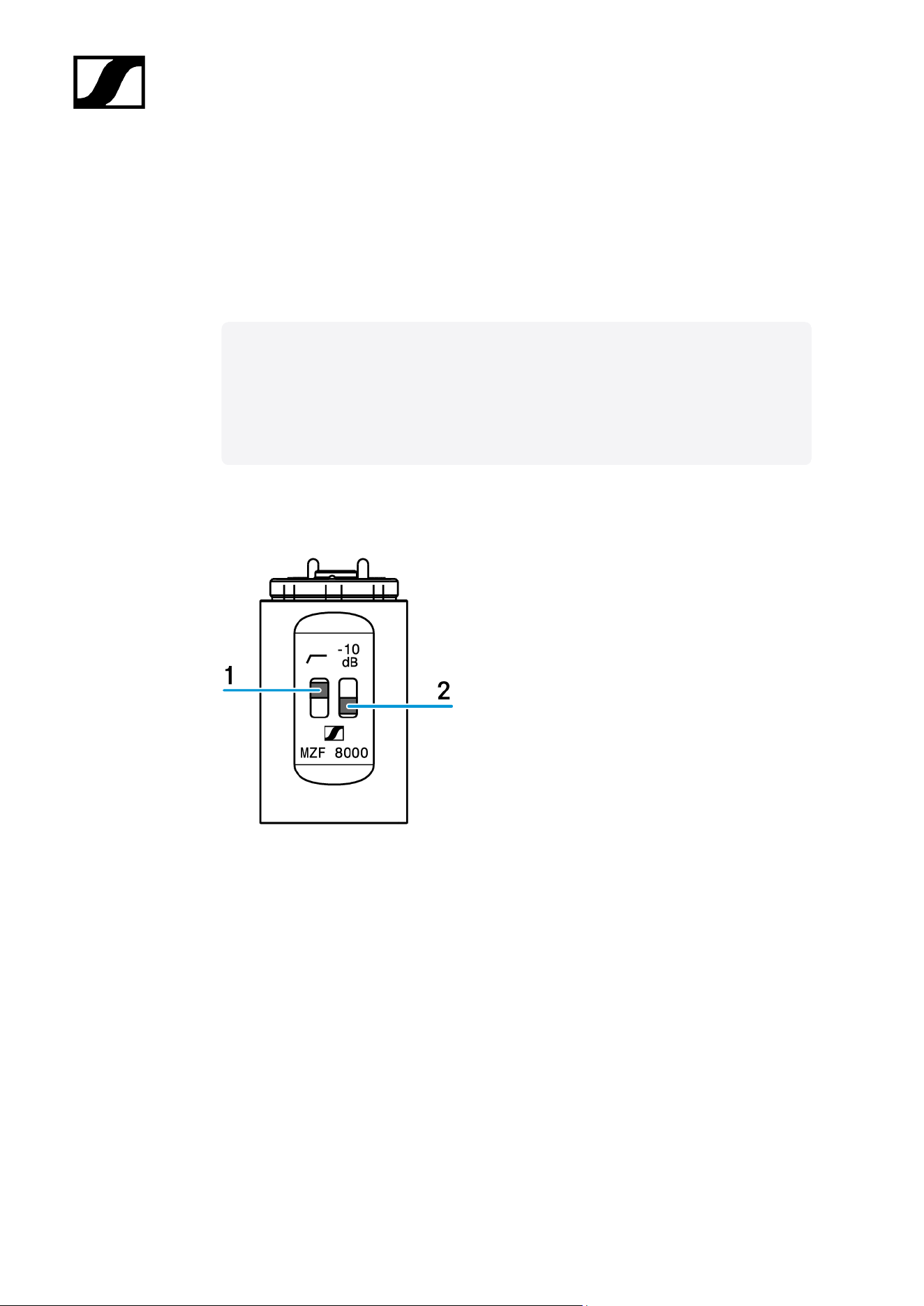
Product overview
1 Switch for low-cut/roll-off filter
2 Switch for attenuation
90
| 3 - User manual
Starting up
You can retrofit and extend the microphones of the modular MKH 8000 microphone series by
using the filter module - except the MKH 8018.
Connecting the filter module
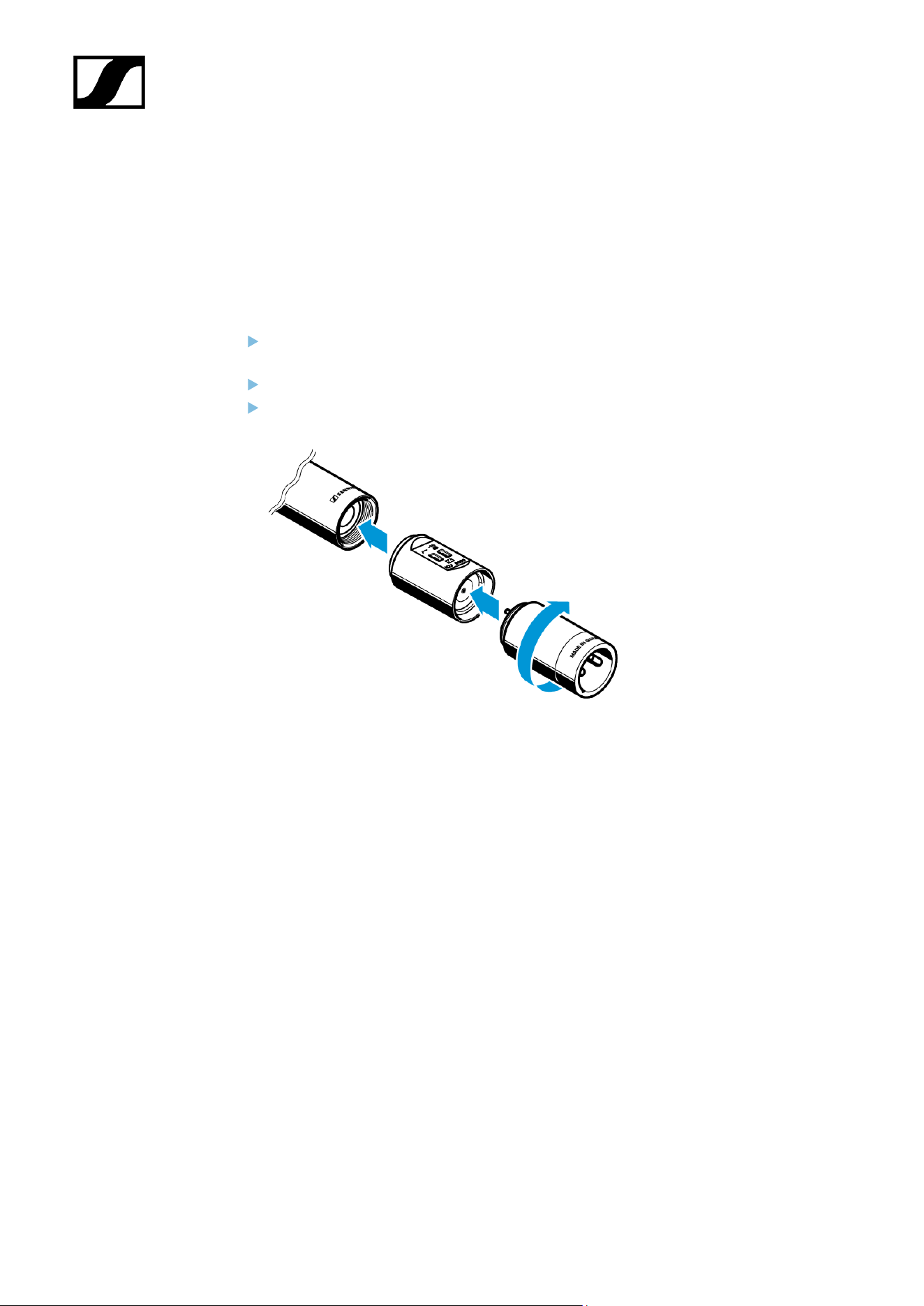
If necessary, disconnect a connected XLR cable in order to not distort the cable and to
avoid short-circuits.
Unscrew the microphone head from the XLR module.
Screw the MZF 8000 II filter module at a suitable place in the audio signal chain
between microphone head and XLR module.
91
| 3 - User manual
Operation
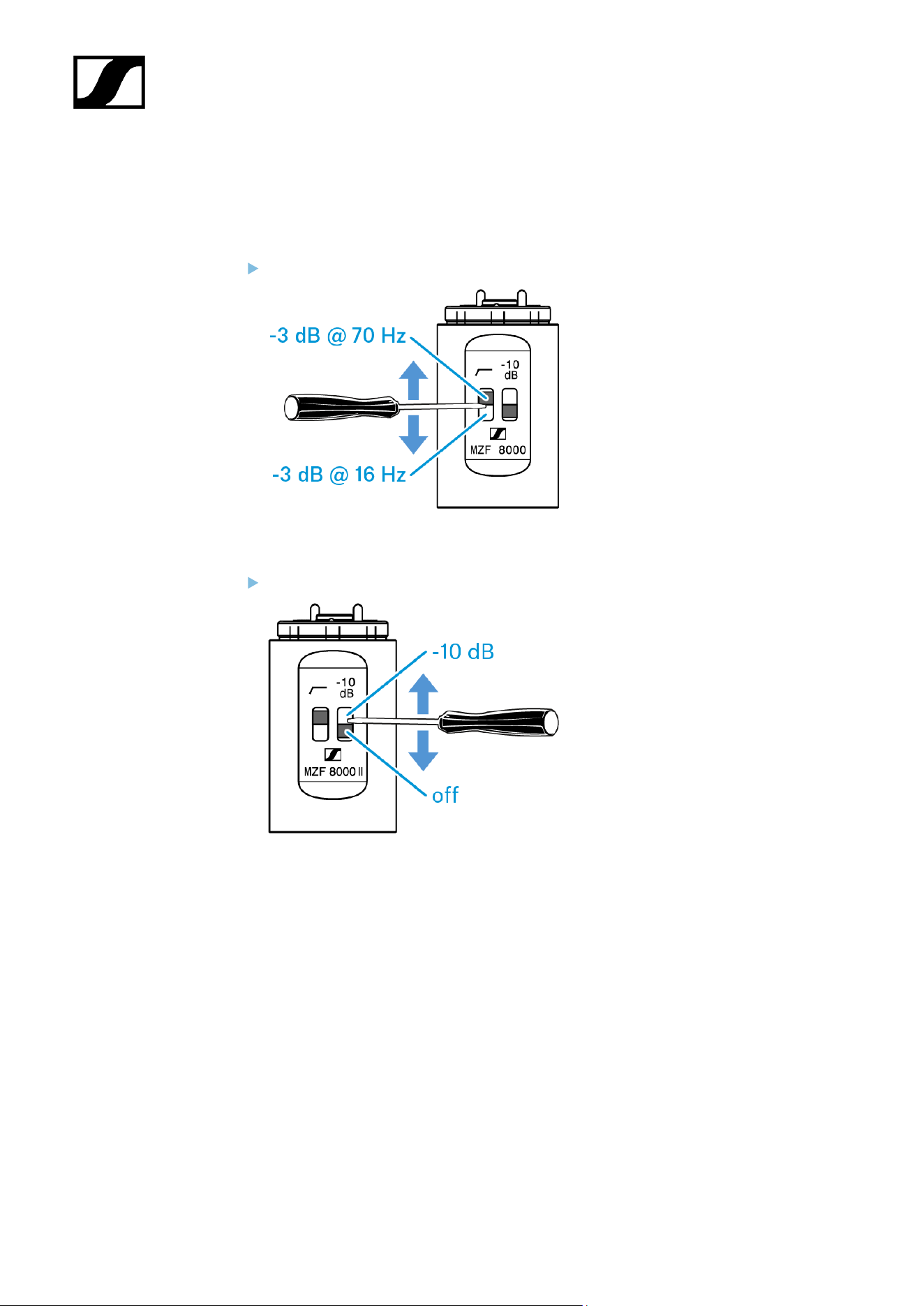
Adjusting the low-cut/roll-off filter
Set the low-cut/roll-off switch to the desired position:
Adjusting the attenuation
Set the attenuation switch to the desired position:
92

| 3 - User manual
Cleaning and maintenance
Note the following information when cleaning and maintaining MKH 8000 series products
NOTICE
Liquids can damage the electronics of the product
Liquids entering the product housing can cause a short-circuit and
damage the electronics.
Keep all liquids away from the products.
Do not use any solvents or cleansing agents.
Disconnect the mains-operated products from the power supply
system and remove rechargeable batteries and batteries (if
present) before you begin cleaning.
Clean all products only with a soft, dry cloth.
93

MKH 8000 series
4. Specifications
All specifications at a glance.
MKH 8018
MKH 8020
MKH 8030
MKH 8040
MKH 8050
MKH 8060
MKH 8070
MKH 8090
MKH 800 TWIN
MZF 8000 II
MKH 8018
SPECIFICATIONS
Pick-up pattern
• stereo shotgun
Frequency response
• 40 Hz - 20,000 Hz
Sensitivity
• M-Channel: 56 mV/Pa; -25 dB ref (1 V/Pa)
• S-Channel: 25 mV/Pa; -32 dB ref (1 V/Pa)
• XY Narrow: 50 mV/Pa; -26 dB ref (1 V/Pa)
• XY Wide: 32 mV/Pa; -30 dB ref (1 V/Pa)
Equivalent noise level
• M-Channel: 12 dB A-weighted; 24 dB CCIR-weighted
• S-Channel: 14,5 dB A-weighted; 24 dB CCIR-weighted
• XY Narrow: 12 dB A-weighted; 24 dB CCIR-weighted
• XY Wide: 13 dB A-weighted; 25 dB CCIR-weighted
94

| 4 - Specifications
Nominal impedance at 1 kHz
• 430 Ω
Min. load impedance
• 4.7 kΩ
Low-cut filter (switchable)
• -3 dB @ 70 Hz
Attenuation (switchable)
• -10 dB
Power supply
• P48 (IEC 61938)
Current consumption
• 2x 3.4 mA
Max. SPL
• > 126 dB
Connector
• XLR-5M
Diameter
• 22 mm
Length
• 230 mm
Weight
• 115 g
Temperature range
• Operating: -10 °C bis +60 °C
• Storage: -20 °C bis 70 °C
95
| 4 - Specifications
Relative humidity
• 5 to 95%, non condensing
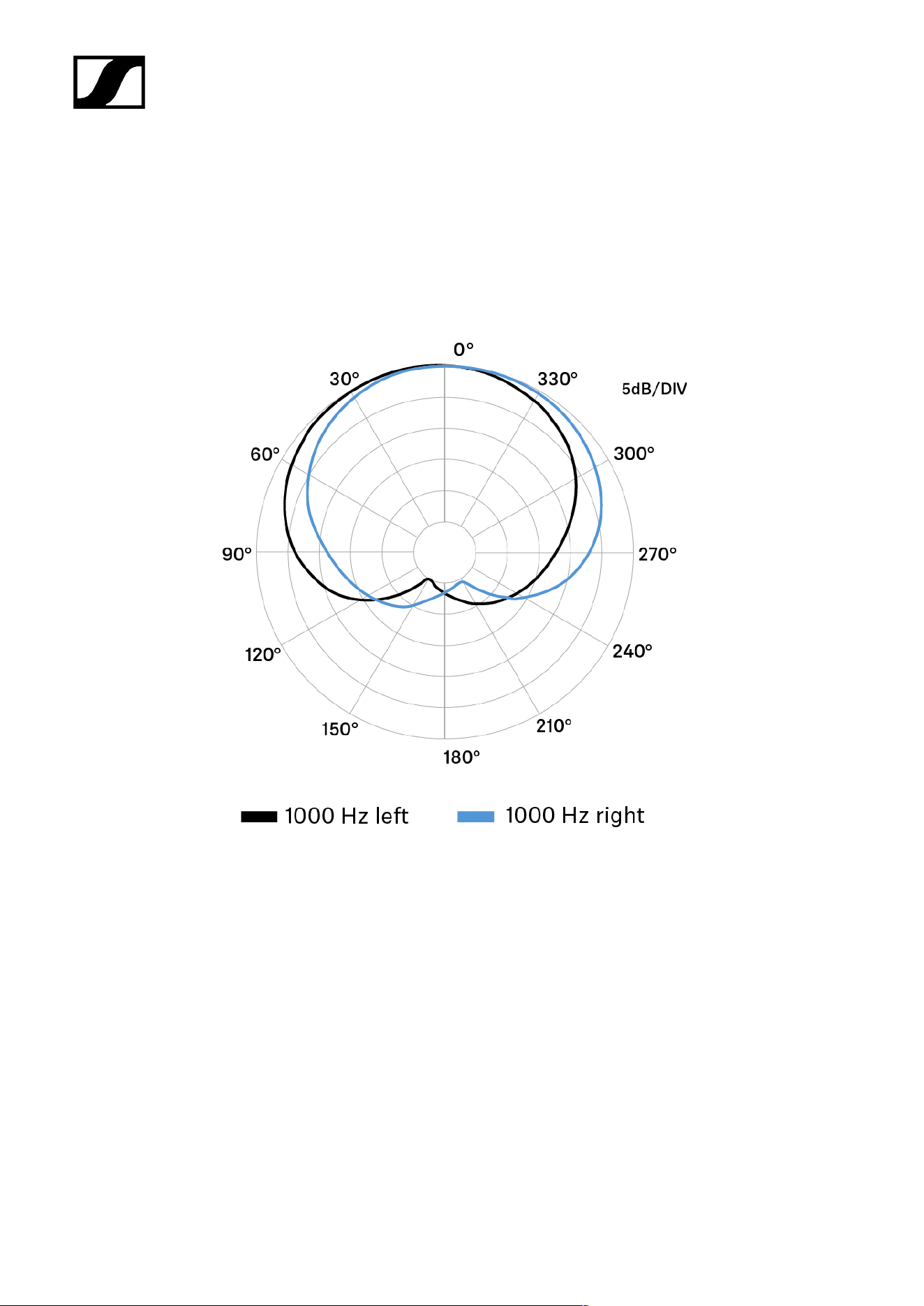
Polar pattern
XY narrow
96
| 4 - Specifications
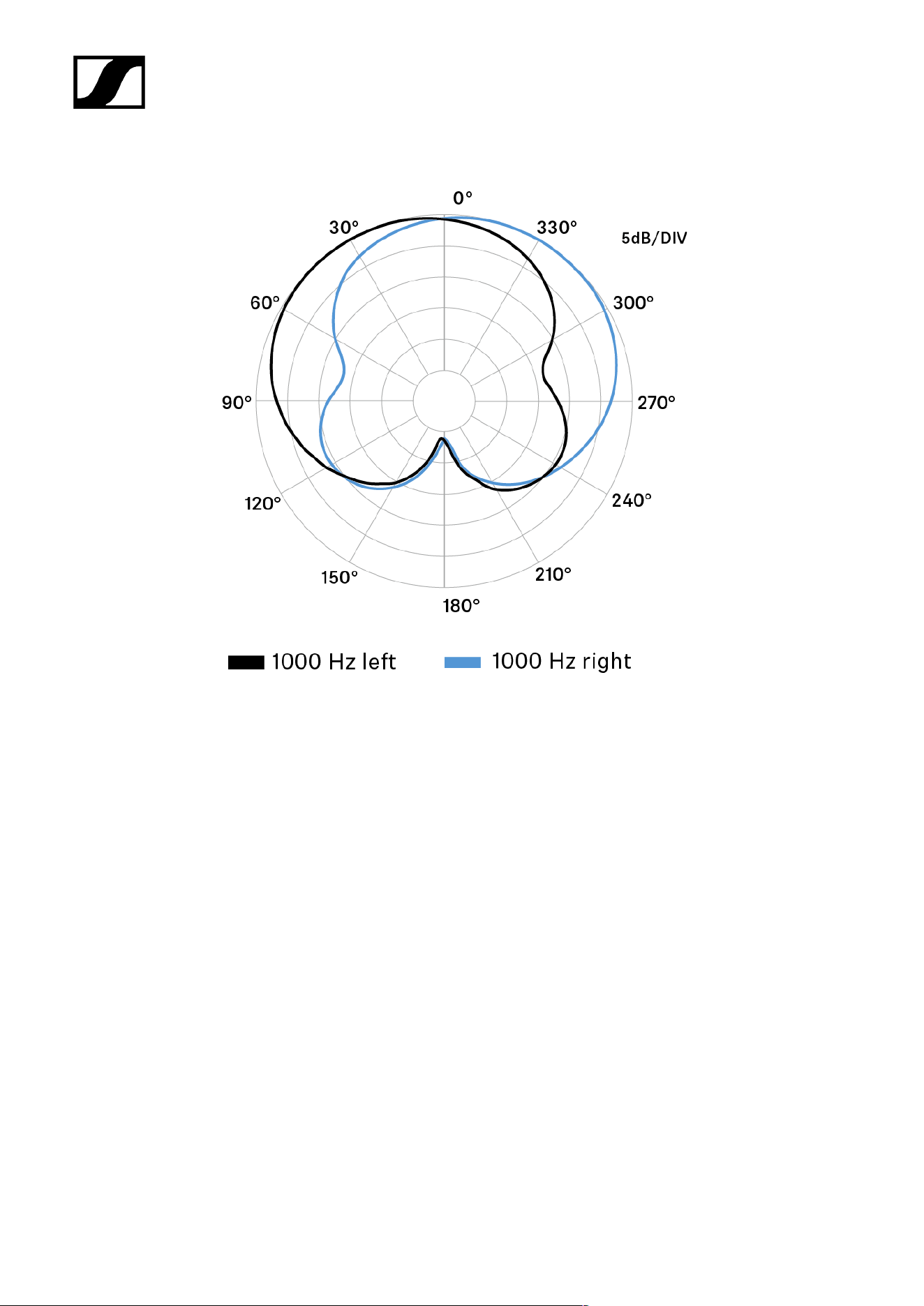
XY wide
97
| 4 - Specifications
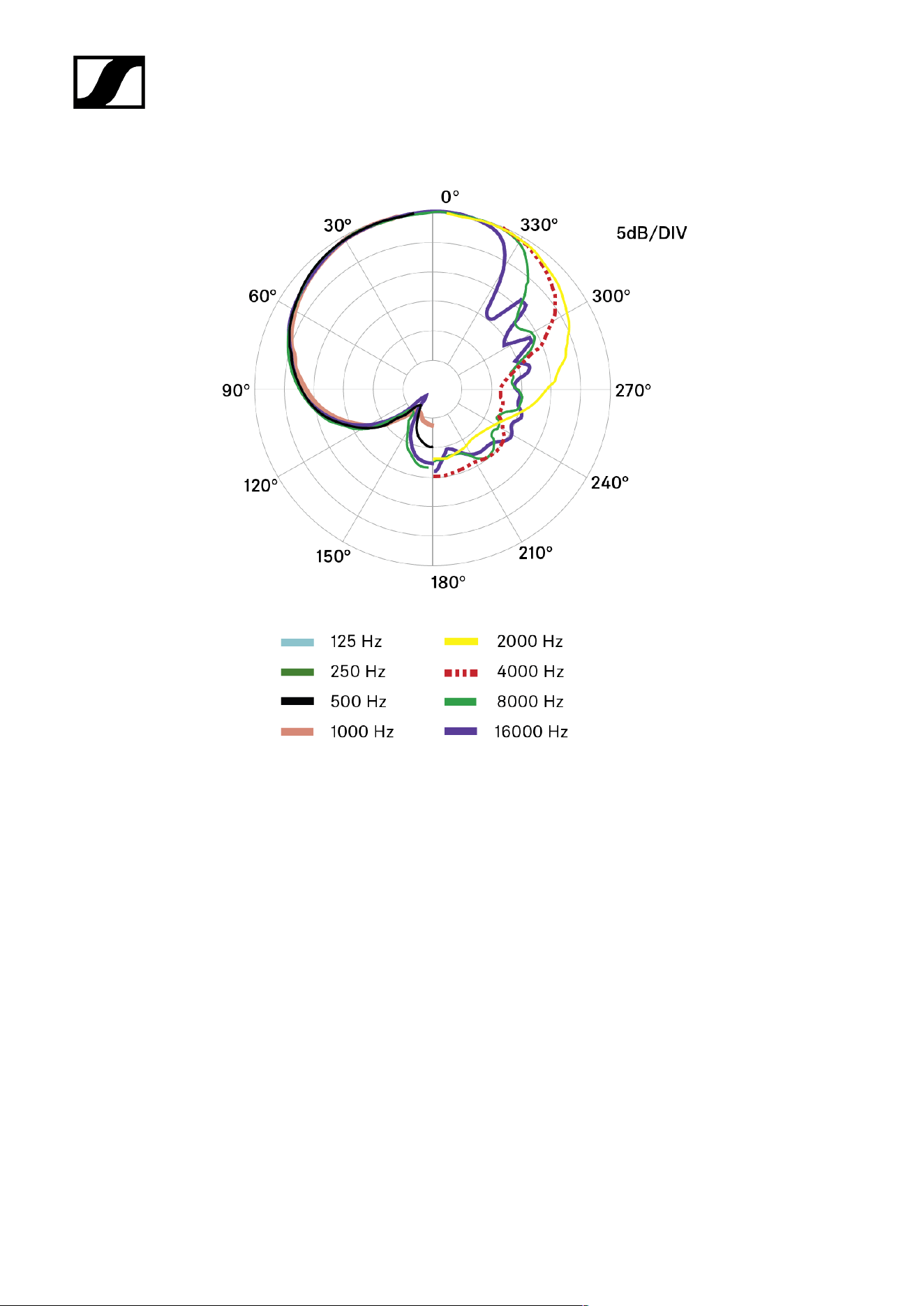
Mid / M-Channel
98
| 4 - Specifications
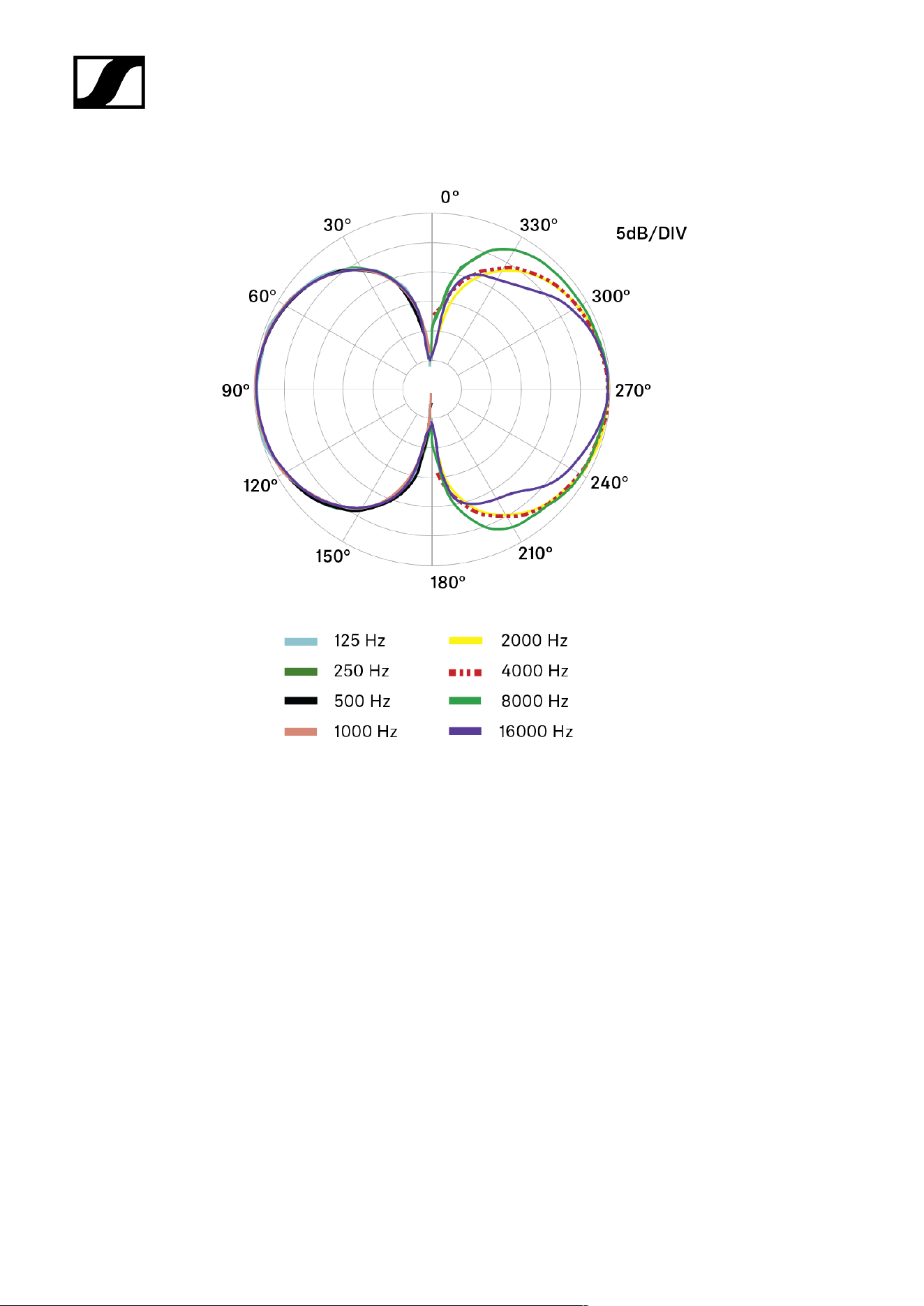
Side / S-Channel
99
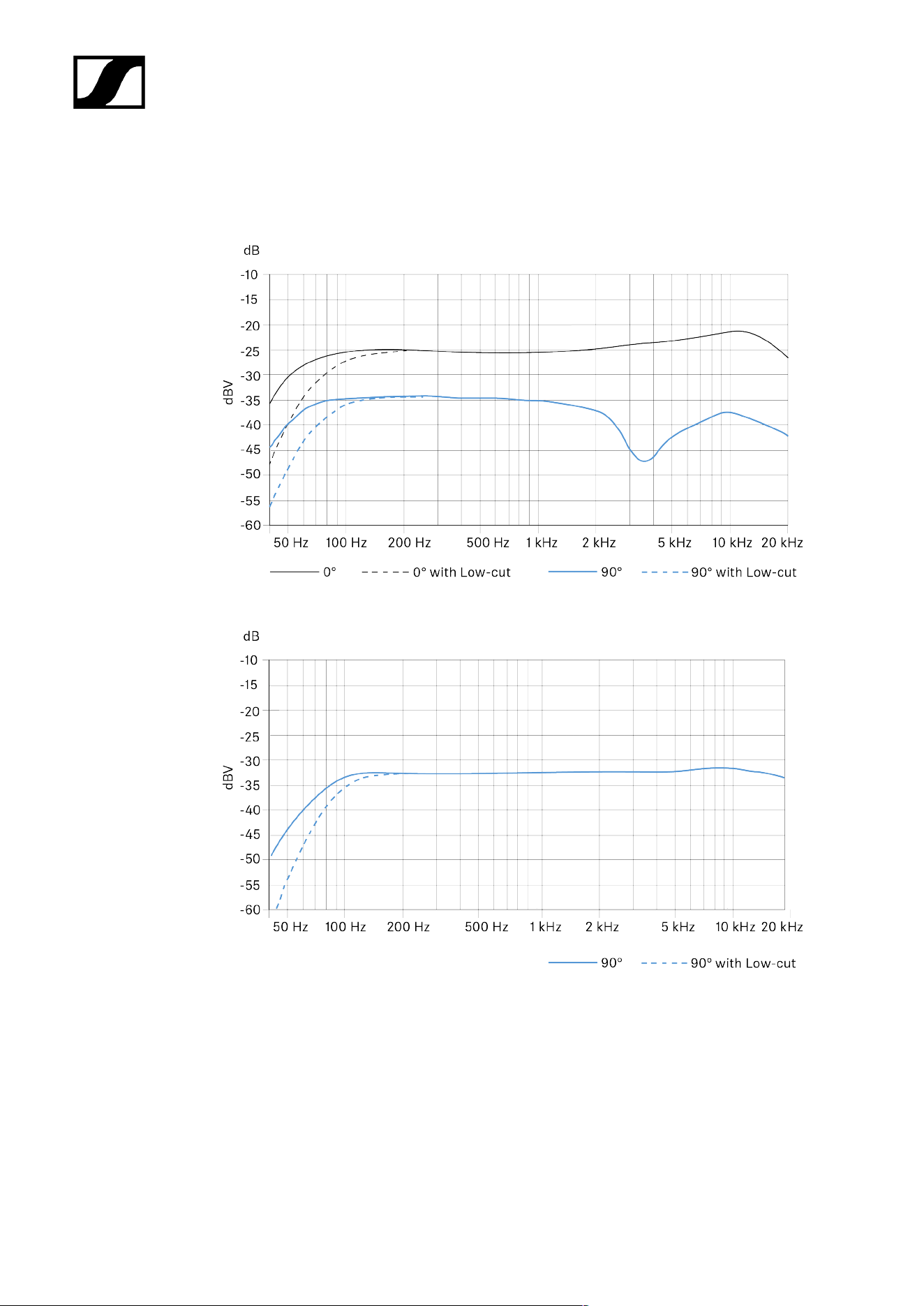
| 4 - Specifications
Frequency response
Mid / M-Channel
Side / S-Channel
100

| 4 - Specifications
MKH 8020
Specifications
Pick-up pattern
• Omni-directional
Frequency response
• 30 - 50,000 Hz
Sensitivity
• -30 dBV/Pa (31 mV/Pa) without MZF 8000 II filter module
• -40 dBV/Pa (10 mV/Pa) with MZF 8000 II filter module
Sound pressure level limit
• 138 dB SPL without MZF 8000 II filter module
• 133 dB SPL with MZF 8000 II filter module
Equivalent noise level
• A-weighted: 10 dB(A)
• CCIR-weighted: 21 dB
Phantom powering
• 48 V ± 4 V (P48, IEC 61938)
Power consumption
• 3.3 mA
Diameter
• approx. 19 mm
Length
• approx. 41 mm
• approx. 75 mm with XLR-Modul MZX 8000
101
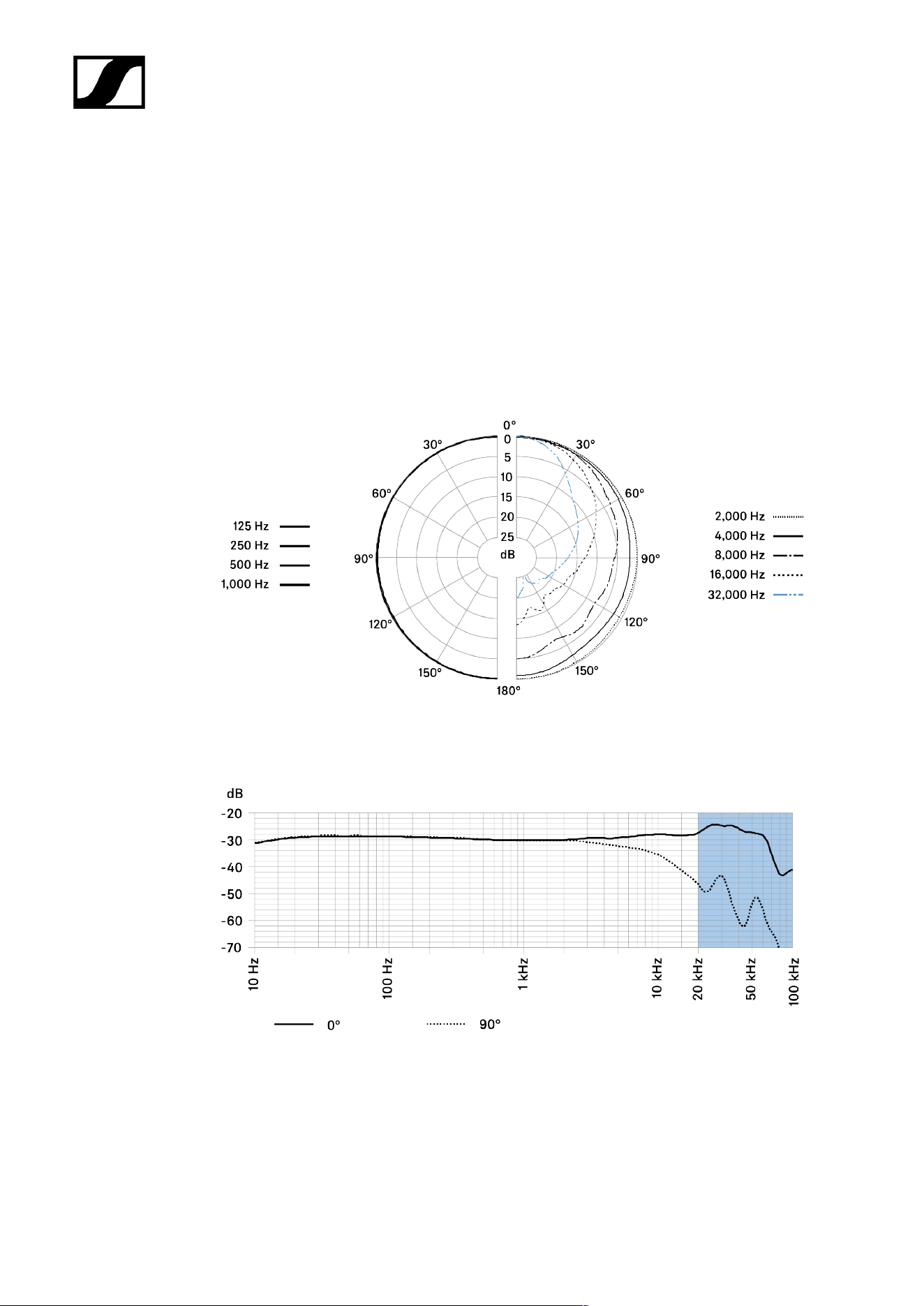
| 4 - Specifications
Weight
• approx. 25 g
• approx. 55 g with XLR-Modul MZX 8000
Temperature range
• -10 °C to +60 °C
Polar pattern
Frequency response
102

| 4 - Specifications
MKH 8030
Specifications
Pick-up pattern
• Figure-of-eight
Frequency response
• 30 - 50,000 Hz
Sensitivity
• -31 dBV/Pa (31 mV/Pa)
Sound pressure level limit
• 139 dB SPL
Equivalent noise level
• A-weighted: 13 dB(A)
• CCIR-weighted: 21 dB
Phantom powering
• 48 V ± 4 V (P48, IEC 61938)
Power consumption
• 3.3 mA
Diameter
• approx. 19 mm, max. 21 mm
Length
• approx. 59 mm
• approx. 93 mm with XLR-Modul MZX 8000
Weight
• approx. 38 g
• approx. 70 g with XLR-Modul MZX 8000
103
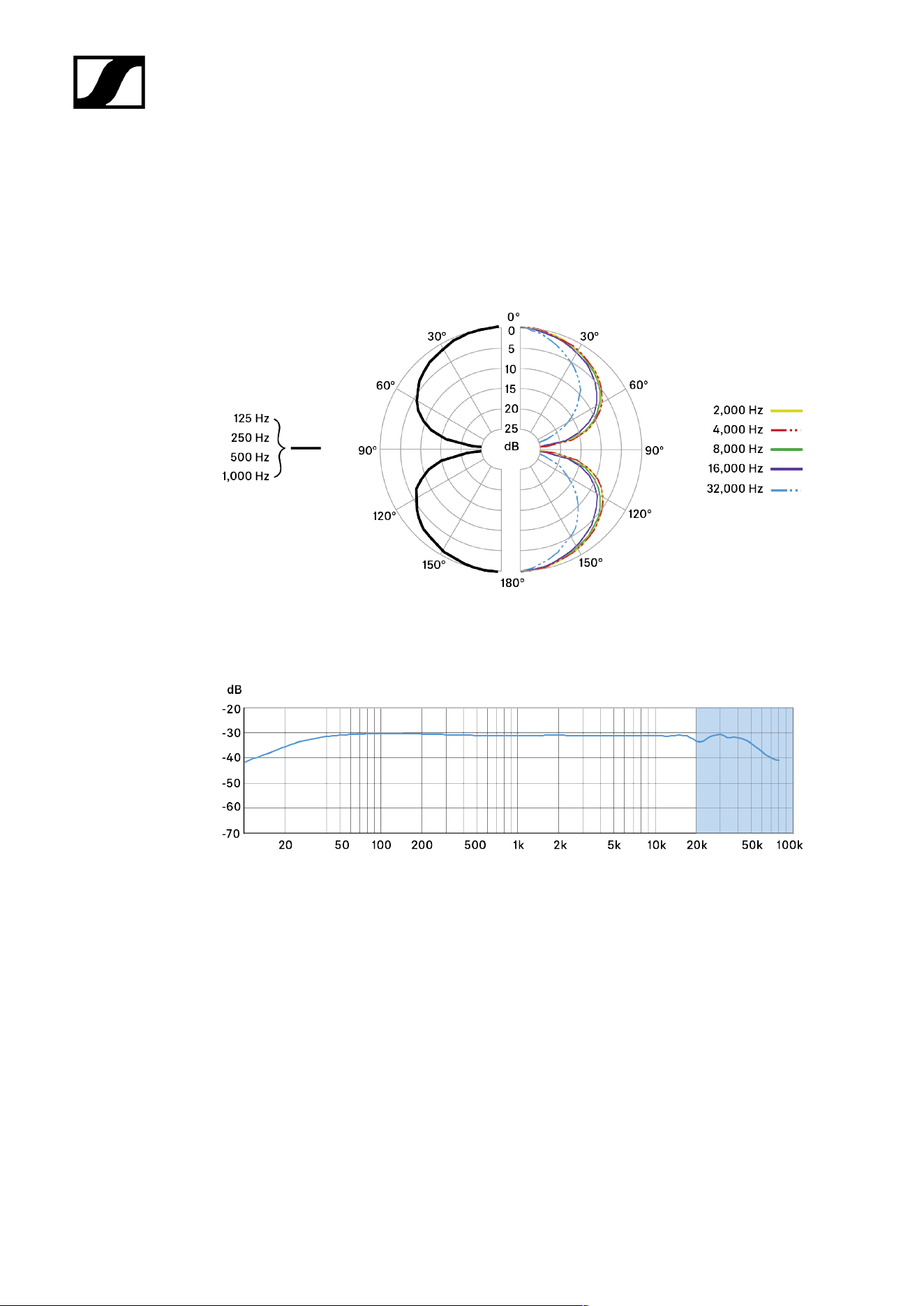
| 4 - Specifications
Temperature range
• -10 °C to +60 °C
Polar pattern
Frequency response
104

| 4 - Specifications
MKH 8040
Specifications
Pick-up pattern
• Cardioid
Frequency response
• 30 - 50,000 Hz
Sensitivity
• -34 dBV/Pa (20 mV/Pa) without MZF 8000 II filter module
• -44 dBV/Pa (6.3 mV/Pa) with MZF 8000 II filter module
Sound pressure level limit
• 142 dB SPL without MZF 8000 II filter module
• 137 dB SPL with MZF 8000 II filter module
Equivalent noise level
• A-weighted: 13 dB(A)
• CCIR-weighted: 22 dB
Phantom powering
• 48 V ± 4 V (P48, IEC 61938)
Power consumption
• 3.3 mA
Diameter
• approx. 19 mm
Length
• approx. 41 mm
• approx. 75 mm with XLR-Modul MZX 8000
105
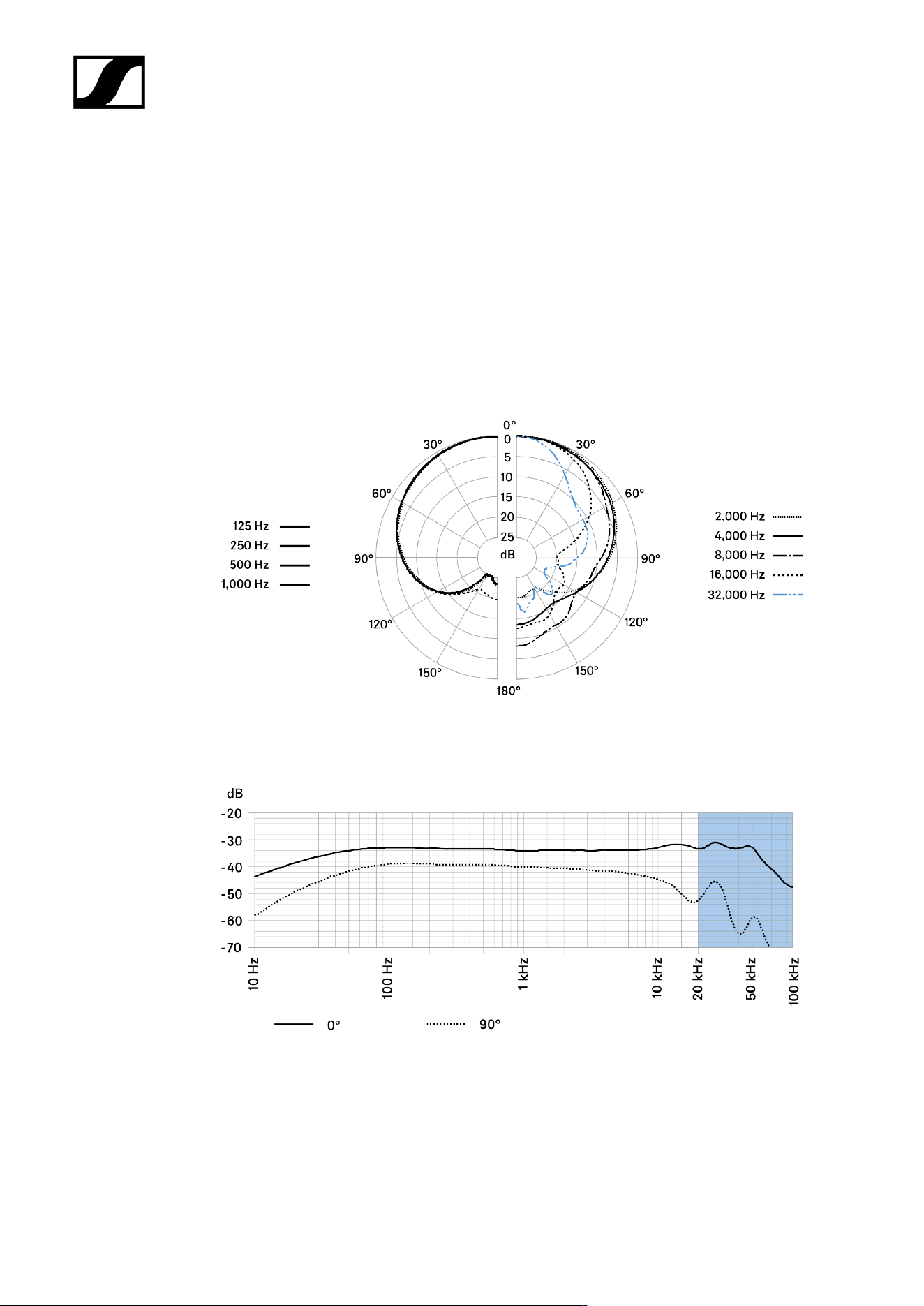
| 4 - Specifications
Weight
• approx. 25 g
• approx. 55 g with XLR-Modul MZX 8000
Temperature range
• -10 °C to +60 °C
Polar pattern
Frequency response
106

| 4 - Specifications
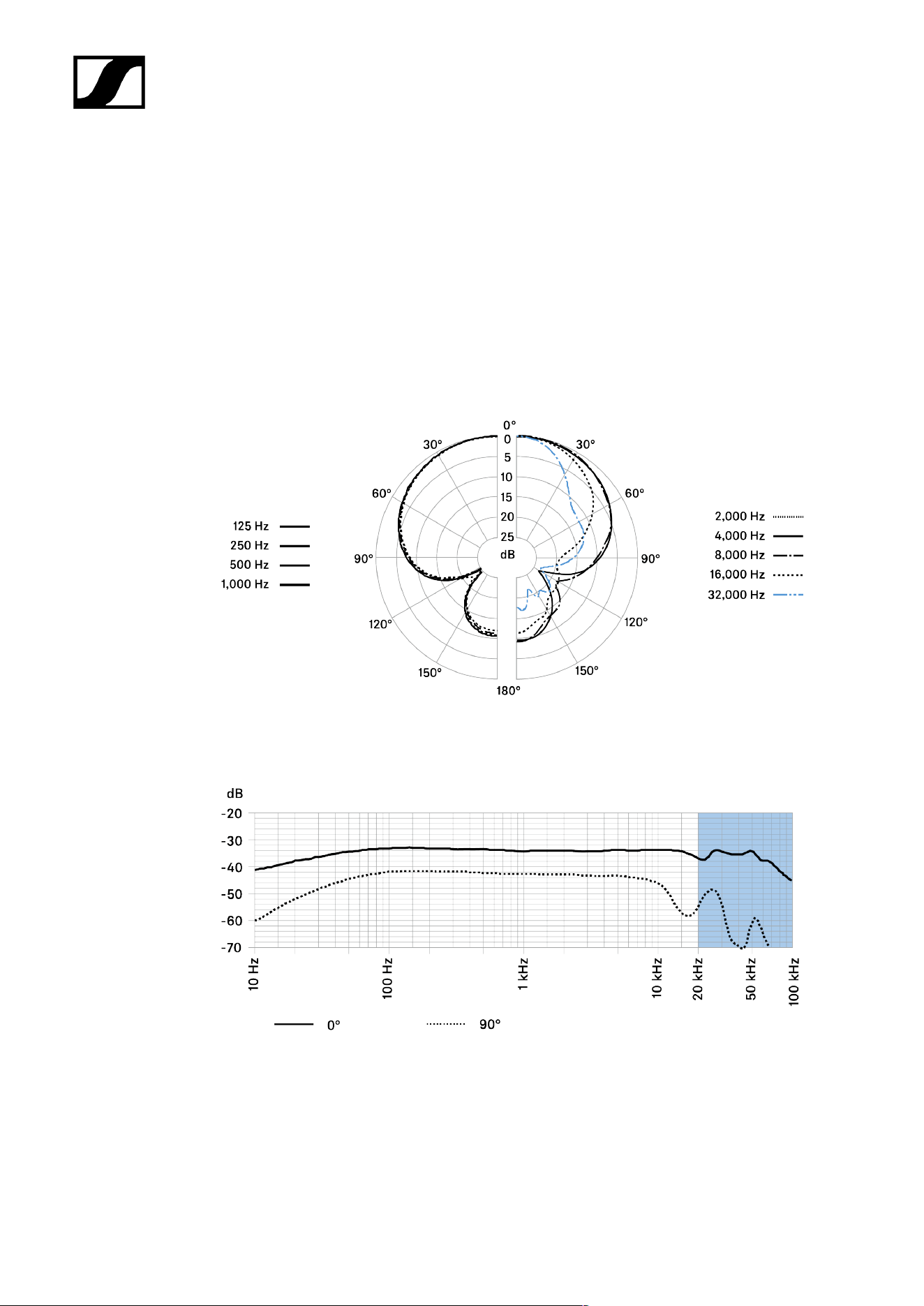
MKH 8050
Specifications
Pick-up pattern
• Super-cardioid
Frequency response
• 30 - 50,000 Hz
Sensitivity
• -34 dBV/Pa (20 mV/Pa) without MZF 8000 II filter module
• -44 dBV/Pa (6.3 mV/Pa) with MZF 8000 II filter module
Sound pressure level limit
• 142 dB SPL without MZF 8000 II filter module
• 137 dB SPL with MZF 8000 II filter module
Equivalent noise level
• A-weighted: 13 dB(A)
• CCIR-weighted: 22 dB
Phantom powering
• 48 V ± 4 V (P48, IEC 61938)
Power consumption
• 3.3 mA
Diameter
• approx. 19 mm
Length
• approx. 41 mm
• approx. 75 mm with XLR-Modul MZX 8000
107
| 4 - Specifications
Weight
• approx. 25 g
• approx. 55 g with XLR-Modul MZX 8000
Temperature range
• -10 °C to +60 °C
Polar pattern
Frequency response
108

| 4 - Specifications
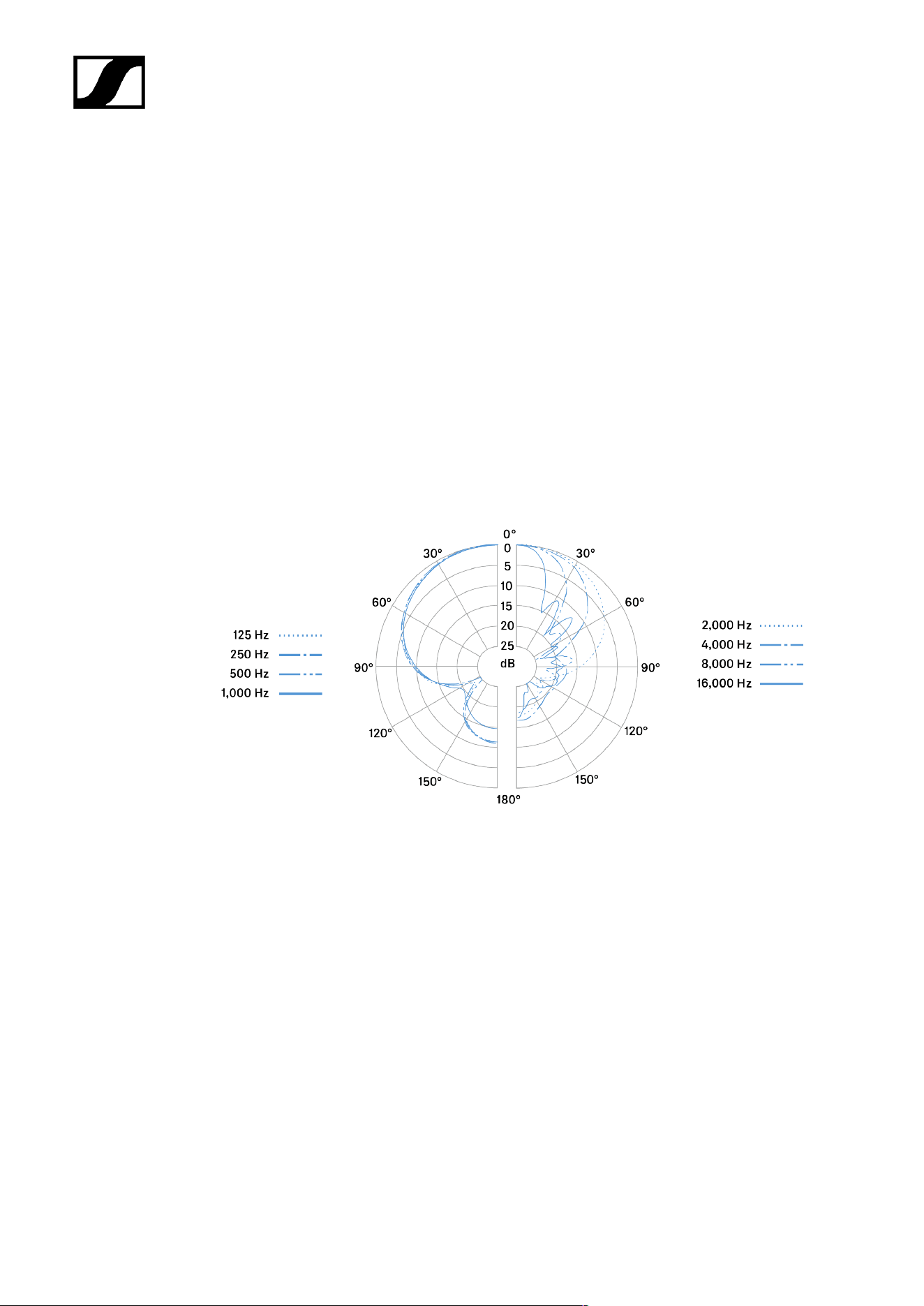
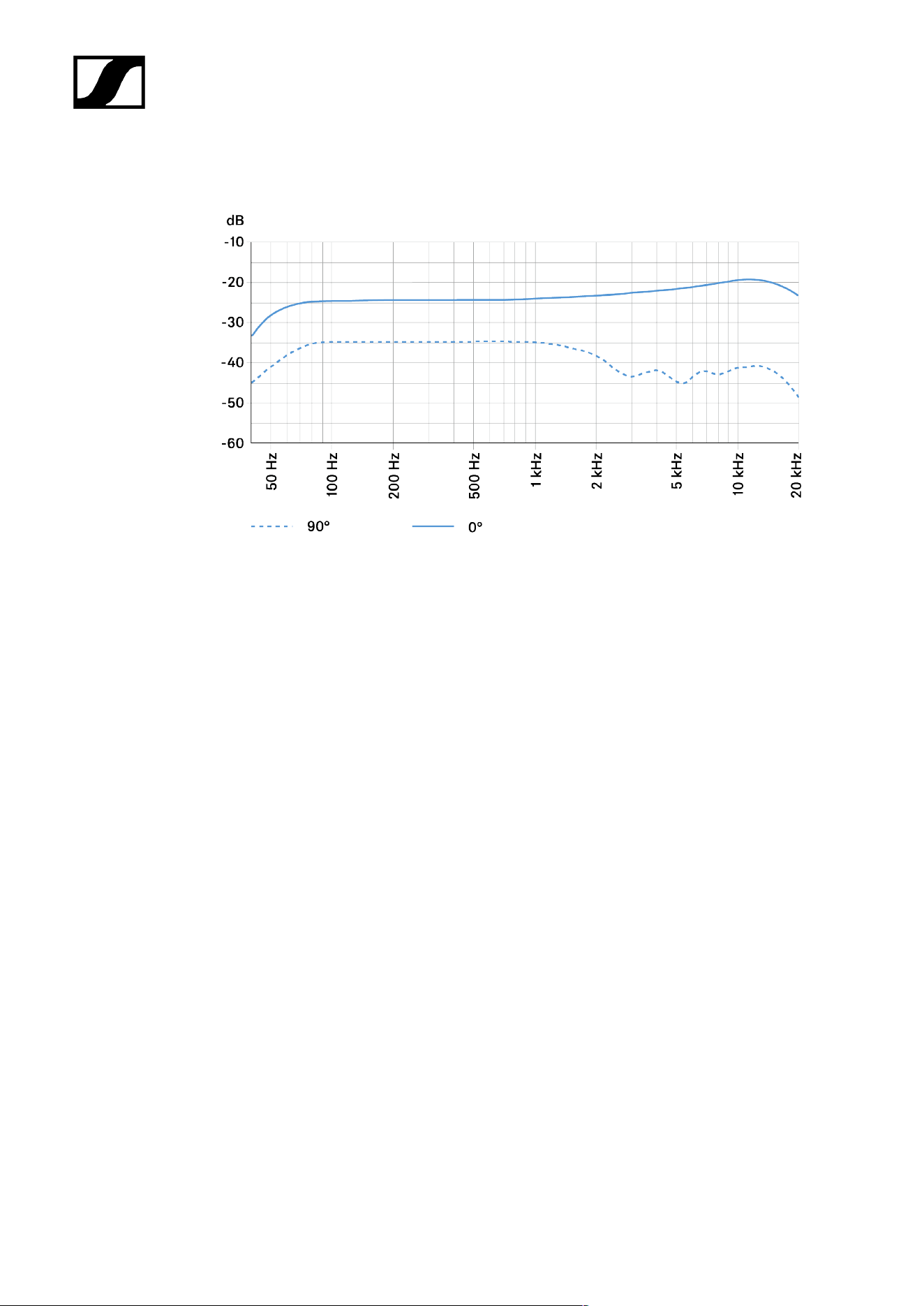
MKH 8060
Specifications
Pick-up pattern
• Super-cardioid / Lobar
Frequency response
• 50 - 25,000 Hz
Sensitivity
• -24 dBV/Pa (63 mV/Pa)
Sound pressure level limit
• 129 dB SPL
Equivalent noise level
• A-weighted: 11 dB(A)
• CCIR-weighted: 23 dB
Rated impedance
• 25 Ω
Min. terminating impedance
• 2 kΩ
Phantom powering
• 48 V ± 4 V (P48, IEC 61938)
Power consumption
• 3.3 mA
Diameter
• approx. 19 mm
109
| 4 - Specifications
Length
• approx. 145 mm
• approx. 178 mm with XLR-Modul MZX 8000
Weight
• approx. 80 g
• approx. 112 g with XLR-Modul MZX 8000
Temperature range
• -10 °C to +60 °C
Polar pattern
110
| 4 - Specifications
Frequency response
111

| 4 - Specifications
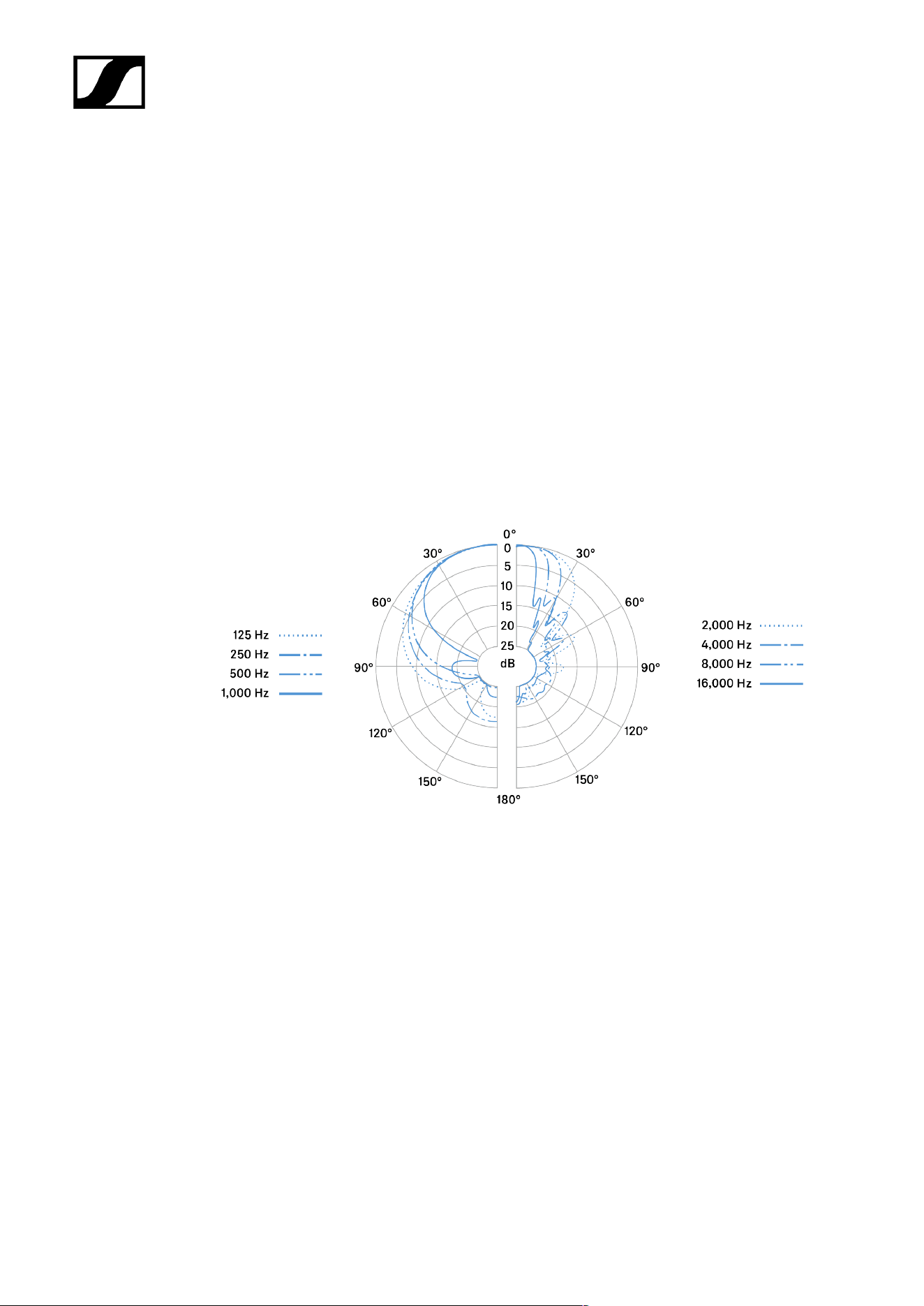
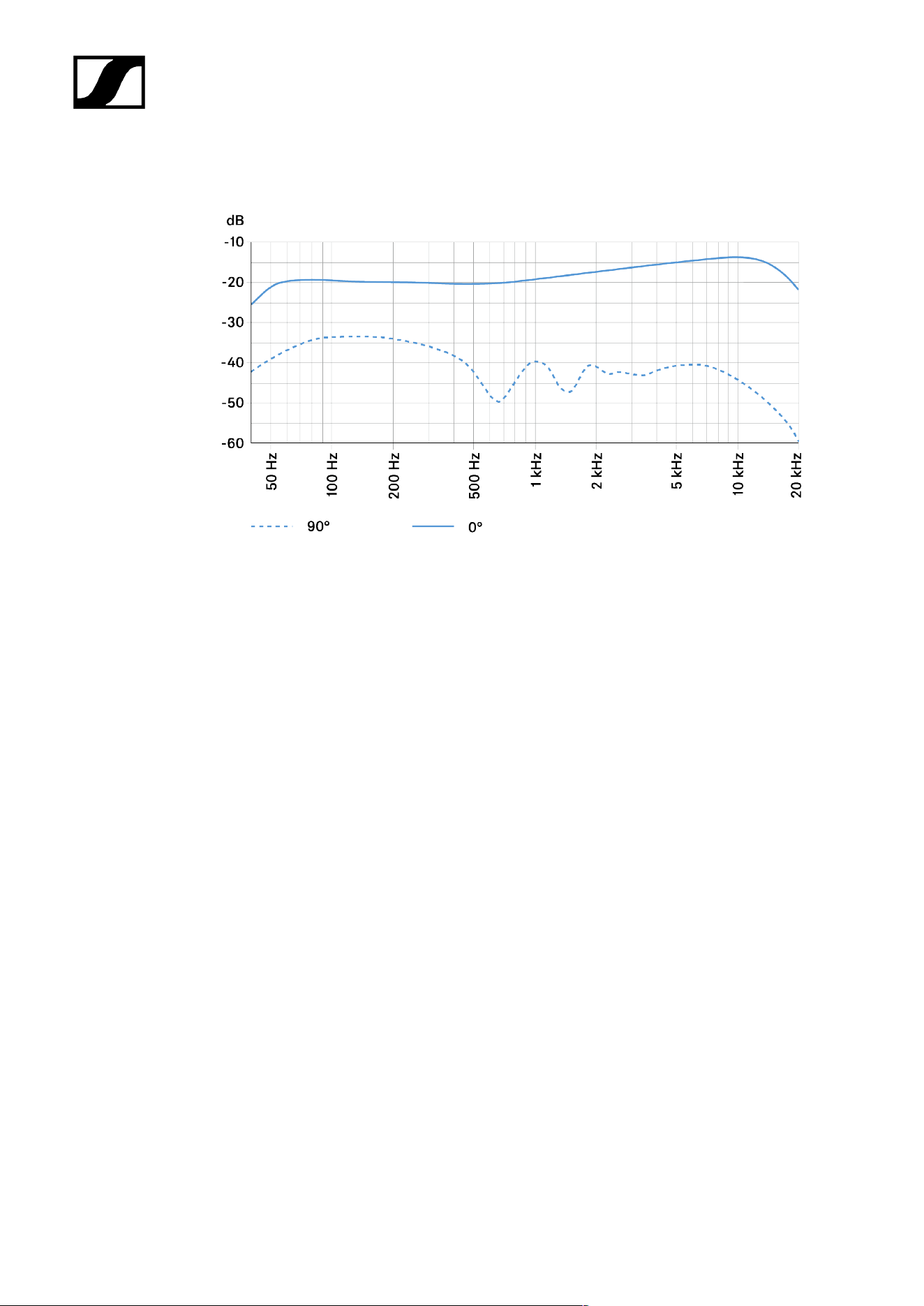
MKH 8070
Specifications
Pick-up pattern
• Lobar
Frequency response
• 45 - 20,000 Hz
Sensitivity
• -19 dBV/Pa (112 mV/Pa)
Sound pressure level limit
• 124 dB SPL
Equivalent noise level
• A-weighted: 8 dB(A)
• CCIR-weighted: 21 dB
Rated impedance
• 25 Ω
Min. terminating impedance
• 2 kΩ
Phantom powering
• 48 V ± 4 V (P48, IEC 61938)
Power consumption
• 3.3 mA
Diameter
• approx. 19 mm
112
| 4 - Specifications
Length
• approx. 432 mm
• approx. 465 mm with XLR-Modul MZX 8000
Weight
• approx. 300 g
• approx. 332 g with XLR-Modul MZX 8000
Temperature range
• -10 °C to +60 °C
Polar pattern
113
| 4 - Specifications
Frequency response
114

| 4 - Specifications
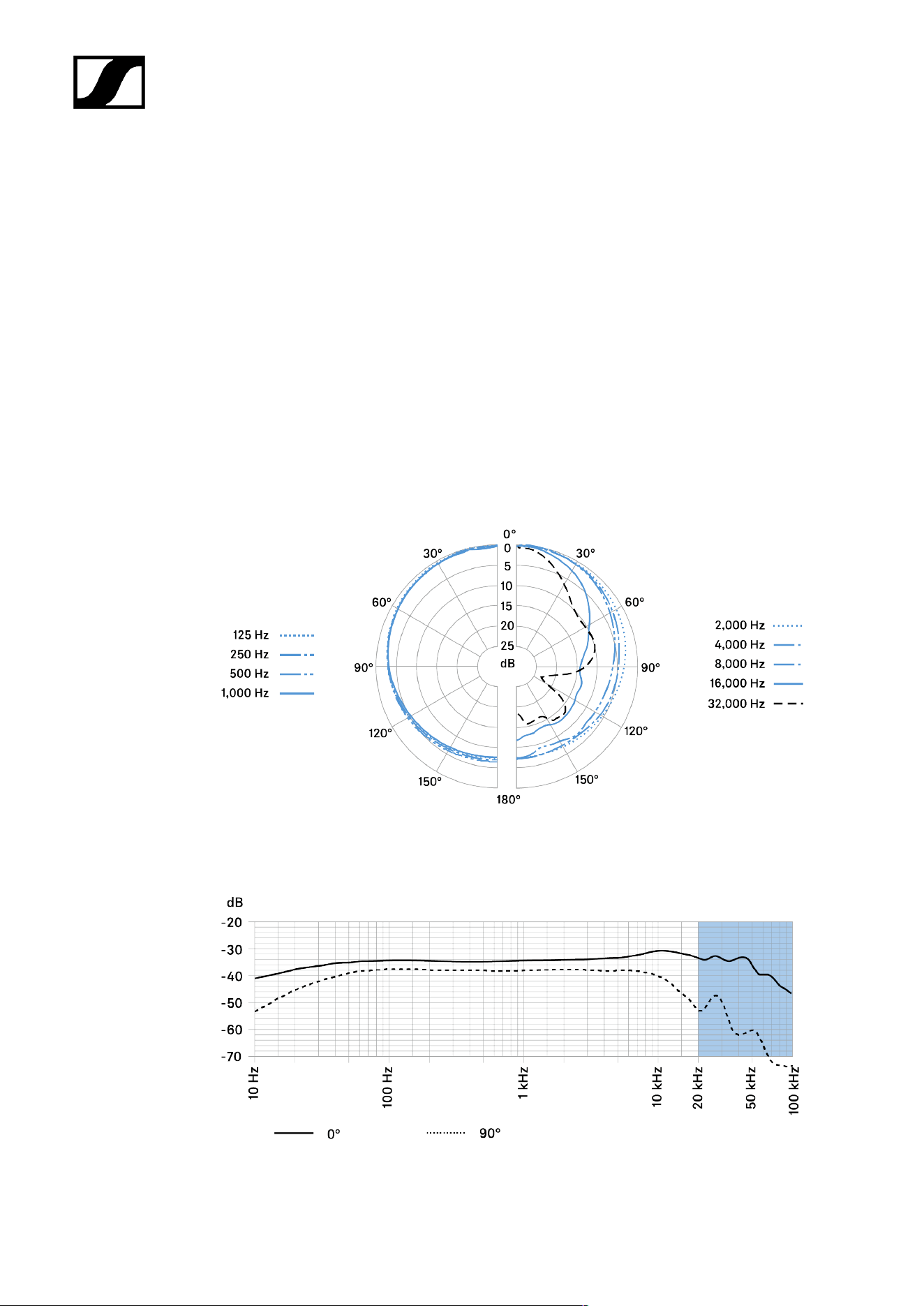
MKH 8090
Specifications
Pick-up pattern
• Wide Cardioid
Frequency response
• 30 - 50,000 Hz
Sensitivity
• -34 dBV/Pa (20 mV/Pa)
• -44 dBV/Pa (6.3 mV/Pa) with MZF 8000 II filter module
Sound pressure level limit
• 142 dB SPL with and without MZF 8000 II filter module
Equivalent noise level
• A-weighted: 13 dB(A)
• CCIR-weighted: 23 dB
Rated impedance
• 25 Ω
Min. terminating impedance
• 2 kΩ
Phantom powering
• 48 V ± 4 V (P48, IEC 61938)
Power consumption
• 3.3 mA
Diameter
• approx. 19 mm
115
| 4 - Specifications
Length
• approx. 41 mm
• approx. 75 mm with XLR-Modul MZX 8000
Weight
• approx. 25 g
• approx. 55 g with XLR-Modul MZX 8000
Temperature range
• -10 °C to +60 °C
Polar pattern
Frequency response
116

| 4 - Specifications
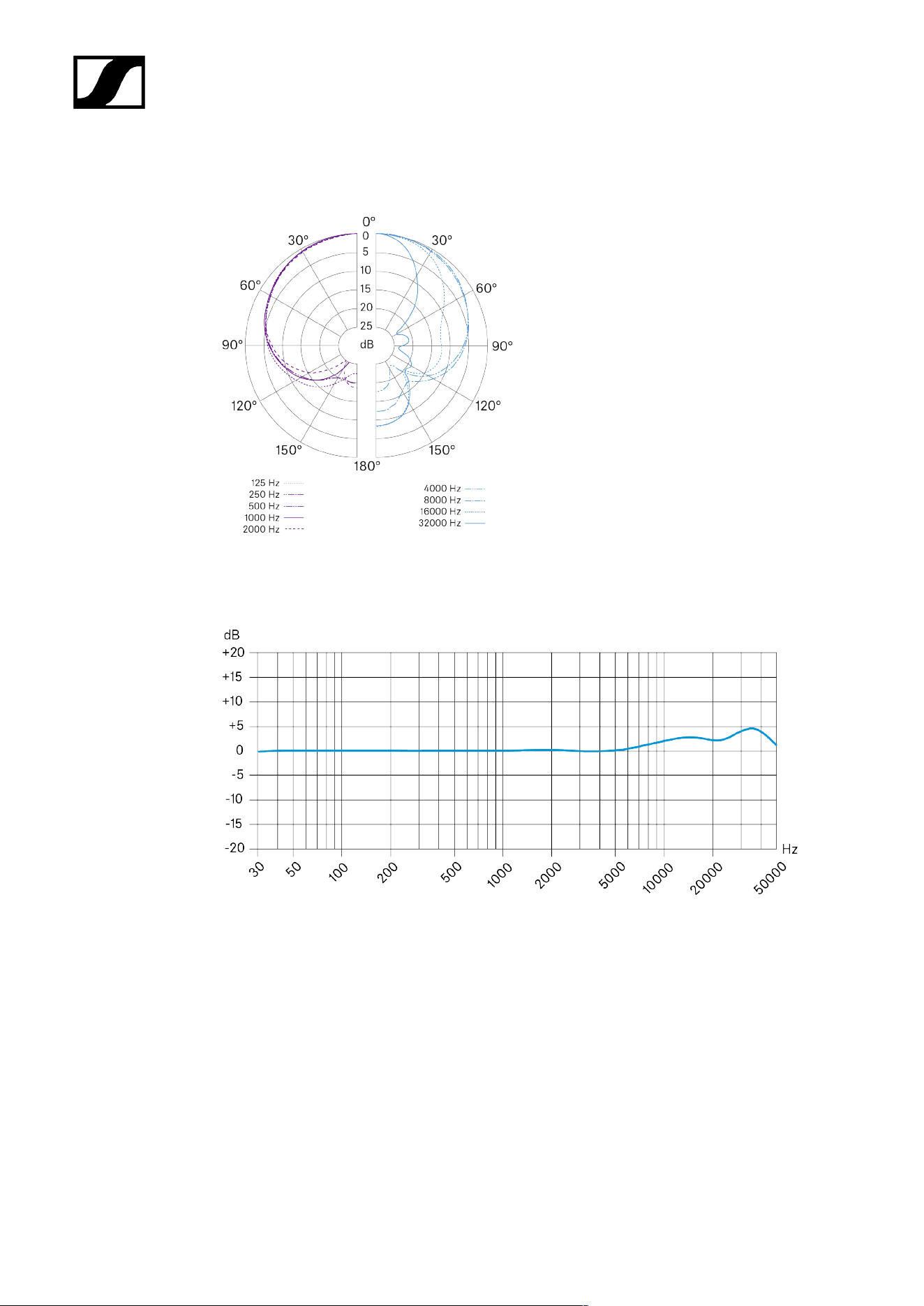
MKH 800 TWIN
Specifications
Frequency response
• 30 - 50,000 Hz
Pick-up pattern
• 2x cardioid
Sensitivity (free field, no load) (1 kHz)
• 40 mV/PA ±1 dB
Nominal impedance
• 100 Ω
Min. terminating impedance
• 2 kΩ
Max. SPL
• 136 dB SPL / 1 kHz
Max. output voltage
• 4 V
Equivalent noise level
• A-weighted: approx. 12 dB
• CCIR-weighted: approx. 20 dB
Noise voltage
• A-weighted: 3 μV
• CCIR-weighted: 8 μV
Dynamic range
• A-weighted: 122 dB
• CCIR-weighted: 114 dB
117

| 4 - Specifications
Power supply
• 48 V ±4 V
Current consumption
• 2x 3.1 mA
Dimensions
• Ø 27 x 136 mm
Weight
• 172 g
Temperature range
• Storage: -20 °C to +70 °C
Connector
• XLR-5M
Connector assignment
1 Ground/housing
2 Front channel:
(+)
3 Front channel: (-)
4 Rear channel: (+)
5 Rear channel: (-)
118
| 4 - Specifications
Polar pattern
Frequency response
119

| 4 - Specifications
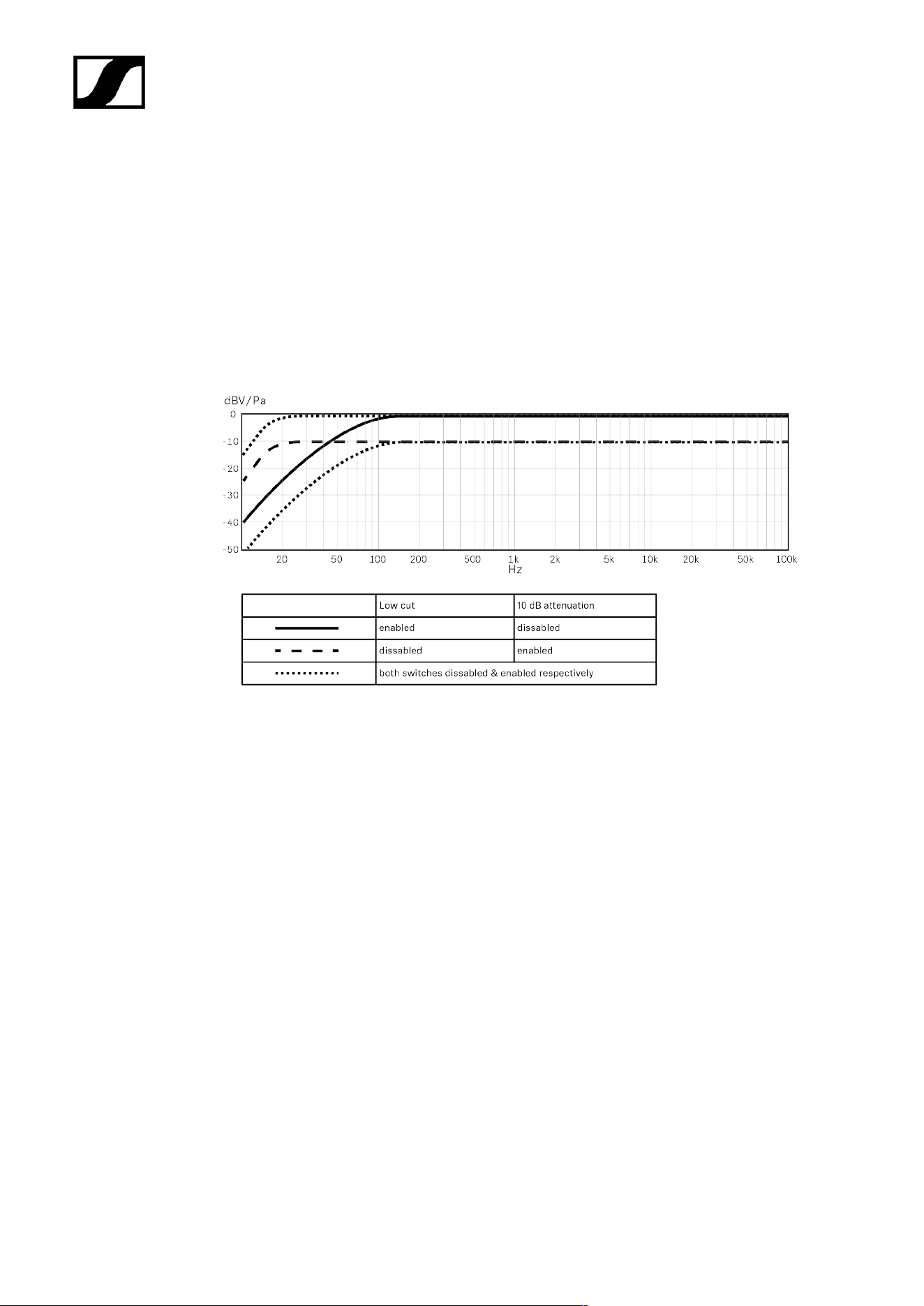
MZF 8000 II
Specifications
Low-cut filter
• -3 dB @ 16 Hz
Roll-off (switchable)
• -3 dB @ 70 Hz
Attenuation (switchable)
• -10 dB
Additional equivalent noise level
• @ 0 dB: 1 dB(A)
• @ -10 dB: 4 dB(A)
Max. input voltage
• @ 0 dB: 14 dBV
• @ -10 dB: 9 dBV
Max. output voltage
• @ 0 dB: 14 dBV
• @ -10 dB: -1 dBV
Typ. impedance
• 50 Ω
Min. terminating impedance
• 2 kΩ
Phantom powering
• 48 V ±4 V (P48, IEC 61938)
Dimensions
• Ø 19 x 29 mm
120
| 4 - Specifications
Weight
• 26 g
Temperature range
• -10 °C to +60 °C
Frequency response
121


Sennheiser electronic SE & Co. KG | Am Labor 1 | 30900 Wedemark | Germany