
Technical Support and E-Warranty Certificate
www.vevor.com/support
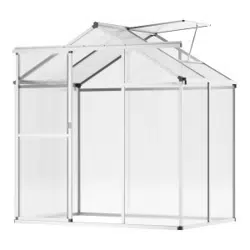
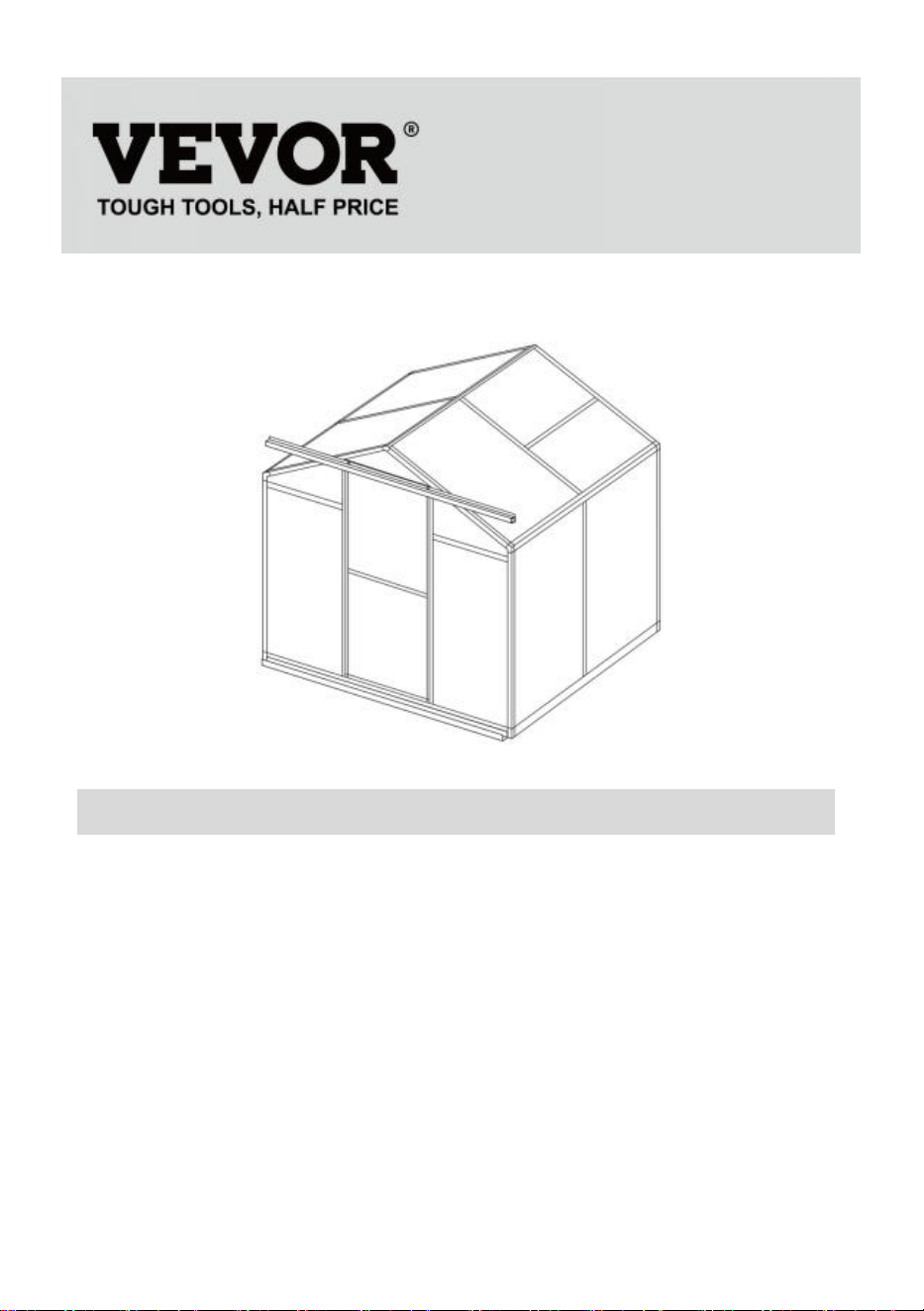
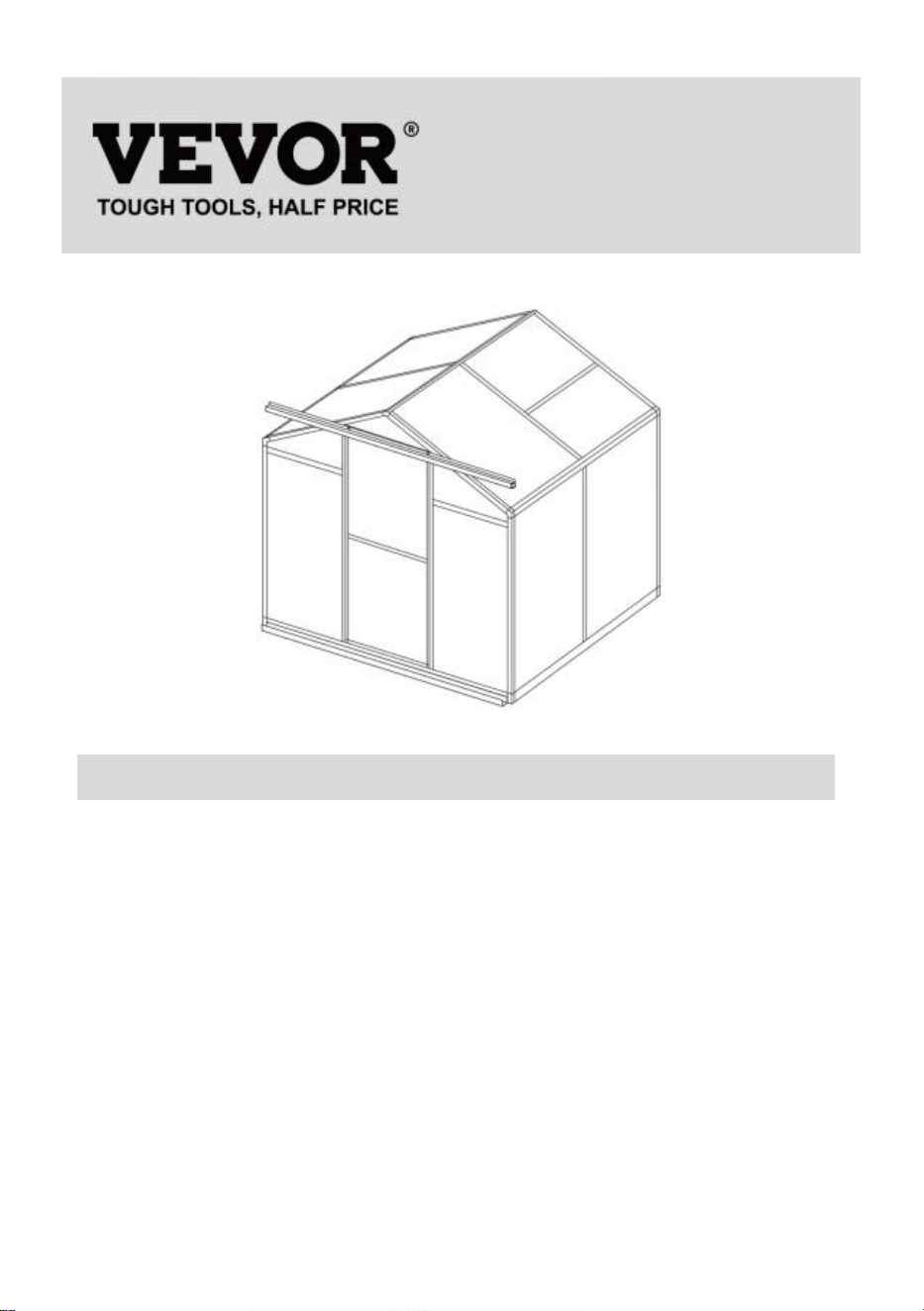
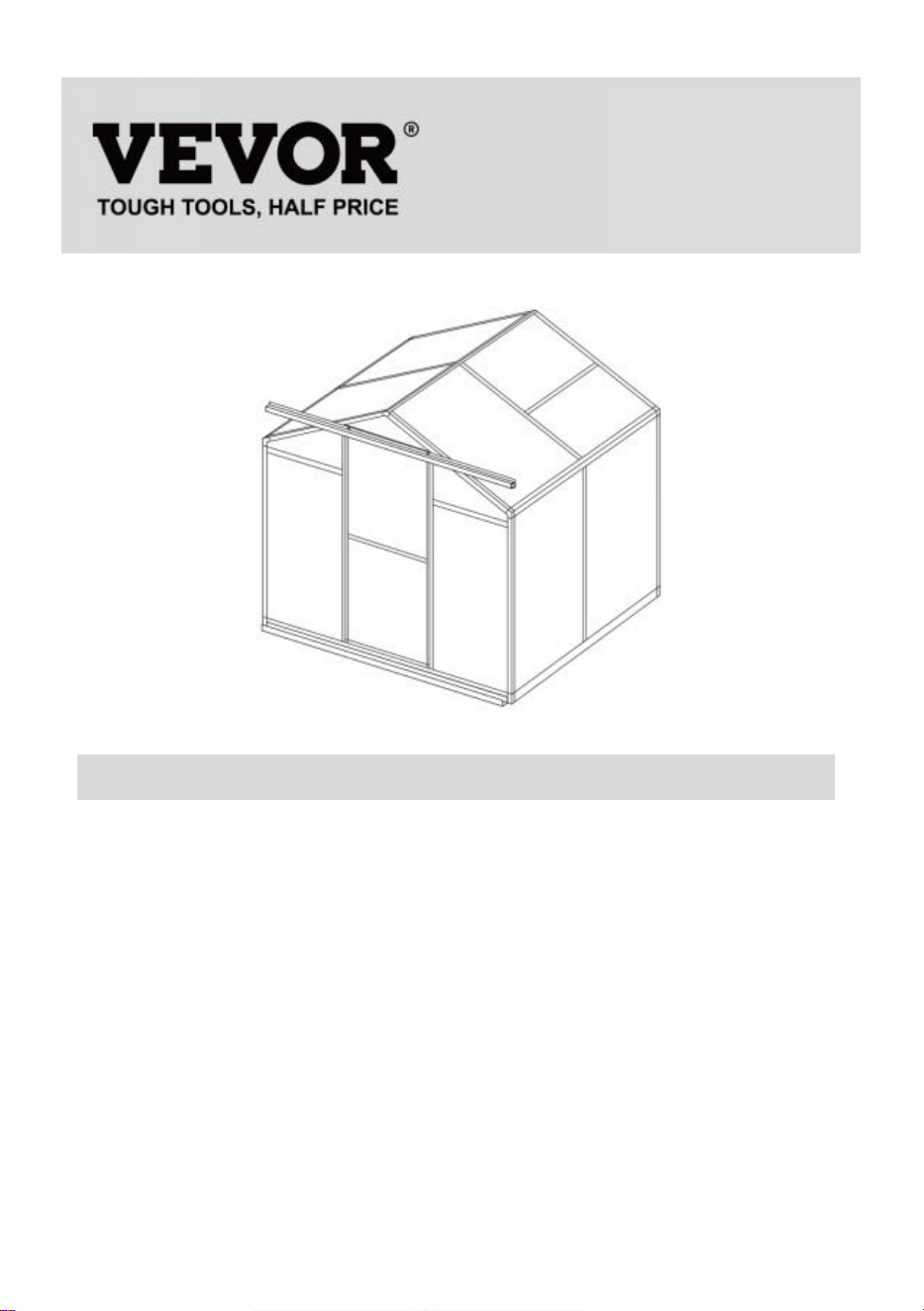
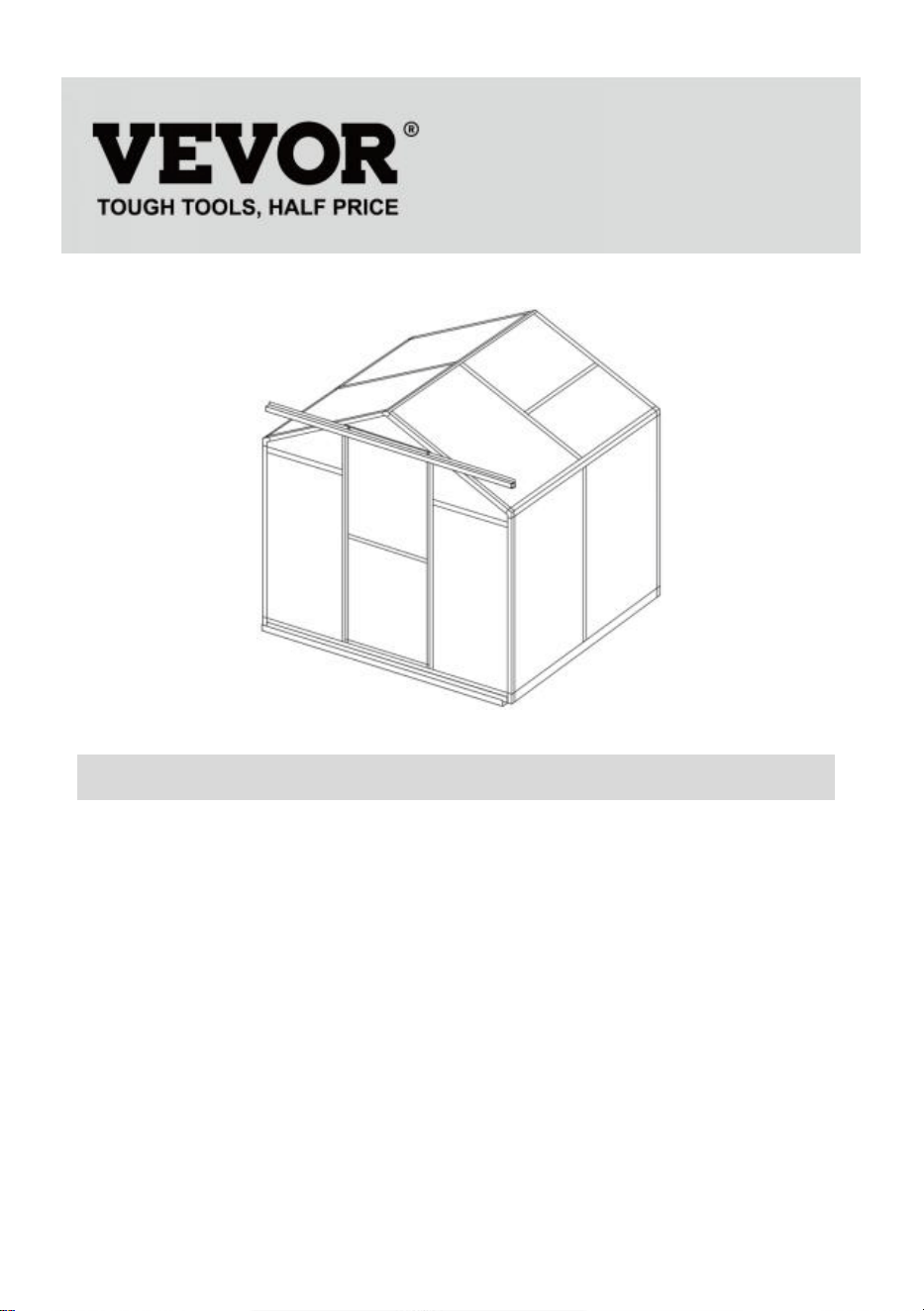
POLYCARBONATE GREENHOUSE
USER MANUAL
We continue to be committed to provide you tools with competitive price.
"Save Half", "Half Price" or any other similar expressions used by us only
represents an estimate of savings you might benefit from buying certain tools
with us compared to the major top brands and does not necessarily mean to cover
all categories of tools offered by us. You are kindly reminded to verify carefully
when you are placing an order with us if you are actually Saving
Half in comparison with the top major brands.
1
Model:SNG190-2
NEED HELP? CONTACT US!
Have product questions? Need technical support? Please feel free to
contact us:
Technical Support and E-Warranty Certificate
www.vevor.com/support
This is the original instruction, please read all manual instructions
carefully before operating. VEVOR reserves a clear interpretation of our
user manual. The appearance of the product shall be subject to the
product you received. Please forgive us that we won't inform you again if
there are any technology or software updates on our product.
POLYCARBONATE
GREENHOUSE

2
INSTRUCTIONS
Thank you very much for choosing this product. Please read all the instructions
before using it.The information will help you achieve the best possible results.
PLEASE NOTE! Drawings in this manual are for illustration purposes only and
some details may differ from the actual product.
ATTENTION! Read all safety warnings and all instructions. Failure to follow the
warnings and instructions may result in serious injury or even death. The device or
product used in the warning instructions is referred to Polycarbonate greenhouse.
This product is not a toy or a toy chest. Do not allow children to play with this item.
Please place in a position that children cannot climb to avoid injury from falling
from a height.
USAGE SAFETY
1. Two people are required to assemble this product.
2. Some components have sharp metal edges. Please be careful when handling
metal components. Please wear gloves, shoes and safety goggles during
assembly.
3. Select an area for assembly that is clean and free of any debris that might cause
persons working on the assembly to trip.
4. Do not climb or stand on the roof. Heavy articles should not be leaned against
the greenhouse.
5. Preview the assembly instructions in your operator’s manual before proceeding
further.
6. After completing assembly, thoroughly inspect the machine to be sure that all
nuts, bolts, hydraulic fittings or any other fastener assemblies have been
thoroughly tightened.
7. This product is not a play facility or tent and should not be used for purposes
other than polycarbonate greenhouses.
8. The polycarbonate greenhouse must be checked to ensure that it is in proper
working order and is operating safely prior to use. Otherwise , the appliance must
not be used.
9. We recommend placing the bottom frame in a pre-dug trench after securing the
board with expansion screws (include) to the ground for greater stability and
temperature chamber wind resistance.
3
10. Recommend to apply glass glue to the connection between PC board and
frame for better water protection.
11. When the weather is bad, we recommend that the precious items in the
greenhouse be removed to avoid unnecessary property loss and do not use
greenhouse during that time.
12. Keep the roof clear of snow & leaves. Allowing snow to build up on the roof
may damage the product.
Before using the product - if you have any questions regarding the proper
assembly or operation, contact your dealer or representative.
13. When your product needs cleaning, use a mild detergent solution and rinse
with cold clean water. Do not use acetone, abrasive cleaners or strong
detergents to clean the panels.
SAVE THESE INSTRUCTIONS
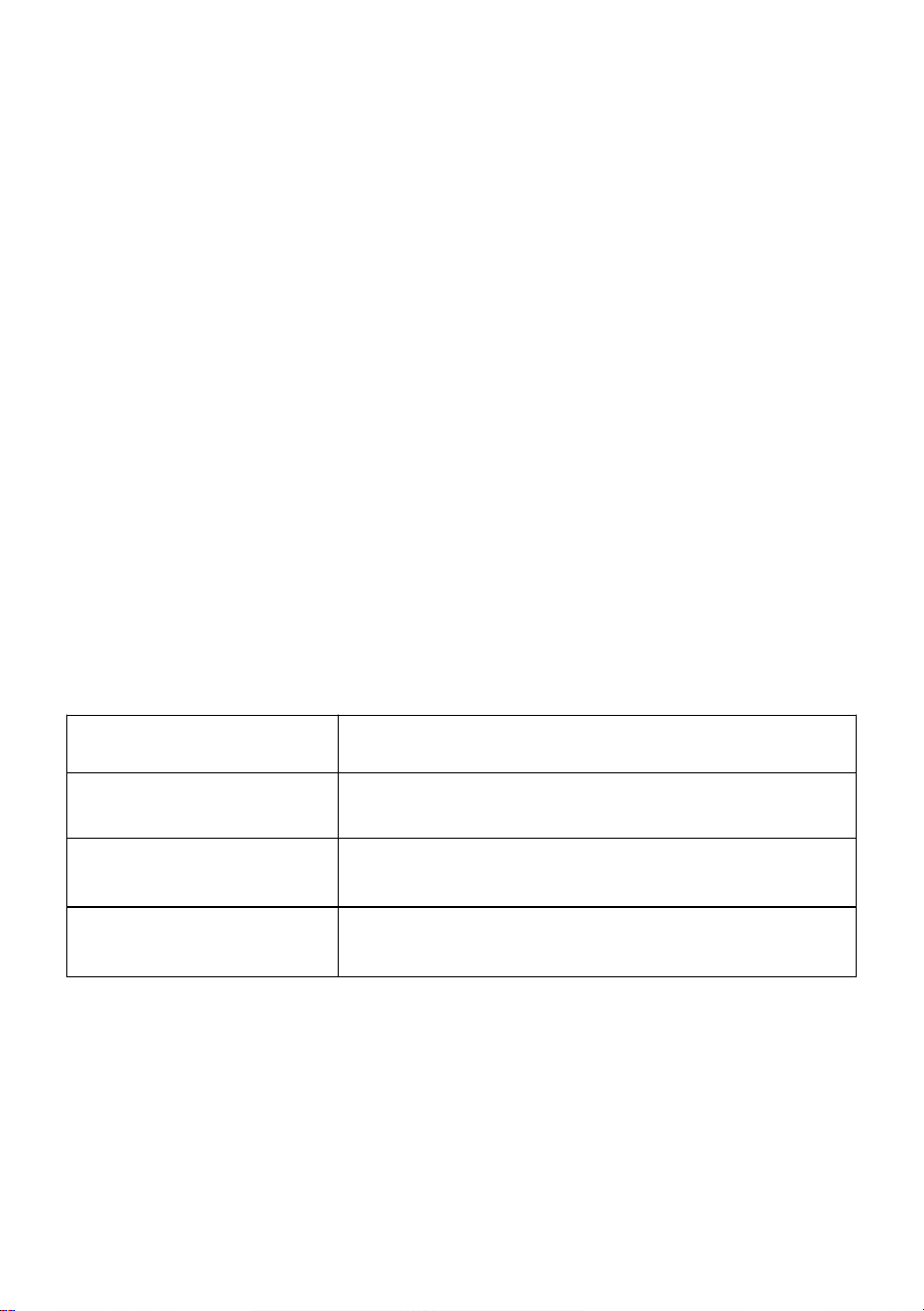
TECHNICAL PARAMETERS
Model
SNG190-2
Color
White aluminum
Material
Aluminum, Polycarbonate sheet
Product size
184*125*193cm
4
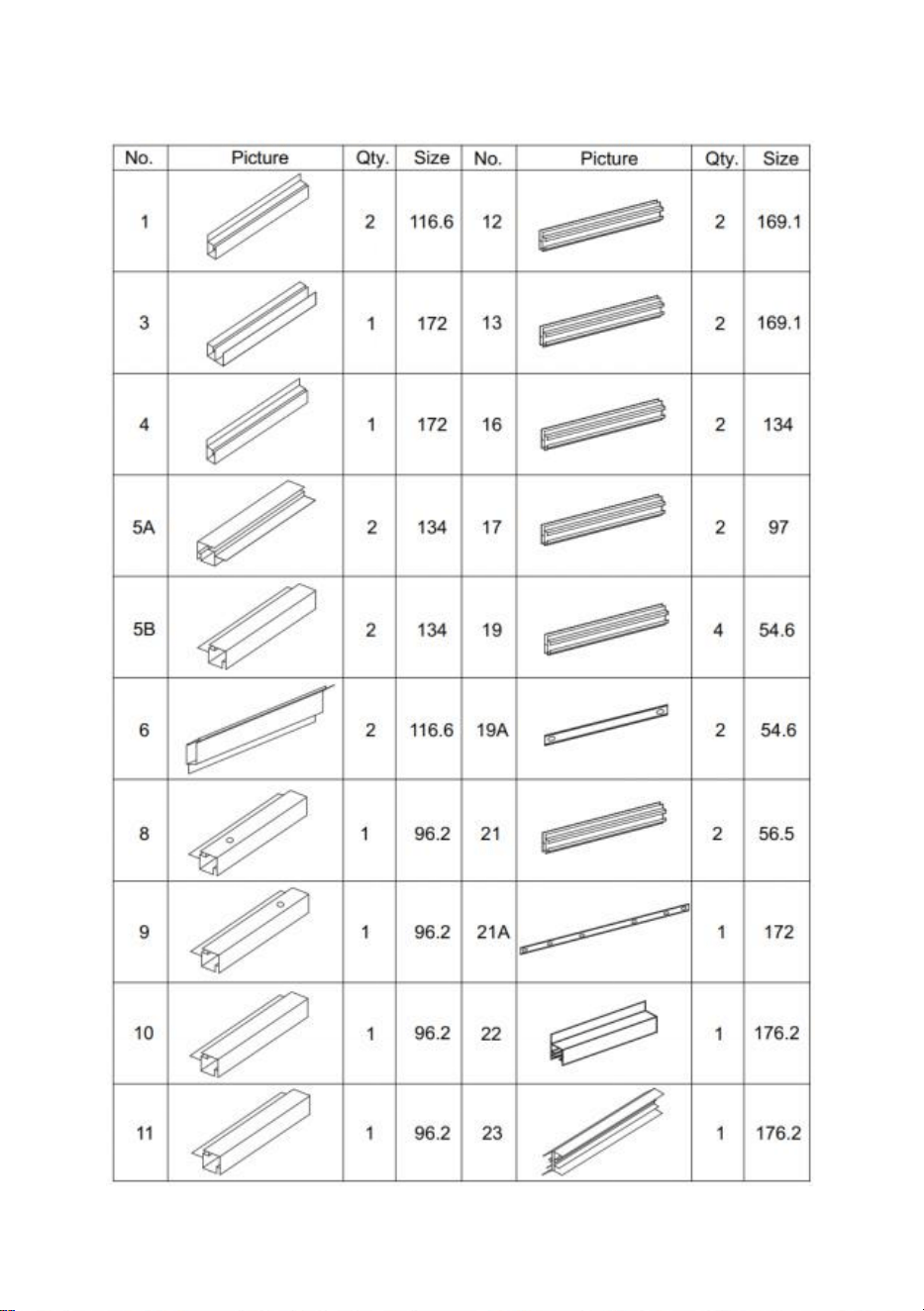
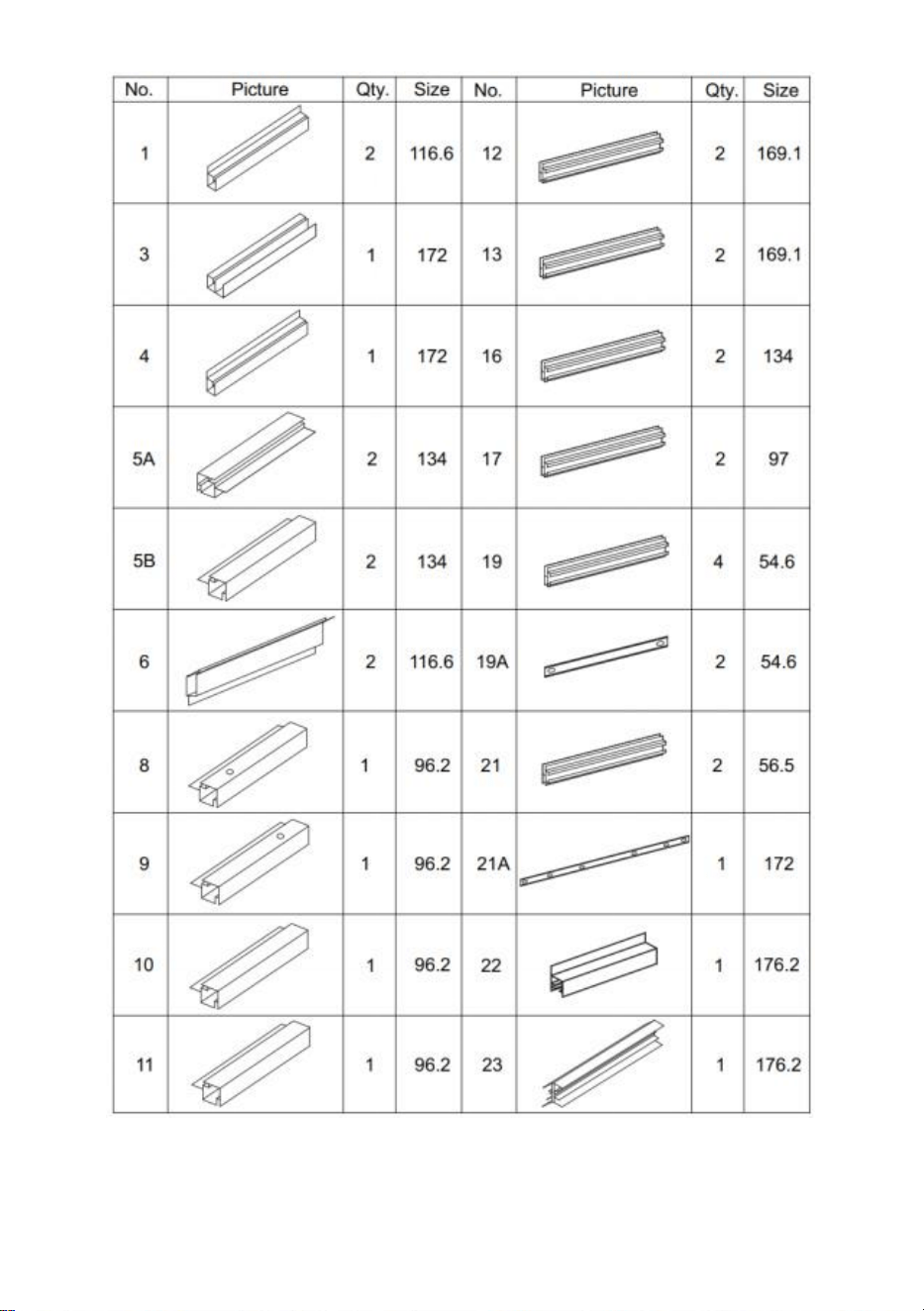
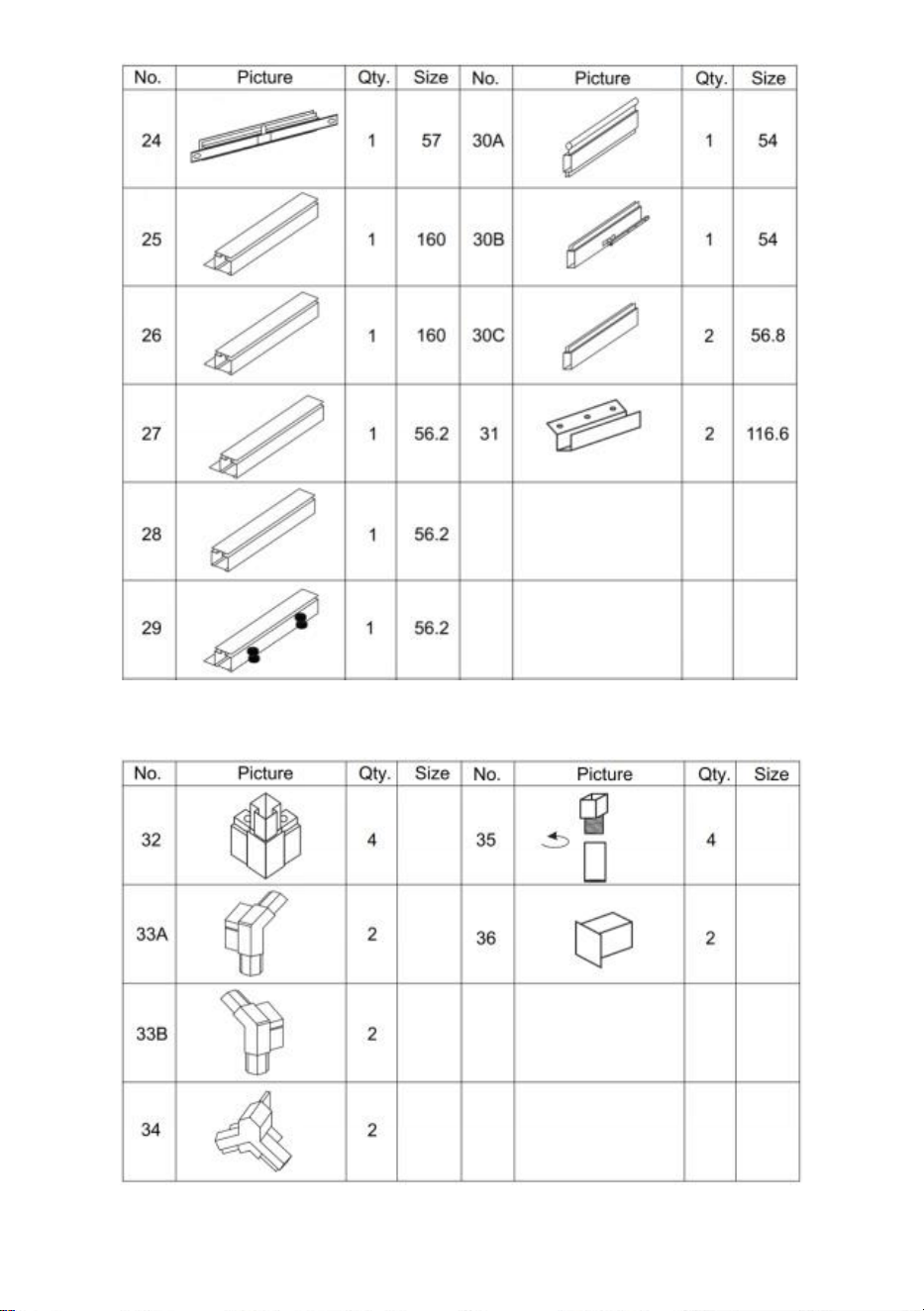
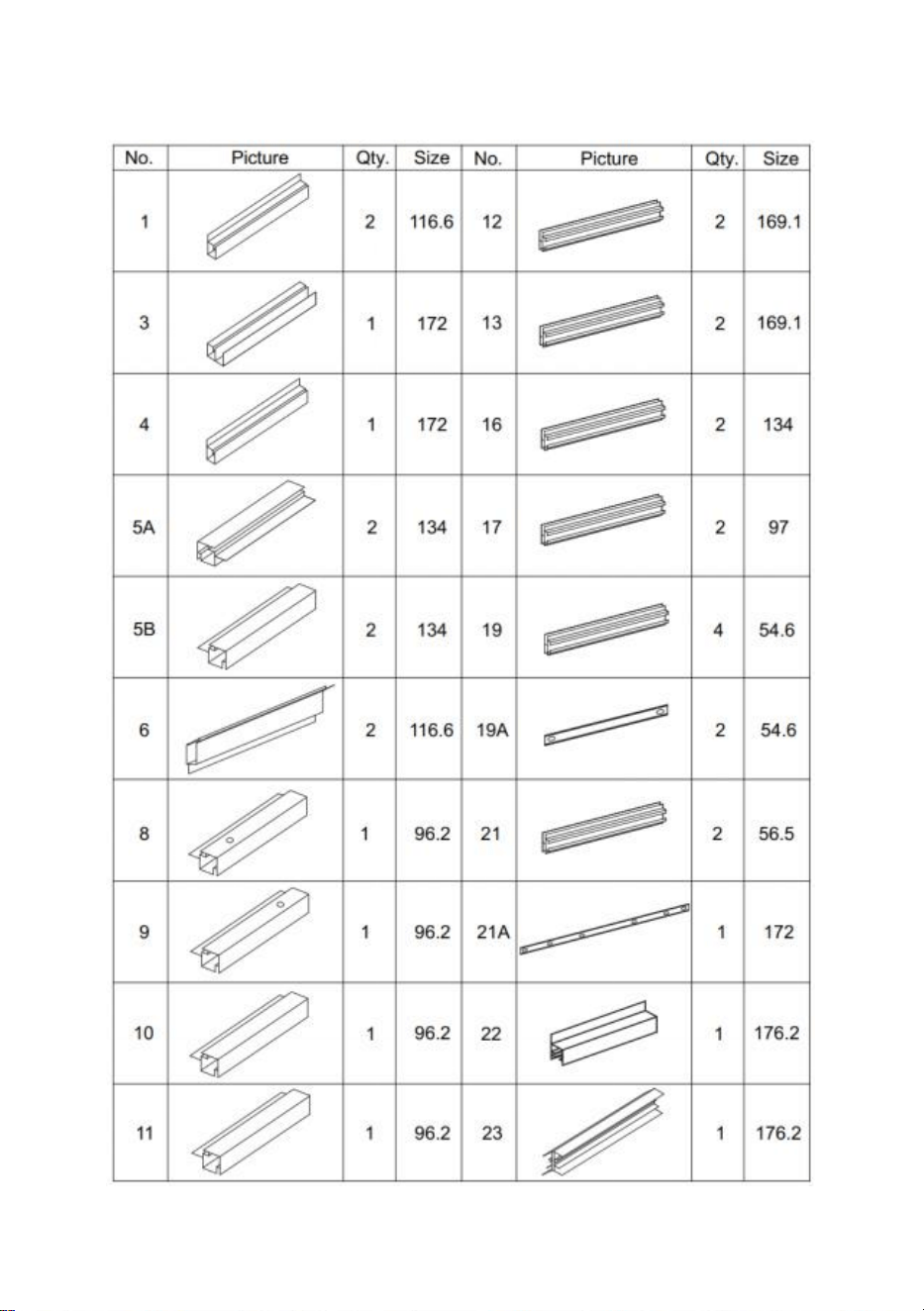
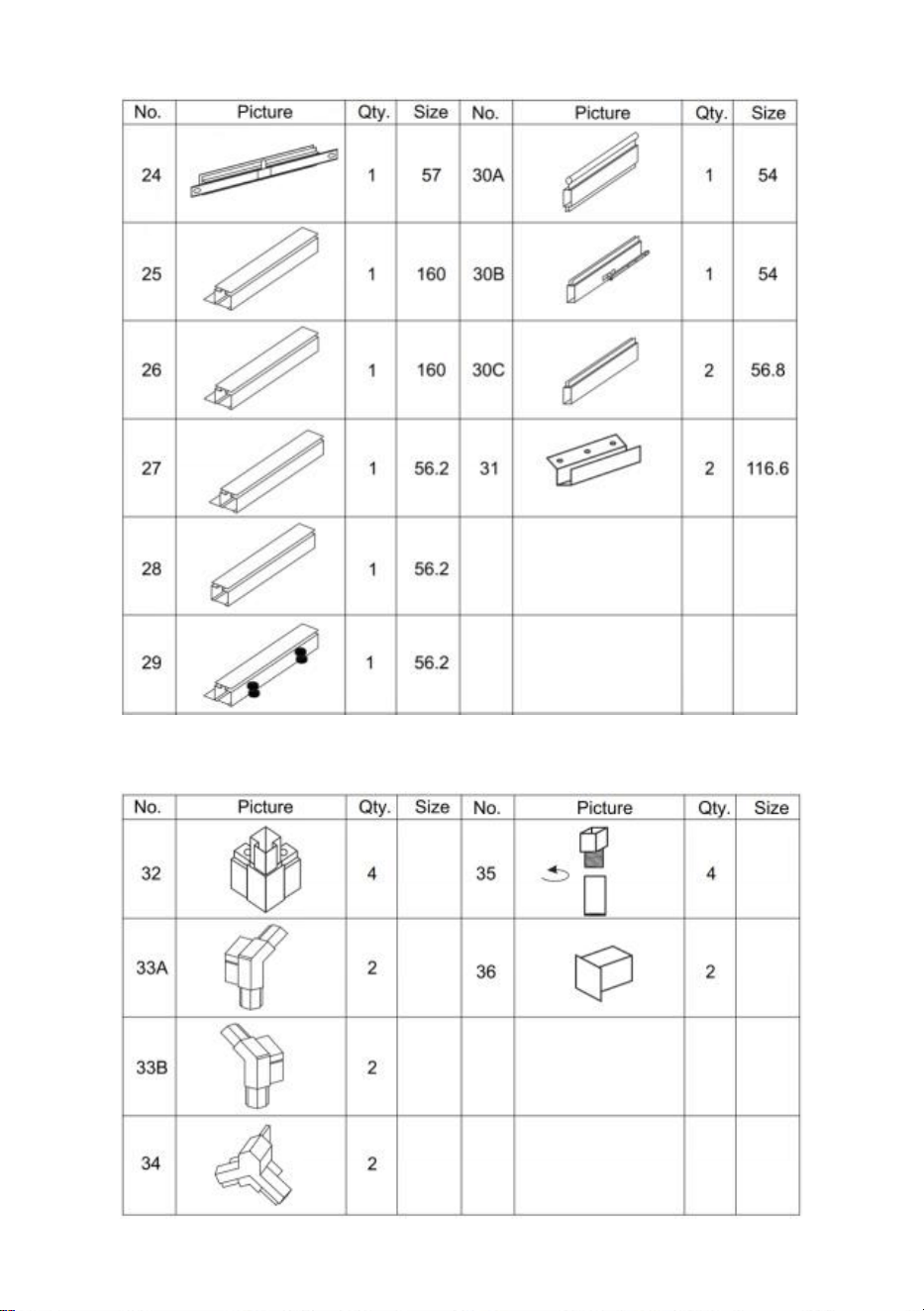
Aluminum
part List
5
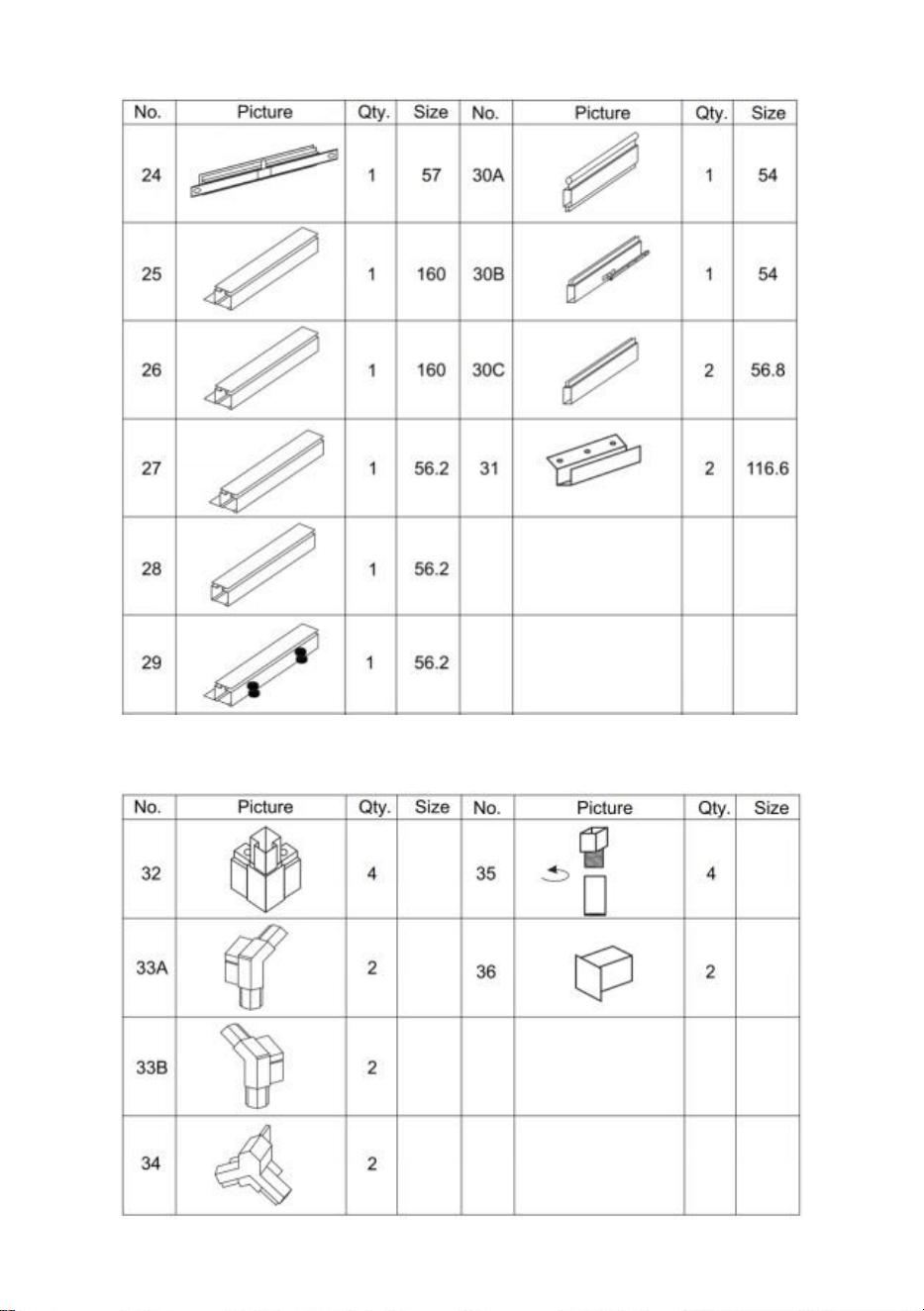
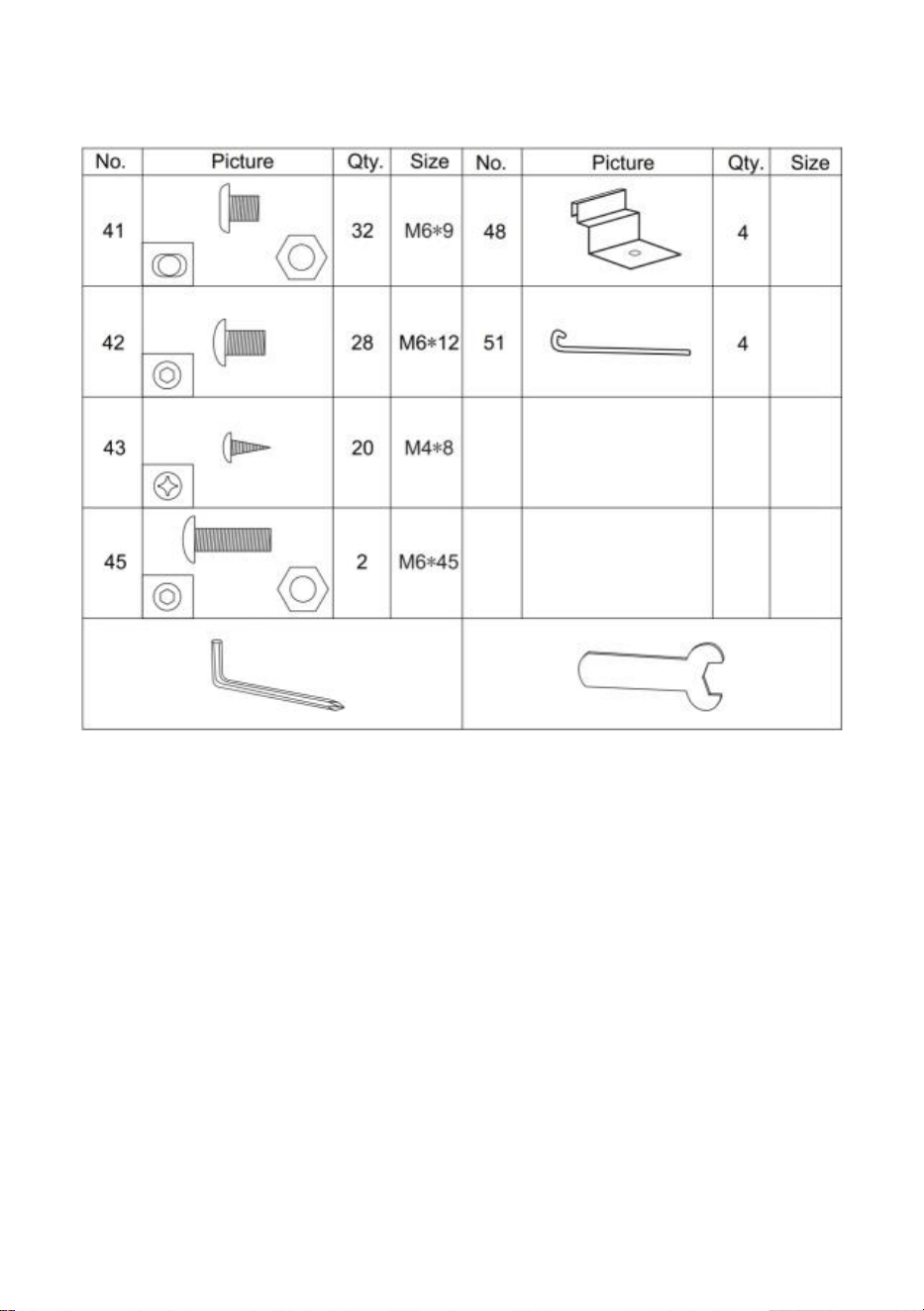
Plastic part List
6
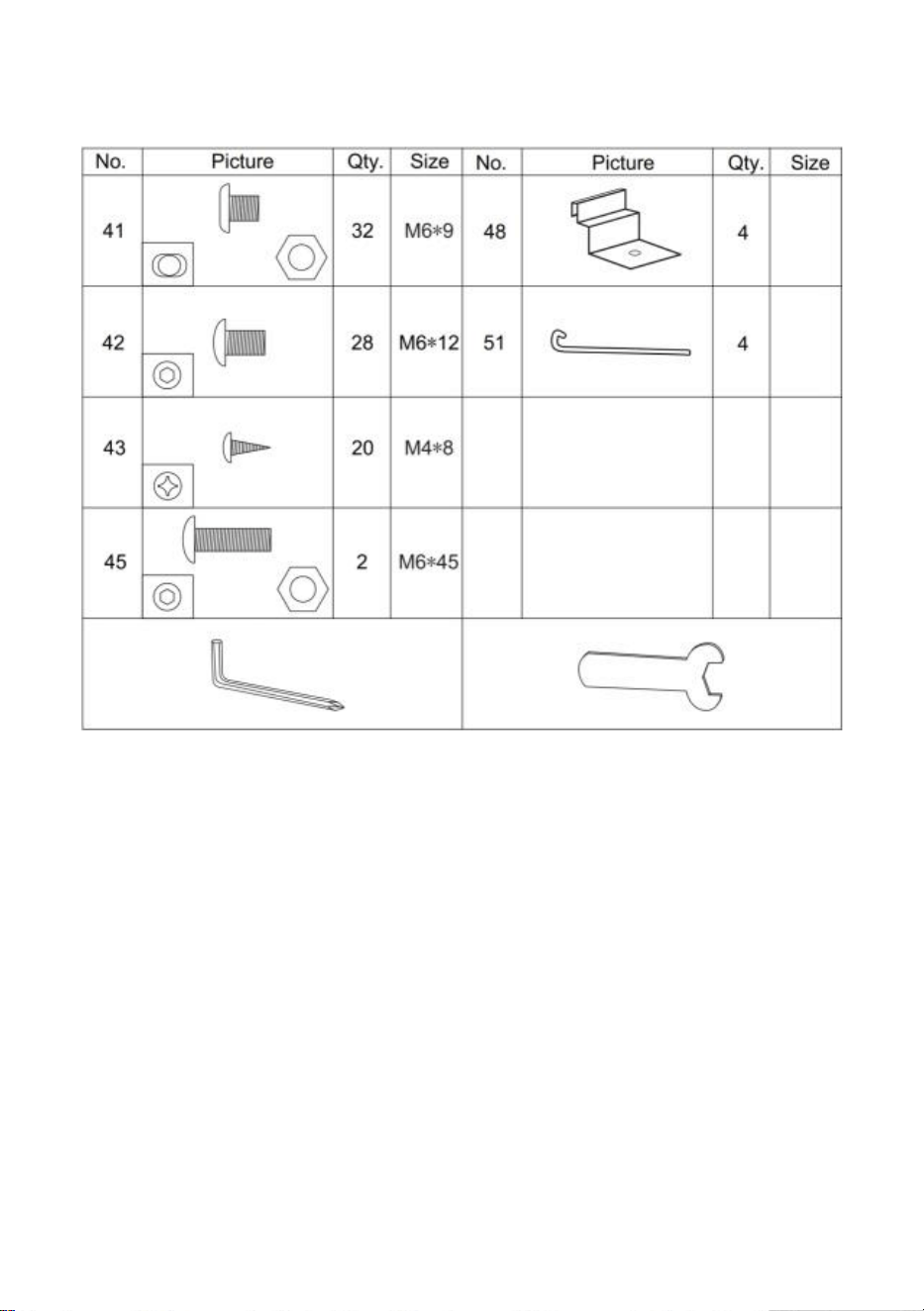
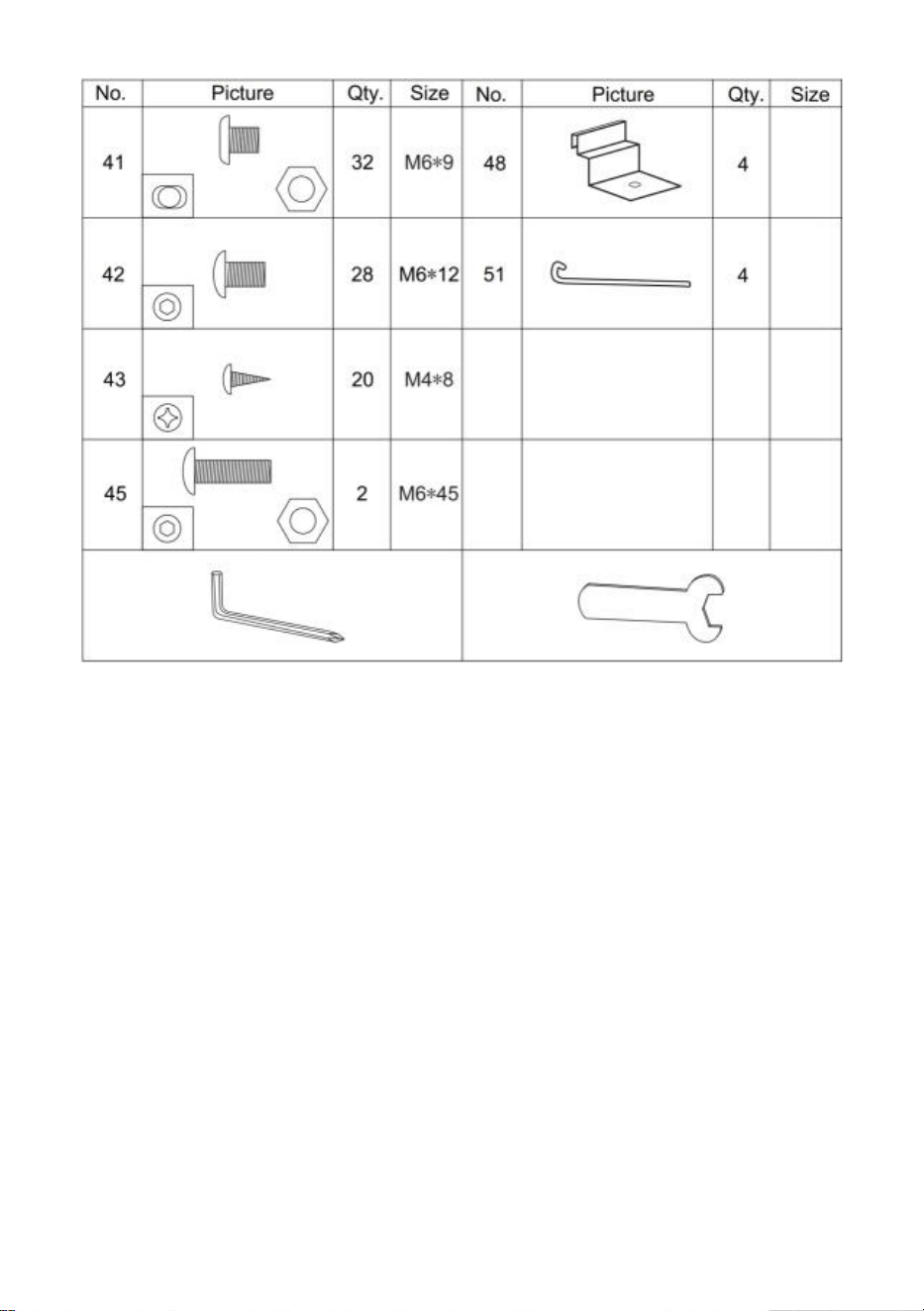
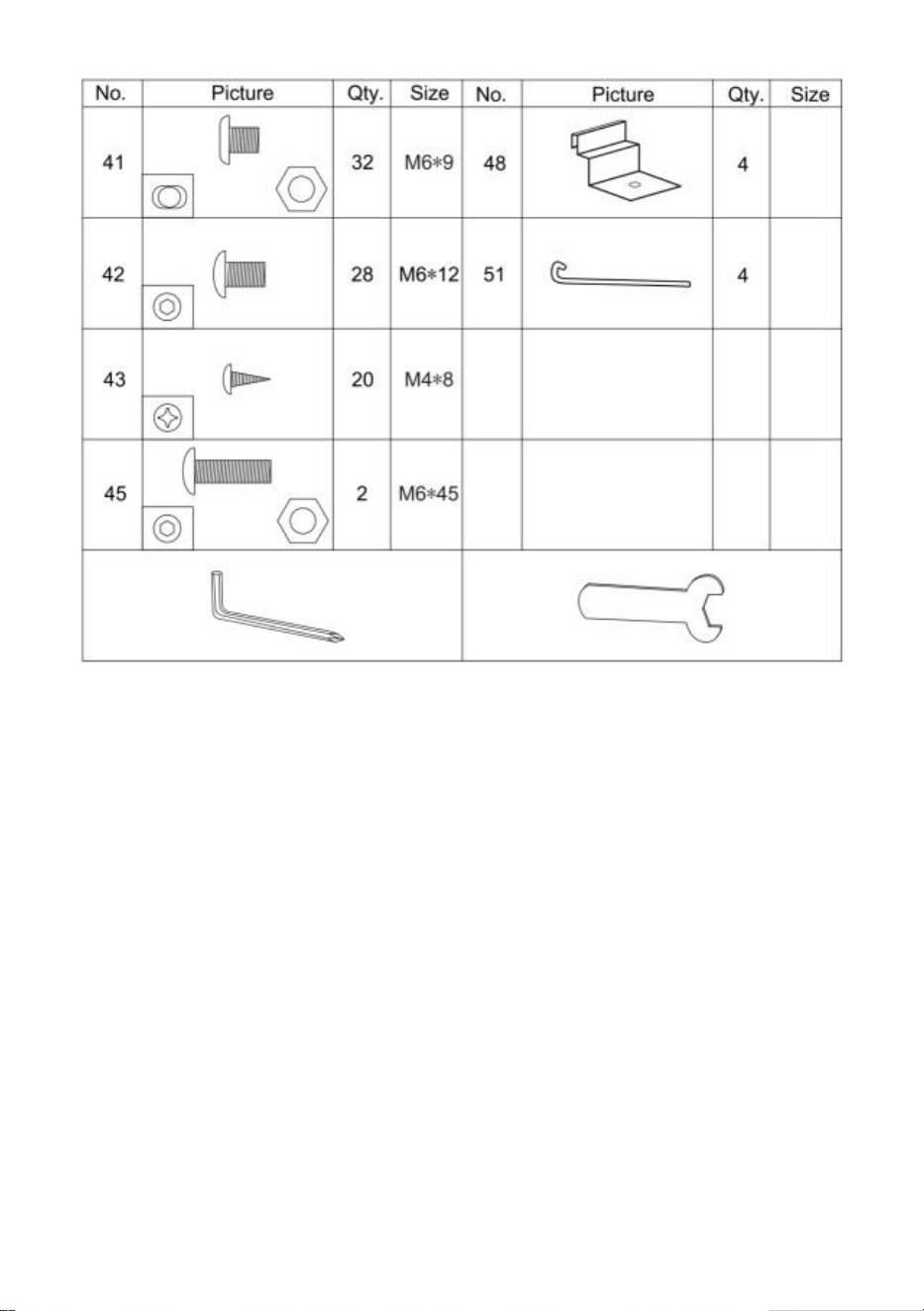
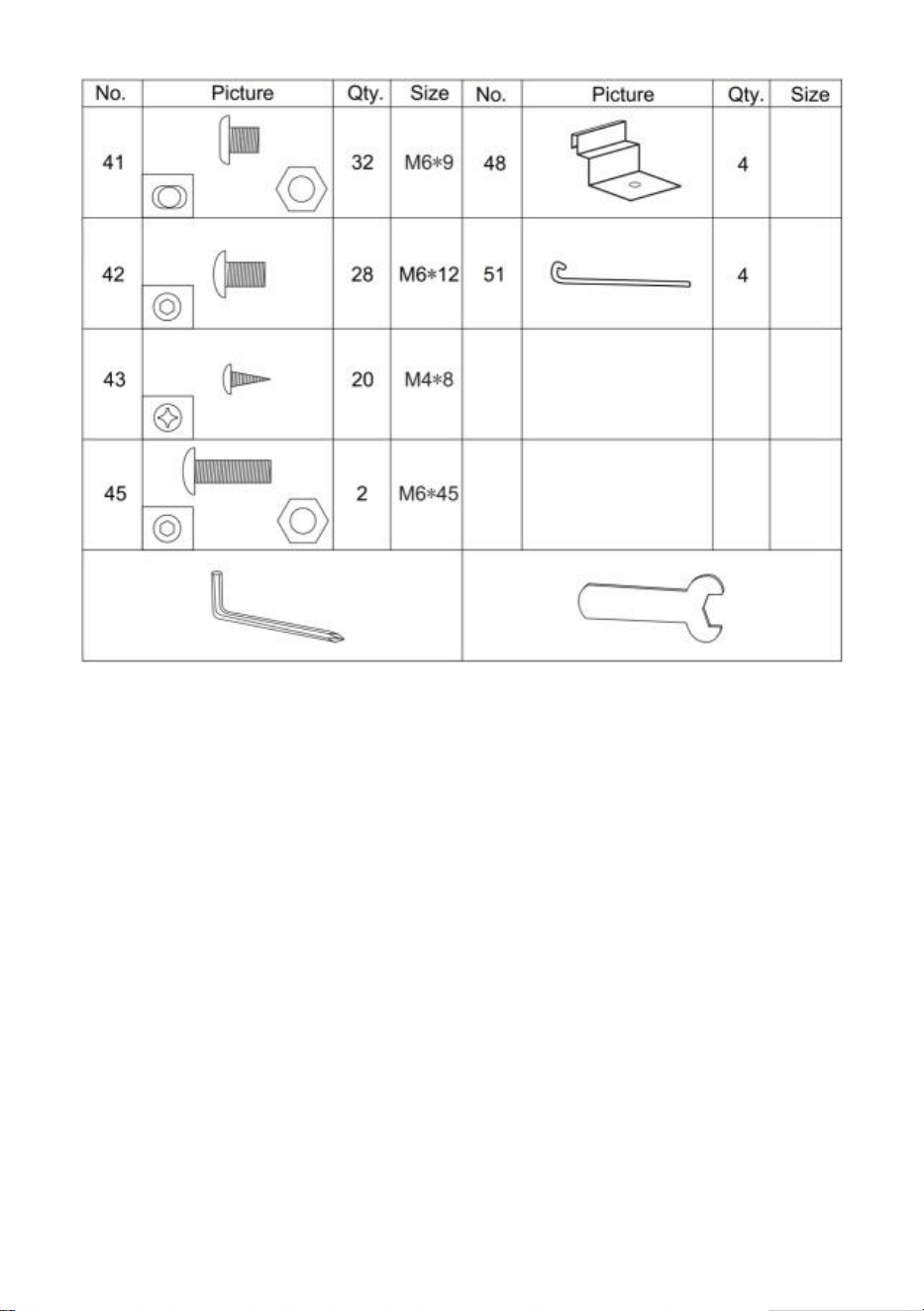
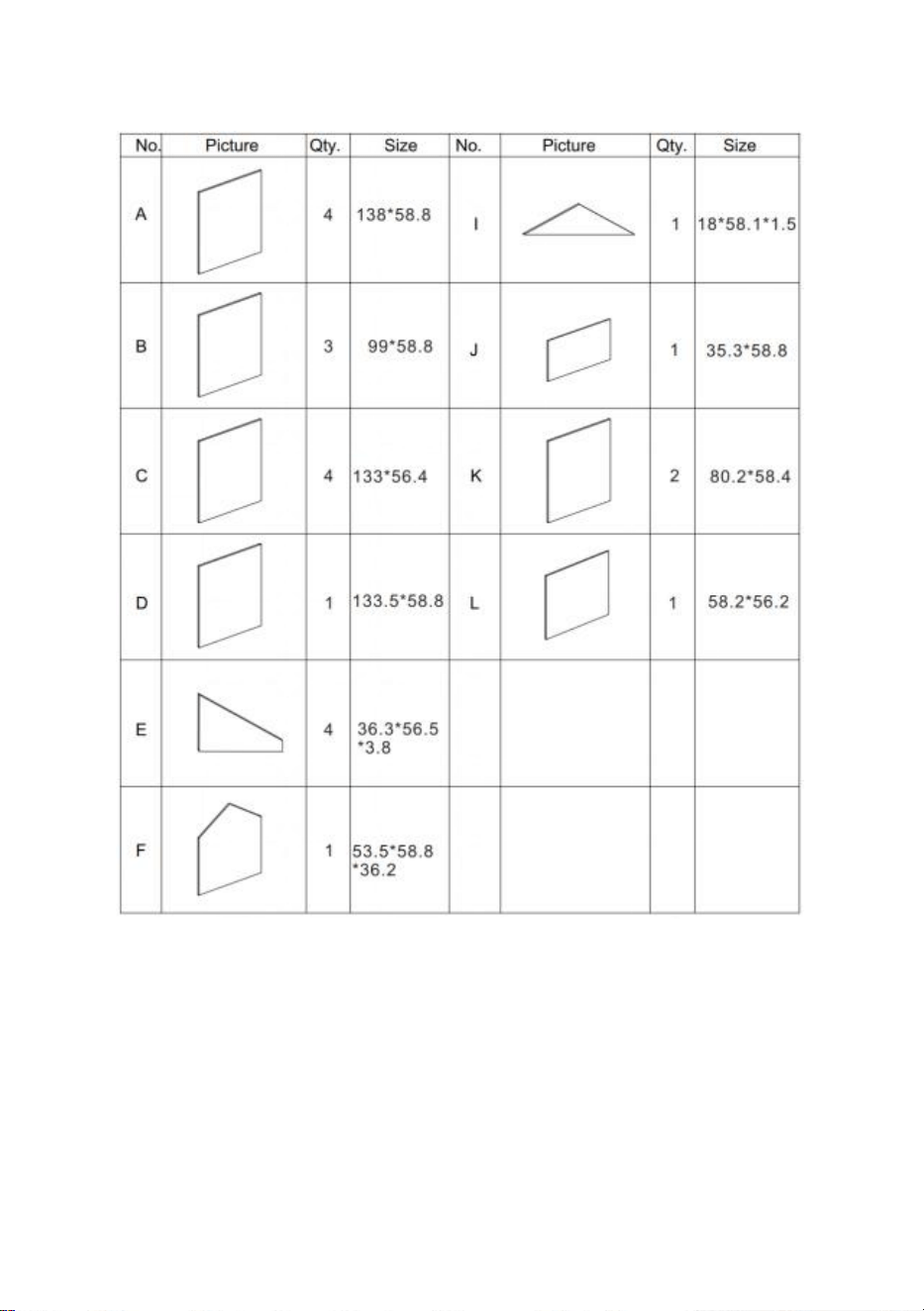
Hardware List
7
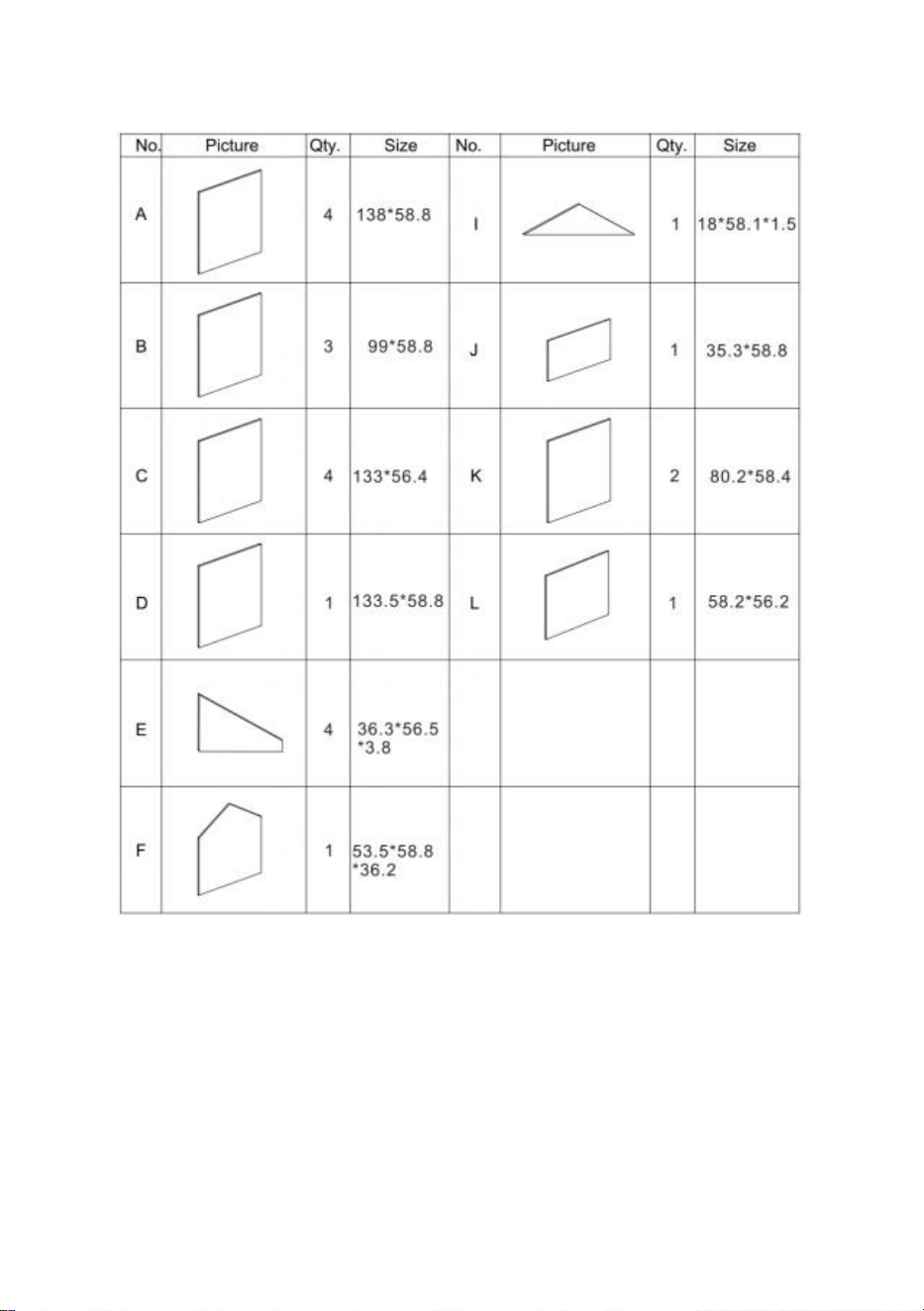
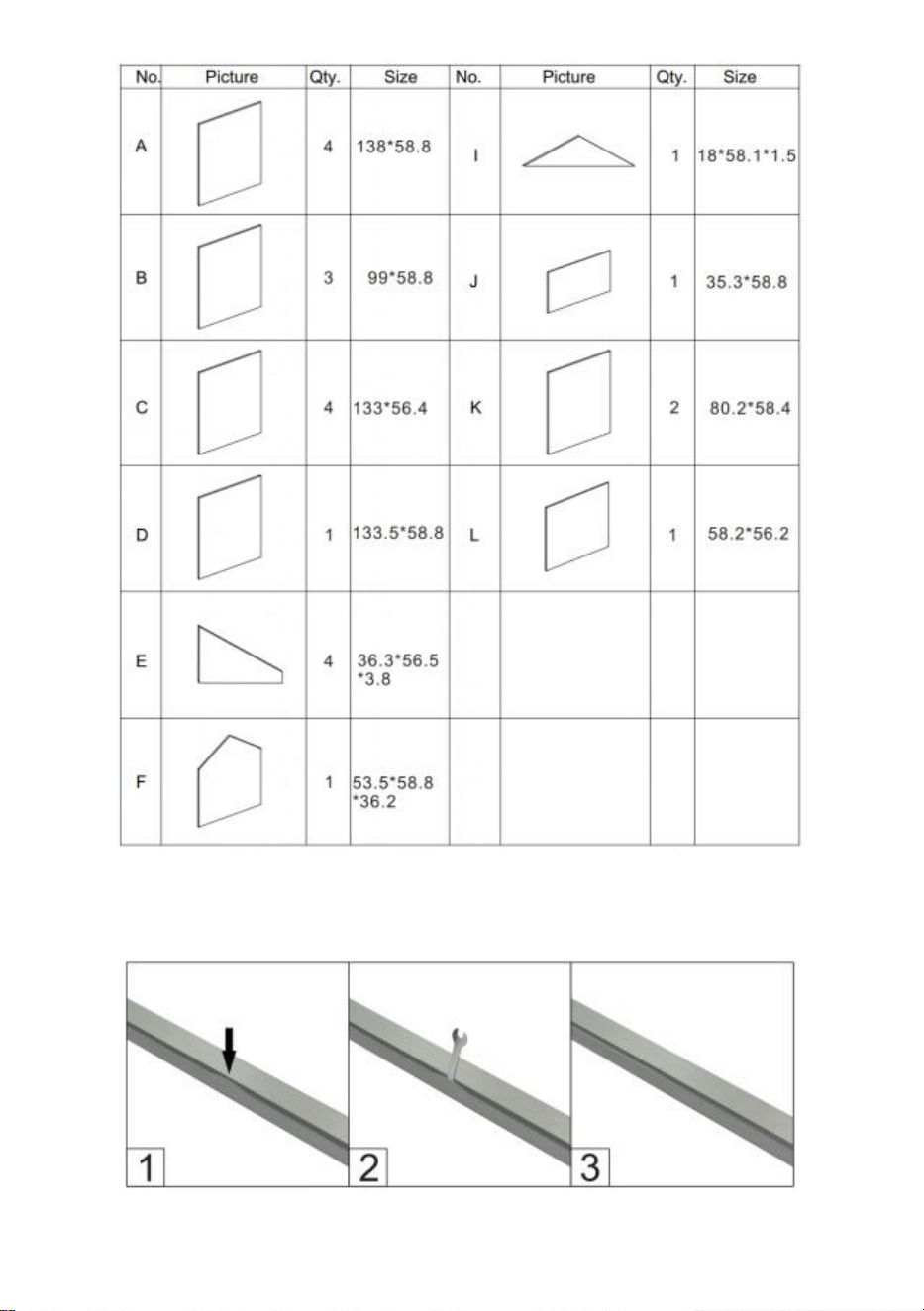
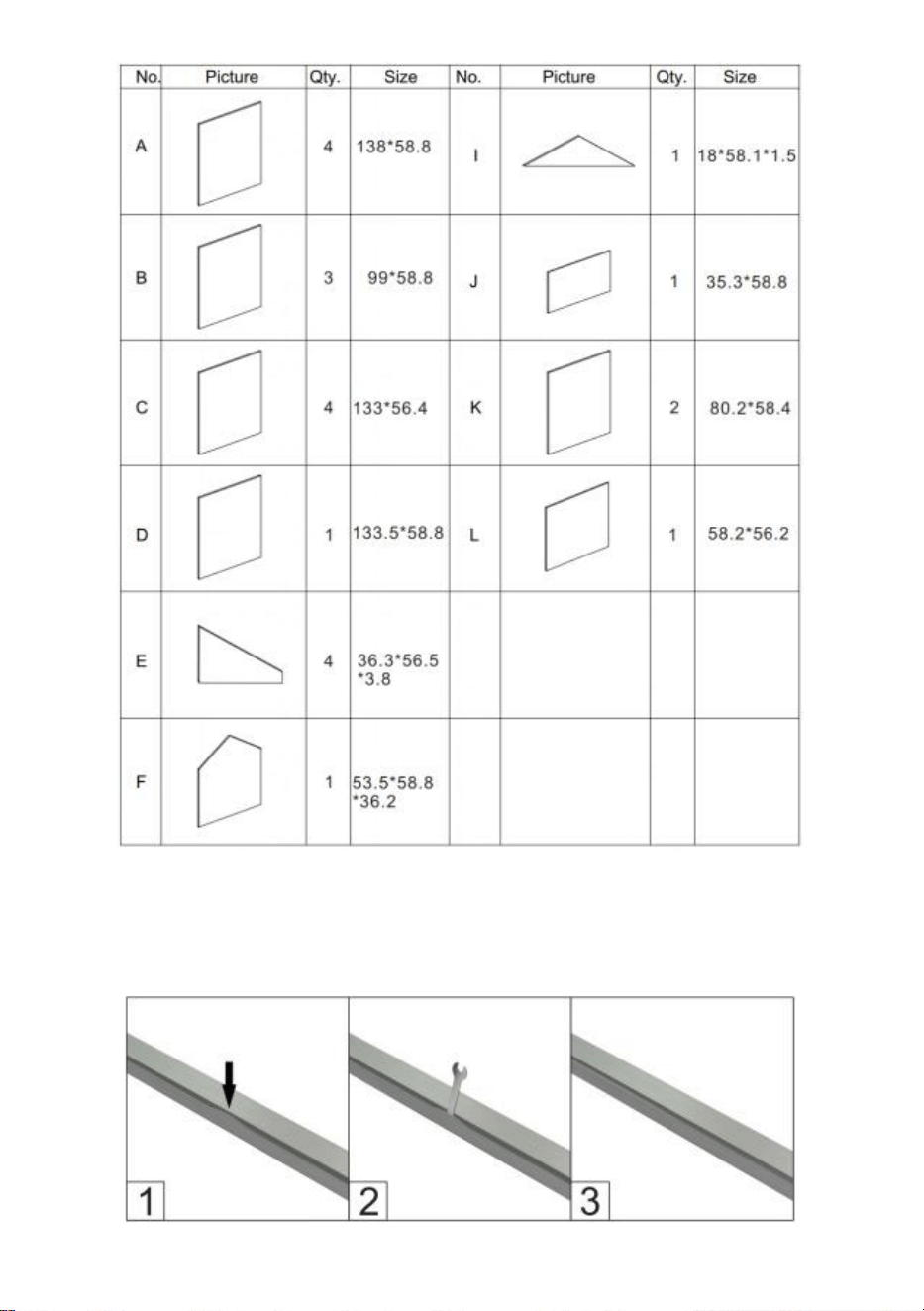
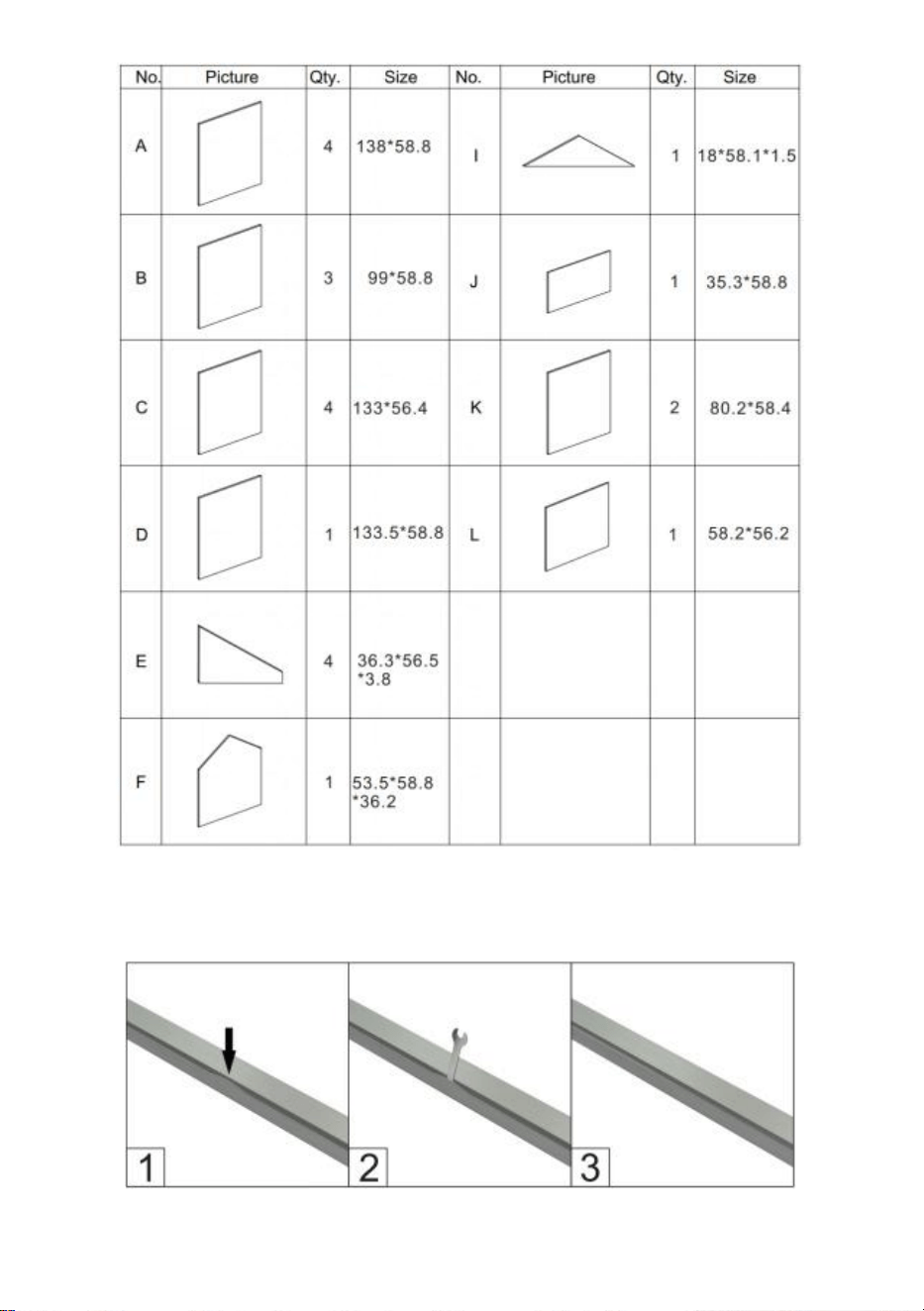
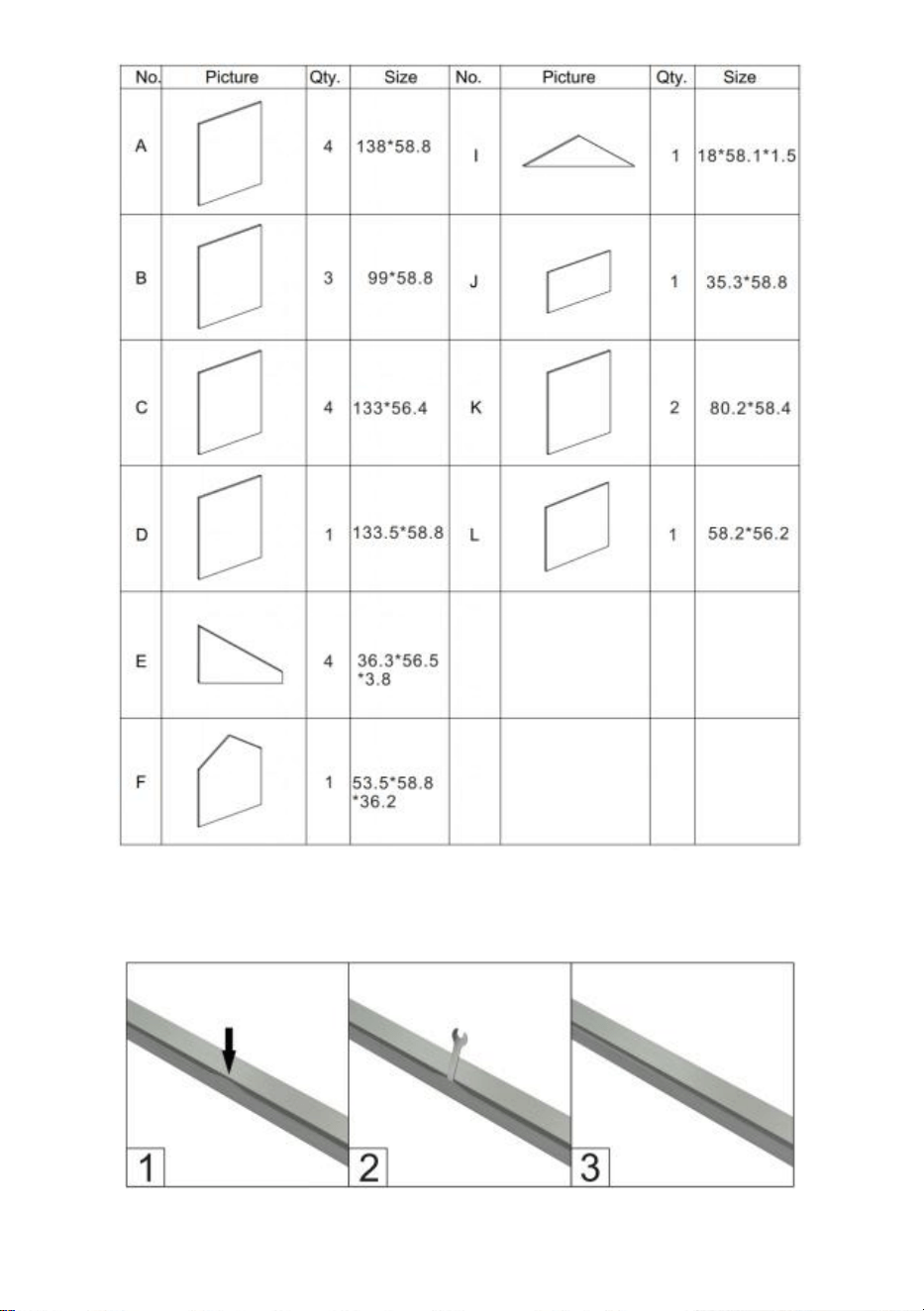
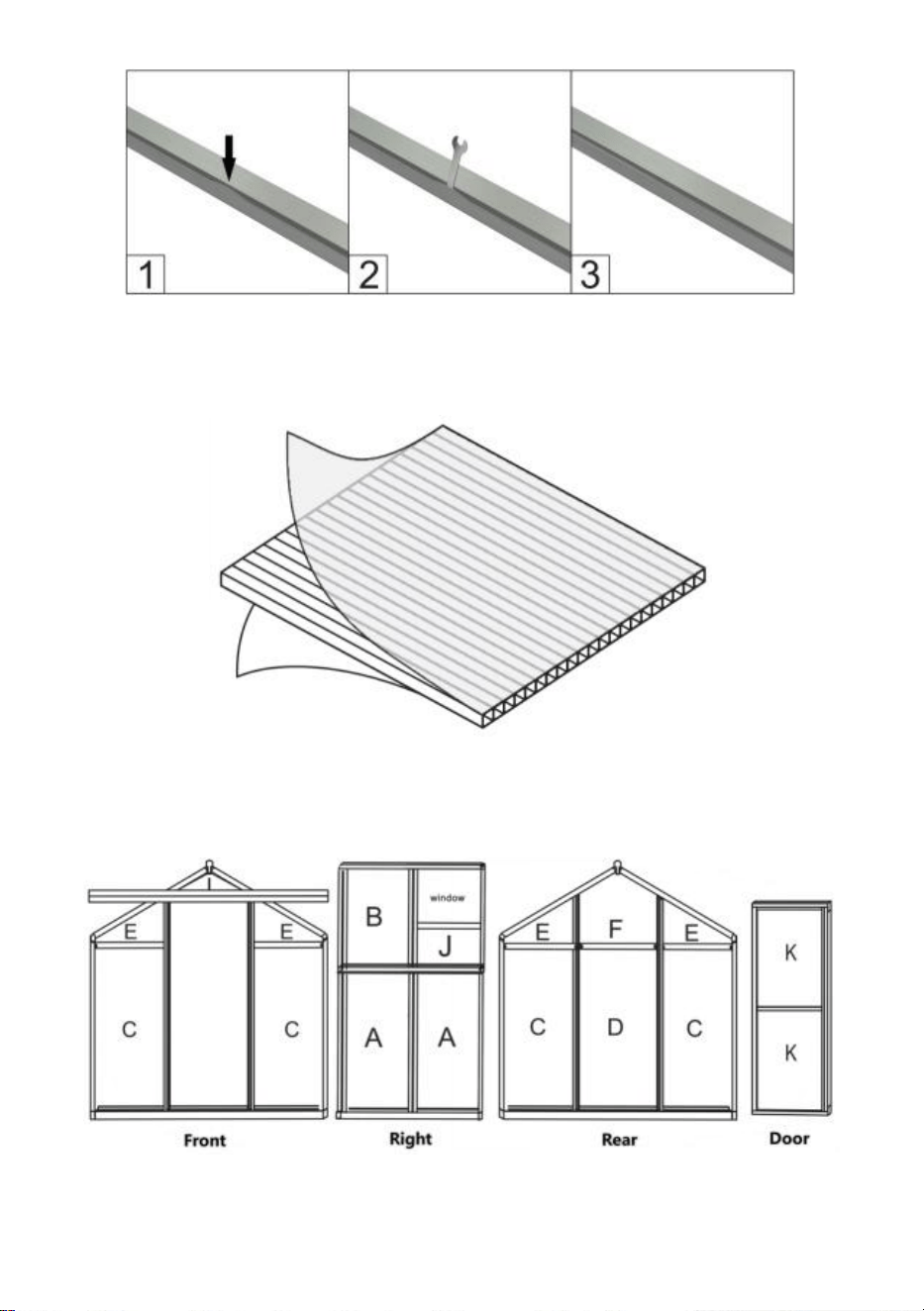
PC Board List
c below pic, pls use the wrench to restore it.
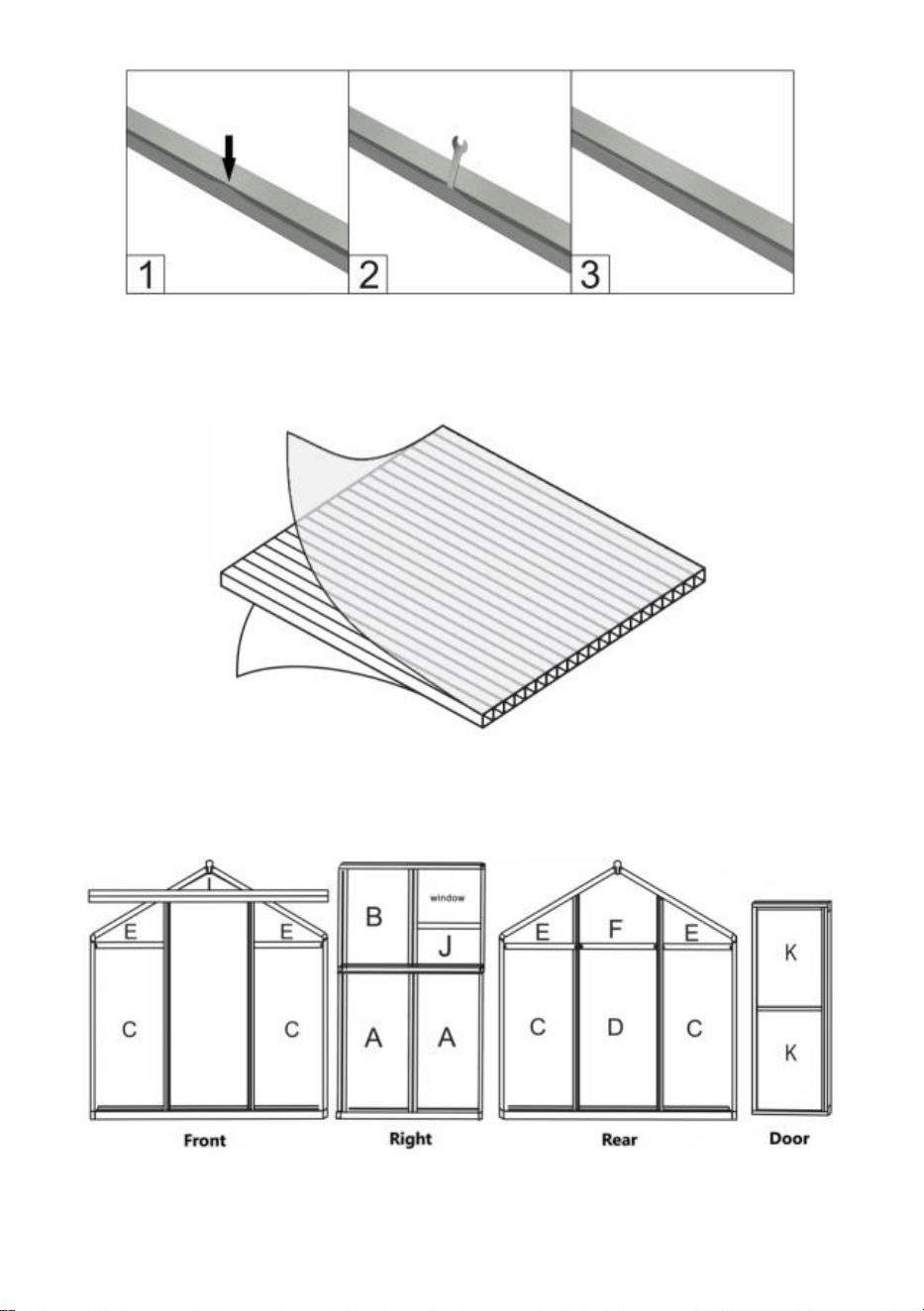
8
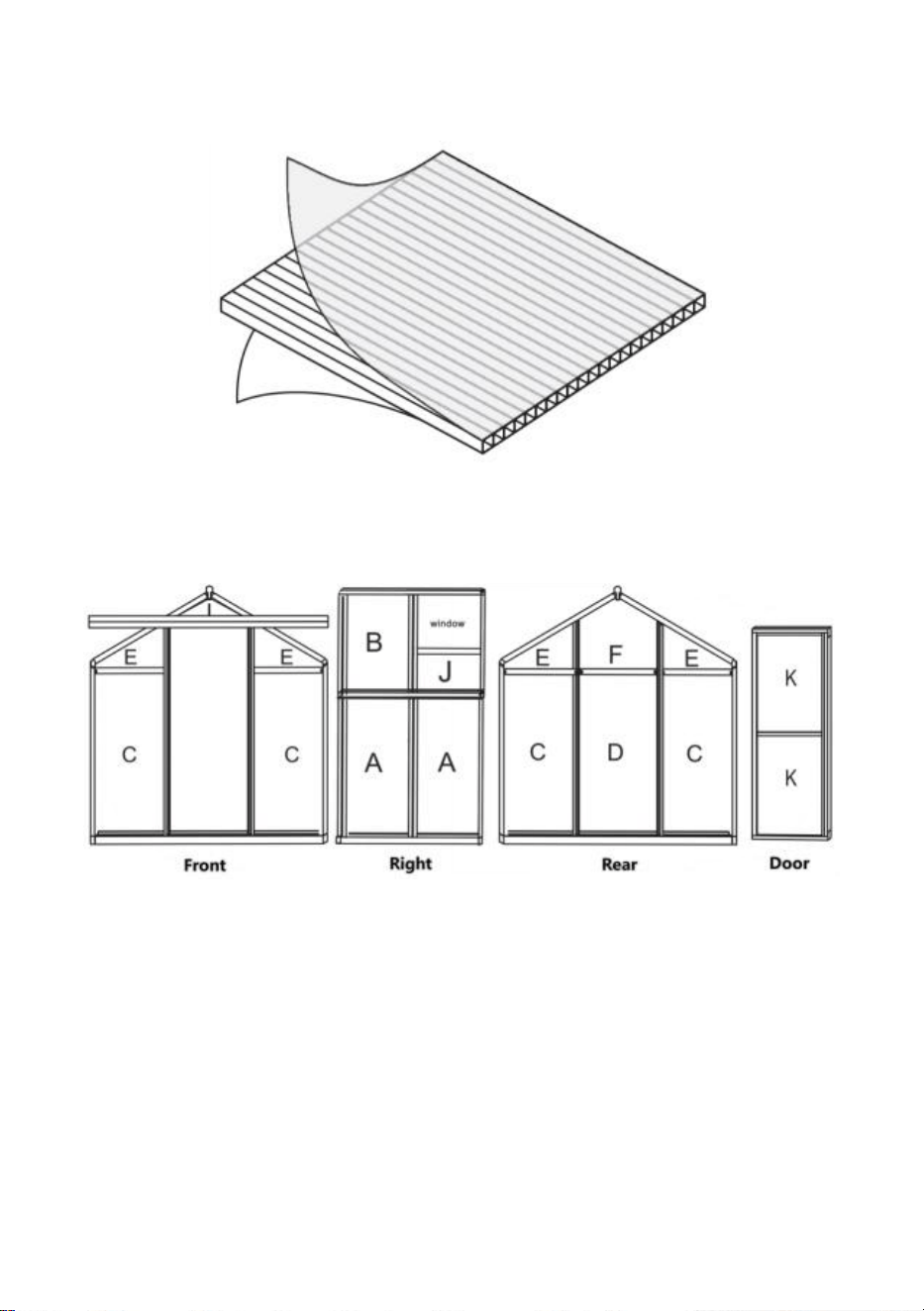
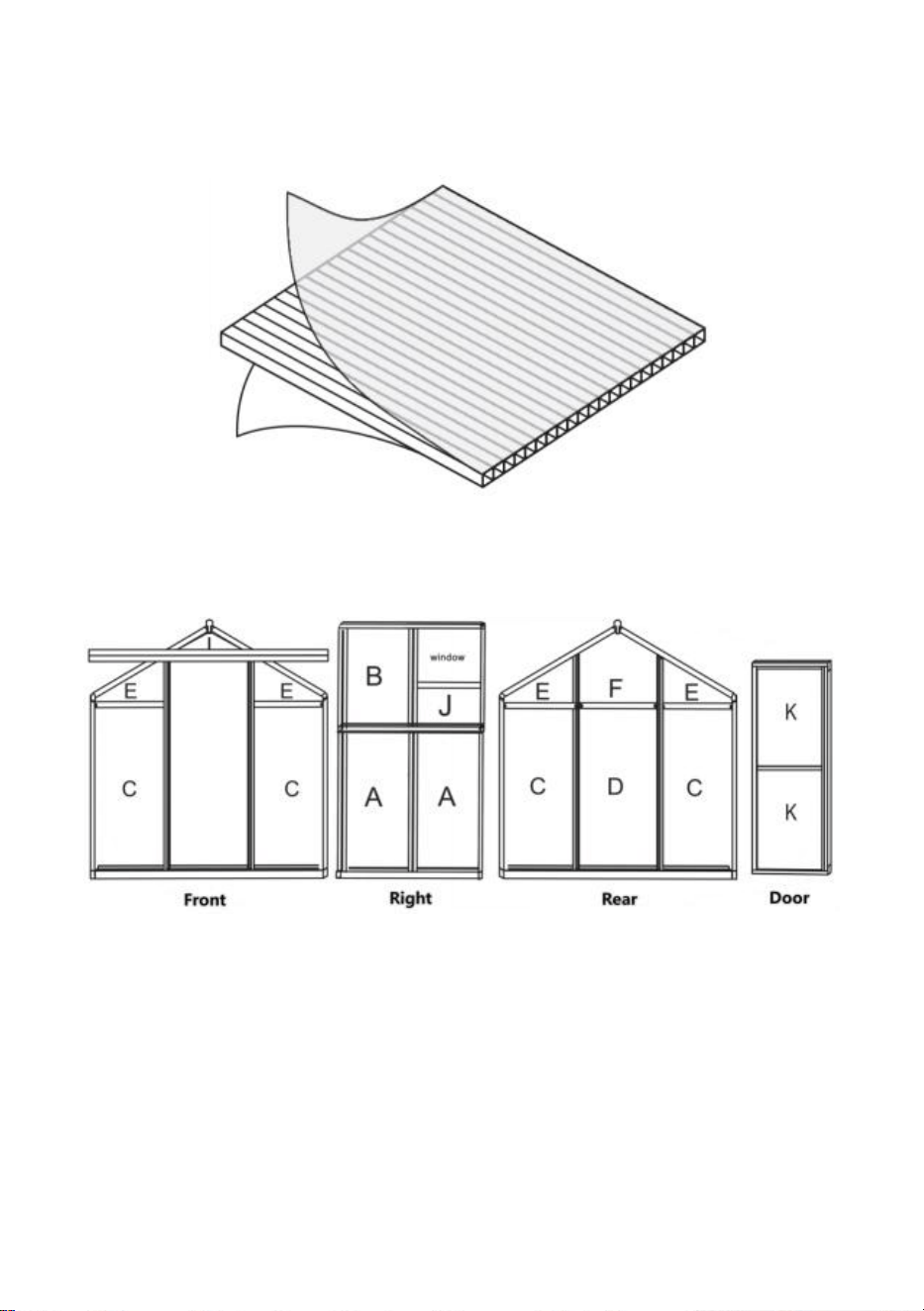
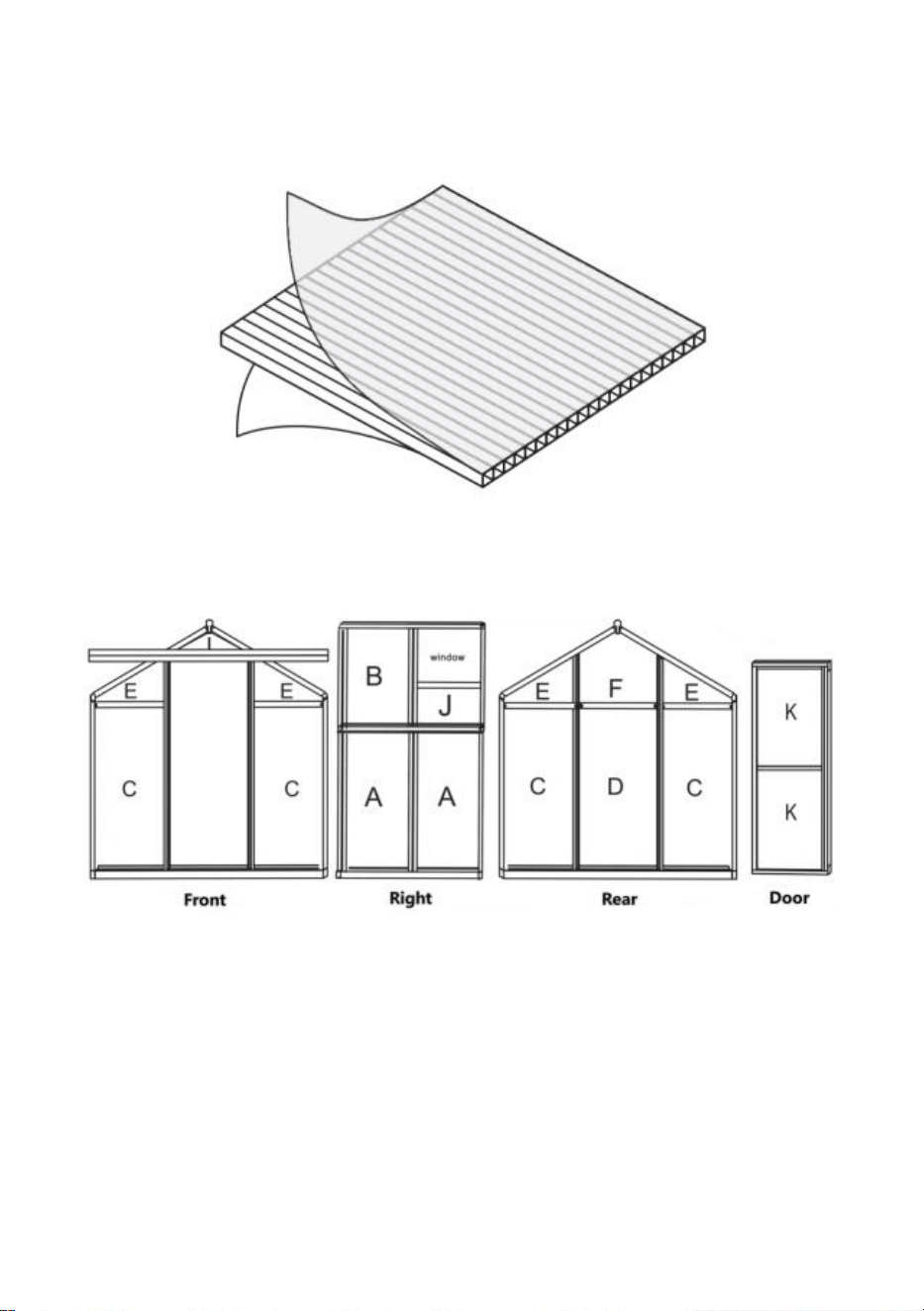
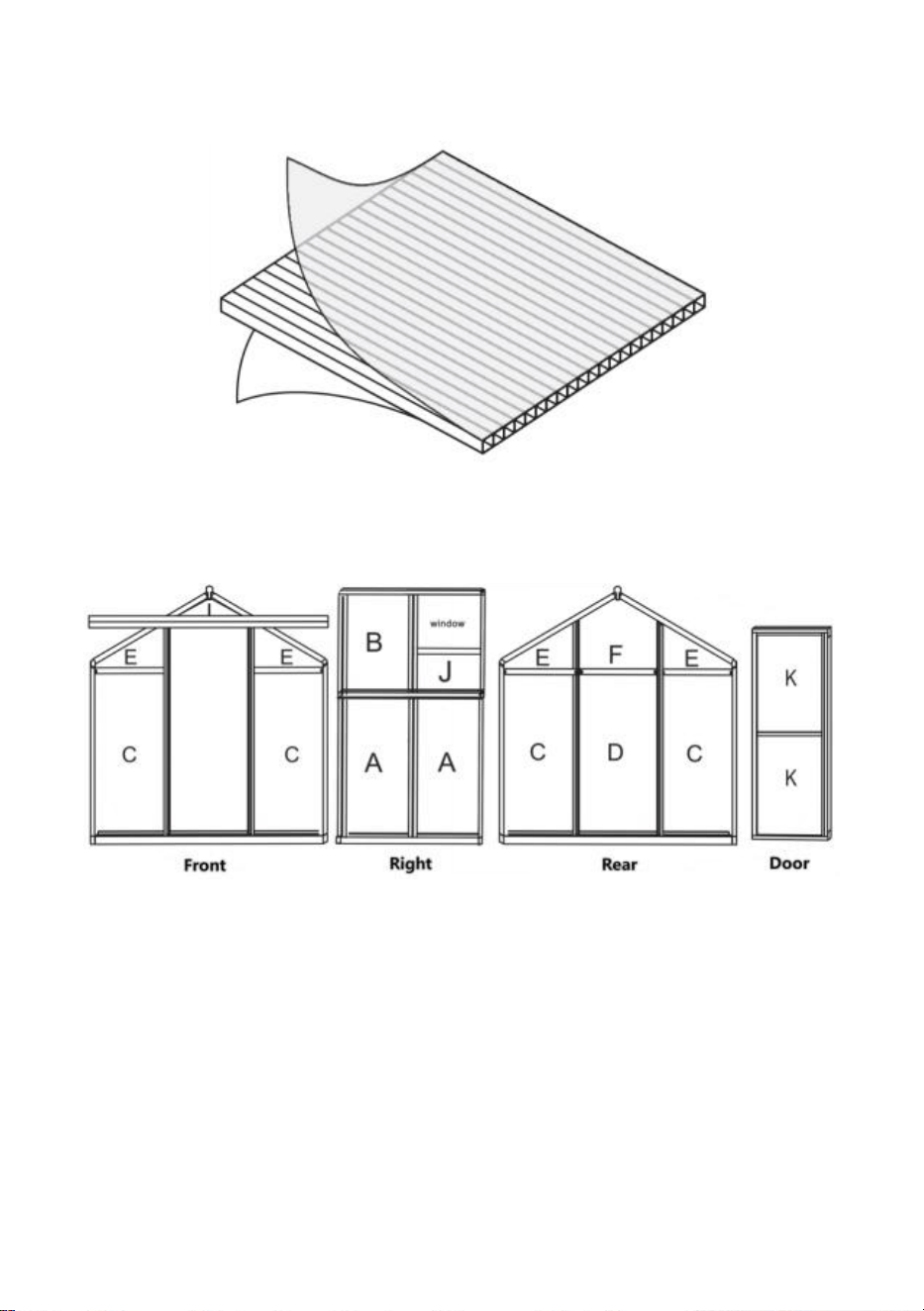
Remove approximately 2 inches of film from all sheet edges before installing and
remove all film immediately after the construction is completed. Please ensure
that the side with the white film faces outwards.
PC board distribution
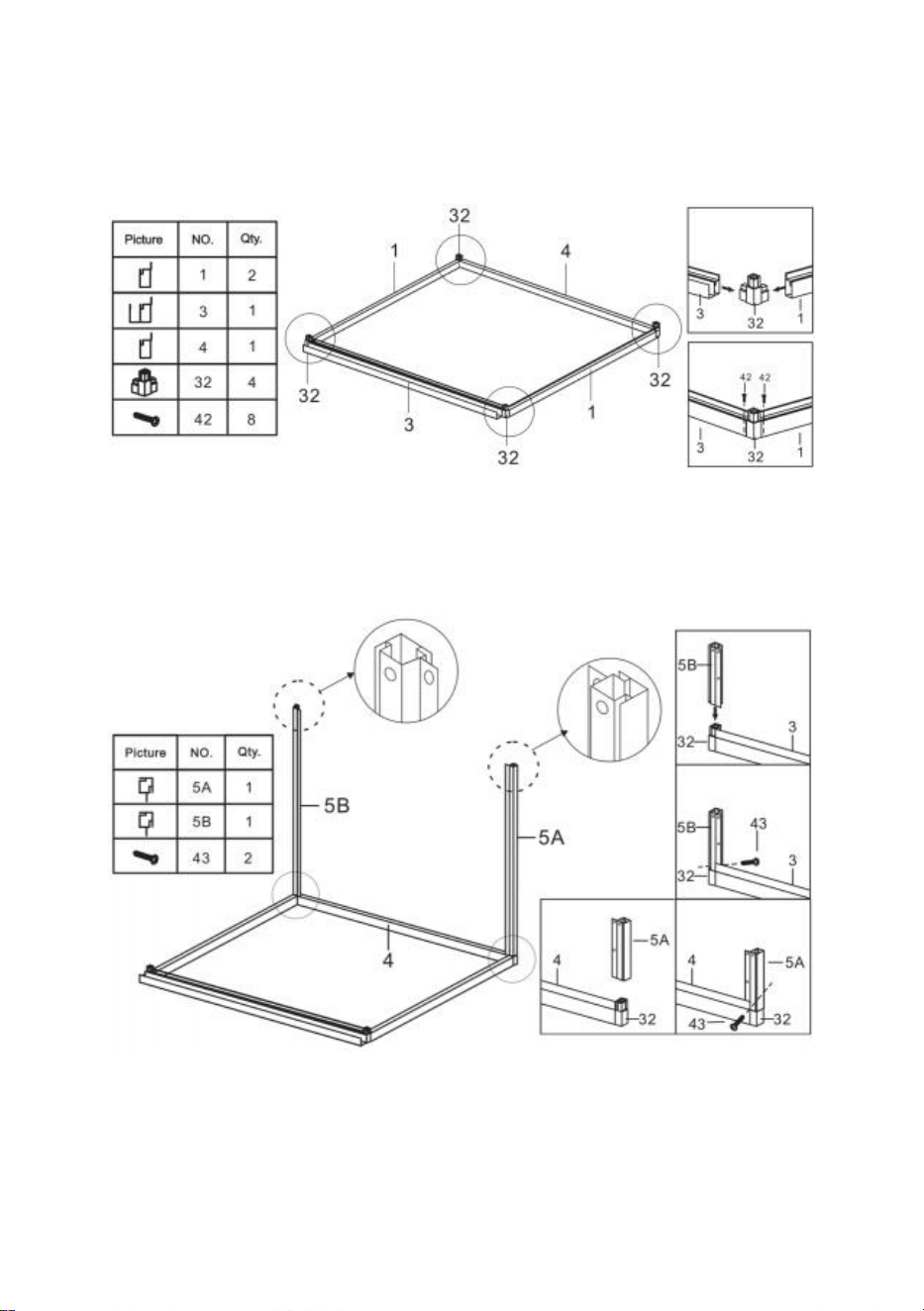
9
Assembly
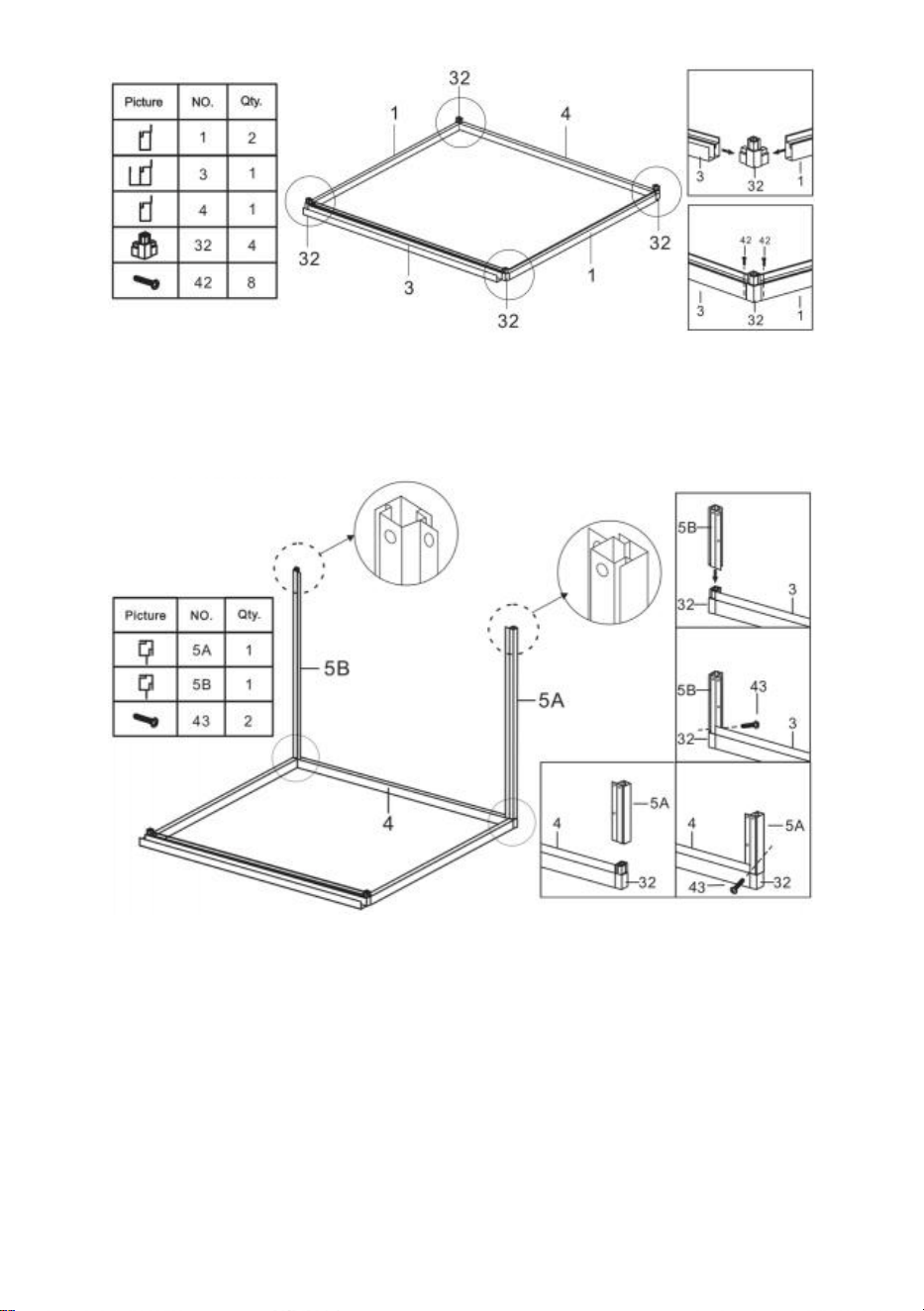
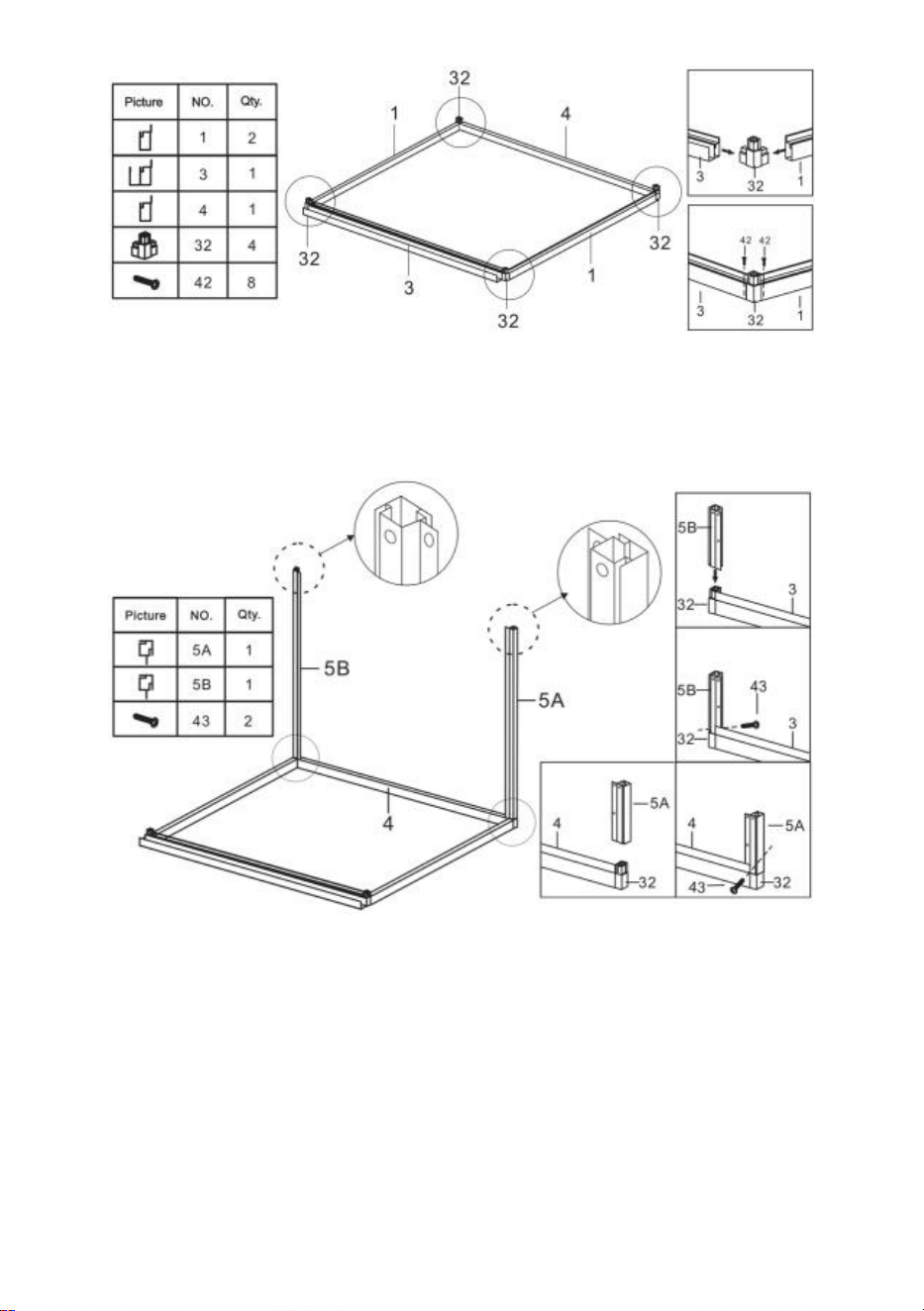
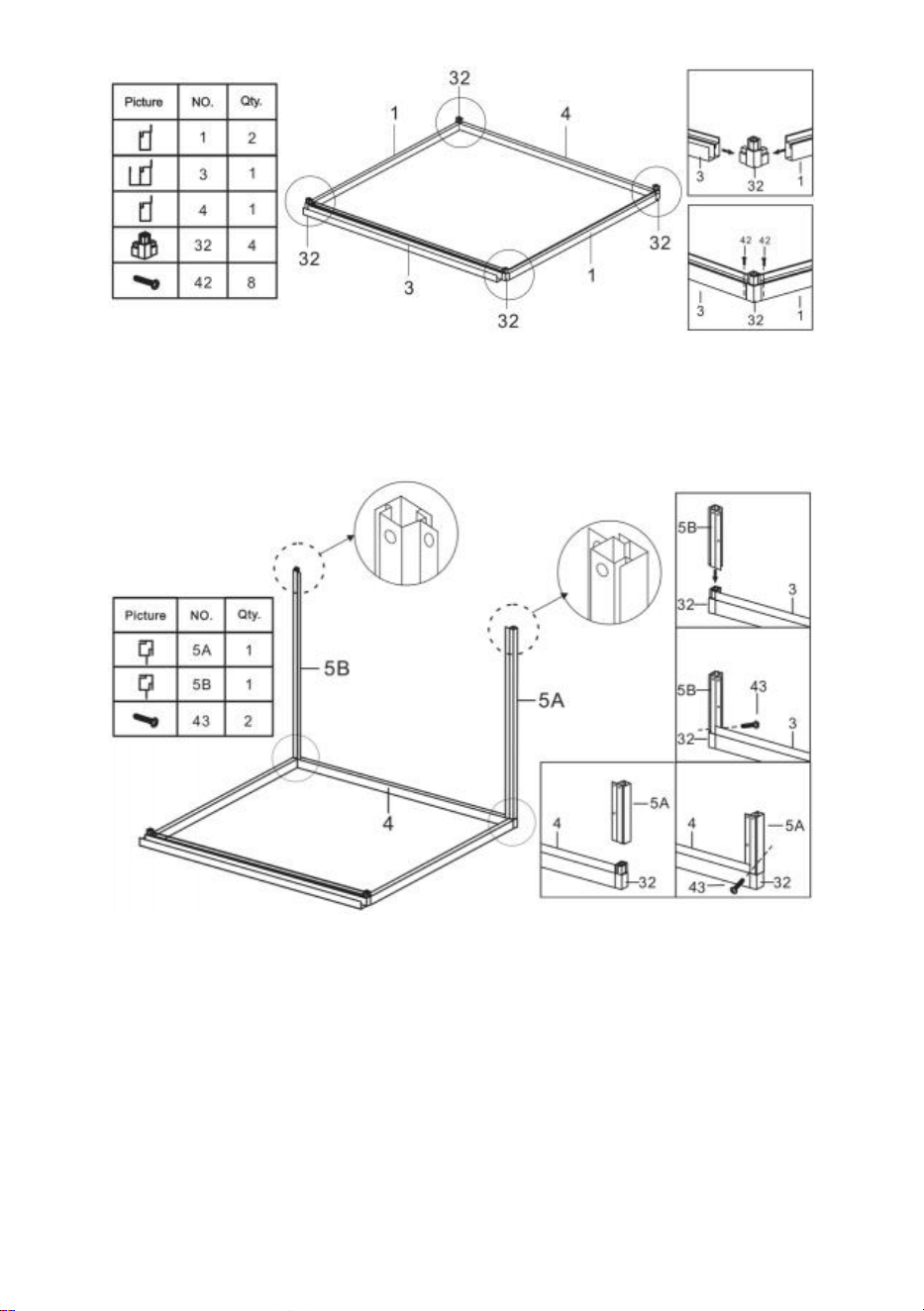
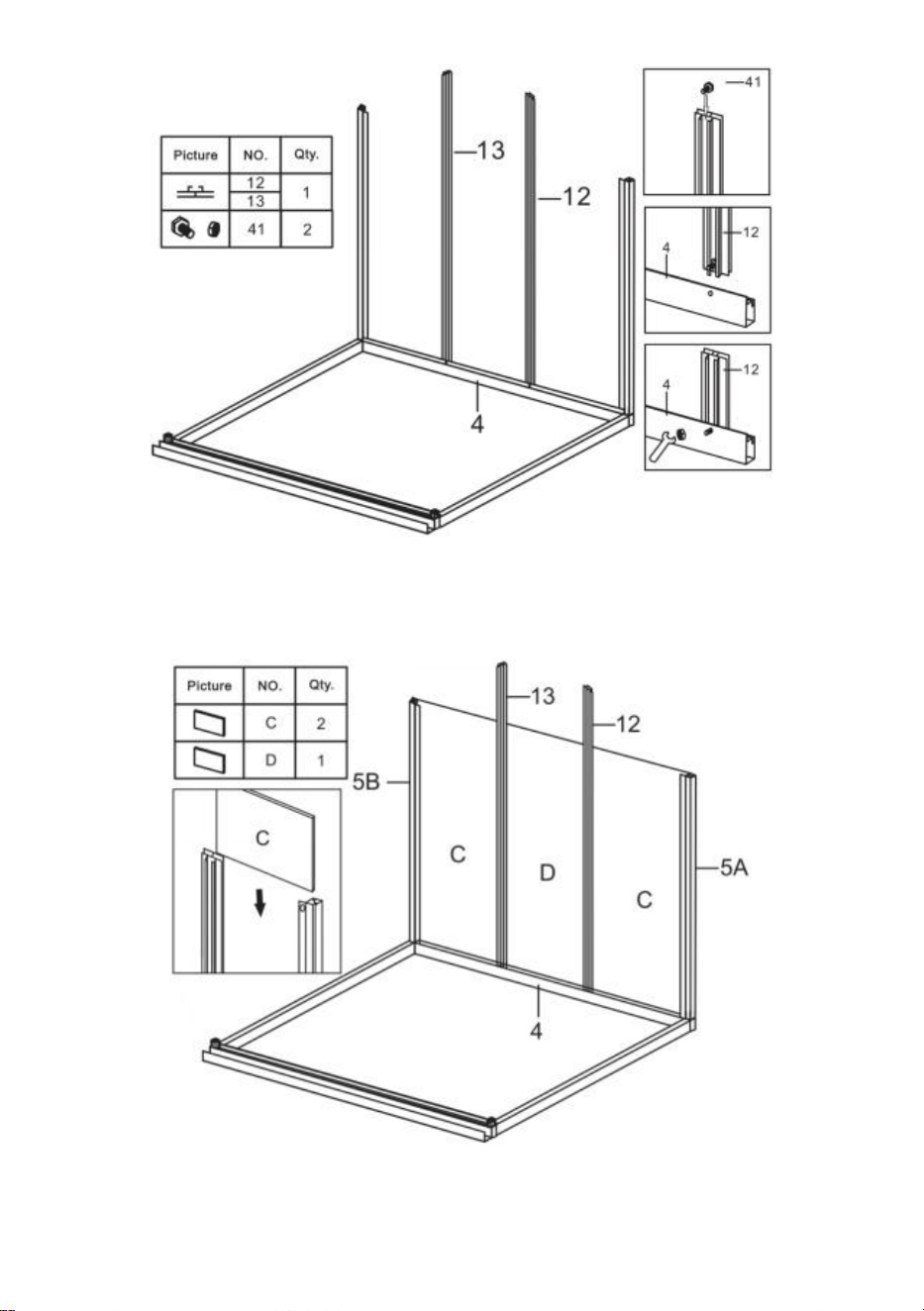
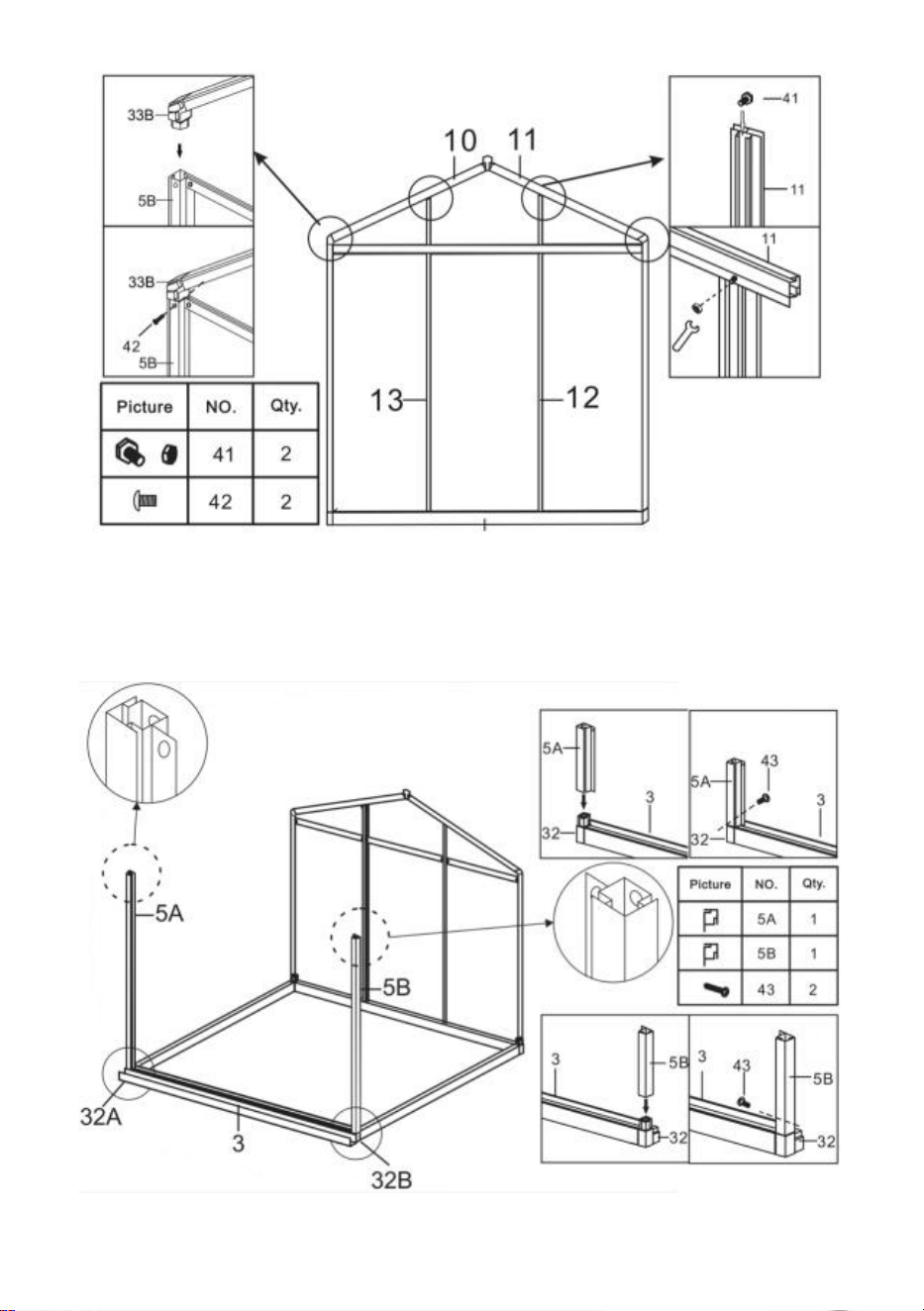
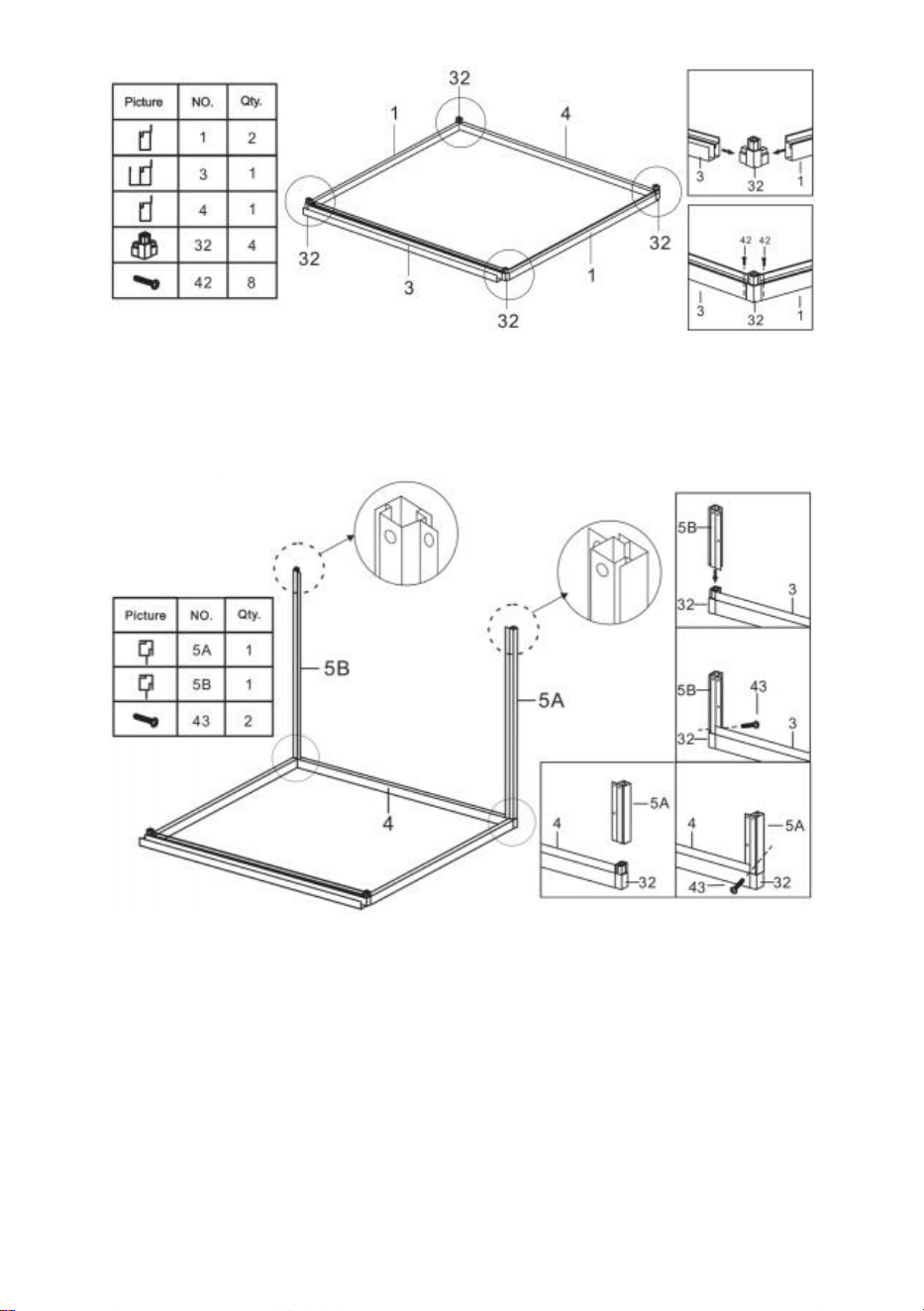
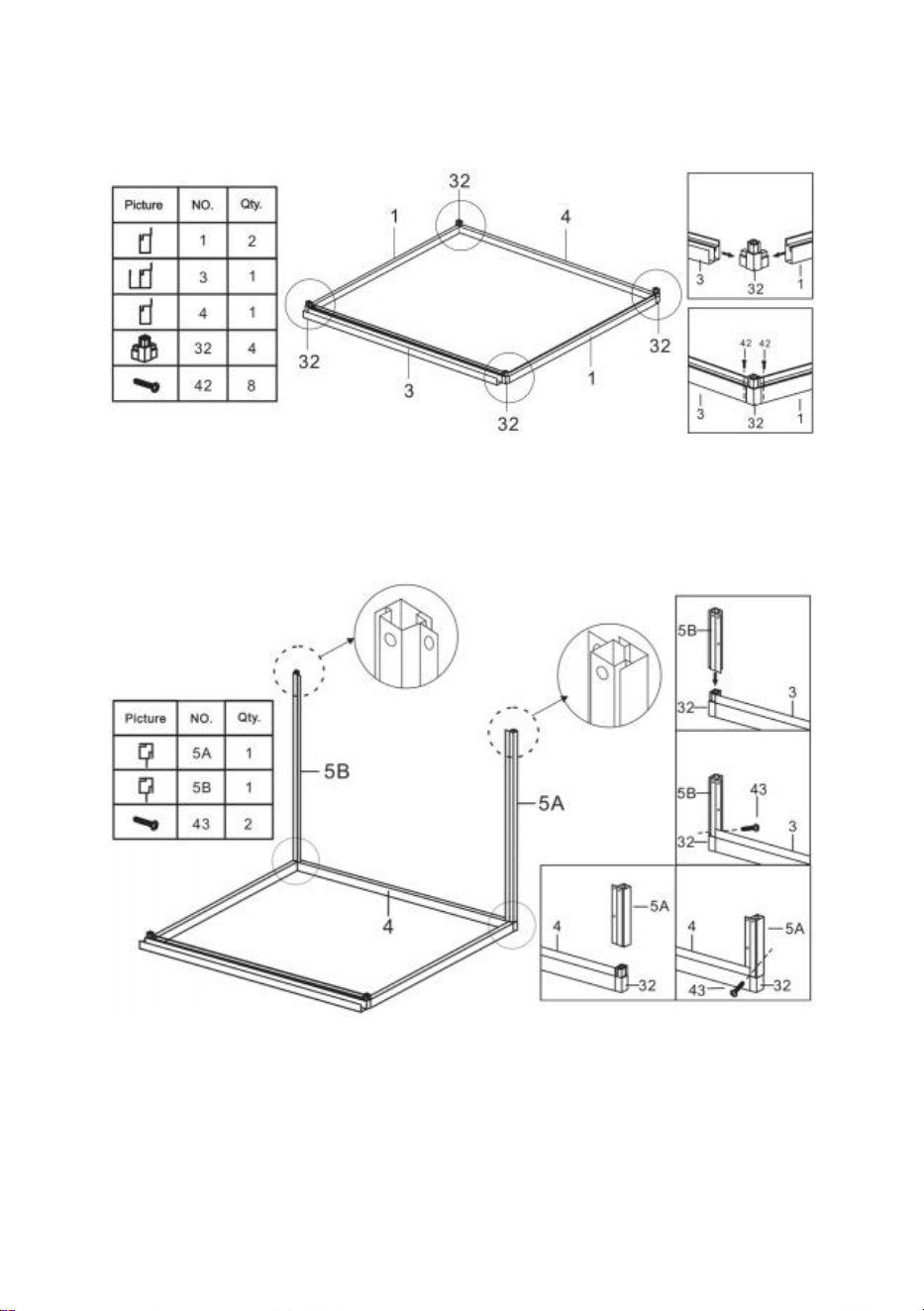
Step 1:Assemble Part 1,3 and 4 as shown using part 32.
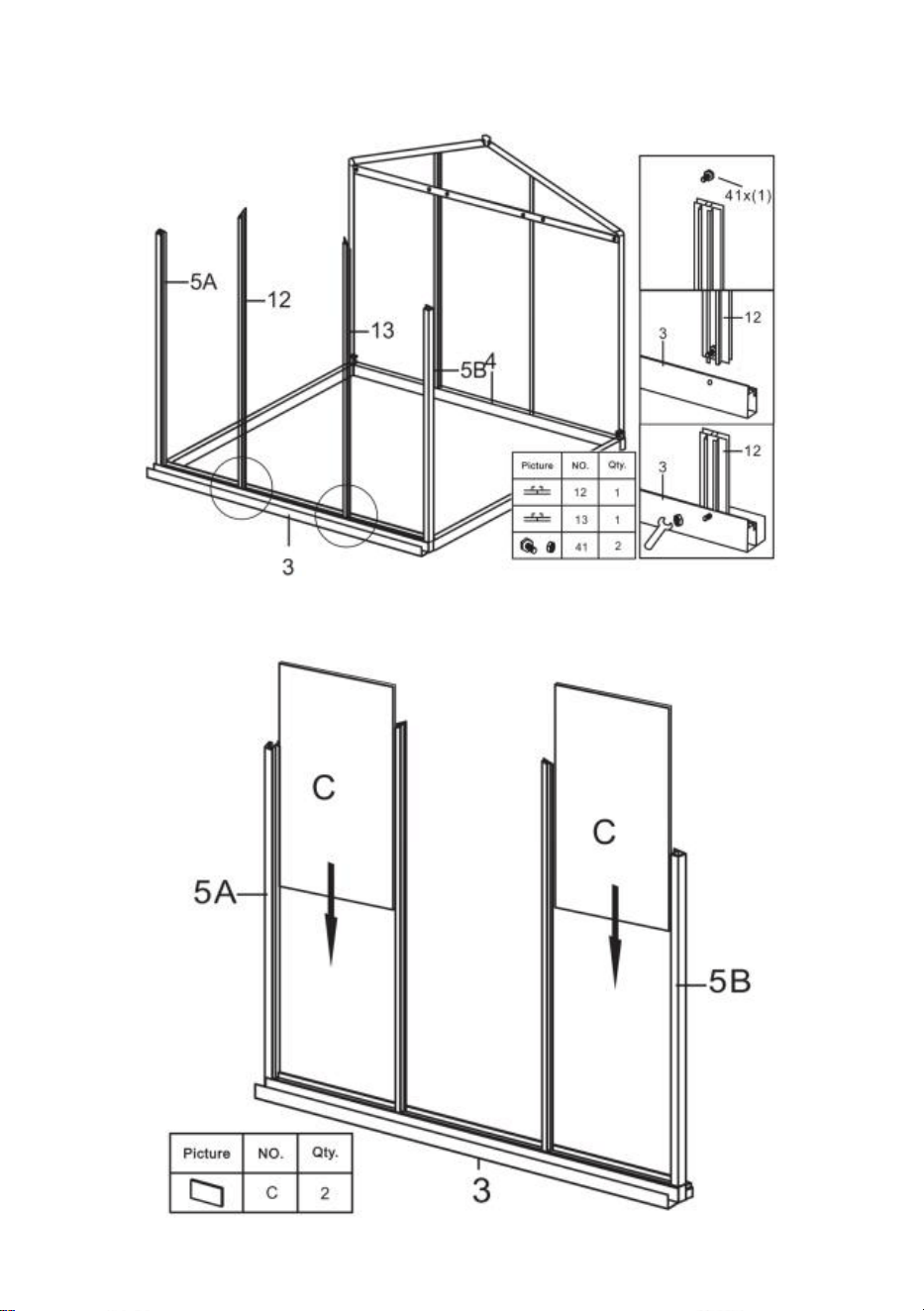
Step 2: Using part 43, install part 5A & 5B with the components completed in
step 1.
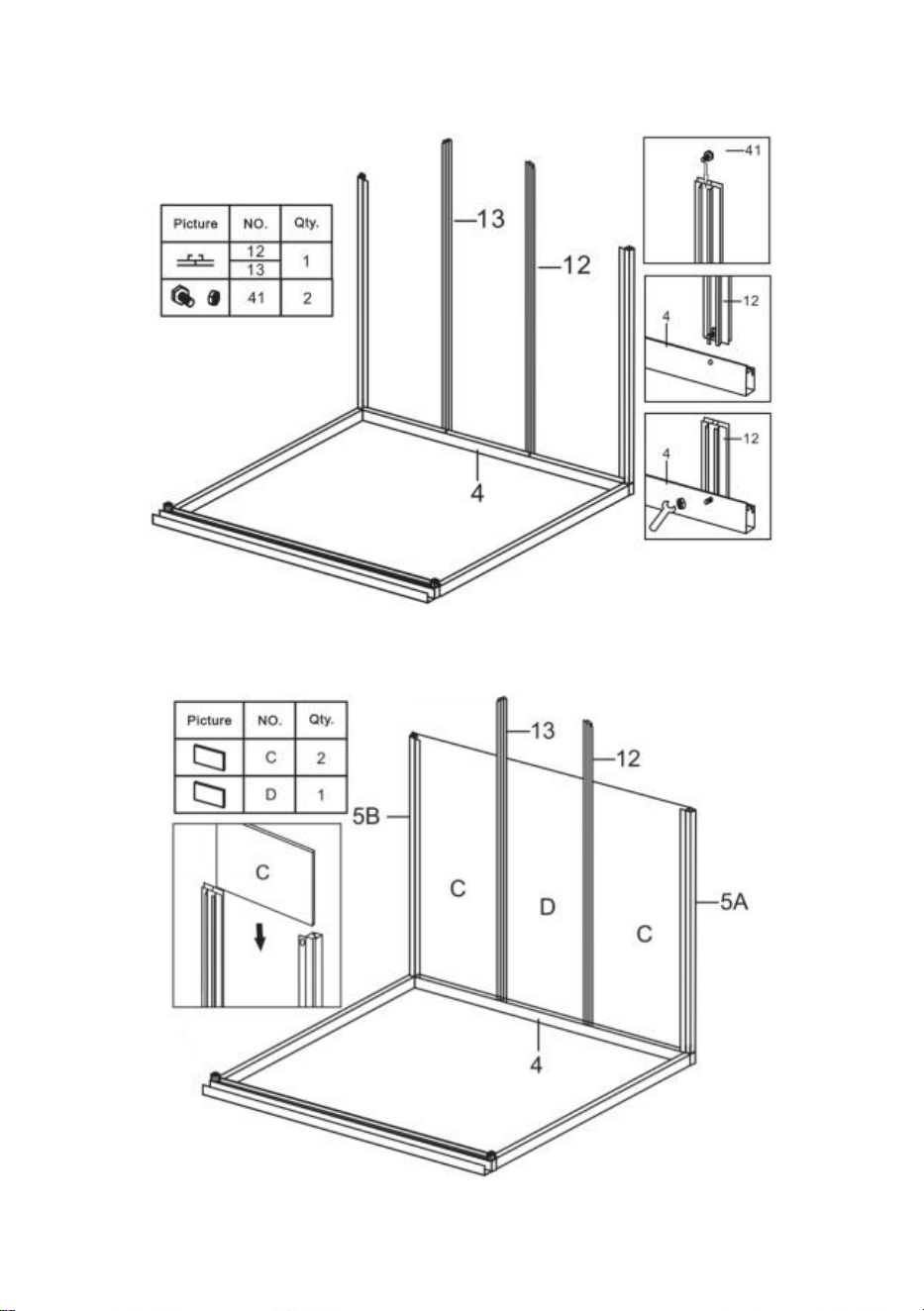
10
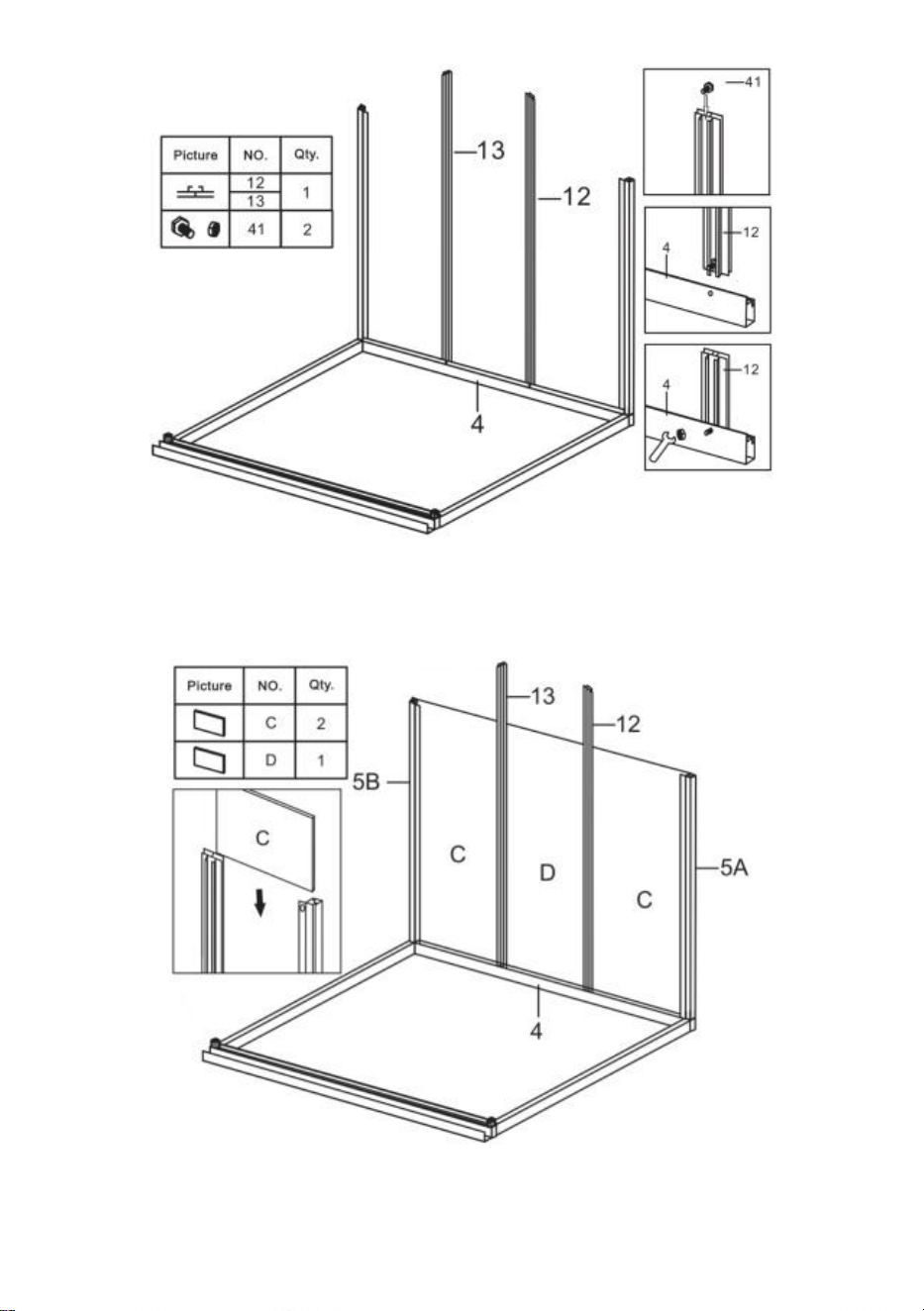
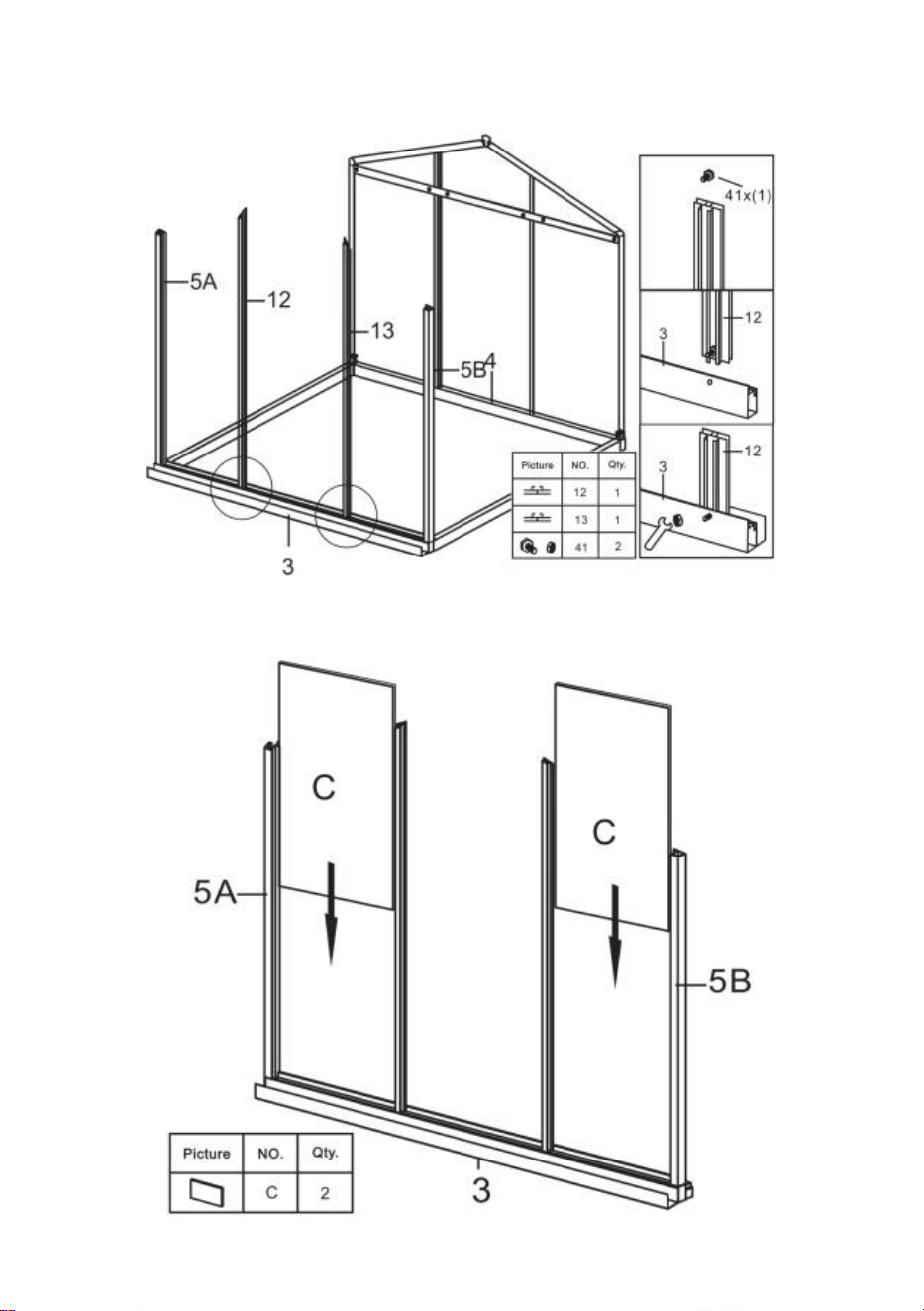
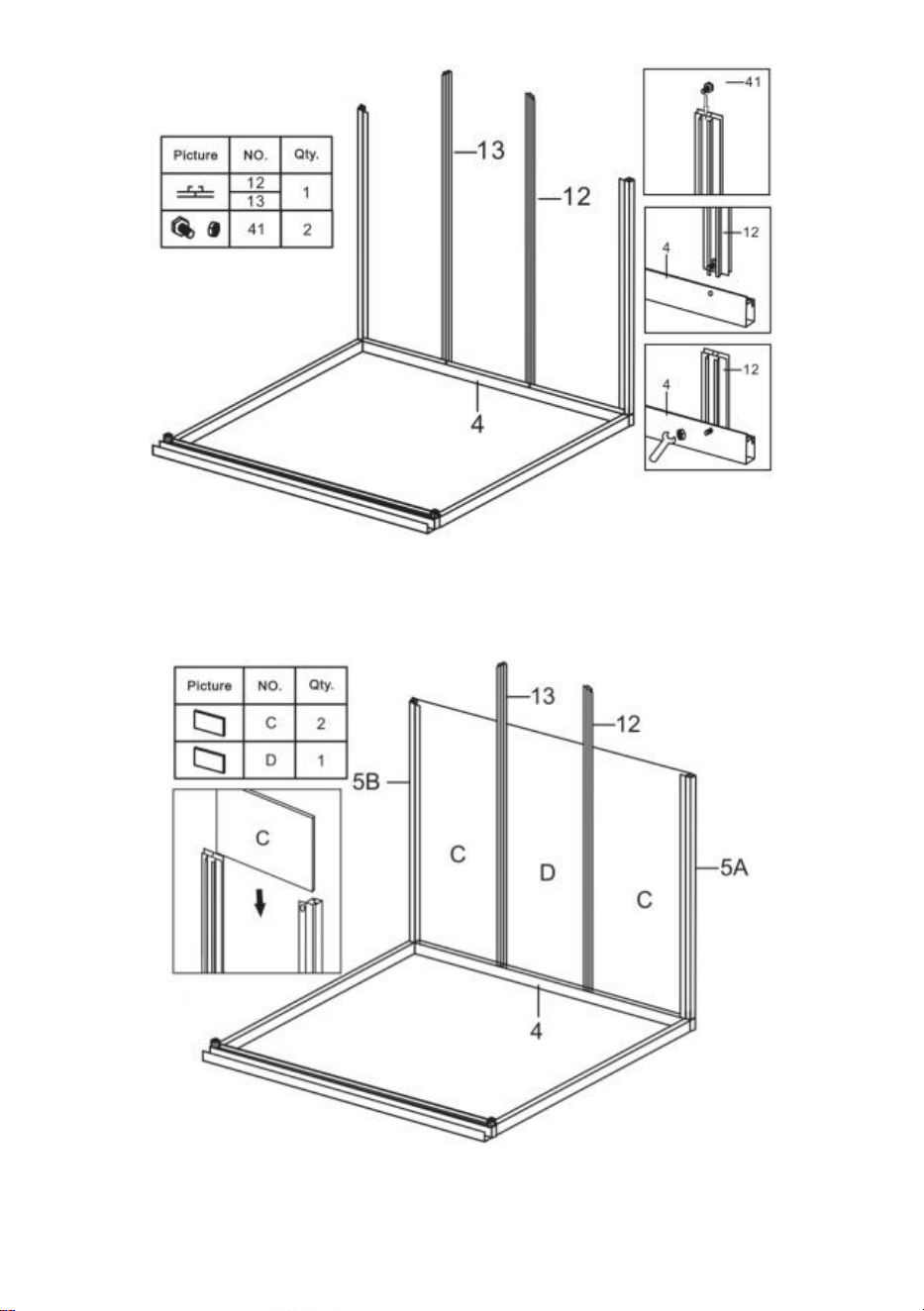
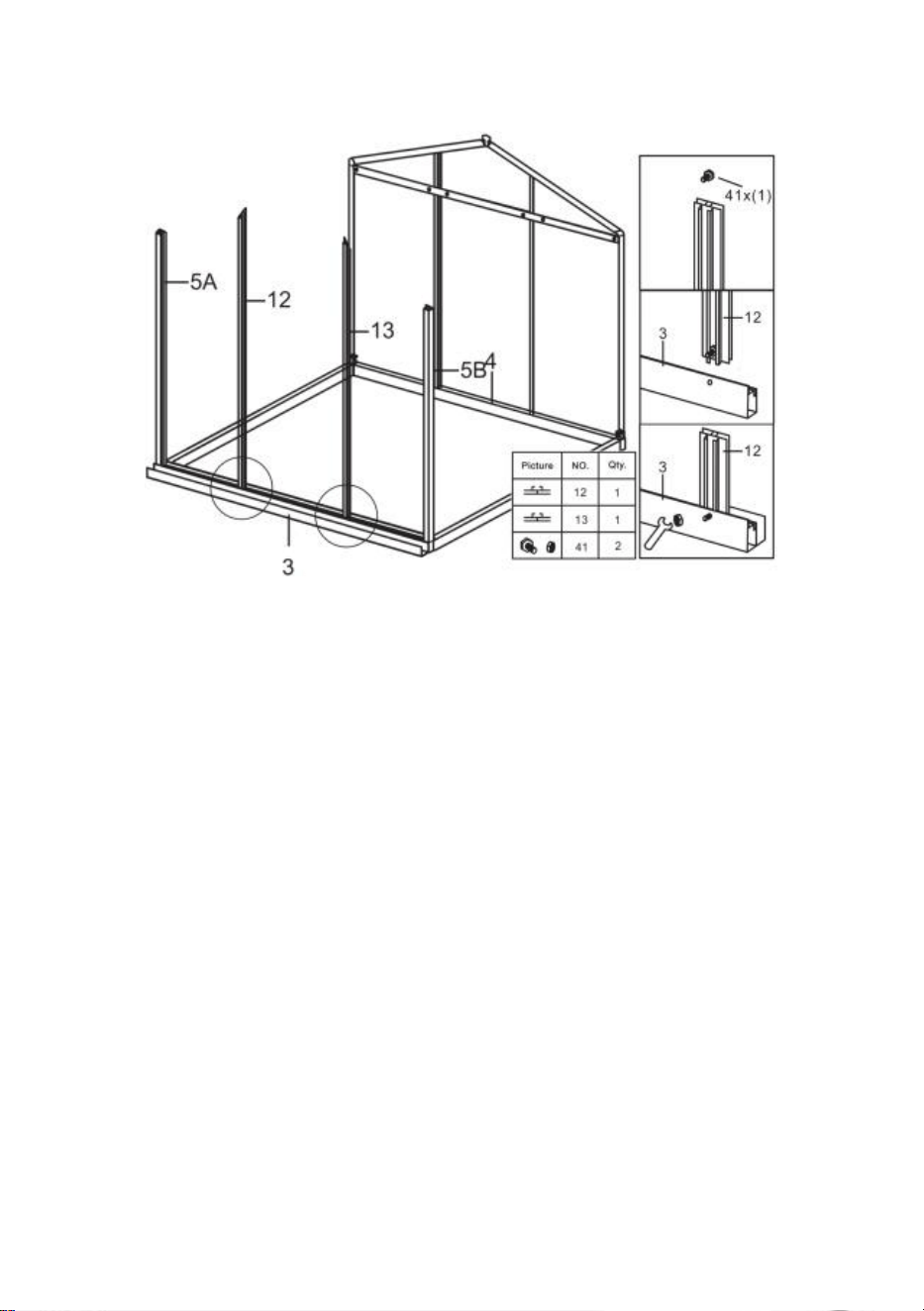
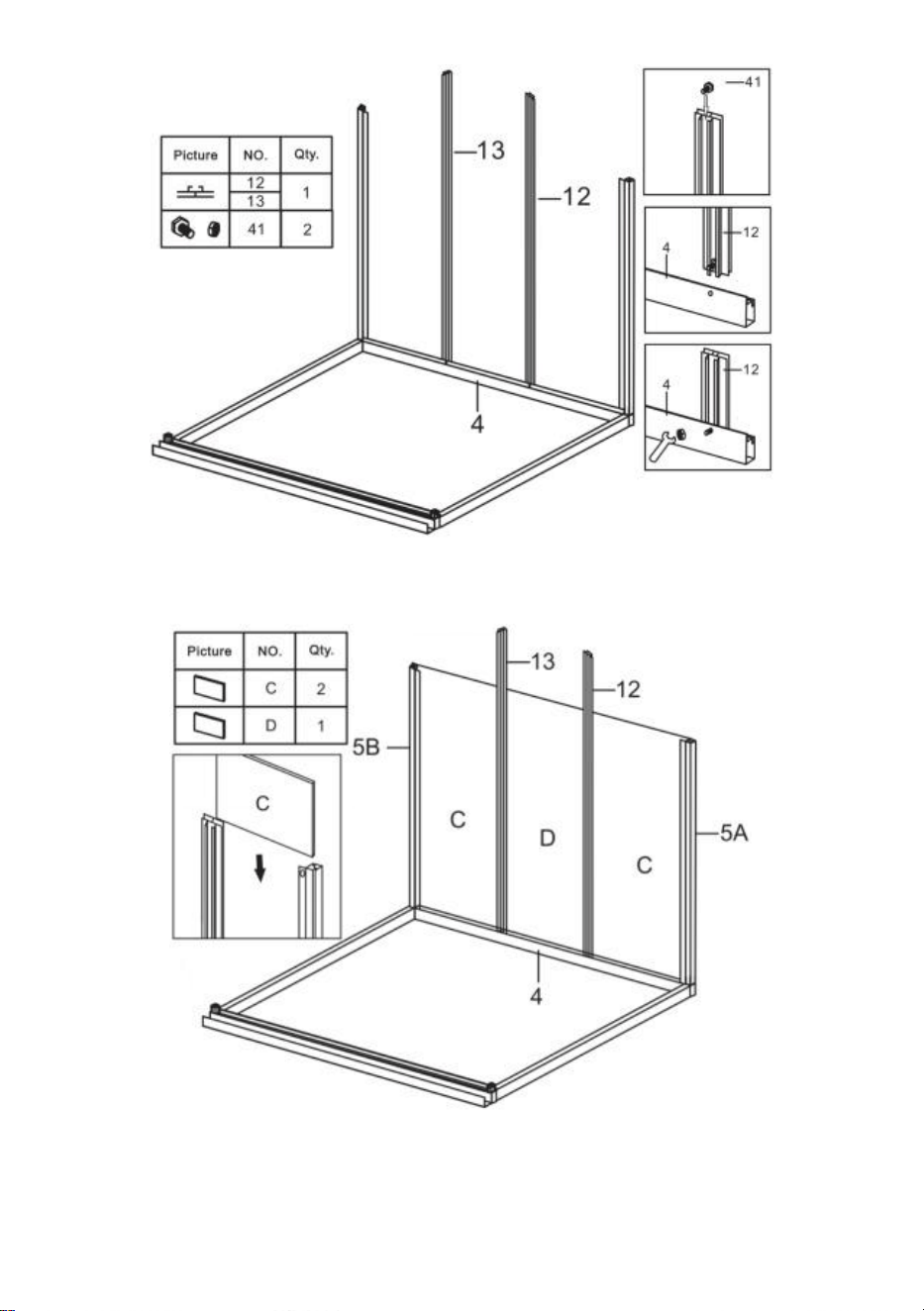
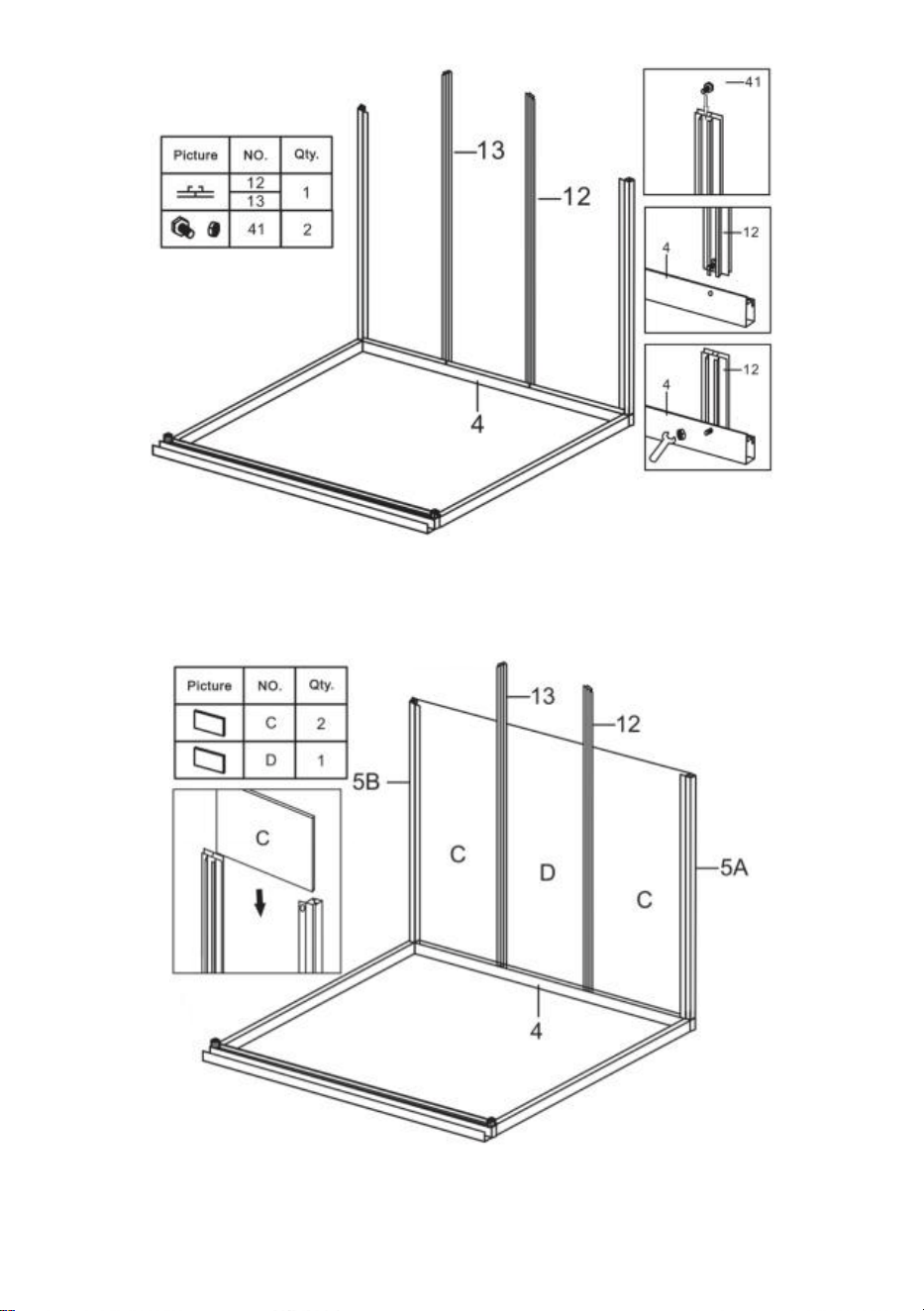
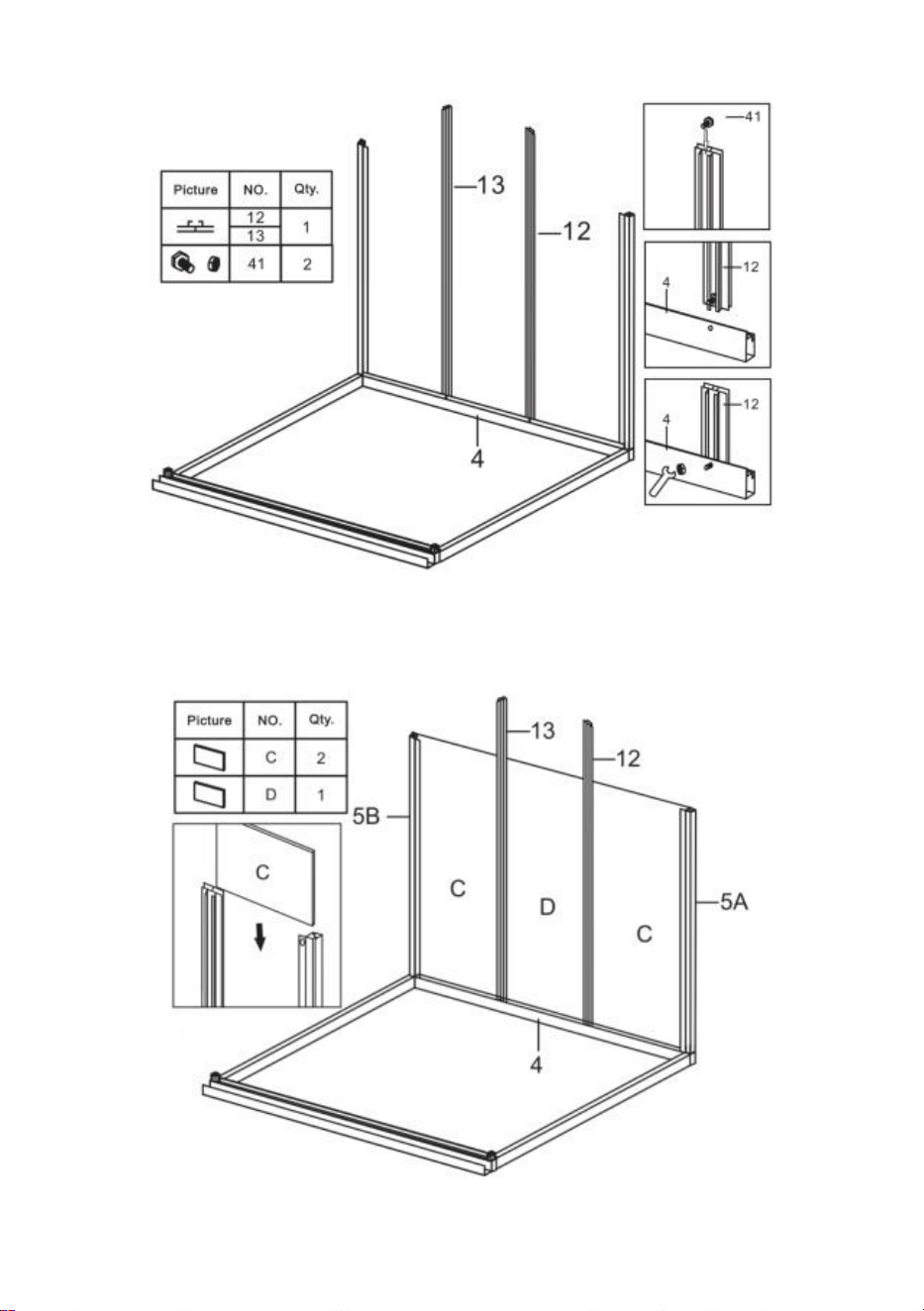
Step 3: Using part 41, install part 12 & 13 with the components completed in
last step.
Step 4: Put the part C & D to the components completed in last step.
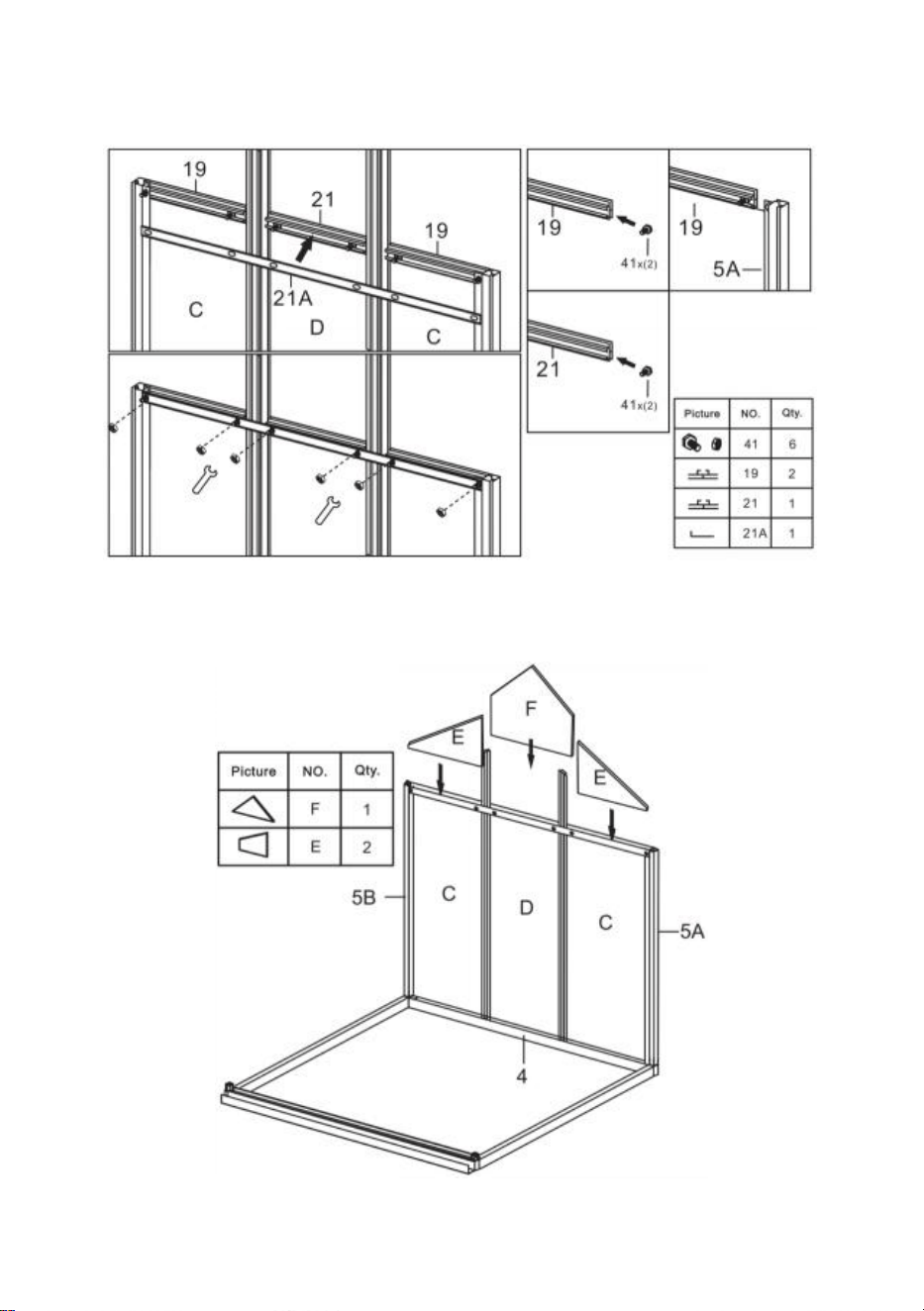
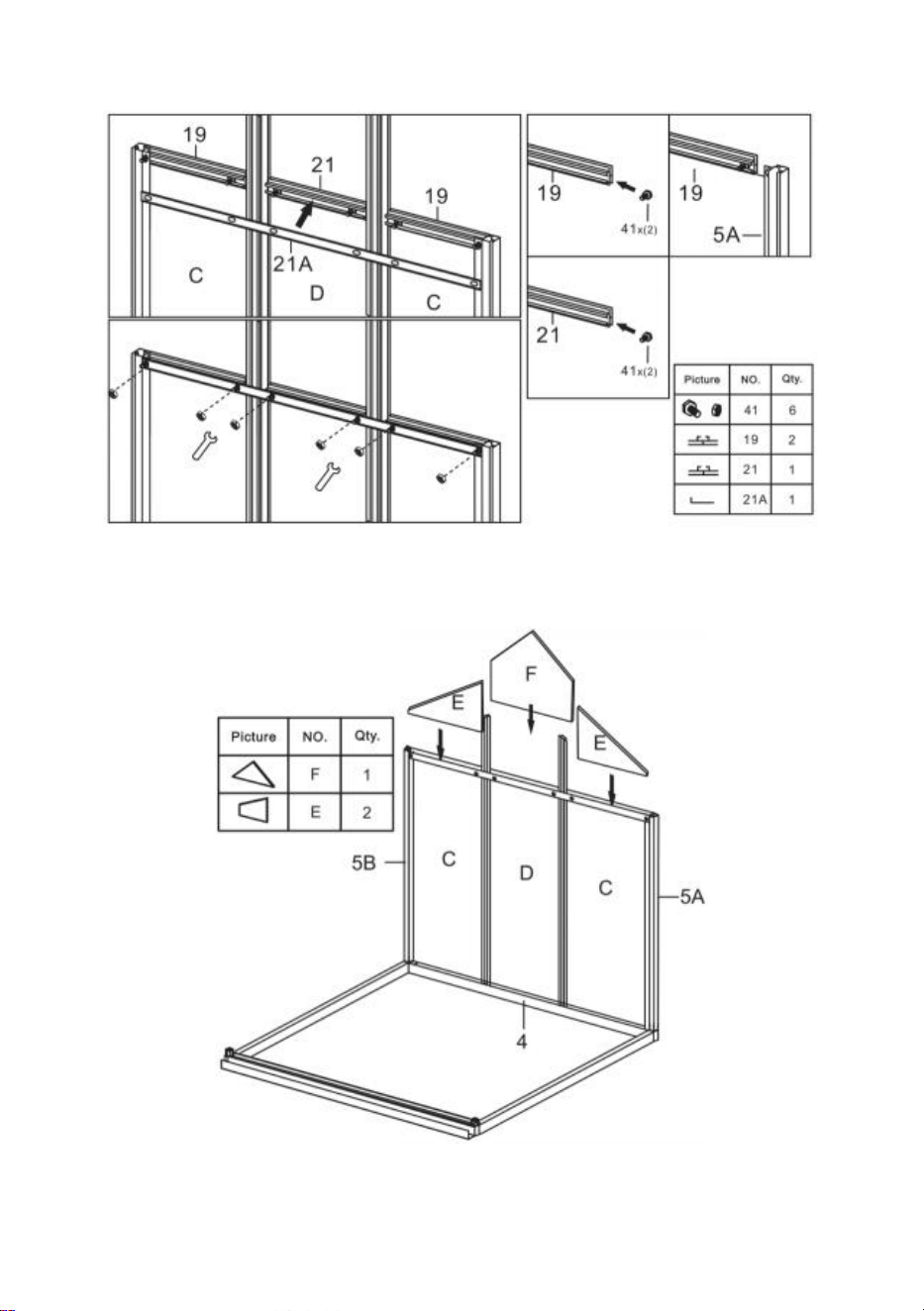
11
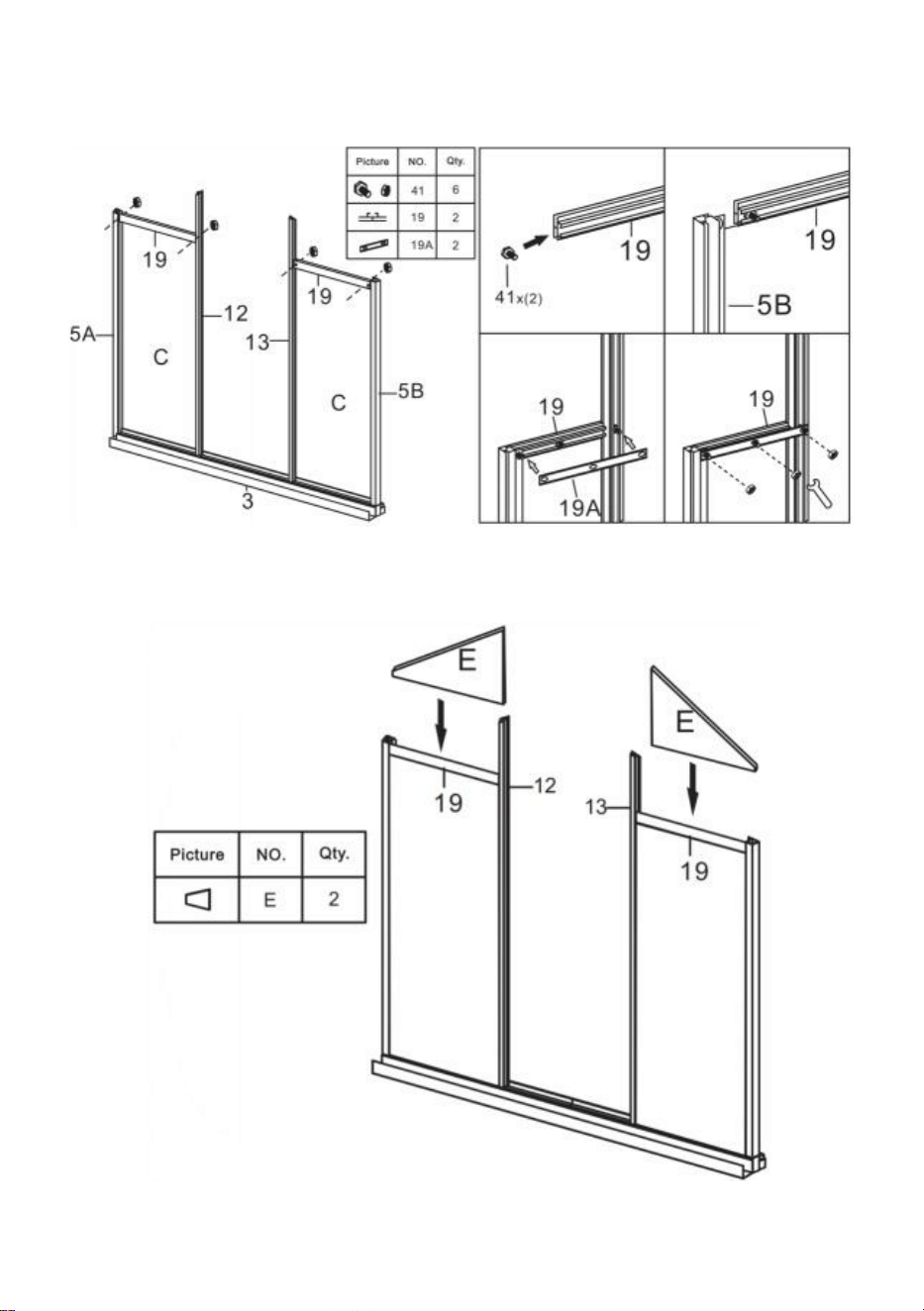
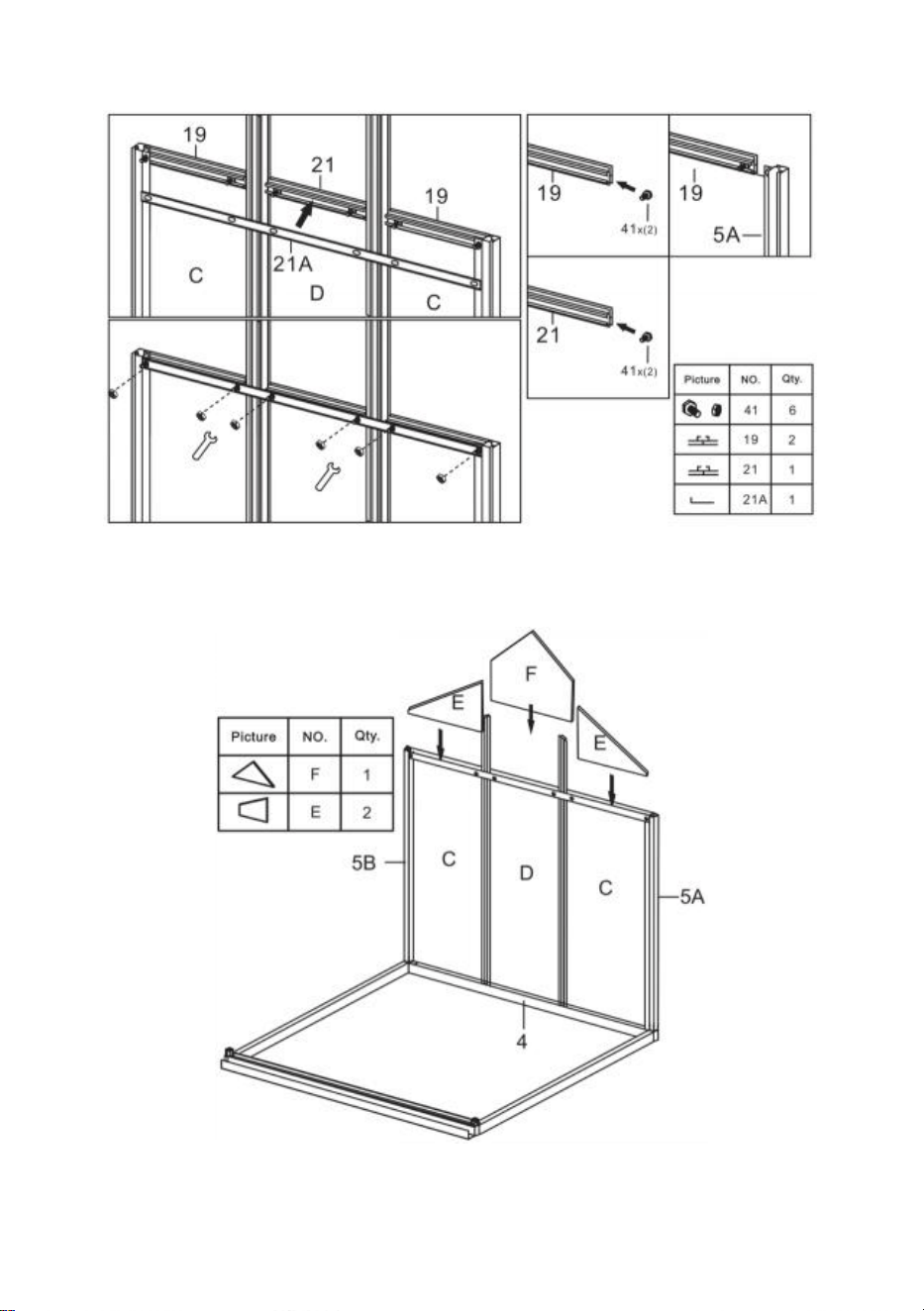
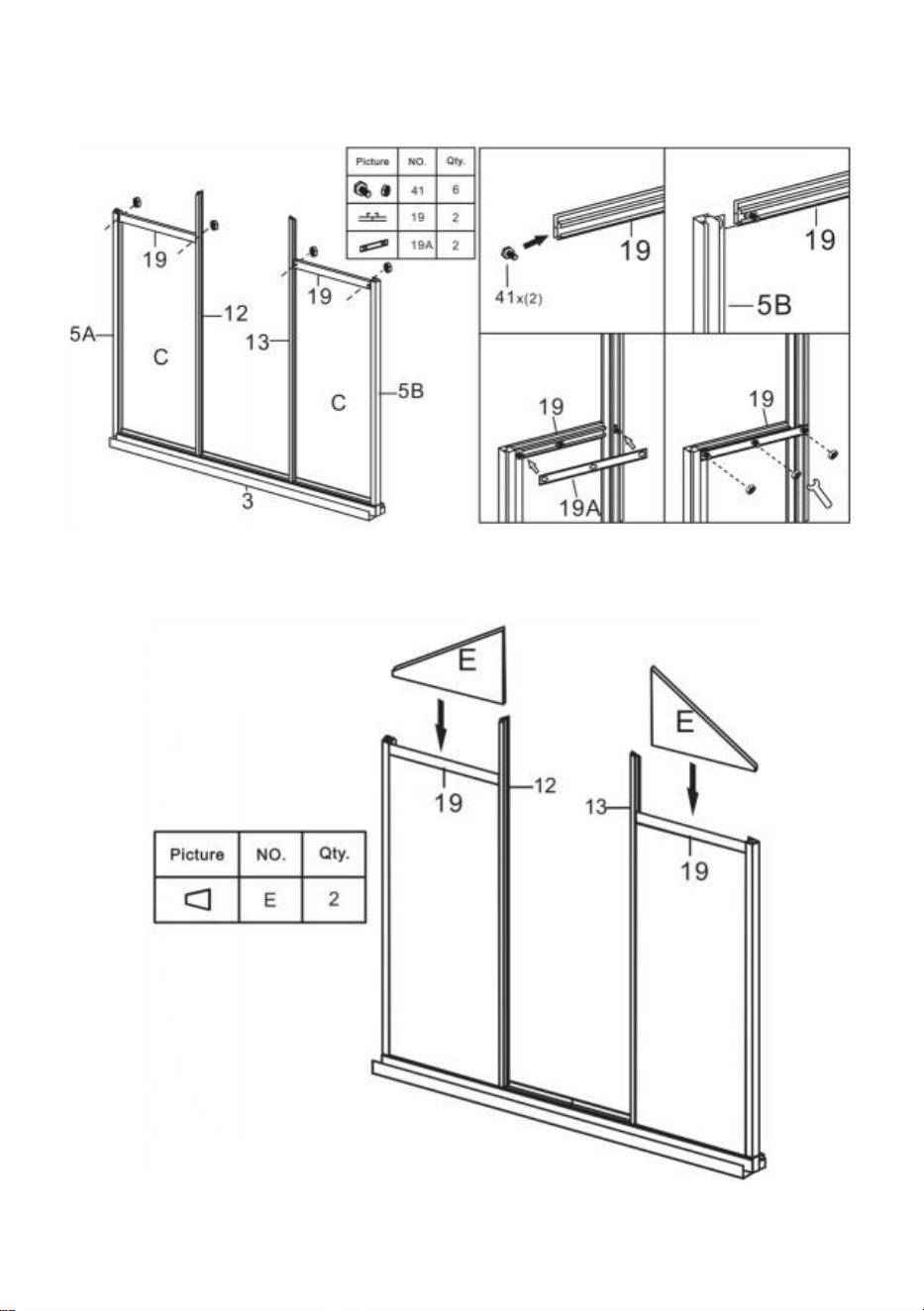
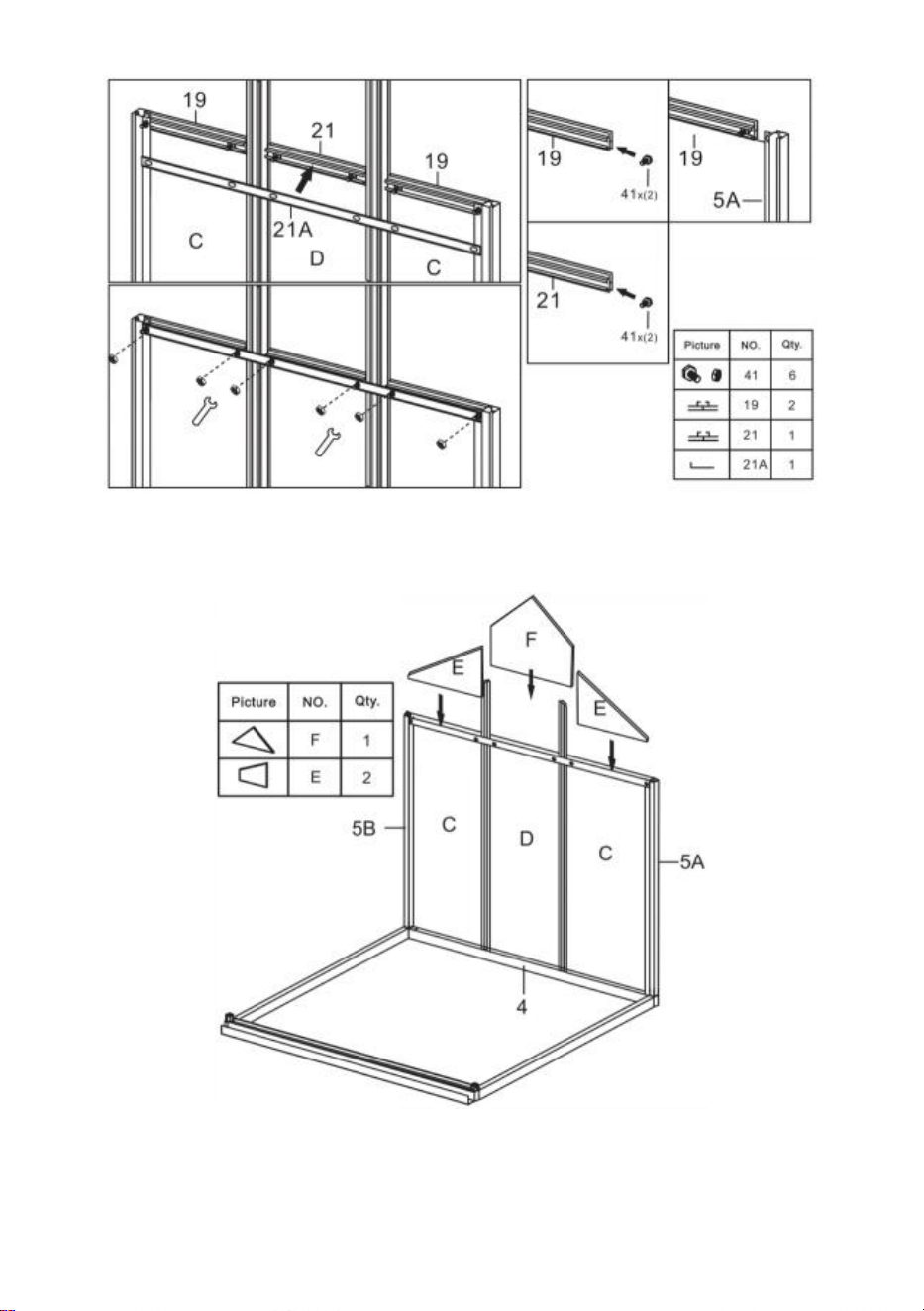
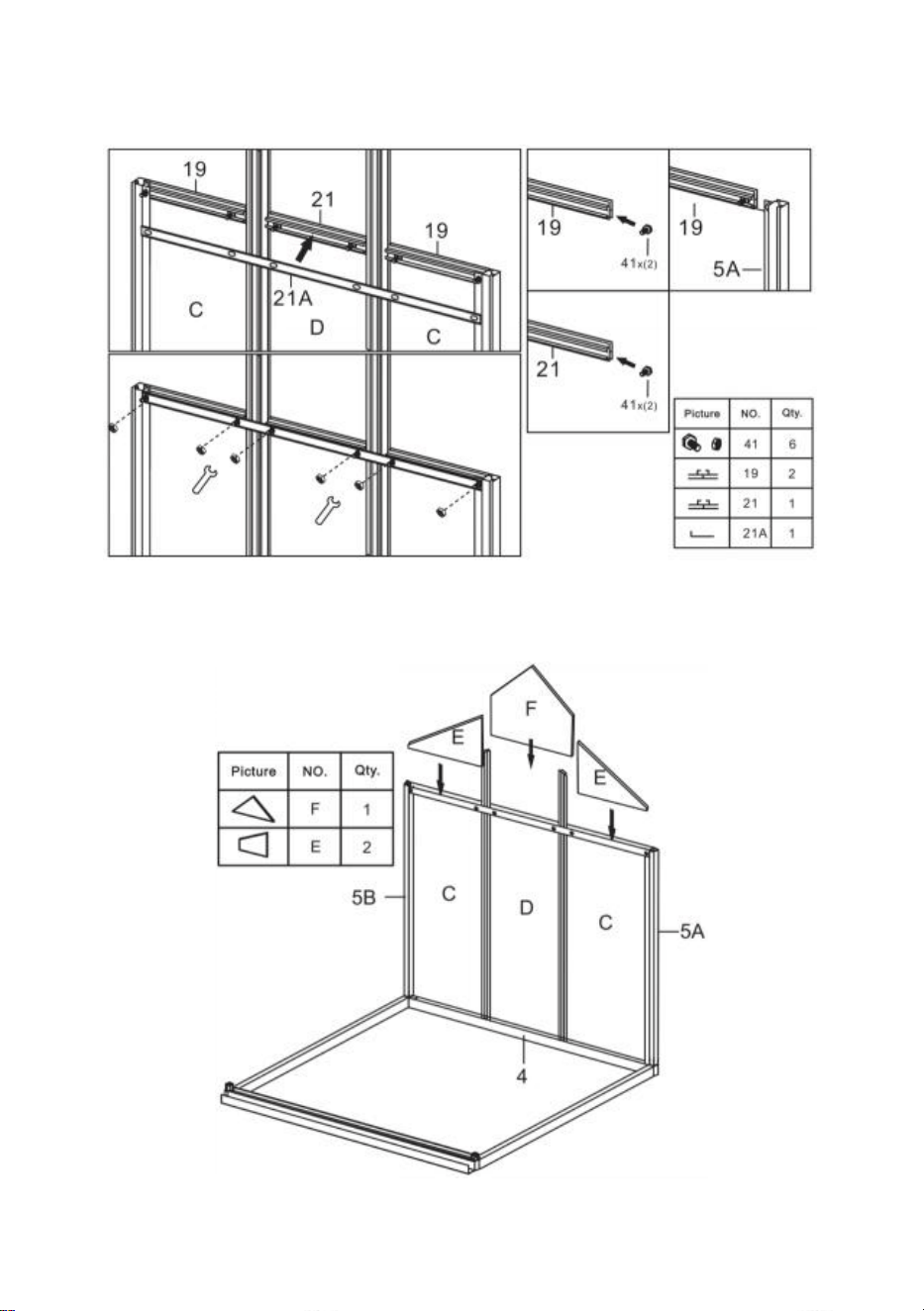
Step 5: Using part 41, install part 19,21 & 21A with the components
completed in last step.
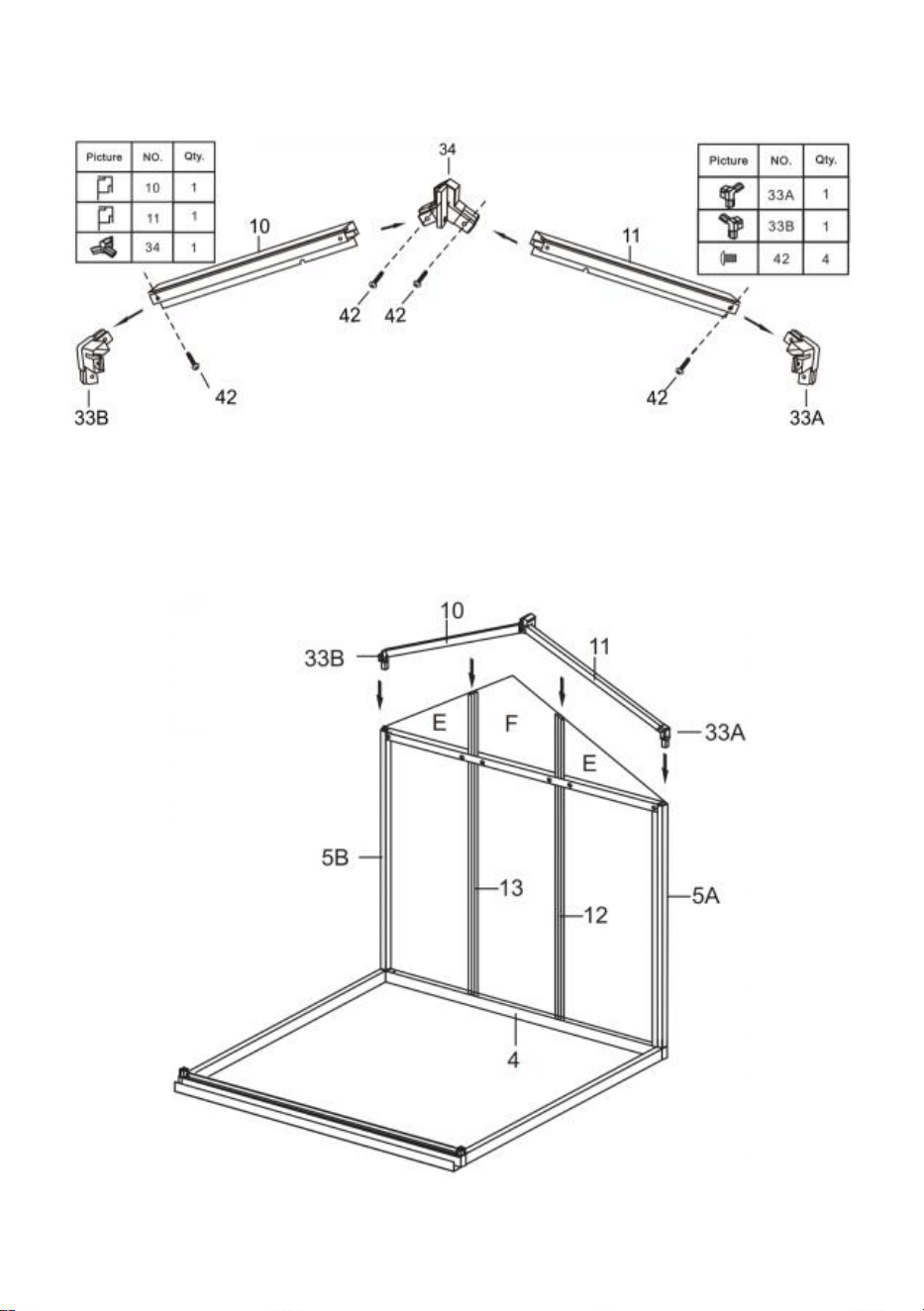
Step 6: Put the part E & F to the components completed in step 5.
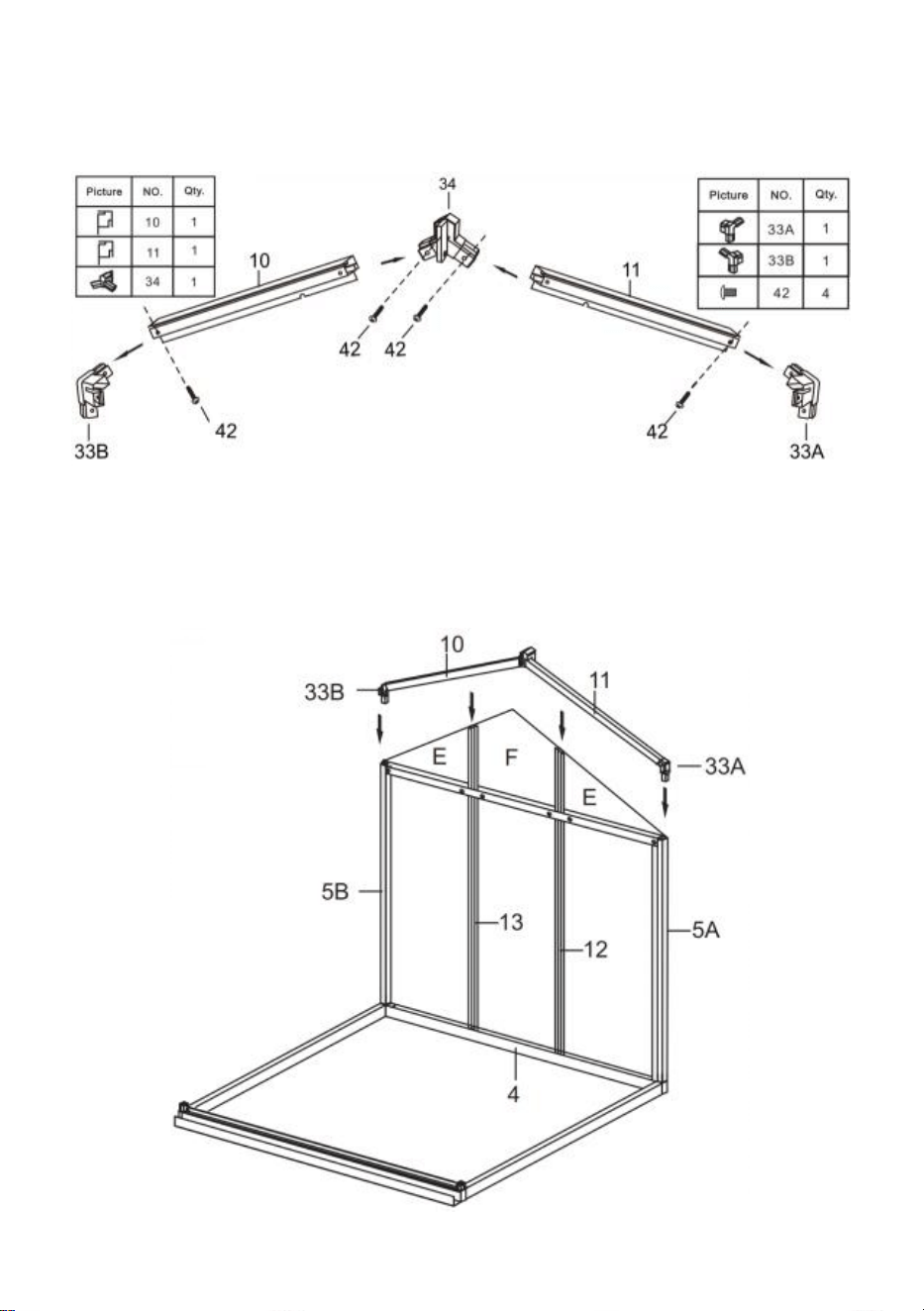
12
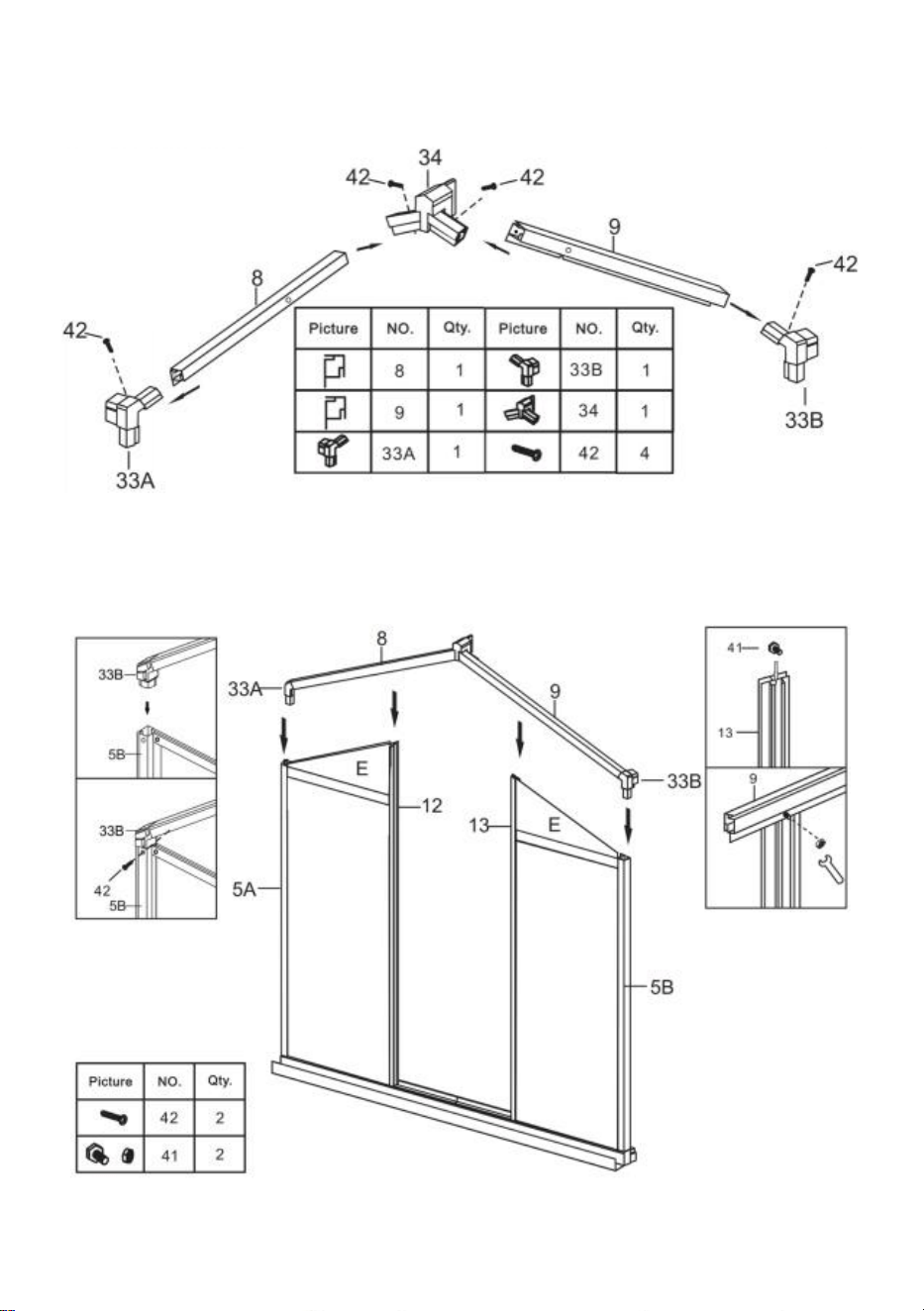
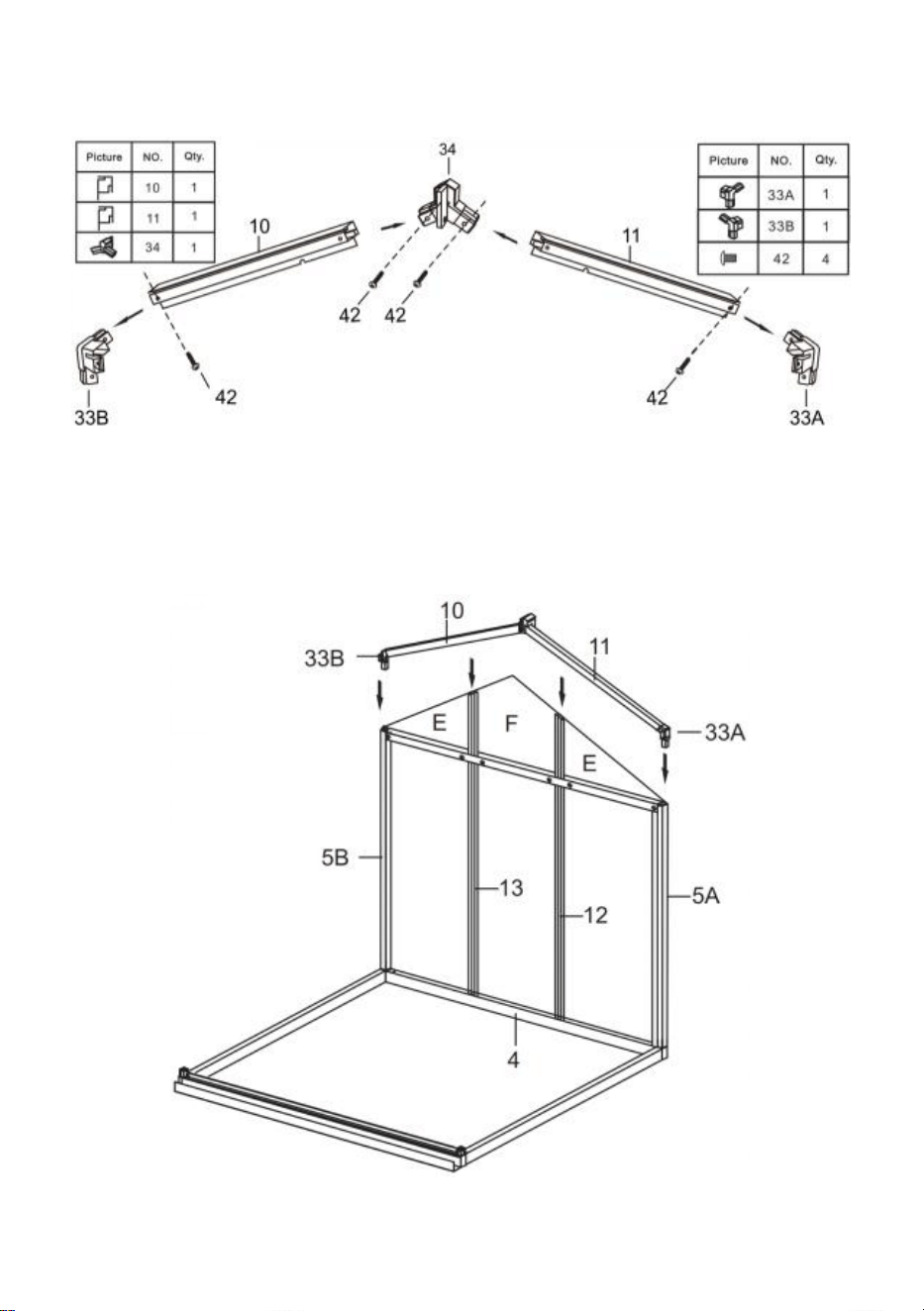
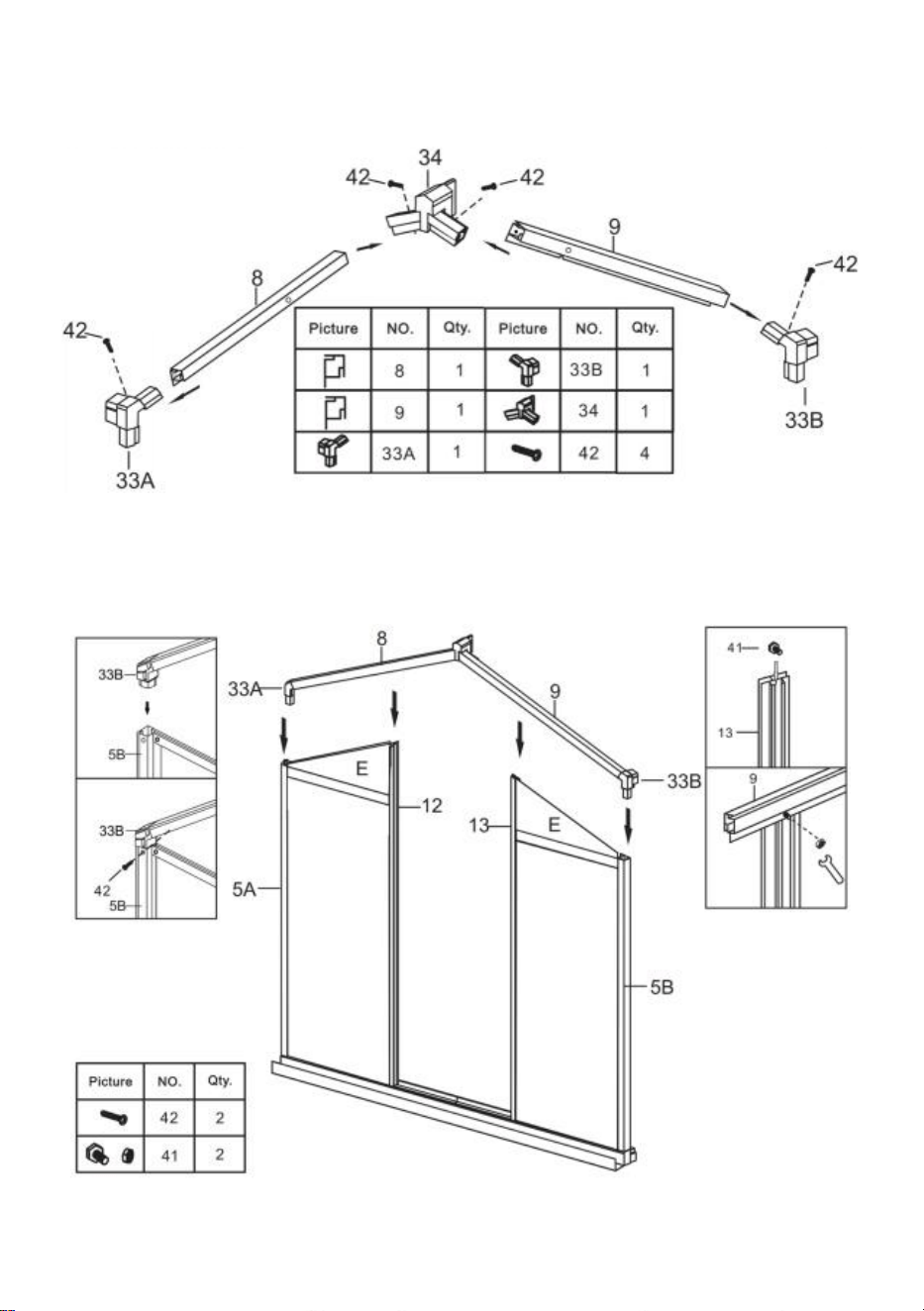
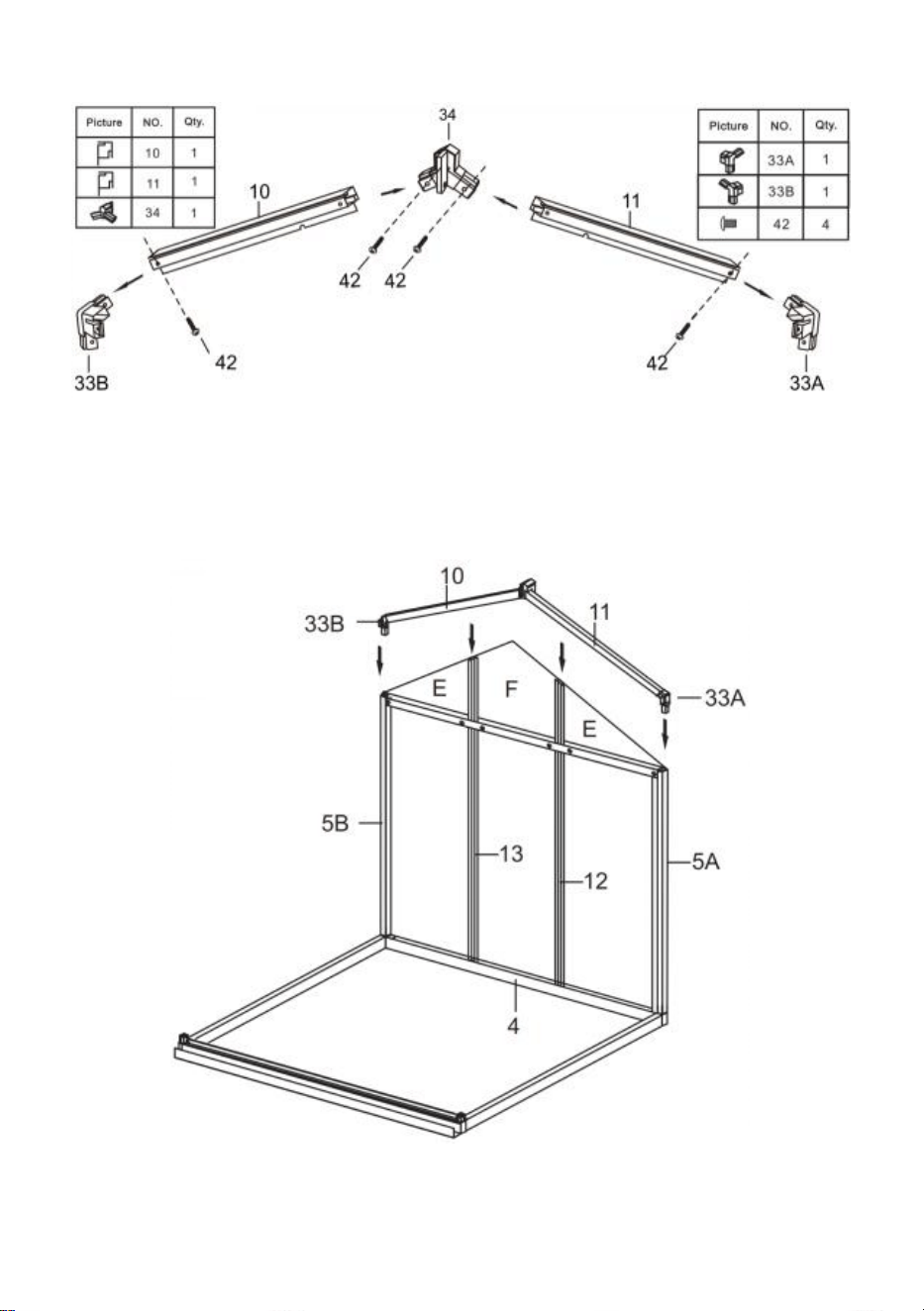
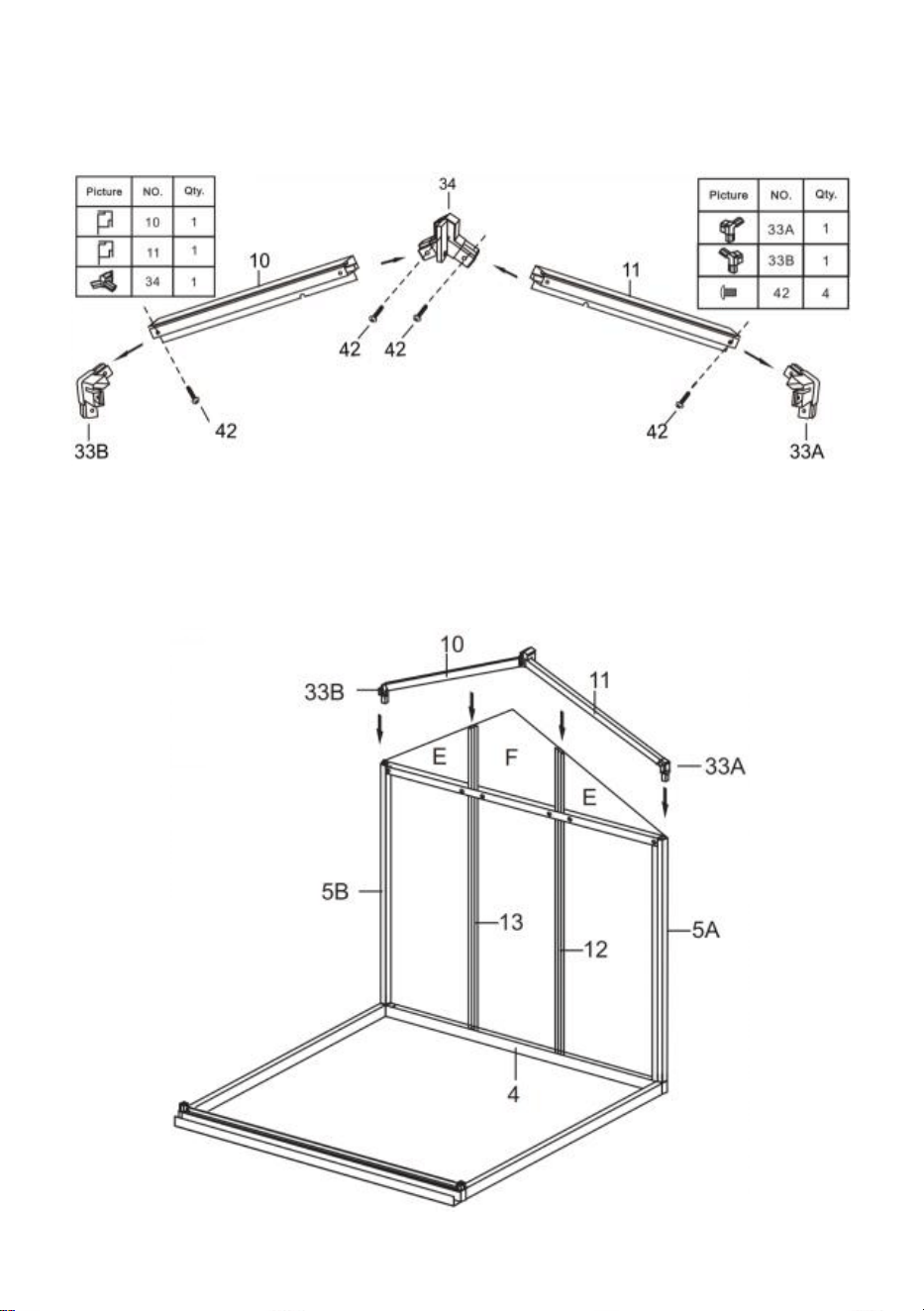
Step 7: Assemble parts 10 and 11 into one assembly using the parts shown
in the figure.
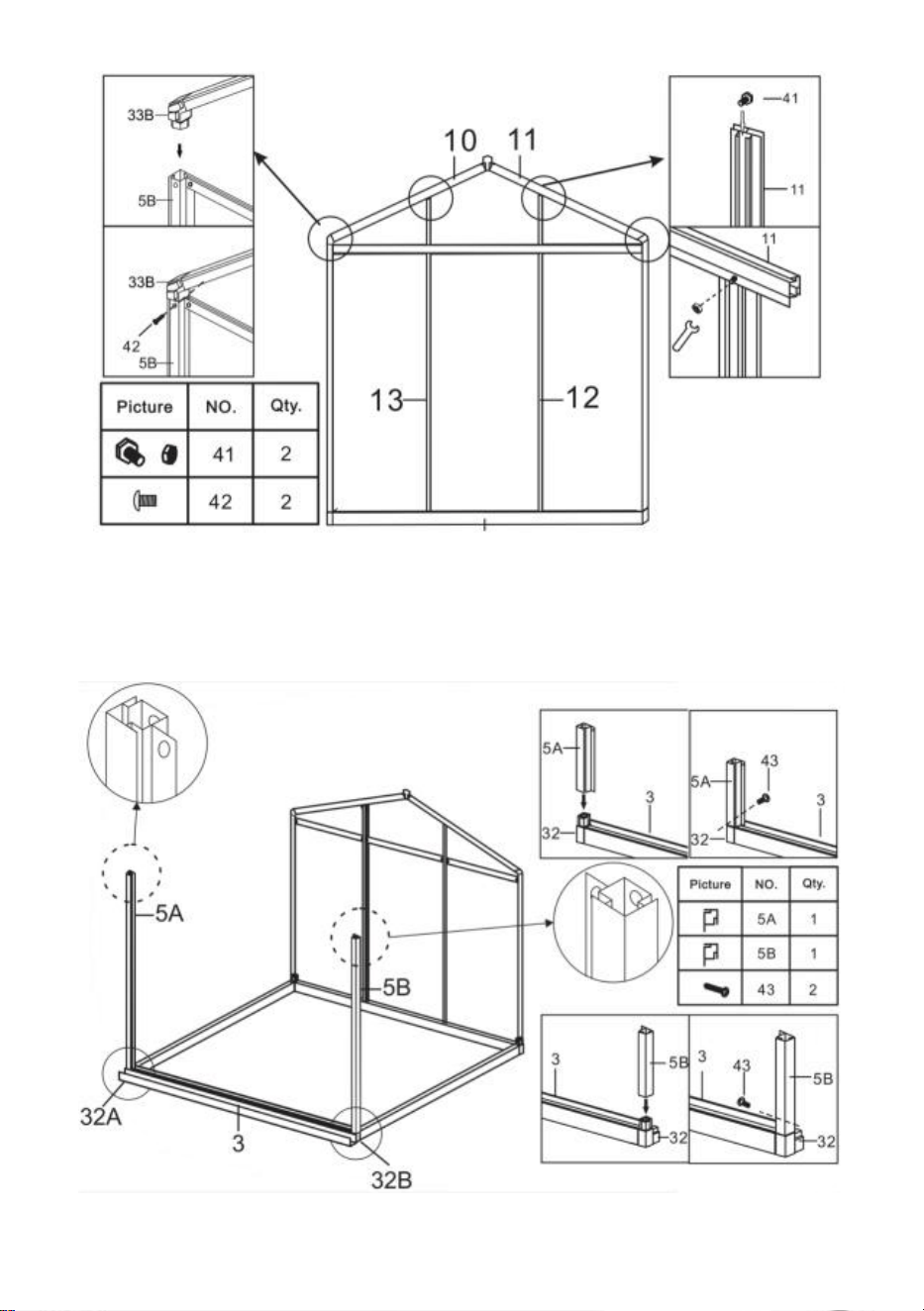
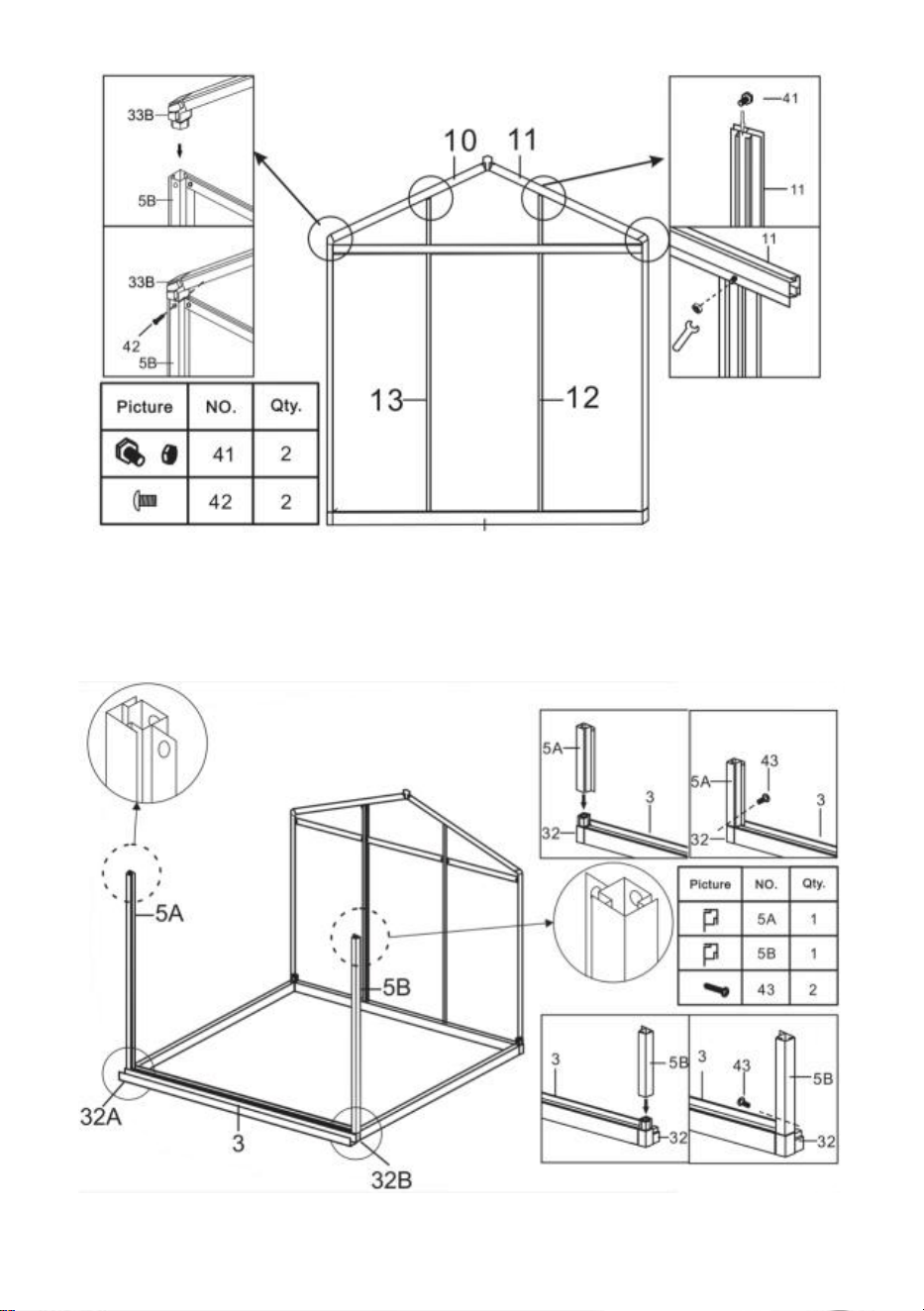
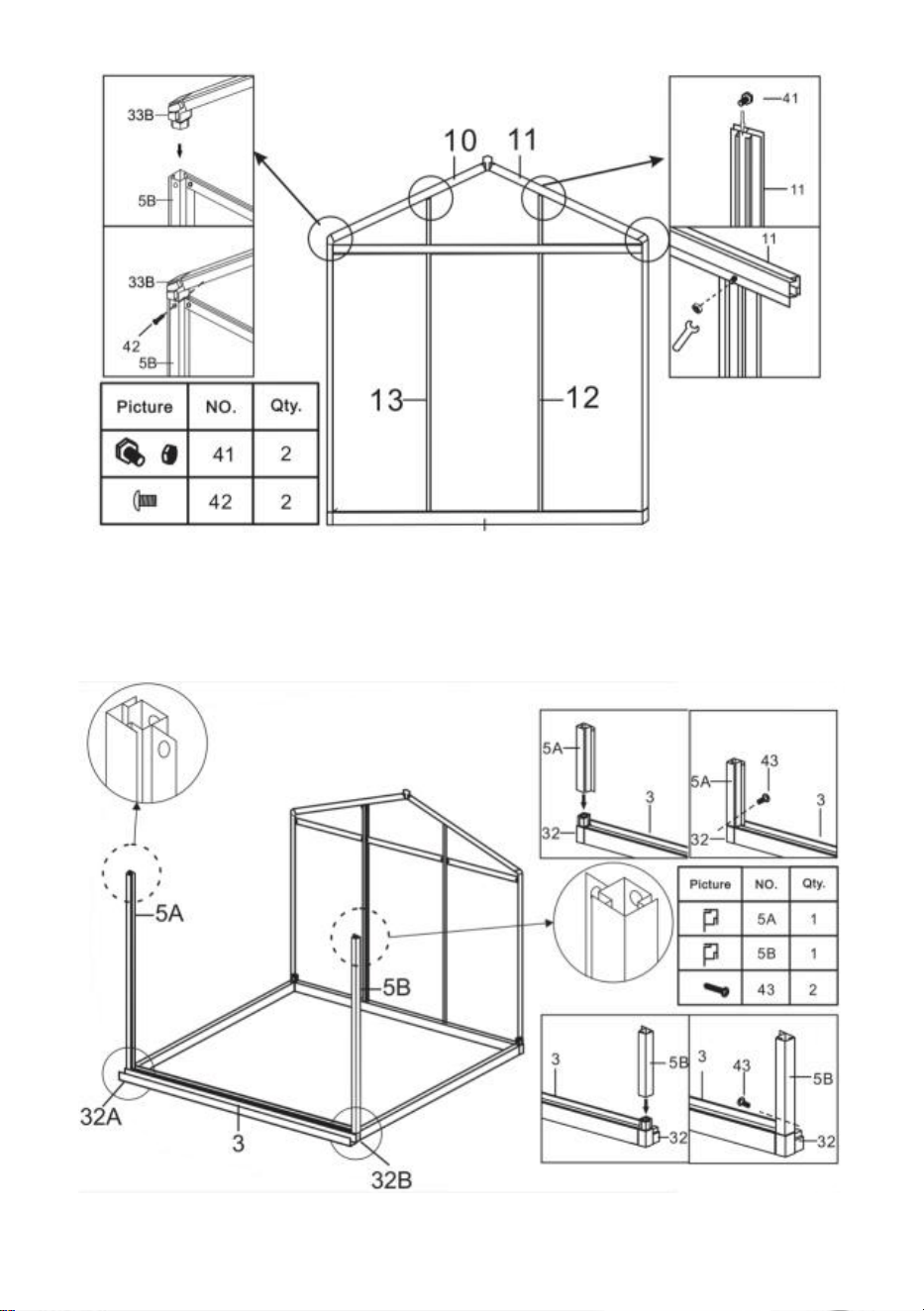
Step 8: Using part 41 & 42, install the components completed in step 6 &
step 7.
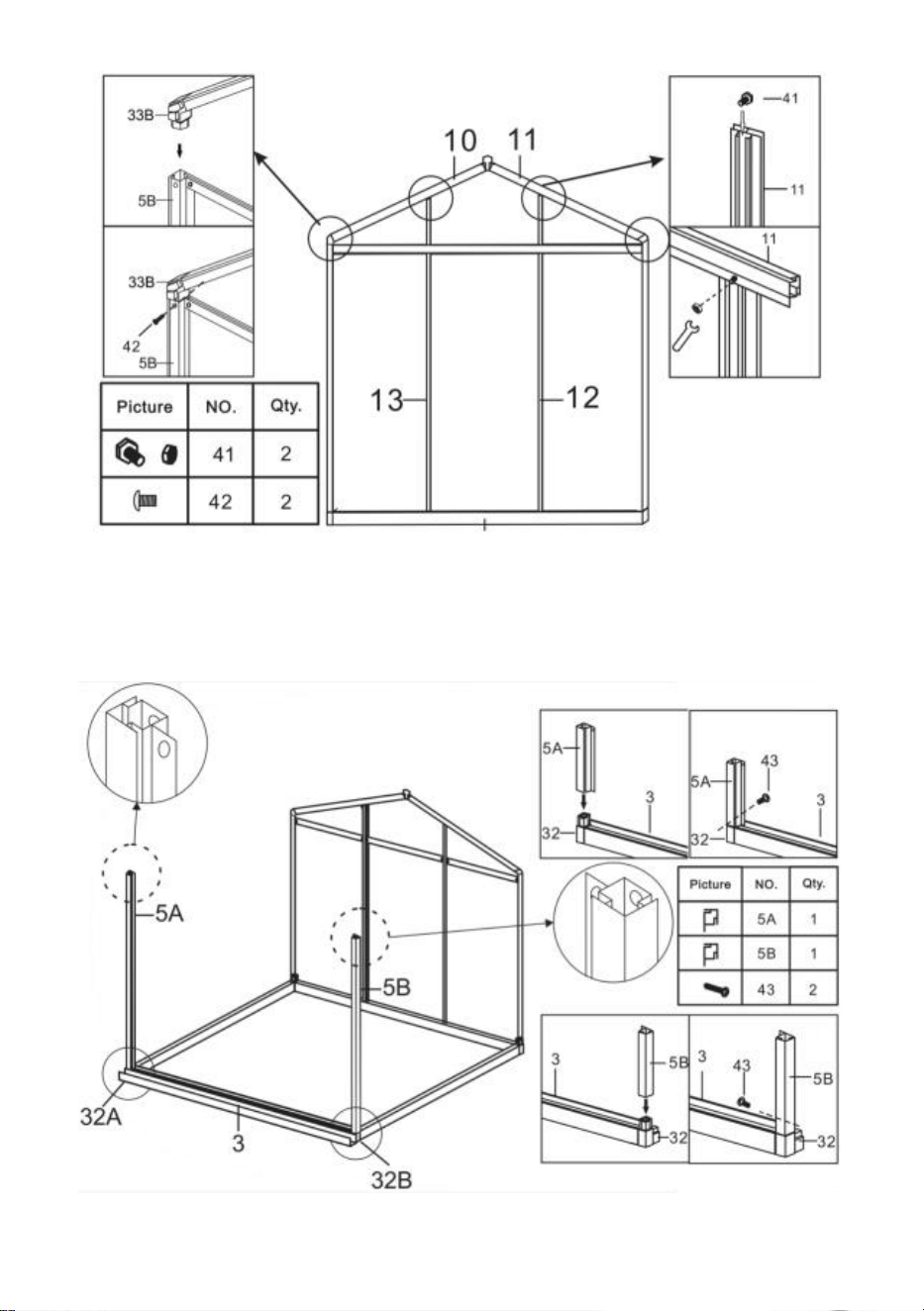
13
Step 9: Install the components from the last step and Part 5A & 5B using part
43.
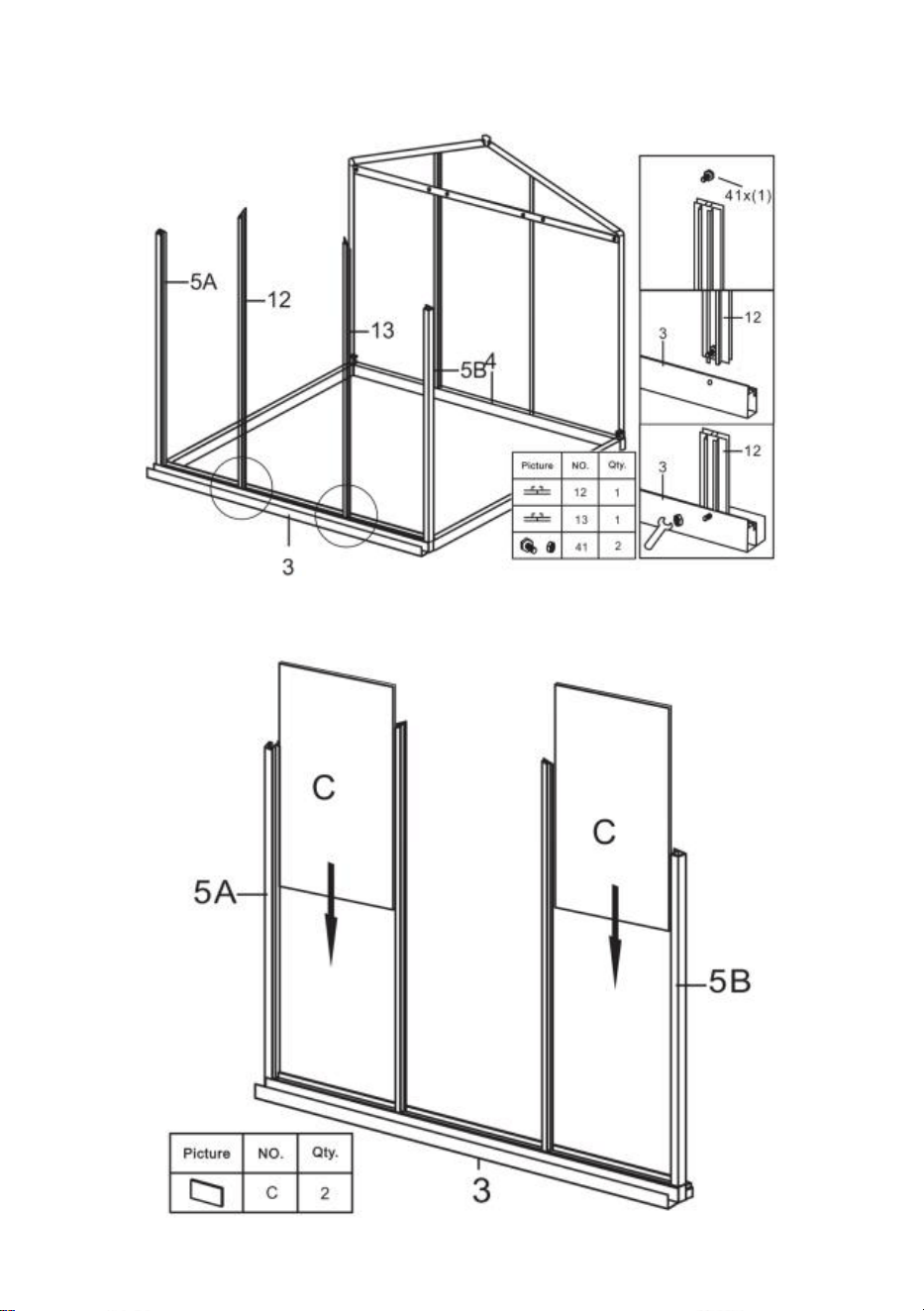
14
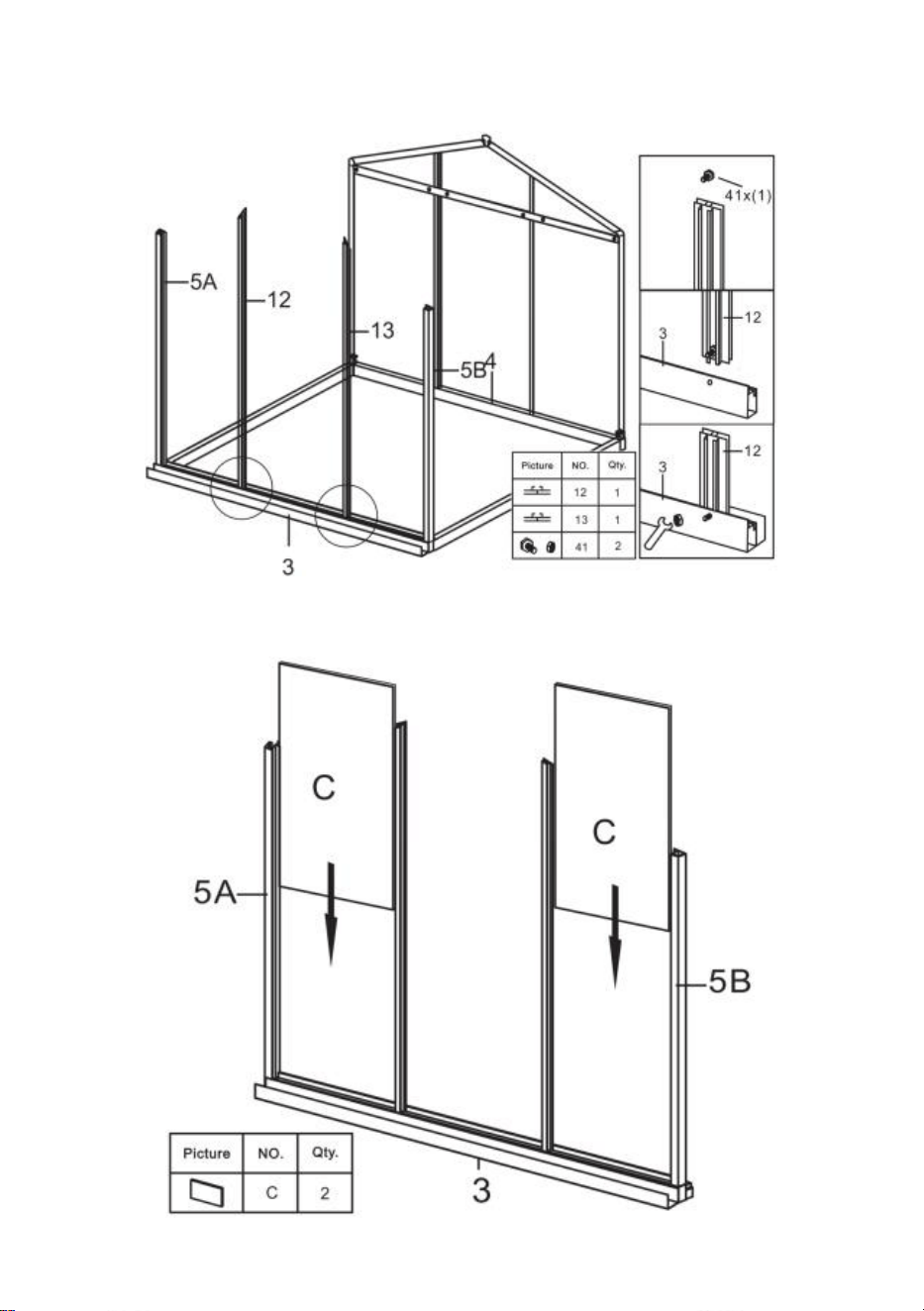
Step 10: Using part 41, install part 12 & 13 with the components completed in
step 9.
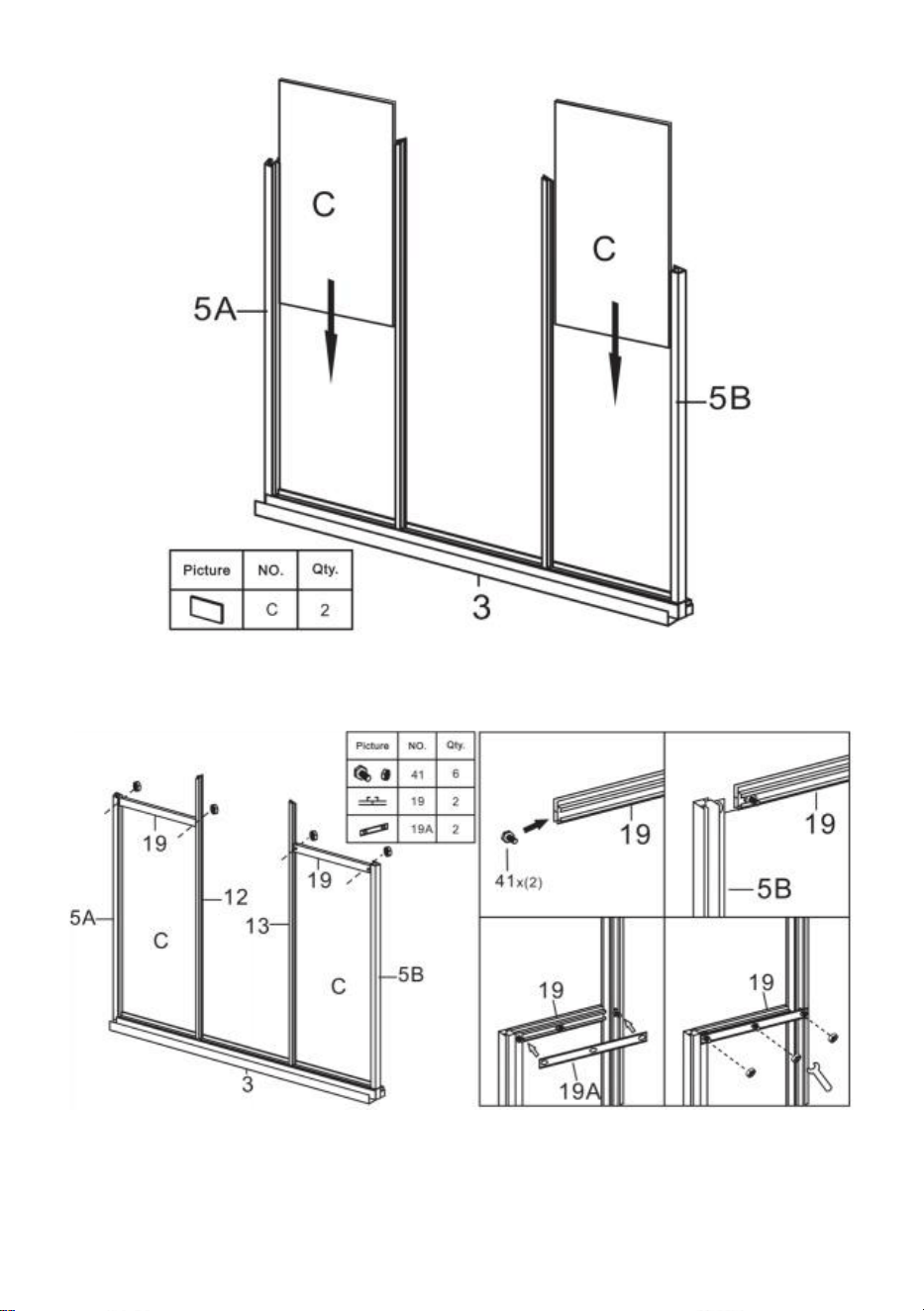
Step 11: Put the part C to the components completed in last step.
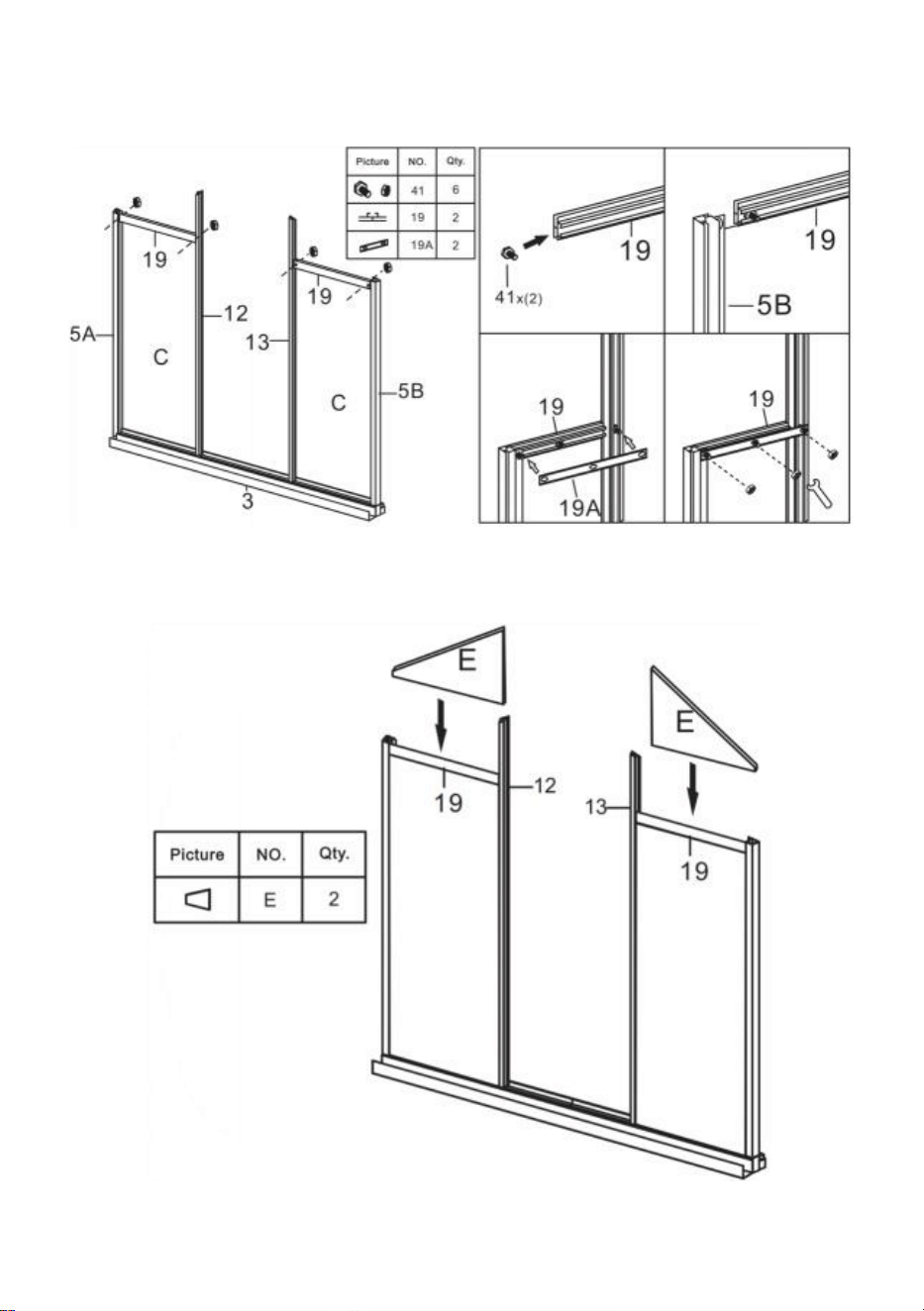
15
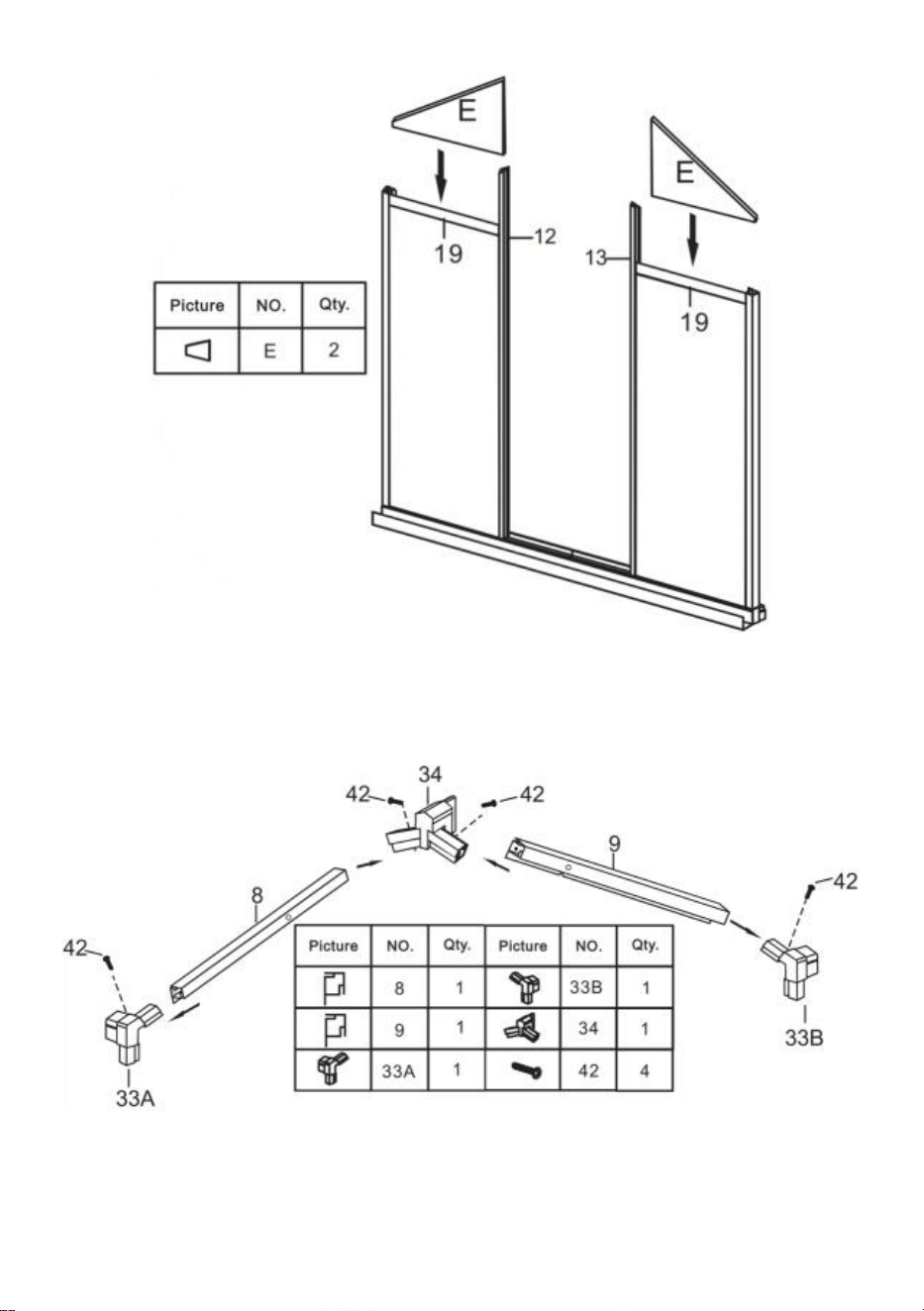
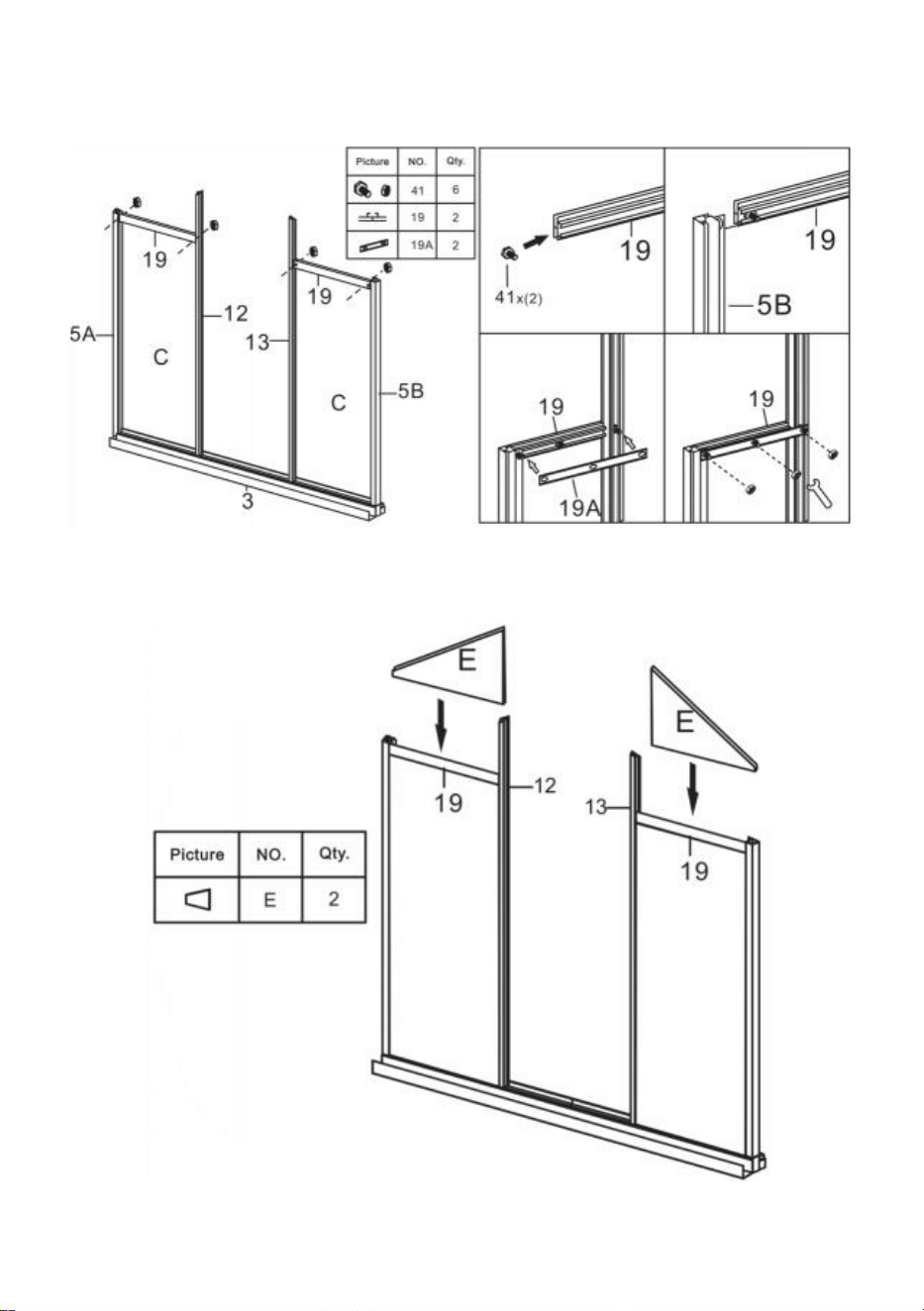
Step 12: Using part 41, install part 19 & 19A with the components completed
in last step.
Step 13: Put the part E to the components completed in last step.
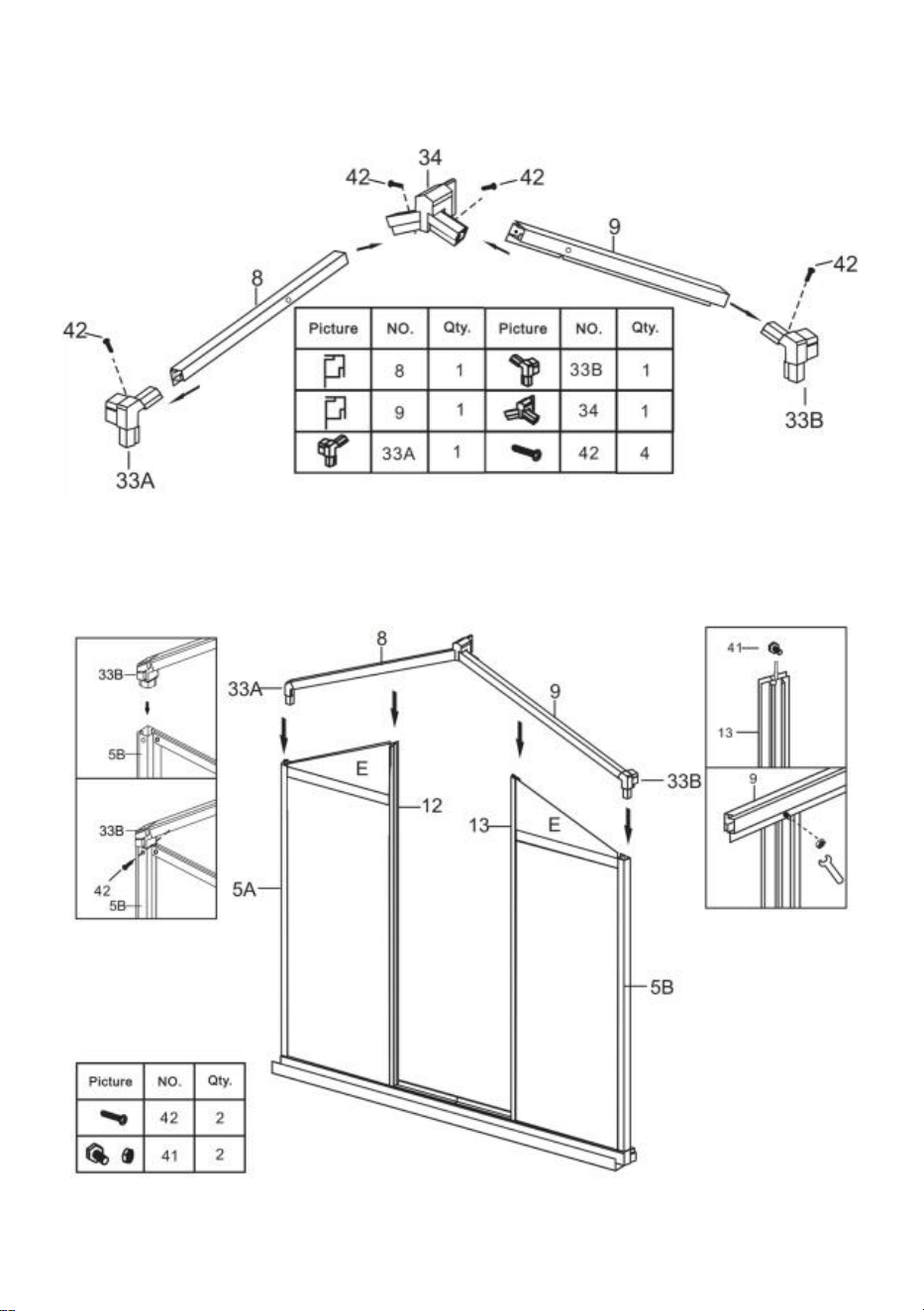
16
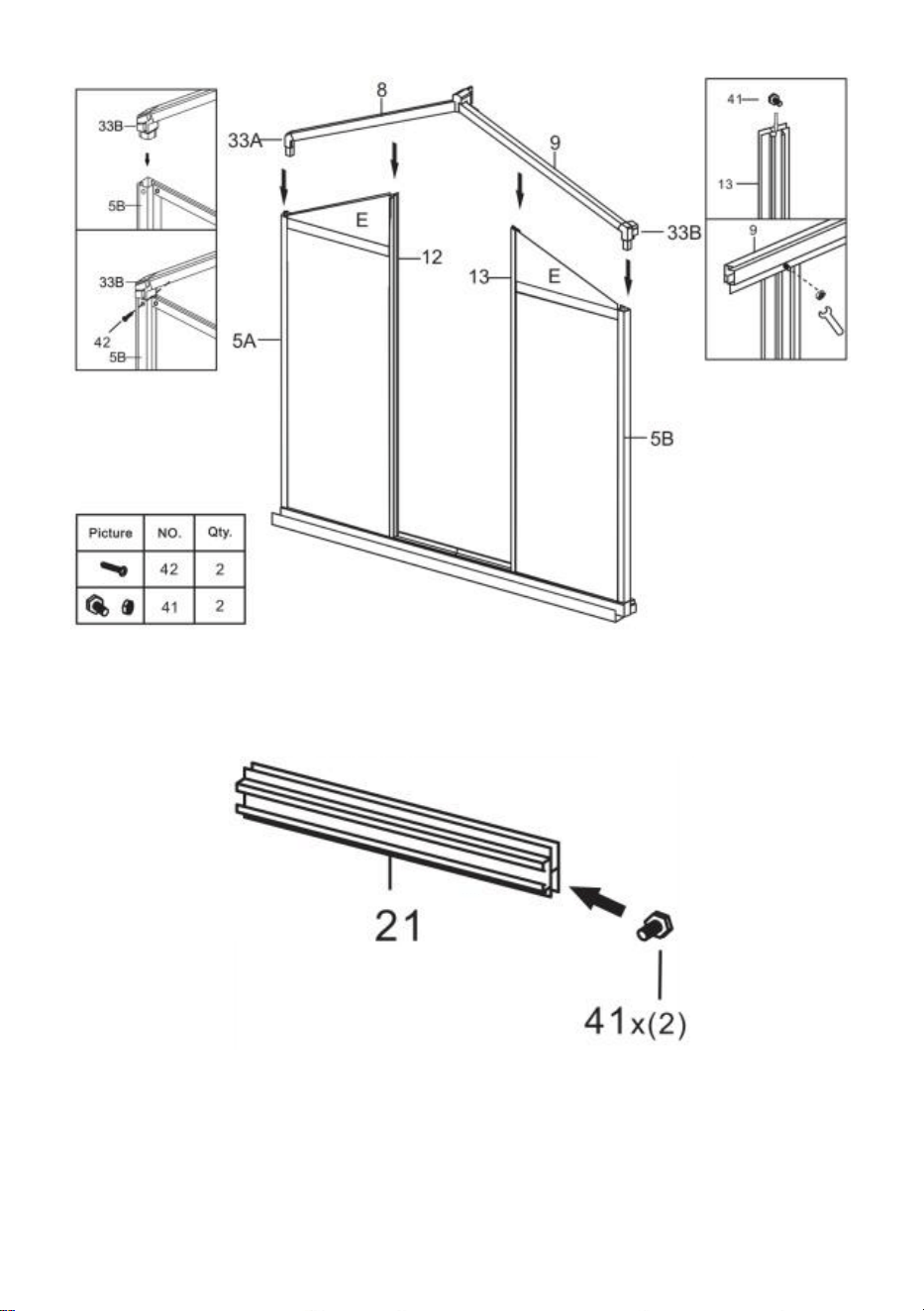
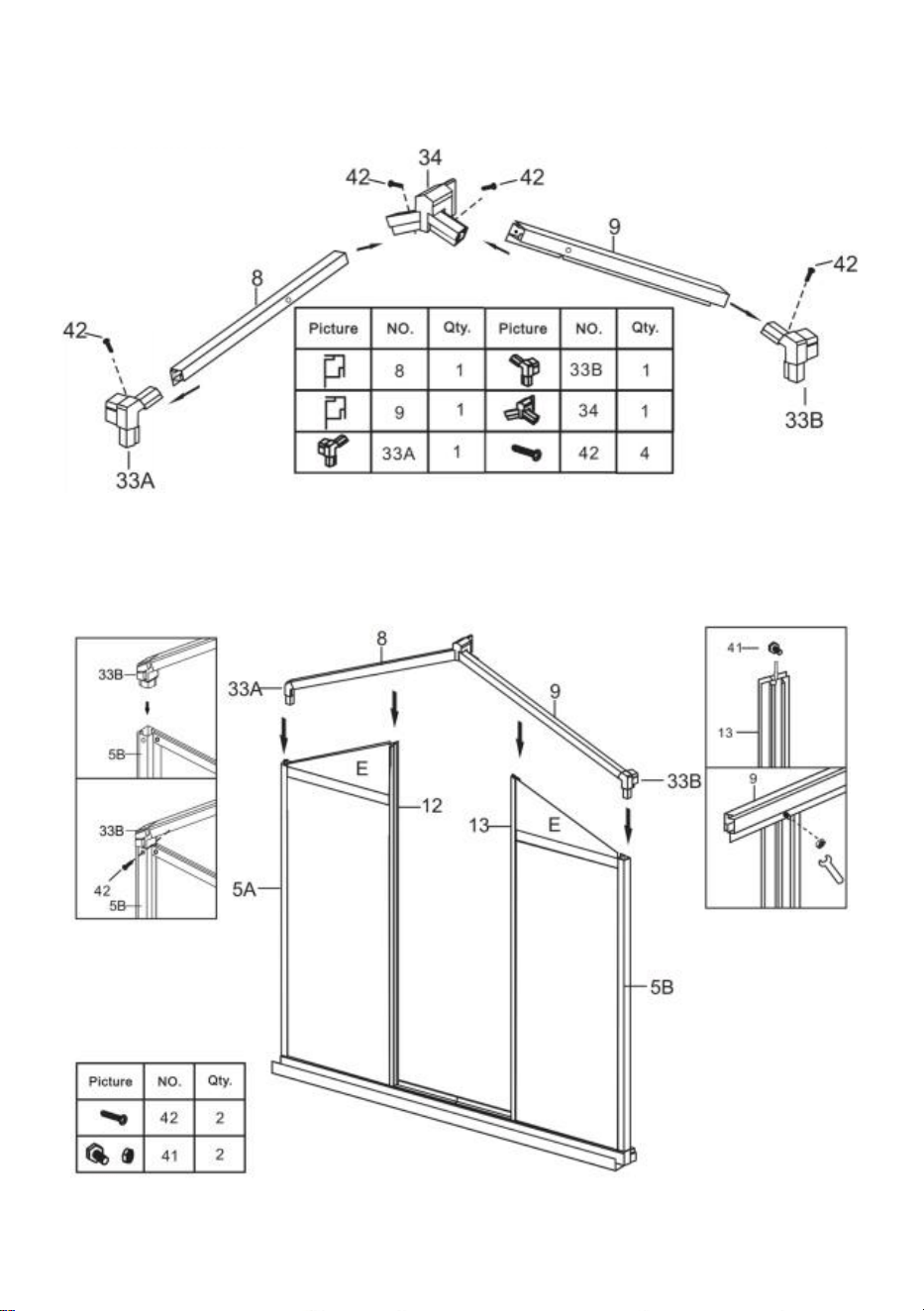
Step 14: Assemble parts 8 and 9 into one assembly using the parts shown in
the figure.
Step 15: Using part 41 & 42, install the components completed in step 13 &
step 14.
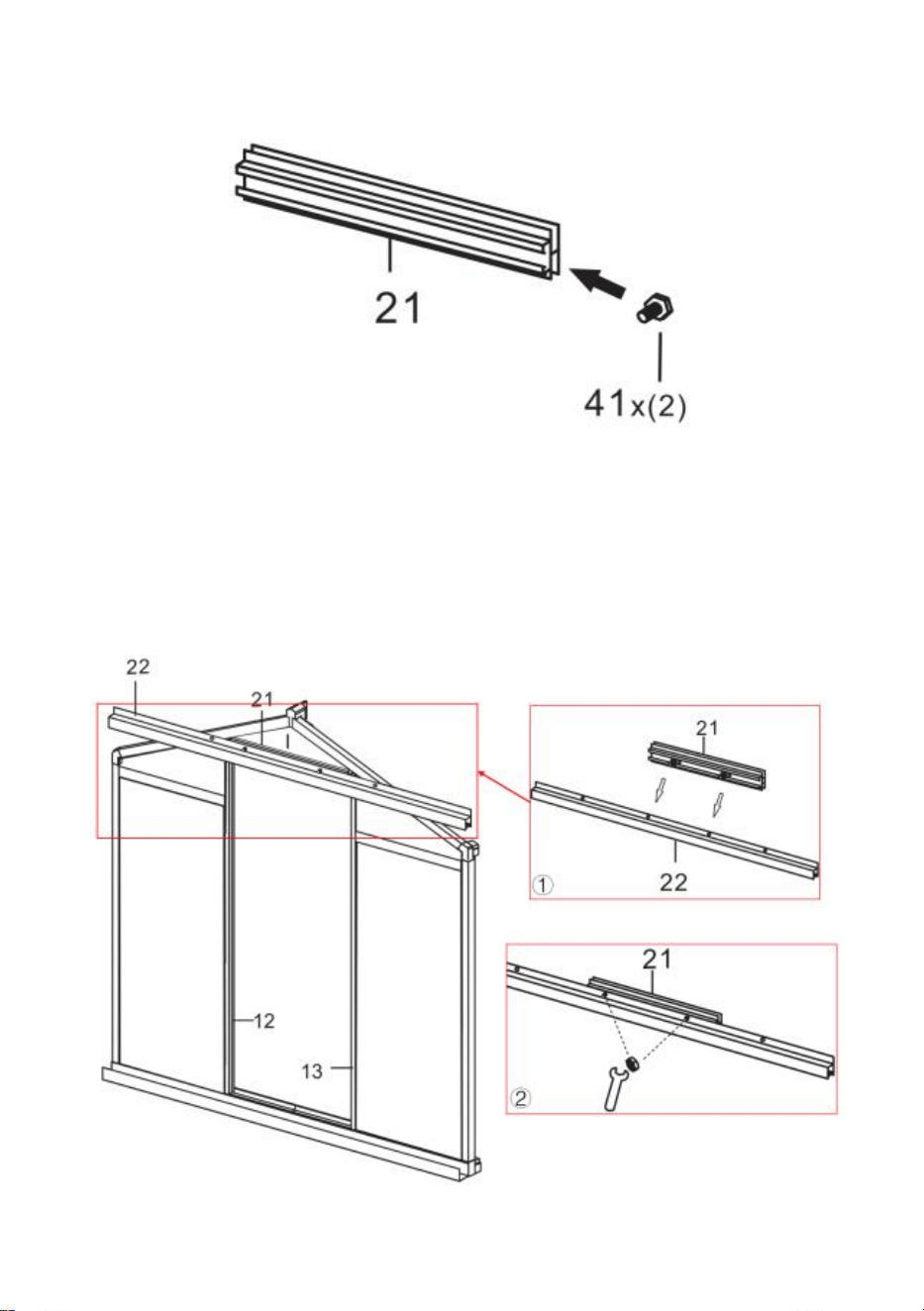
17
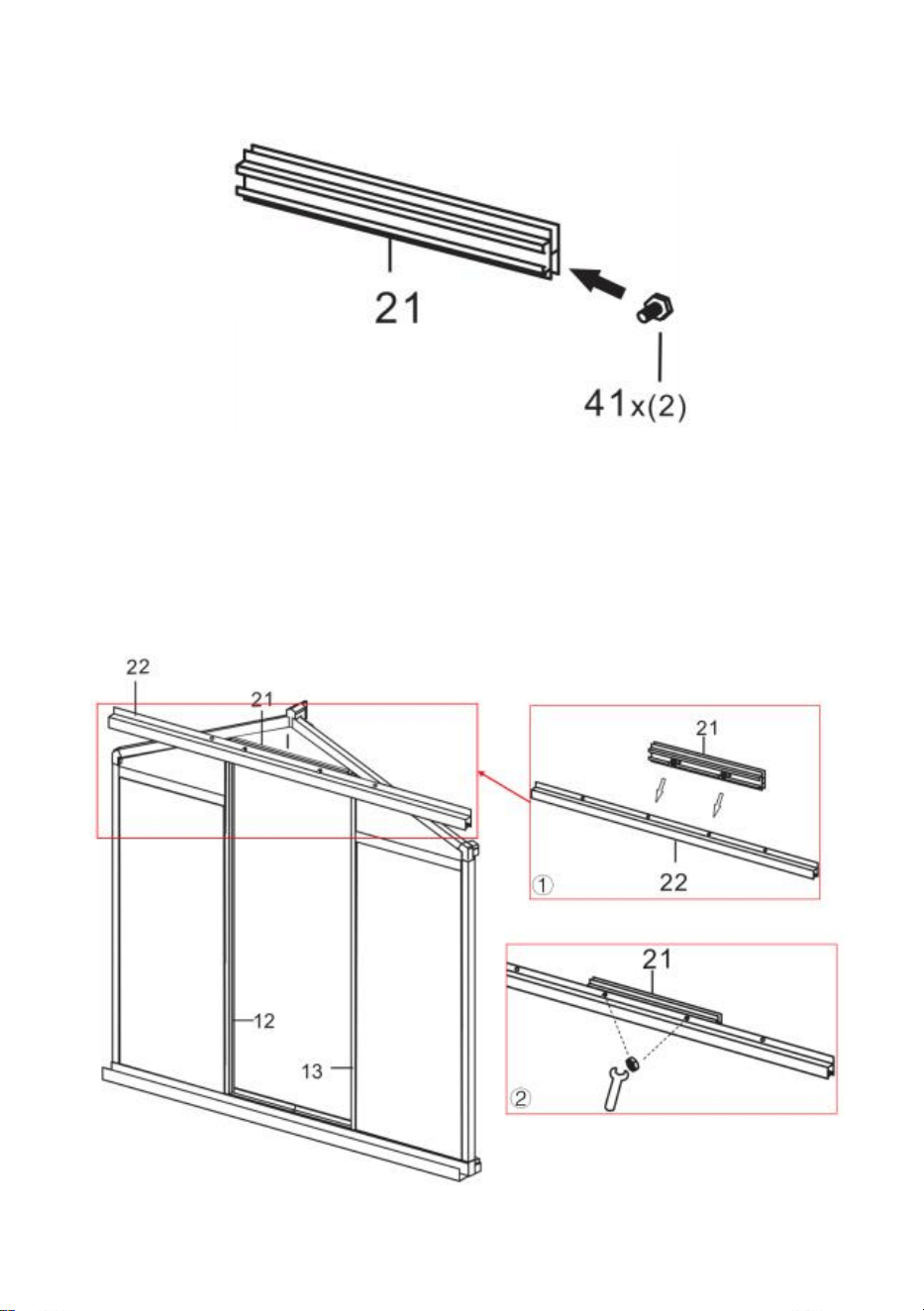
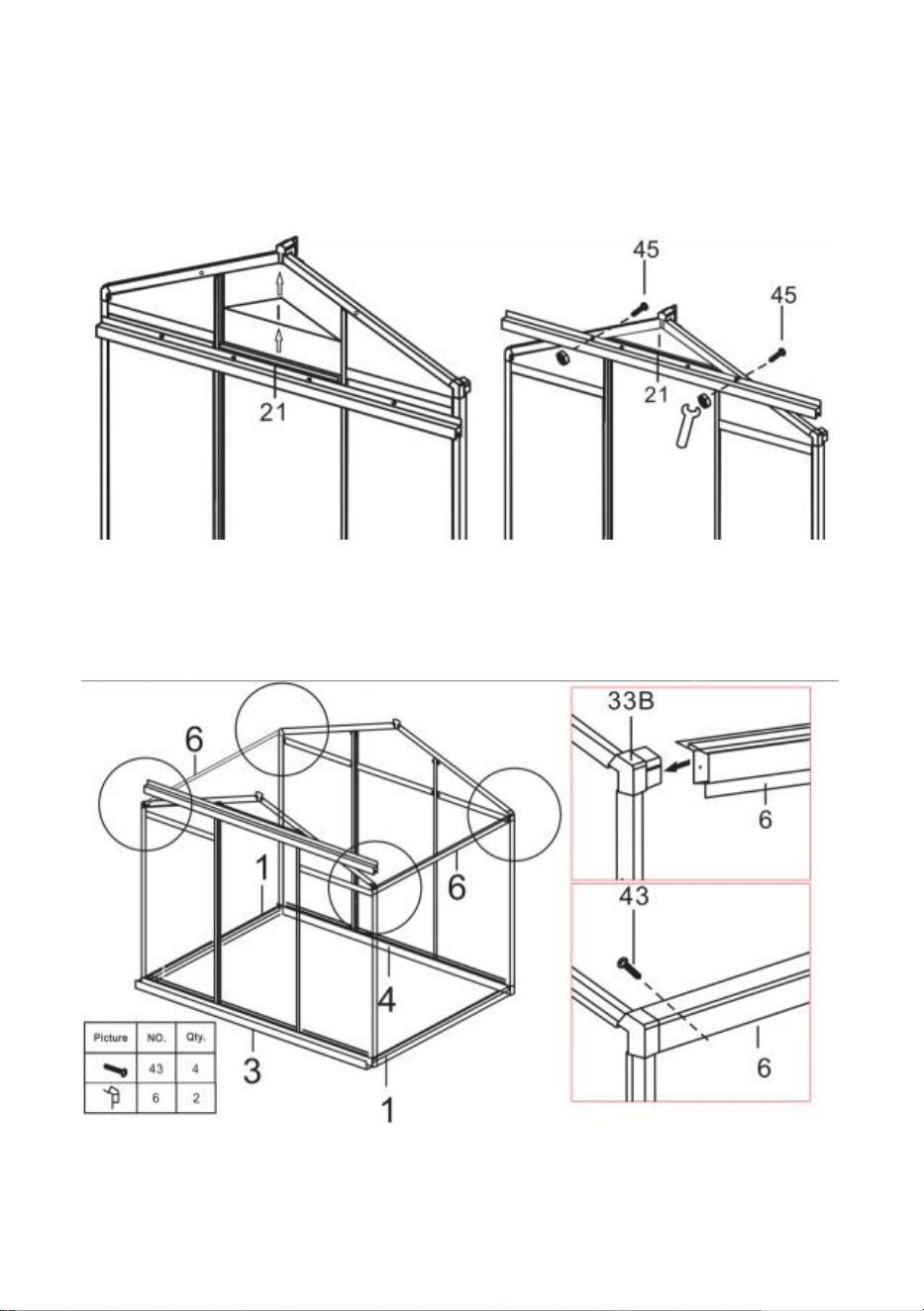
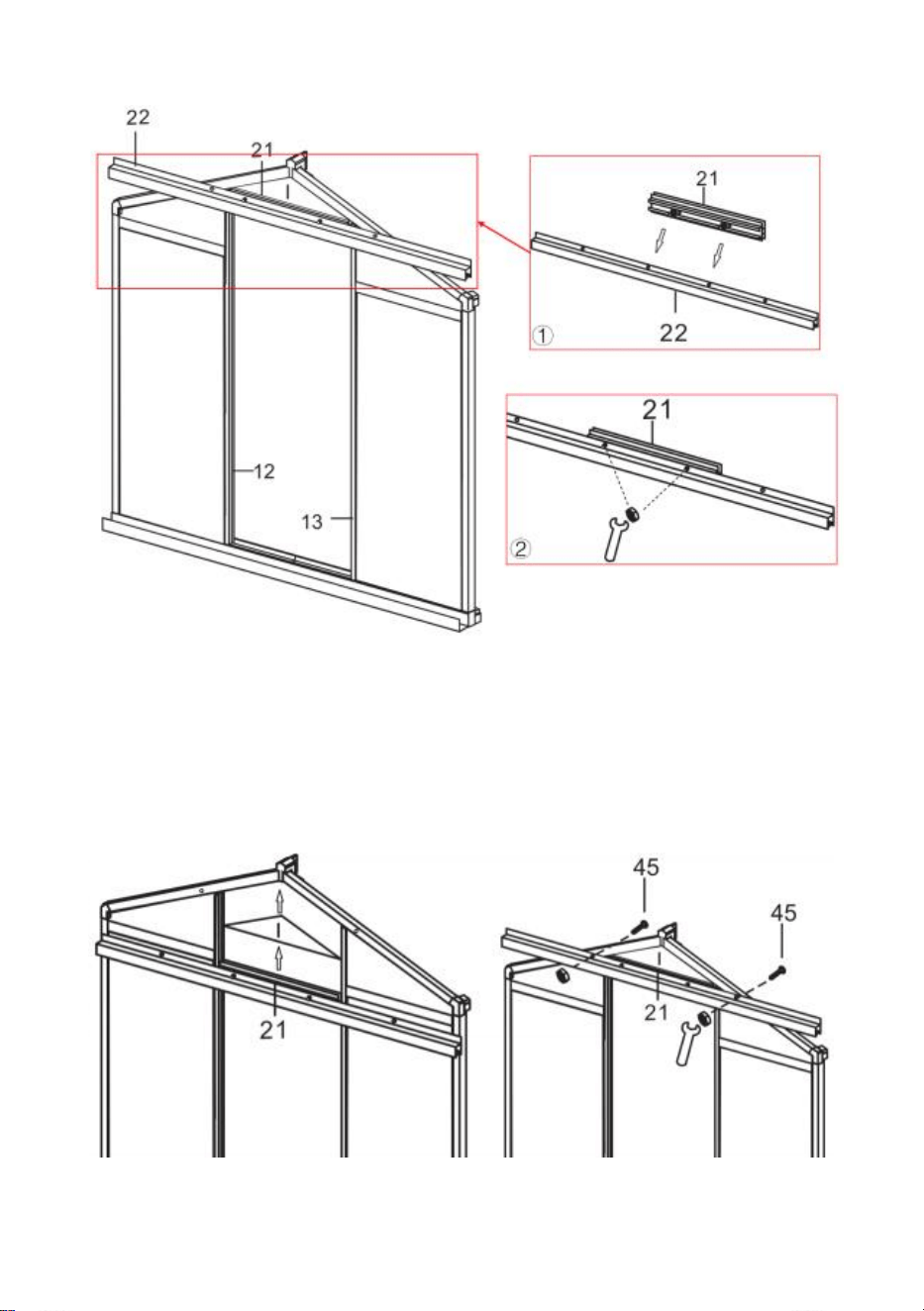
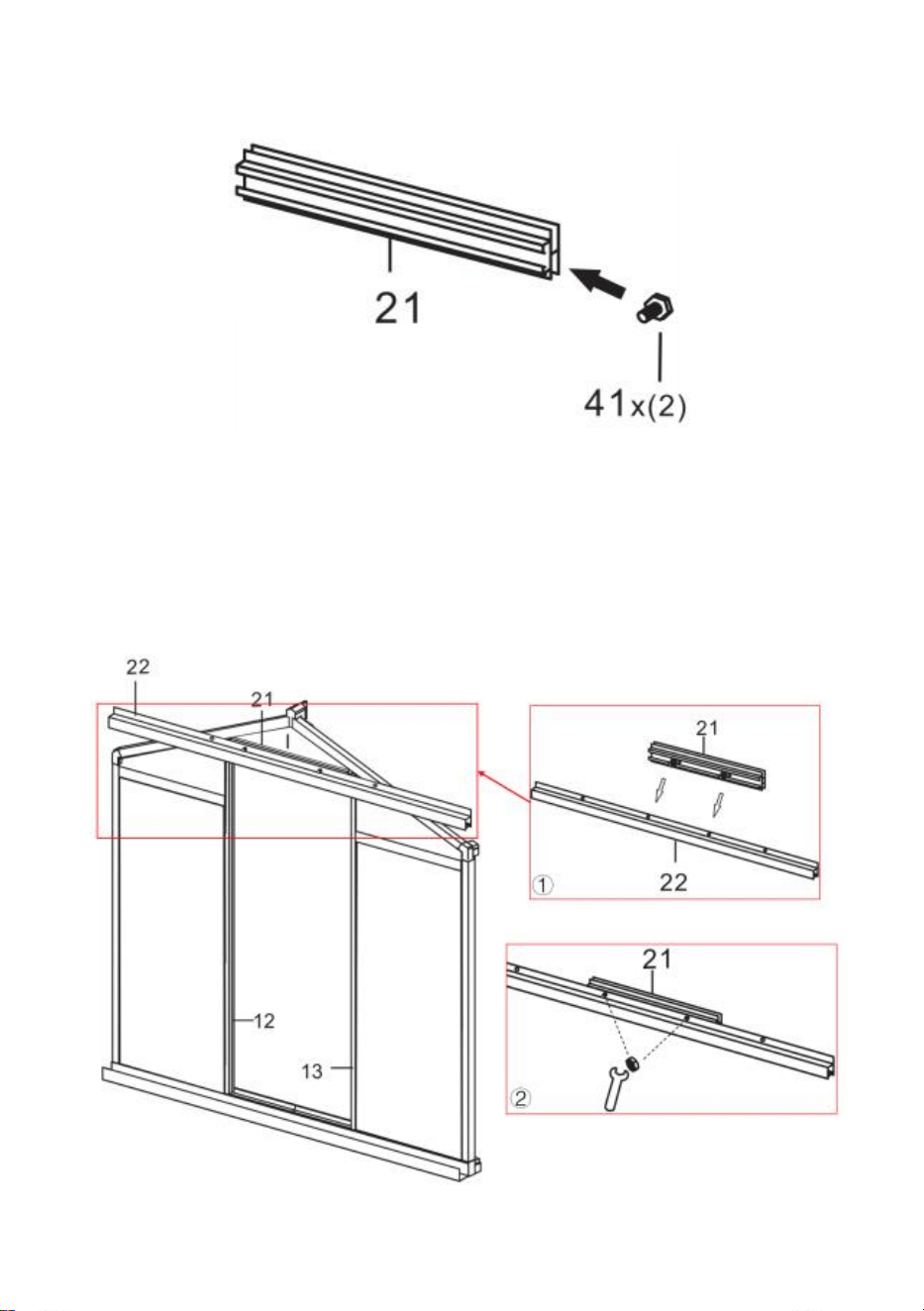
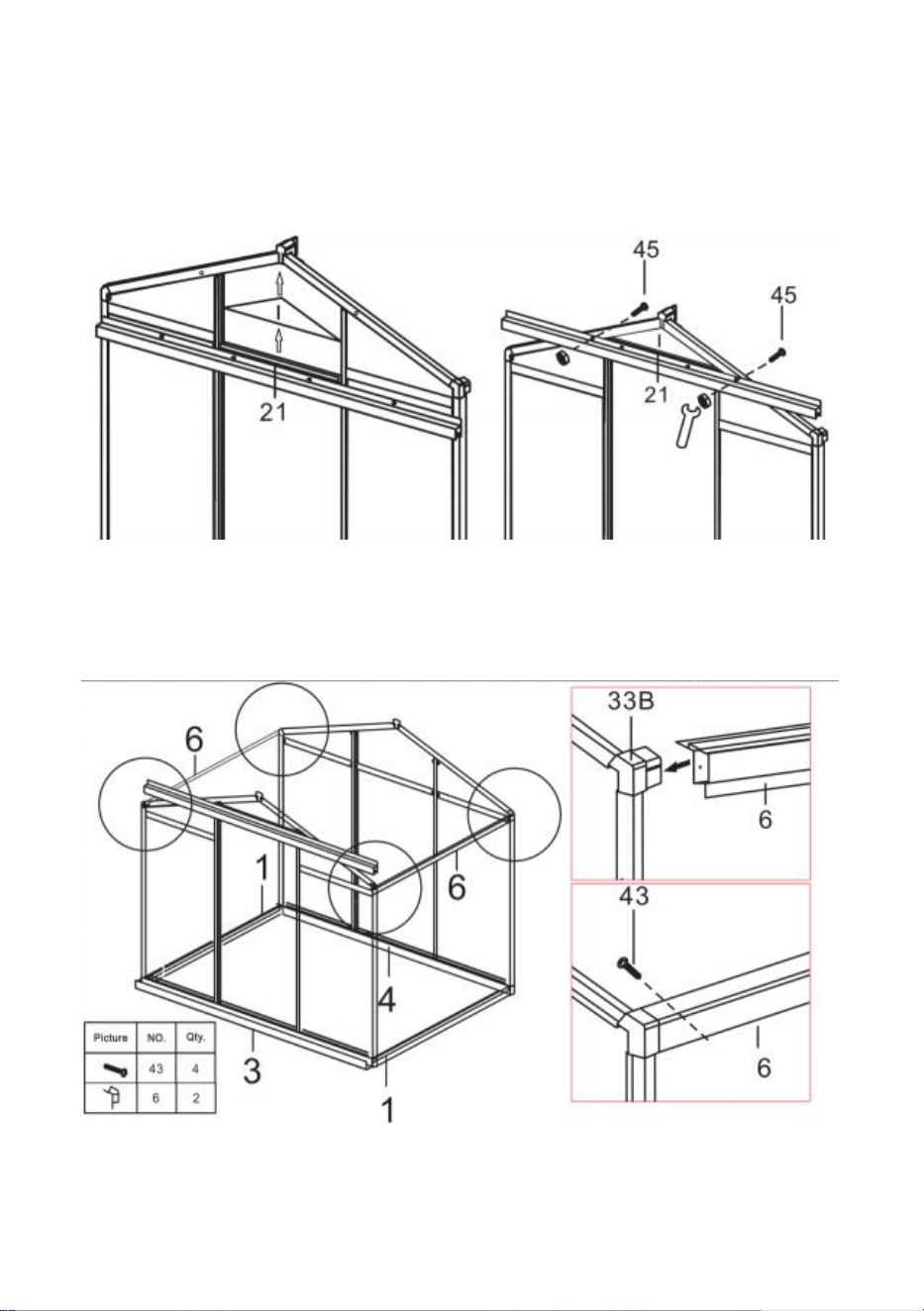
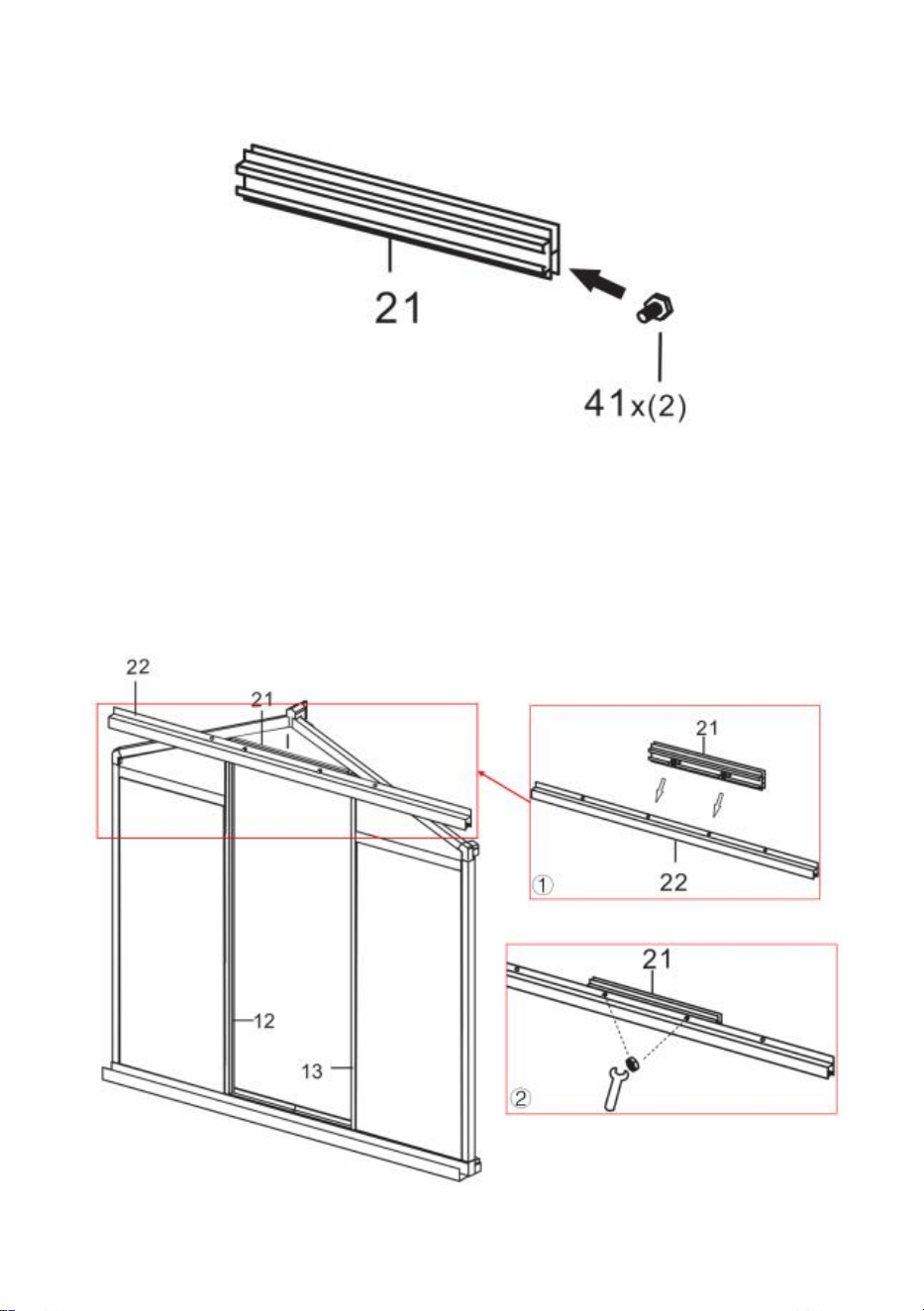
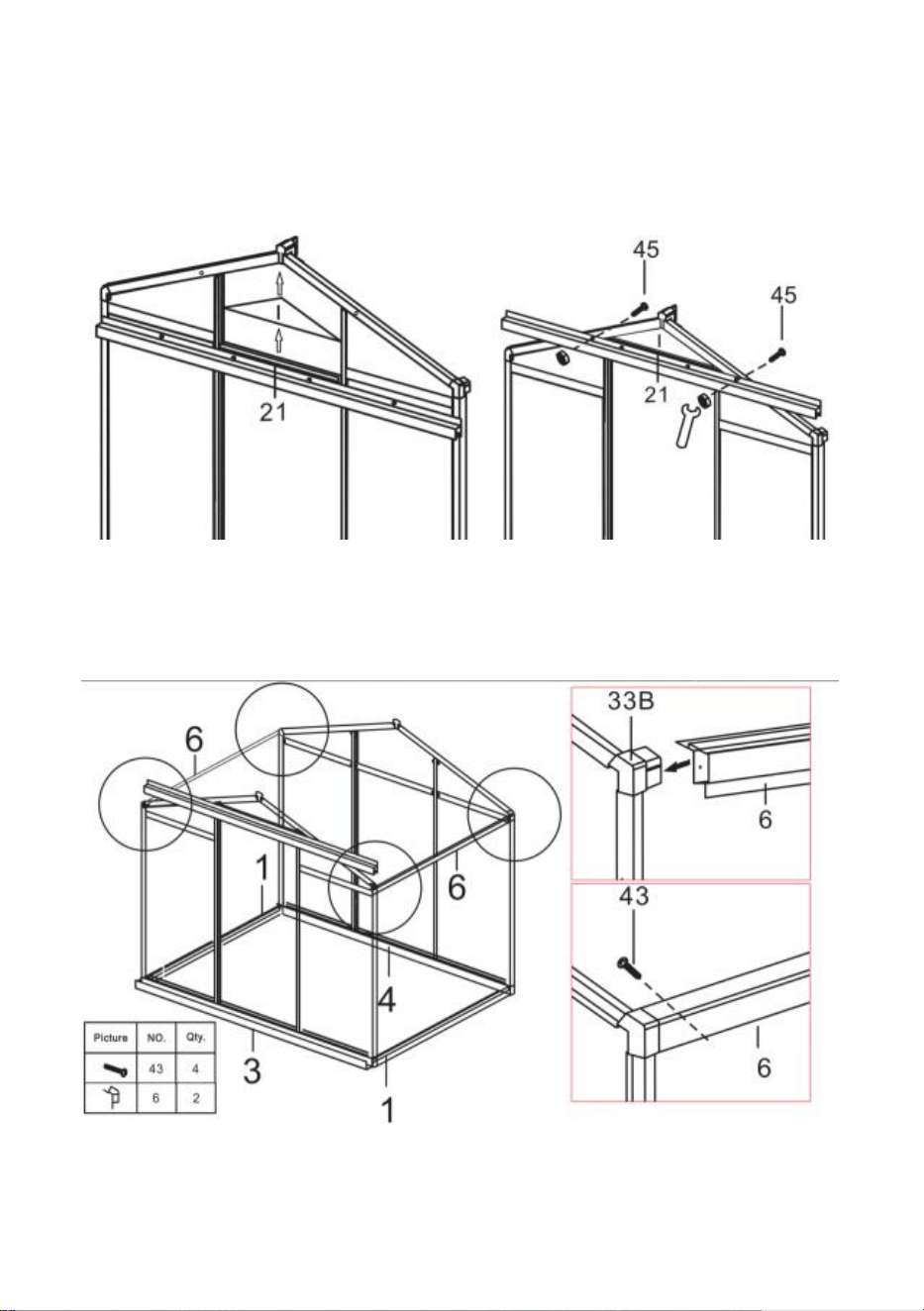
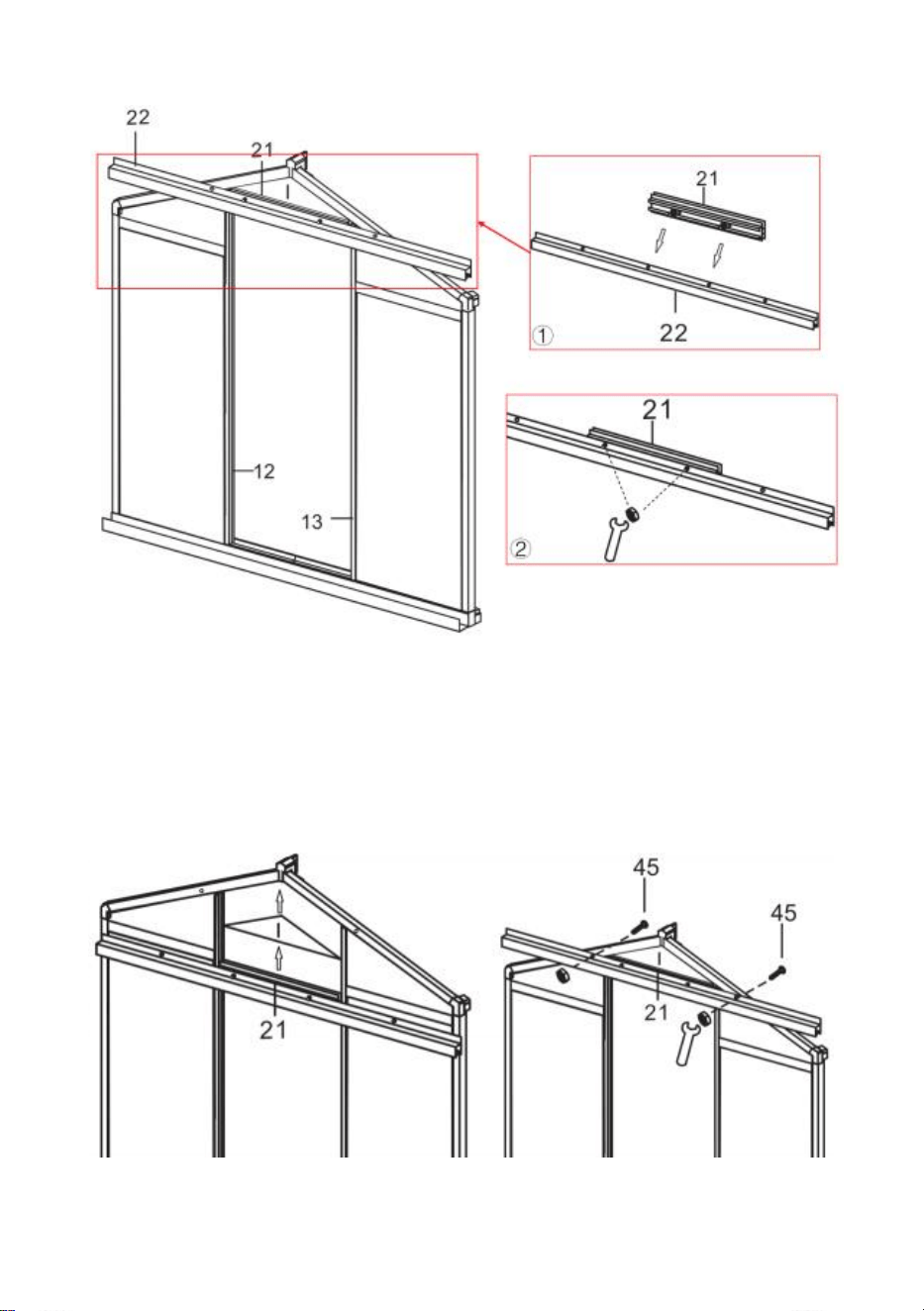
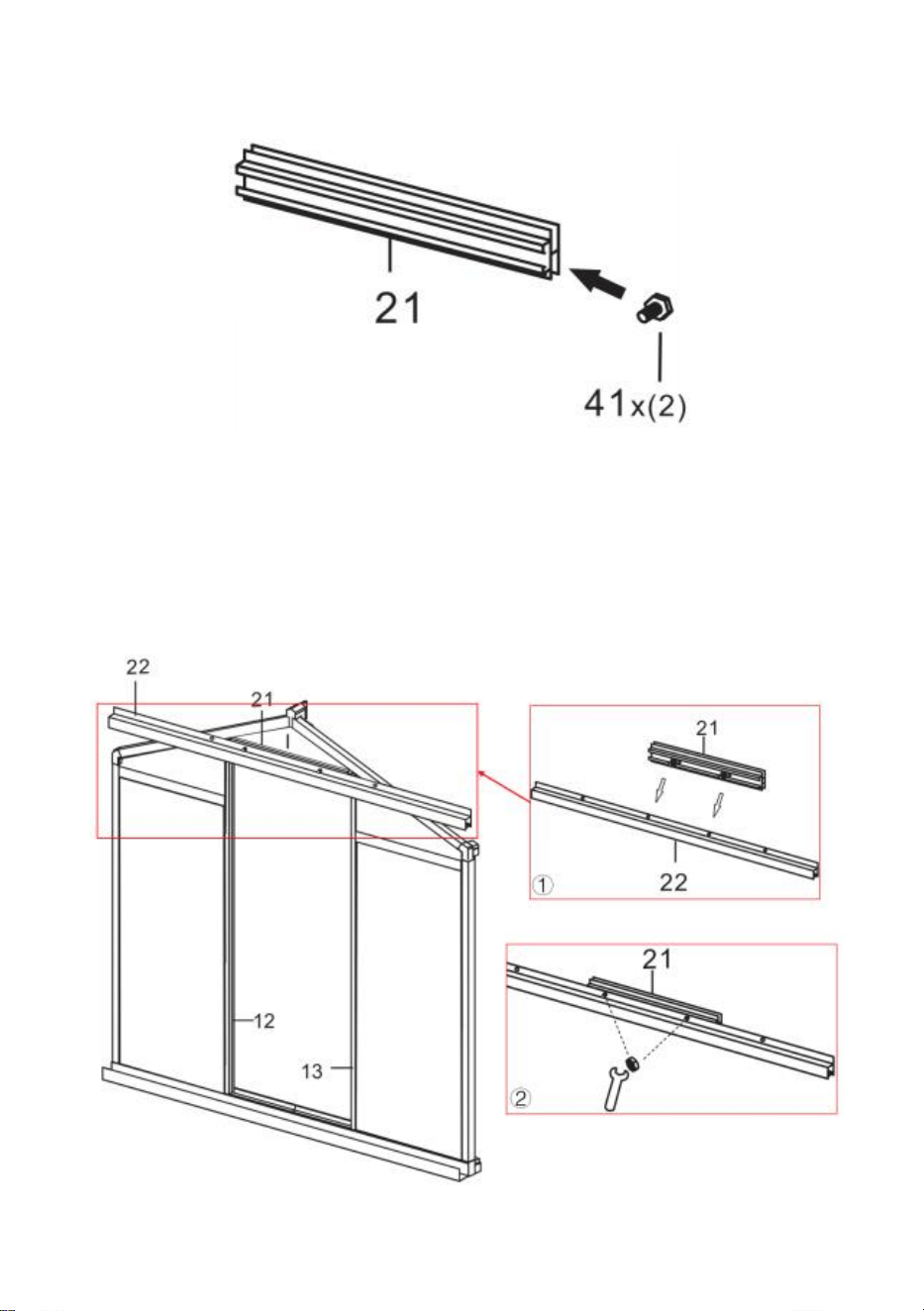
Step 16: Place the two parts 41 into part21 as shown.
Step 17: Place Parts 21 & 22 on either side of the component completed in
Step 15 and connect them using part 41 nuts. Note: Do not tighten the nut,
the components of part 21 and 22 can move up and down in the frame after
assembly.
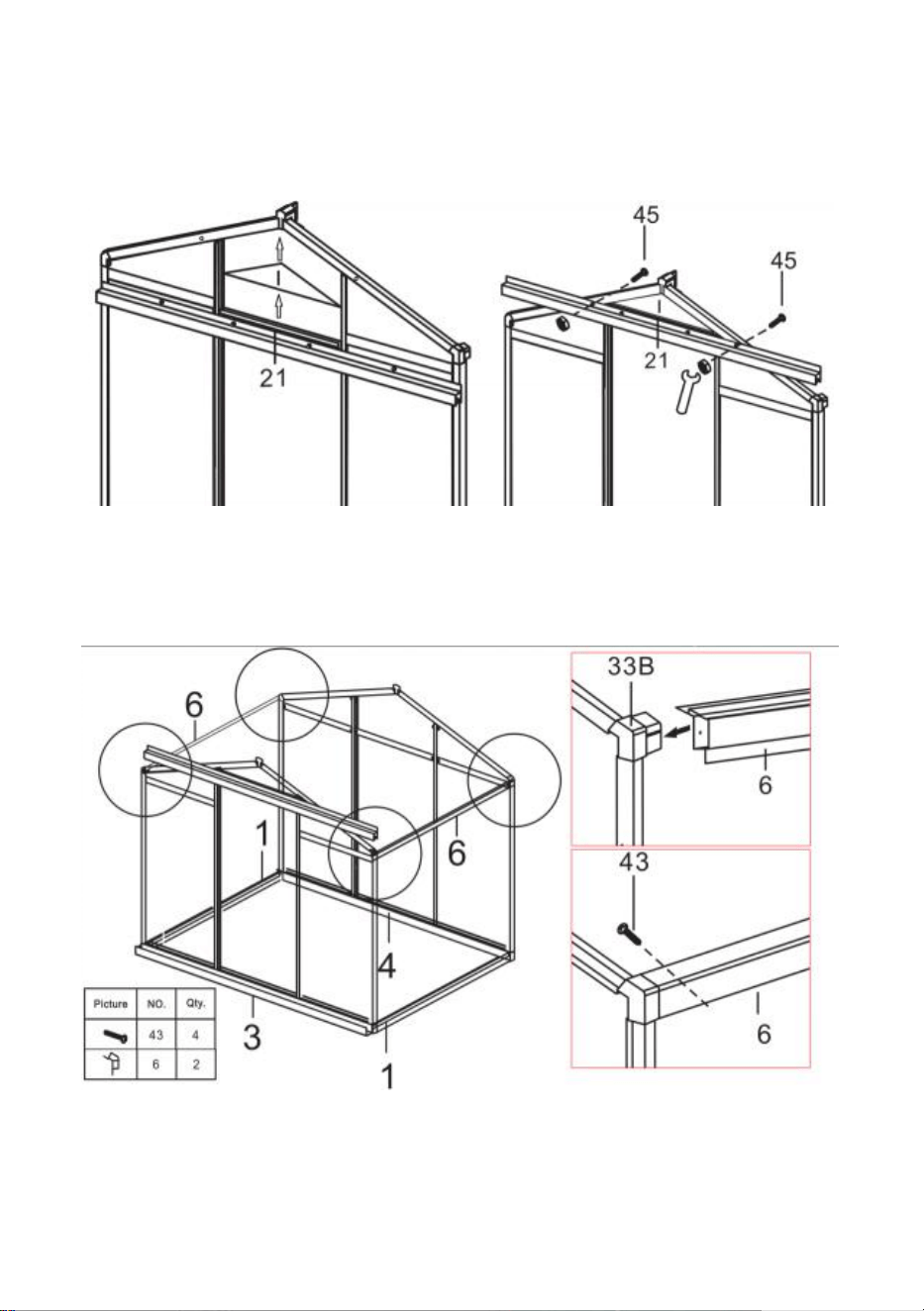
18
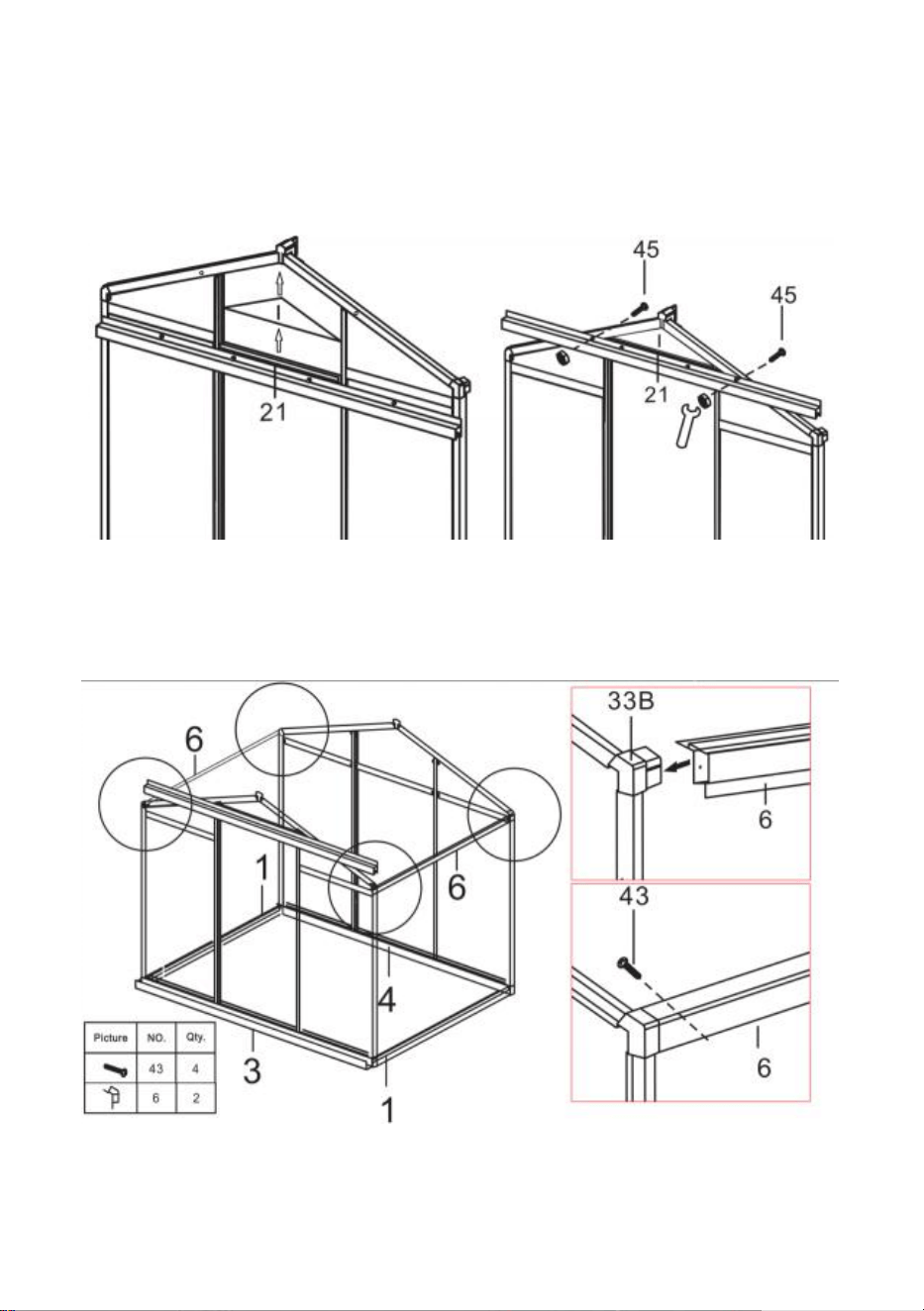
Step 18: Place part I on the component of part21 and push into the slot of the
frame. Move Part 21 and clamp part I tightly. Ensure that all edge of part I are
paired with the slot, and tighten the part 41 nut installed in the previous step.
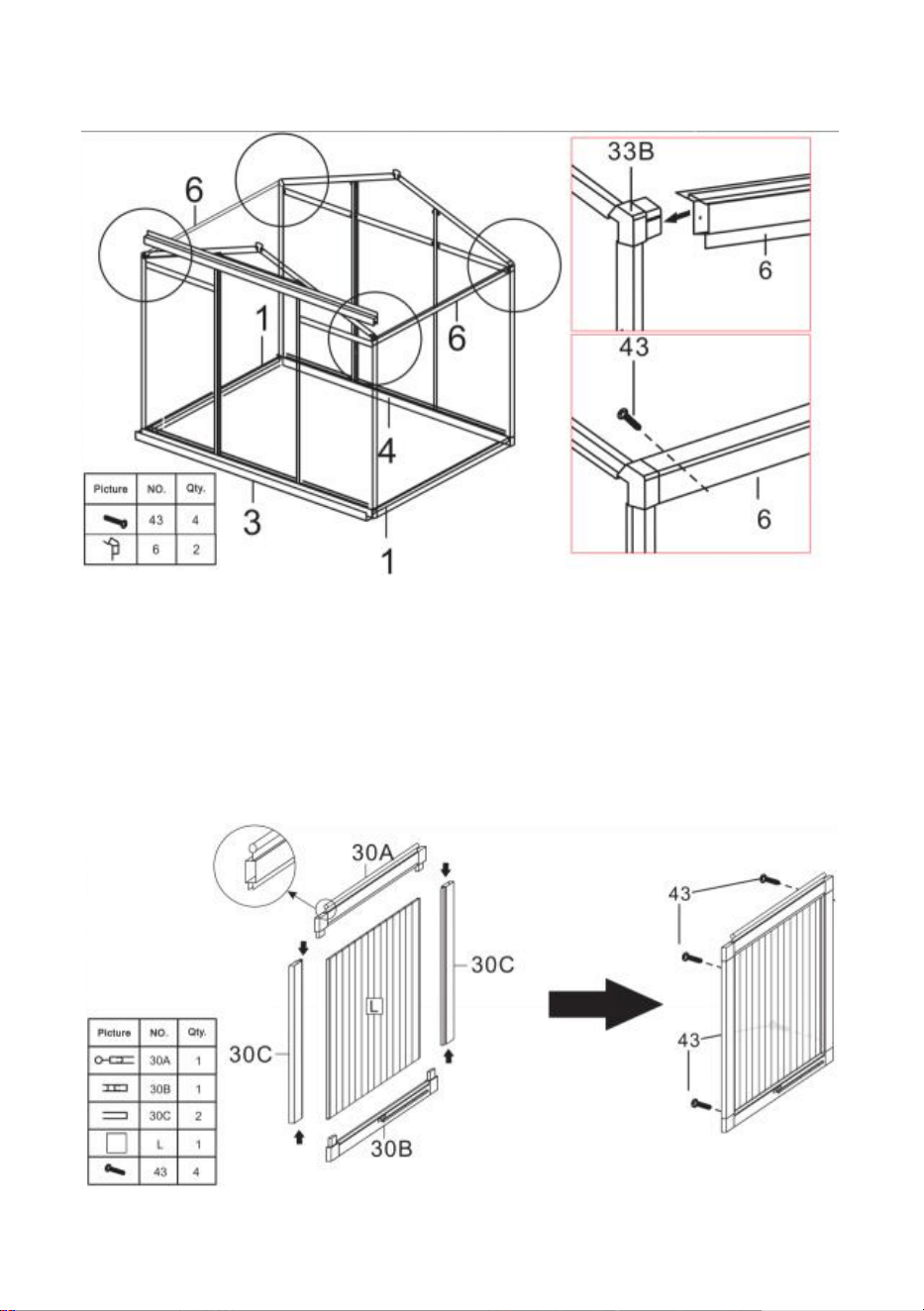
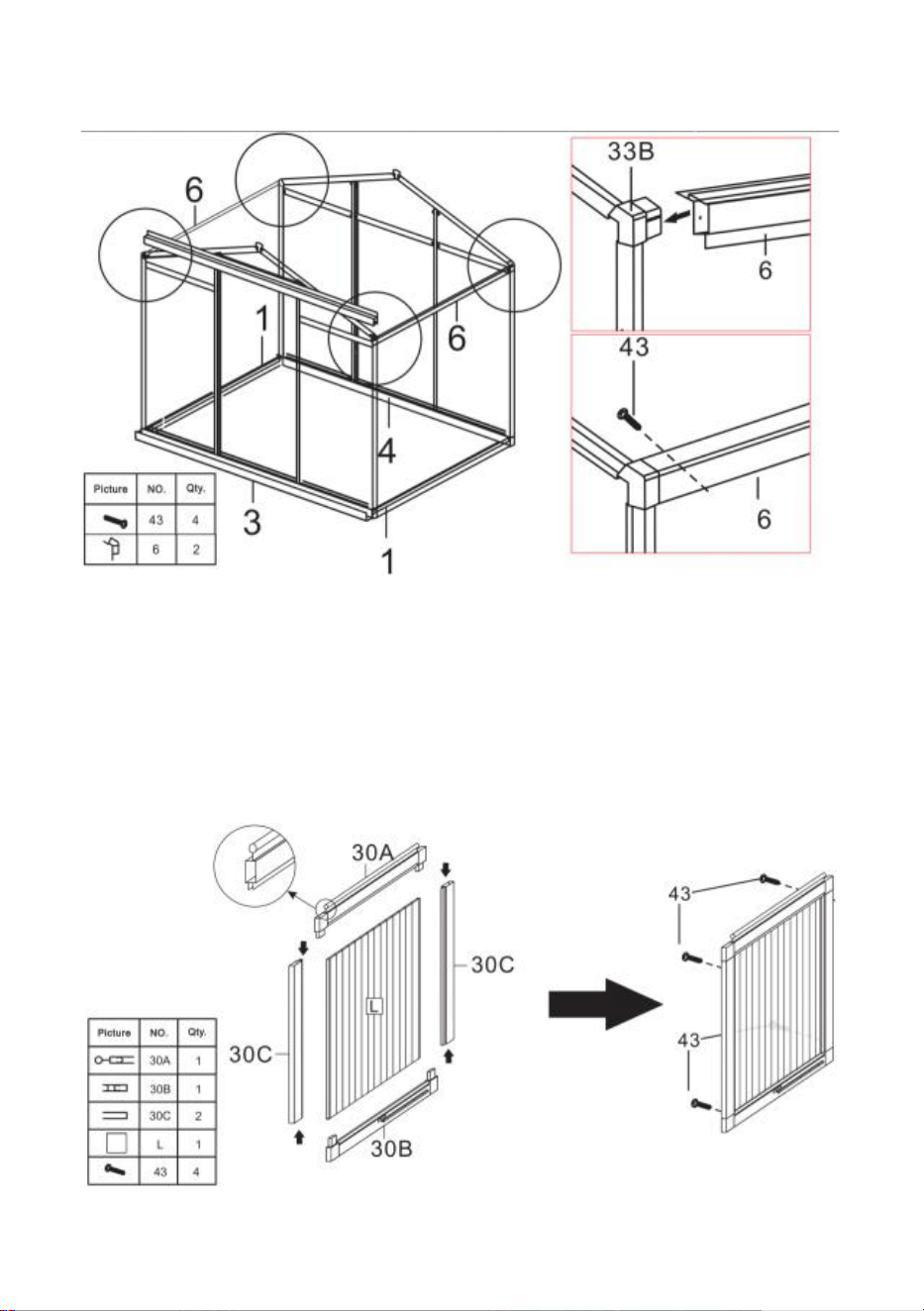
Step 19: Using part 43, install part 6 and the components completed in last
step.
19
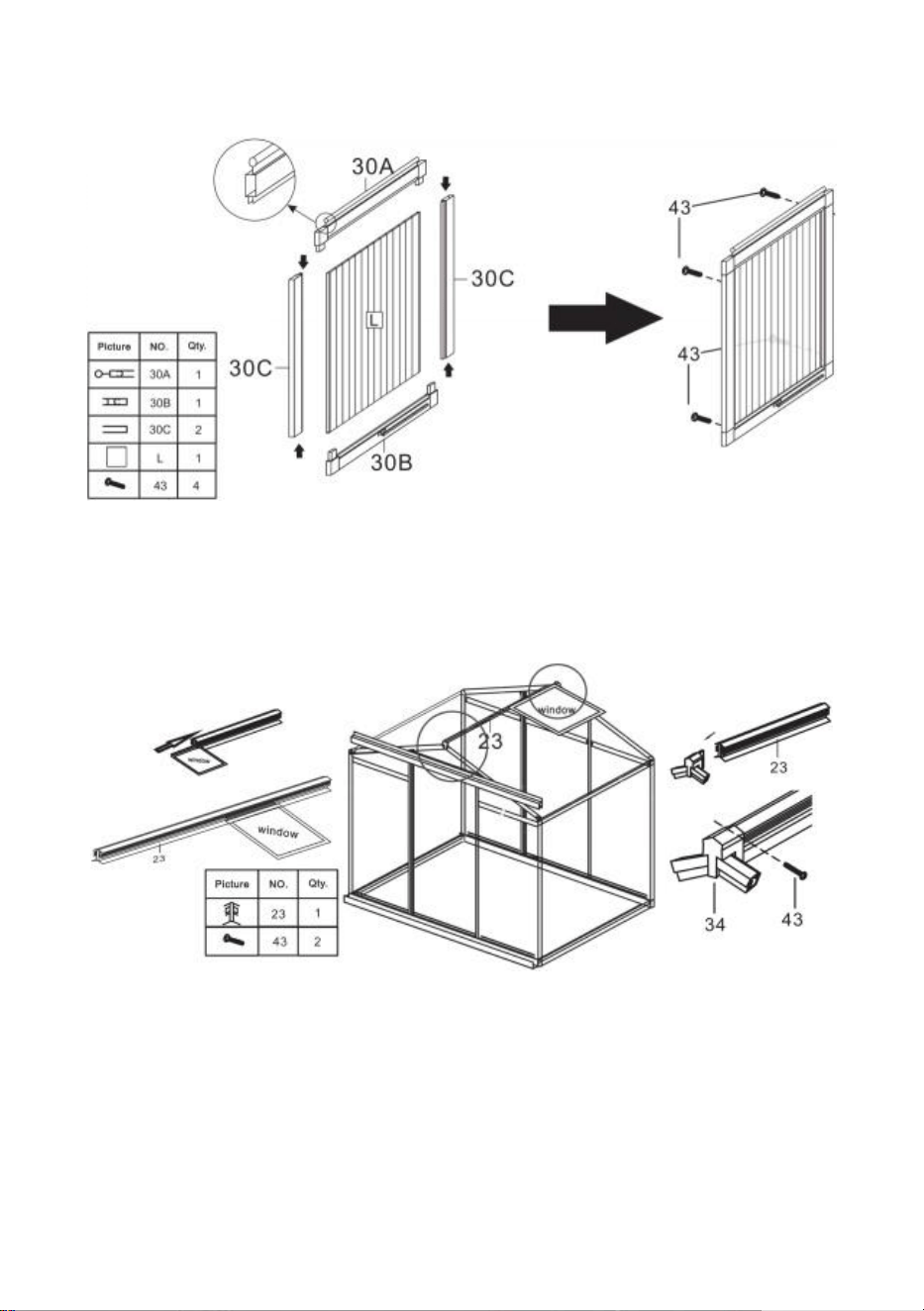
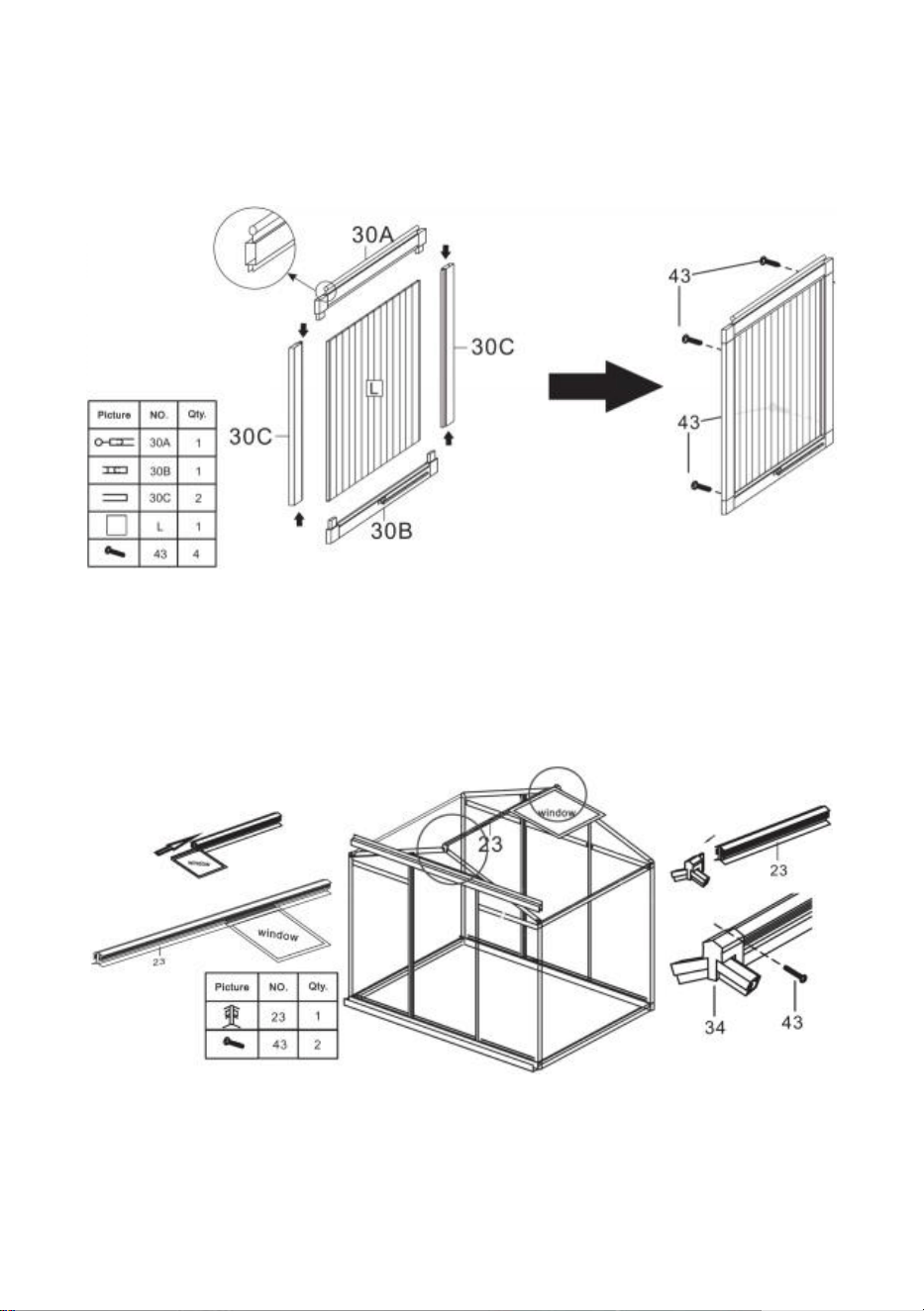
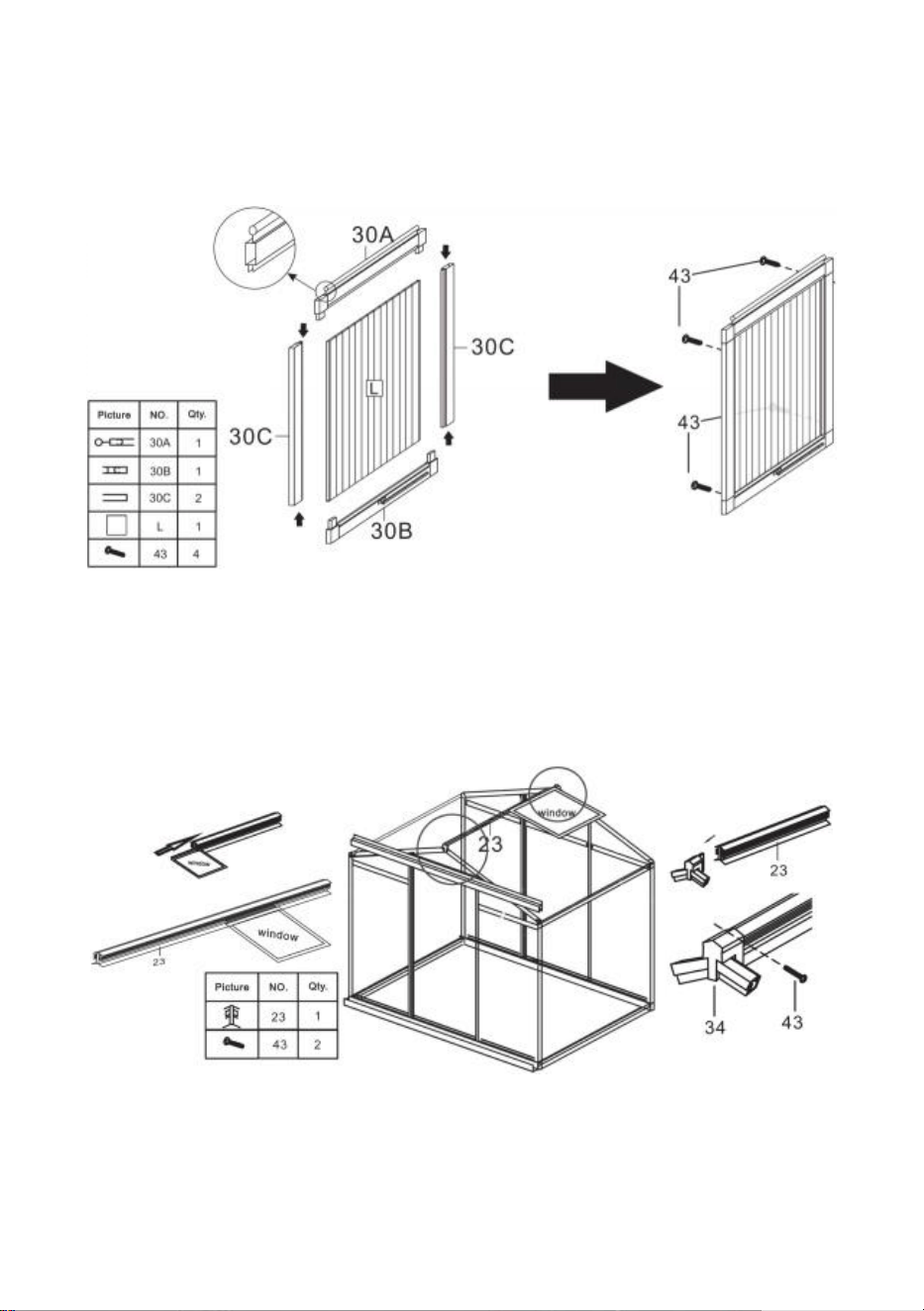
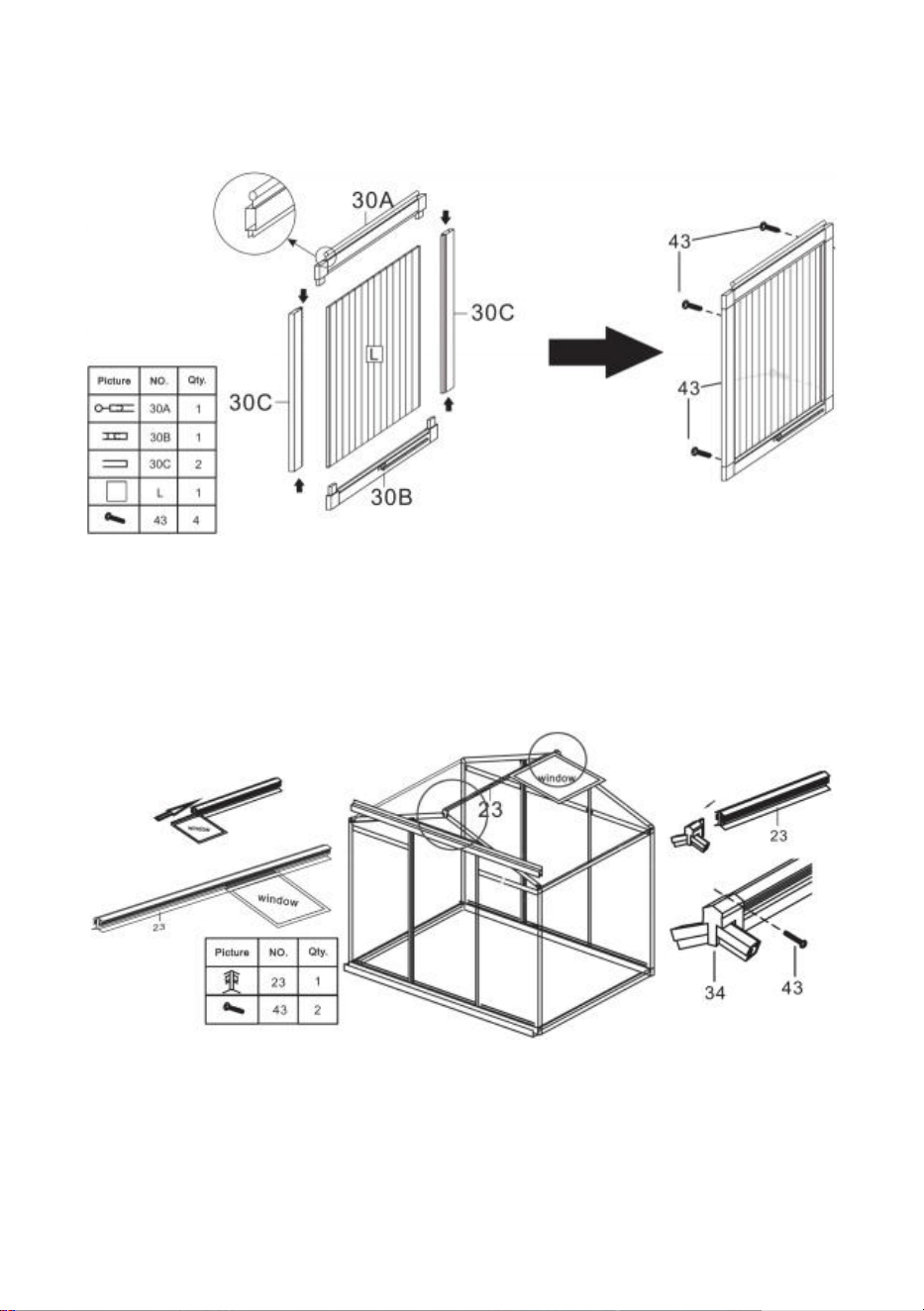
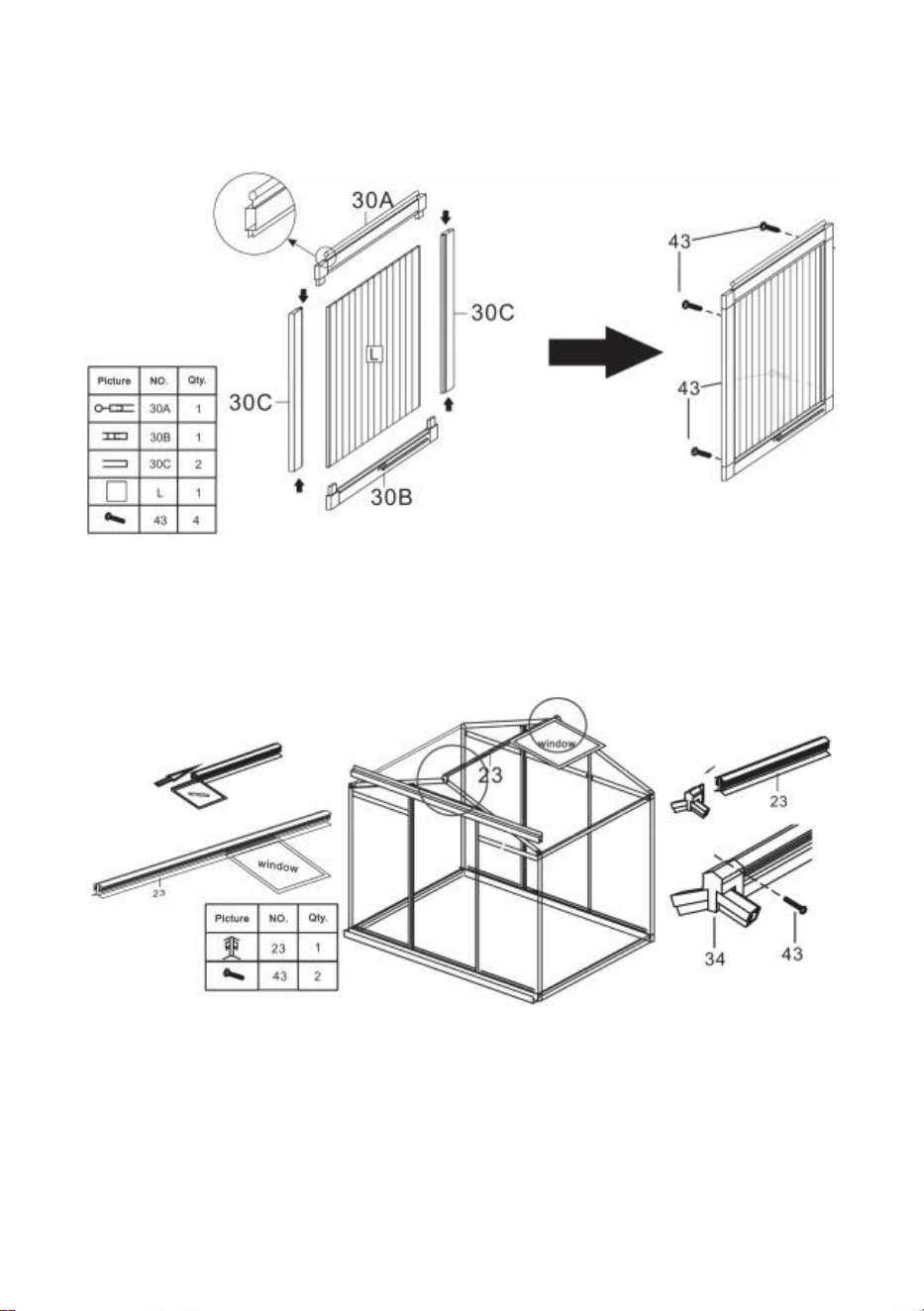
Step 20: Using part 40, assemble parts 30A, 30B, 30C & L into Windows.
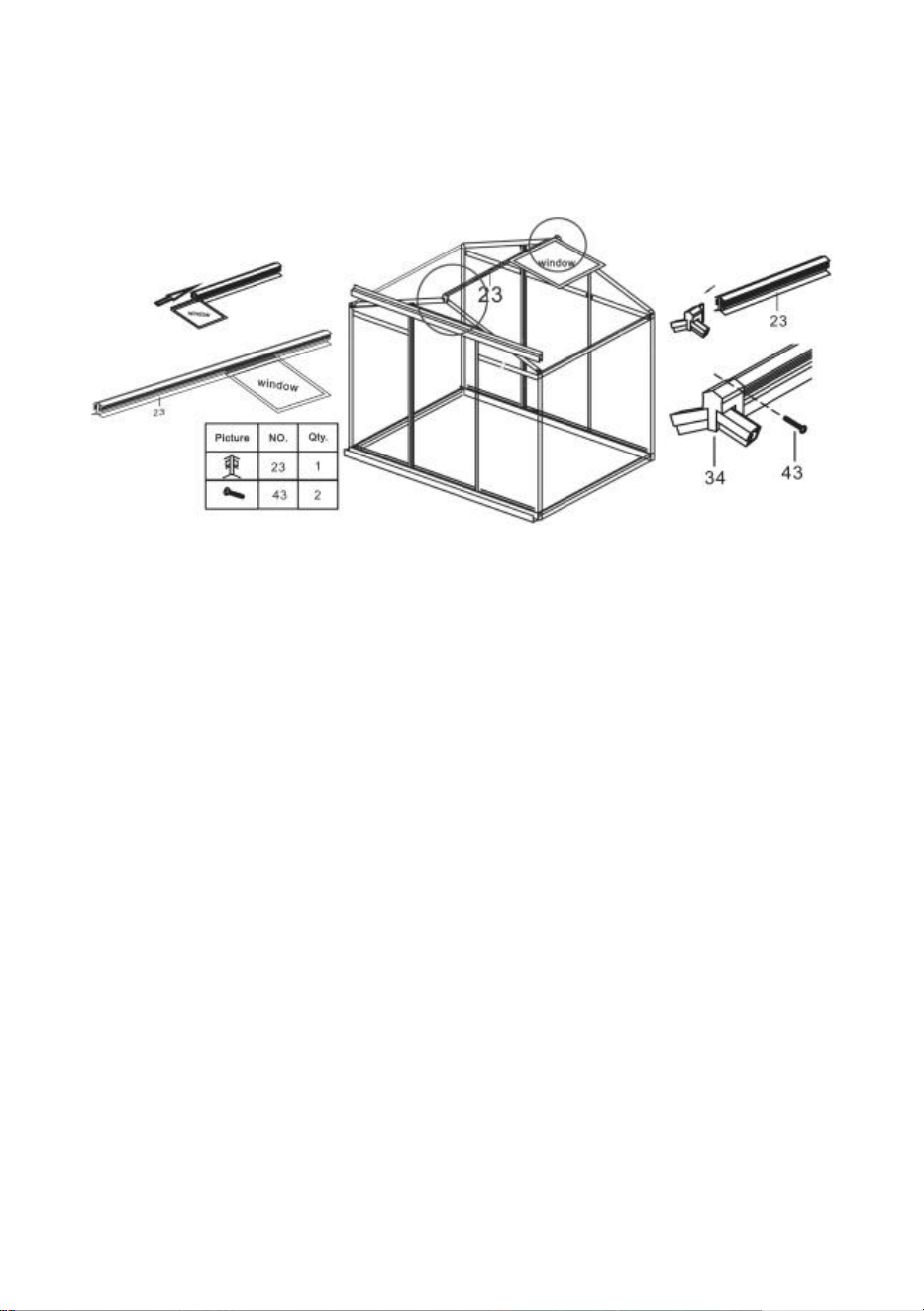
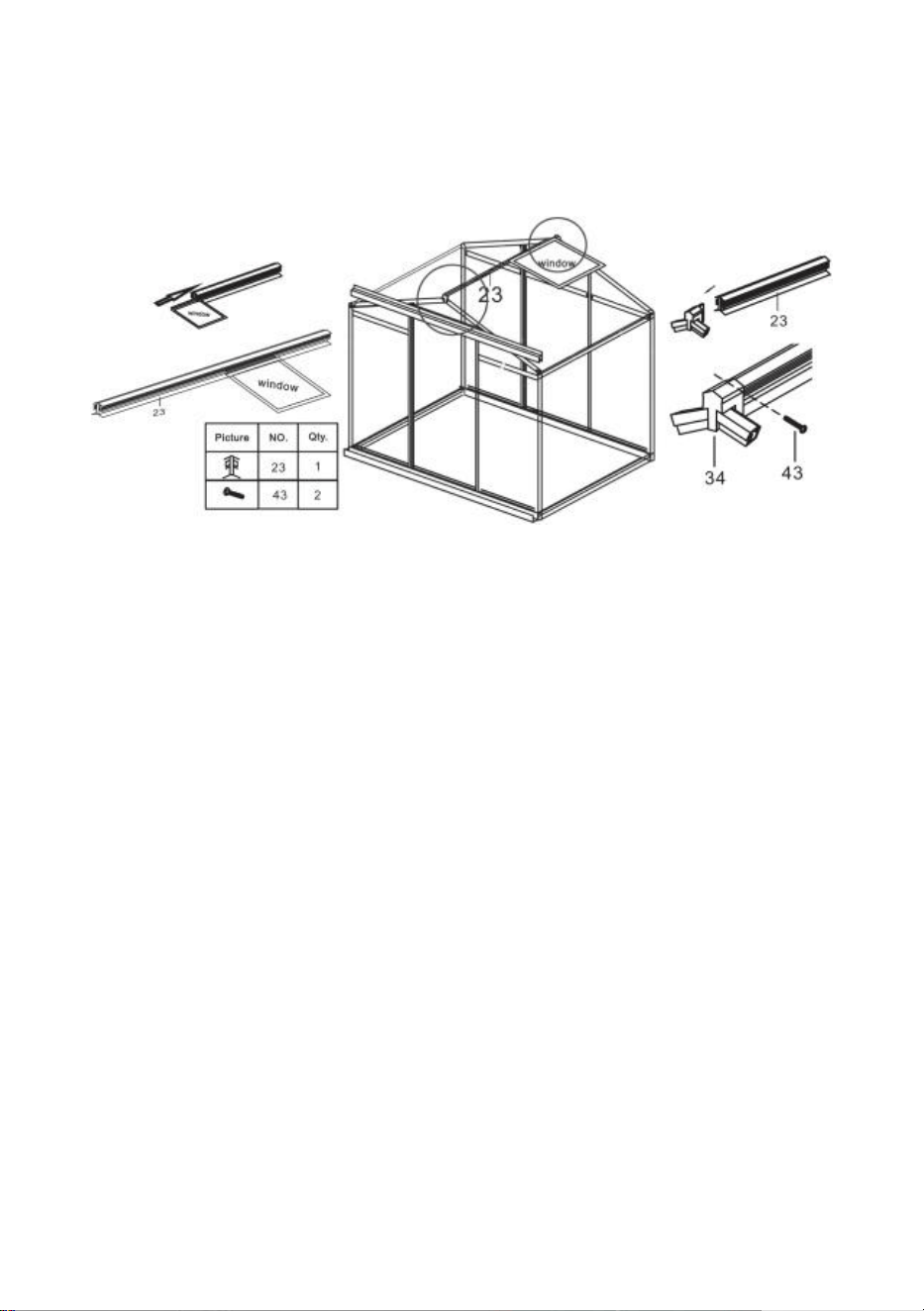
Step 21: Install the window on the slide rail in part 23 as shown, install the
assembly on the frame completed in step 19 and lock it with part43.
20
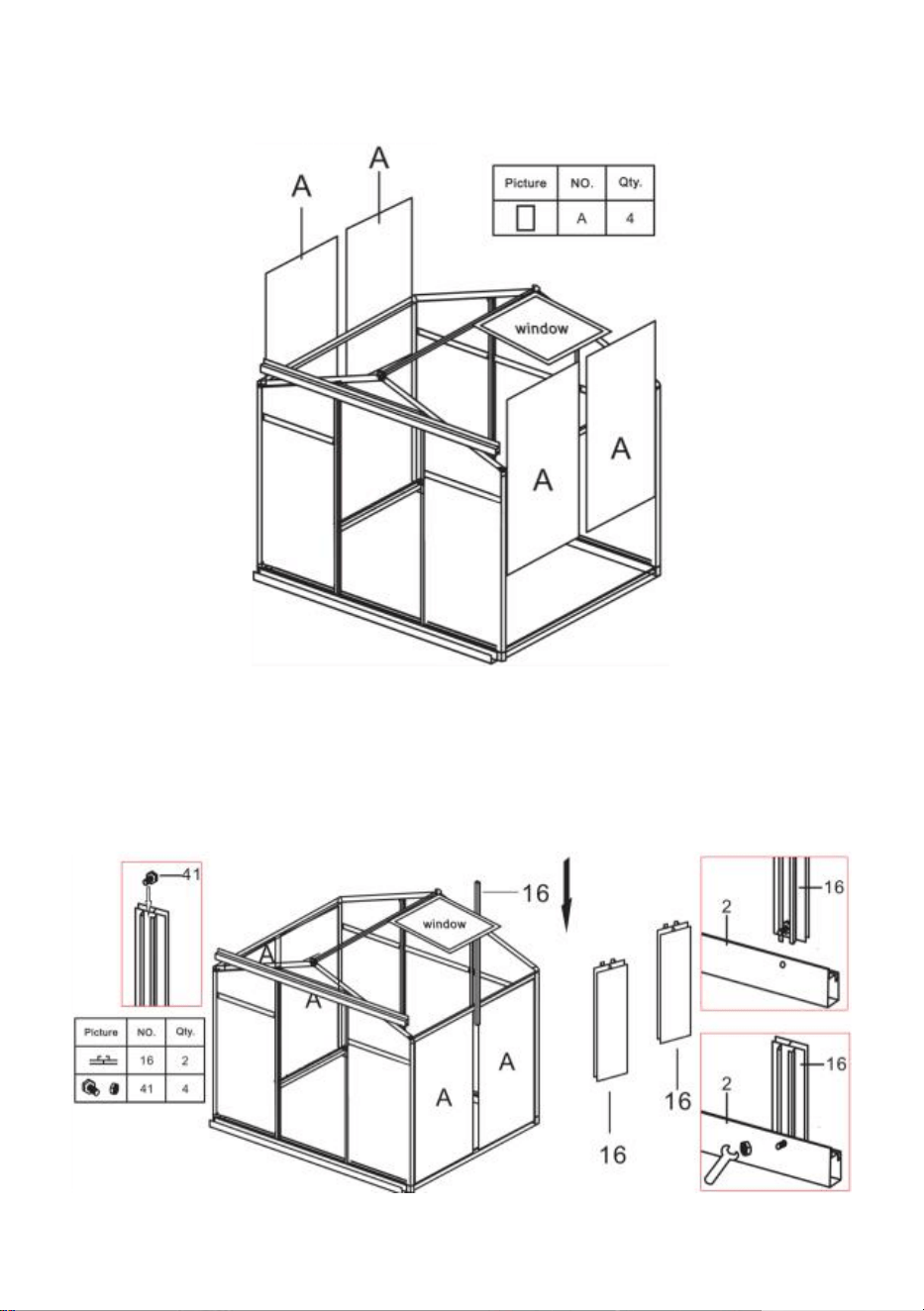
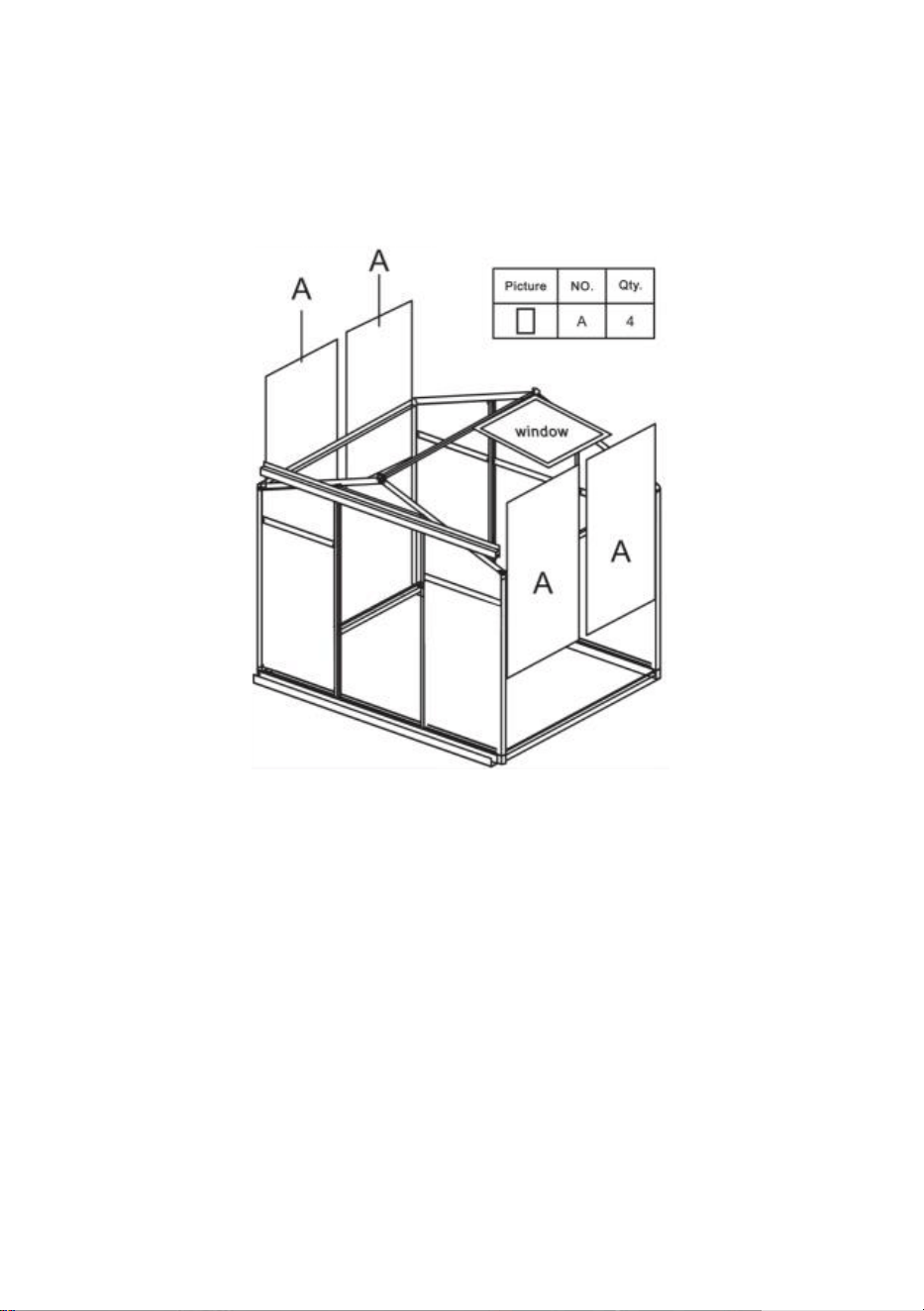
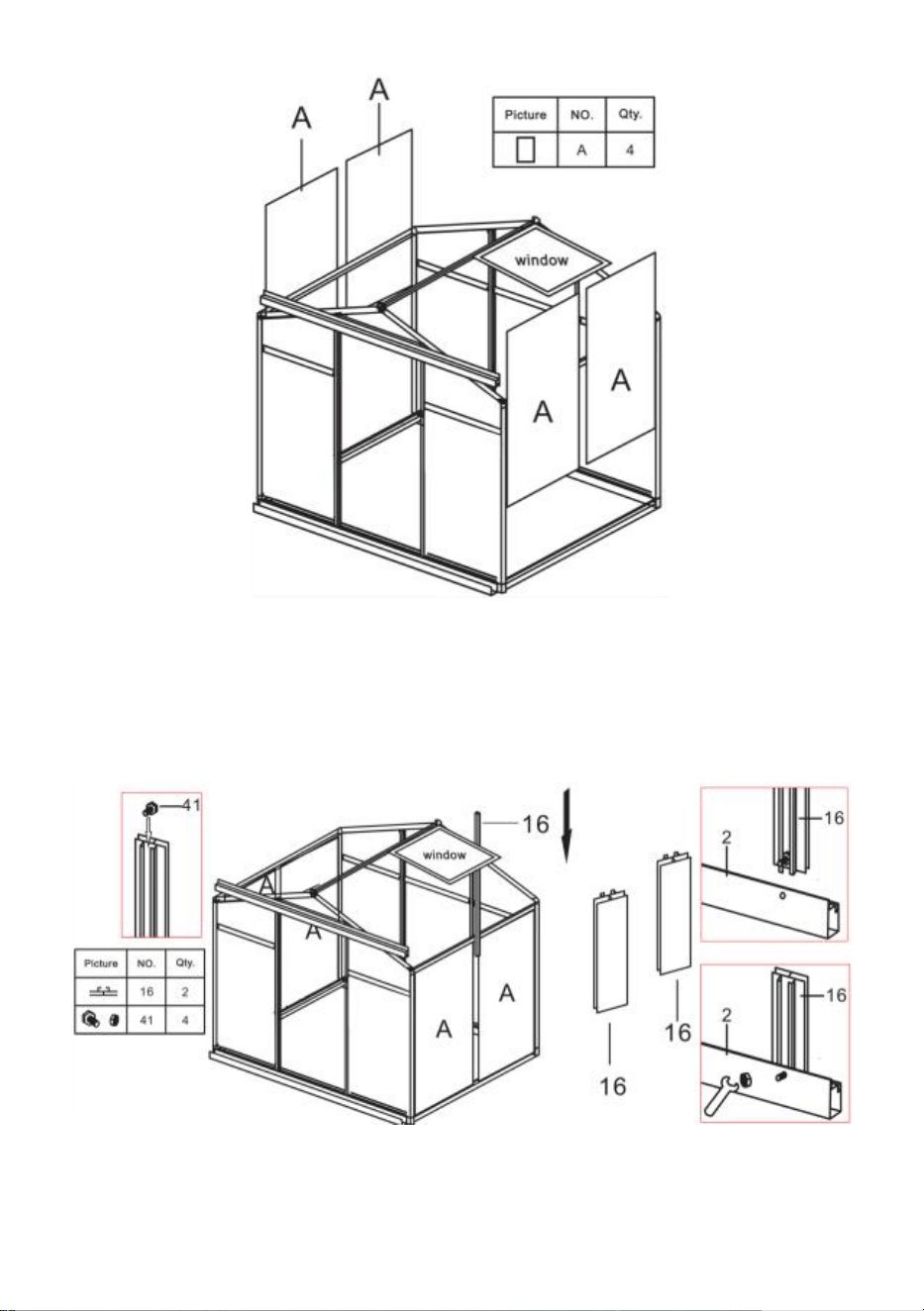
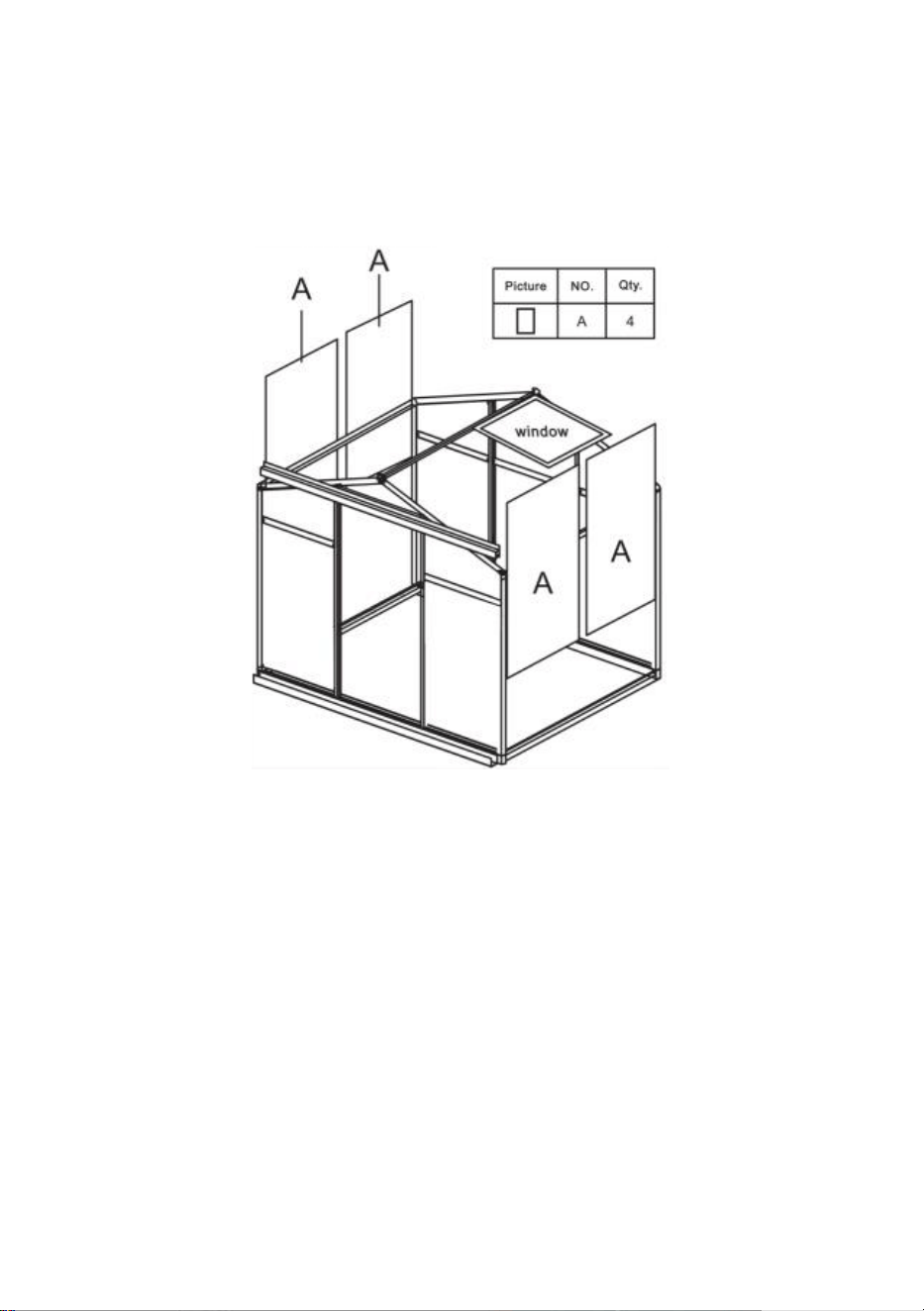
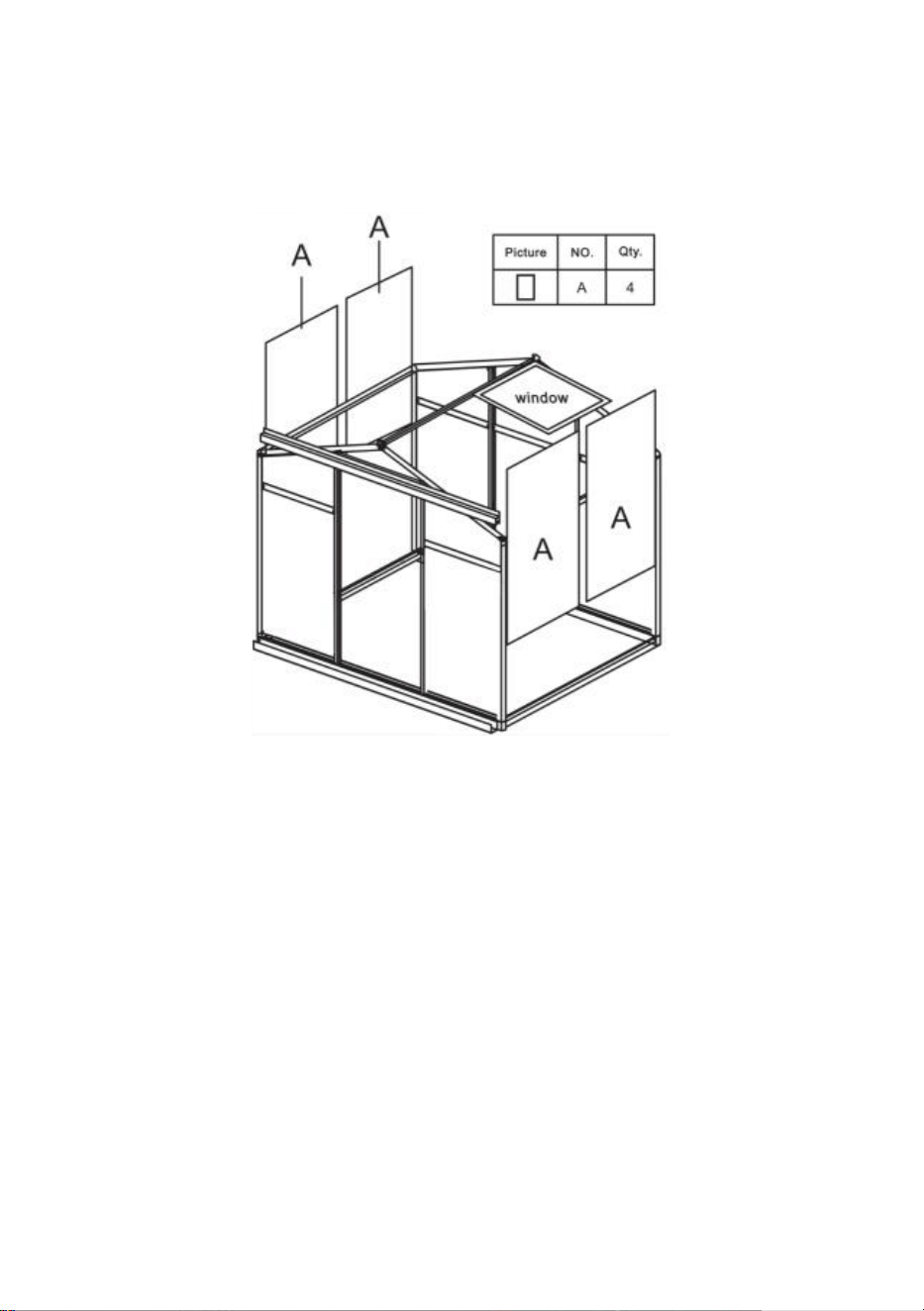
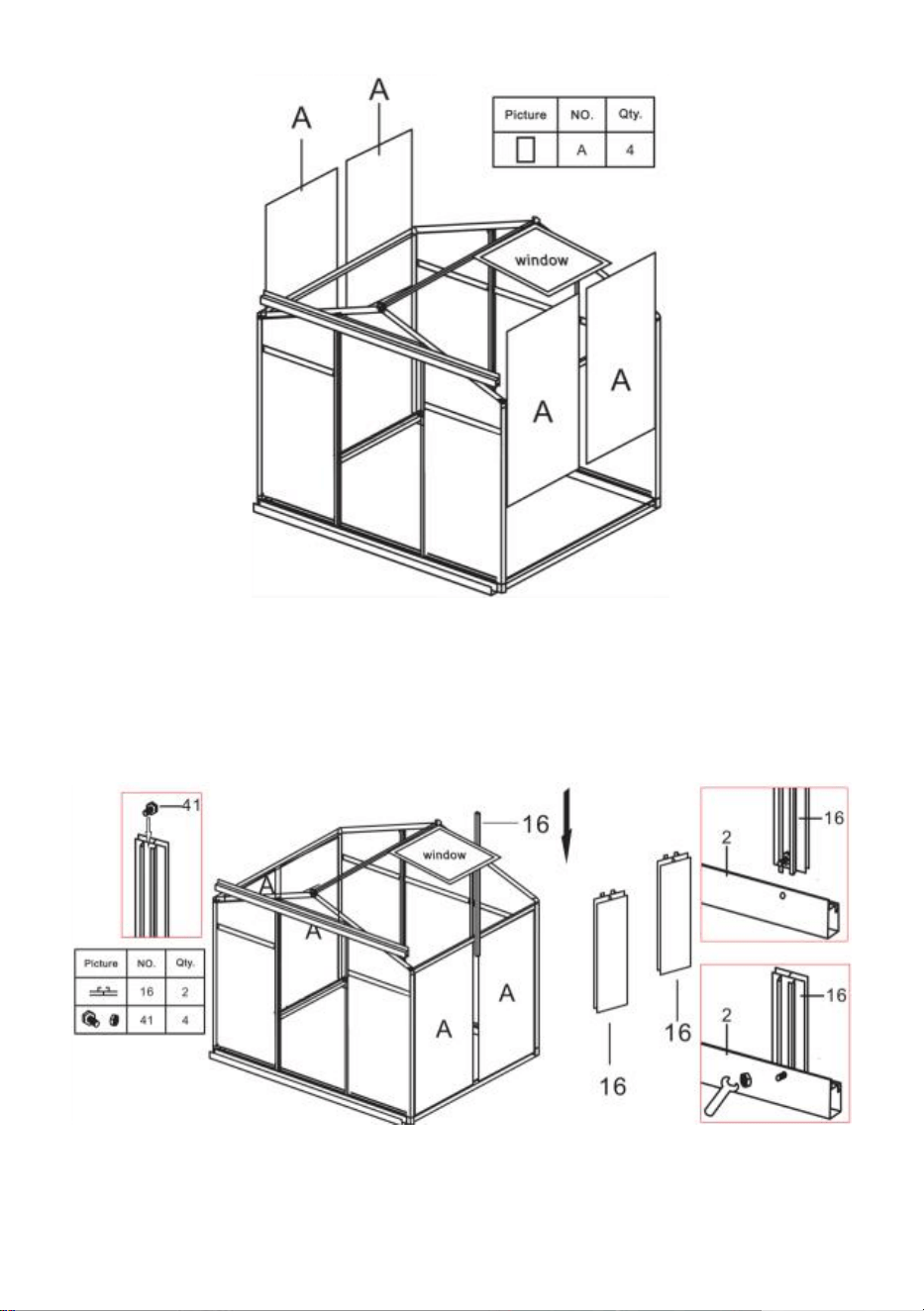
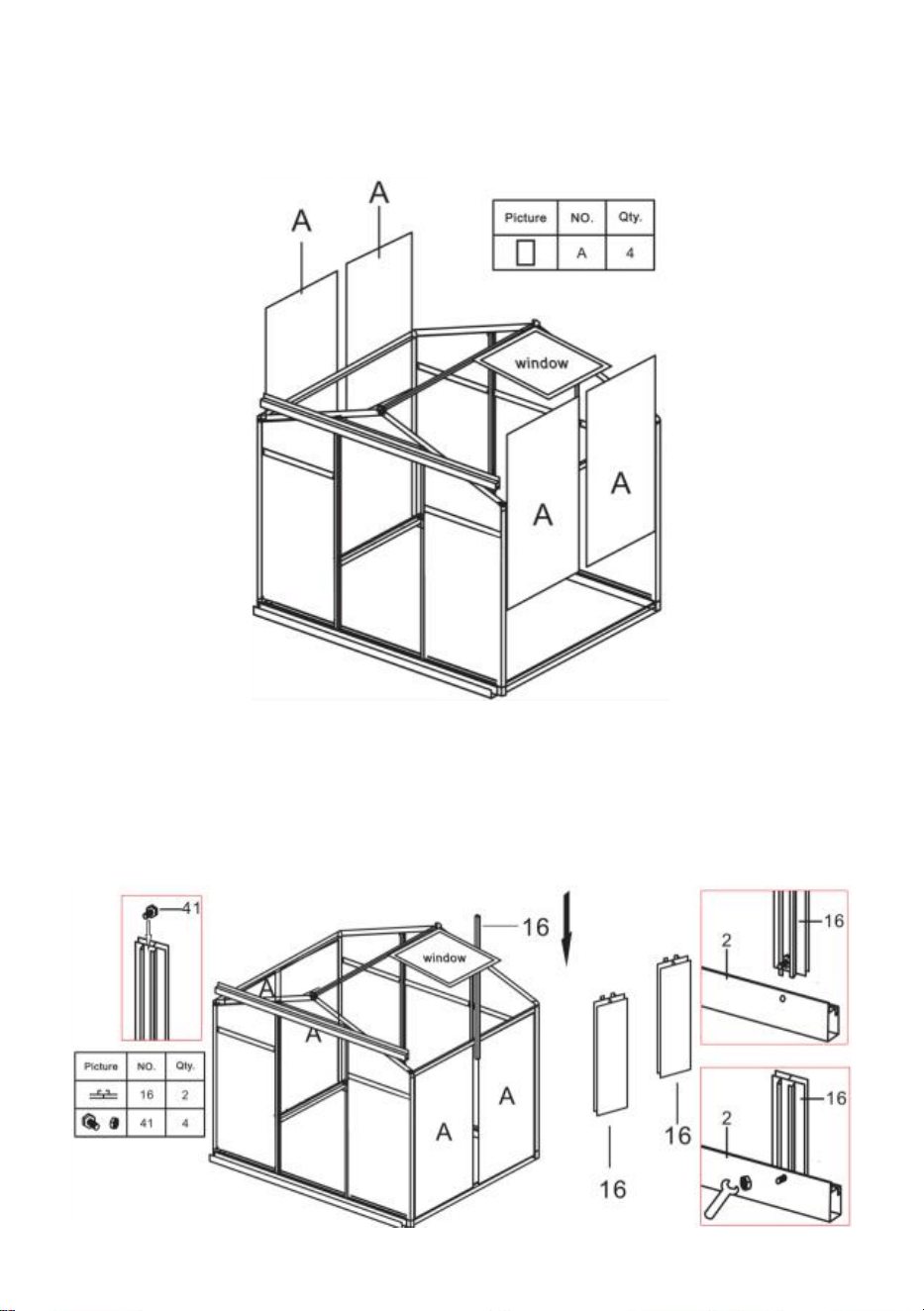
Step 22: Insert partA into the frame on the corresponding slide.
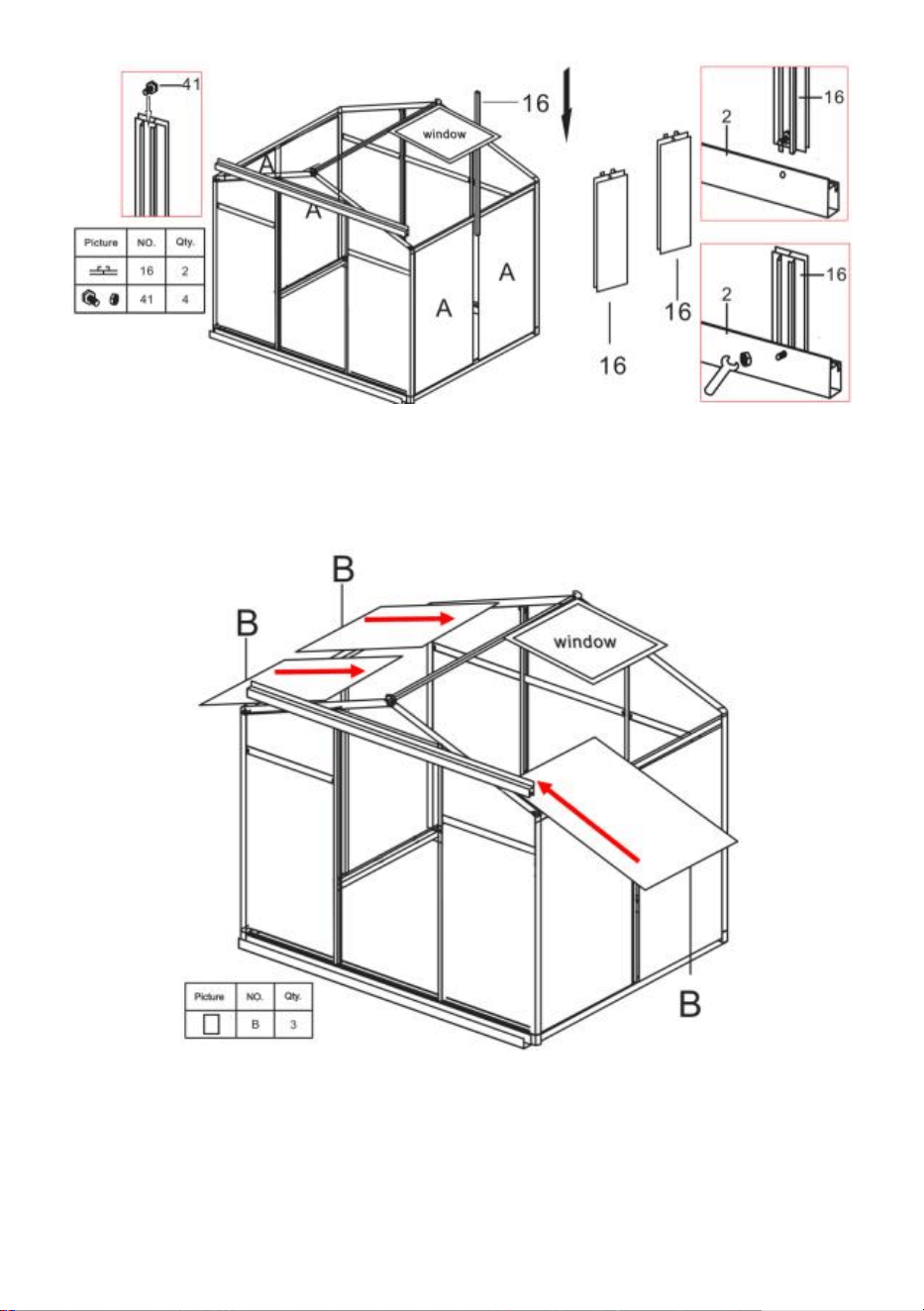
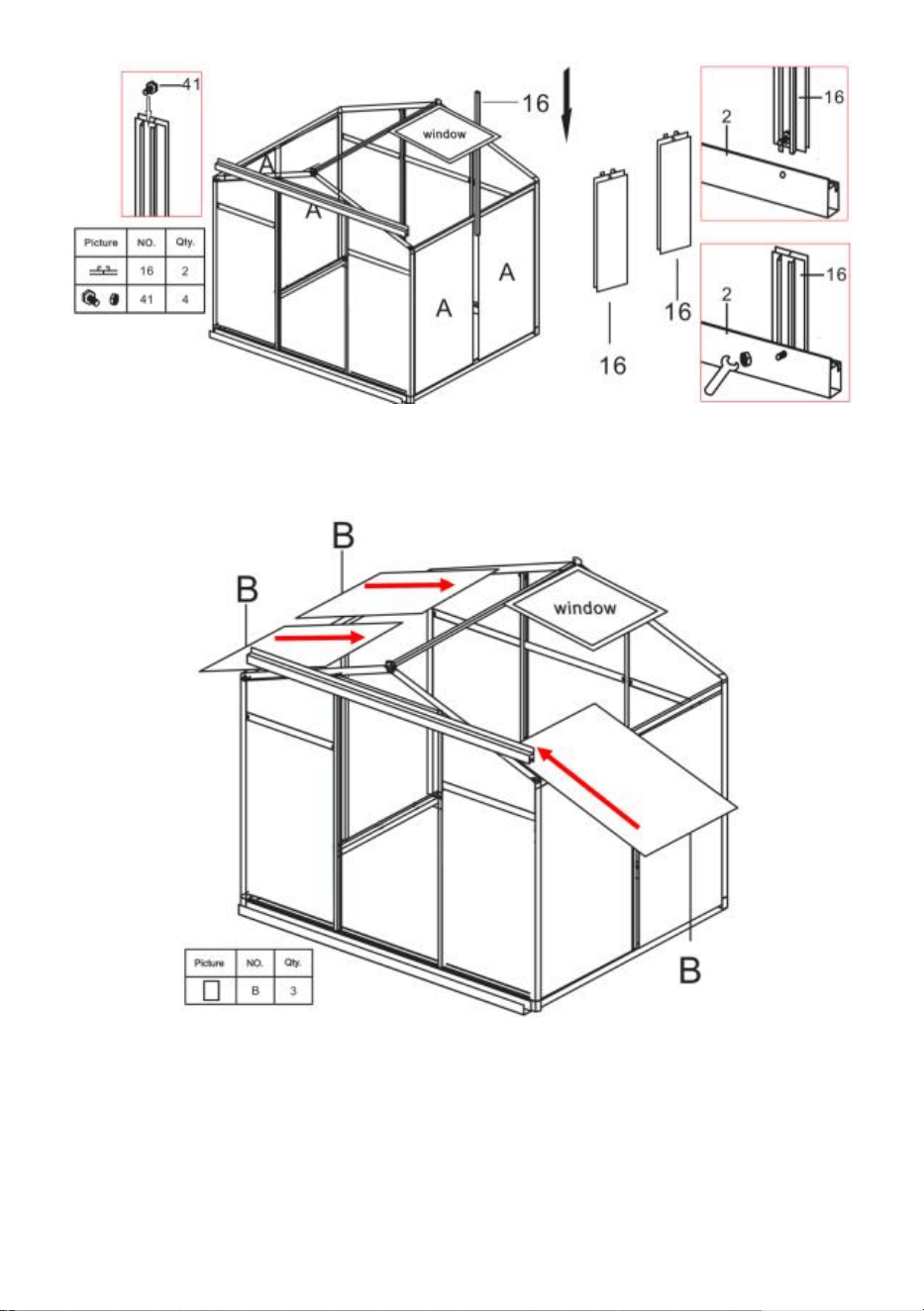
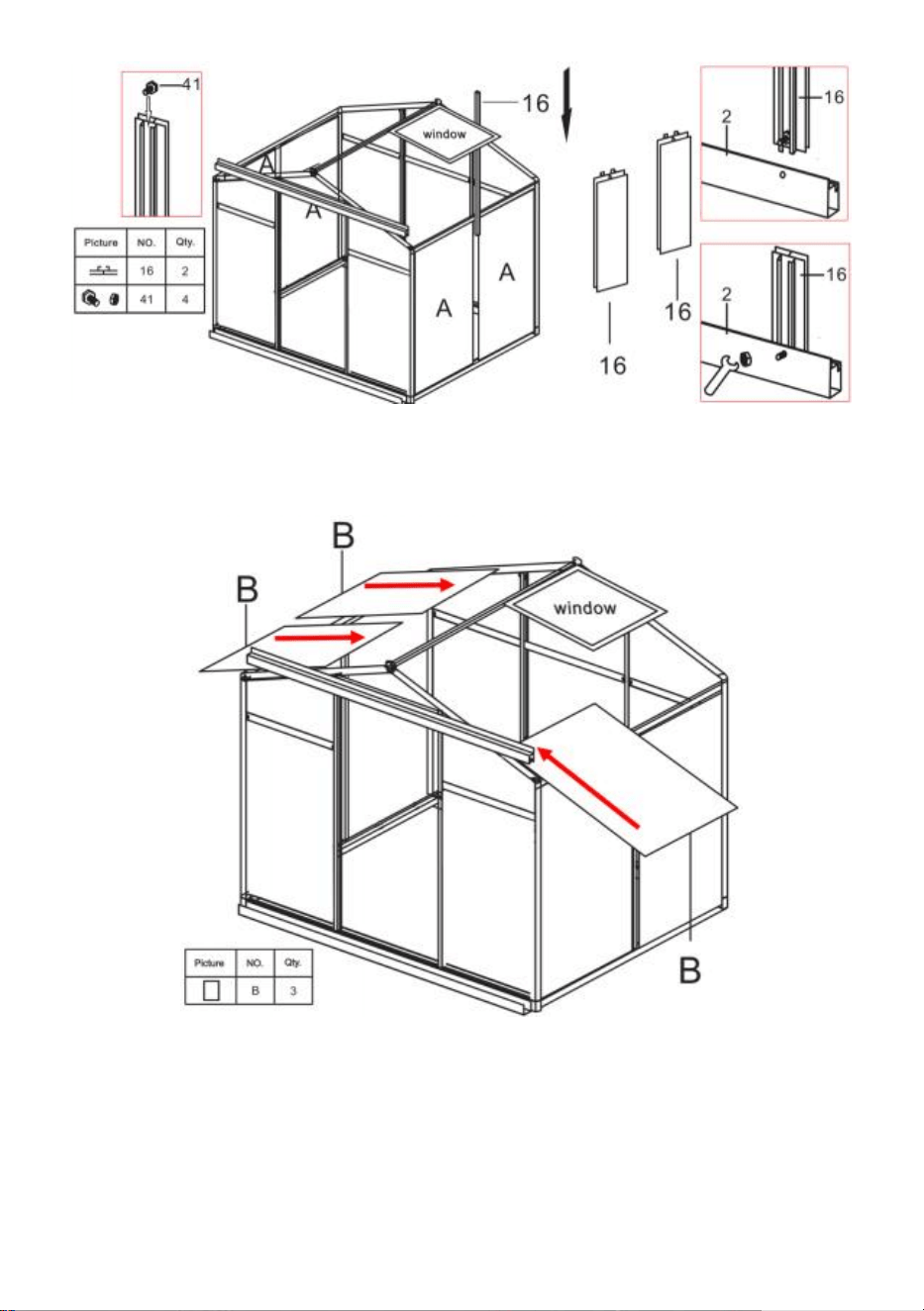
Step 23: As shown, place two parts 41 into part 16, and then insert part 16
between the two part A. Assemble part 16 with the frame completed in step
21 using the nuts of part 41.
21
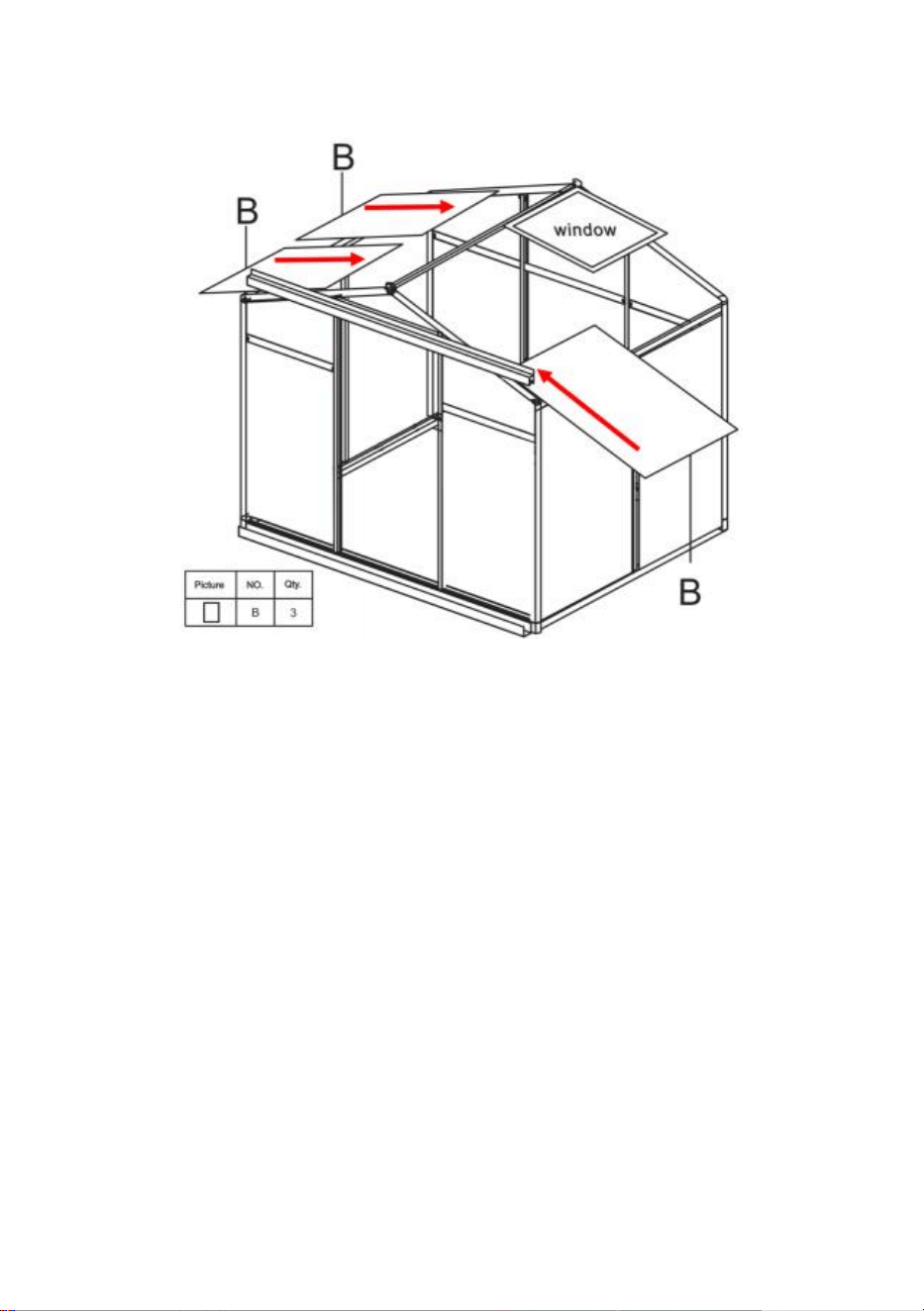
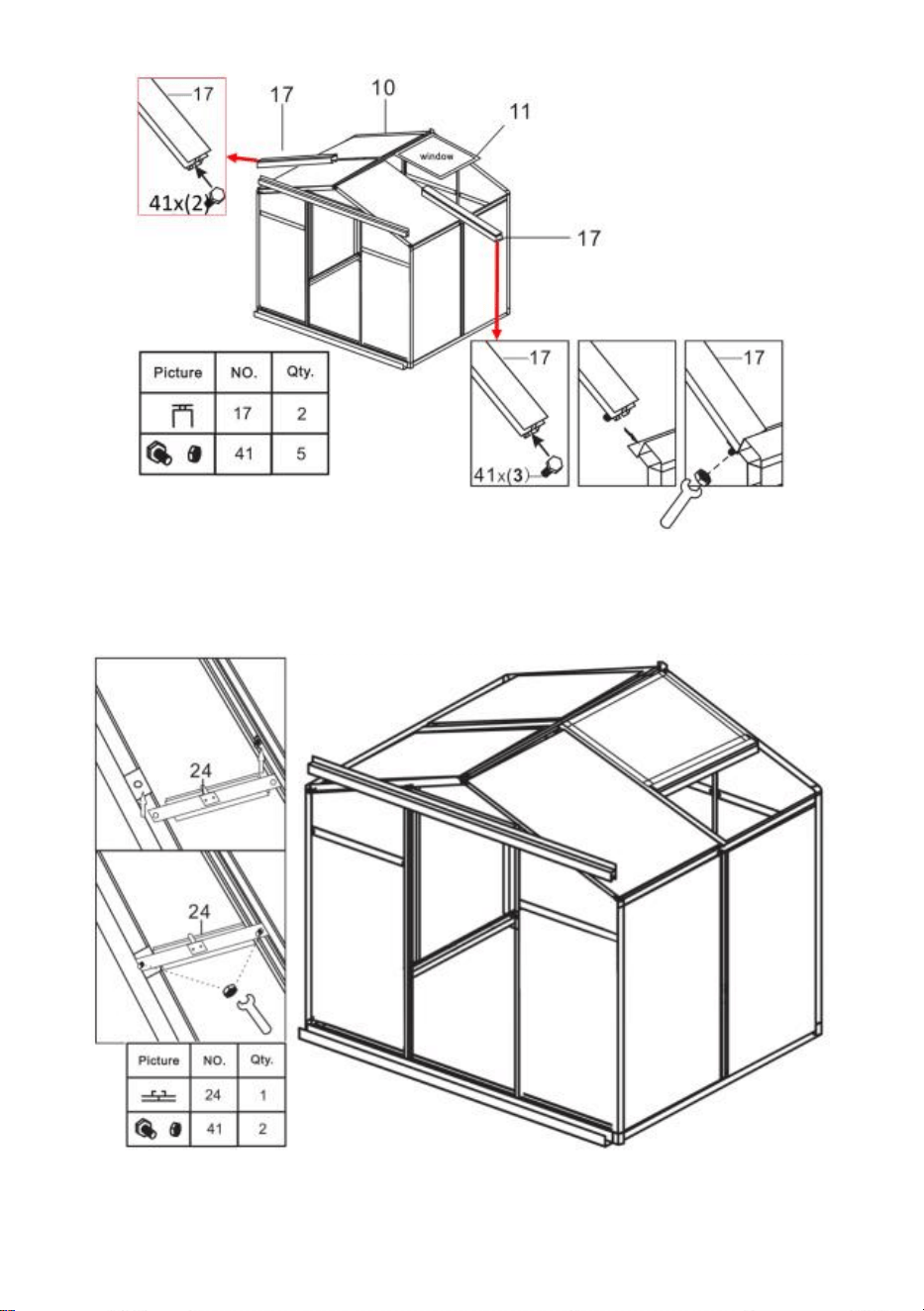
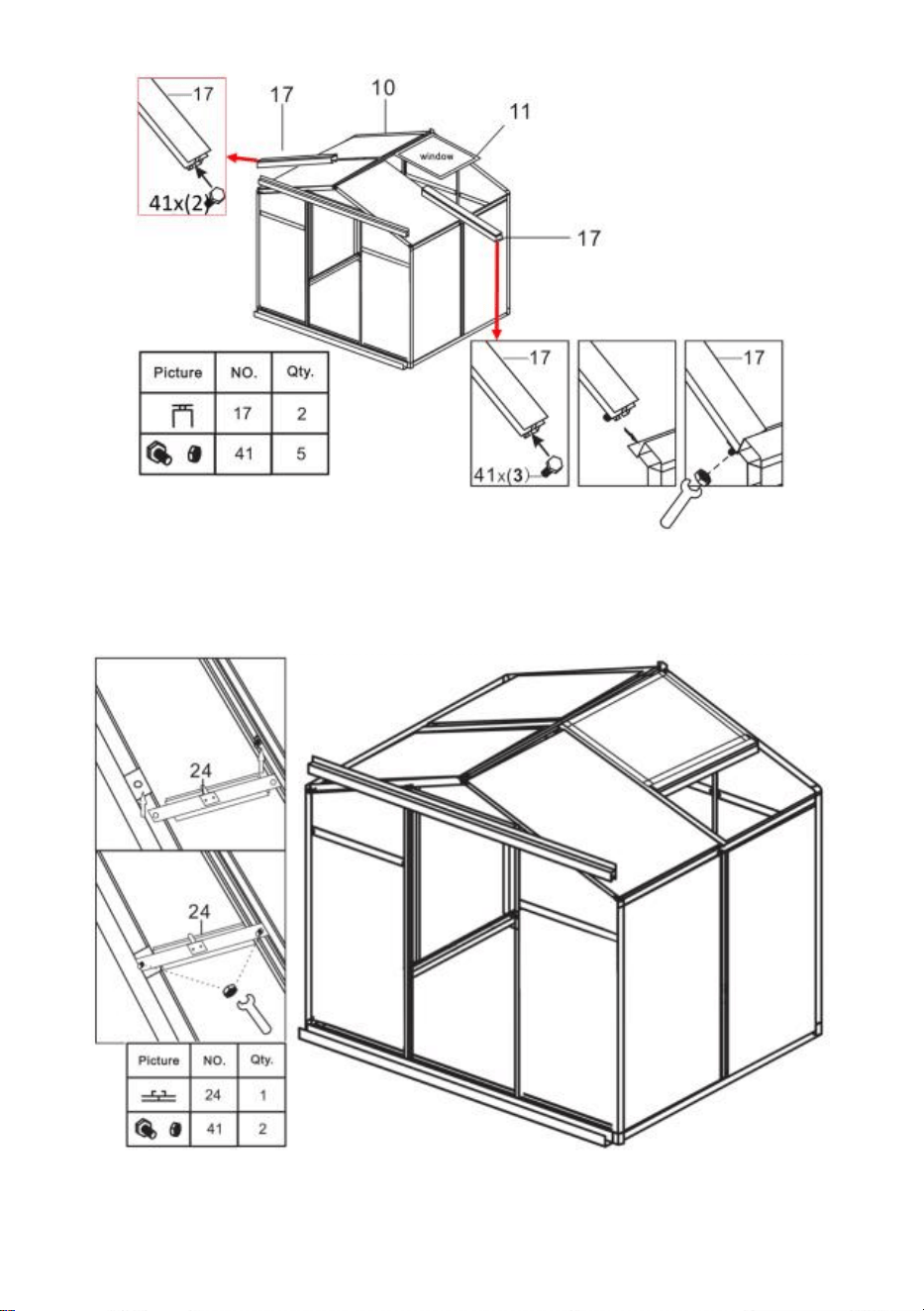
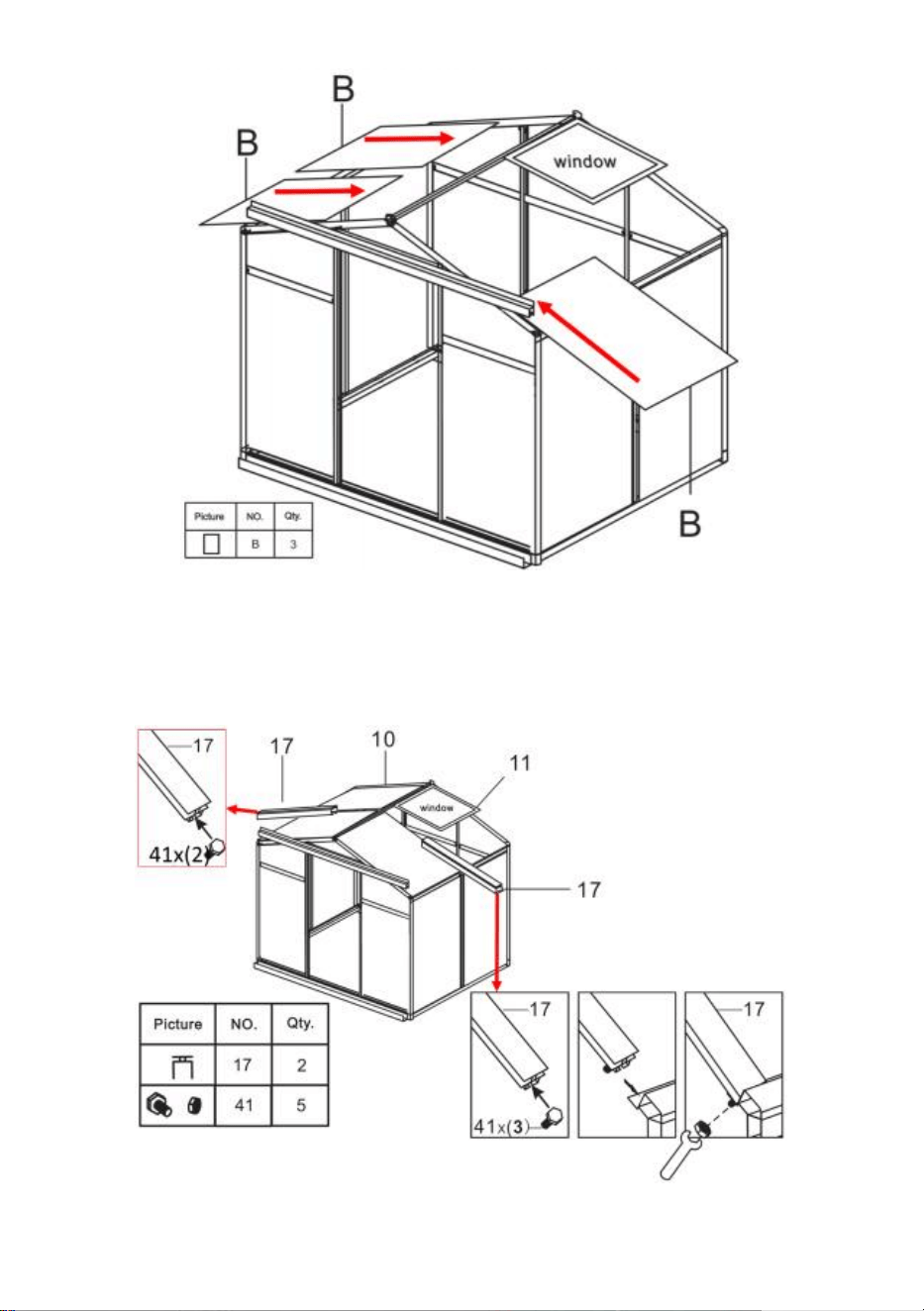
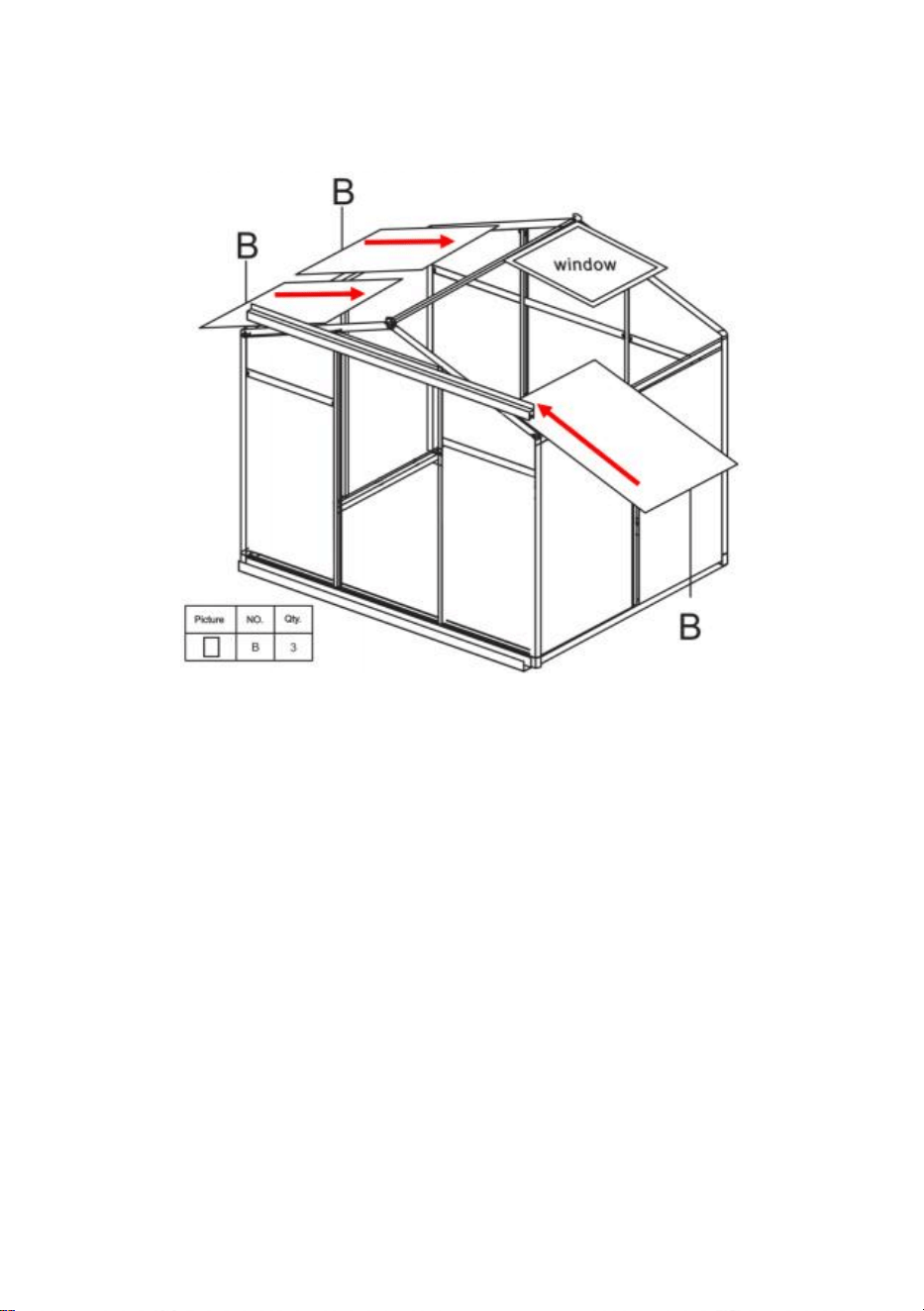
Step 24: Insert part B into the frame on the corresponding slide.
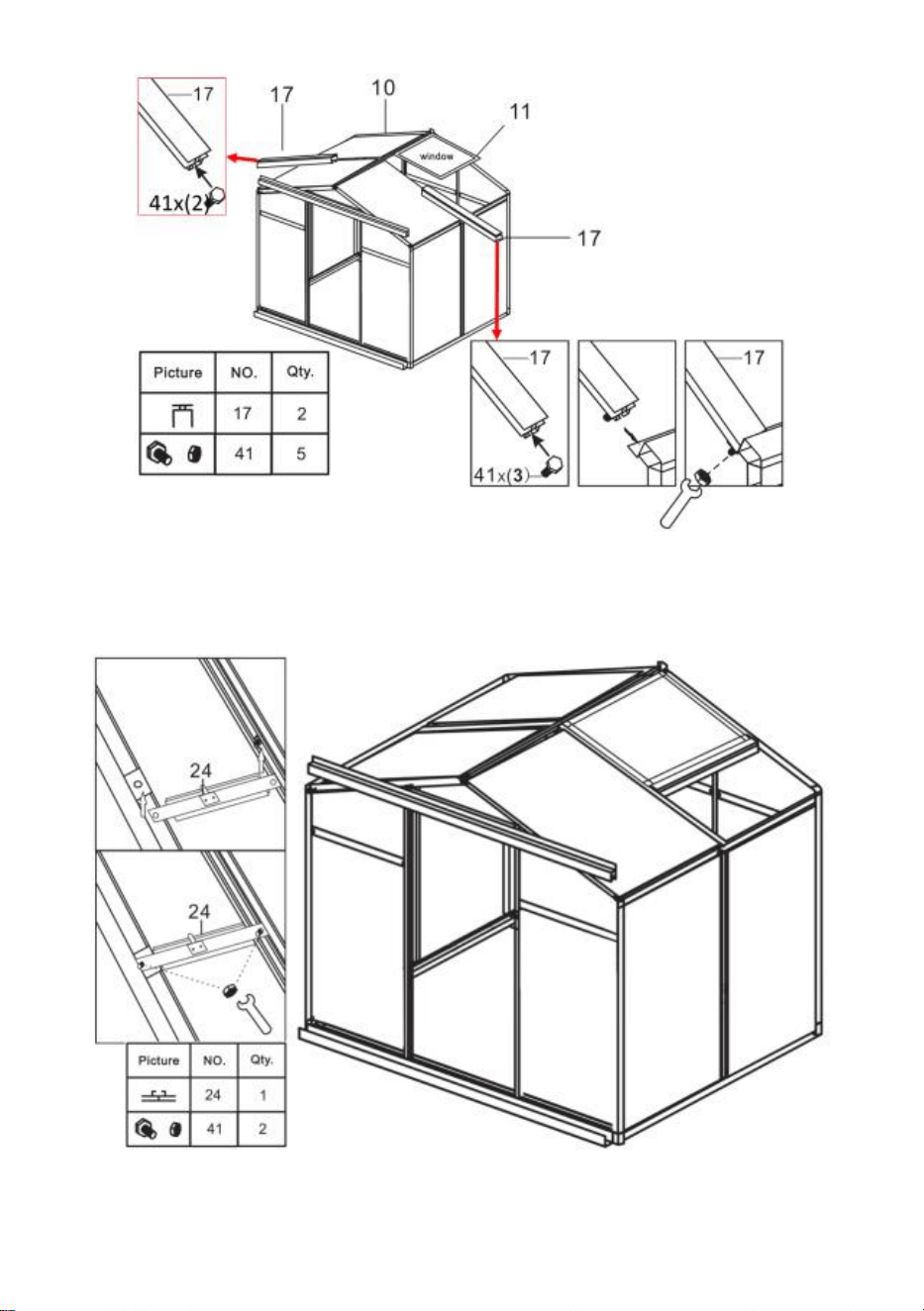
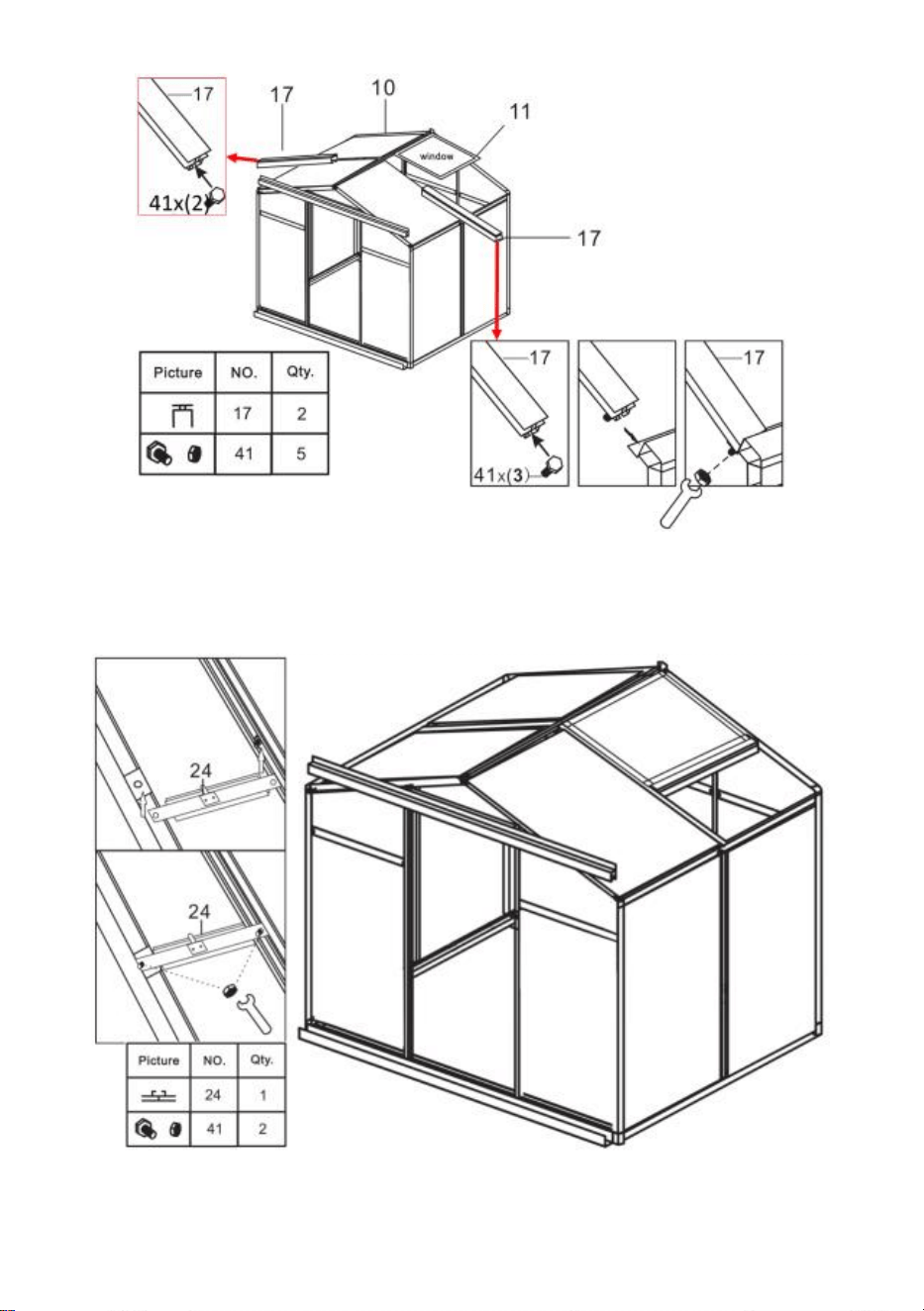
Step 25: As shown, place two parts 41 into part 17, note that put 3 parts 41
on the window side and 2 on the other side. Connect part17 to the PC board
according to the drawing, and fix it with the nut of part41.
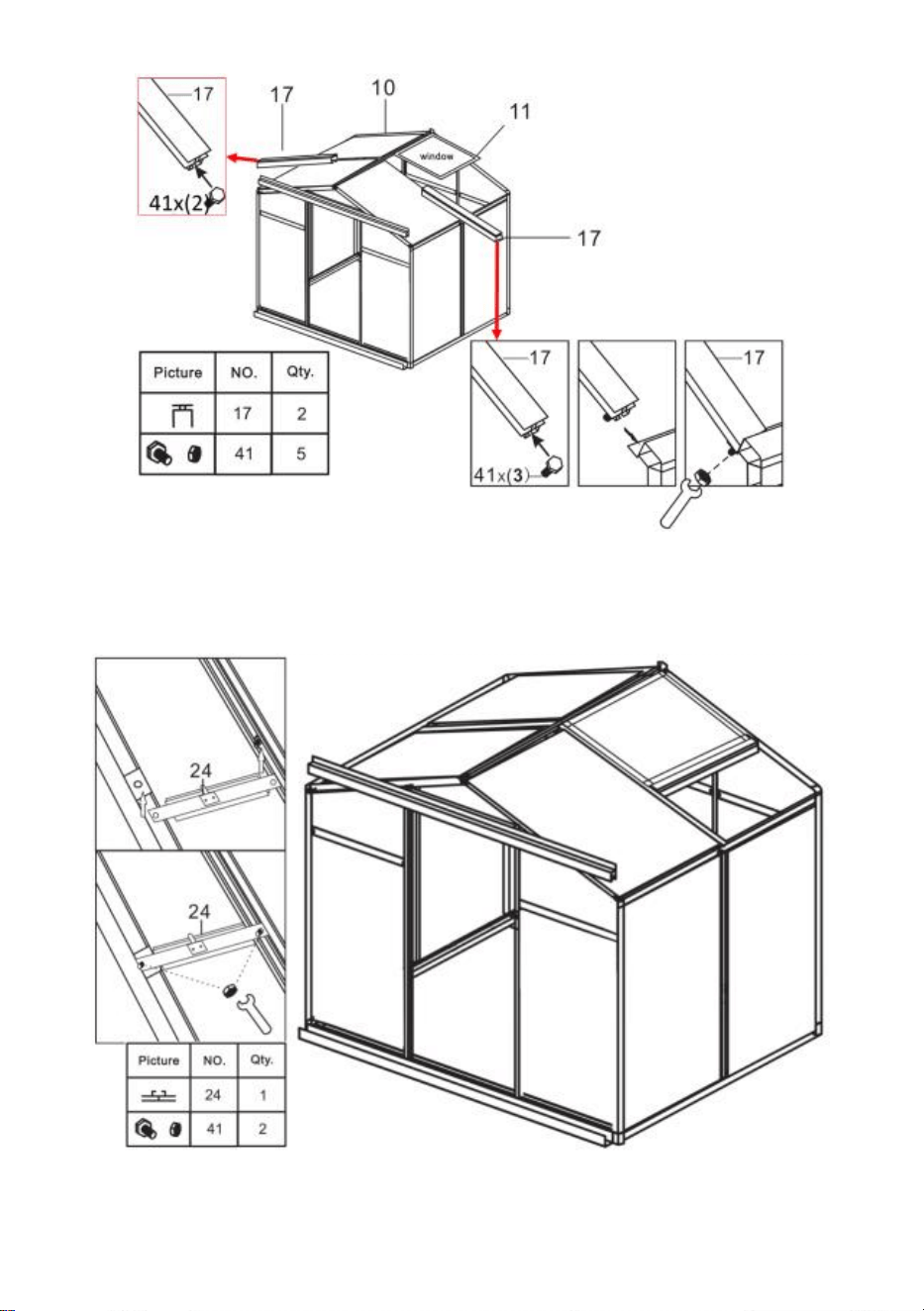
22
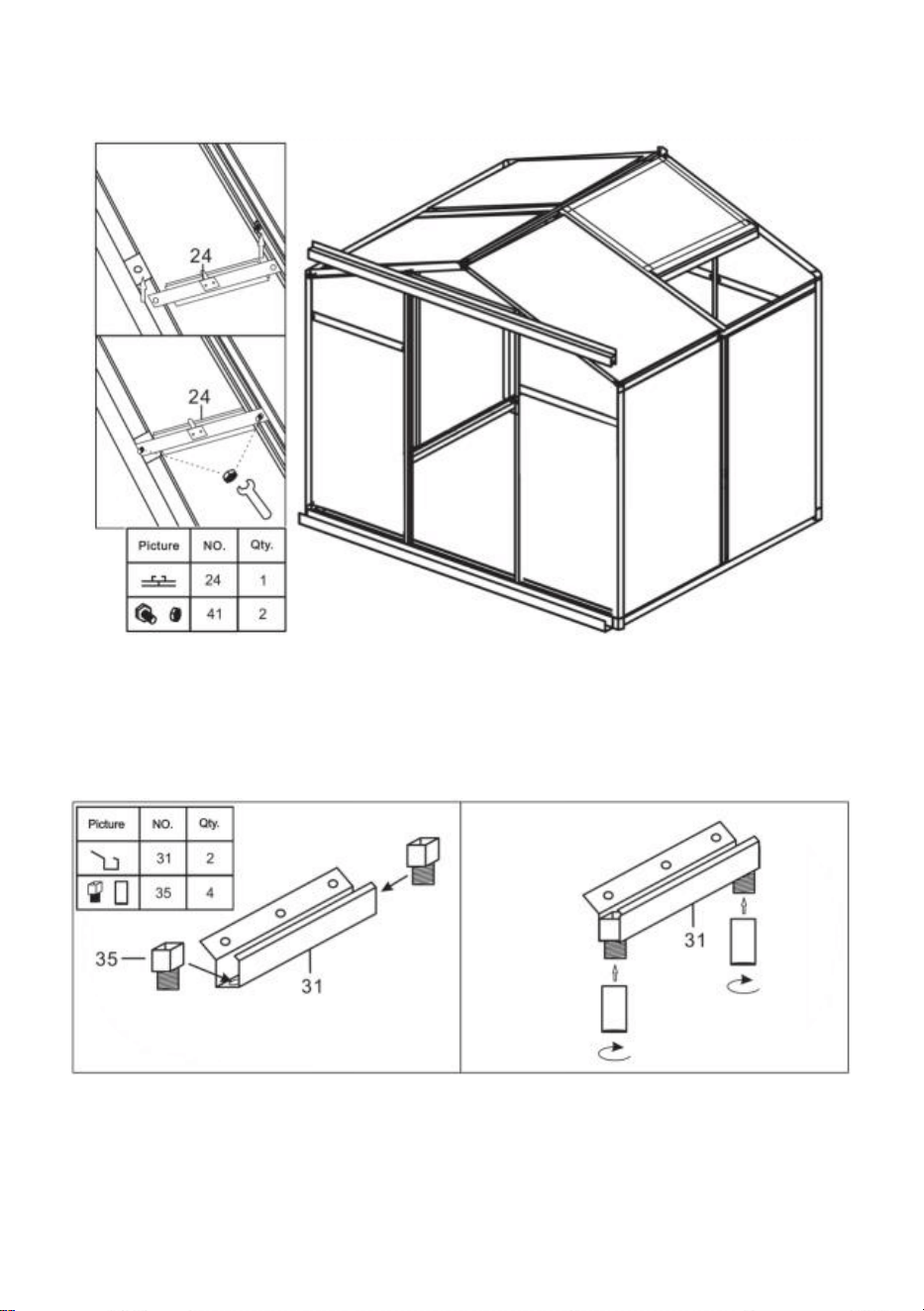
Step 26: Using part 41, install part 24 and the components completed in last
step.
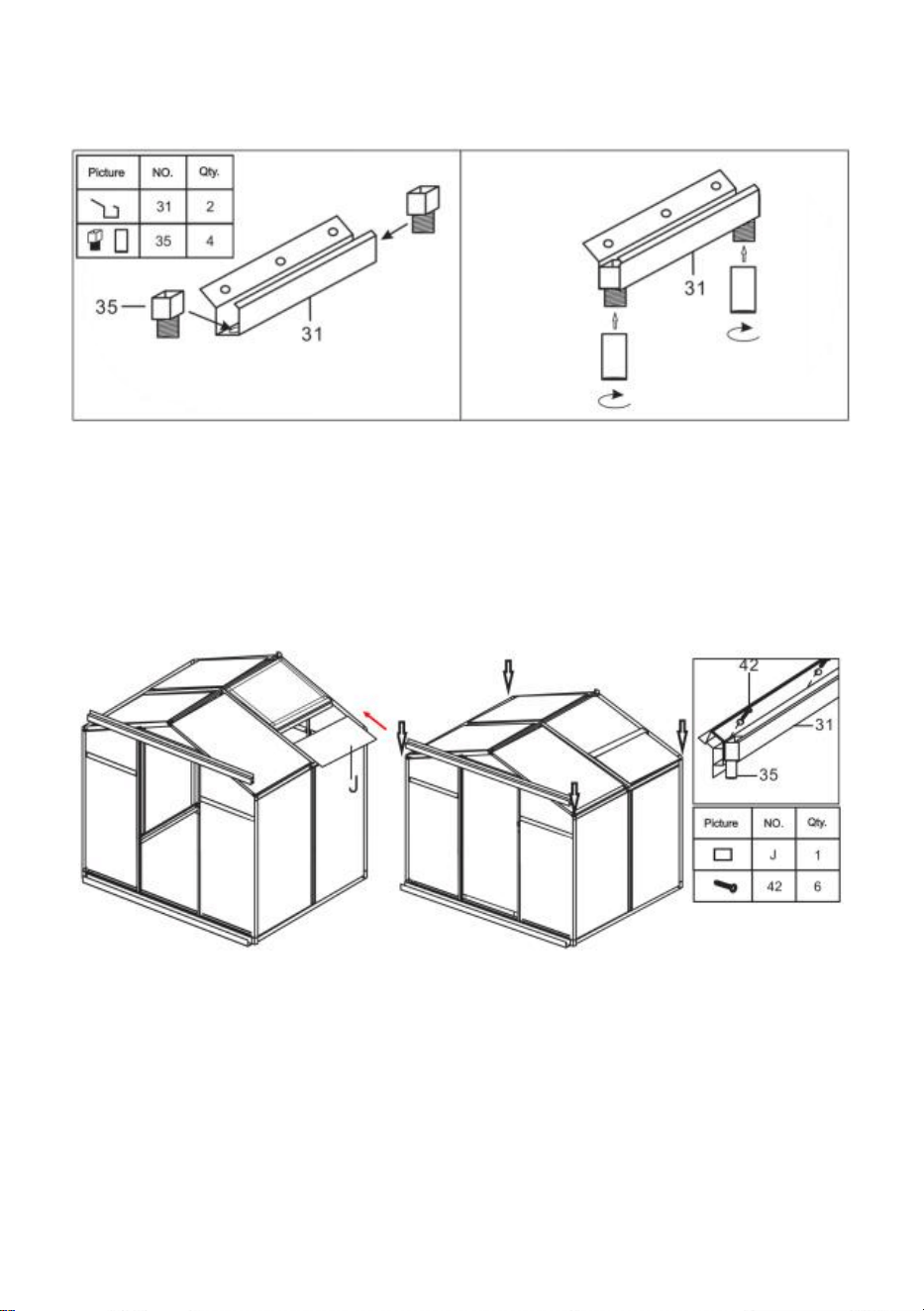
23
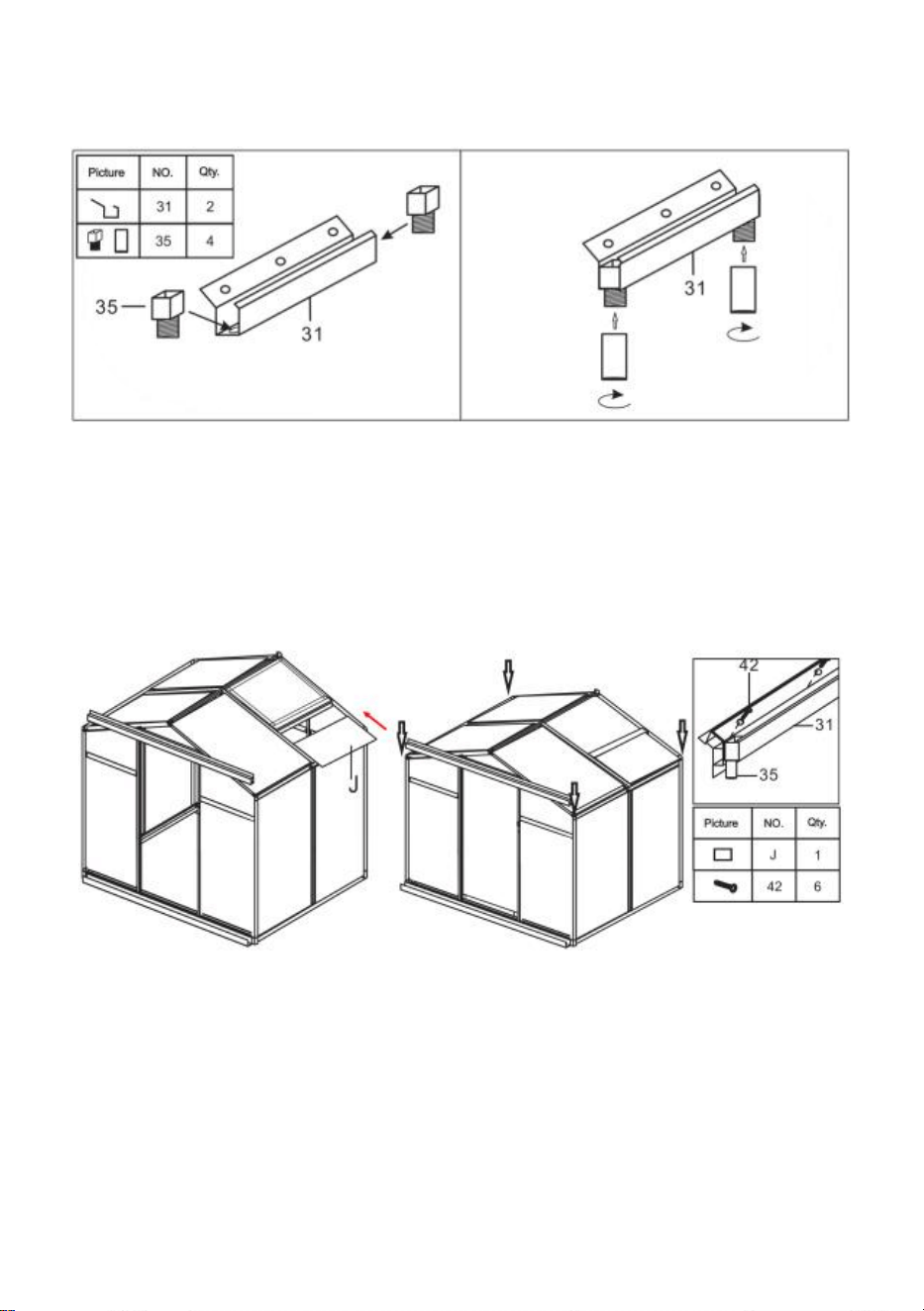
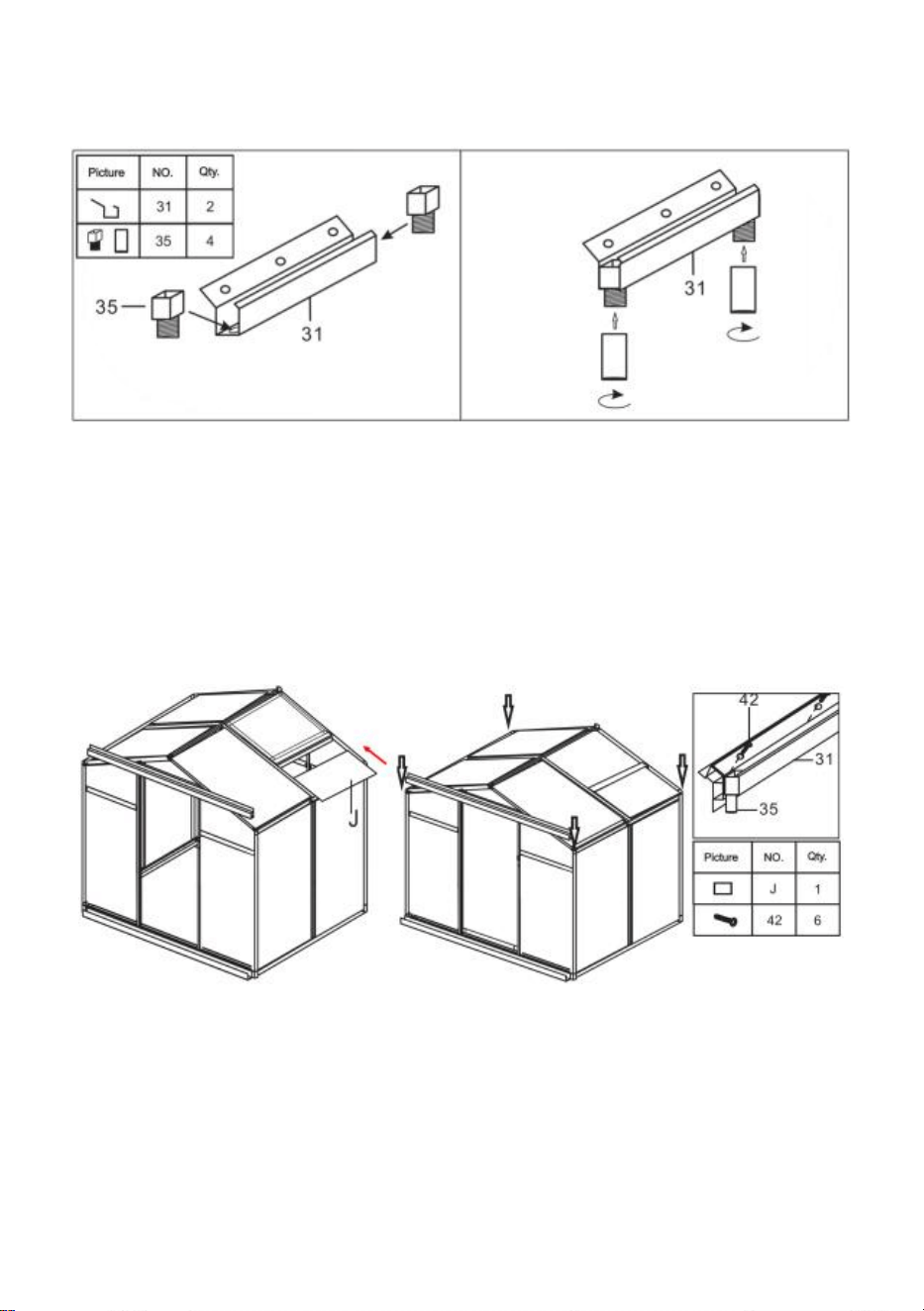
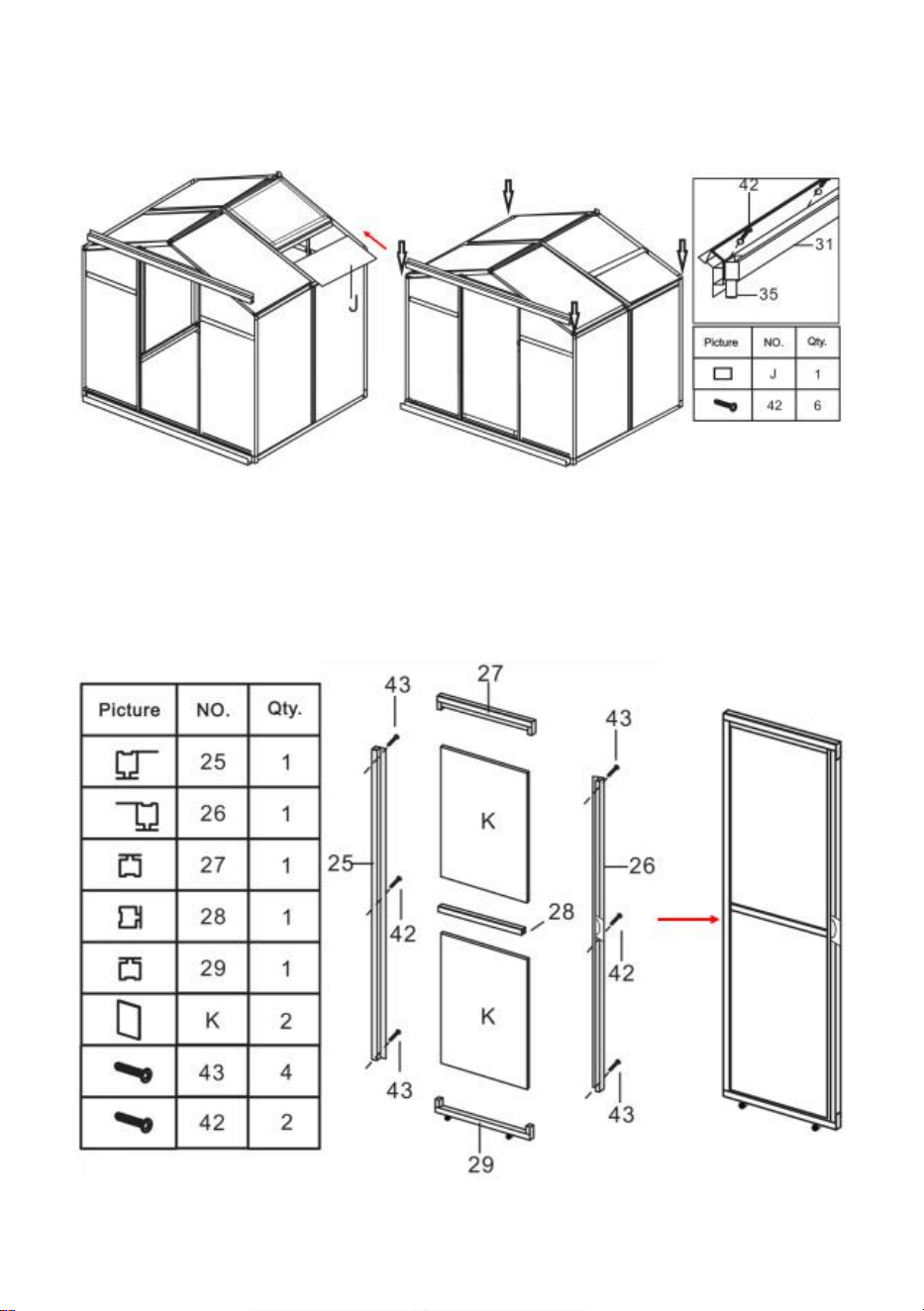
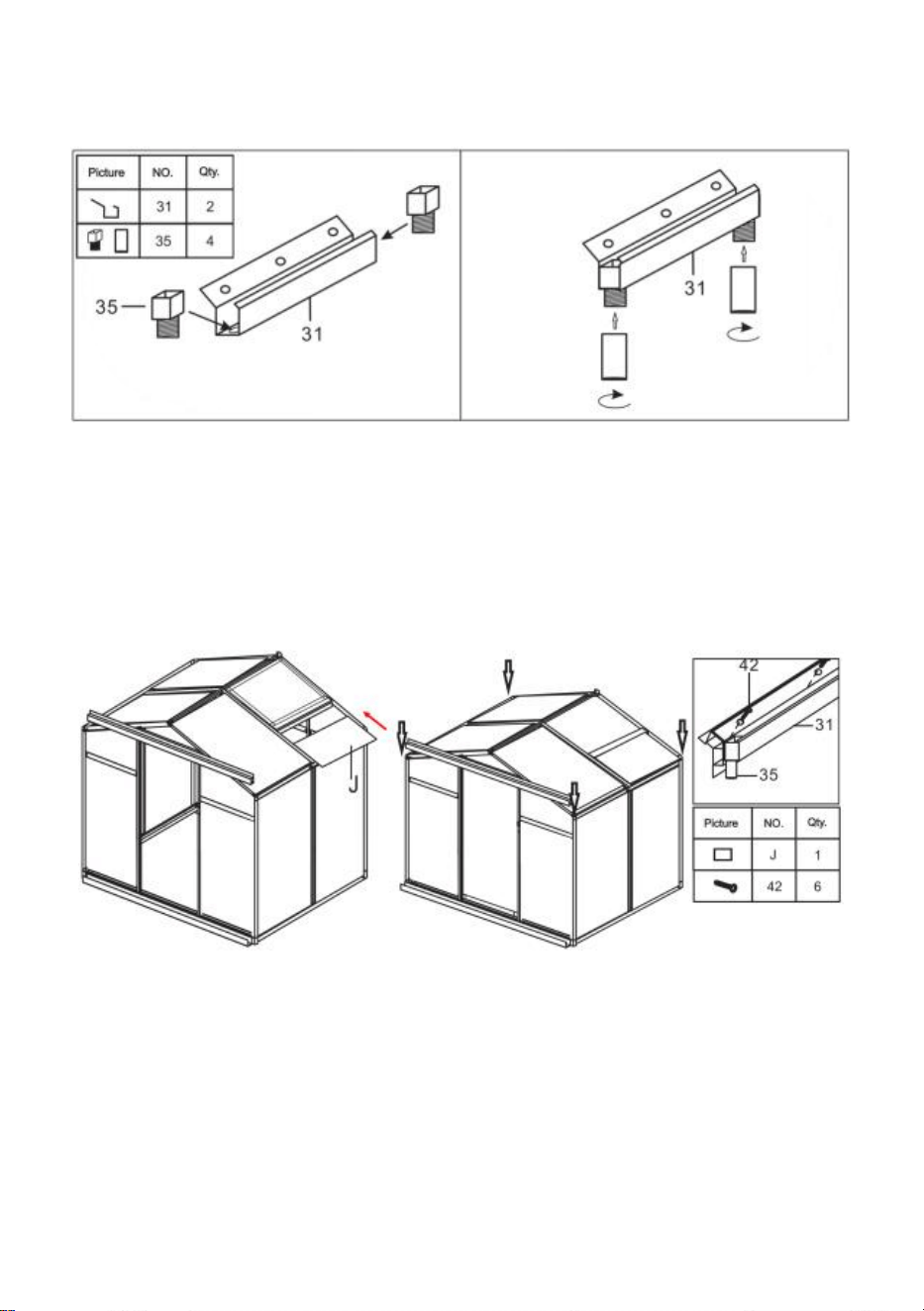
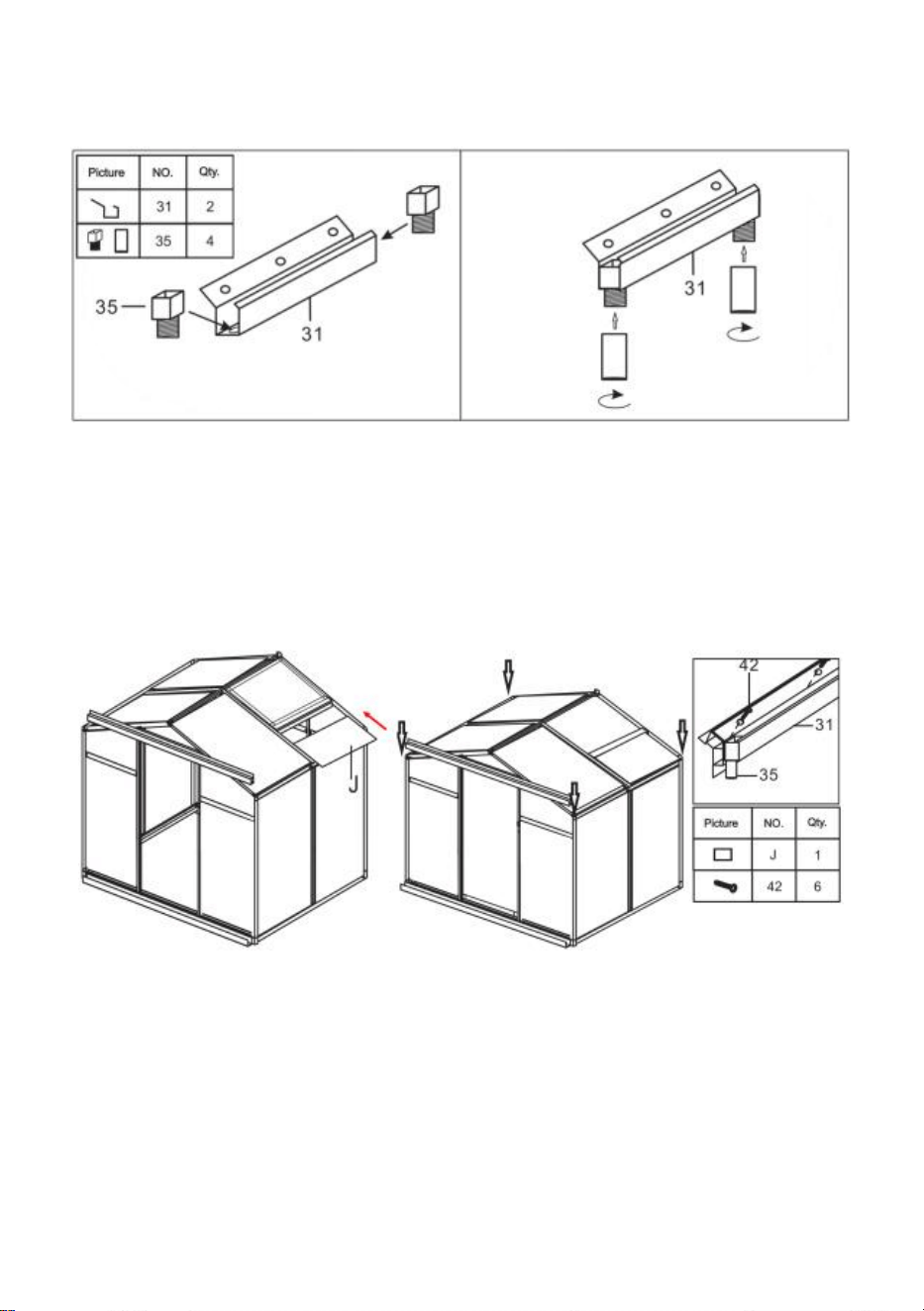
Step 27: Using part 40, assemble parts 31 & 35.
Step 28: Insert part J into the chute as shown in the figure, and then install
the components assembled in the previous step on the frame.
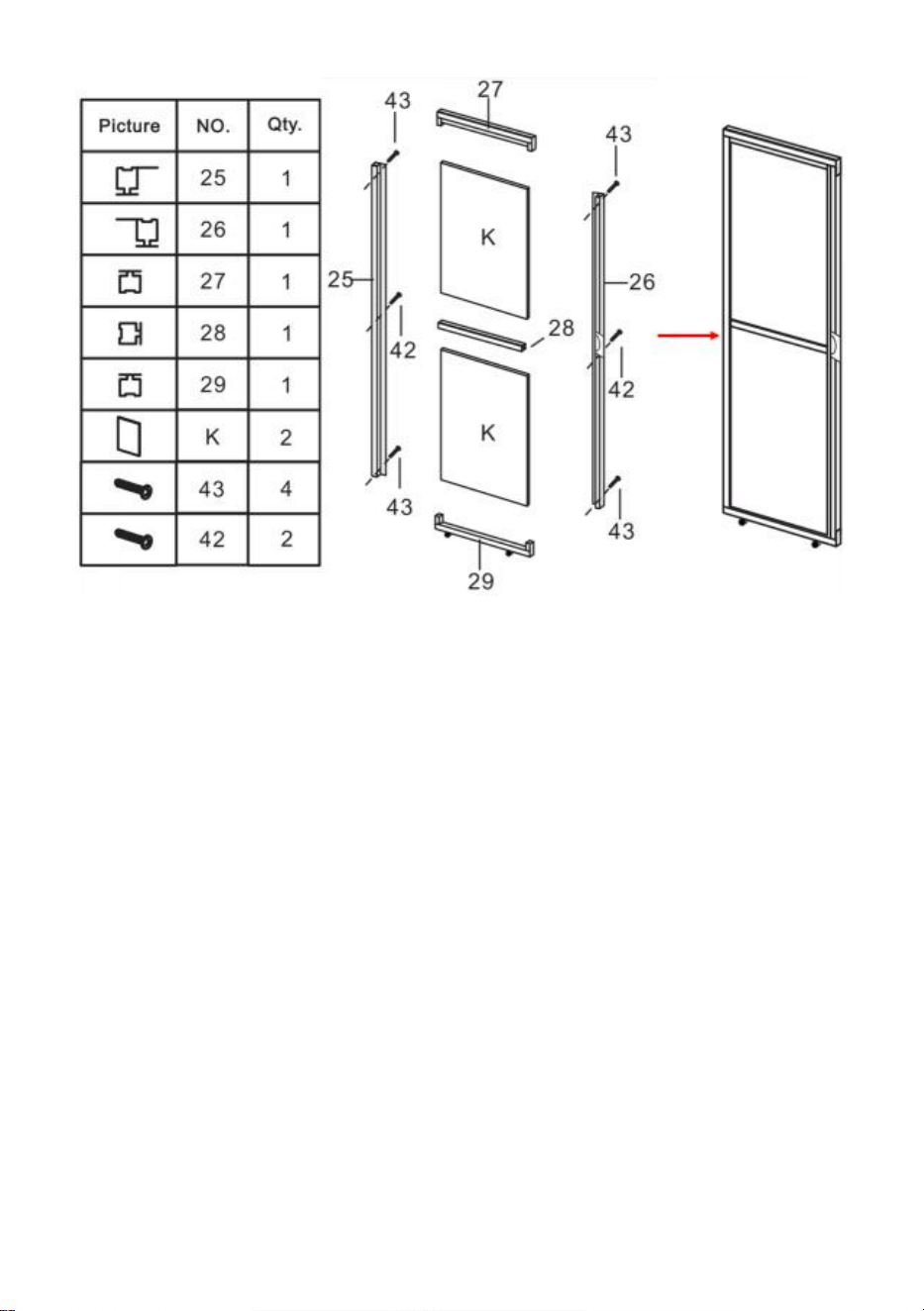
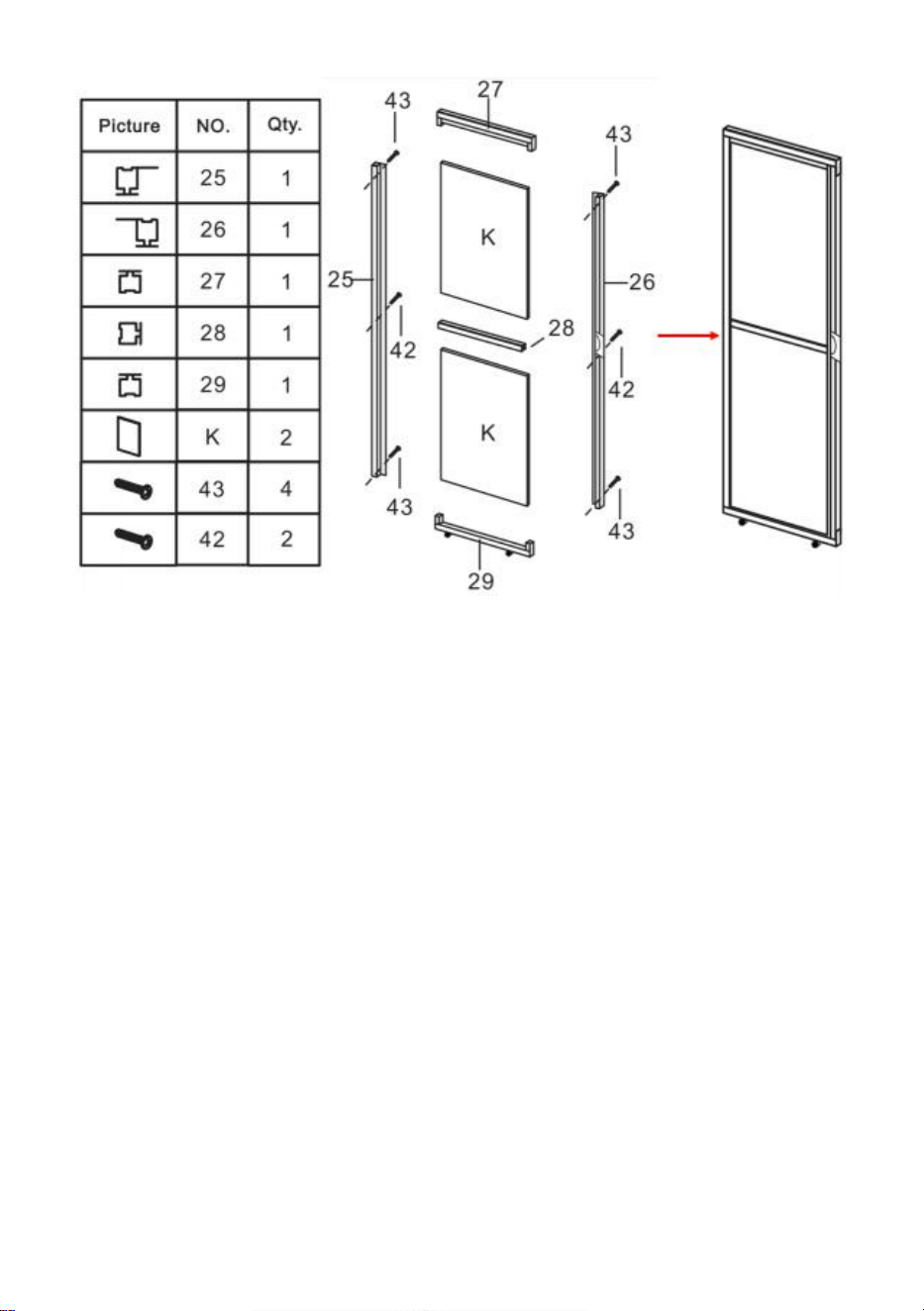
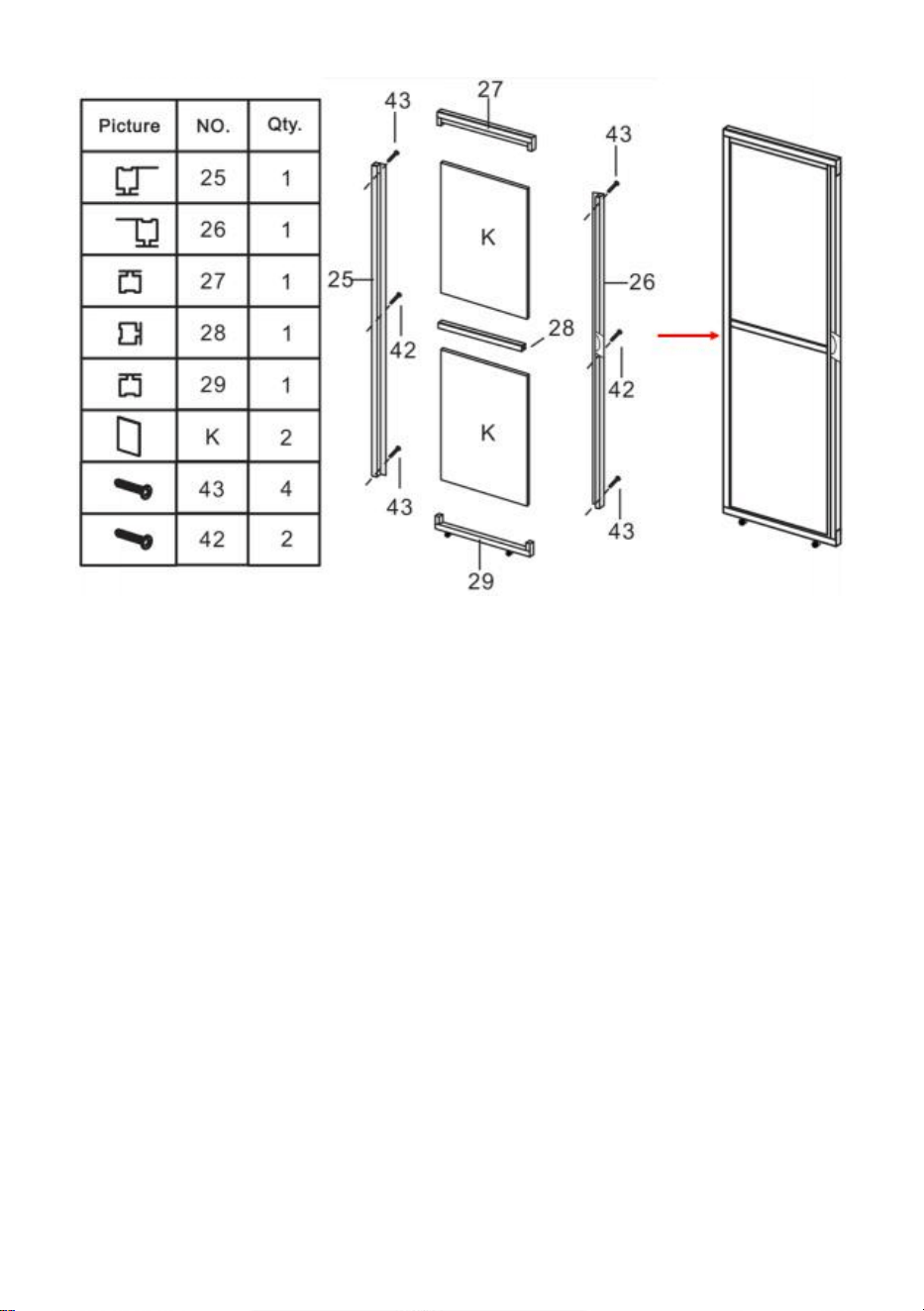
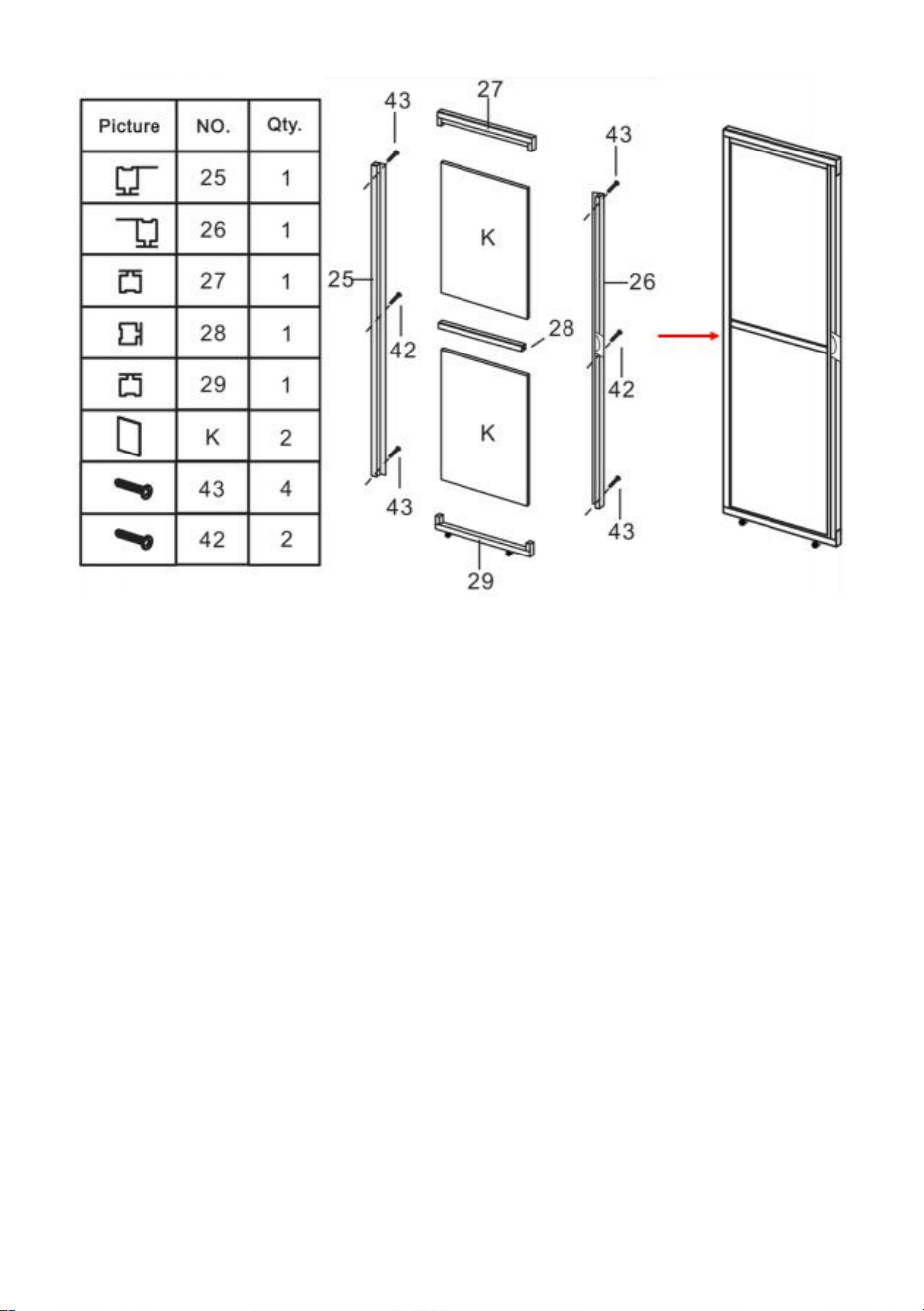
Step 29: Using part 42 & 43, assemble parts 25, 26, 27, 28, 29 & K into door.
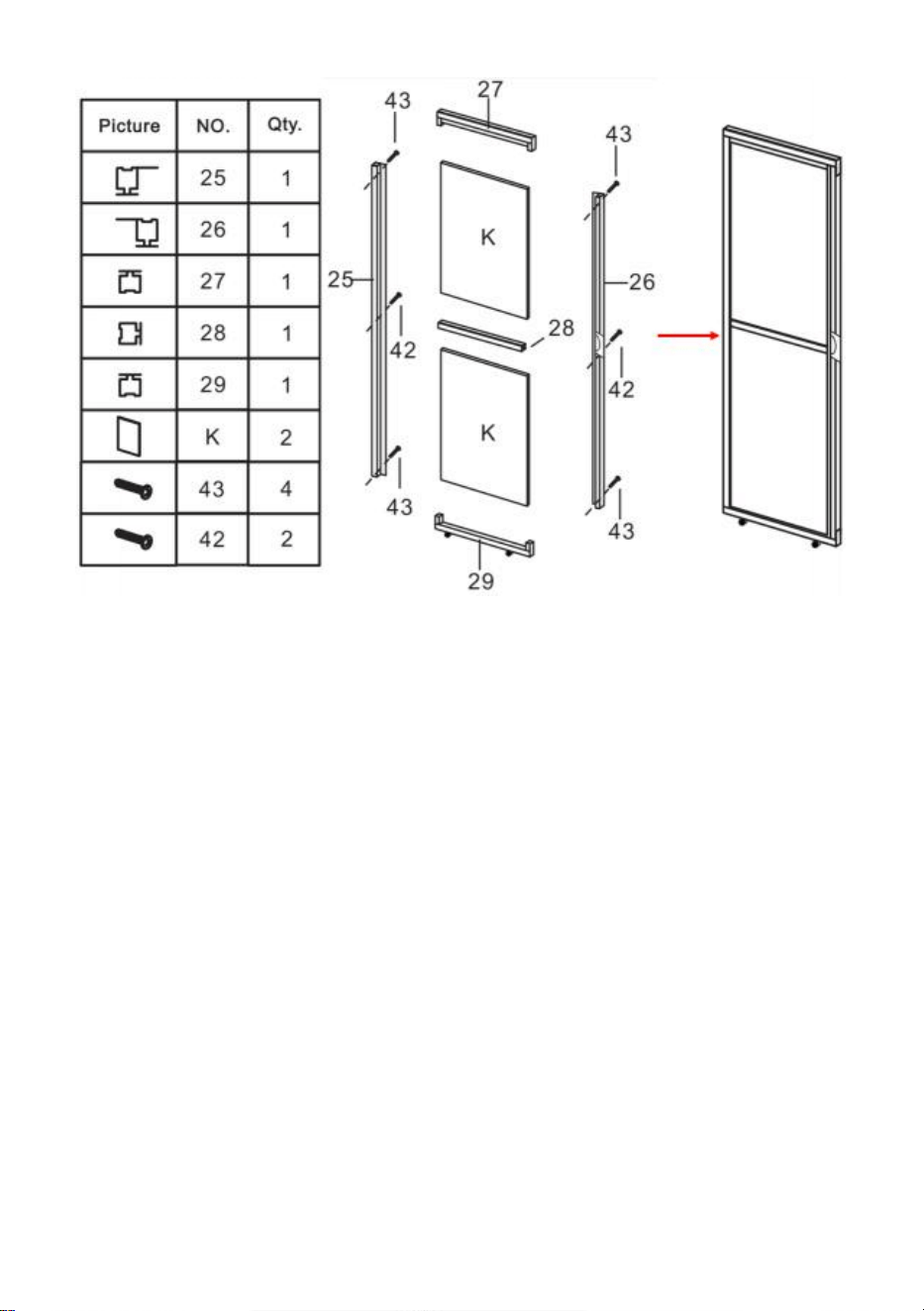
24
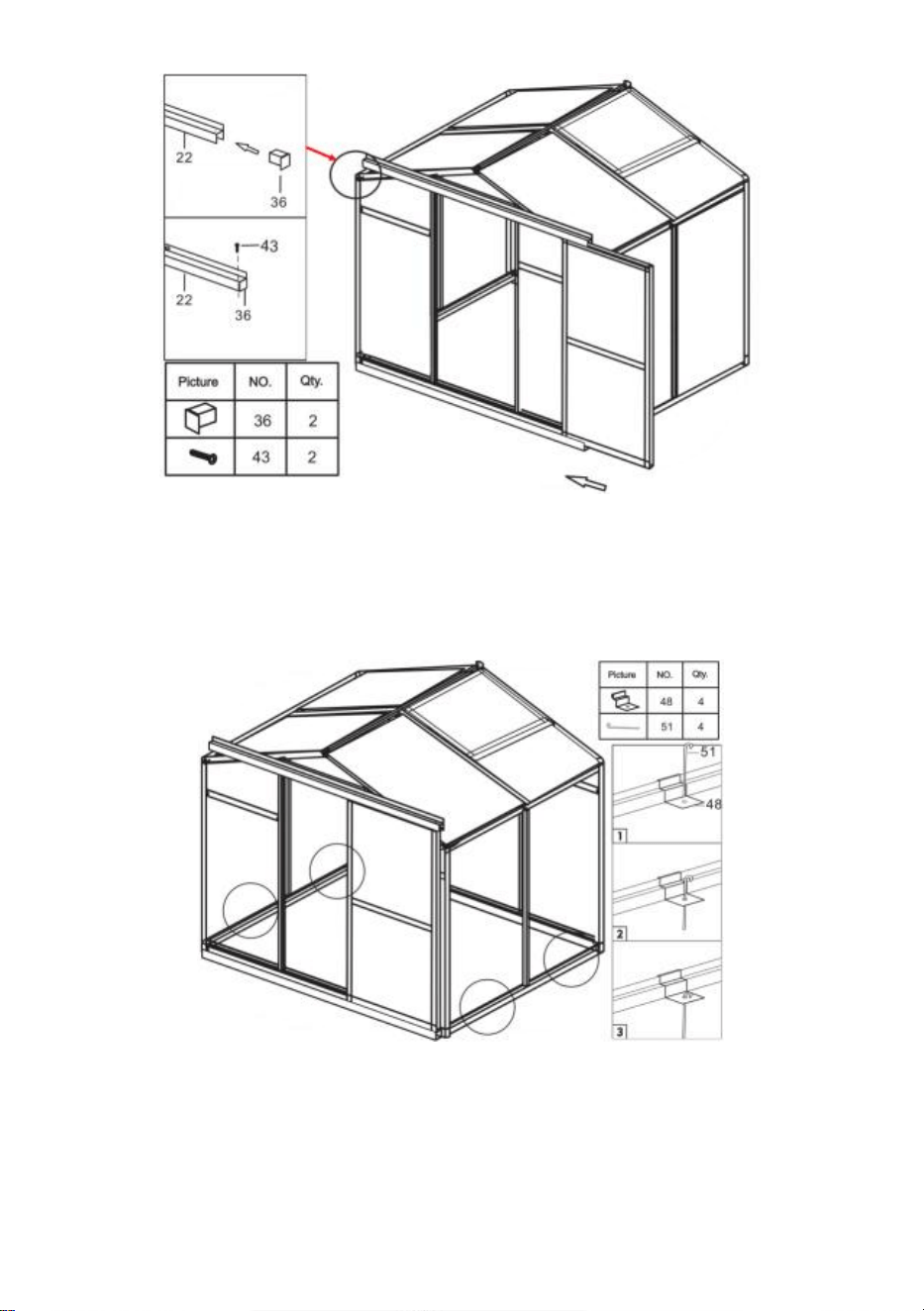
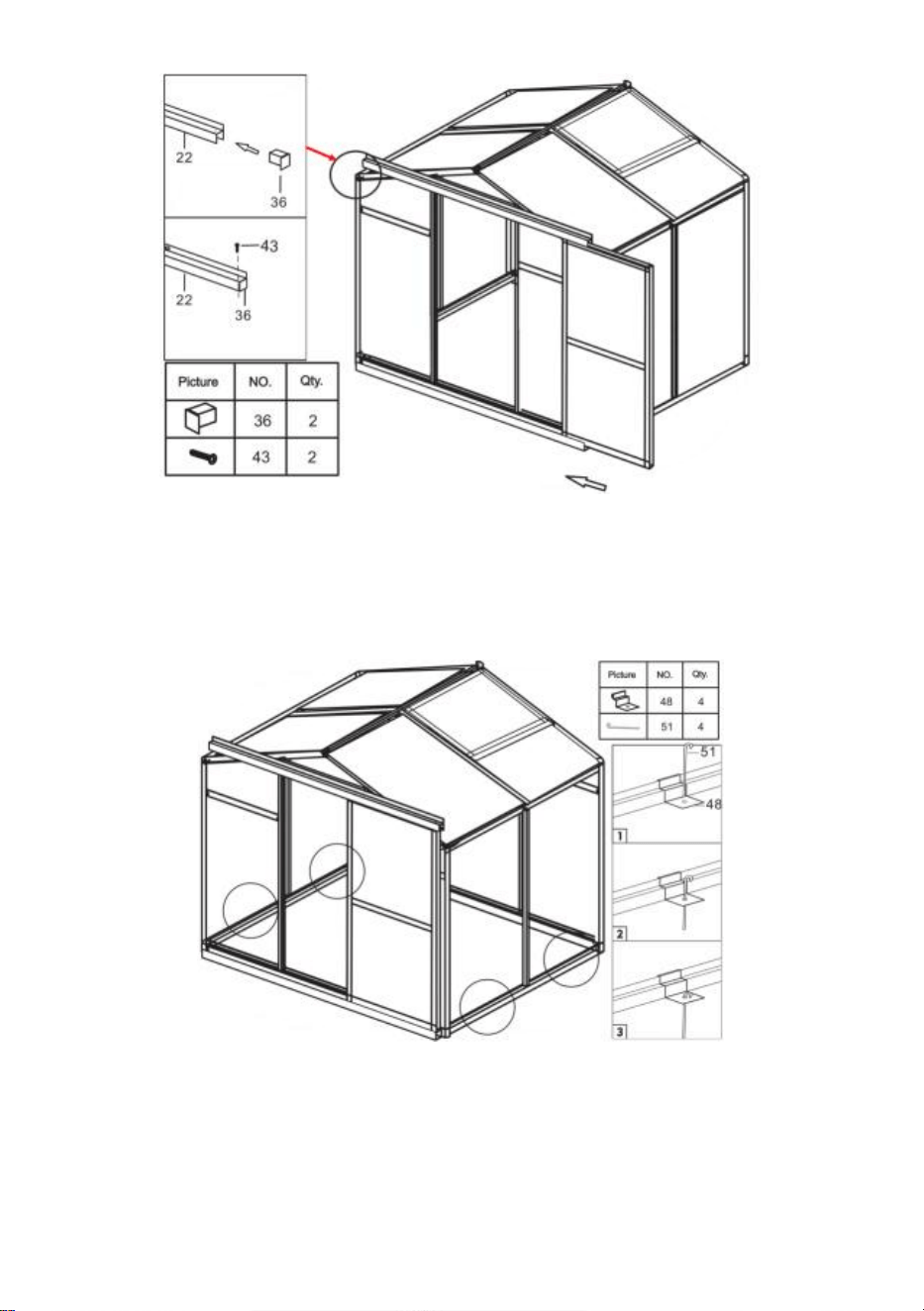
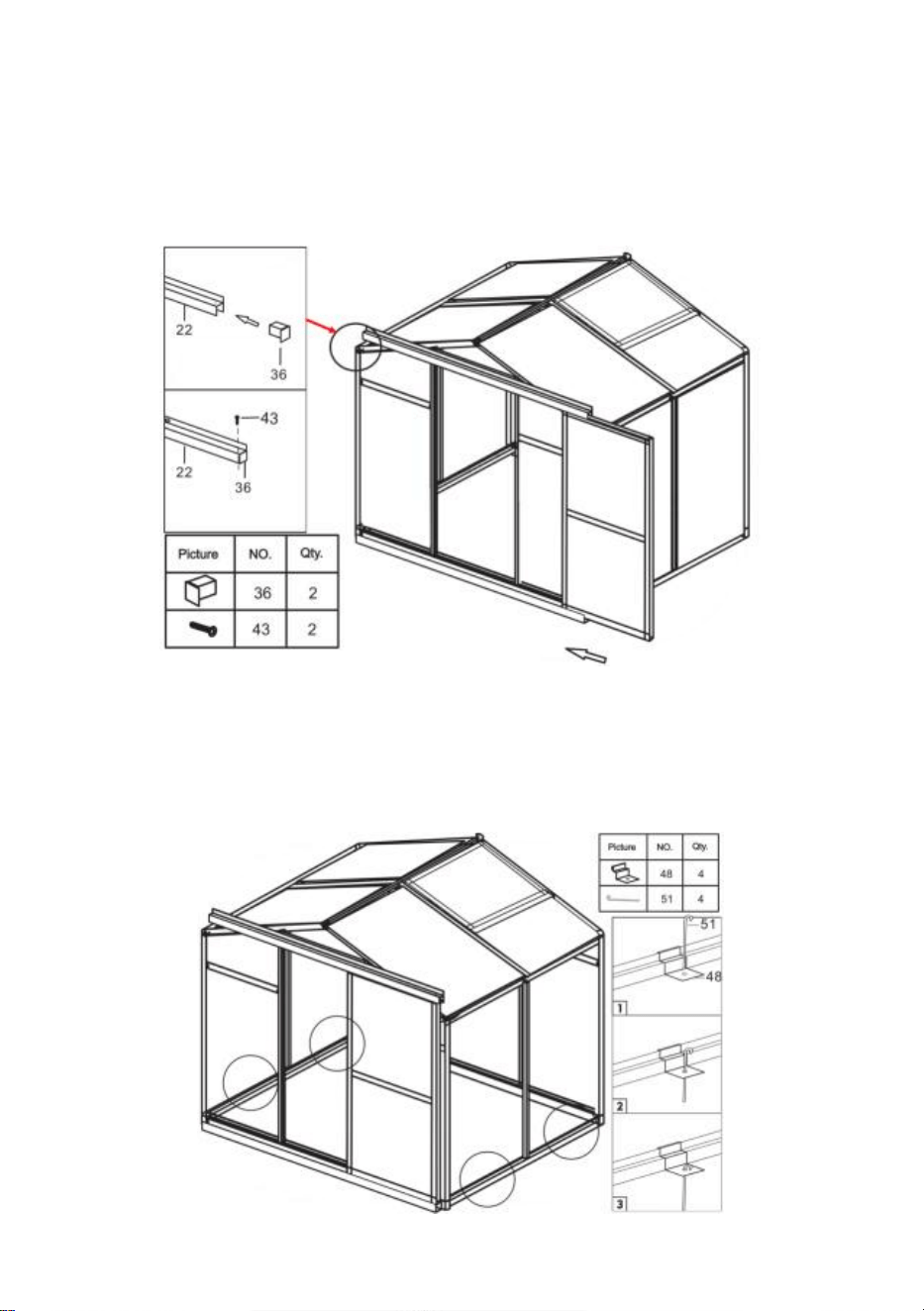
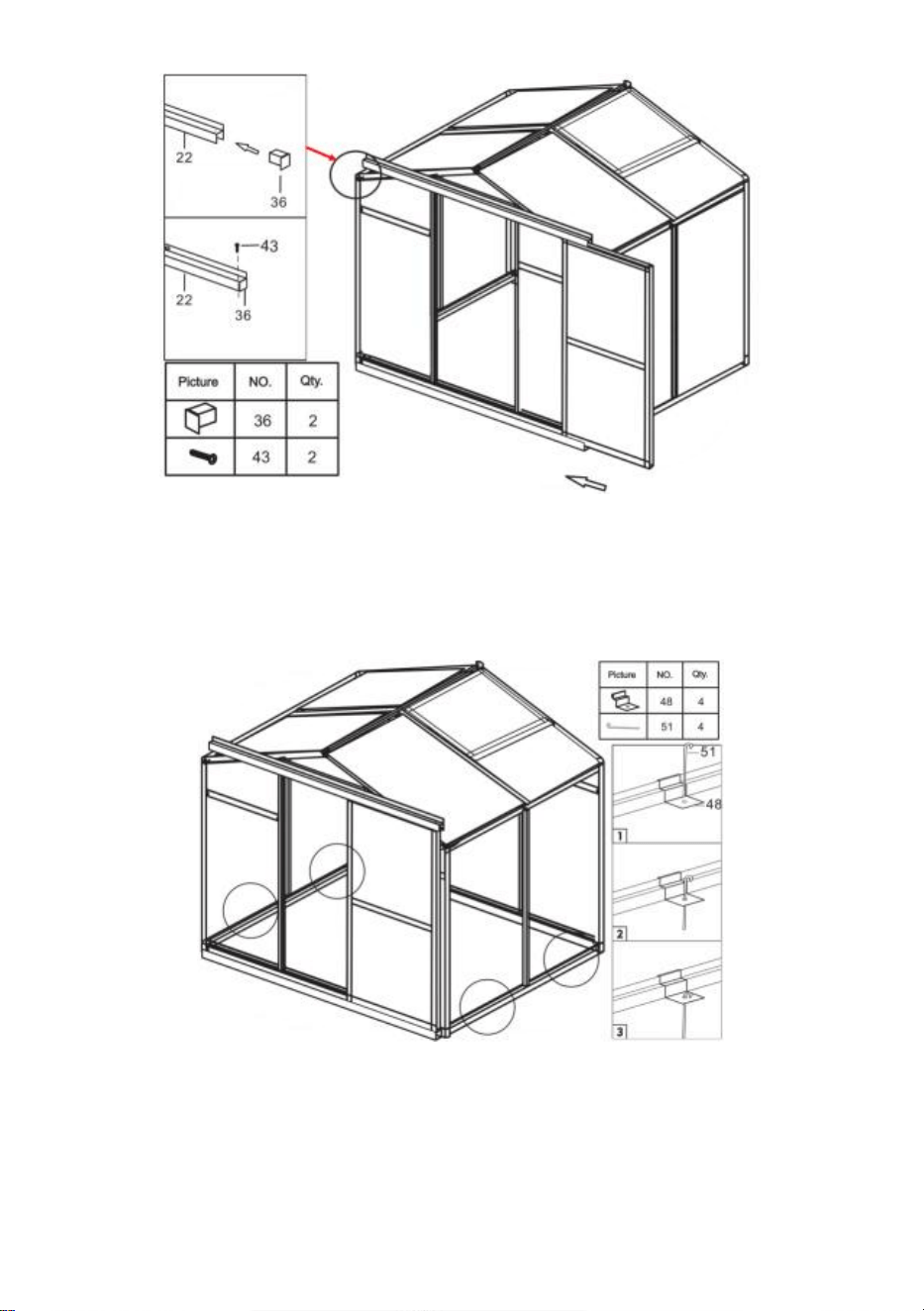
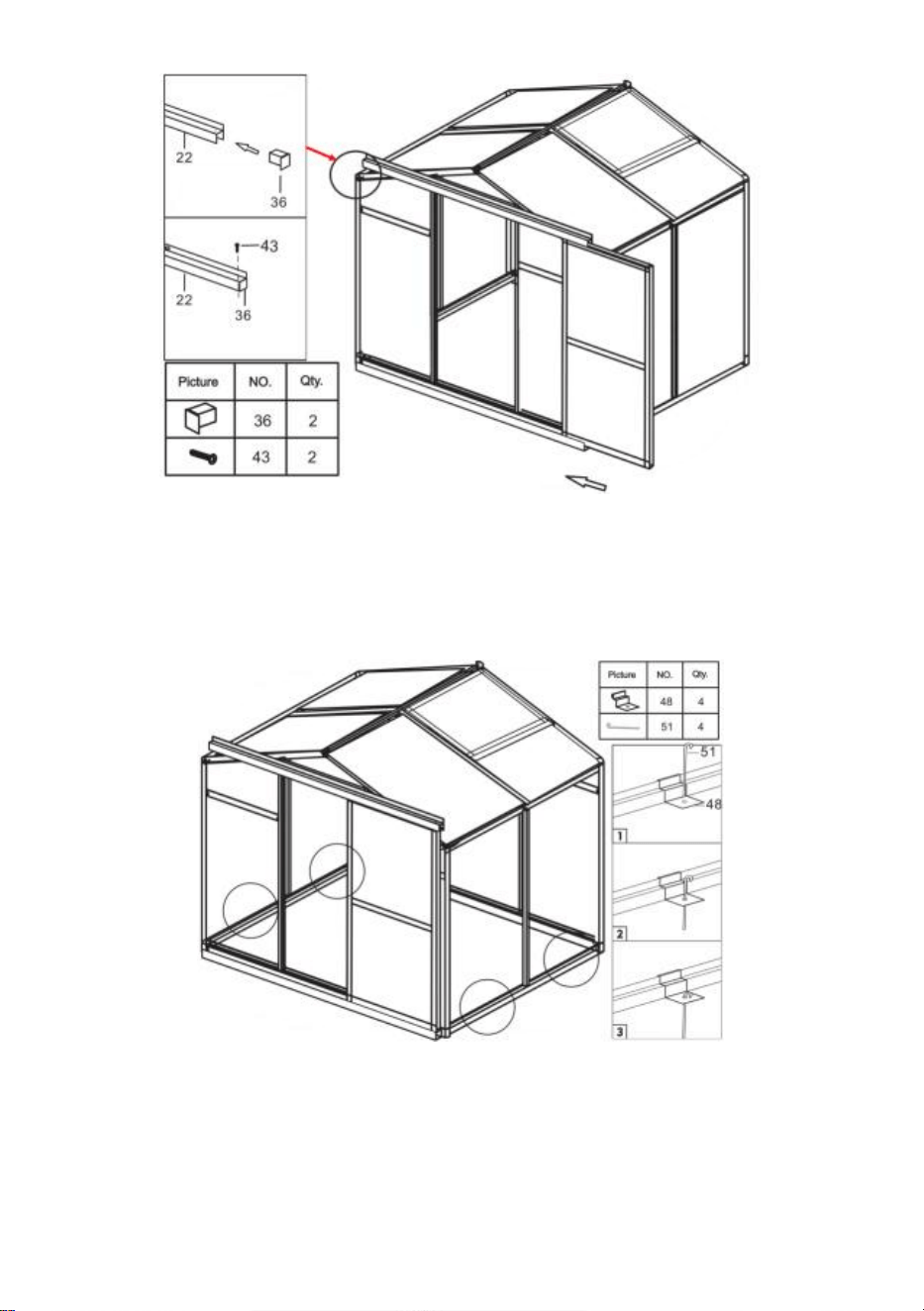
Step 30: After installing the door to the slide shown, attach part 36 to part 22
of the frame and secure it with part 43. After installation, check whether the
door slides smoothly.
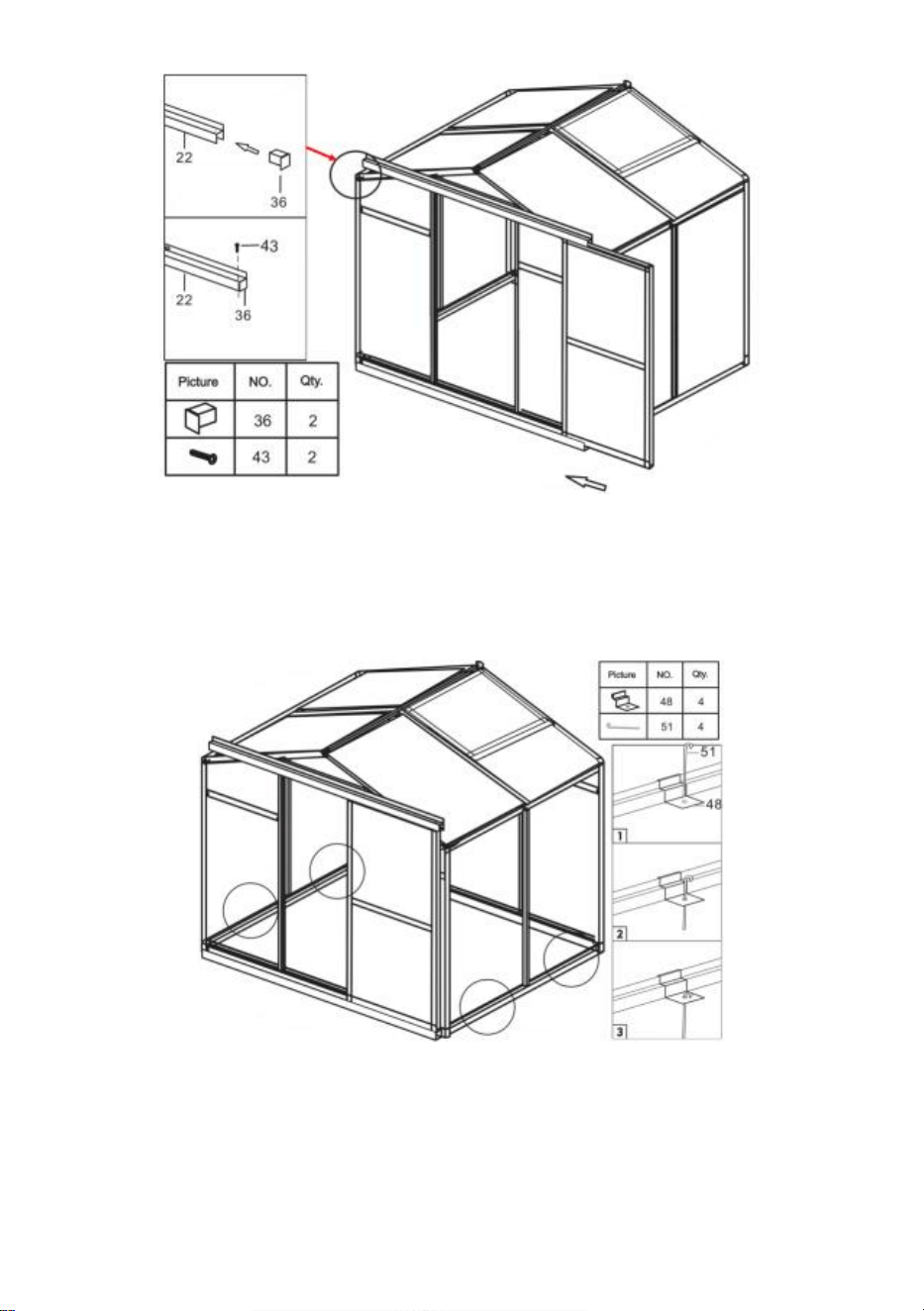
25
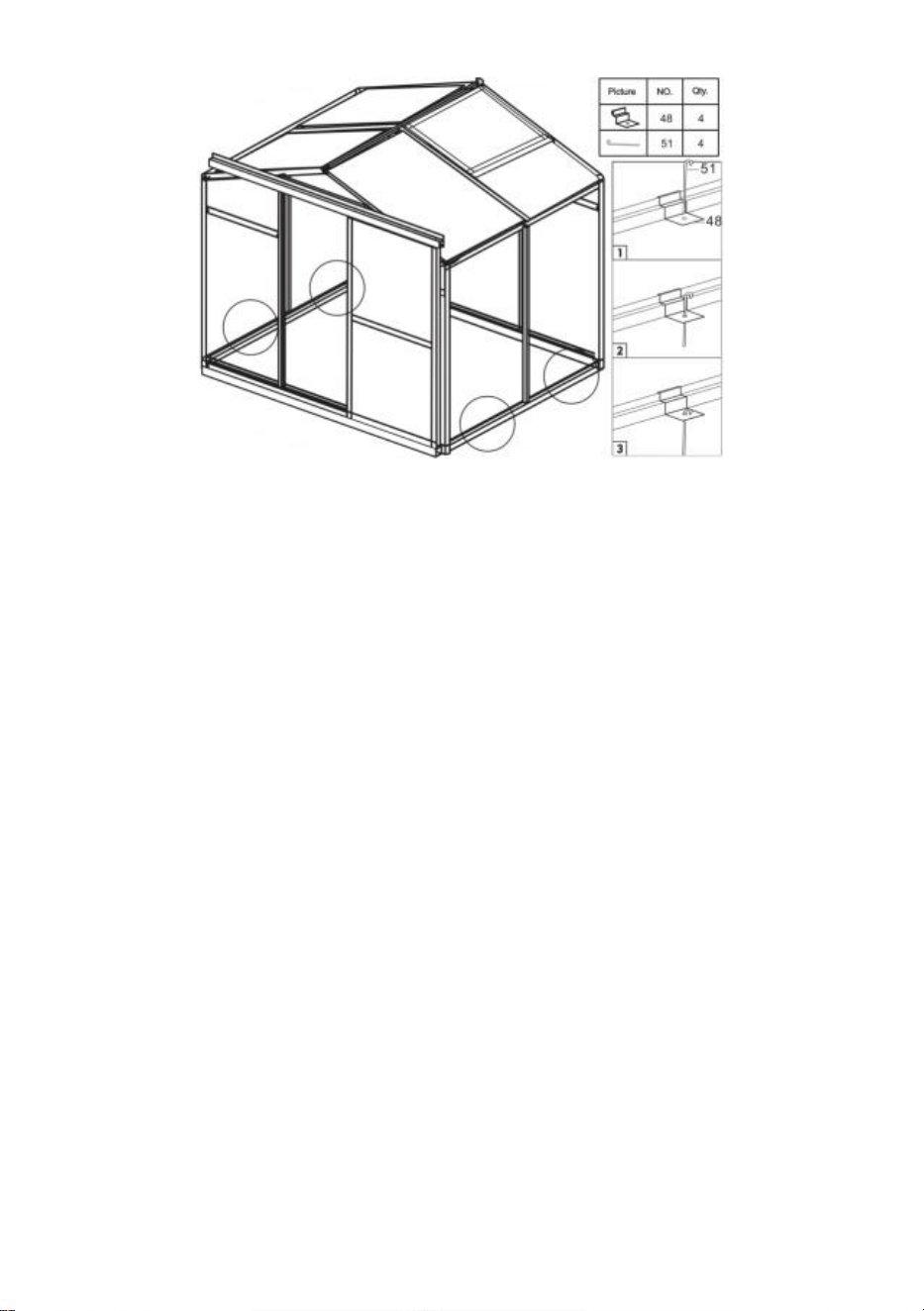
Step 31: Install the floor nail: Clamp the part 48 to the position of the frame
shown in the figure, and use Part 51 to pass through the hole of part 48 and
fix it to the ground.

Manufacturer:Shanghaimuxinmuyeyouxiangongsi
Address: Shuangchenglu 803nong11hao1602A-1609shi, baoshanqu,
shanghai 200000 CN.
Imported to AUS: SIHAO PTY LTD. 1 ROKEVA STREETEASTWOOD
NSW 2122 Australia
Imported to USA: Sanven Technology Ltd. Suite 250, 9166 Anaheim
Place, Rancho Cucamonga, CA 91730



Technique Assistance et certificat de garantie électronique
www.vevor.com/support
SERRE EN POLYCARBONATE
MANUEL D'UTILISATION
Nous continuons à nous engager à vous fournir des outils à des prix compétitifs.
"Économisez la moitié", "Moitié prix" ou toute autre expression similaire utilisée uniquement
par nous
représente une estimation des économies dont vous pourriez bénéficier en achetant
certains outils
avec nous par rapport aux grandes marques et ne signifie pas nécessairement couverture
toutes les catégories d'outils que nous proposons. Nous vous rappelons de bien vouloir
vérifier soigneusement
lorsque vous passez une commande chez nous si vous êtes réellement Économie
Moitié en comparaison avec les plus grandes marques.
1
Modèle : SNG190-2
BESOIN D'AIDE ? CONTACTEZ-NOUS!
Vous avez des questions sur les produits ? Besoin d'une assistance
technique ? N'hésitez pas à nous contacter :
Assistance technique et certificat de garantie électronique
www.vevor.com/support
Il s'agit des instructions originales, veuillez lire attentivement toutes les
instructions du manuel avant de l'utiliser. VEVOR se réserve une
interprétation claire de notre manuel d'utilisation. L'apparence du produit
dépend du produit que vous avez reçu. Veuillez nous pardonner que nous
ne vous informerons plus s'il y a des mises à jour technologiques ou
logicielles sur notre produit.
POLYCARBONATE
GREENHOUSE

2
INSTRUCTIONS
Merci beaucoup d'avoir choisi ce produit . Veuillez lire toutes les instructions avant
de l'utiliser. Les informations vous aideront à obtenir les meilleurs résultats
possibles.
VEUILLEZ NOTER! Les dessins de ce manuel sont destinés à titre d'illustration
uniquement et certains détails peuvent diffèrent du produit réel.
ATTENTION! Lisez tous les avertissements de sécurité et toutes les instructions.
Le non-respect des avertissements et des instructions peut entraîner des
blessures graves, voire la mort. L'appareil ou le produit utilisé dans les instructions
d'avertissement fait référence à la serre en polycarbonate .
Ce produit n'est pas un jouet ni un coffre à jouets. Ne laissez pas les enfants jouer
avec cet article. Veuillez le placer dans une position que les enfants ne peuvent
pas grimper pour éviter les blessures causées par une chute de hauteur .
SÉCURITÉ D'UTILISATION
1. Deux personnes sont nécessaires pour assembler ce produit.
2. Certains composants présentent des bords métalliques coupants. Soyez
prudent lorsque vous manipulez du métal composants. Veuillez porter des gants,
des chaussures et des lunettes de sécurité pendant assemblée.
3. Sélectionnez une zone d'assemblage propre et exempte de tout débris
susceptible de faire trébucher les personnes travaillant sur l'assemblage.
4. Ne grimpez pas et ne vous tenez pas debout sur le toit. Les objets lourds ne
doivent pas être appuyés contre la serre.
5. Prévisualisez les instructions d'assemblage dans votre manuel d'utilisation
avant de continuer.
6. Une fois l'assemblage terminé, inspectez minutieusement la machine pour vous
assurer que tous les écrous, boulons, raccords hydrauliques ou tout autre
ensemble de fixations ont été bien serrés.
7. Ce produit n'est pas une installation de jeu ni une tente et ne doit pas être utilisé
à des fins autres que les serres en polycarbonate.
8. La serre en polycarbonate doit être vérifiée pour s'assurer qu'elle est en bon
état de fonctionnement et qu'elle fonctionne en toute sécurité avant utilisation.
Sinon , l'appareil ne doit pas être utilisé.
9. Nous vous recommandons de placer le cadre inférieur dans une tranchée
3
pré-creusée après avoir fixé la planche au sol avec des vis d'expansion (incluses)
pour une plus grande stabilité et une meilleure résistance au vent de la chambre
de température .
10. Il est recommandé d'appliquer de la colle à verre sur la connexion entre la
carte PC et le cadre pour une meilleure protection contre l'eau .
11. Lorsque le temps est mauvais, nous recommandons de retirer les objets
précieux de la serre pour éviter des pertes de biens inutiles et de ne pas utiliser la
serre pendant cette période .
12. Gardez le toit exempt de neige et de feuilles. Laisser la neige s'accumuler sur
le toit peut endommager le produit.
A vant d'utiliser le produit - si vous avez des questions concernant le montage ou
le fonctionnement correct, contactez votre revendeur ou représentant.
14. Lorsque votre produit a besoin d'être nettoyé, utilisez une solution détergente
douce et rincez à l'eau froide et propre. N'utilisez pas d'acétone, de nettoyants
abrasifs ou de détergents puissants pour nettoyer les panneaux.
CONSERVEZ CES INSTRUCTIONS
PARAMÈTRES TECHNIQUES
Modèle
SNG190-2
Couleur
Aluminium blanc
Matériel
Aluminium , Feuille de polycarbonate
Taille du produit
184*125*193cm

4
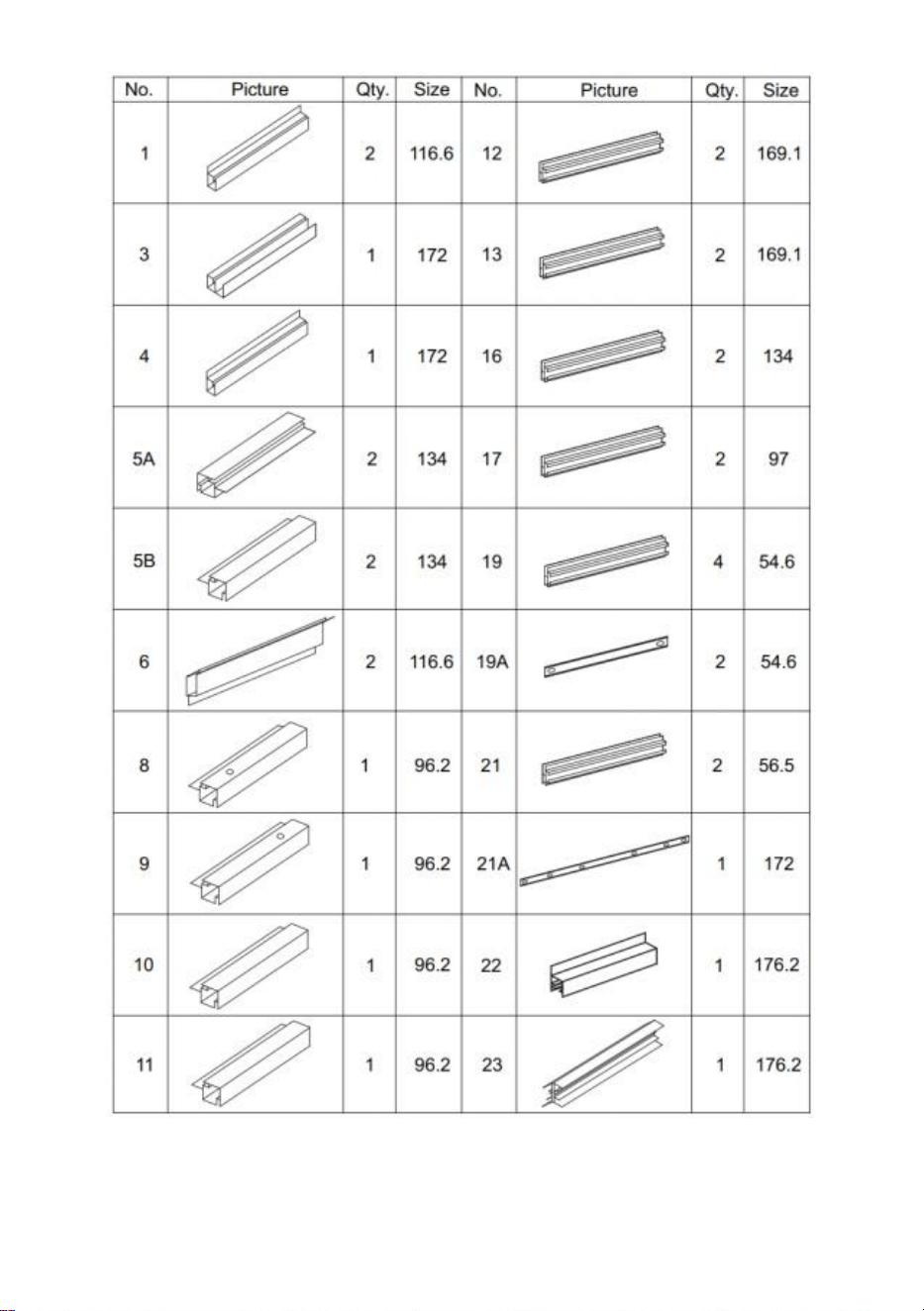
Liste des pièces
en aluminium
5
6
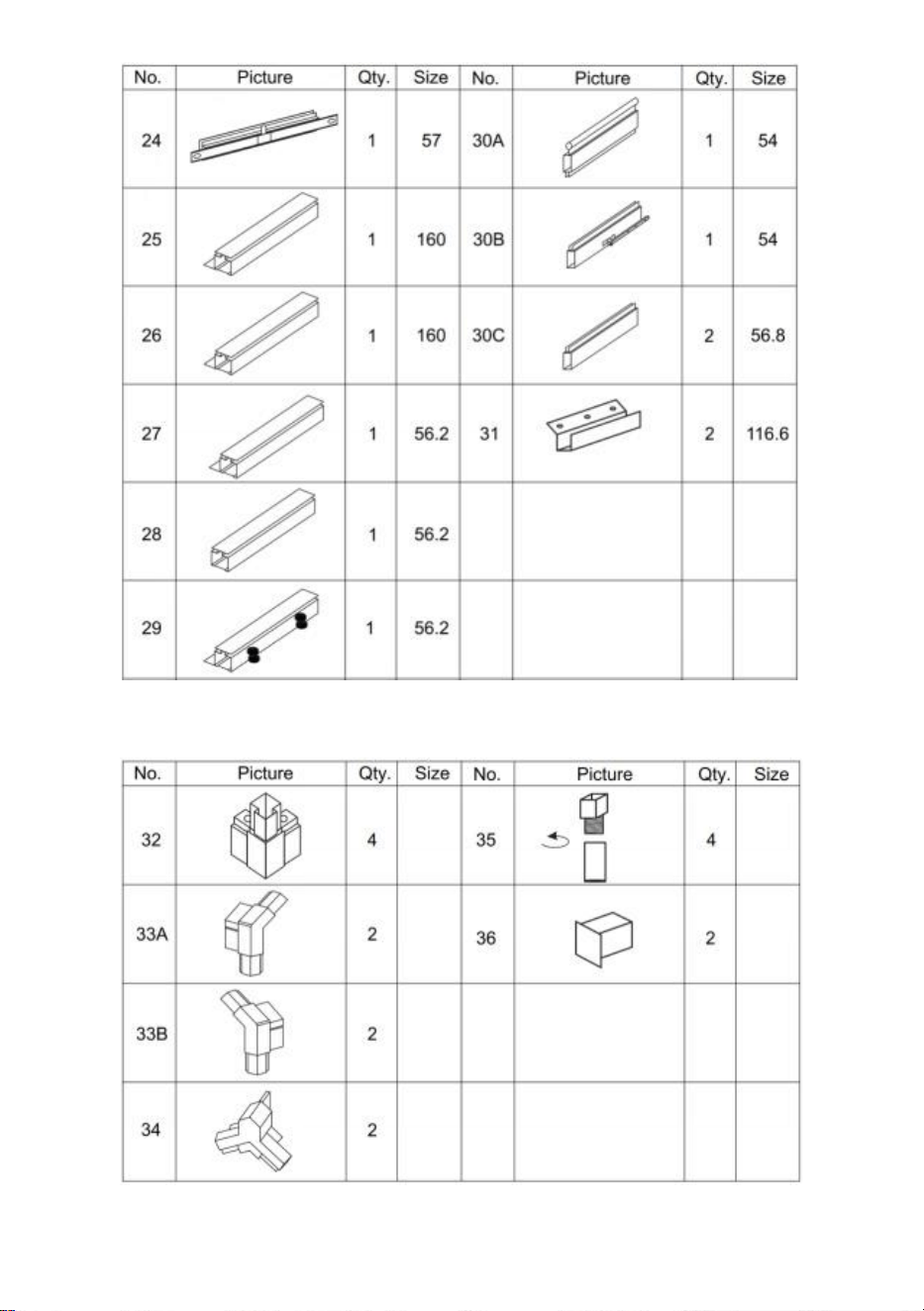
Liste des pièces en plastique
Liste du matériel
7
Liste des cartes PC
8
c ci-dessous la photo, veuillez utiliser la clé pour la restaurer.
Retirez environ 2 pouces de film de tous les bords de la feuille avant l'installation
9
et retirez tout le film immédiatement une fois la construction terminée. Veuillez
vous assurer que le côté avec le film blanc est tourné vers l'extérieur.
Distribution de cartes PC
Assemblée
Étape 1 : Assemblez les pièces 1, 3 et 4 comme indiqué en utilisant la pièce
32 .
10
Étape 2 : Utilisation de la pièce 43 , installez les pièces 5A et 5B avec les
composants complétés à l'étape 1 .
Étape 3 : À l'aide de la pièce 41 , installez les pièces 12 et 13 avec les
composants complétés à la dernière étape .
11
Étape 4 : Placez les pièces C et D sur les composants complétés à la
dernière étape .
Étape 5 : À l'aide de la pièce 41 , installez les pièces 19, 21 et 21A avec les
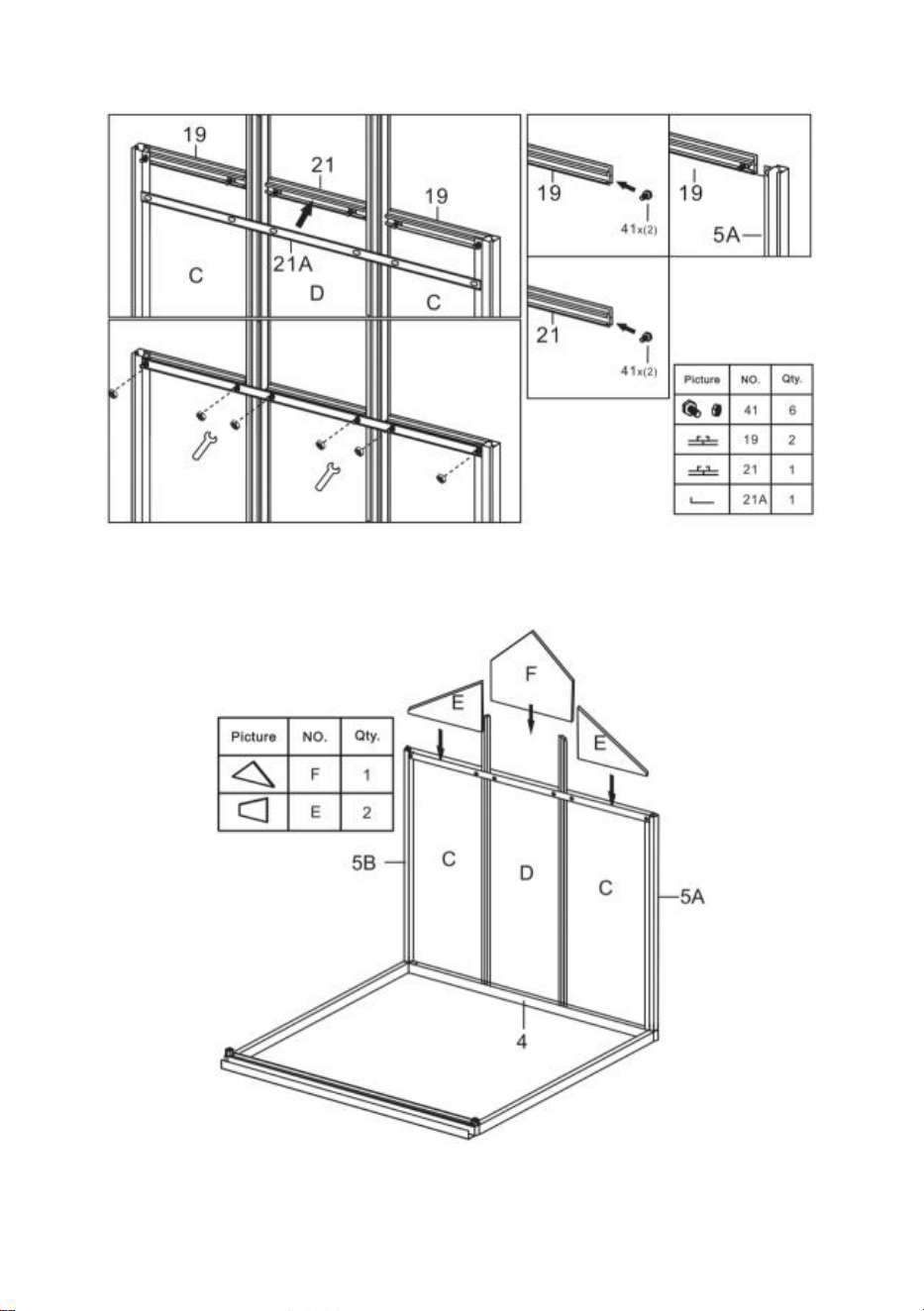
12
composants complétés à la dernière étape .
Etape 6 : Mettre la pièce E & F aux composants complétés à l’étape 5.
Étape 7 : Assemblez les pièces 10 et 11 en un seul assemblage en utilisant
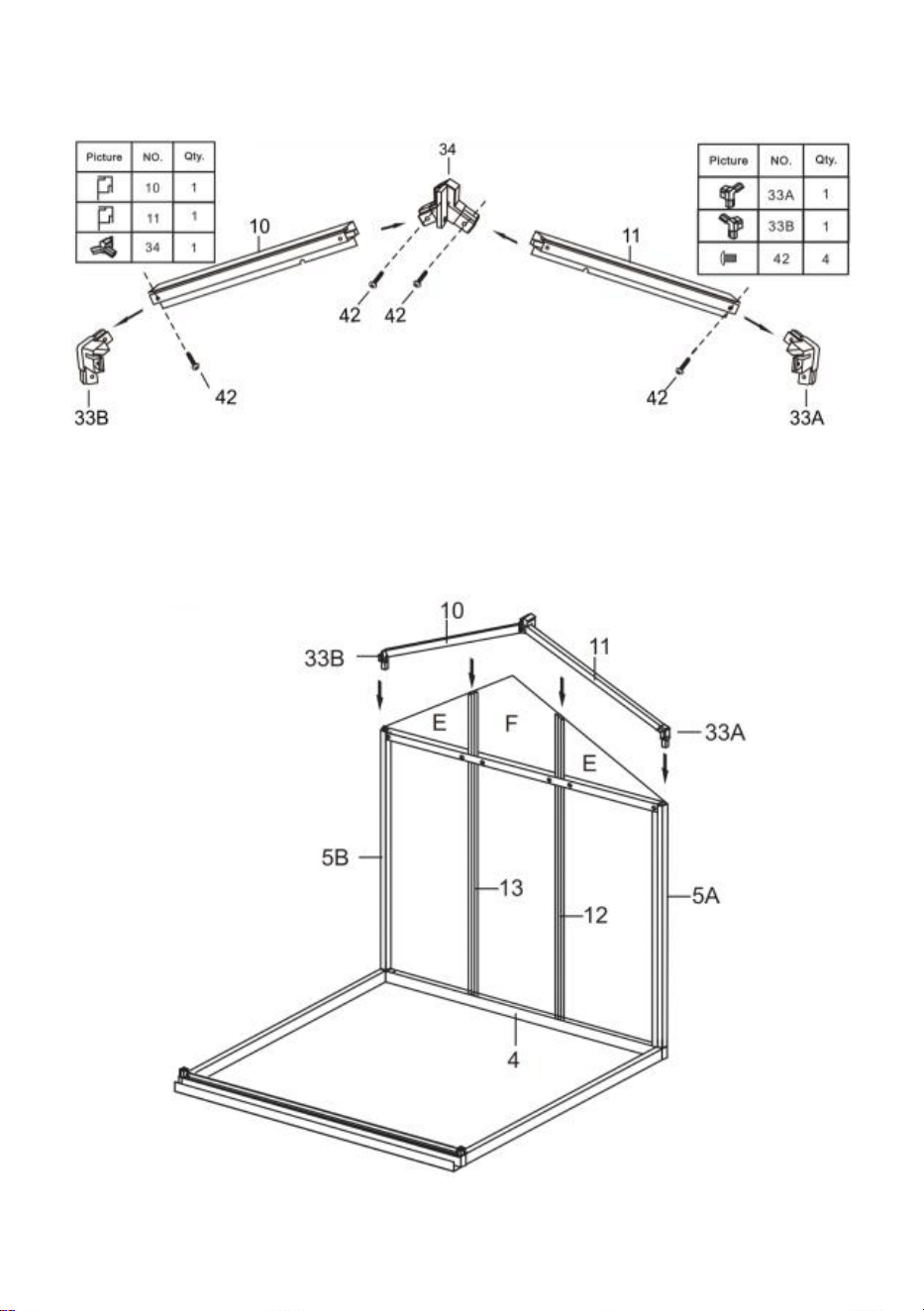
13
les pièces indiquées sur la figure .
Étape 8 : À l'aide des pièces 41 et 42 , installez les composants terminés aux
étapes 6 et 7.
14
Étape 9 : Installez les composants de la dernière étape et les parties 5A et 5B
en utilisant la pièce 43.
15
Étape 10 : À l'aide de la pièce 41 , installez les pièces 12 et 13 avec les
composants complétés à l'étape 9.
Etape 11 : Mettre la pièce C aux composants complétés à la dernière étape .
16
Étape 12 : À l'aide de la pièce 41 , installez les pièces 19 et 19A avec les
composants complétés à la dernière étape .
Etape 13 : Mettez la pièce E aux composants complétés à la dernière étape .
17
Étape 14 : Assemblez les pièces 8 et 9 en un seul assemblage en utilisant les
pièces indiquées sur la figure .
Étape 15 : À l'aide des pièces 41 et 42 , installez les composants terminés
aux étapes 13 et 14.
18
Étape 16 : Placez les deux pièces 41 dans la pièce 21 comme indiqué .
Étape 17 : Placer les pièces 2 1 & 2 2 de chaque côté du composant réalisé à
l'étape 15 et connectez-les à l'aide des écrous pièce 41 . Remarque : Ne
serrez pas l'écrou, les composants des pièces 2 1 et 2 2 peuvent monter et
descendre dans le cadre après assemblage.
19
Étape 18 : Placez la pièce I sur le composant de la pièce 21 et poussez-la
dans la fente du cadre. Déplacez la pièce 21 et serrez fermement la pièce I.
Assurez-vous que tous les bords de la pièce I sont appariés à la fente et
serrez l'écrou de la pièce 41 installé à l'étape précédente.
Étape 19 : À l'aide de la pièce 43 , installez la pièce 6 et les composants
complétés à la dernière étape .
20
Étape 20 : Utilisation de la pièce 40, assemblez les pièces 30A, 30B, 30C et L
dans les fenêtres.
Étape 21 : Installez la fenêtre sur la glissière en partie 23 comme illustré,
installez l'ensemble sur le cadre réalisé à l'étape 19 et verrouillez-le avec la
pièce 43.
21
Étape 22 : Insérez la partie A dans le cadre de la diapositive correspondante.
Étape 23 : Comme indiqué, placez deux pièces 41 dans la pièce 16, puis
insérez la pièce 16 entre les deux pièces UN . Assembler la pièce 16 avec le
cadre complété à l'étape 21 à l'aide des écrous de la pièce 41.
22
Étape 24 : Insérez la partie B dans le cadre sur la diapositive
correspondante.
Étape 25 : Comme indiqué, placez deux pièces 41 dans la pièce 1 7 , notez
que mettre 3 parties 41 du côté de la fenêtre et 2 de l'autre côté. Connectez la
pièce 17 à la carte PC selon le dessin et fixez-la avec l'écrou de la pièce 41.
23
Étape 26 : À l'aide de la pièce 41 , installez la pièce 24 et les composants
complétés à la dernière étape .
24
Étape 27 : Utilisation de la pièce 40, assembler les pièces 31 & 35 .
Étape 28 : Insérez la pièce J dans la goulotte comme indiqué sur la figure,
puis installez les composants assemblés à l'étape précédente sur le châssis.
Étape 29 : À l'aide des pièces 42 et 43 , assemblez les pièces 25 , 26 , 27, 28,
29 & K dans la porte .
25
Étape 30 : Après avoir installé la porte sur la glissière illustrée, fixez la pièce
36 à la pièce 22 du cadre et fixez-la avec la pièce 43. Après l'installation,
vérifiez si la porte coulisse facilement.
26
Étape 31 : Installez le clou de sol : fixez la pièce 48 à la position du cadre
indiquée sur la figure, et utilisez la pièce 51 pour passer à travers le trou de
la pièce 48 et fixez-le au sol.

Fabricant : Shanghaimuxinmuyeyouxiangongsi
Adresse : Shuangchenglu 803nong11hao1602A-1609shi, baoshanqu,
Shanghai 200000 CN.
Importé en Australie : SIHAO PTY LTD. 1 ROKEVA STREETASTWOOD
NSW 2122 Australie
Importé aux États-Unis : Sanven Technology Ltd. Suite 250, 9166
Anaheim
Lieu, Rancho Cucamonga, CA 91730



Technisch Support und E-Garantie-Zertifikat
www.vevor.com/support
POLYCARBONAT-GEWÄCHSHAUS
BENUTZERHANDBUCH
Wir sind weiterhin bestrebt, Ihnen Werkzeuge zu wettbewerbsfähigen Preisen anzubieten.
"Sparen Sie die Hälfte", "Halber Preis" oder andere ähnliche Ausdrücke, die wir nur
verwenden
stellt eine Schätzung der Einsparungen dar, die Sie durch den Kauf bestimmter Werkzeuge
erzielen können
mit uns im Vergleich zu den großen Top-Marken und bedeutet nicht unbedingt, Abdeckung
alle von uns angebotenen Werkzeugkategorien. Wir möchten Sie bitten, zu überprüfen
sorgfältig
wenn Sie bei uns eine Bestellung aufgeben, wenn Sie tatsächlich Speichern
Hälfte im Vergleich mit den Top-Großmarken.
1
Modell: SNG190-2
Brauchen Sie Hilfe? Kontaktieren Sie uns!
Sie haben Fragen zu unseren Produkten? Sie benötigen technischen
Support? Dann kontaktieren Sie uns gerne:
Technischer Support und E-Garantie-Zertifikat
www.vevor.com/support
Dies ist die Originalanleitung. Bitte lesen Sie alle Anweisungen sorgfältig
durch, bevor Sie das Gerät in Betrieb nehmen. VEVOR behält sich eine
klare Auslegung unserer Bedienungsanleitung vor. Das Erscheinungsbild
des Produkts richtet sich nach dem Produkt, das Sie erhalten haben. Bitte
verzeihen Sie uns, dass wir Sie nicht erneut informieren, wenn es
Technologie- oder Software-Updates für unser Produkt gibt .
POLYCARBONATE
GREENHOUSE

2
ANWEISUNGEN
Vielen Dank, dass Sie sich für dieses Produkt entschieden haben . Bitte lesen Sie
vor der Verwendung alle Anweisungen sorgfältig durch. Die Informationen helfen
Ihnen, die bestmöglichen Ergebnisse zu erzielen.
BITTE BEACHTEN! Die Zeichnungen in diesem Handbuch dienen nur zu
Illustrationszwecken und einige Details können vom tatsächlichen Produkt
abweichen.
ACHTUNG! Lesen Sie alle Sicherheitshinweise und Anweisungen. Die
Nichtbeachtung der Hinweise und Anweisungen kann zu schweren Verletzungen
oder sogar zum Tod führen. Das in den Warnhinweisen verwendete Gerät oder
Produkt bezieht sich auf Gewächshäuser aus Polycarbonat .
Dieses Produkt ist kein Spielzeug und auch keine Spielzeugkiste. Erlauben Sie
Kindern nicht, mit diesem Artikel zu spielen. Bitte stellen Sie es an einer Stelle auf,
an der Kinder nicht hochklettern können, um Verletzungen durch Stürze aus
großer Höhe zu vermeiden .
SICHERHEIT BEI DER VERWENDUNG
1. Für die Montage dieses Produkts sind zwei Personen erforderlich.
2. Einige Komponenten haben scharfe Metallkanten. Bitte seien Sie vorsichtig
beim Umgang mit Metall Komponenten. Bitte tragen Sie Handschuhe, Schuhe und
Schutzbrille während Montage.
3. Wählen Sie für die Montage einen Bereich aus, der sauber und frei von
Fremdkörpern ist , über die an der Montage arbeitende Personen stolpern
könnten.
4. Klettern oder stehen Sie nicht auf dem Dach. Lehnen Sie keine schweren
Gegenstände an das Gewächshaus.
5. Sehen Sie sich die Montageanleitung in Ihrer Bedienungsanleitung an, bevor
Sie fortfahren.
6. Überprüfen Sie die Maschine nach Abschluss der Montage gründlich, um
sicherzustellen, dass alle Muttern, Schrauben, Hydraulikanschlüsse und sonstigen
Befestigungselemente ordnungsgemäß festgezogen wurden.
7. Bei diesem Produkt handelt es sich nicht um eine Spielanlage oder ein Zelt und
es darf nur für den Bau von Gewächshäusern aus Polycarbonat verwendet
werden.

3
8. Vor der Inbetriebnahme muss das Polycarbonat-Gewächshaus auf seine
ordnungsgemäße Funktion und Betriebssicherheit überprüft werden. Ansonsten ,
Das Gerät darf nicht benutzt werden.
9. Wir empfehlen, den Bodenrahmen in einem vorgegrabenen Graben zu
platzieren, nachdem Sie die Platte mit Dehnschrauben (im Lieferumfang enthalten)
am Boden befestigt haben, um eine höhere Stabilität und Windbeständigkeit der
Temperaturkammer zu erzielen .
10. Für einen besseren Wasserschutz empfehlen wir, die Verbindung zwischen
Platine und Rahmen mit Glaskleber zu versehen .
11. Bei schlechtem Wetter empfehlen wir, die wertvollen Gegenstände aus dem
Gewächshaus zu entfernen, um unnötigen Sachschaden zu vermeiden, und das
Gewächshaus während dieser Zeit nicht zu benutzen .
12. Halten Sie das Dach frei von Schnee und Blättern. Wenn sich Schnee auf dem
Dach ansammelt, kann das Produkt beschädigt werden.
Bevor Sie das Produkt verwenden – wenn Sie Fragen zur ordnungsgemäßen
Montage oder Bedienung haben, wenden Sie sich an Ihren Händler oder Vertreter.
15. Wenn Ihr Produkt gereinigt werden muss, verwenden Sie eine milde
Reinigungslösung und spülen Sie mit kaltem, klarem Wasser nach. Verwenden
Sie zum Reinigen der Paneele kein Aceton, keine Scheuermittel oder starke
Reinigungsmittel.
BEWAHREN SIE DIESE ANWEISUNGEN AUF
TECHNISCHE PARAMETER
Modell
SNG190-2
Farbe
Weißes Aluminium
Material
Aluminium , Polycarbonatplatte
Produktgröße
184*125*193cm

4
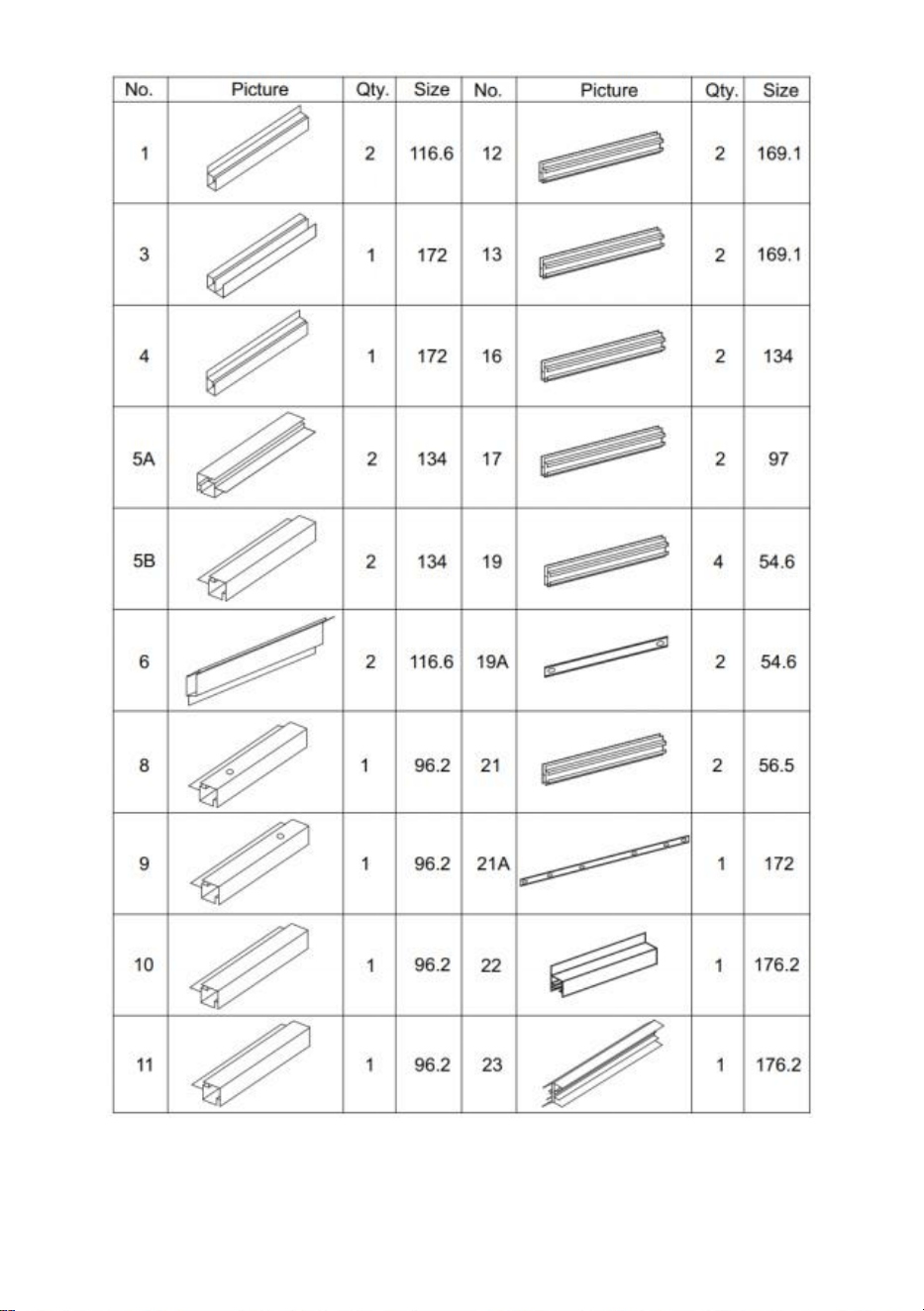
Aluminium
- Teileliste
5
6
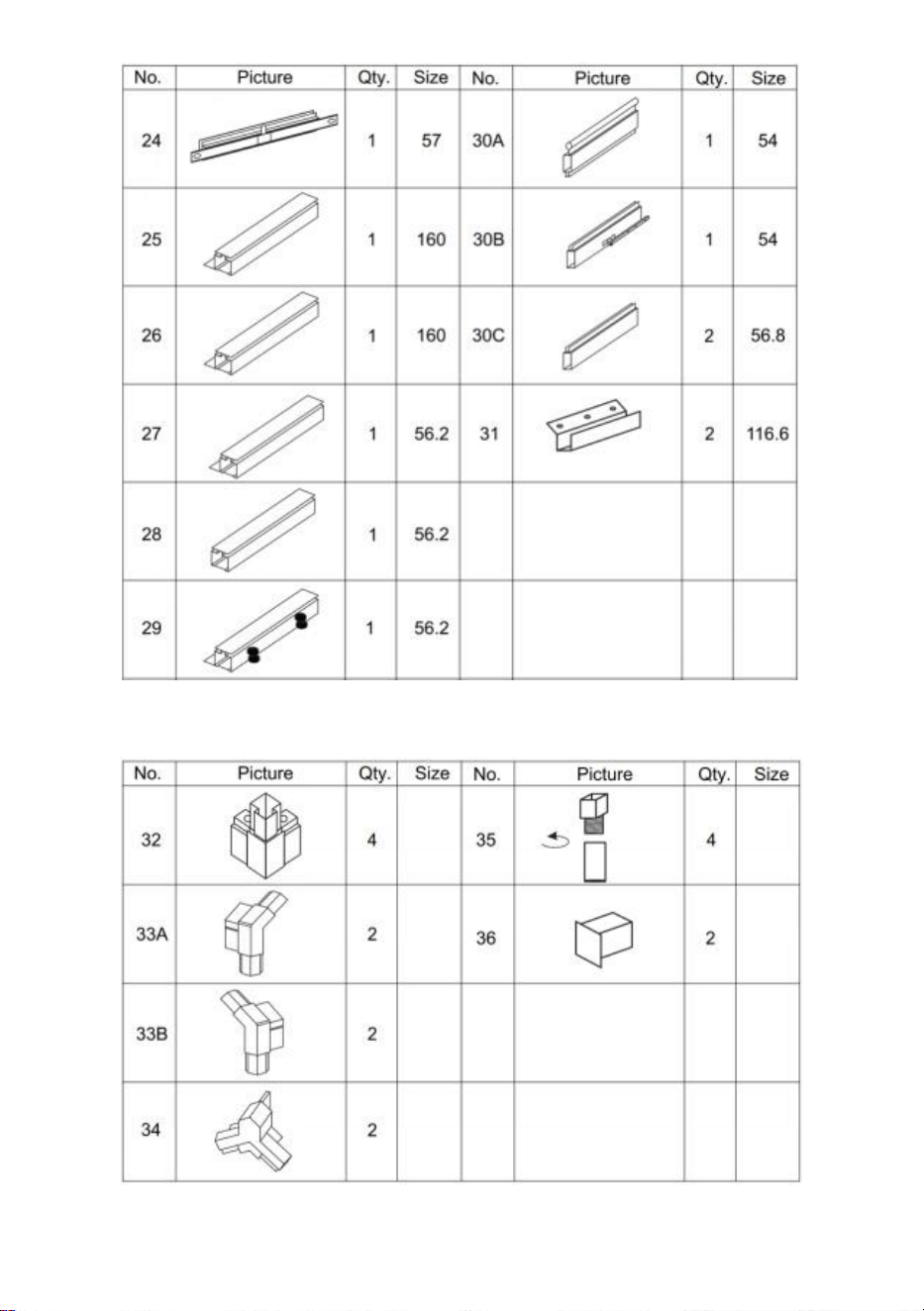
Kunststoffteilliste
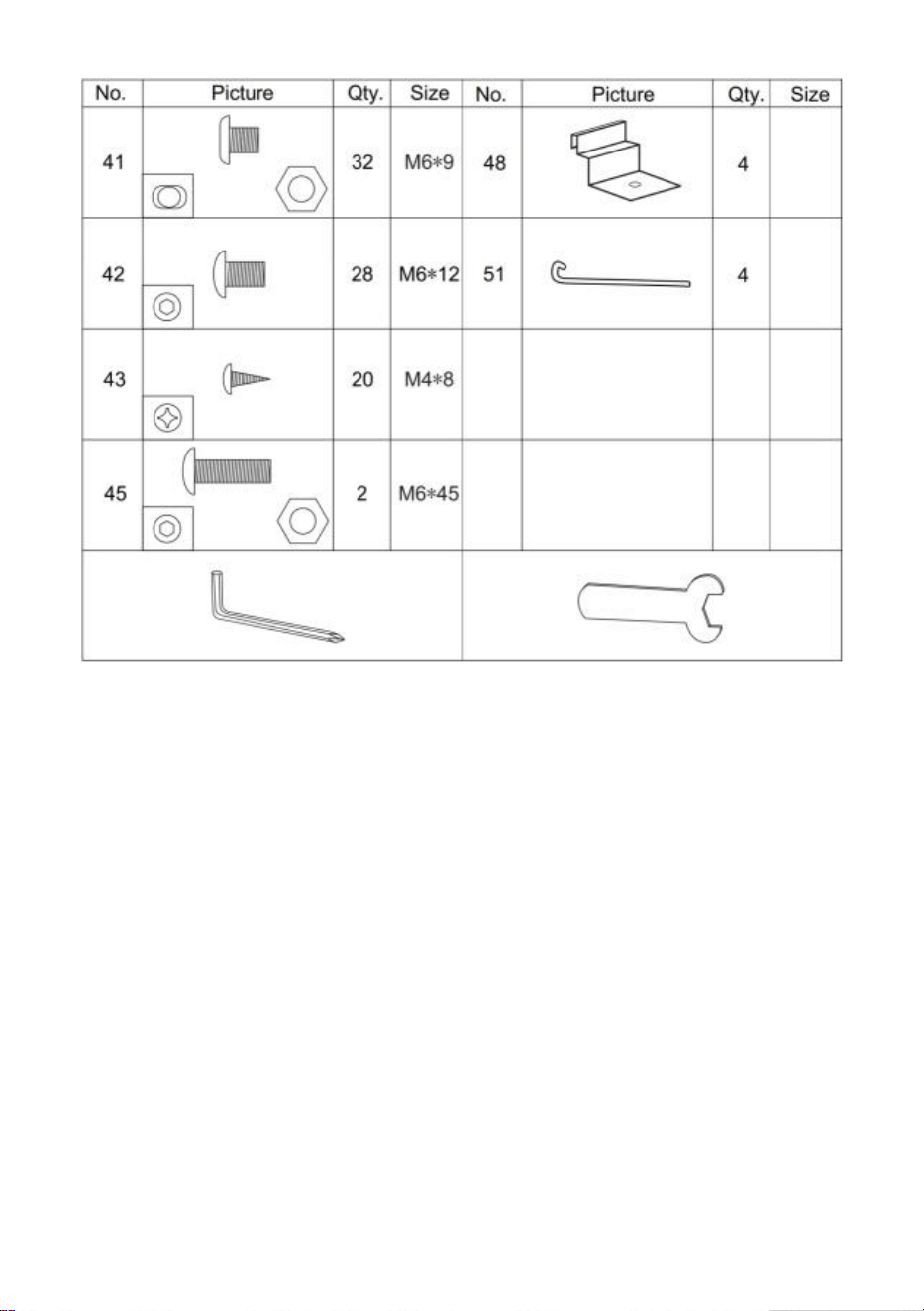
Hardwareliste
7
PC-Board -Liste
8
c Bild unten, bitte verwenden Sie den Schraubenschlüssel, um
es wiederherzustellen.
9
Entfernen Sie vor der Montage ca. 5 cm Folie an allen Plattenrändern und
entfernen Sie die gesamte Folie sofort nach Abschluss der Montage. Achten Sie
darauf, dass die Seite mit der weißen Folie nach außen zeigt.
Verteilung der PC-Platine
Montage
Schritt 1: Montieren Sie Teil 1,3 und 4 wie gezeigt mit Teil 32 .
10
Schritt 2: Teil verwenden 43 , installieren Sie Teil 5A und 5B mit den in Schritt
1 fertiggestellten Komponenten .
Schritt 3: Installieren Sie mithilfe von Teil 41 Teil 12 und 13 mit den im letzten
Schritt fertiggestellten Komponenten .
11
Schritt 4: Legen Sie die Teile C und D zu den im letzten Schritt
fertiggestellten Komponenten .
Schritt 5 : Installieren Sie mithilfe von Teil 41 die Teile 19, 21 und 21A mit den
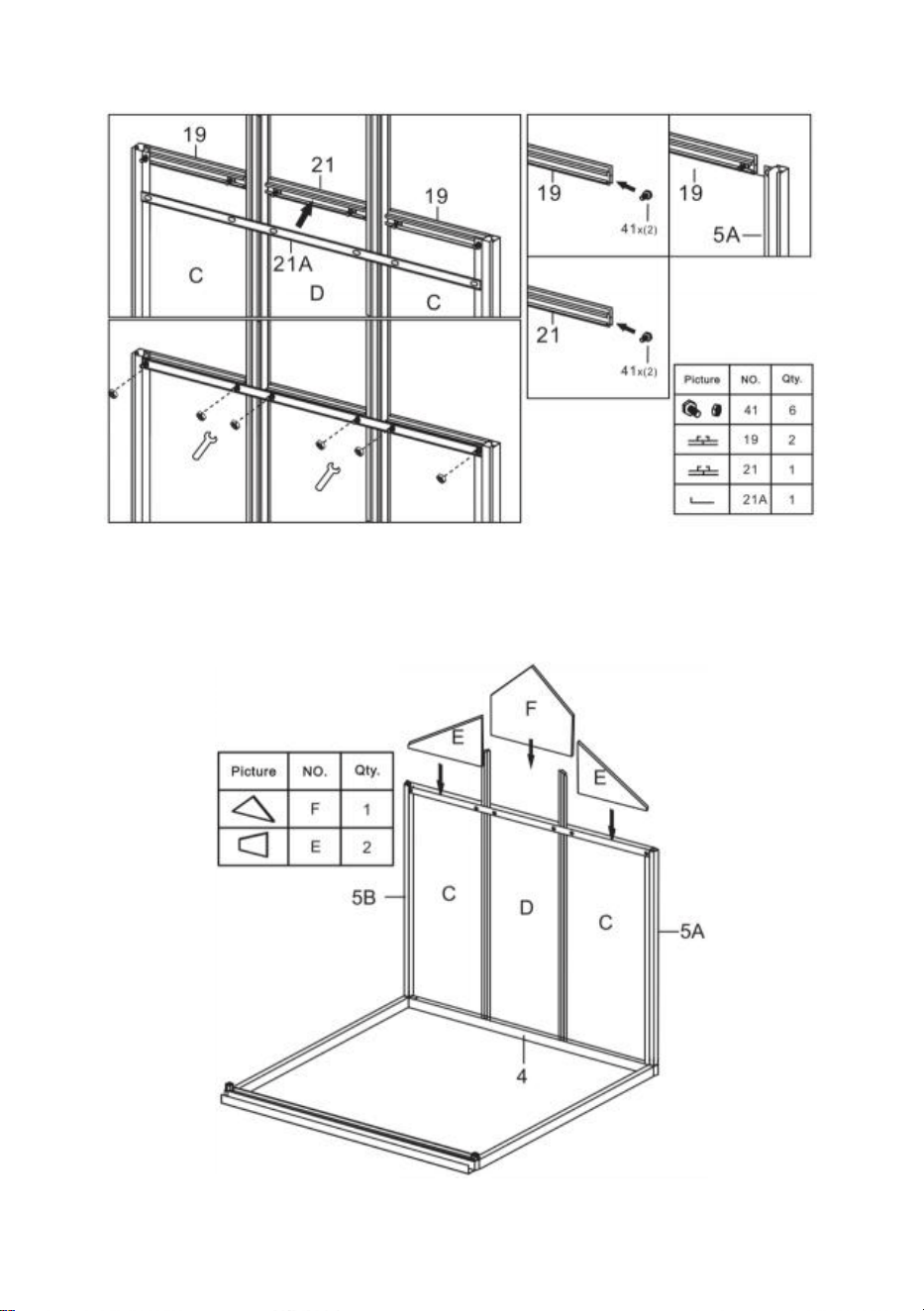
12
im letzten Schritt fertiggestellten Komponenten .
Schritt 6 : Legen Sie das Teil E & F zu den in Schritt 5 ausgefüllten
Komponenten .
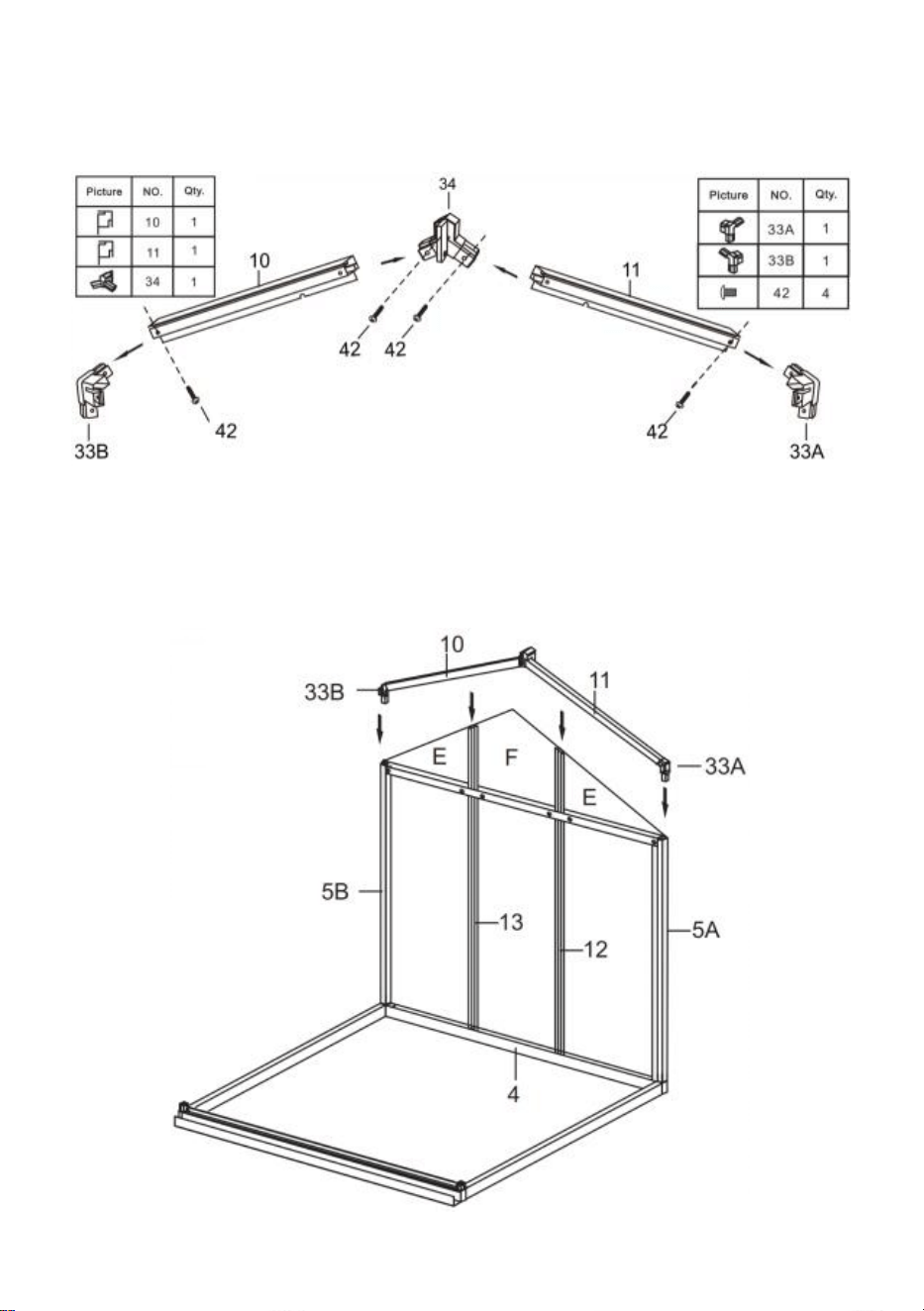
13
Schritt 7 : Fügen Sie die Teile 10 und 11 mithilfe der in der Abbildung
gezeigten Teile zu einer Baugruppe zusammen .
Schritt 8 : Installieren Sie mithilfe von Teil 41 und 42 die in Schritt 6 und 7
fertiggestellten Komponenten .
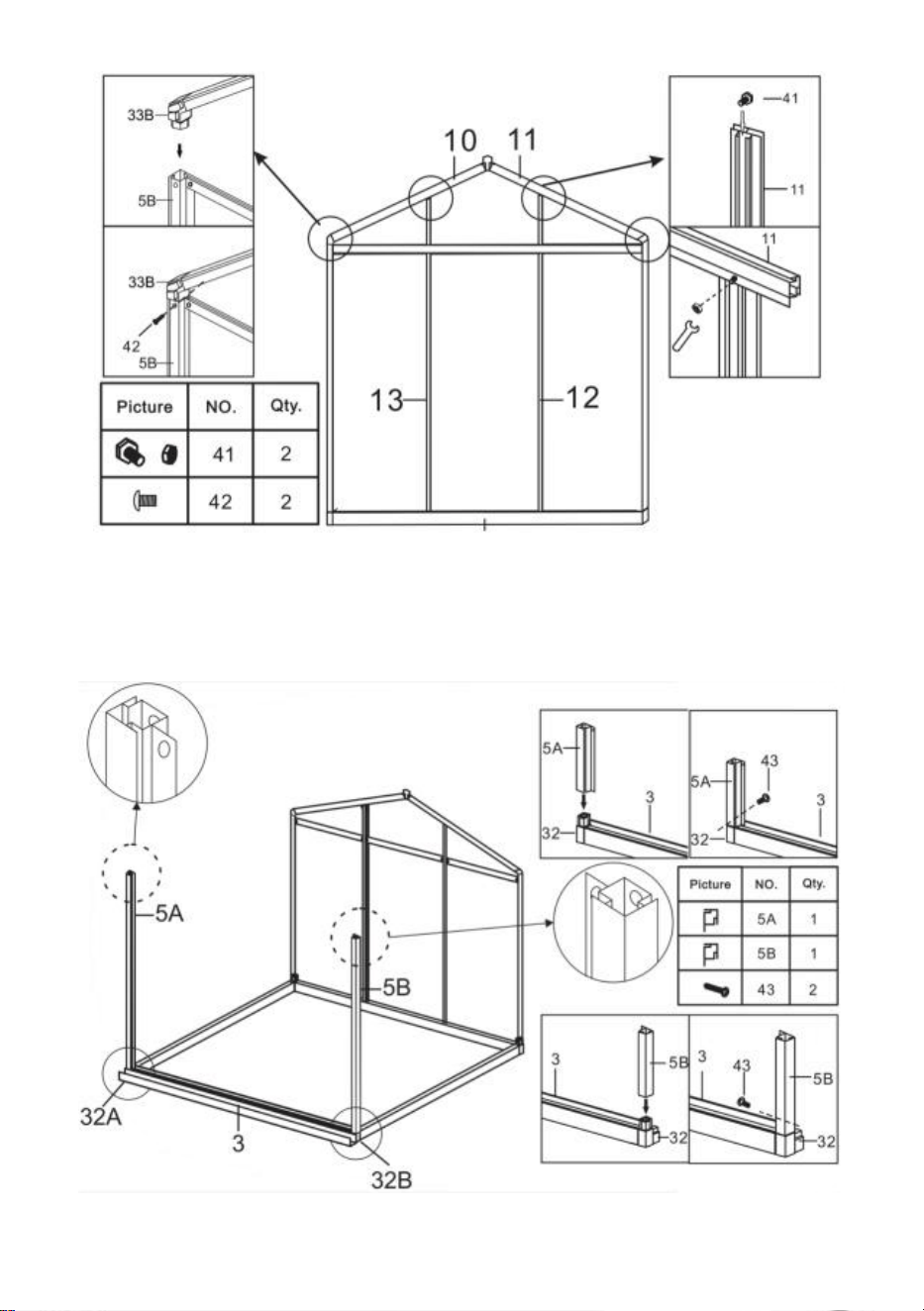
14
Schritt 9 : Installieren Sie die Komponenten aus dem letzten Schritt und Teil
5A und 5B mithilfe von Teil 43.
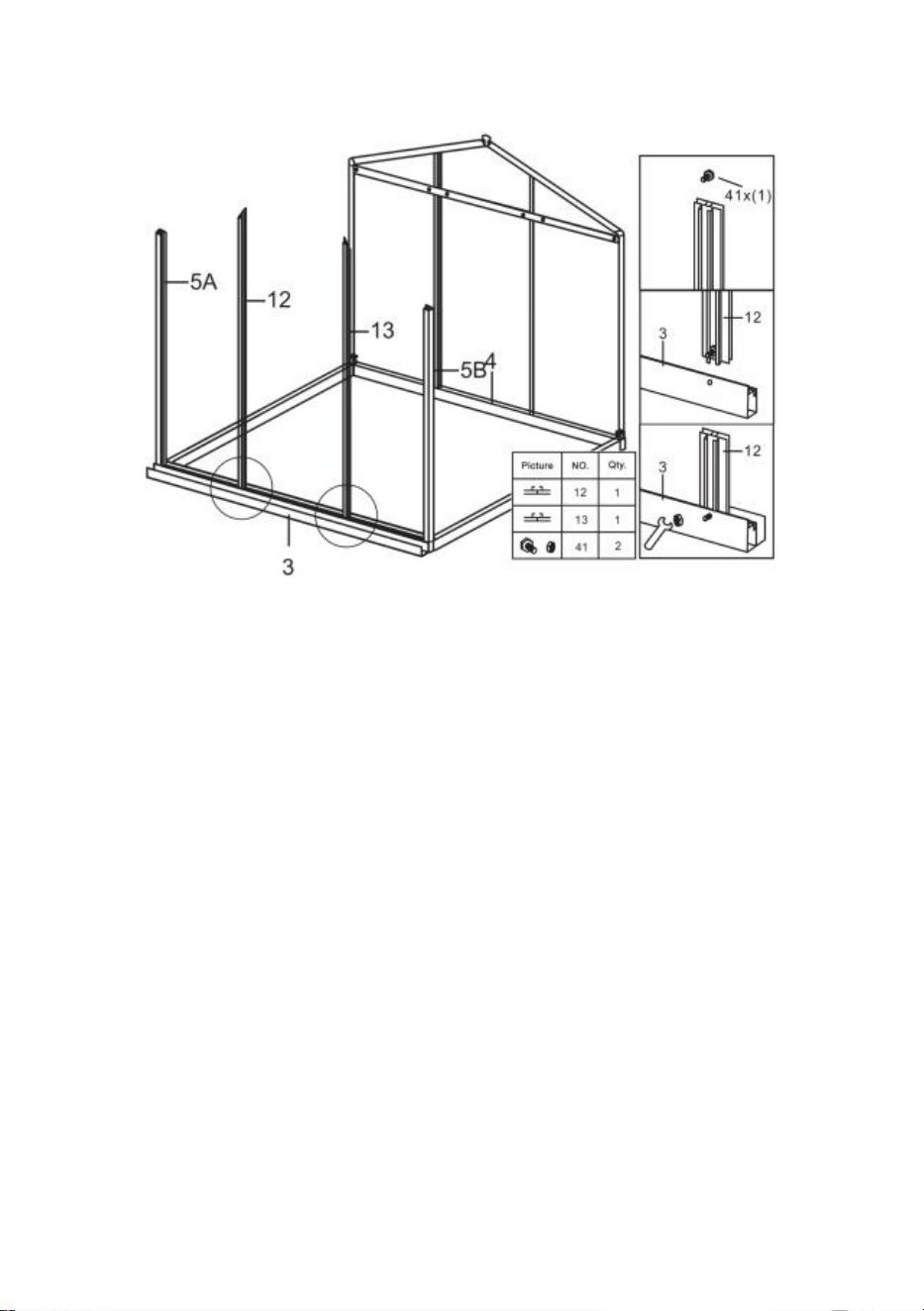
15
Schritt 10 : Installieren Sie mithilfe von Teil 41 Teil 12 und 13 mit den in
Schritt 9 fertiggestellten Komponenten .
Schritt 11 : Legen Sie das Teil C zu den im letzten Schritt fertiggestellten
Komponenten .
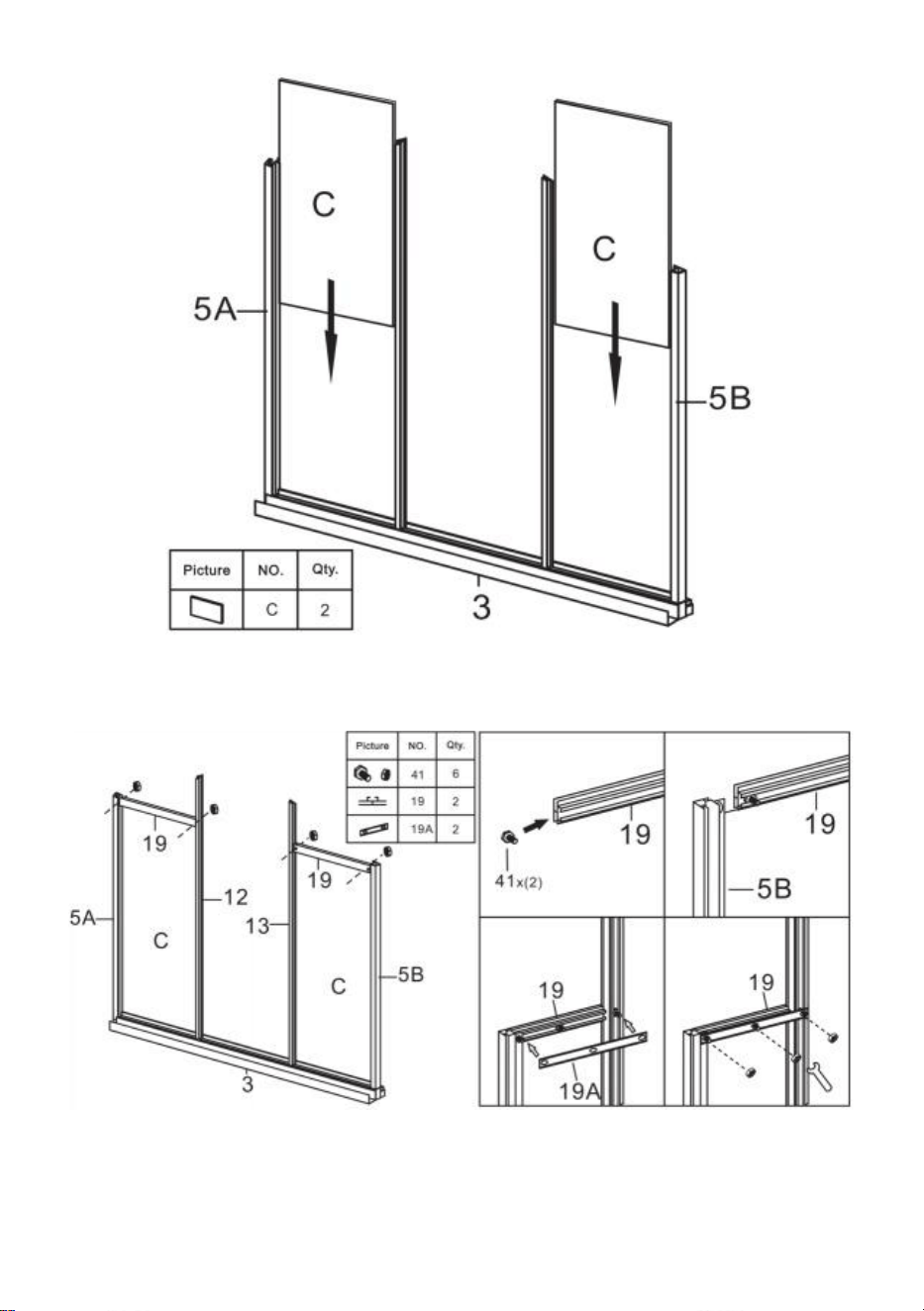
16
Schritt 12 : Installieren Sie mithilfe von Teil 41 Teil 19 und 19A mit den im
letzten Schritt fertiggestellten Komponenten .
Schritt 13 : Legen Sie das Teil E zu den im letzten Schritt fertiggestellten
Komponenten .
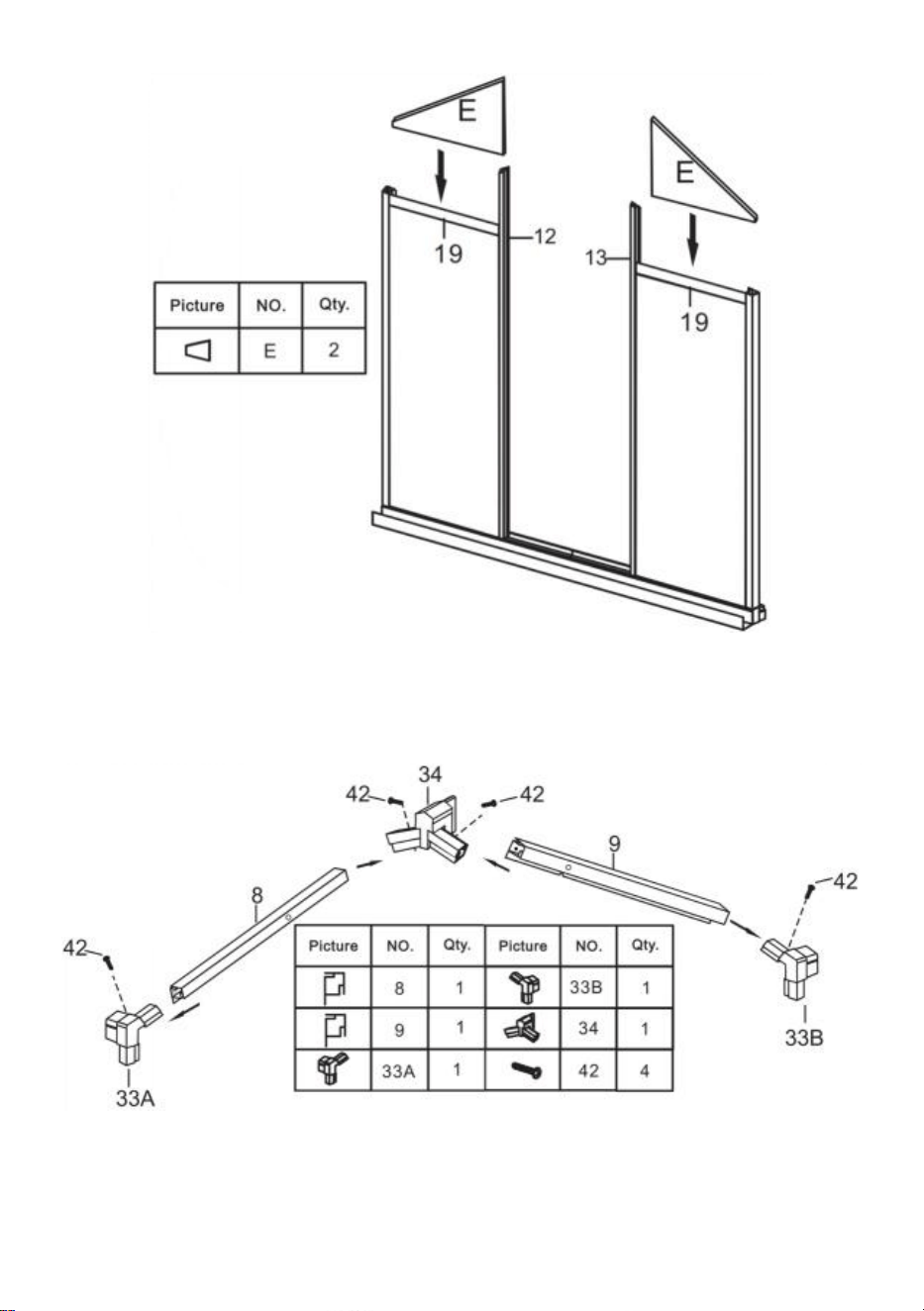
17
Schritt 14 : Fügen Sie die Teile 8 und 9 mithilfe der in der Abbildung
gezeigten Teile zu einer Baugruppe zusammen .
Schritt 15 : Installieren Sie mithilfe der Teile 41 und 42 die in Schritt 13 und
14 fertiggestellten Komponenten .
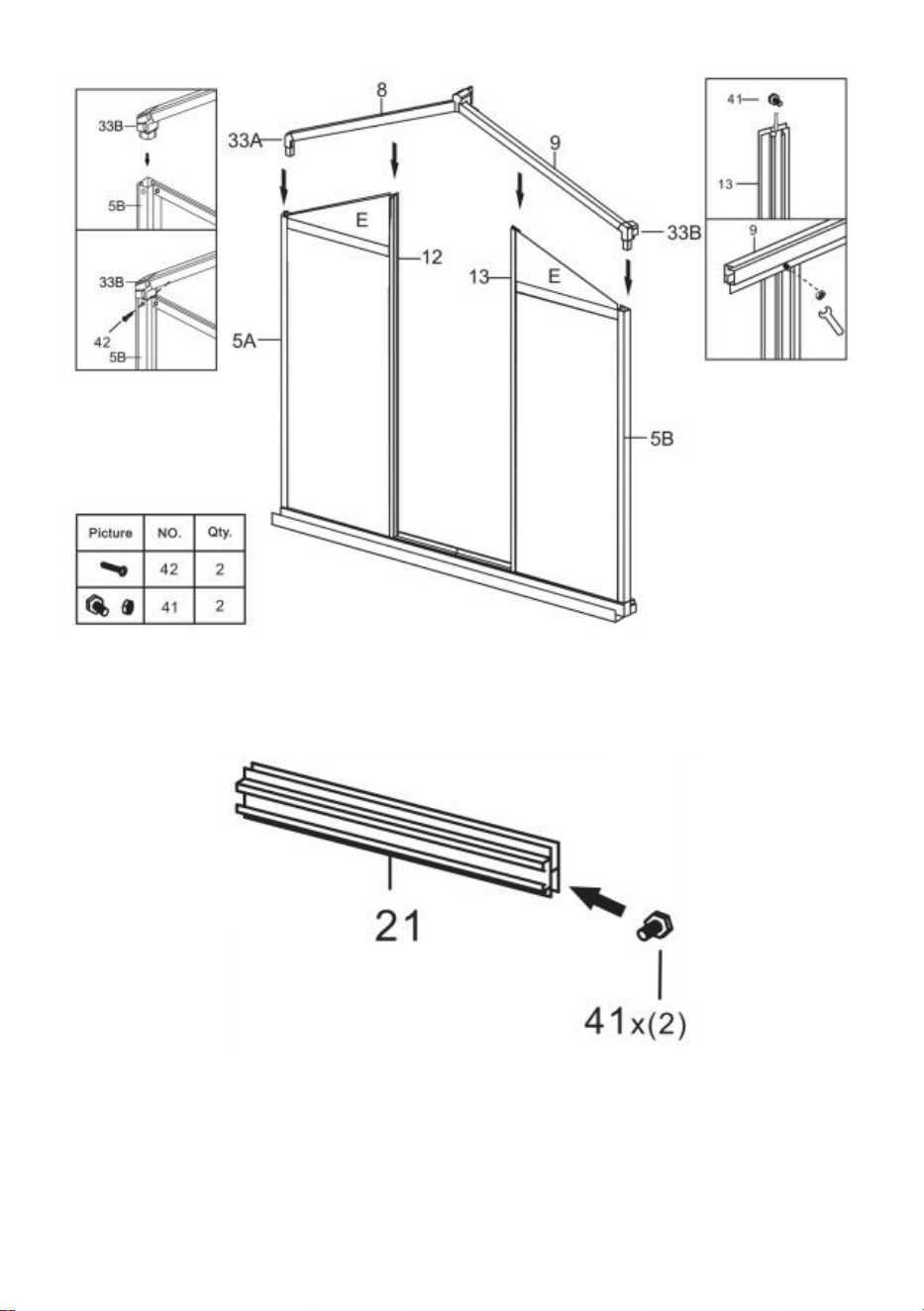
18
Schritt 16 : Legen Sie die beiden Teile 41 wie gezeigt in Teil 21 ein .
Schritt 17 : Platzieren Sie die Teile 2 1 & 2 2 auf beiden Seiten des in Schritt
15 fertiggestellten Bauteils und verbinden Sie sie mit den Muttern von Teil 41.
Hinweis: Ziehen Sie die Mutter nicht fest, da sich die Bauteile von Teil 2 1
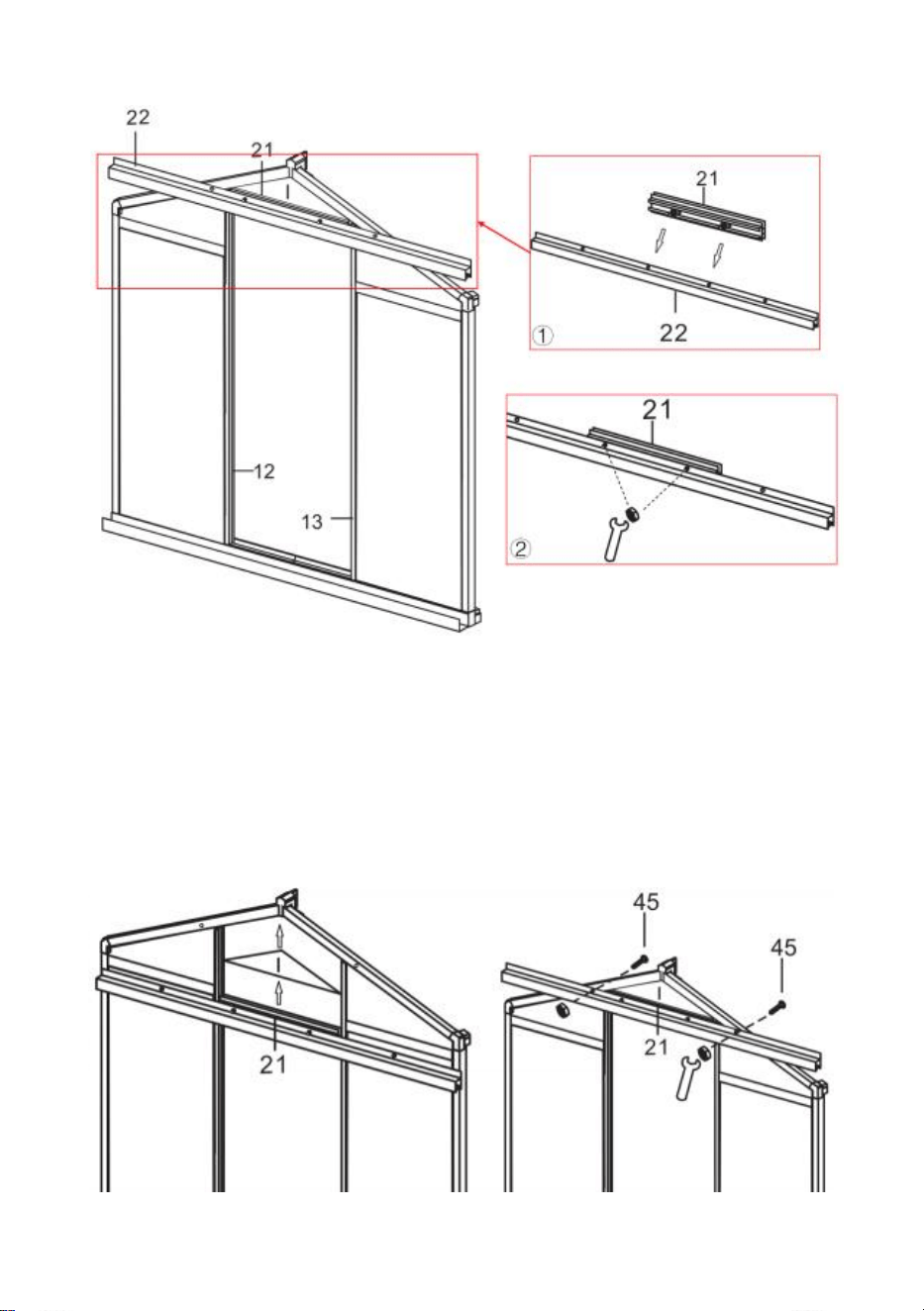
19
und 2 2 nach der Montage im Rahmen auf und ab bewegen können.
Schritt 18 : Platzieren Sie Teil I auf der Komponente von Teil 21 und drücken
Sie es in den Schlitz des Rahmens. Bewegen Sie Teil 21 und klemmen Sie
Teil I fest. Stellen Sie sicher, dass alle Kanten von Teil I mit dem Schlitz
verbunden sind, und ziehen Sie die im vorherigen Schritt installierte Mutter
von Teil 41 fest.
20
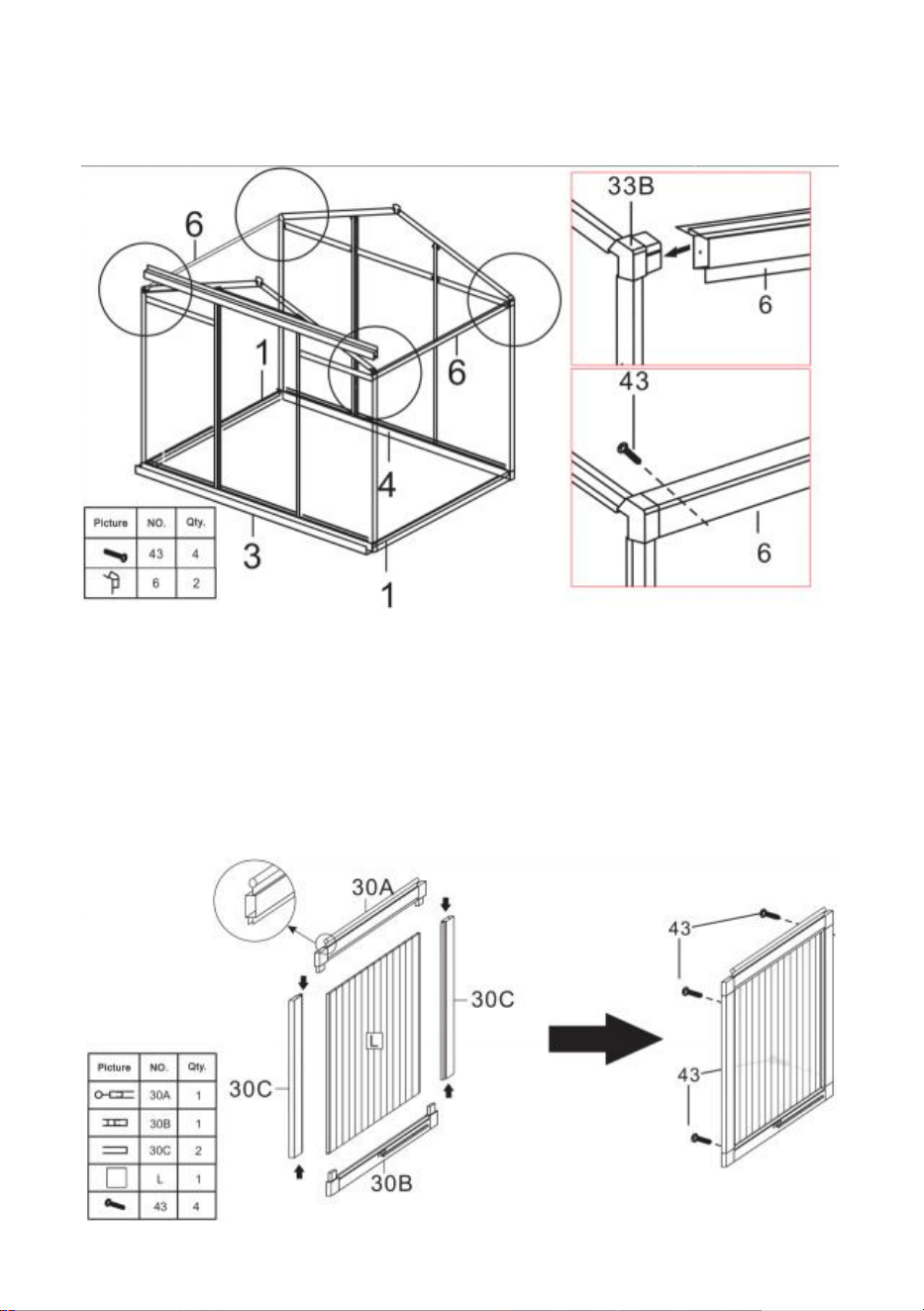
Schritt 19: Installieren Sie mithilfe von Teil 43 Teil 6 und die im letzten Schritt
fertiggestellten Komponenten .
Schritt 20: Teil verwenden 40, Teile 30A, 30B, 30C und L zu Fenstern
zusammenbauen.
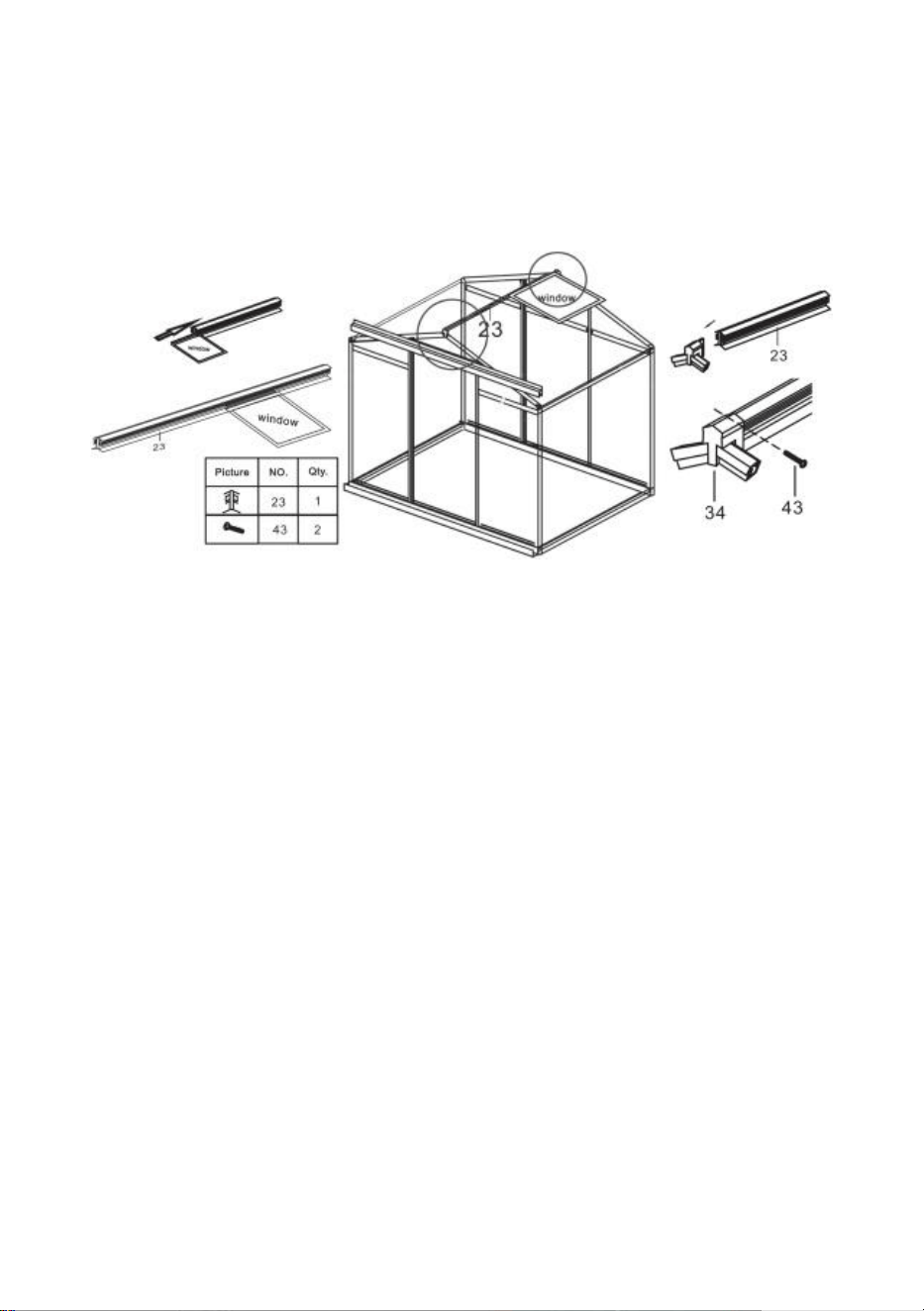
21
Schritt 21: Montieren Sie das Fenster teilweise auf der Gleitschiene 23
Installieren Sie die in Schritt 19 fertiggestellte Baugruppe wie gezeigt am
Rahmen und verriegeln Sie sie mit Teil 43.
Schritt 22: Fügen Sie Teil A in den Rahmen auf der entsprechenden Folie ein.
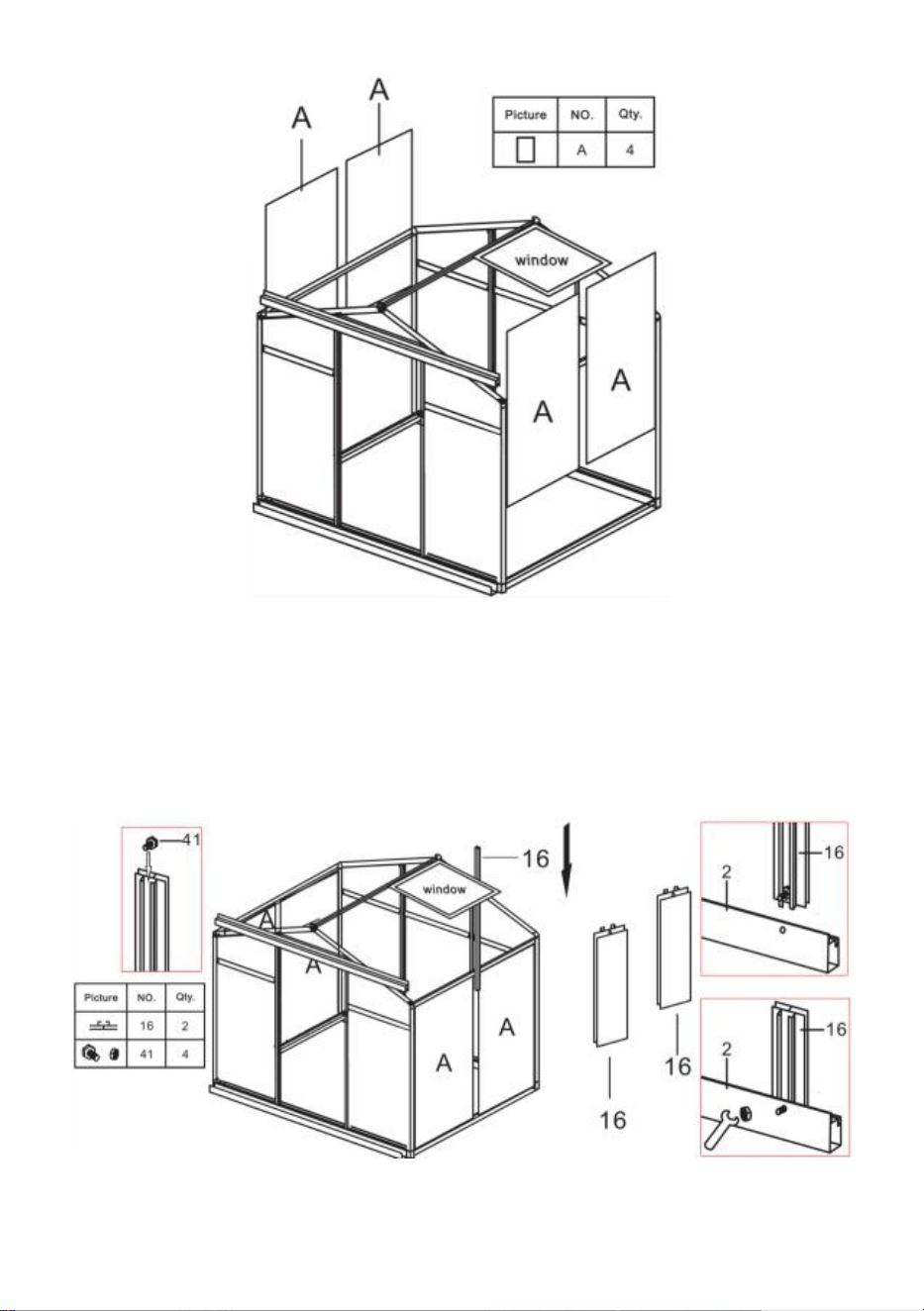
22
Schritt 23: Legen Sie wie gezeigt zwei Teile 41 in Teil 16, und dann Teil 16
zwischen die beiden Teile einfügen A . Teil zusammenbauen 16 mit dem in
Schritt 21 fertiggestellten Rahmen unter Verwendung der Muttern von Teil
41.
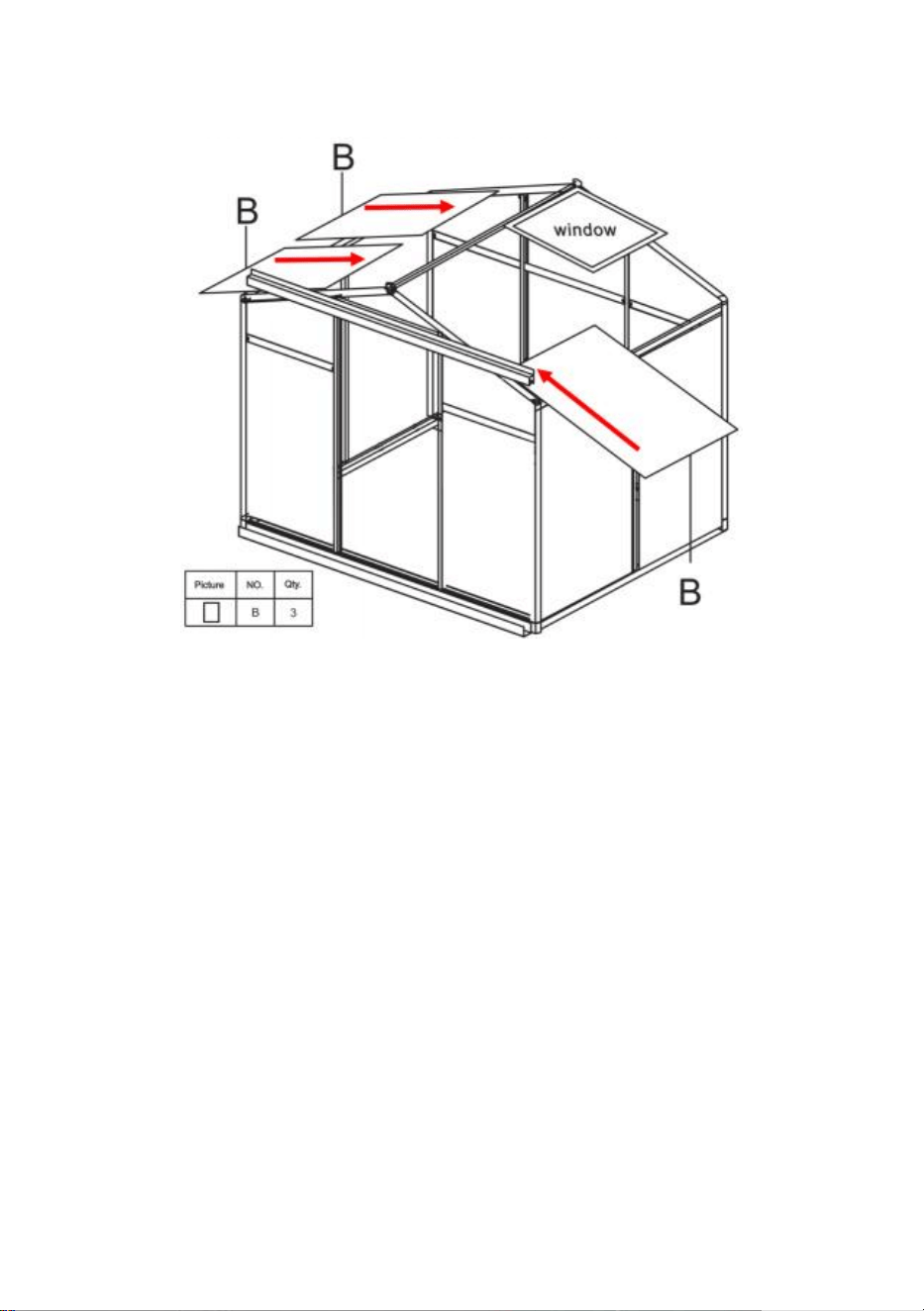
23
Schritt 24: Setzen Sie Teil B in den Rahmen auf dem entsprechenden
Schlitten ein.
Schritt 25: Legen Sie wie gezeigt zwei Teile 41 in Teil 1 7 , Beachten Sie, dass
Sie 3 Teile 41 auf der Fensterseite und 2 auf der anderen Seite anbringen.
Verbinden Sie Teil 17 gemäß der Zeichnung mit der PC-Platine und fixieren
Sie es mit der Mutter von Teil 41.
24
Schritt 26: Installieren Sie mithilfe von Teil 41 Teil 24 und die im letzten
Schritt fertiggestellten Komponenten .
25
Schritt 27: Teil verwenden 40, Teile 31 und 35 zusammenbauen .
Schritt 28: Setzen Sie Teil J wie in der Abbildung gezeigt in die Rutsche ein
und installieren Sie dann die im vorherigen Schritt zusammengebauten
Komponenten am Rahmen.
Schritt 29: Mit Teil 42 und 43 die Teile 25 , 26 , 27, 28 und 29 zusammenbauen
und K in die Tür .
26
Schritt 30: Nach der Montage der Tür an der gezeigten Schiene befestigen
Sie Teil 36 an Teil 22 des Rahmens und sichern es mit Teil 43. Prüfen Sie
nach der Montage, ob die Tür reibungslos gleitet.
27
Schritt 31: Bodennagel montieren: Das Teil festklemmen 48 an die Position
des Rahmens, wie in der Abbildung gezeigt, und verwenden Sie Teil 51, um
durch das Loch des Teils 48 und befestigen Sie es am Boden.

Hersteller: Shanghaimuxinmuyeyouxiangongsi
Adresse: Shuangchenglu 803nong11hao1602A-1609shi, baoshanqu,
Shanghai 200000 CN.
Nach AUS importiert: SIHAO PTY LTD. 1 ROKEVA
STREETEASTWOOD NSW 2122 Australien
Importiert in die USA: Sanven Technology Ltd. Suite 250, 9166 Anaheim
Ort, Rancho Cucamonga, CA 91730



Tecnico Supporto e certificato di garanzia elettronica
www.vevor.com/support
SERRA IN POLICARBONATO
MANUALE D'USO
Continuiamo a impegnarci per fornirvi strumenti a prezzi competitivi.
"Risparmia la metà", "Metà prezzo" o qualsiasi altra espressione simile utilizzata solo da noi
rappresenta una stima del risparmio che potresti trarre dall'acquisto di determinati strumenti
con noi rispetto ai principali marchi di punta e non significa necessariamente copertina
tutte le categorie di strumenti da noi offerti. Si ricorda gentilmente di verificare
accuratamente
quando effettui un ordine con noi, se lo sei effettivamente Risparmio
Metà rispetto ai principali marchi.
1
Modello: SNG190-2
HAI BISOGNO DI AIUTO? CONTATTACI!
Hai domande sul prodotto? Hai bisogno di supporto tecnico? Non
esitate a contattarci:
Supporto tecnico e certificato di garanzia elettronica
www.vevor.com/support
Queste sono le istruzioni originali, leggere attentamente tutte le istruzioni
del manuale prima dell'uso. VEVOR si riserva una chiara interpretazione
del nostro manuale d'uso. L'aspetto del prodotto sarà soggetto al prodotto
ricevuto. Ti preghiamo di perdonarci se non ti informeremo più se sono
presenti aggiornamenti tecnologici o software sul nostro prodotto.
POLYCARBONATE
GREENHOUSE

2
ISTRUZIONI
Grazie mille per aver scelto questo prodotto . Si prega di leggere tutte le istruzioni
prima di utilizzarlo. Le informazioni ti aiuteranno a ottenere i migliori risultati
possibili.
NOTARE CHE! I disegni contenuti in questo manuale servono solo a scopo
illustrativo e alcuni dettagli potrebbero differire dal prodotto reale.
ATTENZIONE! Leggere tutte le avvertenze di sicurezza e tutte le istruzioni. La
mancata osservanza delle avvertenze e delle istruzioni può provocare lesioni gravi
o addirittura la morte. Il dispositivo o prodotto utilizzato nelle istruzioni di
avvertenza si riferisce alla serra in policarbonato .
Questo prodotto non è un giocattolo o una cesta portagiochi. Non permettere ai
bambini di giocare con questo oggetto. Si prega di posizionarlo in una posizione in
cui i bambini non possano arrampicarsi per evitare lesioni dovute a cadute
dall'alto .
SICUREZZA D'USO
1. Sono necessarie due persone per assemblare questo prodotto.
2. Alcuni componenti hanno bordi metallici affilati. Si prega di fare attenzione
quando si maneggia il metallo componenti. Si prega di indossare guanti, scarpe e
occhiali protettivi durante l'attività assemblaggio.
3. Selezionare un'area per l'assemblaggio che sia pulita e priva di detriti che
potrebbero far inciampare le persone che lavorano sull'assemblaggio.
4. Non salire o salire sul tetto. Gli articoli pesanti non devono essere appoggiati
alla serra.
5. Visualizza in anteprima le istruzioni di montaggio nel manuale dell'operatore
prima di procedere ulteriormente.
6. Dopo aver completato il montaggio, ispezionare attentamente la macchina per
accertarsi che tutti i dadi, i bulloni, i raccordi idraulici o qualsiasi altro gruppo di
fissaggio siano stati serrati accuratamente.
7. Questo prodotto non è una struttura da gioco o una tenda e non deve essere
utilizzato per scopi diversi dalle serre in policarbonato.
8. La serra in policarbonato deve essere controllata per garantire che sia in
condizioni di funzionamento adeguate e funzioni in sicurezza prima dell'uso.
Altrimenti , l'apparecchio non deve essere utilizzato.
3
9. Si consiglia di posizionare il telaio inferiore in una trincea pre-scavata dopo aver
fissato il pannello con viti ad espansione (incluse) al terreno per una maggiore
stabilità e resistenza al vento della camera termica .
10. Si consiglia di applicare la colla per vetro al collegamento tra la scheda PC e il
telaio per una migliore protezione dall'acqua .
11. Quando il tempo è brutto, si consiglia di rimuovere gli oggetti preziosi nella
serra per evitare inutili perdite di proprietà e di non utilizzare la serra durante quel
periodo .
12. Mantenere il tetto libero da neve e foglie. Lasciare accumulare neve sul tetto
potrebbe danneggiare il prodotto.
Prima di utilizzare il prodotto, in caso di domande relative al corretto montaggio o
funzionamento, contattare il rivenditore o il rappresentante.
16. Quando è necessario pulire il prodotto, utilizzare una soluzione detergente
delicata e risciacquare con acqua pulita fredda. Non utilizzare acetone, detergenti
abrasivi o detergenti aggressivi per pulire i pannelli.
CONSERVA QUESTE ISTRUZIONI
PARAMETRI TECNICI
Modello
SNG190-2
Colore
Alluminio bianco
Materiale
Alluminio , lastra di policarbonato
Dimensioni del
prodotto
184*125*193 cm

4
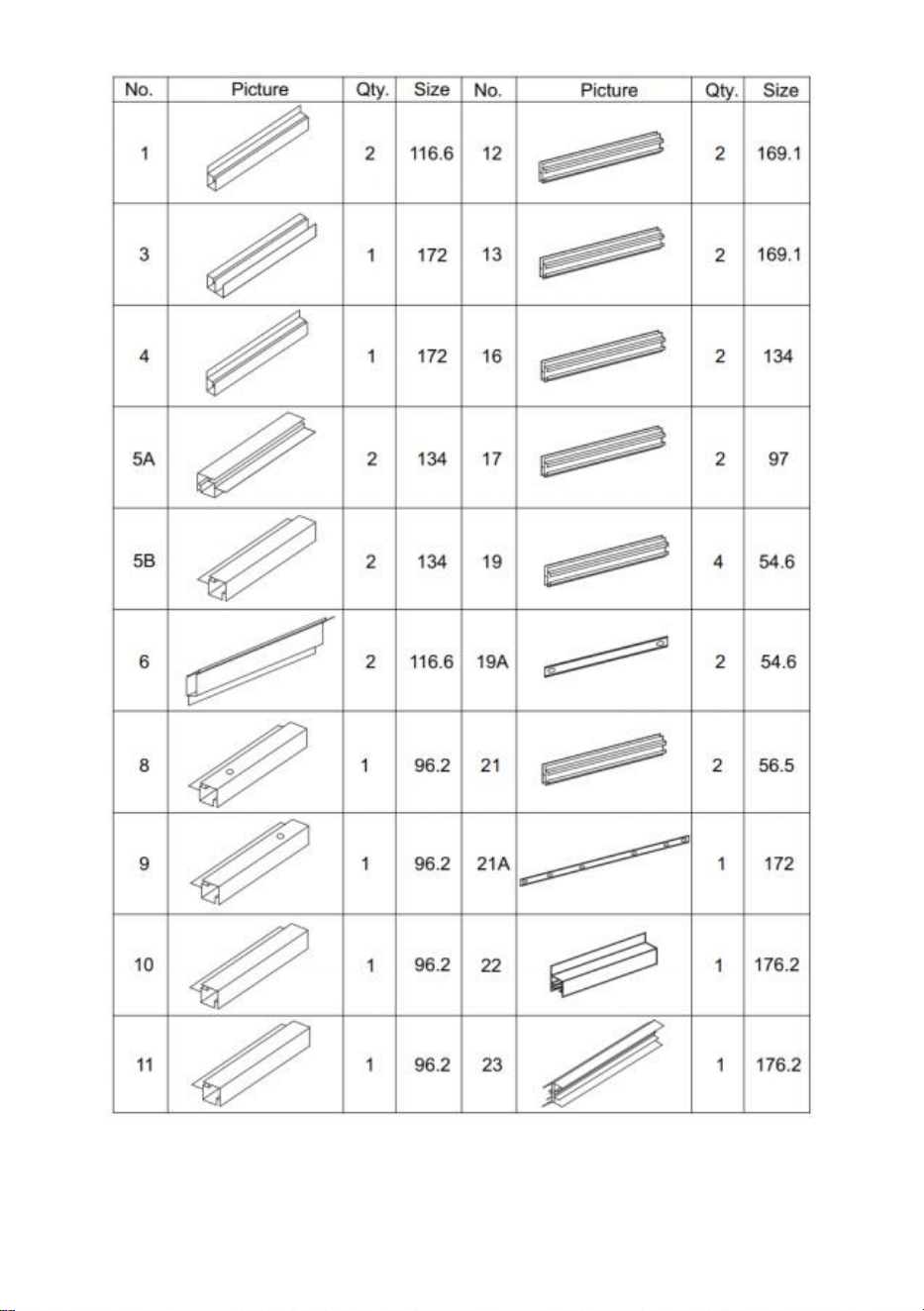
Elenco delle parti
in alluminio
5
6
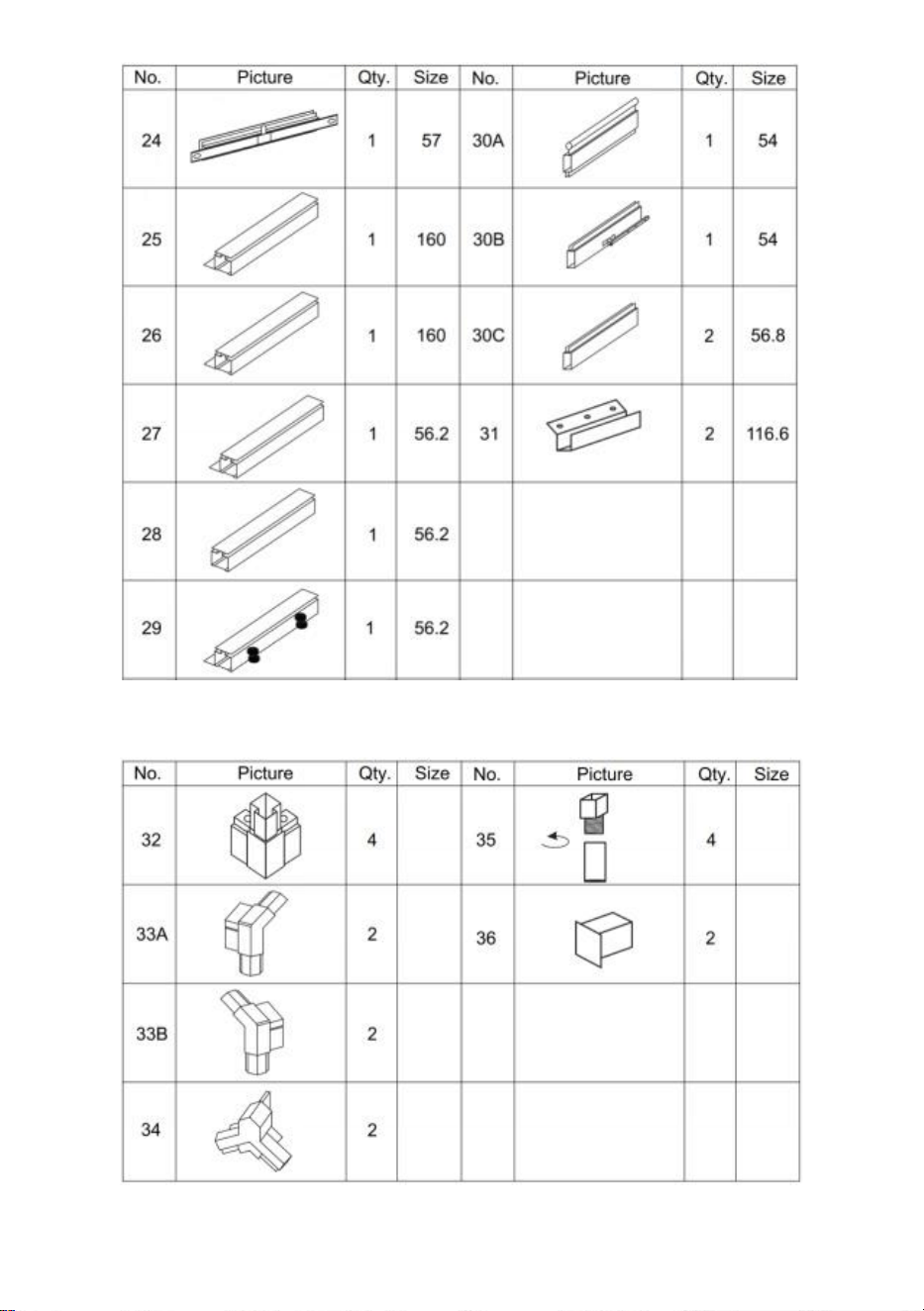
Elenco delle parti in plastica
Elenco dell'hardware
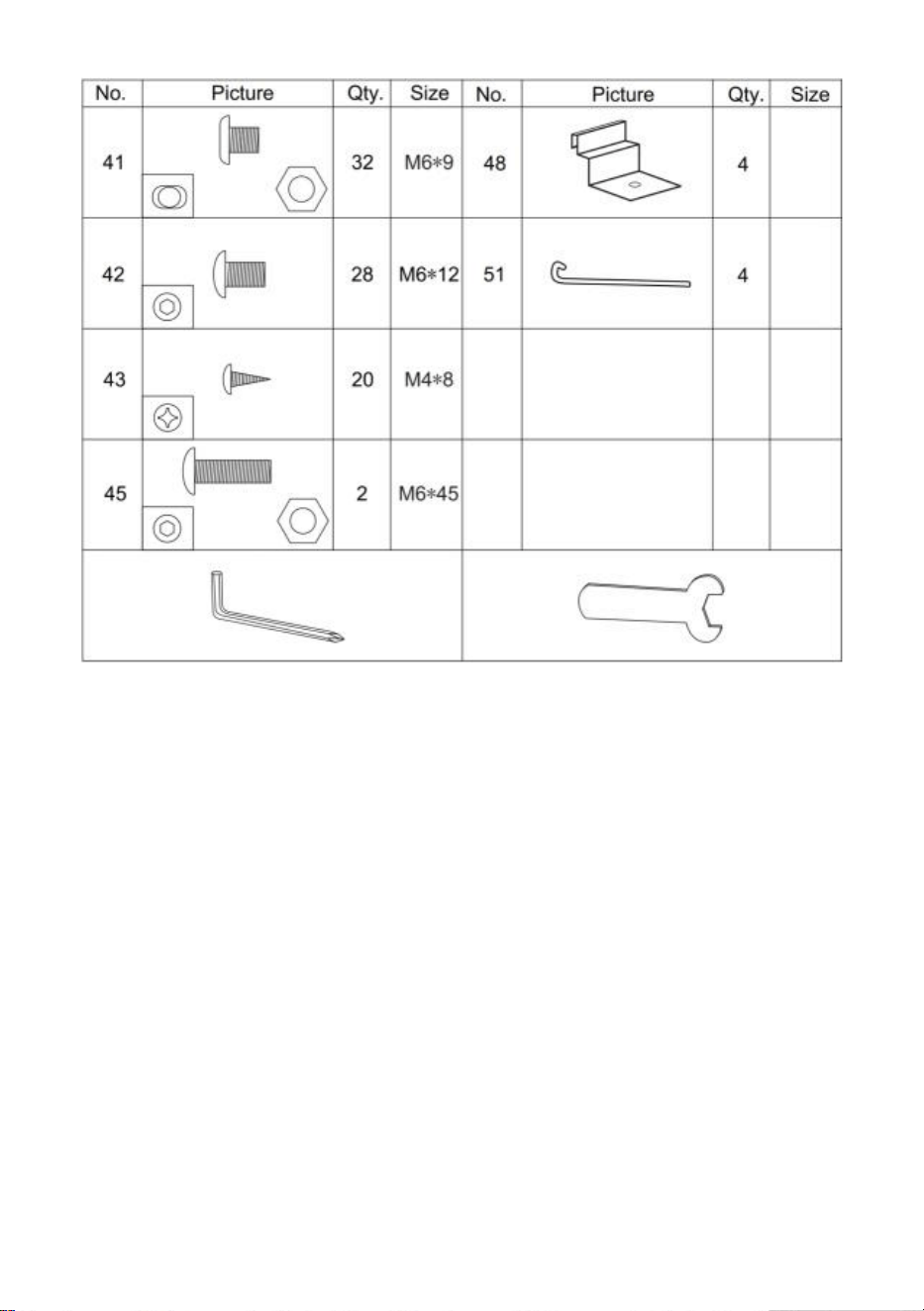
7
Elenco schede PC
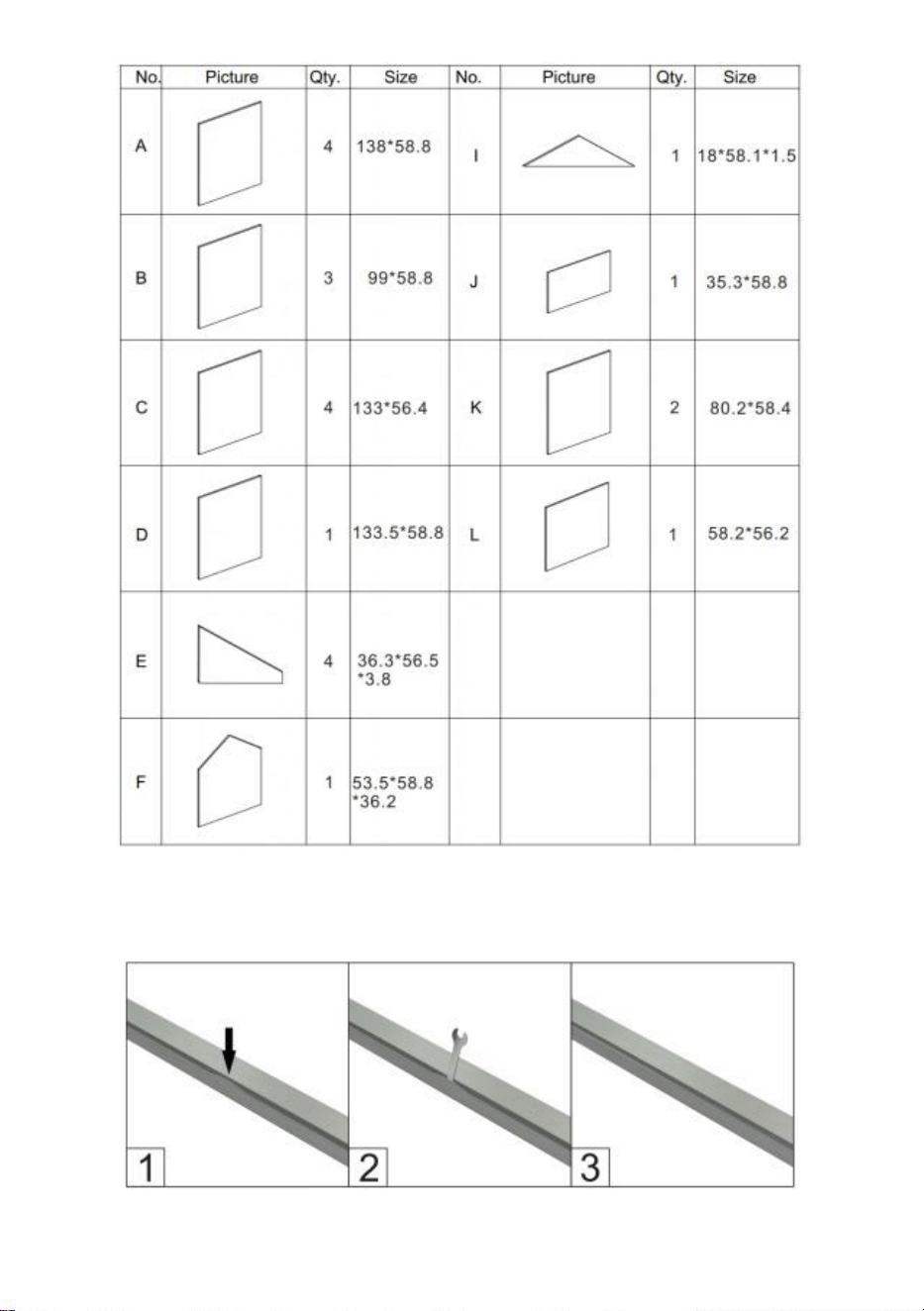
8
c sotto l'immagine, utilizzare la chiave per ripristinarla.
Rimuovere circa 2 pollici di pellicola da tutti i bordi della lastra prima
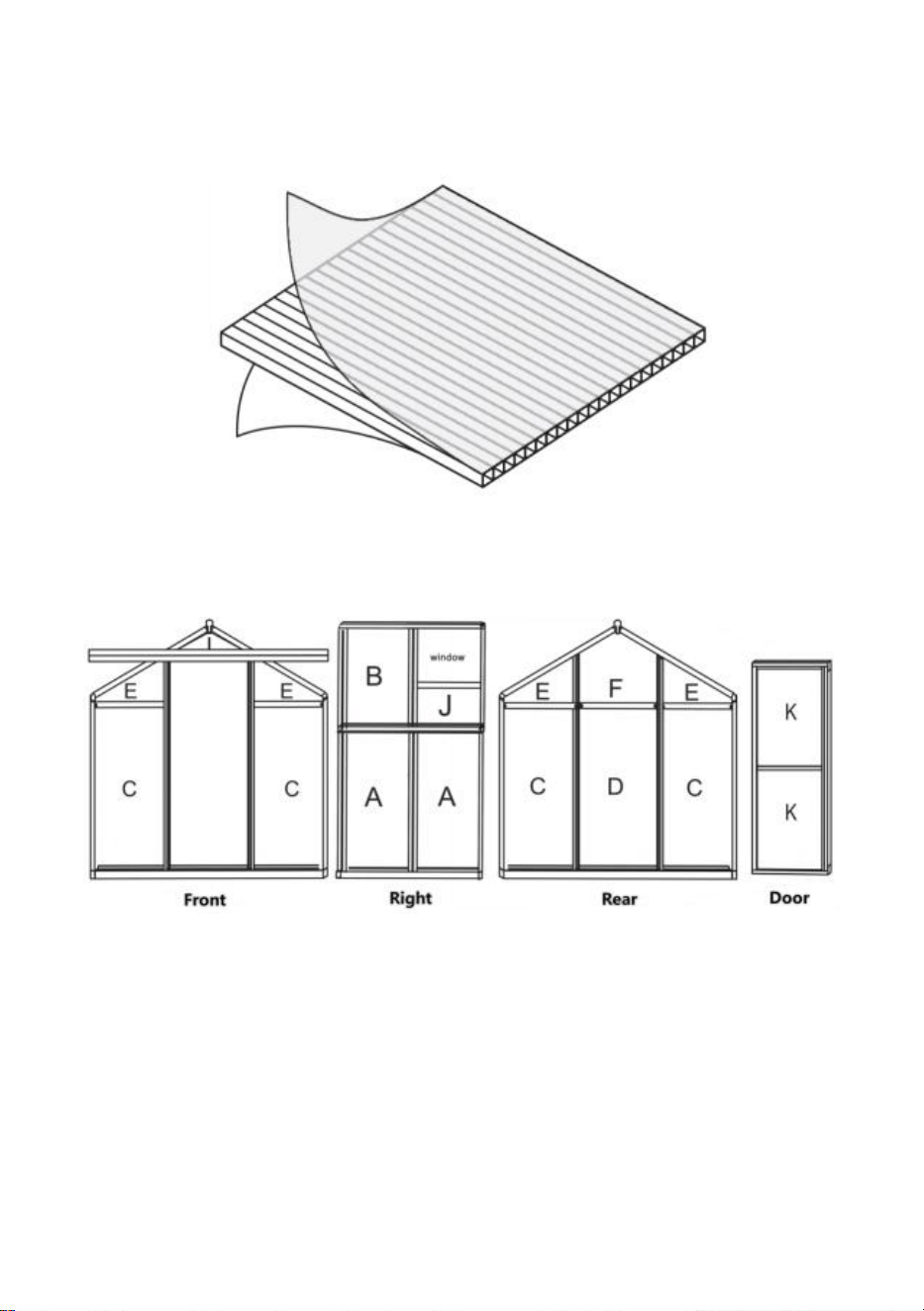
9
dell'installazione e rimuovere tutta la pellicola immediatamente dopo il
completamento della costruzione. Assicurati che il lato con la pellicola bianca sia
rivolto verso l'esterno.
Distribuzione schede PC
Un'assemblea
Passaggio 1: assemblare le parti 1,3 e 4 come mostrato utilizzando la parte
32 .
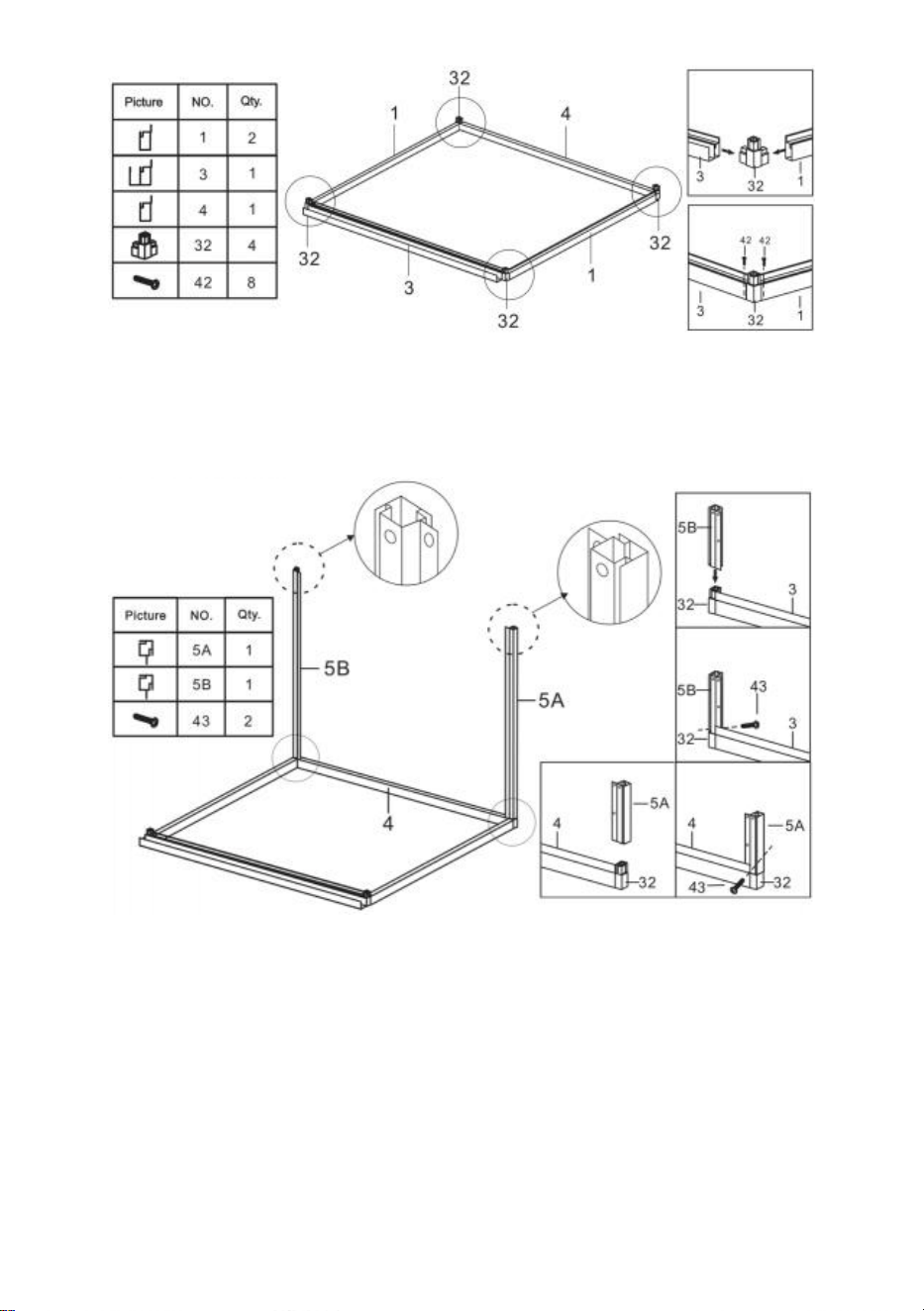
10
Passaggio 2: utilizzo della parte 43 , installare le parti 5A e 5B con i
componenti completati al passo 1 .
Passaggio 3: utilizzando la parte 41 , installare le parti 12 e 13 con i
componenti completati nell'ultimo passaggio .
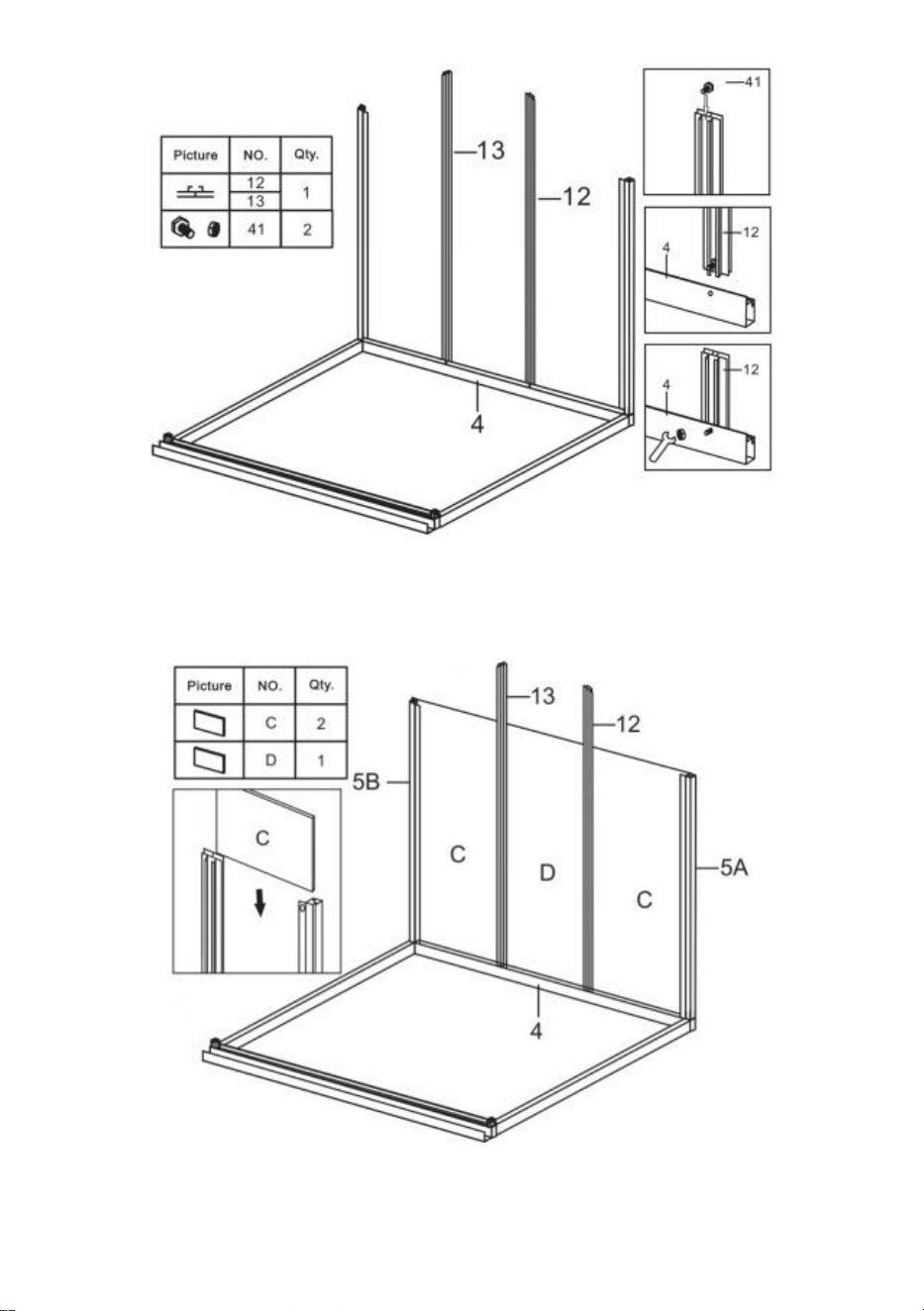
11
Passaggio 4: inserire le parti C e D nei componenti completati nell'ultimo
passaggio .
Passaggio 5 : utilizzando la parte 41 , installare la parte 19,21 e 21A con i
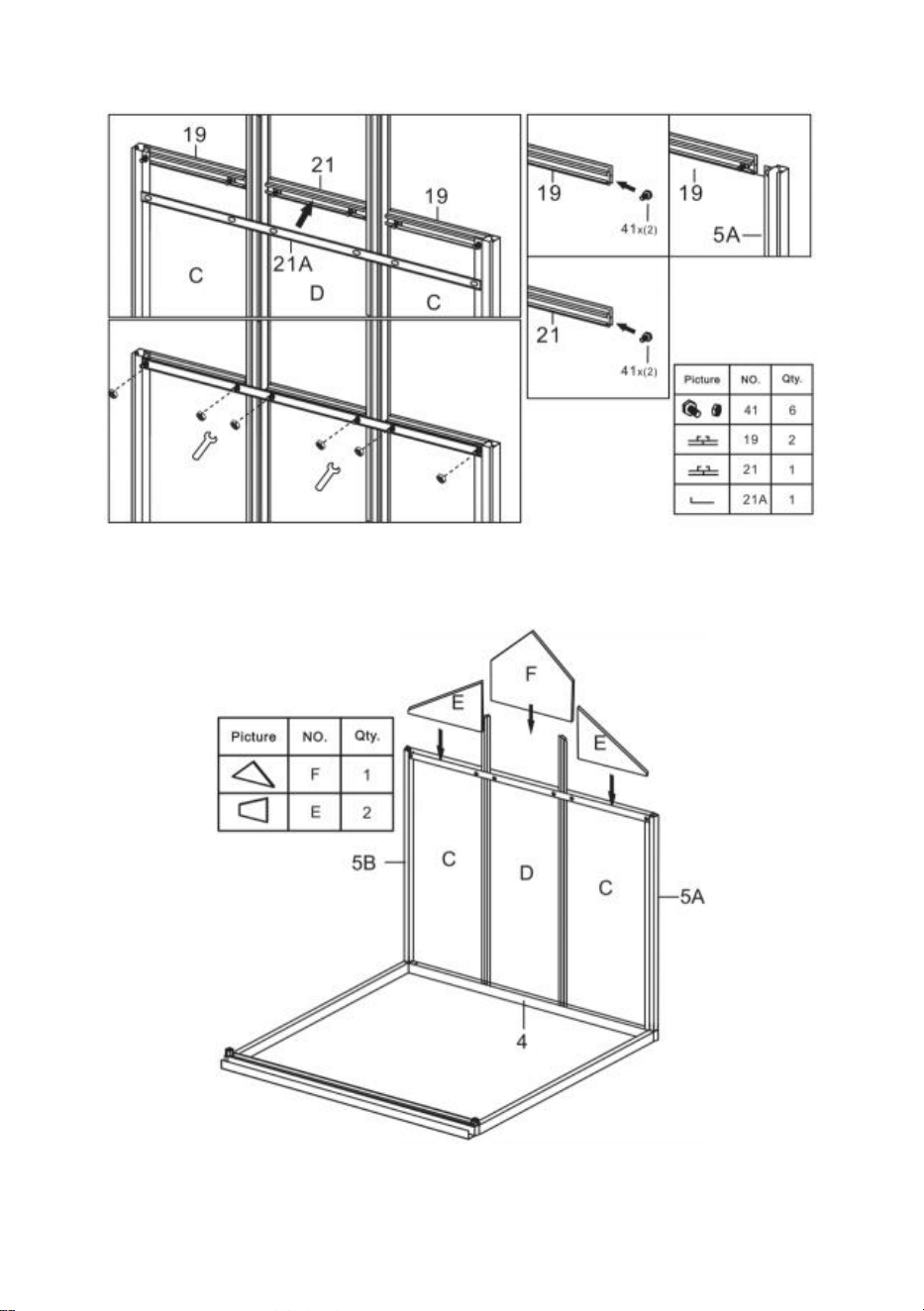
12
componenti completati nell'ultimo passaggio .
Passaggio 6 : posizionare la parte E&F ai componenti completati al punto 5.
Passaggio 7 : assemblare le parti 10 e 11 in un unico assieme utilizzando le
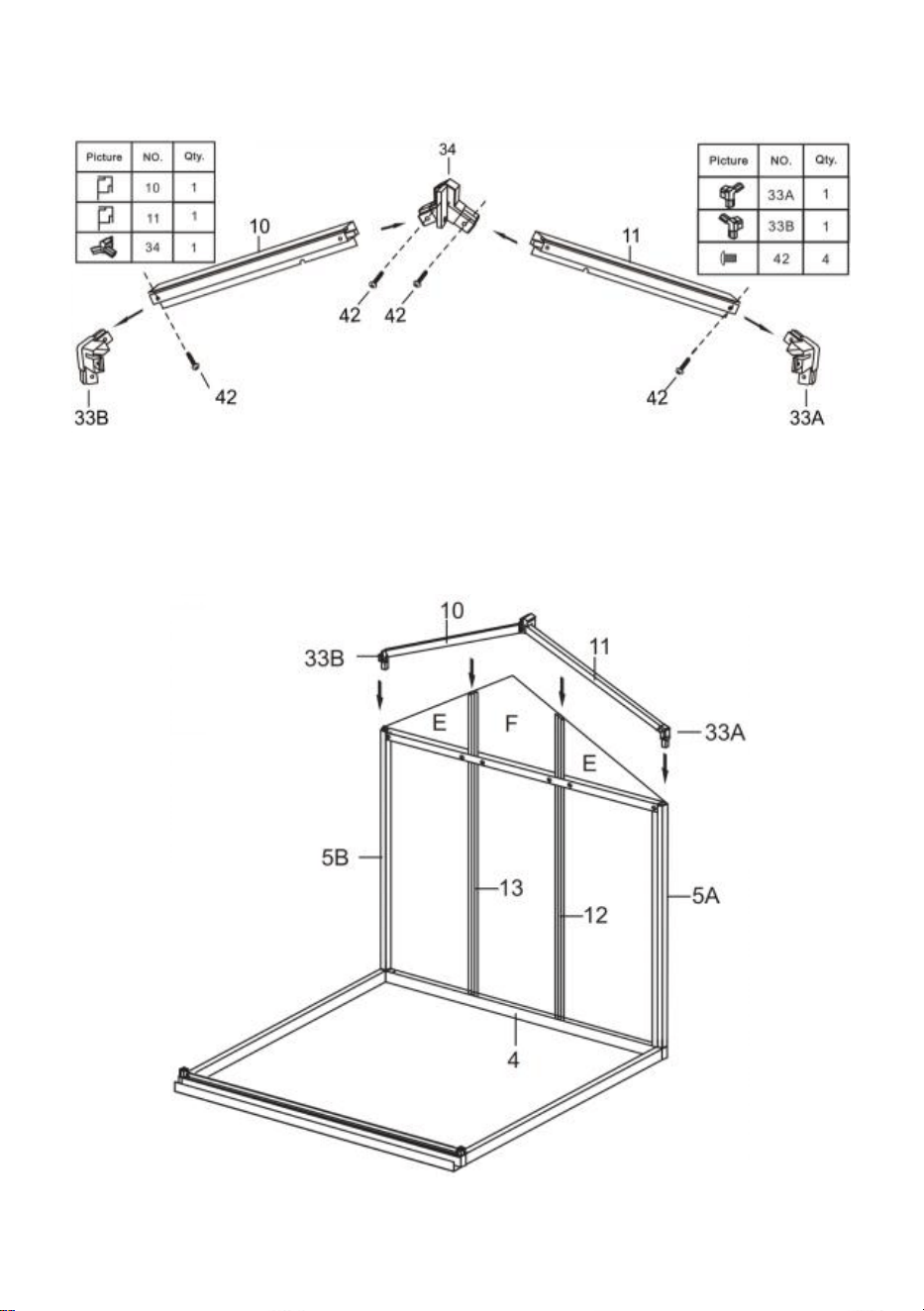
13
parti mostrate in figura .
Passaggio 8 : utilizzando le parti 41 e 42 , installare i componenti completati
nei passaggi 6 e 7.
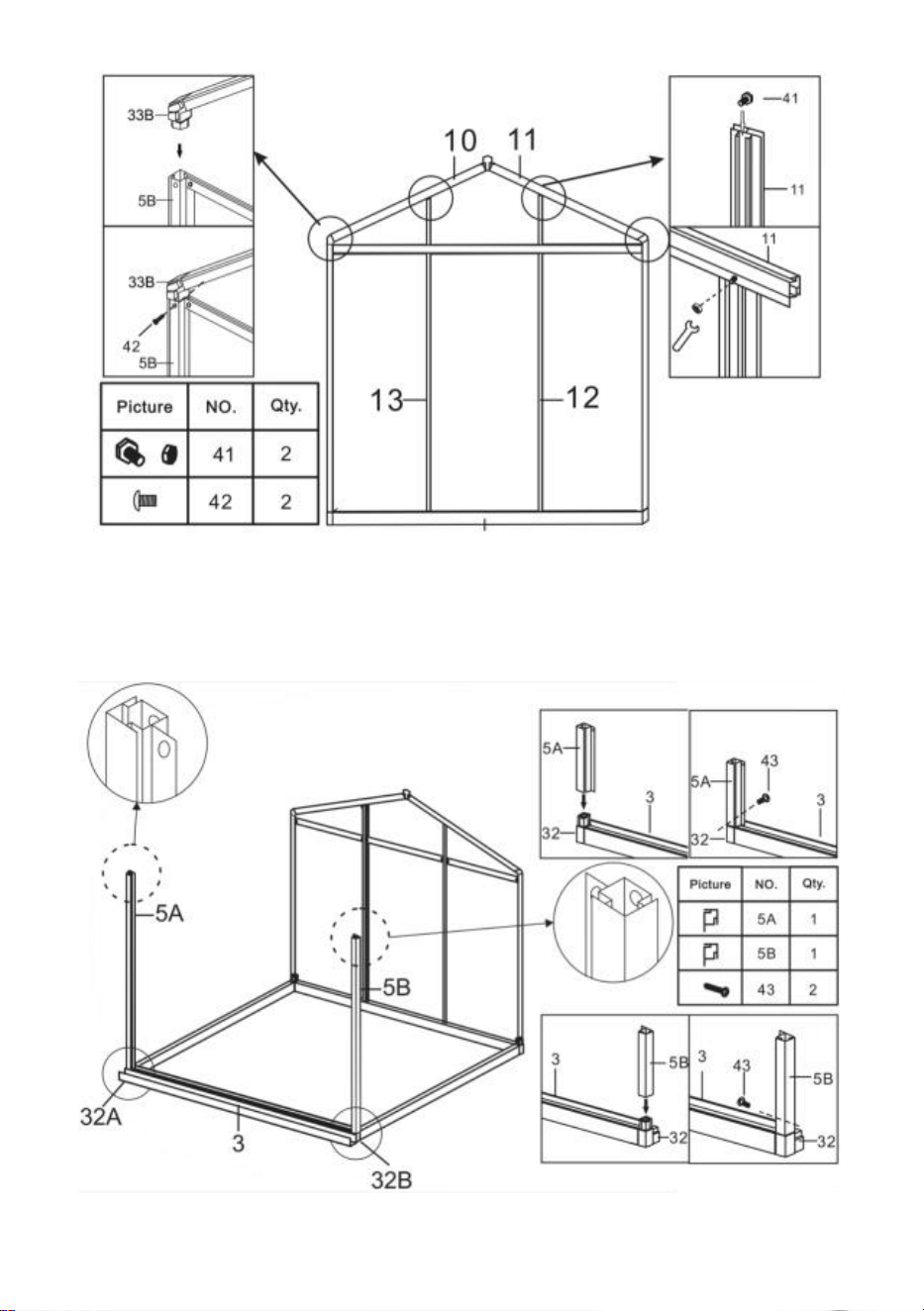
14
Passaggio 9 : installare i componenti dell'ultimo passaggio e delle parti 5A e
5B utilizzando la parte 43.
15
Passaggio 10 : utilizzando la parte 41 , installare le parti 12 e 13 con i
componenti completati nel passaggio 9.
Passaggio 11 : inserire la parte C ai componenti completati nell'ultimo
passaggio .
16
Passo 12 : Utilizzando la parte 41 , installare le parti 19 e 19A con i
componenti completati nell'ultimo passaggio .
Passaggio 13 : inserire la parte E ai componenti completati nell'ultimo
passaggio .
17
Passo 14 : assemblare le parti 8 e 9 in un unico assieme utilizzando le parti
mostrate in figura .
Passaggio 15 : utilizzando le parti 41 e 42 , installare i componenti completati
nei passaggi 13 e 14.
18
Passaggio 16 : Posiziona le due parti 41 nella parte 21 come mostrato .
Passaggio 17 : posizionare le parti 2 1 e 2 2 su entrambi i lati del
componente completato al passo 15 e collegarli utilizzando i dadi della parte
41 . Nota: non serrare il dado, i componenti della parte 2 1 e 2 2 possono
19
muoversi su e giù nel telaio dopo il montaggio.
Passaggio 18 : Posiziona la parte I sul componente della parte 21 e spingila
nella fessura del telaio. Spostare la Parte 21 e fissare saldamente la parte I.
Assicurati che tutti i bordi della parte I siano accoppiati con la fessura e
stringi il dado della parte 41 installato nel passaggio precedente.
Passaggio 19: Utilizzando la parte 43 , installare la parte 6 e i componenti
20
completati nell'ultimo passaggio .
Passaggio 20: utilizzo della parte 40, assemblare le parti 30A, 30B, 30C e L in
Windows.
21
Passaggio 21: Installare parzialmente la finestra sulla guida di scorrimento
23 come mostrato, installare il gruppo sul telaio completato al passo 19 e
bloccarlo con la parte 43.
Passaggio 22: Inserisci la parte A nel telaio sulla diapositiva corrispondente.
22
Passo 23: Come mostrato, posiziona due parti 41 nella parte 16, quindi
inserire la parte 16 tra le due parti UN . Assemblare la parte 16 con il telaio
completato al passo 21 utilizzando i dadi del particolare 41.
Passaggio 24: Inserisci la parte B nel telaio sulla diapositiva corrispondente.
23
Passo 25: Come mostrato, posiziona due parti 41 nella parte 17 , nota che
metti 3 parti 41 sul lato della finestra e 2 sull'altro lato. Collegare la parte 17
alla scheda PC secondo il disegno e fissarla con il dado della parte 41.
Passaggio 26: utilizzando la parte 41 , installare la parte 24 e i componenti
24
completati nell'ultimo passaggio .
Passaggio 27: utilizzo della parte 40, assemblare le parti 31 e 35 .
Passaggio 28: Inserire la parte J nello scivolo come mostrato in figura,
25
quindi installare sul telaio i componenti assemblati nel passaggio
precedente.
Passaggio 29: utilizzando le parti 42 e 43 , assemblare le parti 25 , 26 , 27, 28,
29 & K nella porta .
26
Passaggio 30: Dopo aver installato la porta sulla guida mostrata, collegare la
parte 36 alla parte 22 del telaio e fissarla con la parte 43. Dopo l'installazione,
controllare se la porta scorre agevolmente.
Passaggio 31: Installare il chiodo del pavimento: fissare la parte 48 nella
posizione del telaio mostrato in figura, e utilizzare la Parte 51 per passare
attraverso il foro della parte 48 e fissarlo a terra.

27

Produttore: Shanghaimuxinmuyeyouxiangongsi
Indirizzo: Shuangchenglu 803nong11hao1602A-1609shi, baoshanqu,
shanghai 200000 CN.
Importato in AUS: SIHAO PTY LTD. 1 ROKEVA STREETEASTWOOD
NSW 2122 Australia
Importato negli Stati Uniti: Sanven Technology Ltd. Suite 250, 9166
Anaheim
Luogo, Rancho Cucamonga, CA 91730



Técnico Certificado de soporte y garantía electrónica
www.vevor.com/support
INVERNADERO DE POLICARBONATO
MANUAL DEL USUARIO
Seguimos comprometidos a proporcionarle herramientas a precios competitivos.
"Ahorre a mitad de precio", "A mitad de precio" o cualquier otra expresión similar utilizada
únicamente por nosotros
representa una estimación de los ahorros que podría beneficiarse al comprar ciertas
herramientas
con nosotros en comparación con las principales marcas y no significa necesariamente
cubrir
todas las categorías de herramientas que ofrecemos. Se le recuerda amablemente verificar
con cuidado
cuando realiza un pedido con nosotros si realmente está Ahorro
Medio en comparación con las principales marcas.
1
Modelo: SNG190-2
¿NECESITAR AYUDA? ¡CONTÁCTANOS!
¿Tiene preguntas sobre el producto? ¿Necesita soporte técnico? No
dude en contactarnos:
Soporte técnico y certificado de garantía electrónica
www.vevor.com/support
Estas son las instrucciones originales; lea atentamente todas las
instrucciones del manual antes de operar. VEVOR se reserva una
interpretación clara de nuestro manual de usuario. La apariencia del
producto estará sujeta al producto que recibió. Perdone que no le
informaremos nuevamente si hay actualizaciones de tecnología o
software en nuestro producto.
POLYCARBONATE
GREENHOUSE

2
INSTRUCCIONES
Muchas gracias por elegir este producto . Lea todas las instrucciones antes de
usarlo. La información le ayudará a lograr los mejores resultados posibles.
¡TENGA EN CUENTA! Los dibujos de este manual son para Sólo con fines
ilustrativos y algunos detalles pueden difieren del producto real.
¡ATENCIÓN! Lea todas las advertencias de seguridad y todas las instrucciones.
El incumplimiento de las advertencias e instrucciones puede provocar lesiones
graves o incluso la muerte. El dispositivo o producto utilizado en las instrucciones
de advertencia se refiere a invernadero de policarbonato .
Este producto no es un juguete ni un baúl de juguetes. No permita que los niños
jueguen con este artículo. Colóquelo en una posición donde los niños no puedan
trepar para evitar lesiones al caer desde una altura .
SEGURIDAD DE USO
1. Se necesitan dos personas para montar este producto.
2. Algunos componentes tienen bordes metálicos afilados. Tenga cuidado al
manipular metal. componentes. Utilice guantes, zapatos y gafas de seguridad
durante asamblea.
3. Seleccione un área para el ensamblaje que esté limpia y libre de residuos que
puedan causar tropiezos a las personas que trabajan en el ensamblaje.
4. No trepe ni se pare en el techo. No se deben apoyar objetos pesados contra el
invernadero.
5. Revise las instrucciones de montaje en el manual del operador antes de
continuar.
6. Después de completar el ensamblaje, inspeccione minuciosamente la máquina
para asegurarse de que todas las tuercas, pernos, accesorios hidráulicos o
cualquier otro conjunto de sujetadores hayan sido apretados completamente.
7. Este producto no es una instalación de juego ni una tienda de campaña y no
debe utilizarse para fines distintos a los invernaderos de policarbonato.
8. Se debe revisar el invernadero de policarbonato para garantizar que esté en
buenas condiciones de funcionamiento y que funcione de manera segura antes de
su uso. De lo contrario , el aparato no debe utilizarse.
9. Recomendamos colocar el marco inferior en una zanja previamente excavada
3
después de asegurar el tablero con tornillos de expansión (incluidos) al suelo para
mayor estabilidad y resistencia al viento de la cámara de temperatura .
10. Se recomienda aplicar pegamento para vidrio a la conexión entre la placa de
PC y el marco para una mejor protección contra el agua .
11. Cuando hace mal tiempo, recomendamos retirar los objetos valiosos del
invernadero para evitar pérdidas innecesarias de propiedad y no utilizar el
invernadero durante ese tiempo .
12. Mantenga el techo libre de nieve y hojas. Permitir que se acumule nieve en el
techo puede dañar el producto.
Antes de usar el producto: si tiene alguna pregunta sobre el montaje o el
funcionamiento adecuado, comuníquese con su distribuidor o representante.
17. Cuando su producto necesite limpieza, use una solución de detergente suave
y enjuáguelo con agua fría y limpia. No utilice acetona, limpiadores abrasivos ni
detergentes fuertes para limpiar los paneles.
GUARDE ESTAS INSTRUCCIONES
PARÁMETROS TÉCNICOS
Modelo
SNG190-2
Color
Aluminio blanco
Material
Aluminio , lámina de policarbonato.
Tamaño del
producto
184*125*193cm

4
Lista de piezas
de aluminio
5
6
Lista de piezas de plástico
Lista de hardware
7
Lista de placas de PC
8
c debajo de la imagen, utilice la llave para restaurarla.
Retire aproximadamente 2 pulgadas de película de todos los bordes de la hoja
9
antes de instalarla y retire toda la película inmediatamente después de completar
la construcción. Asegúrese de que el lado con la película blanca mire hacia
afuera.
Distribución de placas de PC
Asamblea
Paso 1: Ensamble las piezas 1, 3 y 4 como se muestra usando la pieza 32 .
10
Paso 2: usar la pieza 43 , instale las piezas 5A y 5B con los componentes
completados en el paso 1 .
Paso 3: Usando la pieza 41 , instale las piezas 12 y 13 con los componentes
completados en el último paso .
11
Paso 4: coloque las piezas C y D en los componentes completados en el
último paso .
Paso 5 : Usando la pieza 41 , instale las piezas 19,21 y 21A con los
12
componentes completados en el último paso .
Paso 6 : Pon la pieza E y F a los componentes completados en el paso 5.
Paso 7 : Ensamble las piezas 10 y 11 en un solo conjunto usando las piezas
13
que se muestran en la figura .
Paso 8 : utilizando las piezas 41 y 42 , instale los componentes completados
en los pasos 6 y 7.
14
Paso 9 : Instale los componentes del último paso y las Partes 5A y 5B
usando la parte 43.
15
Paso 10 : utilizando la pieza 41 , instale las piezas 12 y 13 con los
componentes completados en el paso 9.
Paso 11 : Pon la pieza. C a los componentes completados en el último paso .
16
Paso 12 : Usando la pieza 41 , instale las piezas 19 y 19A con los
componentes completados en el último paso .
Paso 13 : Pon la pieza. E a los componentes completados en el último paso .
17
Paso 14 : Ensamble las piezas 8 y 9 en un solo conjunto usando las piezas
que se muestran en la figura .
Paso 15 : utilizando las piezas 41 y 42 , instale los componentes
completados en los pasos 13 y 14.
18
Paso 16 : Coloque las dos partes 41 en la parte 21 como se muestra .
Paso 17 : Coloque las piezas 2 1 y 2 2 a cada lado del componente
completado en el Paso 15 y conéctelos usando las tuercas de la parte 41 .
Nota: No apriete la tuerca, los componentes de las piezas 2 1 y 2 2 pueden
moverse hacia arriba y hacia abajo en el marco después del montaje.
19
Paso 18 : Coloque la parte I en el componente de la parte 21 y empújela en la
ranura del marco. Mueva la Parte 21 y sujete firmemente la Parte I.
Asegúrese de que todos los bordes de la pieza I estén emparejados con la
ranura y apriete la tuerca de la pieza 41 instalada en el paso anterior.
Paso 19: Usando la pieza 43 , instale la pieza 6 y los componentes
completados en el último paso .
20
Paso 20: Usando la pieza 40, monte las piezas 30A, 30B, 30C y L en
Windows.
Paso 21: Instale la ventana en el riel deslizante parcialmente 23 como se
muestra, instale el conjunto en el marco completado en el paso 19 y fíjelo
con la pieza 43.
21
Paso 22: Inserte la parte A en el marco de la diapositiva correspondiente.
Paso 23: Como se muestra, coloque dos partes 41 en la parte 16, y luego
inserte la parte 16 entre las dos partes. A . ensamblar parte 16 con el marco
completado en el paso 21 usando las tuercas de la parte 41.
22
Paso 24: Inserte la parte B en el marco de la diapositiva correspondiente.
Paso 25: Como se muestra, coloque dos partes 41 en la parte 1 7 , Tenga en
cuenta que coloque 3 partes 41 en el lado de la ventana y 2 en el otro lado.
Conecte la pieza 17 a la placa de PC según el dibujo y fíjela con la tuerca de
la pieza 41.
23
Paso 26: Usando la pieza 41 , instale la pieza 24 y los componentes
completados en el último paso .
24
Paso 27: Usando la pieza 40, ensamble las piezas 31 y 35 .
Paso 28: Inserte la pieza J en el conducto como se muestra en la figura y
luego instale los componentes ensamblados en el paso anterior en el marco.
Paso 29: Usando las piezas 42 y 43 , ensamble las piezas 25 , 26 , 27, 28, 29 &
K hacia la puerta .
25
Paso 30: Después de instalar la puerta en la corredera que se muestra, fije la
parte 36 a la parte 22 del marco y asegúrela con la parte 43. Después de la
instalación, verifique si la puerta se desliza suavemente.
26
Paso 31: Instale el clavo del piso: Sujete la pieza 48 a la posición del marco
que se muestra en la figura, y use la Parte 51 para pasar a través del orificio
de la parte 48 y fijarlo al suelo.

Fabricante: Shanghaimuxinmuyeyouxiangongsi
Dirección: Shuangchenglu 803nong11hao1602A-1609shi, baoshanqu,
shanghai 200000 CN.
Importado a AUS: SIHAO PTY LTD. 1 ROKEVA STREET ASTWOOD
NSW 2122 Australia
Importado a EE. UU.: Sanven Technology Ltd. Suite 250, 9166 Anaheim
Lugar, Rancho Cucamonga, CA 91730



Techniczny Certyfikat wsparcia i e-gwarancji
www.vevor.com/support
SZKLARNIA Z POLIWĘGLANU
INSTRUKCJA OBSŁUGI
Nadal dokładamy wszelkich starań, aby zapewnić Państwu narzędzia w konkurencyjnej
cenie.
„Zaoszczędź pół ceny”, „Zaoszczędź połowę ceny” lub inne podobne wyrażenia używane
wyłącznie przez nas
reprezentuje szacunkową oszczędność, jaką możesz zyskać kupując określone narzędzia
z nami w porównaniu z głównymi, topowymi markami i niekoniecznie to oznacza okładka
wszystkie kategorie oferowanych przez nas narzędzi. Przypominamy o weryfikacji ostrożnie
kiedy składasz u nas zamówienie, jeśli faktycznie tak jest Oszczędność
Połowa w porównaniu z czołowymi markami.
1
Model: SNG190-2
POTRZEBUJESZ POMOCY? SKONTAKTUJ SIĘ Z NAMI!
Masz pytania dotyczące produktu? Potrzebujesz wsparcia
technicznego? Zapraszamy do kontaktu z nami:
Wsparcie techniczne i certyfikat e-gwarancji
www.vevor.com/support
To jest oryginalna instrukcja. Przed przystąpieniem do obsługi prosimy o
dokładne zapoznanie się ze wszystkimi instrukcjami. VEVOR zastrzega
sobie jasną interpretację naszej instrukcji obsługi. Wygląd produktu
zależy od produktu, który otrzymałeś. Proszę wybaczyć nam, że nie
będziemy ponownie informować Państwa, jeśli pojawią się jakieś
aktualizacje technologii lub oprogramowania naszego produktu.
POLYCARBONATE
GREENHOUSE

2
INSTRUKCJE
Dziękuję bardzo za wybór tego produktu . Przed użyciem przeczytaj całą
instrukcję. Informacje te pomogą Ci osiągnąć najlepsze możliwe rezultaty.
UWAGA! Rysunki w tej instrukcji służą do: wyłącznie w celach ilustracyjnych i
może jakieś szczegóły różnią się od rzeczywistego produktu.
UWAGA! Przeczytaj wszystkie ostrzeżenia dotyczące bezpieczeństwa i wszystkie
instrukcje. Niezastosowanie się do ostrzeżeń i instrukcji może spowodować
poważne obrażenia, a nawet śmierć. Urządzenie lub produkt użyte w instrukcjach
ostrzegawczych odnosi się do szklarni z poliwęglanu .
Ten produkt nie jest zabawką ani skrzynią na zabawki. Nie pozwalaj dzieciom
bawić się tym przedmiotem. Aby uniknąć obrażeń spowodowanych upadkiem z
wysokości, należy ustawić go w pozycji niedostępnej dla dzieci .
BEZPIECZEŃSTWO UŻYTKOWANIA
1. Do montażu tego produktu potrzebne są dwie osoby.
2. Niektóre elementy mają ostre metalowe krawędzie. Należy zachować
ostrożność podczas obchodzenia się z metalem komponenty. Podczas
wykonywania czynności należy nosić rękawiczki, buty i okulary ochronne montaż.
3. Wybierz miejsce do montażu, które jest czyste i wolne od zanieczyszczeń ,
które mogłyby spowodować potknięcie się osób pracujących przy montażu.
4. Nie wspinaj się ani nie stój na dachu. Ciężkich przedmiotów nie należy opierać
o szklarnię.
5. Przed kontynuowaniem przejrzyj instrukcje montażu w instrukcji obsługi.
6. Po zakończeniu montażu dokładnie sprawdź maszynę, aby upewnić się, że
wszystkie nakrętki, śruby, złącza hydrauliczne i inne elementy złączne zostały
dokładnie dokręcone.
7. Ten produkt nie jest placem zabaw ani namiotem i nie powinien być używany do
celów innych niż szklarnie z poliwęglanu.
8. Przed użyciem szklarnię z poliwęglanu należy sprawdzić, czy jest w dobrym
stanie i czy działa bezpiecznie. W przeciwnym razie , urządzenia nie wolno
używać.
9. Zalecamy umieszczenie ramy dolnej we wcześniej wykopanym rowie po
3
przymocowaniu płyty za pomocą wkrętów rozporowych (w zestawie) do podłoża,
aby zapewnić większą stabilność i odporność komory temperaturowej na wiatr .
10. Zalecamy nałożenie kleju do szkła na połączenie płytki drukowanej z ramą,
aby zapewnić lepszą ochronę przed wodą .
11. W przypadku złej pogody zalecamy usunięcie cennych przedmiotów ze
szklarni, aby uniknąć niepotrzebnej utraty mienia i nieużywanie w tym czasie
szklarni .
12. Utrzymuj dach wolny od śniegu i liści. Dopuszczenie do gromadzenia się
śniegu na dachu może spowodować uszkodzenie produktu.
Przed użyciem produktu – jeśli masz jakiekolwiek pytania dotyczące
prawidłowego montażu lub obsługi, skontaktuj się ze sprzedawcą lub
przedstawicielem.
18. Jeśli produkt wymaga czyszczenia, użyj łagodnego roztworu detergentu i
spłucz zimną, czystą wodą. Do czyszczenia paneli nie należy używać acetonu,
ściernych środków czyszczących ani silnych detergentów.
ZACHOWAJ TE INSTRUKCJE
PARAMETRY TECHNICZNE
Model
SNG190-2
Kolor
Witamy aluminium
Tworzywo
Aluminium , płyta poliwęglanowa
Rozmiar produktu
184*125*193 cm

4
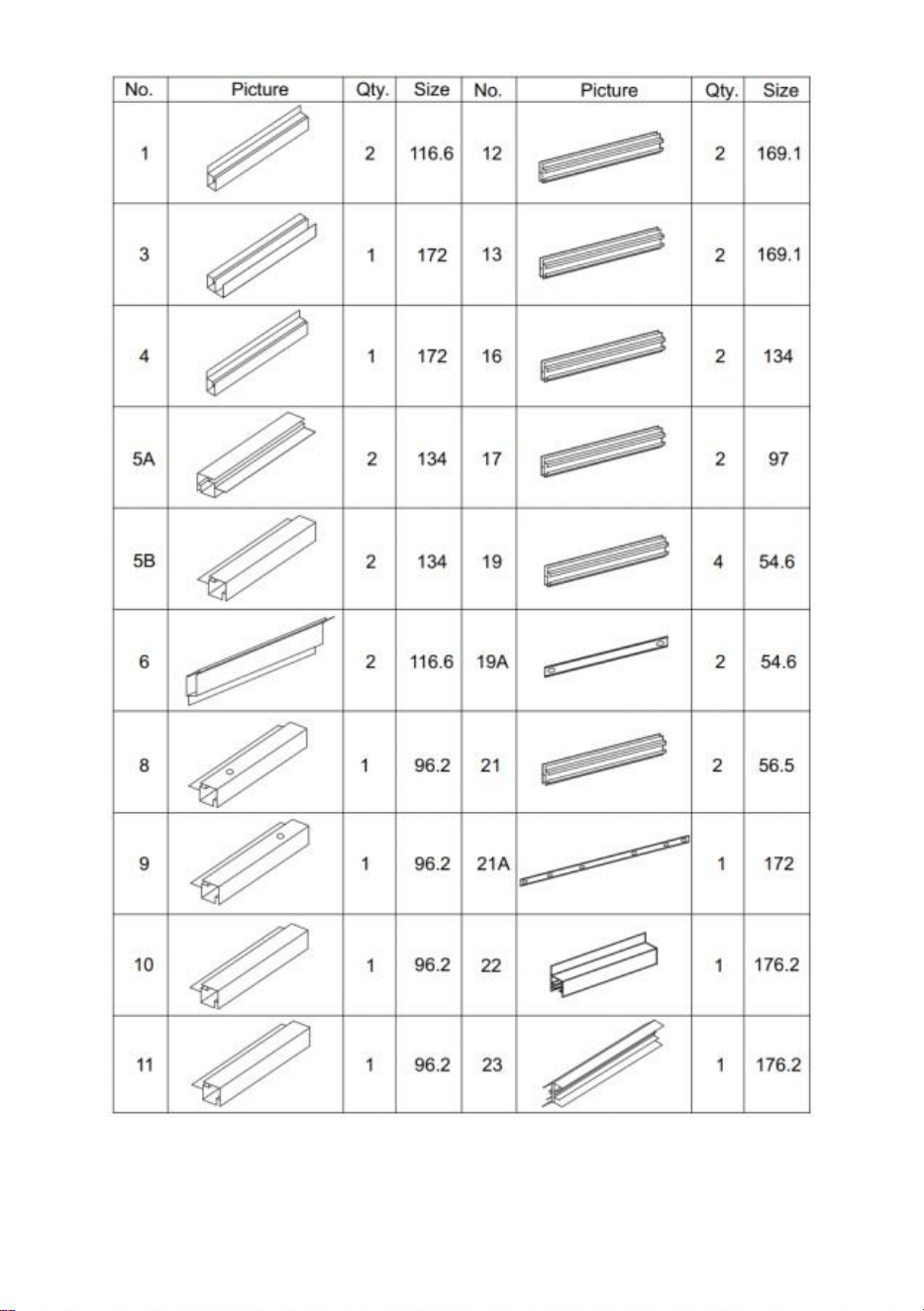
Lista części
aluminiowych
5
6
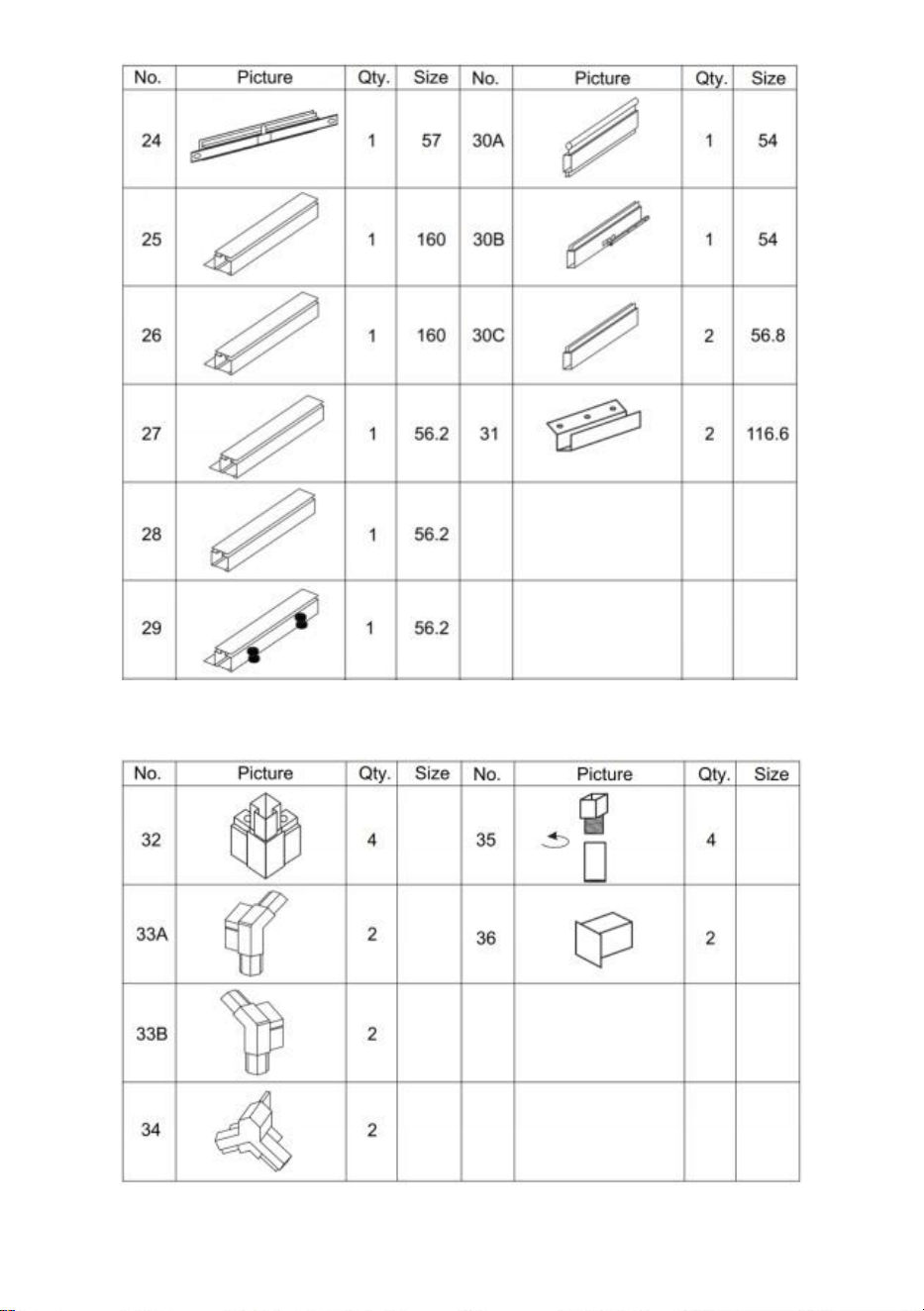
Lista części plastikowych
Lista sprzętu
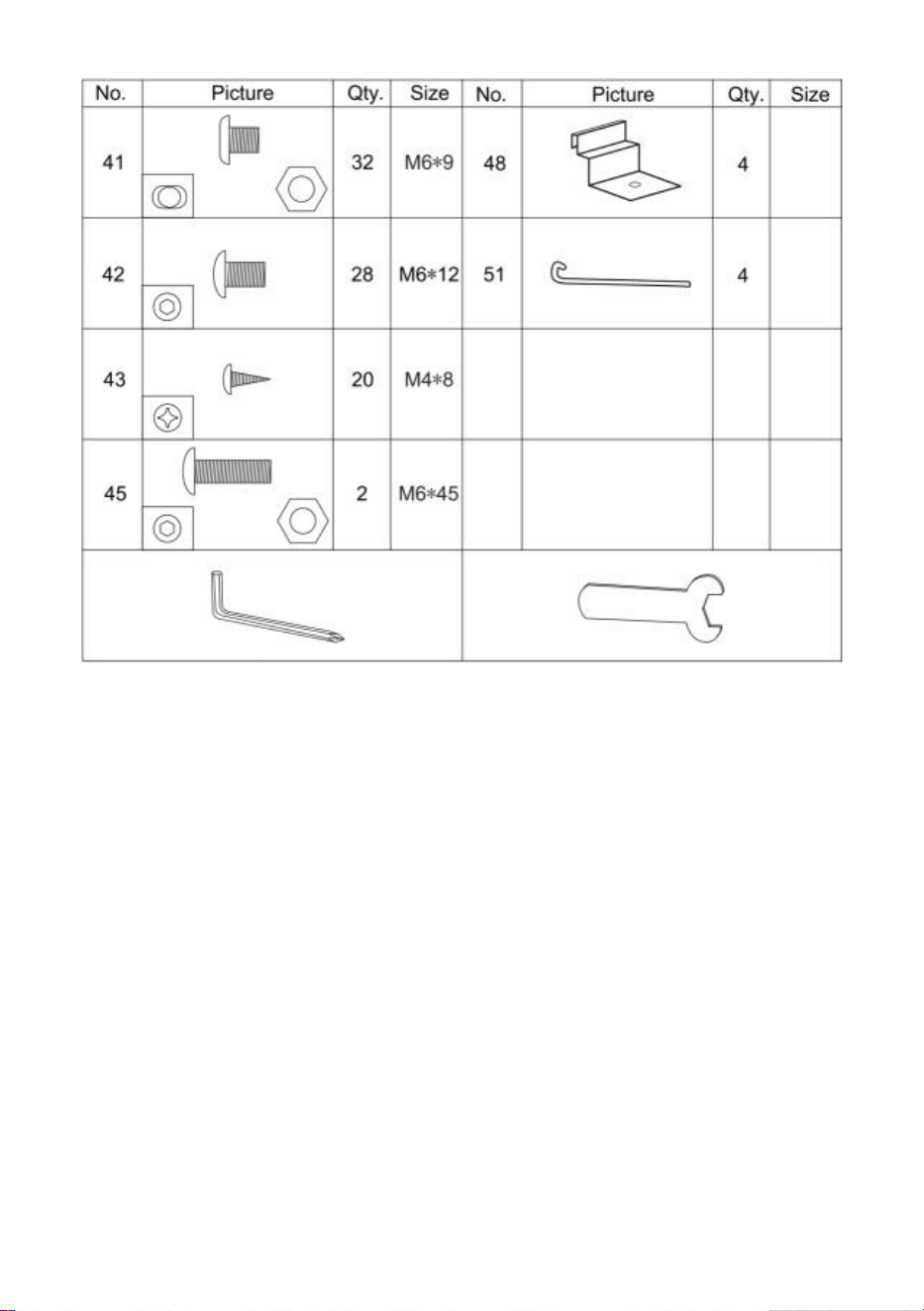
7
Lista płytek PC
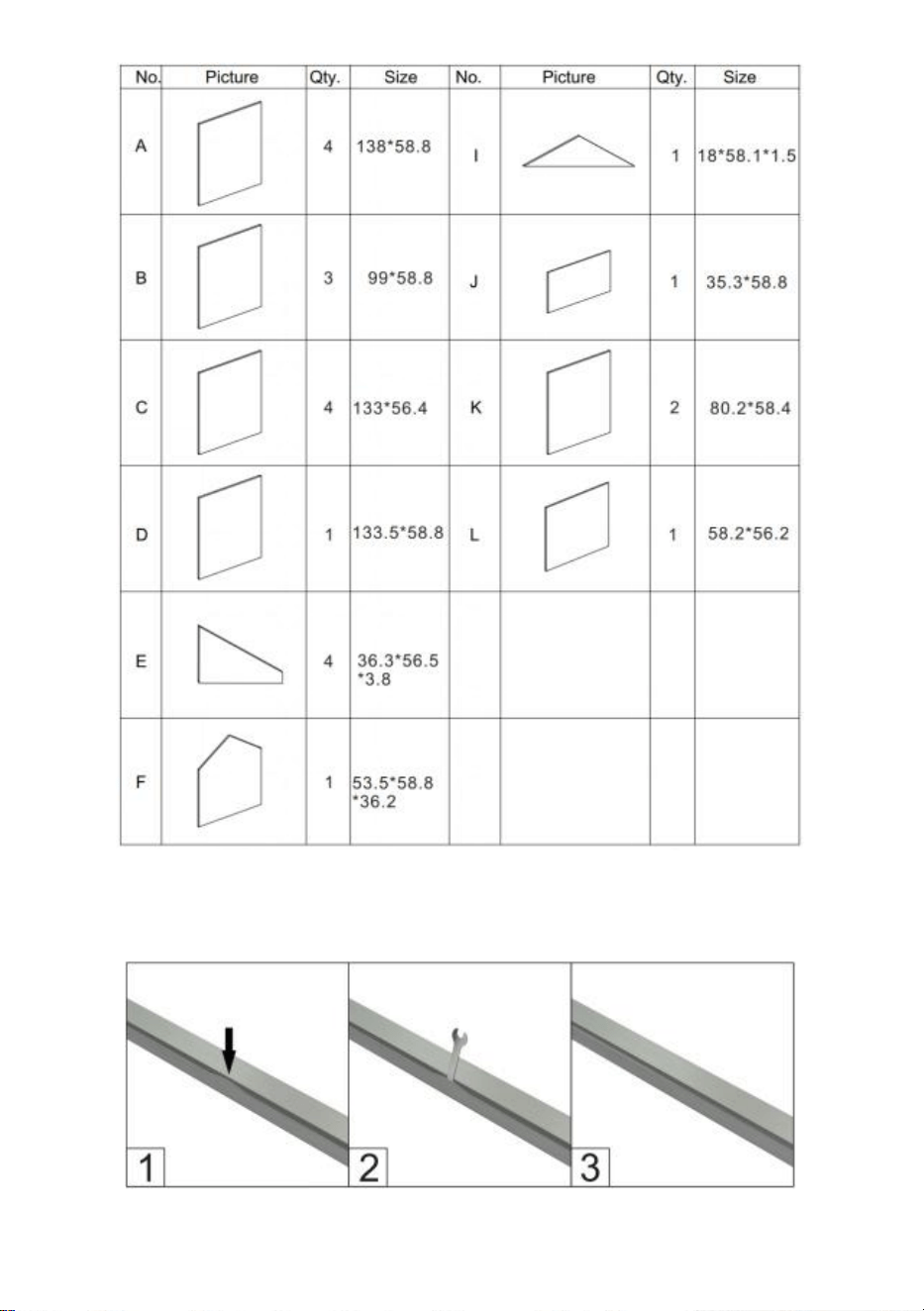
8
c poniżej zdjęcia, użyj klucza, aby go przywrócić.
Przed montażem usuń około 2 cale folii ze wszystkich krawędzi arkusza i usuń
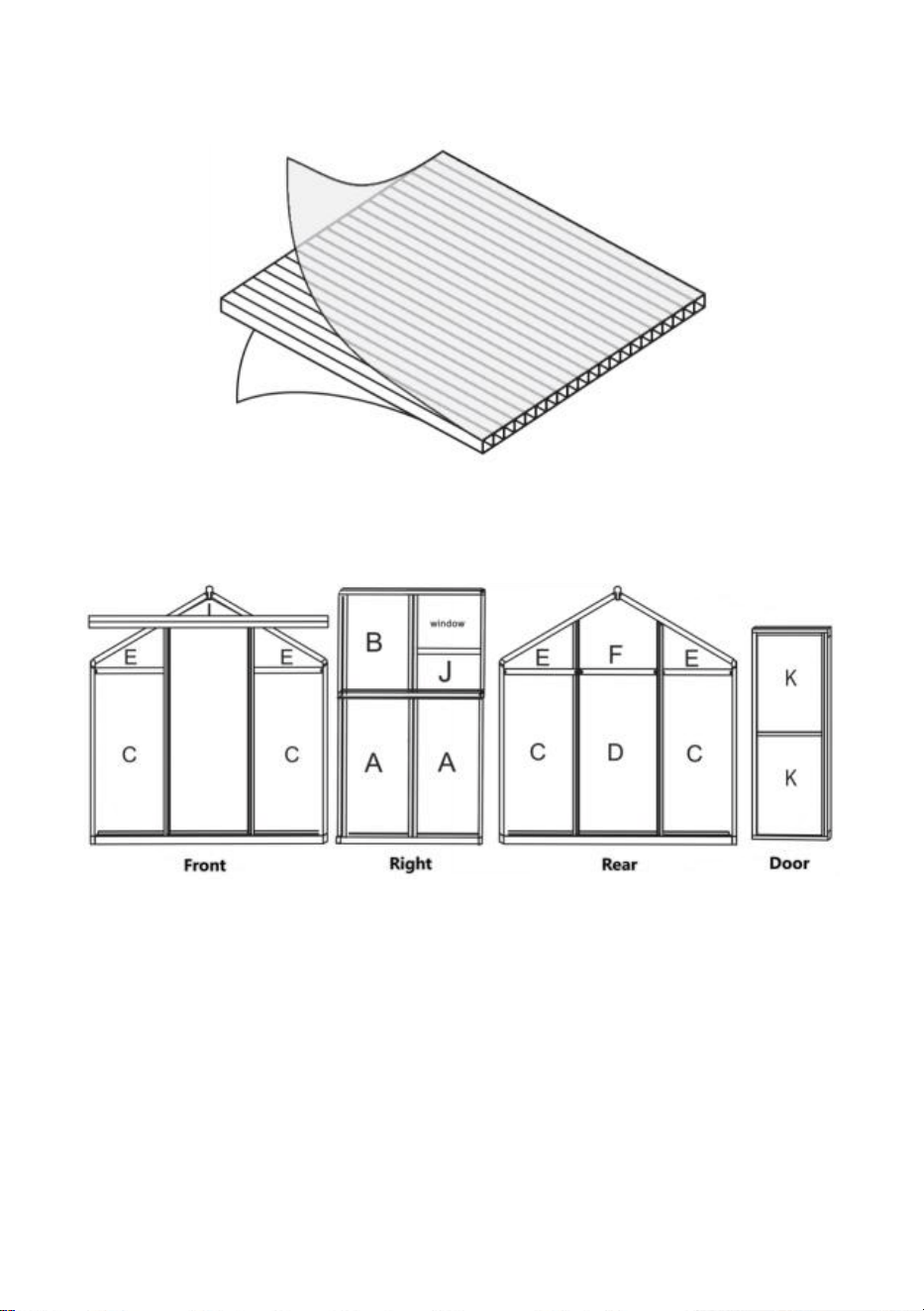
9
całą folię natychmiast po zakończeniu montażu. Upewnij się, że strona z białą folią
jest skierowana na zewnątrz.
Dystrybucja płytek PC
Montaż
Krok 1: Złóż części 1,3 i 4 , jak pokazano, używając części 32 .
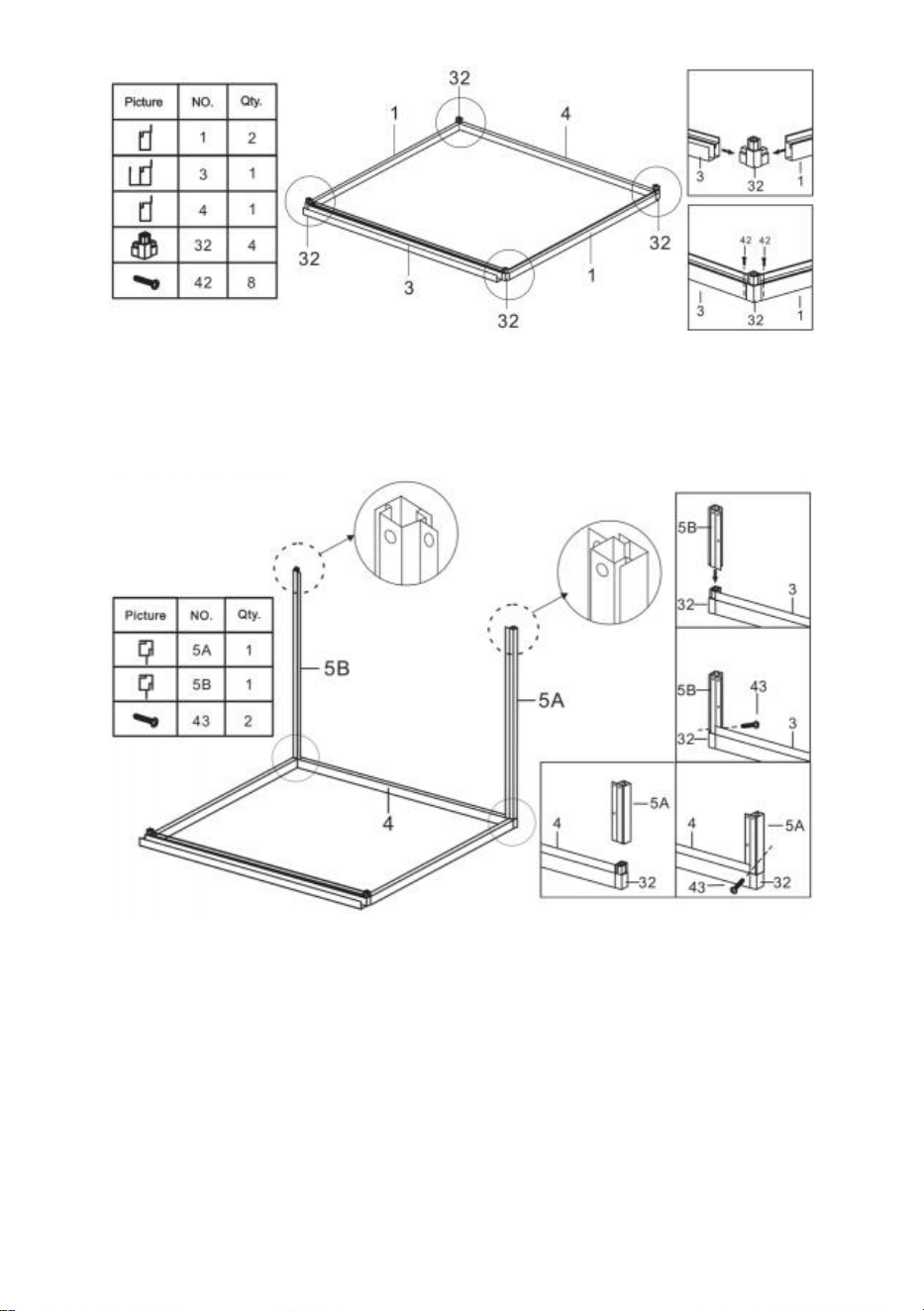
10
Krok 2: Korzystanie z części 43 , zainstaluj części 5A i 5B z komponentami
wykonanymi w kroku 1 .
Krok 3: Używając części 41 , zainstaluj części 12 i 13 z komponentami
skompletowanymi w ostatnim kroku .
11
Krok 4: Połącz części C i D z komponentami wykonanymi w ostatnim kroku .
Krok 5 : Korzystając z części 41 , zainstaluj części 19, 21 i 21A z
komponentami skompletowanymi w ostatnim kroku .
12
Krok 6 : Umieść część E i F do komponentów wykonanych w kroku 5.
Krok 7 : Złóż części 10 i 11 w jeden zespół, korzystając z części pokazanych
na rysunku .
13
Krok 8 : Używając części 41 i 42 , zainstaluj komponenty wykonane w
krokach 6 i 7.
14
Krok 9 : Zainstaluj komponenty z ostatniego kroku oraz części 5A i 5B,
używając części 43.
15
Krok 10 : Używając części 41 , zainstaluj części 12 i 13 z komponentami
skompletowanymi w kroku 9.
Krok 11 : Umieść część C do komponentów wykonanych w ostatnim kroku .
16
Krok 12 : Używając części 41 , zainstaluj części 19 i 19A z komponentami
skompletowanymi w ostatnim kroku .
Krok 13 : Umieść część E do komponentów wykonanych w ostatnim kroku .
17
Krok 14 : Złóż części 8 i 9 w jeden zespół, korzystając z części pokazanych
na rysunku .
Krok 15 : Używając części 41 i 42 , zainstaluj komponenty wykonane w
krokach 13 i 14.
18
Krok 16 : Umieść dwie części 41 w części 21, jak pokazano .
Krok 17 : Umieść części 2 1 i 2 2 po obu stronach elementu wykonanego w
kroku 15 i połącz je za pomocą nakrętek części 41 . Uwaga: Nie dokręcaj
nakrętki, elementy części 2 1 i 2 2 mogą po montażu poruszać się w ramie w
górę i w dół.
19
Krok 18 : Umieść część I na elemencie części 21 i wciśnij w szczelinę ramy.
Przesuń część 21 i mocno zaciśnij część I. Upewnij się, że wszystkie
krawędzie części I są dopasowane do szczeliny i dokręć nakrętkę części 41
zamontowaną w poprzednim kroku.
Krok 19: Używając części 43 , zainstaluj część 6 i komponenty wykonane w
ostatnim kroku .
20
Krok 20: Korzystanie z części 40, zmontuj części 30A, 30B, 30C i L w oknach.
Krok 21: Częściowo zamontować okno na szynie ślizgowej 23, jak pokazano,
zamontuj zespół na ramie wykonany w kroku 19 i zablokuj go za pomocą
części 43.
21
Krok 22: Włóż część A do ramki na odpowiednim slajdzie.
Krok 23: Jak pokazano, złóż dwie części 41 w jedną 16, a następnie włóż
część 16 pomiędzy obie części A . Zmontuj część 16 z ramą ukończoną w
kroku 21 przy użyciu nakrętek z części 41.
22
Krok 24: Włóż część B do ramki na odpowiednim slajdzie.
Krok 25: Jak pokazano, złóż dwie części 41 w jedną 1 7 , Zwróć uwagę, że
połóż 3 części 41 po stronie okna i 2 po drugiej stronie. Podłącz część 17 do
płytki drukowanej zgodnie z rysunkiem i przymocuj ją nakrętką części 41.
23
Krok 26: Używając części 41 , zainstaluj część 24 i komponenty wykonane w
ostatnim kroku .
24
Krok 27: Korzystanie z części 40, zmontuj części 31 i 35 .
Krok 28: Włóż część J do rynny jak pokazano na rysunku, a następnie
zamontuj elementy zmontowane w poprzednim kroku na ramie.
Krok 29: Używając części 42 i 43 , zmontuj części 25 , 26 , 27, 28, 29 & K do
drzwi .
25
Krok 30: Po zamontowaniu drzwi do pokazanego prowadnicy należy
połączyć część 36 z częścią 22 ościeżnicy i zabezpieczyć ją częścią 43. Po
montażu sprawdzić, czy drzwi płynnie się przesuwają.
26
Krok 31: Zamontuj gwóźdź do podłogi: Zaciśnij część 48 do pozycji ramy
pokazanej na rysunku i użyj Części 51, aby przejść przez otwór w części 48 i
przymocuj go do podłoża.

Producent: Shanghaimuxinmuyeyouxiangongsi
Adres: Shuangchenglu 803nong11hao1602A-1609shi, baoshanqu,
szanghaj 200000 CN.
Import do AUS: SIHAO PTY LTD. 1 ROKEVA STREETEASTWOOD NSW
2122 Australia
Import do USA: Sanven Technology Ltd. Suite 250, 9166 Anaheim
Place, Rancho Cucamonga, Kalifornia 91730



Technisch Ondersteuning en e-garantiecertificaat
www.vevor.com/support
POLYCARBONAAT BROEIKAS
GEBRUIKERSHANDLEIDING
We blijven ons inzetten om u gereedschap tegen een concurrerende prijs te bieden.
"Bespaar de helft", "Halve prijs" of andere soortgelijke uitdrukkingen die alleen door ons
worden gebruikt
vertegenwoordigt een schatting van de besparingen die u zou kunnen opleveren als u
bepaalde hulpmiddelen koopt
bij ons vergeleken met de grote topmerken en dat betekent niet noodzakelijkerwijs dat ook
omslag
alle categorieën tools die door ons worden aangeboden. U wordt er vriendelijk aan
herinnerd om dit te verifiëren voorzichtig
wanneer u bij ons een bestelling plaatst, als u dat daadwerkelijk doet Besparing
Half in vergelijking met de belangrijkste grote merken.
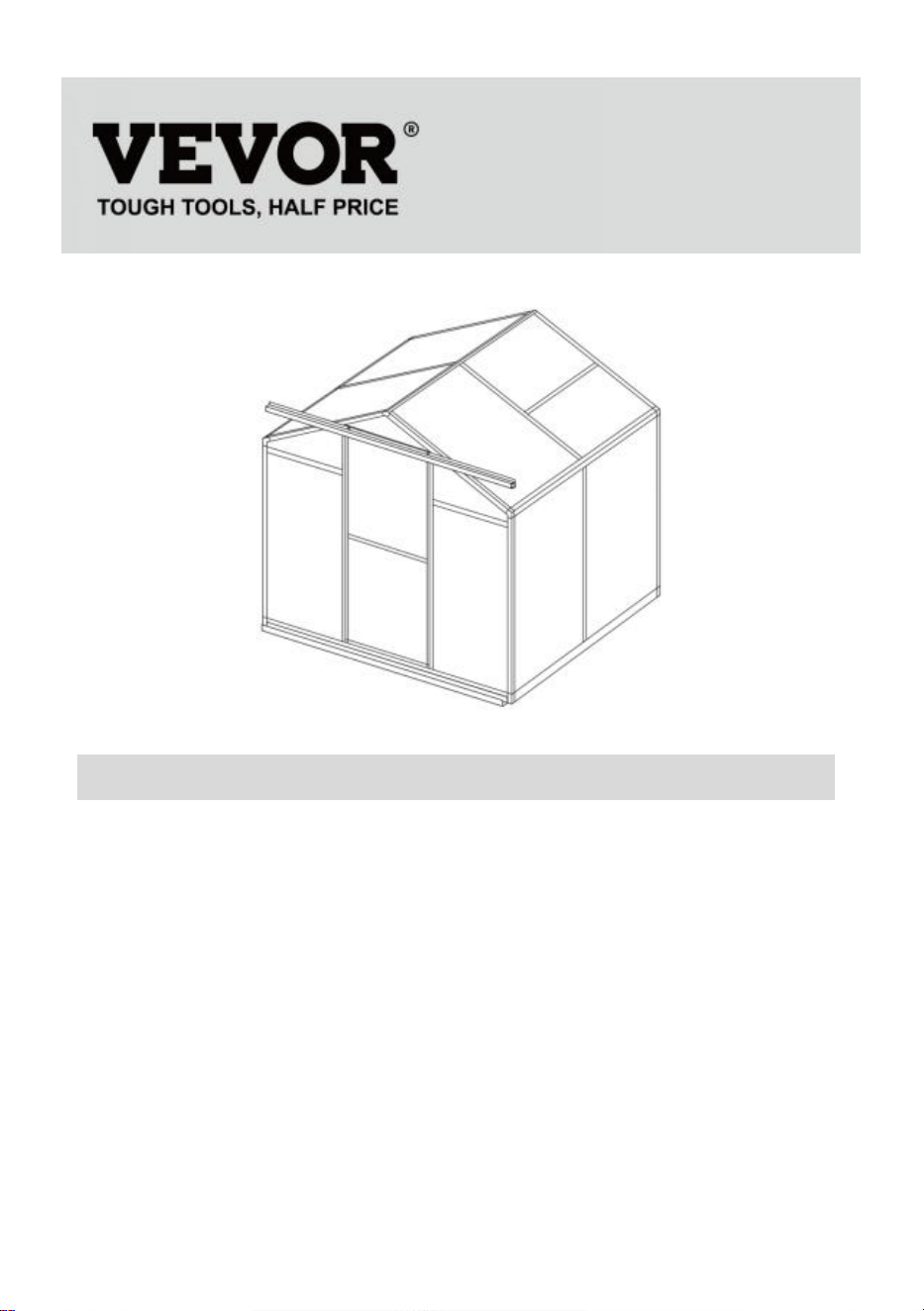
1
Model: SNG190-2
HULP NODIG? NEEM CONTACT MET ONS OP!
Heeft u productvragen? Technische ondersteuning nodig? Neem gerust
contact met ons op:
Technische ondersteuning en e-garantiecertificaat
www.vevor.com/support
Dit is de originele instructie. Lees alle instructies in de handleiding
zorgvuldig door voordat u ermee aan de slag gaat. VEVOR behoudt zich
een duidelijke interpretatie van onze gebruikershandleiding voor. Het
uiterlijk van het product is afhankelijk van het product dat u heeft
ontvangen. Vergeef ons alstublieft dat we u niet opnieuw informeren als er
technologie- of software-updates zijn voor ons product.
POLYCARBONATE
GREENHOUSE

2
INSTRUCTIES
Hartelijk dank voor het kiezen van dit product . Lees alle instructies voordat u het
gebruikt. De informatie zal u helpen de best mogelijke resultaten te bereiken.
LET OP! De tekeningen in deze handleiding zijn bedoeld voor uitsluitend voor
illustratiedoeleinden en sommige details kunnen afwijken van het daadwerkelijke
product.
AANDACHT! Lees alle veiligheidswaarschuwingen en alle instructies. Het niet
opvolgen van de waarschuwingen en instructies kan leiden tot ernstig letsel of
zelfs de dood. Het apparaat of product dat in de waarschuwingsinstructies wordt
gebruikt, wordt verwezen naar Polycarbonaatkas .
Dit product is geen speelgoed of speelgoedkist. Laat kinderen niet met dit artikel
spelen. Plaats het apparaat in een positie waarin kinderen niet kunnen klimmen
om letsel door vallen van een hoogte te voorkomen .
GEBRUIKSVEILIGHEID
1. Er zijn twee mensen nodig om dit product te monteren.
2. Sommige onderdelen hebben scherpe metalen randen. Wees voorzichtig bij het
hanteren van metaal componenten. Draag tijdens de werkzaamheden
handschoenen, schoenen en een veiligheidsbril montage.
3. Kies een plaats voor de montage die schoon is en vrij van vuil waardoor
personen die aan de montage werken kunnen struikelen.
4. Klim of sta niet op het dak. Zware voorwerpen mogen niet tegen de kas worden
geleund.
5. Bekijk een voorbeeld van de montage-instructies in de gebruikershandleiding
voordat u verder gaat.
6. Nadat de montage is voltooid, inspecteert u de machine grondig om er zeker
van te zijn dat alle moeren, bouten, hydraulische fittingen of andere
bevestigingsmiddelen goed zijn vastgedraaid.
7. Dit product is geen speelvoorziening of tent en mag niet worden gebruikt voor
andere doeleinden dan polycarbonaatkassen.
8. De polycarbonaatkas moet vóór gebruik worden gecontroleerd om er zeker van
te zijn dat deze in goede staat verkeert en veilig functioneert. Anders , het
apparaat mag niet worden gebruikt.
9. We raden aan om het onderframe in een voorgegraven greppel te plaatsen
3
nadat u de plank met expansieschroeven (meegeleverd) aan de grond hebt
bevestigd voor meer stabiliteit en windweerstand in de temperatuurkamer .
10. Aanbevolen wordt om glaslijm aan te brengen op de verbinding tussen
printplaat en frame voor een betere bescherming tegen water .
11. Bij slecht weer adviseren wij om de kostbare spullen uit de kas te verwijderen
om onnodig verlies van eigendommen te voorkomen en de kas gedurende die tijd
niet te gebruiken .
12. Houd het dak sneeuw- en bladvrij. Als er zich sneeuw op het dak ophoopt, kan
het product beschadigd raken.
Voordat u het product gebruikt: als u vragen heeft over de juiste montage of
bediening, neem dan contact op met uw dealer of vertegenwoordiger.
19. Als uw product moet worden gereinigd, gebruik dan een mild
schoonmaakmiddel en spoel af met koud, schoon water. Gebruik geen aceton,
schurende schoonmaakmiddelen of sterke schoonmaakmiddelen om de panelen
schoon te maken.
BEWAAR DEZE INSTRUCTIES
TECHNISCHE PARAMETERS
Model
SNG190-2
Kleur
Wit aluminium
Materiaal
Aluminium , polycarbonaatplaat
Productgrootte
184*125*193cm

4
Lijst
met aluminium
onderdelen
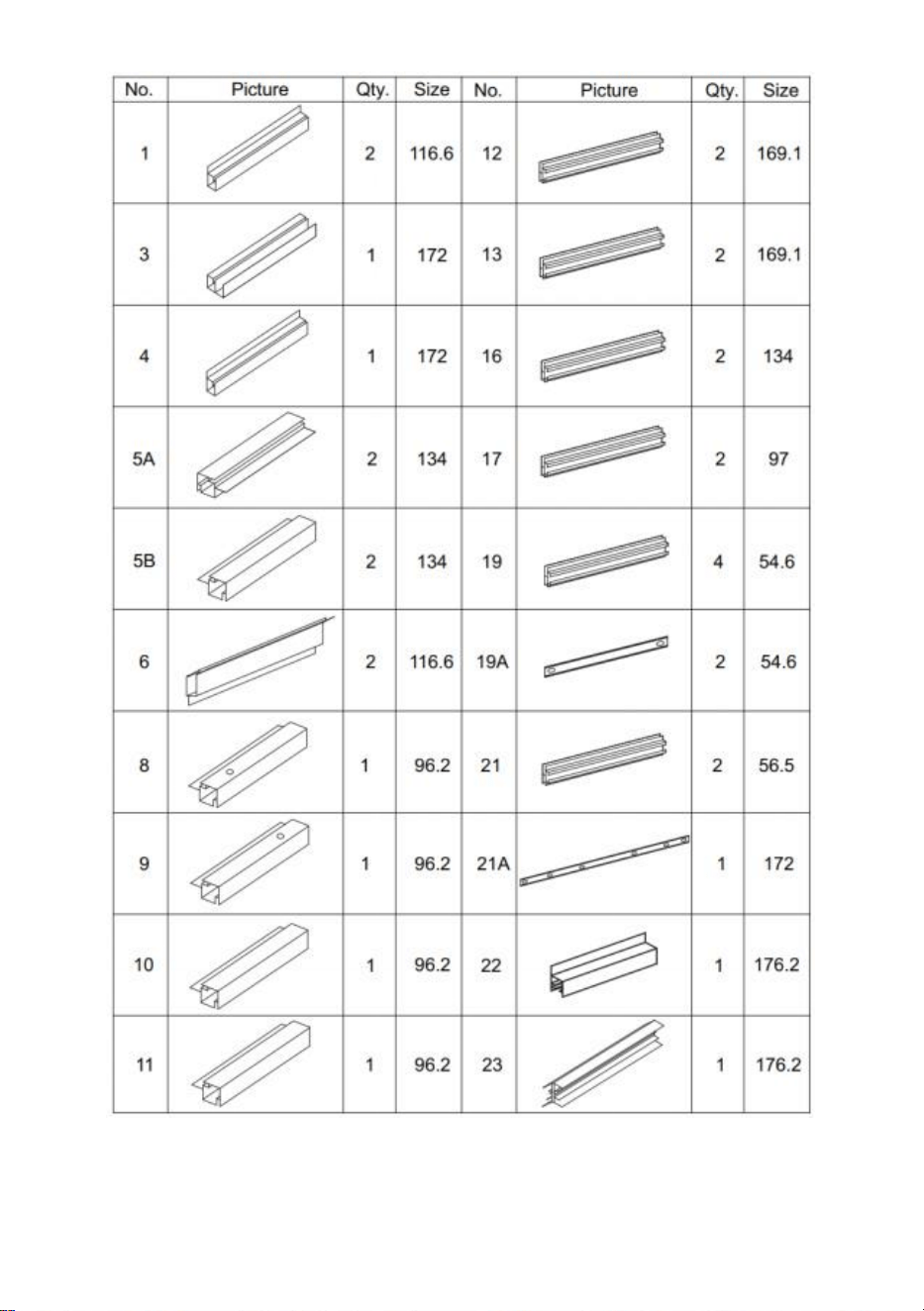
5
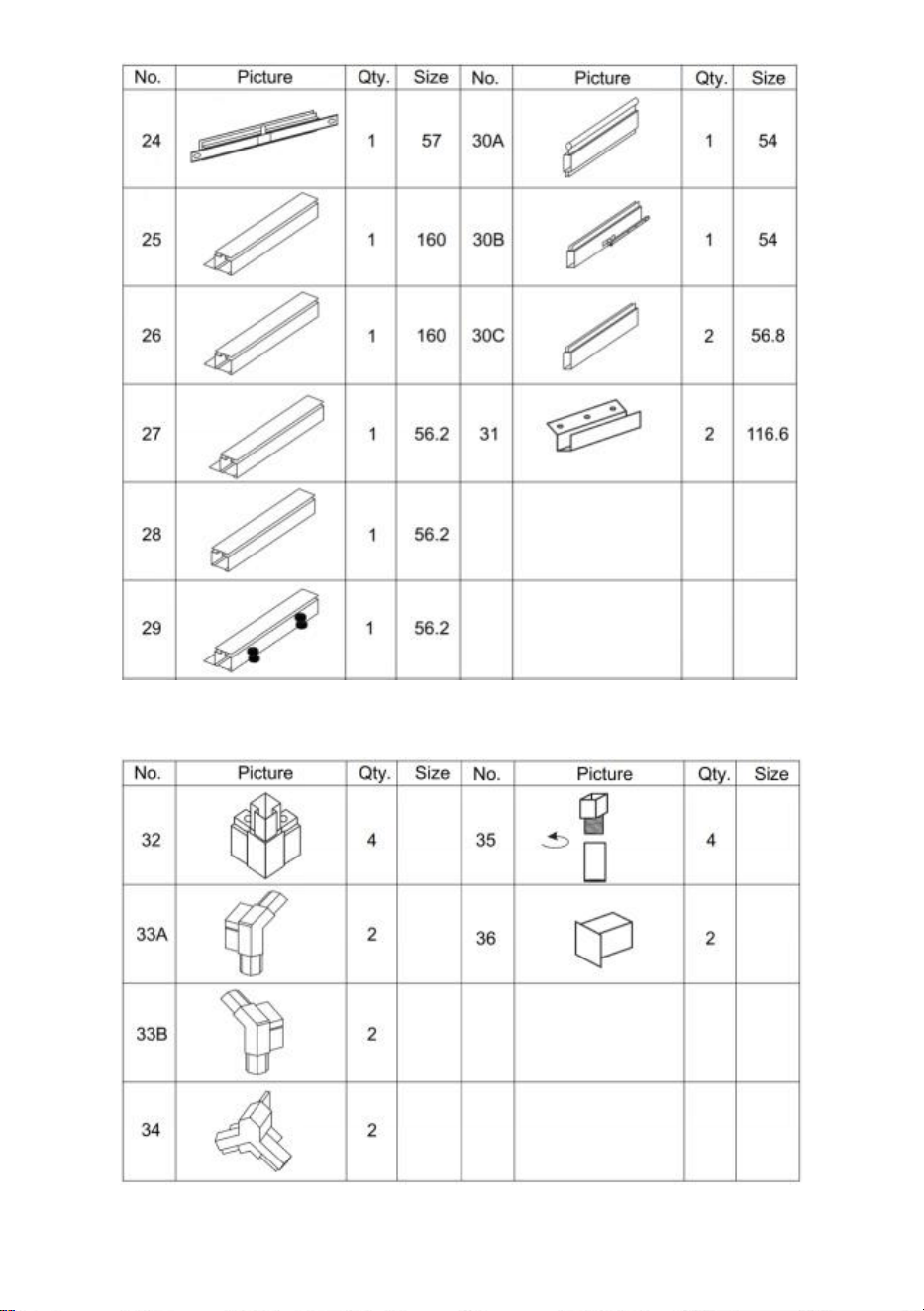
6
Lijst met kunststof onderdelen
Hardwarelijst
7
Lijst met pc-kaarten
8
c onder de foto, gebruik de sleutel om deze te herstellen.
Verwijder ongeveer 5 cm folie van alle plaatranden voordat u het installeert en
9
verwijder alle folie onmiddellijk nadat de constructie is voltooid. Zorg ervoor dat de
kant met de witte folie naar buiten wijst.
Distributie van printplaten
Montage
Stap 1: Monteer onderdeel 1,3 en 4 zoals afgebeeld met gebruik van
onderdeel 32 .
10
Stap 2: Onderdeel gebruiken 43 , installeer deel 5A & 5B met de
componenten voltooid in stap 1 .
Stap 3: Installeer met behulp van deel 41 deel 12 en 13 met de componenten
die in de laatste stap zijn voltooid .
11
Stap 4: Plaats onderdeel C & D op de componenten die in de laatste stap zijn
voltooid .
Stap 5 : Gebruik onderdeel 41 en installeer onderdeel 19,21 en 21A met de
12
componenten die in de laatste stap zijn voltooid .
Stap 6 : Plaats het onderdeel E & F naar de componenten voltooid in stap 5.
Stap 7 : Monteer onderdelen 10 en 11 tot één geheel met behulp van de
13
onderdelen weergegeven in de afbeelding .
Stap 8 : Installeer met behulp van deel 41 en 42 de componenten die u in
stap 6 en stap 7 hebt voltooid.
14
Stap 9 : Installeer de componenten uit de laatste stap en Deel 5A & 5B met
behulp van deel 43.
15
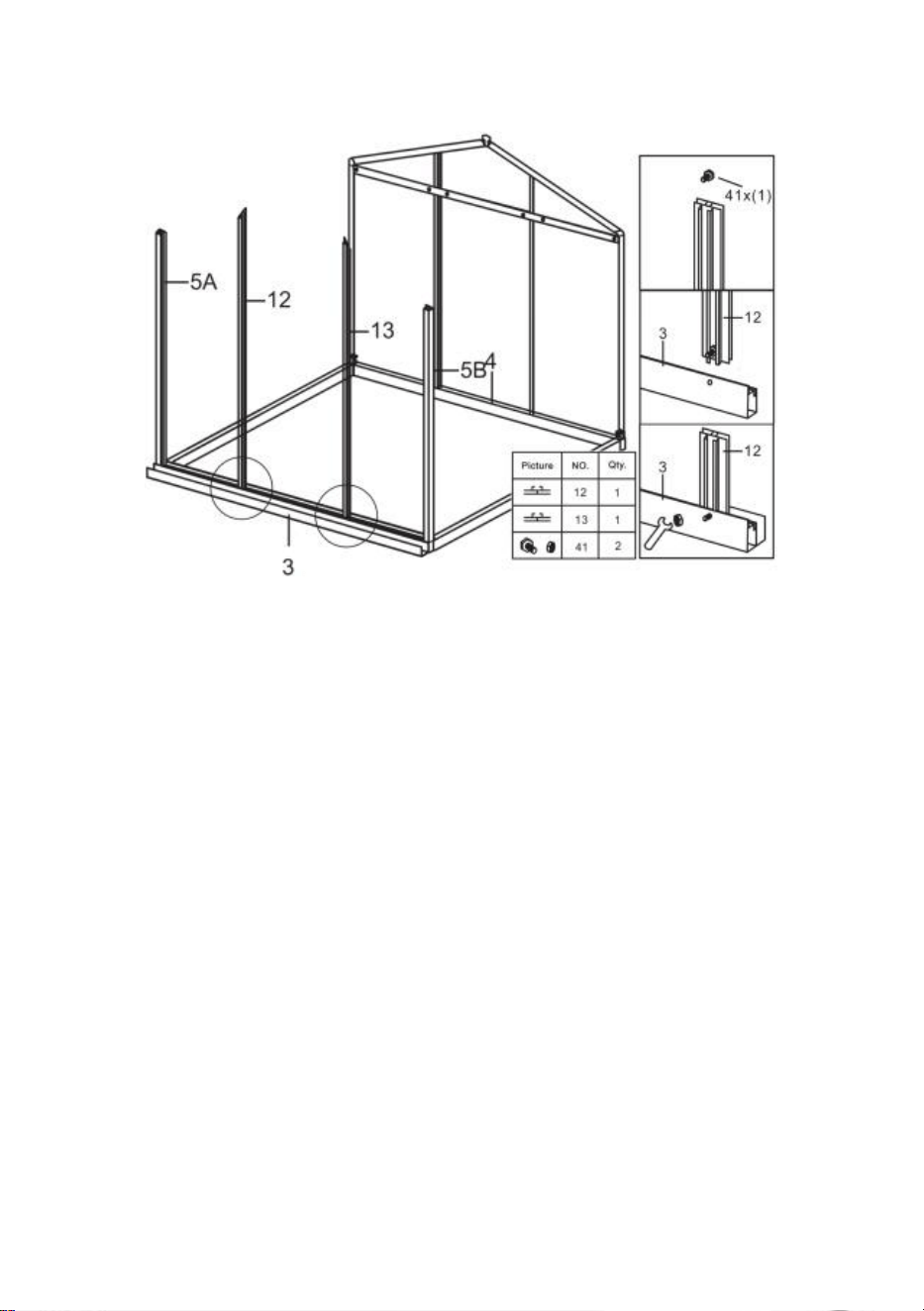
Stap 10 : Installeer met behulp van deel 41 deel 12 en 13 met de
componenten voltooid in stap 9.
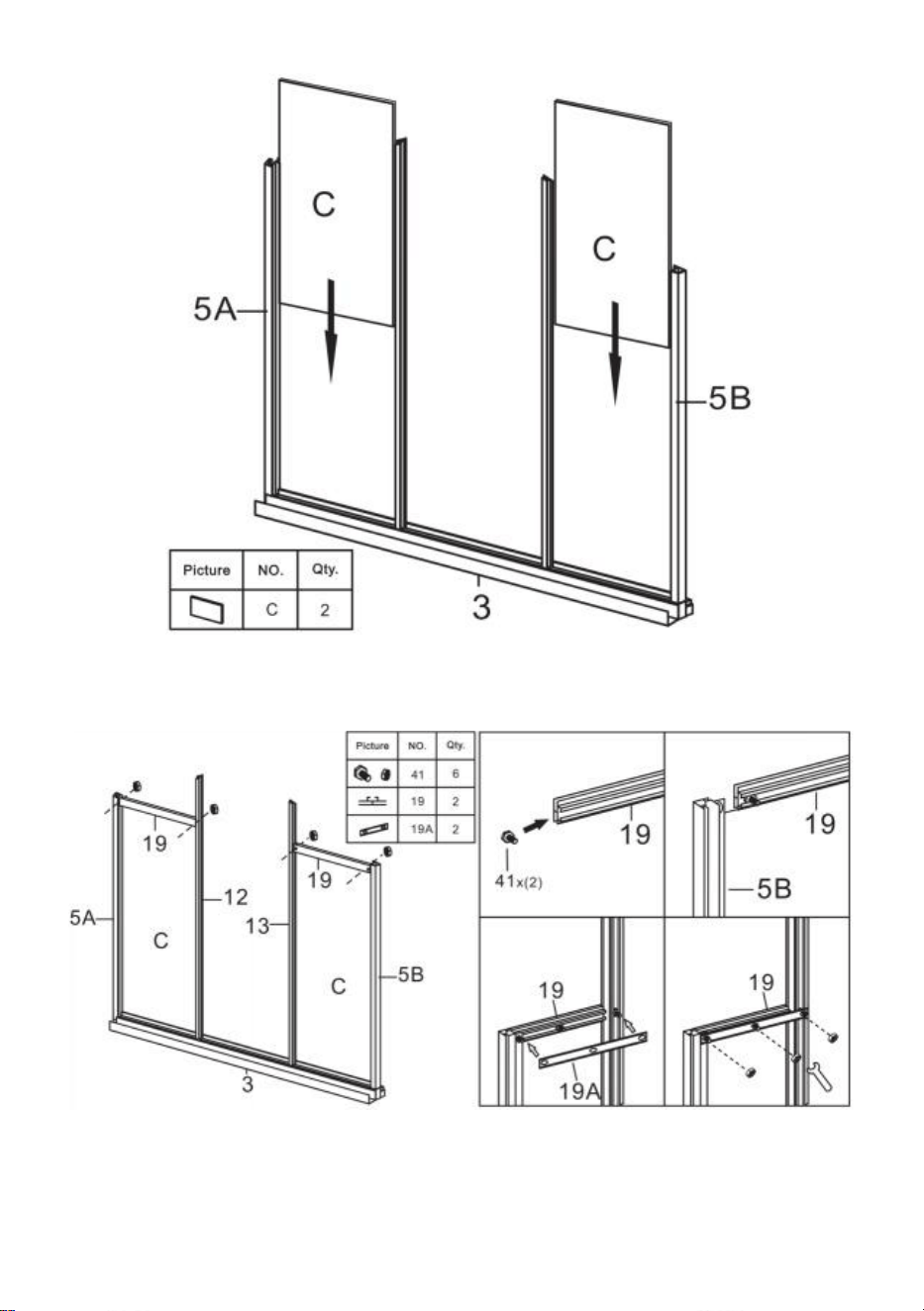
Stap 11 : Plaats het onderdeel C naar de componenten die in de laatste stap
zijn voltooid .
16
Stap 12 : Gebruik onderdeel 41 en installeer onderdeel 19 en 19A met de
componenten die in de laatste stap zijn voltooid .
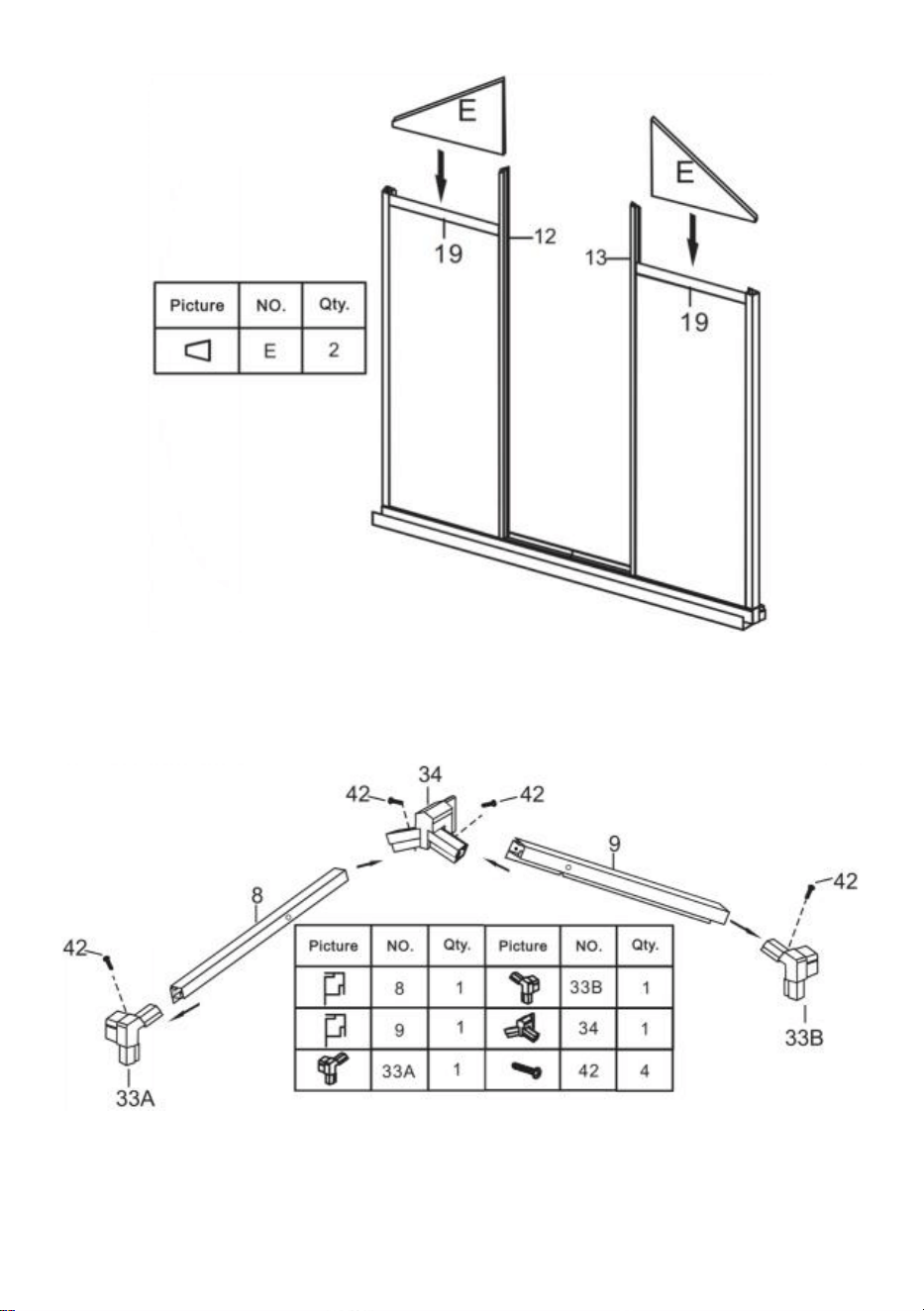
Stap 13 : Plaats het onderdeel E naar de componenten die in de laatste stap
zijn voltooid .
17
Stap 14 : Monteer onderdelen 8 en 9 tot één geheel met behulp van de
onderdelen weergegeven in de afbeelding .
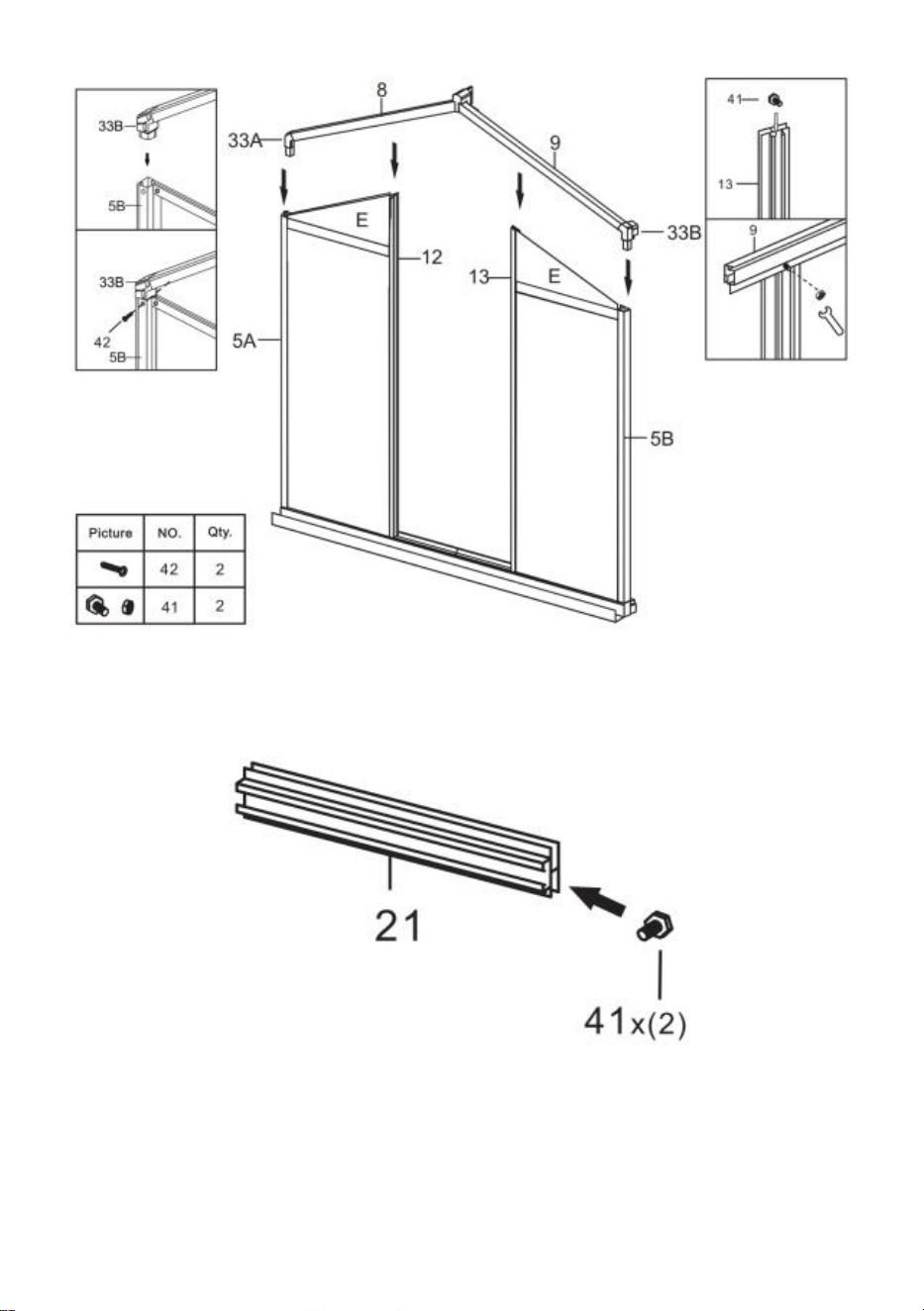
Stap 15 : Installeer met behulp van onderdeel 41 en 42 de componenten die u
in stap 13 en stap 14 hebt voltooid.
18
Stap 16 : Plaats de twee delen 41 in deel 21, zoals weergegeven .
Stap 17 : Plaats onderdelen 2 1 & 2 2 aan weerszijden van het onderdeel
voltooid in stap 15 en verbind ze met behulp van onderdeel 41 moeren . Let
op: Draai de moer niet vast, de onderdelen van deel 2 1 en 2 2 kunnen na
19
montage op en neer bewegen in het frame.
Stap 18 : Plaats onderdeel I op het onderdeel van onderdeel 21 en druk het in
de gleuf van het frame. Verplaats onderdeel 21 en klem onderdeel I stevig
vast. Zorg ervoor dat alle randen van onderdeel I in de gleuf passen en draai
de moer van onderdeel 41 vast die in de vorige stap is geïnstalleerd.
Stap 19: Installeer met behulp van deel 43 deel 6 en de componenten die u in
20
de laatste stap hebt voltooid .
Stap 20: Onderdeel gebruiken 40, monteer de onderdelen 30A, 30B, 30C en L
in Windows.
21
Stap 21: Monteer het raam gedeeltelijk op de glijrail 23 zoals weergegeven,
installeer het geheel op het frame dat u in stap 19 hebt voltooid en
vergrendel het met onderdeel 43.
Stap 22: Plaats onderdeel A in het frame op de bijbehorende dia.
22
Stap 23: Plaats, zoals weergegeven, twee delen 41 in een deel 16, en plaats
dan deel 16 tussen de twee delen A . Monteer een onderdeel 16 waarbij het
frame in stap 21 is voltooid met behulp van de moeren van onderdeel 41.
Stap 24: Plaats deel B in het frame op de bijbehorende dia.
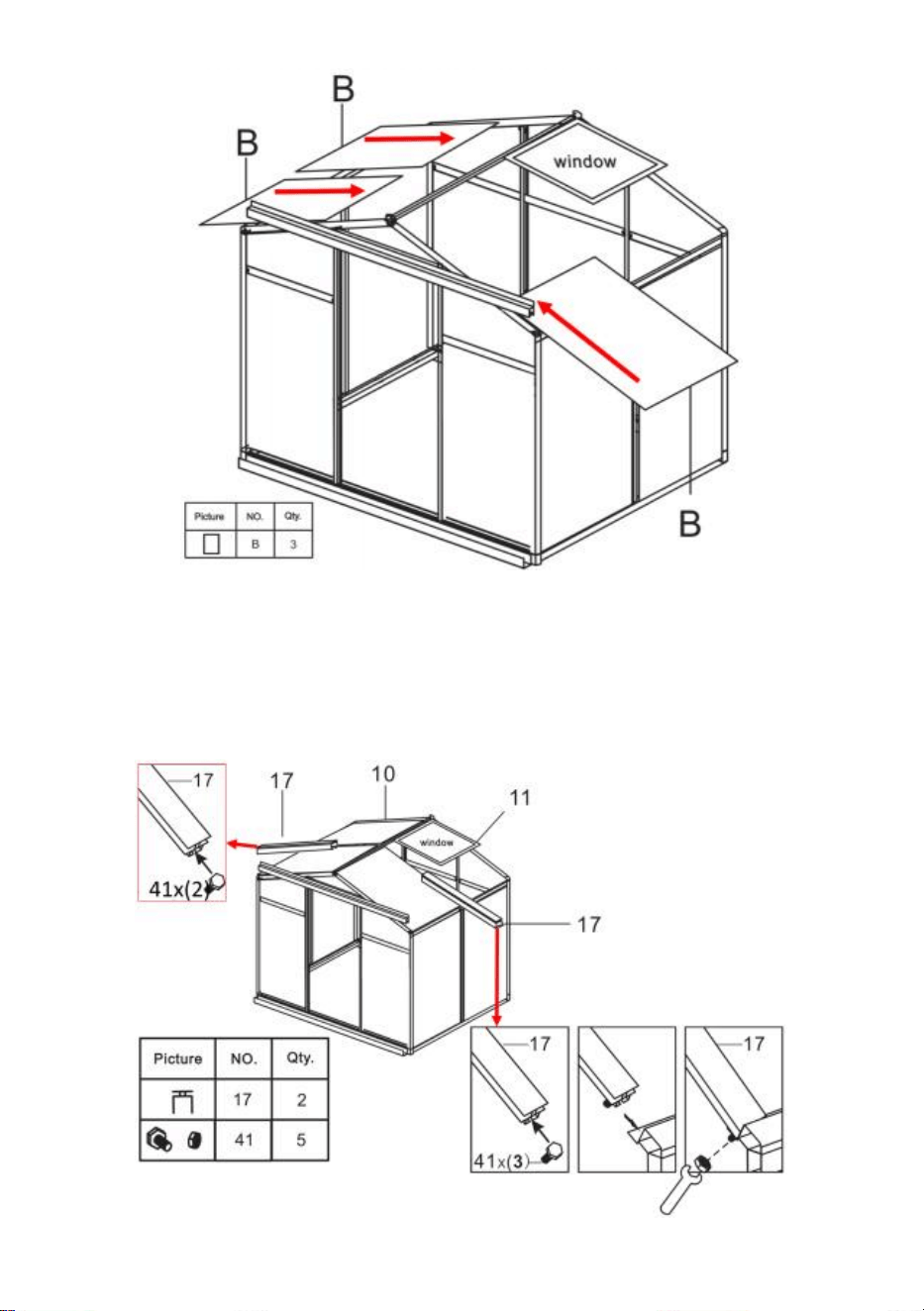
23
Stap 25: Plaats, zoals weergegeven, twee delen 41 in een deel 1 7 , Merk op
dat u 3 delen 41 aan de raamzijde plaatst en 2 aan de andere kant. Sluit
onderdeel 17 aan op de printplaat volgens de tekening en bevestig het met
de moer van onderdeel 41.
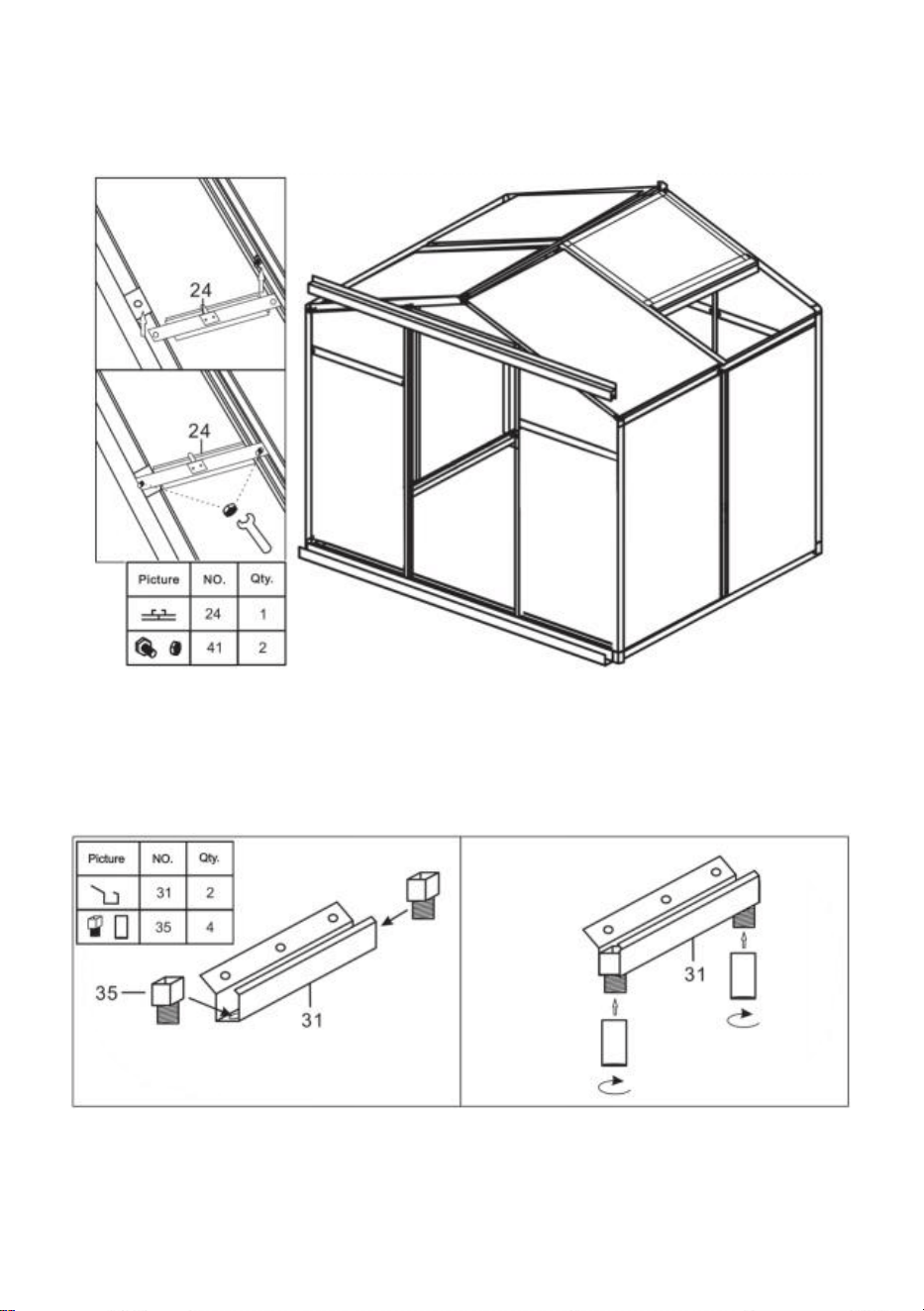
24
Stap 26: Installeer met behulp van onderdeel 41 onderdeel 24 en de
componenten die in de laatste stap zijn voltooid .
Stap 27: Onderdeel gebruiken 40, monteer onderdelen 31 en 35 .
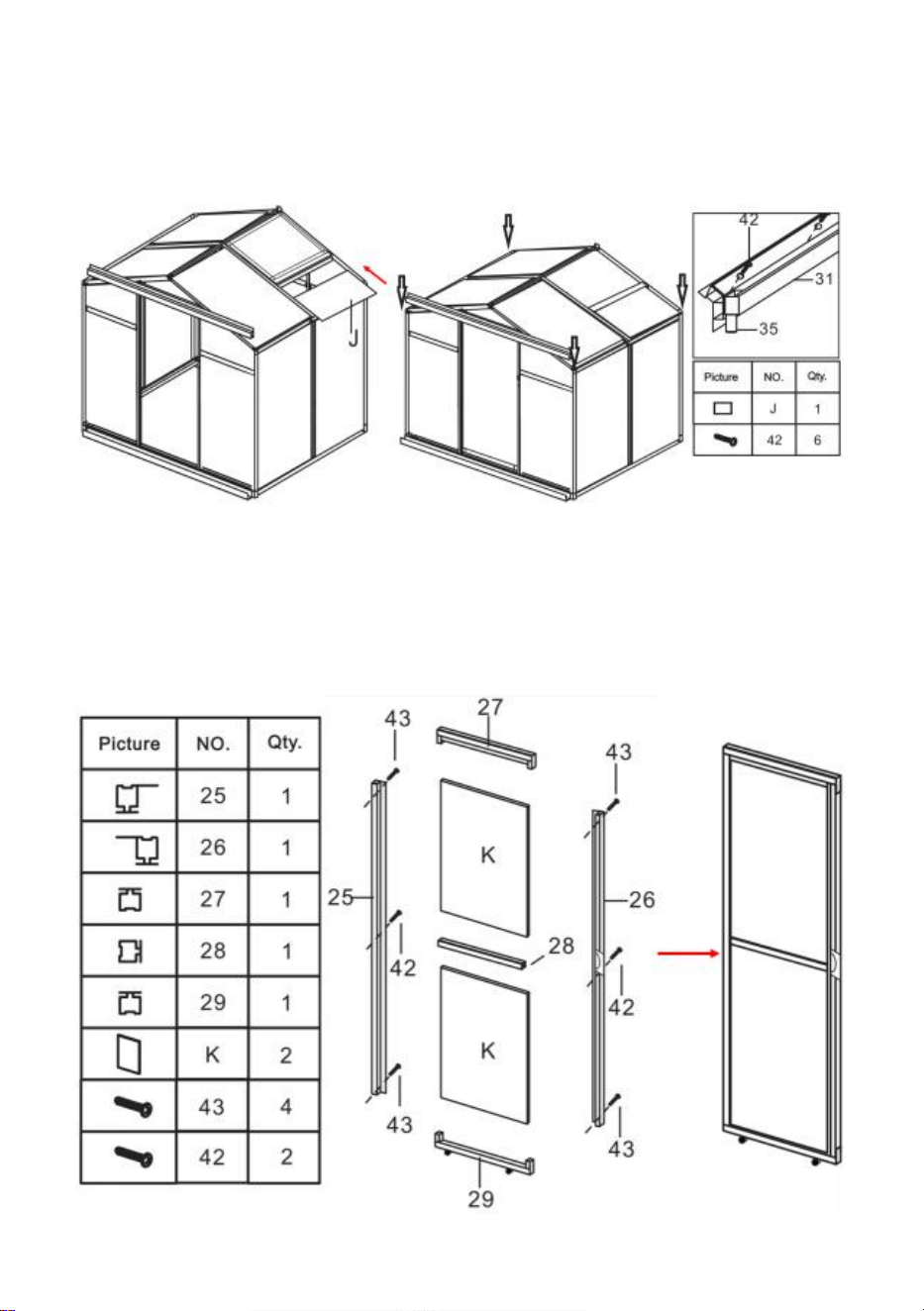
25
Stap 28: Steek onderdeel J in de goot zoals weergegeven in de afbeelding en
installeer vervolgens de componenten die u in de vorige stap hebt
gemonteerd op het frame.
Stap 29: Monteer onderdelen 25 , 26 , 27, 28, 29 met behulp van onderdeel 42
en 43 & K de deur in .
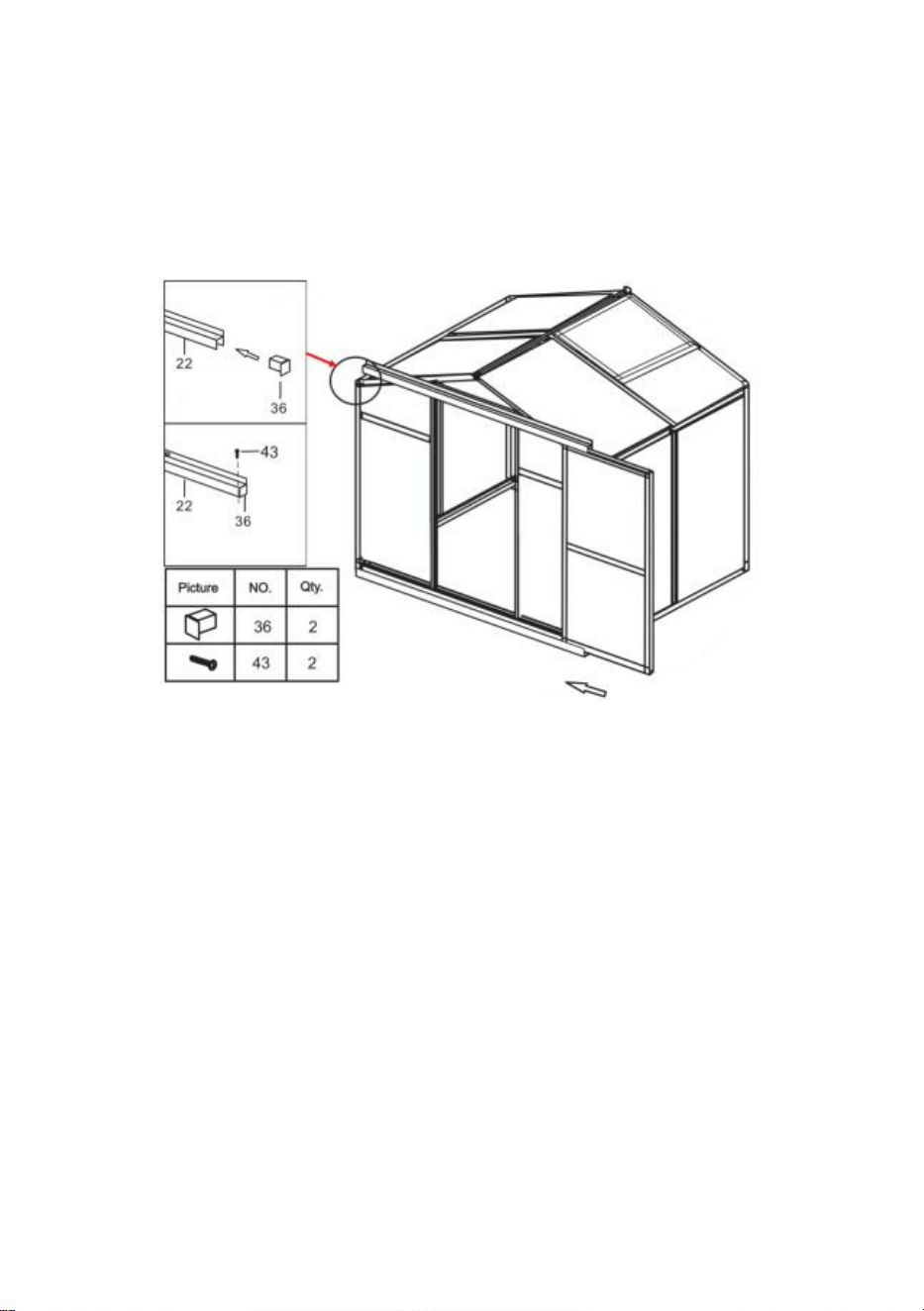
26
Stap 30: Nadat u de deur op de afgebeelde glijbaan heeft gemonteerd,
bevestigt u onderdeel 36 aan deel 22 van het kozijn en zet u deze vast met
onderdeel 43. Controleer na montage of de deur soepel schuift.
Stap 31: Plaats de vloerspijker: Klem het onderdeel vast 48 naar de positie
van het frame zoals weergegeven in de afbeelding, en gebruik onderdeel 51
om door het gat van het onderdeel te gaan 48 en bevestig hem aan de grond.
27

Fabrikant: Shanghaimuxinmuyeyouxiangongsi
Adres: Shuangchenglu 803nong11hao1602A-1609shi, baoshanqu,
shanghai 200000 CN.
Geïmporteerd naar AUS: SIHAO PTY LTD. 1 ROKEVA
STREETEASTWOOD NSW 2122 Australië
Geïmporteerd in de VS: Sanven Technology Ltd. Suite 250, 9166
Anaheim
Plaats, Rancho Cucamonga, CA 91730



Teknisk Support och e-garanticertifikat
www.vevor.com/support
POLYKARBONAT VÄXTHUS
ANVÄNDARMANUAL
Vi fortsätter att vara engagerade i att ge dig verktyg till konkurrenskraftiga priser.
"Spara hälften", "Halva priset" eller andra liknande uttryck som endast används av oss
representerar en uppskattning av besparingar du kan dra nytta av att köpa vissa verktyg
med oss jämfört med de stora toppmärkena och betyder inte nödvändigtvis att täcka
alla kategorier av verktyg som erbjuds av oss. Du påminns vänligen om att verifiera
försiktigt
när du gör en beställning hos oss om du faktiskt gör det Sparande
Halv i jämförelse med de främsta varumärkena.
1
Modell: SNG190-2
BEHÖVER HJÄLP? KONTAKTA OSS!
Har du produktfrågor? Behöver du teknisk support? Kontakta oss
gärna:
Teknisk support och e-garanticertifikat
www.vevor.com/support
Detta är den ursprungliga instruktionen, läs alla instruktioner noggrant
innan du använder den. VEVOR reserverar sig för en tydlig tolkning av vår
användarmanual. Utseendet på produkten är beroende av den produkt du
fått. Ursäkta oss att vi inte kommer att informera dig igen om det finns
någon teknik eller mjukvaruuppdateringar på vår produkt.
POLYCARBONATE
GREENHOUSE

2
INSTRUKTIONER
Tack så mycket för att du valde denna produkt . Läs alla instruktioner innan du
använder den. Informationen hjälper dig att uppnå bästa möjliga resultat.
OBS! Ritningar i denna handbok är till för endast illustrationsändamål och vissa
detaljer kan skiljer sig från den faktiska produkten.
UPPMÄRKSAMHET! Läs alla säkerhetsvarningar och alla instruktioner.
Underlåtenhet att följa varningarna och instruktionerna kan leda till allvarliga
skador eller till och med dödsfall. Enheten eller produkten som används i
varningsinstruktionerna hänvisas till polykarbonatväxthus .
Denna produkt är inte en leksak eller en leksakskrin. Tillåt inte barn att leka med
detta föremål. Vänligen placera i en position så att barn inte kan klättra för att
undvika skador från fall från höjd .
ANVÄNDNINGSSÄKERHET
1. Två personer krävs för att montera denna produkt.
2. Vissa komponenter har vassa metallkanter. Var försiktig när du hanterar metall
komponenter. Vänligen använd handskar, skor och skyddsglasögon under
montering.
3. Välj ett område för montering som är rent och fritt från skräp som kan få
personer som arbetar på enheten att snubbla.
4. Klättra eller stå inte på taket. Tunga föremål ska inte lutas mot växthuset.
5. Förhandsgranska monteringsinstruktionerna i din bruksanvisning innan du
fortsätter.
6. Efter avslutad montering, inspektera maskinen noggrant för att vara säker på att
alla muttrar, bultar, hydrauliska kopplingar eller andra fästanordningar har dragits
åt ordentligt.
7. Denna produkt är inte en lekanläggning eller tält och bör inte användas för
andra ändamål än polykarbonatväxthus.
8. Växthuset av polykarbonat måste kontrolleras för att säkerställa att det är i gott
skick och fungerar säkert före användning. Annat , apparaten får inte användas.
9. Vi rekommenderar att du placerar bottenramen i ett förgrävt dike efter att du har
fäst brädan med expansionsskruvar (ingår) i marken för större stabilitet och
temperaturkammarens vindmotstånd .
10. Rekommendera att applicera glaslim på anslutningen mellan kretskort och ram
3
för bättre vattenskydd .
11. När vädret är dåligt rekommenderar vi att de dyrbara föremålen i växthuset tas
bort för att undvika onödig egendomsförlust och att inte använda växthuset under
den tiden .
12. Håll taket rent från snö och löv. Att låta snö byggas upp på taket kan skada
produkten.
Innan du använder produkten - om du har några frågor angående korrekt
montering eller användning, kontakta din återförsäljare eller representant.
20. När din produkt behöver rengöras, använd ett milt rengöringsmedel och skölj
med kallt rent vatten. Använd inte aceton, slipande rengöringsmedel eller starka
rengöringsmedel för att rengöra panelerna.
SPARA DESSA INSTRUKTIONER
TEKNISKA PARAMETRAR
Modell
SNG190-2
Färg
Vit aluminium
Material
Aluminium , polykarbonatskiva
Produktstorlek
184*125*193cm
4
Lista över delar av
aluminium
5
Lista över plastdelar
6
Hårdvarulista
7
PC Board List
c nedanför bilden, använd skiftnyckeln för att återställa den.
8
Ta bort cirka 2 tum film från alla arkkanter innan du installerar och ta bort all film
omedelbart efter att konstruktionen är klar. Se till att sidan med den vita filmen är
vänd utåt.
PC-kort distribution
9
En sammansättning
Steg 1: Montera del 1, 3 och 4 enligt bilden med del 32 .
Steg 2: Använda del 43 , installera del 5A och 5B med komponenterna
färdiga i steg 1 .
Steg 3: Använd del 41 för att installera del 12 och 13 med komponenterna
10
färdiga i det sista steget .
Steg 4: Lägg delen C & D till de komponenter som slutfördes i det sista
steget .
11
Steg 5 : Använd del 41 för att installera del 19,21 & 21A med komponenterna
färdiga i det sista steget .
Steg 6 : Lägg delen E & F till komponenterna som slutfördes i steg 5.
12
Steg 7 : Montera delarna 10 och 11 till en enhet med hjälp av delarna som
visas i figuren .
Steg 8 : Använd del 41 och 42 för att installera komponenterna som
slutfördes i steg 6 och steg 7.
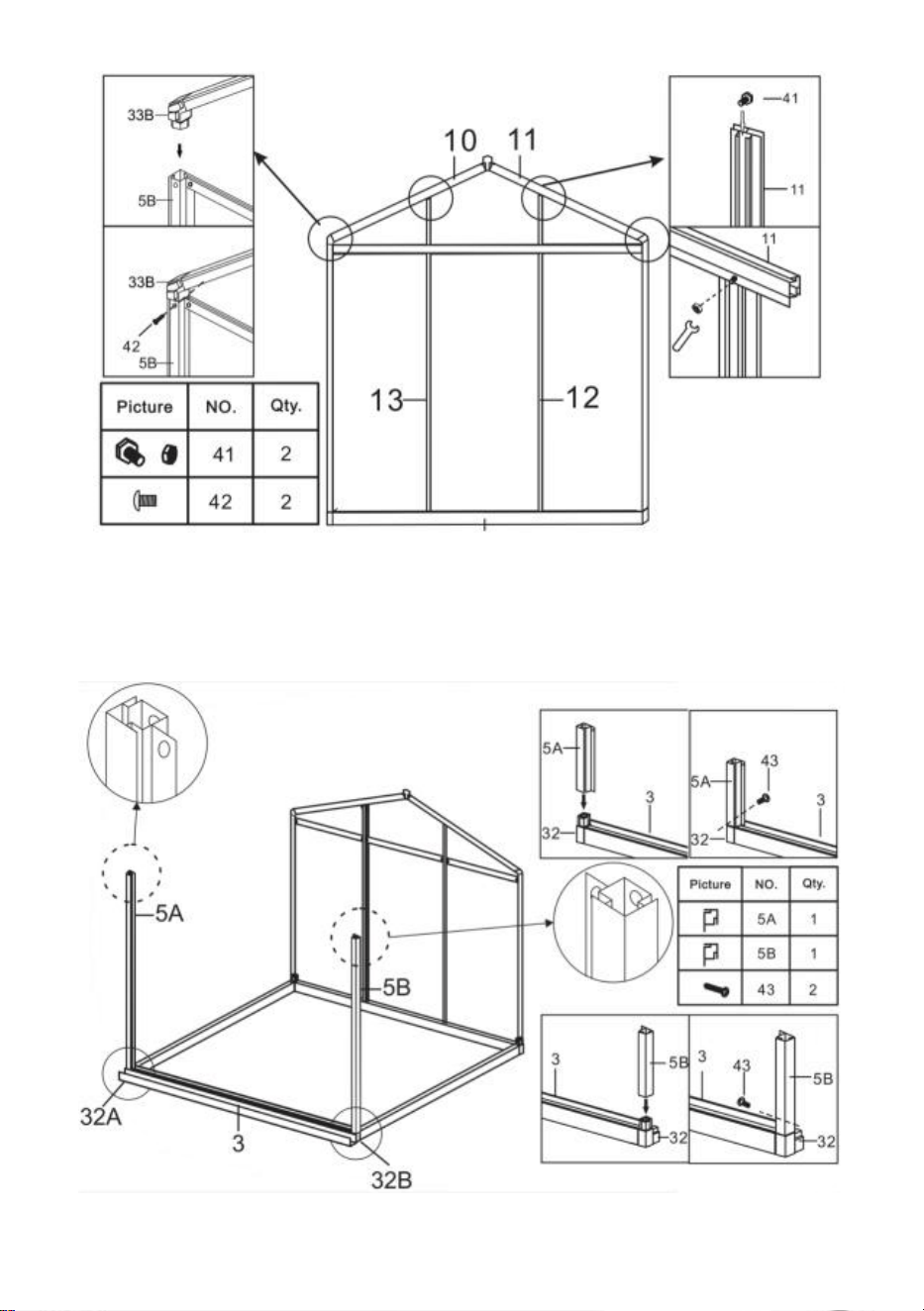
13
Steg 9 : Installera komponenterna från det sista steget och del 5A och 5B
med del 43.
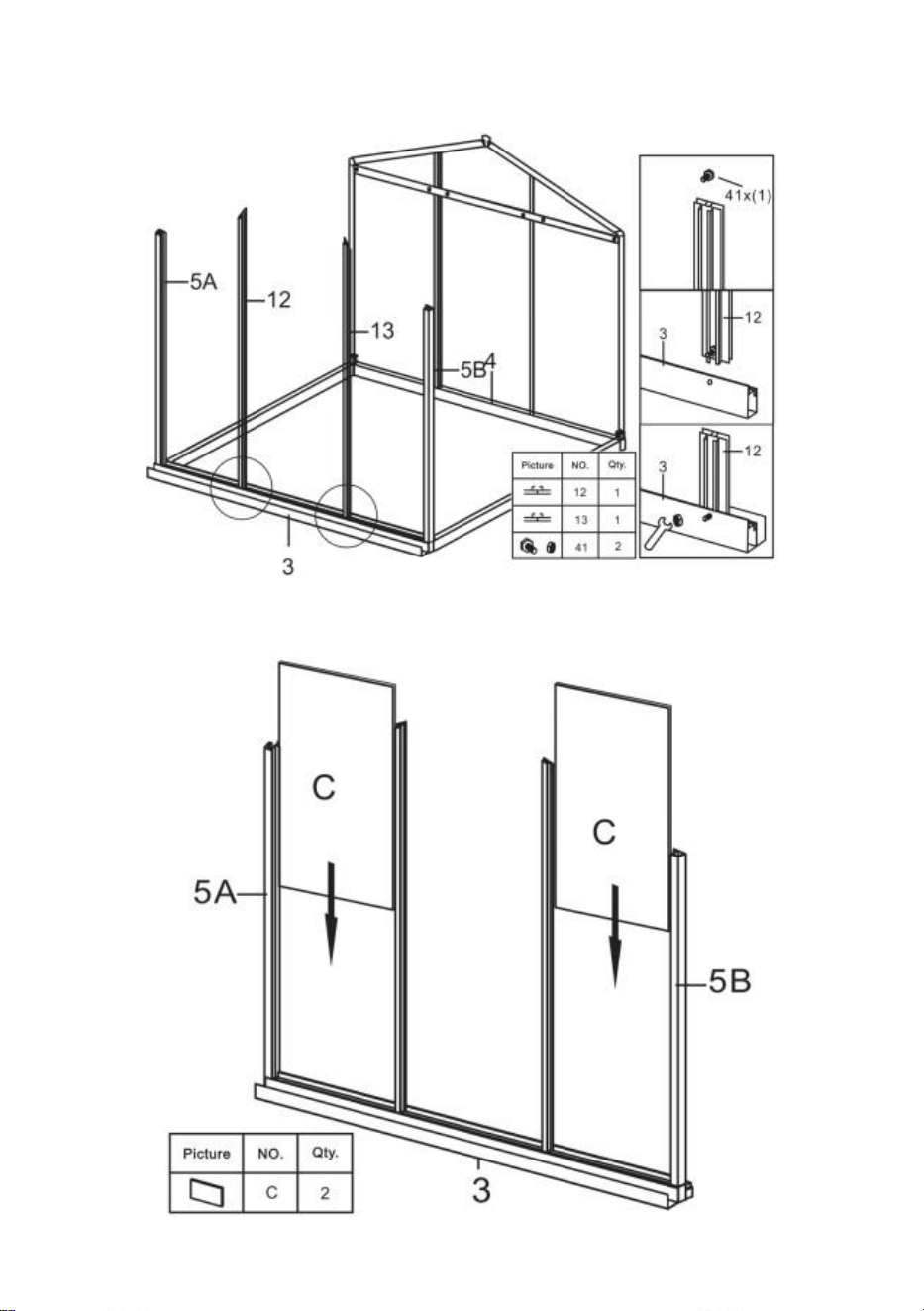
14
Steg 10 : Använd del 41 för att installera del 12 och 13 med komponenterna
slutförda i steg 9.
Steg 11 : Lägg delen C till de komponenter som slutfördes i det sista steget .
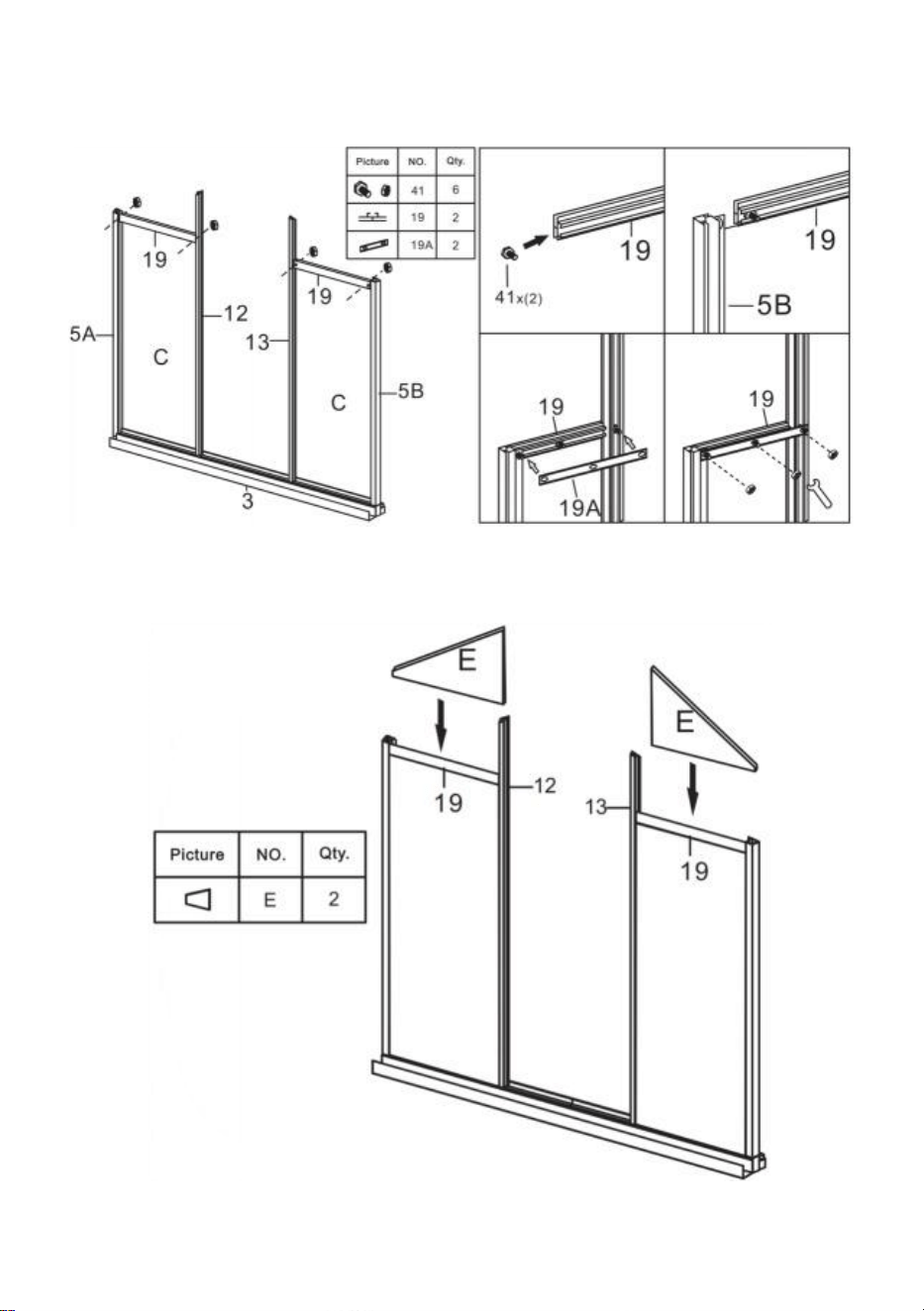
15
Steg 12 : Använd del 41 för att installera del 19 & 19A med komponenterna
färdiga i det sista steget .
Steg 13 : Lägg delen E till komponenterna som slutfördes i det sista steget .
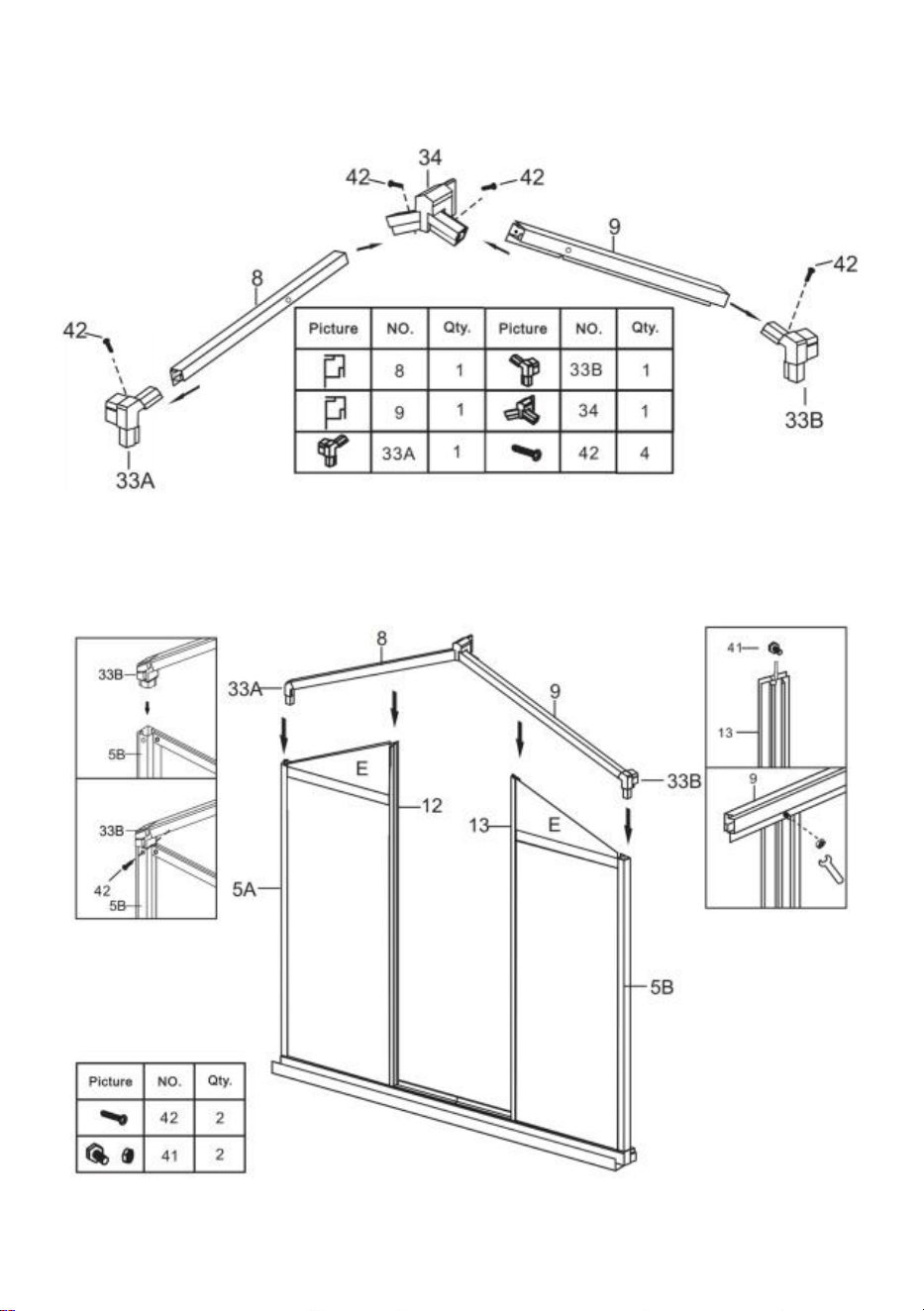
16
Steg 14 : Montera delarna 8 och 9 till en enhet med hjälp av delarna som
visas i figuren .
Steg 15 : Använd del 41 och 42 för att installera komponenterna som
slutfördes i steg 13 och steg 14.
17
Steg 16 : Placera de två delarna 41 i del21 enligt bilden .
Steg 17 : Placera Delar 2 1 & 2 2 på vardera sidan av komponenten i steg 15
och anslut dem med del 41 muttrar . Notera: Dra inte åt muttern,
komponenterna i del 2 1 och 2 2 kan röra sig upp och ner i ramen efter
montering.
18
Steg 18 : Placera del I på komponenten av del 21 och tryck in i skåran på
ramen. Flytta del 21 och kläm del I ordentligt. Se till att alla kanter på del I är
ihopparade med skåran och dra åt del 41-muttern som installerades i
föregående steg.
Steg 19: Använd del 43 och installera del 6 och komponenterna som
slutfördes i det sista steget .
19
Steg 20: Använda del 40, montera delarna 30A, 30B, 30C & L i Windows.
Steg 21: Montera fönstret delvis på glidskenan 23 som visas, installera
monteringen på ramen som slutfördes i steg 19 och lås den med part43.
20
Steg 22: Sätt in delA i ramen på motsvarande bild.
Steg 23: Som visas, placera två delar 41 i en del 16, och sätt sedan in delen
16 mellan de två delarna A . Montera en del 16 med ramen färdig i steg 21
med hjälp av muttrarna i del 41.
21
Steg 24: Sätt in del B i ramen på motsvarande slid.
Steg 25: Som visas, placera två delar 41 i en del 1 7 , Observera att 3 delar 41
sattes på fönstersidan och 2 på andra sidan . Anslut del17 till PC-kortet
enligt ritningen och fixera den med muttern på del41.
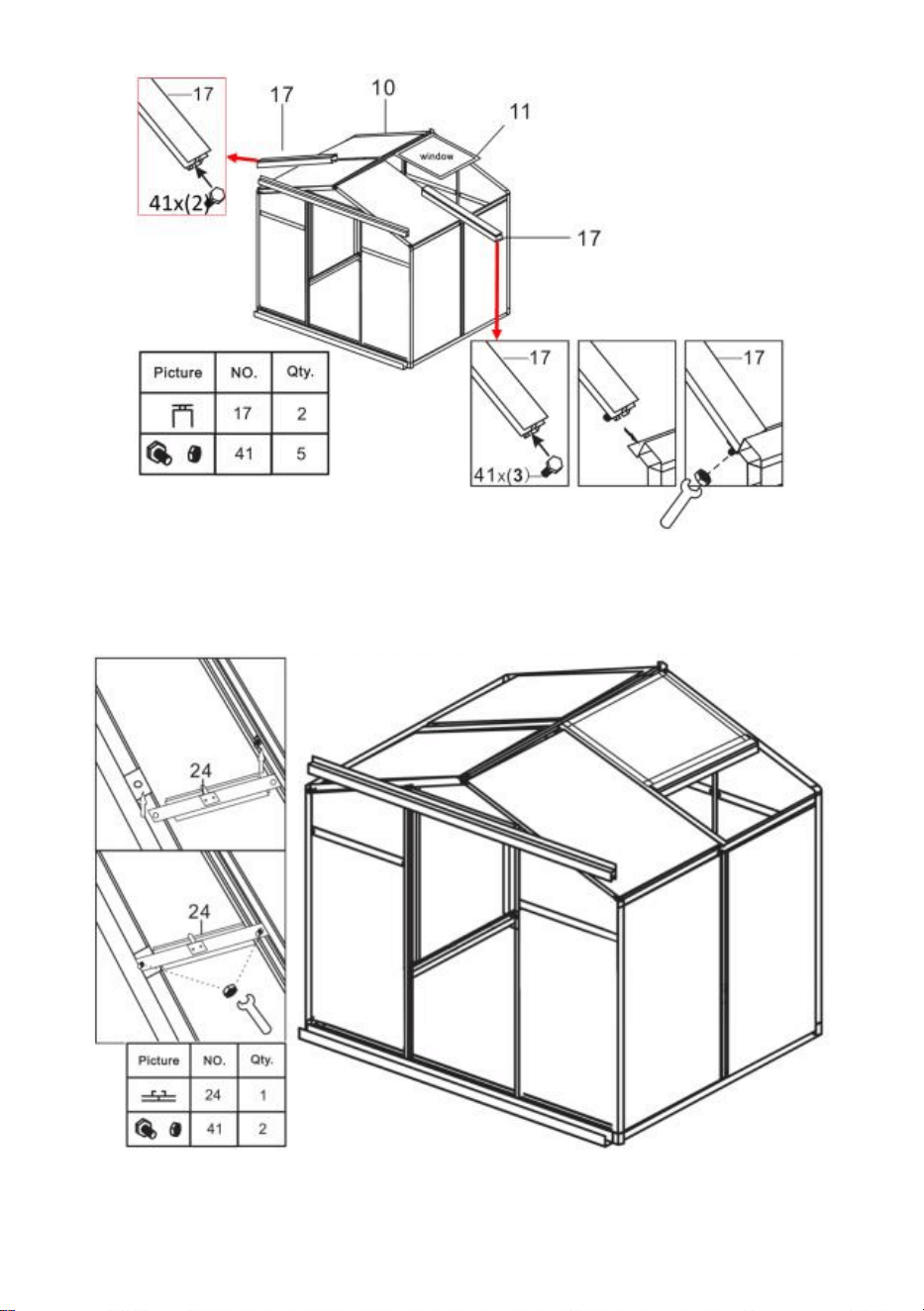
22
Steg 26: Använd del 41 för att installera del 24 och komponenterna som
slutfördes i det sista steget .
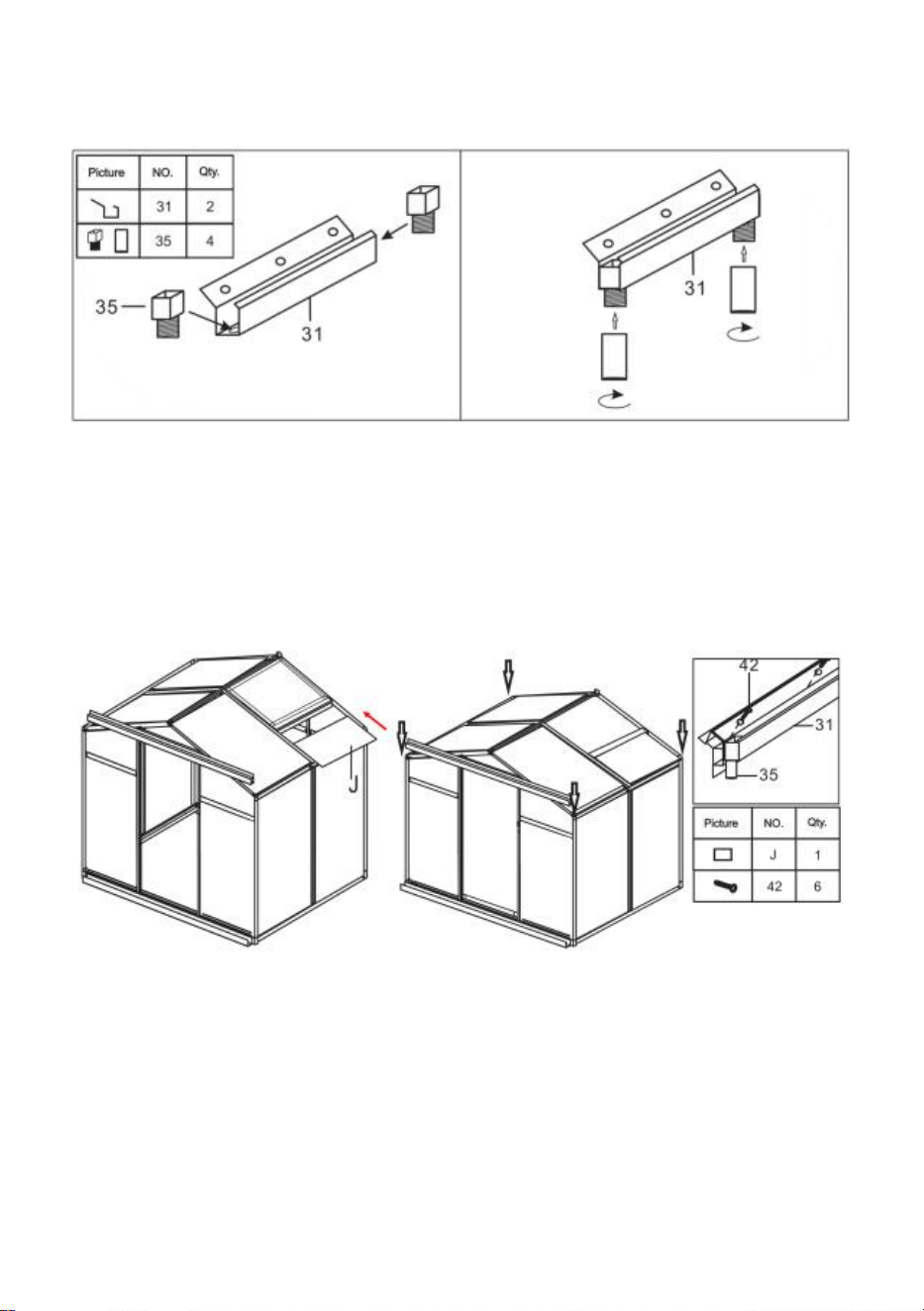
23
Steg 27: Använda del 40, montera delarna 31 & 35 .
Steg 28: Sätt in del J i rännan enligt bilden och installera sedan
komponenterna som monterades i föregående steg på ramen.
Steg 29: Använd del 42 och 43 för att montera delarna 25 , 26 , 27, 28, 29 & K
in i dörren .
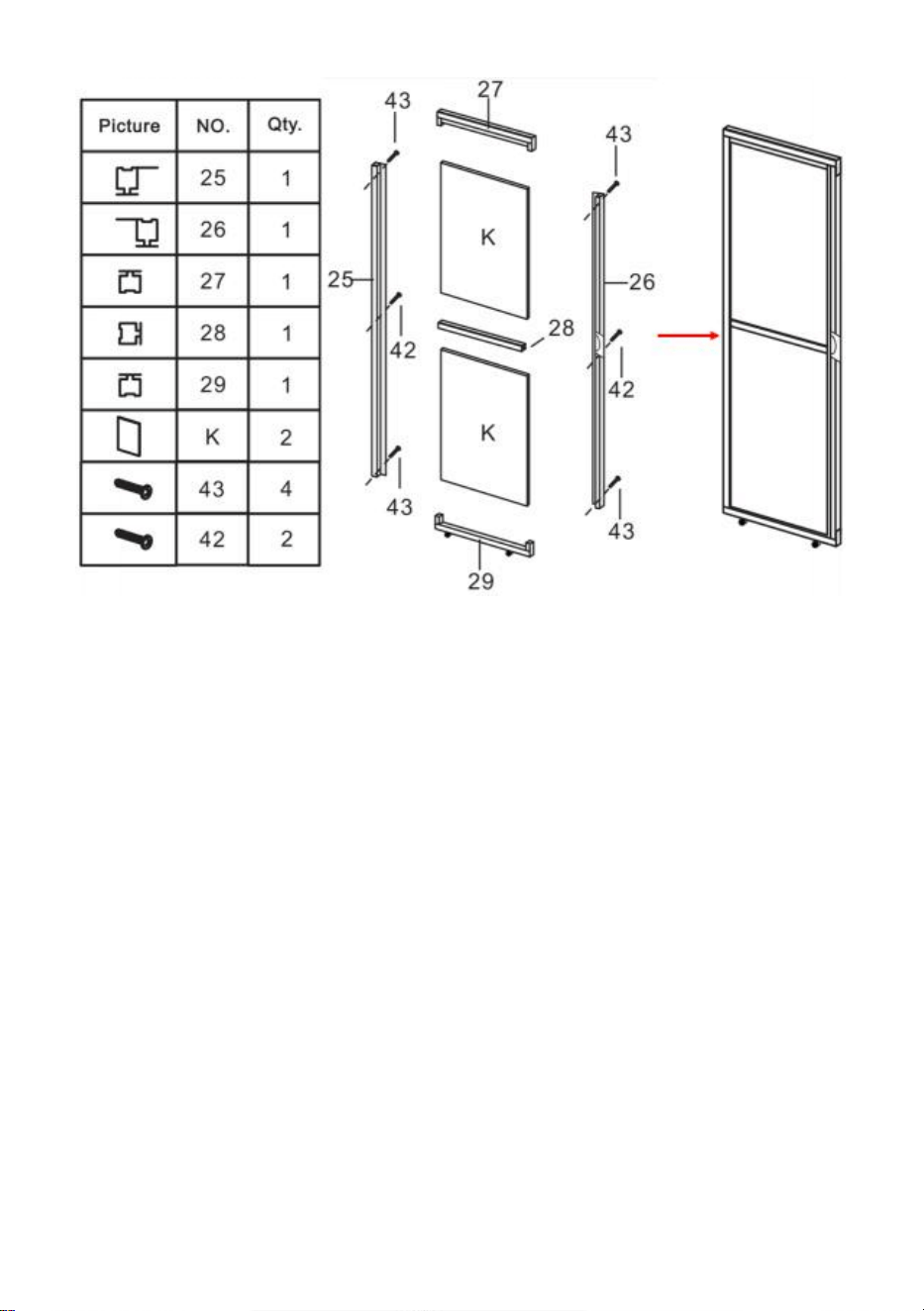
24
Steg 30: Efter att ha monterat dörren på den visade sliden, fäst del 36 till del
22 av karmen och säkra den med del 43. Efter installationen, kontrollera om
dörren glider smidigt.
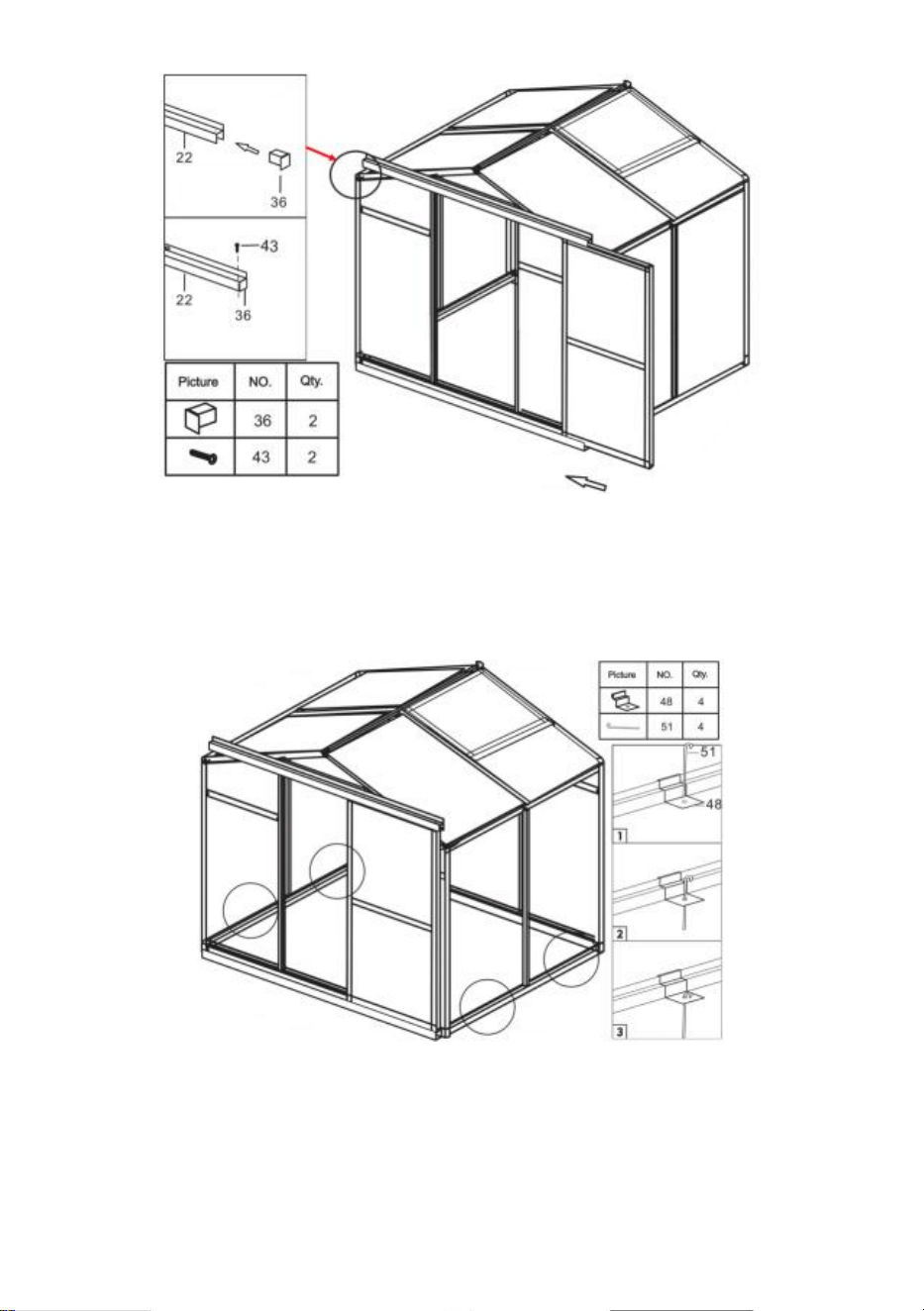
25
Steg 31: Montera golvspiken: Kläm fast delen 48 till läget för ramen som
visas i figuren och använd del 51 för att passera genom delens hål 48 och
fixera den till marken.

Tillverkare: Shanghaimuxinmuyeyouxiangongsi
Adress: Shuangchenglu 803nong11hao1602A-1609shi, baoshanqu,
shanghai 200000 CN.
Importerad till AUS: SIHAO PTY LTD. 1 ROKEVA STREETEASTWOOD
NSW 2122 Australien
Importerad till USA: Sanven Technology Ltd. Suite 250, 9166 Anaheim
Place, Rancho Cucamonga, CA 91730