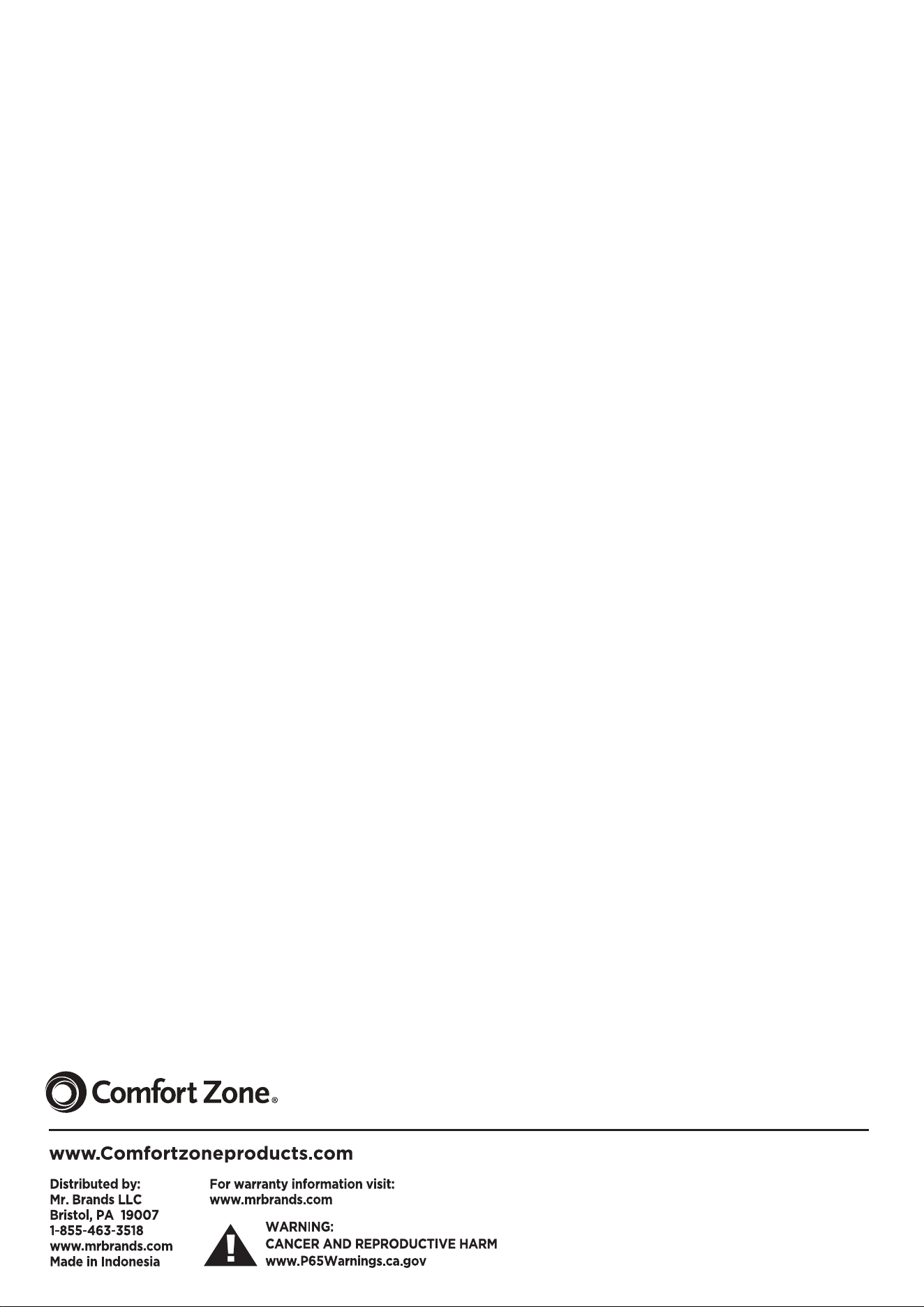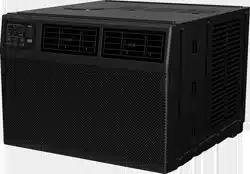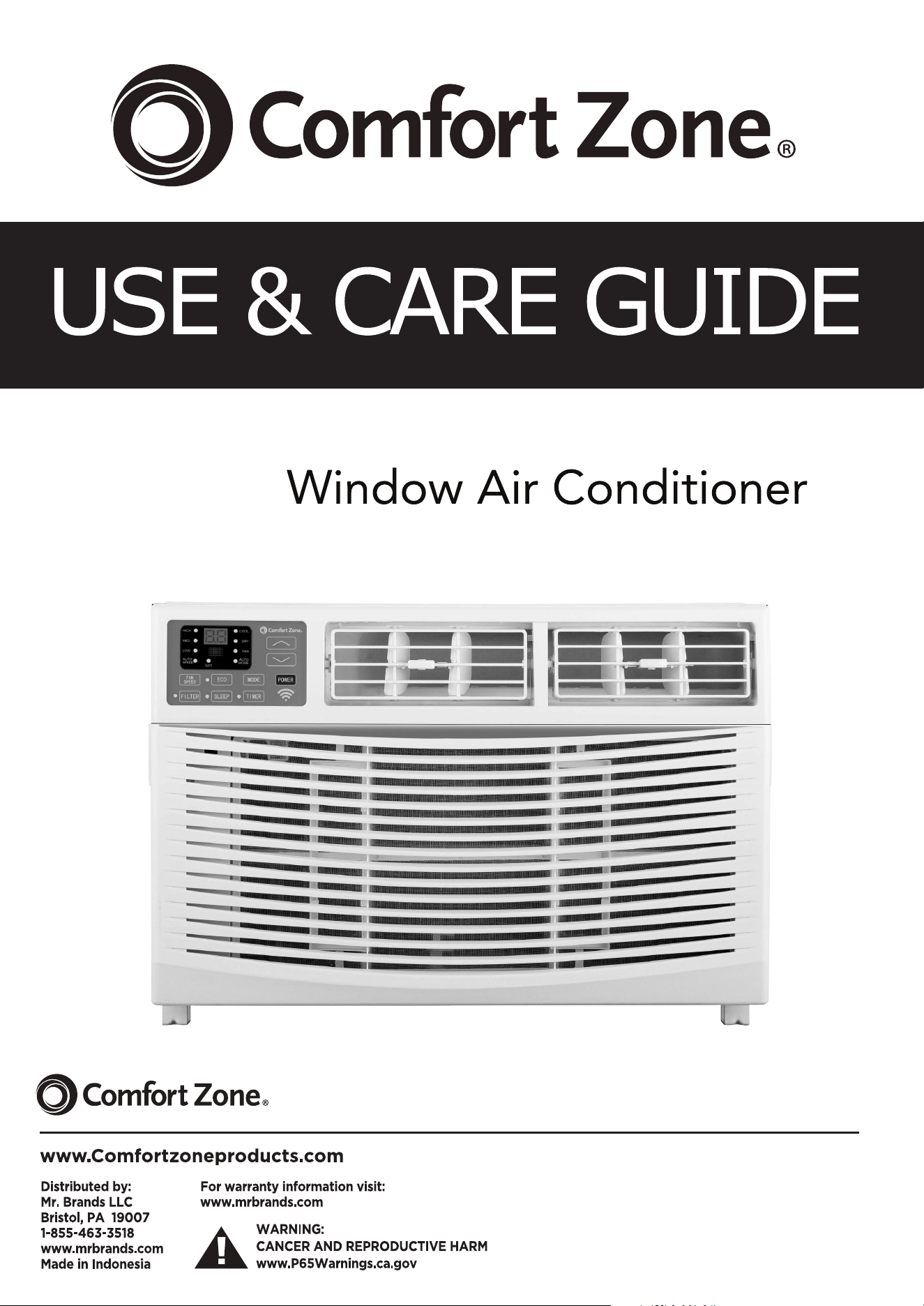
12,000 BTU
Model No: CZ12761


INTRODUCTION
IMPORTANT SAFETY INSTRUCTION ...........................................................................
...................................................................................
PACKING LIST ............................................................................................................
INSTALLATION&ASSEMBLY INSTRUCTIONS ..............................................................
USING YOUR AIR CONDITIONER ................................................................................
........................................................................
CARE AND CLEANING ................................................................................................
TROUBLESHOOTING .................................................................................................
ELECTRICAL REQUIREMENTS
OPERATING YOUR AIR CONDITIONER
1
3
4
5
11
13
14
15
1
2
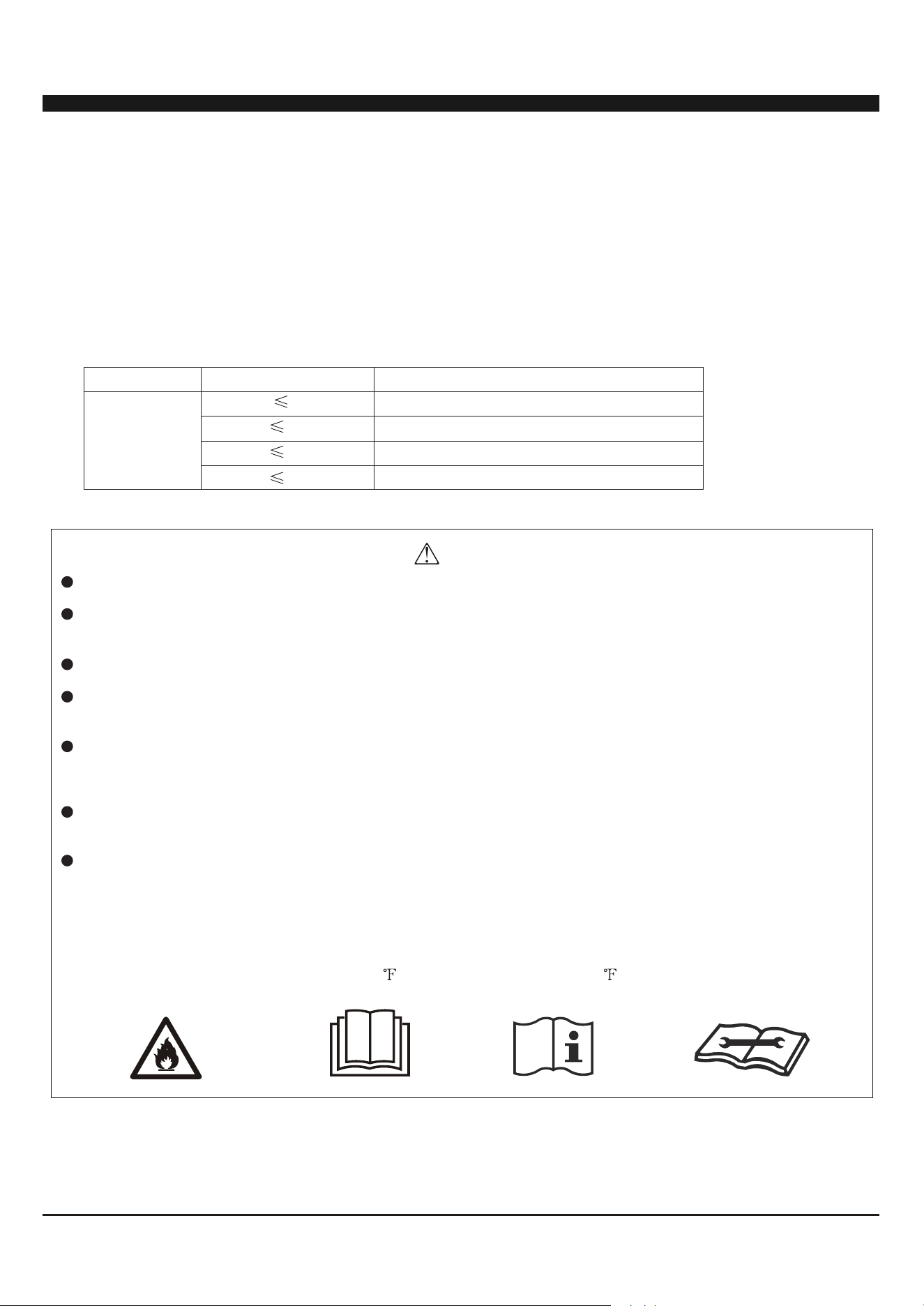
INTRODUCTION TO REFRIGERANTS R32
9K
12K
18K
24K
The refrigerants used for air conditioners are environmentally friendly hydrocarbons R32. This kind of erant is
combustible and odorless. Moreover, it can burn and explode under certain condition. However, there will be no
risk of burning and explosion if you comply with the following table to install your air conditioner in a room with
an appropriate area and use it correctly.
Compared with ordinary refrigerants, Refrigerant R32 is environmentally friendly and do not destroy the ozone
sphere and that its value of greenhouse effect is also very low.
Room area requests for air conditioner with Refrigerant R32
Warnings
Please read the manual before installation, using, maintenance.
Do not use means to accelerate the defrosting process or to clean, other than those recommended by the
manufacturer.
Do not pierce or burn the appliance.
The appliance shall be stored in a room without continuously operating sources (for example: open flames,
an operating ignition gas appliance or an operating electric heater.)
Please contact the nearest after-sale service center when maintenance is necessary. At the time of
maintenance, the maintenance personnel must strictly comply with the Operation Manual provided by the
corresponding manufacturer and any non-professional is prohibited to maintain the air conditioner.
The handling, installation, storage, servicing and disposal must comply with the provisions of gas-related
national laws and regulations, and also national wiring regulation.
It is necessary to clear away the refrigerant in the system when maintaining or scrapping an air conditioner.
Be aware that refrigerants may not contain an odour.
This appliance is not intended for use by persons (including children) with reduced physical, sensory or
mental capabilities, or supervision or instruction concerning use of the appliance by a person responsible for
their safety.
Children should be supervised to ensure that they do not play with the appliance.
Unit operation limits: Outdoor side 61~110 , 80%RH; indoor side 61~90 , 80%RH.
R32
Refrigerant
Capacity(Btu)
Room Area
2
Above 4m
2
Above 4m
2
Above 15m
2
Above 25m
A2L
3
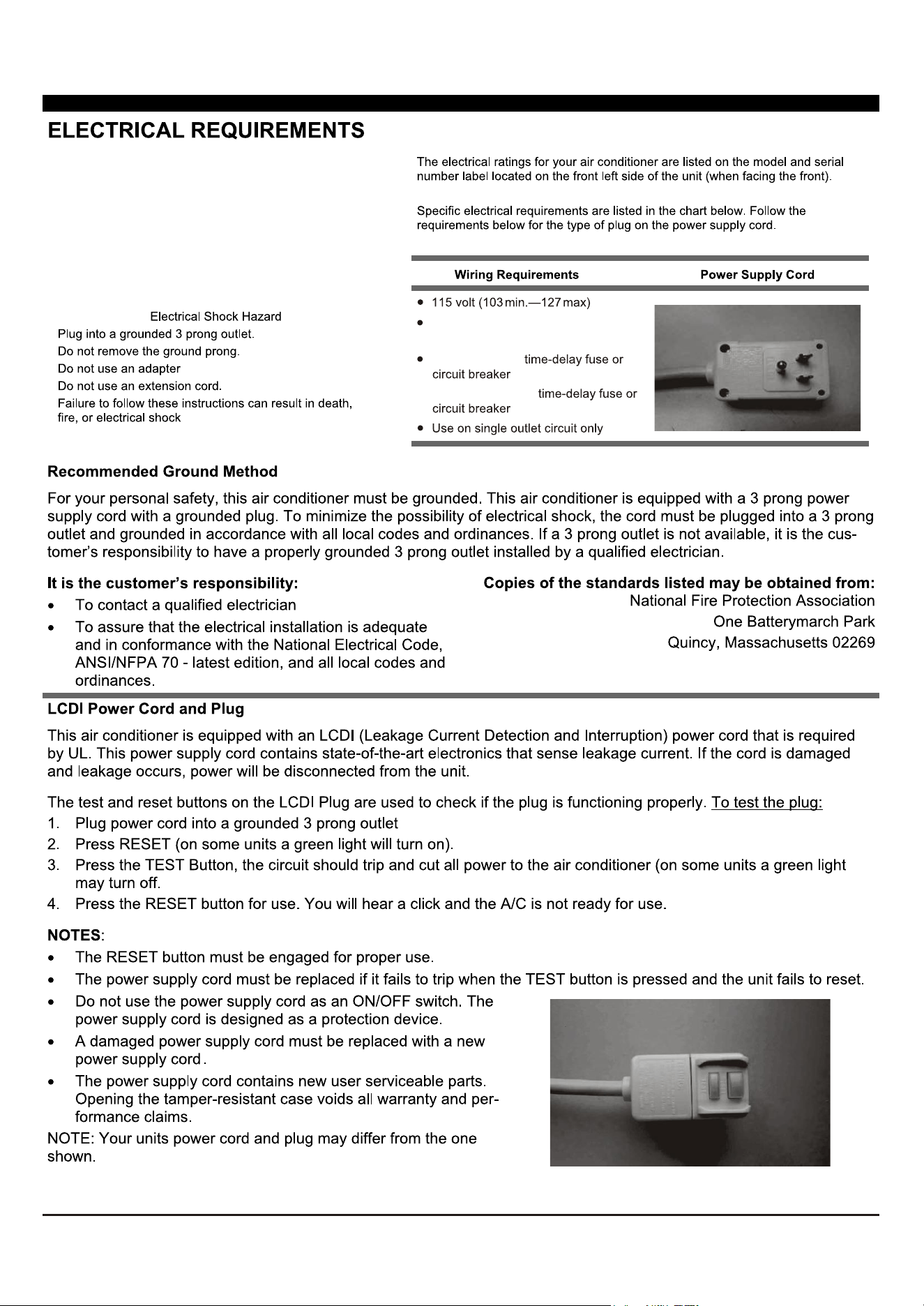
(6K-8K) 0-8 amps
(10K-12K) 0-12 amps
(6K-8K) 10-amp
(10K-12K) 15-amp
If the SUPPLY CORD is damaged, it must be replaced by the manufacturer, its service agent or similarly qualified
persons in order to avoid a hazard.
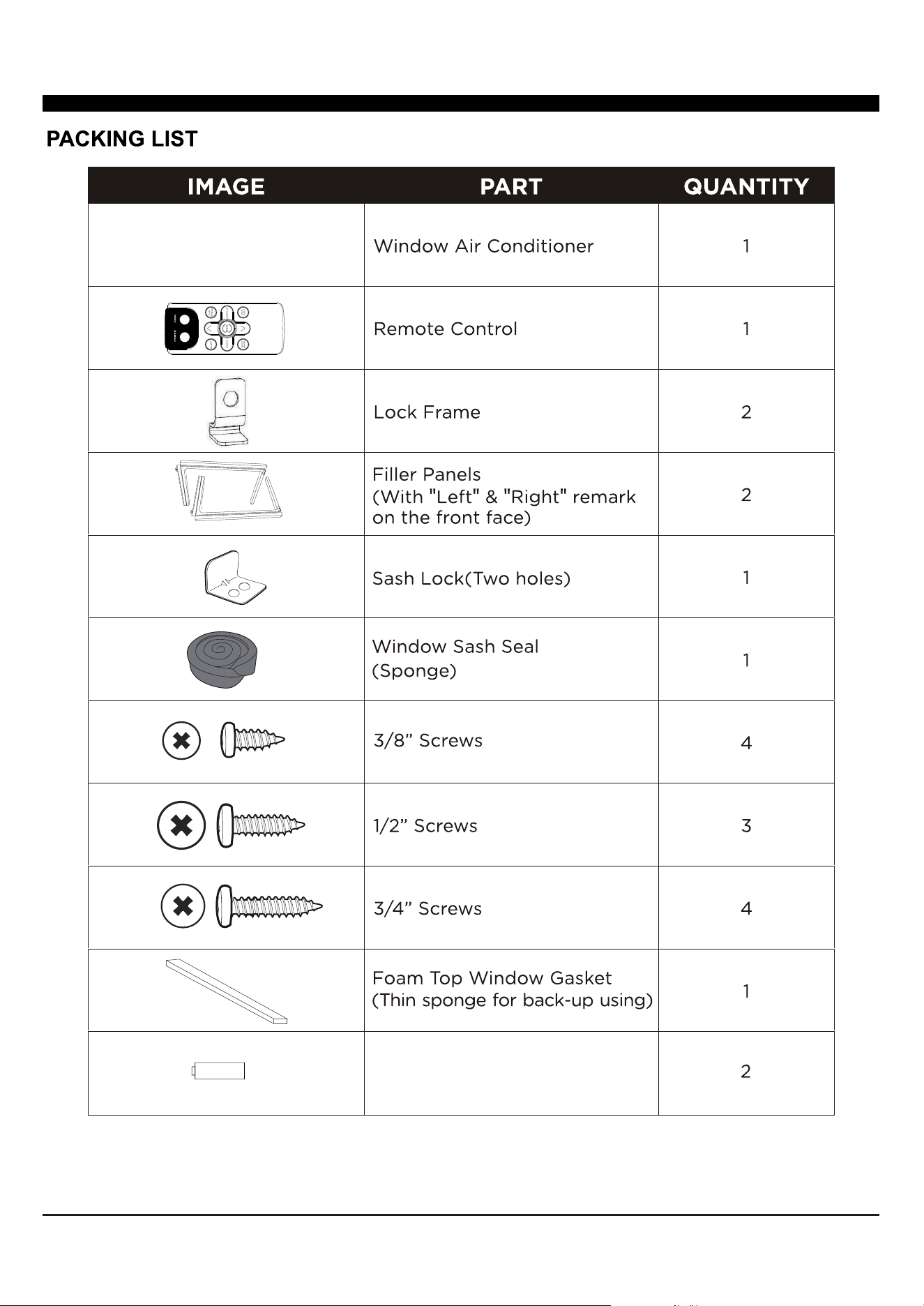
4
battery
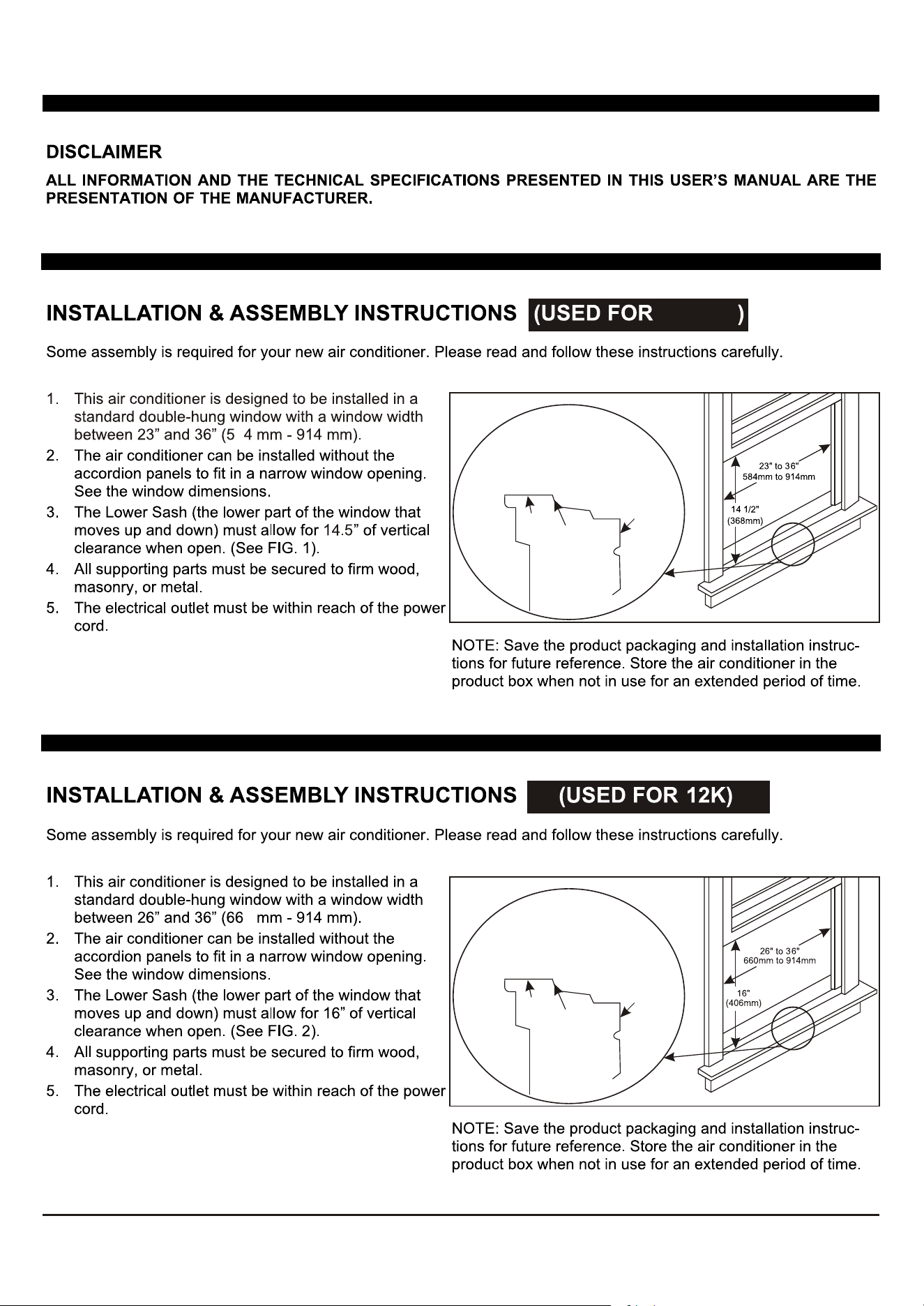
5
FIG. 1
FIG. 2
0
8
OFFSET
STOOL
SILL
INTERIOR
WALL
EXTERIOR
WALL
OFFSET
STOOL
SILL
INTERIOR
WALL
EXTERIOR
WALL
8K/10K
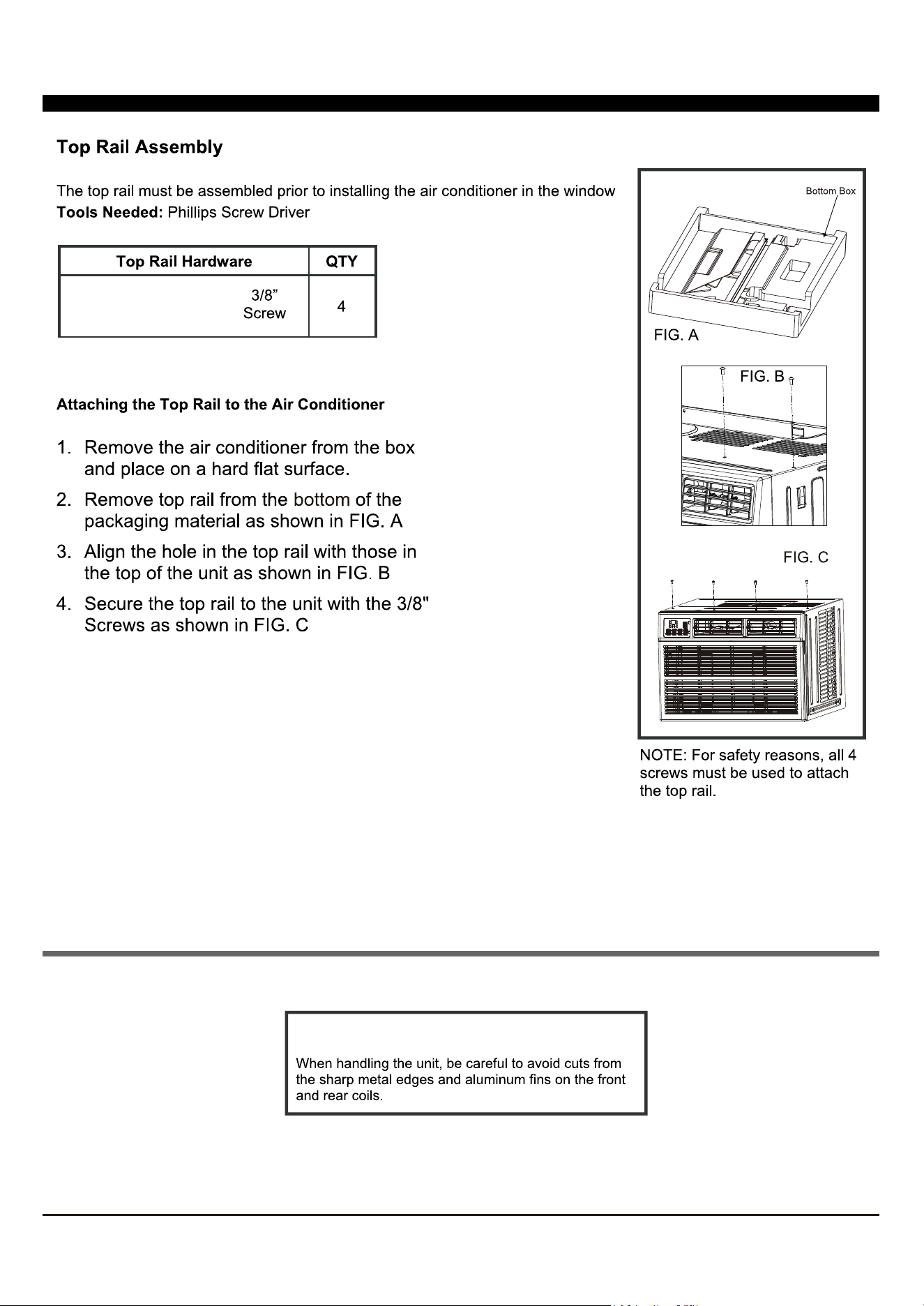
6
(Only used for 8K/10K)
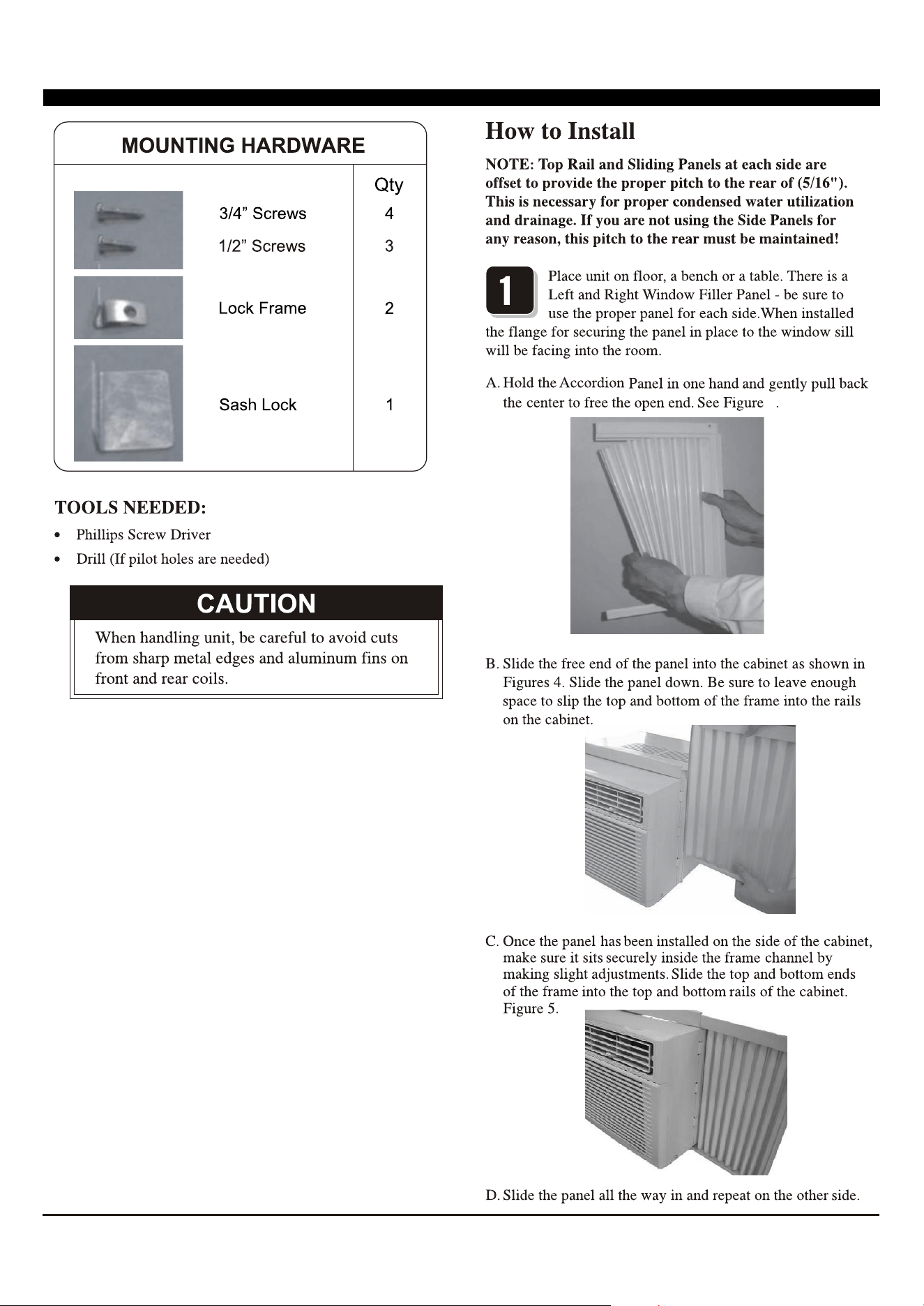
7
FIG. 3
3
FIG. 4
FIG. 5
8
(Suggest to keep a downward
oblique, to let accumulated rain water to drain out,
from back side of the unit bottom.)
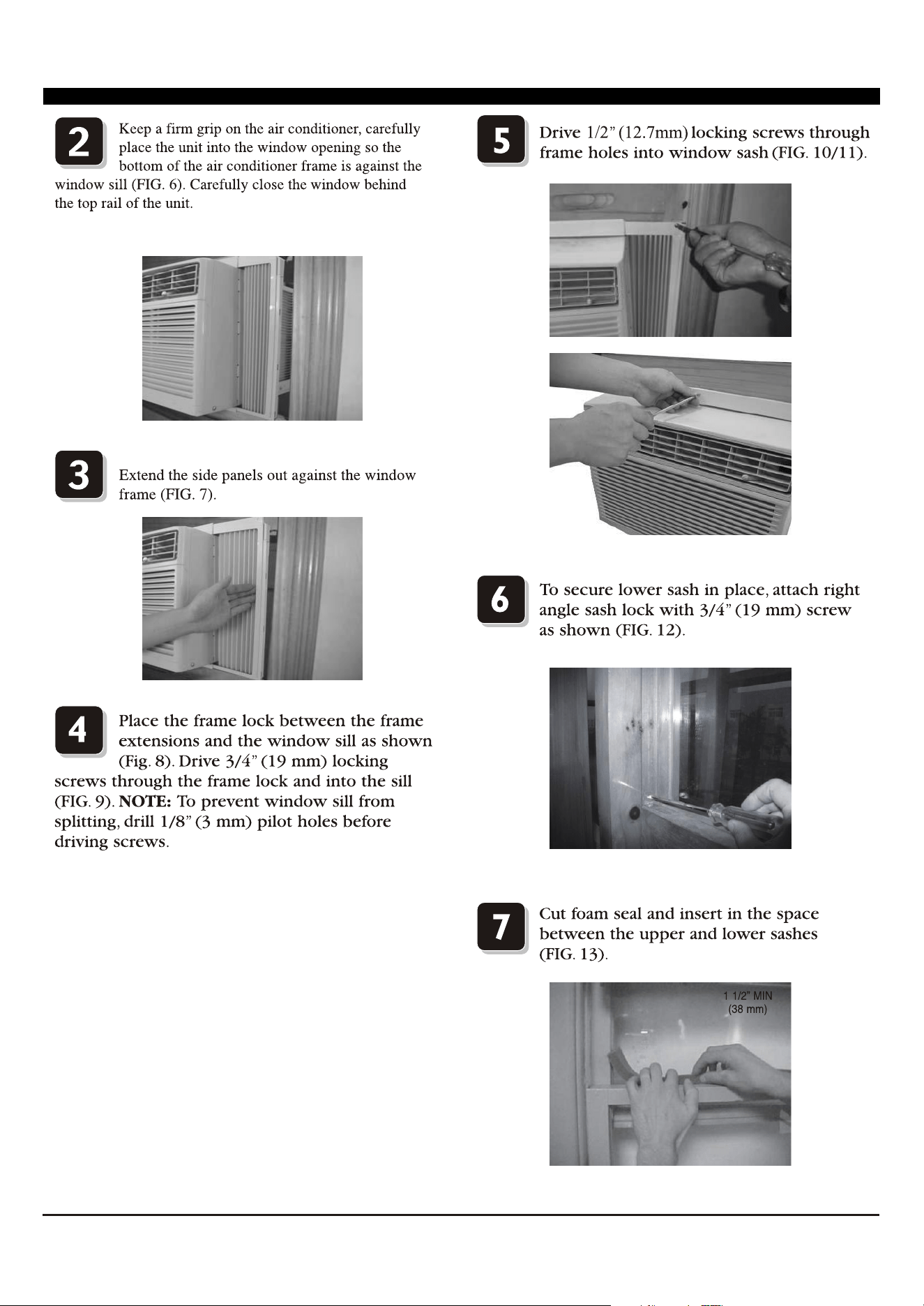
FIG. 6
FIG. 7
FIG. 8
FIG. 9
FIG. 10
FIG. 11
FIG. 12
FIG. 13
9
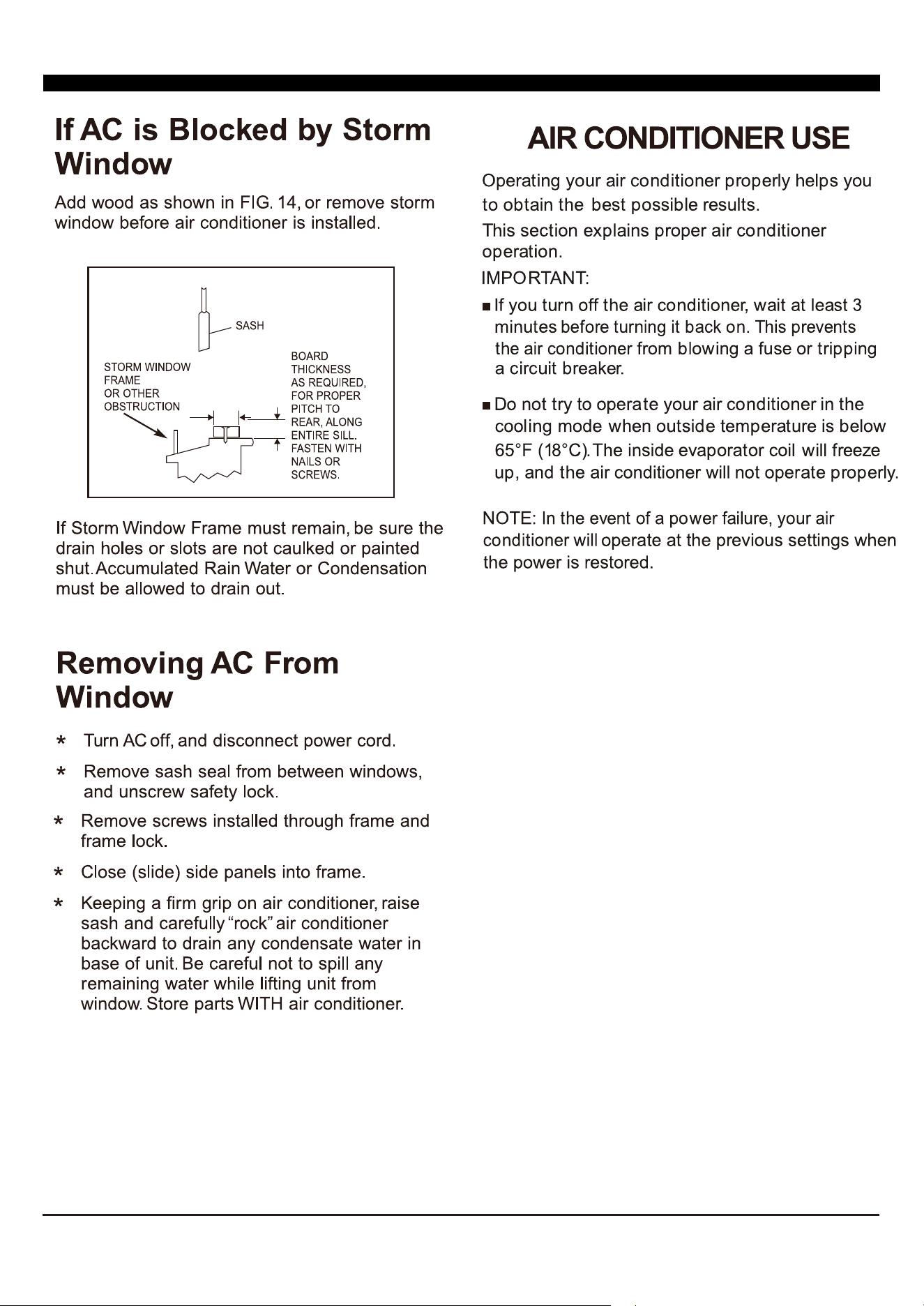
99FIG. 14
10
INSTALLATION & ASSEMBLY INSTRUCTIONS
Introduction to Refrigerants R32
Before installing the appliance, you must read the manual carefully to get the safety
information and notes.
When filling the combustible refrigerant, any of your rude operations may cause serious
injury or injuries to human body or bodies and object or objects.
A leak test must be done after the installation is completed.
It is a must to do the safety inspection before maintaining or repairing an air conditioner
using combustible refrigerant in order to ensure that the fire risk is reduced to minimum.
It is necessary to operate the machine under a controlled procedure in order to ensure
that any risk arising from the combustible gas or vapor during the operation is reduced to
minimum.
Requirements for the total weight of filled refrigerant and the area of a room to be equipped
with an air conditioner.
1. Site Safety
2. Operation Safety
Open Flames Prohibited Ventilation Necessary
Open Flames Prohibited
Mind Static Electricity Must Wear Protective Clothing and anti-static gloves
Don't use mobile phone
3. Installation Safety
Refrigerant Leak Detector
Appropriate Installation Location
The left picture is the schematic diagram of a refrigerant leak detector.
Please note that:
1. The installation site should be in a well-ventilated condition.
2. The sites for installing and maintaining an air conditioner using Refrigerant R32 should be free from open fire
or welding, smoking, drying oven or any other heat source higher than 548 which easily produces open fire.
3. When installing an air conditioner, it is necessary to take appropriate anti-static measures such as wear anti-
static clothing and/or gloves.
4. It is necessary to choose the site convenient for installation or maintenance wherein the air inlets and outlets of
the indoor and outdoor units should be not surrounded by obstacles or close to any heat source or combustible
and/or explosive environment.
5. If the indoor unit suffers refrigerant leak during the installation, all the personnel should go out till the refrigerant
leaks completely for 15 minutes. If the product is damaged, it is a must to carry such damaged product back to
the maintenance station and it is prohibited to weld the refrigerant pipe or conduct other operations on the user's
site.
6. It is necessary to choose the place where the inlet and outlet air of the indoor unit is even.
7. It is necessary to avoid the places where there are other electrical products, power switch plugs and sockets,
kitchen cabinet, bed, sofa and other valuables right under the lines on two sides of the indoor unit, and also
prevent mechanical damage from occurring.
A2L
11
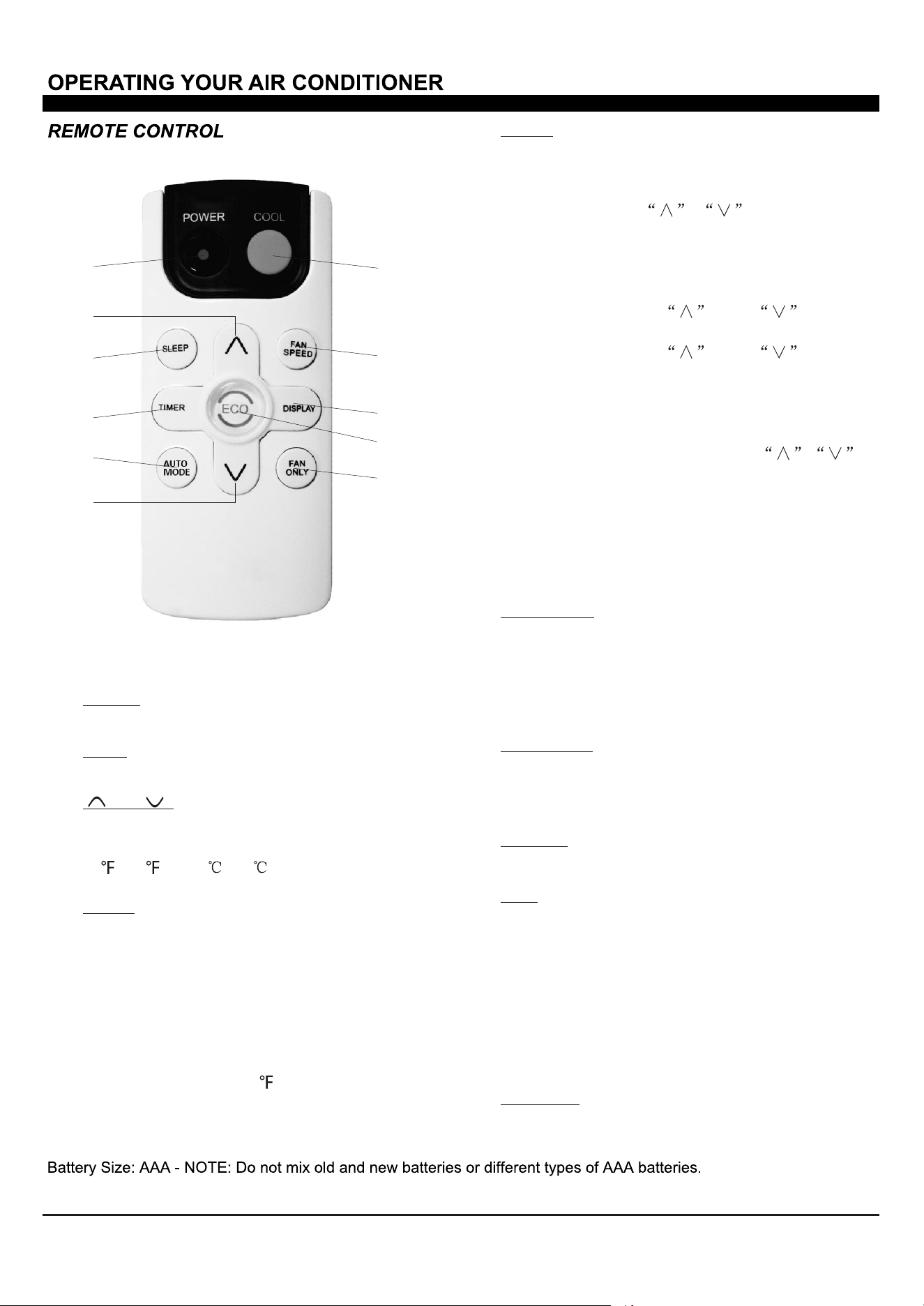
1. Without timer setting,the
operation mode is Cooling,Dry, Fan and Auto,and
the set temperature will be displayed.
Time will be displayed under timer setting.
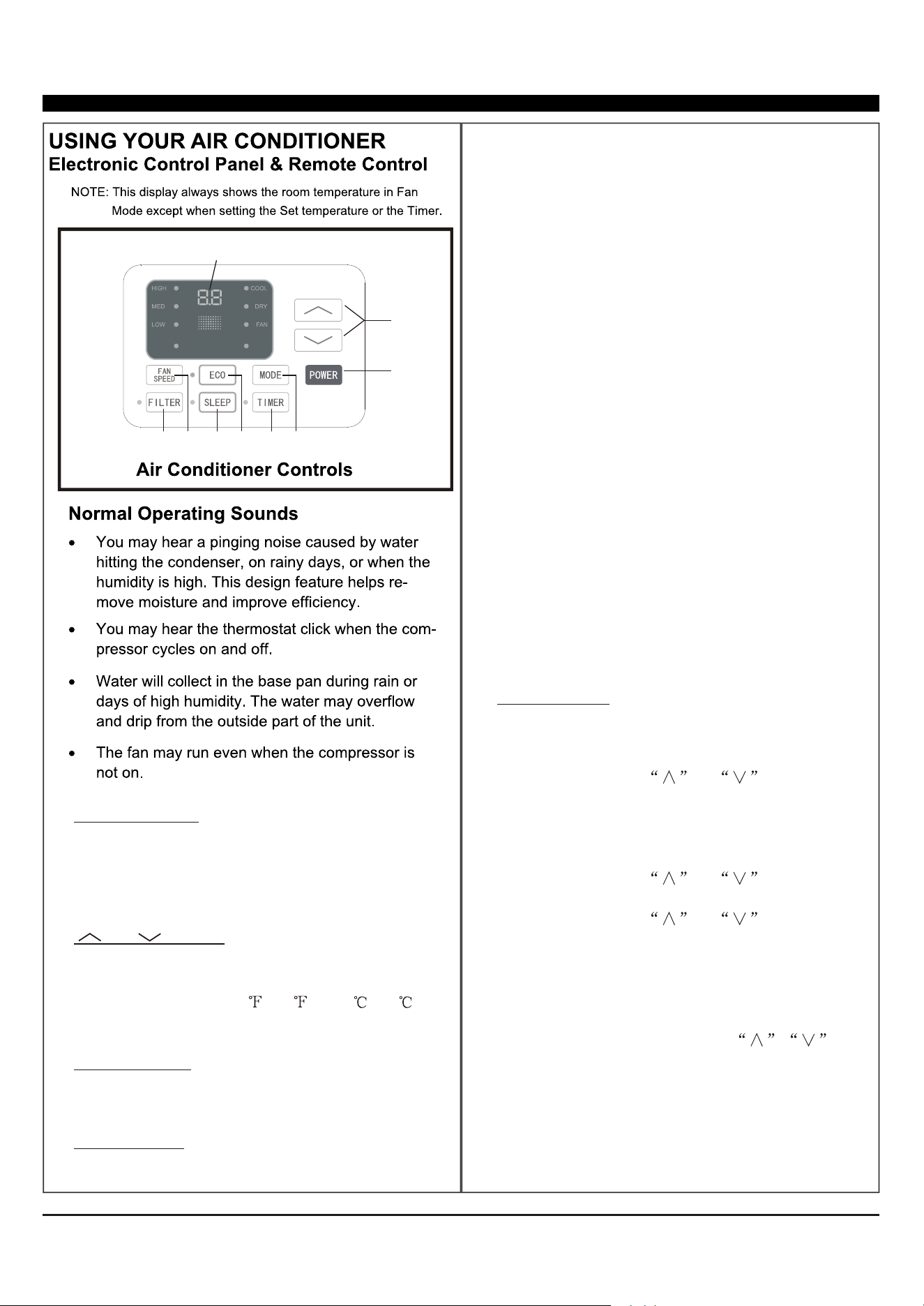
Digital Display:
and Button:2. Use these buttons on the
control panel and remote to increase or decrease
the Set Temperature or Timer.
Temperature range: 61 ~88 or 16 ~31 .
3. Turn the air conditioner on and
off.
Power Button:
Press the mode button to cycle
through the various modes: Cool, Dry, Fan and
Auto.
4. Mode Button:
Use these buttons on the control
panel and remote to set the Timer.
Timer Off: The timed stop is programmed by
pressing TIMER button. Set the rest time by
pressing the button or until the rest
time displayed is to your demand then press
TIMER button again.
Timer On: When the unit is off, press TIMER
button at the first time, set the temperature with
pressing the button or . Press TIMER
button at the second time, set the rest time with
pressing the button or . Press TIMER
button at the third time, confirm the setting, then
the rest time to next automatical switching-on
could be read on the display of the machine.
Note: It can be set to automatically turn off or on in
0.5-24 hours. Each press of the
buttons will increase or decrease the timer. The
Timer can be set in 0.5 hours increment below 10
hours and 1 hour increment for 10 hours or above.
The SET light will turn on while setting.
To cancel the setted function, press the TIMER
button again.
5. Timer Button:
Cool Mode: The cooling function allows the air
conditioner to cool the room and at the same time
reduces Air humidify. Press the MODE button to
activate the cooling function. To optimize the
function of the air conditioner, adjust the
temperature and the speed by pressing the button
indicated.
Dry Mode: This function reduces the humidity of
the air to make the room more comfortable. Press
MODE button to set the DRY mode. An automatic
function of alternating cooling cycles and air fan
is activated.
Fan Mode: The conditioner works in only
ventilation. Press MODE button to set the FAN
mode. With pressing FAN SPEED button the
speed changes in the following sequence: Hi, Med
and Lo in FAN mode. The remote control also
stories the speed that was set in the previous
mode of operation.
Auto Mode: In AUTO mode the unit automatically
chooses the fan speed and the mode of operation
(COOL,DRY or FAN).In this mode the fan speed
and the temperature are set automatically
according to the room temperature (tested by
the temperature sensor which is incorporated
in the indoor unit.).
1
2
3
4
5
6
7
8
9
AUTO
SPEED
AUTO
MODE
12
When the unit is in ECO mode, the
light will turn on. In ECO mode, the unit will
turn off once the room is cooled to the user-set
temperature.
The unit will turn back on when the room
temperature rises above the user-set temperature.
Before the compressor starts, the fan motor will
run for a while, then it will stop for a while, and will
repeat to provide a much more comfortable feeling
and save energy.
6. Eco Button:
7. Sleep Button:
Press the FAN SPEED button
to choose the fan speed options. You can choose
Hi, Med, Lo or auto speed in COOL mode and
choose Hi, Med, Lo in FAN mode.
8. Fan Speed Button:
9.
When the Filter Check light is off,
it is not necessary to press the Filter Check button.
When the Filter Check light is on, you can turn off
the light by pressing the Filter Check button. After
the fan motor works for 500 total hours, the Filter
Check light will turn on to remind the user to clean
the filter.
Filter Button:
10.
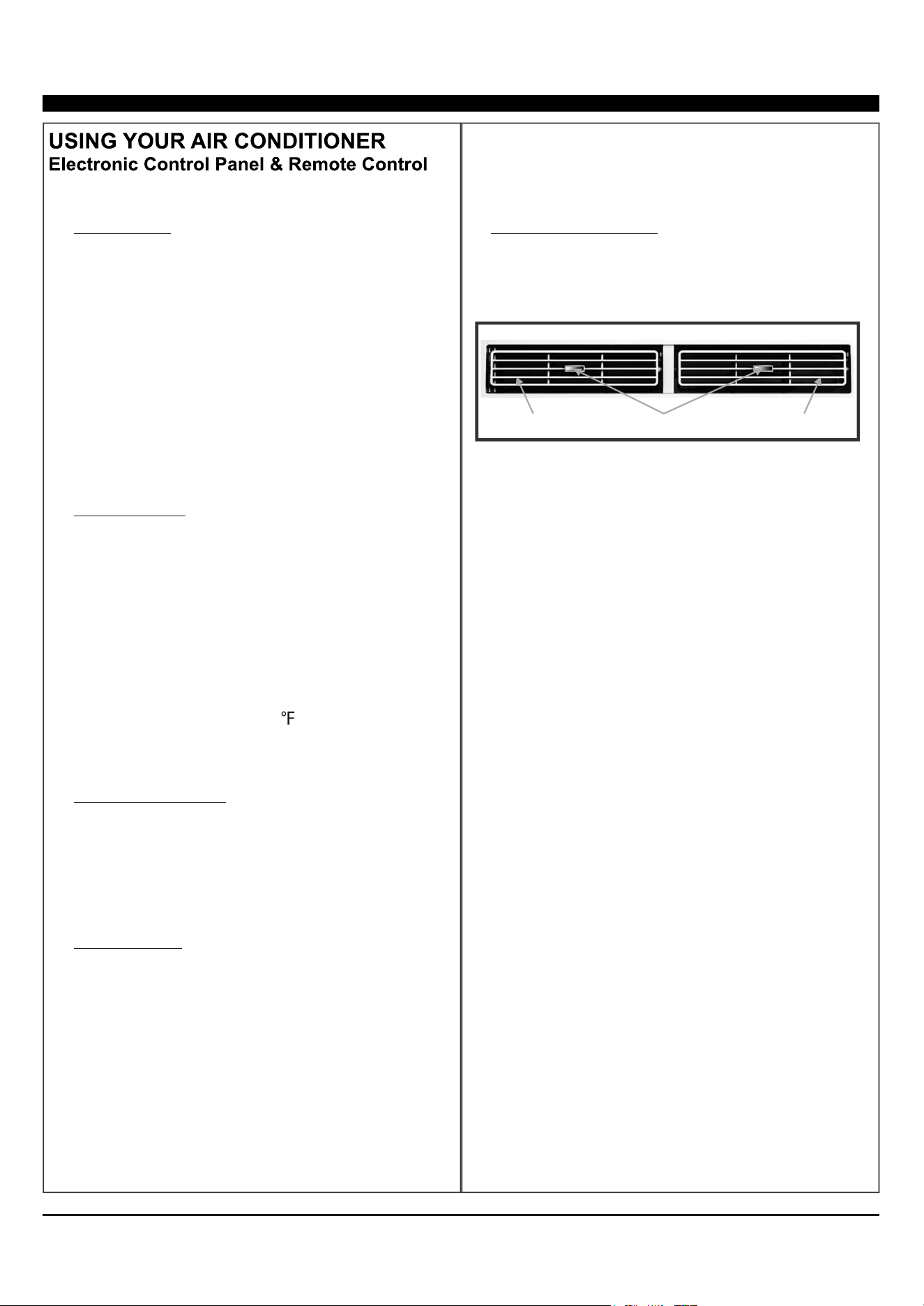
To direct the airflow,
horizontal wheel to control the horizontal
direction, control the
vertical direction.
use the
and use the air deflectors to
Directional Louvers:
horizontal wheelair deflector air deflector
Press the SLEEP button, all of the
display lights will turn off after a while, but the
Sleep light is always on. In SLEEP mode, the air
conditioner will automatically adjust the
temperature and fan speed to make the room
more comfortable during the night. The set
temperature will automatically raise every 30-60
minutes, and at most change six times until the
set temperature is 81 or 82 .
13
1
4
5
6
3
3
7
8
10
9
2
Fan Only:
Press the FAN SPEED button to
choose the fan speed options. You can choose
Hi, Med, Lo or auto speed in COOL mode and
choose Hi, Med, Lo in FAN mode.
7. Fan Speed:
To press the DISPLAY button, it can
switch off/on all lights or LED display.
8. Display:
Use these buttons on the control panel
and remote to set the Timer.
Timer Off: The timed stop is programmed by
pressing TIMER button. Set the rest time by
pressing the button or until the rest
time displayed is to your demand then press
TIMER button again.
Timer On: When the unit is off, press TIMER
button at the first time, set the temperature with
pressing the button or . Press TIMER
button at the second time, set the rest time with
pressing the button or . Press TIMER
button at the third time, confirm the setting, then
the rest time to next automatical switching-on
could be read on the display of the machine.
Note:
It can be set to automatically turn off or on
in 0.5-24 hours. Each press of the
buttons will increase or decrease the timer. The
Timer can be set in 0.5 hours increment below
10 hours and 1 hour increment for 10 hours or
above. The SET light will turn on while setting.
To cancel the set function, press the TIMER
button again.
5. Timer:
In AUTO mode the unit automatically
chooses the mode of operation(COOL,DRY or
FAN). In this mode the temperature will be set
automatically according to the room temperature
(tested by the temperature sensor which is
incorporated in the indoor unit.).
6. Auto Mode:
1.
Turn the air conditioner on and off.
Power:
2.
Press the COOL button to COOL mode.
Cool:
and :3.
Use these buttons on the control
panel and remote to increase or decrease the
Set Temperature or Timer. Temperature range:
61 ~88 or 16 ~31 .
When the unit is in ECO mode, the light
will turn on. In ECO mode, the unit will turn off
once the room is cooled to the user set temperature.
The unit will turn back on when the room
temperature rises above the user set temperature.
Before the compressor starts, the fan motor will
run for a while, then it will stop for a while, and will
repeat to provide a much more comfortable feeling
and save energy.
Press the Fan Only button to FAN
ONLY mode.
9.
10.
Eco:
Press the SLEEP button, all of the
display lights will turn off after a while, but the
Sleep light is always on. In SLEEP mode, the air-
conditioner will automatically adjust the tempera-
ture and fan speed to make the room more comfor-
table during the night. The set temperature will
automatically raise every 30-60 minutes
and at most change six times until the set
temperature is 81 or 82 .
4. Sleep:
14
FIG. 15
15
15
16
WARNING
-Do not use means to accelerate the defrosting process or to clean, other than those
recommended by the manufacturer;
-The appliance shall be stored in a room without continuously operating ignition sources
(for example: open flames, an operating gas appliance or an operating electric heater.
-Do not pierce or burn.
-Be aware that refrigerants may not contain an odour.
Information:
1), information for handling, installation, cleaning please prefer page 5~14, servicing and
disposal of refrigerant please contact the manufacturer to advise.
2), a warning: keep 300mm ventilation openings clear of obstruction.
3), a notice: servicing shall be performed only as recommended by the manufacturer.
4), Information for qualification of workers
5), Information on servicing
6), Repairs to sealed components
7), Repairs to Intrinsically safe components
8), Cabling
9), Detection of flammable refrigerants
10), Removal and evacuation
11), Charging procedures
12), Decommissioning, labelling and recovery