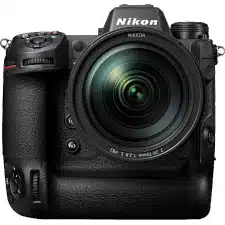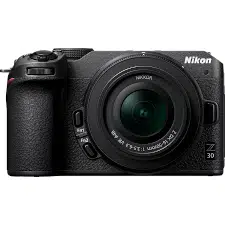
• Read this document thoroughly before using the camera.
• To ensure proper use of the camera, be sure to read “For your safety” (overleaf).
• After reading this document, keep it readily accessible for future reference.
No reproduction in any form of this document, in whole or in part (except for brief quotation in
critical articles or reviews), may be made without written authorization from NIKON CORPORATION.
En_03
D Lens kit lenses
For information on lenses supplied as part of a lens kit, see the lens
documentation available for download from the Nikon Download
Center.
D The Nikon Download Center
Visit the Nikon download center to download the latest
rmware for cameras and lenses, NX Studio and other
Nikon software, and documentation for Nikon products
including cameras, NIKKOR lenses, and ash units.
https://downloadcenter.nikonimglib.com/
D Genuine Nikon software
Nikon computer software such as NX Studio is available from the Nikon
Download Center. For more information, see the “Reference Guide”.
Package contents
Be sure all items listed here were included with your camera.
❏ Camera
❏ BF-N1 body cap
❏ EN-EL25 rechargeable Li-ion
battery
❏ Strap
❏ Warranty (see left)
❏ User’s Manual (this sheet)
❏ UC-E24 USB cable
• Memory cards are sold separately.
• Purchasers of the lens kit option should conrm that the package
also includes a lens.
• This camera uses SD, SDHC, and SDXC memory cards, referred to
throughout this document as “memory cards”.
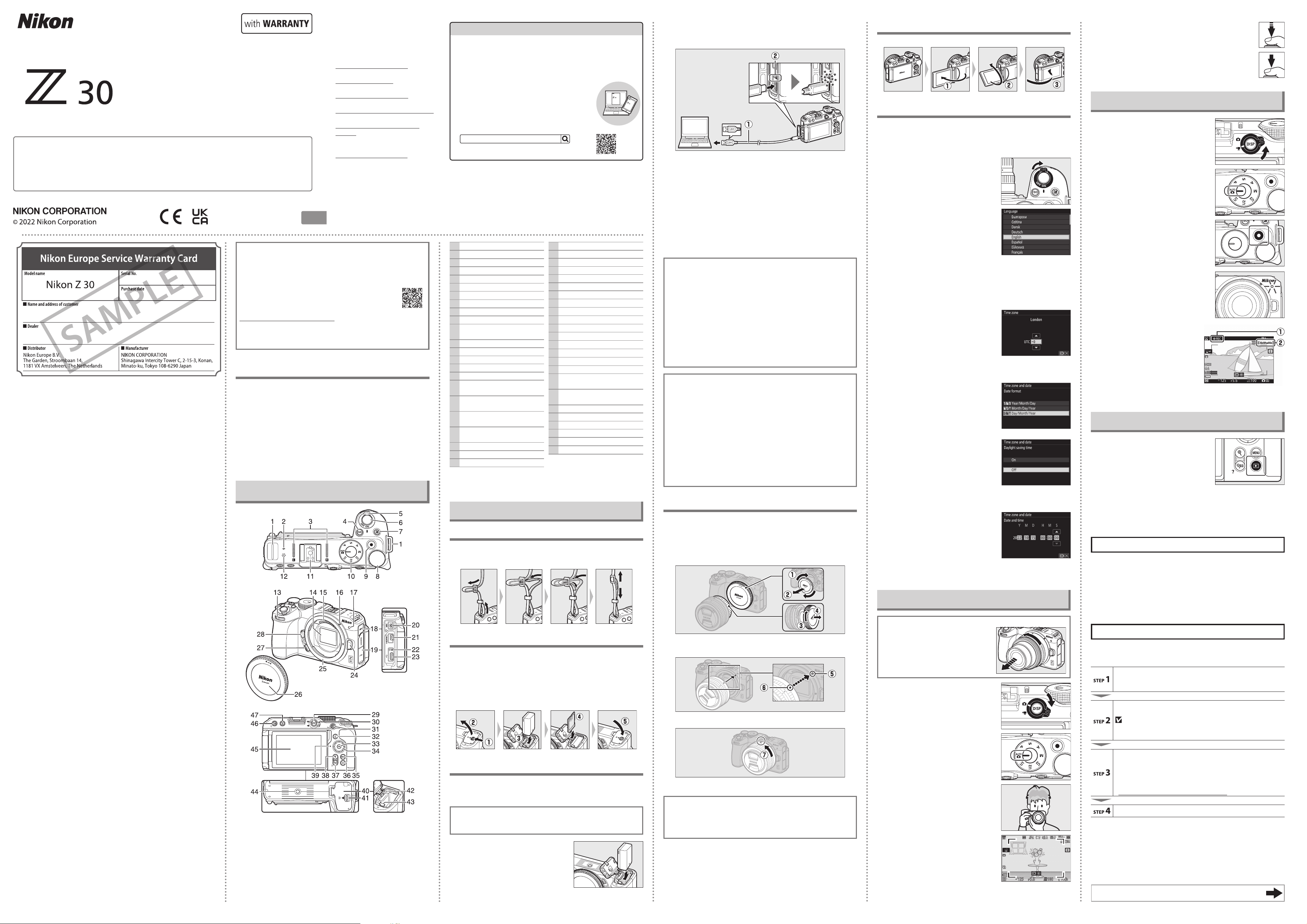
Parts of the camera
1 Eyelet for camera strap
2
E (focal plane mark)
3 Stereo microphone
4
S button
5 Power switch
6 Shutter-release button
7
E button
8 Main command dial
9 Video-record button
10 Mode dial
11 Accessory shoe (for optional
ash unit)
12 Speaker
13 Sub-command dial
14 Image sensor
15 CPU contacts
16 Lens mounting mark
17 REC lamp
Self-timer lamp
18 Cover for microphone
connector
19 Cover for HDMI and USB
connectors
20 Connector for external
microphone
21 HDMI connector
22 Charge lamp
23 USB connector
24 Lens release button
25 Lens mount
26 Body cap
27 Fn2 button
28 Fn1 button
29 DISP button
30 Photo/video selector
31
A (g) button
32
i button
33
J button
34 Multi selector
35
G button
36
K button
37
W (Q) button
38
X button
39
Memory card access lamp
40 Battery-chamber/memory card
slot cover
41 Battery-chamber/memory card
slot cover latch
42 Memory card slot
43 Battery latch
44 Tripod socket
45 Monitor
46
c (E) button
47
O button
• Throughout this document, the display in camera monitor during
shooting is referred to as the “shooting display”.
First steps
Attaching the strap
To attach a strap (whether the supplied strap or one that has been
purchased separately):
Inserting the battery and a memory card
• Turn the camera o before inserting or removing the battery and
memory card.
• Using the battery to keep the orange battery latch pressed to
one side, slide the battery into the battery chamber until the
latch locks it in place.
• Holding the memory card in the orientation shown, slide it
straight into the slot until it clicks into place.
Charging the battery
Fully charge the supplied EN-EL25 battery before use. With
the battery inserted in the camera, connect the camera with a
computer using the supplied USB cable to charge.
D Battery care
Read and follow the warnings and cautions in “For your safety”
(overleaf) and “Caring for the camera and battery: Cautions” (overleaf).
1
Insert the EN-EL25 into the
camera.
2
After conrming that the camera is o, connect the supplied
USB cable (q) to the camera, and then connect it to a computer.
Do not use force or attempt to insert the connectors at an angle.
• Turn on the computer before charging.
• The camera charge lamp (w) lights amber while charging is
in progress. The lamp turns o when charging is complete.
• A battery will fully charge in about 7 hours and 40 minutes
(when charging an exhausted battery at an input of 5 V/500
mA). Depending on the standard and type of USB connector
on the computer, the charging time may be shorter.
• When charging is complete, disconnect the USB cable. Be sure
to keep the connectors straight when disconnecting them.
• Computers will also supply current to power the battery when
connected via a UC-E25 USB cable (available separately).
D Notes when charging using the supplied USB cable
• If the battery cannot be charged using the supplied USB cable to
connect the camera and computer, for example because the battery
is not compatible or the temperature of the camera is elevated, the
charge lamp will ash rapidly for about 30 seconds and then turn o.
If the charge lamp is o and you did not observe the battery charging,
turn the camera on and check the battery level.
• When charging, do not use the connectors of a USB hub or keyboard.
Connect the camera and computer directly.
• If the computer goes into hibernation (sleep mode) while charging,
the camera stops charging. To continue charging, wake up the
computer from hibernation (sleep mode).
• Depending on the model and product specications, some computers
will not supply current to charge the camera.
A Using the supplied USB cable or a separately sold UC-E25 USB cable to supply
power
• If [Enable] is selected for [USB power delivery] in the setup menu,
the camera will be supplied with power when it is turned on.
• The battery will not charge while the camera is powered by an outside
source.
• If you use the supplied USB cable to supply power from a computer,
the camera battery will be consumed even while power is being
supplied. If you use the separately sold UC-E25 USB cable, the camera
battery will not be consumed (the camera battery may be consumed
depending on your computer model and specications).
A Charging or supplying power from a household outlet
When charging or supplying power from a household outlet, use the
separately sold EH-7P Charging AC Adapter.
Attaching a lens
• The camera can be used with Z mount lenses. The lens generally
used in this document for illustrative purposes is a NIKKOR Z DX
16–50mm f/3.5–6.3 VR.
• Be careful to prevent dust entering the camera.
• Conrm that the camera is o before attaching the lens.
-
Remove the camera body cap (q, w) and rear lens cap (e, r).
-
Align the mounting marks on the camera (t) and lens (y). Do not
touch the image sensor or lens contacts.
-
Rotate the lens as shown until it clicks into place (u).
• Remove the front lens cap before taking pictures.
D F mount lenses
• Be sure to attach the FTZ II/FTZ mount adapter (available separately)
before using F mount lenses.
• Attempting to attach F mount lenses directly to the camera could
damage the lens or image sensor.
❚❚ Detaching lenses
• After turning the camera o, press and hold the lens release
button while turning the lens in the direction opposite that of
attachment to detach the lens.
• After removing the lens, replace the lens caps and camera body cap.
Opening the monitor
Slowly rotate the monitor without using excessive force.
Turning on the camera
When the camera is turned on for the rst time, the language
selection screen is displayed. Choose a language and then set the
camera clock (no other operations can be performed until the
clock is set).
1
Turn the camera on.
• The [Language] selection screen
will be displayed.
2
Select a language.
• Press 1 or 3 to highlight the desired language and press J
(the languages available vary with the country or region in
which the camera was originally purchased).
• The [Time zone] screen will be displayed.
3
Choose a time zone.
• Press 1 or 3 to choose a time
zone and press J.
• The display shows the selected
cities in the chosen zone and the
dierence between the time in the
chosen zone and UTC.
• The [Date format] screen will be displayed.
4
Choose a date format.
• Highlight the desired date (year,
month, and day) display order and
press J.
• The [Daylight saving time] screen
will be displayed.
5
Turn daylight saving time on or o.
• Highlight [On] (daylight saving
time on) or [O] (daylight saving
time o) and press J.
• Selecting [On] advances the clock
one hour; to undo the eect,
select [O].
• The [Date and time] screen will be displayed.
6
Set the clock.
• Press 4 or 2 to highlight date and
time items and press 1 or 3 to
change them.
• Press J to conrm the date and
time setting.
• The message [Done.] will be displayed and the camera
switches to shooting mode.
Taking photographs easily (b auto)
D Lenses with retractable barrels
Lenses with retractable barrels must be
extended before use. Rotate the zoom
ring as shown until the lens clicks into the
extended position.
1
Select photo mode by rotating the
photo/video selector to C.
2
Rotate the mode dial to b.
3
Ready the camera.
4
Frame the photograph.
5
Press the shutter-release button
halfway to focus.
6
Smoothly press the shutter-release
button the rest of the way down to
take the photograph.
Recording videos easily (b auto)
1
Select video mode by rotating the
photo/video selector to 1.
2
Rotate the mode dial to b.
3
Press the video-record button to
start recording.
• The REC lamp will light and a
recording indicator (q) will
be displayed in the monitor.
The monitor also shows the
time remaining, or in other
words the approximate amount
of new footage that can be
recorded to the memory card
(w).
4
Press the video-record button again to end recording.
Viewing photos
Press the K button to view photos and
videos recorded with the camera on the
monitor.
• Press 4 or 2, or ick left or right on
the monitor to view other images.
• Videos are indicated by a 1 icon at the upper left of the monitor.
Press the J button, or tap the a icon in the monitor to play back
videos.
• To end playback and return to shooting mode, press the shutter-
release button halfway.
Caring for the camera
❚❚ Storage
When the camera will not be used for an extended period, remove the
battery. Before removing the battery, conrm that the camera is o. Do not
store the camera in locations that:
• are poorly ventilated or subject to humidities of over 60%
• are next to equipment that produces strong electromagnetic elds, such
as televisions or radios
• are exposed to temperatures above 50 °C (122 °F) or below −10 °C (14 °F)
Troubleshooting
You may be able to resolve any issues with the camera by following the
steps below. Check this list before consulting your retailer or Nikon-
authorized service representative.
Check the list of common problems.
Common problems and solutions are listed in the
troubleshooting section of the Reference Guide.
Turn the camera o and remove the battery, then wait about a minute, re-
insert the battery and turn the camera on.
The camera may continue to write data to the memory card
after shooting. Wait at least a minute before removing the
battery.
Search Nikon websites.
• For support information and answers to frequently asked
questions, visit the website for your country or region (see
“Nikon user support” at the top left corner of this page).
• To download the latest rmware for your camera, visit:
https://downloadcenter.nikonimglib.com/
Consult a Nikon-authorized service representative.
Warranty terms - Nikon Europe service warranty
Dear Nikon customer,
We thank you for your purchasing this Nikon product. Should your Nikon product
require warranty service, please contact the dealer from whom it was purchased
or a member of our authorized service network within the sales territory of Nikon
Europe B.V. (e.g. Europe/Russia/others). See details under:
https://www.europe-nikon.com/support
In order to avoid any unnecessary inconvenience, we advise you to read the user
manuals carefully before contacting the dealer or our authorized service network.
Your Nikon equipment is guaranteed against any manufacturing defects for one
full year from the date of original purchase. If during this period of guarantee
the product proves defective due to improper material or workmanship, our
authorized service network within the sales territory of Nikon Europe B.V. will,
without charge for labor and parts, repair the product in the terms and conditions
set as below. Nikon reserves the right (at its sole discretion) to replace or repair
the product.
1. This warranty is only provided upon presentation of the completed warranty
card and original invoice or purchase receipt indicating the date of purchase,
product type and dealer’s name, together with the product. Nikon reserves the
right to refuse free-of-charge warranty service if the above documents cannot
be presented or if the information contained in it is incomplete or illegible.
2. This warranty will not cover:
• necessary maintenance and repair or replacement of parts due to normal
wear and tear.
• modications to upgrade the product from its normal purpose as described
in user manuals, without the prior written consent of Nikon.
• transport costs and all risks of transport relating directly or indirectly to the
warranty of the products.
• any damage resulting from modications or adjustments which may be
made to the product, without the prior written consent of Nikon, in order
to comply with local or national technical standards in force in any other
country than the ones for which the product was originally designed and/or
manufactured.
3. The warranty will not be applicable in the case of:
• damage caused by misuse including but not limited to failure to use the
product for its normal purpose or according to the user instructions on
the proper use and maintenance, and to installation or use of the product
inconsistent with the safety standards in force in the country where it is used.
• damage caused by accidents including but not limited to lightning, water,
re, misuse or neglect.
• defacing, illegibility or removal of the model or serial number on the
product.
• damage resulting from repairs or adjustments which have been conducted
by unauthorized service organizations or persons.
• defects in any system into which the product is incorporated or with which
it is used.
4. This service warranty does not aect the consumer’s statutory rights under
applicable national laws in force, nor the consumer’s right against the dealer
arising from their sales/purchase contract.
Notice: An overview of all authorized Nikon Service Stations can be found online
by following this Link
(URL = https://www.europe-nikon.com/service/).
Continued overleaf
DIGITAL CAMERA
En
User’s Manual (with Warranty)
Printed in Thailand
6MO04511-03
Z 30 Model Name: N2121
Nikon user support
Should you need technical support, we
oer a number of options.
• For users in the U.S.A.:
https://www.nikonusa.com/
• For users in Canada:
https://www.nikon.ca/
• For users in Mexico:
https://www.nikon.com.mx/
• For users in Latin America:
https://www.nikonamericalatina.com/
• For users in Europe:
https://www.europe-nikon.com/
support
• For users in Asia, Oceania, the
Middle East, and Africa:
https://www.nikon-asia.com/
CT4E03(11)
En_03
The Z 30 User’s Manual and Reference Guide
In addition to this User’s Manual, a Reference Guide is available
for your camera.
❚❚ The User’s Manual (this sheet)
The User’s Manual describes basic camera operations.
❚❚ The Reference Guide
Camera features and operations are detailed in
a Reference Guide, a supplement to the User’s
Manual. The Reference Guide can be viewed on
computers, smartphones, and tablets.
nikon reference guide Z 30
https://onlinemanual.nikonimglib.com/z30/en/
SAMPLE
En_03
For your safety
To prevent damage to property or injury to yourself or to others, read “For your safety”
in its entirety before using this product.
After reading these safety instructions, keep them readily accessible for future
reference.
DANGER: Failure to observe the precautions marked with this icon carries a high
risk of death or severe injury.
WARNING: Failure to observe the precautions marked with this icon could result in
death or severe injury.
CAUTION: Failure to observe the precautions marked with this icon could result in
injury or property damage.
WARNING
Do not use while walking or operating a vehicle.
Failure to observe this precaution could result in accidents or other injury.
Do not disassemble or modify this product. Do not touch internal parts that
become exposed as the result of a fall or other accident.
Failure to observe these precautions could result in electric shock or other injury.
Should you notice any abnormalities such as the product producing smoke, heat,
or unusual odors, immediately disconnect the battery or power source.
Continued operation could result in re, burns or other injury.
Keep dry. Do not handle with wet hands. Do not handle the plug with wet hands.
Failure to observe these precautions could result in re or electric shock.
Do not let your skin remain in prolonged contact with this product while it is on
or plugged in.
Failure to observe this precaution could result in low-temperature burns.
Do not use this product in the presence of ammable dust or gas such as
propane, gasoline or aerosols.
Failure to observe this precaution could result in explosion or re.
Do not directly view the sun or other bright light source through the lens.
Failure to observe this precaution could result in visual impairment.
Do not aim the ash at the operator of a motor vehicle.
Failure to observe this precaution could result in accidents.
Keep this product out of reach of children.
Failure to observe this precaution could result in injury or product malfunction. In
addition, note that small parts constitute a choking hazard. Should a child swallow
any part of this product, seek immediate medical attention.
Do not entangle, wrap or twist the straps around your neck.
Failure to observe this precaution could result in accidents.
Do not use batteries, chargers, AC adapters, or USB cables not specically
designated for use with this product. When using batteries, chargers, AC
adapters, and USB cables designated for use with this product, do not:
- Damage, modify, forcibly tug or bend the cords or cables, place them under
heavy objects, or expose them to heat or ame.
- Use travel converters or adapters designed to convert from one voltage to
another or with DC-to-AC inverters.
Failure to observe these precautions could result in re or electric shock.
Do not handle the plug when charging the product or using the AC adapter
during thunderstorms.
Failure to observe this precaution could result in electric shock.
Dust on or near the metal parts of the plug should be removed with a dry cloth.
Continued use could result in re.
Do not handle with bare hands in locations exposed to extremely high or low
temperatures.
Failure to observe this precaution could result in burns, or frostbite.
CAUTION
Do not leave the lens pointed at the sun or other strong light sources.
Light focused by the lens could cause re or damage to product’s internal parts.
When shooting backlit subjects, keep the sun well out of the frame. Sunlight
focused into the camera when the sun is close to the frame could cause re.
Turn this product o when its use is prohibited. Disable wireless features when
the use of wireless equipment is prohibited.
The radio-frequency emissions produced by this product could interfere with
equipment onboard aircraft or in hospitals or other medical facilities.
Remove the battery and disconnect the AC adapter if this product will not be
used for an extended period.
Failure to observe this precaution could result in re or product malfunction.
Do not re the ash in contact with or in close proximity to the skin or objects.
Failure to observe this precaution could result in burns or re.
Do not leave the product where it will be exposed to extremely high
temperatures, for an extended period such as in an enclosed automobile or in
direct sunlight.
Failure to observe this precaution could result in re or product malfunction.
Do not look at the REC lamp from short distances or for long periods.
Failure to observe this precaution could have adverse eects on vision.
Do not transport cameras or lenses with tripods or similar accessories attached.
Failure to observe this precaution could result in injury or product malfunction.
DANGER (Batteries)
Do not mishandle batteries.
Failure to observe the following precautions could result in the batteries leaking,
overheating, rupturing, or catching re:
- Use only rechargeable batteries approved for use in this product.
- Do not expose batteries to ame or excessive heat.
- Do not disassemble.
- Do not short-circuit the terminals by touching them to necklaces, hairpins, or other
metal objects.
- Do not expose batteries or the products in which they are inserted to powerful
physical shocks.
- Do not step on batteries, pierce them with nails, or strike them with hammers.
Charge only as indicated.
Failure to observe this precaution could result in the batteries leaking, overheating,
rupturing, or catching re.
If battery liquid comes into contact with the eyes, rinse with plenty of clean water
and seek immediate medical attention.
Delaying action could result in eye injuries.
Follow the instructions of airline personnel.
Batteries left unattended at high altitudes in an unpressurized environment may
leak, overheat, rupture, or catch re.
WARNING (Batteries)
Keep batteries out of reach of children.
Should a child swallow a battery, seek immediate medical attention.
Keep batteries out of reach of household pets and other animals.
The batteries could leak, overheat, rupture, or catch re if bitten, chewed, or
otherwise damaged by animals.
Do not immerse batteries in water or expose to rain.
Failure to observe this precaution could result in re or product malfunction.
Immediately dry the product with a towel or similar object should it become wet.
Discontinue use immediately should you notice any changes in the batteries,
such as discoloration or deformation. Cease charging EN-EL25 rechargeable
batteries if they do not charge in the specied period of time.
Failure to observe these precautions could result in the batteries leaking,
overheating, rupturing, or catching re.
When batteries are no longer needed, insulate the terminals with tape.
Overheating, rupture, or re may result should metal objects come into contact with
the terminals.
If battery liquid comes into contact with a person’s skin or clothing, immediately
rinse the aected area with plenty of clean water.
Failure to observe this precaution could result in skin irritation.
Notices
• No part of the documentation included with this product may be reproduced,
transmitted, transcribed, stored in a retrieval system, or translated into any language
in any form, by any means, without Nikon’s prior written permission.
• Nikon reserves the right to change the appearance and specications of the hardware
and software described in this documentation at any time and without prior notice.
• Nikon will not be held liable for any damages resulting from the use of this product.
• While every eort has been made to ensure that the information in this documentation is
accurate and complete, we would appreciate it were you to bring any errors or omissions
to the attention of the Nikon representative in your area (address provided separately).
Notice concerning prohibition of copying or reproduction
Note that simply being in possession of material that has been digitally copied or reproduced
by means of a scanner, digital camera, or other device may be punishable by law.
• Items prohibited by law from being copied or reproduced
Do not copy or reproduce paper money, coins, securities, government bonds, or
local government bonds, even if such copies or reproductions are stamped “Sample”.
The copying or reproduction of paper money, coins, or securities which are
circulated in a foreign country is prohibited.
Unless the prior permission of the government has been obtained, the copying or
reproduction of unused postage stamps or post cards issued by the government is
prohibited.
The copying or reproduction of stamps issued by the government and of certied
documents stipulated by law is prohibited.
• Cautions on certain copies and reproductions
The government has issued cautions on copies or reproductions of securities issued
by private companies (shares, bills, checks, gift certicates, etc.), commuter passes,
or coupon tickets, except when a minimum of necessary copies are to be provided
for business use by a company. Also, do not copy or reproduce passports issued by
the government, licenses issued by public agencies and private groups, ID cards,
and tickets, such as passes and meal coupons.
• Comply with copyright notices
Under copyright law, photographs or recordings of copyrighted works made
with the camera cannot be used without the permission of the copyright holder.
Exceptions apply to personal use, but note that even personal use may be restricted
in the case of photographs or recordings of exhibits or live performances.
Use only Nikon brand electronic accessories
Nikon cameras are designed to the highest standards and include complex electronic
circuitry. Only Nikon brand electronic accessories (including lenses, battery chargers,
batteries, AC adapters, and ash accessories) certied by Nikon specically for use
with this Nikon digital camera are engineered and proven to operate within the
operational and safety requirements of this electronic circuitry.
The use of non-Nikon electronic accessories could damage the
camera and may void your Nikon warranty. The use of third-party
rechargeable Li-ion batteries not bearing the Nikon holographic seal
shown at right could interfere with normal operation of the camera or
result in the batteries overheating, igniting, rupturing, or leaking.
For more information about Nikon brand accessories, contact a local authorized
Nikon dealer.
Memory cards
• Memory cards may be hot after use. Observe due caution when removing memory
cards from the camera.
• Do not perform the following operations during formatting or while data are being
recorded, deleted, or copied to a computer or other device. Failure to observe these
precautions could result in loss of data or in damage to the camera or card.
- Do not remove or insert memory cards
- Do not turn the camera o
- Do not remove the battery
• Do not touch the card terminals with your ngers or metal objects.
• Do not use excessive force when handling memory cards. Failure to observe this
precaution could damage the card.
• Do not bend or drop memory cards or subject them to strong physical shocks.
• Do not expose memory cards to water, heat, or direct sunlight.
• Do not format memory cards in a computer.
D Before taking important pictures
Before taking pictures on important occasions (such as at weddings
or before taking the camera on a trip), take a test shot to ensure that
the camera is functioning normally. Nikon will not be held liable for
damages or lost prots that may result from product malfunction.
D Life-long learning
As part of Nikon’s “Life-long learning” commitment to ongoing product
support and education, continually-updated information is available
on-line at the following sites:
• For users in the U.S.A.: https://www.nikonusa.com/
• For users in Canada: https://www.nikon.ca/
• For users in Mexico: https://www.nikon.com.mx/
• For users in Latin America: https://www.nikonamericalatina.com/
• For users in Europe: https://www.europe-nikon.com/support/
• For users in Asia, Oceania, the Middle East, and Africa: https://www.nikon-asia.
com/
Visit these sites to keep up-to-date with the latest product information,
tips, answers to frequently-asked questions (FAQs), and general advice
on digital imaging and photography. Additional information may be
available from the Nikon representative in your area. See the following
URL for contact information: https://imaging.nikon.com/
Notices for customers in Europe
CAUTION: RISK OF EXPLOSION IF BATTERY IS REPLACED BY AN INCORRECT TYPE.
DISPOSE OF USED BATTERIES ACCORDING TO THE INSTRUCTIONS.
This symbol indicates that electrical and electronic equipment is to be
collected separately.
The following apply only to users in European countries:
• This product is designated for separate collection at an appropriate
collection point. Do not dispose of as household waste.
• Separate collection and recycling helps conserve natural resources and
prevent negative consequences for human health and the environment
that might result from incorrect disposal.
• For more information, contact the retailer or the local authorities in
charge of waste management.
This symbol on the battery indicates that the battery is to be collected
separately.
The following apply only to users in European countries:
• All batteries, whether marked with this symbol or not, are designated for
separate collection at an appropriate collection point. Do not dispose of
as household waste.
• For more information, contact the retailer or the local authorities in
charge of waste management.
Caring for the camera and battery: Cautions
❚❚ Camera care
● Do not drop
Do not drop the camera or lens or subject them to blows. The product may
malfunction if subjected to strong shocks or vibration.
● Keep dry
Keep the camera dry. Rusting of the internal mechanism caused by water
inside the camera can not only be expensive to repair but can in fact cause
irreparable damage.
● Avoid sudden changes in temperature
If you bring the camera from a cold place to a warm place, or from a warm
place to a cold place, water droplets may form inside and outside the
camera and cause damage. When you bring the camera to a place with
a temperature dierence, place the camera in a carrying case or plastic
bag and seal it beforehand. When the camera has adapted to the ambient
temperature, take it out from the bag and use it.
● Keep away from strong magnetic elds
Static charges or the magnetic elds produced by equipment such as radio
transmitters could interfere with the monitor, corrupt data stored on the
memory card, or aect the product’s internal circuitry.
● Do not leave the lens pointed at the sun
Do not leave the lens pointed at the sun or other strong light source for
extended periods. Intense light may damage the image sensor or cause
fading or “burn in”. Photographs taken with the camera may exhibit a white
blur eect.
● Lasers and other bright light sources
Do not direct lasers or other extremely bright light sources toward the lens,
as this could damage the camera’s image sensor.
● Cleaning
When cleaning the camera body, use a blower to gently remove dust and
lint, then wipe gently with a soft, dry cloth. After using the camera at the
beach or seaside, wipe o any sand or salt using a cloth lightly dampened
in fresh water and then dry the camera thoroughly.
● Cleaning the lens
This glass element is easily damaged: remove dust and lint with a blower. If
using an aerosol blower, keep the can vertical to prevent the discharge of
liquid that could damage glass elements. To remove ngerprints and other
stains from the lens, apply a small amount of lens cleaner to a soft cloth
and wipe the lens carefully.
● Do not touch the image sensor
Under no circumstances should you exert
pressure on the image sensor, poke it with
cleaning tools, or subject it to powerful air
currents from a blower. These actions could
scratch or otherwise damage the sensor.
● The lens contacts
Keep the lens contacts clean. Avoid touching them with your ngers.
● Store in a well-ventilated area
To prevent mold or mildew, store the camera in a dry, well-ventilated
area. Do not store the camera with naphtha or camphor moth balls, next
to equipment that produces strong electromagnetic, or where it will be
exposed to extremely high temperatures, for example near a heater or
in an enclosed vehicle on a hot day. Failure to observe these precautions
could result in product malfunction.
● Long-term storage
To prevent damage caused by, for example, leaking battery uid, remove
the battery if the product will not be used for an extended period. Store
the camera in a plastic bag containing a desiccant. Do not, however, store
the leather camera case in a plastic bag, as this may cause the material
to deteriorate. Store the battery in a cool, dry place. Note that desiccant
gradually loses its capacity to absorb moisture and should be replaced
at regular intervals. To prevent mold or mildew, take the camera out of
storage at least once a month, insert the battery, and release the shutter a
few times.
● Turn the product o before removing the battery
Removing the battery while the camera is on could damage the product.
Particular care should be taken not to remove or disconnect the power
source while images are being recorded or deleted.
● Notes on the monitor
• The monitor is constructed with extremely high precision; at least
99.99% of pixels are eective, with no more than 0.01% being missing or
defective. Hence while the monitor may contain pixels that are always lit
(white, red, blue, or green) or always o (black), this is not a malfunction.
Images recorded with the device are unaected. Your understanding is
requested.
• Images in the monitor may be dicult to see in a bright light.
• Do not apply pressure to the monitor. The monitor could malfunction or
suer damage. Dust or lint on the monitor can be removed with a blower.
Stains can be removed by wiping the monitor lightly with a soft cloth or
chamois leather. Should the monitor break, care should be taken to avoid
injury from broken glass. Be careful that liquid crystal from the monitor
does not touch the skin or enter the eyes or mouth.
• The display may rapidly icker on and o during burst photography.
Watching the ickering display could cause you to feel unwell.
Discontinue use until your condition improves.
● Bright lights and back-lit subjects
Noise in the form of lines may in rare cases appear in pictures that include
bright lights or back-lit subjects.
D Disposing of data storage devices
Please note that deleting images or formatting memory cards or other
data storage devices does not completely erase the original image
data. Deleted les can sometimes be recovered from discarded storage
devices using commercially available software, potentially resulting in
the malicious use of personal image data. Ensuring the privacy of such
data is the user’s responsibility.
Before discarding a data storage device or transferring ownership to
another person, erase all data using commercial deletion software, or
format the device and then completely rell it with images containing
no private information (for example, pictures of empty sky). Care should
be taken to avoid injury when physically destroying data storage
devices. Before discarding the camera or transferring ownership to
another person, you should also use the [Reset all settings] item in
the camera setup menu to delete network settings and other personal
information.
❚❚ Battery care
● Precautions for use
• If improperly handled, batteries may rupture or leak, causing the product
to corrode. Observe the following precautions when handling batteries:
-
Turn the product o before replacing the battery.
-
Batteries may be hot after extended use.
-
Keep the battery terminals clean.
-
Use only batteries approved for use in this equipment.
-
Do not short or disassemble batteries or expose them to ame or
excessive heat.
-
When the battery is not inserted in the camera, insulate the terminals.
If there is a terminal cover, attach the terminal cover to the battery. If
there is no terminal cover, keep the battery separate in a plastic bag or
other non-conductive container.
• If the battery is hot, for example immediately after use, wait for it to cool
before charging. Attempting to charge the battery while its internal
temperature is elevated will impair battery performance, and the battery
may not charge or charge only partially.
• If the battery will not be used for some time, remove it from the camera
for storage. The battery should be stored in a cool, dry location with
an ambient temperature of 15 °C to 25 °C (59 °F to 77 °F). Avoid hot or
extremely cold locations.
• Batteries should be charged within six months of use. During long
periods of disuse, charge the battery once every six months before
returning it to a cool location for storage.
• Remove the battery from the camera when not in use. The camera and
charger draw minute amounts of charge even when o and could draw
the battery down to the point that it will no longer function.
• Do not use the battery at ambient temperatures below 0 °C (32 °F) or
above 40 °C (104 °F). Failure to observe this precaution could damage the
battery or impair its performance. Charge the battery indoors at ambient
temperatures of 5 °C–35 °C (41 °F–95 °F). The battery will not charge if its
temperature is below 0 °C (32 °F) or above 60 °C (140 °F).
• Capacity may be reduced and charging times increase at battery
temperatures from 0 °C (32 °F) to 15 °C (59 °F) and from 45 °C (113 °F) to
60 °C (140 °F).
• Batteries in general exhibit a drop in charging capacity at low ambient
temperatures.
• Batteries in general exhibit a drop in available capacity at low ambient
temperatures. The change in capacity with temperature is reected in the
camera battery-level display. As a result, the battery display may show
a drop in capacity as the temperature drops, even if the battery is fully
charged.
• Batteries may be hot after use. Observe due caution when removing
batteries from the camera.
● Charge batteries before use
Charge the battery before use. The supplied battery is not fully charged at
shipment.
● Ready spare batteries
Before taking photographs, ready a spare battery and keep it fully charged.
Depending on your location, it may be dicult to purchase replacement
batteries on short notice.
● Have fully-charged spare batteries ready on cold days
Partially-charged batteries may not function on cold days. In cold weather,
charge one battery before use and keep another in a warm place, ready
to be exchanged as necessary. Once warmed, a cold battery may recover
some of its charge.
● Battery level
• Turning the camera on or o repeatedly when the battery is fully
discharged will shorten battery life. Batteries that have been fully
discharged must be charged before use.
• A marked drop in the time a fully charged battery retains its charge
when used at room temperature indicates that it requires replacement.
Purchase a new rechargeable battery.
● Do not attempt to charge fully-charged batteries
Continuing to charge the battery after it is fully charged can impair battery
performance.
● Recycling used batteries
Recycle rechargeable batteries in accord with local regulations, being sure
to rst insulate the terminals with tape.
Trademarks and licenses
• The SD, SDHC, and SDXC logos are trademarks of SD-3C, LLC.
• Windows is either a registered trademark or a trademark of Microsoft Corporation in
the United States and/or other countries.
• Apple®, App Store®, the Apple logos, iPhone®, iPad®, Mac, and macOS are trademarks
of Apple Inc. registered in the U.S. and/or other countries.
• Android, Google Play and the Google Play logo are trademarks of Google LLC.
The Android robot is reproduced or modied from work created and shared by
Google and used according to terms described in the Creative Commons 3.0
Attribution License.
• IOS is a trademark or registered trademark of Cisco Systems, Inc., in the United States
and/or other countries and is used under license.
• HDMI, the HDMI logo and High-Denition Multimedia Interface
are trademarks or registered trademarks of HDMI Licensing, LLC.
• The Bluetooth® word mark and logo are registered trademarks owned by Bluetooth
SIG, Inc., and any use of such marks by Nikon is under license.
• Wi-Fi and the Wi-Fi logo are trademarks or registered trademarks of the Wi-Fi Alliance.
• All other trade names mentioned in this document or the other documentation
provided with your Nikon product are trademarks or registered trademarks of their
respective holders.
• Use of the Made for Apple badge means that an accessory has been designed
to connect specically to the Apple products identied in the badge, and has
been certied by the developer to meet Apple performance standards. Apple is
not responsible for the operation of this device or its compliance with safety and
regulatory standards. Please note that the use of this accessory with an Apple
product may aect wireless performance.
• The software for this product includes open-source software copyrighted by third
parties. The terms of the licenses for this open-source software may be found in the
Reference Guide.
https://downloadcenter.nikonimglib.com/
Bluetooth and Wi-Fi (wireless LAN)
This product is controlled by the United States Export Administration Regulations
(EAR). The permission of the United States government is not required for export to
countries other than the following, which as of this writing are subject to embargo or
special controls: Cuba, Iran, North Korea, Sudan, and Syria (list subject to change).
The use of wireless devices may be prohibited in some countries or regions.
Familiarize yourself with and obey all applicable local regulations.
The Bluetooth transmitter in this device operates in the 2.4 GHz band.
Notice for customers in Europe and in countries complying with the Radio Equipment Directive
Hereby, Nikon Corporation declares that the radio equipment type Z 30
is in compliance with Directive 2014/53/EU.
The full text of the EU declaration of conformity is available at the
following internet address:
https://imaging.nikon.com/support/pdf/DoC_N2121.pdf
Wi-Fi
• Operating frequency:
- 2412–2462 MHz (channel 11; Africa, Asia, Bolivia, Europe, and Oceania)
- 2412–2462 MHz (channel 11), 5180–5825 MHz (5180–5580 MHz, 5660–5700 MHz,
and 5745–5825 MHz) (U.S.A., Canada, Mexico)
- 2412–2462 MHz (channel 11), 5180–5805 MHz (5180–5320 MHz and
5745–5805MHz) (other countries in the Americas)
• Maximum output power (EIRP):
- 2.4 GHz band: 4.5 dBm
- 5 GHz band: 6.8 dBm (countries in the Americas)
Bluetooth
• Operating frequency:
- Bluetooth: 2402–2480 MHz
- Bluetooth Low Energy: 2402–2480 MHz
• Maximum output power (EIRP):
- Bluetooth: –1.0 dBm
- Bluetooth Low Energy: –2.5 dBm
Notice for customers in the UK
Hereby, Nikon Corporation declares that the radio equipment type Z 30 is in
compliance with Radio Equipment Regulations 2017.
The full text of the UKCA declaration of conformity is available at the following
internet address:
https://imaging.nikon.com/support/pdf/UKCA_DoC_N2121.pdf
Wi-Fi
• Operating frequency:
- 2412–2462 MHz (channel 11)
• Maximum output power (EIRP):
- 2.4 GHz band: 4.5 dBm
Bluetooth
• Operating frequency:
- Bluetooth: 2402–2480 MHz
- Bluetooth Low Energy: 2402–2480 MHz
• Maximum output power (EIRP):
- Bluetooth: –1.0 dBm
- Bluetooth Low Energy: –2.5 dBm
This product complies with the UK PSTI Act 2022 and the statement of compliance
and security update period is available at the following internet address:
https://www.nikonimgsupport.com/eu/BV_article?lang=en_GB&articleNo=000066765
A Conformity marking
Some of the information related to standards with which the camera
complies can be viewed using the [Conformity marking] option in the
setup menu.