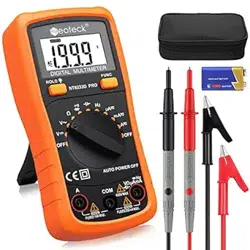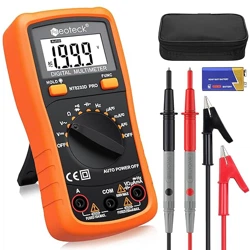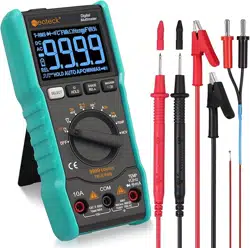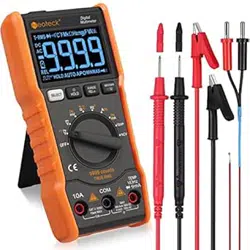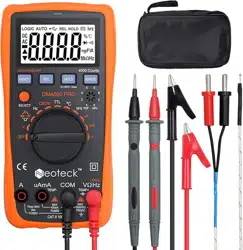
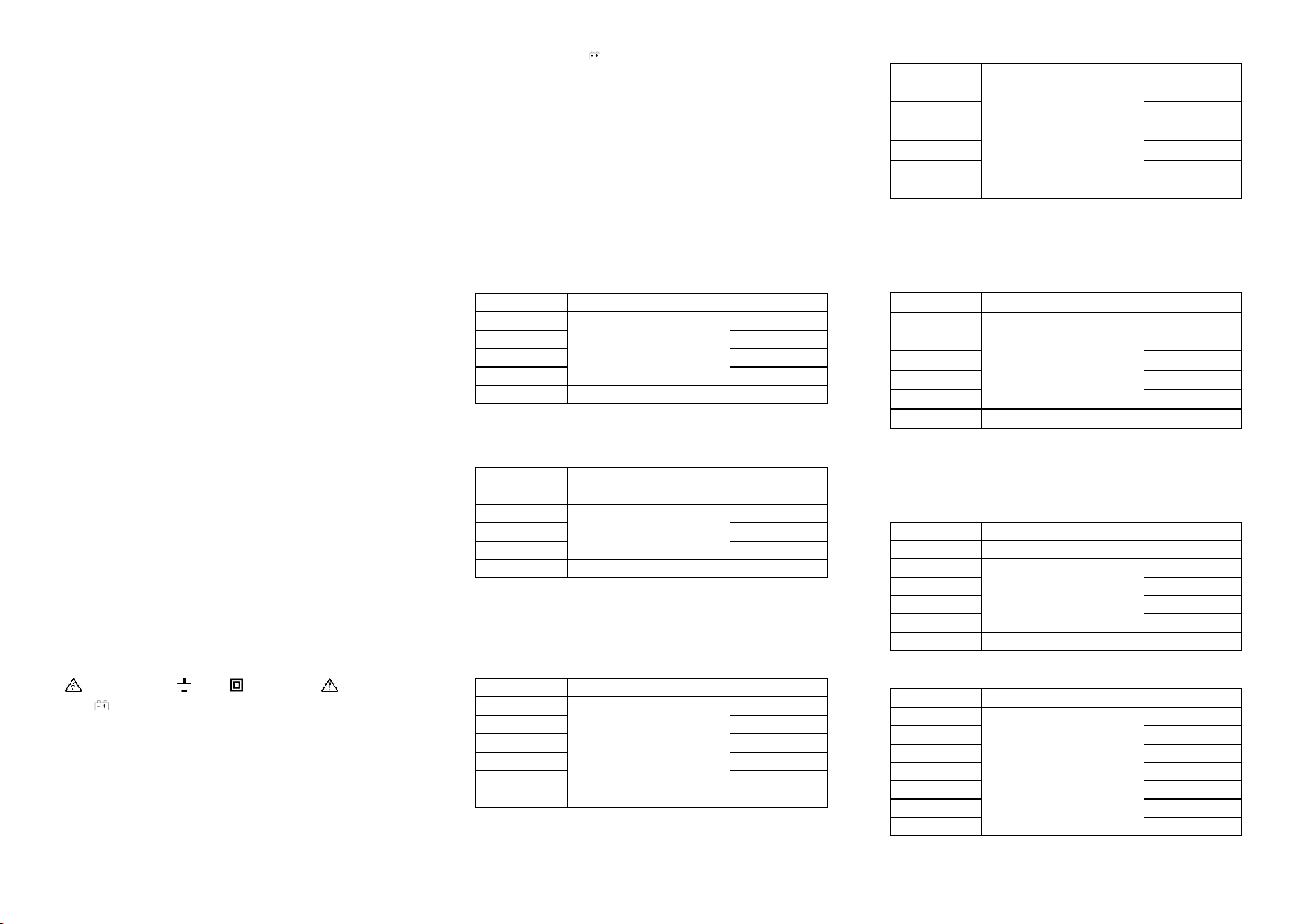
DIGITAL MULTIMETER USERS MANUAL
CONTENTS
1. GENERAL DESCRIPTION ……………………………
2. SAFETY PRECAUTIONS………………………………
3. FEATURES …………………………………………
4. OPERATION INSTRUCTION…………………………
5. MAINTENANCE …………………………
6. TROUBLE SHOOTING …………………………
1. GENERAL DESCRIPTION
This 3 3/4 digital multimeter with highly stable performance is driven by 2 pieces 1.5V
battery. It uses a LCD with 24mm high figure, which makes the reading clearer and the
operation more convenient. It can test DCV, ACV, DCA, ACA, resistance, capacitance,
frequency, COMS, TTL, temperature, duty cycle, transistor, diode, and continuity. This meter
also holds functions including unit symbol display, data hold, relative value test, auto/manual
range switching (RANGE), auto power off, backlight and warning functions. To assure high
accuracy and resolution, it adopts an 8-bit microprocessor and a dual integral A/D conversion
IC as its core which can drive LCD directly. It is an ideal tool for labs, factories and
radio-technology.
2. SAFETY PRECAUTIONS
The instrument is designed according to IEC1010 standard (safety standard issued by
International Electro technical Committee). Please read the following before operation.
2.1 Check the connection and insulation of test leads to avoid electric shock.
2.2 To avoid electric shock and damage to the meter, do not input voltage higher than DC
1000V or AC 750V during measurement.
2.3 When measuring voltage higher than DC 60V or AC 40V, please be careful.
2.4 Select correct function and range to avoid fault operation.
2.5 Please move the test leads away from test points when switching the function.
2.6 Please don’t input voltage in current terminal.
2.7 Please don’t modify the circuit arbitrarily, it may cause safety problem.
2.8 Introduction for safety symbols:
“ ” Exists high voltage, “ ” GND, “ ” dual insulation, “ ” Operator must refer to
manual, “ ” Low battery indication.
3. FEATURES
3.1 General Characteristics
3.1.1 Display: LCD;
3.1.2 Max display: 4000 (3 3/4 digits, automatic polarity, and unit symbol display);
3.1.3 Measurement method: Analog to digital converter (in micro processor ADC+MCU);
3.1.4 Sampling rate: approx.3 times/sec.
3.1.5 Over-range display: “OL” displayed.
3.1.6 Low battery indicator: “ ”
3.1.7 Working environment: (0~40)℃, relative humidity: <80%;
3.1.8 Store condition: (-10~50)℃, relative humidity: <80%
3.1.9 Battery: 2 pieces 1.5V battery (AAA);
3.1.10 Dimension: 170×86×35mm (length*width*height);
3.1.11 Weight: approx. 290g (including battery);
3.1.12 Accessories: test leads, user manual, temperature probe, gift box, and 2*1.5V batteries.
3.2 Technical Features
3.2.1 Accuracy: ± (a% × reading data + digits). To assure accuracy, the environment
temperature should be (23±5) ℃ , relative humidity should <75%. One year accuracy
guarantee since production date.
3.2.2 DC Voltage(DCV)
Range
Accuracy
Resolution
400mV
±(0.5%+4)
0.1mV
4V
1mV
40V
10mV
400V
100mV
1000V
±(1.0%+4)
1V
Input impedance: at 400mv range >40MΩ, at other ranges is 10MΩ.
Overload protection: 1000V DC or 750V AC peak value
3.2.3 AC Voltage(ACV)
Range
Accuracy
Resolution
400mV
±(1.5%+6)
0.1mV
4V
±(0.8%+6)
1mV
40V
10mV
400V
100mV
750V
±(1.0%+6)
1V
Input impedance: at 400mV range >40MΩ, at other ranges is 10MΩ.
Overload protection: 1000V DC or 750V AC peak value.
Frequency response: at 750V range: 40~100Hz, at other ranges: 40~400Hz
Displaying: average value response (based on sine wave RMS)
3.2.4 DC Current(DCA)
Range
Accuracy
Resolution
400uA
±(1.0%+5)
0.1μA
4000uA
1μA
40mA
10μA
400mA
100μA
4A
1mA
20A
±(2.0%+5)
10mA
Maximum voltage drop: 400 mV for mA range, and 200mV for A range。
Maximum input current: 20A (for 15 seconds).
Overload protection: 0.2A/250V fuse and 13A/250V fuse.
3.2.5 AC Current (ACA)
Range
Accuracy
Resolution
400uA
±(1.5%+5)
0.1μA
4000uA
1μA
40mA
10μA
400mA
100μA
4A
1mA
20A
±(2.0%+10)
10mA
Maximum voltage drop: 400 mV for mA range, and 200mV for A range。
Maximum input current: 20A (for 15 seconds).
Overload protection: 0.2A/250V fuse and 13A/250V fuse.
Frequency response: 40~100Hz under 20A range, 40~400Hz at other ranges.
3.2.6 Resistance(Ω)
Range
Accuracy
Resolution
400Ω
±(0.8%+5)
0.1Ω
4kΩ
±(0.8%+2)
1Ω
40kΩ
10Ω
400kΩ
100Ω
4MΩ
1kΩ
40MΩ
±(1.2%+5)
10kΩ
Open circuit voltage: 400mV
Overload protection: 250V DC/AC peak value.
NOTE: At 400Ω range, short test leads first to get wire resistance, and then subtracts it from
the real measurement. Or press “REL” to clear the wire resistance and read the value directly.
3.2.7 Capacitance(C)
Range
Accuracy
Resolution
4nF
±(5.0%+8)
1pF
40nF
±(3.5%+8)
10pF
400nF
100pF
4μF
1nF
40μF
10nF
200μF
±(5.0%+8)
100nF
Overload protection: 250V DC/AC peak value.
3.2.8 Frequency (F)
Range
Accuracy
Resolution
10Hz
±(0.5%+4)
0.001Hz
100Hz
0.01Hz
1000Hz
0.1Hz
10kHz
1Hz
100kHz
10Hz
1MHz
100Hz
30MHz
1kHz
Input sensitivity: 0.7V.
Overload protection: 250V DC/AC peak value.
3.2.9 Logic Test
Range
Display
Test conditions
TTL logic
▲
>2.5V±0.8V
▼
<0.8V±0.5V
CMOS logic
▲
>4.0V±1.0V
▼
<2.0V±0.5V
Frequency response: 20MHz
Detectable pulse width: 25ns
3.2.10 Transistor (hFE)
Measurement
Range
Test conditions
hFE NPN or PNP
0~1000
Base current is approx
15uA, Vce is about 4.5V
3.2.11 Diode and Continuity Test
Range
Description
Test Conditions
Diode forward voltage drop
Forward DC current is
approx 0.5mA, reverse
voltage is approx 1.5V.
When the resistance under test is
less than 50±10Ω, buzzer sounds
continuously.
Open circuit voltage:
0.5V
Overload protection: 250V DC/AC peak value
WARNING: Do not input any voltage at this range.
3.2.12 Temperature (℃)
Range
Accuracy
Resolution
-40℃-1000℃
<400℃ ±(0.8%+4)
≥400℃±(1.5%+15)
1℃
Thermocouple: K type
WARNING: do not input any voltage at this range.
4. OPERATION
4.1 Panel Description
○1 .Input terminal:
Terminal
Description
A
Input terminal for AC and DC current from 0 to 20A (max for15 seconds),
frequency and duty cycle coefficient.
uA/mA
TEMP-
Input terminal for AC and DC current from 0uA to 400mA (less than
400mA can last 18 hours), frequency, duty cycle coefficient and
temperature negative (-) terminal
COM
Common terminal for all measurements
V Ω Hz
LOGIC
TEMP+
Input terminal for voltage, resistance, diode, continuity, capacitance,
frequency, logic, duty cycle coefficient and temperature positive (+)
terminal
hFE
Input terminal for transistor measurement.
②. Rotary switch: used to change the range and choose functions.
Switch
position
Function
V
Voltage measurement. Press SELECT key (orange) to shift between DC/AC
voltage measurements. Press Hz/DUTY to shift between frequency/ duty cycle
measurements.
Ω
First is Ω resistance measurement. Press SELECT key (orange) to choose
diode test, continuity test, and capacitance measurement in order.
Hz
Frequency measurement. Press Hz/DUTY to shift between frequency and duty
cycle measurements.
LOGIC
TTL and CMOS logic testing.
℃
Centigrade temperature measurement
hFE
Transistor magnification measurement
DC current measurement (from 0uA to 4000uA). Press SELECT key (orange)
to switch to AC current measurement (from 0uA to 4000uA).
DC current measurement (from 0mA to 400mA). Press SELECT key (orange)
to switch to AC current measurement (from 0mA to 400mA).
DC current measurement (from 0A to 20A). Press SELECT key (orange) to
switch to AC current measurement (from 0A to 20A).
③Function Button
③-1 Hz/DUTY
When measuring the Frequency, press Hz/DUTY will shift between frequency and duty cycle
(1~99%) measurement. When measuring AC voltage / current, press Hz/DUTY can choose
frequency/duty cycle/voltage or current mode.
③-2 RELΔ
Press REL△ key to enter relative value test mode. The display is zeroed, and REL△ symbol
appears. Press REL△ key again to exit relative value test mode.
③-3 HOLD/ LIGHT
1) Hold: Press HOLD key to enter HOLD mode, the current value will be hold, and symbol
HOLD will be displayed. Press HOLD again can exit the HOLD mode. Press RANGE,
SELECT (orange), REL△ key or switch the knob will also exit the HOLD mode.
2) LIGHT: Press HOLD key for 2 seconds to turn on the backlight, the backlight can last
5 seconds. During 5 seconds, press “ ” light key again for 2 seconds will turn off the
backlight.
③-4 RANGE: Auto or manual ranging.
Auto range is the default when you turn on the meter. Press RANGE it will enter manual
range mode. Press RANGE can switch between the ranges available for the selected function.
To return to auto ranging, hold the RANGE button down for more than 2 seconds.
③-5 SELECT key (orange):
1) Function select: Press SELECT key (orange) can choose DC or AC measurement under
ranges. Under Ω (Ohm/Diode/Continuity/CAP) range, press SELECT key
(orange) can choose resistance, or diode test, or continuity test or capacitance measurement.
2) When there is no measurement in 15 minutes, the meter will auto power off and enter
dormancy mode. In one minute before dormancy mode, the buzzer will beep 5 times to
remind user. Press any button or turn the rotary switch will exit the dormancy mode. Press
orange key to active the meter from the dormancy mode or hold the orange button down when
turn on the meter, it will cancel auto power off function.
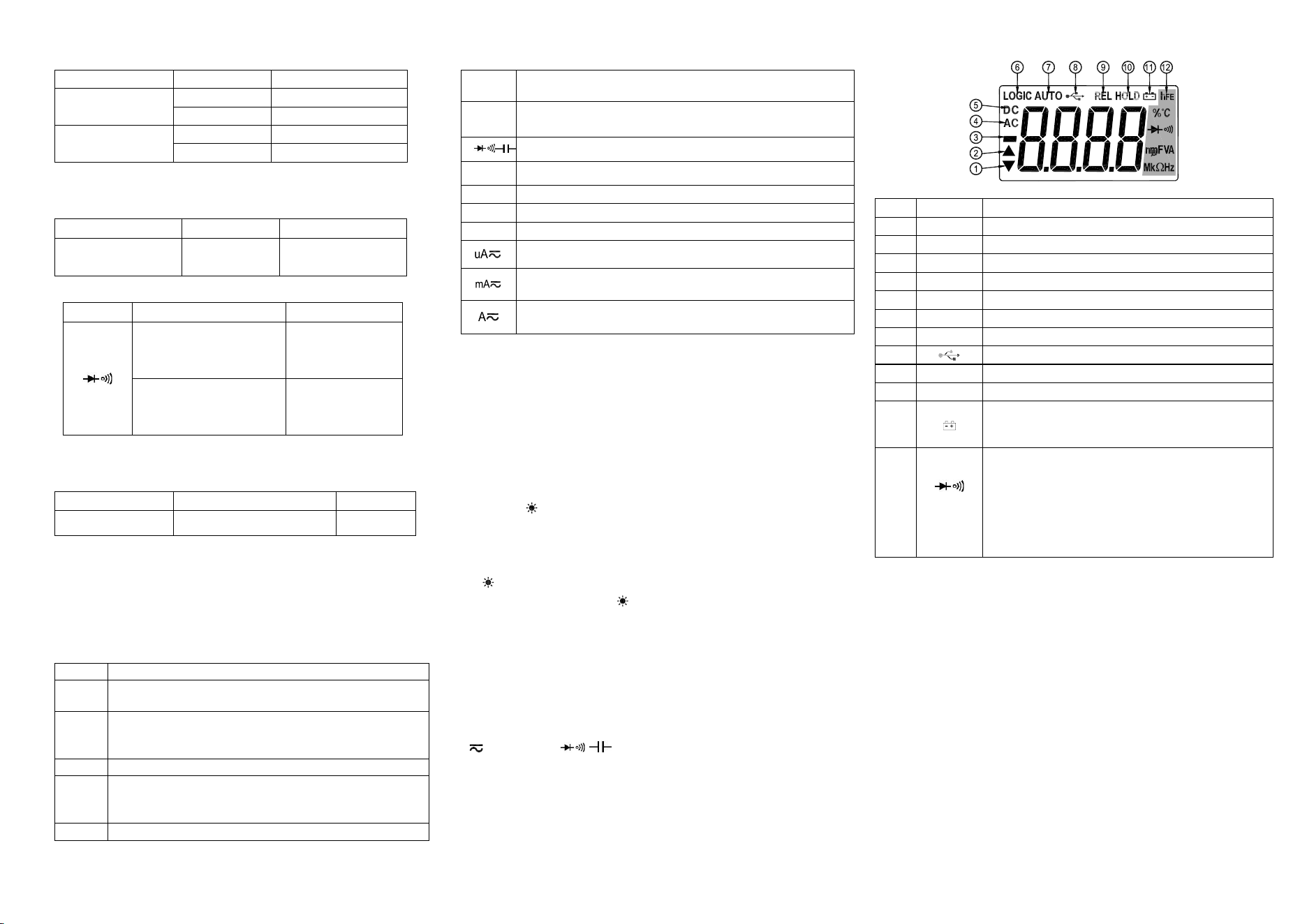
④. LCD: Display the data and unit symbol.
Number
Feature
Indication
1
▼
Logic low pulse symbol
2
▲
Logic high pulse symbol
3
-
Indicates negative readings.
4
AC
AC voltage or current measurement.
5
DC
DC voltage or current measurement.
6
LOGIC
Logic test symbol
7
AUTO
Auto range mode.
8
Null
9
REL
Relative (REL) mode is active.
10
HOLD
Display Hold is active.
11
Low battery indication. Warning: To avoid false readings, which
could lead to possible electric shock or personal injury, please
replace the battery as soon as the battery indicator appears.
12
hFE
%, ℃
mV, V
uA, mA, A
nF, μF
MΩ, kΩ, Ω
Hz, kHz, MHz
hFE (Triode magnification measurement)
Percent (duty cycle coefficient measurement), degrees Celsius
Diode test mode and the continuity beeper is on.
Millivolts, Volts
Microamp, Milliamp, Amperes (A)
Nanofarad, Microfarad,
Megohm, Kilohm, Ohm
Hertz, Kilohertz, Megahertz
⑤. Holster and battery door.
4.2 DCV measurement
4.2.1 Insert the black test lead into “COM” terminal, and the red one into “V/Ω/Hz” terminal.
4.2.2 Set the rotary switch to V range, and press SELECT key (orange) to select DC mode.
4.2.3 Auto range is the original states, it will display “AUTO” symbol. Press “RANGE” key
to change to manual range mode, and 400mV, 4V, 40V, 400V, 1000V ranges are selectable;
4.2.4 Connect test leads to the test point; LCD will display polarity and voltage of the test
point connected by the red test lead.
Note:
1. Under manual range mode, if LCD displays “OL”, it means over range, you should select
the higher range.
2. Do not input a voltage over DC 1000V. It may cause damage to the circuit of the meter.
3. Be careful while measuring a high voltage circuit. DO NOT touch the high voltage circuit.
4. The built-in buzzer will beep to warn user, when the measuring voltage over DC1000V.
4.3 ACV measurement
4.3.1 Insert the black test lead into “COM” terminal, and the red one into “V/Ω/Hz” terminal.

4.3.2 Set the rotary switch to V range, and press orange key to choose AC measurement.
4.3.3 Auto range is the original states, it will display “AUTO” symbol. Press “RANGE” key
to change to manual range mode, and 400mV, 4V, 40V, 400V, 750V ranges are selectable;
4.3.4 Connect test leads to the test point; LCD will display voltage of the two test points.
Note:
1. For 400mV range, it is only available under manual range mode.
2. Under manual range mode, if LCD displays “OL”, it means over range, you should select
the higher range.
3. Do not input a voltage over AC 750V. It may cause damage to the circuit of meter, and the
built –in buzzer will beep to warn user.
4. Be careful while measuring a high voltage circuit. DO NOT touch the high voltage circuit.
4.4 DCA measurement
4.4.1 Insert the black test lead into “COM” terminal and the red one into “mA” terminal (Max.
400mA) or into “20A” terminal (Max.20A);
4.4.2 Set the rotary switch to a proper current range, and then connect the test leads to the
circuit. LCD will display polarity and current of the test point connected by the red test lead.
Note:
1. Firstly users should select the highest range, if users not sure about the range of current
under test, and then select the proper range based on displaying value.
2. If the LCD displays “OL”, it means the current is over range. Now you need to select a
higher range.
3. When you input current over 10A at 20A range, the built-in buzzer will beep to warn user.
4. Maximum input current is 400mA or 20A (subject to where the red test lead insert into).
Current higher than that will damage the fuse, and may cause damage to the circuit of meter.
4.5 ACA measurement
4.5.1 Insert the black test lead into “COM” terminal and the red one into “mA” terminal (Max.
400mA) or into “20A” terminal (Max.20A);
4.5.2 Set the rotary switch to a proper current range, press SELECT key (orange) to select the
AC mode, and then connect the test leads to the circuit. LCD will display current value.
Note:
1. Firstly users should select the highest range, if users not sure about the range of current
under test, and then select the proper range based on displaying value.
2. If the LCD displays “OL”, it means the current is over range. Now you need to select a
higher range.
3. When you input current over 10A at 20A range, the built-in buzzer will beep to warn user.
4. Maximum input current is 400mA or 20A (subject to where the red test lead insert into).
Current higher than that will damage the fuse, and may cause damage to the circuit of meter.
4.6 Resistance measurement
4.6.1 Insert the black lest lead into “COM” terminal and the red one into “V/Ω/Hz” terminal.
4.6.2 Set the rotary switch to “Ω ” range, and press SELECT key (orange) to choose
Ω mode. Connect the leads with the resistor under test.
4.6.3 Auto range is the original states. Press “RANGE” key can choose manual range.
4.6.4 Before measuring low resistance, you should short the test leads first, and then press
“REL”. By this way, you can get the actual value of the resistance.
Note:
1 Firstly users should select the highest range, if the value of resistance is unknown
beforehand, and then select the proper range based on displaying value.
2. The LCD displays “OL” means over range. The knob should be adjusted to a higher range.
When measuring value is over 1MΩ, the reading will take a few seconds to be stable. It’s
normal for high resistance measurement.
3. When input terminal is in open circuit, LCD will display “OL”.
4. Before measuring in line resistor, make sure that the power is off and all capacitors are
discharged completely.
5. When there is big error, it may be affected by other online component or there is voltage on
the resistor.
6. Do not input any voltage at resistance range.
4.7 Capacitance measurement
4.7.1 Insert the black lest lead in “COM” terminal and the red one in “V/Ω/Hz” terminal;
4.7.2 Set the rotary switch to “Ω ” range, and press SELEC key (orange) to choose
mode;
4.7.3 If the LCD doesn’t display “0”, press “REL” to clear the reading;
4.7.4 Connect the capacitor to “COM” and “V/Ω/Hz” terminal. (Note: the red test leads is for
positive pole +). LCD displays capacitance value.
Note:
1. Don’t input voltage or current to the “V/Ω/Hz” terminal when measuring the capacitance or
the capacitor still in the “Cx” terminal.
2. In order to assure the accuracy, please press “REL” to clear the reading before testing.
3. There is only the auto range mode under the capacitance range.
4. The capacitor must be completely discharged before testing.
5. The reading of 200uF range will take more than 15 seconds to be stable.
4.8 Frequency measurement
4.8.1 Insert the lest leads or shielded cable into “COM” terminal and “V/Ω/Hz” terminal;
4.8.2 Set the rotary switch to “MHz” range, connect the test leads or shielded cable to the
signal source or the load which is tested (It should over 3Hz).
4.8.3 Press “Hz/DUTY” key to choose frequency/duty cycle measurement, LCD will display
the frequency or duty cycle of the tested signal source.
Note:
1. There is only the auto range mode under the frequency range;
2. The meter can still work if the input current is higher than 10V rms, but the accuracy is not
guaranteed;
3. In noisy environment, it's better to use shield cable to measure a low signal;
4. When measuring high voltage circuit, do not touch the high voltage circuit;
5. Don’t input voltage higher than 250V DC or AC peak value, or it may damage the meter.
4.9 Logic (TTL/CMOS) test
4.9.1 Connect the black test lead to "COM" terminal and red test lead to "V/Ω/Hz" terminal.
4.9.2 Set the rotary switch to “TTL” or “CMOS” range.
4.9.3 Connect the probes across the source or load under measurement. Black test lead
connect to the common ground terminal in circuit, and red test lead connect to the test point.
4.9.4 When the tested point is logic high pulse (1), the ▲ indicator will display on LCD.
When the tested point is logic low pulse (0), the ▼ indicator will appear on LCD.
4.10 Transistor hFE measurement
4.10.1 Set the rotary switch to hFE range;
4.10.2 Identify the transistor is NPN or PNP type, then insert the emitter, base and collector
separately into the relative hole, the value will be displayed on LCD.
4.11 Diode and continuity test:
4.11.1 Insert the black test lead into “COM” terminal and the red one into “V/Ω/Hz” terminal
(the polarity of red lead is “+”)
4.11.2 Set the rotary switch to “Ω ” range, and press SELECT key (orange) to choose
mode;
4.11.3 Forward measurement: connect red test lead to the positive polarity and the black test
lead to the cathode polarity of the diode. LCD will display the approx. value of forward
voltage drop.
4.11.4 Backward measurement: connect red test lead to the cathode polarity and the black test
lead to positive polarity of the diode. LCD will display “OL”.
4.11.5 The complete diode test includes forward and backward measurement, if the result
doesn’t meet the descriptions above; it means the diode is broken.
4.11.6 Press SELECT key (orange) to select the continuity measurement mode.
4.11.7 Connect test leads to two points of tested circuit, if the resistance is less than (50±10)
Ω, the buzzer sounds.
Note:
1. Don’t input voltage at “ ” range.
2. When test circuits, make sure the power is off and all capacitors are discharged. Any
negative potential or AC signal will make the buzzer sounds.
4.12 Temperature measurement
4.12.1 Set the rotary switch to “℃” range.
4.12.2 Insert the cold terminal (free end) of thermocouple in “TEMP+” and “TEMP-” socket,
and put the working terminal (temperature measuring end) of thermocouple on the surface or
inside the object to be tested. Then you can read temperature from the screen, and the data is
in Centigrade.
Note:
1. If insert the thermocouple oppositely, it will display the wrong value. When the temperature
is rising, the value will be down.
2. When the input terminal is open circuit, it will display the environment temperature.
3. Don’t change the temperature probe randomly, or the accuracy will not be guaranteed.
4. Don’t input voltage at temperature range.
5. MAINTENANCE
The meter is a precise instrument. Random changes to the circuit are not allowed.
Note:
1. Don’t input the voltage value higher than DC 1000V or AC 750V rms.
2. Don’t input voltage at current, resistance, diode and continuity range.
3. Don’t make any measurements when the battery isn’t installed or the back cover isn’t fixed.
4. Before replacing battery or fuse, please remove the test leads from the measuring point and
cut off the power.
5. Keep the meter away from water, dust and shock.
6. Don't expose the meter under high temperature, high humidity, combustible, explosive and
strong magnetic place.
7. Wipe the case with a damp cloth and detergent. Do not use abrasives and alcohol to clean
the meter.
8. If do not operate for a long time, you should take out the battery to avoid leakage damage.
9. When “ ” symbol is displayed, you should replace the battery according to the
following steps:
9-1. Follow picture 2, and remove the holster at first.
9-2. Loosen the screw, unlock the battery door and remove the cover;
9-3. Replace the old battery with the new one. For longer using life, it's better to use alkaline
battery.
9-4. Fix the battery door.
9-5, Follow the picture to put on the holster.
10. Fuse change: When replacing fuse, please use fuse with same type and specification.
10-1. Follow picture 2, and remove the holster at first, then unlock the battery door and
remove the cover;
10-2. Take out the fuse and put on a new one.
10-3. Fix the battery door, and put on the holster.
6. TROUBLE SHOOTING
If the meter does not work properly, please check the meter as following steps:
(If the problems still cannot be solved, please refer to repairing center or contact the local
dealers.)
Fault
Solution
No reading on LCD
Turn on the power
Replace battery
Release the HOLD key
signal appears
Replace battery
No current or temperature input
Replace fuse
Big error Value
Replace battery
The specifications are subject to changes without prior notice.
The content of this manual is regarded as correct. If users find out any mistakes or
omissions, please kindly contact the manufacturer.
The manufacturer will not be responsible for accidents and damage caused by improper
operations. The functions described in this User Manual shall not be considered as the reason
for any special usages.
Caution
Please turn off the item when it is not in use in order to prolong its working life.
Warranty
Thanks for using neoteck product,all neoteck product comes with warranty of 18 months
from the day of purchase, if you need any support, please feel free to contact us.
Contact
Email: [email protected]