
Technical Support and E-Warranty Certificate
www.vevor.com/support
OUTDOOR STRING LIGHTS
USER MANUAL
MODEL:AX-DC-005 /AX-DC-006
We continue to be committed to provide you tools with competitive price.
"Save Half", "Half Price" or any other similar expressions used by us only represents an
estimate of savings you might benefit from buying certain tools with us compared to the major
top brands and does not necessarily mean to cover all categories of tools offered by us. You
are kindly reminded to verify carefully when you are placing an order with us if you are
actually saving half in comparison with the top major brands.
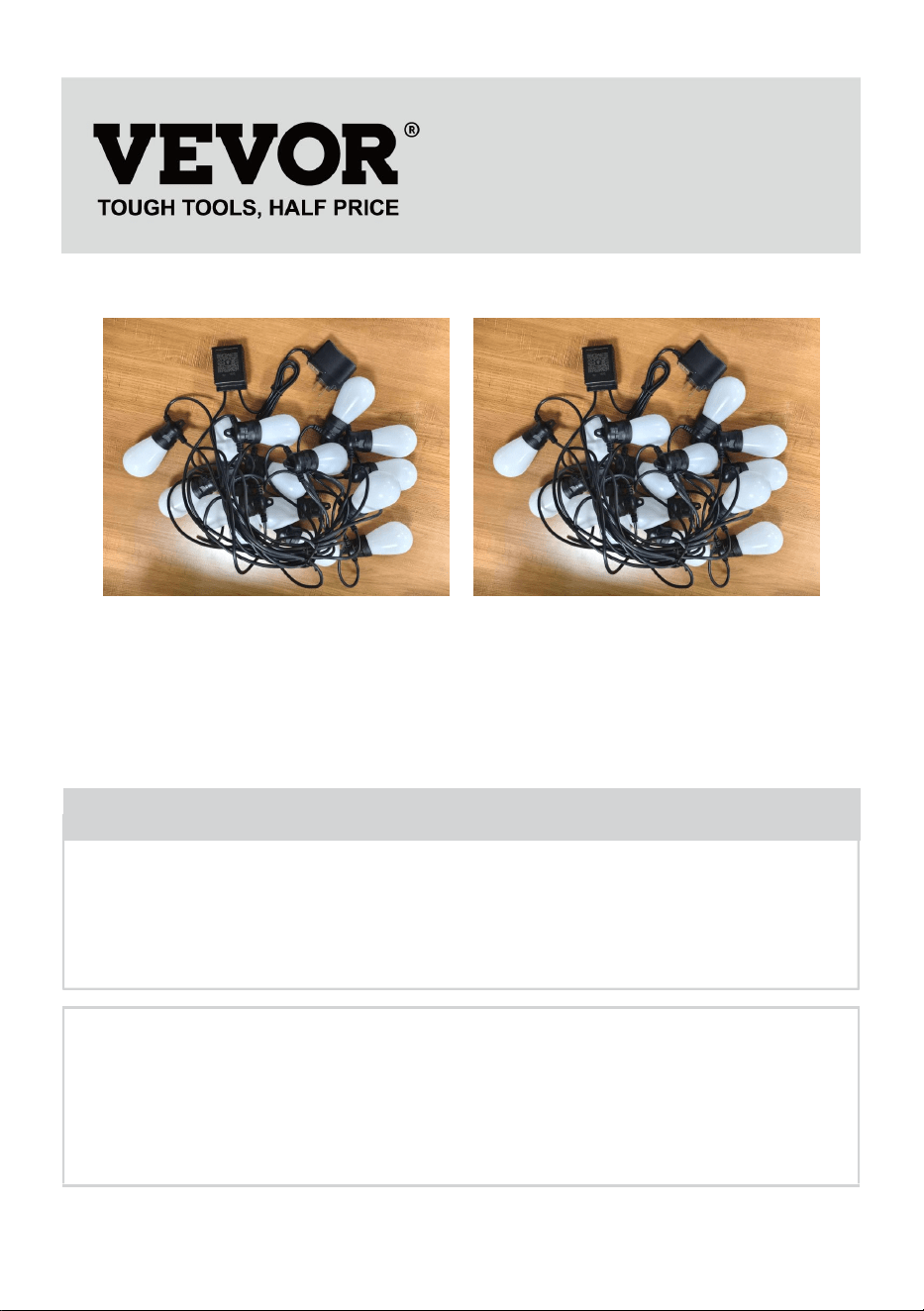
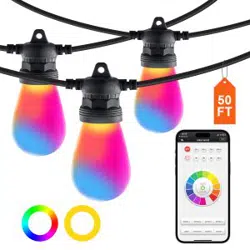
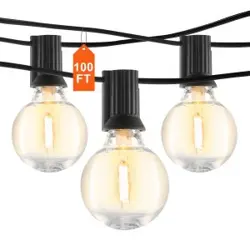
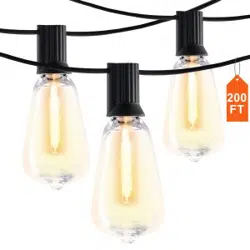
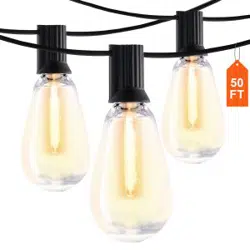
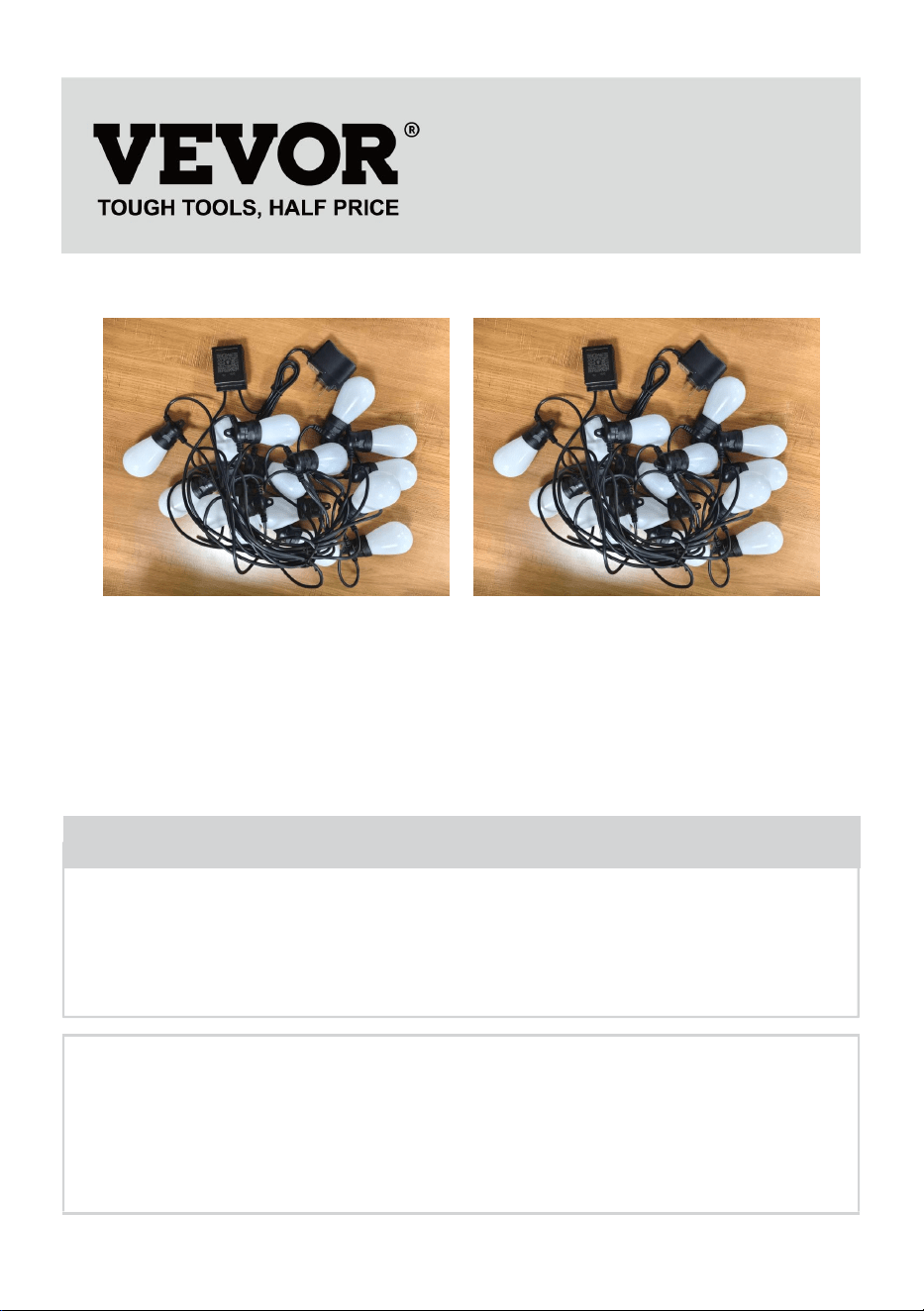
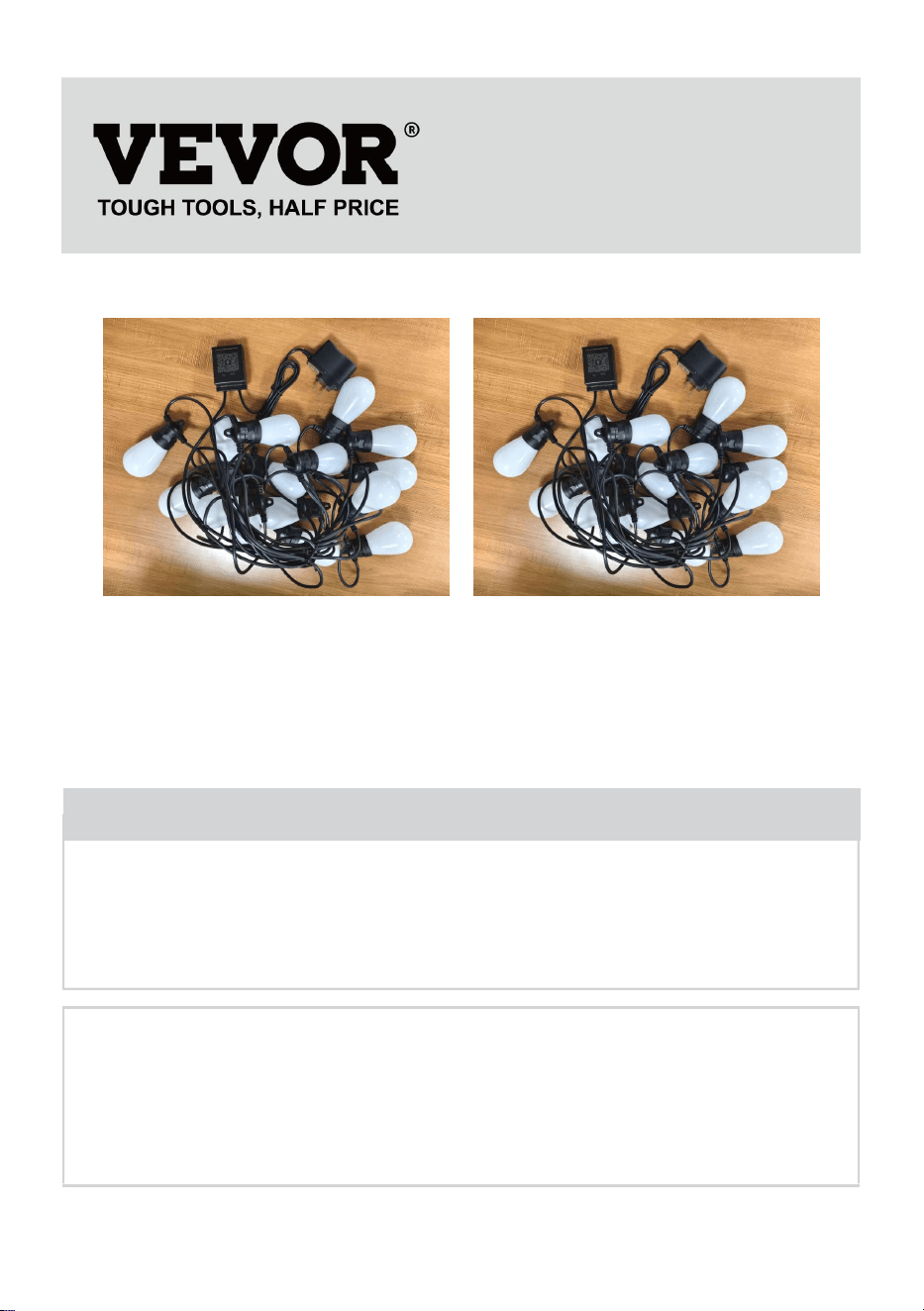
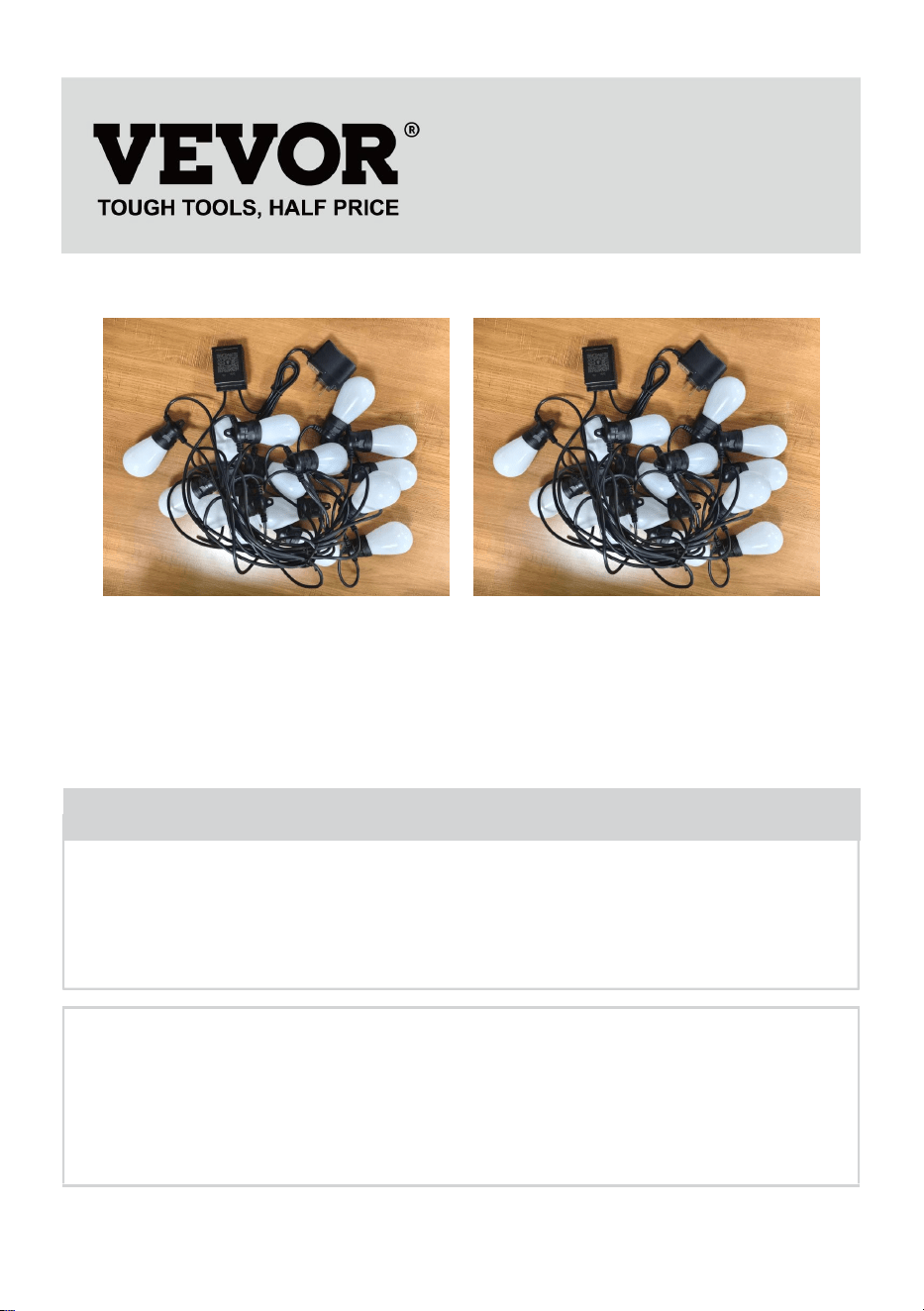
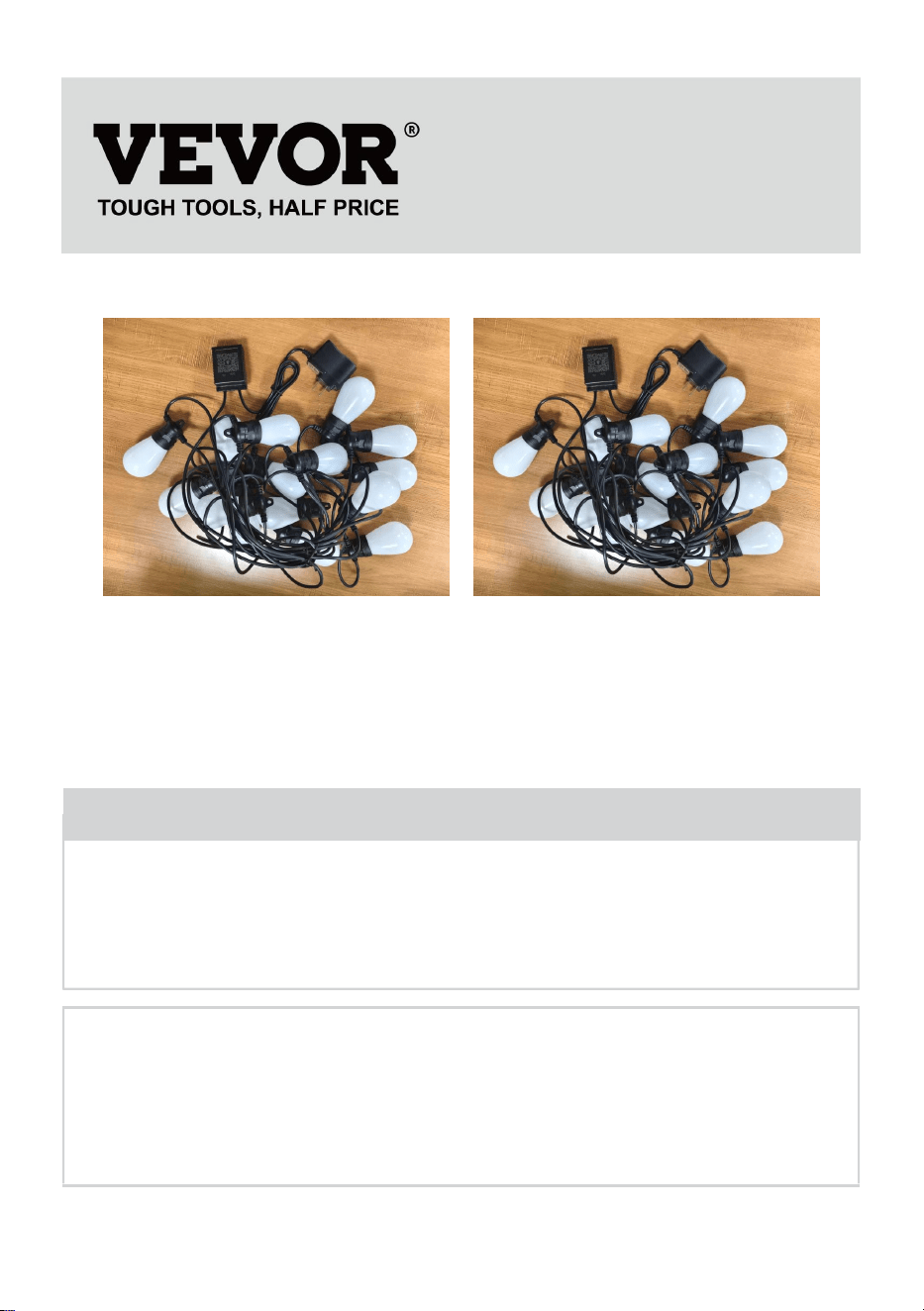
(The picture is for reference only, please refer to the actual object)
Have product questions? Need technical support? Please feel free to
contact us:
Technical Support and E-Warranty Certificate
www.vevor.com/support
NEED HELP? CONTACT US!
This is the original instruction, please read all manual instructions
carefully before operating. VEVOR reserves a clear interpretation of our
user manual. The appearance of the product shall be subject to the
product you received. Please forgive us that we won't inform you again if
there are any technology or software updates on our product.
Outdoor String Lights
AX-DC-005
AX-DC-006
INSTRUCTIONS
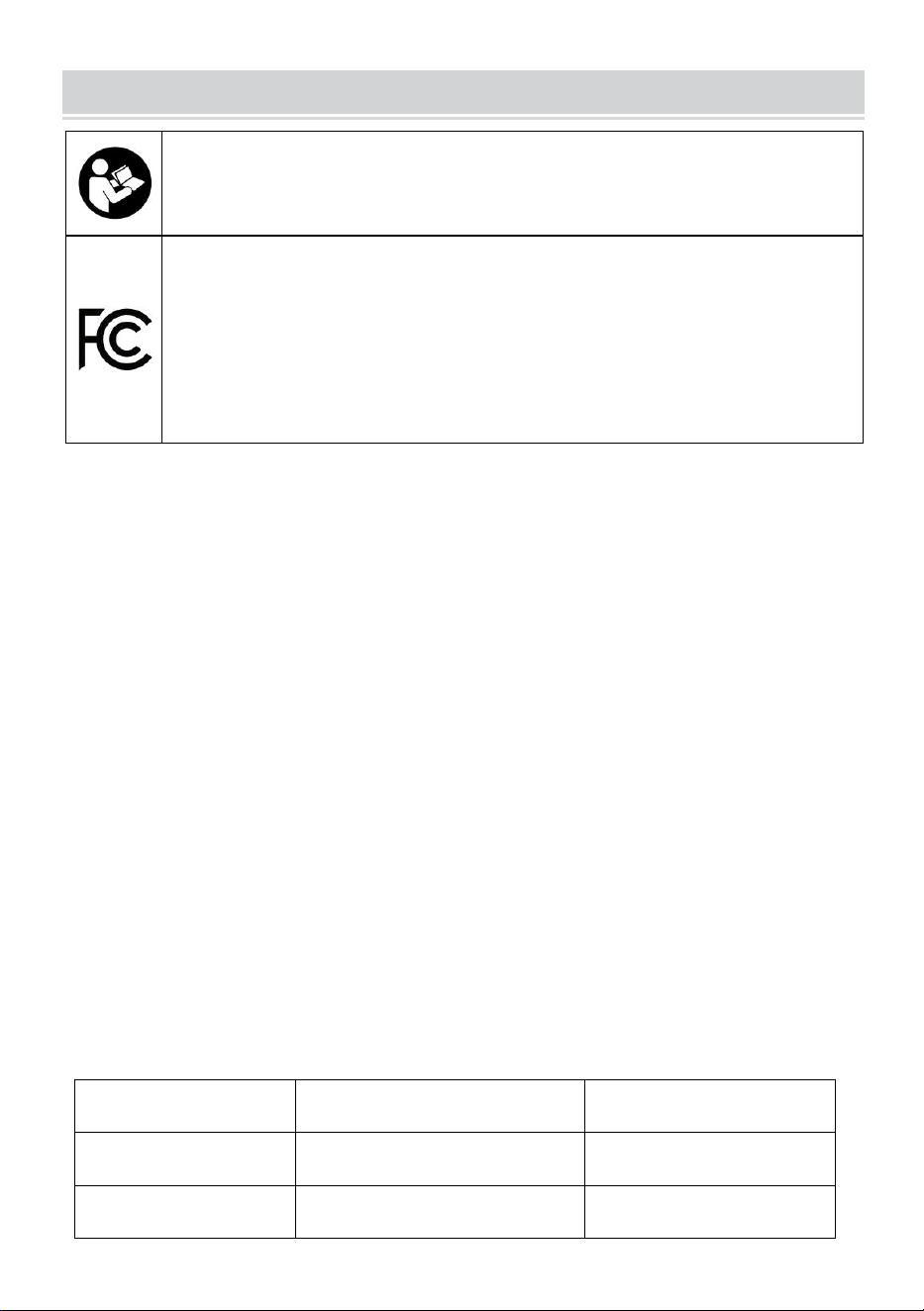
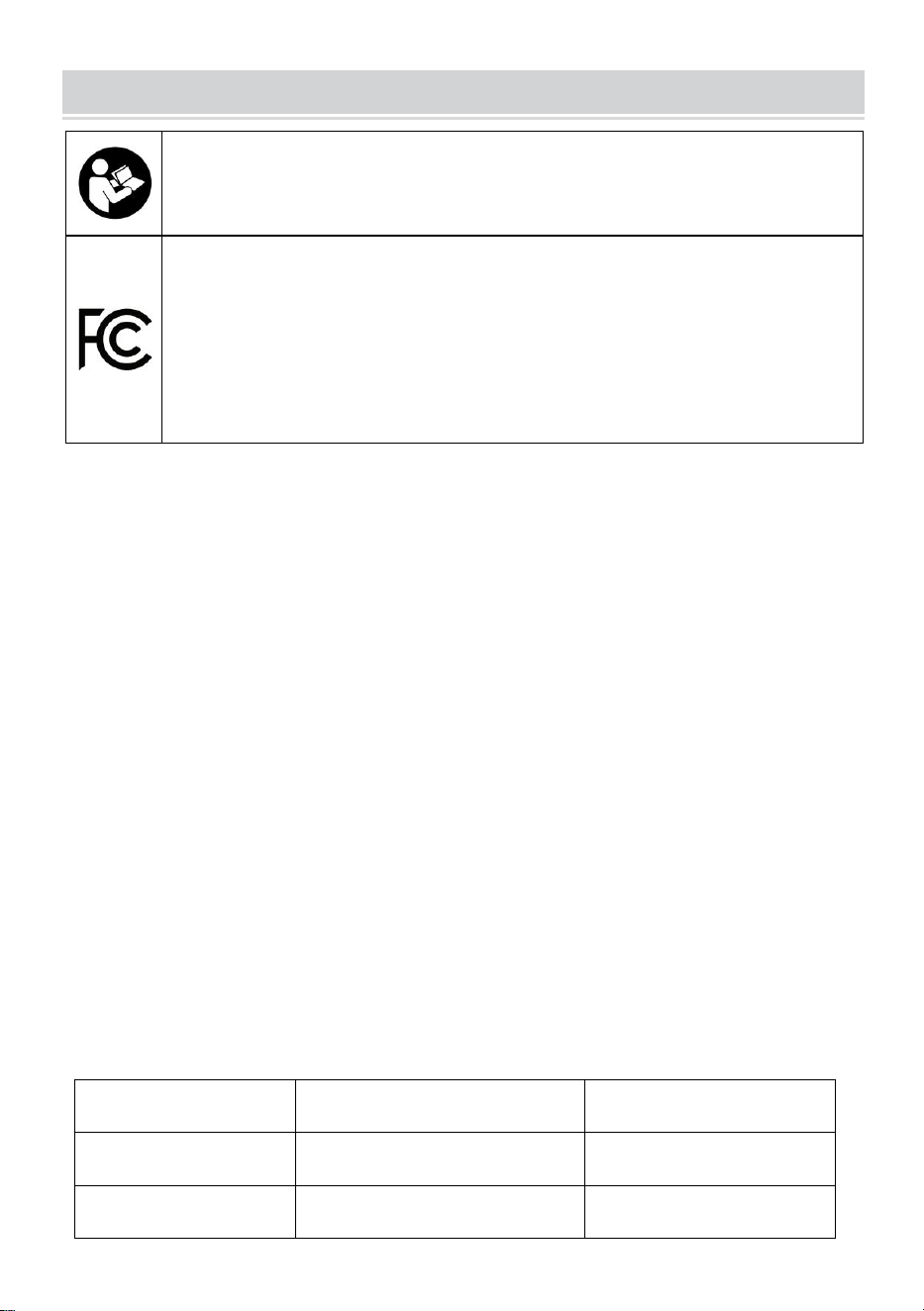
Warning-To reduce the risk of injury, user must read instructions
manual carefully.
This device complies with Part 15 of the FCC Rules. Operation
is subject to the following two conditions:(1)This device may not
cause harmful interference, and (2)this device must accept any
interference received, including interference that may cause
undesired operation.
NOTICE:
CAUTION: To prevent the risk of fire and electric shock, please be sure to
read all instructions before installing or using this unit.
WARNING:
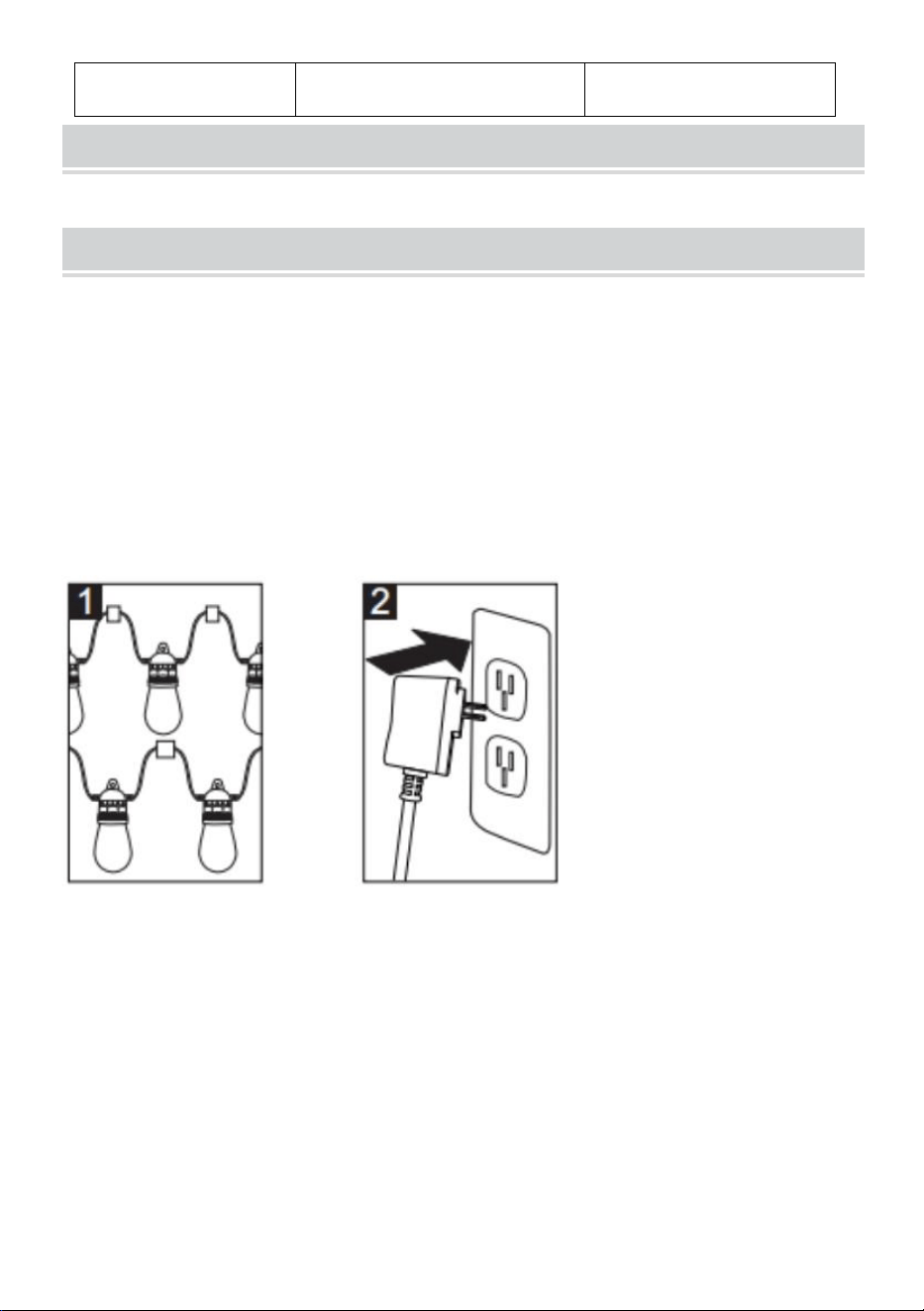
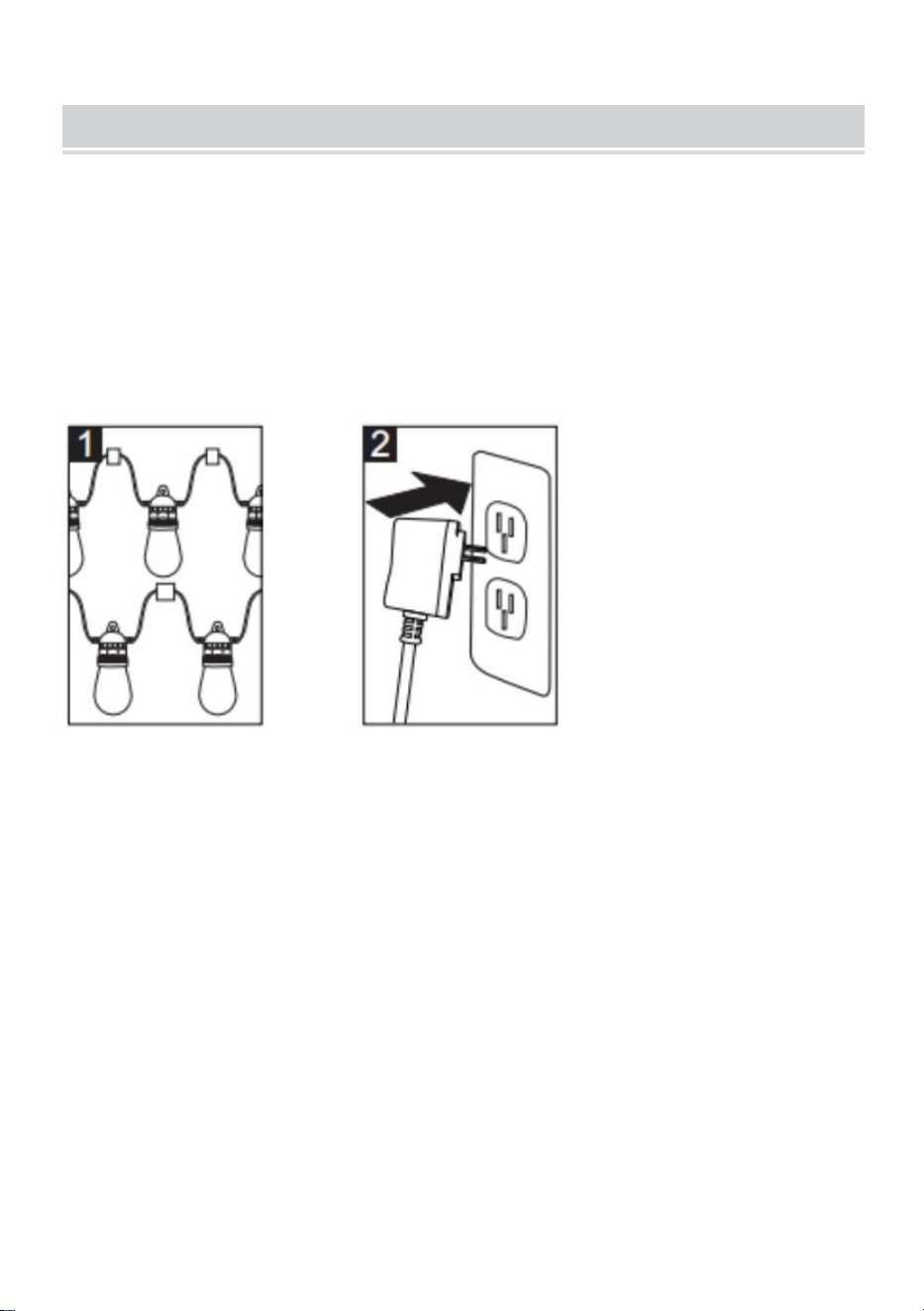
1.Before use, ensure that all light bulbs are properly secured in their
sockets and tighten them one by one.
2.Plug the string light into the power outlet which is into the waterproof box.
3.Hang your string lights in the desired location,ensure all bulbs are facing
downwards, which could make the sockets are IP65.
PERFORMANCE PARAMETER
Model
AX-DC-005
AX-DC-006
Rating
AC120V 60Hz
AC120V 60Hz
Bulb Type
LED S14 RGB
LED S14 RGB
Length
50 FT
100 FT
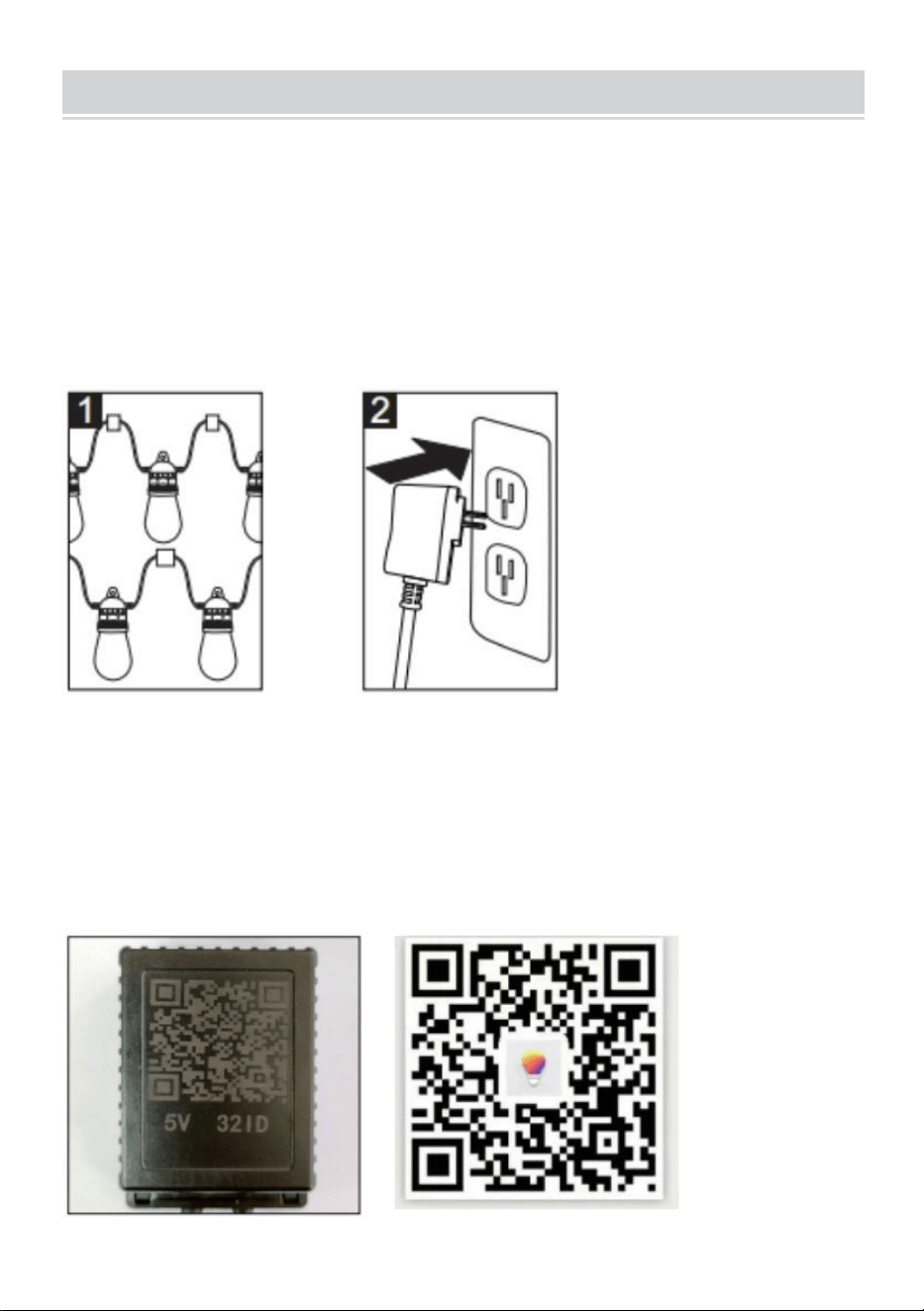
INSTALLATION,SAFETY AND CARE INSTRUCTIONS
When using electrical products, basic precautions should always
be followed including the follow:
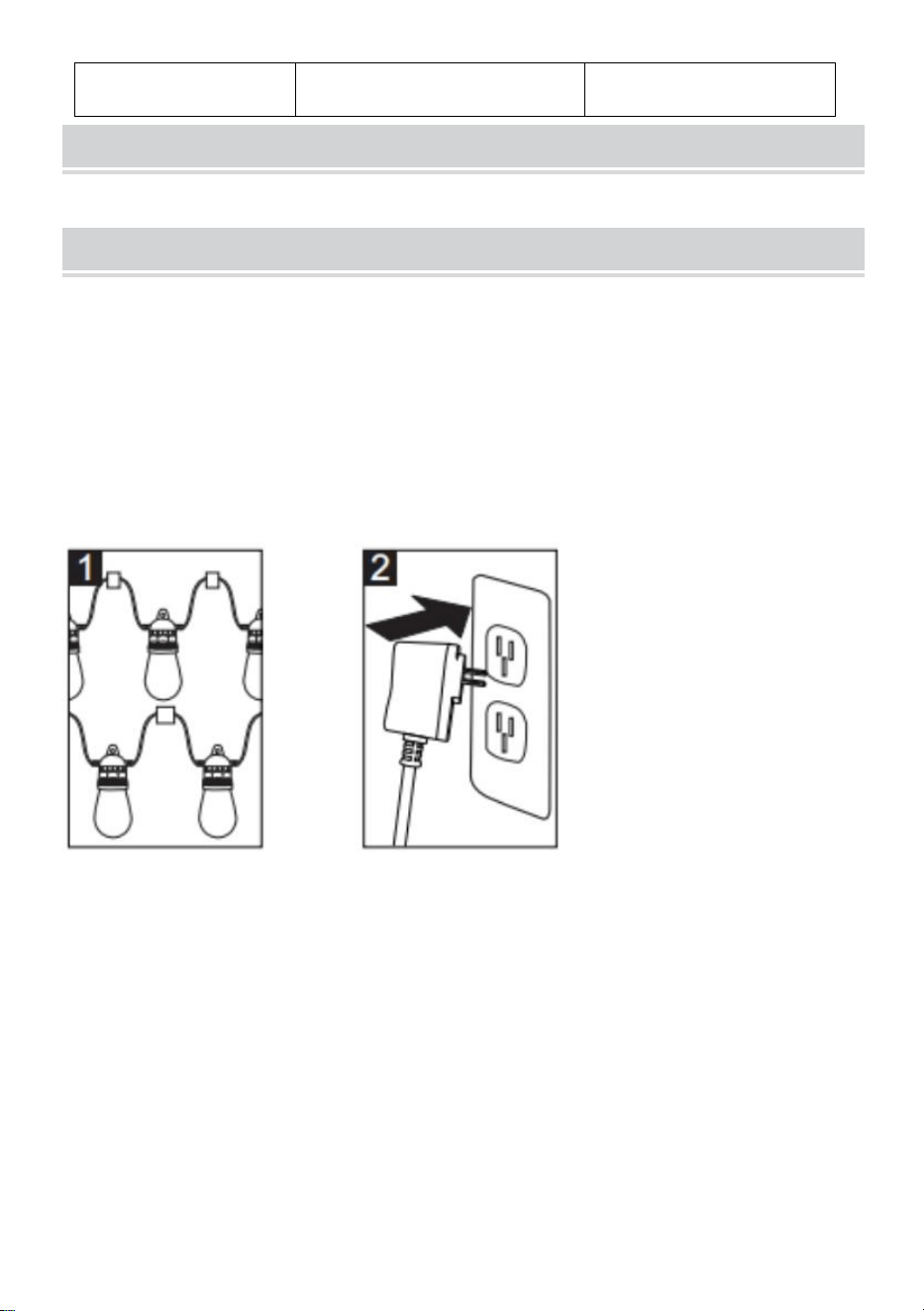
Installation:
1.Hang your streetlights in the desired location, commensurable are facing
downwards, which could make the socket ip65.
2.Plug the string light into the power outlet which is into the
Waterproof box
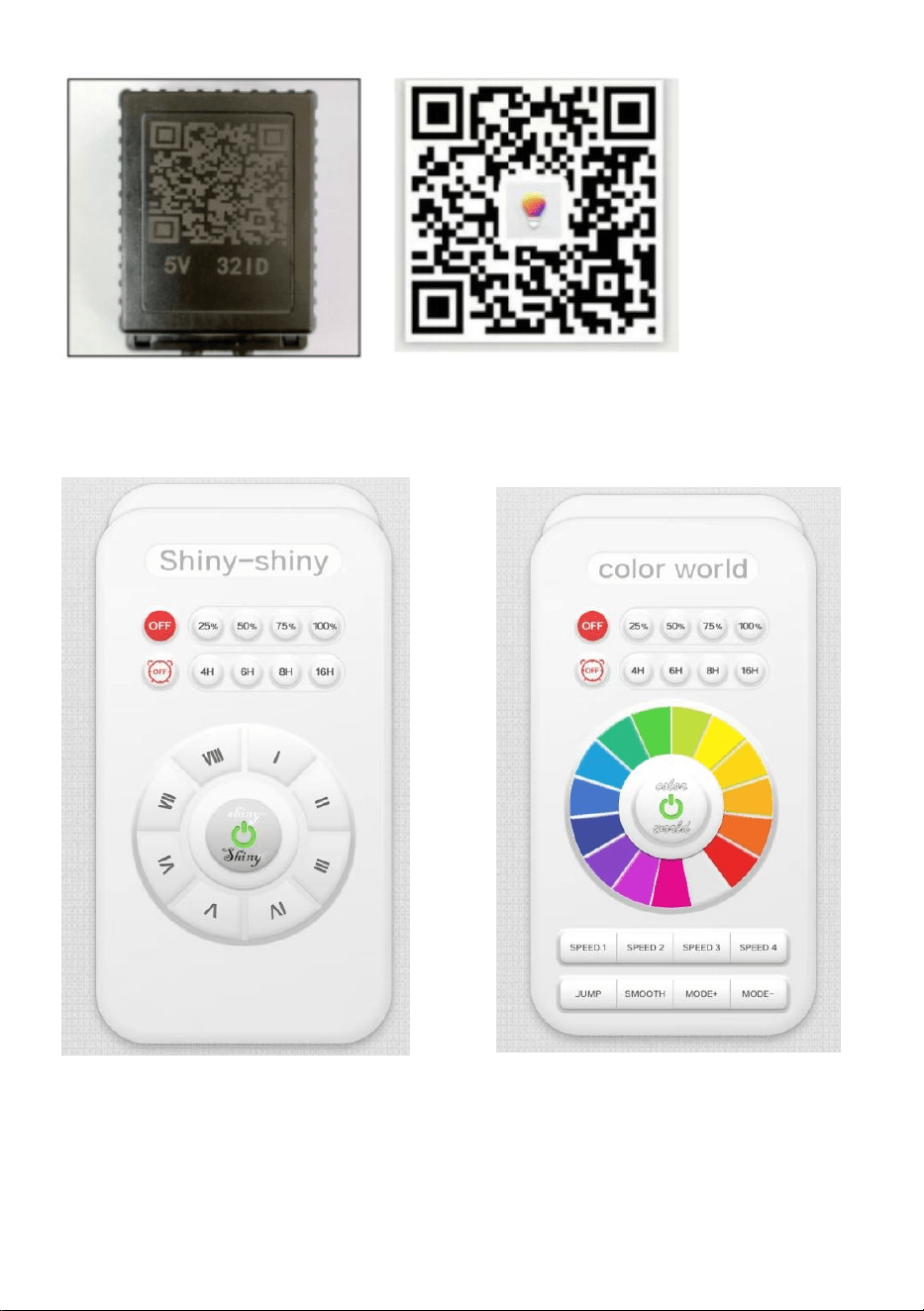
3. Turn on the Bluetooth function on your phone or pad
4. Download and install the app
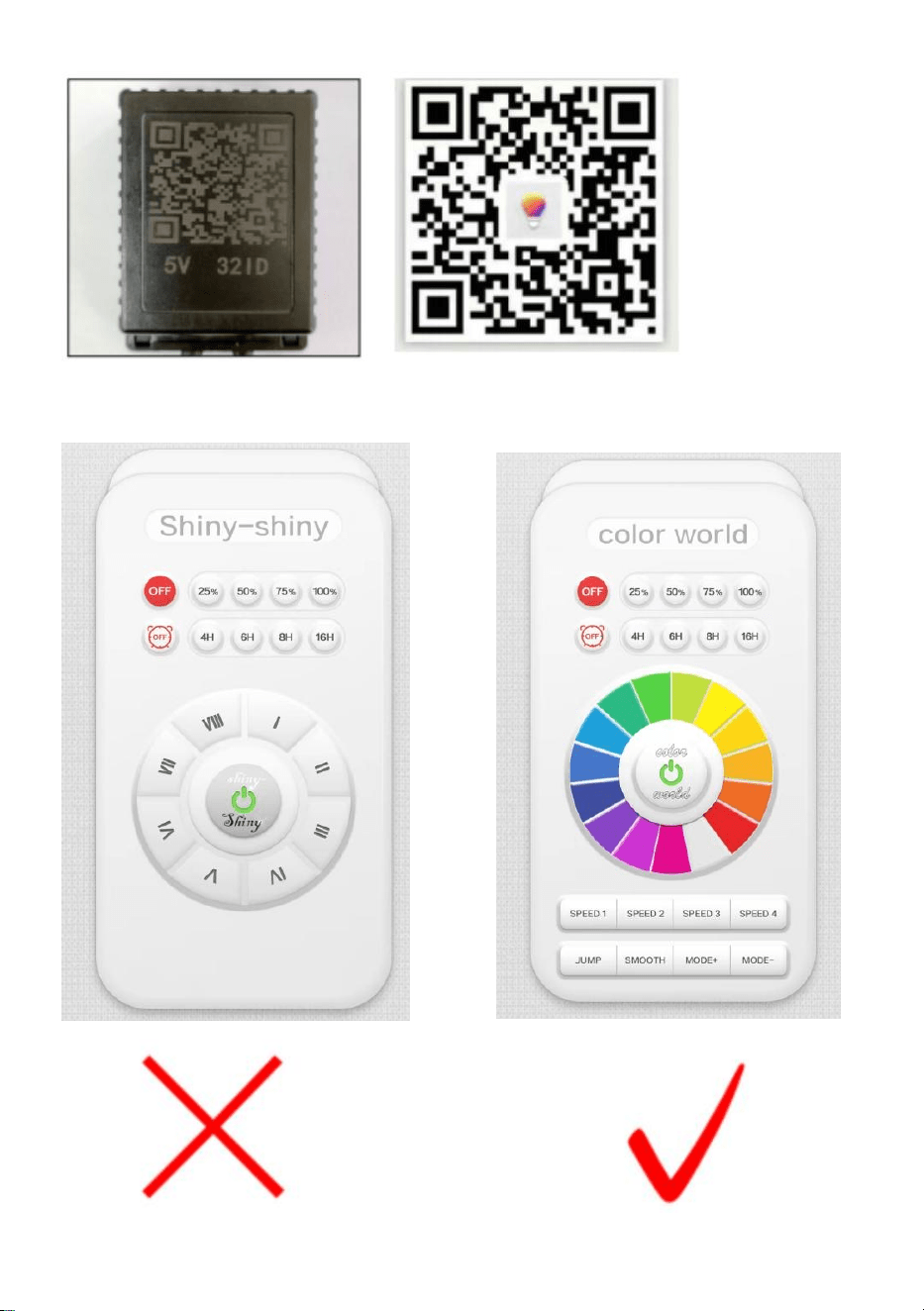
Scan the QR code on the back of the controller with the mobile phone or
pad, select apple or android according to the mobile phone type, download
the application "FO Remote ", and then install it. Open the application and
open the app controller select “Color World”.
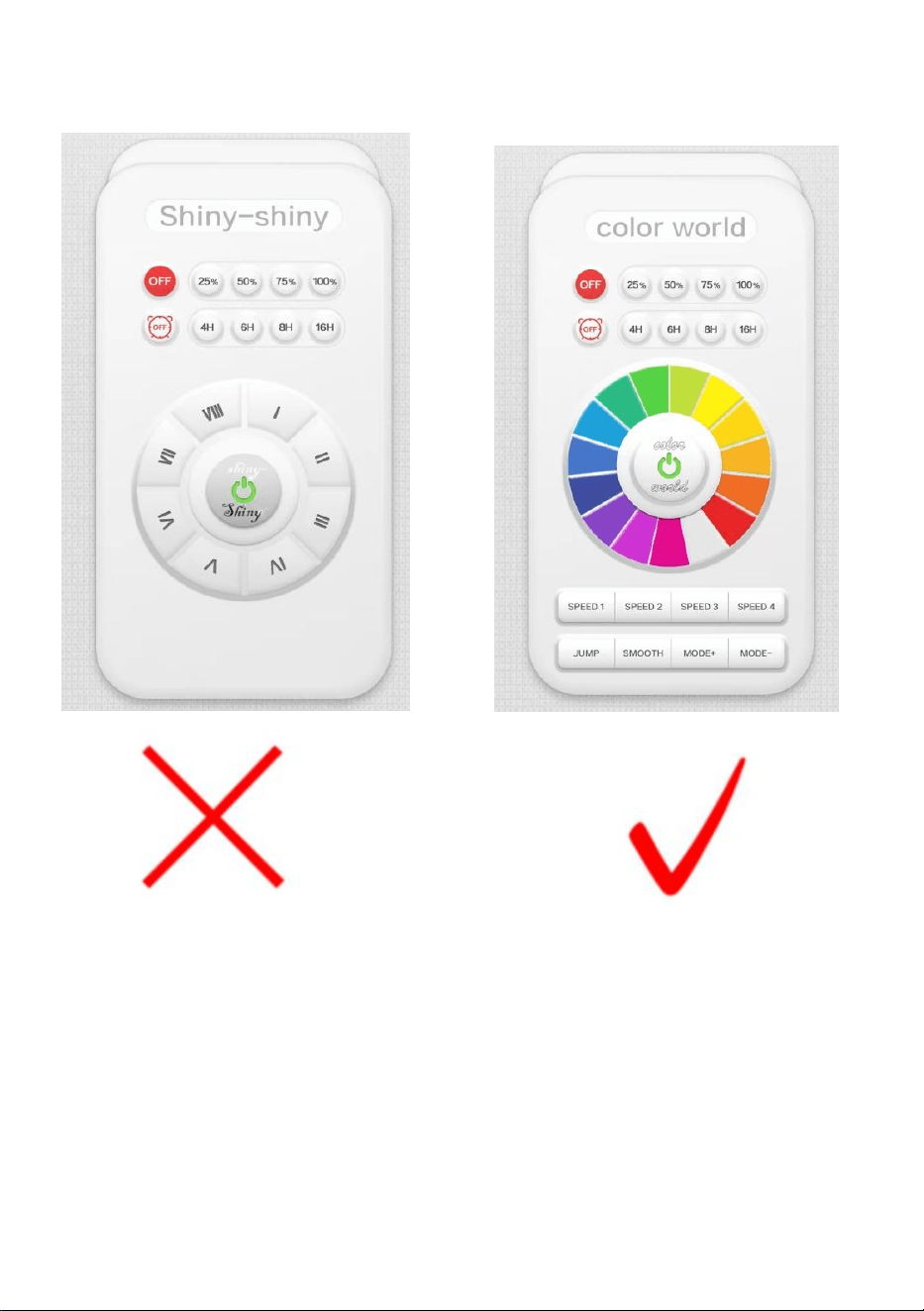
NOTE: When the app interface appears “shiny-shiny”, please slide the
screen and select “color world”
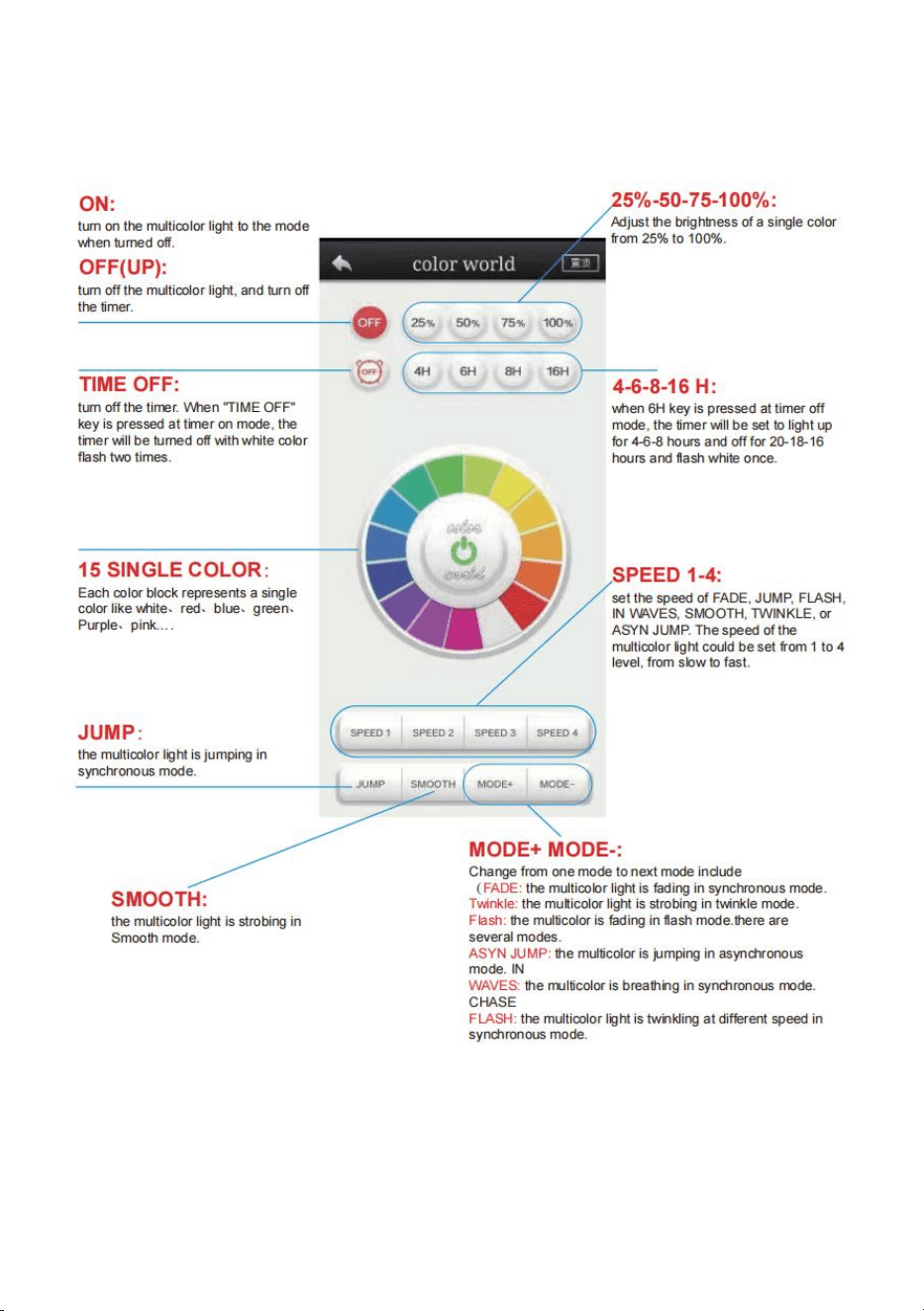
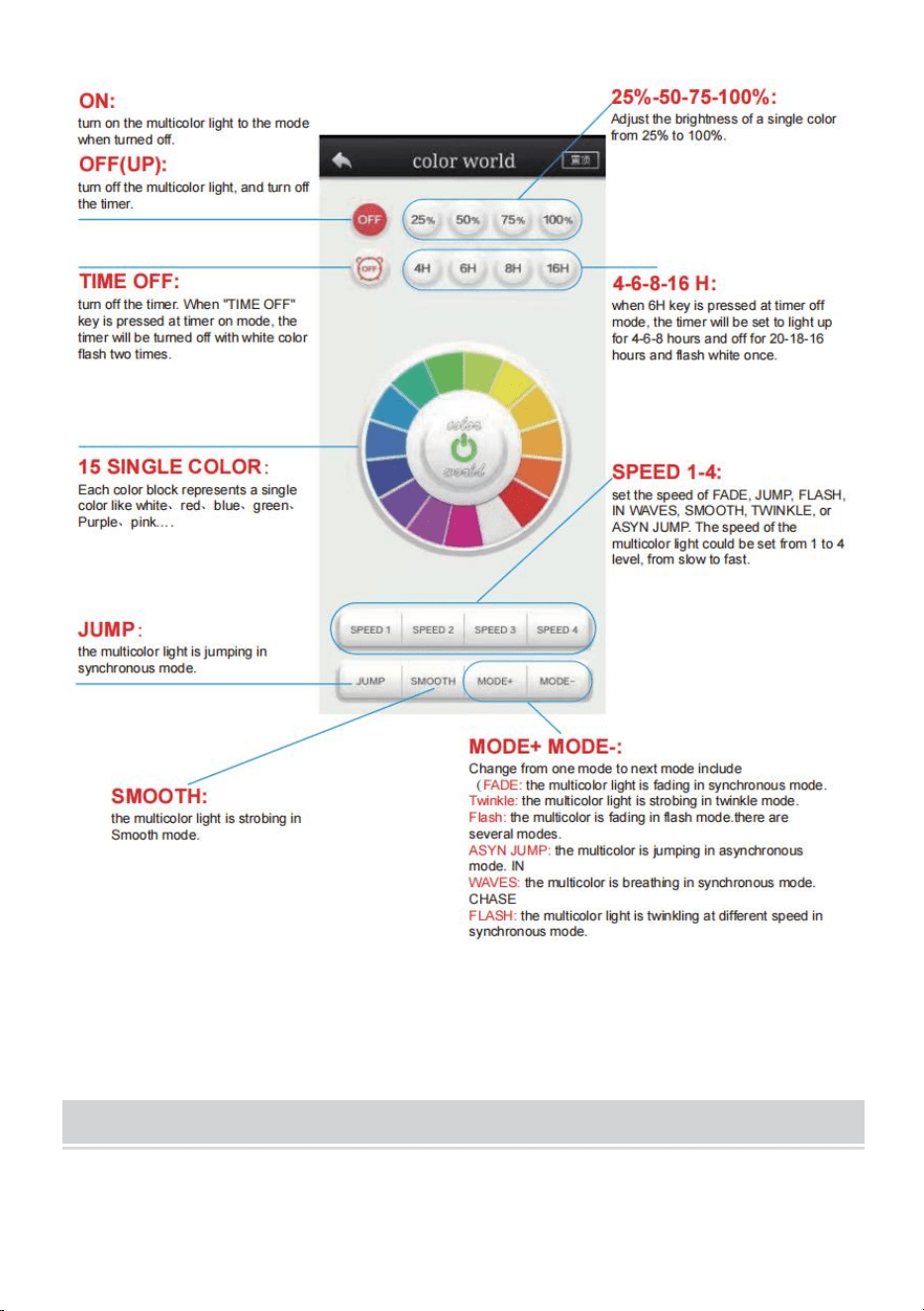
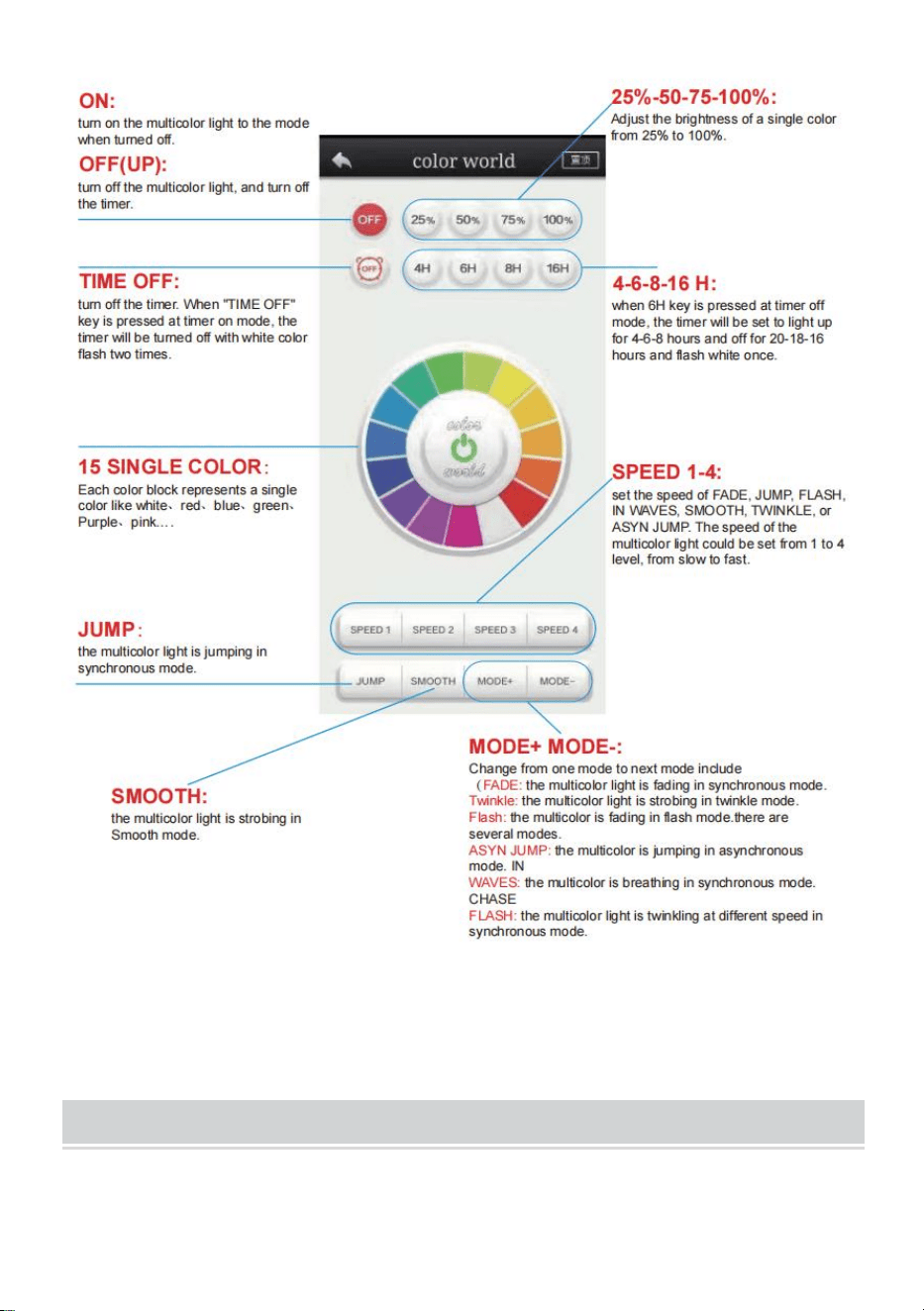
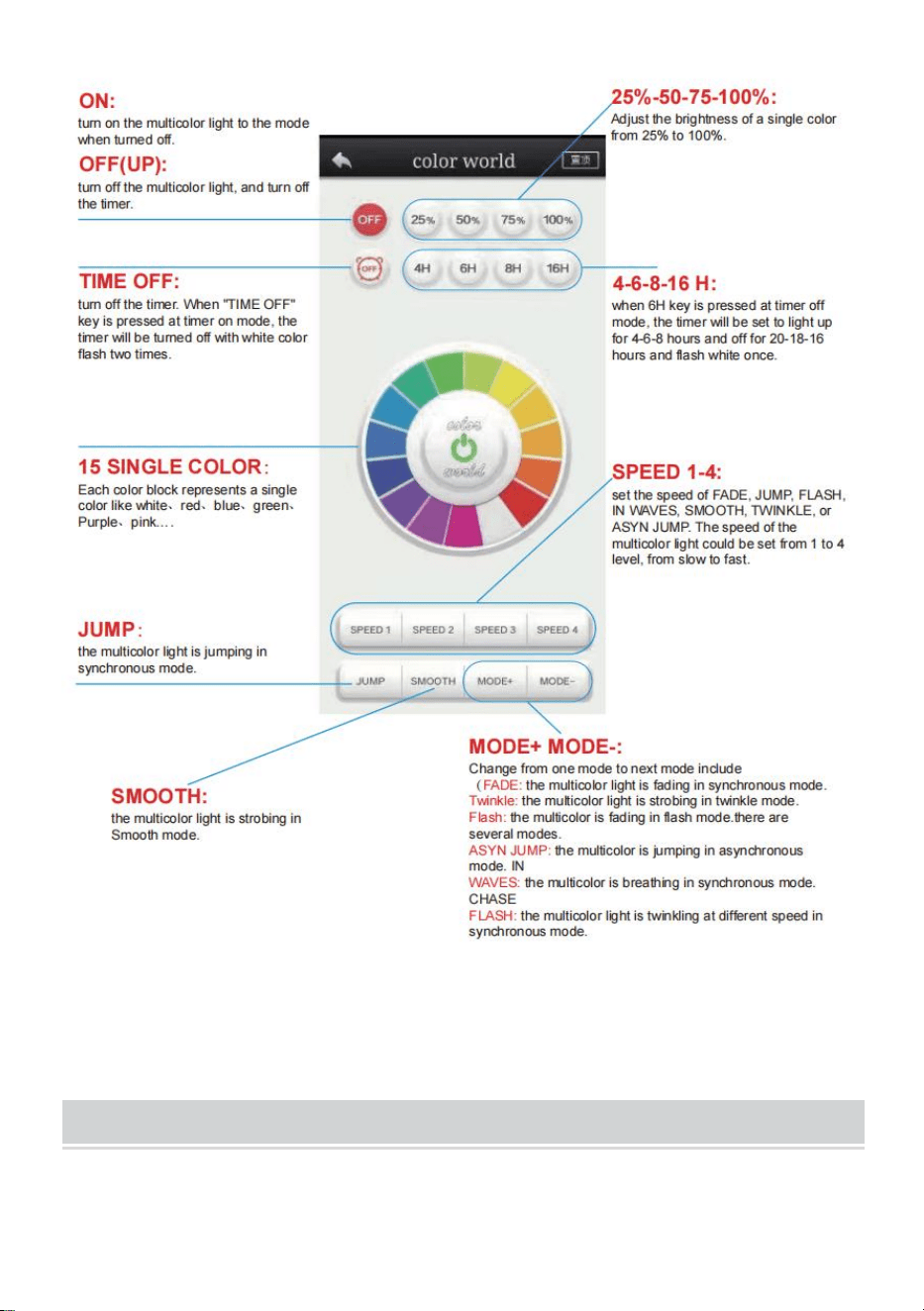
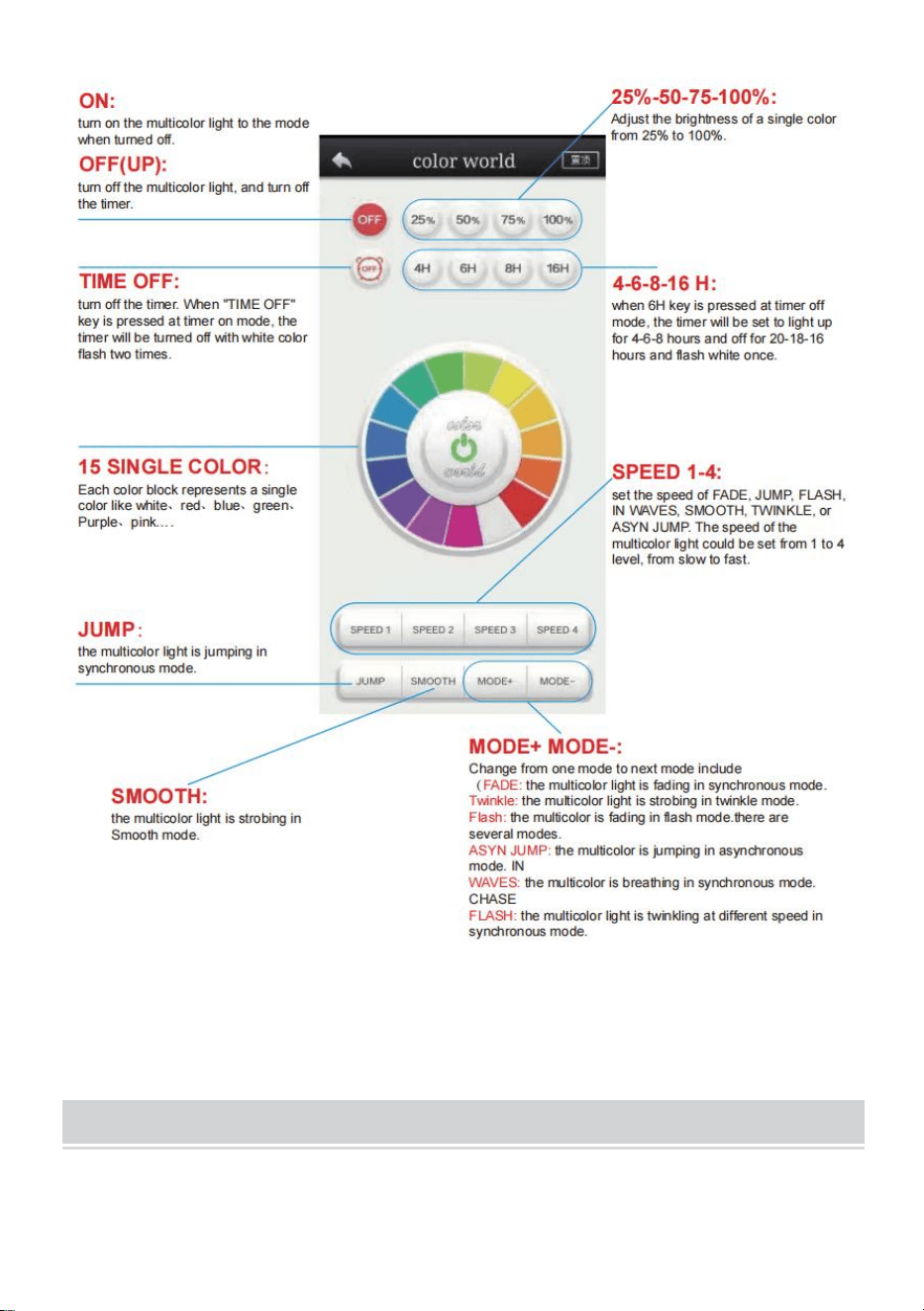
5. Function description about this app
The multi color light could be set to 15 unique colors, more than ten
dynamic modes eth 4 levels of speed, and four timer mode.

ACCESSORIES LIST
AX-DC-005 /AX-DC-006:
1.User Manual *1
Sanven Technology Ltd.
Address: Suite 250, 9166 Anaheim Place, Rancho Cucamonga, CA 91730


Technique Certificat d'assistance et de garantie électronique
www.vevor.com/support
GUIRLANDES LUMINEUSES
D'EXTÉRIEUR
MANUEL D'UTILISATION
MODÈLE : AX-DC-005 / AX-DC-006
We continue to be committed to provide you tools with competitive price.
"Save Half", "Half Price" or any other similar expressions used by us only represents an
estimate of savings you might benefit from buying certain tools with us compared to the major
top brands and does not necessarily mean to cover all categories of tools offered by us. You
are kindly reminded to verify carefully when you are placing an order with us if you are
actually saving half in comparison with the top major brands.
(L'image est à titre de référence uniquement, veuillez vous référer à l'objet
réel)
Have product questions? Need technical support? Please feel free to
contact us:
Technical Support and E-Warranty Certificate
www.vevor.com/support
NEED HELP? CONTACT US!
This is the original instruction, please read all manual instructions
carefully before operating. VEVOR reserves a clear interpretation of our
user manual. The appearance of the product shall be subject to the
product you received. Please forgive us that we won't inform you again if
there are any technology or software updates on our product.
Outdoor String Lights
AX-DC-005
AX-DC-006
INSTRUCTIONS
Avertissement - Pour réduire le risque de blessure, l'utilisateur
doit lire attentivement le manuel d'instructions.
Cet appareil est conforme à la partie 15 des règles de la FCC.
Son fonctionnement est soumis aux deux conditions suivantes :
(1) Cet appareil ne doit pas provoquer d'interférences nuisibles
et (2) Cet appareil doit accepter toute interférence reçue, y
compris les interférences pouvant entraîner un fonctionnement
indésirable.
AVIS:
ATTENTION : Pour éviter tout risque d'incendie et de choc électrique,
assurez-vous de lire toutes les instructions avant d'installer ou d'utiliser
cet appareil.
AVERTISSEMENT:
1.Avant utilisation, assurez-vous que toutes les ampoules sont
correctement fixées dans leur douilles et serrez-les une par une.
2.Branchez la guirlande lumineuse sur la prise de courant qui se trouve
dans le boîtier étanche.
3. Accrochez votre guirlande lumineuse à l'emplacement souhaité,
assurez-vous que toutes les ampoules sont orientées vers le bas, ce qui
pourrait rendre les douilles IP65.
Modèle
AX-DC- 00-5
AX-DC- 00-6
Notation
CA 120 V 60 Hz
CA 120 V 60 Hz
Type d'ampoule
DIRIGÉ S14 RVB
DIRIGÉ S14 RVB
PERFORMANCE PARAMETER
INSTALLATION,SAFETY AND CARE INSTRUCTIONS
Lors de l'utilisation de produits électriques, des précautions de base
doivent toujours être respectées, notamment les suivantes :
Installation:
1. Accrochez vos lampadaires à l'emplacement souhaité, en proportions
orientées vers le bas, ce qui pourrait rendre la douille IP65.
2.Branchez la guirlande lumineuse dans la prise de courant qui se trouve
dans le
Boite étanche
3. Activez la fonction Bluetooth sur votre téléphone ou tablette
4. Téléchargez et installez l'application
Scannez le code QR au dos du contrôleur avec le téléphone portable ou la
tablette, sélectionnez Apple ou Android selon le type de téléphone portable,
téléchargez l'application « FO Remote », puis installez-la. Ouvrez
l'application et ouvrez le contrôleur d'application sélectionnez « Color
World » .
Longueur
50 pieds
100 pieds
REMARQUE : lorsque l'interface de l'application apparaît
« brillante-brillante », faites glisser l'écran et sélectionnez « Monde des
couleurs »

5. Description des fonctions de cette application
La lumière multicolore peut être réglée sur 15 couleurs uniques, plus de dix
modes dynamiques, 4 niveaux de vitesse et quatre modes de minuterie.
ACCESSORIES LIST
AX-DC-005 / AX-DC-006:
1.Manuel d'utilisation *1

Sanven Technologie Ltée.
Adresse : Suite 250, 9166 Anaheim Place, Rancho Cucamonga, CA 91730


Technisch Support und E-Garantie-Zertifikat
www.vevor.com/support
LICHTERKETTEN FÜR DRAUßEN
BENUTZERHANDBUCH
MODELL: AX-DC-005 /AX-DC-006
We continue to be committed to provide you tools with competitive price.
"Save Half", "Half Price" or any other similar expressions used by us only represents an
estimate of savings you might benefit from buying certain tools with us compared to the major
top brands and does not necessarily mean to cover all categories of tools offered by us. You
are kindly reminded to verify carefully when you are placing an order with us if you are
actually saving half in comparison with the top major brands.
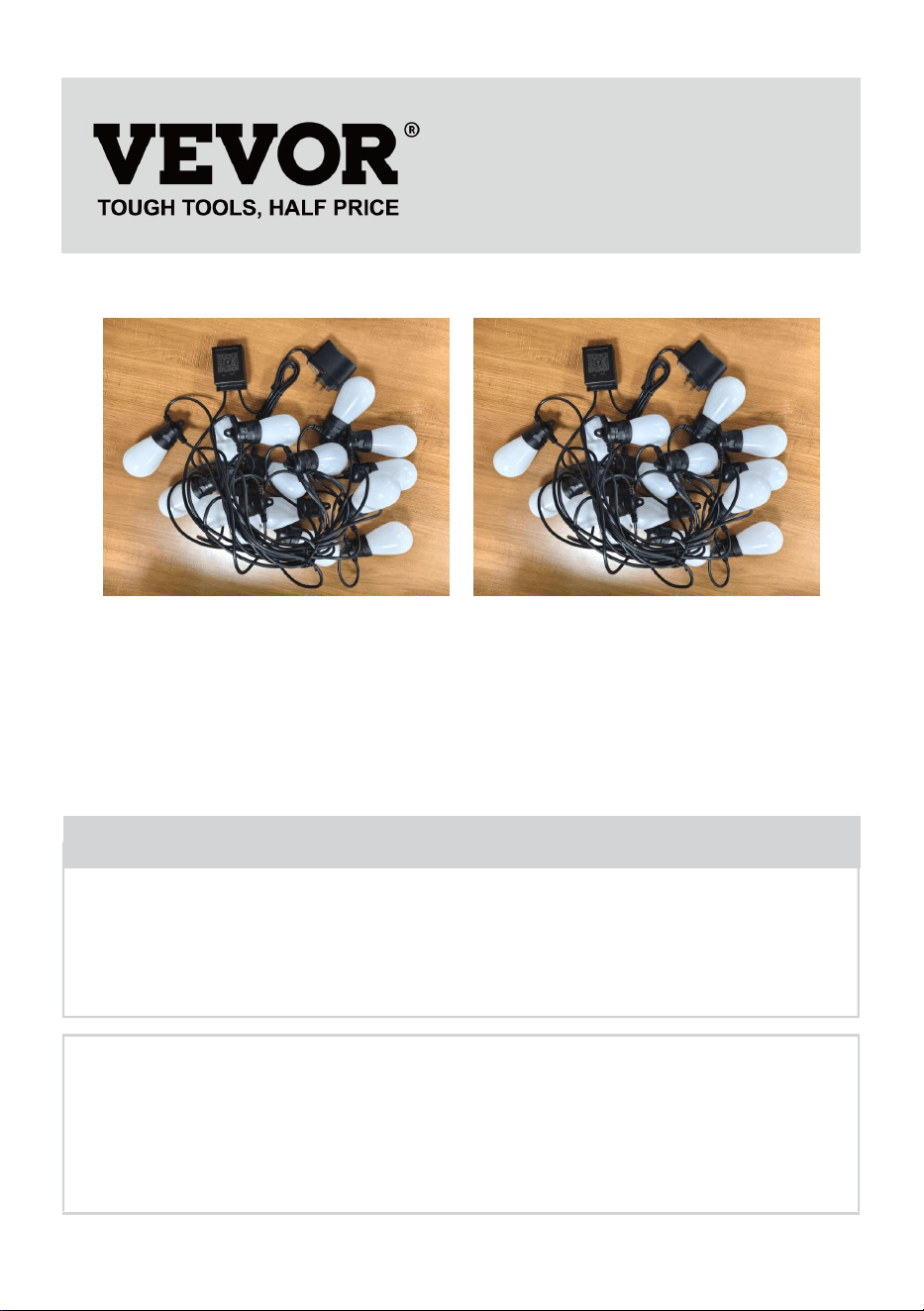
(Das Bild dient nur als Referenz, bitte beziehen Sie sich auf das
tatsächliche Objekt)
Have product questions? Need technical support? Please feel free to
contact us:
Technical Support and E-Warranty Certificate
www.vevor.com/support
NEED HELP? CONTACT US!
This is the original instruction, please read all manual instructions
carefully before operating. VEVOR reserves a clear interpretation of our
user manual. The appearance of the product shall be subject to the
product you received. Please forgive us that we won't inform you again if
there are any technology or software updates on our product.
Outdoor String Lights
AX-DC-005
AX-DC-006
INSTRUCTIONS
Warnung: Um das Verletzungsrisiko zu verringern, muss der
Benutzer die Bedienungsanleitung sorgfältig lesen.
Dieses Gerät entspricht Teil 15 der FCC-Bestimmungen. Der
Betrieb unterliegt den folgenden beiden Bedingungen: (1)
Dieses Gerät darf keine schädlichen Störungen verursachen
und (2) dieses Gerät muss alle empfangenen Störungen
akzeptieren, einschließlich Störungen, die einen
unerwünschten Betrieb verursachen können.
BEACHTEN:
ACHTUNG: Um Brand- und Stromschlaggefahr zu vermeiden, lesen Sie
bitte unbedingt alle Anweisungen bevor Sie dieses Gerät installieren oder
verwenden.
WARNUNG:
1. Stellen Sie vor dem Gebrauch sicher, dass alle Glühbirnen richtig in
ihren Stecknüsse und ziehen Sie diese nacheinander fest.
2. Stecken Sie die Lichterkette in die Steckdose in der wasserdichten Box.
3. Hängen Sie Ihre Lichterkette an der gewünschten Stelle auf und achten
Sie darauf, dass alle Glühbirnen nach unten zeigen, damit die Fassungen
IP65 entsprechen.
Modell
AX-DC-00 5
AX-DC-00 6
Bewertungen
Wechselstrom 120 V, 60 Hz
Wechselstrom 120 V, 60
Hz
PERFORMANCE PARAMETER
INSTALLATION,SAFETY AND CARE INSTRUCTIONS
Bei der Verwendung elektrischer Produkte sollten immer
grundlegende Vorsichtsmaßnahmen beachtet werden, darunter die
folgenden:
Installation:
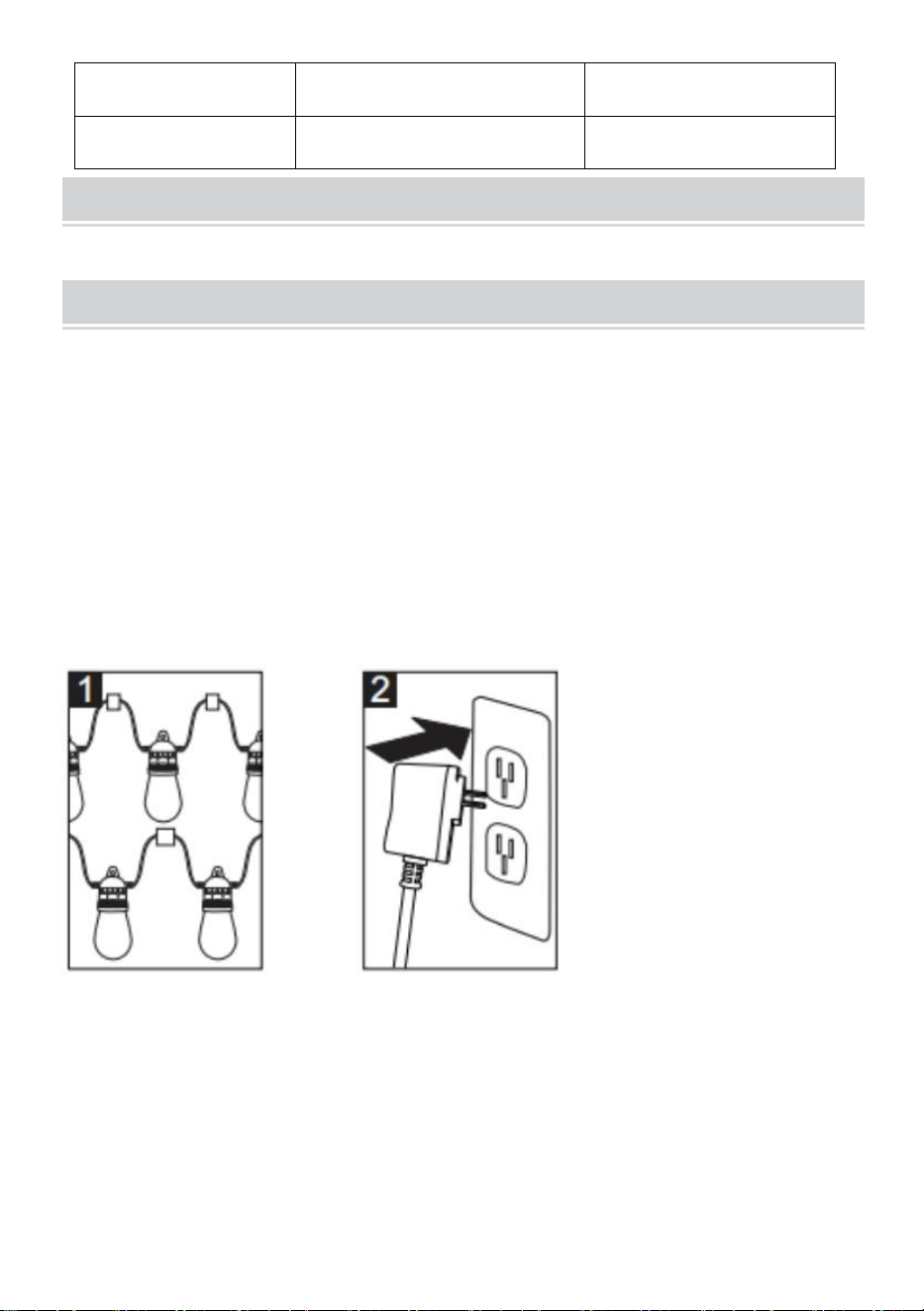
1. Hängen Sie Ihre Straßenlaternen an der gewünschten Stelle auf, wobei
die Laternen möglichst nach unten zeigen sollten, damit die Fassung IP65
entspricht.
2.Stecken Sie die Lichterkette in die Steckdose, die in die
Wasserdichte Box
3. Schalten Sie die Bluetooth-Funktion auf Ihrem Telefon oder Pad ein
4. Laden Sie die App herunter und installieren Sie sie
Scannen Sie den QR-Code auf der Rückseite des Controllers mit dem
Mobiltelefon oder Pad, wählen Sie je nach Mobiltelefontyp Apple oder
Android aus, laden Sie die Anwendung „FO Remote“ herunter und
installieren Sie sie. Öffnen Sie die Anwendung, öffnen Sie den
Lampentyp
LED S14 RGB
LED S14 RGB
Länge
50 Fuß
100 Fuß
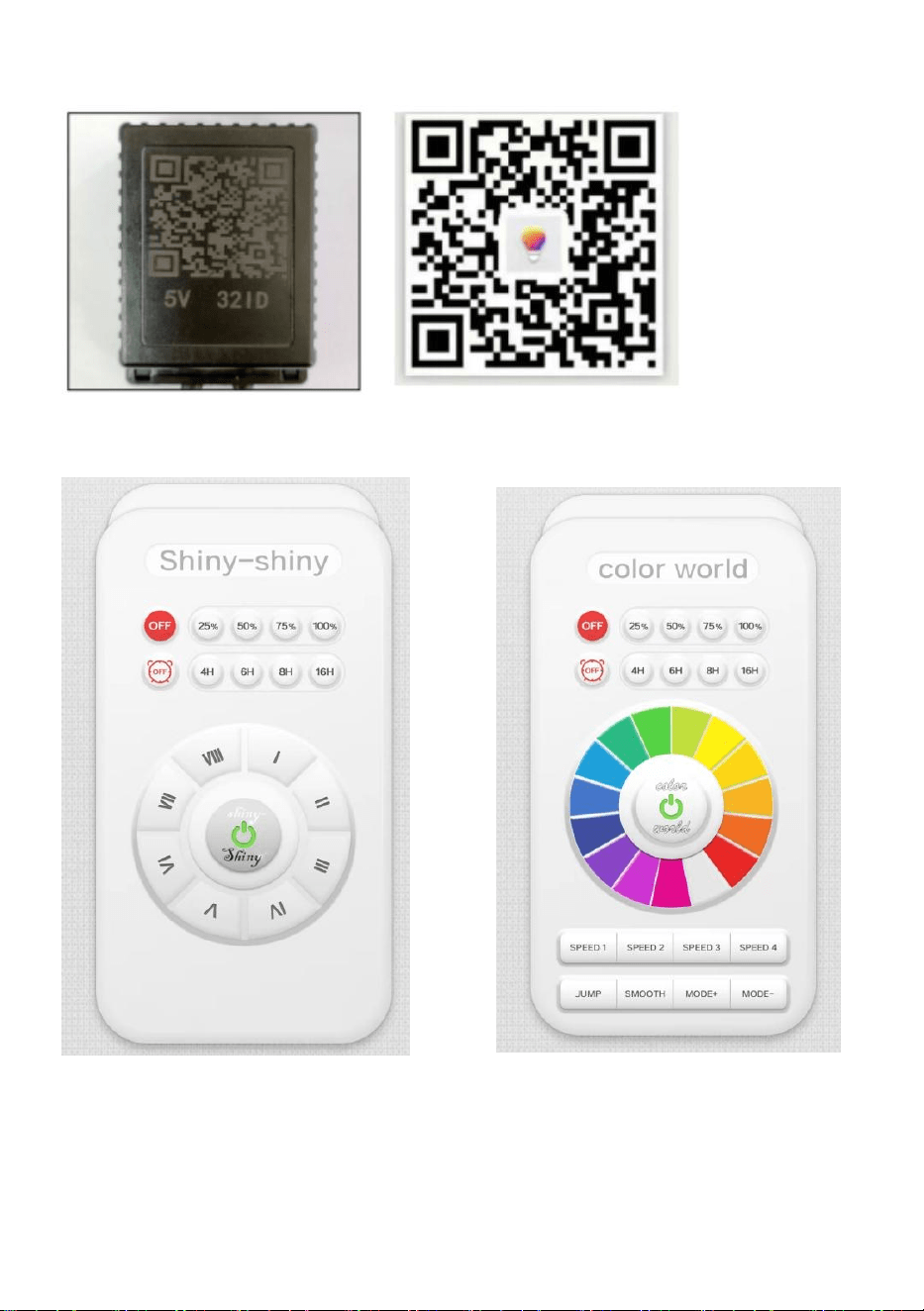
App-Controller und wählen Sie „ Color World “ .
HINWEIS: Wenn die App-Oberfläche „glänzend-glänzend“ erscheint,
wischen Sie bitte über den Bildschirm und wählen Sie „Farbwelt“

5. Funktionsbeschreibung dieser App
Das mehrfarbige Licht kann auf 15 einzigartige Farben, mehr als zehn
dynamische Modi, vier Geschwindigkeitsstufen und vier Timermodi
eingestellt werden.
ACCESSORIES LIST
AX-DC-005 /AX-DC-006:
1.Benutzerhandbuch *1

Sanven Technology Ltd.
Adresse: Suite 250, 9166 Anaheim Place, Rancho Cucamonga, CA 91730


Tecnico Supporto e certificato di garanzia elettronica
www.vevor.com/support
LUCI A CORDA PER ESTERNI
MANUALE D'USO
MODELLO: AX-DC-005 /AX-DC-006
We continue to be committed to provide you tools with competitive price.
"Save Half", "Half Price" or any other similar expressions used by us only represents an
estimate of savings you might benefit from buying certain tools with us compared to the major
top brands and does not necessarily mean to cover all categories of tools offered by us. You
are kindly reminded to verify carefully when you are placing an order with us if you are
actually saving half in comparison with the top major brands.
(L'immagine è solo di riferimento, fare riferimento all'oggetto reale)
Have product questions? Need technical support? Please feel free to
contact us:
Technical Support and E-Warranty Certificate
www.vevor.com/support
NEED HELP? CONTACT US!
This is the original instruction, please read all manual instructions
carefully before operating. VEVOR reserves a clear interpretation of our
user manual. The appearance of the product shall be subject to the
product you received. Please forgive us that we won't inform you again if
there are any technology or software updates on our product.
Outdoor String Lights
AX-DC-005
AX-DC-006
INSTRUCTIONS
Attenzione: per ridurre il rischio di lesioni, l'utente deve leggere
attentamente il manuale di istruzioni.
Questo dispositivo è conforme alla Parte 15 delle Norme FCC.
Il funzionamento è soggetto alle due condizioni seguenti: (1)
Questo dispositivo non può causare interferenze dannose e (2)
Questo dispositivo deve accettare qualsiasi interferenza
ricevuta, comprese le interferenze che possono causare un
funzionamento indesiderato.
AVVISO:
ATTENZIONE: per prevenire il rischio di incendi e scosse elettriche,
assicurarsi di leggere tutte le istruzioni prima di installare o utilizzare
questa unità.
AVVERTIMENTO:
1. Prima dell'uso, assicurarsi che tutte le lampadine siano correttamente
fissate nelle loro sedi. prese e serrarle una alla volta.
2. Collegare la catena luminosa alla presa di corrente che si trova nella
scatola impermeabile.
3. Appendere la catena luminosa nel punto desiderato, assicurandosi che
tutte le lampadine siano rivolte verso il basso, in modo che le prese siano
IP65.
Modello
AX-DC-00 5
AX-DC-00 6
Valutazione
AC120V 60Hz
AC120V 60Hz
Tipo di lampadina
GUIDATO S14 RGB
GUIDATO S14 RGB
PERFORMANCE PARAMETER
INSTALLATION,SAFETY AND CARE INSTRUCTIONS
Quando si utilizzano prodotti elettrici, è necessario seguire sempre
le precauzioni di base, tra cui:
Installazione:
1. Appendere i lampioni nella posizione desiderata, commisurati e rivolti
verso il basso, il che potrebbe rendere la presa IP65.
2. Collegare la luce della stringa alla presa di corrente che si trova nella
Scatola impermeabile
3. Attiva la funzione Bluetooth sul tuo telefono o tablet
4. Scarica e installa l'app
Scansiona il codice QR sul retro del controller con il telefono cellulare o il
pad, seleziona Apple o Android in base al tipo di telefono cellulare, scarica
l'applicazione "FO Remote" e quindi installala. Apri l'applicazione e apri
l'app controller seleziona " Color World " .
Lunghezza
50 PIEDI
100 PIEDI
NOTA: quando l'interfaccia dell'app appare "lucida-lucida", fai scorrere lo
schermo e seleziona "mondo colorato"

5. Descrizione delle funzioni di questa app
La luce multicolore può essere impostata su 15 colori unici, più di dieci
modalità dinamiche, 4 livelli di velocità e quattro modalità timer.
ACCESSORIES LIST
ITALIANO:
1.Manuale utente *1

Azienda
Indirizzo: Suite 250, 9166 Anaheim Place, Rancho Cucamonga, CA 91730


Técnico Certificado de soporte y garantía electrónica
www.vevor.com/support
LUCES DE CADENA PARA EXTERIORES
MANUAL DEL USUARIO
MODELO: AX-DC-005 /AX-DC-006
We continue to be committed to provide you tools with competitive price.
"Save Half", "Half Price" or any other similar expressions used by us only represents an
estimate of savings you might benefit from buying certain tools with us compared to the major
top brands and does not necessarily mean to cover all categories of tools offered by us. You
are kindly reminded to verify carefully when you are placing an order with us if you are
actually saving half in comparison with the top major brands.
(La imagen es solo de referencia, consulte el objeto real)
Have product questions? Need technical support? Please feel free to
contact us:
Technical Support and E-Warranty Certificate
www.vevor.com/support
NEED HELP? CONTACT US!
This is the original instruction, please read all manual instructions
carefully before operating. VEVOR reserves a clear interpretation of our
user manual. The appearance of the product shall be subject to the
product you received. Please forgive us that we won't inform you again if
there are any technology or software updates on our product.
Outdoor String Lights
AX-DC-005
AX-DC-006
INSTRUCTIONS
Advertencia: Para reducir el riesgo de lesiones, el usuario debe
leer atentamente el manual de instrucciones.
Este dispositivo cumple con la Parte 15 de las Normas de la
FCC. Su funcionamiento está sujeto a las dos condiciones
siguientes: (1) Este dispositivo no puede causar interferencias
perjudiciales y (2) Este dispositivo debe aceptar cualquier
interferencia que reciba, incluidas las interferencias que
puedan causar un funcionamiento no deseado.
AVISO:
PRECAUCIÓN: Para evitar el riesgo de incendio y descarga eléctrica,
asegúrese de leer todas las instrucciones. antes de instalar o utilizar esta
unidad.
ADVERTENCIA:
1. Antes de usar, asegúrese de que todas las bombillas estén
correctamente fijadas en sus enchufes y apriételos uno por uno.
2. Conecte la cadena de luces a la toma de corriente que se encuentra en
la caja impermeable.
3. Cuelgue las luces de cadena en la ubicación deseada, asegúrese de
que todas las bombillas estén orientadas hacia abajo, lo que podría hacer
que los casquillos sean IP65.
Modelo
AX-DC-00 5
AX-DC-00 6
Clasificación
CA 120 V 60 Hz
CA 120 V 60 Hz
Tipo de bombilla
CONDUJO S14 RGB
CONDUJO S14 RGB
PERFORMANCE PARAMETER
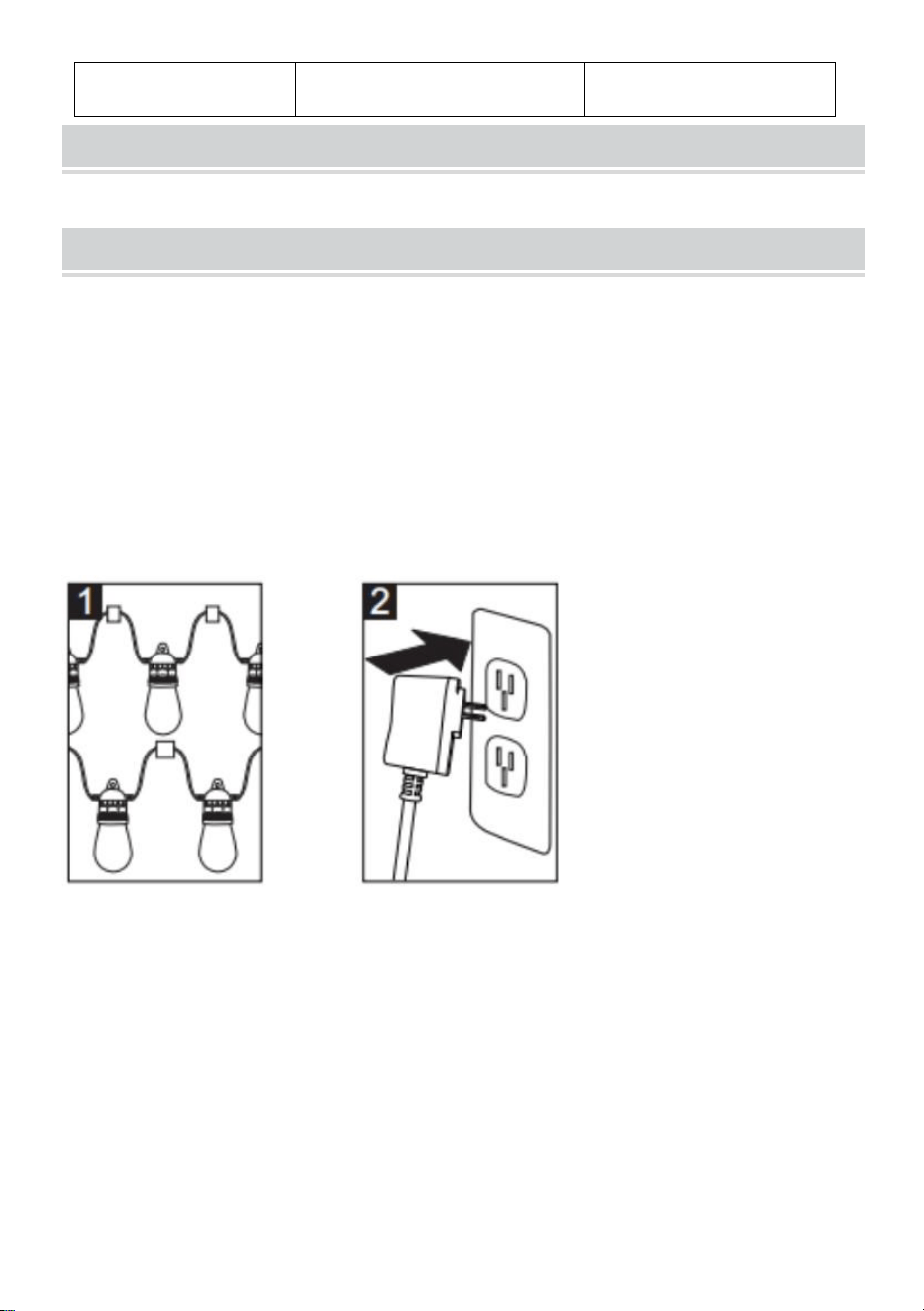
INSTALLATION,SAFETY AND CARE INSTRUCTIONS
Al utilizar productos eléctricos, siempre se deben seguir
precauciones básicas, incluidas las siguientes:
Instalación:
1.Cuelgue sus farolas en la ubicación deseada, siempre que estén
orientadas hacia abajo, lo que podría hacer que el enchufe sea IP65.
2. Conecte la cadena de luces a la toma de corriente que se encuentra en
el
Caja impermeable
3. Encienda la función Bluetooth en su teléfono o tableta.
4. Descargue e instale la aplicación
Escanee el código QR en la parte posterior del controlador con el teléfono
móvil o el pad, seleccione Apple o Android según el tipo de teléfono móvil,
descargue la aplicación "FO Remote" y luego instálela. Abra la aplicación y
abra el controlador de aplicaciones, seleccione " Color World " .
Longitud
50 pies
100 pies
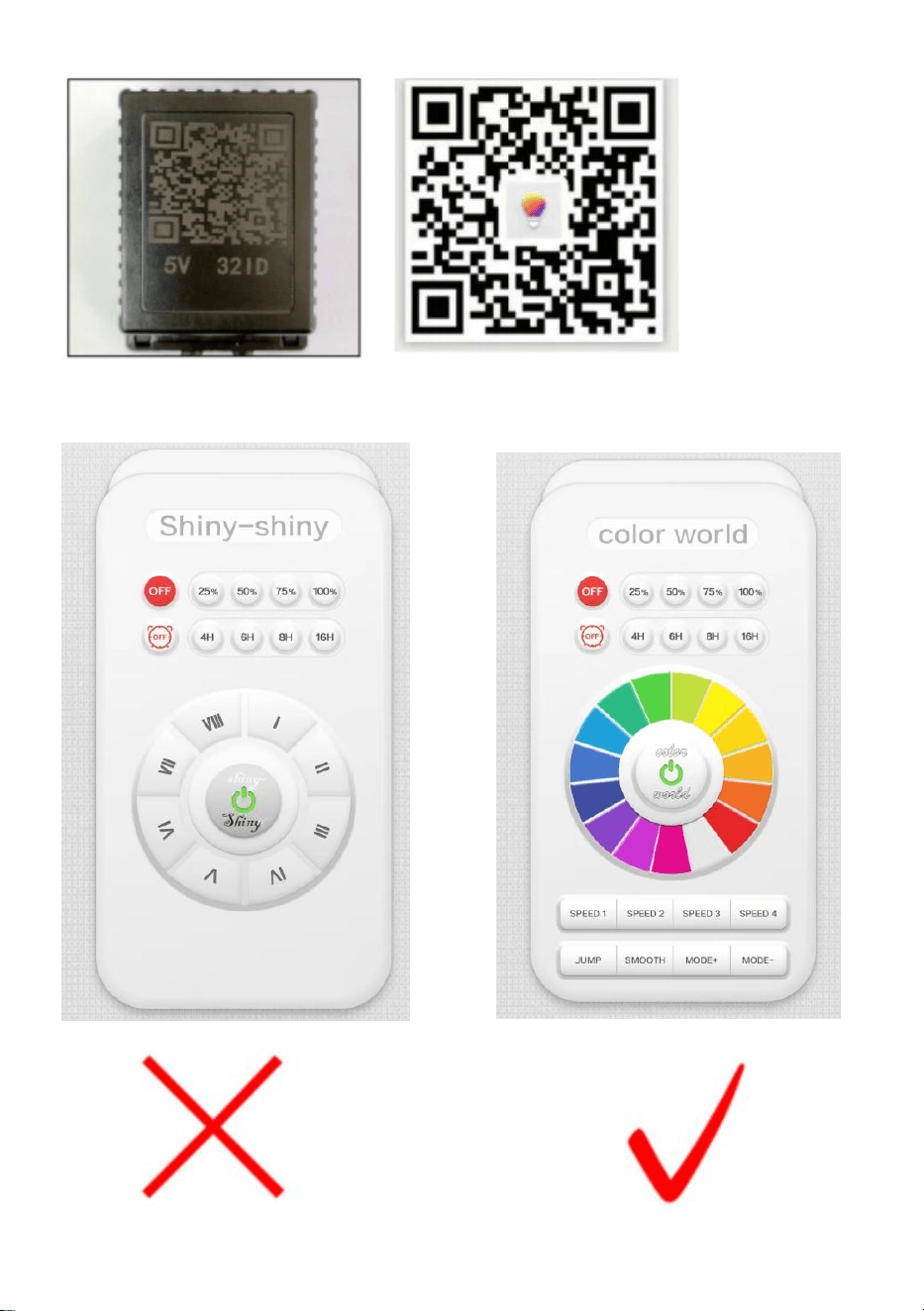
NOTA: Cuando la interfaz de la aplicación parezca “brillante-brillante”,
deslice la pantalla y seleccione “mundo de colores”

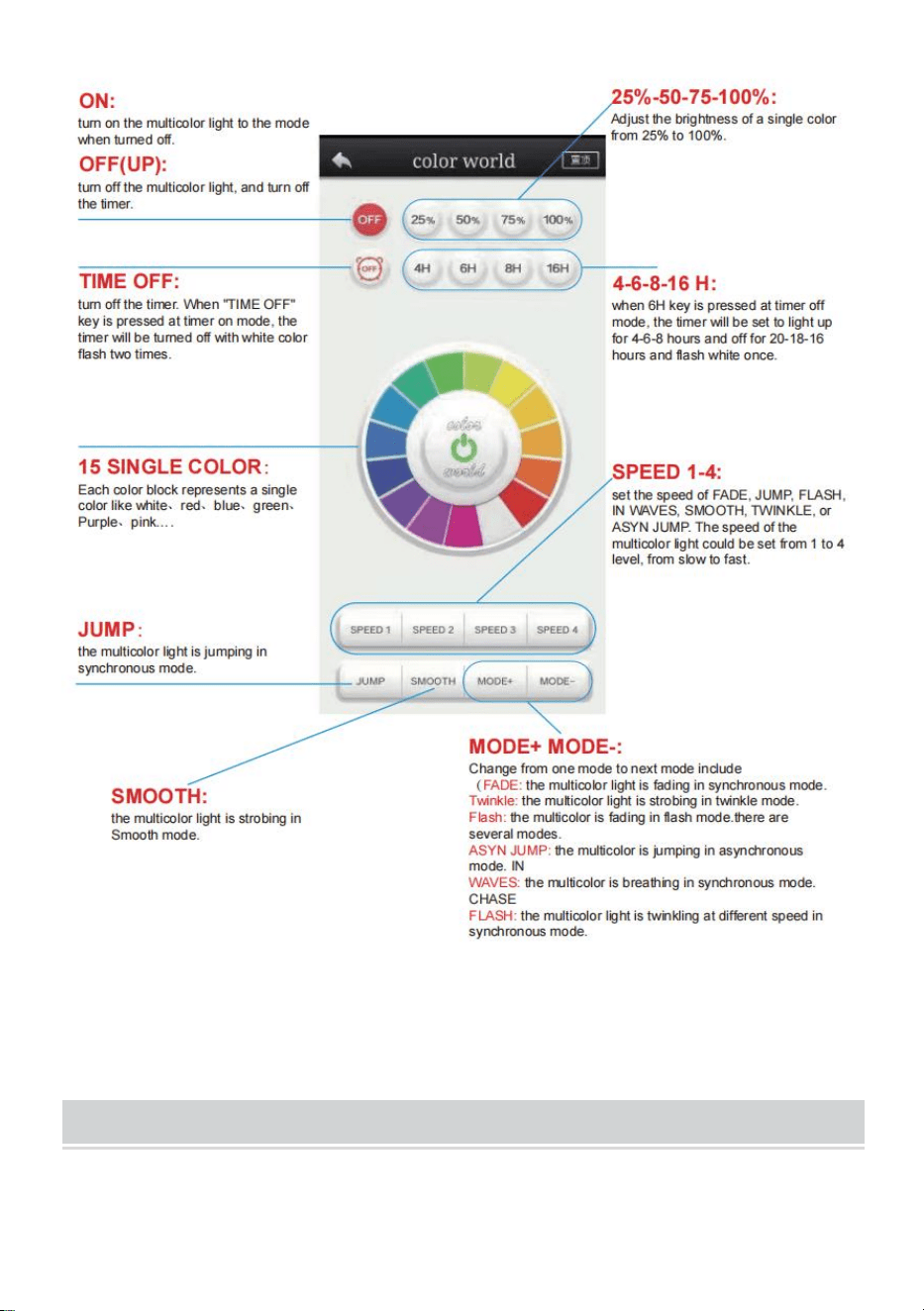
5. Descripción de funciones de esta aplicación
La luz multicolor se puede configurar en 15 colores únicos, más de diez
modos dinámicos, 4 niveles de velocidad y cuatro modos de temporizador.
ACCESSORIES LIST
AX-DC-005 /AX-DC-006:
1. Manual del usuario *1

Tecnología Sanven Ltd.
Dirección: Suite 250, 9166 Anaheim Place, Rancho Cucamonga, CA 91730


Techniczny Wsparcie i certyfikat e-gwarancji
www.vevor.com/support
ŚWIATŁA ZEWNĘTRZNE
INSTRUKCJA OBSŁUGI
MODELE: AX-DC-005 /AX-DC-006
We continue to be committed to provide you tools with competitive price.
"Save Half", "Half Price" or any other similar expressions used by us only represents an
estimate of savings you might benefit from buying certain tools with us compared to the major
top brands and does not necessarily mean to cover all categories of tools offered by us. You
are kindly reminded to verify carefully when you are placing an order with us if you are
actually saving half in comparison with the top major brands.
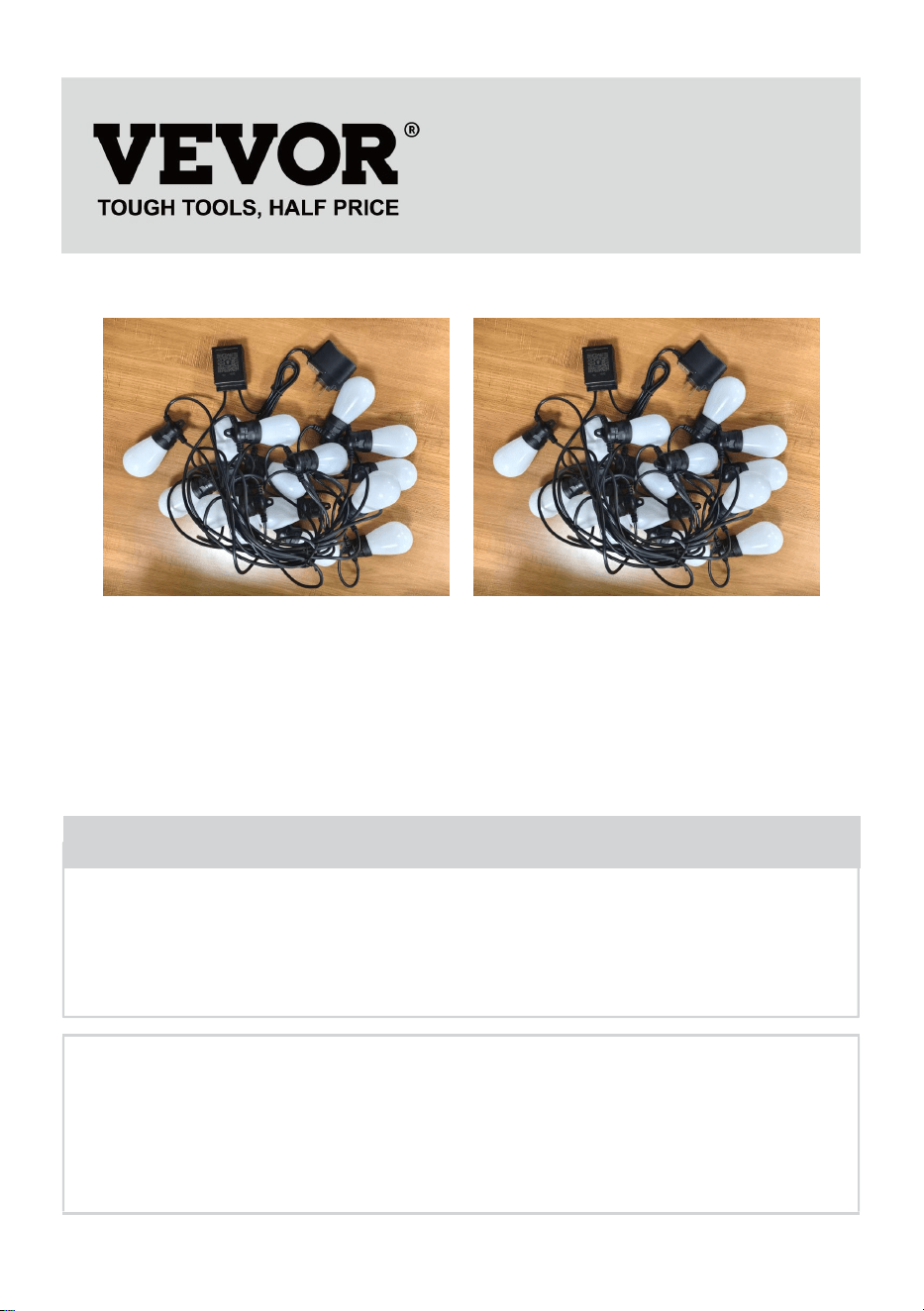
(Zdjęcie ma charakter poglądowy, proszę odnosić się do rzeczywistego
obiektu)
Have product questions? Need technical support? Please feel free to
contact us:
Technical Support and E-Warranty Certificate
www.vevor.com/support
NEED HELP? CONTACT US!
This is the original instruction, please read all manual instructions
carefully before operating. VEVOR reserves a clear interpretation of our
user manual. The appearance of the product shall be subject to the
product you received. Please forgive us that we won't inform you again if
there are any technology or software updates on our product.
Outdoor String Lights
AX-DC-005
AX-DC-006
INSTRUCTIONS
Ostrzeżenie: Aby zminimalizować ryzyko obrażeń, użytkownik
powinien uważnie przeczytać instrukcję obsługi.
To urządzenie jest zgodne z częścią 15 przepisów FCC. Jego
działanie podlega następującym dwóm warunkom: (1) To
urządzenie nie może powodować szkodliwych zakłóceń i (2) to
urządzenie musi akceptować wszelkie odbierane zakłócenia, w
tym zakłócenia, które mogą powodować niepożądane
działanie.
OGŁOSZENIE:
UWAGA: Aby uniknąć ryzyka pożaru i porażenia prądem, należy
dokładnie przeczytać wszystkie instrukcje. przed zainstalowaniem lub
użyciem tego urządzenia.
OSTRZEŻENIE:
1. Przed użyciem należy upewnić się, że wszystkie żarówki są prawidłowo
zamocowane w swoich gniazdach. gniazda i dokręcaj je po kolei.
2. Podłącz lampkę do gniazdka elektrycznego znajdującego się w
wodoodpornej obudowie.
3. Zawieś lampki choinkowe w wybranym miejscu, upewniając się, że
wszystkie żarówki są skierowane w dół, dzięki czemu oprawki będą miały
klasę ochrony IP65.
Model
AX-DC-00 5
AX-DC-00 6
Ocena
Prąd zmienny 120 V 60 Hz
Prąd zmienny 120 V 60
Hz
PERFORMANCE PARAMETER
INSTALLATION,SAFETY AND CARE INSTRUCTIONS
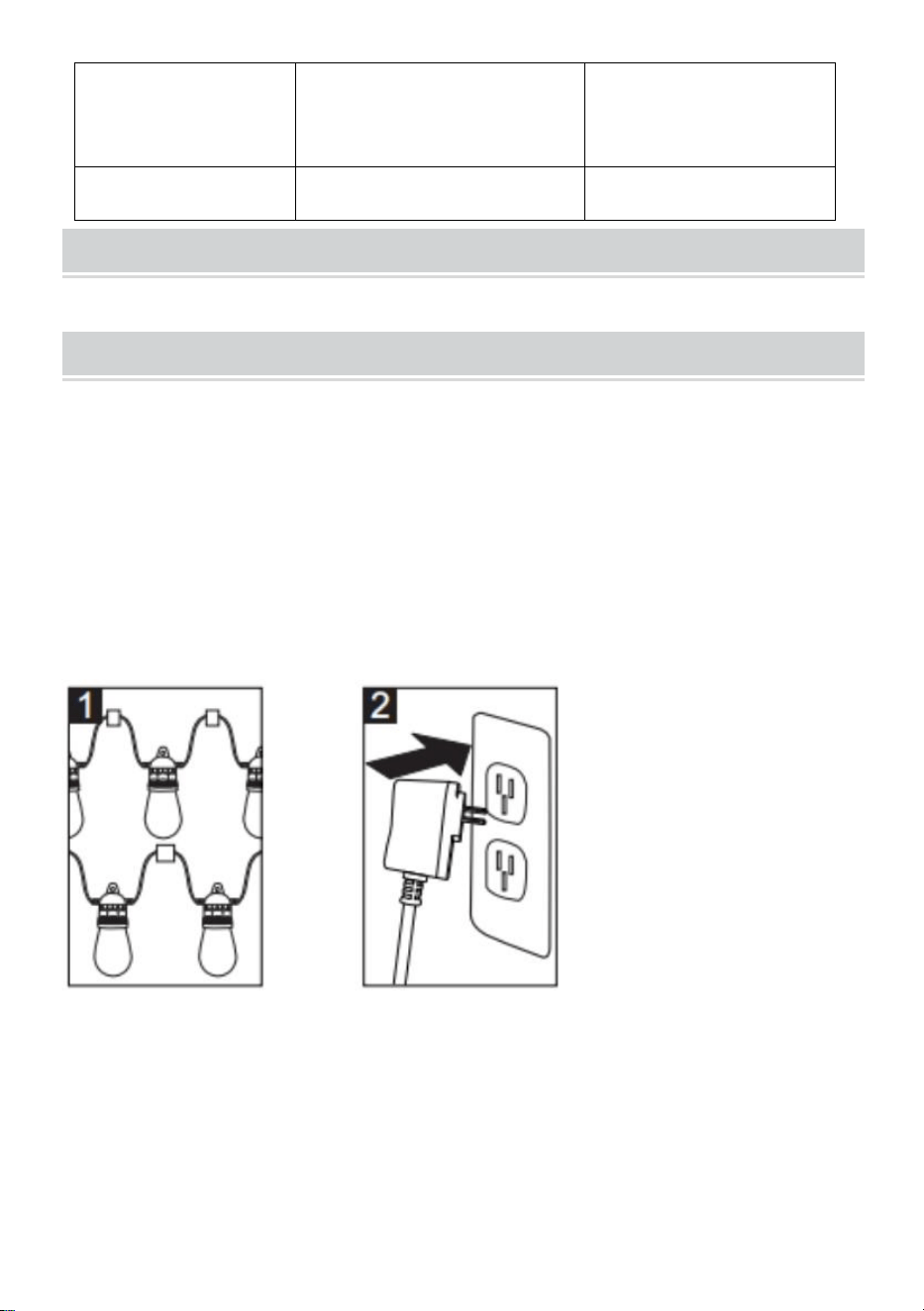
Podczas korzystania z produktów elektrycznych należy zawsze
przestrzegać podstawowych środków ostrożności, w tym:
Instalacja:
1. Zawieś latarnie uliczne w wybranym miejscu, tak aby były skierowane w
dół, co sprawi, że gniazdo będzie miało stopień ochrony IP65.
2. Podłącz lampkę do gniazdka elektrycznego znajdującego się w
Wodoodporne pudełko
3. Włącz funkcję Bluetooth w telefonie lub tablecie
4. Pobierz i zainstaluj aplikację
Zeskanuj kod QR z tyłu kontrolera za pomocą telefonu komórkowego lub
tabletu, wybierz Apple lub Android zgodnie z typem telefonu komórkowego,
pobierz aplikację „FO Remote”, a następnie zainstaluj ją. Otwórz
aplikację i otwórz kontroler aplikacji, wybierz „ Color World ” .
Typ żarówki
PROWADZONY S14RGB
PROWADZONY
S14RGB
Długość
50 stóp
100 stóp
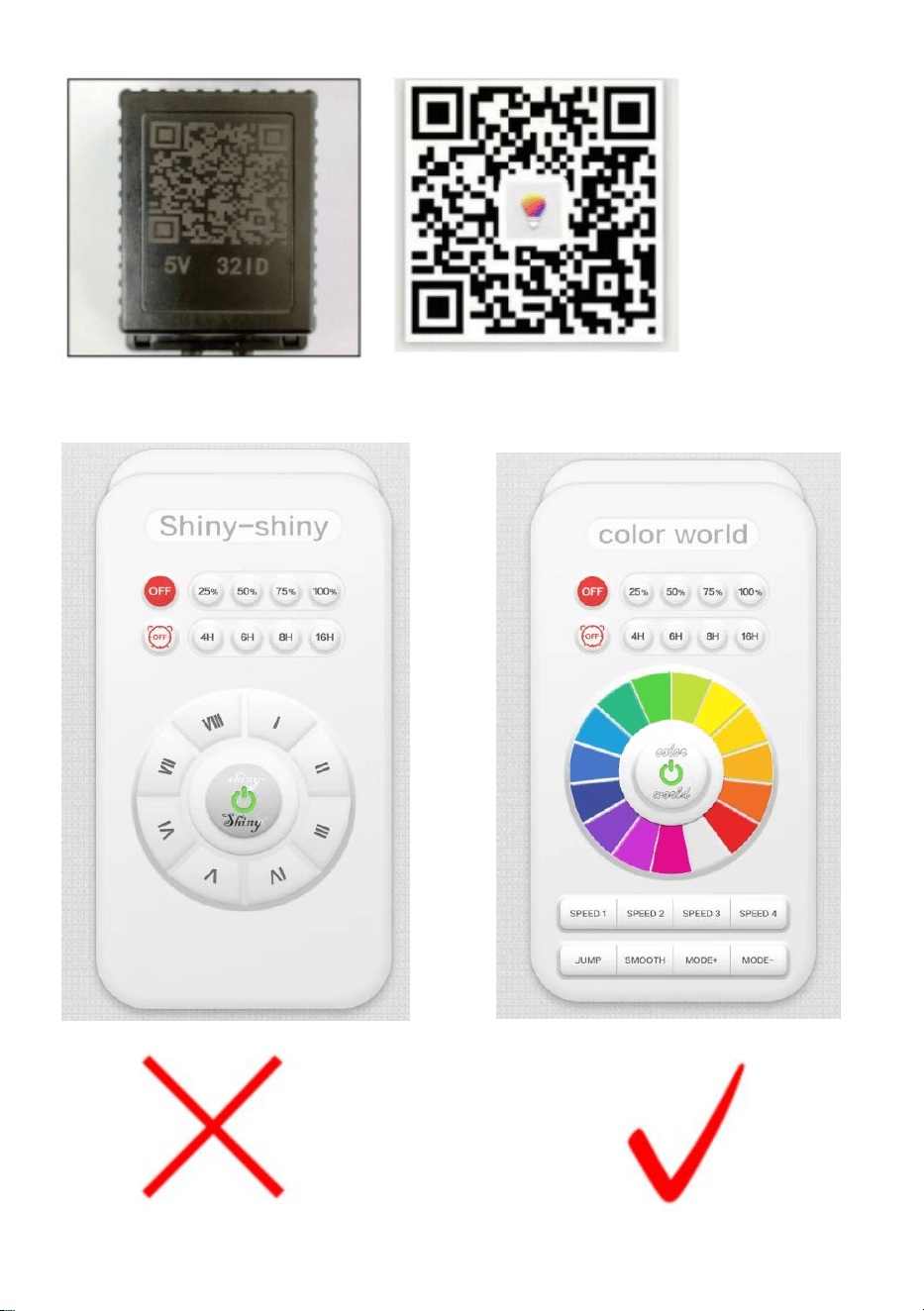
UWAGA: Gdy interfejs aplikacji będzie wyglądał na
„błyszczący-błyszczący”, przesuń ekran i wybierz „świat kolorów”

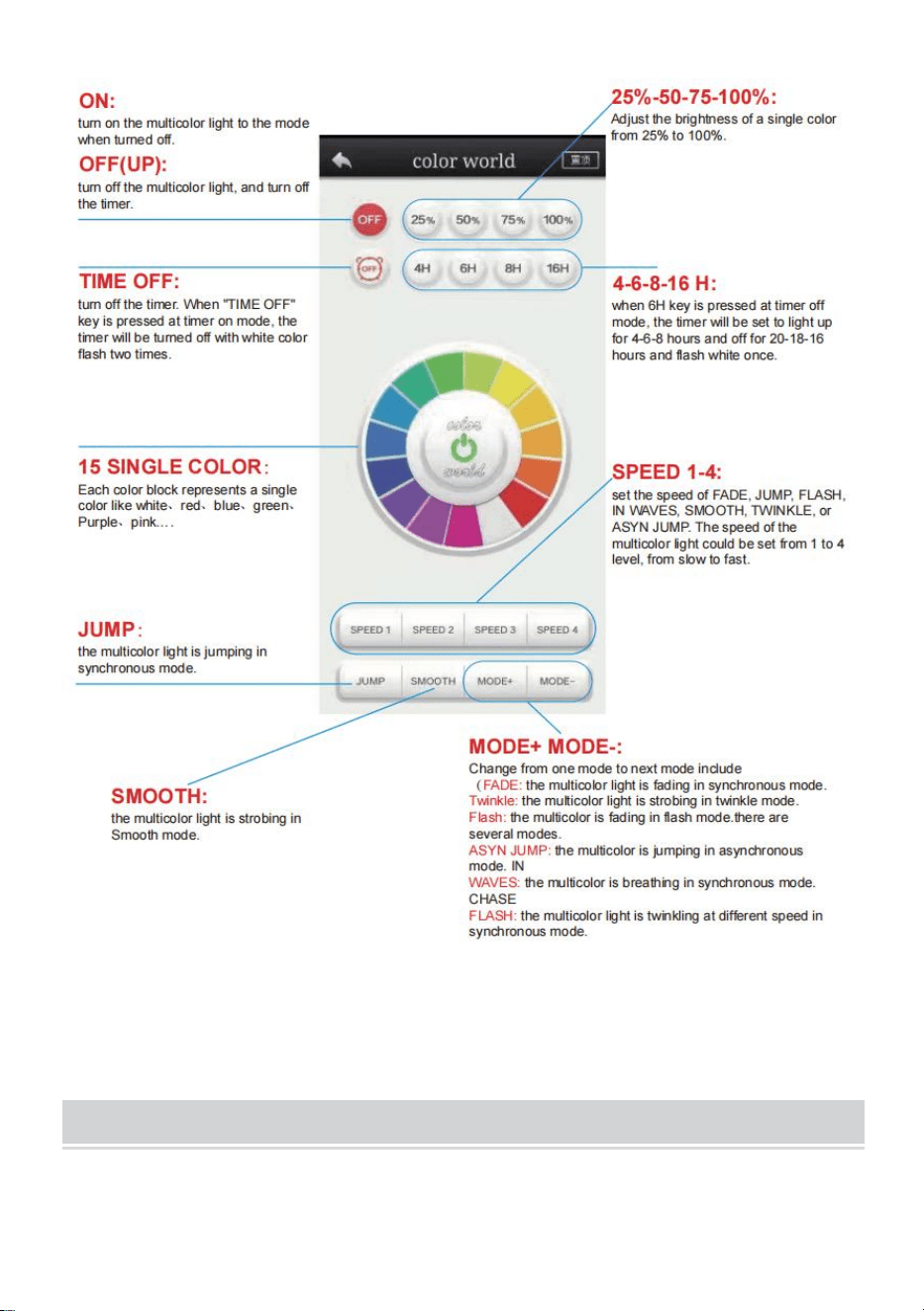
5. Opis funkcji tej aplikacji
Wielokolorowe światło można ustawić na 15 unikalnych kolorów, ponad
dziesięć trybów dynamicznych, 4 poziomy prędkości i cztery tryby timera.
ACCESSORIES LIST
AX-DC-005 /AX-DC-006:
1. Instrukcja obsługi *1

Sanven Technology Ltd.
Adres: Suite 250, 9166 Anaheim Place, Rancho Cucamonga, CA 91730


Technisch Ondersteuning en E-garantiecertificaat
www.vevor.com/support
BUITENVERLICHTING
GEBRUIKERSHANDLEIDING
MODEL: AX-DC-005 /AX-DC-006
We continue to be committed to provide you tools with competitive price.
"Save Half", "Half Price" or any other similar expressions used by us only represents an
estimate of savings you might benefit from buying certain tools with us compared to the major
top brands and does not necessarily mean to cover all categories of tools offered by us. You
are kindly reminded to verify carefully when you are placing an order with us if you are
actually saving half in comparison with the top major brands.
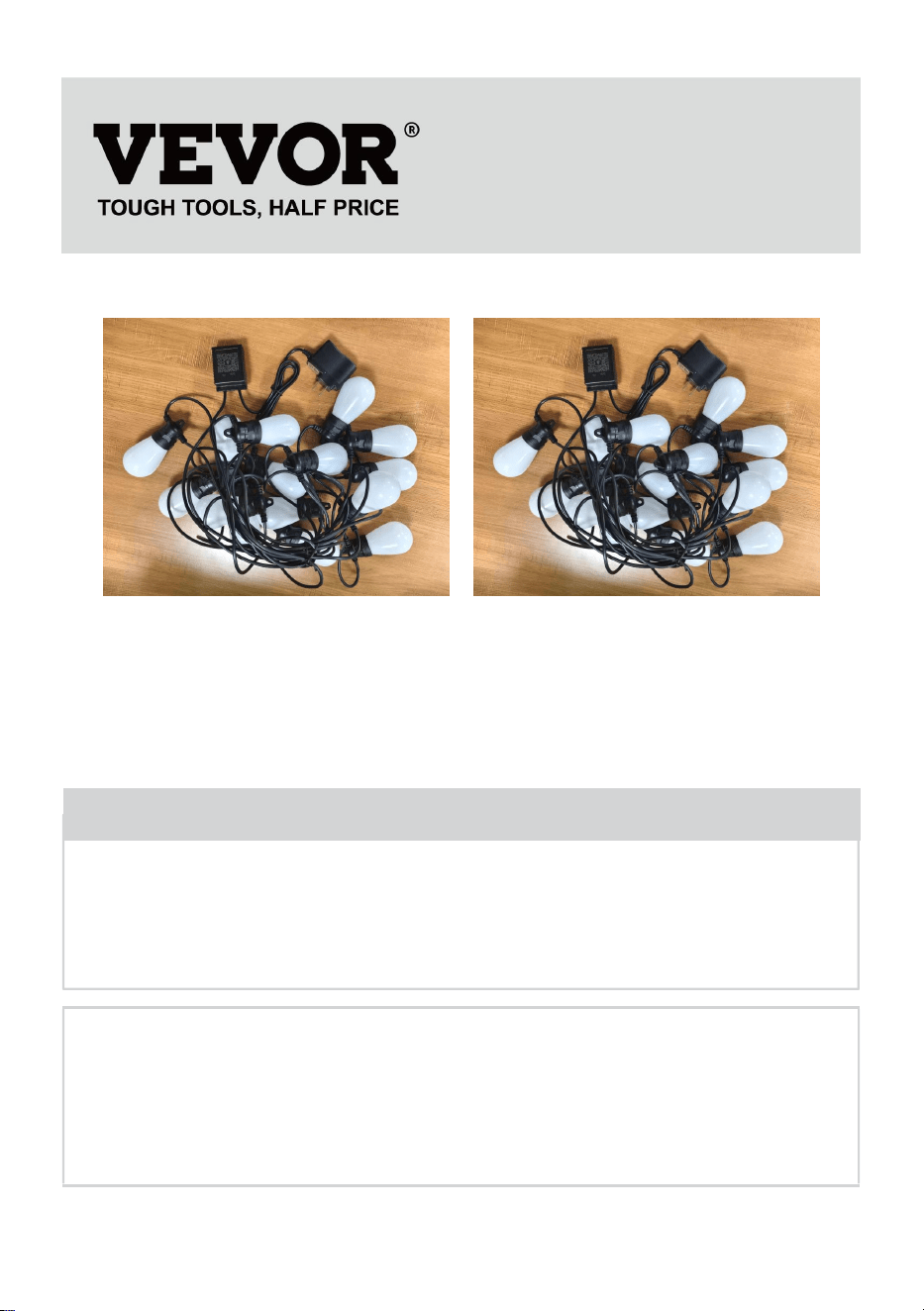
(De afbeelding is alleen ter referentie, kijk naar het daadwerkelijke object)
Have product questions? Need technical support? Please feel free to
contact us:
Technical Support and E-Warranty Certificate
www.vevor.com/support
NEED HELP? CONTACT US!
This is the original instruction, please read all manual instructions
carefully before operating. VEVOR reserves a clear interpretation of our
user manual. The appearance of the product shall be subject to the
product you received. Please forgive us that we won't inform you again if
there are any technology or software updates on our product.
Outdoor String Lights
AX-DC-005
AX-DC-006
INSTRUCTIONS
Waarschuwing: om het risico op letsel te verkleinen, moet de
gebruiker de gebruiksaanwijzing zorgvuldig lezen.
Dit apparaat voldoet aan Deel 15 van de FCC-regels. De
werking is onderworpen aan de volgende twee voorwaarden:
(1) Dit apparaat mag geen schadelijke interferentie
veroorzaken, en (2) dit apparaat moet alle ontvangen
interferentie accepteren, inclusief interferentie die ongewenste
werking kan veroorzaken.
KENNISGEVING:
LET OP: Om het risico op brand en elektrische schokken te voorkomen,
dient u alle instructies zorgvuldig door te lezen. voordat u dit apparaat
installeert of gebruikt.
WAARSCHUWING:
1. Controleer voor gebruik of alle lampen goed vastzitten. doppen en draai
ze één voor één vast.
2. Steek de stekker van de lichtslinger in het stopcontact dat zich in de
waterdichte doos bevindt.
3. Hang de lichtsnoeren op de gewenste locatie en zorg ervoor dat alle
lampen naar beneden wijzen. Zo kunnen de fittingen IP65 zijn.
Model
AX-DC-00 5
AX-DC-00 6
Beoordeling
AC120V 60Hz
AC120V 60Hz
Lamptype
LED S14 RGB
LED S14 RGB
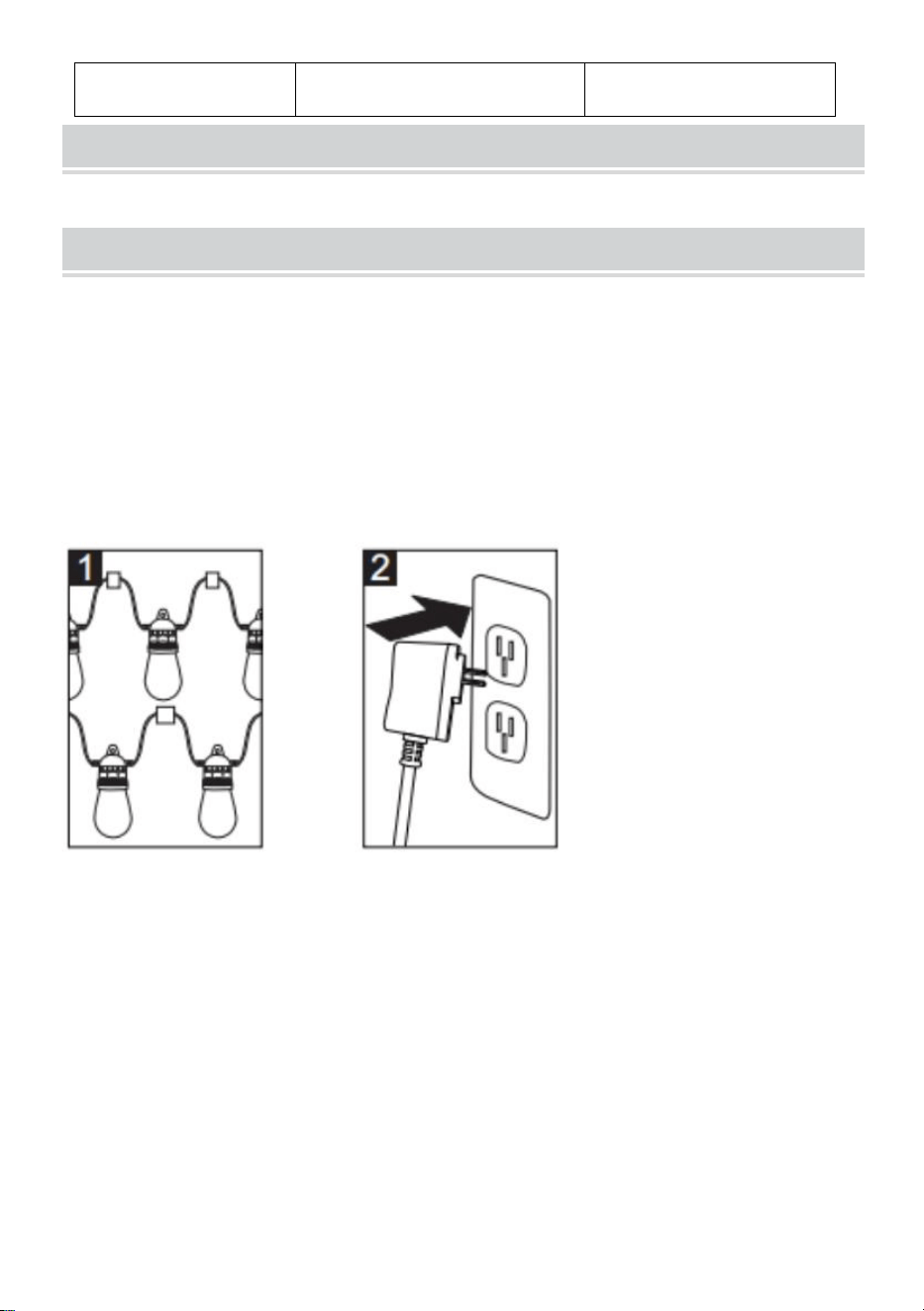
PERFORMANCE PARAMETER
INSTALLATION,SAFETY AND CARE INSTRUCTIONS
Bij het gebruik van elektrische producten dienen altijd de volgende
basisvoorzorgsmaatregelen in acht te worden genomen:
Installatie:
1. Hang uw straatlantaarns op de gewenste locatie, zorg ervoor dat ze
naar beneden gericht zijn, zodat de fitting IP65 is.
2. Steek de lichtslinger in het stopcontact dat zich in de
Waterdichte doos
3. Schakel de Bluetooth-functie op uw telefoon of pad in
4. Download en installeer de app
Scan de QR-code op de achterkant van de controller met de mobiele
telefoon of pad, selecteer Apple of Android volgens het type mobiele
telefoon, download de applicatie "FO Remote" en installeer deze
vervolgens. Open de applicatie en open de app controller selecteer " Color
World " .
Lengte t h
50 voet
100 voet
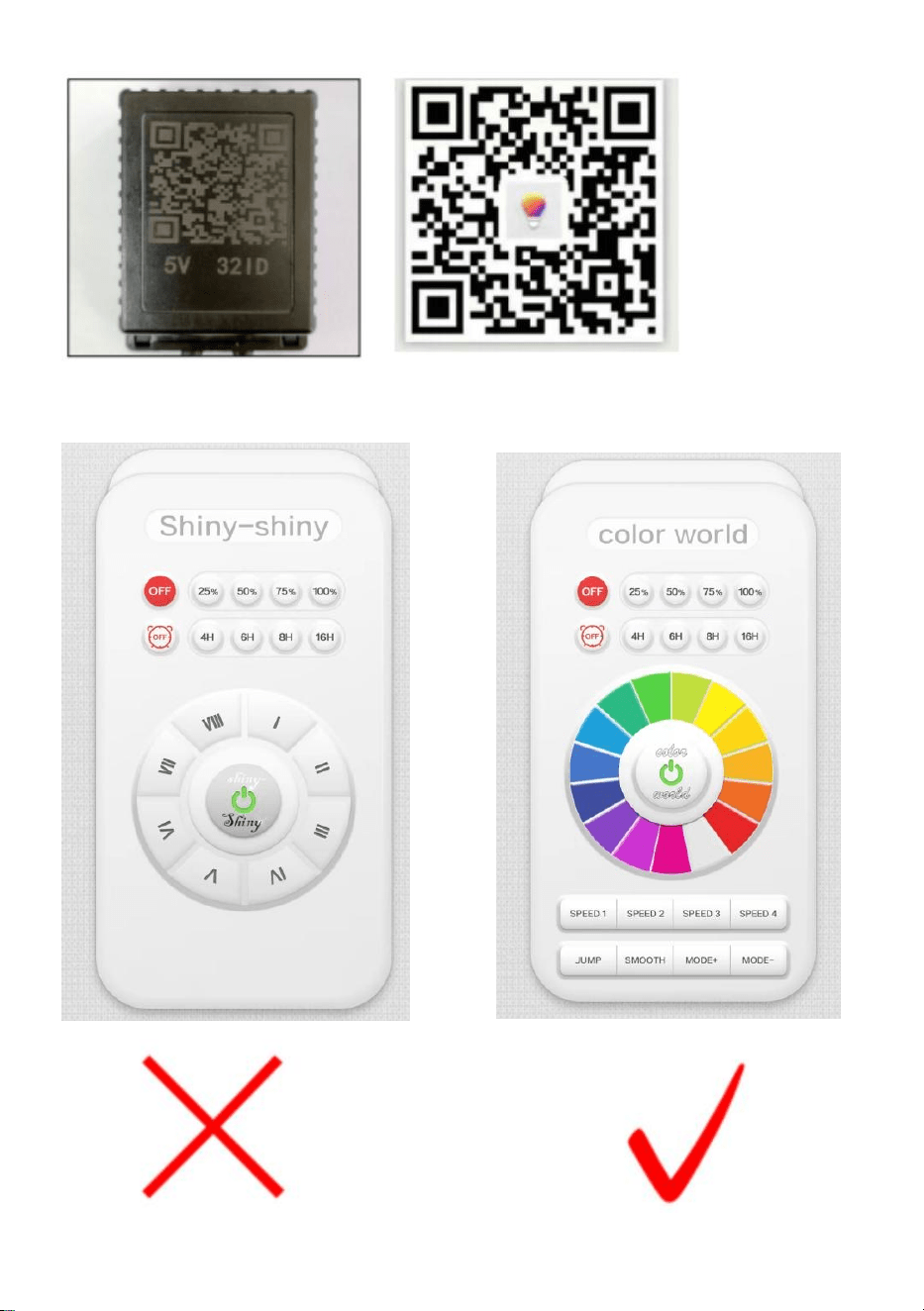
OPMERKING: Wanneer de app-interface "glanzend-glanzend" lijkt, schuift
u het scherm en selecteert u "kleurenwereld"

5. Functiebeschrijving over deze app
Het meerkleurige licht kan worden ingesteld op 15 unieke kleuren, meer
dan tien dynamische modi, 4 snelheidsniveaus en vier timermodi.
ACCESSORIES LIST
AX-DC-005 /AX-DC-006:
1.Gebruiksaanwijzing *1

Sanven Technologie Ltd.
Adres: Suite 250, 9166 Anaheim Place, Rancho Cucamonga, CA 91730


Teknisk Support och e-garanticertifikat
www.vevor.com/support
STRÄNGLJUS UTOMHUS
ANVÄNDARMANUAL
MODELL: AX-DC-005 /AX-DC-006
We continue to be committed to provide you tools with competitive price.
"Save Half", "Half Price" or any other similar expressions used by us only represents an
estimate of savings you might benefit from buying certain tools with us compared to the major
top brands and does not necessarily mean to cover all categories of tools offered by us. You
are kindly reminded to verify carefully when you are placing an order with us if you are
actually saving half in comparison with the top major brands.
(Bilden är endast för referens, se det faktiska objektet)
Have product questions? Need technical support? Please feel free to
contact us:
Technical Support and E-Warranty Certificate
www.vevor.com/support
NEED HELP? CONTACT US!
This is the original instruction, please read all manual instructions
carefully before operating. VEVOR reserves a clear interpretation of our
user manual. The appearance of the product shall be subject to the
product you received. Please forgive us that we won't inform you again if
there are any technology or software updates on our product.
Outdoor String Lights
AX-DC-005
AX-DC-006
INSTRUCTIONS
Varning - För att minska risken för skada måste användaren
läsa instruktionerna noggrant.
Denna enhet uppfyller del 15 av FCC-reglerna. Driften är
föremål för följande två villkor: (1) Den här enheten får inte
orsaka skadliga störningar och (2) den här enheten måste
acceptera alla mottagna störningar, inklusive störningar som
kan orsaka oönskad funktion.
VARSEL:
FÖRSIKTIGHET: För att förhindra risken för brand och elektriska stötar,
var noga med att läsa alla instruktioner innan du installerar eller använder
denna enhet.
VARNING:
1. Före användning, se till att alla glödlampor är ordentligt säkrade i deras
hylsor och dra åt dem en efter en.
2. Anslut ljusslingan till eluttaget som sitter i den vattentäta lådan.
3. Häng dina ljusslingor på önskad plats, se till att alla glödlampor är vända
nedåt, vilket kan göra att sockeln är IP65.
PERFORMANCE PARAMETER
Modell
AX-DC-00 5
AX-DC-00 6
Gradering
AC120V 60Hz
AC120V 60Hz
Typ av glödlampa
LED S14 RGB
LED S14 RGB
Längd t h
50 FT
100 FT
INSTALLATION,SAFETY AND CARE INSTRUCTIONS
När du använder elektriska produkter bör grundläggande
försiktighetsåtgärder alltid följas, inklusive följande:
Installation:
1.Häng dina gatubelysningar på önskad plats, jämförbara är vända nedåt,
vilket kan göra sockeln ip65.
2. Anslut ljusslingan till eluttaget som är i
Vattentät låda
3. Slå på Bluetooth-funktionen på din telefon eller pad
4. Ladda ner och installera appen
Skanna QR-koden på baksidan av handkontrollen med mobiltelefonen
eller pad, välj apple eller android enligt mobiltelefontyp, ladda ner
applikationen "FO Remote " och installera den sedan. Öppna applikationen
och öppna appkontrollen och välj " Color World " .
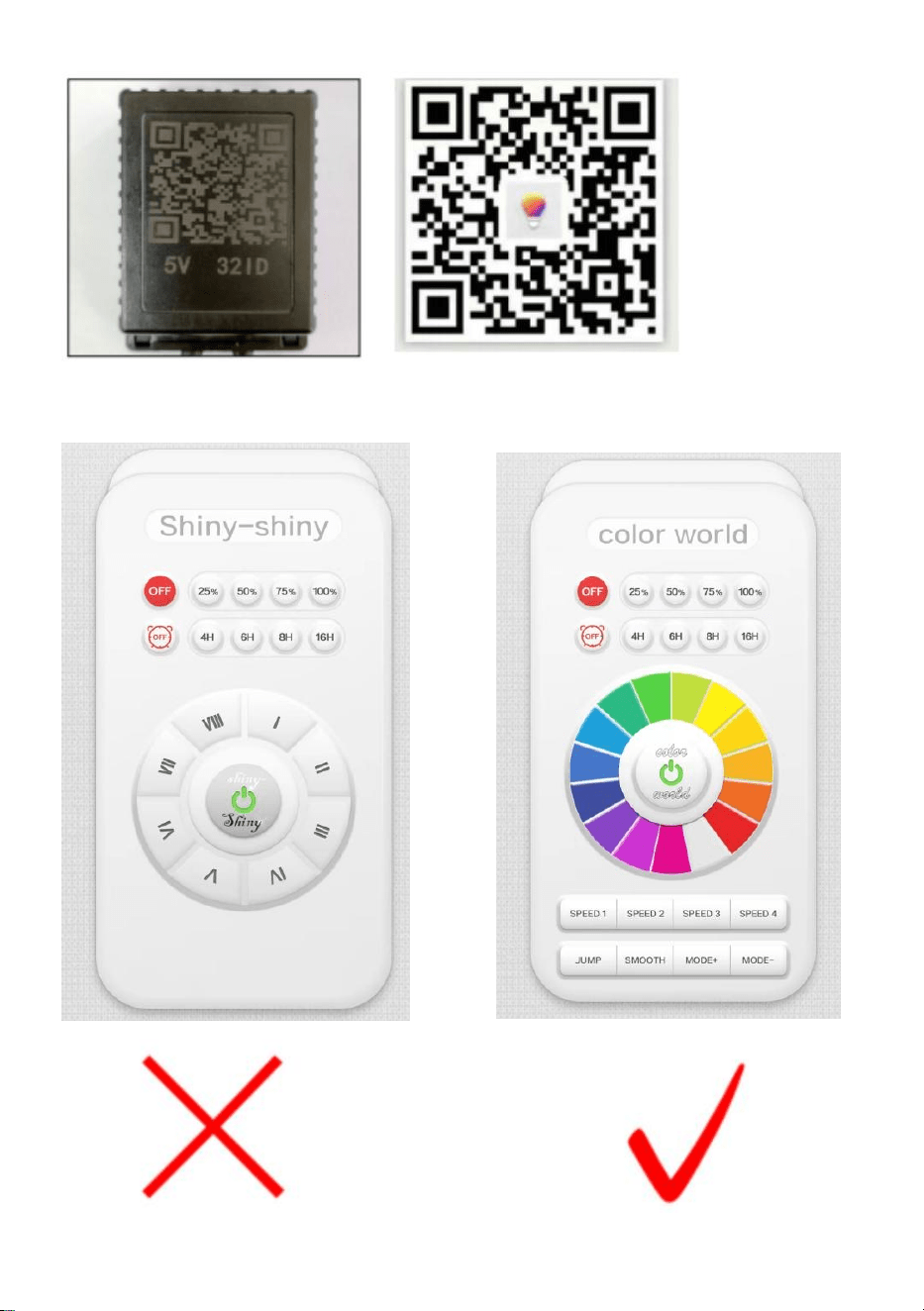
OBS: När appens gränssnitt visas som "glänsande", skjut på skärmen och
välj "färgvärld"

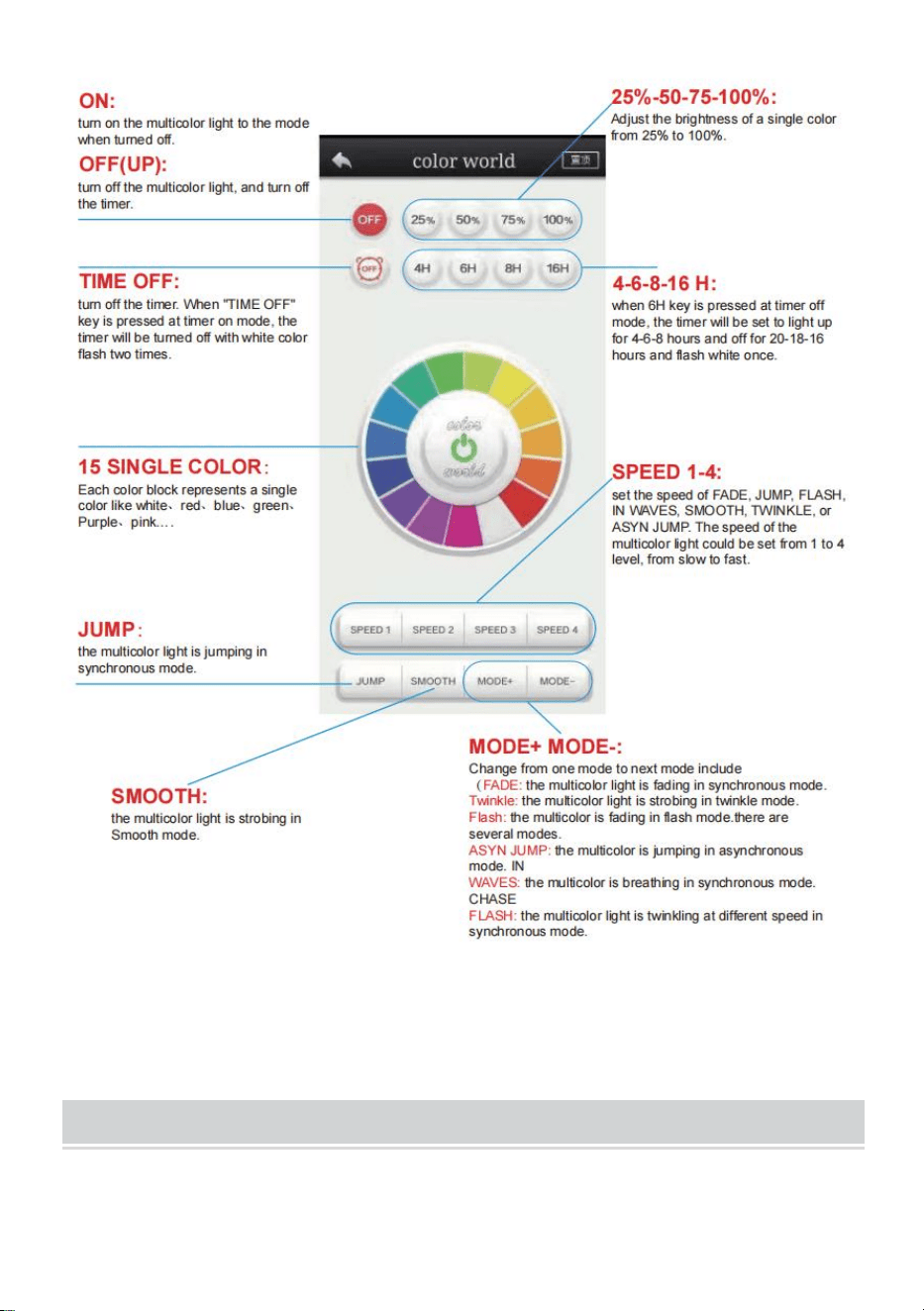
5. Funktionsbeskrivning om denna app
Flerfärgsljuset kunde ställas in på 15 unika färger, mer än tio dynamiska
lägen med 4 hastighetsnivåer och fyra timerlägen.
ACCESSORIES LIST
AX-DC-005 /AX-DC-006:
1.Användarmanual *1

Sanven Technology Ltd.
Adress: Suite 250, 9166 Anaheim Place, Rancho Cucamonga, CA 91730