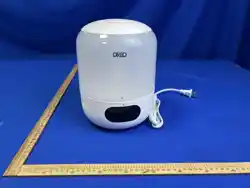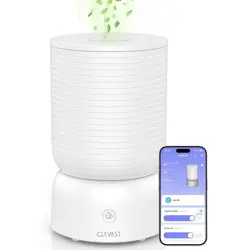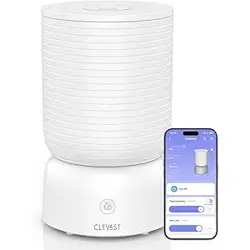
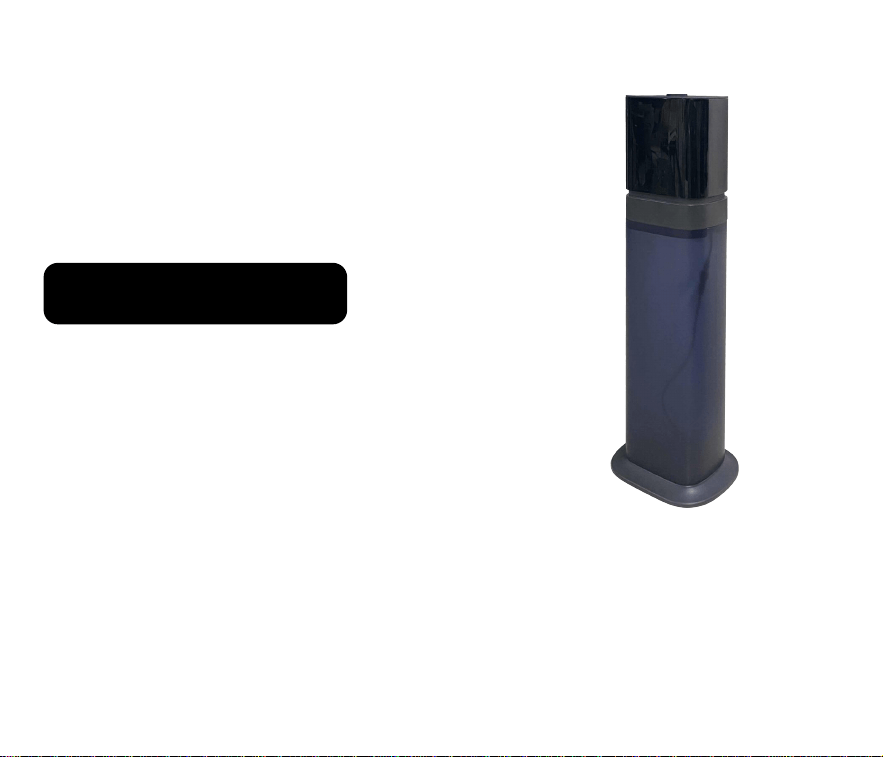
Ultrasonic Humidifier
Cool Mist Smart
User's Guide
Thanks for your purchase.
We provide a one-year warranty.
If any quality issues,
replacement or refund is available.
Please feel free to contact us via E-mail:
*Amazon, Alexa and all related
logos are trademarks of Amazon.
com, Inc. or its affiliates.


Precautions
All pictures shown are for illustration purposes only.
Please read this manual carefully before using
Thank you for purchasing our humidifier
and keep it for future reference.
Actual products may vary due to product enhancement.
For more installation information,
please visit the official website link or scan the QR code:
https://keecoon.com/pages/customer-instruction-manual

Safety Guide
1-2
Components
3
Placement
4
Installation
5-6
Control Panel& Remote Control
8-9
Water filling &Use of Essential Oil
7
After Using the Humidifier 12
Maintenance
10-11
FAQ
13-14
Product Specifications
15
Warranty
16-17

0101
Safety Guide
010101010101
Do not disassemble or modify the machine.
Do not subject the machine to strong impacts.
Turn off the machine before moving it.
Do not connect the machine to a socket that exceeds the rated voltage or use an
extension cable, as this may cause fire or electric shock.
If the plug or wire becomes abnormally hot, stop using the machine immediately.
Do not unplug the power plug with wet hands, as this may cause electric shock or injury.
Do not use acidic detergents in the main body, as they may produce toxic gas.
Children should use the machine under adult supervision.
When the machine is not in use for more than 24 hours, please pour out the water from
the water tank and main body to prevent mold or impurities from harming your health.
Before the first use, leave the machine at room temperature for 30 minutes to avoid
damage to the water tank due to sudden temperature changes.
Do not put essential oil into the main body or water tank, as this may cause water
leakage, deformation or failure.
Do not block the outlet or add water to the mist outlet, as this may cause water leakage,
deformation or failure.
Do not block the outlet or add water to the mist outlet, as this may cause water leakage,
deformation or failure.
Keep a safe distance when the humidifier is spraying mist, especially if you have a
sensitive respiratory tract.

02
Safety Guide
0202
Use the machine at normal room temperature, which ranges from 5°C to 40°C.
When the room temperature drops below 0°C, please pour out the water in the water
tank and sink to avoid freezing and damaging the machine.
Note: The above safety guide is for your reference only. Please read the user manual
carefully before using the machine. If you have any questions, please contact customer
service.
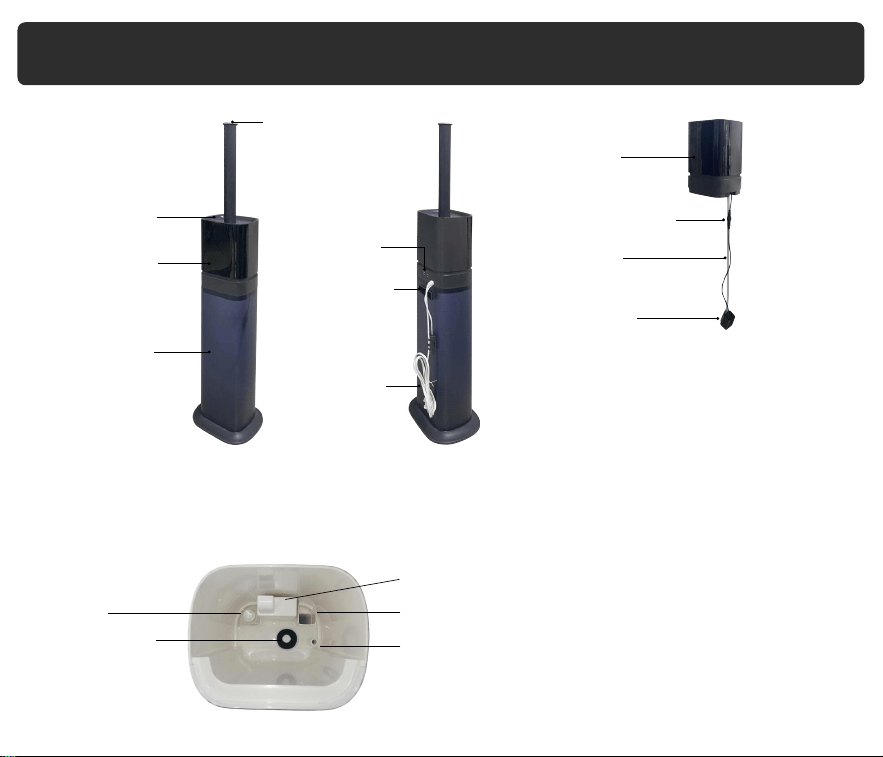
Remote Control
Tube
Components
03
Water Pipe
Pump Connector
Atomizers
Main Body
W
Float
ater Pump
Cover
LED
Display
Water
Tank
Mist Outlet
Tank Handle
Aroma Box
Power Cord
Main Body
Fan Outlet
Water Inlet
Water Outlet
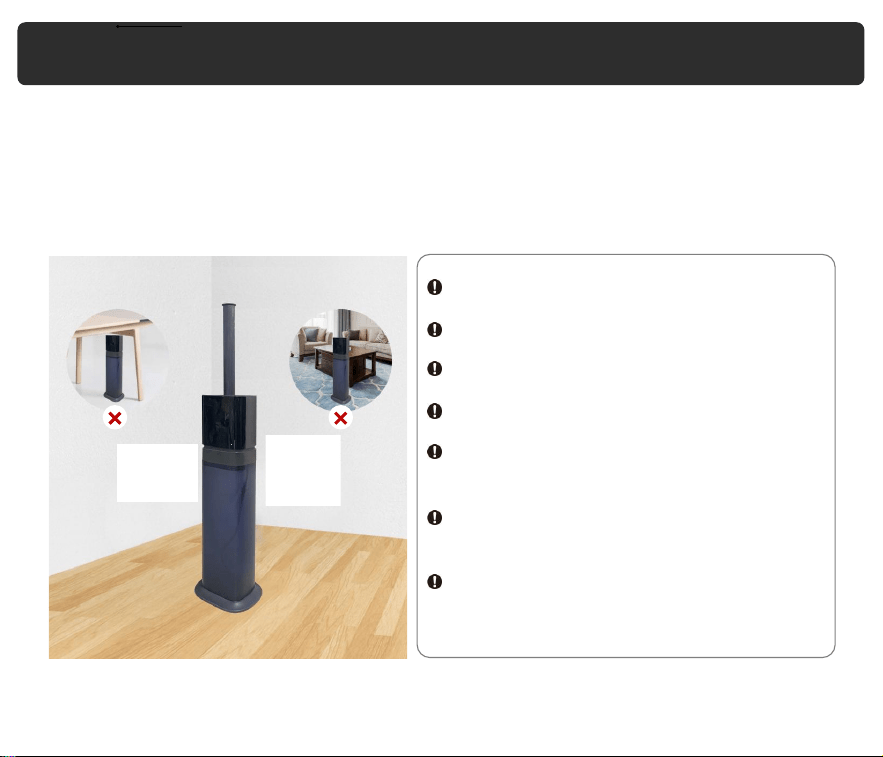
Place the humidifier in a horizontal position that is more than 20 cm away from walls,
furniture, household appliances, and other objects.
Do not use the humidifier in the following situations to avoid water leakage, signal
jamming, damage or injury:
In direct sunlight.
On an unstable platform.
In high temperatures, humidity, or dust.
Near the air conditioner, heater, or stove.
Under tables, or on the carpets, bedding,
etc.
Near the radio and other objects that emit
radio waves.
Near mobile phones, computers, and other
precision instruments.
Placement
04
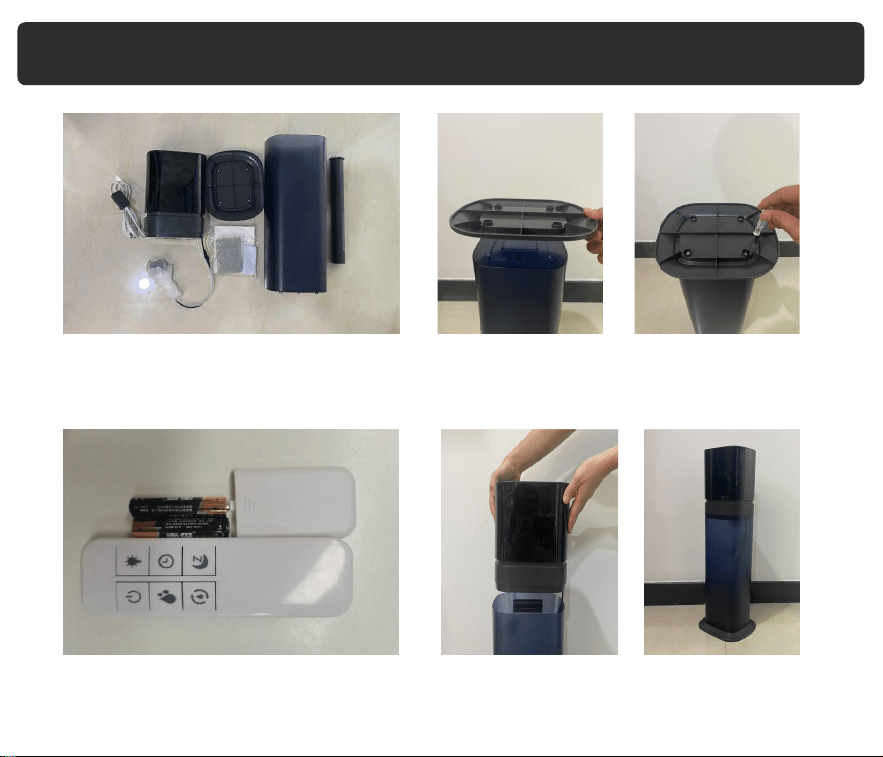
1. Take out all parts of the humidifier,
remove the protective bag from the
water pump.
4. Place the main body on the water tank
properly
2. Install the base.
3. Please install the battery before use
(note that the battery needs to be
prepared by yourself).
Installation
05
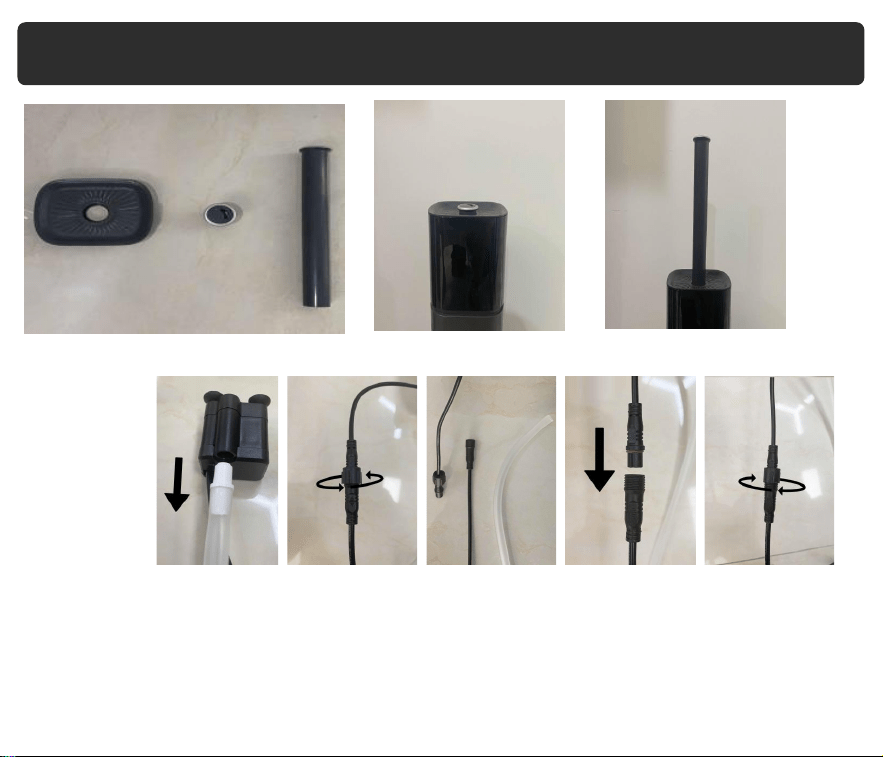
5.Install the misting nozzle and extended tube as you like.
Note:
If the water pump fails to pump water, please try disassembling it along with the water pipe
and then reinstalling them.
To remove the pump, turn the connector counterclockwise, and to reinstall it, turn the
connector clockwise.
Installation
06
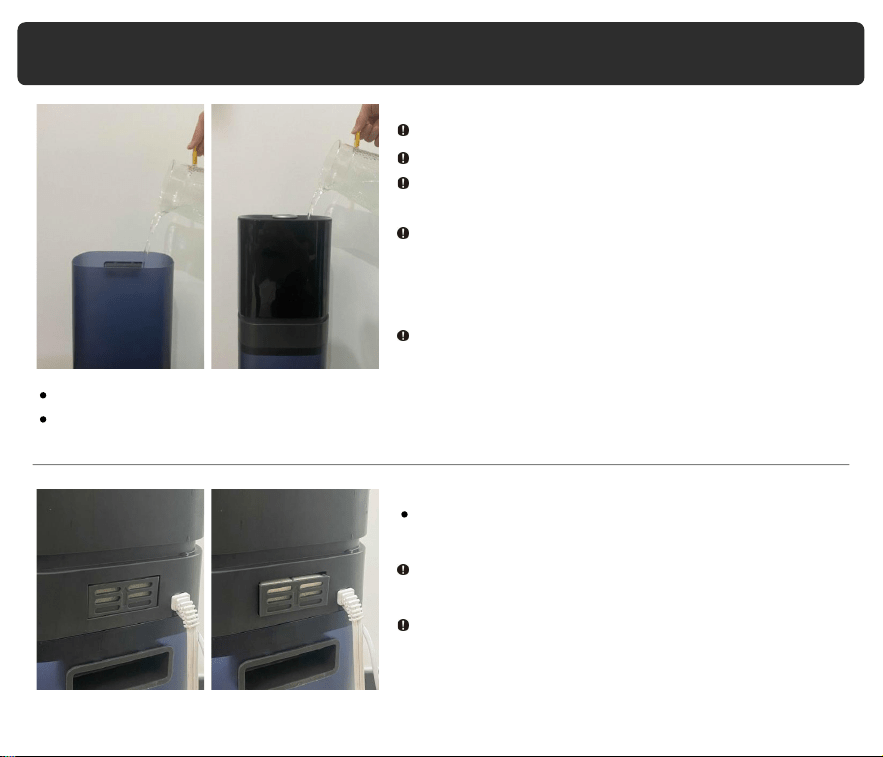
Water Filling & Use of Essential Oil
07
Add water from the top.
Add water from the water tank.
To use essential oils, click on the tray on the
back of the machine, and it will pop out.
Add water below 40°C to the water tank.
Do not exceed the max water line.
Do not let the water into the mist outlet to avoid
machine failure.
Do not add mineral water, plasma water, or tap
water that has been left for a long time. If mold
or impurities breed, it may cause health
problems.
When the water level is low, the machine will
prompt for water shortage and shut down
automatically. Refill the water and turn it back on.
Place a tissue or sponge underneath before
adding essential oil.
Do not put essential oil directly into the water
tank or sink, as it may cause water leakage,
deformation or failure.
%RH
h
08
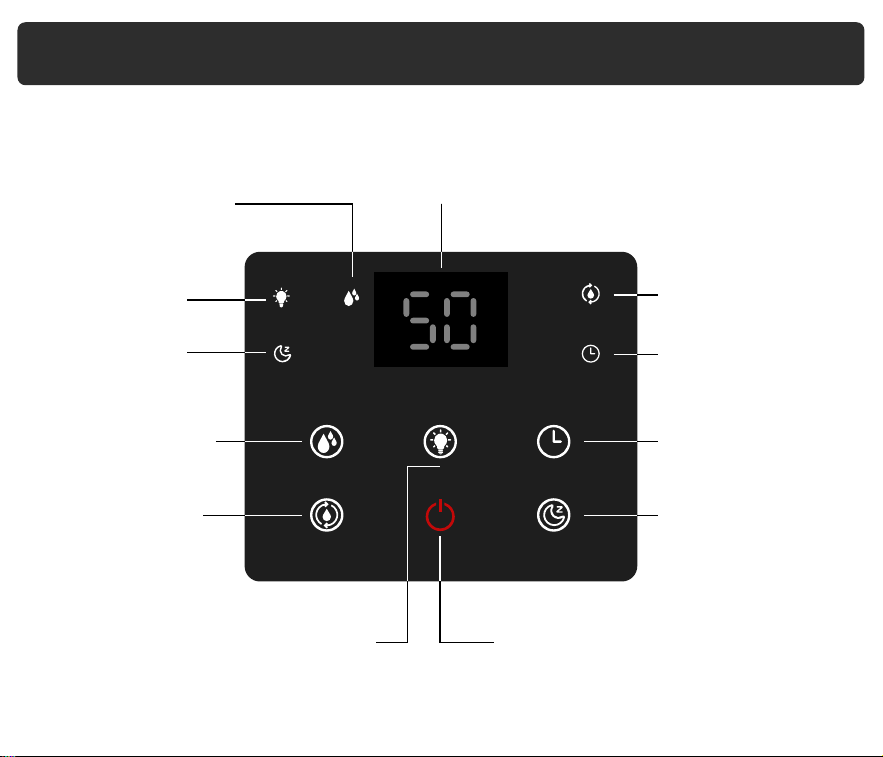
The control panel and remote control allow you to operate the humidifier with ease.
Here is a breakdown of the various functions:
Light Function
Indicator
Mist Level Indicator
Humidity Function
Indicator
Timer Function
Indicator
Digital Screen: The screen display will switch between
mist level and relative humidity(RH)
percentage
Sleep Function
Indicator
Mist Level Button
Humidity Button
Light Button
Timer Button
Sleep Button
Power Button
Control Panel & Remote Control
09
The operation of remote control is the same as the control panel.
Please remove the insulating plastic sheet before using the remote control.
Control Panel & Remote Control
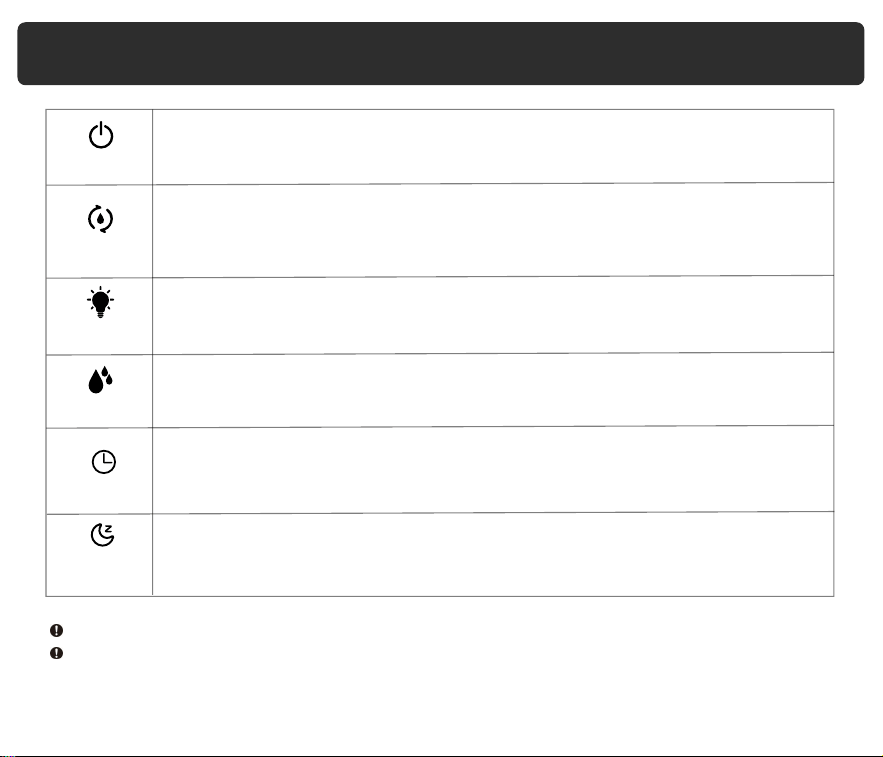
This button turns on the humidifier when pressed. The display will light
up, and the humidifier will start working.
This button allows you to set the humidity level between 40-90% in
increments of 5%. The humidifier will automatically stop spraying mist
when the surrounding humidity reaches the set value.
This button lets you set the timer for the humidifier to shut down
automatically after 1-12 hours. Each touch increases the timer by
1 hour.
This button adjusts the mist volume in three levels: low, medium, high.
By default, the product starts working at the maximum mist output.
Touch the button to turn on/off the light feature.
T
Touch the button to enter sleep mode, and the display will shut off,and
humidifier keep working. To exit this mode, press the sleep button twice on
the control panel, or once on the remote control.
imer
Light
Humidity
MAX-MIN
Sleep
Power
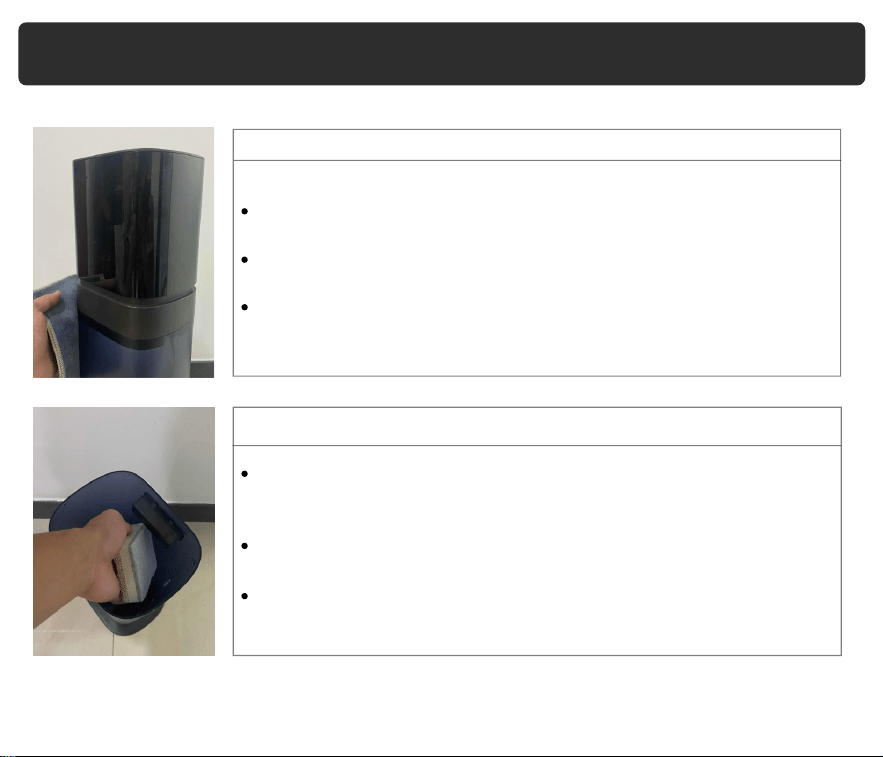
External
Water Sink& tank
Maintenance
Clean the external surface of the humidifier 1-2 times a week using
a clean cloth to remove dust and dirt.
If the dirt is stubborn, soak the cloth in a neutral detergent before
wiping.
Make sure the main body is completely dry before use.
Clean the water sink and tank 1-2 times a week as water can
cause minerals and organic matter to accumulate, affecting the
function of the humidifier.
Use a soft cloth or brush to clean the internal surfaces of the sink
and tank.
For stubborn dirt, soak the cloth in white vinegar or baking soda
before wiping.
10
Maintenance
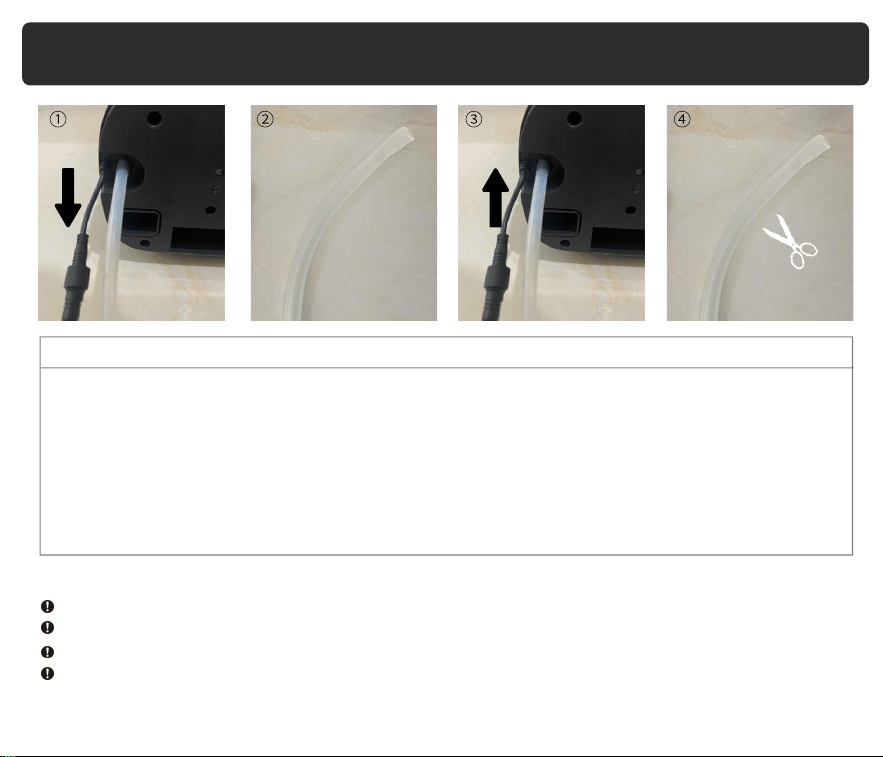
Water Pipe
If you notice sediment in the water pipe, you can clean it using a slim brush or contact our
customer service to request a replacement. Follow these steps to clean or replace the
water pipe:
1. Unplug the water pipe from the humidifier.
2. Clean the water pipe using a slim brush, or replace it if necessary.
3. Reinstall the water pipe by plugging it back into the humidifier.
4. If the water pipe is too long, you can cut it to a suitable length before reinstalling it.
Note:
Always disconnect the power plug before performing any maintenance on the humidifier.
Do not directly flush the whole machine with water as this can cause short circuit and failure.
Use mild detergent and make sure to remove any residue to avoid harm to health.
If the humidifier will not be used for more than 24 hours, pour out the water from the tank
and sink to avoid mold or impurities that may be harmful to health.
11
After Using the Humidifier
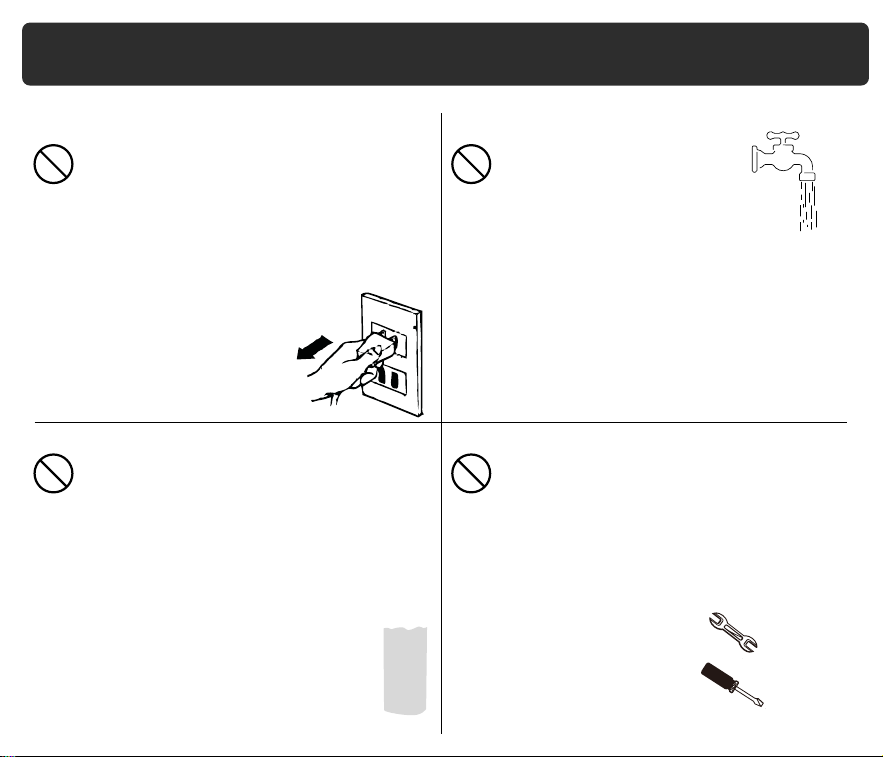
1.Always unplug the device when not in use.
3.When the humidifier is not in use for
a long time or no one is at home, do
not leave water in the water tank.
4. Do not attempt to repair or
adjust any electrical or
mechanical functions of
this humidifier.
2. The humidifier requires regular
cleaning. Please refer to and
follow the instructions to clean
the machine.
12

day. If it still can't be turned on, please contact customer service via email
Q: Why doesn't the display light up after turning on the power?
A:It's possible that water has entered the circuit board. Air-dry the main body for one
.
Q:Why is there abnormal noise?
A:There may be too little water in the tank or the humidifier may not be on a stable
surface. Please fill the water and place the humidifier on a flat and stable surface.
Q:
Q:Why is the humidity in the room not changing?
A:Try using a higher mist level setting. Depending on your environment, the hum
idifier may take longer to humidify the air. Additionally, the room size may exceed
the humidifier's effective range.
Why is the red light flashing?
FAQ
Q:Little or no mist comes out.
A:There could be several reasons, such as unclean water, a dirty atomizer plate,
or a clogged mist outlet. Clean the atomizer plate, replace the water with clean
water,and then check if the mist outlet is blocked.
A:Open the sink and check whether the water can be pumped up.
If not, disassemble the water pump and water pipe and install them again
(see page 6). If neither of these is the issue, please contact customer service
to get replacement pump via email.
13

FAQ
Q:Why is there white powder around the humidifier?
A:Tap water contains minerals that can adhere to objects. Clean the water tank
regularly and keep precision instruments away from the humidifier to avoid
damage.
Q: Why is the floor wet or there is water around the humidifier?
A:The humidity may be too high or the humidifier may be placed in a non-ventilate
Q: Why is there scale in the water sink or tank?
A:Tap water contains minerals that can adhere to objects. Clean the water sink
and tank regularly.
d
Q: Why is there interference with the TV remote control signal?
A:Keep the humidifier 1m away from the TV or other objects that emit radio waves
place, causing the mist to not fully evaporate. Is the humidifier placed on a level
surface? If the humidifier is placed on an unstable surface, water may flow out
of the overflow port.
.
Q:Why is the humidifier not working?
A:Ensure the power cord is plugged into a working outlet and that the voltage
matches the humidifier's rated voltage. The humidifier will automatically shut off
if the water level is too low. Also, check if the water tank is installed correctly.
14
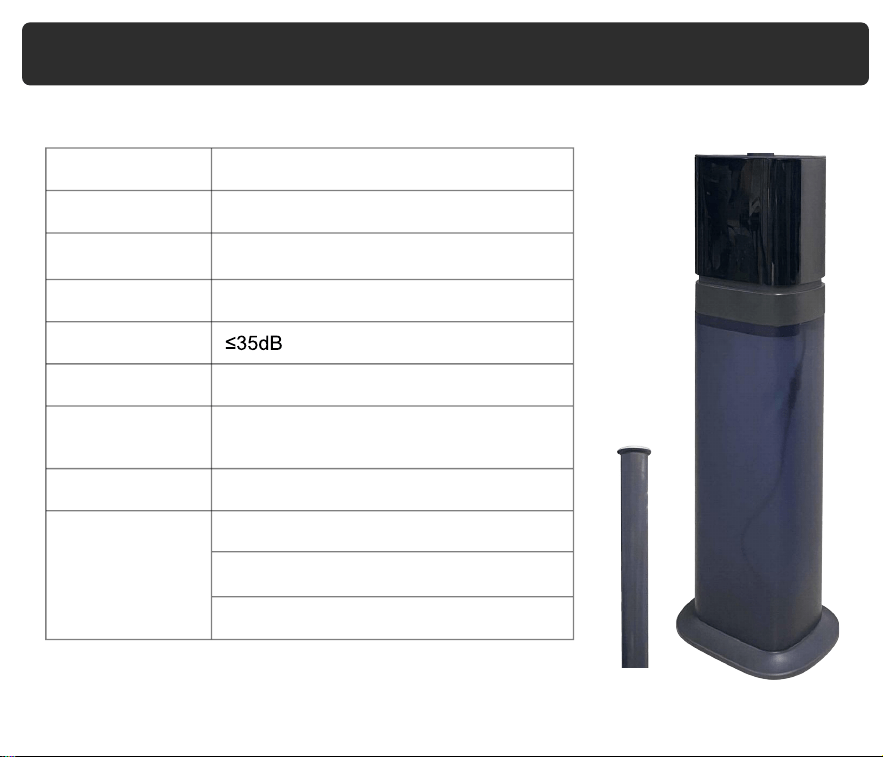
Product Name
Cool Mist Smart Ultrasonic Humidifier
Operation Mode Low Medium High
Max Mist Output 300ml/h
Rated Power 23W
Noise
Coverage Area 1000 sq.ft
Size
8.4*7.2*25.8 inches
(not including extended tube)
G.W.
5.07lb
Safety Functions
1-12 hours Timer
Waterless auto shut-off
Automatic shutdown when falling
Product Specifications
15

Warranty Card
16
Model Number
ALK-KH-K20SMA
ALK-KH-K20SMAW
ALK-KH-K20SMAP
Purchase date Year Month Date
Customer
Store
Name
Warranty Period Within 1 year from the date of purchase
Address
Phone Number

Warranty Period
Our company provides a one-year warranty starting from the date of purchase.
Warranty Requirements
In order to receive warranty service, please follow these steps:
Provide the warranty card and the order number.
Please note that we cannot provide warranty service if you are unable to provide the
above information.
Thank you for choosing our product, and we hope you enjoy using it. If you have any
questions or concerns, please don't hesitate to contact us.
Describe the problems you are experiencing in detail and provide pictures or videos
if possible.
Non-Warranty Policy
The following conditions are not covered by the warranty:
Damage that occurs after the warranty period has expired.
Damage caused by natural disasters or other force majeure events.
Any damage caused by use that does not follow the requirements outlined in the
User Manual.
Failure or damage caused by the forced use of the product.
The user disassembles or repairs the product without authorization.
Warranty
If you need to return the product, please make sure that it is intact and that
the packaging boxes and accessories are complete.
17