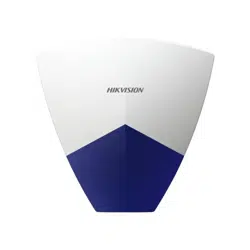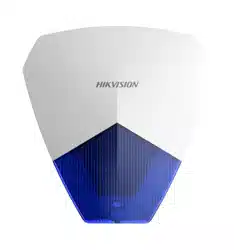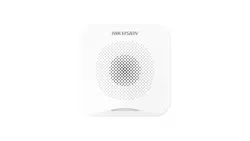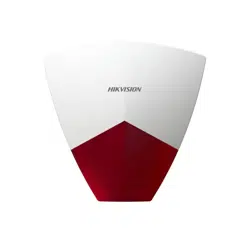
Wired External Sounder
User Manual
EN 50131-1:2006 + A1:2009 + A2:2017 + A3:2020
EN 50131-4:2019
Security Grade 2
Environmental Class IV
Hangzhou Hikvision Digital Technology CO.,Ltd.
No.555 Qianmo Road, Binjiang District, Hangzhou 310052, China
UD37740B-A
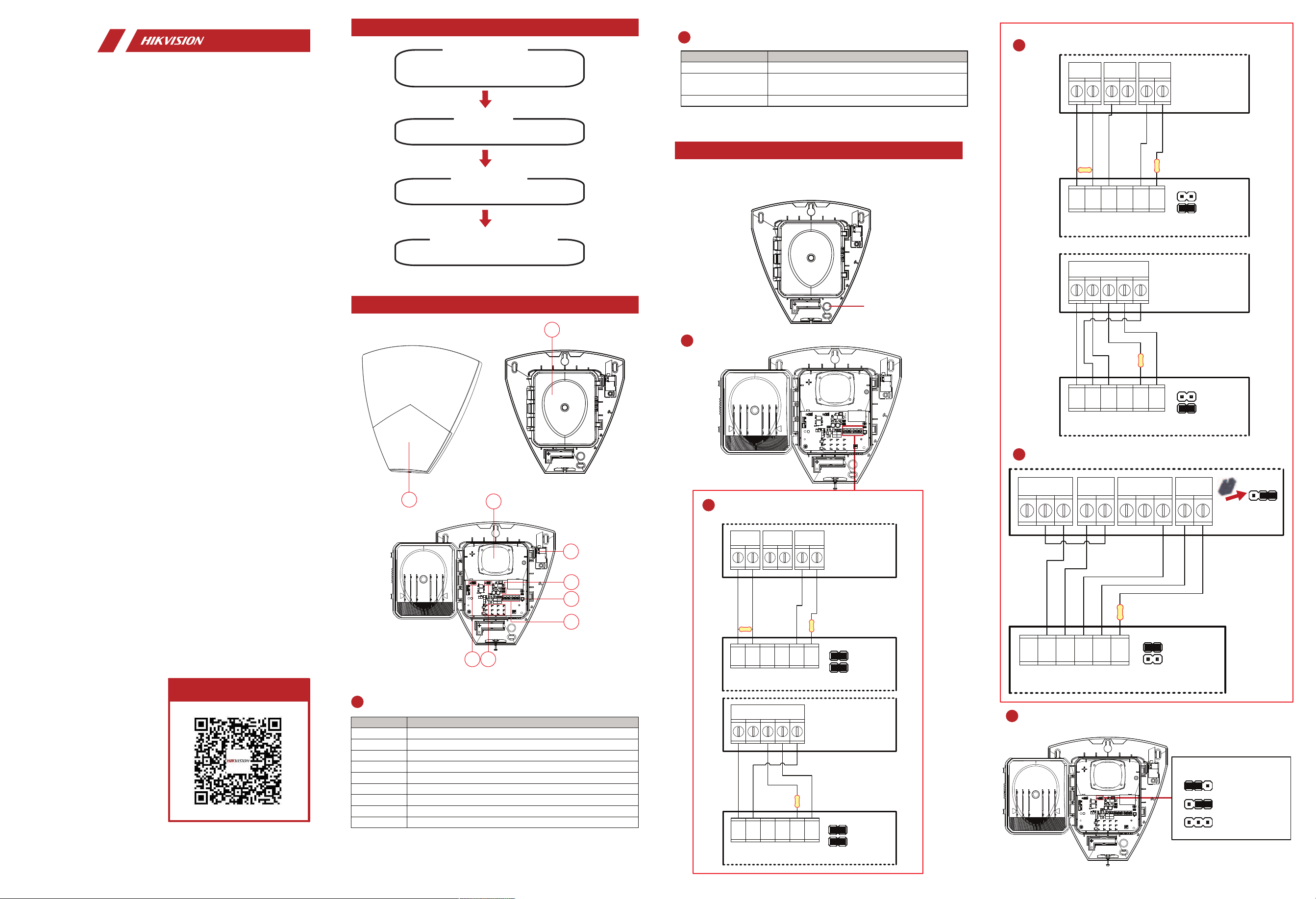
1 Appearance
2 Wiring
User Manual Flow Chart
More Languages
Buzzer Indication Operation
Fire Alarm Fire bell.
Medical Alarm
High and low frequemcy alternated
impulsive sound.
Alarm Rapid high frequency impulsive sound.
No. Description
1 Strobe Light
2 Water-Proof Transparecy Cover
3 Buzzer
4 Tamper
5 Strobe Light and Sounder Jumper Cap
6 Tamper Terminal
7 Wiring Terminal
8 Tone Mode Jumper Cap
9 Cut Off Mode Jumper Cap
B
A
1
3
2
Sounder Wiring
All Mode
Positive Active Mode
Negative Active Mode
A
Buzzer Description
Appearance Description
Use a tool (drill) to dig a hole on the wiring hole area.
Make sure the hole's edge has no burrs.
Wiring Hole
1.1 Unbox.
1.2 Check components and indication.
Check the specifications of the device.
Connect cables to the wiring terminals.
Install the device to the wall.
1 Appearance
4 Check Specification
2 Wiring
3 Installation
1
2
3
4
6
5
7
9 8
2.2K
STB+STB-BELL+ TR TR
- +
BELL
Z C
ZONE
1 2
PGM
2.2K
External Sounder (DS-PS102X)
BELL-
ALL MODE
Control Panel
2.2K
PSU
BELL TRSTB B- B+
SIREN
2.2K
STB+STB-BELL+ TR TR
- +
BELL
Z C
ZONE
1 2
PGM
2.2K
External Sounder (DS-PS102X)
BELL-
NEGATIVE ACTIVE
Control Panel
STB+STB-BELL+ TR TR
2.2K
External Sounder (DS-PS102X)
BELL-
NEGATIVE ACTIVE
PSU
BELL TRSTB B- B+
SIREN
STB+STB-BELL+ TR TR
- +
AUX
Z C
ZONE
2.2K
External Sounder (DS-PS102X)
BELL-
POSITIVE ACTIVE
Control Panel
NC4 NO4COM4
OUTPUT4
COM4=12V
0 V 12 V
NC3 NO3COM3
OUTPUT3
STB+STB-BELL+ TR TRBELL-
ALL MODE
External Sounder (DS-PS102X)
B
Jumper Cap Descriptions
Fire Alarm
Medical Alarm
Alarm (Default)
Tone Mode
Specification
Model DS-PS102X/BLUE DS-PS102X/RED
Indicator Alarm light
1
Interface
Buzzer
1 m, 110 dB (Max.)
30 cm, 120 dB (Max.)
Power
interface
12 VDC, wide voltage input: 9 to 16V
Tamper
1 front cover and back-cover tamper
BELL interface
1
STROBE
interface
1
Others
Power supply
12 VDC, 180mA
Dimension
(W × H × D)
150 mm × 115 mm × 28 mm
Color
Blue Red
Operation
temperature
- 30 °C to 60 °C (-22 °F to 140 °F)
Operation
humidity
10% to 90%
About this Document
● This Document includes instruc�ons for using and managing the Product. Pictures, charts, images and all other
informa�on hereina�er are for descrip�on and explana�on only.
● The informa�on contained in the Document is subject to change, without no�ce, due to rmware updates or
other reasons. Please nd the latest version of the Document at the Hikvision website (h�ps://
www.hikvision.com). Unless otherwise agreed, Hangzhou Hikvision Digital Technology Co., Ltd. or its aliates
(hereina�er referred to as "Hikvision") makes no warran�es, express or implied.
● Please use the Document with the guidance and assistance of professionals trained in suppor�ng the Product.
About this Product
This product can only enjoy the a�er-sales service support in the country or region where the purchase is made.
Acknowledgment of Intellectual Property Rights
● Hikvision owns the copyrights and/or patents related to the technology embodied in the Products described in
this Document, which may include licenses obtained from third par�es.
● Any part of the Document, including text, pictures, graphics, etc., belongs to Hikvision. No part of this
Document may be excerpted, copied, translated, or modied in whole or in part by any means without wri�en
permission.
● and other Hikvision’s trademarks and logos are the proper�es of Hikvision in various
jurisdic�ons.
● Other trademarks and logos men�oned are the proper�es of their respec�ve owners.
LEGAL DISCLAIMER
● TO THE MAXIMUM EXTENT PERMITTED BY APPLICABLE LAW, THIS DOCUMENT AND THE PRODUCT DESCRIBED,
WITH ITS HARDWARE, SOFTWARE AND FIRMWARE, ARE PROVIDED "AS IS" AND "WITH ALL FAULTS AND
ERRORS". HIKVISION MAKES NO WARRANTIES, EXPRESS OR IMPLIED, INCLUDING WITHOUT LIMITATION,
MERCHANTABILITY, SATISFACTORY QUALITY, OR FITNESS FOR A PARTICULAR PURPOSE. THE USE OF THE
PRODUCT BY YOU IS AT YOUR OWN RISK. IN NO EVENT WILL HIKVISION BE LIABLE TO YOU FOR ANY SPECIAL,
CONSEQUENTIAL, INCIDENTAL, OR INDIRECT DAMAGES, INCLUDING, AMONG OTHERS, DAMAGES FOR LOSS OF
BUSINESS PROFITS, BUSINESS INTERRUPTION, OR LOSS OF DATA, CORRUPTION OF SYSTEMS, OR LOSS OF
DOCUMENTATION, WHETHER BASED ON BREACH OF CONTRACT, TORT (INCLUDING NEGLIGENCE), PRODUCT
LIABILITY, OR OTHERWISE, IN CONNECTION WITH THE USE OF THE PRODUCT, EVEN IF HIKVISION HAS BEEN
ADVISED OF THE POSSIBILITY OF SUCH DAMAGES OR LOSS.
● YOU ACKNOWLEDGE THAT THE NATURE OF THE INTERNET PROVIDES FOR INHERENT SECURITY RISKS, AND
HIKVISION SHALL NOT TAKE ANY RESPONSIBILITIES FOR ABNORMAL OPERATION, PRIVACY LEAKAGE OR OTHER
DAMAGES RESULTING FROM CYBER-ATTACK, HACKER ATTACK, VIRUS INFECTION, OR OTHER INTERNET SECURITY
RISKS; HOWEVER, HIKVISION WILL PROVIDE TIMELY TECHNICAL SUPPORT IF REQUIRED.
● YOU AGREE TO USE THIS PRODUCT IN COMPLIANCE WITH ALL APPLICABLE LAWS, AND YOU ARE SOLELY
RESPONSIBLE FOR ENSURING THAT YOUR USE CONFORMS TO THE APPLICABLE LAW. ESPECIALLY, YOU ARE
RESPONSIBLE, FOR USING THIS PRODUCT IN A MANNER THAT DOES NOT INFRINGE ON THE RIGHTS OF THIRD
PARTIES, INCLUDING WITHOUT LIMITATION, RIGHTS OF PUBLICITY, INTELLECTUAL PROPERTY RIGHTS, OR DATA
PROTECTION AND OTHER PRIVACY RIGHTS. YOU SHALL NOT USE THIS PRODUCT FOR ANY PROHIBITED END-
USES, INCLUDING THE DEVELOPMENT OR PRODUCTION OF WEAPONS OF MASS DESTRUCTION, THE
DEVELOPMENT OR PRODUCTION OF CHEMICAL OR BIOLOGICAL WEAPONS, ANY ACTIVITIES IN THE CONTEXT
RELATED TO ANY NUCLEAR EXPLOSIVE OR UNSAFE NUCLEAR FUEL-CYCLE, OR IN SUPPORT OF HUMAN RIGHTS
ABUSES.
● IN THE EVENT OF ANY CONFLICTS BETWEEN THIS DOCUMENT AND THE APPLICABLE LAW, THE LATTER
PREVAILS.
© Hangzhou Hikvision Digital Technology Co., Ltd. All rights reserved.
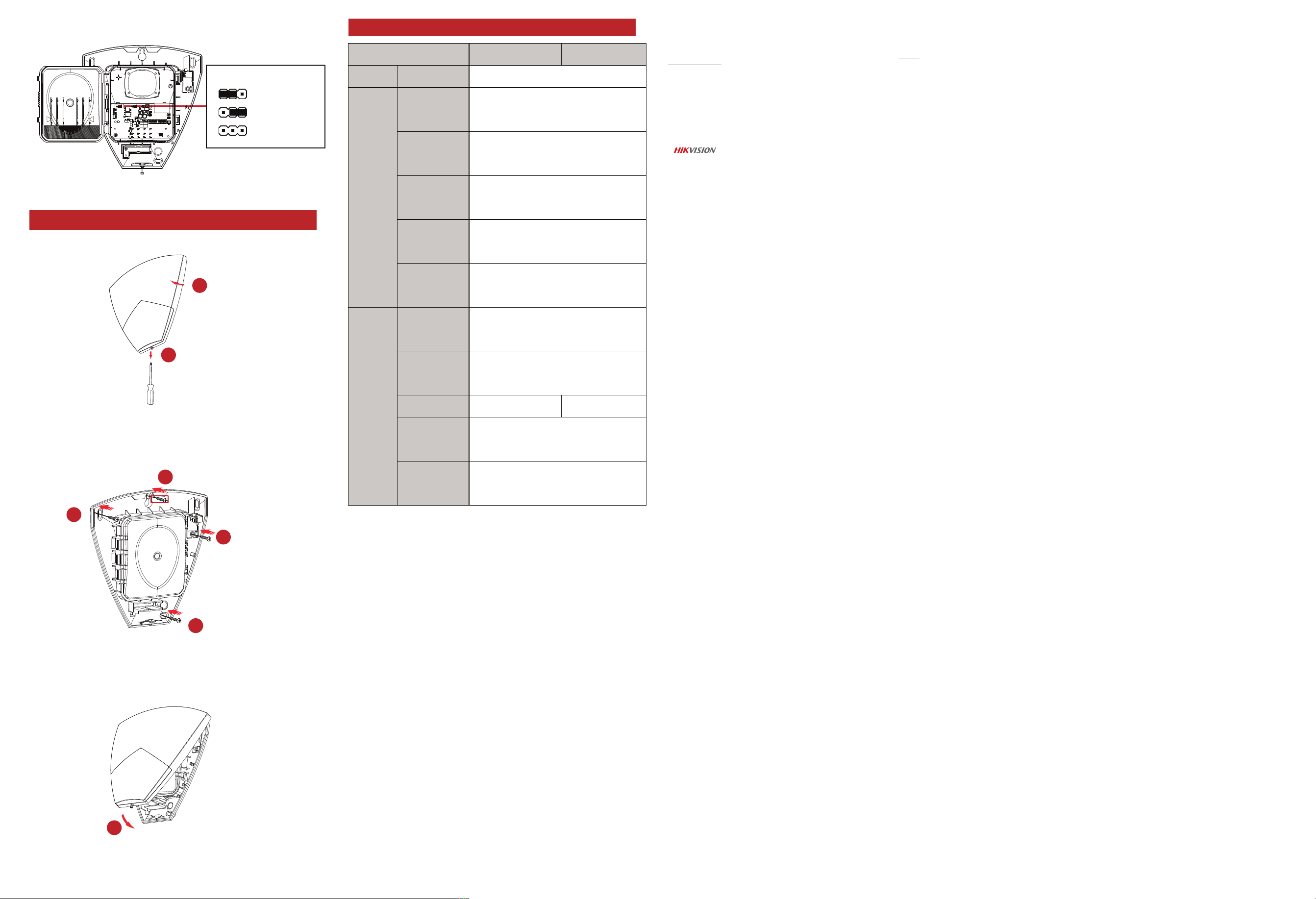
3 Installation
Step 1. Loosen the bottom screw.
Step 2. Remove the front cover.
Step 3. Attach the device to the required place with the
top screw. Make the device horizontal by resorting to
the gradienter.
Step 4. Secure the siren with other three screws.
Step 5. Fix the front panel on the siren body. Tighten
the set screw to complete the installation.
2
3
4
4
4
1
3 Installation
5
∞
10 MIN
3 MIN (Default)
Cut Off Mode