
M.?O'W
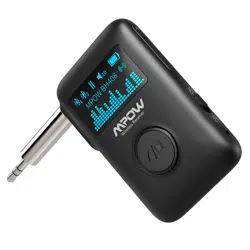
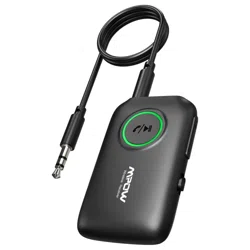
MODEL: BH390A
DREAM·
EXPLORE·
INSPIRE
BLUEfOOTH
0
Transmitter
&R
.
MPOW
w1RElfss
Aumo
ece1ver
MPOWTECHNOLOGY
www.xmpow.com
I
CO.,LIMITED
Copyright© MPOW support@xm,.,,,..,
Inc. All . h
.--···com
ng
ts
reserved.
User Manual

Package
List
0
I~
Xl
User
Manual Xl
EN
Arry
issues
during
usage.
please
contact [email protected]
to
get professional
services.
DE Wenn
Sie
irgendwelche
Fragen
hatten. wenden
Sie
sich
bitte
an
um
einen
professionellen
Service
zu
erhalten
FR
Si
\,OLIS rencontrez
des
problemes
lors
de !'utilisation. contactez [email protected] pour
obtenir
des
services
professionnels.
ES
Cualquier problema durante
el
uso.
p6ngase en contacto con
para
obtener
servicios
prolesionales.
rr
El.entuali
problemi durante
l'utilizzo.
si
prega
di contattare [email protected] per ottenere
i
servizi
professionali
Diagram
:
:•••••••
I
@ •·······
,:
'
e-
······
~=•==--[)
-0
!
EN
l.
Next Track/Volume Up
2.
Preiious Track/Volume Dcmn
3.
RX,OFF/IX:
Bluetooth
Recar.er
Mode
(RXV
Pov..er
Off/
Bluet:ooth
Transmitter Mode
[TX)
4.
35mm
Audio Output
5.
Microphone
6.
USB
Charging Port
7.
LED
Indicator Light
a Multifunction Button
(MFB}.
Pause/
Play.
Ans.Nerf
Hang
up
..•..
/2.

DE
1.
Nachstes Lied / L.autstarke erhohen
2 Vorheriges Lied / L.autstarke
wrringem
3.
RX/
OFF
/TX:.
Schalter
filr
Bluetooth-
Empfiingermodus (
RX)/ Ausschalten /
Bluetnoth-Sendermodus
[IX)
4. 3.5-mm-Audioausgang
5.
Mikrofbn
6.
USB-L.adeanschluss
7.
LED-Anzeigelampe
a Multifi.mktionstaste
(MFB}.
Pause/
Wiedergabe:
Annehmen
/ Auflegen
FR
1.
Piste Suivante /
Volume
Fort
2 Piste Precedente
/Volume
Bas
3.
RX/
OFF
/TX:.
Commutateur
de
mode
recepteur Bluetooth (RX)/ mise
hors
tension/
mode
emetteur
Bluetooth
[IX)
4.
Sortie
Audio
3.5
mm
5. Microphone
6.
Port
de
Charge USB
7. Vcyant
LED
a Bouton Multifbnction
(MFB}.
Pause/Lecture;
Repondre / Raccrocher
~
/3
ES
1.
Siguiente pista / Subin1olumen
2 Pista
anterior/
Ba
jar
"°lumen
3.
RX/
OFF
/TX:.
Interrupter
de
modo
receptor Bluetnoth (RX)/ apagado /
modo
de
transmisor Bluetnoth
[IX)
4. Salida
de
audio
de
3.5mm
5.
Micr6fono
6.
Puerto
de
carga USB
7.
lndicador
de
luz
LED
a Boron multifunci6n
(MFB}.
Pausa
/
Reproducir, Respuesta / Cuelgue
•.
IT
1.
Traccia successiva
/Volume
su
2 Traccia preoedente /
"°lume
giu
3.
RX/
OFF
/TX:.
modalita
riCEMtore
Bluetooth
(RX)/ spegnere / modalita trasmettitore
Bluetooth[JX) interruttore
4.
Uscita audio
da
3.5
mm
5. Microfbno
6. Porta
di
ricarica USB
7.Spiaa
LED
a Tasto multifunzionale
(MFB}.
Sospendere /
Trasmettere; Rispondere / riagganciare
Bluetooth Transmitter Mode/Bluetooth-Sender-Modus/Mode Emetteur
Bluetooth/Modo
De
Transmisor Bluetooth
/Modalita
Trasmettitore Bluetooth
TX
LED
mJ
0
EN
Poweron
1.
Slide
the
side
button
to
7X"
2
LED
flashes green
quickly---
On
(Paring
mode
being activated)
DE
Einschalten
1.
Schieben Sie
die
Seitentaste
auf"lX'
2
LED
blinkt
schnell
grun
----Ein (Pairing-Modus ist aktiviert)
FR
Demarrer
1.
Faites glisser le bouton lateral sur «
lX•
2
La
LED
clignote rapidement
en
wrt---- Active
(mode
de
couplage active)
ES
Enoendido
1.
Deslice el
bot6n
lateral hasta
'TI<".
2
El
LED
parpadea en
wrde
rapidamente
---
Encendido
(se
est:a
activando
el
modo
Paring)
IT
Acoendere
1.
Spostare
ii
pulsante laterale a ''lV"
2
II
LED
lampeggia rapidamente in
wrde
---
On
(modalita
di
accoppiamento attivata)
/4
_)

TX
0
•
D
()
8
TV
---+
~
C!:J
i
0
MP3/4
Pairing
I~
t
!
0
0
PC
Pairing
EN
Pairwith one
bluetooth
headphone
• Tum
on
pairing
mode
of:,our
Bluetooth headphone
and
put
it
as
close
as
possible
to
BH390A
• Pairing
mode:
LED
flashes green quickly.
• SuccessfullyConnectEd:
LED
stays
on
green.
DE
Pairing
mit einem
Bluetooth-Kopfhorer
• Schalten Sie
den
Pairing-Modus lhres Bluetooth-Kopfhorers ein
und
bringen Sie ihn so nah
wie
moglich
an
den
BH390A
• Pairing-Modus: LED
blinkt
schnell grun.
• Erfolgreich verbunden: LED leuchtet grun.
FR
Appairer
un
casque
bluetooth
•
t>ctivez
le
mode
de
couplage
de
IA'.ltre
casque Bluetooth
et
placez-le le plus
proche
que
possible
du
BH390A
•
Mode
de
couplage: la LED clignote
rapidement
en
vert
• Connecte avec sua:es: le \,Uyant reste
vert
ES
Emparejar
oon
un
auricular
bluetoot
•
t>ctive
el
modo
de
emparejamiento
de
sus auriculares Bluetooth y col6quelos lo mas cerca
posible del
BH390A
•
Modo
de
emparejamiento:
el
LED parpadea
rapidamente
en
verde
• Conectado con exito: el LED permanece en verde.
rr
A<=ppia
oon
una
cuffia
bluetooth
• Attivare la modalita
di
accoppiamento
della cuffia Bluetooth e posizionarla
ii
piu vicino
possibile a
BH390A
• Modalita
di
accoppiamento:
LED
lampeggia rapidamente
in
verde.
• Connessione
di
successo:
LED
rimane verde.
/6
_)

TX
,
-.,
()
PairirgOK
•
·············
0
~
·····
0
ClickOnce
D
TV
!I
C!J
MP3/4
Pairing
0
PC
EN
Pair
with 1.1M) bluetooth headphones
•
After
successful
connection
to
the
first
Bluetooth
headphone,
then
click
the
"MFB".Tum
on
Bluetooth
of
the
second
headphone
and
put
it
as close as possible
to
BH390A
• Pairing mode: LED flashes
green
quickly.
• Successfully
Connected:
LED stays
on
green.
DE
Pairirg mit zy,ei
Bluetooth-Kopfhorern
•
Klicken
Sie
nach
erfolgreicher
Verbindung
mit
dem
ersten
Bluetooth-Kopfhorer
auf"MFB".
• Pairing-Modus: LED
blinkt
schnell grun.
• Erfolgreich
verbunden:
LED
leuchtet
grun.
FR
Appairer deux
casques
bluetooth
•
Une
fi:>is
la
connexion
au
premier
casque
Bluetooth
etablie.
cliquez
sur
le «MFB•.
ktivez
le
Bluetooth
du
deuxieme
casque
et
placez-le le
plus
proche
que
possible
du
BH390A
•
Mode
de
couplage:
la
LED
clignote
rapidement
en
vert
•
Connecre
avec succes: le
IA'.JY"nt
reste
vert
ES
Par
con
dos
auriculares
bluetooth
• Despues
de
una
conexi6n
exitosa al
primer
auricular Bluetooth.
luego
haga
clic
en
"MFB".
Encienda el
Bluetooth
del
segundo
auriculary
col6quelo
lo
mas
cerca posible
del
BH390A
•
Modo
de
emparejamiento:
el LED
parpadea
rapidamente
en
verde
•
Conectado
con
exito: el LED
perrnanece
en
verde.
rr
A<=ppia
a,n
due
cuff'ie
bluet.oath
• Dopa aver
effi!ttuato
correttamente
ii
collegamento
alla
prima
cuffia
Bluetooth. rare clic
su 'MFB". Attiva Bluetooth della seconda cuff,a e posizionala
ii
piu vicino possibile a
BH390A
•
Modalita
di
acaippiamento:
LED
lampeggia
rapidamente
in
verde.
• Connessione
di
successo: LED
rimane
verde.
/8
_)

Power Off/Ausschalten/Desactlver/Apagado /Spegnere
EN
l.
Slide
the
side
button
to
"OFF'
2 Green LED goes
out---Off
DE
1.
Schieben Sie
die
Seitent:ast:e
auf
.OFF'
2
Grun
LED erlischt
---Aus
FR
l.
Faites glisser le
bouton
lateral sur «OFF•
2
La
LED
1,19rte
s'eteint----Eteindre
---+
LED LED
ES
l.
Deslice el
baton
lateral a
"OFF''
2
El
LED
1,19rde
se apaga ----Apagado
IT
1.
Spostare ii pulsante laterale a 'OFF''
2 LED
1,19,de
si
spegne
----Off
Bluetooth Receiver
Mode/
Bluetooth-Empfinger-Modus/Mode Recepteur
Bluetooth/Modo
De Receptor Bluetooth
/Modallti
Rlcevente Bluetooth
RX
LED
+-
0
EN
Paweron
l . Slide
the
side
button
to
"RX"
2.
LED flashes
blue
quickly---
On
(Paring
mode
being
activated)
DE Einschalten
l . Schieben Sie
die
Seitentaste
auf
"RX"
2.
LED
blinkt
schnell blau ------ Ein (Pairing-Modus ist aktiviert)
FR
Demarrer
l.
Faites glisser le
bouton
lateral sur
«RX>
2.
La
LED
clignote
rapidement
en
bleu----Acth.e
(mode
de
couplage
active)
ES
Encendido
1.
Deslice el
baton
lateral hasta
"RX"
2.EI
LED parpadea
en
azul
rapidamente
----Encendido
(se
esta
activando el
modo
Paring)
IT
Accendere
1.
Spostare
ii
pulsante laterale a
'RX"
2.
LED
lampeggia
rapidamente
in
blu
----on
(modalita
di
accoppiamento
attivata)

RX
EN
Pair
with
one smartphone
• Pairing mode:
LED
flashes blue quickly.
0
• Tum on the Bluetooth
on
}<)Ur
phone. and connect
with
"BH390A".
• Successfully connected:
LED
stays
on
blue.
•
DE
Pairing
mit
einem Smartphone
• Pairing-Modus
LED
blinktschnell
blau.
car
stereo
•
Schalten
5,e
Bluetooth
an
lhrem Handyein und
stEllen
Sie eine Verbindung
m~
.BH390"." her
•
Erfblgreich
\ASl'bunden
LED
leuchtEt blau
-
Cl
~
C)
FR
Appairer un smartphone
• Mode
de
couplage:
la
LED
clignotE rapidement en bleu.
•
t>cti\ASz
le Bluetooth sur
l.01:re
relephone
et
connectez-1,0US
a"10C
c8H390A».
•
Connecre""""
sucx:es:
le
VC1j8nt
restE allume en bleu.
ES
Empalli!iar con
un
telefbno inteligentE
• Modo
de
emparejamiento.
el
LED
parpadea rapidamente en
azul.
Wired
headset
• Encienda el Bluetooth en
su
tElefbno y conectese con
"BH390A".
• Conectado con exito. el
LED
permanece en
azul.
Pairing
rr
Aa:oppia con uno smartphone
• Modalita
di
accoppiamento.
LED
lampeggia rapidamentE in blu.
•
Attiva
ii
Bluetooth
sul
telefbno e lo connettE con "BH390".'.
• Connessione
di
sucx:esso:
LED
rimane
acceso
in blu.
~
/11
/12
_)

RX
carstEreo
ffl~l0i
···
Homestereo
~J
~,
Wired headset
Flash
twice
EN
Pair
with
two
smartphones
•
-+
2
-
(Setti,pBluftOOth
.......
CJ
Pairing
• After
suCO!SSful
connection to the
first
Bluetooth headphone.
-
(Settings
llluetiooth
- CJ
~
0
CO•-©
Pairing
OK
•
Tum
on the Bluetooth on the
second
headphone. and connect with
"BH390A".
~
/13
•
SUCO!SSfully
connected:
LED
flashes
blue twice. then steys on
blue.
DE
Pairing
mit
zwei Smartphones
Nach erfolgreicher Verbindung zum
ersten
Bluetooth-Kopfhorer.
Schalten
Sie
Bluetooth am
211\eiten
Kopfhorer
ein
und
stellen
S"ie
eine
Verbindung m~
.BH390A"
her.
Erlblgreich l.erbunden:
LED
blinkt
Z\M!imal
blau und leuchtet dann blau .
FR
Appairer
deux
smartphones
Apres une connexion
reussie
au
premier
casque
Bluetooth.
/>ctiw.z
le
Bluetooth sur
le
second
casque
et
connecteZ-1,0US
8"'9C
«BH390A».
Connecre
8"'9C
succes:
la
LED
clignore deux fbis en
bleu.
puis
resre
allumee en
bleu.
ES
Par con dos telelbnos inteligentes
Despues
de
la
conexi6n
exitosa
al
primer auricular Bluetooth.
Encienda
el
Bluetooth en
el
segundo auriculary conectelo con
"BH390A".
Conectado correctamentE:
el
LED
parpadea en
azul
dos
\,\SCe5, luego permanece en
azul.
rr
Aa:oppia con
due
cuffie bluetooth
Dopo
aver
eseguito correttamente
la
connessione
con
la
prima cuffia Bluetooth.
Attiva
ii
Bluetooth
sulla
seconda
cuffia e
lo
connettE con
"BH39Qp;'_
Connessione
di
successo.
LED
lampeggia due
"°lie
in
blu,
poi rimane
acceso
in
blu.
/14
_)

Play
Music/Spiel
Musik
/
Diffuser
de
la
musique/ Reprodudr musical
Trasmettere
la
musica
EN
Pause/Play/Next
Song/Volume
Up/Previous Song
/Volume
D<mn
DE Pause/Spielen/Nachstes Lied/Lautstiirke Erh6hen/Vorheriges Lied/Lautstiirke Verringem
FR
Pause/Diffuser/Chanson Suivante/Volume Eleve/Chanson Precedente/Volume
Bas
ES
Pausar /Reproducir /Siguiente
canci6n/Subir
Volumen/canci6n
Anterior/Bajar Volumen
IT
Pausa/Trasmett:ere/canzone Successiva/\Olume
Su/canzone
Precedente/Volume Giu
+
~
aic1<0nce
~
Press
and
Hold
.
..
i -
~-
~
CickOnce
~
Press
and
Hold
/15
Handsfree
can/
Freisprechen/
Llamada
manos
libres/
Appel
mains
libres/
Chiamata
vivavoce
EN
Ans½er/Hang
up/Redial/Reject
DE Antv,,orten / Auflegen
/wahlwiederholung
/ Ablehnen
FR
Repondre / raccrocher / rappeler / rejeter
ES
Responder/Colgar/VollAsra marcar/Rechazar
IT
Rispondere / Riattaccare / ricomporre / rifiutare
~
Cic:kOnce
ox2
0
Double
click
~
~
Hold
on
ls
\.
Ans½er
r'II
Hang
up
~
Redial
~
Reject
/16

Activate Siri/
Siri
aktivieren/
Activer
siri/
Activar
Siri/ Attiva
Siri
0
Holdonls
r/>1
-+
------~
SIRI
Tums
on/off
Power
Off/Ausschalten/Desactlver/Apagado /Spegnere
EN
Slide
the
side
button
to
"OFF'
Blue LED goes
out---Off
OE Schieben Sie
die
Seitentast:e
auf
.OFF'
Blaue LED erlischt ----
Aus
FR
Faites glisser le
bouton
lateral sur
«OFF•
La
LED bleue s'eteint---Eteindre
/17
LED LED
ES Deslioe
el
bot:6n lateral a
"OFP'
El
LED
azul se apaga ----Apagado
rr
Spostare ii pulsante laterale a
"OFP'
LED blu
si
spegne
---Off
Reconnection/
Wiederanschluss/Reconnection/Reconeccion/Riconnessione
EN
DE
0
LED
LED
lX
RX
Holdon3s
Disconnect Bluetooth
and
reconnect
with
reN
Bluetooth
deo,,,ice.
(It
is
not
recomnnended
to
do
so
if
not
necessary for a,,oiding disa:,nnection
try
mistaken operation)
lX
&
RX
- Keep pressing "MFB" for 3s - Bluetooth disa:,nnected
Trennen Sie
die
Bluetooth-Verbindung
und
st:ellen Sie
die
Verbindung
mit
dem
neuen
Bluetooth-Cerat
wieder
her. (Dies
wird
nicht
empfohlen.
wenn
dies
nicht
erforderlich
ist
um
ein wrsehentliches Trennen
der
Verbindung zu
wrrneiden.)
lX
&
RX
- Halten Sie
die
Taste .MFB" 3 Sekunden lang
gedruckt
- Bluetooth
getrennt
FR
Deconnectez Bluetooth
et
reconnectez-\Klus avec le nouveau peripherique Bluetooth.
(II
n'est
pas
recommande
de
le raire
si
oela n'est pas necessaire
pour
eviter
une
deconnexion
par
un
fonctionnennent errone)
lX
&
RX
-
eontinuez
a applfy<!r sur «MFB•
pendant
3 seoondes - Bluetooth deconnecre
/18

ES
Desconecm el Bluetooth y vuelva a conectarse con el nue,,o dispositi\O Bluetooth. (No
se
recomienda hacerlo
si
no
es
necesario para evitar la desconexi6n
per
una operaci6n err6nea)
lX
&
RX
- Mantenga presionado
"MFB"
per
3s -
sluetooth
desconectado
IT
Disconnettere
ii
Bluetooth e riconnettere con
un
nUCMl
dispositi\O Bluetooth. (Non e consigliabile
rarlo
se
none
necessario
per
evitare la disconnessione per errore
di
funzionamento)
lX
&
RX
- Continuare a premere
"MFB"
per 3 secondi -
sluetooth
disconnesso
LED LED
•
Pairing Pairing
EN
LED
flashes green
or
blue
quickly,
which
means
it
enters into re-paring mode.
DE
Die
LED
blinkt
schnell grun
oder
blau.
was
bedeutet
dass
der
Pairing-Modus
emeut
FR
La
DEL
clignote rapidement
en
wrt
ou
en bleu, ce
qui
signifie qu'elle entre
en
mode
de
reappariement
ES
El
LED
parpadea rapidamente en
\elde
o
azul.
lo
que
significa
que
entra en mode
de
reaparici6n.
IT
II
LED
lampeggia rapidamente in \elde o
blu
ii
che significa che entra in modalita
di
riconnessione.
/19
LED
~
~
~ 0
Holdon8s
2s
EN
Erase
bluetooth pairing information
Keep pressing •
+· and
"MFB"
together for 8s -
LED
stays
on
red for
2s
- Information erased
DE
Bluetooth-Pairing-lnfbrmation
lc'ischen
Halten Sie .+·
und
.MFB" 8 Sekunden lang gleichzeitig gedruckt -
LED
leuchtet 2 Sekunden I
ang rot- Information gelc'ischt
FR
Effacer
les
informations
de
jumelage
bluetooth
Continuez
a appuyer
simultanement
sur
<+•
et
«MFB•
pendant
8 secondes. -
La
LED
reste
allumee
en
rouge
pendant
2 secondes - Information effaoee
ES
Bonar
la
informaci6n
de
emparejamiento
de
bluetooth
Mantenga presionando
"+"
y "MFB"juntos durante 8 s -
LED
permanece
en
rojo durante
2s
lnformaci6n bonada
IT
Cancellare
le
informazioni di
aaDppiamento
bluetooth
Continuare a premere
"+"
e
"MFB"
insieme per 8 secondi -
LED
rimane
rosso
per 2 secondi
- lnformazioni cancellate
/20

/l.l
Low
Batterywarnlng/Wamung
vor schwacher Batterie/Avertlssement De Pile
Falble/Advertencla
De Bateria
Baja/Awlso
DI Batteria Scarlca
0
LED
□
,,,
-
---+
··-
---+
0
---+
D
<32V
---+
@
15s
l/3min
EN
l.
When
battery runs
1cm,
BH390A will alarm automatically. The
LED
indicator will flash red
quicklyfbr
15s<Mlry3
minutes
2
When
battery
is
belcm 32V, BH390A will
tum
off
automatically.
DE
l.
Wenn
die
Batterie schwach wird,
gibt
der
BH390A automatisch einen
Alarm
aus.
Die
LED-
Anzeige
blinkt
alle 3 Minuten l 5 Sekunden lang schnell
rot
2 Wenn
die
Batterie
unter
3.2 V
liegt
schaltet sich
der
BH390A automatisch
aus.
FR
l.
Lorsque la batterie est faible. le BH390A declenche
une
alarme automatique.
Le
I.OY"nt
clignote rapidement en rouge
pendant
l 5 secondes toutes
les
3
minutes
2 Lorsque la batterie est inrerieure a
32
V,
le BH390A s'eteindra
automatiquement
ES
l.
Cuando la bateria
se
agota. BH390A emitira
una
alarma automaticamente.
El
indicador
LED
parpadeara
en
rojo rapidamente durante l 5 s cada 3 minutes.
2 Cuando la bateria
esta
por
debajo
de
32
V,
BH390A
se
apagara
automaticamenta
rr
l.
Quando
la batteria
si
scarica. BH390A
si
attiva automaticamente. L'indicatore
LED
lampeggia
rapidamente in
rosso
per
15 secondi ogni 3 minuti.
2
Quando
la batteria e inferiore a
32
V,
BH390Asi spegne automaticamente.
Charge/
Laden/Charge/
carga/
carica
Output:
DC
5V
~·
ODD
EN
When
battery runs
low
or
unable
to
tum
on, charge
it
0 red light stays
on
0
lightoff
DE
Wenn
der
Akku fast leer ist
oder
sich
nicht
einschalten liisst laden Sie
ihn
auf.
FR
Lorsque la batterie est faible
ou
incapable
de
s'allumer, chargez-la.
ES
OUando
la
bateria
se
agota o
nose
puede
encender, carguela.
rr
Quando
la
batteria
si
scarica o
non
e in grade
di
accendersi, caricarla.
/l.2

Troubleshooting/ Fehlerbehebung/Depannage/Soluci6n De
Problernas
/
La
Risoluzione
Dei
Problemi/
La
Risoluzione
Dei
Problemi
EN
• Check the following operation if there is
any
issue
If
the
operation does
not
help. please
contact
via e-mail
to
get
professional services (Showing details
of
the issues as
much
as possible will
be
helpful for us
to
solve
}'<)Ur
problem.
such as Device Model, Purchase
Order
Number.
Reason
of
Returning. etc.)
•
W'rrf
BH390A can't be
charged?
Step
l :
Check
whether
}OU
are using a standard 5 V charger.
Step
2:
Check
whether
two
ends
of
the
USB charging cable have been
connected
firmly.
Step
3:
Try
another
power
outlet
or
USB charging cable.
•
W'rrf
can't BH390A be tumed
on?
Step
l:
Check
whether
BH390A
has
power
or
not
Ensure
that
BH390A
has power.
try
charging
again
and
turning
it
on
again.
Step
2:
Check
whether
the
switch
has
been
turned
to
7X'
/
"RX"
from
"OFF"
or
not
•
W'rrf
can't BH390A be
paired?
/23
Step
l:
Please ensure
that
BH390A
has
been
turned
on.
Step
2:
Please
check
whether
}OU've
selected a
proper
Bluetooth
mode.
Turn
the
switch
to
,x·
side
and
the
Green
indicator
light
flashes quickly:
Tum
the
switch
to
"RX' side
and
the
Blue indicator
light
flashes quickly.
Step
3:
Check
whether
BH390A
is
in
pairing
mode
(Green
or
Blue indicator
light
flashes
quicklyi
Step
4: In
RX
mode.
check
whether
}'<)Ur
smartphone
can search
the
Bluetooth
name.
If
not
disable
and
enable
Bluetooth
on
}'<)Ur
smartphone. In
lX
mode.
check
whether
}'<)Ur
Bluetooth
headphone
is
in
pairing
mode.
If
not
set
the
Bluetooth
headphone
to
pairing
mode
according
to
its instructions.
Step
5:
Long
preg;"MFB"
& "+"forBsecondstoclearthe paring information on BH390Aand try pairing again.
• Clear
the
Bluetooth pairing list
on
the
smartphone
and
Bluetooth
headphone
1:¥
the
instructions
of
the
smartphone
or
Bluetooth headphone.
• Take
Bose
QC
35
II
for example.
turn
the
switch
to
the
Bluetooth
icon. Long press
for
l
Os
until
}OU hear "Bluetooth dEllice list cleared" (Bluetooth pairing list have been erased)
and
the
Bluetooth
indicator
light
flashes
in
blue.
•
W'rrf
can't BH390A
be
connected to
my
television
in
Bluetooth
lX
mode?
Confirm
whether
}'<)Ur
television has an
audio
output
Connect
the
audio
cable
or
RCA cable
to
the
audio
output
port
of
the
television.
•
W'rrf
there
is
no
sound
after the
successful
connection?
Step
l:
Check
whether
the
IKllume
of}Our
computer.
TV.
or
Bluetooth
headphone
and
BH390A
is
high
enough.
Step
2:
Check
whether
the
cable
is
firmly
connected.
Step
3:
Check
whether
the
audio
cable
is
complete.
Step
4:
In
lX
mode.
check
whether
the
TV has
sound
with
a
wired
headphone.
If
not
adjust
the
audio
output
to
"headphone· for
the
television.
Step
S:
Change
an
audio
cable
and
check
whether
it
has sound.
/24
~

• Why
is
the
110lume
so
low when
listening
to
music?
Step
l:
Confirm
whether
two
ends
of
the
audio
cable are
firmly
connected.
Step
2:
Increase
the
volume
on
BH390A.
smartphone
and
speaker etc.
Step
3: Change
another
compatible
device.
• Why
is
the
music
quality
poor?
Step
l:
Ensure
two
ends
of
the
35
mm
cable are
firmly
connected.
Step
2:
Check
whether
the
AUX cable
is
fully
plugged
in.
Step
3: Change a
35
mm
audio
cable.
Step
4:
Try
another
Non-Bluetooth
device.
• Why
is
the connection
short-distanced
and intermittent?
DE
Bluetooth
is
a short-distanced wireless technology.When
too
much
obstructions are nearcy, such
as
Bluetooth devices. wireless signals. walls.
thsywill
disturb
the
transmission.
Step
l:
Maybe
the
device exceeds
the
Bluetooth
distance.
Come
back
to
the effective distance.
Maybe it's obstructed
by
the
wall. please use
BH390A
in
a spare place.
Step
2:
The wireless signal
will
disturb
the
Bluetooth
connection.
Please use
the
BH390A
in
an
environment
without
strong obstruction.
•
Oberprufen
Sie
den tblgenden
Vorgang,
wann
ein
Problem
110rliegt
Wenn
der
Vorgang
nicht
hilft.
IM!nden
Sie sich
bitte
per
E-Mail
an
um
professionelle Dienste
in
Anspruch zu
nehmen
Anzahl.
Grund
der
Rucksendung US\/\/.)
• warum
kann
BH390A nicht berechnet
warden?
/15
Schritt
l:
Prufen
Sie.
ob
Sie ein Standard-5-V-Ladegerat verwanden.
Schritt
2:
Prufen
Sie,
ob
zwei Enden
des
USB-Ladekabels fest angeschlossen sind.
Schritt 3: Versuchen Sie
es
mit
einer
anderen
Steckdose
oder
einem
USB-Ladekabel.
• warum
kann
der BH390A nicht eingeschaltet
warden?
Schritt
l:
0berprufen
Sie,
ob
der
BH390A
mit
Strom
versorgt
wird
oder
nicht
Stellen Sie sicher,
dass
der
BH390A
mit
Strom
versorgt
wird.
Laden Sie
ihn
erneut
auf
und
schalten Sie
ihn
wieder
ein.
Schritt
2:
0berprufen
Sie,
ob
der
Sc halter
von
"OFF'
auf
"TX'/
"RX"
gestellt wurde.
• warum
kann
BH390A nicht gekoppelt
warden?
Schritt
l:
Bitte stellen Sie sicher, dass
BH390A
eingeschaltet
ist
Schritt
2:
Prufen Sie.
ob
Sie
einen
korrekten
Modus
haben. Stellen Sie
den
Schalter
aunx·
bei Bluetooth-Sendermodus.
und
die
grune
Kontrollleuchte
blinkt
schnell. Drehen
Sie
den
Schalter
aufdie
"RX' -Seite bei Bluetooth-Empfangermodus.
und
die
blaue
Kontrollleuchte
blinkt
schnell.
Schritt
3:
Prufen
Sie.
ob
sich
der
BH390A
im
Pairing-Modus
befindet
(grune
oder
blaue
Kontrollleuchte
blinkt
schnelli
Schritt
4:
Prufen Sie
im
RX-Modus. o
eut
auf
lhrem
Smartphone. Prufen Sie
im
TX-Modus.
ob
sich
1hr
Bluetooth-Kopfh6rer
im
Pairing-Modus
befindet
Wenn
nicht
stellen Sie
den
Bluetooth-Kopfh6rer
gemaB
den
Anwaisungen
in
den
Pairing-Modus.
Schritt
5:
Halten Sie
die
"MFB" & ·+· 8s lang
gedrucktum
die
lntbrmationen
zum
BH390A
zu
16schen.
und
versuchen Sie
emeut
das Pairing durchzufilhren.
•
L.6schen
Sie
die
Bluetnoth-Kopplungsliste
aufdem
Smartphone
und
dem
Bluetnoth-Kopfh6rer
gemiiB
den
Anwaisungen des
Smartphones
oder
des Bluetooth-Kopfh6rers.
•
Nehmen
Sie
zum
Beispiel Bose
QC
35
II,
und
stellen Sie
den
Schalter
auf
das
Bluetooth-
Symbol. Halten Sie l O Sekunden lang
gedruckt
bis Sie .Bluetooth-Gerateliste
geloschr
h6ren
(Bluetooth-Kopplungsliste
wurde
gel6scht)
und
die
Bluetooth-Anzeigeleuchte
blau
blinkt
/2.6

• Warum
kann
das
BH390A
im
Bluetxloth-Sendemodus
nicht
an
mein
Fernsehgeriit
angeschlossen
werden?
Oberpruren
Sie,
ob
1hr
1V
uber
einen Audioausgang
verfilgt
SchlieBen Sie das Audiokabel
oder
das Cinch-Kabel
an
den
Audioausgang des Fernsehgeriits an.
• Warum ertont
nach
erfOlgreicher
Verbindung
kein
Ton?
Schritt
l,
Pruren
Sie.
ob
die
L.autstiirke lhres Computers. Fernsehgeriits
oder
Bluetnoth-
Kopfhorers
und
des BH390A hoch
genug
ist
Schritt 2 Pruren
Sie.
ob
das Kabel fest angeschlossen
ist
Schritt
3,
Pruren
Sie.
ob
das Audiokabel vollstandig
ist
Schritt 4 Bei
dem
Sendungsmodus verbinden Sie ein kabelgebundenes Headset
mit
lV.
um
zu sehen.
ob
Ton vorhanden
ist
Schritt 5 Wechseln Sie ein anderes Audiokabel
und
pruren
Sie.
ob
es
Ton
hat
• Warum
ist
die
L.autstiirke
beim
Musikhoren
so
niedrig?
Schritt
l,
Oberpruren
Sie,
ob
zwei Enden des Audiokabels richtig angeschlossen sind.
Schritt
2 Erhohen Sie
die
L.autstiirke
an
BH390A
Smartphone
und
L.autsprecher usw.
Schritt
3,
Andem
Sie ein anderes kompatibles
Geriit
• Warum
ist
die
Musikqualitat
schlecht?
Schritt
l.
Stellen Sie sicher. dass zwei Enden des 3.S-mm-Kabels sicher angeschlossen sind.
Schritt
2 Pruren
Sie.
ob
das AUX-Kabel vollstandig angeschlossen
ist
Schritt
3.
Tauschen Sie ein 3.S-mm-Audiokabel
aus.
Schritt 4. Probieren Sie ein anderes Bluetnothfieie-Geriit
aus.
/2.7
•
Warum
ist die
Verbindung
kurz/intermittierend?
FR
Bluetnoth ist eine drahtlose Technologie
mit
kurzer Reichweite.
Wenn
sich zu vieleHindemisse
in
der
Nahe befinden.
z.
B.
viele Bluetooth-Geriite. Funksignale oder Wiinde.
wird
die
Ubertragung
gestort
Schritt l ,
die
Verbindung ist kurz, MoglichenM!ise uberschreitet das Geriit
die
Bluetnoth-
Entrernung. Kehre zur effektiven Entrernung
zuruck
MoglichenM!ise ist
es
auch
durch
die
Wand
blockiert
Bitte verlM!nden Sie BH390A bei einer Offenen
Umgebung.
Schritt
2,
Das drahtlose Signal stort
die
Bluetnoth- Verbindung. Bitte verlM!nden Sie das BH390A
in einer
Umgebung
ohne
starke Behinderung.
• Verifiez le
fOnctionnement
suivant s'il
ya
un
probleme
Si
!'operation ne vous aide
pas.
veuillez
contacter
par
e-mail
pour
obtenir
des services proressionnels (le fait
de
fOurnir
autant
que
possible des details sur
les
problemes sera utile
pour
resoudre votre probleme. tels
que
Modele d'appareil.
Numero
de
commande
d'achat.
Raison
du
retnur.
etx:.)
• Pourquoi BH390A
ne
peut
pas
etre
charge?
Etape
l,
Verifiez
si
vous utilisez
un
chargeur 5 V standard.
Etape
2 Verifiez
si
les
deux e<tremims
du
cable
de
chargement
USB
sent correctEment connectEes.
Etape
3,
essayez
une
autre prise
de
courant
ou
un
autre cable
de
chargement
USB.
• Pourquoi le BH390A
ne
peut-il pas etre active?
Etape
l,
Verifiez
si
le BH390A
est
alimente
ou
non. Assurez-vous
que
le BH390A
est
alimente.
essayez
a nouveau
de
charger
et
de
le rallumer.
Etape
2,
Verifiez
si
le
commutateur
a ete mis sur
•TX•/
•RX• a partir
de
«OFF•
ou
non.
/2.8

•
Pourquoi
le
BH390A
ne
peut-il
pas etre
jumele?
Etape
l:
Assurez--vous
que
BH390A a
ere
active.
Etape
2:
Verifiez
si
\IOUS fN8Z selectionne le
mode
Bluetooth approprie. Toumez le
oommutateur
sur le
cote
7X"
et
le voyant vert clignote
rapidement
Tournez le
oommutateur
sur le
cote
-RX"
et
le voyant bleu clignote
rapidement
Etape
3:
Verifiez
si
le BH390A
est
en
mode
de
oouplage (le voyant vert
ou
bleu clignote
rapidementi
Etape
4:
en
mode
RX.
verifiez
si
votre
smartphone
peut
rechercher le
nom
Bluetooth. Sinon.
desactivez
et
activez
Bluetooth
sur votre smartphone. En
mode
lX. verifiez
si
votre
casque Bluetooth
est
en
mode
de
oouplage. Sinon. oonfigurez le casque Bluetooth
en
mode
de
oouplage
oonformement
a
ses
instructions.
Etape
5:
Appuyez -MFB- & -
+-
longuement
pendant
8 seoondespour effacer
les
informations
de
oouplage sur leBH39OA puis
reessayez
• Effacez la liste
de
oouplage Bluetooth sur le
smartphone
et
le casque Bluetooth
en
suivant
les instructions
du
smartphone
ou
du
casque Bluetooth.Prenez Bose
QC
35
II
par exemple.
positionnez le
•
oommutateur
sur l'ic6ne Bluetooth. Appuyez
longuement
pendant
l O seoondesjusqu·a ce
que
110us
entendiez -uste
de
peripheriques Bluetooth
effacee-
0a
liste
de
jumelage
Bluetooth
a
ere
effacee)
et
le voyant Bluetooth clignote
en
bleu.
•
Pourquoi
le
BH390A
ne
peut-il
pas etre oonnecte a mon
televiseur
en mode
TX
Bluetooth?
~
/29
Confirmez
si
votre televiseur dispose
d'une
sortie audio. Connectez le cable
audio
ou
le cable
RCA au
port
de
sortie
audio
du
televiseur.
•
Pourquoi
ii
n'y
a
pas
de
son
apres
la
connexion
reussie?
Etape l : Verifiez
si
le
110lume
de
l,Otre
ordinateur.
de
l,Otre
televiseur
ou
de=
eoouteurs Bluetooth
et
BH390A est
suffisamment
el<Ma.
Etape
2:
Verifiez
si
le cable est
fermement
oonnecte.
Etape 3: Verifiez
si
le cable audio est
oomplet
Etape
4:
en
mode
1X.
verifiez
si
le televiseur a
du
son avec
un
casque filaire. Sinon. reglez
la
sortie
audio sur «casque•
pour
le televiseur.
Etape
5:
Changez
un
cable audio
et
verifiez
s'il
oontient
du
son.
•
Pourquoi
le
wlume
est-ii
si
bas
lors
de
l'eooute
de
musique?
Etape
l:
Verifiez
si
les
deux
extremites
du
cable audio
sont
oorrectement oonnectees
Etape
2:
Augmentez
le
110lume
sur le BH390A le
smartphone
et
le haut-parleur. etc.
Etape
3:
Changez
un
autre appareil oompatible.
•
Pourquoi
la
qualite de
la
musique
est-elle
mauvaise?
Etape
l.
Assurez-110us
que
les
deux
extremites
du
cable
de
3.5
mm
sont
bien oonnectees
Etape
2.
Verifiez
si
le cable AUX
est
oompletement
branche.
Etape
3.
Changez
un
cable audio
de
3.5
mm.
Etape
4.
Essayez
un
autre peripherique
non
Bluetooth.
•
Pourquoi
la
connexion
est-elle
distante
et
intermittente?
Bluetooth
est
une
technologie
sans fil a oourte distance. Lorsque
trop
d'obstacles se
trouvent
a proximite. tels
que
des peripheriques Bluetooth. des signaux
sans
fil.
des murs. ils perturberont
la transmission.
Etape
l:
L'appareil depasse peut-etre la distance Bluetooth.
RE!lll!nez
a
la
distance effective.
Peut-etre
est-ce obstrue par
lemur.
veuillez utilise, BH390A dans
un
endroit
libre.
/30
~

Etape
2:
Le
signal sans fil perturbera la connexion Bluetooth. Veuillez utiliser le BH390A dans
un
environnement
sans
obstruction
importante.
ES
• Compruebe
la
siguiente operaci6n
si
hay algun problema
Si
la
operaci6n
no
ayuda. comuniquese con
par
correo electr6nico para
obtener
servicios profesionales (Mostrar las detalles
de
las problemas
tanto
coma
sea
posible sera util para resolver
su
problema.
coma
el
Modelo
de
dispositM>.
Orden
de
compra
Numero. raz6n
de
la
d=luci6n.
etc.)
•
;.Par
que BH390A no
se
puede
cargar'?
Paso
l:
compruebe
si
esta utilizando
un
cargador estandar
de
5
V.
Paso
2:
compruebe
si
se
han conectado dos extremos
del
cable
de
carga USB
Paso
3:
Pruebe con otra
toma
de
corriente o cable
de
carga
USB.
•
;.Par
que no
se
puede encender
BH390A?
Paso
l:
verifique
si
BH390A tiene potencia o no. Asegurese
de
que
el BH390A tenga energia.
intente cargar
de
nu=
y vuelva a encenderlo.
Paso
2:
compruebe
si
el interrupter
se
ha colocado
en
"TX"/
"RX''
desde ''OFP o no.
•
;.Par
que no
se
puede emparejar
BH390A?
~
/31
Paso
l:
Asegurese
de
que
BH390A
se
haya encendido.
Paso
2:
compruebe
si
ha seleccionado
un
mode
Bluetooth adecuado. Gire el interrupter hacia
el
lade
7X'
y la luz indicadora verde parpadea rapidamente: gire
el
interrupter hacia el lade
"RX"
y
la
luz indicadora azul parpadeara rapidamente.
Paso 3: verifique
si
BH390A
est:a
en
mode
de
emparejamiento
(la
luz indicadora verde o azul
parpadea
rapidamentei
Paso
4:
En
el
mode
RX.
verifique
si
su
telefbno inteligente puede buscar
el
nombre
de
Bluetooth.
Si
no. deshabilite y habilite Bluetooth
en
su
telefbno inteligente. En el
mode
lX. verifique
configure
las
auriculares Bluetooth
en
Medo
de
emparejamiento segun
sus
instrucciones.
Paso
5:
Mantenga presionado
"MFB"
& ·+· durante 8 segundospara borrar la infbrmaci6n
de
emparejamientoen BH390A e intente el
emparejamiento
nuevamente.
• Borre la lista
de
emparejamiento
de
Bluetooth
en
el telefbno inteligente y las auriculares con
Bluetooth siguiendo
las
instrucciones del telefbno inteligente o
las
auriculares con Bluetooth.
Tome
Bose
QC
35
II.
par
ejemplo. gire el interrupter al icono
de
Bluetooth. Mantenga presionado
durante
l Os hasta
que
escuche
que
·1a
lista
de
emparejamiento
de
Bluetooth se ha borrado"
y la luz indicadora
de
Bluetooth parpadea
en
azul.
•
;,Par
que no puedo conectar BH390A a mi
televisor
en
el
modo Bluetooth
TX?
Confirme
si
su
televisor tiene
una
salida
de
audio. Conecte el cable
de
audio
o el cable RCA al
puerto
de
salida
de
audio
del televisor.
•
;.Par
que no hay sonido despues
de
la
conexi6n
exitosa?
Paso
l:
verifique
si
el \/Olumen
de
su
computadora, televisor o auricular Bluetooth y BH390A
es
lo
suficientemente alto.
Paso
2:
Compruebe
si
el cable esta autentificado conectado.
Paso
3:
Compruebe
si
el cable
de
audio esta complete.
Paso
4:
en
el
mode
lX. verifique
si
el televisor tiene sonido con
un
auricular con cable.
Si
no. ajuste
la salida
de
audio
a ·auricular-es" para
el
televisor.
Paso
5:
cambie
un
cable
de
audio
y verifique si tiene sonido.
/32

• ;.Par
que
el
wlumen
es
tan
bajo al escuchar musica?
Paso
l :
Confirme
si
dos
extremes del cable
de
audio estan conectados
Paso
2:
aumentar
el
wlumen
en
BH390A
telefono inteligente y alta\Klz. etc.
Paso
3:
Cambiar
otro dispositi\lO compatible.
• ;.Par
que
la calidad
de
la musica es pobre?
Paso
l.
Asegurese
de
que
los
dos
extremes del cable
de
35
mm
esten bien conectados
Paso
2.
Comprueba
si
el cable AUX esta
completamente
enchurado.
Paso
3.
Cambia
un
cable
de
audio
de
35
mm.
Paso
4. Prueba con
otro
dispositi\lO
que
no
sea Bluetooth.
•
;.Par
que la
conexi6n
es de
corta
distancia
e
intermitente?
IT
Bluetooth
es
una
tecnologfa inalambrica
de
corta distancia. Cuando hay demasiadas
obstrucciones cerca,
como
dispositivos Bluetooth, seiiales inalambricas, muros,
pueden
interrumpir
la
transmisi6n.
Paso
l:
Tai
vez
el dispositi\lO exceda
la
distancia
de
Bluetooth. Vuelva a
la
distancia
efectiva.
T
al
vez este obstruido
por
la
pared, use BH390A
en
un
lugar
de
repuesto.
Paso
2:
la
serial inalambrica interrumpira la conexi6n Bluetooth. Utilice el BH390A
en
un
entorno
sin
obstrucciones
fuertes.
•
Controllare
la
seguente
operazione
in
case
di
problemi
~
/33
Se l'operazione
non
La
aiuta. contatta l'[email protected]
via
e-mail
per
ottenere gli aiuti
dei
servizi proressionali (Mostra i piu possibili dettagli
dei
problemi
a noi per aiutarla a risolvere i
problemi.
ad
esempio Modello dispositi\lO, Ordine d'acquisto Numero, moti\lO
del
reso,
ecc.)
•
Percha
BH390A
non
puo
essere
ricaricato?
Passo
l:
controllare
se
si
sta utilizzando
un
caricabatterie standard
da
5
V.
Passo
2:
controllare
se
due
estremita
del
ca110
di
ricarica USB sono state collegate solidamente.
Passo
3: provare un'altra presa
di
corrente o ca110
di
ricarica
USB.
•
Perche
non
si
puo
attivare
BH390A?
Passo
l:
verificare
se
BH390A e alimentato o no. Assicurarsi che BH390A
sia
alimentato, provare
di
nuO\O
a
ricaricarto
e
accenderto
nuovamente.
Passao
2:verificare
se
l'interruttore
estate
messo
su
'1)("
/"RX"
da
"OFP'
o no.
•
Percha
non
e
disponibile
accoppiare
BH390A?
Passo
l:
assicurarsi
che
BH390A sia stato acceso.
Passo
2:
verificare
see
stata selezionata
una
modalita
Bluetooth corretta. Portare l'interruttore
sul lato
7X'
e l'indicatore verde lampeggia rapidamente; Portare l'interruttore
sul lato
"RX"
e la spia dell'indicatore
blu
lampeggia rapidamente.
asso
3:
verificare
se
BH390A e in
modalita
di
accoppiamento
(la
spia verde o
blu
lampeggia
velocemente)
Passo 4 in modalita
RX.
verificare
se
lo smartphone pub cercare
ii
nome
Bluetooth In caso contrario,
disabilitare e abilitare
ii
Bluetooth sullo smartphone. In modalita lX. controlla
se
la
cuffia
Bluetooth e in modalita accoppiamento. In caso contrario. impostare
la
cuffia Bluetooth
sulla
modalita
di
accoppiamento
in base alle sue istruzioni.
Passo
5:
premere
a
lungo
"MFB" & ·+·
per
8 secondi
per
cancellare le informazioni
di
raggruppamento
su
BH390A e riprovare.
• Cancellare l'elenco
di
accoppiamento
Bluetooth
sullo
smartphone
e sulla
cuffia
Bluetooth
seguendo le istruzioni dello
smartphone
o della cuffia Bluetooth.
/34
_)

• mpio, pndi B 35 II, ri sulrina Blueh. Tene premu
a lungo r 1 O ndi nche non vie visuali "Elen d Bl ncella"
(l'elen di appiamen Bluth e sto nlla) e la spia delrii Bl
lamgia in blu.
• BH3 non puo lla al m in al Bl
na ii tuo ha un'uita audio. lla ii audio o ii a Ila
a di ui audio de! l.
• n c'e audio do la n
1 : ill,olu d , No Bl e BH3e , e a
Pa 2: f, ii el la lida
Pa 3: f, ii audio e mpl-.
Pa 4: in ali f, ii l ha un suo n una cua blata In so
nrio. la rui audio "cua" r ii l.
Pa 5: mbia un audio e ntlla ha audio.
• ii lume e dun l' della
Pa 1: nrma due i del audio no lla ldamen.
Pao 2: aumenta ii lume di BH3 smahone e alparlan
Pa 3: mbia un altro dis mpatibile.
• 1a quali dla e
\ 5
Pa 1. c due ita del 35 mm siano l la lidamen
Pa 2. Contl la ii= AUX e mplamen i.
Pa 3. cambia un alt 35 mm audio e p di n.
Pa 4. P un altro dis non Bluth
,,\
• la n ea b da e inrm
II Bluetooth e una tecnolia wirel a dianza Quando ci sono troppe ruzioni nelle
vicinanze. come dispositivi Bluetooth. segnali wireless. muri. disturberanno la trasmissione.
l: Fo ii disposi su la distanza Blueoth. Ritoma alla distanza iva. Fo e
ruito dal mu, u BH3A in un m li.
Pao 2: ii nale wil distur la nnione Bluetth. Si a di utiliare ii BH390A
in un ambien a
C
C
or m a the ble r mplian ld
id the us a o the uipment
is i 15 dt Rul t t l nd
(1 )is d not hal in, and
(2) is d must a in . iluding i that u
undi o
.
Radiaon Exu St
is uipnt mpli th diation limi th r an unntll
einnt is uipment sld inll and minimum din 20cm
the dia �r .
\
C
lic
k
Here To Read
M
ore...
Mpow Bluetooth Transmitter and Receiver BH390A User Manual