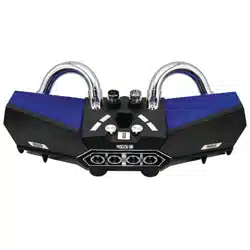
, charge
Extrapolation for native 5V charging when the charging LED lights stay lit.
, ON/OFF
Switch to “ON” position to turn on, dial to “OFF” position to turn off the machine.
, The Key Operation
1, “M” Short press: Bluetooth/Self-timer/USB/TF/RADIO/AUX switch
2, “ ”
Long press: for the volume reduction.
Short press: for a station in radio mode, MP3 mode to the previous song.
The self timer mode, short press “ ” button for the self-timer function
(only available for Windows Mobile Phone)
3, “ ”
Long press: the volume increases.
Short press: Radio mode for a console, MP3 mode for the next song.
In self-timer mode, short press “ ” button for the self-timer function
(only for Android)
4, “ “ “ ”
MP3/Radio/Bluetooth short press PLAY/pause status. Long press for autoscan radio;
Call, short press “ ” key for “Bluetooth speaker phone/answer” to switch between.
There is an incoming call, short press “ ” button to answer the phone,
Long press to reject
Call in the short/long press “ ” button to answer the phone,
Bluetooth static long press “ ” button to dial a phone
5, The Bluetooth connection
Start in the Bluetooth mode automatically (voice message), open the mobile
phone, find MTCBTCARSPKR and click connect. Success has a voice message.
6, The Self-timer function
Press “M” key from the Bluetooth mode switch to the self-timer mode;
Open the Bluetooth mobile phone, search for “shutter” and click connect;
Open your phone’s camera interface, then press “ ” or “ ” button to take pictures.
V
V
V
V
V
Attachment: Android system requires version 4.2.2 or above, IOS requires 6.0 or above, other version
are not supported. Camera phones that have an independent keys are generally not supported.
BLUETOOTH PORTABLE SPEAKER MANUAL
V

, cargar
Extrapolación para la carga nativa de 5V cuando las luces LED de carga permanecen
encendidas.
, ENCENDIDO APAGADO
Cambie a la posición "ON" para encender, marque a la posición "OFF" para apagar la
máquina.
, La operación clave
1, Pulsación breve "M": Bluetooth / Disparador automático / USB / TF / RADIO / interruptor AUX
2, “ ”
Pulsación larga: para la reducción de volumen.
Pulsación breve: para una estación en modo radio, modo MP3 a la canción anterior.
El modo de temporizador automático, presione brevemente el botón " " para la función
de temporizador (solo disponible para Windows Mobile Phone)
3, “ ”
Pulsación larga: el volumen aumenta.
Pulsación corta: modo de radio para una consola, modo MP3 para la siguiente canción.
En el modo de temporizador, presione brevemente el botón " " para la función de
temporizador (solo para Android)
4, “ “ “ ”
MP3 / Radio / Bluetooth presione brevemente PLAY / pausa estado. Pulsación larga para radio
de escaneo automático;
Llame, presione brevemente la tecla " " para "Altavoz / contestador Bluetooth" para cambiar.
Hay una llamada entrante, presione brevemente el botón " " para contestar el teléfono,
Mantenga presionado para rechazar
Llame en el botón corto / largo presione el botón " " para contestar el teléfono,
Bluetooth estático, mantenga presionado el botón " " para marcar un teléfono
5, La conexión Bluetooth
Comience en el modo Bluetooth automáticamente (mensaje de voz), abra el teléfono
móvil, busque MTCBTCARSPKR y haga clic en conectar. El éxito tiene un mensaje de voz.
6, La función de autodisparador
Presione la tecla "M" del interruptor de modo Bluetooth al modo de temporizador automático;
Abra el teléfono móvil Bluetooth, busque "obturador" y haga clic en conectar;
Abra la interfaz de la cámara de su teléfono, luego presione el botón " " o
" " para tomar fotos.
V
V
V
V
V
Anexo: el sistema Android requiere la versión 4.2.2 o superior, IOS requiere 6.0 o superior, no se admite
otra versión. Los teléfonos con cámara que tienen teclas independientes generalmente no son compatibles.
MANUAL DEL ALTAVOZ PORTÁTIL BLUETOOTH